
【D3S】集成smart-doc并同步配置到Torna
目录
- 一、引言
- 二、maven插件
- 三、smart-doc.json配置
- 四、smart-doc-maven-plugin相关命令
- 五、推送文档到Torna
- 六、通过Maven Profile简化构建
一、引言
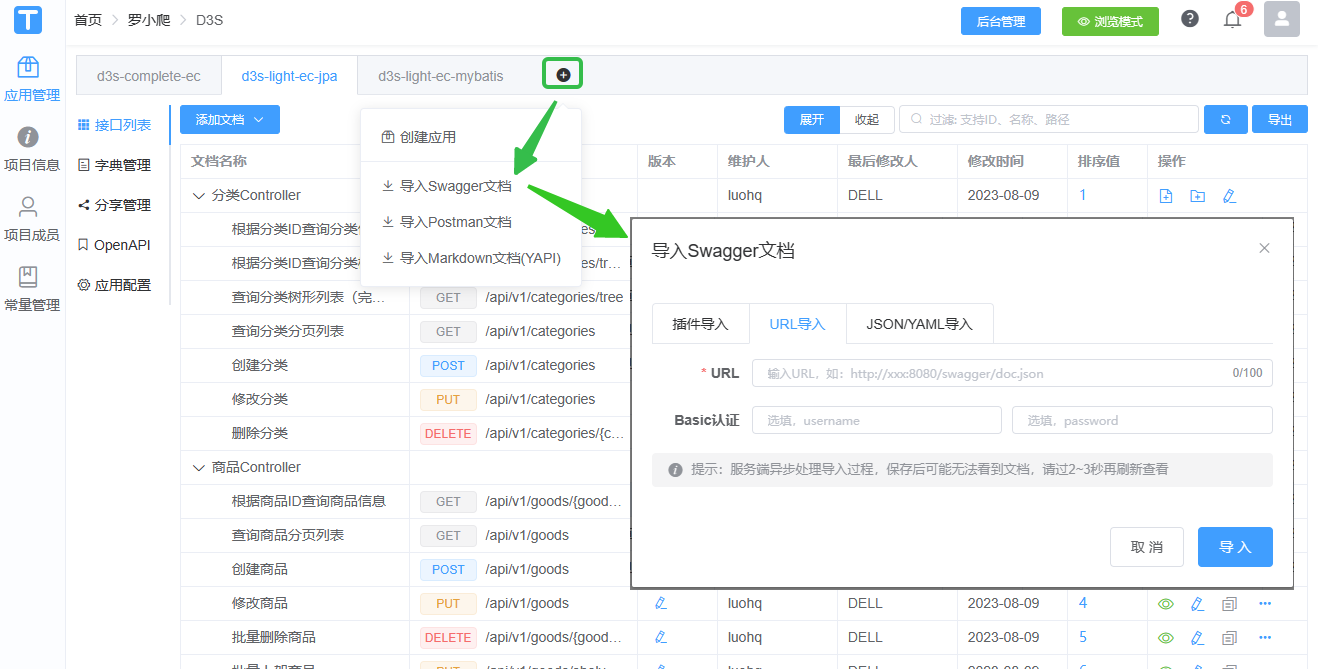
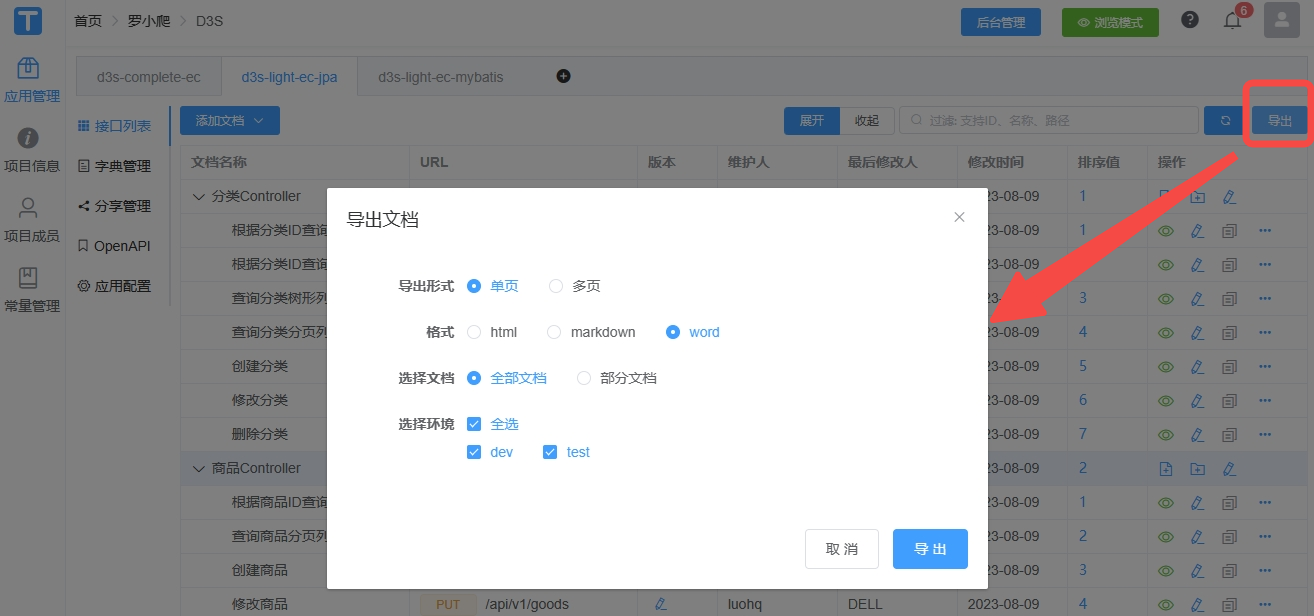
D3S(DDD with SpringBoot)为本作者使用DDD过程中开发的框架,目前已可公开查看源码,笔者正在持续完善该框架,争取打造一个可落地的DDD框架。而在开发D3S框架的过程中,相较Swagger、OpenApi以注解侵入代码的方式,笔者选择了smart-doc以代码注释的形式来完成REST接口文档的生成,配合Torna可以方便完成接口文档同步与管理的工作。之前笔者也成使用过YAPI,但是目前YAPI对OpenApi 3.0支持的不是很好,实测将OAS 3.0的接口文档JSON导入YAPI后,会出现接口返回结果为空的情况,实测Torna对OAS 3.0支持的较为完善,同时Torna也支持直接导入Swagger/OAS文档(JSON/YAML)或URL链接导入,故现阶段如果想选择一款文档管理工具,还是比较推荐Torna。
关于smart-doc与Swagger、OpenApi等的比较可参见笔者之前的博客:
SpringBoot应用生成RESTful API文档 - Swagger 2.0、OAS 3.0、Springfox、Springdoc、Smart-doc
接下来本文主要介绍如何通过maven插件集成smart-doc,并同步接口文档到Torna。由于smart-doc会直接解析代码注释,所以注释规范的代码几乎不需要额外的修改,如此也能养成团队规范代码注释的习惯。
二、maven插件
配置如下smart-doc-maven-plugin插件:
<?xml version="1.0" encoding="UTF-8"?>
<project xmlns="http://maven.apache.org/POM/4.0.0" xmlns:xsi="http://www.w3.org/2001/XMLSchema-instance"xsi:schemaLocation="http://maven.apache.org/POM/4.0.0 https://maven.apache.org/xsd/maven-4.0.0.xsd"><properties><smart.doc.version>2.6.1</smart.doc.version><smart.doc.goal>openapi</smart.doc.goal></properties><build><pluginManagement><plugins><!-- smart-doc插件定义 --><plugin><groupId>com.github.shalousun</groupId><artifactId>smart-doc-maven-plugin</artifactId><version>${smart.doc.version}</version><configuration><!--指定生成文档的使用的配置文件,配置文件放在自己的项目中--><configFile>./src/main/resources/smart-doc.json</configFile><!--smart-doc实现自动分析依赖树加载第三方依赖的源码,如果一些框架依赖库加载不到导致报错,这时请使用excludes排除掉--><excludes><!--格式为:groupId:artifactId;参考如下--><!--也可以支持正则式如:com.alibaba:.* --><exclude>com.alibaba:.*</exclude><exclude>cn.hutool:hutool-core</exclude></excludes></configuration><executions><execution><!--如果不需要在执行编译时启动smart-doc,则将phase注释掉--><phase>compile</phase><goals><!--smart-doc提供了html、openapi、markdown等goal,可按需配置--><goal>${smart.doc.goal}</goal></goals></execution></executions></plugin></plugins></pluginManagement><plugins><!-- smart-doc插件定义 --><plugin><groupId>com.github.shalousun</groupId><artifactId>smart-doc-maven-plugin</artifactId></plugin></plugins></build>
</project>
三、smart-doc.json配置
在src/main/resources下添加smart-doc.json,示例配置如下:
注: 该配置文件smart-doc.json的具体位置可参见前一章节中的maven插件的
<configFile/>配置
{"projectName": "D3S - Smartdoc - API","serverUrl": "http://localhost:8080","pathPrefix": "/","outPath": "./target/smart-doc","allInOne": true,"showAuthor": true,"groups": [{"name": "用户管理","apis": "com.luo.demo.api.controller.user.*"},{"name": "角色管理","apis": "com.luo.demo.api.controller.role.*"}],"revisionLogs": [{"version": "1.0","revisionTime": "2022-01-17 16:30","status": "create","author": "luohq","remarks": "Smartdoc OAS3集成Springdoc"}]
}
注:
outPath为生成接口文档位置,上述示例配置放到了target/smart-doc下,亦可将文档生成至源代码路径,如: ./src/main/resources/smart-doc,
groups、revisionLogs若不需要可移除,
完整配置说明可参见:https://smart-doc-group.github.io/#/zh-cn/diy/config。
四、smart-doc-maven-plugin相关命令
如上集成方式可直接使用mvn clean package即可生成smart-doc相关接口文档,
在D3S中使用smart-doc生成的OpenAPI接口文档,具体内容可参见:gitee/luoex/d3s/…/doc/openapi
更多smart-doc相关命令使用参考如下:
# =========== REST API文档 =============
# 生成html
mvn -Dfile.encoding=UTF-8 smart-doc:html
# 生成markdown
mvn -Dfile.encoding=UTF-8 smart-doc:markdown
# 生成adoc
mvn -Dfile.encoding=UTF-8 smart-doc:adoc
# 生成postman json数据
mvn -Dfile.encoding=UTF-8 smart-doc:postman
# 生成 Open Api 3.0+,Since smart-doc-maven-plugin 1.1.5
mvn -Dfile.encoding=UTF-8 smart-doc:openapi
# 生成文档推送到Torna平台
mvn -Dfile.encoding=UTF-8 smart-doc:torna-rest# =========== Apache Dubbo RPC文档 =============
# 生成html
mvn -Dfile.encoding=UTF-8 smart-doc:rpc-html
# 生成markdown
mvn -Dfile.encoding=UTF-8 smart-doc:rpc-markdown
# 生成adoc
mvn -Dfile.encoding=UTF-8 smart-doc:rpc-adoc
# 生成dubbo接口文档推送到torna
mvn -Dfile.encoding=UTF-8 smart-doc:torna-rpc
五、推送文档到Torna
注:
关于Torna管理端的搭建可参见:https://gitee.com/durcframework/torna#方式1下载zip本地运行
Torna相关配置说明可参见:https://torna.cn/dev/config.html
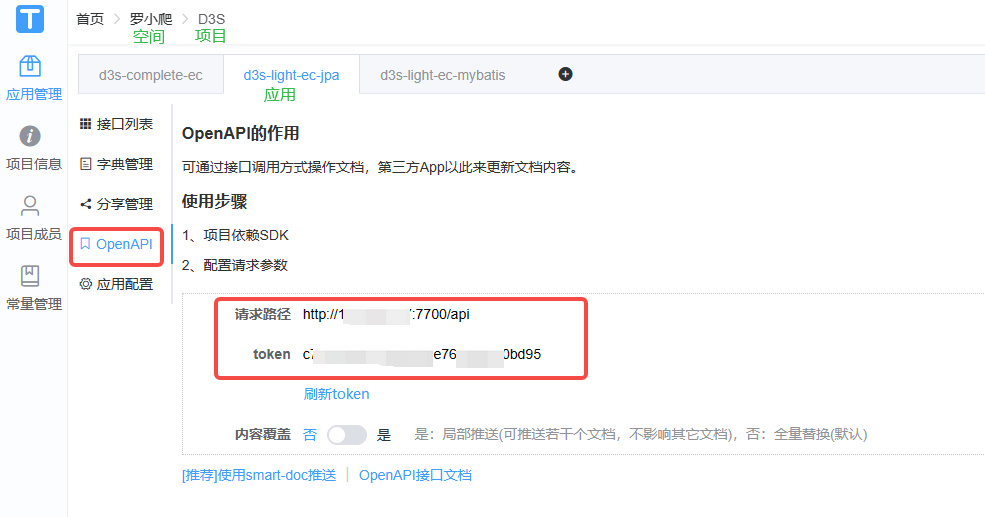
修改src/main/resources/smart-doc.json配置,添加appToken、openUrl属性:
{"projectName": "D3S smart-doc API","serverUrl": "http://localhost:8080","pathPrefix": "/","outPath": "./src/main/resources/static/doc","allInOne": true,//appToken对应下图Tonar管理端中的token"appToken": "c16931fa6590483fb7a4e85340fcbfef",//openUrl对应下图Tonar管理端中的请求路径"openUrl": "http://localhost:7700/api"
}
其中appToken、openUrl对应Torna中具体应用下的配置,
在Torna中的层级分为:空间 -> 项目 -> 应用,
依次创建对应层级后,到具体的应用中的OpenAPI菜单,
如下的token即对应appToken,请求路径即对应openUrl。
执行如下命令后,即可将smart-doc生成的文档同步到Torna:
# 生成接口文档并推送到Torna平台
mvn -Dfile.encoding=UTF-8 smart-doc:torna-rest
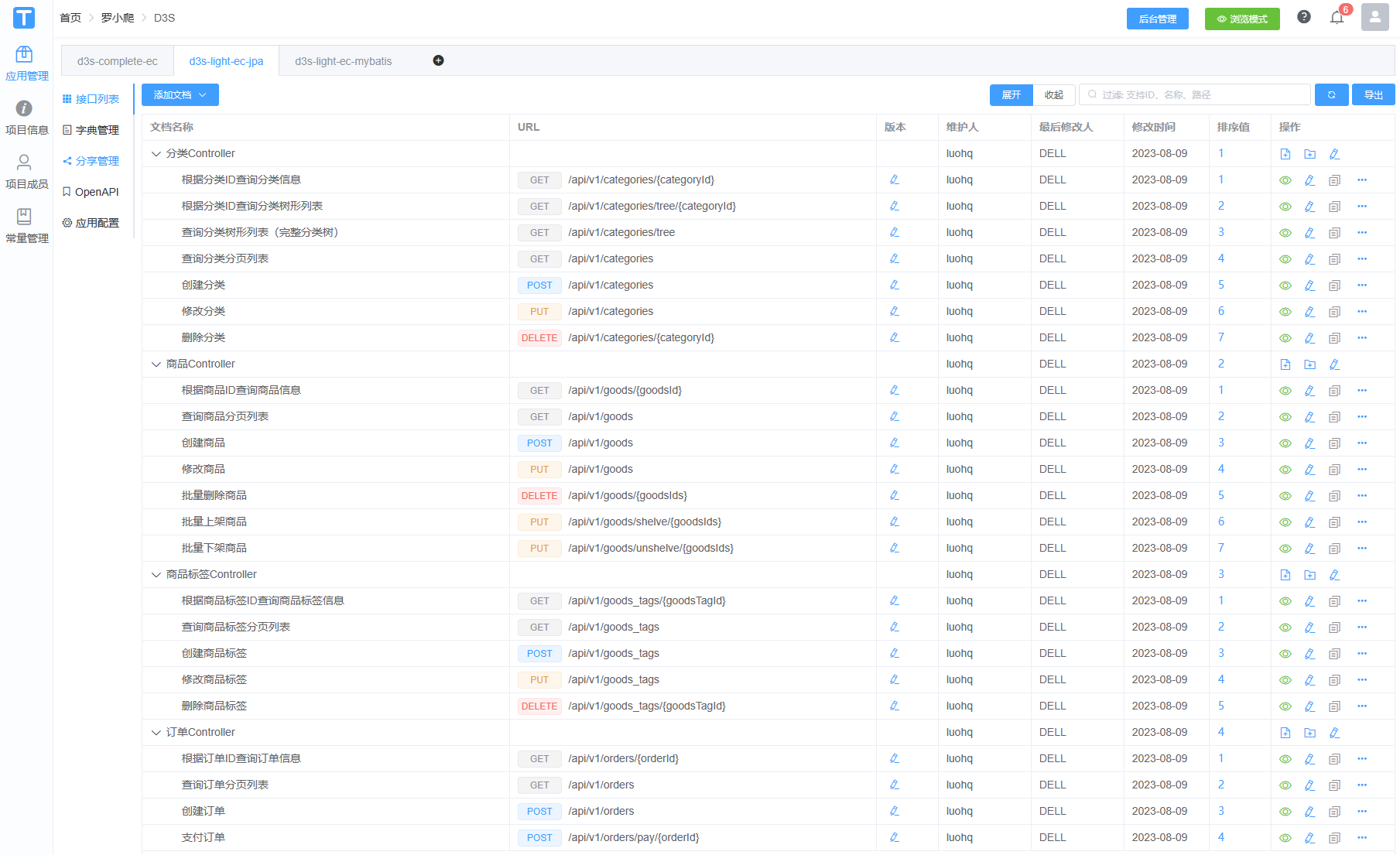
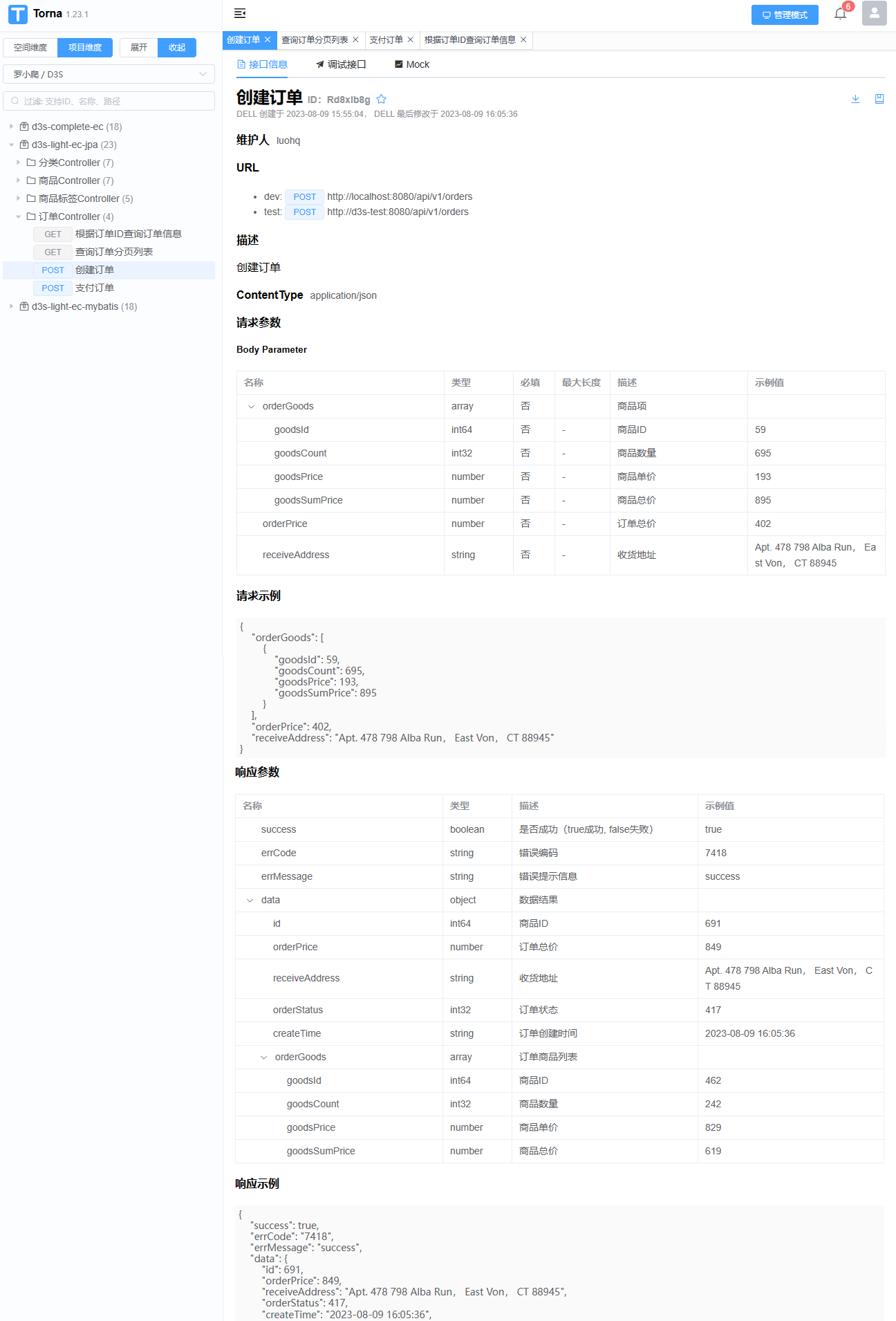
同步到Torna后效果如下:
六、通过Maven Profile简化构建
在pom中添加不同profile,用于区分smart-doc-maven-plugin构建目标,后续切换不同Profile即可执行对应的目标:
<?xml version="1.0" encoding="UTF-8"?>
<project xmlns="http://maven.apache.org/POM/4.0.0" xmlns:xsi="http://www.w3.org/2001/XMLSchema-instance"xsi:schemaLocation="http://maven.apache.org/POM/4.0.0 https://maven.apache.org/xsd/maven-4.0.0.xsd"><properties><smart.doc.version>2.6.1</smart.doc.version><smart.doc.goal>openapi</smart.doc.goal></properties><build><pluginManagement><plugins><!-- smart-doc插件定义 --><plugin><groupId>com.github.shalousun</groupId><artifactId>smart-doc-maven-plugin</artifactId><version>${smart.doc.version}</version><configuration><!--指定生成文档的使用的配置文件,配置文件放在自己的项目中--><configFile>./src/main/resources/smart-doc.json</configFile><!--smart-doc实现自动分析依赖树加载第三方依赖的源码,如果一些框架依赖库加载不到导致报错,这时请使用excludes排除掉--><excludes><!--格式为:groupId:artifactId;参考如下--><!--也可以支持正则式如:com.alibaba:.* --><exclude>com.alibaba:.*</exclude><exclude>cn.hutool:hutool-core</exclude></excludes></configuration><executions><execution><!--如果不需要在执行编译时启动smart-doc,则将phase注释掉--><phase>compile</phase><goals><!--smart-doc提供了html、openapi、markdown等goal,可按需配置--><goal>${smart.doc.goal}</goal></goals></execution></executions></plugin></plugins></pluginManagement></build><profiles><!-- 生成openapi.json --><profile><id>smart-doc-openapi</id><activation><activeByDefault>true</activeByDefault></activation><properties><smart.doc.goal>openapi</smart.doc.goal></properties></profile><!-- 同步到Torna --><profile><id>smart-doc-torna-rest</id><properties><smart.doc.goal>torna-rest</smart.doc.goal></properties></profile><!-- 生成Html接口文档 --><profile><id>smart-doc-html</id><properties><smart.doc.goal>html</smart.doc.goal></properties></profile><!-- 生成Markdown接口文档 --><profile><id>smart-doc-markdown</id><properties><smart.doc.goal>markdown</smart.doc.goal></properties></profile></profiles></project>
之后即可通过切换mvn profile生成不同形式的接口文档:
# 生成openapi.json
mvn clean package -P smart-doc-openapi
# 生成html接口文档
mvn clean package -P smart-doc-html
# 生成markdown接口文档
mvn clean package -P smart-doc-markdown
# 推送到Torna
mvn clean package -P smart-doc-torna-rest
相关文章:
【D3S】集成smart-doc并同步配置到Torna
目录 一、引言二、maven插件三、smart-doc.json配置四、smart-doc-maven-plugin相关命令五、推送文档到Torna六、通过Maven Profile简化构建 一、引言 D3S(DDD with SpringBoot)为本作者使用DDD过程中开发的框架,目前已可公开查看源码&#…...
网络安全设备及部署
什么是等保定级? 之前了解了下等保定级,接下里做更加深入的探讨 文章目录 一、网路安全大事件1.1 震网病毒1.2 海康威视弱口令1.3 物联网Mirai病毒1.4 专网 黑天安 事件1.5 乌克兰停电1.6 委内瑞拉电网1.7 棱镜门事件1.8 熊猫烧香 二、法律法规解读三、安…...
LVS集群
目录 1、lvs简介: 2、lvs架构图: 3、 lvs的工作模式: 1) VS/NAT: 即(Virtual Server via Network Address Translation) 2)VS/TUN :即(Virtual Server v…...
从入门到精通系列之十二:安装和设置 kubectl)
Kubernetes(K8s)从入门到精通系列之十二:安装和设置 kubectl
Kubernetes K8s从入门到精通系列之十二:安装和设置 kubectl 一、kubectl二、在 Linux 系统中安装并设置 kubectl1.准备工作2.用 curl 在 Linux 系统中安装 kubectl3.用原生包管理工具安装 三、验证 kubectl 配置四、kubectl 的可选配置和插件1.启用 shell 自动补全功…...
探索 TypeScript 元组的用例
元组扩展了数组数据类型的功能。使用元组,我们可以轻松构造特殊类型的数组,其中元素相对于索引或位置是固定类型的。由于 TypeScript 的性质,这些元素类型在初始化时是已知的。使用元组,我们可以定义可以存储在数组中每个位置的数…...

Pytorch使用NN神经网络模型实现经典波士顿boston房价预测问题
Pytorch使用多层神经网络模型实现经典波士顿boston房价预测问题 波士顿房价数据集介绍 波士顿房价数据集是一个经典的机器学习数据集,用于预测波士顿地区房屋的中位数价格。该数据集包含了506个样本,每个样本有13个特征,包括城镇的各种指标&…...
微服务间消息传递
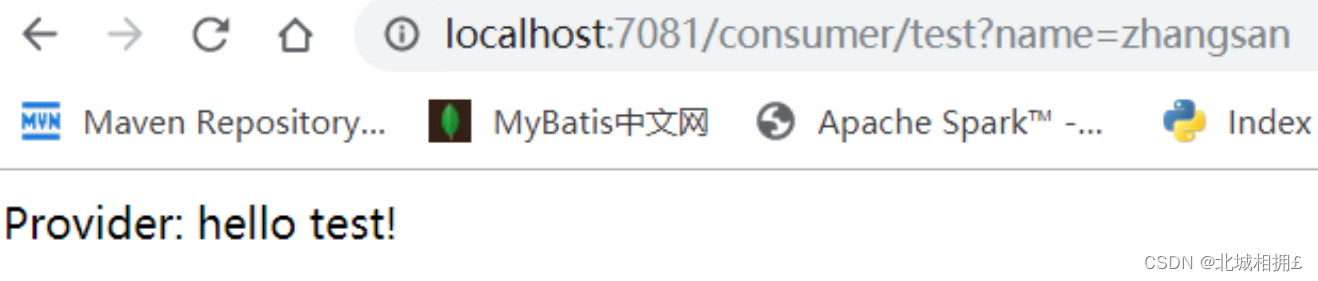
微服务间消息传递 微服务是一种软件开发架构,它将一个大型应用程序拆分为一系列小型、独立的服务。每个服务都可以独立开发、部署和扩展,并通过轻量级的通信机制进行交互。 应用开发 common模块中包含服务提供者和服务消费者共享的内容provider模块是…...
python——案例16:约瑟夫生者死者链队列
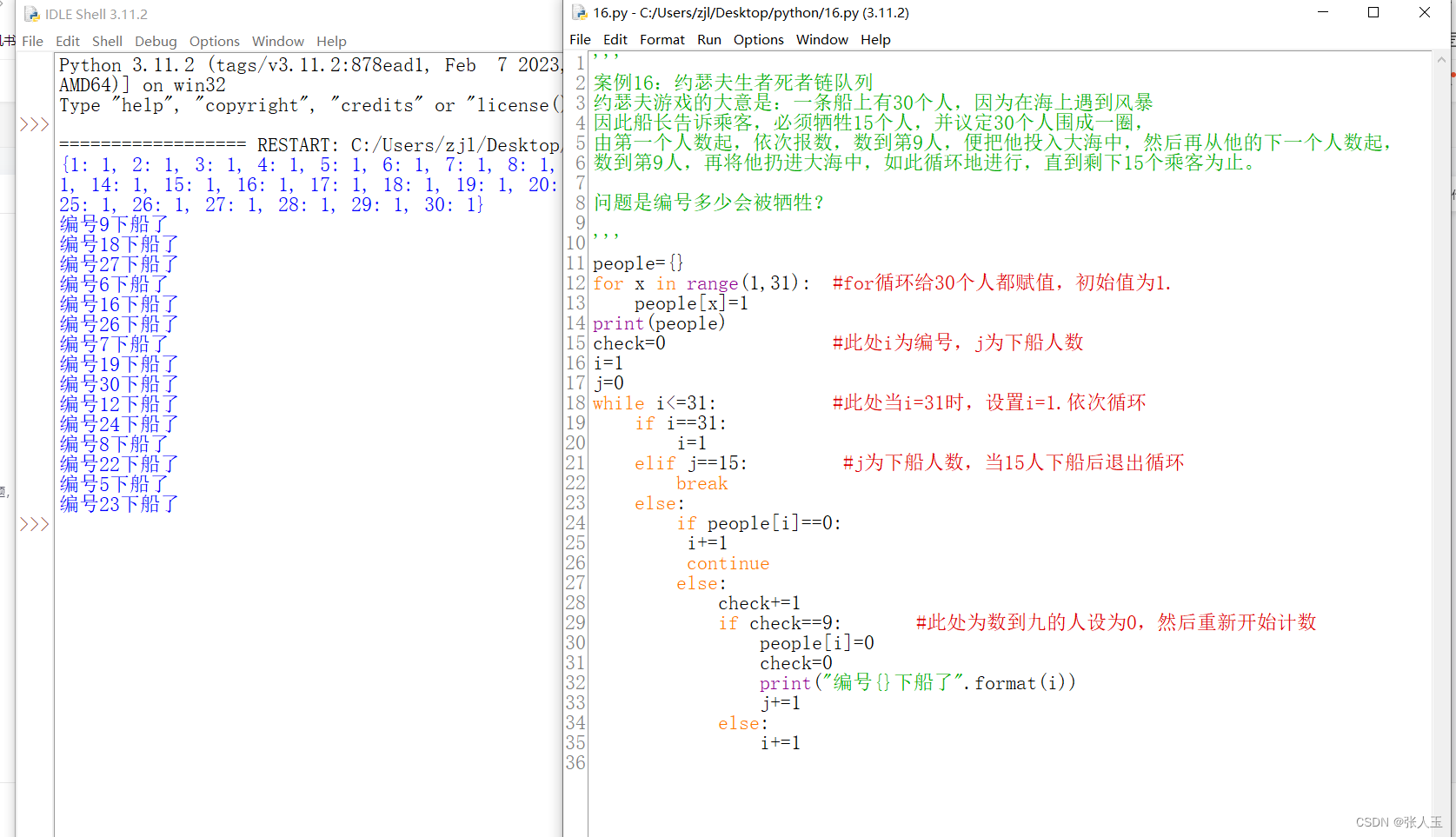
约瑟夫游戏的大意是:一条船上有30个人,因为在海上遇到风暴 因此船长告诉乘客,必须牺牲15个人,并议定30个人围成一圈, 由第一个人数起,依次报数,数到第9人,便把他投入大海中ÿ…...

【人工智能前沿弄潮】—— 玩转SAM(Segment Anything)
玩转SAM(Segment Anything) 官网链接: Segment Anything | Meta AI (segment-anything.com) github链接: facebookresearch/segment-anything: The repository provides code for running inference with the SegmentAnything Model (SAM), links fo…...

每日一题——合并两个有序的数组
题目 给出一个有序的整数数组 A 和有序的整数数组 B ,请将数组 B 合并到数组 A 中,变成一个有序的升序数组 数据范围:0≤n,m≤100,∣Ai∣<100,∣Bi∣<100 注意: 1.保证 A 数组有足够的空间存放 B …...
MPP架构和Hadoop架构的区别
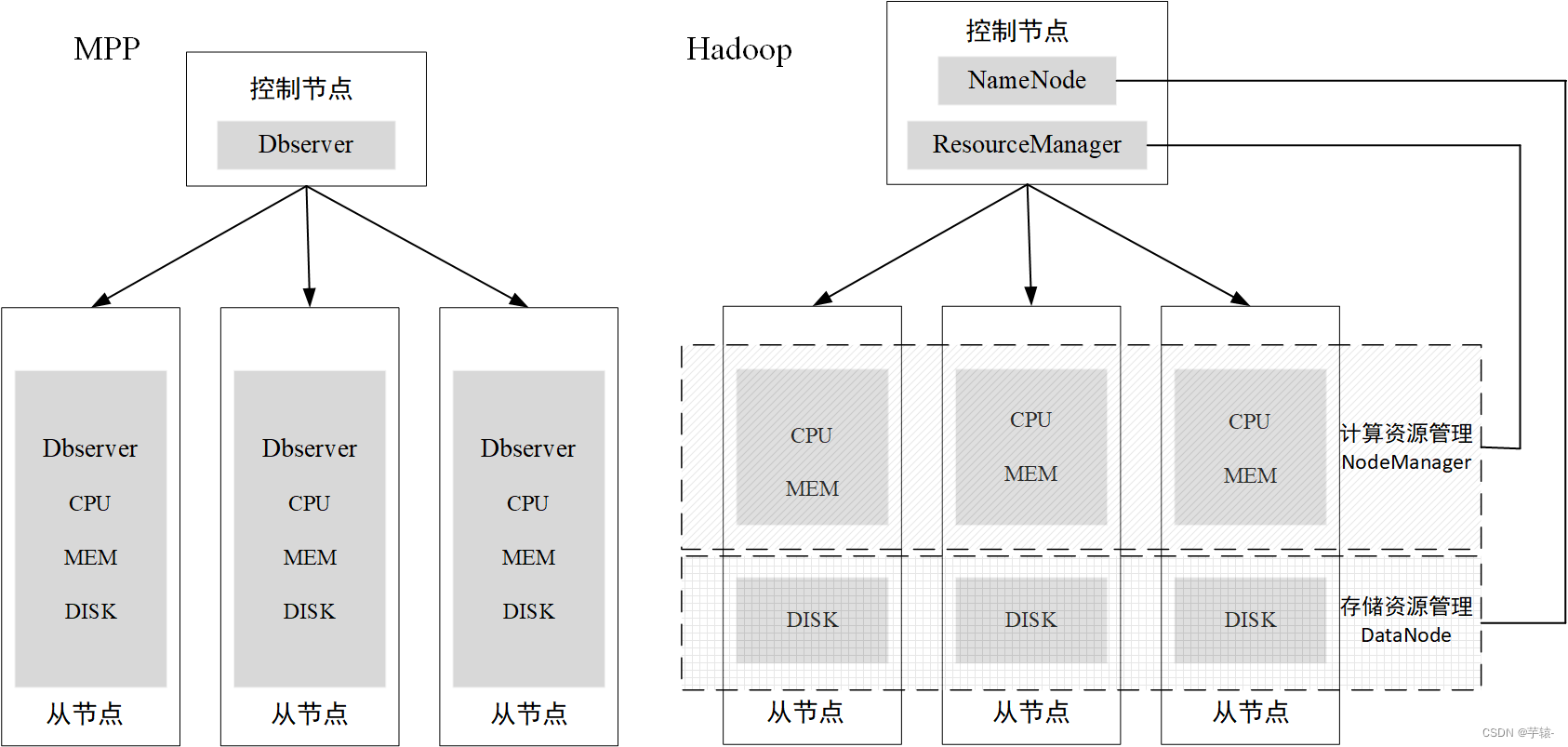
1. 架构的介绍 mpp架构是将许多数据库通过网络连接起来,相当于将一个个垂直系统横向连接,形成一个统一对外的服务的分布式数据库系统。每个节点由一个单机数据库系统独立管理和操作该物理机上的的所有资源(CPU,内存等)…...
Java02-迭代器,数据结构,List,Set ,Map,Collections工具类
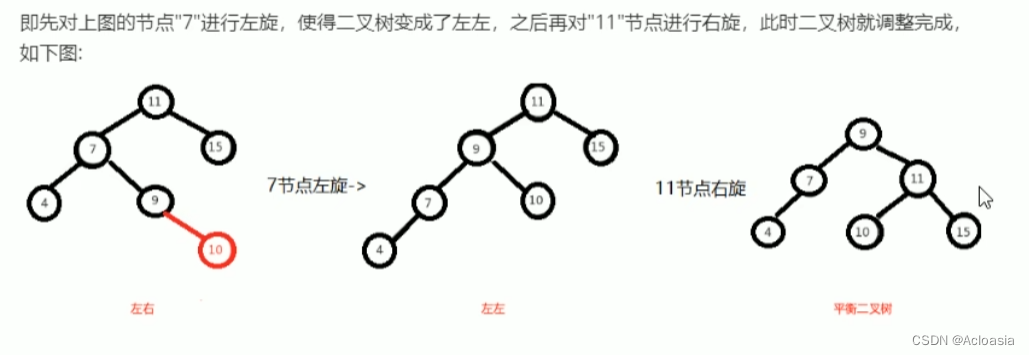
目录 什么是遍历? 一、Collection集合的遍历方式 1.迭代器遍历 方法 流程 案例 2. foreach(增强for循环)遍历 案例 3.Lamdba表达式遍历 案例 二、数据结构 数据结构介绍 常见数据结构 栈(Stack) 队列&a…...

福布斯发布2023云计算100强榜单,全球流程挖掘领导者Celonis排名17
近日,全球流程挖掘领导者Celonis入选福布斯2023 年云计算 100 强榜单,估值130亿美元,排名第17,Celonis已经是连续三年跻身榜单前20名。 本次榜单由福布斯与Bessemer Venture Partners和Salesforce Ventures联合发布,旨…...

计算机网络 MAC地址
...

Jay17 2023.8.10日报
笔记 【python反序列化】 序列化 类对象->字节流(字符串) 反序列化 字节流->对象 python反序列化没PHP这么灵活,没这么多魔术方法。 import pickle import os class ctfshow(): def init(self): self.username0 self.password0 d…...
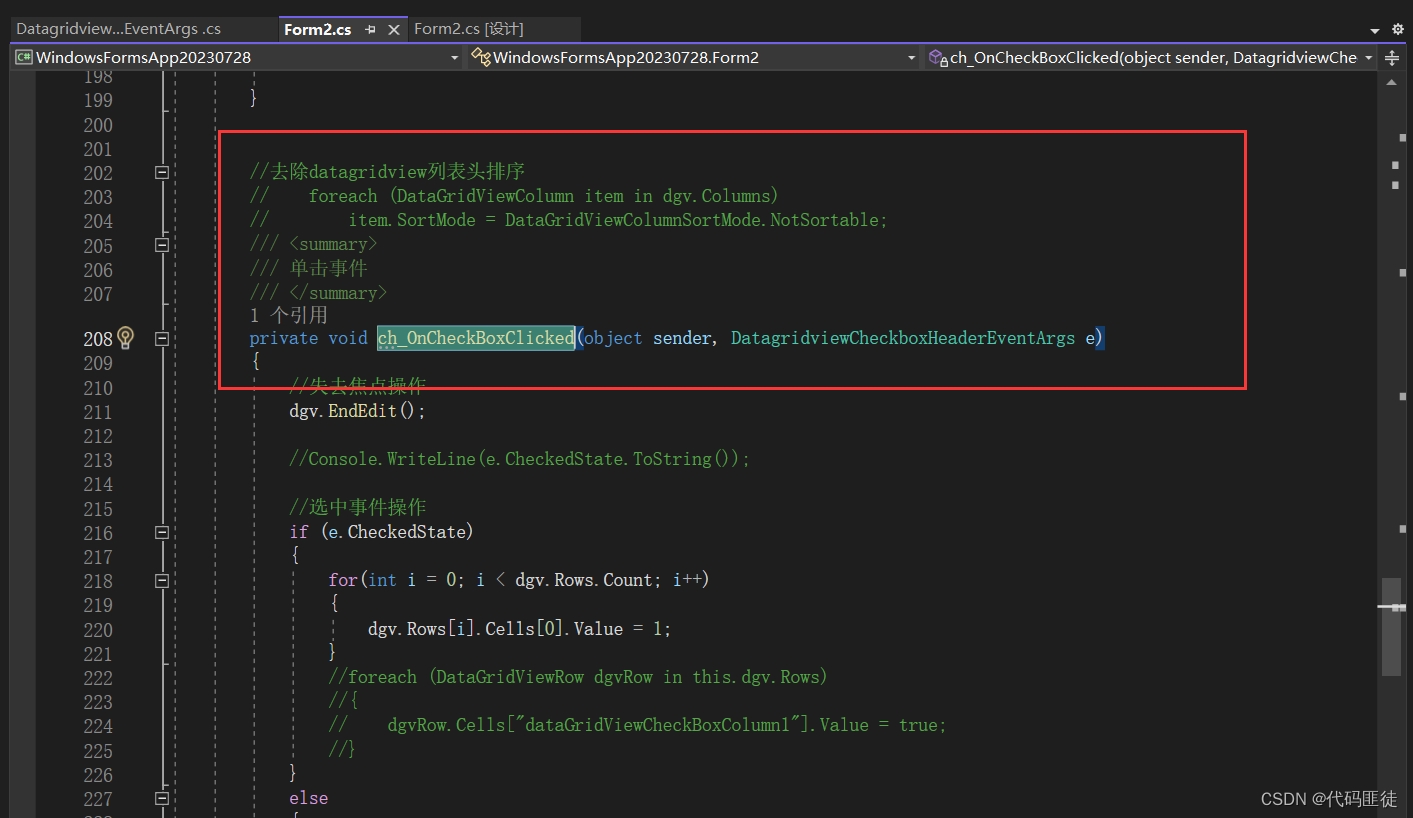
Winform中DatagridView 表头实现一个加上一个checkBox,实现全选选项功能
实现效果 点击checkBox1或者直接在第一列列表头点击即可实现 代码实现 我的datagridview叫dgv 我在datagridview已经默认添加了一个DataGridViewCheckBoxColumn,勾选时value为1,不勾选时value为0 第一种通过可视化拖动一个checkBox来实现 拖动组…...
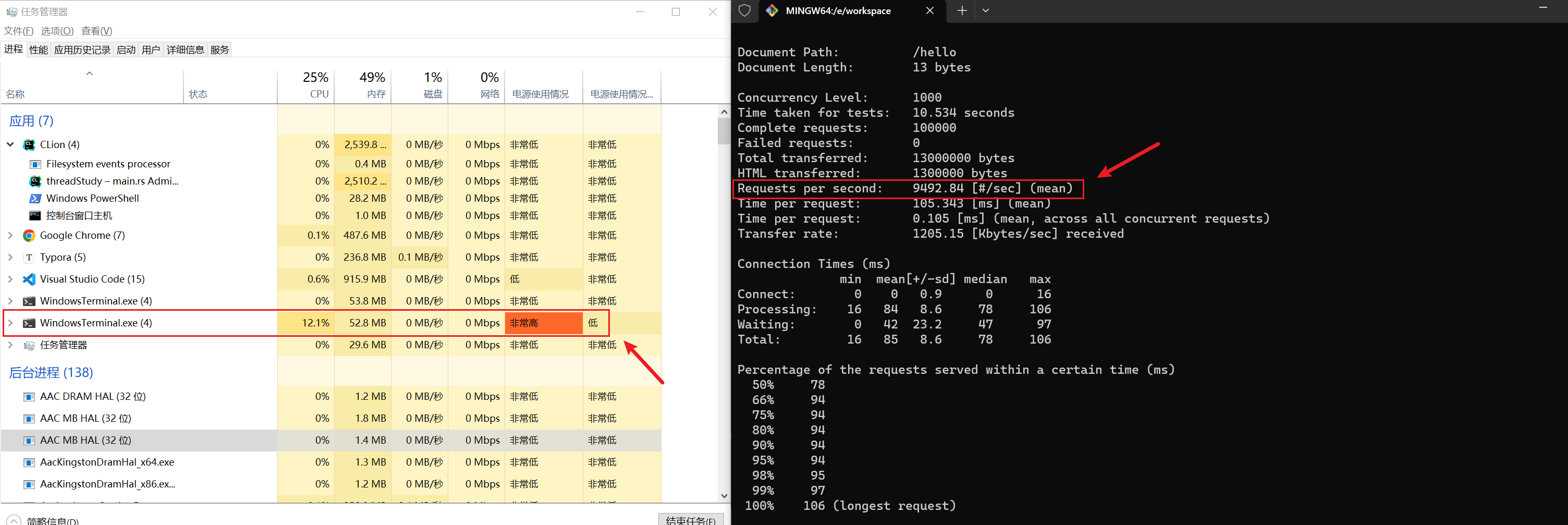
rust基础
这是笔者学习rust的学习笔记(如有谬误,请君轻喷) 参考视频: https://www.bilibili.com/video/BV1hp4y1k7SV参考书籍:rust程序设计语言:https://rust.bootcss.com/title-page.htmlmarkdown地址:h…...
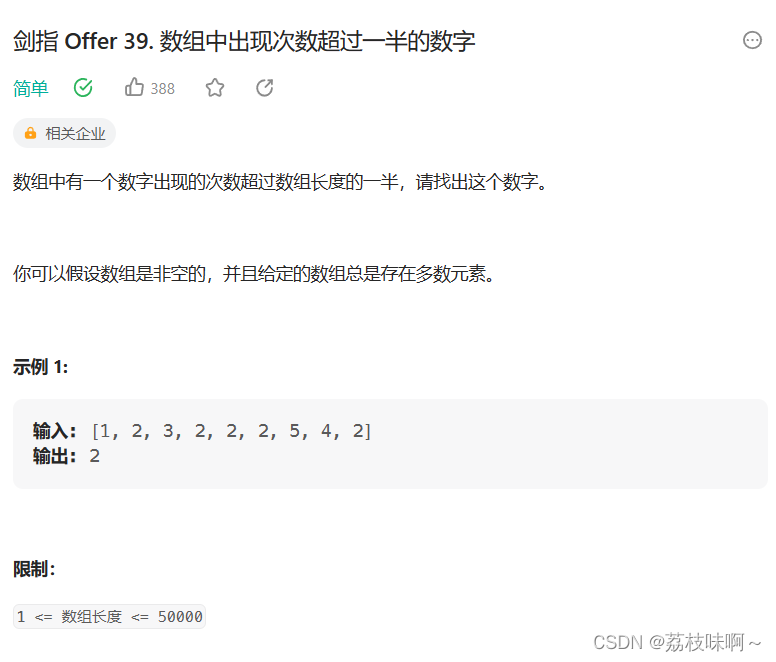
剑指offer39.数组中出现次数超过一半的数字
这个题非常简单,解法有很多种,我用的是HashMap记录每个元素出现的次数,只要次数大于数组长度的一半就返回。下面是我的代码: class Solution {public int majorityElement(int[] nums) {int len nums.length/2;HashMap<Integ…...

spring技术栈面试题
1 Spring支持的事务管理类型有哪些?你在项目中使用哪种方式? Spring支持两种类型的事务管理: 编程式事务管理:这意味你通过编程的方式管理事务,给你带来极大的灵活性,但是难维护。声明式事务管理&#x…...
Android Glide MemorySizeCalculator计算值,Kotlin
Android Glide MemorySizeCalculator计算值,Kotlin for (i in 100..1000 step 50) {val calculator MemorySizeCalculator.Builder(this).setMemoryCacheScreens(i.toFloat()).setBitmapPoolScreens(i.toFloat()).setMaxSizeMultiplier(0.8f).setLowMemoryMaxSizeMultiplier(0…...

设计模式和设计原则回顾
设计模式和设计原则回顾 23种设计模式是设计原则的完美体现,设计原则设计原则是设计模式的理论基石, 设计模式 在经典的设计模式分类中(如《设计模式:可复用面向对象软件的基础》一书中),总共有23种设计模式,分为三大类: 一、创建型模式(5种) 1. 单例模式(Sing…...
docker详细操作--未完待续
docker介绍 docker官网: Docker:加速容器应用程序开发 harbor官网:Harbor - Harbor 中文 使用docker加速器: Docker镜像极速下载服务 - 毫秒镜像 是什么 Docker 是一种开源的容器化平台,用于将应用程序及其依赖项(如库、运行时环…...
微软PowerBI考试 PL300-选择 Power BI 模型框架【附练习数据】
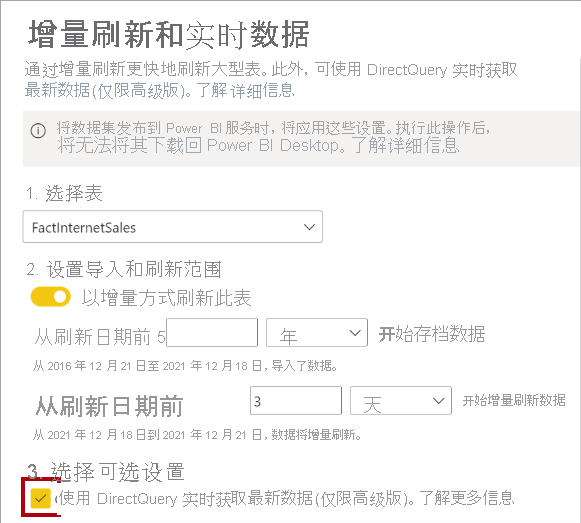
微软PowerBI考试 PL300-选择 Power BI 模型框架 20 多年来,Microsoft 持续对企业商业智能 (BI) 进行大量投资。 Azure Analysis Services (AAS) 和 SQL Server Analysis Services (SSAS) 基于无数企业使用的成熟的 BI 数据建模技术。 同样的技术也是 Power BI 数据…...

汇编常见指令
汇编常见指令 一、数据传送指令 指令功能示例说明MOV数据传送MOV EAX, 10将立即数 10 送入 EAXMOV [EBX], EAX将 EAX 值存入 EBX 指向的内存LEA加载有效地址LEA EAX, [EBX4]将 EBX4 的地址存入 EAX(不访问内存)XCHG交换数据XCHG EAX, EBX交换 EAX 和 EB…...
如何在网页里填写 PDF 表格?
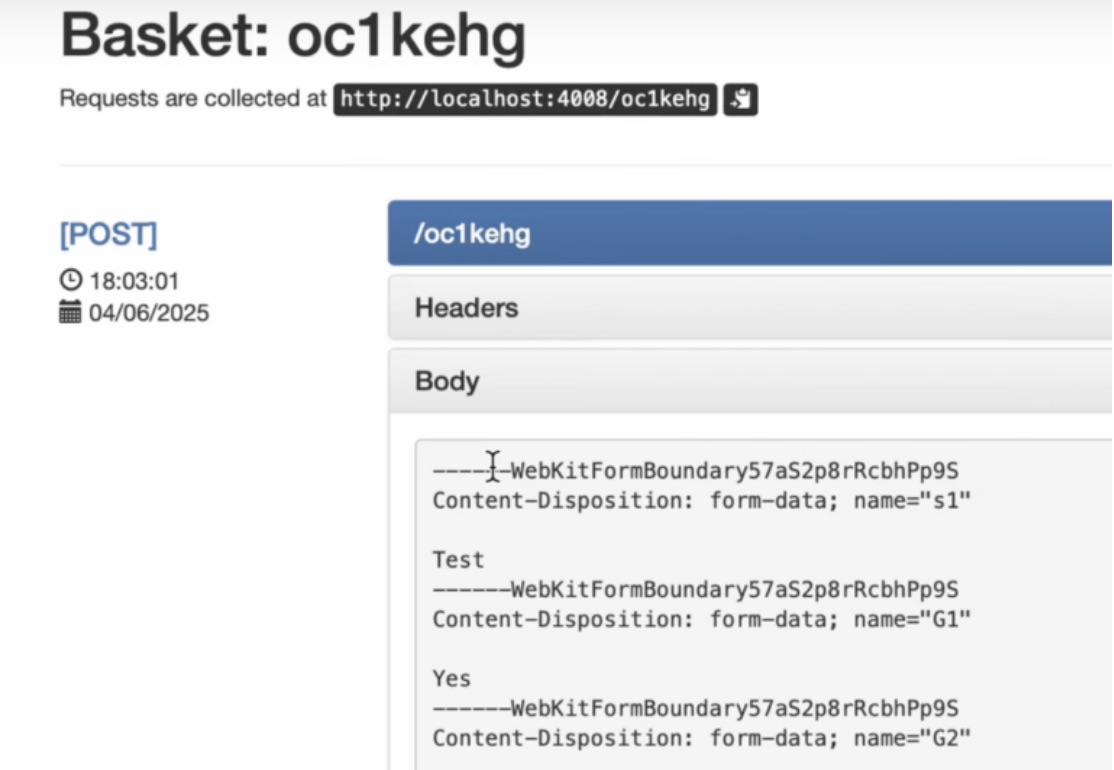
有时候,你可能希望用户能在你的网站上填写 PDF 表单。然而,这件事并不简单,因为 PDF 并不是一种原生的网页格式。虽然浏览器可以显示 PDF 文件,但原生并不支持编辑或填写它们。更糟的是,如果你想收集表单数据ÿ…...

在鸿蒙HarmonyOS 5中使用DevEco Studio实现企业微信功能
1. 开发环境准备 安装DevEco Studio 3.1: 从华为开发者官网下载最新版DevEco Studio安装HarmonyOS 5.0 SDK 项目配置: // module.json5 {"module": {"requestPermissions": [{"name": "ohos.permis…...

解决:Android studio 编译后报错\app\src\main\cpp\CMakeLists.txt‘ to exist
现象: android studio报错: [CXX1409] D:\GitLab\xxxxx\app.cxx\Debug\3f3w4y1i\arm64-v8a\android_gradle_build.json : expected buildFiles file ‘D:\GitLab\xxxxx\app\src\main\cpp\CMakeLists.txt’ to exist 解决: 不要动CMakeLists.…...

【学习笔记】erase 删除顺序迭代器后迭代器失效的解决方案
目录 使用 erase 返回值继续迭代使用索引进行遍历 我们知道类似 vector 的顺序迭代器被删除后,迭代器会失效,因为顺序迭代器在内存中是连续存储的,元素删除后,后续元素会前移。 但一些场景中,我们又需要在执行删除操作…...
抽象类和接口(全)
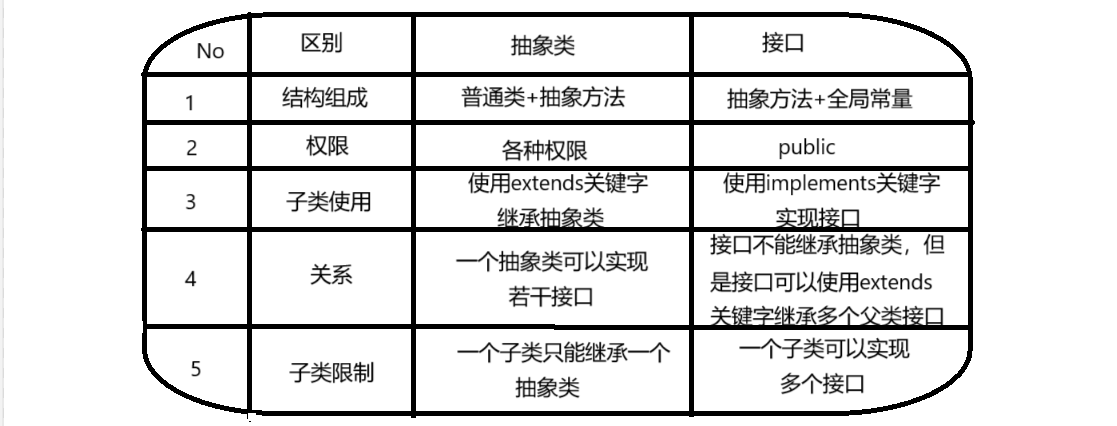
一、抽象类 1.概念:如果⼀个类中没有包含⾜够的信息来描绘⼀个具体的对象,这样的类就是抽象类。 像是没有实际⼯作的⽅法,我们可以把它设计成⼀个抽象⽅法,包含抽象⽅法的类我们称为抽象类。 2.语法 在Java中,⼀个类如果被 abs…...
Ubuntu系统多网卡多相机IP设置方法
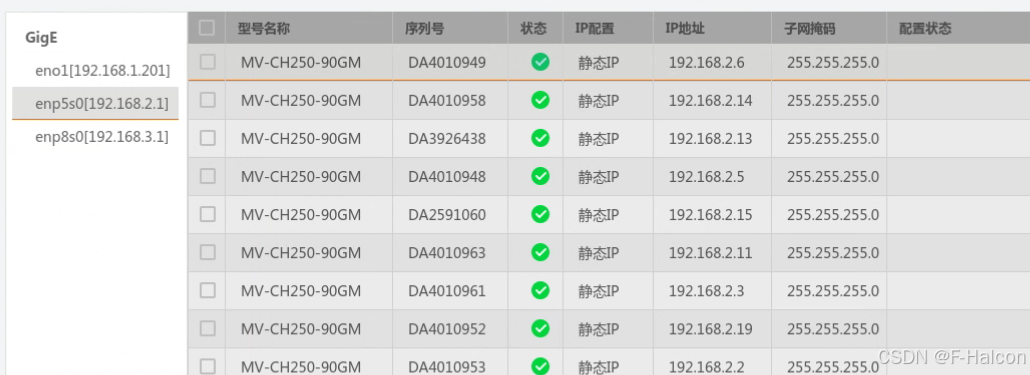
目录 1、硬件情况 2、如何设置网卡和相机IP 2.1 万兆网卡连接交换机,交换机再连相机 2.1.1 网卡设置 2.1.2 相机设置 2.3 万兆网卡直连相机 1、硬件情况 2个网卡n个相机 电脑系统信息,系统版本:Ubuntu22.04.5 LTS;内核版本…...