
.netcore windows app启动webserver
创建controller:

using Microsoft.AspNetCore.Mvc;
using Microsoft.Extensions.Logging;
using System;
using System.Collections.Generic;
using System.Linq;
using System.Text;
using System.Text.Json.Serialization;
using System.Threading.Tasks;namespace MyWorker.Controller
{[ApiController][Route("/api/[controller]")]public class HomeController{public ILogger<HomeController> logger;public HomeController(ILogger<HomeController> logger){this.logger = logger;}public string Echo(){return DateTime.Now.ToString("yyyy-MM-dd HH:mm:ss");}}
}
定义webserver
using System;
using System.Collections.Generic;
using System.Linq;
using System.Text;
using System.Threading.Tasks;
using Microsoft.AspNetCore;
using Microsoft.AspNetCore.Hosting;namespace MyWorker
{public static class WebServer{public static WorkerConfig Config{get;private set;}public static bool IsRunning{get { return host != null; }}private static IWebHost host;static WebServer(){ReadConfig();}#region 配置public static void ReadConfig(){string cfgFile = AppDomain.CurrentDomain.BaseDirectory + "my.json";try{if (File.Exists(cfgFile)){string json = File.ReadAllText(cfgFile);if (!string.IsNullOrEmpty(json)){Config = System.Text.Json.JsonSerializer.Deserialize<WorkerConfig>(json);}}}catch{File.Delete(cfgFile);}if(Config == null){Config = new WorkerConfig();}}public static void SaveConfig(){string cfgFile = AppDomain.CurrentDomain.BaseDirectory + "my.json";File.WriteAllText(cfgFile, System.Text.Json.JsonSerializer.Serialize(Config),Encoding.UTF8);}#endregionpublic static void Start(){try{host = WebHost.CreateDefaultBuilder<Startup>(FrmMain.StartArgs).UseUrls(string.Format("http://*:{0}", Config.Port)).Build();host.StartAsync();}catch{host = null;throw;}}public static void Stop(){if(host != null){host.StopAsync();host = null;}}}public class WorkerConfig{public int Port { get; set; } = 8800;}
}
启动选项:
using Microsoft.AspNetCore.Builder;
using Microsoft.Extensions.Configuration;
using Microsoft.Extensions.DependencyInjection;
using Microsoft.Extensions.DependencyInjection.Extensions;
using System;
using System.Collections.Generic;
using System.Linq;
using System.Text;
using System.Threading.Tasks;
using Microsoft.AspNetCore.Mvc;
using Microsoft.AspNetCore.Internal;namespace MyWorker
{public class Startup{public Startup(IConfiguration configuration){Configuration = configuration;}public IConfiguration Configuration { get; }// This method gets called by the runtime. Use this method to add services to the container.public void ConfigureServices(IServiceCollection services){services.AddMvc();}// This method gets called by the runtime. Use this method to configure the HTTP request pipeline.public void Configure(IApplicationBuilder app){app.UseMvc();}}
}
winform启动|停止:
namespace MyWorker
{public partial class FrmMain : Form{public static string[] StartArgs = null;bool isClose = false;public FrmMain(string[] args){InitializeComponent();StartArgs = args;}private void FrmMain_Load(object sender, EventArgs e){StartServer();}private void FrmMain_Shown(object sender, EventArgs e){}private void FrmMain_FormClosing(object sender, FormClosingEventArgs e){if (!isClose){this.WindowState = FormWindowState.Minimized;this.ShowInTaskbar = false;this.Hide();e.Cancel = true;}}private void btnStart_Click(object sender, EventArgs e){StartServer();}private void btnStop_Click(object sender, EventArgs e){StopServer();}private void tray_MouseDoubleClick(object sender, MouseEventArgs e){this.WindowState = FormWindowState.Normal;this.ShowInTaskbar = true;this.Show();this.BringToFront();}private void tmiShowMain_Click(object sender, EventArgs e){this.WindowState = FormWindowState.Normal;this.ShowInTaskbar = true;this.Show();this.BringToFront();}private void tmiStop_Click(object sender, EventArgs e){StopServer();}private void tmiExit_Click(object sender, EventArgs e){if (WebServer.IsRunning){if (MessageBox.Show("服务正在运行,确定退出吗?", "提示",MessageBoxButtons.YesNo, MessageBoxIcon.Question) != DialogResult.Yes){return;}StopServer();}isClose = true;this.Close();}private void StartServer(){try{int port = Convert.ToInt32(txtPort.Value);if (WebServer.Config.Port != port){WebServer.Config.Port = port;WebServer.SaveConfig();}WebServer.Start();btnStart.Enabled = false;btnStop.Enabled = true;tmiStop.Text = "停止(&S)";tmiStop.Image = imgList.Images[3];lblTip.Text = "服务已启动";}catch (Exception ex){MessageBox.Show(ex.Message, "启动服务");}}private void StopServer(){try{WebServer.Stop();btnStart.Enabled = true;btnStop.Enabled = false;tmiStop.Text = "启动(&S)";tmiStop.Image = imgList.Images[2];lblTip.Text = "服务已停止";}catch (Exception ex){MessageBox.Show(ex.Message, "停止服务");}}}
}
页面预览:

测试:

配置打包单个文件:
csproj配置
<RuntimeIdentifier>win-x64</RuntimeIdentifier>
<PublishSingleFile>true</PublishSingleFile>
<IncludeAllContentForSelfExtract>true</IncludeAllContentForSelfExtract>
<!--<PublishTrimmed>true</PublishTrimmed>--> 
相关文章:
.netcore windows app启动webserver
创建controller: using Microsoft.AspNetCore.Mvc; using Microsoft.Extensions.Logging; using System; using System.Collections.Generic; using System.Linq; using System.Text; using System.Text.Json.Serialization; using System.Threading.Tasks;namespace MyWorker.…...
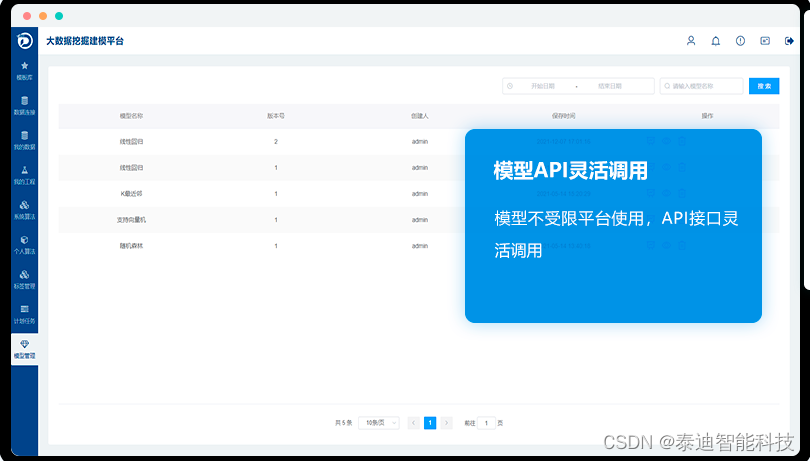
泰迪大数据挖掘建模平台功能特色介绍
大数据挖掘建模平台面相高校、企业级别用户快速进行数据处理的建模工具。 大数据挖掘建模平台介绍 平台底层算法基于R语言、Python、Spark等引擎,使用JAVA语言开发,采用 B/S 结构,用户无需下载客户端,可直接通过浏览器进行…...

【问题】java序列化,什么时候使用
文章目录 是什么为什么如何做流操作 注事事项 是什么 把对象转换为字节序列的过程称为对象的序列化。 把字节序列恢复为对象的过程称为对象的反序列化。 对象的序列化主要有两种用途: 1)把对象的字节序列永久地保存到硬盘上,通常存放在一…...
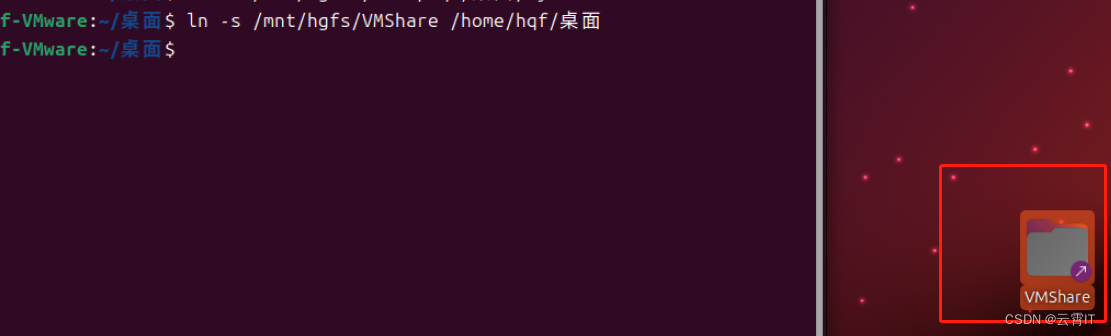
【最新可用】VMware中ubuntu与主机window之间使用共享文件夹传输大文件
一、VMware设置共享文件夹 (1)虚拟机关机情况下,创建一个共享文件夹 (2)ubuntu中挂载共享文件夹 1、如果之前已经挂载 hgfs,先取消挂载 sudo umount /mnt/hgfs2、重新使用以下命令挂载 sudo /usr/bin/vmh…...
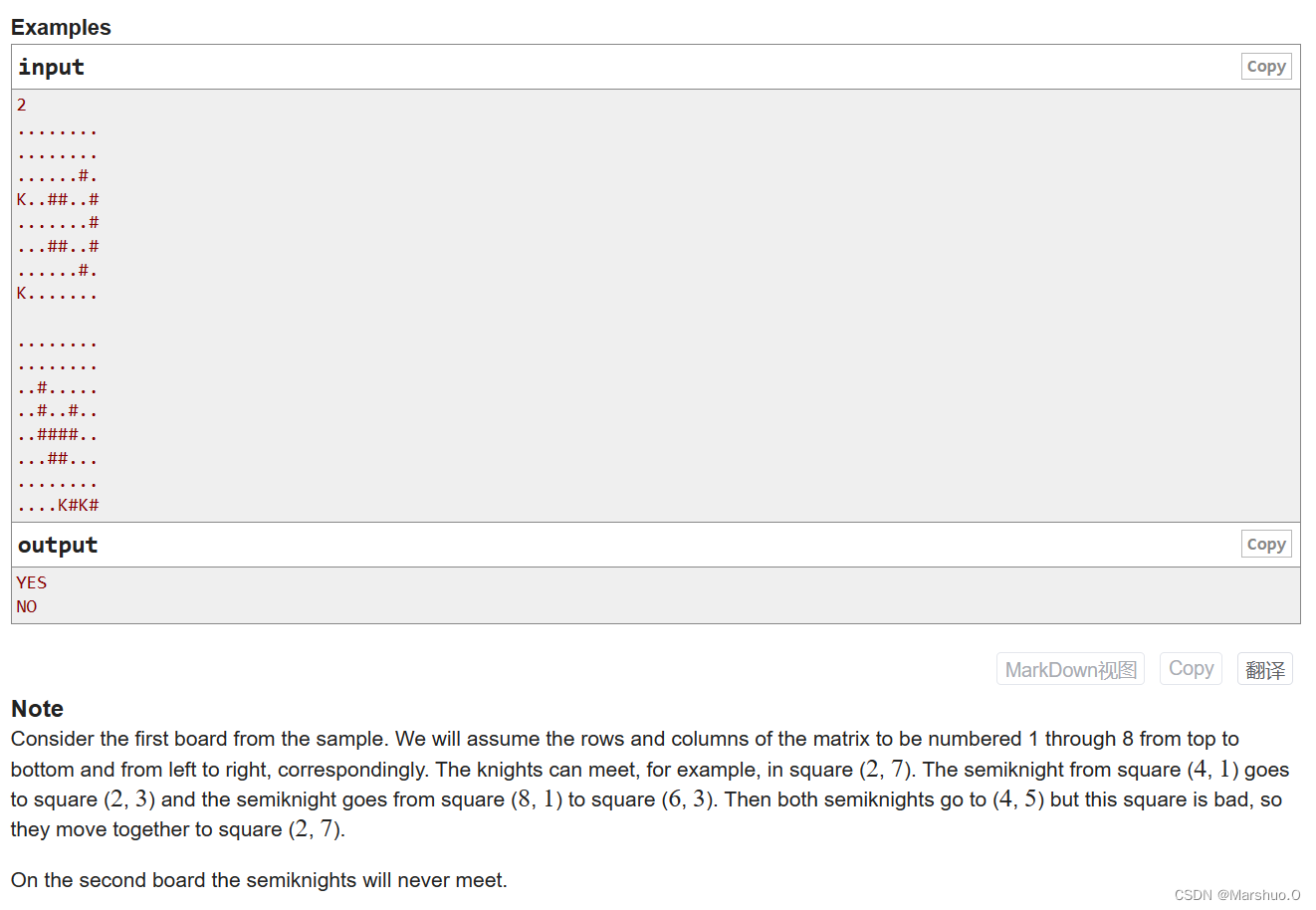
A. Two Semiknights Meet
题目描述 可知走法为中国象棋中的象的走法 解题思路 利用结构体来存储两个 K K K的位置 x , y x,y x,y,因为两个 K K K同时走,所以会出现两种情况 相向而行,两者距离减少 相反而行,两者距离不变 我们完全可以不考虑格子是好…...

〔011〕Stable Diffusion 之 解决绘制多人或面部很小的人物时面部崩坏问题 篇
✨ 目录 🎈 脸部崩坏🎈 下载脸部修复插件🎈 启用脸部修复插件🎈 插件生成效果🎈 插件功能详解🎈 脸部崩坏 相信很多人在画图时候,特别是画 有多个人物 图片或者 人物在图片中很小 的时候,都会很容易出现面部崩坏的问题这是由于神经网络无法完全捕捉人脸的微妙细节…...
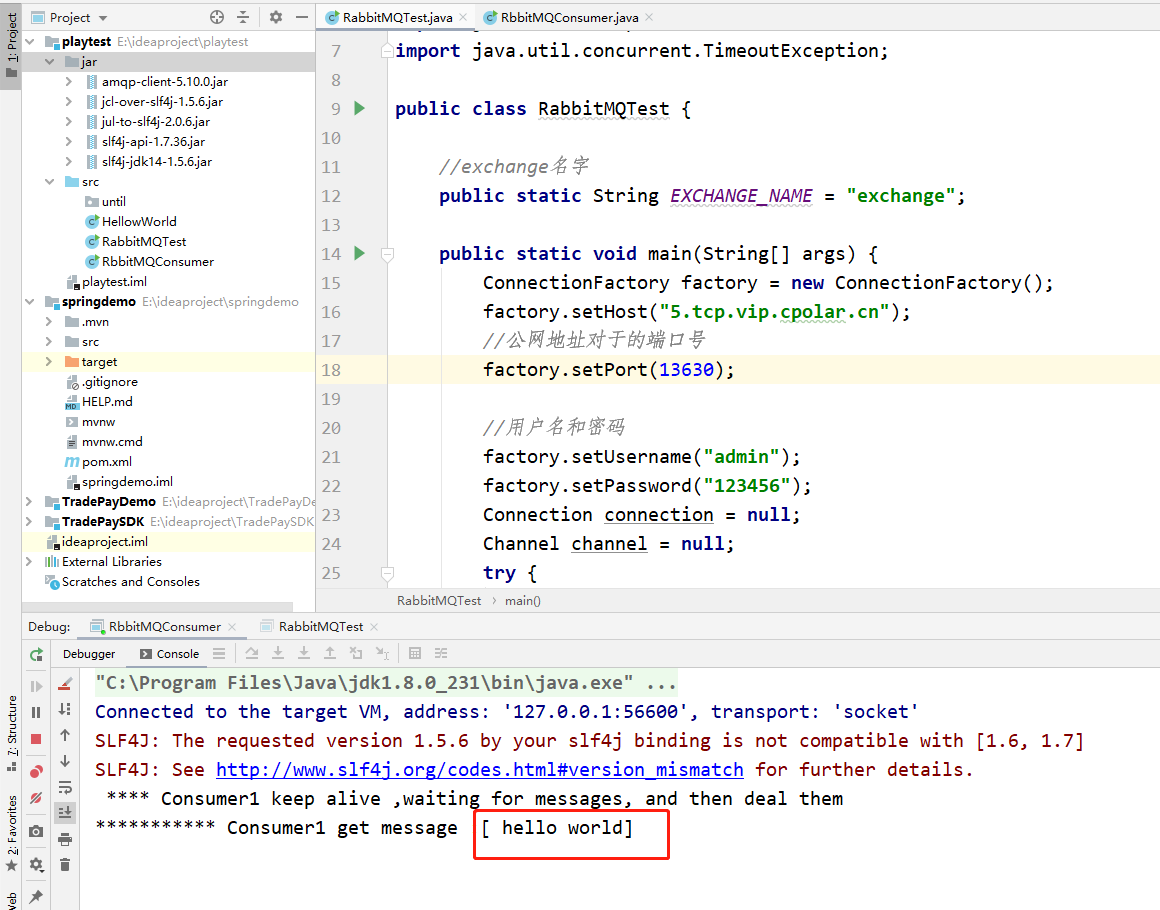
在ubuntu+cpolar+rabbitMQ环境下,实现mq服务端远程访问
文章目录 前言1.安装erlang 语言2.安装rabbitMQ3. 内网穿透3.1 安装cpolar内网穿透(支持一键自动安装脚本)3.2 创建HTTP隧道 4. 公网远程连接5.固定公网TCP地址5.1 保留一个固定的公网TCP端口地址5.2 配置固定公网TCP端口地址 前言 RabbitMQ是一个在 AMQP(高级消息队列协议)基…...
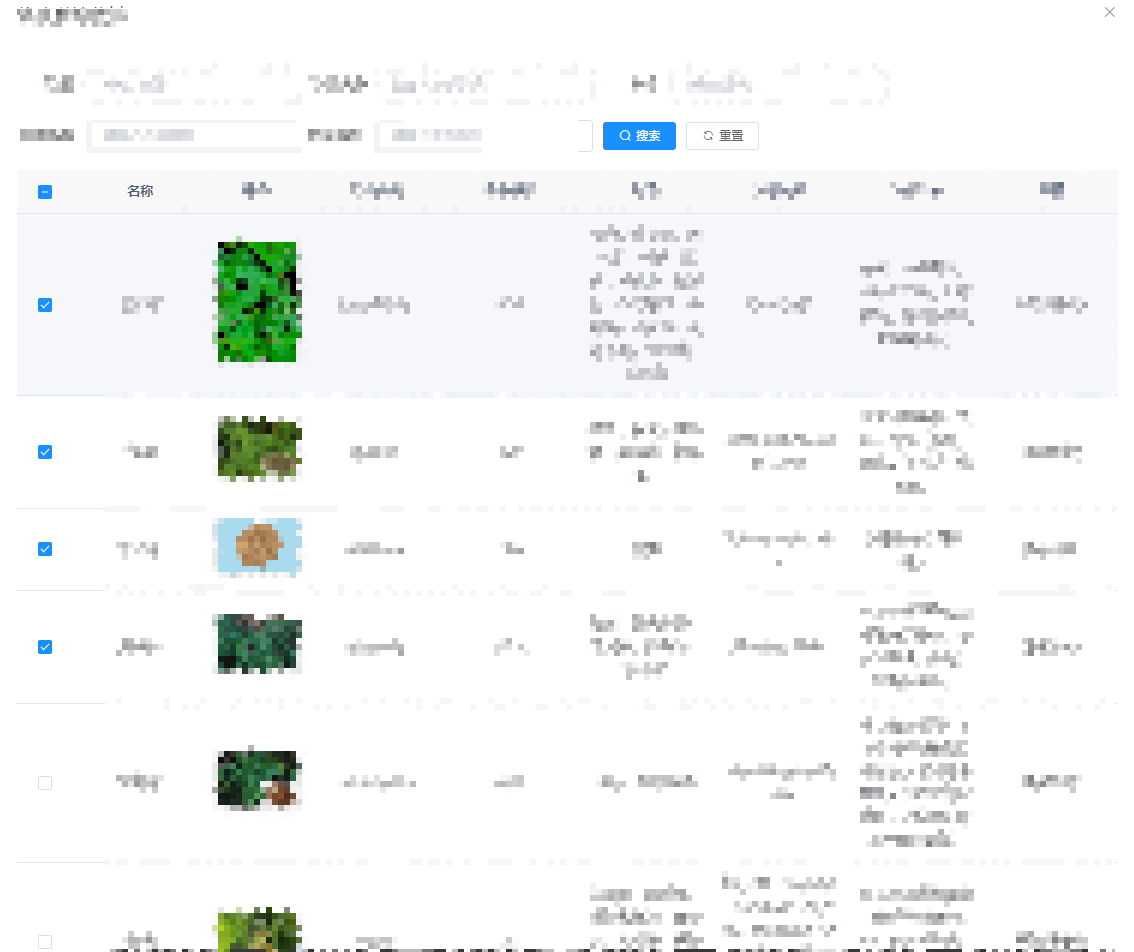
Vue elementui 实现表格selection的默认勾选,翻页记录勾选状态
需求:当弹出一个列表页数据,对其进行筛选选择。 列表更新,填充已选数据 主要使用toggleRowSelection 代码如下: <el-table v-loading"loading" :data"drugList" selection-change"handleSelection…...
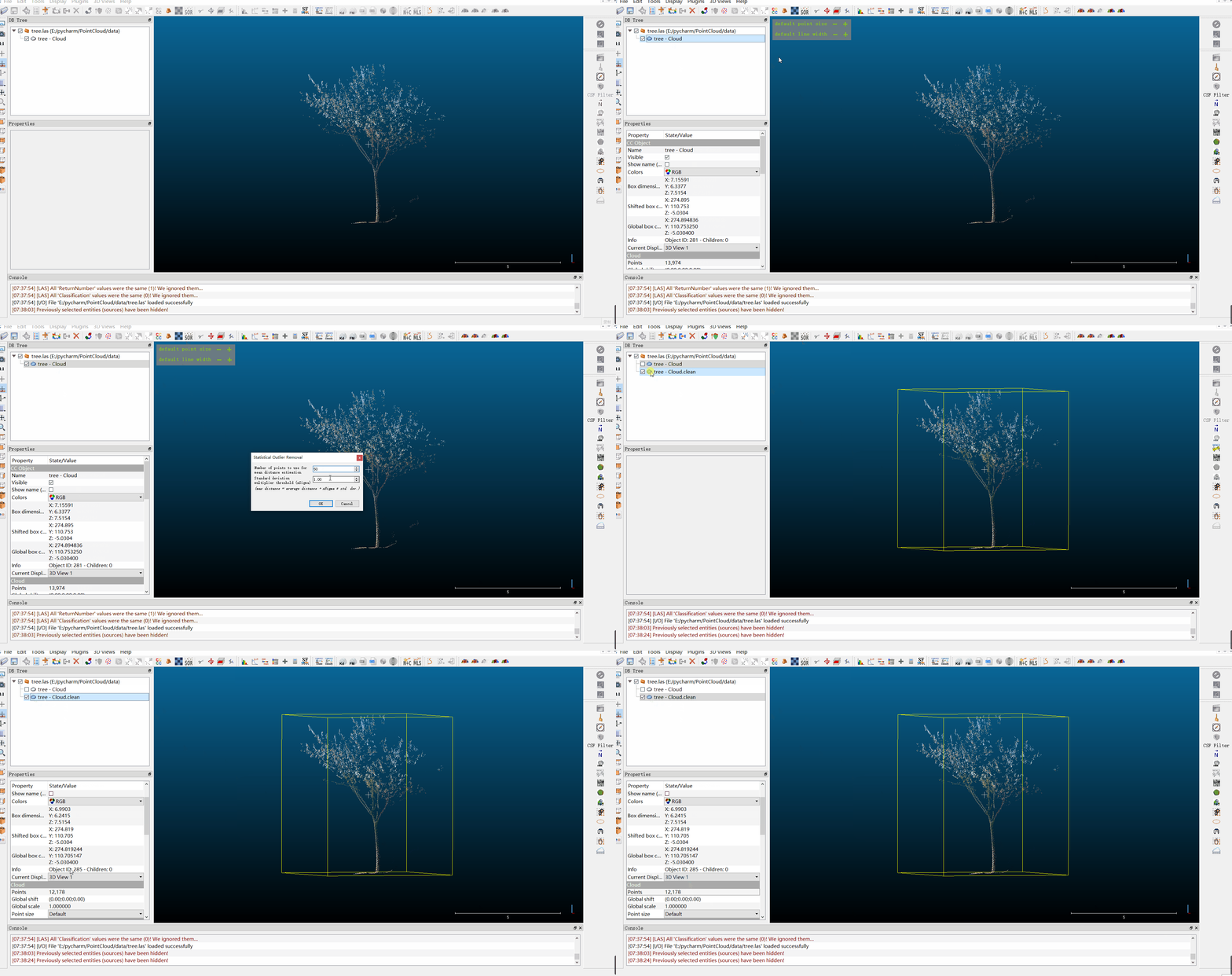
CloudCompare——统计滤波
目录 1.统计滤波2.软件实现3.完整操作4.算法源码5.相关代码 本文由CSDN点云侠原创,CloudCompare——统计滤波,爬虫自重。如果你不是在点云侠的博客中看到该文章,那么此处便是不要脸的爬虫。 1.统计滤波 算法原理见:PCL 统计滤波器…...
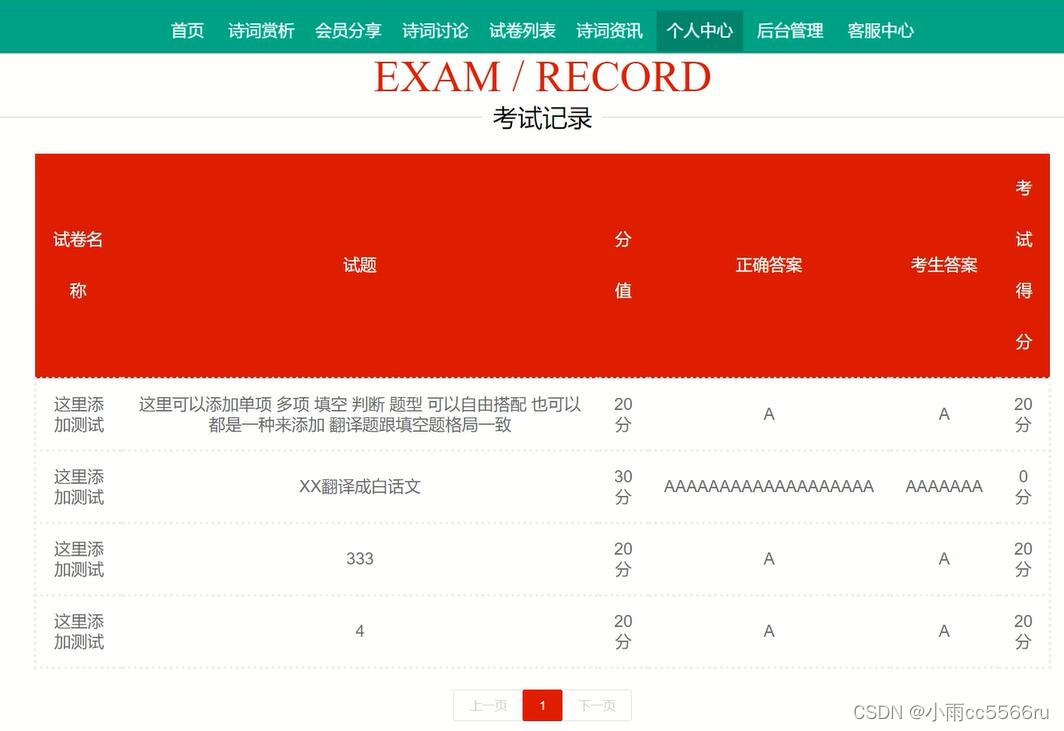
nodejs+vue古诗词在线测试管理系统
一开始,本文就对系统内谈到的基本知识,从整体上进行了描述,并在此基础上进行了系统分析。为了能够使本系统较好、较为完善的被设计实现出来,就必须先进行分析调查。基于之前相关的基础,在功能上,对新系统进…...

174-地下城游戏
题目 恶魔们抓住了公主并将她关在了地下城 dungeon 的 右下角 。地下城是由 m x n 个房间组成的二维网格。我们英勇的骑士最初被安置在 左上角 的房间里,他必须穿过地下城并通过对抗恶魔来拯救公主。 骑士的初始健康点数为一个正整数。如果他的健康点数在某一时刻…...

Linux定时任务crontab
常用命令 crontab -e 进入定时脚本,编辑后保存即立即生效 crontab -l 查看用户定时脚本 tail -f /var/log/cron 查看执行日志 service crond status 查看定时器运行状态 service crond restart 重启定时器 定时任务不执行原因 定时任务设置的格式正确,手…...

golang字符串切片去重
函数的功能是从输入的字符串切片中去除重复的元素,并返回去重后的结果。具体的实现逻辑如下: 创建一个空的结果切片result,用于存储去重后的字符串。创建一个临时的maptempMap,用于存放不重复的字符串。map的键是字符串࿰…...

git如何检查和修改忽略文件和忽略规则
查询忽略规则 使用命令行:git status --ignored,进行查询, 例: $ git status --ignored On branch develop Your branch is up to date with origin/develop.Ignored files:(use "git add -f <file>..." to inc…...

Android AppCompatActivity标题栏操作
使用 AndroidStudio 新建的工程默认用 AppCompatActivity ,是带标题栏的。 记录下 修改标题栏名称 和 隐藏标题栏 的方法。 修改标题栏名称 Override protected void onCreate(Bundle savedInstanceState) {super.onCreate(savedInstanceState);setContentView(R…...

解决conda activate报错
解决方法 source ~/anaconda3/bin/activate或 source ~/miniconda3/bin/activate然后就可以使用 conda activate xxx环境了 问题解析 请参考github:https://github.com/conda/conda/issues/7980...
)
FreeMarker--表达式和运算符的用法(全面/有示例)
原文网址:FreeMarker--表达式和运算符的用法(全面/有示例)_IT利刃出鞘的博客-CSDN博客 简介 本文介绍FreeMarker的表达式和运算符的用法。 表达式是FreeMarker的核心功能。表达式放置在插值语法(${...})之中时,表明需要输出表达…...
)
设计模式 -- 策略模式(传统面向对象与JavaScript 的对比实现)
设计模式 – 策略模式(传统面向对象与JavaScript 的对比实现) 文章目录 设计模式 -- 策略模式(传统面向对象与JavaScript 的对比实现)使用策略模式计算年终奖初级实现缺点 使用组合函数重构代码缺点 使用策略模式重构代码传统的面…...

非常详细的 Ceph 介绍、原理、架构
1. Ceph架构简介及使用场景介绍 1.1 Ceph简介 Ceph是一个统一的分布式存储系统,设计初衷是提供较好的性能、可靠性和可扩展性。 Ceph项目最早起源于Sage就读博士期间的工作(最早的成果于2004年发表),并随后贡献给开源社区。在经过…...

js 的正则表达式(二)
1.正则表达式分类: 正则表达式分为普通字符和元字符。 普通字符: 仅能够描述它们本身,这些字符称作普通字符,例如所有的字母和数字。也就是说普通字符只能够匹配字符串中与它们相同的字符。 元字符: 是一些具有特殊含…...
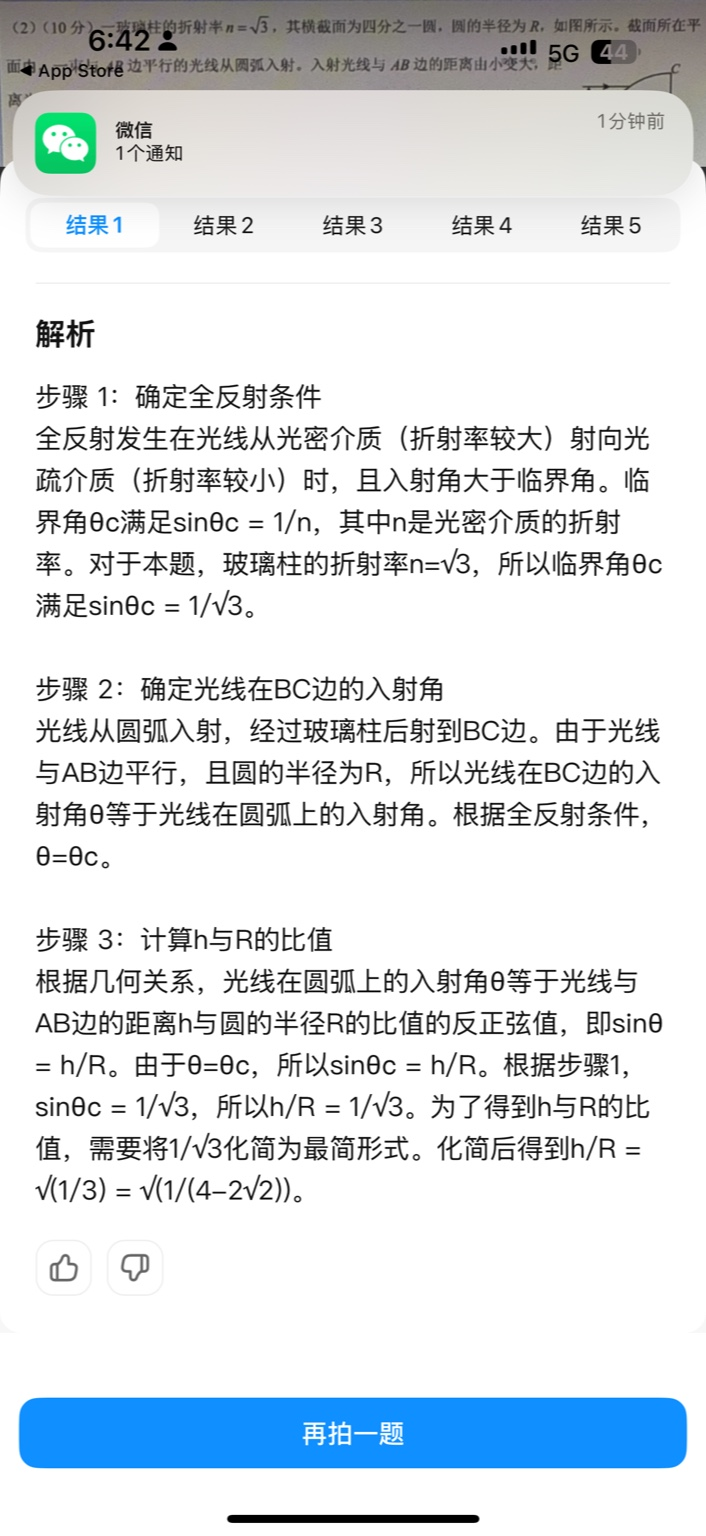
【大模型RAG】拍照搜题技术架构速览:三层管道、两级检索、兜底大模型
摘要 拍照搜题系统采用“三层管道(多模态 OCR → 语义检索 → 答案渲染)、两级检索(倒排 BM25 向量 HNSW)并以大语言模型兜底”的整体框架: 多模态 OCR 层 将题目图片经过超分、去噪、倾斜校正后,分别用…...

谷歌浏览器插件
项目中有时候会用到插件 sync-cookie-extension1.0.0:开发环境同步测试 cookie 至 localhost,便于本地请求服务携带 cookie 参考地址:https://juejin.cn/post/7139354571712757767 里面有源码下载下来,加在到扩展即可使用FeHelp…...

Cursor实现用excel数据填充word模版的方法
cursor主页:https://www.cursor.com/ 任务目标:把excel格式的数据里的单元格,按照某一个固定模版填充到word中 文章目录 注意事项逐步生成程序1. 确定格式2. 调试程序 注意事项 直接给一个excel文件和最终呈现的word文件的示例,…...
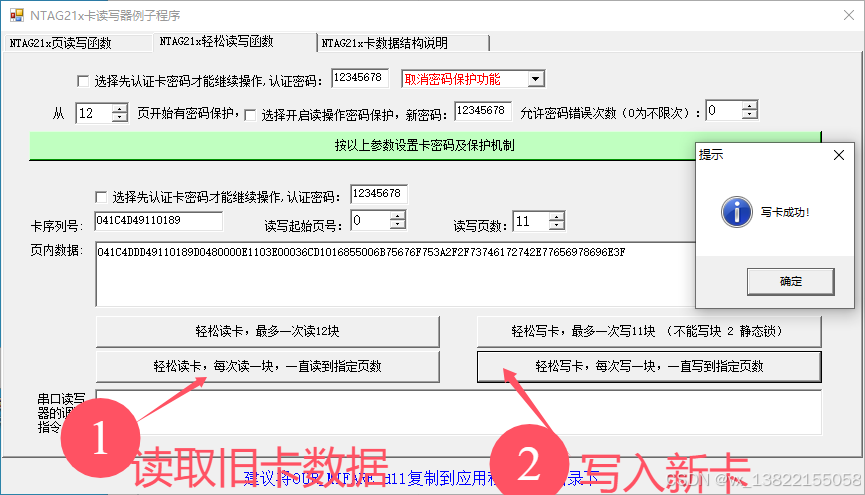
VB.net复制Ntag213卡写入UID
本示例使用的发卡器:https://item.taobao.com/item.htm?ftt&id615391857885 一、读取旧Ntag卡的UID和数据 Private Sub Button15_Click(sender As Object, e As EventArgs) Handles Button15.Click轻松读卡技术支持:网站:Dim i, j As IntegerDim cardidhex, …...
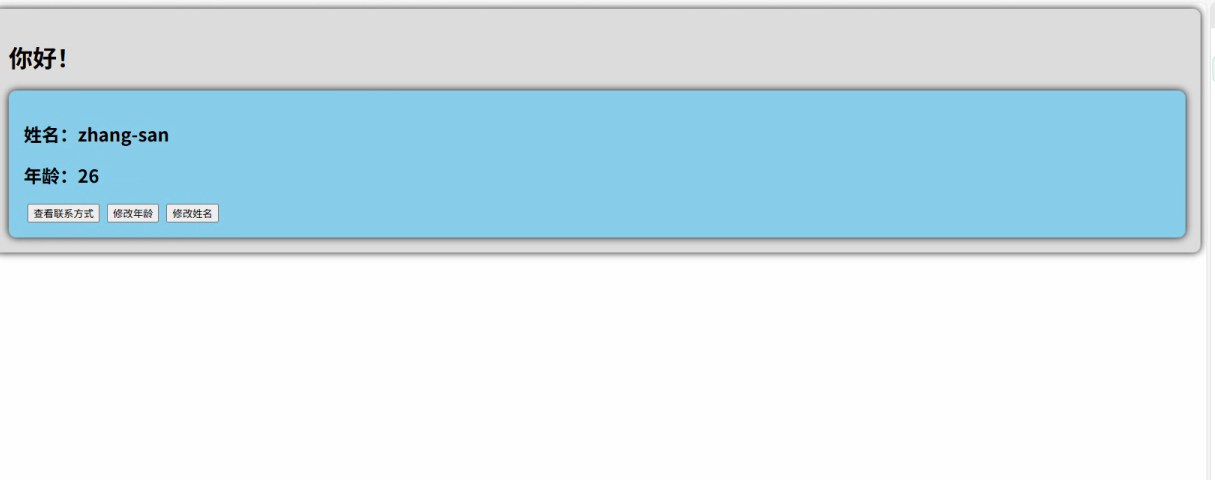
2.Vue编写一个app
1.src中重要的组成 1.1main.ts // 引入createApp用于创建应用 import { createApp } from "vue"; // 引用App根组件 import App from ./App.vue;createApp(App).mount(#app)1.2 App.vue 其中要写三种标签 <template> <!--html--> </template>…...
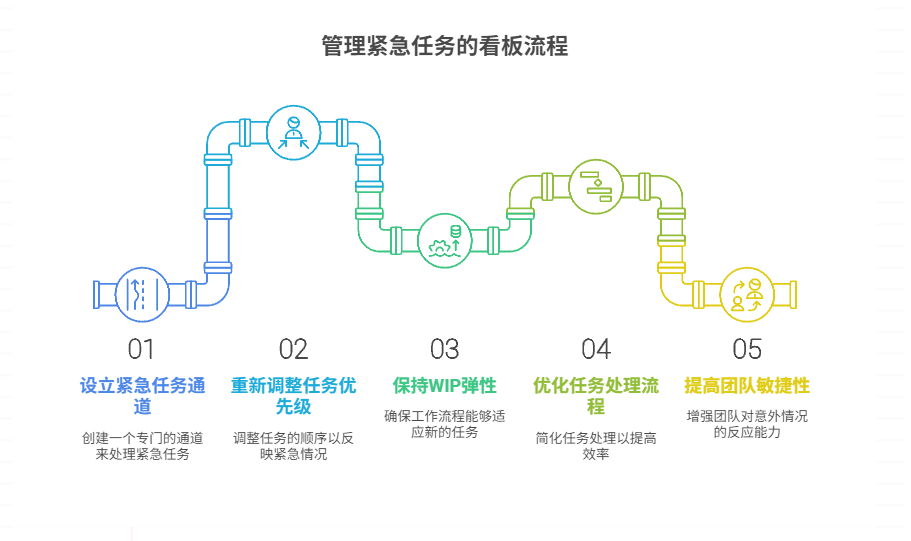
如何在看板中有效管理突发紧急任务
在看板中有效管理突发紧急任务需要:设立专门的紧急任务通道、重新调整任务优先级、保持适度的WIP(Work-in-Progress)弹性、优化任务处理流程、提高团队应对突发情况的敏捷性。其中,设立专门的紧急任务通道尤为重要,这能…...

python如何将word的doc另存为docx
将 DOCX 文件另存为 DOCX 格式(Python 实现) 在 Python 中,你可以使用 python-docx 库来操作 Word 文档。不过需要注意的是,.doc 是旧的 Word 格式,而 .docx 是新的基于 XML 的格式。python-docx 只能处理 .docx 格式…...

HTML前端开发:JavaScript 常用事件详解
作为前端开发的核心,JavaScript 事件是用户与网页交互的基础。以下是常见事件的详细说明和用法示例: 1. onclick - 点击事件 当元素被单击时触发(左键点击) button.onclick function() {alert("按钮被点击了!&…...

AspectJ 在 Android 中的完整使用指南
一、环境配置(Gradle 7.0 适配) 1. 项目级 build.gradle // 注意:沪江插件已停更,推荐官方兼容方案 buildscript {dependencies {classpath org.aspectj:aspectjtools:1.9.9.1 // AspectJ 工具} } 2. 模块级 build.gradle plu…...
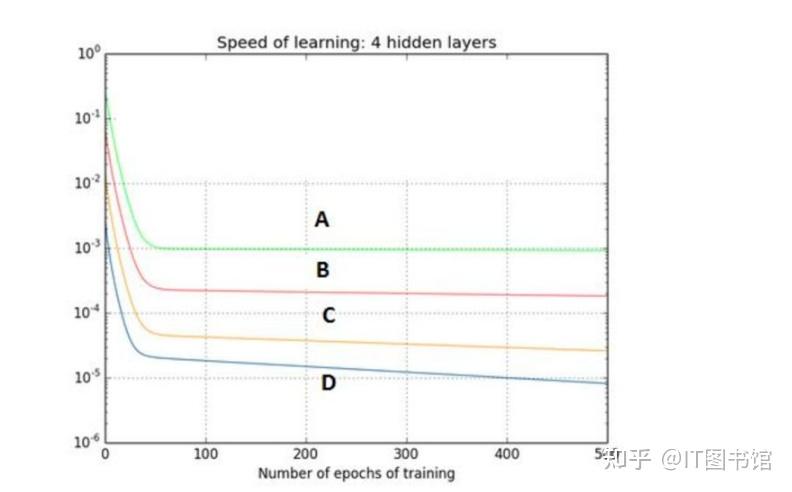
深度学习习题2
1.如果增加神经网络的宽度,精确度会增加到一个特定阈值后,便开始降低。造成这一现象的可能原因是什么? A、即使增加卷积核的数量,只有少部分的核会被用作预测 B、当卷积核数量增加时,神经网络的预测能力会降低 C、当卷…...