
RabbitMQ工作模式-发布订阅模式
Publish/Subscribe(发布订阅模式)
官方文档: https://www.rabbitmq.com/tutorials/tutorial-three-python.html
使用fanout类型类型的交换器,routingKey忽略。每个消费者定义生成一个队列关绑定到同一个Exchange,每个消费者都可以消费完整的消息。
消息广播给所有订阅该消息的消费者。
在RabbitMQ中,生产者不是将消息直接发送给消息消息队列,实际上生产者根本不知道一个消息被发送到哪个队列。
生产者将消息发送给交换器。交换器非常简单,从生成者接收消息,将消息推送给消息队列。交换器必须清楚的知道要怎么处理接收到的消息。应该是追加到一个指定的队列,还是追加到多个队列,还是丢弃。规则就是交换器的类型。
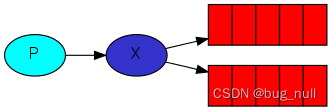
发布订阅使用fanout的交换器,创建交换器,名称为test
channel.exchangeDeclare("test","fanout");
fanout交换器很简单,从名称就可以看出来(用风扇吹出去),将所有的收到的消息发给它的知道的所有队列。
存在一个默认的交换器。
此样例使用的是临时队列,即消费都实现将自动创建此队列,当消费都退出后,此队列也将自动删除。
队列名称如
amq.gen-gjKBgQ9PSmoj2YQGMOdPfA
样例代码
消费者1的代码:
import com.rabbitmq.client.BuiltinExchangeType;
import com.rabbitmq.client.CancelCallback;
import com.rabbitmq.client.Channel;
import com.rabbitmq.client.Connection;
import com.rabbitmq.client.ConnectionFactory;
import com.rabbitmq.client.DeliverCallback;
import com.rabbitmq.client.Delivery;import java.io.IOException;
import java.nio.charset.StandardCharsets;public class OneConsumer {public static void main(String[] args) throws Exception {ConnectionFactory factory = new ConnectionFactory();factory.setUri("amqp://root:123456@node1:5672/%2f");Connection connection = factory.newConnection();Channel channel = connection.createChannel();// 声明的临时队列,名称由rabbitMQ自动生成String queueName = channel.queueDeclare().getQueue();System.out.println("临时队列的名称:" + queueName);// 定义交换机channel.exchangeDeclare("ex.testfan", BuiltinExchangeType.FANOUT, true, false, null);// 消息队列与交换机的绑定channel.queueBind(queueName, "ex.testfan", "");channel.basicConsume(queueName,new DeliverCallback() {@Overridepublic void handle(String consumerTag, Delivery message) throws IOException {System.out.println("one 获取到的消息:" + new String(message.getBody(), StandardCharsets.UTF_8));}},new CancelCallback() {@Overridepublic void handle(String consumerTag) throws IOException {}});}
}
消费者2
import com.rabbitmq.client.BuiltinExchangeType;
import com.rabbitmq.client.CancelCallback;
import com.rabbitmq.client.Channel;
import com.rabbitmq.client.Connection;
import com.rabbitmq.client.ConnectionFactory;
import com.rabbitmq.client.DeliverCallback;
import com.rabbitmq.client.Delivery;import java.io.IOException;
import java.nio.charset.StandardCharsets;public class TwoConsumer {public static void main(String[] args) throws Exception {ConnectionFactory factory = new ConnectionFactory();factory.setUri("amqp://root:123456@node1:5672/%2f");Connection connection = factory.newConnection();Channel channel = connection.createChannel();// 生成的临时队列String queueName = channel.queueDeclare().getQueue();System.out.println("临时队列的名称:" + queueName);// 定义交换机channel.exchangeDeclare("ex.testfan", BuiltinExchangeType.FANOUT, true, false, null);// 消息队列与交换机的绑定channel.queueBind(queueName, "ex.testfan", "");channel.basicConsume(queueName,new DeliverCallback() {@Overridepublic void handle(String consumerTag, Delivery message) throws IOException {System.out.println("two 获取到的消息:" + new String(message.getBody(), StandardCharsets.UTF_8));}},new CancelCallback() {@Overridepublic void handle(String consumerTag) throws IOException {}});}
}
消费者3
import com.rabbitmq.client.BuiltinExchangeType;
import com.rabbitmq.client.CancelCallback;
import com.rabbitmq.client.Channel;
import com.rabbitmq.client.Connection;
import com.rabbitmq.client.ConnectionFactory;
import com.rabbitmq.client.DeliverCallback;
import com.rabbitmq.client.Delivery;import java.io.IOException;
import java.nio.charset.StandardCharsets;public class ThirdConsumer {public static void main(String[] args) throws Exception {ConnectionFactory factory = new ConnectionFactory();factory.setUri("amqp://root:123456@node1:5672/%2f");Connection connection = factory.newConnection();Channel channel = connection.createChannel();// 生成的临时队列String queueName = channel.queueDeclare().getQueue();System.out.println("临时队列的名称:" + queueName);// 定义交换机channel.exchangeDeclare("ex.testfan", BuiltinExchangeType.FANOUT, true, false, null);// 消息队列与交换机的绑定channel.queueBind(queueName, "ex.testfan", "");channel.basicConsume(queueName,new DeliverCallback() {@Overridepublic void handle(String consumerTag, Delivery message) throws IOException {System.out.println("third 获取到的消息:" + new String(message.getBody(), StandardCharsets.UTF_8));}},new CancelCallback() {@Overridepublic void handle(String consumerTag) throws IOException {}});}
}
生产者
import com.rabbitmq.client.Channel;
import com.rabbitmq.client.Connection;
import com.rabbitmq.client.ConnectionFactory;import java.io.IOException;
import java.nio.charset.StandardCharsets;public class Product {public static void main(String[] args) throws Exception {ConnectionFactory factory = new ConnectionFactory();factory.setUri("amqp://root:123456@node1:5672/%2f");Connection connection = factory.newConnection();Channel channel = connection.createChannel();try {// 声明fanout类型交换机channel.exchangeDeclare("ex.testfan", "fanout", true, false, false, null);for (int i = 0; i < 20; i++) {channel.basicPublish("ex.testfan",// 路由key"",// 属性null,// 信息("hello world fan " + i).getBytes(StandardCharsets.UTF_8));}} catch (IOException e) {throw new RuntimeException(e);} finally {channel.close();connection.close();}}
}
观察下队列的绑定的情况:
在未启动消费都队列之前:
[root@nullnull-os ~]# rabbitmqctl list_exchanges --formatter pretty_table
Listing exchanges for vhost / ...
┌────────────────────┬─────────┐
│ name               │ type    │
├────────────────────┼─────────┤
│ amq.fanout         │ fanout  │
├────────────────────┼─────────┤
│ amq.rabbitmq.trace │ topic   │
├────────────────────┼─────────┤
│ amq.headers        │ headers │
├────────────────────┼─────────┤
│ amq.topic          │ topic   │
├────────────────────┼─────────┤
│ amq.direct         │ direct  │
├────────────────────┼─────────┤
│                    │ direct  │
├────────────────────┼─────────┤
│ amq.match          │ headers │
└────────────────────┴─────────┘
[root@nullnull-os ~]# rabbitmqctl list_bindings --formatter pretty_table
Listing bindings for vhost /...
[root@nullnull-os ~]#
在未启动消费者之前,只有看到几个默认的生产者。绑定的队列为空。
启动三个消费者:
[root@nullnull-os ~]# rabbitmqctl list_exchanges --formatter pretty_table
Listing exchanges for vhost / ...
┌────────────────────┬─────────┐
│ name               │ type    │
├────────────────────┼─────────┤
│ amq.fanout         │ fanout  │
├────────────────────┼─────────┤
│ amq.rabbitmq.trace │ topic   │
├────────────────────┼─────────┤
│ amq.headers        │ headers │
├────────────────────┼─────────┤
│ amq.topic          │ topic   │
├────────────────────┼─────────┤
│ ex.testfan         │ fanout  │
├────────────────────┼─────────┤
│ amq.direct         │ direct  │
├────────────────────┼─────────┤
│                    │ direct  │
├────────────────────┼─────────┤
│ amq.match          │ headers │
└────────────────────┴─────────┘
[root@nullnull-os ~]# rabbitmqctl list_bindings --formatter pretty_table
Listing bindings for vhost /...
┌─────────────┬─────────────┬────────────────────────────────┬──────────────────┬────────────────────────────────┬───────────┐
│ source_name │ source_kind │ destination_name               │ destination_kind │ routing_key                    │ arguments │
├─────────────┼─────────────┼────────────────────────────────┼──────────────────┼────────────────────────────────┼───────────┤
│             │ exchange    │ amq.gen-VbV63vwAn0IBzC7n6I--vQ │ queue            │ amq.gen-VbV63vwAn0IBzC7n6I--vQ │           │
├─────────────┼─────────────┼────────────────────────────────┼──────────────────┼────────────────────────────────┼───────────┤
│             │ exchange    │ amq.gen-UG67rAw03FGbBupHX6o18g │ queue            │ amq.gen-UG67rAw03FGbBupHX6o18g │           │
├─────────────┼─────────────┼────────────────────────────────┼──────────────────┼────────────────────────────────┼───────────┤
│             │ exchange    │ amq.gen-HnQLeaOB1YOEJXXfXP5_Mg │ queue            │ amq.gen-HnQLeaOB1YOEJXXfXP5_Mg │           │
├─────────────┼─────────────┼────────────────────────────────┼──────────────────┼────────────────────────────────┼───────────┤
│ ex.testfan  │ exchange    │ amq.gen-HnQLeaOB1YOEJXXfXP5_Mg │ queue            │                                │           │
├─────────────┼─────────────┼────────────────────────────────┼──────────────────┼────────────────────────────────┼───────────┤
│ ex.testfan  │ exchange    │ amq.gen-UG67rAw03FGbBupHX6o18g │ queue            │                                │           │
├─────────────┼─────────────┼────────────────────────────────┼──────────────────┼────────────────────────────────┼───────────┤
│ ex.testfan  │ exchange    │ amq.gen-VbV63vwAn0IBzC7n6I--vQ │ queue            │                                │           │
└─────────────┴─────────────┴────────────────────────────────┴──────────────────┴────────────────────────────────┴───────────┘
[root@nullnull-os ~]#
当启动生产者后,可以发现已经产生了3个默认的交换机及队列的绑定关系。以及手动绑定的3个队列的关系。
启动生产者,查看消费情况:
消费者1
临时队列的名称:amq.gen-VbV63vwAn0IBzC7n6I--vQ
one 获取到的消息:hello world fan 0
one 获取到的消息:hello world fan 1
one 获取到的消息:hello world fan 2
one 获取到的消息:hello world fan 3
one 获取到的消息:hello world fan 4
one 获取到的消息:hello world fan 5
one 获取到的消息:hello world fan 6
one 获取到的消息:hello world fan 7
one 获取到的消息:hello world fan 8
one 获取到的消息:hello world fan 9
one 获取到的消息:hello world fan 10
one 获取到的消息:hello world fan 11
one 获取到的消息:hello world fan 12
one 获取到的消息:hello world fan 13
one 获取到的消息:hello world fan 14
one 获取到的消息:hello world fan 15
one 获取到的消息:hello world fan 16
one 获取到的消息:hello world fan 17
one 获取到的消息:hello world fan 18
one 获取到的消息:hello world fan 19
消费者2:
临时队列的名称:amq.gen-KadV2OsCRLb84p2k_ijuww
two 获取到的消息:hello world fan 0
two 获取到的消息:hello world fan 1
two 获取到的消息:hello world fan 2
two 获取到的消息:hello world fan 3
two 获取到的消息:hello world fan 4
two 获取到的消息:hello world fan 5
two 获取到的消息:hello world fan 6
two 获取到的消息:hello world fan 7
two 获取到的消息:hello world fan 8
two 获取到的消息:hello world fan 9
two 获取到的消息:hello world fan 10
two 获取到的消息:hello world fan 11
two 获取到的消息:hello world fan 12
two 获取到的消息:hello world fan 13
two 获取到的消息:hello world fan 14
two 获取到的消息:hello world fan 15
two 获取到的消息:hello world fan 16
two 获取到的消息:hello world fan 17
two 获取到的消息:hello world fan 18
two 获取到的消息:hello world fan 19
消息者3:
临时队列的名称:amq.gen-TcqXVnoS2mjOpfCw1o1CZw
third 获取到的消息:hello world fan 0
third 获取到的消息:hello world fan 1
third 获取到的消息:hello world fan 2
third 获取到的消息:hello world fan 3
third 获取到的消息:hello world fan 4
third 获取到的消息:hello world fan 5
third 获取到的消息:hello world fan 6
third 获取到的消息:hello world fan 7
third 获取到的消息:hello world fan 8
third 获取到的消息:hello world fan 9
third 获取到的消息:hello world fan 10
third 获取到的消息:hello world fan 11
third 获取到的消息:hello world fan 12
third 获取到的消息:hello world fan 13
third 获取到的消息:hello world fan 14
third 获取到的消息:hello world fan 15
third 获取到的消息:hello world fan 16
third 获取到的消息:hello world fan 17
third 获取到的消息:hello world fan 18
third 获取到的消息:hello world fan 19
再停止几个消费者查看队列信息
[root@nullnull-os ~]# rabbitmqctl list_exchanges --formatter pretty_table
Listing exchanges for vhost / ...
┌────────────────────┬─────────┐
│ name               │ type    │
├────────────────────┼─────────┤
│ amq.fanout         │ fanout  │
├────────────────────┼─────────┤
│ amq.rabbitmq.trace │ topic   │
├────────────────────┼─────────┤
│ amq.headers        │ headers │
├────────────────────┼─────────┤
│ amq.topic          │ topic   │
├────────────────────┼─────────┤
│ ex.testfan         │ fanout  │
├────────────────────┼─────────┤
│ amq.direct         │ direct  │
├────────────────────┼─────────┤
│                    │ direct  │
├────────────────────┼─────────┤
│ amq.match          │ headers │
└────────────────────┴─────────┘
[root@nullnull-os ~]# rabbitmqctl list_bindings --formatter pretty_table
Listing bindings for vhost /...
[root@nullnull-os ~]#
可以看到,当客户端退出之后,临时队列也就消失了。
相关文章:
RabbitMQ工作模式-发布订阅模式
Publish/Subscribe(发布订阅模式) 官方文档: https://www.rabbitmq.com/tutorials/tutorial-three-python.html 使用fanout类型类型的交换器,routingKey忽略。每个消费者定义生成一个队列关绑定到同一个Exchange,每个…...
JDK源码解析-Object
1. Object类 所有类的基类——java.lang.Object Object 类是所有类的基类,当一个类没有直接继承某个类时,默认继承Object类Object 类属于 java.lang 包,此包下的所有类在使用时无需手动导入,系统会在程序编译期间自动导入。 思…...
pinia——添加插件——基础积累
问题:是否给pinia添加过插件?具体添加的方式是什么? 在pinia中,我们可以为仓库添加插件,通过添加插件能够扩展以下的内容: 为 store 添加新的属性 定义 store 时增加新的选项 为 store 增加新的方法 包装现…...

软件国产化之殇
今天又看到这么一个帖子讨论一款国产化软件,属实给我震撼到了。 对于国产化产品,一直主打的都是”自研“,难道是我对”自研“这个词的理解有误? 做一个产品,别人开源了,你拿过来使用,你可以说…...

SQLyog问题处理集合
sqlyog 问题处理 1. 错误号码:1049错误: 数据库命令参数参考:数据库命令地址 检查数据库是否存在检查创建的数据库名称 与 要进行连接的数据库名称是否一致; 2. 错误号码:1819错误: MySQL授予远程连接权限时出现: …...
JavaSE【继承和多态】(1)(重点:初始化、pretected封装、组合)
一、继承 继承 (inheritance) 机制 :是面向对象程序设计使代码可以复用的最重要的手段,它允许程序员在保持原有类特 性 的基础上进行扩展,增加新功能 ,这样产生新的类,称 派生类 。 继承呈现了面向对象程序设计的层次结…...
无涯教程-Android Studio函数
第1步-系统要求 您将很高兴知道您可以在以下两种操作系统之一上开始Android应用程序的开发- MicrosoftWindows10/8/7/Vista/2003(32或64位)MacOSX10.8.5或更高版本,最高10.9(小牛) GNOME或KDE桌面 第二点是,开发Android应用程序所需的所有工具都是开源的,可以从Web上下载。以…...
CentOS8安装mysql8.0.24
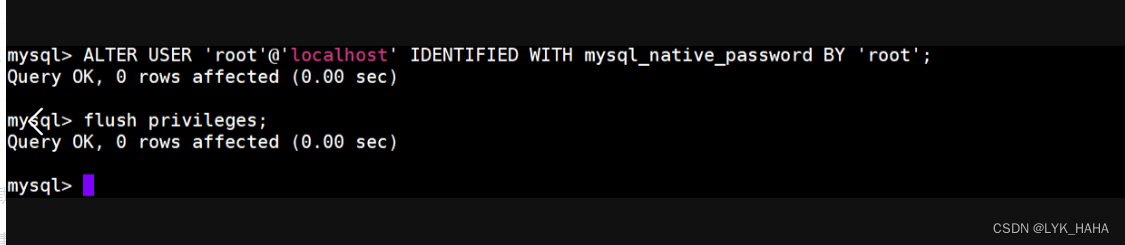
一、下载mysql安装包并解压 执行以下命令: # 创建mysql安装目录 mkdir /usr/local/mysql # 进入mysql安装目录 cd /usr/local/mysql/ # 下载mysql-8.0.24 wget https://dev.mysql.com/get/Downloads/MySQL-8.0/mysql-8.0.24-linux-glibc2.12-x86_64.tar.xz # 解压…...

Quasi-eccentricity Error Modeling and Compensation in Vision Metrology
论文:Quasi-eccentricity Error Modeling and Compensation in Vision Metrology 中文:视觉计量中准偏心误差建模与补偿 论文地址:Sci-Hub | Quasi-eccentricity error modeling and compensation in vision metrology. Measurement Scienc…...

ai智能电话机器人是人类的助手和朋友
一直以来,人工智能都是人们关注的热门话题。在以前,说到人工智能,第一想到的是“机器人”,随着人工智能的普及,AI已经渗透到我们生活的每一个角落。现在,说起人工智能,可能会想到“无人驾驶、无…...
应用TortoiseSVN的SubWCRev管理VisualStudio C#项目编译版本号
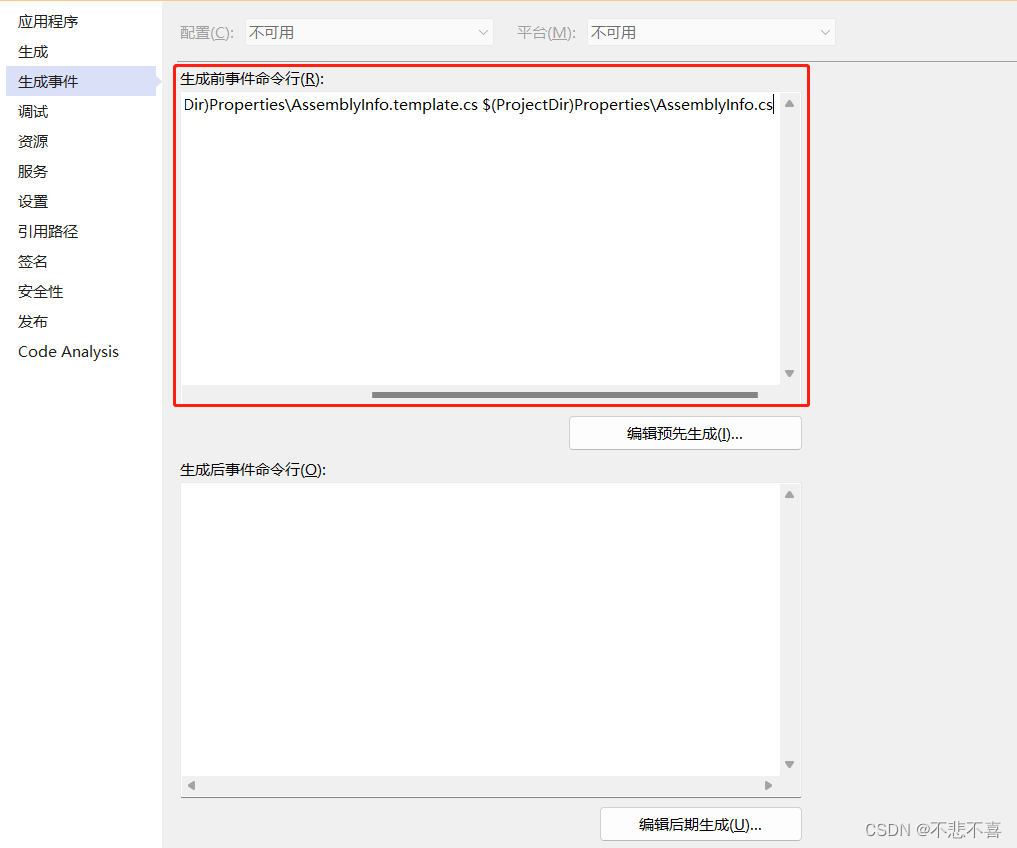
首先要安装 TortoiseSVN, 并确保TortoiseSVN的bin目录被加入到系统环境变量Path中。 1、拷贝Porperties目录下的文件AssemblyInfo.cs生成副本AssemblyInfo.template, 作为版本管理的模板文件。 2、修改模板文件中的想要管理的版本号信息 // [assembly: AssemblyVersion(&quo…...
【八股】2023秋招八股复习笔记5(计算机网络-CN)
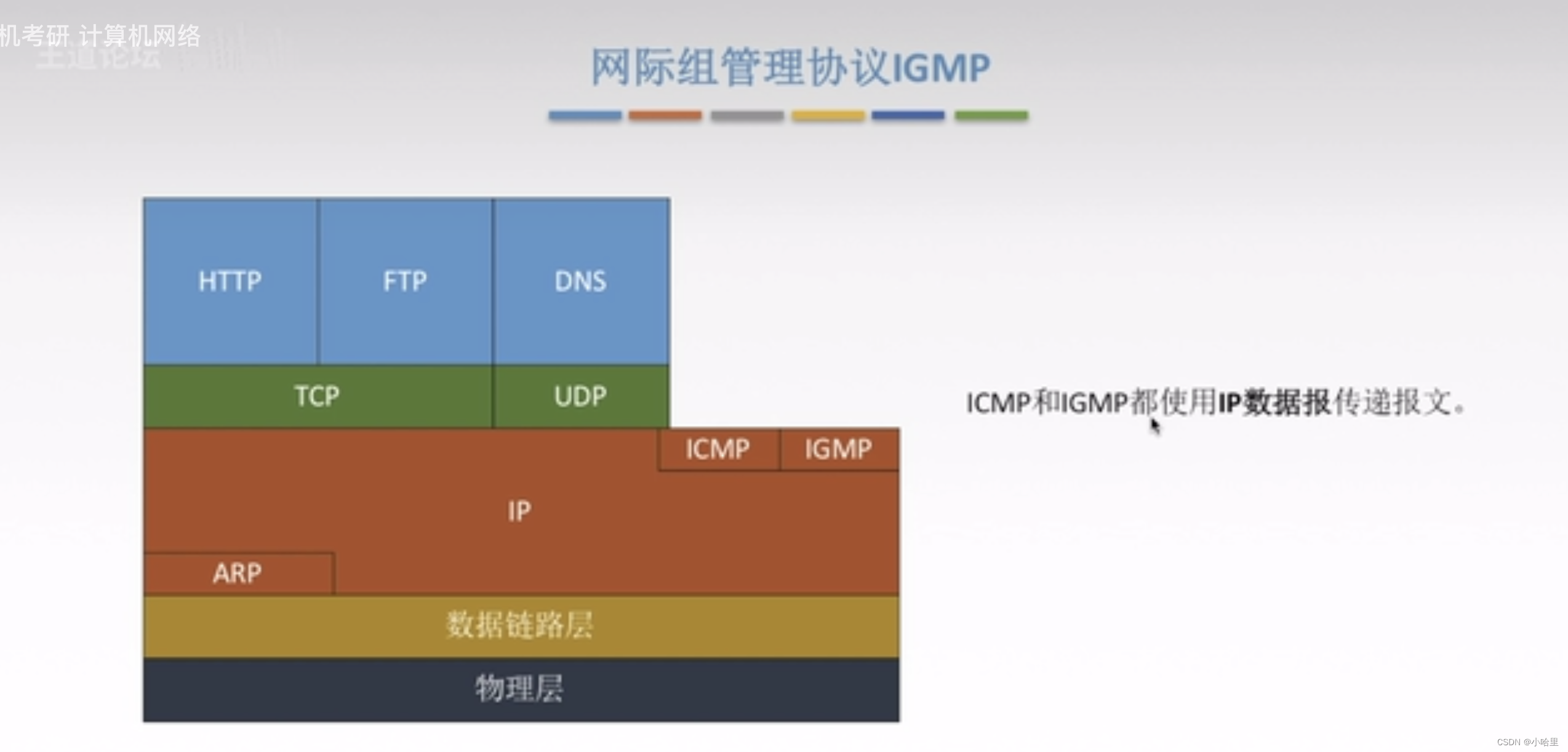
文章目录 八股目录目录1、应用层 & HTTP一些http题HTTPS 加密原理(问过)HTTP/1.1 新特性HTTP/2.0 与 RPC(问过)GET 和 POST 比较 2、传输层 & TCPTCP三次握手 & 四次挥手(问过)为什么每次TCP 连…...
【C++】SLT——Vector详解
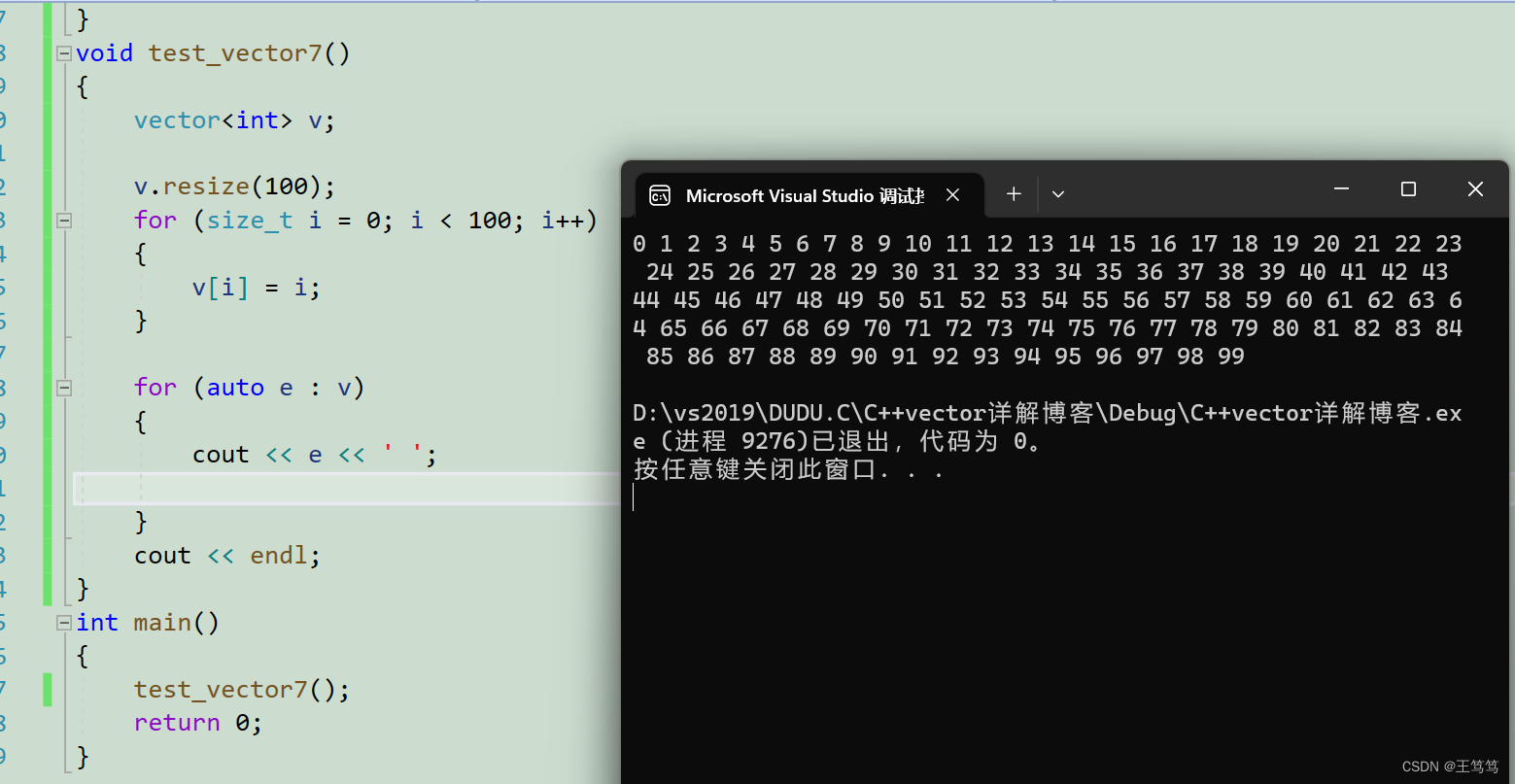
本片要分享的是关于STL中Vector的内容,Vector的内容于string非常相似,只要会使用string那么学习Vector时会非常流畅。 目录 1.vector介绍 2.vector的简单实用 2.1.简单的无参构造 编辑2.2.简单带参构造 2.3.迭代器区间初始化 2.4.vector的遍历 …...
企业网络安全:威胁情报解决方案
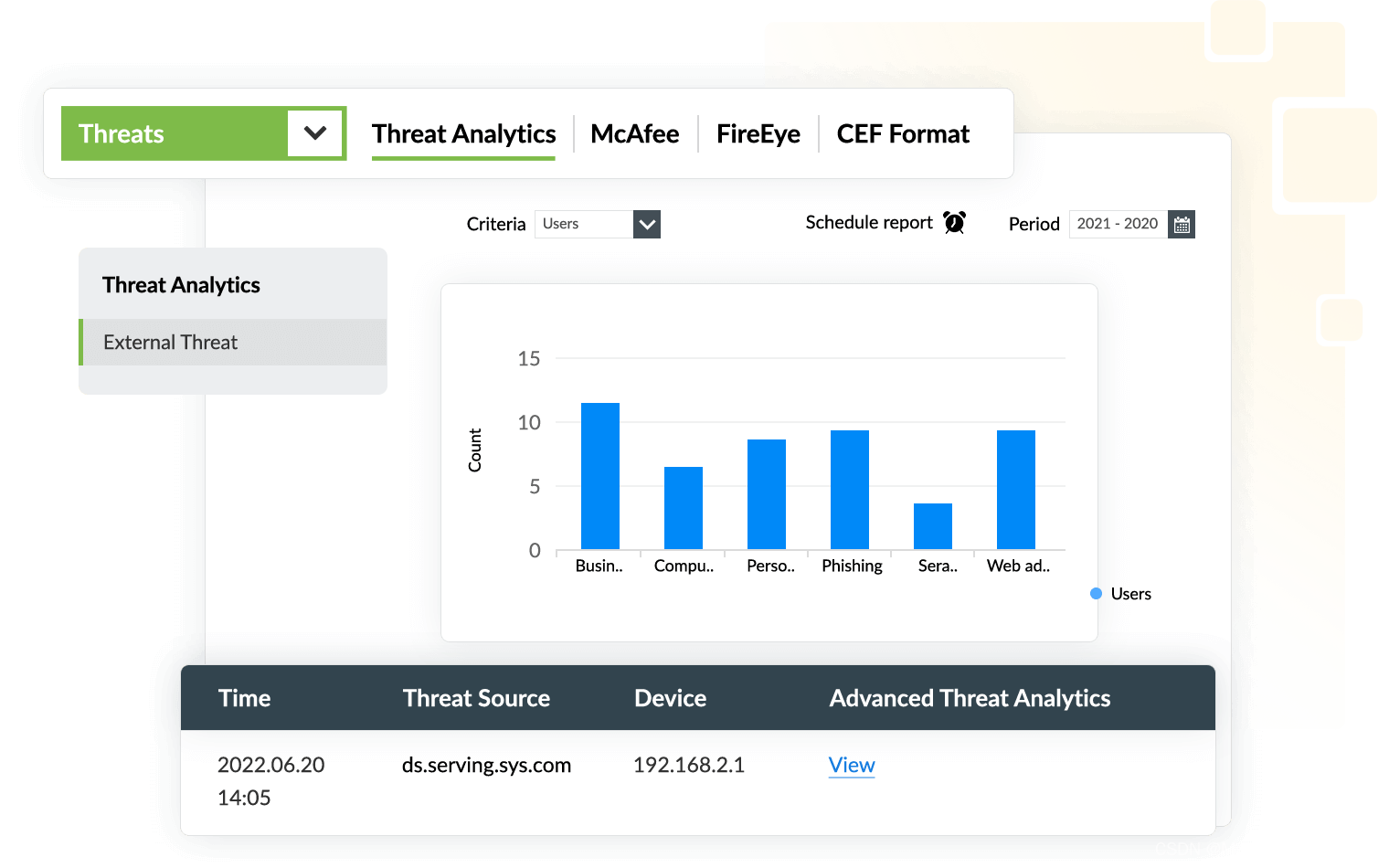
什么是威胁情报 威胁情报是网络安全的关键组成部分,可为潜在的恶意来源提供有价值的见解,这些知识可帮助组织主动识别和防止网络攻击,通过利用 STIX/TAXII 等威胁源,组织可以检测其网络中的潜在攻击,从而促进快速检测…...

为什么2G、3G、4G成功了,5G却?
你可能已经多年来一直听到关于闪电般的5G的炒作。虽然新的无线网络在美国仍然没有普及,但5G正在波士顿和西雅图到达拉斯和堪萨斯城等城市慢慢出现。随着连接速度的加快,用户的安全性和隐私保护将增加,因为无线行业试图改善3G和4G的防御。但是…...

C语言每日一练------Day(10)
本专栏为c语言练习专栏,适合刚刚学完c语言的初学者。本专栏每天会不定时更新,通过每天练习,进一步对c语言的重难点知识进行更深入的学习。 今日练习题关键字:自除数 除自身以外数组的乘积 💓博主csdn个人主页ÿ…...
发力服务业务,龙湖集团半程领跑赢在“智慧”
成立三十载,龙湖集团一直是房地产行业“特立独行”的存在。 一方面,龙湖在对外战略方面长期量入为出,从不背上过重的“包袱”。 不久前,一则消息引发市场关注:龙湖集团提前偿还17亿元债务,已基本全部还清…...
Kubernetes(七)修改 pod 网络(flannel 插件)
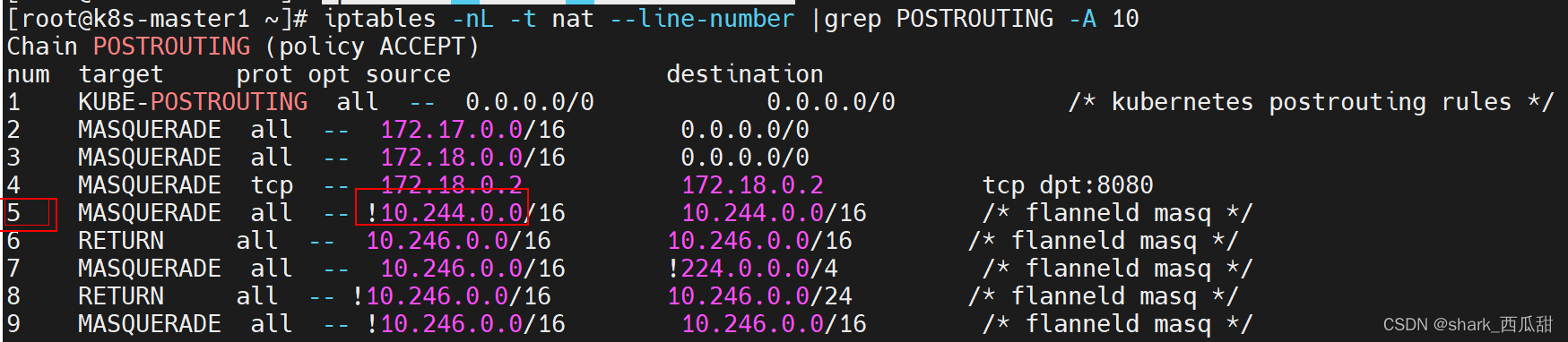
一、 提示 需要重启服务器 操作之前备份 k8s 中所有资源的 yaml 文件 如下是备份脚本,仅供参考 # 创建备份目录 test -d $3 || mkdir $3 # $1 命名空间 # $2 资源名称: sts deploy configMap svc 等 # $3 资源备份存放的目录名称for app in kubec…...
测试平台metersphere
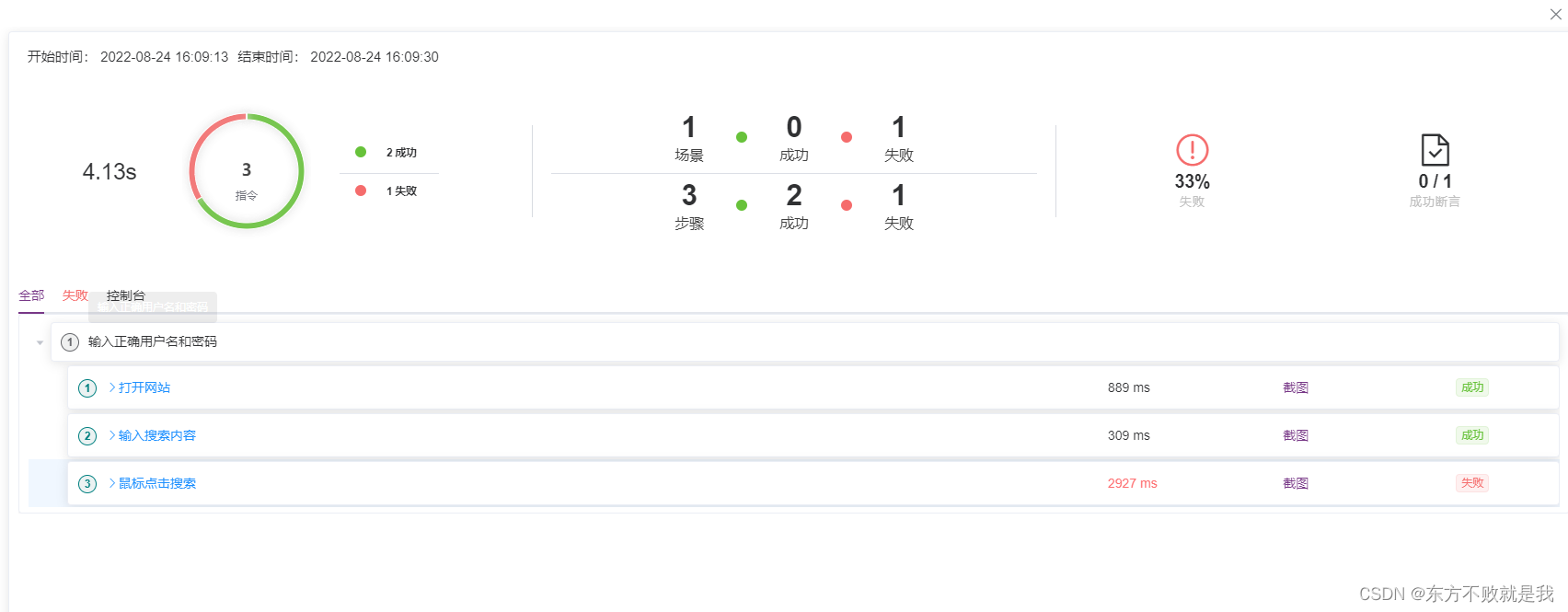
metersphere可以做接口测试、UI测试、性能测试。 metersphere接口测试底层是jmeter,可以做API管理,快捷调试,接口用例管理,接口自动化场景执行一键选取用例范围,生成测试报告。 会用jmeter,metersphere会…...
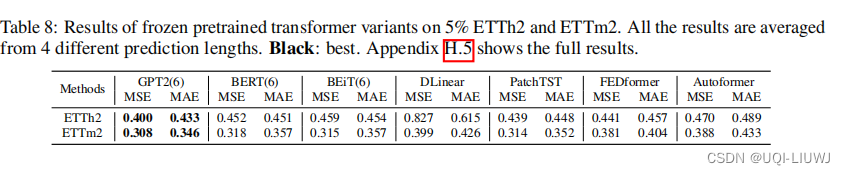
论文笔记: One Fits All:Power General Time Series Analysis by Pretrained LM
1 intro 时间序列领域预训练模型/foundation 模型的研究还不是很多 主要挑战是缺乏大量的数据来训练用于时间序列分析的基础模型——>论文利用预训练的语言模型进行通用的时间序列分析 为各种时间序列任务提供了一个统一的框架 论文还调查了为什么从语言领域预训练的Transf…...

[2025CVPR]DeepVideo-R1:基于难度感知回归GRPO的视频强化微调框架详解
突破视频大语言模型推理瓶颈,在多个视频基准上实现SOTA性能 一、核心问题与创新亮点 1.1 GRPO在视频任务中的两大挑战 安全措施依赖问题 GRPO使用min和clip函数限制策略更新幅度,导致: 梯度抑制:当新旧策略差异过大时梯度消失收敛困难:策略无法充分优化# 传统GRPO的梯…...

【OSG学习笔记】Day 18: 碰撞检测与物理交互
物理引擎(Physics Engine) 物理引擎 是一种通过计算机模拟物理规律(如力学、碰撞、重力、流体动力学等)的软件工具或库。 它的核心目标是在虚拟环境中逼真地模拟物体的运动和交互,广泛应用于 游戏开发、动画制作、虚…...

在 Nginx Stream 层“改写”MQTT ngx_stream_mqtt_filter_module
1、为什么要修改 CONNECT 报文? 多租户隔离:自动为接入设备追加租户前缀,后端按 ClientID 拆分队列。零代码鉴权:将入站用户名替换为 OAuth Access-Token,后端 Broker 统一校验。灰度发布:根据 IP/地理位写…...
Kafka入门-生产者
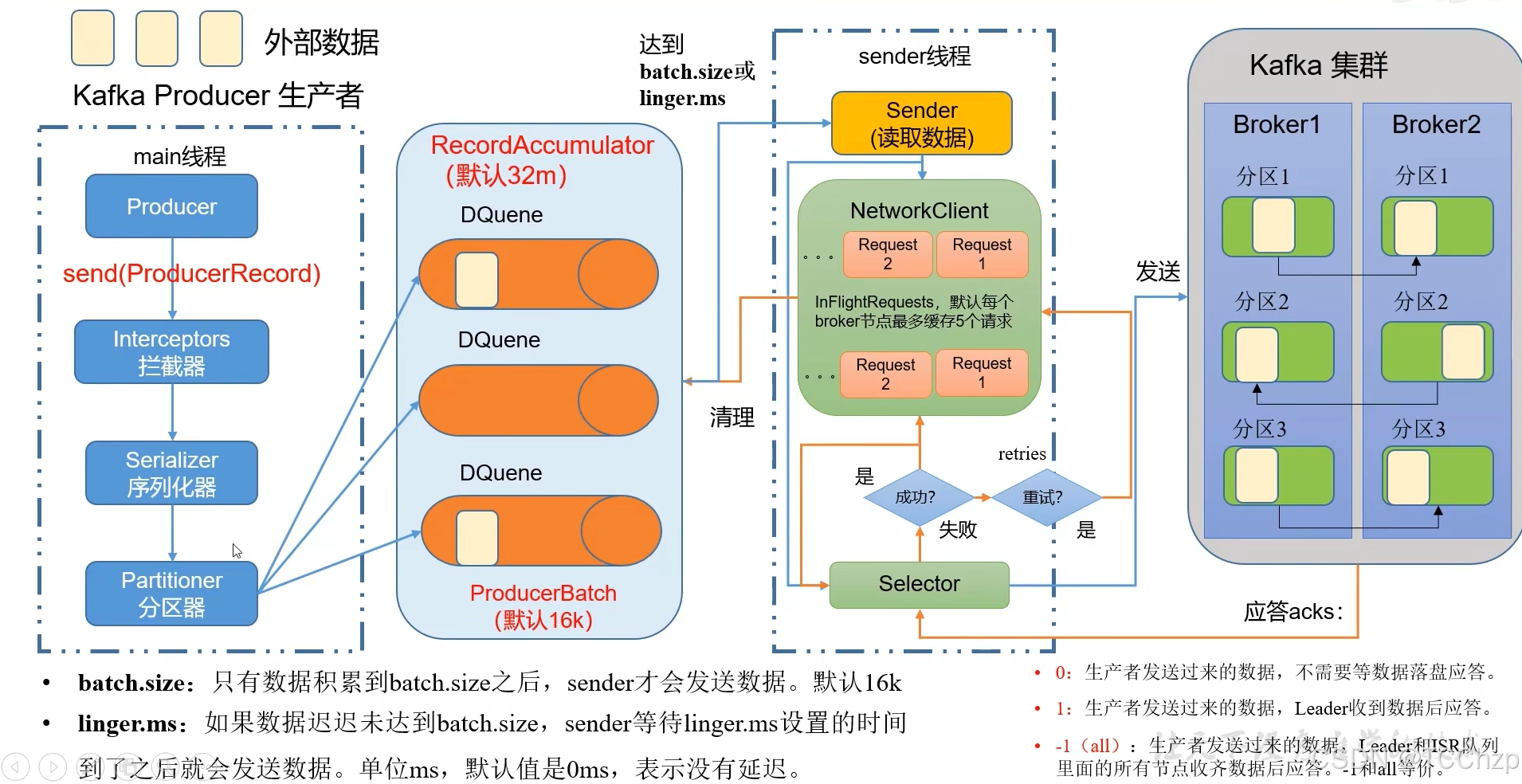
生产者 生产者发送流程: 延迟时间为0ms时,也就意味着每当有数据就会直接发送 异步发送API 异步发送和同步发送的不同在于:异步发送不需要等待结果,同步发送必须等待结果才能进行下一步发送。 普通异步发送 首先导入所需的k…...

pycharm 设置环境出错
pycharm 设置环境出错 pycharm 新建项目,设置虚拟环境,出错 pycharm 出错 Cannot open Local Failed to start [powershell.exe, -NoExit, -ExecutionPolicy, Bypass, -File, C:\Program Files\JetBrains\PyCharm 2024.1.3\plugins\terminal\shell-int…...
Ubuntu系统多网卡多相机IP设置方法
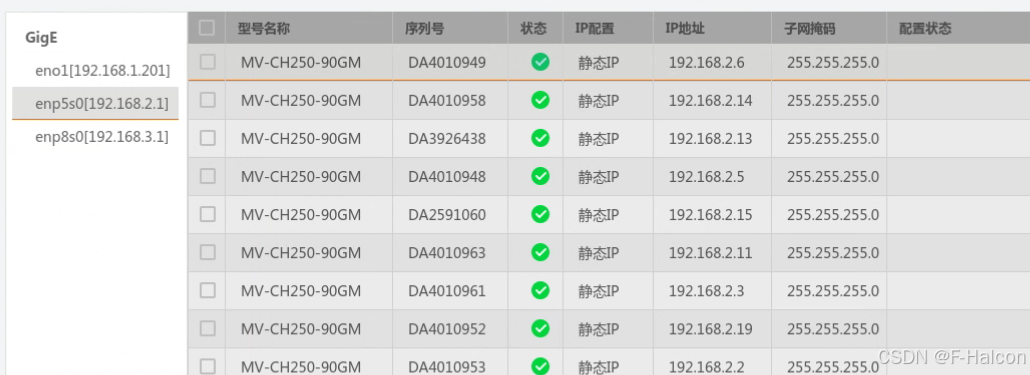
目录 1、硬件情况 2、如何设置网卡和相机IP 2.1 万兆网卡连接交换机,交换机再连相机 2.1.1 网卡设置 2.1.2 相机设置 2.3 万兆网卡直连相机 1、硬件情况 2个网卡n个相机 电脑系统信息,系统版本:Ubuntu22.04.5 LTS;内核版本…...
uni-app学习笔记三十五--扩展组件的安装和使用
由于内置组件不能满足日常开发需要,uniapp官方也提供了众多的扩展组件供我们使用。由于不是内置组件,需要安装才能使用。 一、安装扩展插件 安装方法: 1.访问uniapp官方文档组件部分:组件使用的入门教程 | uni-app官网 点击左侧…...

字符串哈希+KMP
P10468 兔子与兔子 #include<bits/stdc.h> using namespace std; typedef unsigned long long ull; const int N 1000010; ull a[N], pw[N]; int n; ull gethash(int l, int r){return a[r] - a[l - 1] * pw[r - l 1]; } signed main(){ios::sync_with_stdio(false), …...
)
背包问题双雄:01 背包与完全背包详解(Java 实现)
一、背包问题概述 背包问题是动态规划领域的经典问题,其核心在于如何在有限容量的背包中选择物品,使得总价值最大化。根据物品选择规则的不同,主要分为两类: 01 背包:每件物品最多选 1 次(选或不选&#…...

云原生时代的系统设计:架构转型的战略支点
📝个人主页🌹:一ge科研小菜鸡-CSDN博客 🌹🌹期待您的关注 🌹🌹 一、云原生的崛起:技术趋势与现实需求的交汇 随着企业业务的互联网化、全球化、智能化持续加深,传统的 I…...