
运行dl4j-examples的主要一些依赖
直接从git获取dl4j-examples后本地无法用IJ直接运行样例,于是自己新建了一个springboot项目,主要使用了下面的一些依赖用来运行官方样例
<?xml version="1.0" encoding="UTF-8"?>
<project xmlns="http://maven.apache.org/POM/4.0.0" xmlns:xsi="http://www.w3.org/2001/XMLSchema-instance"xsi:schemaLocation="http://maven.apache.org/POM/4.0.0 https://maven.apache.org/xsd/maven-4.0.0.xsd"><modelVersion>4.0.0</modelVersion><parent><groupId>org.springframework.boot</groupId><artifactId>spring-boot-starter-parent</artifactId><version>3.1.5</version><relativePath/> <!-- lookup parent from repository --></parent><groupId>com.example</groupId><artifactId>Dl4jTest</artifactId><version>0.0.1-SNAPSHOT</version><name>Dl4jTest</name><description>Dl4jTest</description><properties><java.version>17</java.version><dl4j.version>1.0.0-M2.1</dl4j.version><logback.version>1.1.7</logback.version><javacv.version>1.5.6</javacv.version><jcommon.version>1.0.23</jcommon.version><jfreechart.version>1.0.13</jfreechart.version><nd4j.backend>nd4j-native</nd4j.backend></properties><repositories><repository><id>sonatype-nexus-snapshots</id><name>Sonatype Nexus Snapshots</name><url>https://oss.sonatype.org/content/repositories/snapshots</url><releases><enabled>false</enabled></releases><snapshots><enabled>true</enabled><updatePolicy>daily</updatePolicy>  <!-- Optional, update daily --></snapshots></repository></repositories><dependencies><!--DL4J核心包--><dependency><groupId>org.deeplearning4j</groupId><artifactId>deeplearning4j-core</artifactId><version>${dl4j.version}</version></dependency><!--DL4J CPU计算包--><dependency><groupId>org.nd4j</groupId><artifactId>nd4j-native-platform</artifactId><version>${dl4j.version}</version></dependency><!--DL4J 模型库包--><dependency><groupId>org.deeplearning4j</groupId><artifactId>deeplearning4j-zoo</artifactId><version>${dl4j.version}</version></dependency><dependency><groupId>org.deeplearning4j</groupId><artifactId>deeplearning4j-ui</artifactId><version>${dl4j.version}</version></dependency><dependency><groupId>org.deeplearning4j</groupId><artifactId>resources</artifactId><version>${dl4j.version}</version></dependency><dependency><groupId>org.datavec</groupId><artifactId>datavec-api</artifactId><version>${dl4j.version}</version></dependency><dependency><groupId>org.datavec</groupId><artifactId>datavec-data-image</artifactId><version>${dl4j.version}</version></dependency><dependency><groupId>org.datavec</groupId><artifactId>datavec-local</artifactId><version>${dl4j.version}</version></dependency><dependency><groupId>org.deeplearning4j</groupId><artifactId>deeplearning4j-datasets</artifactId><version>${dl4j.version}</version></dependency><dependency><groupId>org.nd4j</groupId><artifactId>${nd4j.backend}</artifactId><version>${dl4j.version}</version></dependency><dependency><groupId>org.nd4j</groupId><artifactId>samediff-import-onnx</artifactId><version>${dl4j.version}</version></dependency><!-- Note this pulls in the samediff-import-onnx module as a transitive dependency as well.This module is mainly pulled in for managing modules and is not needed for import all the time.Omnihub is suggested if you want to use our model zoo or the utilities used to manage pretrained models.
--><dependency><groupId>org.deeplearning4j</groupId><artifactId>omnihub</artifactId><version>${dl4j.version}</version></dependency><!-- -Used for manipulating images. Contains wrapper for javacv to nd4j arrays --><dependency><groupId>org.datavec</groupId><artifactId>datavec-data-image</artifactId><version>${dl4j.version}</version></dependency><dependency><groupId>org.nd4j</groupId><artifactId>python4j-numpy</artifactId><version>${dl4j.version}</version></dependency><!-- ParallelWrapper & ParallelInference live here --><dependency><groupId>org.deeplearning4j</groupId><artifactId>deeplearning4j-parallel-wrapper</artifactId><version>${dl4j.version}</version></dependency><!-- Used in the feedforward/classification/MLP* and feedforward/regression/RegressionMathFunctions example --><dependency><groupId>jfree</groupId><artifactId>jfreechart</artifactId><version>${jfreechart.version}</version></dependency><dependency><groupId>org.jfree</groupId><artifactId>jcommon</artifactId><version>${jcommon.version}</version></dependency><!-- Used for downloading data in some of the examples --><dependency><groupId>org.apache.httpcomponents</groupId><artifactId>httpclient</artifactId><version>4.3.5</version></dependency><dependency><groupId>ch.qos.logback</groupId><artifactId>logback-classic</artifactId><version>${logback.version}</version></dependency><dependency><groupId>org.bytedeco</groupId><artifactId>javacv-platform</artifactId><version>${javacv.version}</version></dependency></dependencies><build><plugins><plugin><groupId>org.springframework.boot</groupId><artifactId>spring-boot-maven-plugin</artifactId></plugin></plugins></build></project>
相关文章:

运行dl4j-examples的主要一些依赖
直接从git获取dl4j-examples后本地无法用IJ直接运行样例,于是自己新建了一个springboot项目,主要使用了下面的一些依赖用来运行官方样例 <?xml version"1.0" encoding"UTF-8"?> <project xmlns"http://maven.apache…...

PSRAM伪静态RAM芯片APS6404L
PSRAM伪静态RAM能结合SRAM和DRAM的优点,即容量大,又接口驱动简单,PSRAM接口和SRAM一样简单,驱动简单;而存储形式则和DRAM一样,容量远大于SRAM,介于SRAM和DRAM之间。 PSRAM厂家也有很多,以AP用的最多。最常…...
低级语言汇编真的各个面不如汇编吗?
今日话题,低级语言汇编真的各个面不如C语言吗?C语言因其可移植性、开发效率和可读性而在各领域广泛使用,市场占有率极高。然而,汇编语言在特定场景下仍然具有独特优势,稳固地占据一席之地。如果你对这方面感兴趣&#…...

PyG edge index 转换回 邻接矩阵
PyG的edge index形式是 [ ( n o d e 1 , n o d e 2 ) , ( n o d e 1 , n o d e 3 ) . . . ] [(node_1,node_2), (node_1, node_3)...] [(node1,node2),(node1,node3)...]这种edge pair。 naive 直接for循环,吧edge index里面的位置填充1: imp…...

JavaSE19——file文件类
file文件类 在 Java File 类是 java.io 包中唯一代表磁盘文件本身的对象 File 类不能访问文件内容本身,如果需要访问文件内容本身,则需要使用输入/输出流。 File(String path):如果 path 是实际存在的路径,则该 File 对象表示的…...

mongodb记录
MongoDB导入导出和备份的命令工具从4.4版本开始不再自动跟随数据库一起安装,而是需要自己手动安装。 mongodump 不是内部或外部命令,也不是可运行的程序 下载mongodb命令工具 下载zip格式,解压后把bin目录下的文件全部复制粘贴到你MongoDB安…...

Go语言:数组和切片
Python中的数组(这里指的是List类型)及其切片Slice基本相同,但在Go语言中这两者差别很大。 1 数组 Go语言中的数组(Array)存放的是长度固定、类型固定并且存储位置连续的一系列元素。 1.1 声明 Go语言中数组的声明方式如下: arr1 : [5]string{"…...
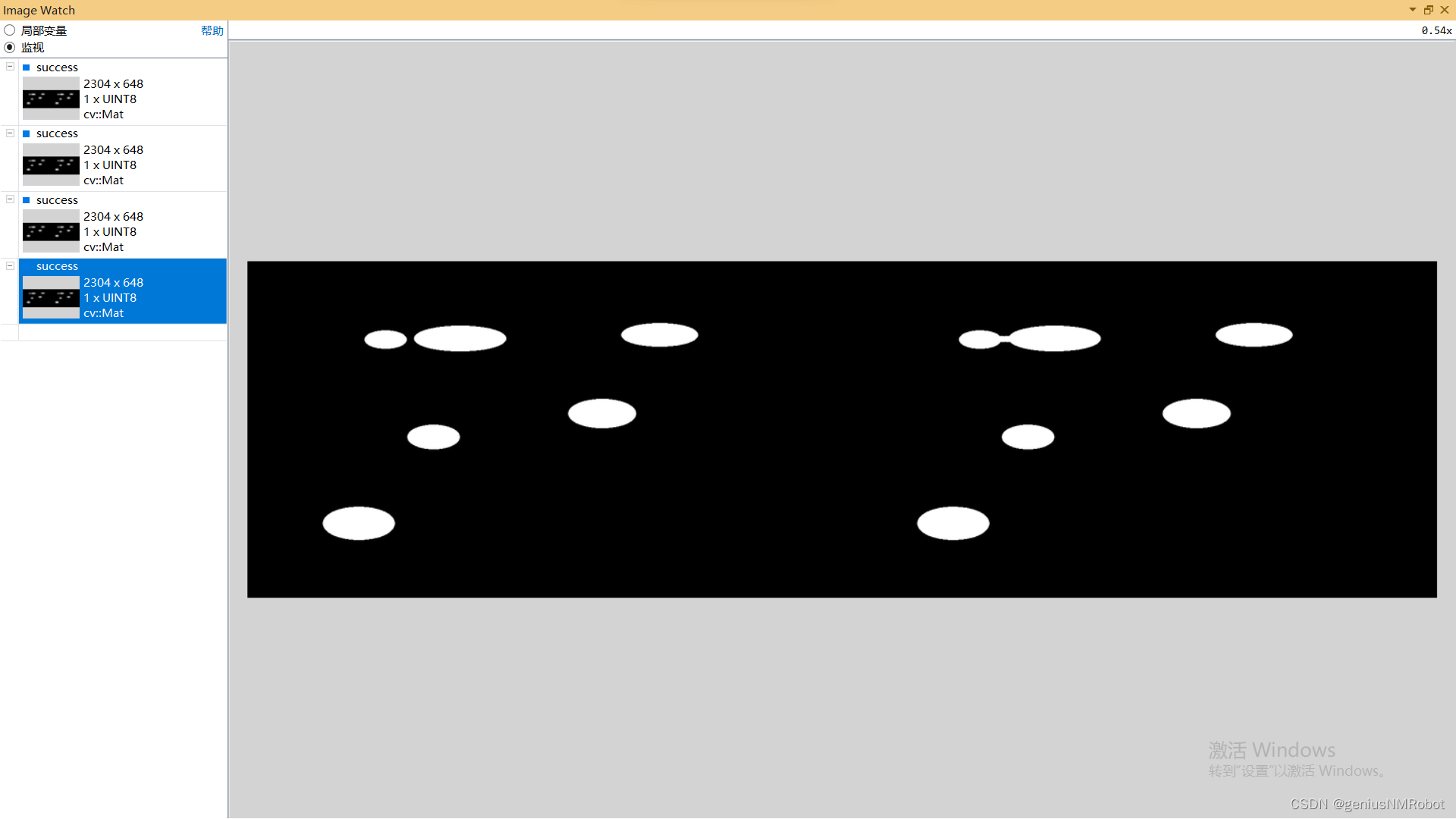
OPENCV 闭运算实验示例代码morphologyEx()函数
void CrelaxMyFriendDlg::OnBnClickedOk() {hdc this->GetDC()->GetSafeHdc();// TODO: 在此添加控件通知处理程序代码string imAddr "c:/Users/actorsun/Pictures/";string imAddr1 imAddr"rice.png";Mat relax, positive;relax imread(imAddr1…...

UE4 体积云制作 学习笔记
首先Noise本来就是一张噪点图 云的扰动不能太大,将Scale调小,并将InputMin调整为0 形成这样一张扰动图 扰动需要根据材质在世界的位置进行调整,所以Position需要加上WorldPosition 材质在不同世界位置,噪点不同 除以一个数&#…...

visual studio编译QtAV
1.1 依赖环境 第一种方法: 下载编译好的ffmpeg-3.4.2-win64-dev和ffmpeg-3.4.2-win64-shared,解压得到 D:\qt-workspace\ffmpeg-3.4.2-win64-dev D:\qt-workspace\ffmpeg-3.4.2-win64-shared 第二种方法: QtAV官方有提供编译好的依赖库 QtAV-depends-windows-x86%2Bx64.7…...
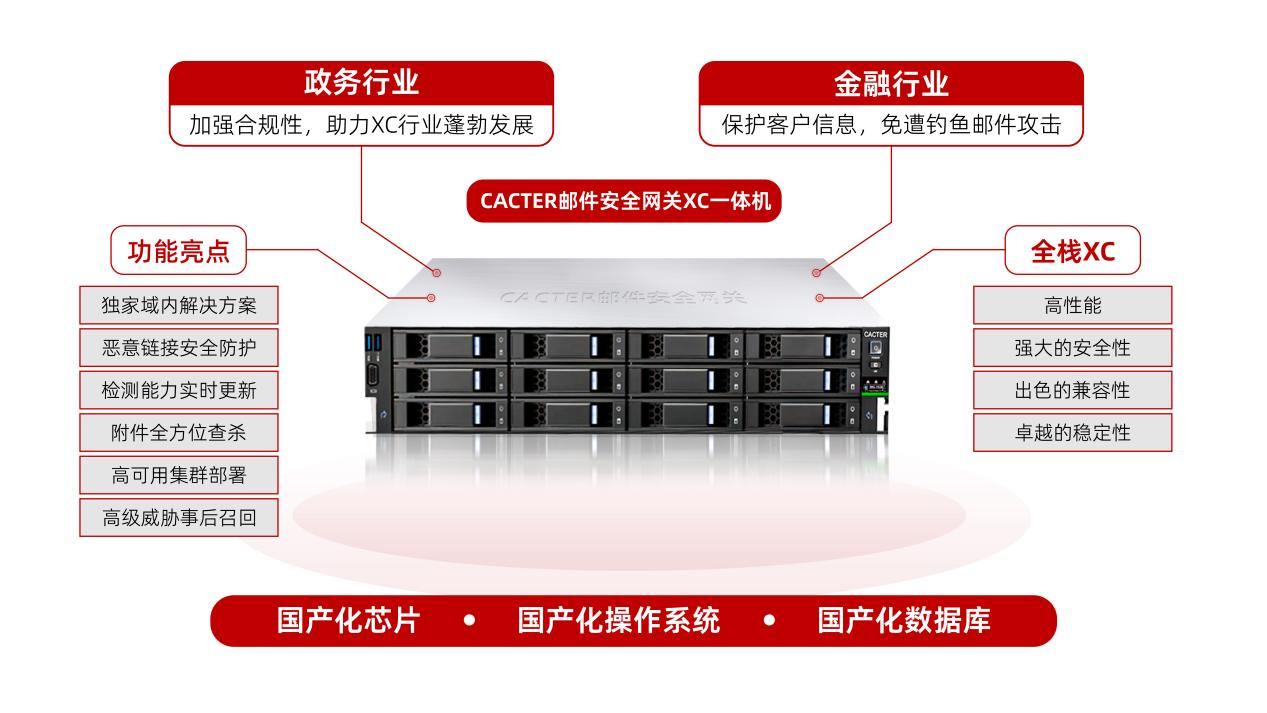
喜报!CACTER邮件安全网关荣获2023鲲鹏应用创新大赛广东赛区三等奖
近期,2023鲲鹏应用创新大赛广东赛区暨广东省信息技术应用创新产业联盟创新大赛圆满落幕,Coremail凭借“基于鲲鹏CPU的邮件网关一体机解决方案”,荣获“金融行业方向”三等奖。 鲲鹏凌粤 展翅湾区 本届大赛广东区域赛以“鲲鹏凌粤 展翅湾…...
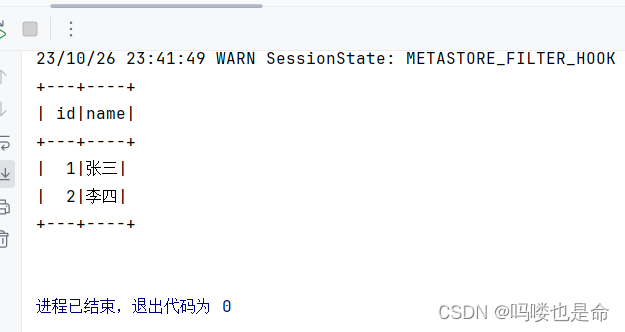
Spark On Hive原理和配置
目录 一、Spark On Hive原理 (1)为什么要让Spark On Hive? 二、MySQL安装配置(root用户) (1)安装MySQL (2)启动MySQL设置开机启动 (3)修改MySQL…...

驱动第十天
...

工作中常用的git命令,千万不能忘
1、设置当前分支为默认分支: git branch –set-upstream-toorigin/master 2、To push the current branch and set the remote as upstream, use: git push --set-upstream origin eds_enhancement 3、同步远程分支 git remote update --prune [remote] 4、Remo…...

计组之存储系统
存储器概述 分类 1.按在计算机中的作用(层次)分类 主存储器。CPU可以直接随机地对其进行访问,也可以和高速缓冲存储器(Cache)及辅助存储器交换数据。辅助存储器。辅存的内容需要调入主存后才能被CPU访问。高速缓冲存储器。位于…...

【Jenkins】新建任务FAQ
问题1. 源码管理处填入Repository URL,报错:无法连接仓库:Error performing git command: ls-remote -h https://github.com/txy2023/GolangLearning.git HEAD 原因: jenkins全局工具配置里默认没有添加git的路径,如果…...
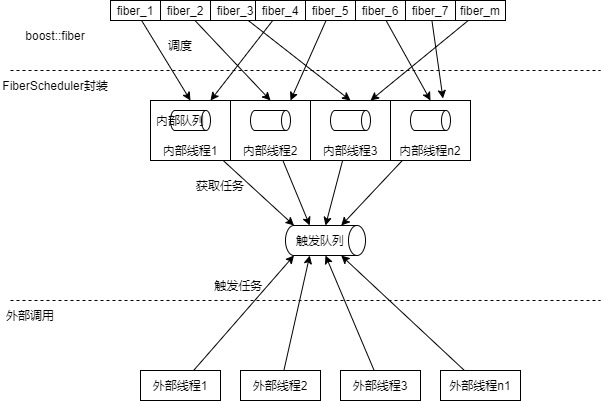
生产环境使用boost::fiber
简介 boost::fiber是一类用户级线程,也就是纤程。其提供的例子与实际生产环境相距较远,本文将对其进行一定的改造,将其能够投入到生产环境。 同时由于纤程是具有传染性的,使用纤程的代码里也全部要用纤程封装,本文将对…...
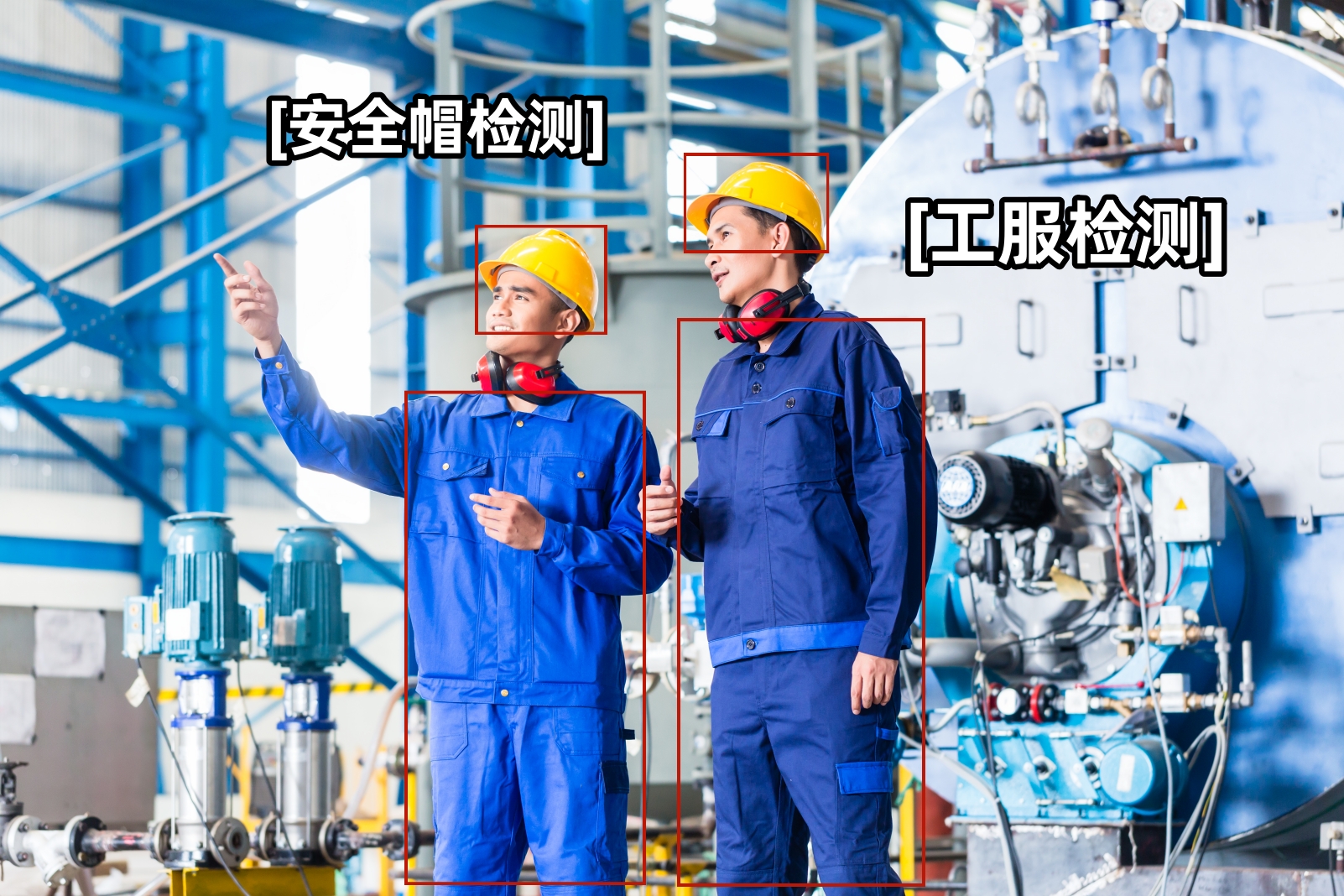
TSINGSEE青犀AI视频识别技术+危化安全生产智慧监管方案
一、背景分析 石油与化学工业生产过程复杂多样,涉及的物料易燃易爆、有毒有害,生产条件多高温高压、低温负压,现场危险化学品存储量大、危险源集中,重特大安全事故多发。打造基于工业互联网的安全生产新型能力,提高危…...
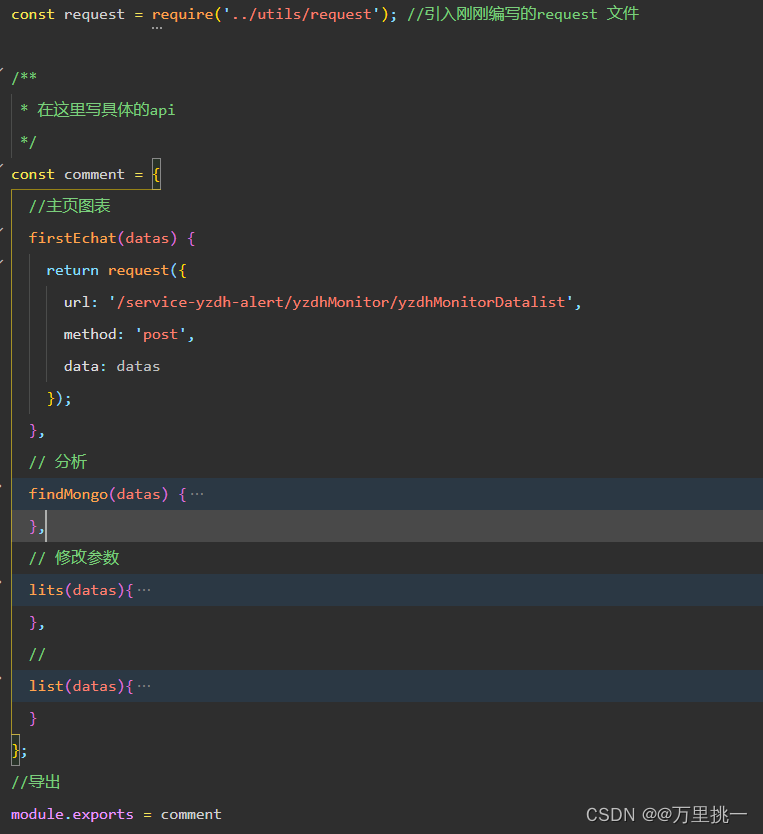
小程序request请求封装
以上为本人的项目目录 1.首先在utils中创建request.js文件封装request请求,此封装带上了token,每次请求都会自带token,需要你从后端获取后利用wx.setStorageSync(token,返回的token),不使用的话就是空。 直接复制即可,需要改一下…...
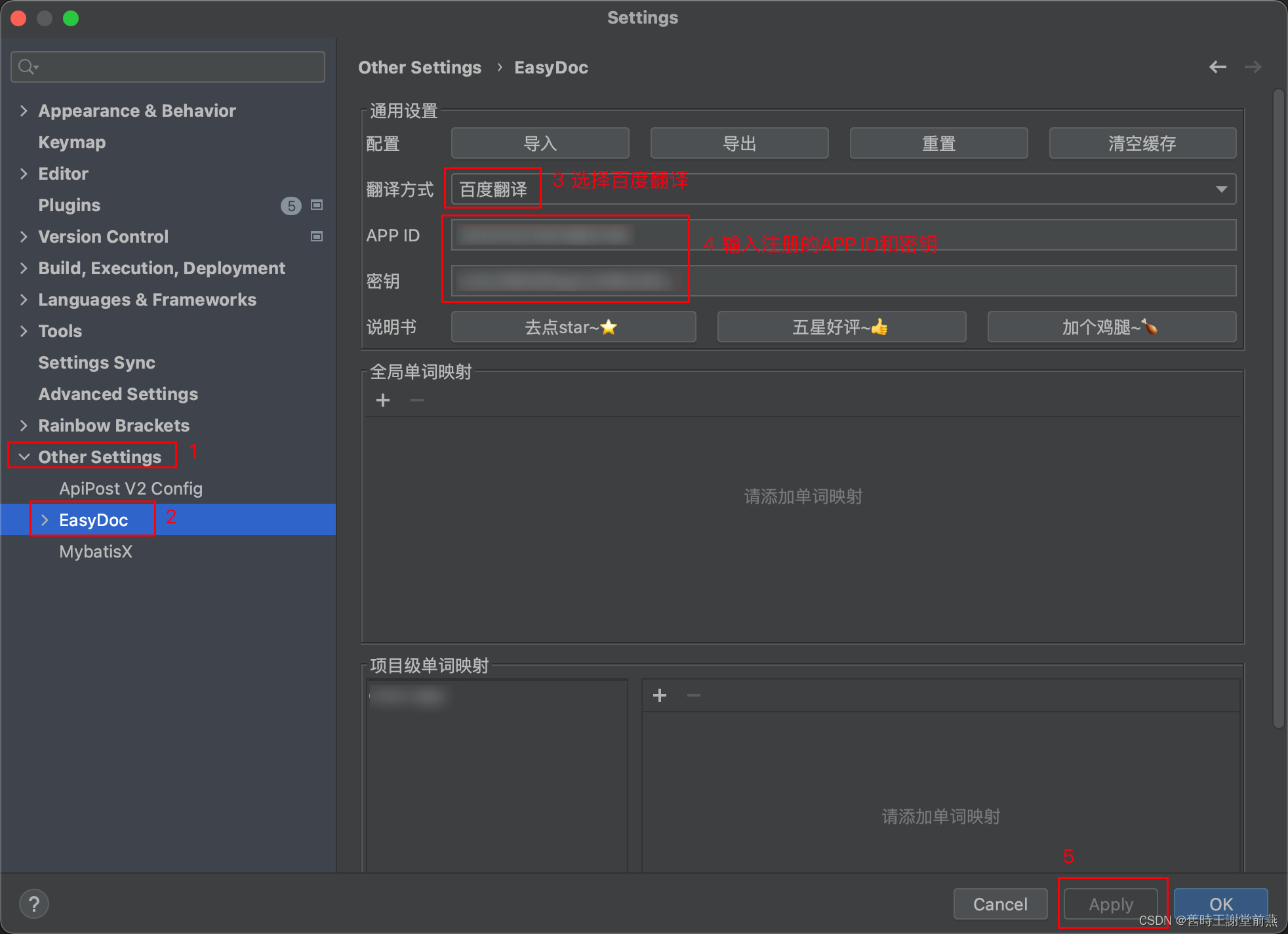
Easy Javadoc插件的使用教程
目录 一、安装Easy Javadoc插件 二、配置注释模板 三、配置翻译 一、安装Easy Javadoc插件 在idea的File-Settings-Plugins中搜索Easy Javadoc插件,点击install进行安装,安装完成后需要restart IDE,重启后插件生效。 二、配置注释模板 …...

vscode里如何用git
打开vs终端执行如下: 1 初始化 Git 仓库(如果尚未初始化) git init 2 添加文件到 Git 仓库 git add . 3 使用 git commit 命令来提交你的更改。确保在提交时加上一个有用的消息。 git commit -m "备注信息" 4 …...

Android Wi-Fi 连接失败日志分析
1. Android wifi 关键日志总结 (1) Wi-Fi 断开 (CTRL-EVENT-DISCONNECTED reason3) 日志相关部分: 06-05 10:48:40.987 943 943 I wpa_supplicant: wlan0: CTRL-EVENT-DISCONNECTED bssid44:9b:c1:57:a8:90 reason3 locally_generated1解析: CTR…...
:OpenBCI_GUI:从环境搭建到数据可视化(下))
脑机新手指南(八):OpenBCI_GUI:从环境搭建到数据可视化(下)
一、数据处理与分析实战 (一)实时滤波与参数调整 基础滤波操作 60Hz 工频滤波:勾选界面右侧 “60Hz” 复选框,可有效抑制电网干扰(适用于北美地区,欧洲用户可调整为 50Hz)。 平滑处理&…...
理解 MCP 工作流:使用 Ollama 和 LangChain 构建本地 MCP 客户端
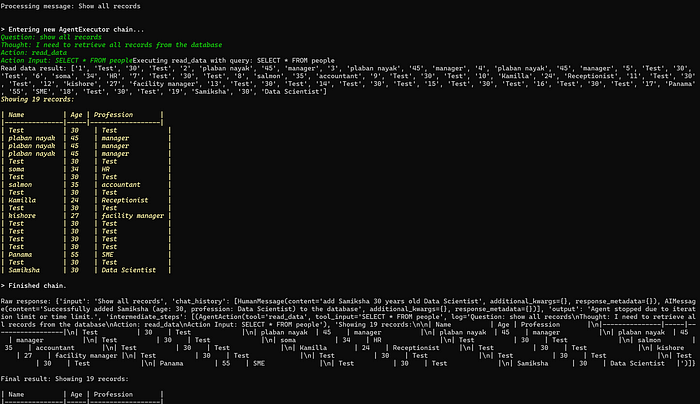
🌟 什么是 MCP? 模型控制协议 (MCP) 是一种创新的协议,旨在无缝连接 AI 模型与应用程序。 MCP 是一个开源协议,它标准化了我们的 LLM 应用程序连接所需工具和数据源并与之协作的方式。 可以把它想象成你的 AI 模型 和想要使用它…...

AtCoder 第409场初级竞赛 A~E题解
A Conflict 【题目链接】 原题链接:A - Conflict 【考点】 枚举 【题目大意】 找到是否有两人都想要的物品。 【解析】 遍历两端字符串,只有在同时为 o 时输出 Yes 并结束程序,否则输出 No。 【难度】 GESP三级 【代码参考】 #i…...

【机器视觉】单目测距——运动结构恢复
ps:图是随便找的,为了凑个封面 前言 在前面对光流法进行进一步改进,希望将2D光流推广至3D场景流时,发现2D转3D过程中存在尺度歧义问题,需要补全摄像头拍摄图像中缺失的深度信息,否则解空间不收敛…...
多种风格导航菜单 HTML 实现(附源码)
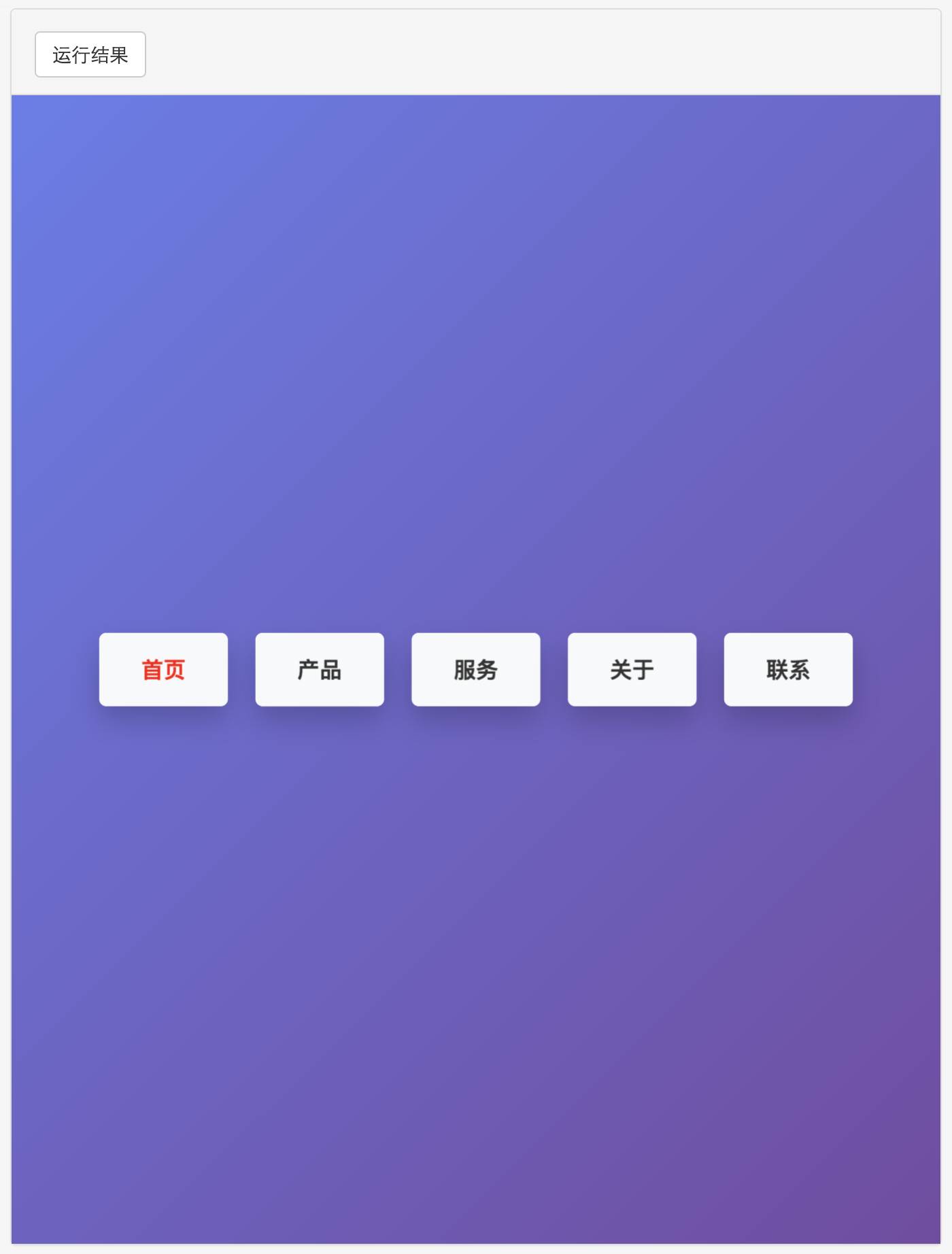
下面我将为您展示 6 种不同风格的导航菜单实现,每种都包含完整 HTML、CSS 和 JavaScript 代码。 1. 简约水平导航栏 <!DOCTYPE html> <html lang"zh-CN"> <head><meta charset"UTF-8"><meta name"viewport&qu…...
安装docker)
Linux离线(zip方式)安装docker
目录 基础信息操作系统信息docker信息 安装实例安装步骤示例 遇到的问题问题1:修改默认工作路径启动失败问题2 找不到对应组 基础信息 操作系统信息 OS版本:CentOS 7 64位 内核版本:3.10.0 相关命令: uname -rcat /etc/os-rele…...
Linux 内存管理实战精讲:核心原理与面试常考点全解析
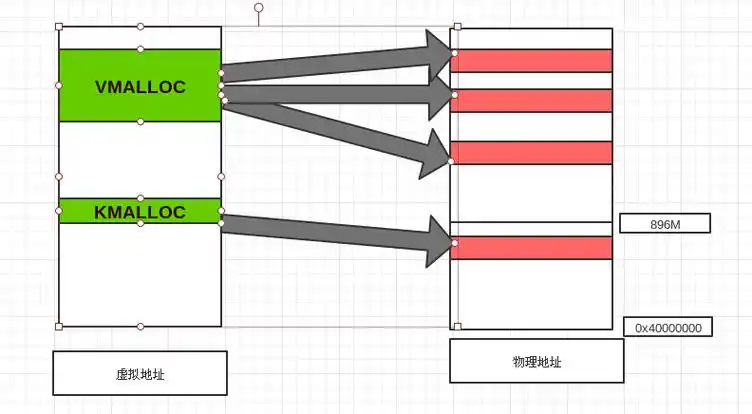
Linux 内存管理实战精讲:核心原理与面试常考点全解析 Linux 内核内存管理是系统设计中最复杂但也最核心的模块之一。它不仅支撑着虚拟内存机制、物理内存分配、进程隔离与资源复用,还直接决定系统运行的性能与稳定性。无论你是嵌入式开发者、内核调试工…...

【Nginx】使用 Nginx+Lua 实现基于 IP 的访问频率限制
使用 NginxLua 实现基于 IP 的访问频率限制 在高并发场景下,限制某个 IP 的访问频率是非常重要的,可以有效防止恶意攻击或错误配置导致的服务宕机。以下是一个详细的实现方案,使用 Nginx 和 Lua 脚本结合 Redis 来实现基于 IP 的访问频率限制…...