
vite+TypeScript+vue3+router4+Pinia+ElmPlus+axios+mock项目基本配置
1.vite+TS+Vue3
npm create  vite
Project name:... yourProjectName
Select a framework:>>Vue
Select a variant:>>Typescrit
2. 修改vite基本配置
配置 Vite {#configuring-vite} | Vite中文网 (vitejs.cn)
vite.config.ts
import { defineConfig } from 'vite'
import vue from '@vitejs/plugin-vue'
import { resolve } from 'path';   // 编辑器提示 path 模块找不到,可以cnpm i @types/node --dev 即可// https://vitejs.dev/config/
export default defineConfig({plugins: [vue()],     // 默认配置resolve: {alias: {'@': resolve(__dirname, 'src')    // 配置别名;将 @ 指向'src'目录}},server: {port: 3000,       // 设置服务启动的端口号;如果端口已经被使用,Vite 会自动尝试下一个可用的端口open: true,       // 服务启动后自动打开浏览器proxy: {          // 代理'/api': {target: '真实接口服务地址',changeOrigin: true,rewrite: (path) => path.replace(/^\/api/, '')     // 注意代理地址的重写},// 可配置多个... }}
})
3.安装vue-router
cnpm install vue-router@4 --save
创建src/router/index.ts文件,使用路由懒加载,优化访问性能。
import { createRouter, createWebHistory, createWebHashHistory, RouteRecordRaw } from 'vue-router'const routes: Array<RouteRecordRaw> = [{path: '/',name: 'Home',component: () => import('@/views/home.vue') // 建议进行路由懒加载,优化访问性能},{path: '/about',name: 'About',component: () => import('@/views/about.vue')}
]const router = createRouter({// history: createWebHistory(),    // 使用history模式history: createWebHashHistory(),	 // 使用hash模式routes
})export default router
main.ts 里面引入router
import { createApp } from 'vue'
import App from './App.vue'
import router from './router/index'createApp(App).use(router).mount('#app')在App.vue 文件中使用router-view 组件,路由匹配到组件会通过router-view 组件进行渲染。
<template><div id="nav"><router-link to="/">Home</router-link> |<router-link to="/about">About</router-link></div><router-view />
<template>
4.安装vuex 安装pinia
npm install vuex@next --save创建src/store/index.ts文件。import { createStore } from 'vuex'const defaultState = {count: 0
}
const store = createStore({state () {return {count: 10}},mutations: {increment (state: typeof defaultState) {state.count++}}
})
export default store;main.ts 里面引入vuex
import { createApp } from 'vue'
import App from './App.vue'
import router from './router/index'
import store from './store/index'const app = createApp(App);// 将store、router挂载到全局变量上, 方便使用
import { useStore } from "vuex";
import { useRoute } from "vue-router";
app.config.globalProperties.$store = useStore();
app.config.globalProperties.$router = useRoute();app.use(router).use(store).mount('#app')
<template><div>首页 {{count}}<p @click="handleSkip">点我</p></div>
</template><script>
import { getCurrentInstance, computed, ref } from 'vue';
export default {name: 'Home',setup() {const { proxy } = getCurrentInstance();// 使用storeconst count = computed(() => proxy.$store.state.count);const handleSkip = () => {// 使用routerproxy.$router.push('/about');}return {count: ref(count),handleSkip}}
}
</script>
pinia
yarn add pinia
# 或者使用 npm
npm install pinia
main.ts
import { createApp } from 'vue'
import './style.css'
import router from './router'
import { createPinia } from 'pinia'
import App from './App.vue'createApp(App).use(router).use(createPinia()).mount('#app')
@/store/counter.ts
import { defineStore } from 'pinia'export const useCounterStore = defineStore('counter', {state: () => ({ count: 0 }),getters: {double: (state) => state.count * 2,},actions: {increment() {this.count++},},
})
Home.vue
<template><div><p>home</p><button @click="increment">count:{{count}};double:{{double}}</button></div>
</template><script setup lang="ts">
import { storeToRefs } from 'pinia';
import { useCounterStore } from '../store/counter';
const counter = useCounterStore()const {count, double}  = storeToRefs(counter)//这样才是响应式的
const {increment } = counter
</script><style scoped></style>
5.安装 UI库
1.Element UI Plus
一个 Vue 3 UI 框架 | Element Plus
NPM
$ npm install element-plus --save
import { createApp } from 'vue'
import ElementPlus from 'element-plus'
import 'element-plus/dist/index.css'
import App from './App.vue'const app = createApp(App)app.use(ElementPlus)
app.mount('#app')
volar插件支持 获取对Element UI Plus 的提示 需要在tsconfig.json做如下设置
新增"types": ["element-plus/global"]
{"compilerOptions": {// ..."types": ["element-plus/global"]}
}
2.Ant Design Vue
Ant Design of Vue - Ant Design Vue (antdv.com)
$ npm install ant-design-vue@next --save
$ yarn add ant-design-vue@next
import { createApp } from 'vue';
import Antd from 'ant-design-vue';
import App from './App';
import 'ant-design-vue/dist/antd.css';const app = createApp(App);app.use(Antd).mount('#app');
3.Iview
npm install view-ui-plus --save
import { createApp } from 'vue'
import ViewUIPlus from 'view-ui-plus'
import App from './App.vue'
import router from './router'
import store from './store'
import 'view-ui-plus/dist/styles/viewuiplus.css'const app = createApp(App)app.use(store).use(router).use(ViewUIPlus).mount('#app')
4.Vant 移动端
npm i vant -S
import Vant from 'vant'
import 'vant/lib/index.css';
createApp(App).use(Vant).$mount('#app)
6.安装axios
npm install axios --save
封装公共请求方法
新建工具类 src/utils/request.ts
import axios from 'axios'interface ApiConfig {body: object;data: object
}async function request(url: string, options: ApiConfig) {// 创建 axios 实例const service = axios.create({baseURL: "", // api base_urltimeout: 6000 // 请求超时时间});// 请求拦截service.interceptors.request.use(config => {// 这里可设置请求头等信息if (options && options.body) {config.data = options.body;}return config;});// 返回拦截service.interceptors.response.use(response => {// 这里可进行返回数据的格式化等操作return response.data;});return service(url, options);
}
export default request;
使用方法
<script>
import request from "@/utils/request.ts"export default {setup() {request('/api/getNewsList').then(res => {console.log(res);// to do...});}
}
</script>
7.安装mockjs
安装
mock 模拟数据我们选用 mockjs 插件,vite 中需要安装 vite-plugin-mock 插件。
npm install mockjs --savenpm install vite-plugin-mock --save-devvite.config.ts 中引用插件
import { viteMockServe } from 'vite-plugin-mock'export default defineConfig({plugins: [vue(),viteMockServe({supportTs: true,mockPath: './src/mock'})],
})
使用mock
新建文件src/mock/index.ts,编写一下代码:
import { MockMethod } from 'vite-plugin-mock'
export default [{url: '/api/getNewsList',method: 'get',response: () => {return {code: 0,message: 'success',data: [{title: '标题111',content: '内容1111'},{title: '标题222',content: '内容2222'}]}}},// more...
] as MockMethod[]
然后我们就可以在工程中进行 mock 数据的访问了,这里我们使用之前创建公共 api 请求方法 request。
<script>
import request from "@/utils/request.ts"export default {setup() {request('/api/getNewsList').then(res => {console.log(res);// to do...});}
}
</script>
相关文章:

vite+TypeScript+vue3+router4+Pinia+ElmPlus+axios+mock项目基本配置
1.viteTSVue3 npm create vite Project name:... yourProjectName Select a framework:>>Vue Select a variant:>>Typescrit2. 修改vite基本配置 配置 Vite {#configuring-vite} | Vite中文网 (vitejs.cn) vite.config.ts import { defineConfig } from vite …...
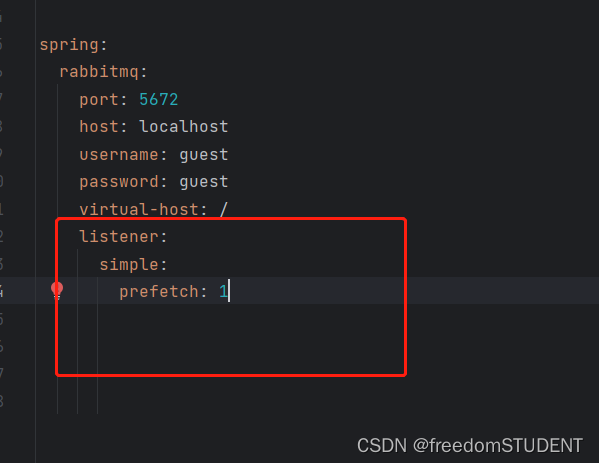
【rabbitMQ】模拟work queue,实现单个队列绑定多个消费者
上一篇: springboot整合rabbitMQ模拟简单收发消息 https://blog.csdn.net/m0_67930426/article/details/134904766?spm1001.2014.3001.5502 在这篇文章的基础上进行操作 基本思路: 1.在rabbitMQ控制台创建一个新的队列 2.在publisher服务中定义一个…...

pdf转png的两种方法
背景:pdf在一般公司,没有办公系统,又不是word/wps/Office系统,读不出来,识别不了,只能将其转化为图片png,因此在小公司或者一般公司就需要pdf转png的功能。本文将详细展开。 1、fitz库(也就是PyMuPDF) 直接pip安装PyMuPDF即可使用,直接使用fitz操作,无需其他库。 …...

【起草】1-2 讨论 ChatGPT 在自然语言处理领域的重要性和应用价值
【小结:ChatGPT 在自然语言处理领域的八种典型应用】 ChatGPT是一种基于Transformer模型的端到端生成式对话系统,采用自监督学习的方式ChatGPT是一种基于Transformer模型的端到端生成式对话系统,采用自监督学习的方式在海量无标注数据集上进…...

Mapreduce小试牛刀(1)
1.与hdfs一样,mapreduce基于hadoop框架,所以我们首先要启动hadoop服务器 --------------------------------------------------------------------------------------------------------------------------------- 2.修改hadoop-env.sh位置JAVA_HOME配…...
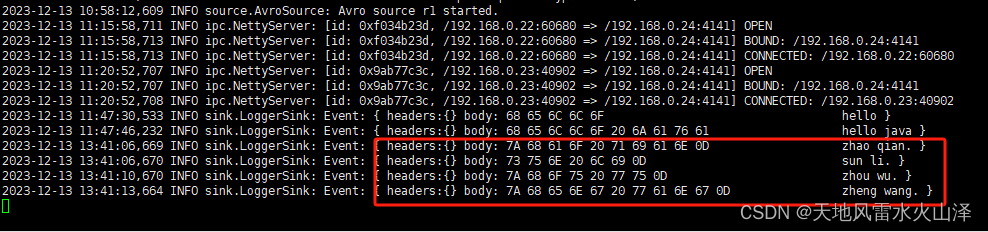
二百一十七、Flume——Flume拓扑结构之聚合的开发案例(亲测,附截图)
一、目的 对于Flume的聚合拓扑结构,进行一个开发测试 二、聚合 (一)结构含义 这种模式是我们最常见的,也非常实用。日常web应用通常分布在上百个服务器,大者甚至上千个、上万个服务器产生的日志,处理起来…...

vue3+ts+vite+element plus 实现table勾选、点击单行都能实现多选
需求:table的多选栏太小,点击的时候要瞄着点,不然选不上,要求实现点击单行实现勾选 <ElTableborder:data"tableDataD"style"width: 100%"max-height"500"ref"multipleTableRef"selec…...
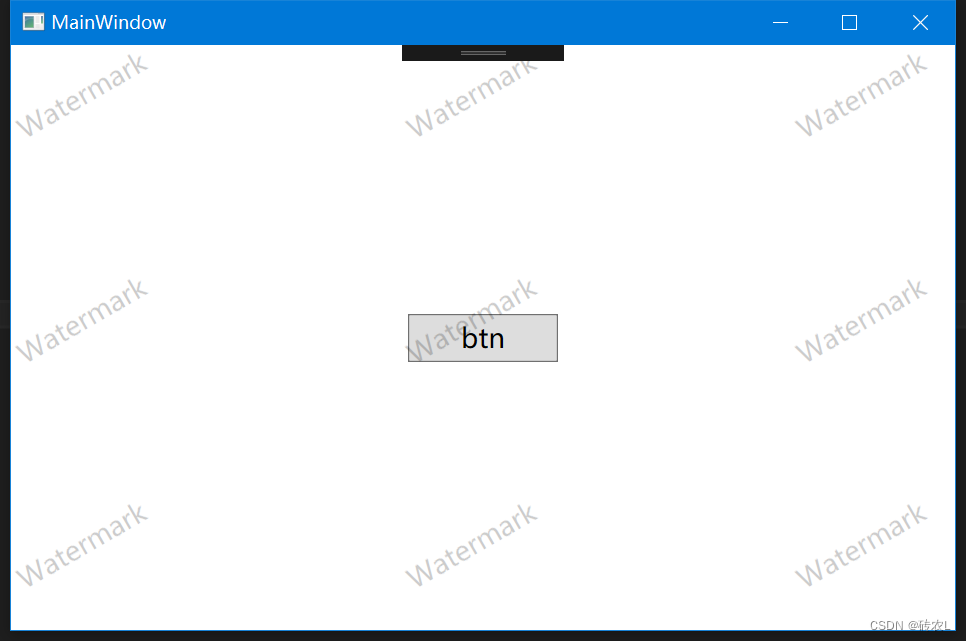
在WPF窗口中增加水印效果
** 原理: ** 以Canvas作为水印显示载体,在Canvas中创建若干个TextBlock控件用来显示水印文案,如下图所示 然后以每一个TextBlock的左上角为中心旋转-30,最终效果会是如图红线所示: 为了达到第一行旋转后刚好与窗口…...

wget下载到一半断了,重连方法
我是使用wget去下载 data.tar.gz 压缩包 wget https://deepgo.cbrc.kaust.edu.sa/data/deepgozero/data.tar.gz一开始下载的挺快,然后随着下载继续,下载速度就一直在下滑 下了大概2个小时后,已经下载了78%(6G/7.7G)就断了。无奈c…...

Docker笔记:docker compose部署项目, 常用命令与负载均衡
docker compose的作用 docker-compose是docker官方的一个开源项目可以实现对docker容器集群的快速编排docker-compose 通过一个配置文件来管理多个Docker容器在配置文件中,所有的容器通过 services来定义然后使用docker-compose脚本来启动,停止和重启容…...

Java单元测试:JUnit和Mockito的使用指南
引言: 在软件开发过程中,单元测试是一项非常重要的工作。通过单元测试,我们可以验证代码的正确性、稳定性和可维护性,帮助我们提高代码质量和开发效率。本文将介绍Java中两个常用的单元测试框架:JUnit和Mockito&#x…...

缓存雪崩问题与应对策略
目录 1. 缓存雪崩的原因 1.1 缓存同时失效 1.2 缓存层无法应对高并发 1.3 缓存和后端系统之间存在紧密关联 2. 缓存雪崩的影响 2.1 系统性能下降 2.2 数据库压力激增 2.3 用户请求失败率增加 3. 应对策略 3.1 多级缓存 3.2 限流与降级 3.3 异步缓存更新 3.4 并发控…...

python编程需要的电脑配置,python编程用什么电脑
大家好,小编来为大家解答以下问题,python编程对笔记本电脑配置的要求,python编程对电脑配置的要求有哪些,现在让我们一起来看看吧! 学习python编程需要什么配置的电脑 简单的来讲,Python的话普通电脑就可以…...
)
目标检测YOLO实战应用案例100讲-基于深度学习的跌倒检测(续)
目录 3.3 基于YOLOv7算法的损失函数优化 3.3.1 IoU损失策略 3.3.2 GIoU回归策略 3.3.3...
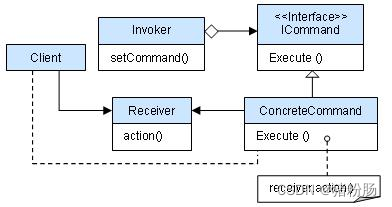
05-命令模式
意图(GOF定义) 将一个请求封装为一个对象,从而使你可用不同的请求对客户端进行参数化,对请求排队或者记录日志,以及可支持撤销的操作。 理解 命令模式就是把一些常用的但比较繁杂的工作归类为成一组一组的动作&…...

Docker安全及日志管理
DockerRemoteAPI访问控制 默认只开启了unix socket,如需开放http,做如下操作: 1、dockerd -H unix:///var/run/docker.sock -H tcp://192.168.180.210:2375 2、vim /usr/lib/systemd/system/docker.service ExecStart/usr/bin/dockerd -H uni…...

【LeetCode每日一题】152. 乘积最大子数组
题目: 给你一个整数数组 nums ,请你找出数组中乘积最大的非空连续子数组(该子数组中至少包含一个数字),并返回该子数组所对应的乘积。 思路 由于做了53. 最大子数组和 下意识觉得求出所有元素的以该元素结尾的连续…...
Python 反射
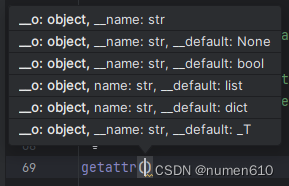
Python 反射是什么? 学习了几天,做个总结留给自己看。 感觉跟 SQL 入门要掌握的原理一样,Python 反射看起来也会做4件事,“增删查获” 增 - 增加属性,方法 setattr 删 - 删除属性,方法 delattr 查 - …...

HTML基本网页制作
一、制作工商银行电子表单 <!DOCTYPE html> <html lang"en"> <head><meta charset"UTF-8"><meta name"viewport" content"widthdevice-width, initial-scale1.0"><title>第一个网页的标题</ti…...
Tcl语言语法精炼总结
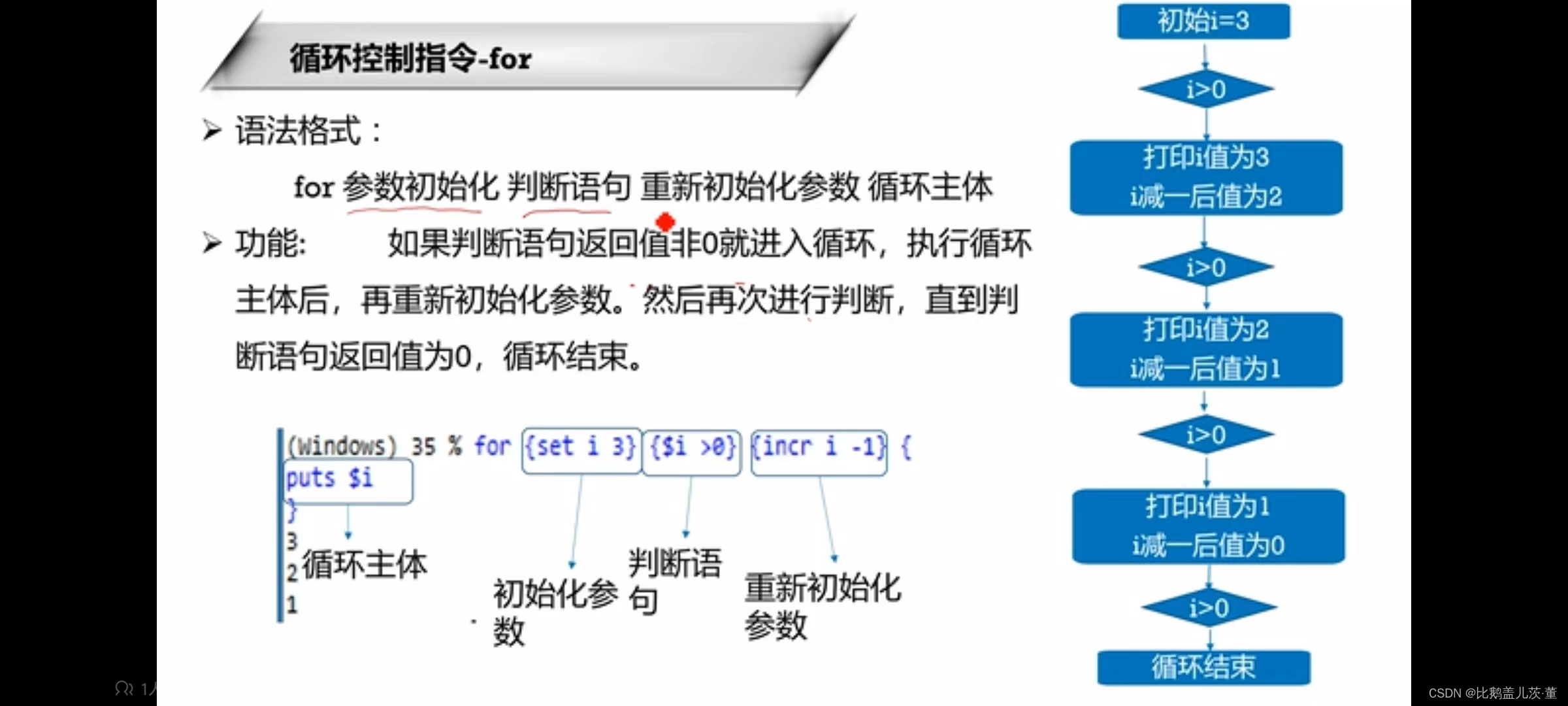
一、置换符号 1.变量置换 $ TCl解释器会将认为$后面为变量名,将变量名置换成它的值 2.命令置换 [] []内是一个独立的TCL语句 3.反斜杠置换 \ 换行符、空格、[、$等被TCL解释器当作特殊符号处理。加上反斜杠后变成普通字符 \t TAB \n 换行符 4.双引号 “” “…...

uni-app学习笔记二十二---使用vite.config.js全局导入常用依赖
在前面的练习中,每个页面需要使用ref,onShow等生命周期钩子函数时都需要像下面这样导入 import {onMounted, ref} from "vue" 如果不想每个页面都导入,需要使用node.js命令npm安装unplugin-auto-import npm install unplugin-au…...
SCAU期末笔记 - 数据分析与数据挖掘题库解析
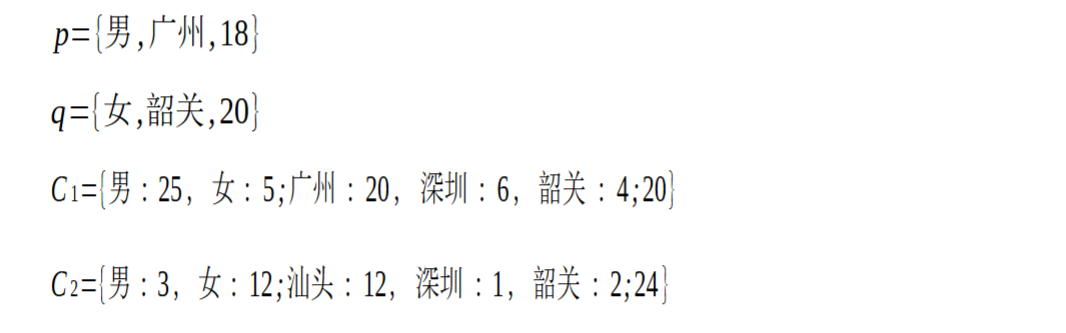
这门怎么题库答案不全啊日 来简单学一下子来 一、选择题(可多选) 将原始数据进行集成、变换、维度规约、数值规约是在以下哪个步骤的任务?(C) A. 频繁模式挖掘 B.分类和预测 C.数据预处理 D.数据流挖掘 A. 频繁模式挖掘:专注于发现数据中…...
【Redis技术进阶之路】「原理分析系列开篇」分析客户端和服务端网络诵信交互实现(服务端执行命令请求的过程 - 初始化服务器)
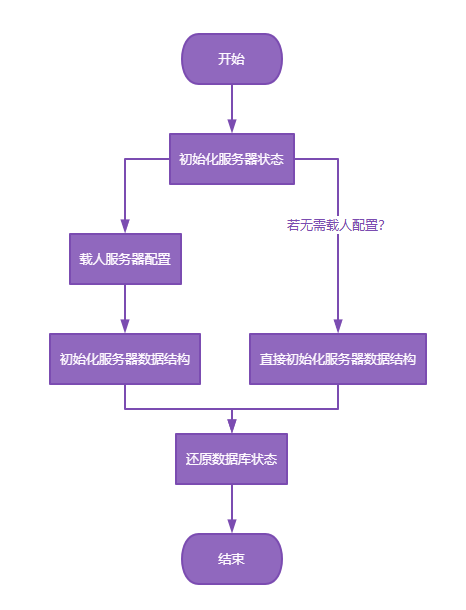
服务端执行命令请求的过程 【专栏简介】【技术大纲】【专栏目标】【目标人群】1. Redis爱好者与社区成员2. 后端开发和系统架构师3. 计算机专业的本科生及研究生 初始化服务器1. 初始化服务器状态结构初始化RedisServer变量 2. 加载相关系统配置和用户配置参数定制化配置参数案…...

蓝桥杯 2024 15届国赛 A组 儿童节快乐
P10576 [蓝桥杯 2024 国 A] 儿童节快乐 题目描述 五彩斑斓的气球在蓝天下悠然飘荡,轻快的音乐在耳边持续回荡,小朋友们手牵着手一同畅快欢笑。在这样一片安乐祥和的氛围下,六一来了。 今天是六一儿童节,小蓝老师为了让大家在节…...

Git 3天2K星标:Datawhale 的 Happy-LLM 项目介绍(附教程)
引言 在人工智能飞速发展的今天,大语言模型(Large Language Models, LLMs)已成为技术领域的焦点。从智能写作到代码生成,LLM 的应用场景不断扩展,深刻改变了我们的工作和生活方式。然而,理解这些模型的内部…...

零知开源——STM32F103RBT6驱动 ICM20948 九轴传感器及 vofa + 上位机可视化教程
STM32F1 本教程使用零知标准板(STM32F103RBT6)通过I2C驱动ICM20948九轴传感器,实现姿态解算,并通过串口将数据实时发送至VOFA上位机进行3D可视化。代码基于开源库修改优化,适合嵌入式及物联网开发者。在基础驱动上新增…...
tauri项目,如何在rust端读取电脑环境变量
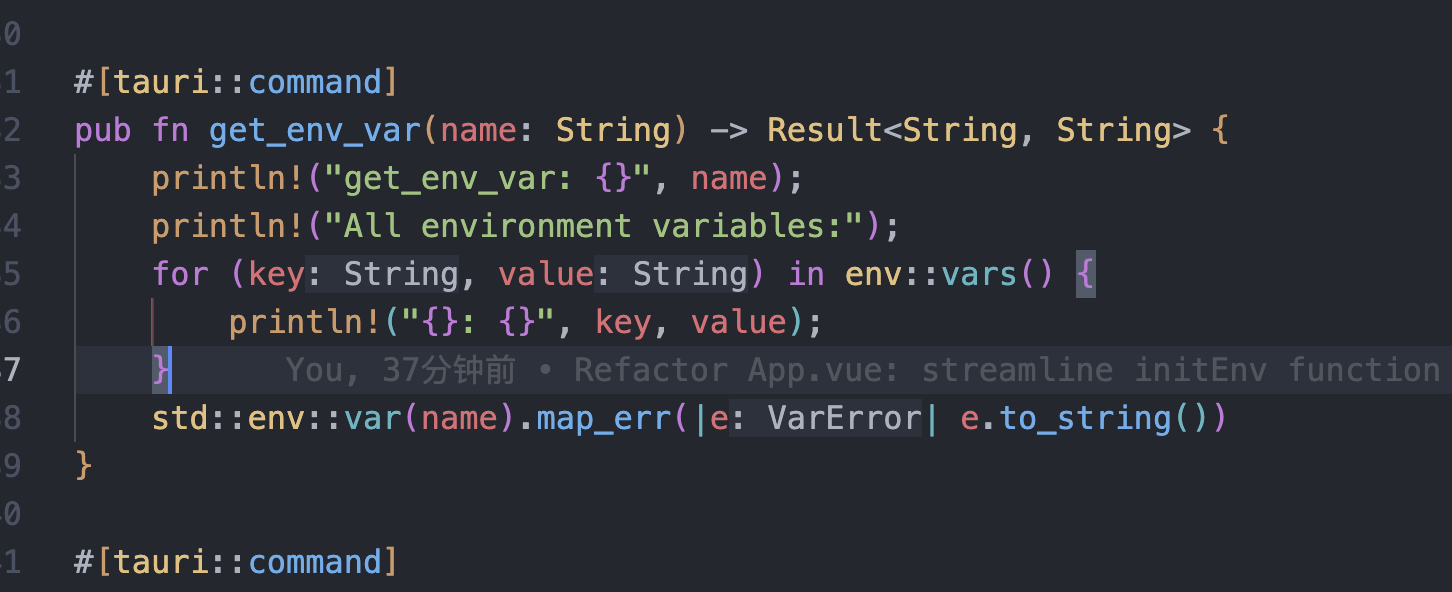
如果想在前端通过调用来获取环境变量的值,可以通过标准的依赖: std::env::var(name).ok() 想在前端通过调用来获取,可以写一个command函数: #[tauri::command] pub fn get_env_var(name: String) -> Result<String, Stri…...
【Post-process】【VBA】ETABS VBA FrameObj.GetNameList and write to EXCEL
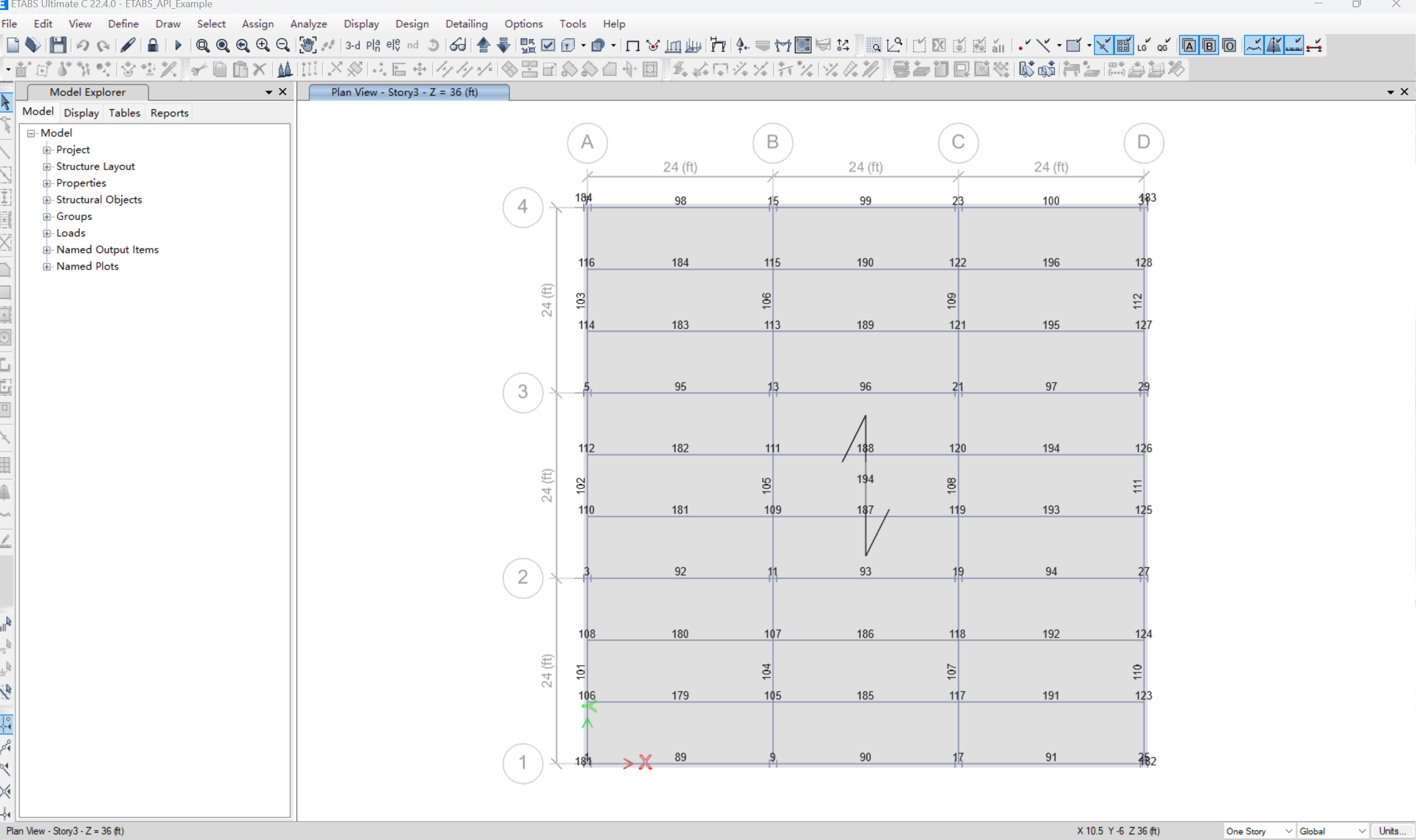
ETABS API实战:导出框架元素数据到Excel 在结构工程师的日常工作中,经常需要从ETABS模型中提取框架元素信息进行后续分析。手动复制粘贴不仅耗时,还容易出错。今天我们来用简单的VBA代码实现自动化导出。 🎯 我们要实现什么? 一键点击,就能将ETABS中所有框架元素的基…...
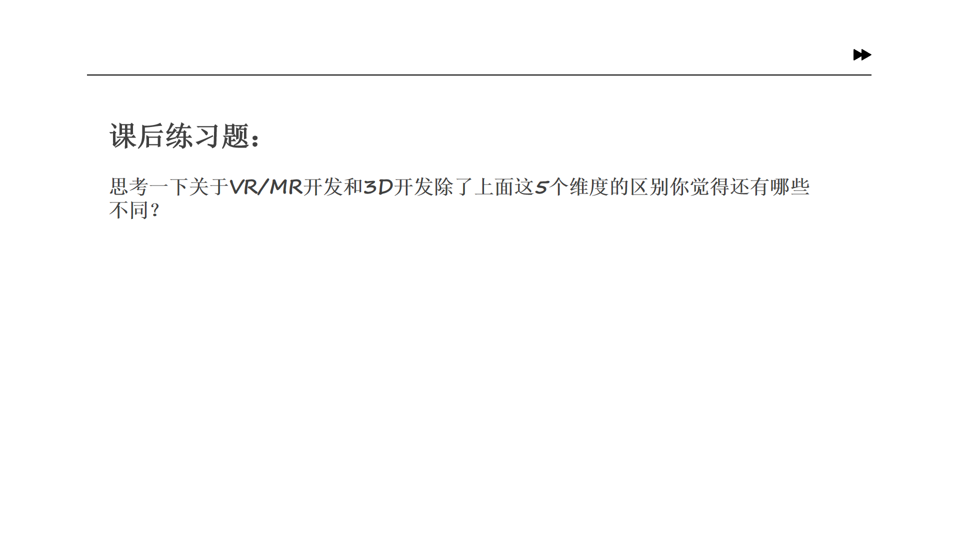
Unity VR/MR开发-VR开发与传统3D开发的差异
视频讲解链接:【XR马斯维】VR/MR开发与传统3D开发的差异【UnityVR/MR开发教程--入门】_哔哩哔哩_bilibili...

Linux安全加固:从攻防视角构建系统免疫
Linux安全加固:从攻防视角构建系统免疫 构建坚不可摧的数字堡垒 引言:攻防对抗的新纪元 在日益复杂的网络威胁环境中,Linux系统安全已从被动防御转向主动免疫。2023年全球网络安全报告显示,高级持续性威胁(APT)攻击同比增长65%,平均入侵停留时间缩短至48小时。本章将从…...