
Android RecycleView实现平滑滚动置顶和调整滚动速度
目录
一、滑动到指定位置(target position)并且置顶
1. RecycleView默认的几个实现方法及缺陷
2. 优化源码实现置顶方案
二、调整平移滑动速率
三、其他方案:置顶、置顶加偏移、居中
1. 其他置顶方案
2. 置顶加偏移
3. 滚动居中
在实际项目里,RecycleView 可以说是我们最常用到的组件,作为绑定并展示LIST数据的组件,经常需要实现平滑滚动到列表里的某个目标ITEM,并且将其置顶在屏幕最上方,而且在特殊情形下,我们需要控制滑动速度,来控制滚动的时长。
一、滑动到指定位置(target position)并且置顶
1. RecycleView默认的几个实现方法及缺陷
((LinearLayoutManager)recycleView.getLayoutManager()).scrollToPositionWithOffset(int position, int offset);
如果你没有滑动过程动画的要求,那上面这行代码将offset的值设置为0,就一步到位地满足需求了。
recycleView.scrollToPosition(int position);
recycleView.smoothScrollToPosition(int position);
以上两个方法遵循的是最少滑动原则,只要target position那项item已经完全可见了,就马上停止滑动;要是target position已经可见了,那根本不会滑动。所以按不同的滑动方向,会出现不同的结果,如果target position在屏幕可视范围的上方,则它默认会将target position置顶;反之,target position在屏幕可视范围的下方,则滚动完成后,target postion会处于屏幕的最下方,无法实现我们的置顶需求。所以缺陷很明显:要么不动,要么无法置顶。
2. 优化源码实现置顶方案
我们看下recycleview提供的方法的源代码,看看是否可以进行改进:
public void smoothScrollToPosition(int position) {if (mLayoutSuppressed) {return;}if (mLayout == null) {Log.e(TAG, "Cannot smooth scroll without a LayoutManager set. "+ "Call setLayoutManager with a non-null argument.");return;}mLayout.smoothScrollToPosition(this, mState, position);}由代码可以看出,RecyclerView的滑动方法是调用LayoutManager的smoothScrollToPosition方法:
@Overridepublic void smoothScrollToPosition(RecyclerView recyclerView, RecyclerView.State state,int position) {LinearSmoothScroller linearSmoothScroller =new LinearSmoothScroller(recyclerView.getContext());linearSmoothScroller.setTargetPosition(position);startSmoothScroll(linearSmoothScroller);}其中LinearSmoothScroller提供了三个滑动策略:
/*** Align child view's left or top with parent view's left or top** @see #calculateDtToFit(int, int, int, int, int)* @see #calculateDxToMakeVisible(android.view.View, int)* @see #calculateDyToMakeVisible(android.view.View, int)*/public static final int SNAP_TO_START = -1;/*** Align child view's right or bottom with parent view's right or bottom** @see #calculateDtToFit(int, int, int, int, int)* @see #calculateDxToMakeVisible(android.view.View, int)* @see #calculateDyToMakeVisible(android.view.View, int)*/public static final int SNAP_TO_END = 1;/*** <p>Decides if the child should be snapped from start or end, depending on where it* currently is in relation to its parent.</p>* <p>For instance, if the view is virtually on the left of RecyclerView, using* {@code SNAP_TO_ANY} is the same as using {@code SNAP_TO_START}</p>** @see #calculateDtToFit(int, int, int, int, int)* @see #calculateDxToMakeVisible(android.view.View, int)* @see #calculateDyToMakeVisible(android.view.View, int)*/public static final int SNAP_TO_ANY = 0;LinearSmoothScroller确定滑动方案的方法:
/*** When scrolling towards a child view, this method defines whether we should align the top* or the bottom edge of the child with the parent RecyclerView.** @return SNAP_TO_START, SNAP_TO_END or SNAP_TO_ANY; depending on the current target vector* @see #SNAP_TO_START* @see #SNAP_TO_END* @see #SNAP_TO_ANY*/protected int getVerticalSnapPreference() {return mTargetVector == null || mTargetVector.y == 0 ? SNAP_TO_ANY :mTargetVector.y > 0 ? SNAP_TO_END : SNAP_TO_START;}重写LinearSmoothScroller的getVerticalSnapPreference方法:
class LinearTopSmoothScroller extends LinearSmoothScroller {public LinearTopSmoothScroller(Context context) {super(context);}@Overrideprotected int getVerticalSnapPreference() {return SNAP_TO_START;}}这里为什么返回 SNAP_TO_START?可以看到LinearSmoothScrollerl的方法calculateDtToFit()根据不同滚动策略获取到需要滚动的距离,SNAP_TO_START是按置顶的方案来计算的。所以我们在getVerticalSnapPreference方法里固定返回SNAP_TO_START就可以实现目的。
public int calculateDtToFit(int viewStart, int viewEnd, int boxStart, int boxEnd, intsnapPreference) {switch (snapPreference) {case SNAP_TO_START:return boxStart - viewStart;case SNAP_TO_END:return boxEnd - viewEnd;case SNAP_TO_ANY:final int dtStart = boxStart - viewStart;if (dtStart > 0) {return dtStart;}final int dtEnd = boxEnd - viewEnd;if (dtEnd < 0) {return dtEnd;}break;default:throw new IllegalArgumentException("snap preference should be one of the"+ " constants defined in SmoothScroller, starting with SNAP_");}return 0;}调用方式一:
void scrollItemToTop(int position) {LinearSmoothScroller smoothScroller = new LinearTopSmoothScroller(this);smoothScroller.setTargetPosition(position);linearLayoutManager.startSmoothScroll(smoothScroller);}调用方式二:
自定义一个类继承自 LinearLayoutManager:
private class TopLayoutManager extends LinearLayoutManager {public TopLayoutManager(Context context) {super(context);}public TopLayoutManager(Context context, int orientation, boolean reverseLayout) {super(context, orientation, reverseLayout);}@Overridepublic void smoothScrollToPosition(RecyclerView recyclerView, RecyclerView.State state, int position) {RecyclerView.SmoothScroller smoothScroller = new LinearTopSmoothScroller(recyclerView.getContext());smoothScroller.setTargetPosition(position);startSmoothScroll(smoothScroller);}private class LinearTopSmoothScroller extends LinearSmoothScroller {public LinearTopSmoothScroller(Context context) {super(context);}@Overrideprotected int getVerticalSnapPreference() {return SNAP_TO_START;}}
}
调用代码:
TopLayoutManager topLayoutManager = new TopLayoutManager(this);
recycleview.setLayoutManager(topLayoutManager);
recycleview.smoothScrollToPosition(position);
二、调整平移滑动速率
同理,可以在LinearSmoothScroller类找到决定滚动速度的方法并修改。
/*** Calculates the scroll speed.** @param displayMetrics DisplayMetrics to be used for real dimension calculations* @return The time (in ms) it should take for each pixel. For instance, if returned value is* 2 ms, it means scrolling 1000 pixels with LinearInterpolation should take 2 seconds.*/protected float calculateSpeedPerPixel(DisplayMetrics displayMetrics) {return MILLISECONDS_PER_INCH / displayMetrics.densityDpi;}上面的MILLISECONDS_PER_INCH的值为25F,如果希望更快可以将值改小,这个方法的返回值表示滚动一个像素需要的时间,单位ms,如果返回值为2ms,表示滚动1000个像素需要花费2秒时长。
平滑滚动到target position,【置顶+调速】的调用方式:
RecyclerView.SmoothScroller smoothScroller = new LinearSmoothScroller(this) {@Override protected int getVerticalSnapPreference() {return LinearSmoothScroller.SNAP_TO_START;}@Overrideprotected float calculateSpeedPerPixel(DisplayMetrics displayMetrics) {//默认值是25F(MILLISECONDS_PER_INCH),值越小滑动速度越快,值越大则越慢return 100F / displayMetrics.densityDpi;}};smoothScroller.setTargetPosition(position);linearLayoutManager.startSmoothScroll(smoothScroller);目前还有一个问题,虽然我们可以调整速度,但是这里始终是一个固定的滚动速度,试想如果滚动的距离特别远,仍然需要滚动很长的时间;又或者滚动距离太近,那么滚动动画一瞬间就结束了,缺少了流畅感。
所以我们可以根据需要滚动的远或近来设置不同的滚动速度:
RecyclerView.SmoothScroller smoothScroller = new LinearSmoothScroller(this) {@Override protected int getVerticalSnapPreference() {return LinearSmoothScroller.SNAP_TO_START;}@Overrideprotected float calculateSpeedPerPixel(DisplayMetrics displayMetrics) {// 第一个可见位置int firstItem = linearLayoutManager.findFirstVisibleItemPosition();int diff = Math.abs(position - firstItem);// 将 diff 作分母:滚动距离越远,速度越快。 (100f/diff) 数值如果过小会导致速度过快, 可以再乘一个速度因子变量(speedFactor)来调整int speedFactor = 5;float speed = (100f / diff) * speedFactor;return speed / displayMetrics.densityDpi;}};三、其他方案:置顶、置顶加偏移、居中
1. 其他置顶方案
另外一个实现置顶方案:可以参考这篇文章,Android RecyclerView滚动定位 ,它主要解决的是滚动到屏幕下面ITEM,无法置顶的问题,思路是:先用scrollToPosition,将要置顶的项先移动显示出来,然后计算这一项离顶部的距离,用scrollBy完成最后的100米!
这个方案还有个好处就是,如果target position很远(滑动距离很长),也不会导致屏幕滚动过长的时间。向上向下动态滚动(动画过程)距离都不超过一个屏幕的距离。
2. 置顶加偏移
另外,如果希望置顶后,可以有一定的偏移量(离顶部有一定距离),可以参考这篇文章:
RecyclerView的smooth scroller -- 诸多案例
3. 滚动居中
如果希望target position在滚动结束后,停留在屏幕中间,可以参考下这篇文章:
RecyclerView smoothScroll to position in the center. android
相关文章:

Android RecycleView实现平滑滚动置顶和调整滚动速度
目录 一、滑动到指定位置(target position)并且置顶 1. RecycleView默认的几个实现方法及缺陷 2. 优化源码实现置顶方案 二、调整平移滑动速率 三、其他方案:置顶、置顶加偏移、居中 1. 其他置顶方案 2. 置顶加偏移 3. 滚动居中 在实…...

跳跃游戏 + 45. 跳跃游戏 II
给你一个非负整数数组 nums ,你最初位于数组的 第一个下标 。数组中的每个元素代表你在该位置可以跳跃的最大长度。 判断你是否能够到达最后一个下标,如果可以,返回 true ;否则,返回 false 。 示例 1: 输…...
)
在Django中使用多语言(i18n)
在Django中使用多语言 配置中间件 MIDDLEWARE [......django.contrib.sessions.middleware.SessionMiddleware,django.middleware.locale.LocaleMiddleware, # 此行重点django.middleware.common.CommonMiddleware,...... ]配置翻译文件目录 根目录下创建目录locale # 国…...
高性价比AWS Lambda无服务体验
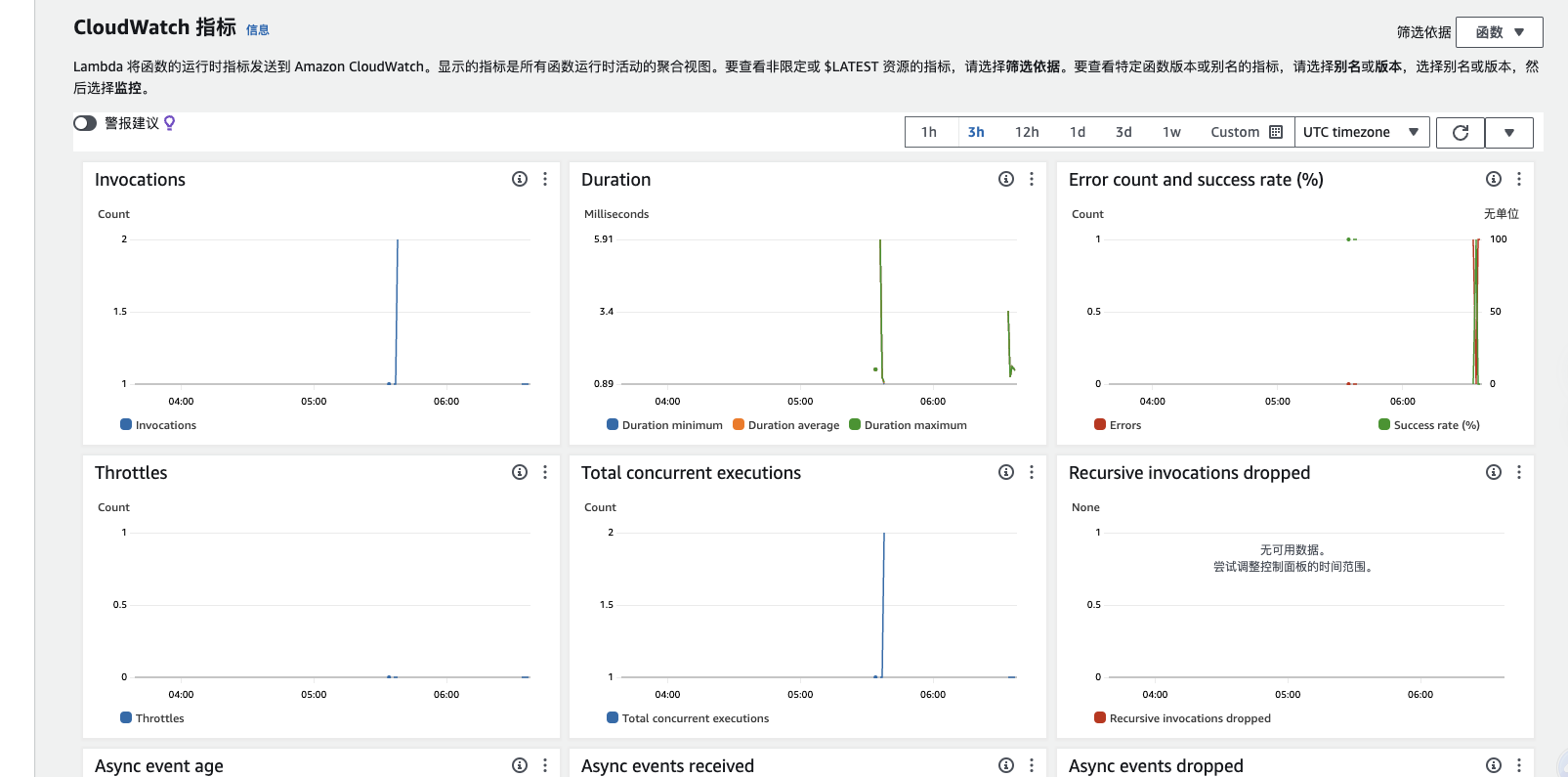
前言 之前听到一个讲座说到AWS Lambda服务,基于Serverless无服务模型,另外官网还免费提供 100 万个请求 按月,包含在 AWS 免费套餐中是真的很香,对于一些小型的起步的网站或者用户量不大的网站,简直就是免费ÿ…...
【物联网】EMQX(二)——docker快速搭建EMQX 和 MQTTX客户端使用
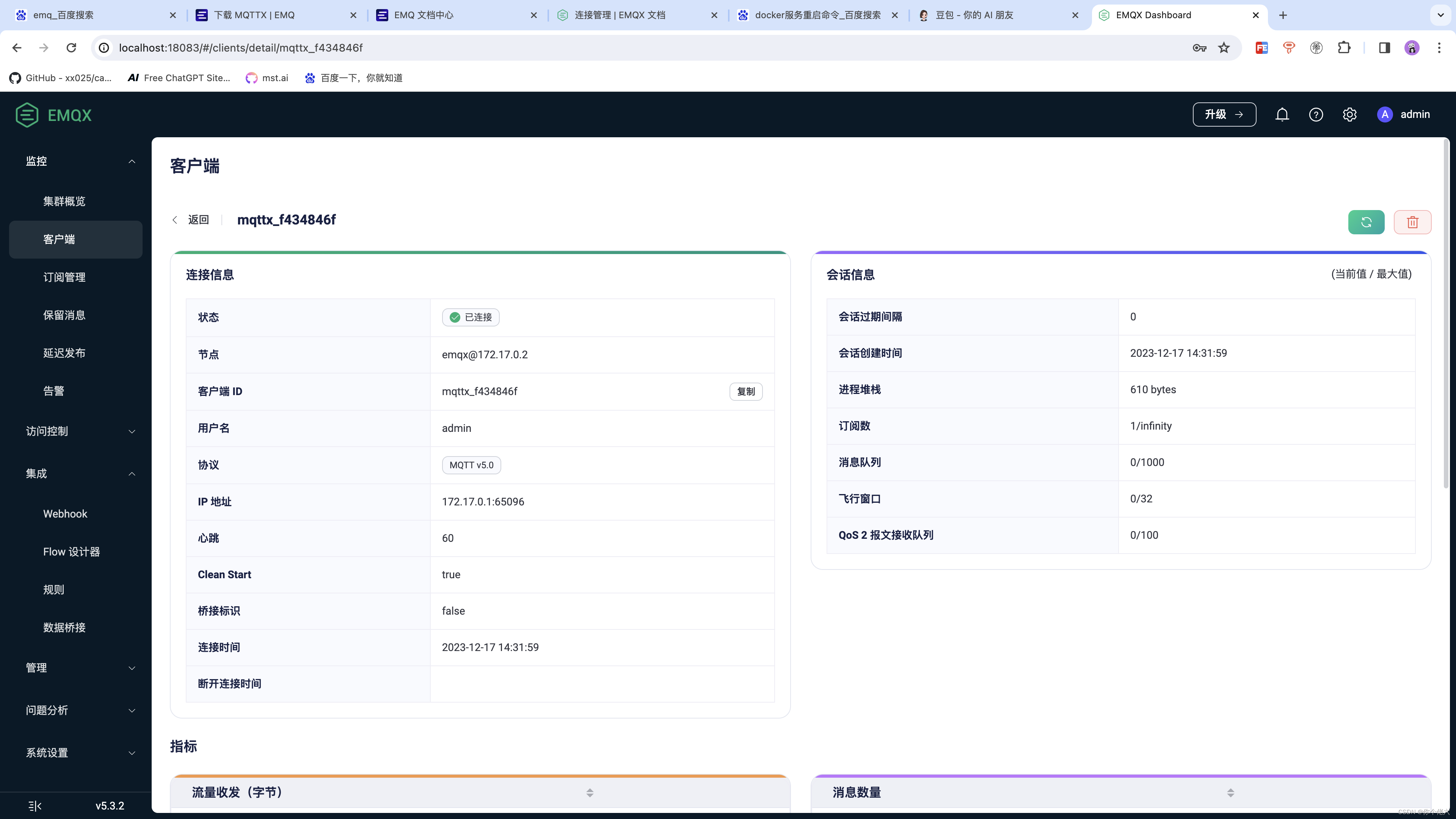
一、前言 在上一篇文章中,小编向大家介绍了物联网必然会用到的消息服务器EMQ,相信大家也对EMQ有了一定的了解,那么接下来,小编从这篇文章正式开始展开对EMQ的学习教程,本章节来记录一下如何对EMQ进行安装。 二、使用…...
2023 亚马逊云科技 re:lnvent 大会探秘: Amazon Connect 全渠道云联络中心
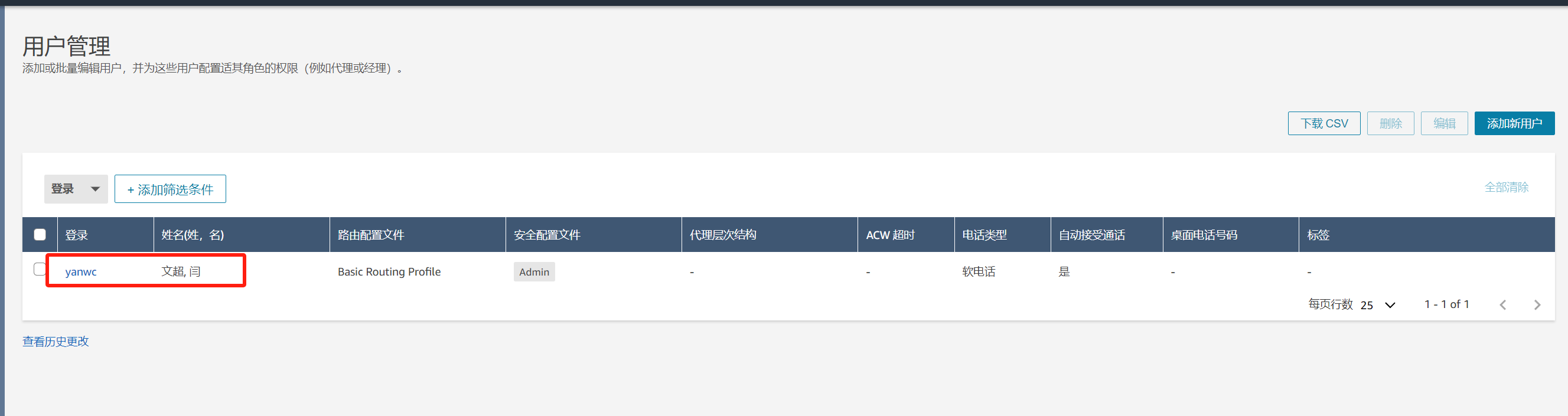
2023 亚马逊云科技 re:lnvent 大会探秘: Amazon Connect 全渠道云联络中心 前言一. Amazon Connect 介绍 🗺️二. Amazon Connect 使用教程 🗺️1.我们打开URl链接找到对应服务2.输入Amazon Connect选中第一个点击进入即可;3.在进入之后我们就…...

鸿蒙开发之用户隐私权限申请
一、简介 鸿蒙开发过程中可用于请求的权限一共有两种:normal和system_basic。以下内容摘自官网: normal权限 normal 权限允许应用访问超出默认规则外的普通系统资源。这些系统资源的开放(包括数据和功能)对用户隐私以及其他应用带…...

Docker笔记:简单部署 nodejs 项目和 golang 项目
docker 简单的维护 nodejs 项目容器 1 )Nodejs 程序 const express require(express) const app express()app.get(/, (req, res) > {res.send(首页) })app.get(/news, (req, res) > {res.send(news) })// dokcer 做端口映射不要指定ip app.listen(3000)2…...

java内置的数据结构
Java语言提供了许多内置的数据结构,包括: 1. 数组(Array):数组是最基本的数据结构之一,它是一个有序的元素集合,每个元素都有一个对应的索引。在Java中,数组可以通过声明和初始化来创…...
轻松搭建FPGA开发环境:第三课——Vivado 库编译与设置说明
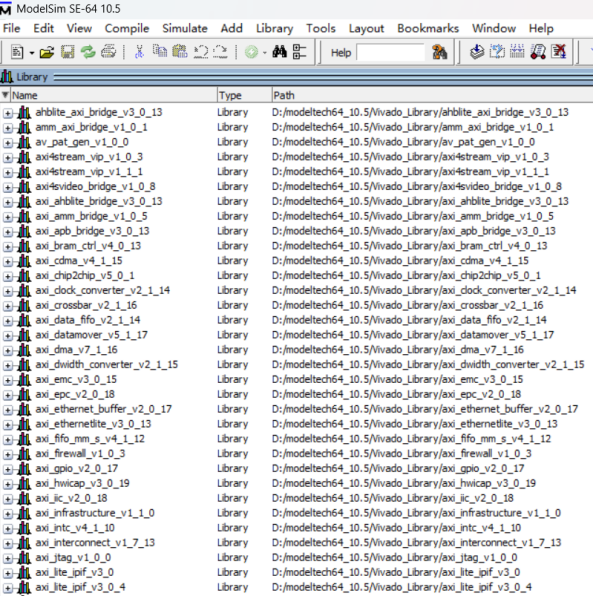
工欲善其事必先利其器,很多人想从事FPGA的开发,但是不知道如何下手。既要装这个软件,又要装那个软件,还要编译仿真库,网上的教程一大堆,不知道到底应该听谁的。所以很多人还没开始就被繁琐的开发环境搭建吓…...
PostgreSQL-Dropdb命令删除数据库)
【PostgreSQL】从零开始:(十一)PostgreSQL-Dropdb命令删除数据库
dropdb命令删除数据库 命令 [postgrespostgre-sql bin]$ dropdb --help dropdb removes a PostgreSQL database.Usage:dropdb [OPTION]... DBNAMEOptions:-e, --echo show the commands being sent to the server-f, --force try to terminate …...

UDP网络编程其他相关事项
netstat指令 netstat -an 可以查看当前主机网络情况,包括端口监听情况和网络连接情况。 netstat -an | more 可以分页显示。 要求在dos控制台下执行。 说明:(1)Listening表示某个端口在监听;(2…...

Redhat LINUX 9.3 + PG 16.1 搭建主备流复制
一直想搭建一个PG流复制,最近正好有一个新环境,操作系统是最新的,rhel 9.3,数据库是最新的 pg 16.1,借鉴了网上的步骤,尤其是小工到专家的内容,在此谢过。 1.安装环境 1)IP: 主:192.168.133.151…...

kafka设置消费者组
安装部署后 consumer.properties group.idtest-group 单机测试,自己开俩窗口,一个测试消费者,一个测试生产者(创建消息那步) 创建主题 bin/kafka-topics.sh --create --bootstrap-server localhost:9092 --replica…...

Worker-Thread设计模式
Worker-Thread模式类似于工厂流水线,有时也称为流水线设计模式。线程池在某种意义上也算是Worker-Thread模式的一种实现,线程池初始化时创建线程类似于在流水线等待工作的工人,提交给线程池的Runnable接口类似于需要加工的产品,Ru…...
)
npm 安装包遇到问题的常用脚本(RequestError: socket hang up)
前言 最近在给一个基于 Electron 的开源项目做贡献,需要去安装一些 npm 库,由于众所周知的原因,经常会出现报错: npm ERR! path D:\Projects\project\node_modules\electron npm ERR! command failed npm ERR! command C:\Windo…...

活动 | Mint Blockchain 将于 2024 年 1 月 10 号启动 MintPass 限时铸造活动
MintPass 是由 Mint Blockchain 官方发行的 Mint 网络和社区的 NFT 通行证,将在 2024 年 1 月份启动限时铸造活动。今天这篇文章会着重向大家介绍即将举办的 MintPass 活动的基础信息。 MintPass 有 2 种类型: 类型 1:Mint Genesis NFT Mint…...

Android动画(四)——属性动画ValueAnimator的妙用
目录 介绍 效果图 代码实现 xml文件 介绍 ValueAnimator是ObjectAnimator的父类,它继承自Animator。ValueAnimaotor同样提供了ofInt、ofFloat、ofObject等静态方法,传入的参数是动画过程的开始值、中间值、结束值来构造动画对象。可以将ValueAnimator看…...

C语言飞机大战
一、前言 [设计难度 : ★☆☆☆☆ [参考书籍:《C语言课程设计与游戏开发实践教程》 [主要涉及知识:函数封装 循环判断语句 [程序运行效果图: [主要的游戏功能: 通过按键’w’,‘s’,‘a’,d’分别实现飞机的上下左右移动 按空格…...

js 原型 和 原型链
function Person(name,age){ this.name name this.age age } var p new Person(张三,11) //创建构造函数的时候,解析器会自动为构造函数创建prototype属性,prototype属性对应的对象就是原型对象 // prototype 翻译为 原…...

基于MCP协议构建AI驱动的Upwork自动化工作流:从工具化接口到安全实践
1. 项目概述:一个连接AI与自由职业平台的智能桥梁如果你是一名自由职业者,或者正在探索如何用AI来优化你的工作流程,那么你肯定对在Upwork、Fiverr这类平台上反复刷新、筛选项目、撰写提案的繁琐过程深有体会。每天花上几个小时,只…...

大模型SFT泛化能力受多因素制约,推理提升或伴随安全性下降
大模型SFT泛化能力研究背景随着大模型后训练(Post - training)技术的发展,强化学习(RL)在提升模型推理能力方面表现备受瞩目。在此背景下,学术界形成了“ SFT记忆,RL泛化(SFT memori…...

1.8.2 掌握Scala类与对象 - 单例对象与伴生对象
本次实战通过三个案例深入解析了 Scala 中 object 的核心机制,展示了其如何替代 Java 的 static 关键字。首先,通过 MathUtils 定义了存放常量与工具方法的独立单例对象;其次,利用 Person 类与其同名对象演示了“伴生对象”特性&a…...

Shoelace主题定制终极指南:掌握CSS变量覆盖与扩展技巧的10个秘诀
Shoelace主题定制终极指南:掌握CSS变量覆盖与扩展技巧的10个秘诀 【免费下载链接】shoelace Shoelace is now Web Awesome. Come see what’s new! 项目地址: https://gitcode.com/gh_mirrors/sh/shoelace Shoelace是一个功能强大的Web组件库,现已…...

3分钟让你的Windows桌面焕然一新:NoFences开源分区神器
3分钟让你的Windows桌面焕然一新:NoFences开源分区神器 【免费下载链接】NoFences 🚧 Open Source Stardock Fences alternative 项目地址: https://gitcode.com/gh_mirrors/no/NoFences 你是否每天都要在杂乱无章的桌面图标中寻找需要的文件&…...

0.001秒的革命:毫秒用算如何改写算力规则?
中国算力网络的升级之路 过去十年,中国建成了全球最密集的5G网络和最广泛的光纤覆盖。过去五年,算力规模迅速扩张,“东数西算”工程全面铺开。 但当AI大模型开始嵌入日常交互、低空经济在多个城市试点运行、智能网联汽车进入规模化测试阶段…...

基于Python与MediaPipe的手势控制系统:从原理到实战
1. 项目概述:用摄像头读懂你的手,让手势成为新鼠标如果你厌倦了每天在键盘和鼠标之间来回切换,或者只是单纯想体验一下《少数派报告》里汤姆克鲁斯隔空操作电脑的酷炫感,那么这个基于Python的手势控制系统绝对值得你花时间折腾一下…...

基于 4SAPI 的企业文档智能处理系统:效率提升 20 倍,信息提取准确率 95%
前言 在数字化转型的今天,企业积累了海量的非结构化文档数据,包括合同、财务报表、技术手册、产品说明书、会议纪要、法律文件等。这些文档中蕴含着企业最核心的知识和资产,但传统的人工文档处理模式已经成为企业数字化的最大瓶颈࿱…...
)
避开这3个坑,你的MAX30102心率数据才更准(Arduino实测经验分享)
避开这3个坑,你的MAX30102心率数据才更准(Arduino实测经验分享) 当你在健康监测或可穿戴设备项目中使用MAX30102传感器时,是否遇到过心率数据忽高忽低、稳定性差的问题?这很可能不是传感器本身的问题,而是你…...

百度网盘Mac版加速插件:突破下载限制的实用方案
百度网盘Mac版加速插件:突破下载限制的实用方案 【免费下载链接】BaiduNetdiskPlugin-macOS For macOS.百度网盘 破解SVIP、下载速度限制~ 项目地址: https://gitcode.com/gh_mirrors/ba/BaiduNetdiskPlugin-macOS 对于经常使用百度网盘的Mac用户来说&#x…...