
词对齐 - MGIZA++
文章目录
- 关于 MGIZA++
- giza-py
- 安装 MGIZA++
- 命令说明
- mkcls
- d4norm
- hmmnorm
- plain2snt
- snt2cooc
- snt2coocrmp
- snt2plain
- symal
- mgiza
- general parameters:
- No. of iterations:
- parameter for various heuristics in GIZA++ for efficient training:
- parameters for describing the type and amount of output:
- parameters describing input files:
- smoothing parameters:
- parameters modifying the models:
- parameters modifying the EM-algorithm:
关于 MGIZA++
A word alignment tool based on famous GIZA++, extended to support multi-threading, resume training and incremental training.
- Github: https://github.com/moses-smt/mgiza
MGiza++是在Giza++基础上扩充的一中多线程Giza++工具。
使用MGiza++时,可以根据自己的机器指定使用几个处理器
Pgiza++是运行在分布式机器上的Giza++工具,使用了 MapReduce 技术的框架。
giza-py
https://github.com/sillsdev/giza-py
giza-py is a simple, Python-based, command-line runner for MGIZA++, a popular tool for building word alignment models.
参考:Moses中模型训练的并行化问题
https://www.52nlp.cn/the-issue-of-parallel-in-moses-model-training
安装 MGIZA++
1、下载 repo https://github.com/moses-smt/mgiza
2、终端进入 mgizapp 文件,输入如下命令:
cmake .
make
make install
在 bin 目录可以得到下面几个可执行文件
- hmmnorm
- mkcls
- snt2cooc
- snt2plain
- d4norm
- mgiza
- plain2snt
- snt2coocrmp
- symal
命令说明
mkcls
mkcls - a program for making word classes: Usage:
mkcls [-nnum] [-ptrain] [-Vfile] opt
-V: output classes (Default: no file)-n: number of optimization runs (Default: 1); larger number => better results-p: filename of training corpus (Default: ‘train’)
Example:
mkcls -c80 -n10 -pin -Vout opt
(generates 80 classes for the corpus ‘in’ and writes the classes in ‘out’)
Literature:
Franz Josef Och: ?Maximum-Likelihood-Sch?tzung von Wortkategorien mit Verfahren der kombinatorischen Optimierung?Studienarbeit, Universit?t Erlangen-N?rnberg, Germany,1995.
d4norm
d4norm vcb1 vcb2 outputFile baseFile [additional1 ]…
hmmnorm
hmmnorm vcb1 vcb2 outputFile baseFile [additional1 ]…
plain2snt
Converts plain text into GIZA++ snt-format.
plain2snt txt1 txt2 [txt3 txt4 -weight w -vcb1 output1.vcb -vcb2 output2.vcb -snt1 output1_output2.snt -snt2 output2_output1.snt]
snt2cooc
Converts GIZA++ snt-format into plain text.
snt2cooc output vcb1 vcb2 snt12
snt2coocrmp
Converts GIZA++ snt-format into plain text.
snt2coocrmp output vcb1 vcb2 snt12
snt2plain
Converts GIZA++ snt-format into plain text.
snt2plain vcb1 vcb2 snt12 output_prefix [ -counts ]
symal
symal [-i=] [-o=] -a=[u|i|g] -d=[yes|no] -b=[yes|no] -f=[yes|no]
Input file or std must be in.balformat (see script giza2bal.pl).
mgiza
Starting MGIZA
Usage:
mgiza <config_file> [options]
Options (these override parameters set in the config file):
--v: print verbose message, Warning this is not very descriptive and not systematic.--NODUMPS: Do not write any files to disk (This will over write dump frequency options).--h[elp]: print this help--p: Use pegging when generating alignments for Model3 training. (Default NO PEGGING)--st: to use a fixed ditribution for the fertility parameters when tranfering from model 2 to model 3 (Default complicated estimation)
general parameters:
-------------------
ml = 101 (maximum sentence length)
No. of iterations:
-------------------
hmmiterations = 5 (mh)
model1iterations = 5 (number of iterations for Model 1)
model2iterations = 0 (number of iterations for Model 2)
model3iterations = 5 (number of iterations for Model 3)
model4iterations = 5 (number of iterations for Model 4)
model5iterations = 0 (number of iterations for Model 5)
model6iterations = 0 (number of iterations for Model 6)
parameter for various heuristics in GIZA++ for efficient training:
------------------------------------------------------------------
countincreasecutoff = 1e-06 (Counts increment cutoff threshold)
countincreasecutoffal = 1e-05 (Counts increment cutoff threshold for alignments in training of fertility models)
mincountincrease = 1e-07 (minimal count increase)
peggedcutoff = 0.03 (relative cutoff probability for alignment-centers in pegging)
probcutoff = 1e-07 (Probability cutoff threshold for lexicon probabilities)
probsmooth = 1e-07 (probability smoothing (floor) value )
parameters for describing the type and amount of output:
-----------------------------------------------------------
compactalignmentformat = 0 (0: detailled alignment format, 1: compact alignment format )
countoutputprefix = (The prefix for output counts)
dumpcount = 0 (Whether we are going to dump count (in addition to) final output?)
dumpcountusingwordstring = 0 (In count table, should actual word appears or just the id? default is id)
hmmdumpfrequency = 0 (dump frequency of HMM)
l = (log file name)
log = 0 (0: no logfile; 1: logfile)
model1dumpfrequency = 0 (dump frequency of Model 1)
model2dumpfrequency = 0 (dump frequency of Model 2)
model345dumpfrequency = 0 (dump frequency of Model 3/4/5)
nbestalignments = 0 (for printing the n best alignments)
nodumps = 0 (1: do not write any files)
o = (output file prefix)
onlyaldumps = 0 (1: do not write any files)
outputpath = (output path)
transferdumpfrequency = 0 (output: dump of transfer from Model 2 to 3)
verbose = 0 (0: not verbose; 1: verbose)
verbosesentence = -10 (number of sentence for which a lot of information should be printed (negative: no output))
parameters describing input files:
----------------------------------
c = (training corpus file name)
d = (dictionary file name)
previousa = (The a-table of previous step)
previousd = (The d-table of previous step)
previousd4 = (The d4-table of previous step)
previousd42 = (The d4-table (2) of previous step)
previoushmm = (The hmm-table of previous step)
previousn = (The n-table of previous step)
previousp0 = (The P0 previous step)
previoust = (The t-table of previous step)
restart = 0 (Restart training from a level,0: Normal restart, from model 1, 1: Model 1, 2: Model 2 Init (Using Model 1 model input and train model 2), 3: Model 2, (using model 2 input and train model 2), 4 : HMM Init (Using Model 1 model and train HMM), 5: HMM (Using Model 2 model and train HMM) 6 : HMM (Using HMM Model and train HMM), 7: Model 3 Init (Use HMM model and train model 3) 8: Model 3 Init (Use Model 2 model and train model 3) 9: Model 3, 10: Model 4 Init (Use Model 3 model and train Model 4) 11: Model 4 and on, )
s = (source vocabulary file name)
sourcevocabularyclasses = (source vocabulary classes file name)
t = (target vocabulary file name)
targetvocabularyclasses = (target vocabulary classes file name)
tc = (test corpus file name)
smoothing parameters:
---------------------
emalsmooth = 0.2 (f-b-trn: smoothing factor for HMM alignment model (can be ignored by -emSmoothHMM))
model23smoothfactor = 0 (smoothing parameter for IBM-2/3 (interpolation with constant))
model4smoothfactor = 0.2 (smooting parameter for alignment probabilities in Model 4)
model5smoothfactor = 0.1 (smooting parameter for distortion probabilities in Model 5 (linear interpolation with constant))
nsmooth = 64 (smoothing for fertility parameters (good value: 64): weight for wordlength-dependent fertility parameters)
nsmoothgeneral = 0 (smoothing for fertility parameters (default: 0): weight for word-independent fertility parameters)
parameters modifying the models:
--------------------------------
compactadtable = 1 (1: only 3-dimensional alignment table for IBM-2 and IBM-3)
deficientdistortionforemptyword = 0 (0: IBM-3/IBM-4 as described in (Brown et al. 1993); 1: distortion model of empty word is deficient; 2: distoriton model of empty word is deficient (differently); setting this parameter also helps to avoid that during IBM-3 and IBM-4 training too many words are aligned with the empty word)
depm4 = 76 (d_{=1}: &1:l, &2:m, &4:F, &8:E, d_{>1}&16:l, &32:m, &64:F, &128:E)
depm5 = 68 (d_{=1}: &1:l, &2:m, &4:F, &8:E, d_{>1}&16:l, &32:m, &64:F, &128:E)
emalignmentdependencies = 2 (lextrain: dependencies in the HMM alignment model. &1: sentence length; &2: previous class; &4: previous position; &8: French position; &16: French class)
emprobforempty = 0.4 (f-b-trn: probability for empty word)
parameters modifying the EM-algorithm:
--------------------------------------
m5p0 = -1 (fixed value for parameter p_0 in IBM-5 (if negative then it is determined in training))
manlexfactor1 = 0 ()
manlexfactor2 = 0 ()
manlexmaxmultiplicity = 20 ()
maxfertility = 10 (maximal fertility for fertility models)
ncpus = 0 (Number of threads to be executed, use 0 if you just want all CPUs to be used)
p0 = -1 (fixed value for parameter p_0 in IBM-3/4 (if negative then it is determined in training))
pegging = 0 (0: no pegging; 1: do pegging)
相关文章:

词对齐 - MGIZA++
文章目录关于 MGIZAgiza-py安装 MGIZA命令说明mkclsd4normhmmnormplain2sntsnt2coocsnt2coocrmpsnt2plainsymalmgizageneral parameters:No. of iterations:parameter for various heuristics in GIZA for efficient training:parameters for describing the type and amount o…...
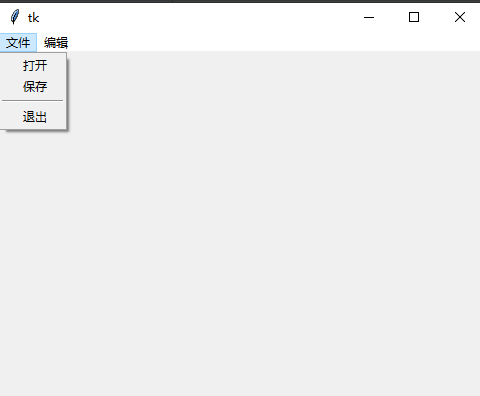
GUI 之 Tkinter编程
GUI 图形界面,Tkinter 是 Python 内置的 GUI 库,IDLE 就是 Tkinter 设计的。 1. Tkinter 之初体验 import tkinter as tkroot tk.Tk() # 创建一个窗口root.title(窗口标题)# 添加 label 组件 theLabel tk.Label(root, text文本内容) theLabel.p…...
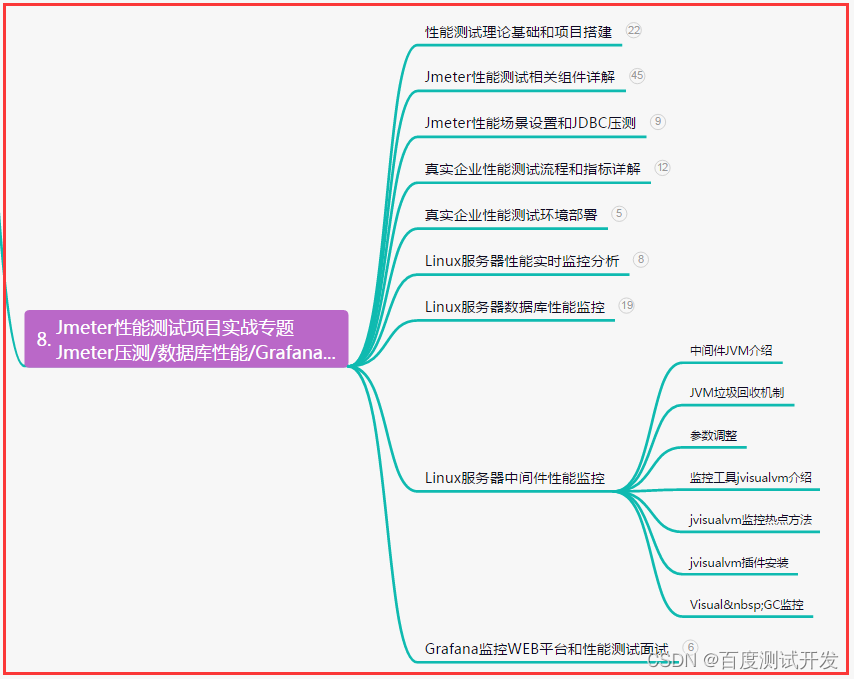
【软件测试】性能测试面试题都问什么?面试官想要什么?回答惊险避坑......
目录:导读前言一、Python编程入门到精通二、接口自动化项目实战三、Web自动化项目实战四、App自动化项目实战五、一线大厂简历六、测试开发DevOps体系七、常用自动化测试工具八、JMeter性能测试九、总结(尾部小惊喜)前言 1、你认为不同角色关…...

后端开发基础能力以及就Java的主流开发框架介绍
前言:java语言开发转后端,必须了解后端主流的一些东西,共勉。 后端开发需要具备以下基础能力: 1.编程语言:熟练掌握至少一门编程语言,如Java、Python、Ruby、PHP、C#等。 2.数据结构和算法:具…...
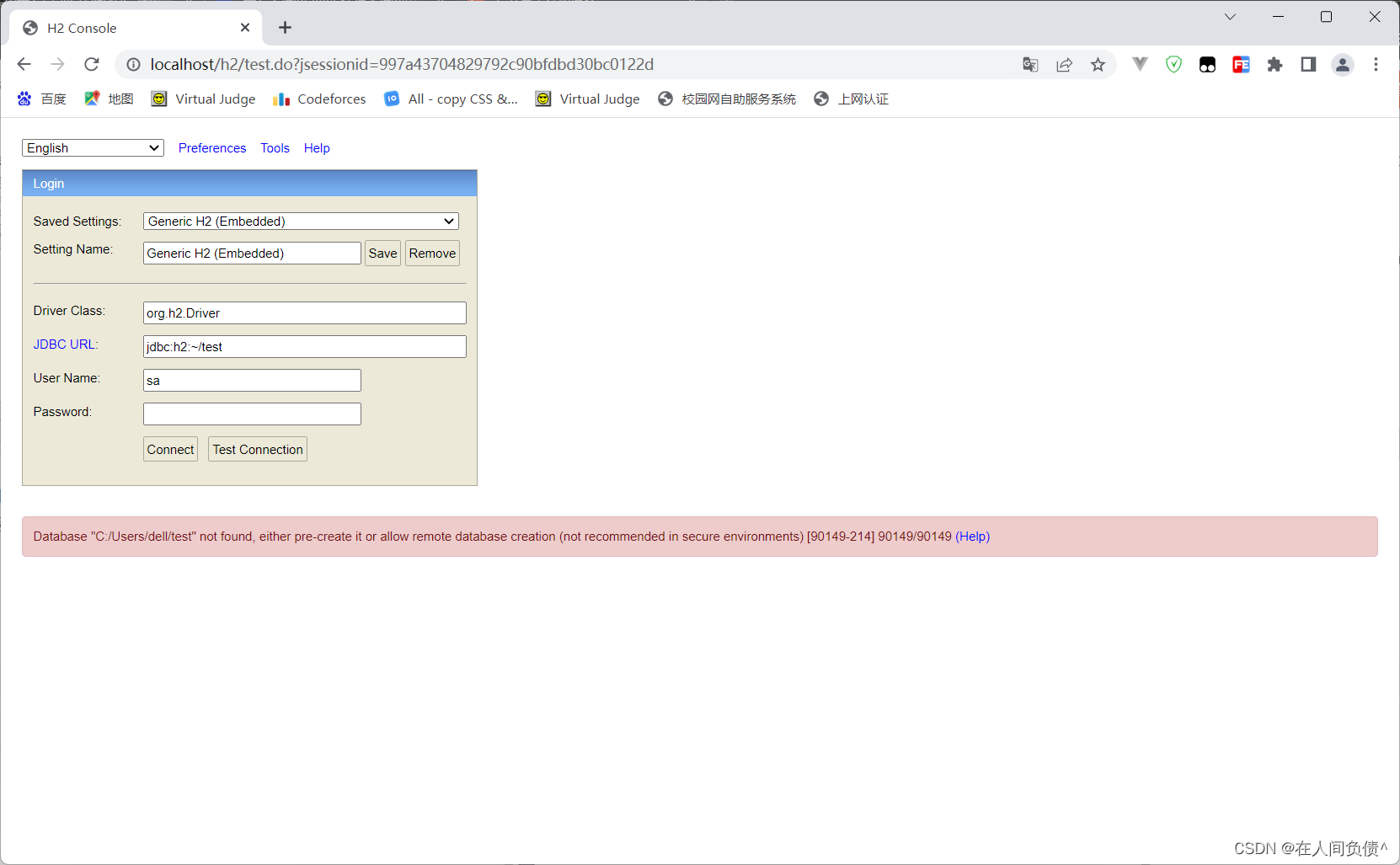
H2数据库连接时用户密码错误:Wrong user name or password [28000-214] 28000/28000 (Help)
H2数据库连接时用户密码错误: 2023-03-03 08:25:07 database: wrong user or password; user: "SA" org.h2.message.DbException: Wrong user name or password [28000-214]出现的问题配置信息原因解决办法org.h2.message.DbException: Wrong user name or password …...
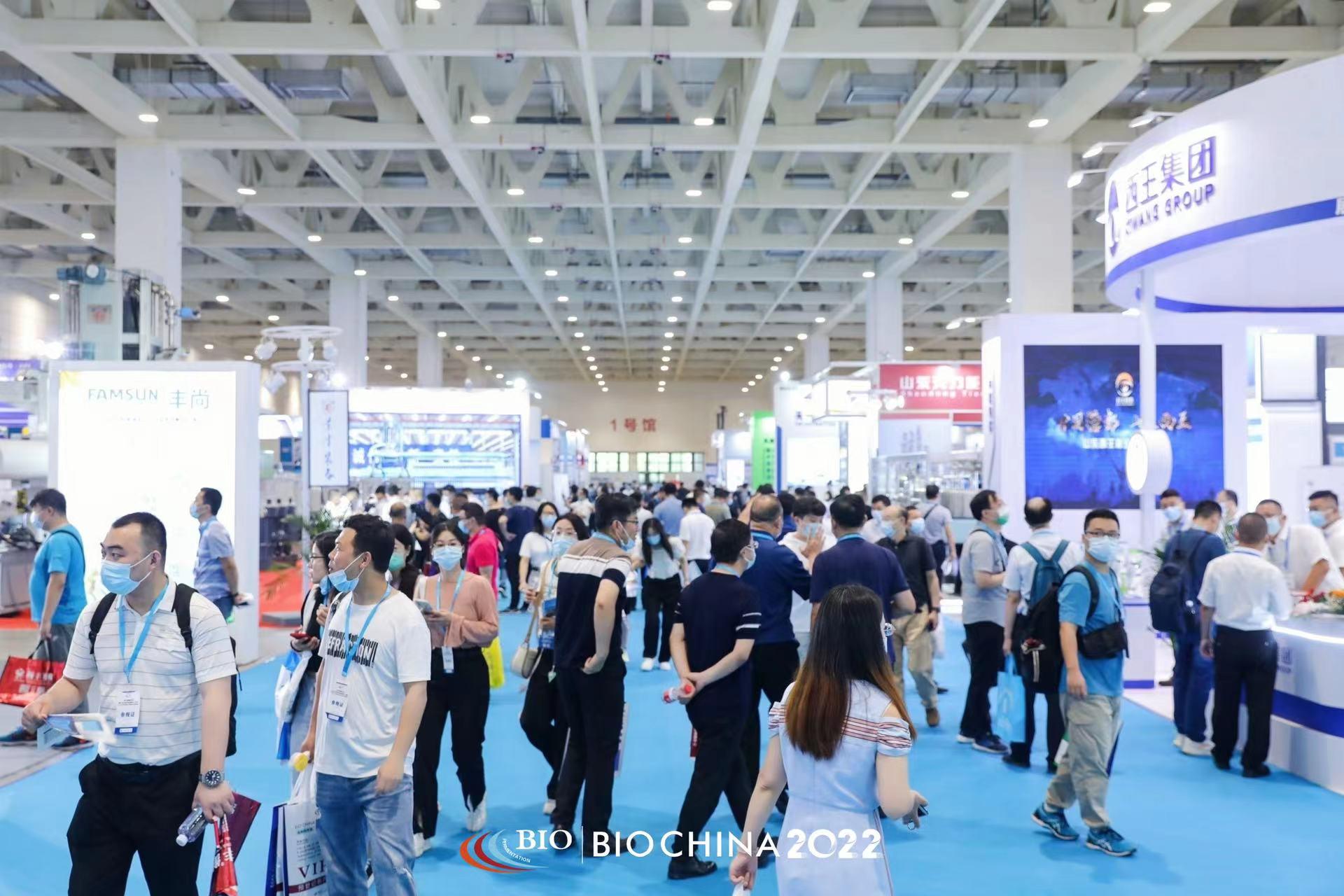
青岛诺凯达机械盛装亮相2023济南生物发酵展,3月与您相约
BIO CHINA生物发酵展,作为生物发酵产业一年一度行业盛会,由中国生物发酵产业协会主办,上海信世展览服务有限公司承办,2023第10届国际生物发酵展(济南)于2023年3月30-4月1日在山东国际会展中心(济…...
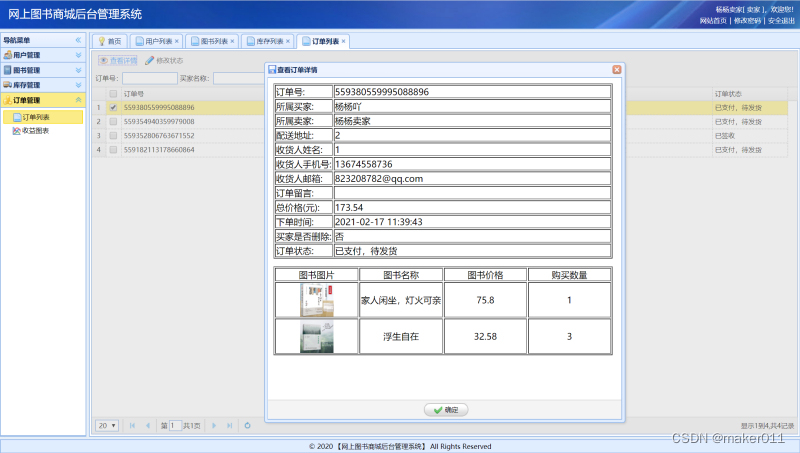
【JAVA程序设计】【C00111】基于SSM的网上图书商城管理系统——有文档
基于SSM的网上图书商城管理系统——有文档项目简介项目获取开发环境项目技术运行截图项目简介 基于ssm框架开发的网上在线图书售卖商城项目,本项目分为三种权限:系统管理员、卖家、买家 管理员角色包含以下功能: 用户信息管理、权限管理、订…...
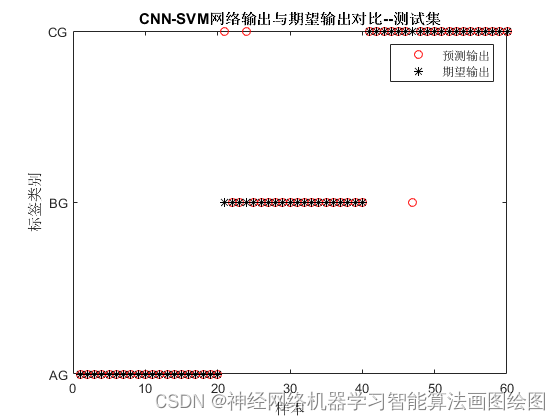
基于卷积神经网络CNN的三相故障识别
目录 背影 卷积神经网络CNN的原理 卷积神经网络CNN的定义 卷积神经网络CNN的神经元 卷积神经网络CNN的激活函数 卷积神经网络CNN的传递函数 卷积神经网络CNN手写体识别 基本结构 主要参数 MATALB代码 结果图 展望 背影 现在生活,为节能减排,减少电能损…...

Java工厂设计模式详解,大厂的Java抽象工厂模式分享!
我是好程序员-小源!本期文章主要给大家分享:Java工厂设计模式。文中使用通俗易懂的案例,使你快速学习和轻松上手!一、什么是Java抽象工厂模式1. Java抽象工厂是23种设计模式中创建型模式的一种,Java抽象工厂是由多个工…...

Git 企业级分支提交流程
Git 企业级分支提交流程 首先在本地分支hfdev上进行开发,开发后要经过测试。 如果测试通过了,那么久可以合并到本地分支develop,合并之后hfdev和development应该完全一样。 git add 文件 git commit -m ‘注释’ git checkout develop //切换…...
C/C++每日一练(20230303)
目录 1. 字符串相乘 2. 单词拆分 II 3. 串联所有单词的子串 1. 字符串相乘 给定两个以字符串形式表示的非负整数 num1 和 num2,返回 num1 和 num2 的乘积,它们的乘积也表示为字符串形式。 示例 1: 输入: num1 "2", num2 "3"…...
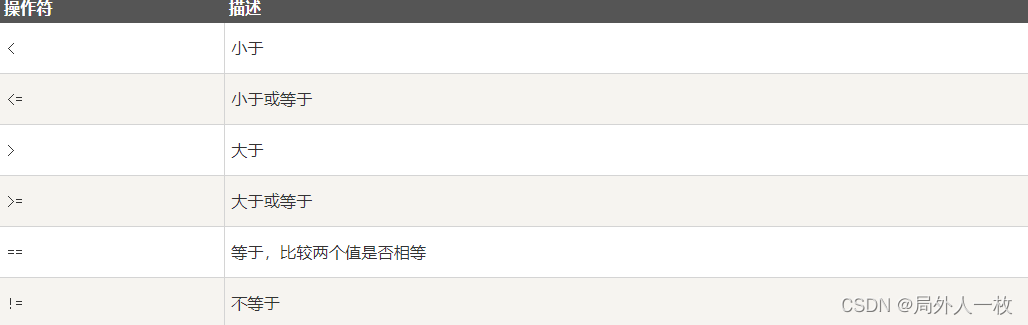
Python3-条件控制
Python3 条件控制 Python 条件语句是通过一条或多条语句的执行结果(True 或者 False)来决定执行的代码块。 可以通过下图来简单了解条件语句的执行过程: 代码执行过程: if 语句 Python中if语句的一般形式如下所示: if condi…...
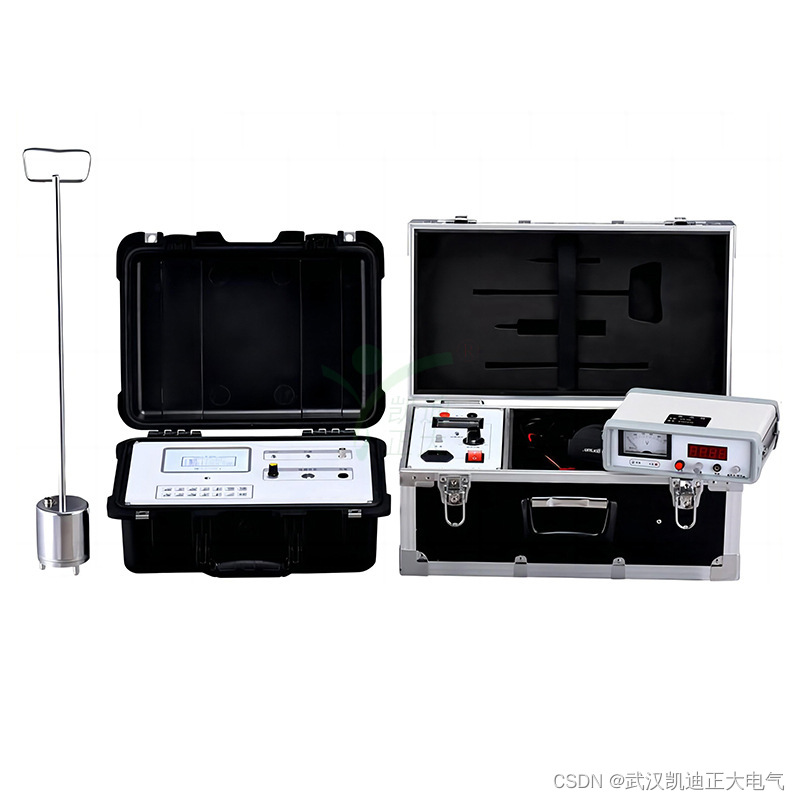
KDZD地埋电缆故障测试仪
一、产品特性 ★电缆故障测试仪(闪测仪) (1)使用范围广:用于测量各种不同截面、不同介质的各种电力电缆、高频同轴电缆,市话电缆及两根以上均匀铺设的地埋电线等电缆高低阻、短路、开路、断线以及高阻泄漏…...

爆款升级!新系列南卡Neo最强旗舰杀到,业内首款无线充骨传导耳机!
中国专业骨传导耳机品牌NANK南卡于近日发布了全新南卡Neo骨传导运动耳机,打造一款佩戴最舒适、音质体验最好的骨传导耳机。推出第2代声学響科技技术,提供更优质的开放式骨传导听音体验,透过不一样的音质体验,打造更好的骨传导耳机…...

基于Spring Boot+Thymeleaf的在线投票系统
文章目录 项目介绍主要功能截图:后台登录注册个人信息展示投票数据显示首页展示对战匹配分数排行榜部分代码展示设计总结项目获取方式🍅 作者主页:Java韩立 🍅 简介:Java领域优质创作者🏆、 简历模板、学习资料、面试题库【关注我,都给你】 🍅文末获取源码联系🍅…...

【每日一题Day135】LC1487保证文件名唯一 | 哈希表
保证文件名唯一【LC1487】 给你一个长度为 n 的字符串数组 names 。你将会在文件系统中创建 n 个文件夹:在第 i 分钟,新建名为 names[i] 的文件夹。 由于两个文件 不能 共享相同的文件名,因此如果新建文件夹使用的文件名已经被占用࿰…...
计算机系统的基本组成 第一节
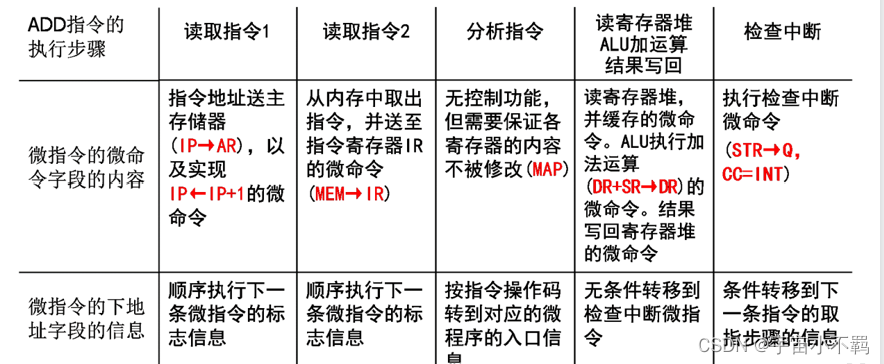
一、计算机系统 计算机系统是指:电子数字通用、计算机系统 由硬件和软件两个子系统组成 硬件是保存和运行软件的物质基础 软件是指挥硬件完成预期功能的智力部分 重点: 计算机系统部件 五个 1、数据运算部件:完成对数据的运算处理功能…...

Scrapy爬虫框架入门
Scrapy是Python开发的一个非常流行的网络爬虫框架,可以用来抓取Web站点并从页面中提取结构化的数据,被广泛的用于数据挖掘、数据监测和自动化测试等领域。下图展示了Scrapy的基本架构,其中包含了主要组件和系统的数据处理流程(图中…...

最新使用nvm控制node版本步骤
一、完全卸载已经安装的node、和环境变量 ①、打开控制面板的应用与功能,搜索node,点击卸载 ②、打开环境变量,将node相关的所有配置清除 ③、打开命令行工具,输入node-v,没有版本号则卸载成功 二、下载nvm安装包 ①…...

Linux内核4.14版本——drm框架分析(1)——drm简介
目录 1. DRM简介(Direct Rendering Manager) 1.1 DRM发展历史 1.2 DRM架构对比FB架构优势 1.3 DRM图形显示框架 1.4 DRM图形显示框架涉及元素 1.4.1 DRM Framebuffer 1.4.2 CRTC 1.4.3 Encoder 1.4.4 Connector 1.4.5 Bridge 1.4.6 Panel 1.4.…...
Day131 | 灵神 | 回溯算法 | 子集型 子集
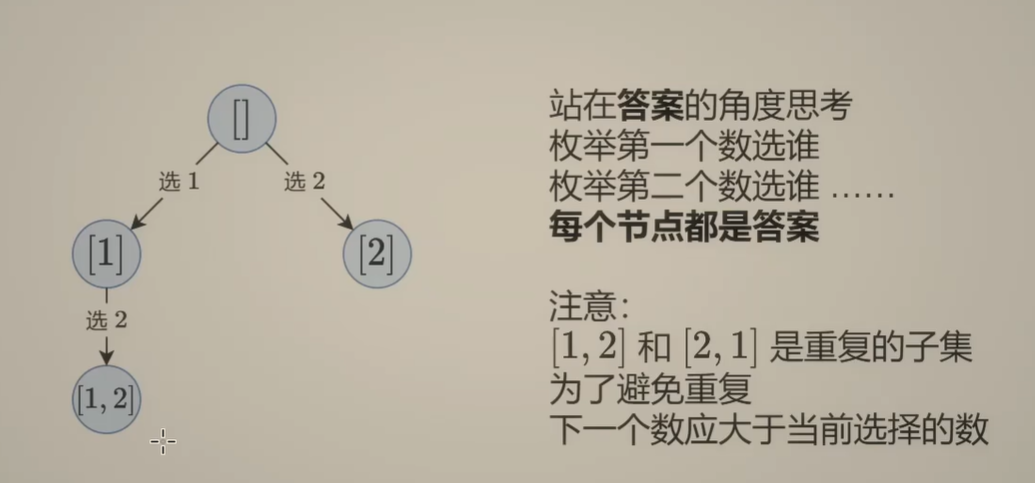
Day131 | 灵神 | 回溯算法 | 子集型 子集 78.子集 78. 子集 - 力扣(LeetCode) 思路: 笔者写过很多次这道题了,不想写题解了,大家看灵神讲解吧 回溯算法套路①子集型回溯【基础算法精讲 14】_哔哩哔哩_bilibili 完…...

java调用dll出现unsatisfiedLinkError以及JNA和JNI的区别
UnsatisfiedLinkError 在对接硬件设备中,我们会遇到使用 java 调用 dll文件 的情况,此时大概率出现UnsatisfiedLinkError链接错误,原因可能有如下几种 类名错误包名错误方法名参数错误使用 JNI 协议调用,结果 dll 未实现 JNI 协…...
家政维修平台实战20:权限设计
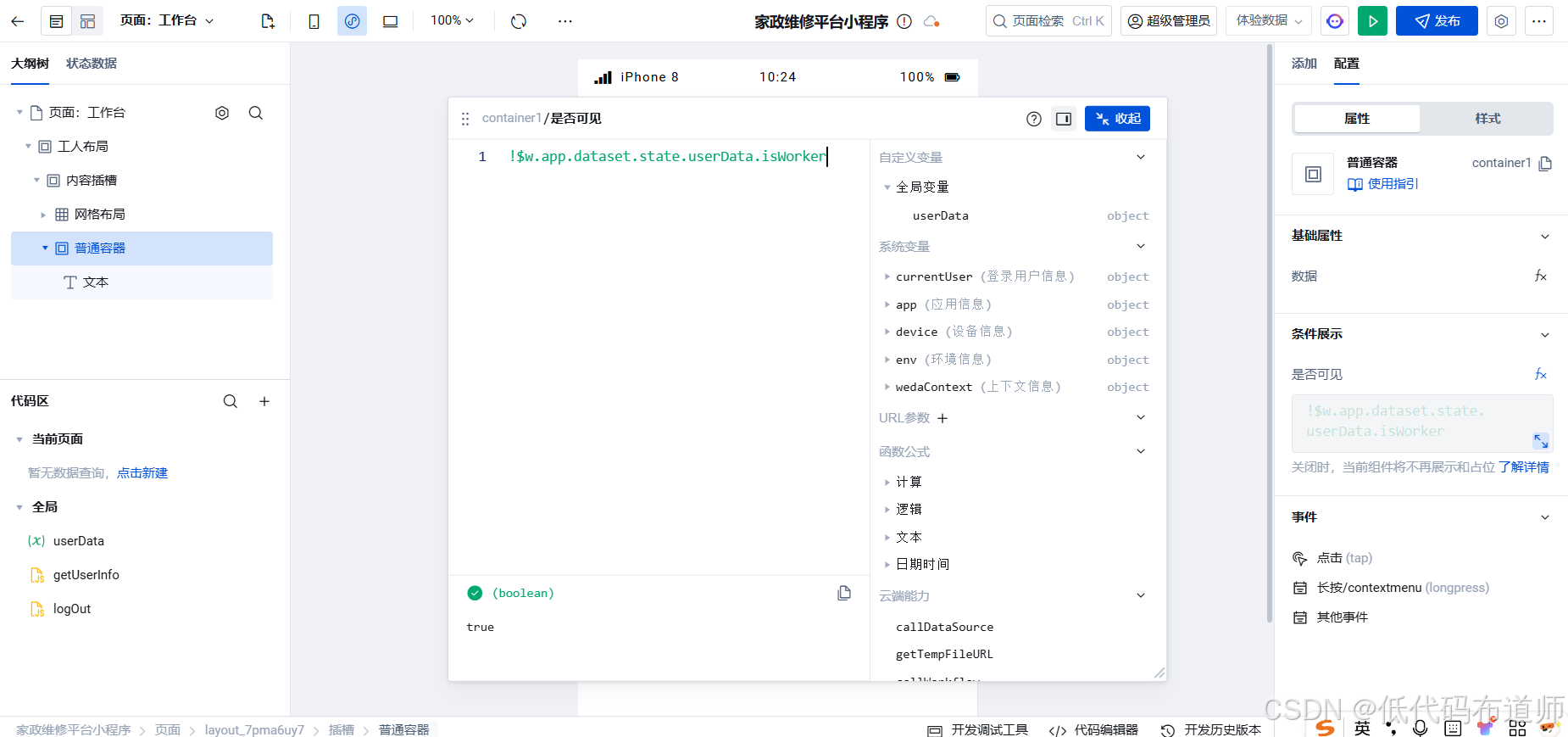
目录 1 获取工人信息2 搭建工人入口3 权限判断总结 目前我们已经搭建好了基础的用户体系,主要是分成几个表,用户表我们是记录用户的基础信息,包括手机、昵称、头像。而工人和员工各有各的表。那么就有一个问题,不同的角色…...
剑指offer20_链表中环的入口节点
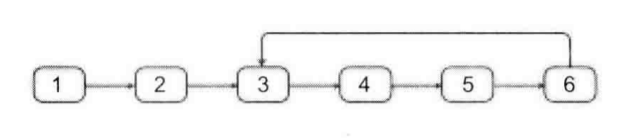
链表中环的入口节点 给定一个链表,若其中包含环,则输出环的入口节点。 若其中不包含环,则输出null。 数据范围 节点 val 值取值范围 [ 1 , 1000 ] [1,1000] [1,1000]。 节点 val 值各不相同。 链表长度 [ 0 , 500 ] [0,500] [0,500]。 …...
【SQL学习笔记1】增删改查+多表连接全解析(内附SQL免费在线练习工具)
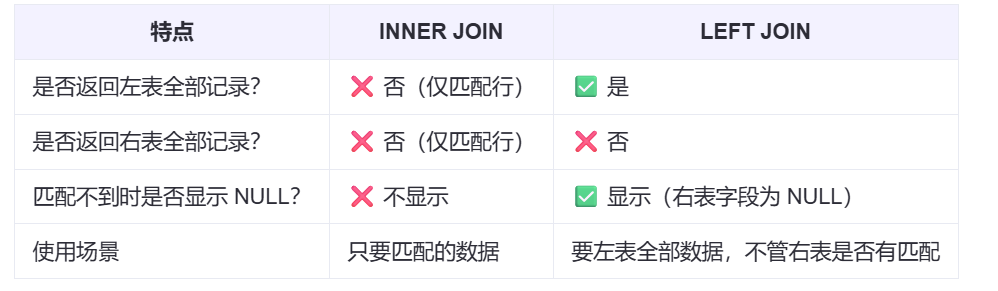
可以使用Sqliteviz这个网站免费编写sql语句,它能够让用户直接在浏览器内练习SQL的语法,不需要安装任何软件。 链接如下: sqliteviz 注意: 在转写SQL语法时,关键字之间有一个特定的顺序,这个顺序会影响到…...
零基础在实践中学习网络安全-皮卡丘靶场(第九期-Unsafe Fileupload模块)(yakit方式)
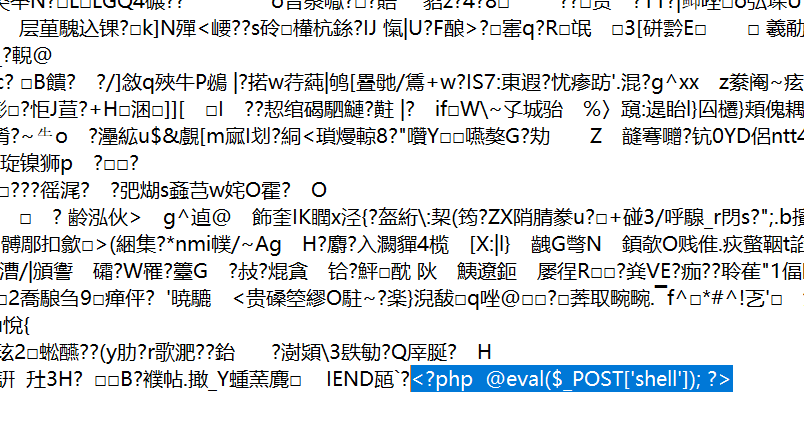
本期内容并不是很难,相信大家会学的很愉快,当然对于有后端基础的朋友来说,本期内容更加容易了解,当然没有基础的也别担心,本期内容会详细解释有关内容 本期用到的软件:yakit(因为经过之前好多期…...

在web-view 加载的本地及远程HTML中调用uniapp的API及网页和vue页面是如何通讯的?
uni-app 中 Web-view 与 Vue 页面的通讯机制详解 一、Web-view 简介 Web-view 是 uni-app 提供的一个重要组件,用于在原生应用中加载 HTML 页面: 支持加载本地 HTML 文件支持加载远程 HTML 页面实现 Web 与原生的双向通讯可用于嵌入第三方网页或 H5 应…...
VM虚拟机网络配置(ubuntu24桥接模式):配置静态IP
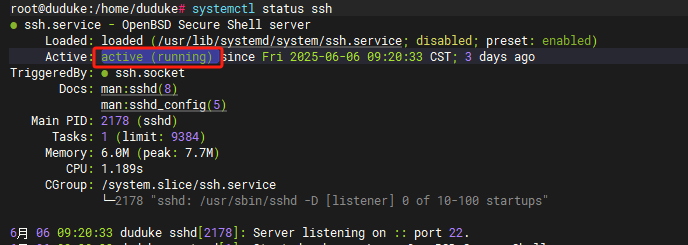
编辑-虚拟网络编辑器-更改设置 选择桥接模式,然后找到相应的网卡(可以查看自己本机的网络连接) windows连接的网络点击查看属性 编辑虚拟机设置更改网络配置,选择刚才配置的桥接模式 静态ip设置: 我用的ubuntu24桌…...

招商蛇口 | 执笔CID,启幕低密生活新境
作为中国城市生长的力量,招商蛇口以“美好生活承载者”为使命,深耕全球111座城市,以央企担当匠造时代理想人居。从深圳湾的开拓基因到西安高新CID的战略落子,招商蛇口始终与城市发展同频共振,以建筑诠释对土地与生活的…...

C# 表达式和运算符(求值顺序)
求值顺序 表达式可以由许多嵌套的子表达式构成。子表达式的求值顺序可以使表达式的最终值发生 变化。 例如,已知表达式3*52,依照子表达式的求值顺序,有两种可能的结果,如图9-3所示。 如果乘法先执行,结果是17。如果5…...