
深入浅出 diffusion(3):pytorch 实现 diffusion 中的 U-Net
导入python包
import mathimport torch
import torch.nn as nn
import torch.nn.functional as F
silu激活函数
class SiLU(nn.Module): # SiLU激活函数@staticmethoddef forward(x):return x * torch.sigmoid(x)归一化设置
def get_norm(norm, num_channels, num_groups):if norm == "in":return nn.InstanceNorm2d(num_channels, affine=True)elif norm == "bn":return nn.BatchNorm2d(num_channels)elif norm == "gn":return nn.GroupNorm(num_groups, num_channels)elif norm is None:return nn.Identity()else:raise ValueError("unknown normalization type")
计算时间步长的位置嵌入,一半为sin,一半为cos
class PositionalEmbedding(nn.Module):def __init__(self, dim, scale=1.0):super().__init__()assert dim % 2 == 0self.dim = dimself.scale = scaledef forward(self, x):device = x.devicehalf_dim = self.dim // 2emb = math.log(10000) / half_dimemb = torch.exp(torch.arange(half_dim, device=device) * -emb)# x * self.scale和emb外积emb = torch.outer(x * self.scale, emb)emb = torch.cat((emb.sin(), emb.cos()), dim=-1)return emb
上下采样层设置
class Downsample(nn.Module):def __init__(self, in_channels):super().__init__()self.downsample = nn.Conv2d(in_channels, in_channels, 3, stride=2, padding=1)def forward(self, x, time_emb, y):if x.shape[2] % 2 == 1:raise ValueError("downsampling tensor height should be even")if x.shape[3] % 2 == 1:raise ValueError("downsampling tensor width should be even")return self.downsample(x)class Upsample(nn.Module):def __init__(self, in_channels):super().__init__()self.upsample = nn.Sequential(nn.Upsample(scale_factor=2, mode="nearest"),nn.Conv2d(in_channels, in_channels, 3, padding=1),)def forward(self, x, time_emb, y):return self.upsample(x)
使用Self-Attention注意力机制,做一个全局的Self-Attention
class AttentionBlock(nn.Module):def __init__(self, in_channels, norm="gn", num_groups=32):super().__init__()self.in_channels = in_channelsself.norm = get_norm(norm, in_channels, num_groups)self.to_qkv = nn.Conv2d(in_channels, in_channels * 3, 1)self.to_out = nn.Conv2d(in_channels, in_channels, 1)def forward(self, x):b, c, h, w = x.shapeq, k, v = torch.split(self.to_qkv(self.norm(x)), self.in_channels, dim=1)q = q.permute(0, 2, 3, 1).view(b, h * w, c)k = k.view(b, c, h * w)v = v.permute(0, 2, 3, 1).view(b, h * w, c)dot_products = torch.bmm(q, k) * (c ** (-0.5))assert dot_products.shape == (b, h * w, h * w)attention = torch.softmax(dot_products, dim=-1)out = torch.bmm(attention, v)assert out.shape == (b, h * w, c)out = out.view(b, h, w, c).permute(0, 3, 1, 2)return self.to_out(out) + x用于特征提取的残差结构
class ResidualBlock(nn.Module):def __init__(self, in_channels, out_channels, dropout, time_emb_dim=None, num_classes=None, activation=F.relu,norm="gn", num_groups=32, use_attention=False,):super().__init__()self.activation = activationself.norm_1 = get_norm(norm, in_channels, num_groups)self.conv_1 = nn.Conv2d(in_channels, out_channels, 3, padding=1)self.norm_2 = get_norm(norm, out_channels, num_groups)self.conv_2 = nn.Sequential(nn.Dropout(p=dropout), nn.Conv2d(out_channels, out_channels, 3, padding=1),)self.time_bias = nn.Linear(time_emb_dim, out_channels) if time_emb_dim is not None else Noneself.class_bias = nn.Embedding(num_classes, out_channels) if num_classes is not None else Noneself.residual_connection = nn.Conv2d(in_channels, out_channels, 1) if in_channels != out_channels else nn.Identity()self.attention = nn.Identity() if not use_attention else AttentionBlock(out_channels, norm, num_groups)def forward(self, x, time_emb=None, y=None):out = self.activation(self.norm_1(x))# 第一个卷积out = self.conv_1(out)# 对时间time_emb做一个全连接,施加在通道上if self.time_bias is not None:if time_emb is None:raise ValueError("time conditioning was specified but time_emb is not passed")out += self.time_bias(self.activation(time_emb))[:, :, None, None]# 对种类y_emb做一个全连接,施加在通道上if self.class_bias is not None:if y is None:raise ValueError("class conditioning was specified but y is not passed")out += self.class_bias(y)[:, :, None, None]out = self.activation(self.norm_2(out))# 第二个卷积+残差边out = self.conv_2(out) + self.residual_connection(x)# 最后做个Attentionout = self.attention(out)return outU-Net模型设计
class UNet(nn.Module):def __init__(self, img_channels, base_channels=128, channel_mults=(1, 2, 2, 2),num_res_blocks=2, time_emb_dim=128 * 4, time_emb_scale=1.0, num_classes=None, activation=F.silu,dropout=0.1, attention_resolutions=(1,), norm="gn", num_groups=32, initial_pad=0,):super().__init__()# 使用到的激活函数,一般为SILUself.activation = activation# 是否对输入进行paddingself.initial_pad = initial_pad# 需要去区分的类别数self.num_classes = num_classes# 对时间轴输入的全连接层self.time_mlp = nn.Sequential(PositionalEmbedding(base_channels, time_emb_scale),nn.Linear(base_channels, time_emb_dim),nn.SiLU(),nn.Linear(time_emb_dim, time_emb_dim),) if time_emb_dim is not None else None# 对输入图片的第一个卷积self.init_conv = nn.Conv2d(img_channels, base_channels, 3, padding=1)# self.downs用于存储下采样用到的层,首先利用ResidualBlock提取特征# 然后利用Downsample降低特征图的高宽self.downs = nn.ModuleList()self.ups = nn.ModuleList()# channels指的是每一个模块处理后的通道数# now_channels是一个中间变量,代表中间的通道数channels = [base_channels]now_channels = base_channelsfor i, mult in enumerate(channel_mults):out_channels = base_channels * multfor _ in range(num_res_blocks):self.downs.append(ResidualBlock(now_channels, out_channels, dropout,time_emb_dim=time_emb_dim, num_classes=num_classes, activation=activation,norm=norm, num_groups=num_groups, use_attention=i in attention_resolutions,))now_channels = out_channelschannels.append(now_channels)if i != len(channel_mults) - 1:self.downs.append(Downsample(now_channels))channels.append(now_channels)# 可以看作是特征整合,中间的一个特征提取模块self.mid = nn.ModuleList([ResidualBlock(now_channels, now_channels, dropout,time_emb_dim=time_emb_dim, num_classes=num_classes, activation=activation,norm=norm, num_groups=num_groups, use_attention=True,),ResidualBlock(now_channels, now_channels, dropout,time_emb_dim=time_emb_dim, num_classes=num_classes, activation=activation, norm=norm, num_groups=num_groups, use_attention=False,),])# 进行上采样,进行特征融合for i, mult in reversed(list(enumerate(channel_mults))):out_channels = base_channels * multfor _ in range(num_res_blocks + 1):self.ups.append(ResidualBlock(channels.pop() + now_channels, out_channels, dropout, time_emb_dim=time_emb_dim, num_classes=num_classes, activation=activation, norm=norm, num_groups=num_groups, use_attention=i in attention_resolutions,))now_channels = out_channelsif i != 0:self.ups.append(Upsample(now_channels))assert len(channels) == 0self.out_norm = get_norm(norm, base_channels, num_groups)self.out_conv = nn.Conv2d(base_channels, img_channels, 3, padding=1)def forward(self, x, time=None, y=None):# 是否对输入进行paddingip = self.initial_padif ip != 0:x = F.pad(x, (ip,) * 4)# 对时间轴输入的全连接层if self.time_mlp is not None:if time is None:raise ValueError("time conditioning was specified but tim is not passed")time_emb = self.time_mlp(time)else:time_emb = Noneif self.num_classes is not None and y is None:raise ValueError("class conditioning was specified but y is not passed")# 对输入图片的第一个卷积x = self.init_conv(x)# skips用于存放下采样的中间层skips = [x]for layer in self.downs:x = layer(x, time_emb, y)skips.append(x)# 特征整合与提取for layer in self.mid:x = layer(x, time_emb, y)# 上采样并进行特征融合for layer in self.ups:if isinstance(layer, ResidualBlock):x = torch.cat([x, skips.pop()], dim=1)x = layer(x, time_emb, y)# 上采样并进行特征融合x = self.activation(self.out_norm(x))x = self.out_conv(x)if self.initial_pad != 0:return x[:, :, ip:-ip, ip:-ip]else:return x
参考链接:GitCode - 开发者的代码家园 https://gitcode.com/bubbliiiing/ddpm-pytorch/tree/master?utm_source=csdn_github_accelerator&isLogin=1
相关文章:
深入浅出 diffusion(3):pytorch 实现 diffusion 中的 U-Net
导入python包 import mathimport torch import torch.nn as nn import torch.nn.functional as F silu激活函数 class SiLU(nn.Module): # SiLU激活函数staticmethoddef forward(x):return x * torch.sigmoid(x) 归一化设置 def get_norm(norm, num_channels, num_groups)…...
C#使用RabbitMQ-2_详解工作队列模式
简介 🍀RabbitMQ中的工作队列模式是指将任务分配给多个消费者并行处理。在工作队列模式中,生产者将任务发送到RabbitMQ交换器,然后交换器将任务路由到一个或多个队列。消费者从队列中获取任务并进行处理。处理完成后,消费者可以向…...
Day37 56合并区间 738单调递增的数字 968监控二叉树
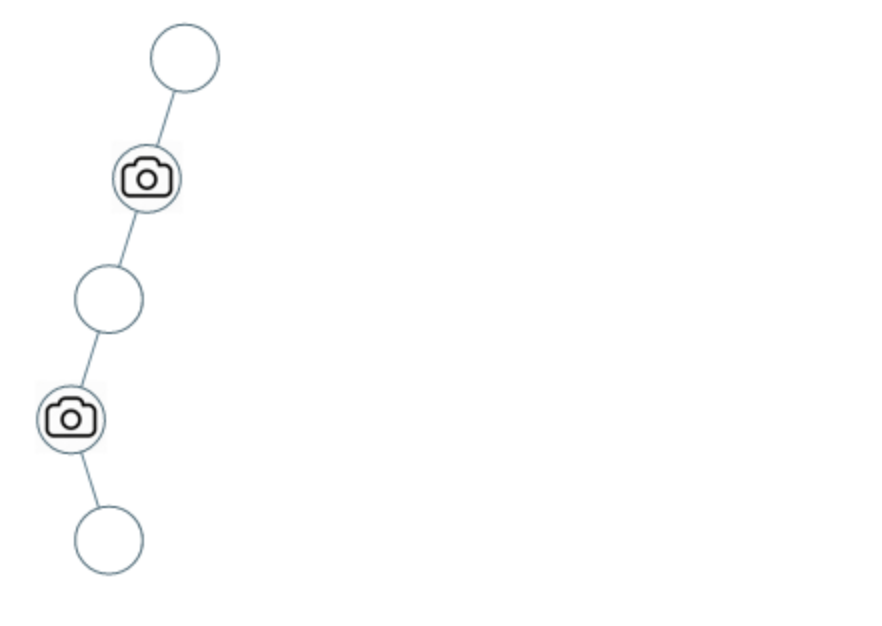
56 合并区间 给出一个区间的集合,请合并所有重叠的区间。 示例 1: 输入: intervals [[1,3],[2,6],[8,10],[15,18]]输出: [[1,6],[8,10],[15,18]]解释: 区间 [1,3] 和 [2,6] 重叠, 将它们合并为 [1,6]. class Solution { public:vector<vector<int>>…...
【Android】在WSA安卓子系统中进行新实验性功能试用与抓包(2311.4.5.0)
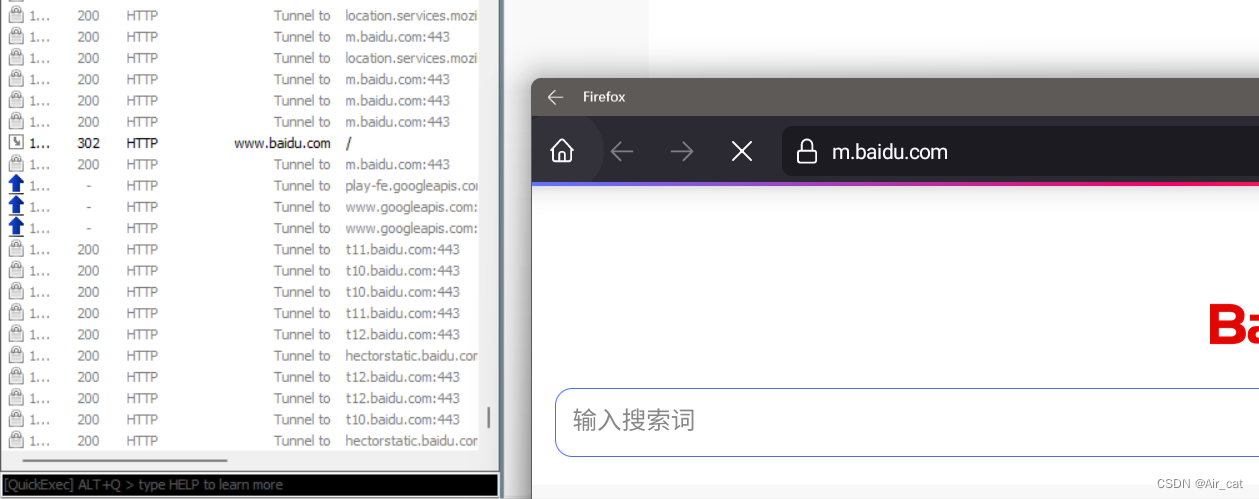
前言 在根据几篇22和23的WSA抓包文章进行尝试时遇到了问题,同时发现新版Wsa的一些实验性功能能优化抓包配置时的一些步骤,因而写下此篇以作记录。 Wsa版本:2311.40000.5.0 本文出现的项目: MagiskOnWSALocal MagiskTrustUserCer…...

【服务器】服务器的管理口和网口
服务器通常会有两种不同类型的网络接口,即管理口(Management Port)和网口(Ethernet Port),它们的作用和用途不同。 一、管理口 管理口通常是用于服务器管理的网络接口,也被称为外带网卡或带外接…...

一个小例子,演示函数指针
结构体里经常看到函数指针的写法,函数指针其实就是函数的名字。但是结构体里你要是直接把一个函数摆上去,那就变成成员变量,就会发生混乱 1. 函数指针 #include <unistd.h> #include <stdio.h>struct Kiwia{void (*func)(int )…...
python12-Python的字符串之使用input获取用户输入
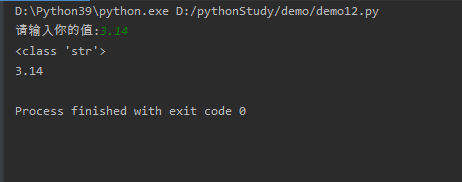
input()函数用于向用户生成一条提示,然后获取用户输入的内容。由于input0函数总会将用户输入的内容放入字符串中,因此用户可以输入任何内容,input()函数总是返回一个字符串。例如如下程序。 # !/usr/bin/env python# -*- coding: utf-8 -*-# @Time : 2024/01# @Author : Lao…...

【代码随想录-数组】移除元素
💝💝💝欢迎来到我的博客,很高兴能够在这里和您见面!希望您在这里可以感受到一份轻松愉快的氛围,不仅可以获得有趣的内容和知识,也可以畅所欲言、分享您的想法和见解。 推荐:kwan 的首页,持续学习,不断总结,共同进步,活到老学到老导航 檀越剑指大厂系列:全面总结 jav…...

springboot事务管理
/*spring事务管理注解:Transactional位置:业务(service)层的方法上、类上、接口上作用:将当前方法交给spring进行事务管理,方法执行前,开启事务:成功执行完毕,提交事务:出现常,回滚事务需要在配置文件是加上开启spring事务yml文件…...

数据结构——链式二叉树(2)
目录 🍁一、二叉树的销毁 🍁二、在二叉树中查找某个数,并返回该结点 🍁三、LeetCode——检查两棵二叉树是否相等 🌕(一)、题目链接:100. 相同的树 - 力扣(LeetCode&a…...

spring-boot-starter-validation常用注解
文章目录 一、使用二、常用注解三、Valid or Validated ?四、分组校验1. 分组校验的基本概念2. 定义验证组3. 应用分组到模型4. 在控制器中使用分组5. 总结 一、使用 要使用这些注解,首先确保在你的 Spring Boot 应用的 pom.xml 文件中添加了 spring-bo…...

AF700 NHS 酯,AF 700 Succinimidyl Ester,一种明亮且具有光稳定性的近红外染料
AF700 NHS 酯,AF 700 Succinimidyl Ester,一种明亮且具有光稳定性的近红外染料,AF700-NHS-酯,具有水溶性和 pH 值不敏感性 您好,欢迎来到新研之家 文章关键词:AF700 NHS 酯,AF 700 Succinimid…...
C#常见内存泄漏
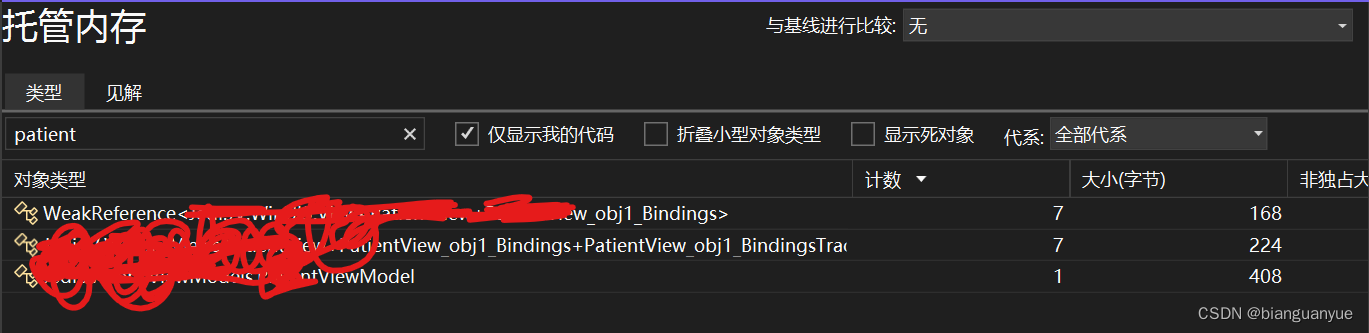
背景 在开发中由于对语言特性不了解或经验不足或疏忽,往往会造成一些低级bug。而内存泄漏就是最常见的一个,这个问题在测试过程中,因为操作频次低,而不能完全被暴露出来;而在正式使用时,由于使用次数增加&…...

Xmind安装到指定目录
Xmind安装到指定目录 默认情况下安装包自动引导安装在C盘(注册表默认位置) T1:修改注册表,比较麻烦 T2:安装时命令行指定安装位置,快捷省事 1)下载安装包(exe可执行文件) 2)安装…...
[GXYCTF2019]BabyUpload1
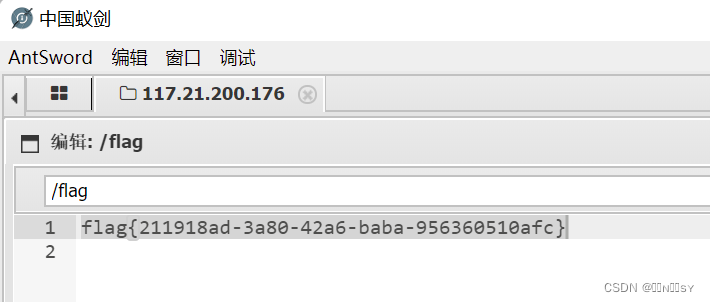
尝试各种文件,黑名单过滤后缀ph,content-type限制image/jpeg 内容过滤<?,木马改用<script languagephp>eval($_POST[cmdjs]);</script> 上传.htaccess将上传的文件当作php解析 蚁剑连接得到flag...

SpringBoot之分页查询的使用
背景 在业务中我们在前端总是需要展示数据,将后端得到的数据进行分页处理,通过pagehelper实现动态的分页查询,将查询页数和分页数通过前端发送到后端,后端使用pagehelper,底层是封装threadlocal得到页数和分页数并动态…...
【shell-10】shell实现的各种kafka脚本
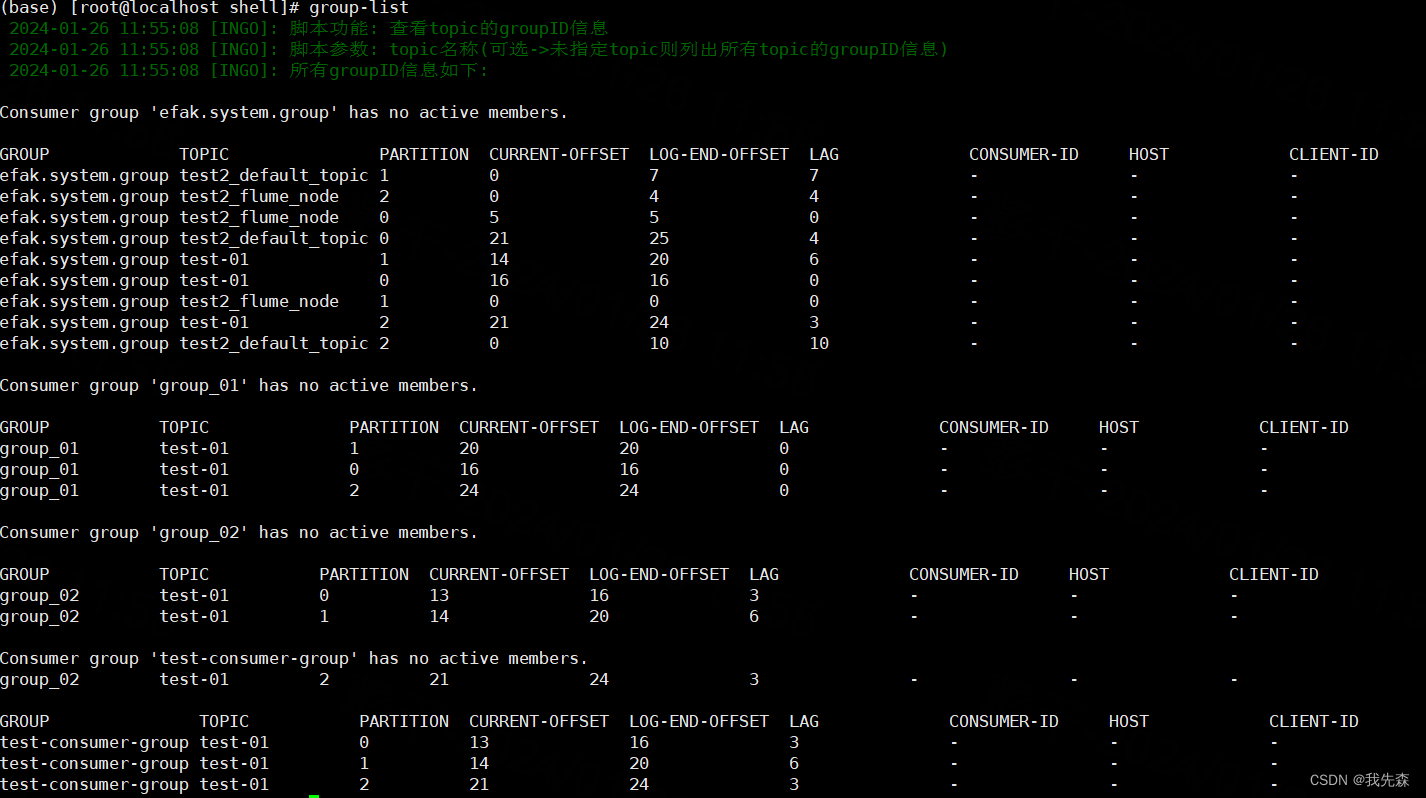
kafka-shell工具 背景日志 log一.启动kafka->(start-kafka)二.停止kafka->(stop-kafka)三.创建topic->(create-topic)四.删除topic->(delete-topic)五.获取topic列表->(list-topic)六. 将文件数据 录入到kafka->(file-to-kafka)七.将kafka数据 下载到文件-&g…...

【模型压缩】模型剪枝详解
参考链接:https://zhuanlan.zhihu.com/p/635454943 https 文章目录 1. 前言1.1 为什么要进行模型剪枝1.2 为什么可以进行模型剪枝2. 剪枝方式的几种分类2.1 结构化剪枝 和 非结构化剪枝2.1.1 结构化剪枝2.1.2 非结构化剪枝2.2 静态剪枝与动态剪枝2.2.1 静态剪枝2.2.2 动态剪枝…...

Log4j2-01-log4j2 hello world 入门使用
拓展阅读 Log4j2 系统学习 Logback 系统学习 Slf4j Slf4j-02-slf4j 与 logback 整合 SLF4j MDC-日志添加唯一标识 分布式链路追踪-05-mdc 等信息如何跨线程? Log4j2 与 logback 的实现方式 日志开源组件(一)java 注解结合 spring aop 实现自动输…...
Mysql-日志介绍 日志配置
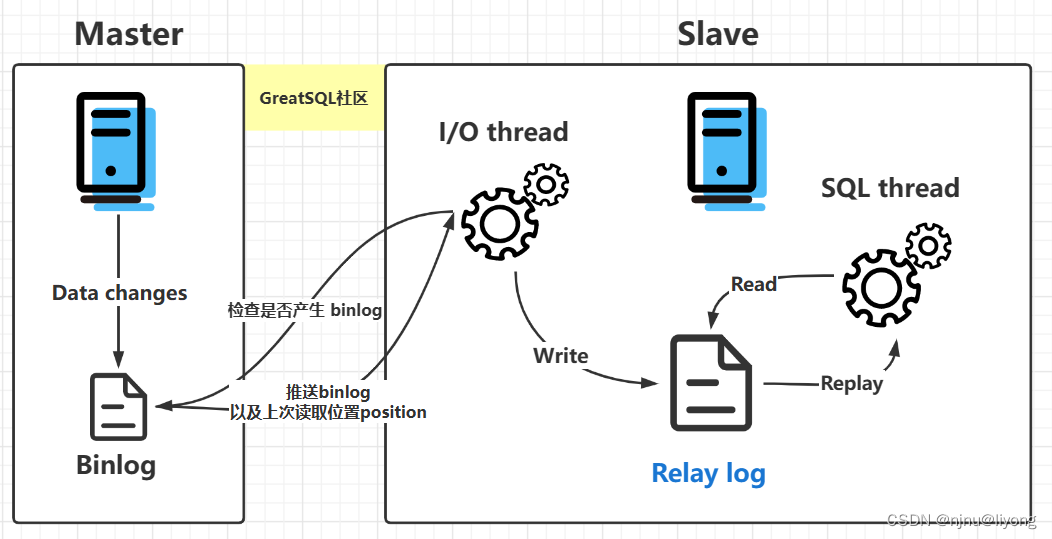
环境部署 docker run -d -p 3306:3306 --privilegedtrue -v $(pwd)/logs:/var/lib/logs -v $(pwd)/conf:/etc/mysql/conf.d -v $(pwd)/data:/var/lib/mysql -e MYSQL_ROOT_PASSWORD654321 --name mysql mysql:5.7运行指令的目录下新建好这些文件: 日志类型 日…...

日语AI面试高效通关秘籍:专业解读与青柚面试智能助攻
在如今就业市场竞争日益激烈的背景下,越来越多的求职者将目光投向了日本及中日双语岗位。但是,一场日语面试往往让许多人感到步履维艰。你是否也曾因为面试官抛出的“刁钻问题”而心生畏惧?面对生疏的日语交流环境,即便提前恶补了…...
《Qt C++ 与 OpenCV:解锁视频播放程序设计的奥秘》
引言:探索视频播放程序设计之旅 在当今数字化时代,多媒体应用已渗透到我们生活的方方面面,从日常的视频娱乐到专业的视频监控、视频会议系统,视频播放程序作为多媒体应用的核心组成部分,扮演着至关重要的角色。无论是在个人电脑、移动设备还是智能电视等平台上,用户都期望…...
YSYX学习记录(八)
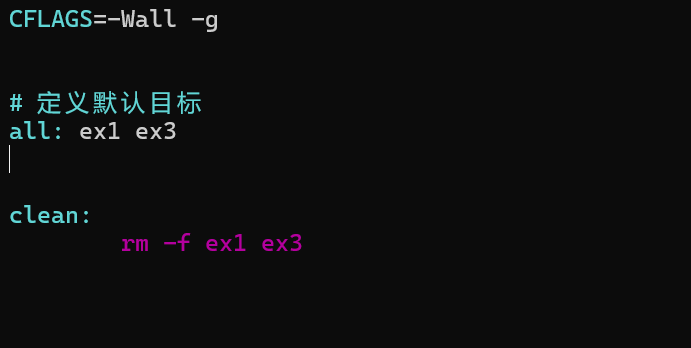
C语言,练习0: 先创建一个文件夹,我用的是物理机: 安装build-essential 练习1: 我注释掉了 #include <stdio.h> 出现下面错误 在你的文本编辑器中打开ex1文件,随机修改或删除一部分,之后…...

学习STC51单片机31(芯片为STC89C52RCRC)OLED显示屏1
每日一言 生活的美好,总是藏在那些你咬牙坚持的日子里。 硬件:OLED 以后要用到OLED的时候找到这个文件 OLED的设备地址 SSD1306"SSD" 是品牌缩写,"1306" 是产品编号。 驱动 OLED 屏幕的 IIC 总线数据传输格式 示意图 …...
ElasticSearch搜索引擎之倒排索引及其底层算法
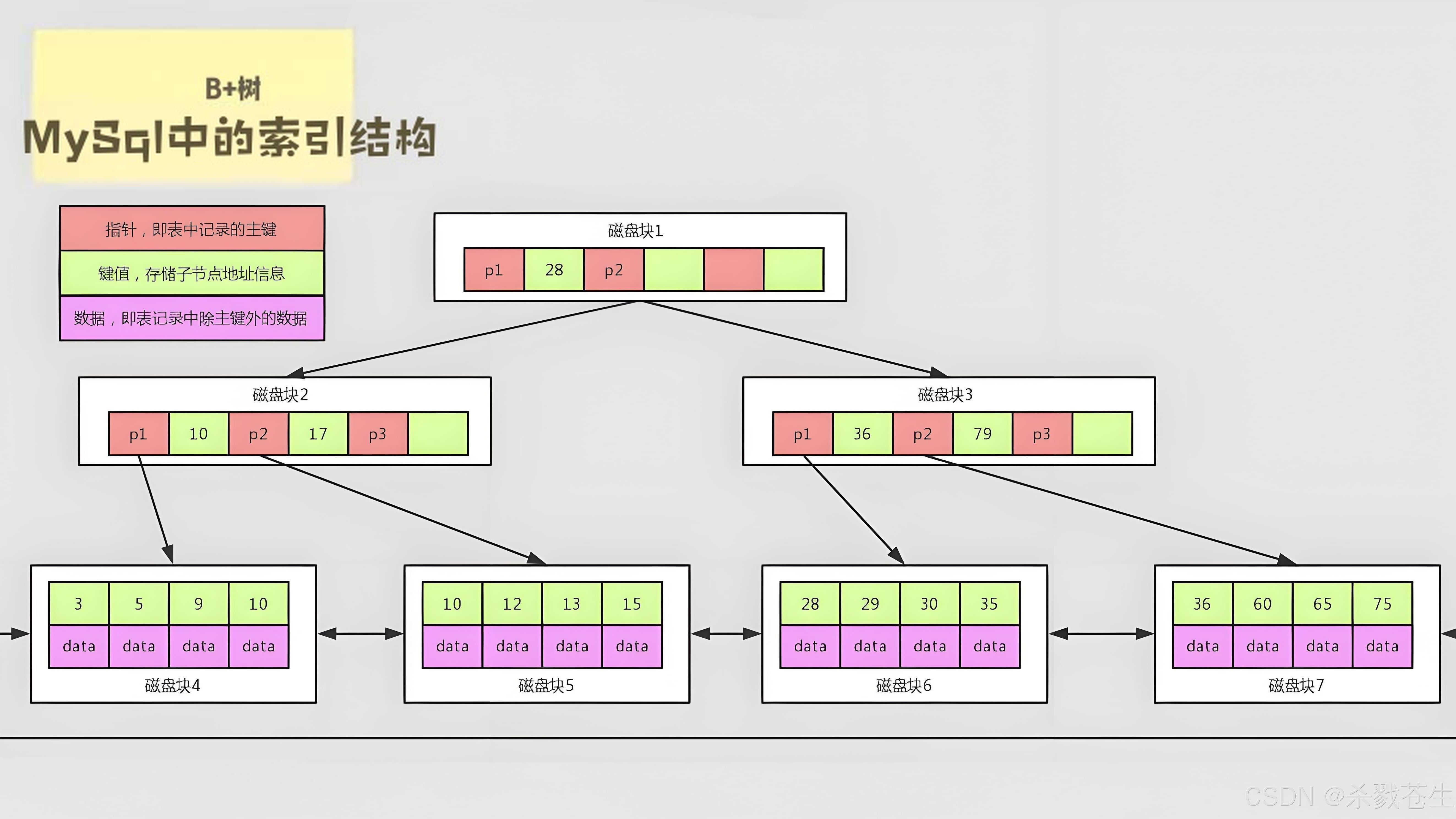
文章目录 一、搜索引擎1、什么是搜索引擎?2、搜索引擎的分类3、常用的搜索引擎4、搜索引擎的特点二、倒排索引1、简介2、为什么倒排索引不用B+树1.创建时间长,文件大。2.其次,树深,IO次数可怕。3.索引可能会失效。4.精准度差。三. 倒排索引四、算法1、Term Index的算法2、 …...
C++使用 new 来创建动态数组
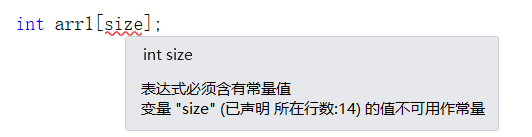
问题: 不能使用变量定义数组大小 原因: 这是因为数组在内存中是连续存储的,编译器需要在编译阶段就确定数组的大小,以便正确地分配内存空间。如果允许使用变量来定义数组的大小,那么编译器就无法在编译时确定数组的大…...
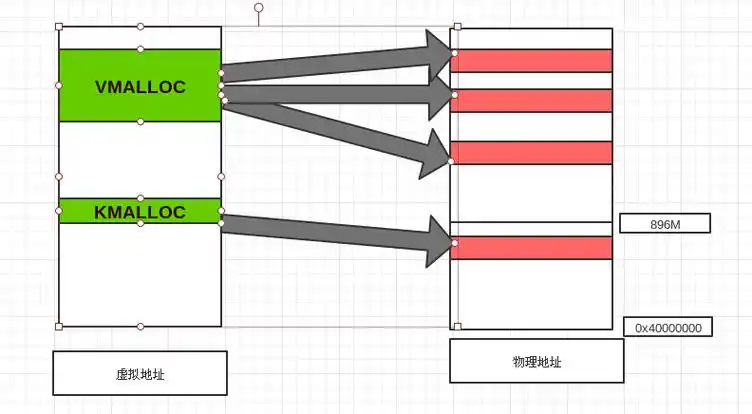
Linux 内存管理实战精讲:核心原理与面试常考点全解析
Linux 内存管理实战精讲:核心原理与面试常考点全解析 Linux 内核内存管理是系统设计中最复杂但也最核心的模块之一。它不仅支撑着虚拟内存机制、物理内存分配、进程隔离与资源复用,还直接决定系统运行的性能与稳定性。无论你是嵌入式开发者、内核调试工…...

JS手写代码篇----使用Promise封装AJAX请求
15、使用Promise封装AJAX请求 promise就有reject和resolve了,就不必写成功和失败的回调函数了 const BASEURL ./手写ajax/test.jsonfunction promiseAjax() {return new Promise((resolve, reject) > {const xhr new XMLHttpRequest();xhr.open("get&quo…...
详细解析)
Caliper 负载(Workload)详细解析
Caliper 负载(Workload)详细解析 负载(Workload)是 Caliper 性能测试的核心部分,它定义了测试期间要执行的具体合约调用行为和交易模式。下面我将全面深入地讲解负载的各个方面。 一、负载模块基本结构 一个典型的负载模块(如 workload.js)包含以下基本结构: use strict;/…...

在 Spring Boot 项目里,MYSQL中json类型字段使用
前言: 因为程序特殊需求导致,需要mysql数据库存储json类型数据,因此记录一下使用流程 1.java实体中新增字段 private List<User> users 2.增加mybatis-plus注解 TableField(typeHandler FastjsonTypeHandler.class) private Lis…...