
在Codelab对llama3做Lora Fine tune微调
Unsloth 高效微调大模型的工具,通过Unsloth微调Llama3, Mistral, Gemma 速度提升2-5倍,内存减少70%!
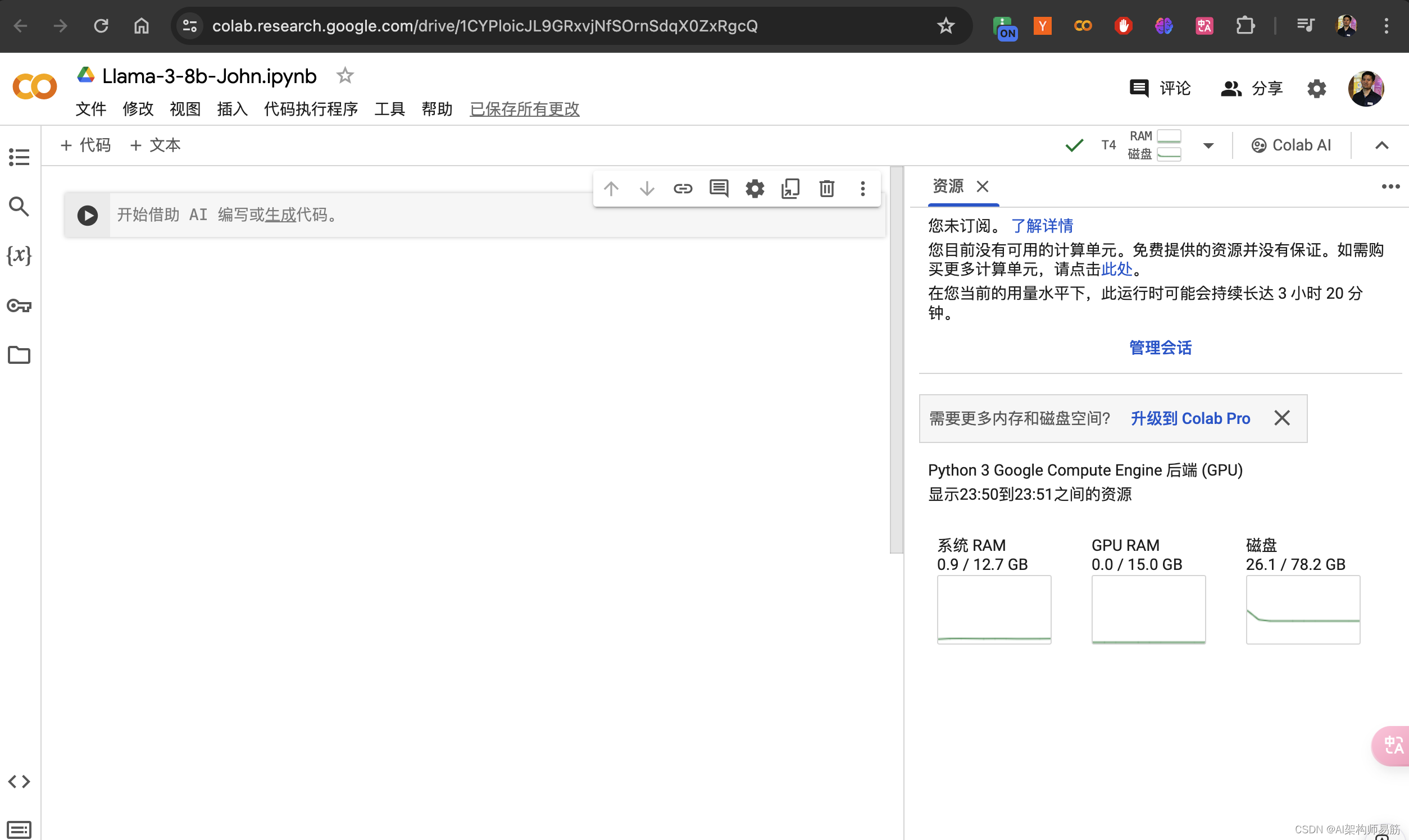
Codelab 创建一个jupyter notebook
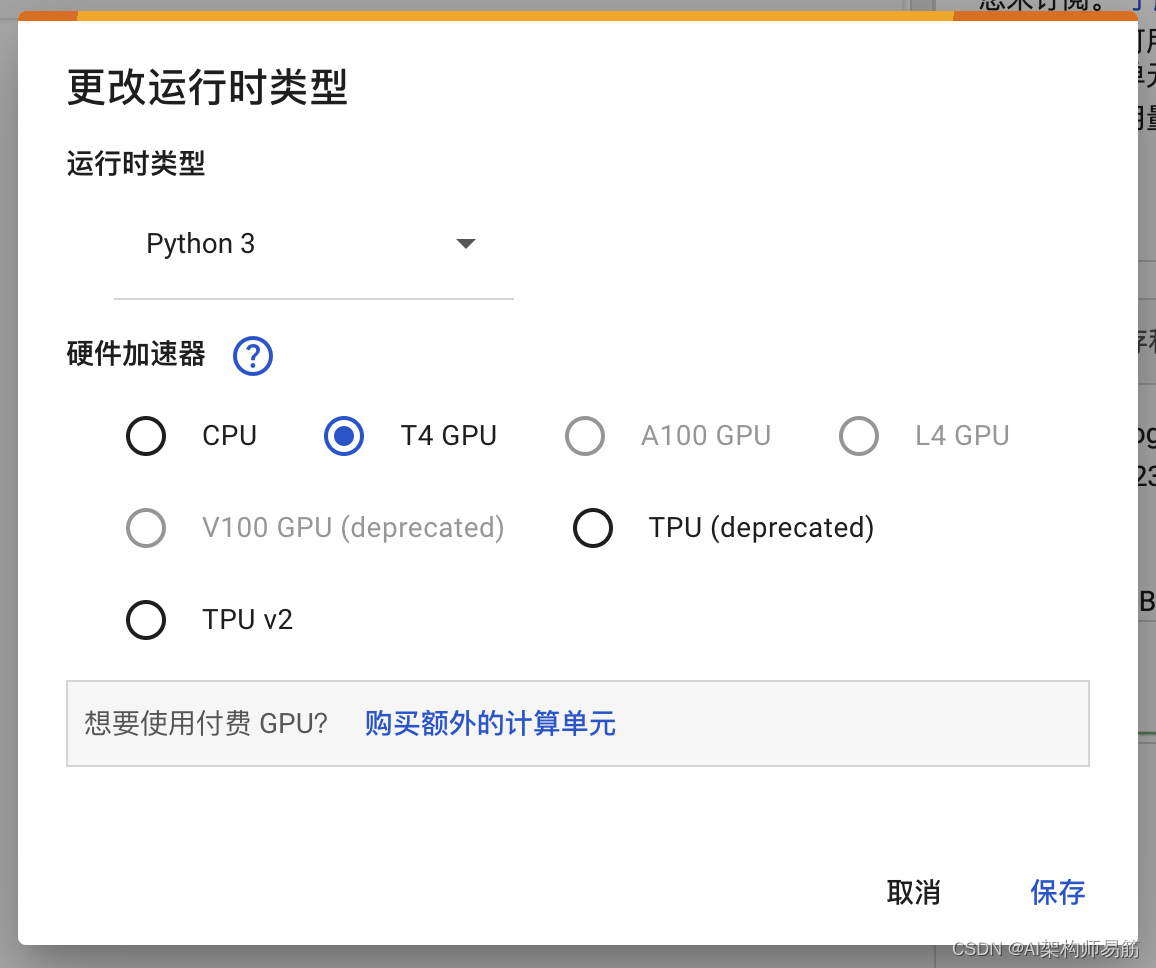
选择 T4 GPU
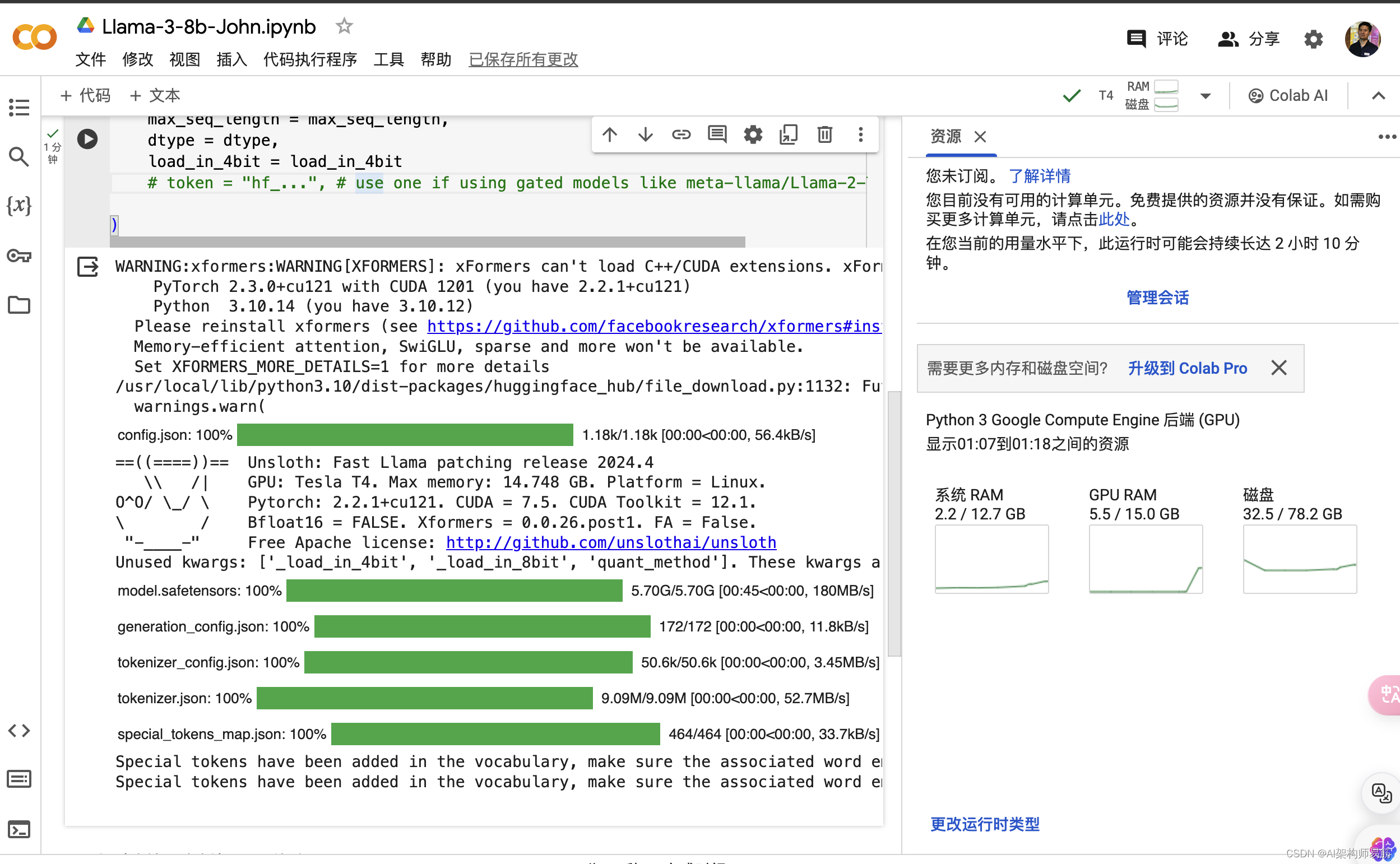
安装Fine tune 相关的lib
%%capture
import torch
major_version, minor_version= torch.cuda.get_device_capability()
# Must install separately since Colab has torch 2.2.1, which breaks packages
!pip install "unsloth[colab-new] @ git+https://github.com/unslothai/unsloth.git"
if major_version >= 8:# Use this for new GPs like Ampere, Hopper GPUs(RTX 30xx. RIX 40xx, A100. H100. L40)!pip install -no-deps packaging ninja einops flash-attn xformers trl peft accelerate bitsandbytes
else:# Use this for older GPUs (V100, Tesla T4, RTX 20xx)!pip install --no-deps xformers trl peft accelerate bitsandbytes
pass
下载llama3
from unsloth import FastLanguageModel
import torch
max_seq_length = 2048 # Choose any! We auto support RoPE Scaling internally!
dtype = None # None for auto detection. Float16 for Tesla T4, V100, Bfloat16 for Ampere+
load_in_4bit = True # Use 4bit quantization to reduce memory usage. Can be False# 4bit pre quantized models we support for 4x faster downloading + no OOMs
fourbit_models = ["unsloth/mistral-7b-bnb-4bit","unsloth/mistral-7b-instruct-bnb-4bit","unsloth/llama-2-7b-bnb-4bit","unsloth/gemma-7b-bnb-4bit","unsloth/gemma-7b-it-bnb-4bit","unsloth/gemma-2b-bnb-4bit","unsloth/gemma-2b-it-bnb-4bit","unsloth/llama-3-8b-bnb-4bit",
] # More models at https://huggingface.co/unslothmodel, tokenizer = FastLanguageModel.from_pretrained(model_name = "unsloth/llama-3-8b-bnb-4bit",max_seq_length = max_seq_length,dtype = dtype,load_in_4bit = load_in_4bit# token = "hf_...", # use one if using gated models like meta-llama/Llama-2-7b-hf)
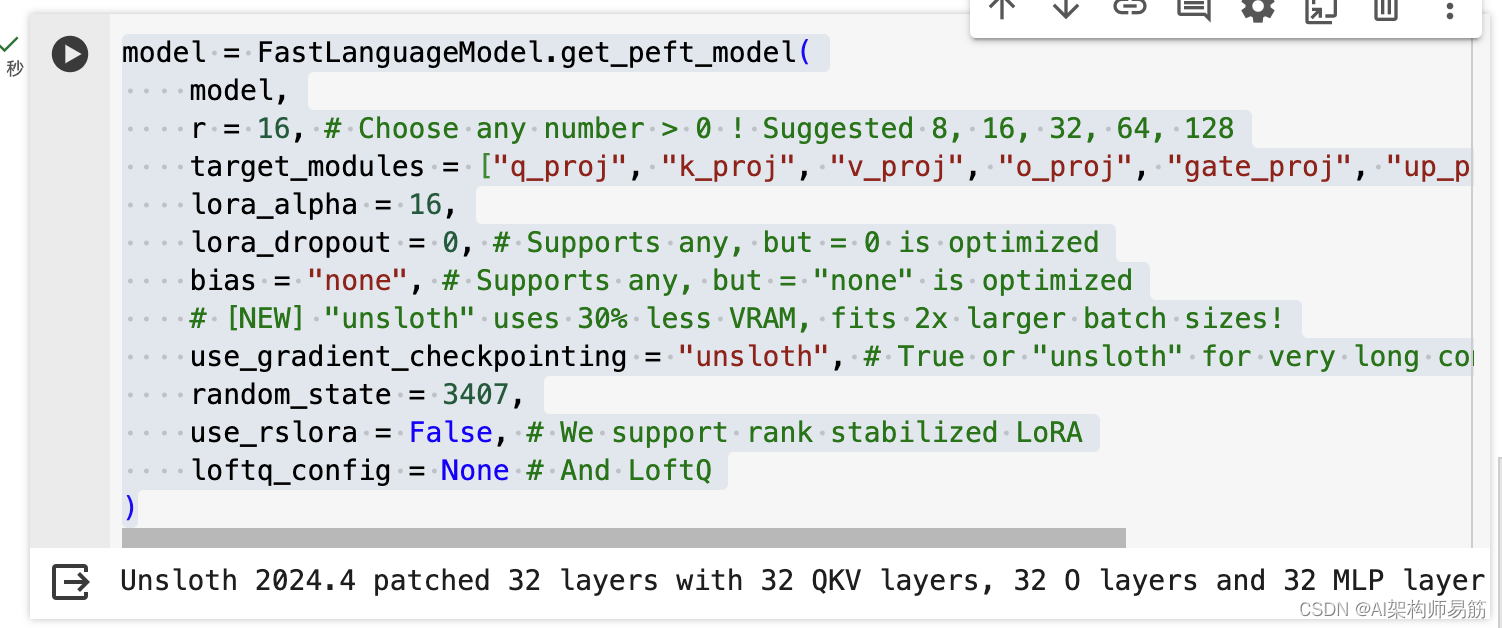
model = FastLanguageModel.get_peft_model(model,r = 16, # Choose any number > 0 ! Suggested 8, 16, 32, 64, 128target_modules = ["q_proj", "k_proj", "v_proj", "o_proj", "gate_proj", "up_proj", "down_proj",],lora_alpha = 16,lora_dropout = 0, # Supports any, but = 0 is optimizedbias = "none", # Supports any, but = "none" is optimized# [NEW] "unsloth" uses 30% less VRAM, fits 2x larger batch sizes!use_gradient_checkpointing = "unsloth", # True or "unsloth" for very long contextrandom_state = 3407,use_rslora = False, # We support rank stabilized LoRAloftq_config = None # And LoftQ
)
加载hugging face数据集
alpaca_prompt = """Below is an instruction that describes a task, paired with an input that provides further context. Write a response that appropriately completes the request.
### Instruction:
{}
### Input:
{}
### Response:
{}
"""EOS_TOKEN = tokenizer.eos_token # Must add EOS_TOKEN
def formatting_prompts_func(examples):instructions = examples["instruction"]inputs = examples["input"]outputs = examples["output"]texts = []for instruction, input, output in zip(instructions, inputs, outputs):# Must add EOS_TOKEN, otherwise your generation will go on forever!text = alpaca_prompt.format(instruction, input, output) + EOS_TOKENtexts.append(text)return { "text": texts, }
passfrom datasets import load_dataset
dataset = load_dataset("pinzhenchen/alpaca-cleaned-zh", split="train")
dataset = dataset.map(formatting_prompts_func, batched=True,)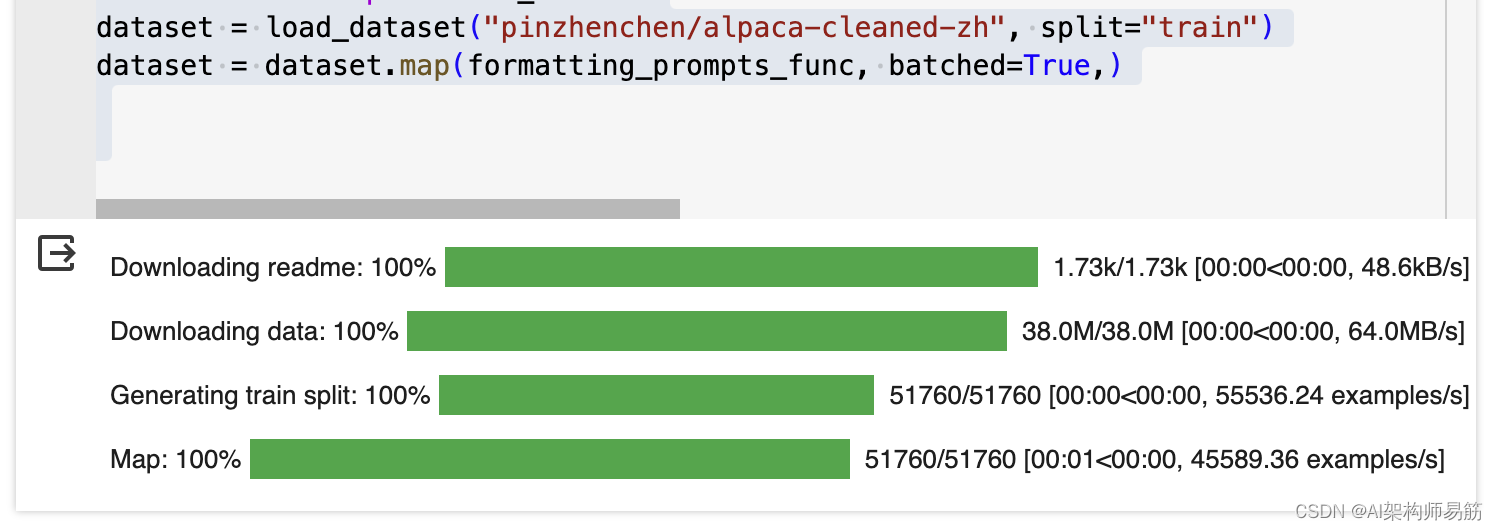
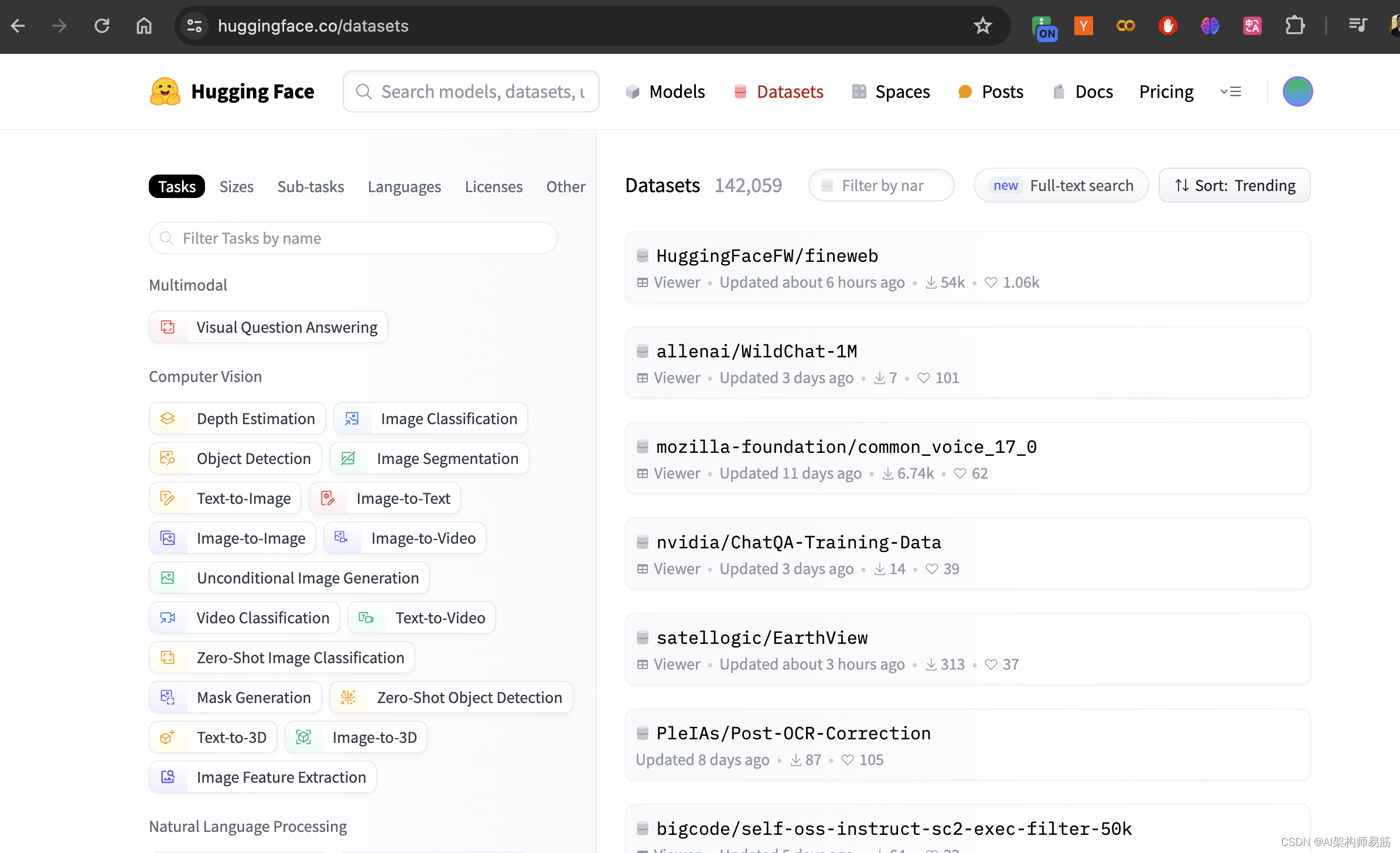
HuggingFace 官网, 点击数据集 Datasets
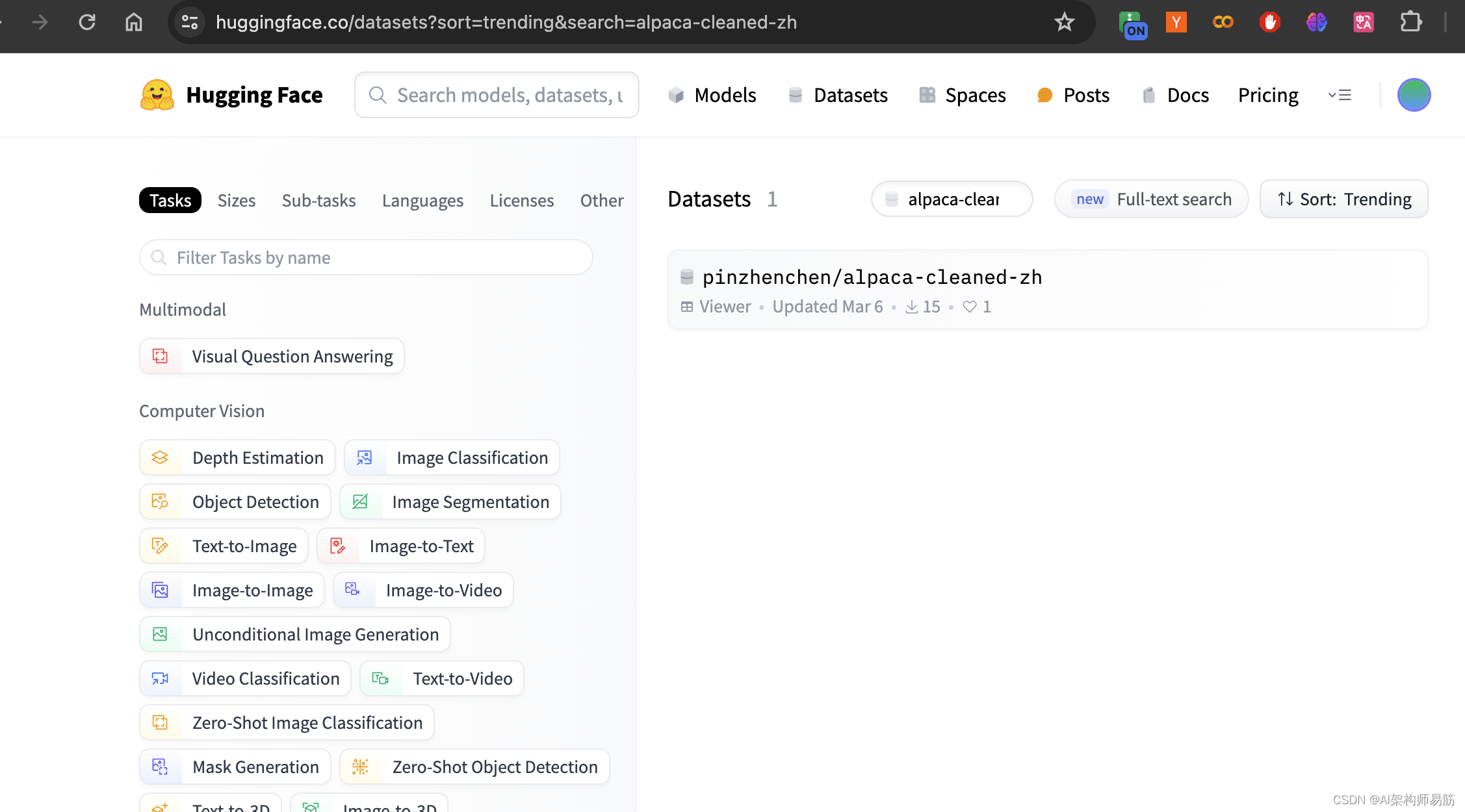
搜索数据集 alpaca-cleaned-zh
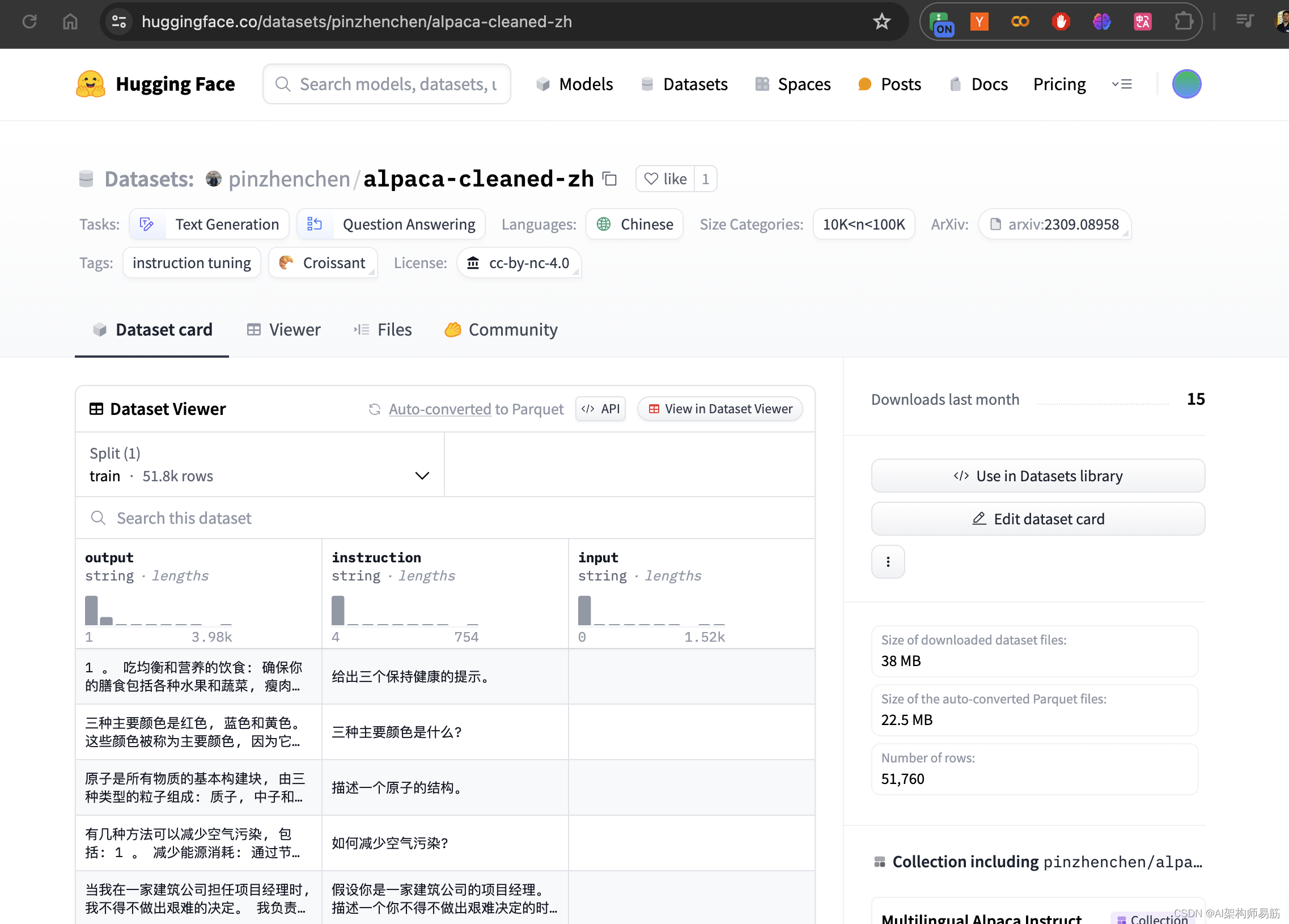
复制数据集的名字 pinzhenchen/alpaca-cleaned-zh
定义training 方法
from trl import SFTTrainer
from transformers import TrainingArgumentstrainer = SFTTrainer(model = model,tokenizer = tokenizer,train_dataset = dataset,dataset_text_field = "text",max_seq_length = max_seq_length,dataset_num_proc = 2,packing = False, # Can make training 5x faster for short sequences.args = TrainingArguments(per_device_train_batch_size = 2,gradient_accumulation_steps = 4,warmup_steps = 5,max_steps = 60,learning_rate = 2e-4,fp16 = not torch.cuda.is_bf16_supported(),bf16 = torch.cuda.is_bf16_supported(),logging_steps = 1,optim = "adamw_8bit",weight_decay = 0.01,lr_scheduler_type = "linear",seed = 3407,output_dir = "outputs",),
)
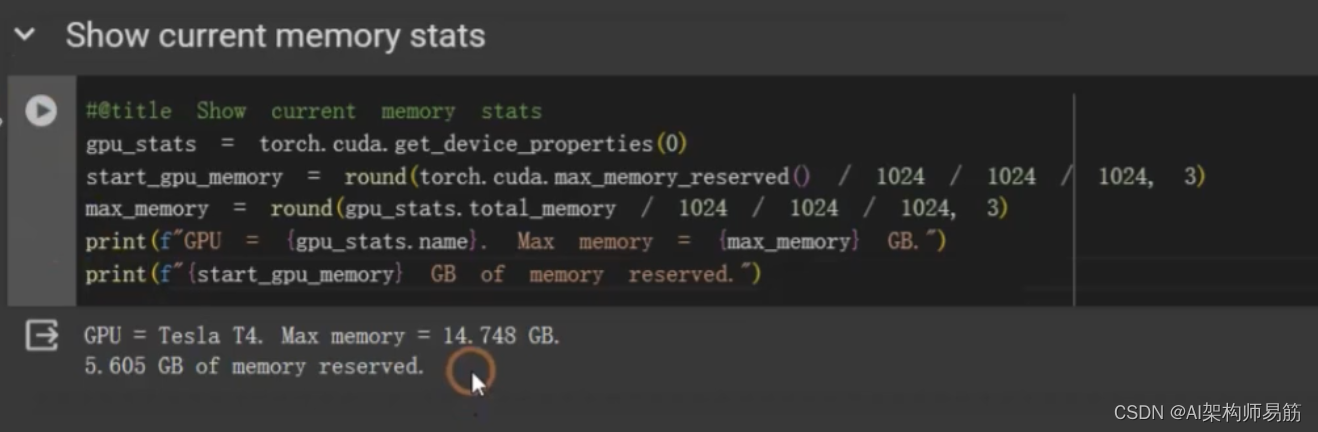
打印显存使用情况
#@title Show current memory stats
gpu_stats = torch.cuda.get_device_properties(0)
start_gpu_memory = round(torch.cuda.max_memory_reserved() / 1024 / 1024 / 1024, 3)
max_memory = round(gpu_stats.total_memory / 1024 / 1024 / 1024, 3)
print(f"GPU = (gpu_stats.name). Max memory = (max_memory) GB.")
print(f"(start_gpu_memory) GB of memory reserved.")
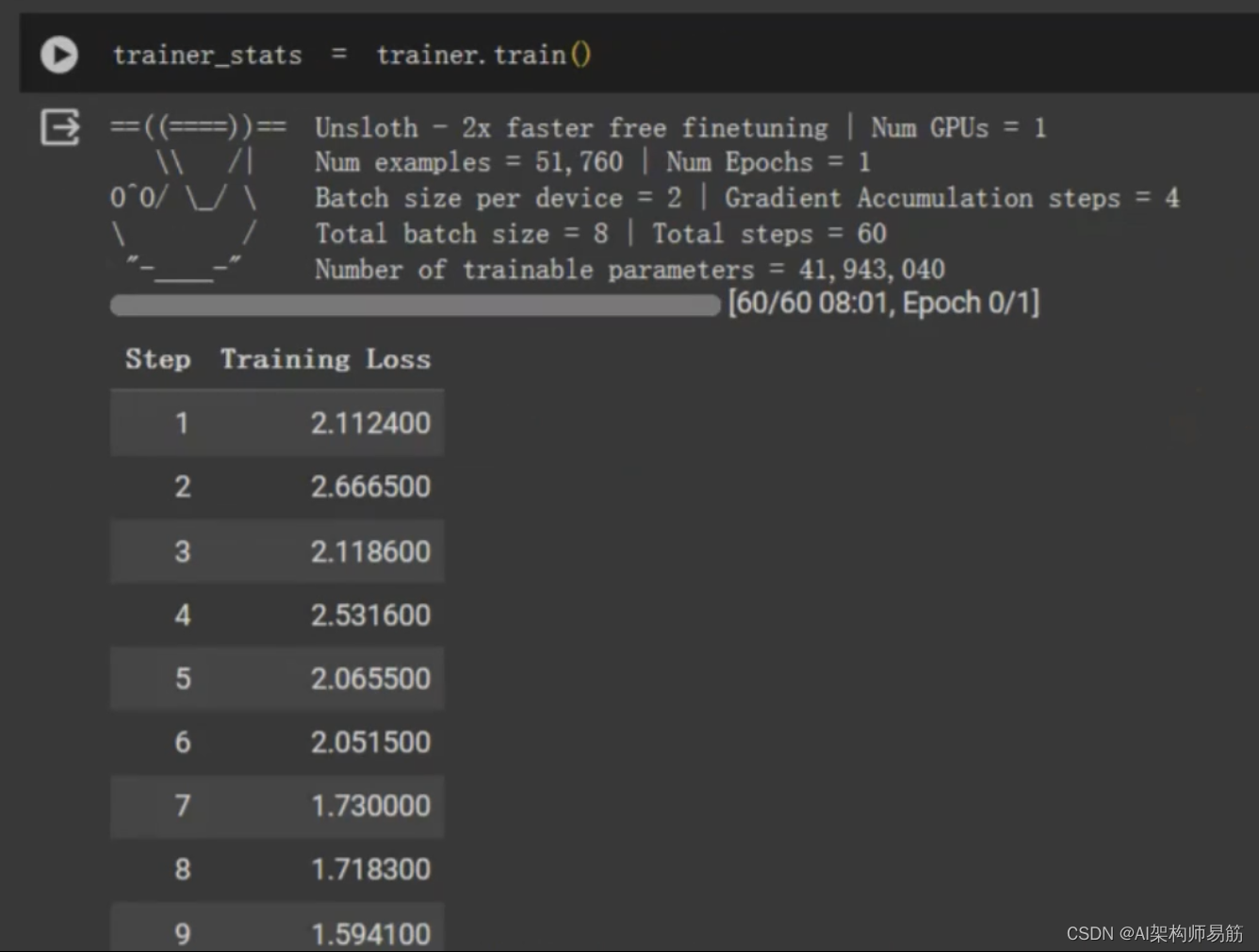
开始FineTune
trainer_stats = trainer.train()
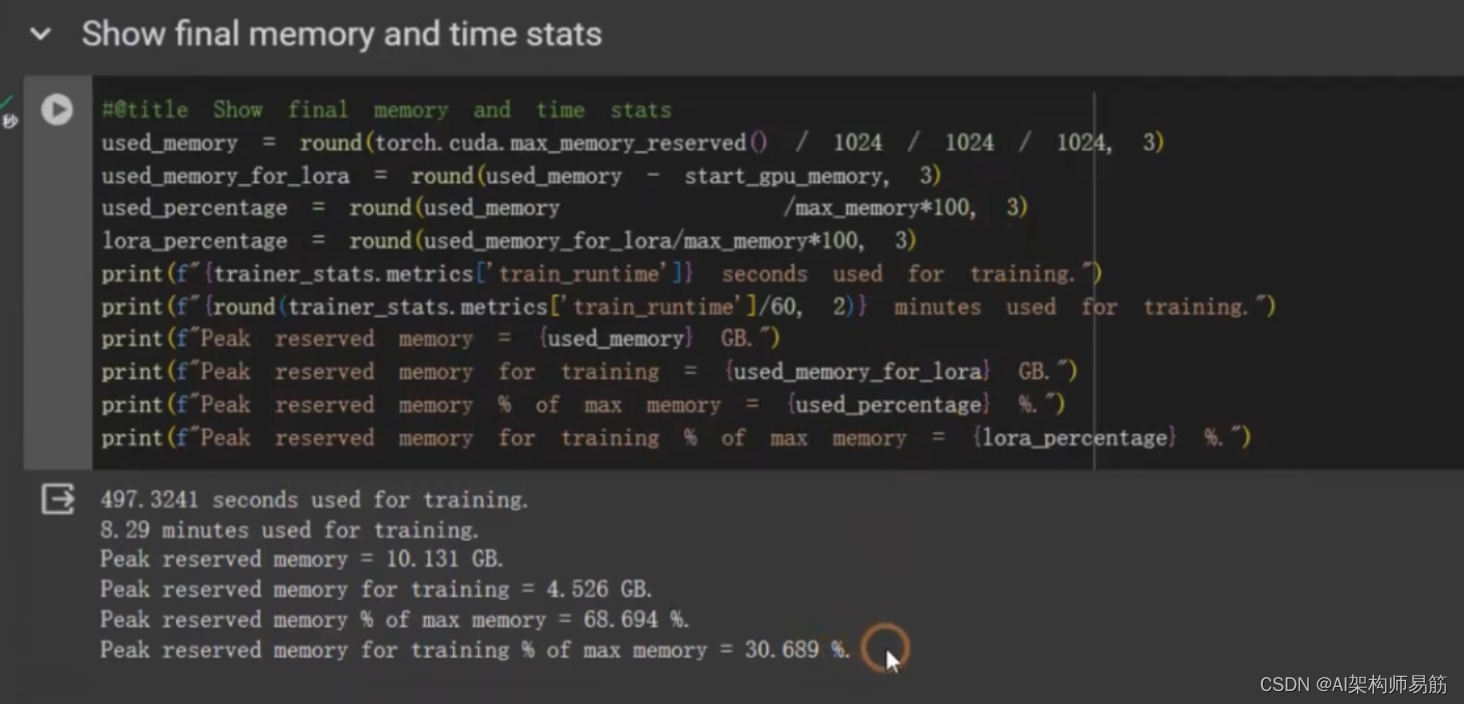
#@title Show final memory and time stats
used_memory = round(torch.cuda.max_memory_reserved() / 1024 / 1024 / 1024, 3)
used_memory_for_lora = round(used_memory - start_gpu_memory, 3)
used_percentage = round(used_memory / max_memory*100, 3)
lora_percentage = round(used_memory_for_lora / max_memory*100, 3)
print(f"{trainer_stats.metrics['train_runtime']} seconds used for training.")
print(f"{round(trainer_stats.metrics['train_runtime']/60, 2)} minutes used for training.")
print(f"Peak reserved memory = {used_memory} GB.")
print(f"Peak reserved memory for training = {used_memory_for_lora} GB.")
print(f"Peak reserved memory % of max memory = {used_percentage} %.")
print(f"Peak reserved memory for training % of max memory = {lora_percentage} GB.")
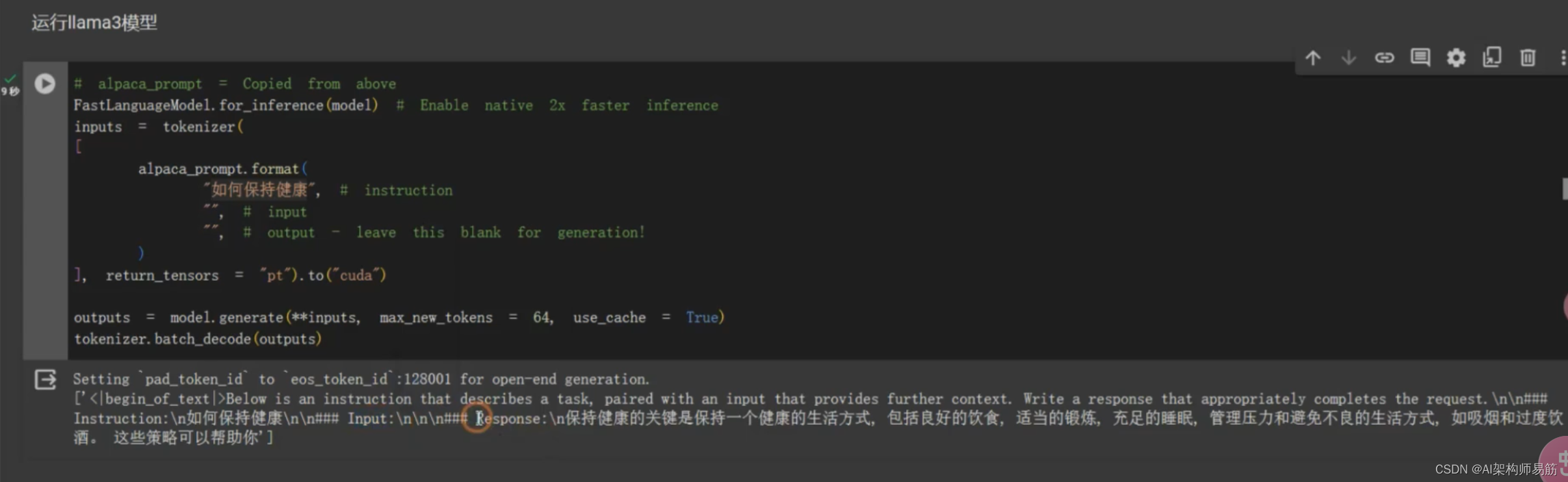
用fineTune 过的model,做问答
# alpaca_prompt = Copied from above
FastLanguageModel.for_inference(model) # Enable native 2x faster inference
inputs = tokenizer([alpaca_prompt.format("如何保持健康", # instruction"", # input"", # output - leave this blank for generation!)], return_tensors = "pt"
).to("cuda")outputs = model.generate(**inputs, max_new_tokens = 64, use_cache=True)
tokenizer.batch_decode(outputs)
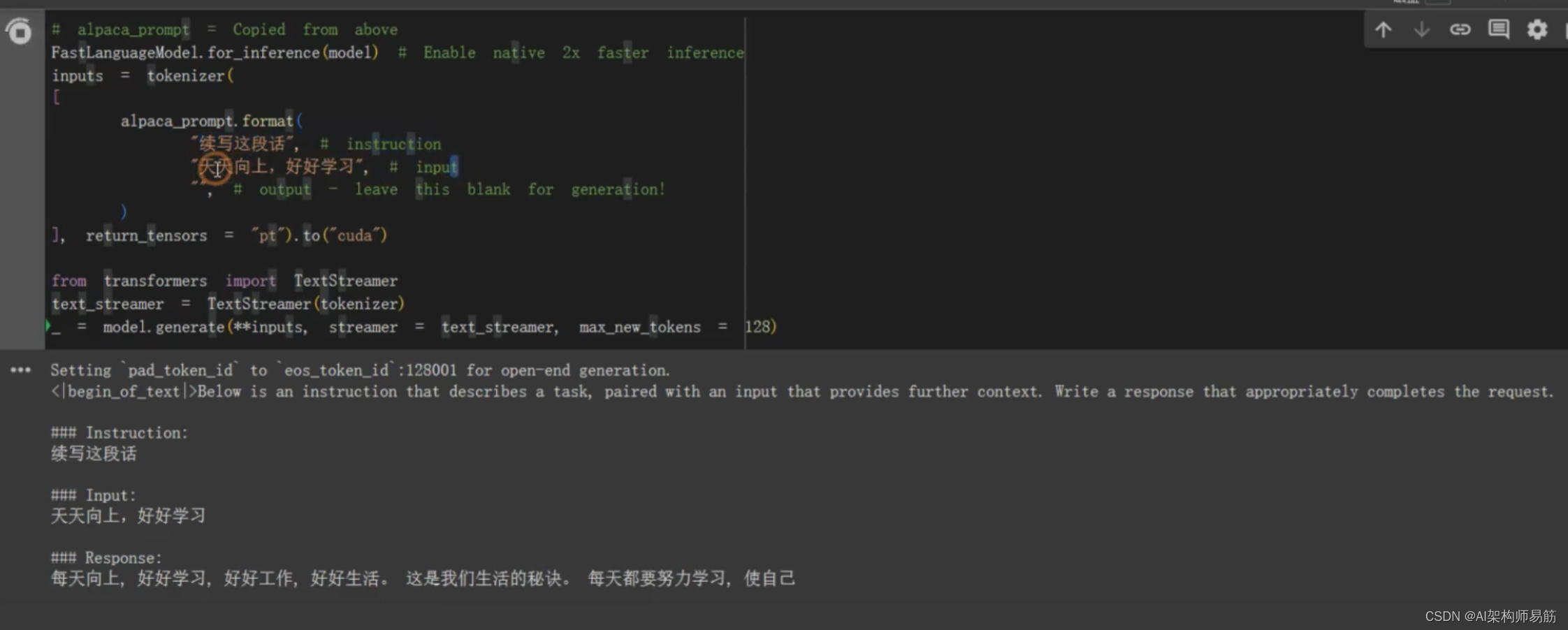
TextStreamer 流式一个字一个字地打印结果
# alpaca_prompt = Copied from above
FastLanguageModel.for_inference(model) # Enable native 2x faster inference
inputs = tokenizer([alpaca_prompt.format("续写这段话", # instruction"天天向上,好好学习", # input"", # output - leave this blank for generation!)], return_tensors = "pt"
).to("cuda")from transformers import TextStreamer
text_streamer = TextStreamer(tokenizer)
_ = model.generate(**inputs, streamer = text_streamer, max_new_tokens=128)
保存model到google drive 和 HuggingFace
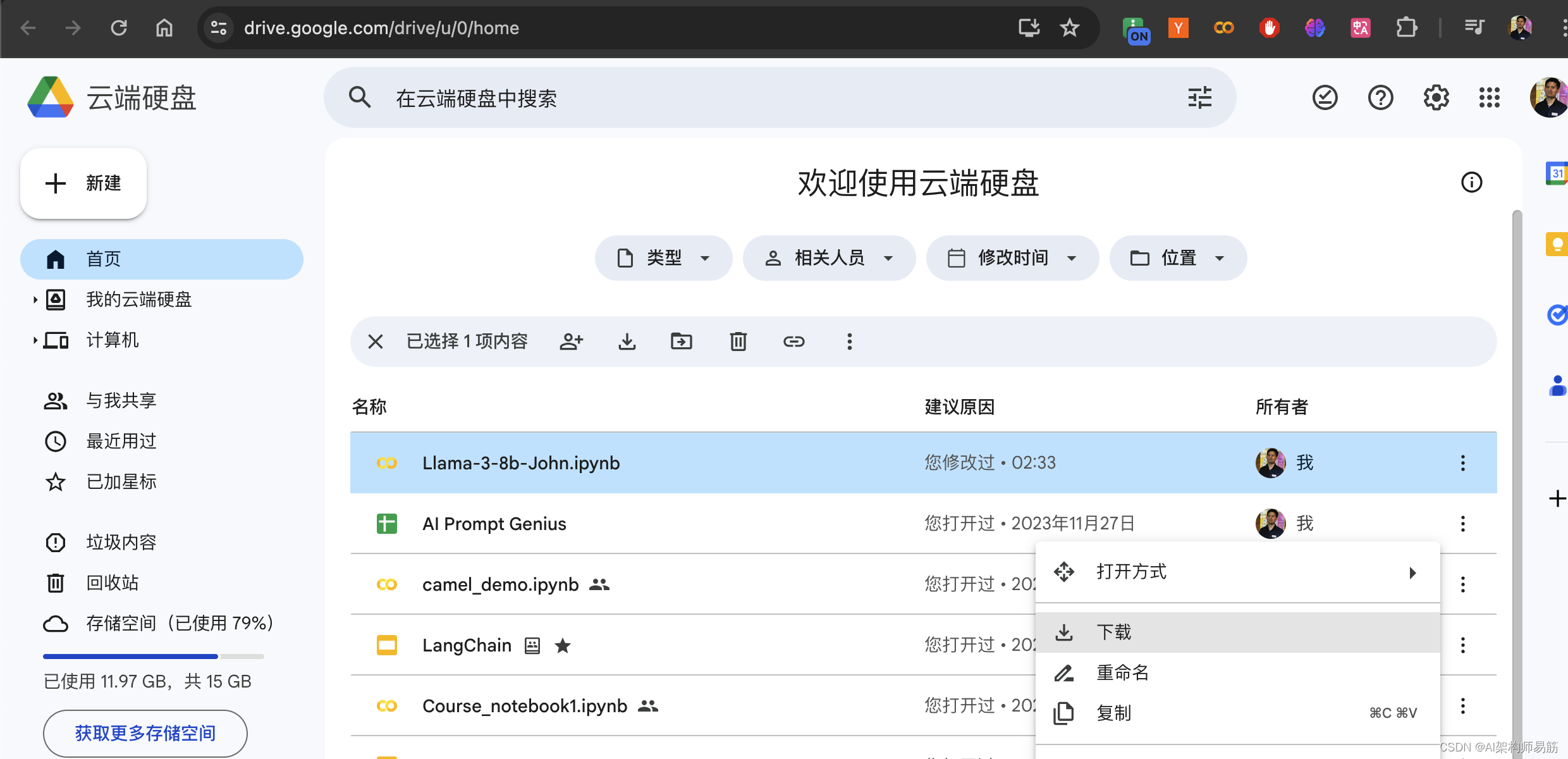
model.save_pretrained("lora_model") # local saving
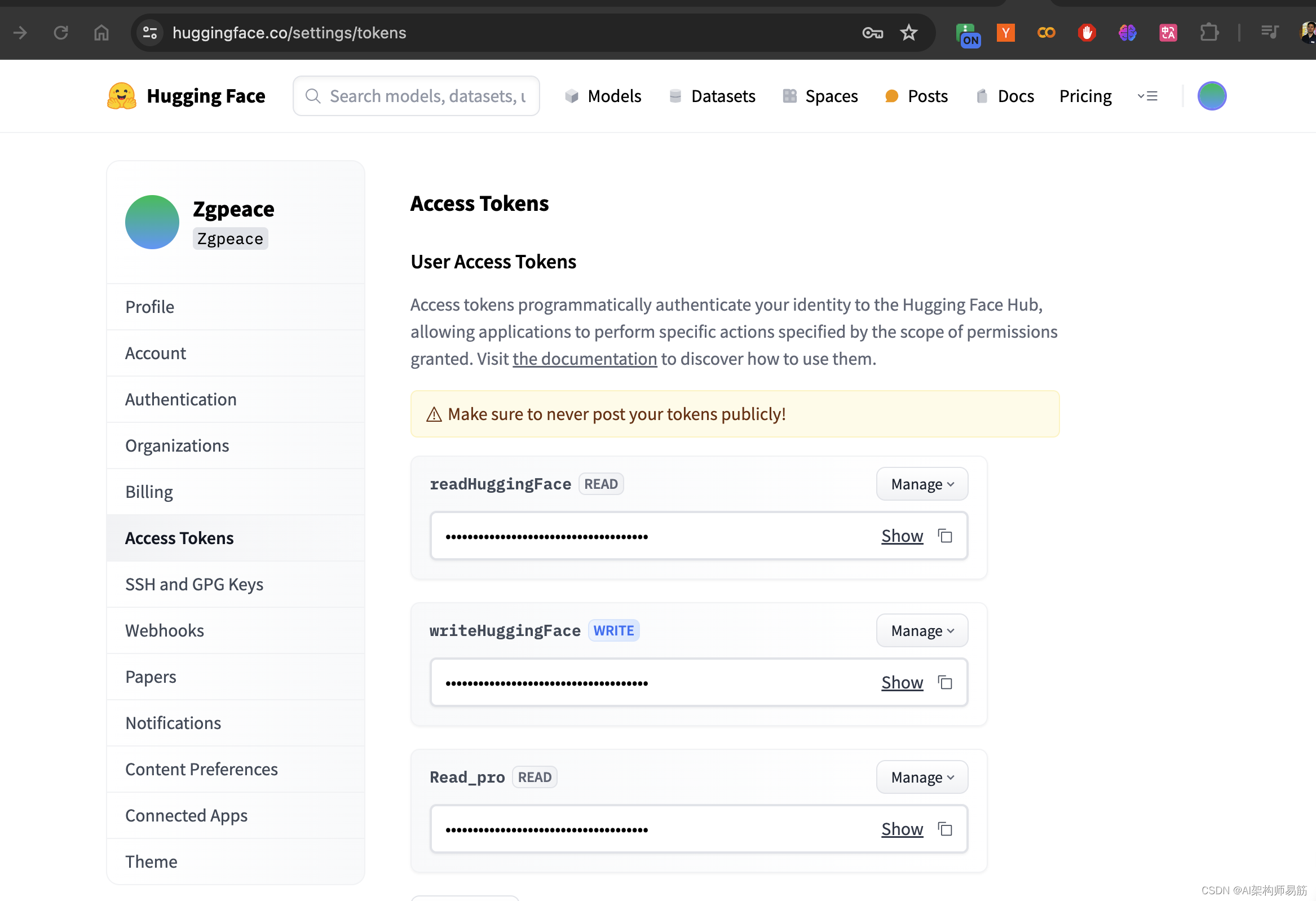
model.push_to_hub("zgpeace/lora_model", token="####") # online saving
google drive
相关文章:
在Codelab对llama3做Lora Fine tune微调
Unsloth 高效微调大模型的工具,通过Unsloth微调Llama3, Mistral, Gemma 速度提升2-5倍,内存减少70%! Codelab 创建一个jupyter notebook 选择 T4 GPU 安装Fine tune 相关的lib %%capture import torch major_version, minor_version torch…...
KEIL 5.38的ARM-CM3/4 ARM汇编设计学习笔记13 - STM32的SDIO学习5 - 卡的轮询读写擦
KEIL 5.38的ARM-CM3/4 ARM汇编设计学习笔记13 - STM32的SDIO学习5 - 卡的轮询读写擦 一、前情提要二、目标三、技术方案3.1 读写擦的操作3.1.1 读卡操作3.1.2 写卡操作3.1.3 擦除操作 3.2 一些技术点3.2.1 轮询标志位的选择不唯一3.2.2 写和擦的卡状态查询3.2.3 写的速度 四、代…...
:UdpClient、UdpServer、UdpCast、UdpNode的区别)
【C++】HP-Socket(三):UdpClient、UdpServer、UdpCast、UdpNode的区别
1、简述 UDP是无连接的,在UDP传输层中并没有客户端和服务端的概念。但是可以在应用层定义客户端和服务端,可以灵活的互换客户端和服务端,或者同时既是客户端也是服务端。 HP-Socket中在应用层定义了四种UDP组件:UdpClient、UdpS…...

java设计模式六 访问者
访问者模式(Visitor Pattern)是一种设计模式,它允许你将算法附加到对象结构中的各个元素上,而不必修改对象结构本身。它主要用于处理对象结构非常稳定,但频繁需要在此结构上执行不同操作的场景。访问者模式通过将操作移…...
中间件研发之Springboot自定义starter
Spring Boot Starter是一种简化Spring Boot应用开发的机制,它可以通过引入一些预定义的依赖和配置,让我们快速地集成某些功能模块,而无需繁琐地编写代码和配置文件。Spring Boot官方提供了很多常用的Starter,例如spring-boot-star…...
libcity笔记:添加新模型(以RNN.py为例)
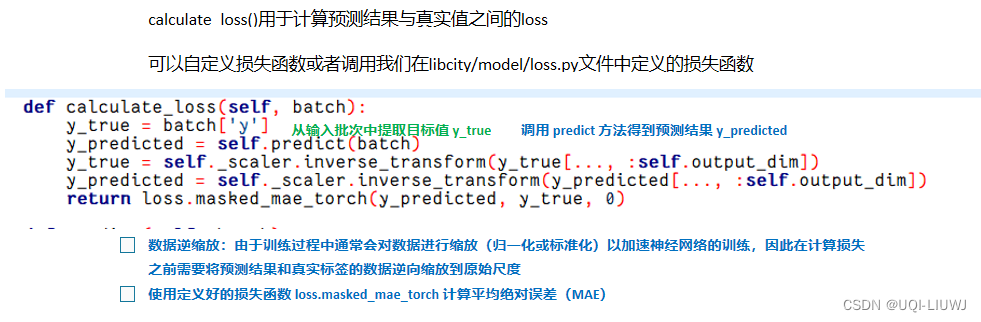
创建的新模型应该继承AbstractModel或AbstractTrafficStateModel 交通状态预测任务——>继承 AbstractTrafficStateModel类轨迹位置预测任务——>继承AbstractModel类 1 AbstractTrafficStateModel 2 RNN 2.1 构造函数 2.2 predict 2.3 calculate_loss...
Ansible---自动化运维工具
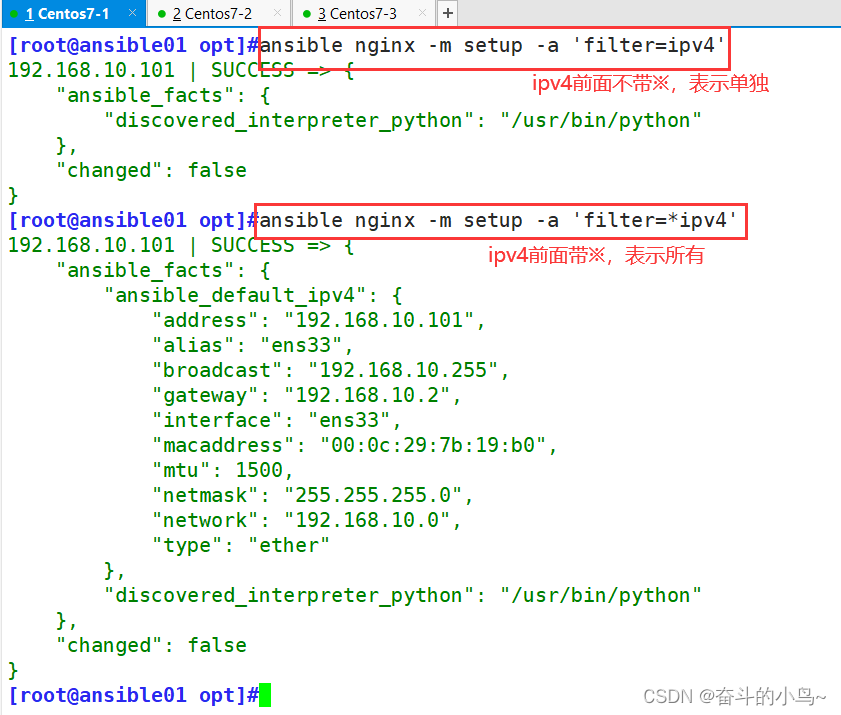
一、Ansible概述 1.1 Ansible简介 Ansible是一款自动化运维工具,通过ssh对目标主机进行配置、应用部署、任务执行、编排调度等操作。它简化了复杂的环境管理和自动化任务,提高了工作效率和一致性,同时,Ansible的剧本(playbooks)…...

5.Git
Git是一个分布式版本控制工具,主要用于管理开发过程中的源代码文件(Java类、xml文件、html文件等)。通过Git仓库来存储和管理这些文件,Git仓库分为两种 本地仓库:开发人员自己电脑上的Git仓库远程仓库:远程…...
探索中位数快速排序算法:高效寻找数据集的中间值
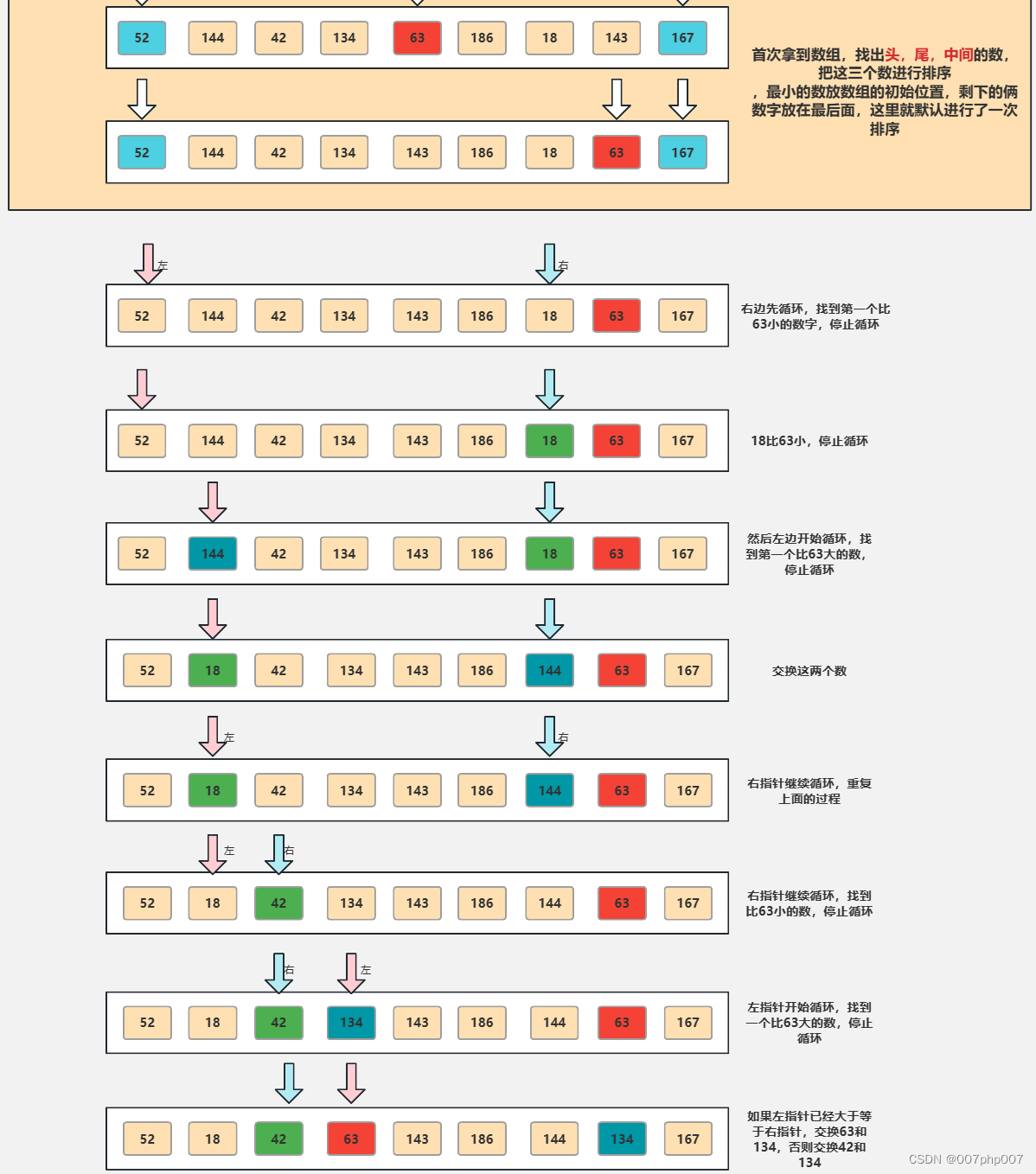
在计算机科学领域,寻找数据集的中位数是一个常见而重要的问题。而快速排序算法作为一种高效的排序算法,可以被巧妙地利用来解决中位数查找的问题。本文将深入探讨中位数快速排序算法的原理、实现方法以及应用场景,带你领略这一寻找中间值的高…...
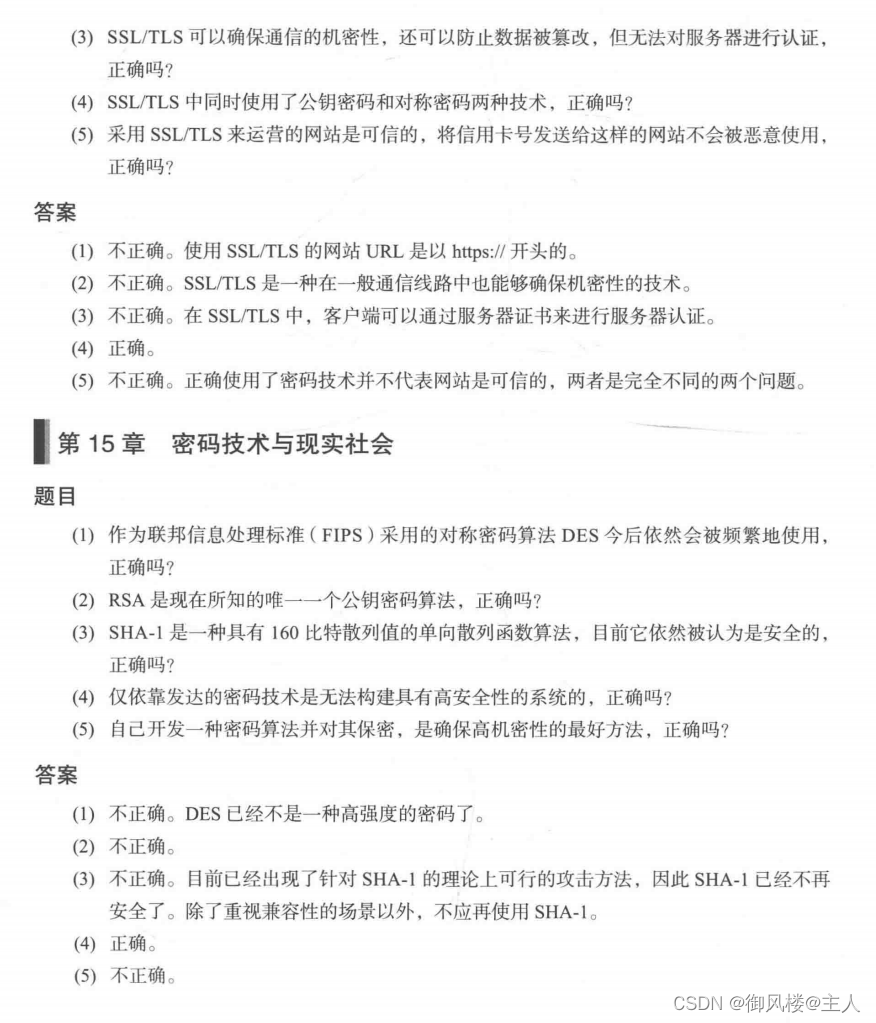
密码学《图解密码技术》 记录学习 第十五章
目录 十五章 15.1本章学习的内容 15.2 密码技术小结 15.2.1 密码学家的工具箱 15.2.2 密码与认证 15.2.3 密码技术的框架化 15.2.4 密码技术与压缩技术 15.3 虚拟货币——比特币 15.3.1 什么是比特币 15.3.2 P2P 网络 15.3.3地址 15.3.4 钱包 15.3.5 区块链 15.3.…...

如何在 Ubuntu 16.04 上为 Nginx 创建自签名 SSL 证书
简介 TLS,即传输层安全协议,及其前身SSL,即安全套接字层,是用于将普通流量包装在受保护的加密包装中的网络协议。 使用这项技术,服务器可以在服务器和客户端之间安全地发送流量,而不会被外部方拦截。证书…...

5.协议的编解码
本章内容其实没有多大难度,主要考察大家的细心程度.计算数据长度然后截取相应字节数组并按照协议进行解码,编码则反之。 1.基础消息的编解码 Override public BasicMessage decode(byte[] bytes) {int dataLength ByteUtil.bytesToInt(ByteUtil.extra…...

数据结构基础| 线性表
线性表 定义 没有元素则为空表 例子: 稀疏多项式的运算 图书信息管理系统 特点 线性结构 同类型 线性表的类型定义 1.基本操作: InitList(&L) 操作结果:构造空的线性表L DestroyList(&L) 初始化条件:线性表L存在 操作结果:销毁线性表L(线性表L不存在) Cle…...

嵌入式学习
笔记 作业 有如下结构体 struct Student{ char name[16]; int age; double math_score; double chinese_score; double english_score; double physics_score; double chemistry…...
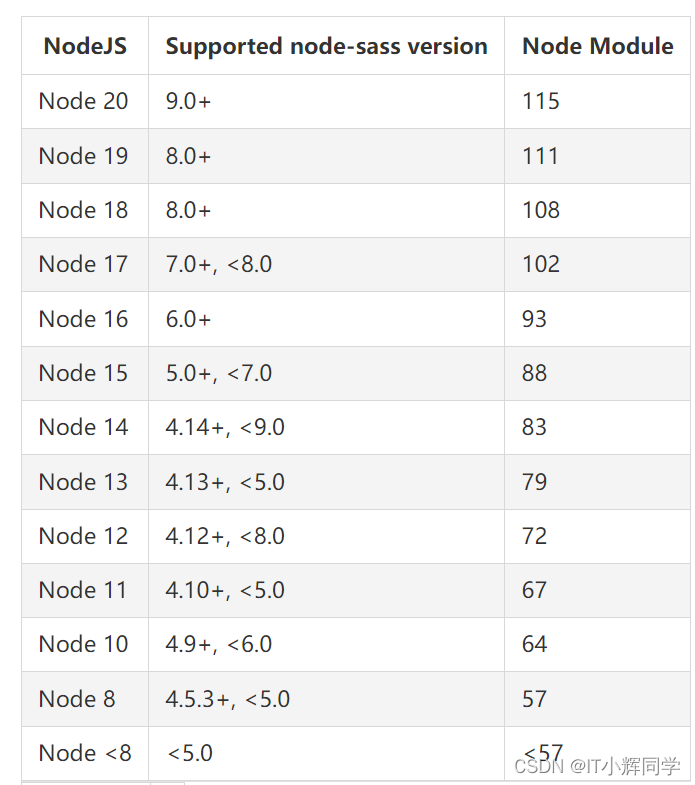
sass-loader和node-sass与node版本的依赖问题
sass-loader和node-sass与node版本的依赖问题 没有人会陪你走到最后,碰到了便是有缘,即使到了要下车的时候,也要心存感激地告别,在心里留下空白的一隅之地,多年后想起时依然心存甘味。——林清玄 报错截图 报错信息 np…...
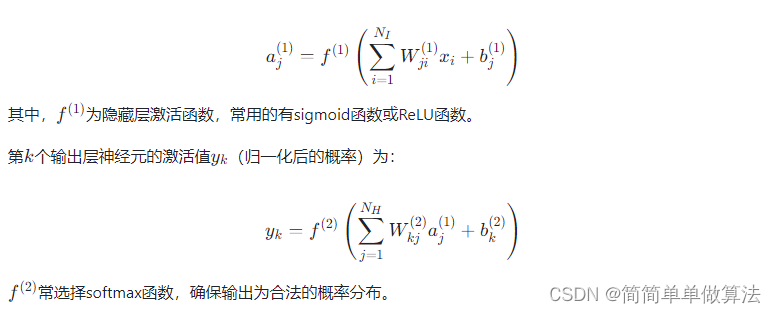
基于BP神经网络的QPSK解调算法matlab性能仿真
目录 1.算法运行效果图预览 2.算法运行软件版本 3.部分核心程序 4.算法理论概述 5.算法完整程序工程 1.算法运行效果图预览 2.算法运行软件版本 matlab2022a 3.部分核心程序 ........................................................................ for ij 1:leng…...

Linux服务器常用巡检命令
在Linux服务器上进行常规巡检是确保服务器稳定性和安全性的重要措施之一。以下是一些常用的巡检命令和技巧: 1. 查看系统信息 1.1 系统信息显示 命令:uname -a [rootlinux100 ~]# uname -a Linux linux100 4.15.0-70-generic #79-Ubuntu SMP…...
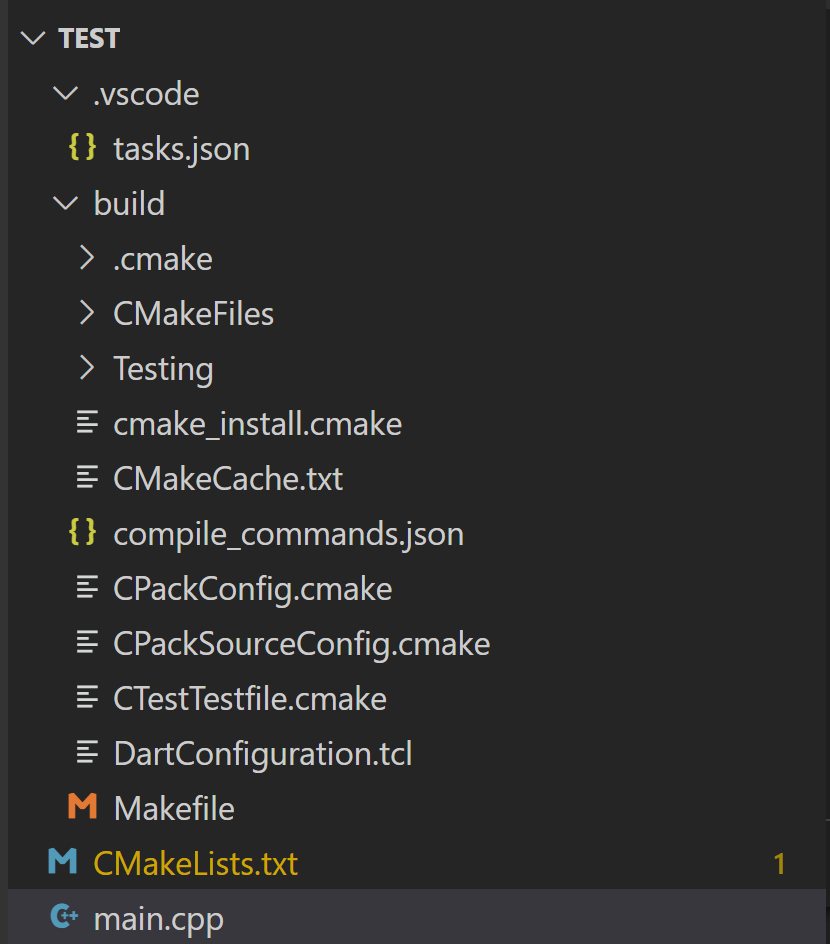
VSCode 配置 CMake
VSCode 配置 C/C 环境的详细过程可参考:VSCode 配置 C/C 环境 1 配置C/C编译环境 如果是 Windows 环境,需要安装 MingW。 方案一 可以去官网(https://sourceforge.net/projects/mingw-w64/)下载安装包。 注意安装路径不要出现中文。 打开 windows she…...
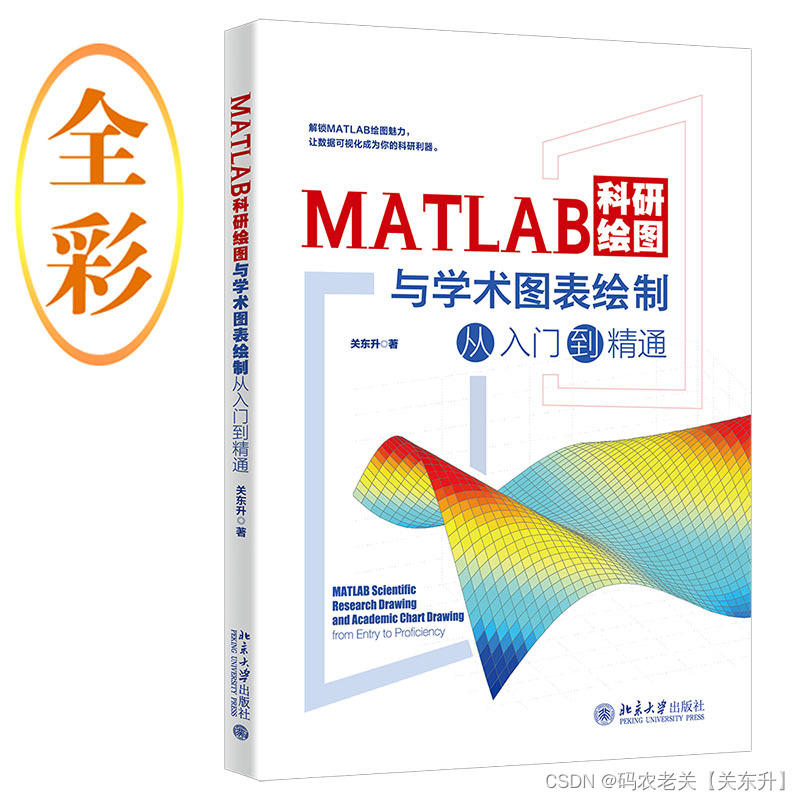
《MATLAB科研绘图与学术图表绘制从入门到精通》示例:绘制德国每日风能和太阳能产量3D线图
在MATLAB中,要绘制3D线图,可以使用 plot3 函数。 在《MATLAB科研绘图与学术图表绘制从入门到精通》书中通过绘制德国每日风能和太阳能产量3D线图解释了如何在MATLAB中绘制3D线图。 购书地址:https://item.jd.com/14102657.html...

【信息系统项目管理师知识点速记】质量管理:控制质量
控制质量是为了评估绩效,确保项目输出完整、正确且满足客户期望,而监督和记录质量管理活动执行结果的过程。控制质量过程需要在整个项目期间开展,其目的是测量产品或服务的完整性、合规性和适用性,以确保项目达到主要干系人的质量要求。 12.5.1 输入 项目管理计划 质量管理…...

RestClient
什么是RestClient RestClient 是 Elasticsearch 官方提供的 Java 低级 REST 客户端,它允许HTTP与Elasticsearch 集群通信,而无需处理 JSON 序列化/反序列化等底层细节。它是 Elasticsearch Java API 客户端的基础。 RestClient 主要特点 轻量级ÿ…...

golang循环变量捕获问题
在 Go 语言中,当在循环中启动协程(goroutine)时,如果在协程闭包中直接引用循环变量,可能会遇到一个常见的陷阱 - 循环变量捕获问题。让我详细解释一下: 问题背景 看这个代码片段: fo…...

模型参数、模型存储精度、参数与显存
模型参数量衡量单位 M:百万(Million) B:十亿(Billion) 1 B 1000 M 1B 1000M 1B1000M 参数存储精度 模型参数是固定的,但是一个参数所表示多少字节不一定,需要看这个参数以什么…...
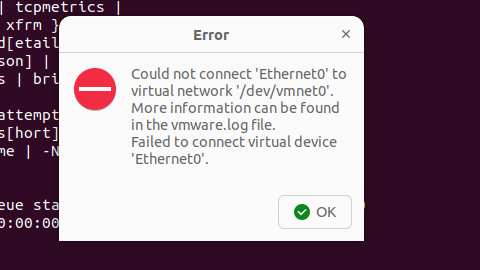
解决Ubuntu22.04 VMware失败的问题 ubuntu入门之二十八
现象1 打开VMware失败 Ubuntu升级之后打开VMware上报需要安装vmmon和vmnet,点击确认后如下提示 最终上报fail 解决方法 内核升级导致,需要在新内核下重新下载编译安装 查看版本 $ vmware -v VMware Workstation 17.5.1 build-23298084$ lsb_release…...
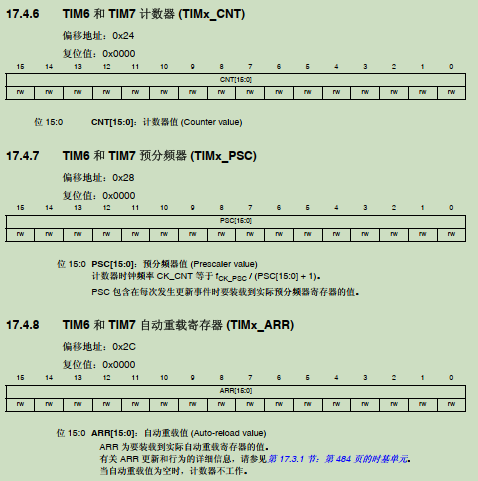
STM32F4基本定时器使用和原理详解
STM32F4基本定时器使用和原理详解 前言如何确定定时器挂载在哪条时钟线上配置及使用方法参数配置PrescalerCounter ModeCounter Periodauto-reload preloadTrigger Event Selection 中断配置生成的代码及使用方法初始化代码基本定时器触发DCA或者ADC的代码讲解中断代码定时启动…...
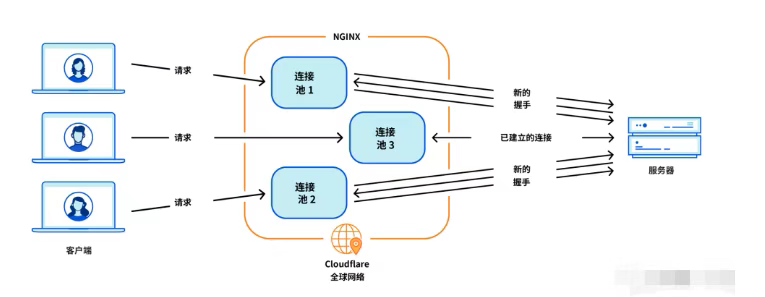
Cloudflare 从 Nginx 到 Pingora:性能、效率与安全的全面升级
在互联网的快速发展中,高性能、高效率和高安全性的网络服务成为了各大互联网基础设施提供商的核心追求。Cloudflare 作为全球领先的互联网安全和基础设施公司,近期做出了一个重大技术决策:弃用长期使用的 Nginx,转而采用其内部开发…...

视觉slam十四讲实践部分记录——ch2、ch3
ch2 一、使用g++编译.cpp为可执行文件并运行(P30) g++ helloSLAM.cpp ./a.out运行 二、使用cmake编译 mkdir build cd build cmake .. makeCMakeCache.txt 文件仍然指向旧的目录。这表明在源代码目录中可能还存在旧的 CMakeCache.txt 文件,或者在构建过程中仍然引用了旧的路…...
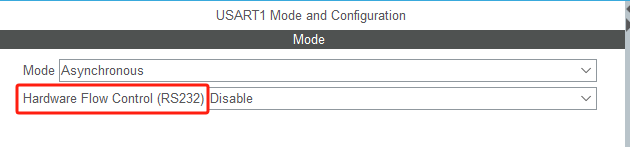
STM32HAL库USART源代码解析及应用
STM32HAL库USART源代码解析 前言STM32CubeIDE配置串口USART和UART的选择使用模式参数设置GPIO配置DMA配置中断配置硬件流控制使能生成代码解析和使用方法串口初始化__UART_HandleTypeDef结构体浅析HAL库代码实际使用方法使用轮询方式发送使用轮询方式接收使用中断方式发送使用中…...
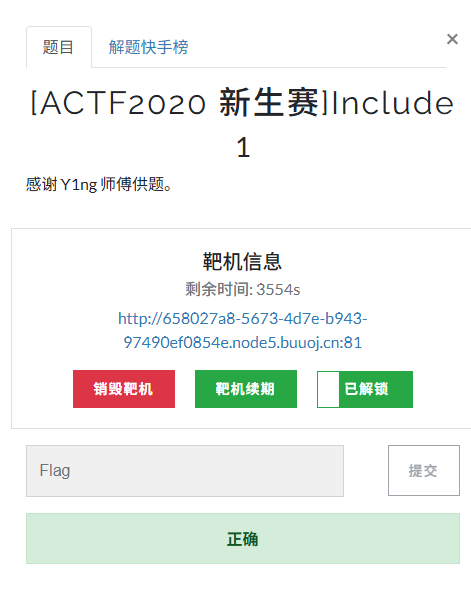
[ACTF2020 新生赛]Include 1(php://filter伪协议)
题目 做法 启动靶机,点进去 点进去 查看URL,有 ?fileflag.php说明存在文件包含,原理是php://filter 协议 当它与包含函数结合时,php://filter流会被当作php文件执行。 用php://filter加编码,能让PHP把文件内容…...
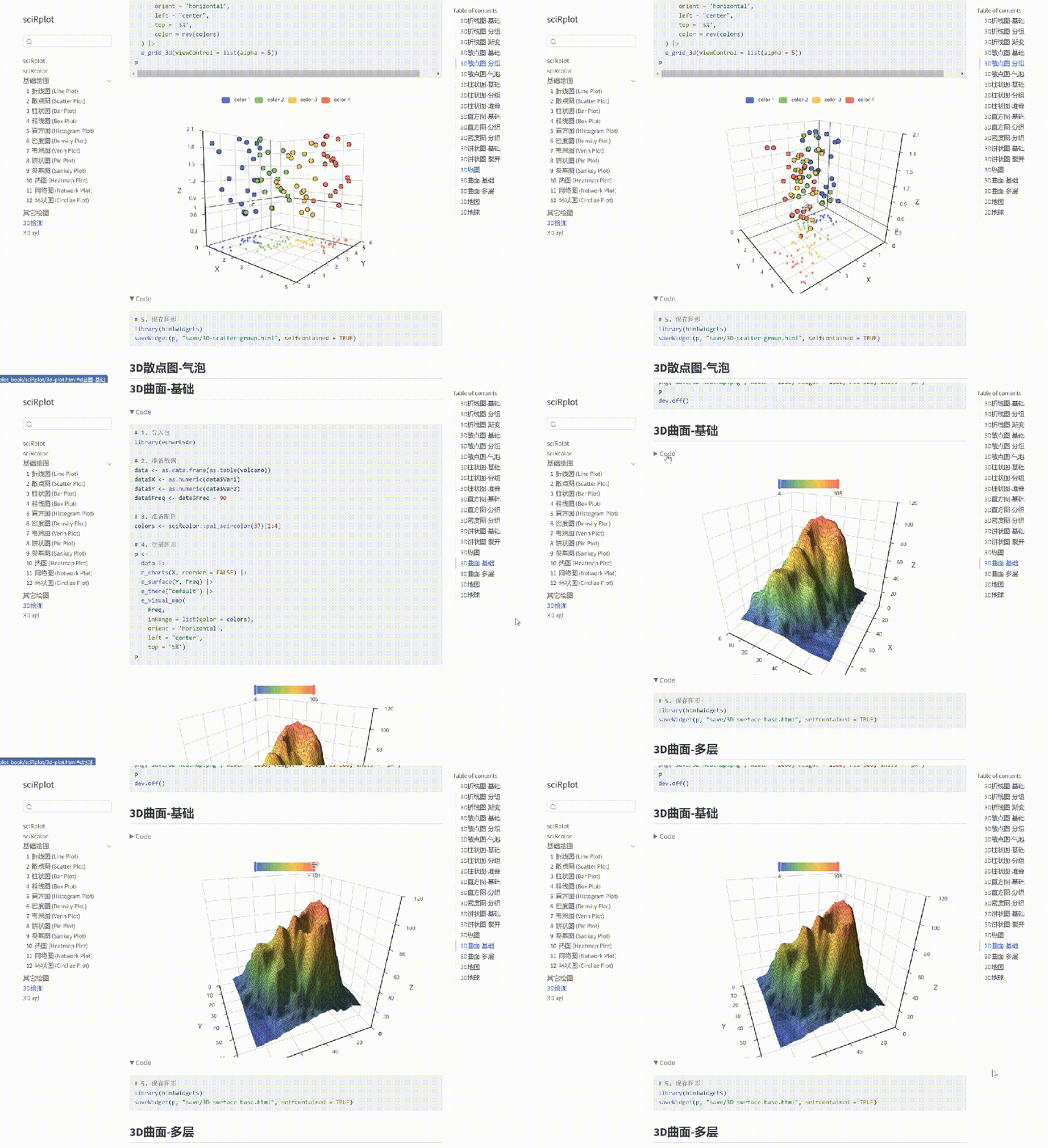
R 语言科研绘图第 55 期 --- 网络图-聚类
在发表科研论文的过程中,科研绘图是必不可少的,一张好看的图形会是文章很大的加分项。 为了便于使用,本系列文章介绍的所有绘图都已收录到了 sciRplot 项目中,获取方式: R 语言科研绘图模板 --- sciRplothttps://mp.…...