
WPF+Mvvm项目入门完整教程-仓储管理系统(二)
目录
- 一、搭建一个主界面框架
- 二、实现步骤
- 1.主界面区域划分
- 2.主界面区域实现
一、搭建一个主界面框架
主要实现主界面的框架样式和基础功能。这里特别说明一下,由于MvvmLight 已经过时不在维护,本项目决定将MvvmLight框架变更为 CommunityToolkit.Mvvm 框架,使用方法和 MvvmLight 一样,具体配置大家可以参考像 MvvmLight 一样使用 CommunityToolkit.Mvvm 工具包 这篇文章。本节实现效果如下所示:

二、实现步骤
1.主界面区域划分
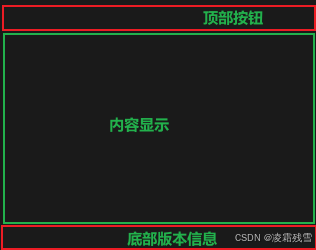
这里我们分析一下,主界面一共分成上中下三个区域,最上面的为系统功能按钮,中间区域显示内容信息,底部显示系统版本版权信息等。分割效果图如下:
2.主界面区域实现
MainWindow.xaml 文件完整代码如下:
<Window x:Class="CommonProject_DeskTop.MainWindow"xmlns="http://schemas.microsoft.com/winfx/2006/xaml/presentation"xmlns:x="http://schemas.microsoft.com/winfx/2006/xaml"xmlns:d="http://schemas.microsoft.com/expression/blend/2008"xmlns:mc="http://schemas.openxmlformats.org/markup-compatibility/2006"xmlns:local="clr-namespace:CommonProject_DeskTop"xmlns:behavior="http://schemas.microsoft.com/xaml/behaviors"xmlns:viewmodel="clr-namespace:CommonProject_DeskTop.ViewModel" mc:Ignorable="d" Title="通用基础案例"DataContext="{Binding Source={StaticResource Locator},Path=Main}" MinWidth="1200" MinHeight="700"ResizeMode="CanResize" Background="#1F1F1F" AllowsTransparency="True" WindowStyle="None" WindowStartupLocation="CenterScreen"><Window.Resources><ResourceDictionary><ResourceDictionary.MergedDictionaries><ResourceDictionary Source="/Assets/Styles/SystemButton.xaml"/></ResourceDictionary.MergedDictionaries></ResourceDictionary></Window.Resources><Grid x:Name="MainContent" ClipToBounds="True" Background="Transparent"><Grid.RowDefinitions><RowDefinition Height="40"/><RowDefinition Height="*"/><RowDefinition Height="30"/></Grid.RowDefinitions><!--顶部系统菜单按钮--><Grid Background="#1F2336" MouseDown="DragMoveWindow"><!--绘制多边形形状作为标题背景底色--><Polygon Points="0 0,280,0,220 40 20 40 0 40" StrokeThickness="0" Stroke="White" HorizontalAlignment="Left"><Polygon.Fill><SolidColorBrush Color="Gray"/></Polygon.Fill></Polygon><TextBlock Text="仓储管理系统" TextAlignment="Left" VerticalAlignment="Center" FontSize="20" Foreground="Gold" Margin="35 0 0 0"/><!--系统按钮--><StackPanel HorizontalAlignment="Right" Orientation="Horizontal" Margin="0 0 10 0" VerticalAlignment="Center" ><Button Content="" ToolTip="登录" Style="{StaticResource SystemButtonStyle}" Command="{Binding ButtonClickCmd}" CommandParameter="{Binding RelativeSource={RelativeSource Mode=Self},Path=ToolTip}"/><Button Content="" ToolTip="最小化" Style="{StaticResource SystemButtonStyle}" Command="{Binding ButtonClickCmd}" CommandParameter="{Binding RelativeSource={RelativeSource Mode=Self},Path=ToolTip}"/><Button Content="" ToolTip="最大化" Style="{StaticResource SystemButtonStyle}" Command="{Binding ButtonClickCmd}" CommandParameter="{Binding RelativeSource={RelativeSource Mode=Self},Path=ToolTip}"/><Button Content="" ToolTip="关闭" Style="{StaticResource SystemButtonStyle}" Command="{Binding ButtonClickCmd}" CommandParameter="{Binding RelativeSource={RelativeSource Mode=Self},Path=ToolTip}"/></StackPanel></Grid><Grid Grid.Row="1"><Grid><Grid.ColumnDefinitions><ColumnDefinition Width="130"/><ColumnDefinition Width="*"/></Grid.ColumnDefinitions><Rectangle Fill="#111111"/><ListBox Margin="0 5 0 0" Background="Transparent" Foreground="White" BorderThickness="0" FontSize="16" Name="listMenu"><behavior:Interaction.Triggers><behavior:EventTrigger EventName="SelectionChanged"><behavior:InvokeCommandAction Command="{Binding RelativeSource={RelativeSource AncestorType=ListBox}, Path=DataContext.MenuClickCmd}" CommandParameter="{Binding ElementName=listMenu,Path=SelectedItem}"/></behavior:EventTrigger></behavior:Interaction.Triggers><ListBox.ItemContainerStyle><Style TargetType="ListBoxItem"><Setter Property="Template"><Setter.Value><ControlTemplate TargetType="ListBoxItem"><StackPanel Height="35" Orientation="Horizontal" Background="Transparent" Name="container" Cursor="Hand"><Rectangle Fill="DarkRed" VerticalAlignment="Stretch" Width="5" Visibility="Hidden" Name="leftSlideRectangle"/><ContentPresenter VerticalAlignment="Center" Margin="15 0 0 0"/></StackPanel><ControlTemplate.Triggers><Trigger Property="IsSelected" Value="True"><Setter Property="Visibility" Value="Visible" TargetName="leftSlideRectangle"/><Setter Property="Background" Value="#3a3a3a" TargetName="container"/></Trigger><Trigger Property="IsMouseOver" Value="True"><Setter Property="Visibility" Value="Visible" TargetName="leftSlideRectangle"/><Setter Property="Opacity" Value="0.5" TargetName="leftSlideRectangle"/><Setter Property="Background" Value="#1a1a1a" TargetName="container"/></Trigger></ControlTemplate.Triggers></ControlTemplate></Setter.Value></Setter></Style></ListBox.ItemContainerStyle><ListBoxItem Content="首页"/><ListBoxItem Content="物资管理"/><ListBoxItem Content="仓库设置"/><ListBoxItem Content="库位管理"/><ListBoxItem Content="客户管理"/><ListBoxItem Content="供应商管理"/><ListBoxItem Content="物资入库"/><ListBoxItem Content="物资出库"/><ListBoxItem Content="入库管理"/><ListBoxItem Content="出库管理"/></ListBox></Grid></Grid><!--底部版本信息--><Grid Grid.Row="2" Background="#424242"><Grid.ColumnDefinitions><ColumnDefinition/><ColumnDefinition/><ColumnDefinition/><ColumnDefinition Width="*"/></Grid.ColumnDefinitions><StatusBarItem Grid.Column="0" FontSize="10" Foreground="#F5F5F5" HorizontalAlignment="Center" Content="版权@2024"/><StatusBarItem Grid.Column="1" FontSize="10" Foreground="#F5F5F5" HorizontalAlignment="Center" Content="XXXXXXXXX有限公司"/><StatusBarItem Grid.Column="3" HorizontalAlignment="Center" ><TextBlock Text="{Binding DateTimeStr}" FontSize="10" Foreground="#EBEBEB"/></StatusBarItem></Grid></Grid>
</Window>
2、MainWindow.xaml.cs 后端代码如下:
using CommonProject_DeskTop.ViewModel;
using CommunityToolkit.Mvvm.Messaging;
using Microsoft.Extensions.DependencyInjection;
using System;
using System.Collections.Generic;
using System.Diagnostics;
using System.Linq;
using System.Text;
using System.Threading.Tasks;
using System.Windows;
using System.Windows.Controls;
using System.Windows.Data;
using System.Windows.Documents;
using System.Windows.Input;
using System.Windows.Media;
using System.Windows.Media.Imaging;
using System.Windows.Navigation;
using System.Windows.Shapes;namespace CommonProject_DeskTop
{/// <summary>/// MainWindow.xaml 的交互逻辑/// </summary>public partial class MainWindow : Window{public MainWindow(){InitializeComponent();//消息注册RegisterMessage();}private void RegisterMessage(){注册一个系统菜单功能消息WeakReferenceMessenger.Default.Register<string>(this, HandleMessage);}private void HandleMessage(object recipient, string message){switch (message){case "MainWindowClose":AppClose();break;case "MainWindowMax":MainWindowMax();break;case "MainWindowMin":MainWindowMin();break;}}/// <summary>/// 窗体最小化/// </summary>private void MainWindowMin(){this.WindowState = WindowState.Minimized;}/// <summary>/// 窗体最大化/// </summary>private void MainWindowMax(){if (this.WindowState == WindowState.Maximized){this.WindowState = WindowState.Normal;}else{this.WindowState = WindowState.Maximized;}}/// <summary>/// 退出系统/// </summary>private void AppClose(){//DataCenter.Instance.Dispose();string appName = AppDomain.CurrentDomain.SetupInformation.ApplicationName.Replace(".exe", "");foreach (var item in Process.GetProcessesByName(appName)){item.Kill();}}/// <summary>/// 窗体拖拽方法/// </summary>/// <param name="sender"></param>/// <param name="e"></param>private void DragMoveWindow(object sender, MouseButtonEventArgs e){this.WindowState = WindowState.Normal;if (e.LeftButton == MouseButtonState.Pressed && this.WindowState != WindowState.Maximized){this.DragMove();}}}
}
3、MainViewModel.cs 文件代码如下:
using CommunityToolkit.Mvvm.ComponentModel;
using CommunityToolkit.Mvvm.Input;
using CommunityToolkit.Mvvm.Messaging;
using System;
using System.Collections.Generic;
using System.Linq;
using System.Text;
using System.Threading.Tasks;
using System.Windows;
using System.Windows.Controls;
using System.Windows.Threading;namespace CommonProject_DeskTop.ViewModel
{public class MainViewModel : ObservableObject{#region 属性[ObservableProperty]private string dateTimeStr;public string DateTimeStr{get { return dateTimeStr; }set { SetProperty(ref dateTimeStr, value); }}#endregion#region 命令public RelayCommand<string> ButtonClickCmd { get; set; }public RelayCommand<object>MenuClickCmd { get; set; }#endregion#region 方法#region 系统按钮方法private void FunMenu(string p){switch (p){case "最小化":WindowMin();break;case "最大化":WindowMax();break;case "关闭":AppClose();break;}}private void AppClose(){WeakReferenceMessenger.Default.Send("MainWindowClose");}private void WindowMax(){WeakReferenceMessenger.Default.Send("MainWindowMax");}private void WindowMin(){WeakReferenceMessenger.Default.Send("MainWindowMin");}#endregion#region 菜单按钮方法private void MenuChange(object obj){var menu =obj as ListBoxItem;switch (menu.Content.ToString()){case "首页":MessageBox.Show(menu.Content.ToString(), "");break;case "物资管理":MessageBox.Show(menu.Content.ToString(), "");break;case "仓库设置":MessageBox.Show(menu.Content.ToString(),"");break;case "库位管理":MessageBox.Show(menu.Content.ToString(), "");break;case "客户管理":MessageBox.Show(menu.Content.ToString(), "");break;case "供应商管理":MessageBox.Show(menu.Content.ToString(), "");break;case "物资入库":MessageBox.Show(menu.Content.ToString(), "");break;case "物资出库":MessageBox.Show(menu.Content.ToString(), "");break;case "入库管理":MessageBox.Show(menu.Content.ToString(), "");break;case "出库管理":MessageBox.Show(menu.Content.ToString(), "");break;}}#endregionprivate void CreateTimer(){#region 系统时间定时器获取时间数据DispatcherTimer cpuTimer = new DispatcherTimer{Interval = new TimeSpan(0, 0, 0, 1, 0)};cpuTimer.Tick += DispatcherTimer_Tick;cpuTimer.Start();#endregion}private void DispatcherTimer_Tick(object sender, EventArgs e){DateTimeStr = DateTime.Now.ToString("yyyy年MM月dd日 HH:mm:ss");}#endregionpublic MainViewModel(){ButtonClickCmd = new RelayCommand<string>(FunMenu);MenuClickCmd = new RelayCommand<object>(MenuChange);//创建定时器CreateTimer();}}
}
4、SystemButton.xaml 样式文件代码如下:
<ResourceDictionary xmlns="http://schemas.microsoft.com/winfx/2006/xaml/presentation"xmlns:x="http://schemas.microsoft.com/winfx/2006/xaml"><Style TargetType="Button" x:Key="SystemButtonStyle"><Setter Property="FontSize" Value="14"/><Setter Property="Height" Value="36"/><Setter Property="Width" Value="50"/><Setter Property="Margin" Value="3 0 3 0"/><Setter Property="Foreground" Value="Gainsboro"/><Setter Property="Tag" Value="#3F3F41"/><Setter Property="Template"><Setter.Value><ControlTemplate TargetType="Button"><Grid Background="Transparent" Height="{TemplateBinding Height}" Width="{TemplateBinding Width}" Name="back"><Border Name="hover" Background="{TemplateBinding Background}" Visibility="Collapsed"/><TextBlock Text="{TemplateBinding Content}" FontFamily="{DynamicResource iconfont}" VerticalAlignment="Center" HorizontalAlignment="Center" Name="txt"/></Grid><ControlTemplate.Triggers><Trigger Property="IsMouseOver" Value="True"><Setter Property="Visibility" Value="Visible" TargetName="hover"/></Trigger></ControlTemplate.Triggers></ControlTemplate></Setter.Value></Setter><Style.Triggers><Trigger Property="IsMouseOver" Value="True"><Setter Property="Background" Value="{Binding Tag,RelativeSource={RelativeSource Mode=Self}}"/></Trigger></Style.Triggers></Style>
</ResourceDictionary>
相关文章:
WPF+Mvvm项目入门完整教程-仓储管理系统(二)
目录 一、搭建一个主界面框架二、实现步骤1.主界面区域划分2.主界面区域实现 一、搭建一个主界面框架 主要实现主界面的框架样式和基础功能。这里特别说明一下,由于MvvmLight 已经过时不在维护,本项目决定将MvvmLight框架变更为 CommunityToolkit.Mvvm …...

SkyWalking入门搭建【apache-skywalking-apm-10.0.0】
Java学习文档 视频讲解 文章目录 一、准备二、服务启动2-1、Nacos启动2-2、SkyWalking服务端启动2-3、SkyWalking控制台启动2-4、自定义服务接入 SkyWalking 三、常用监控3-1、服务请求通过率3-2、服务请求拓扑图3-3、链路 四、日志配置五、性能剖析六、数据持久化6-1、MySQL持…...

exo项目目录架构
目录 .yml 文件是 YAML(YAML Aint Markup Language) exo项目目录架构 文件作用 topology、viz:项目拓扑结构可视化相关的代码或工具。 项目目录架构 文件作用 .yml 文件是 YAML(YAML Aint Markup Language) 文件的扩展名,YAML 是一种人类可读的数据序列化标准,通…...

mysql中where与on区别
WHERE子句 作用范围:WHERE子句主要用于过滤FROM子句返回的结果集。它可以在SELECT、UPDATE、DELETE语句中使用,以限制哪些行被包含在最终的查询结果中,或者哪些行被更新或删除。应用场景:当需要基于某些条件过滤结果集时…...
)
filebeat把日志文件上传到Es中配置(ES7版本)
默认的filebeat配置会把所有的索引都放到一个文件中,通过摸索发现可以自定义索引的名字、模板、生命周期 (重点注意)该配置文件只适应于ES版本是7,不适应于8的版本,两个版本的配置文件差异很大 /app/logs/info.log日…...

Vue Router基础
Router 的作用是在单页应用(SPA)中将浏览器的URL和用户看到的内容绑定起来。当用户在浏览不同页面时,URL会随之更新,但页面不需要从服务器重新加载。 1 Router 基础 RouterView RouterView 用于渲染当前URL路径对应的路由组件。…...

Apache压测工具ab(Apache Bench)工具的下载安装和使用示例
场景 Jmeter进行http接口压力测试: Jmeter进行http接口压力测试_接口压测两万量-CSDN博客 上面讲压测工具Jmeter的使用,下面介绍另外一个ab(Apache Bench)压测工具的使用。 apache bench apache bench是apache自带的压力测试工具。 ab不仅可以对ap…...

IPIDEA与Python爬虫:联手解锁全球电商数据宝库
IPIDEA与Python爬虫:联手解锁全球电商数据宝库 如何运用代理IP在电商领域进行高效数据采集。特别是在遭遇访问限制的情况下,如何优雅地绕过那些恼人的访问管理机制。当然,在我们的探险之旅中,开源神器PlugLink也将适时出场&#…...

Fine-BI学习笔记
官方学习文档:快速入门指南- FineBI帮助文档 FineBI帮助文档 (fanruan.com) 1.零基础入门 1.1 功能简介 完成四个流程:新建分析主题、添加数据、分析数据、分享协作。 示例数据获取:5分钟上手FineBI - FineBI帮助文档 (fanruan.com) 1.2 …...

AI 辅助编程 Coding AI 辅助研发组织的技术蓝图
简简单单 Online zuozuo:欢迎商业合作 简简单单 Online zuozuo 简简单单 Online zuozuo 简简单单 Online zuozuo 简简单单 Online zuozuo :本心、输入输出、结果 简简单单 Online zuozuo :联系我们:VX :tja6288 / EMAIL: 347969164@qq.com 文章目录 AI 辅助编程 Coding A…...

VScode 批量操作
VScode 批量操作 批量修改 按住 alt/option 键, 选择需要批量操作的位置 如果是多行,则按住 altshift 键 可以直接操作 但是有时候比如变量命名,可能需要递增操作的命名 需要下载插件 Increment Selection 按照1的方法多选光标之后&am…...

【Linux】管道通信和 system V 通信
文章目录 一、进程通信原理(让不同进程看到同一份资源)二、管道通信2.1 管道原理及其特点2.1 匿名管道和命名管道 三、共享内存通信3.1 共享内存原理3.2 创建和关联共享内存3.3 去关联、ipc 指令和删除共享内存 四、消息队列和信号量(了解&am…...

Python | Leetcode Python题解之第279题完全平方数
题目: 题解: class Solution { public:// 判断是否为完全平方数bool isPerfectSquare(int x) {int y sqrt(x);return y * y x;}// 判断是否能表示为 4^k*(8m7)bool checkAnswer4(int x) {while (x % 4 0) {x / 4;}return x % 8 7;}int numSquares(i…...

mysql定时备份
为什么写这篇文章 最近项目里面需要定时备份mysql的数据,网上找了下,找到了一些比较好的解决方案。但是发现有几个地方与自己不匹配,我期望有如下 备份过程不能锁表,网上很多都是会锁表备份定时任务无法执行,但是手动…...

数据结构:逻辑结构与物理结构
逻辑结构与物理结构 逻辑结构1. 集合结构2. 线性结构3. 树形结构4. 图形结构 物理结构1. 顺序存储结构2. 链式存储结构 示例逻辑结构的示例:线性表物理结构的示例 结论 逻辑结构 逻辑结构描述了数据元素之间的逻辑关系,它是数据结构的抽象描述ÿ…...

pycharm报错:No module named pip/No module named pytest
1、问题概述? 今天在执行一个python脚本的时候,控制台提示:No module named pytest,就是没有pytest模块,于是我使用pip命令进行安装,命令如下; pip install pytest 结果又提示No module named pip,说我没有pip模块,没办法,再安装pip 2、安装pip-方式1 在pycharm的T…...

Linux:Linux权限
目录 1. Linux权限的概念 2. Linux权限管理 2.1 文件访问者的分类 2.2 文件类型和访问权限 2.2.1 文件类型 2.2.2 基本权限 2.3 文件权限值的表示方法 2.4 文件访问权限的相关设置方法 2.4.1 chmod 2.4.2 chown 2.4.3 chgrp 2.4.4 umask 3. file指令 4. Linux目…...

新版Glide检测生命周期原理
本文章使用的是glide 4.15.1 public class RequestManagerRetriever implements Handler.Callback {rivate final LifecycleRequestManagerRetriever lifecycleRequestManagerRetriever;public RequestManagerRetriever(Nullable RequestManagerFactory factory, GlideExperim…...

Ansible的脚本-----playbook剧本【上】
目录 1.playbook剧本组成 2.playbook剧本实战演练 2.1 实战演练一:给被管理主机安装httpd服务 2.2 实战演练二:定义、引用变量 2.3 实战演练三:指定远程主机sudo切换用户 2.4 实战演练四:when条件判断 2.5 实战演练五&…...

sql注入学习与防护
一、SQL注入分类 SQL注入根据攻击方式的不同,可以分为以下几种类型: 数字型注入字符型注入报错注入布尔盲注时间盲注联合查询注入基于堆叠的查询注入 二、SQL注入流程 发现注入点猜测字段数确定显示字段获取数据库信息获取数据库中的表获取表中的字段获…...
【Oracle APEX开发小技巧12】
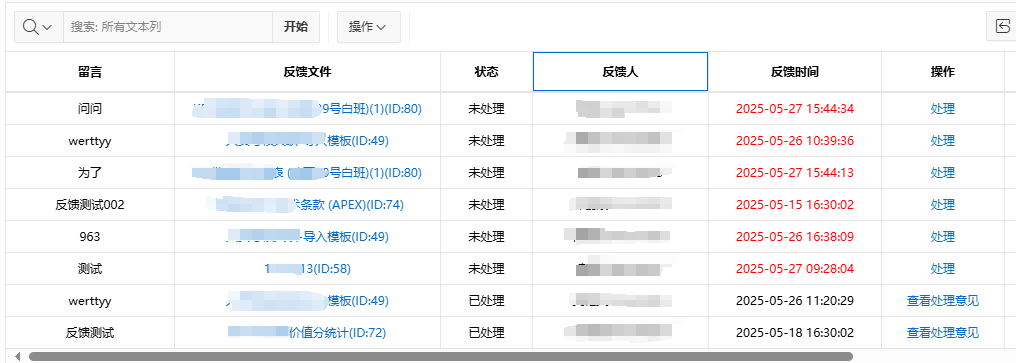
有如下需求: 有一个问题反馈页面,要实现在apex页面展示能直观看到反馈时间超过7天未处理的数据,方便管理员及时处理反馈。 我的方法:直接将逻辑写在SQL中,这样可以直接在页面展示 完整代码: SELECTSF.FE…...

多场景 OkHttpClient 管理器 - Android 网络通信解决方案
下面是一个完整的 Android 实现,展示如何创建和管理多个 OkHttpClient 实例,分别用于长连接、普通 HTTP 请求和文件下载场景。 <?xml version"1.0" encoding"utf-8"?> <LinearLayout xmlns:android"http://schemas…...
为什么需要建设工程项目管理?工程项目管理有哪些亮点功能?
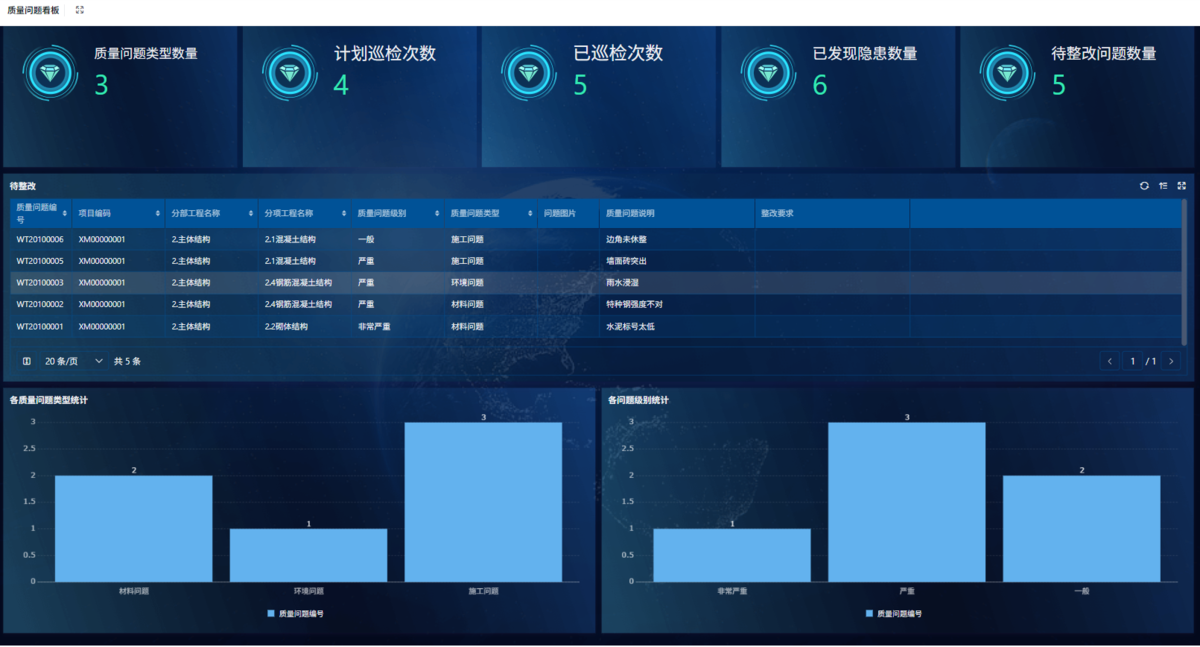
在建筑行业,项目管理的重要性不言而喻。随着工程规模的扩大、技术复杂度的提升,传统的管理模式已经难以满足现代工程的需求。过去,许多企业依赖手工记录、口头沟通和分散的信息管理,导致效率低下、成本失控、风险频发。例如&#…...
【单片机期末】单片机系统设计
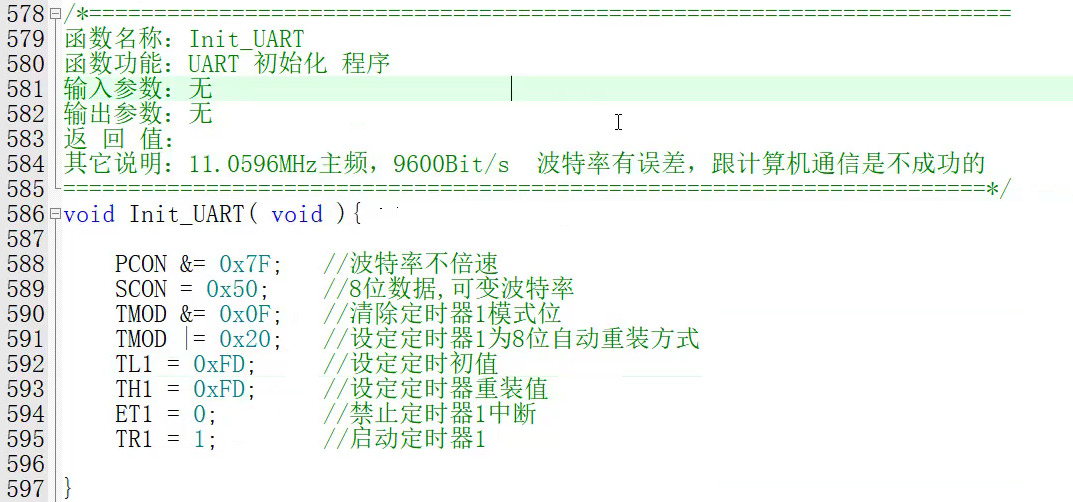
主要内容:系统状态机,系统时基,系统需求分析,系统构建,系统状态流图 一、题目要求 二、绘制系统状态流图 题目:根据上述描述绘制系统状态流图,注明状态转移条件及方向。 三、利用定时器产生时…...

MySQL用户和授权
开放MySQL白名单 可以通过iptables-save命令确认对应客户端ip是否可以访问MySQL服务: test: # iptables-save | grep 3306 -A mp_srv_whitelist -s 172.16.14.102/32 -p tcp -m tcp --dport 3306 -j ACCEPT -A mp_srv_whitelist -s 172.16.4.16/32 -p tcp -m tcp -…...
关键领域软件测试的突围之路:如何破解安全与效率的平衡难题
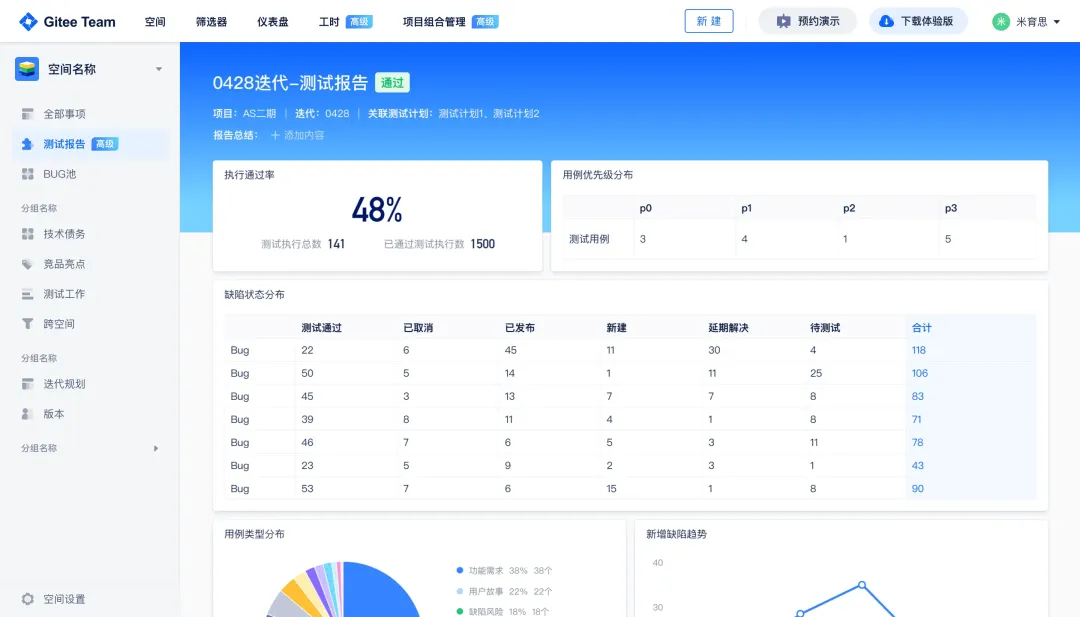
在数字化浪潮席卷全球的今天,软件系统已成为国家关键领域的核心战斗力。不同于普通商业软件,这些承载着国家安全使命的软件系统面临着前所未有的质量挑战——如何在确保绝对安全的前提下,实现高效测试与快速迭代?这一命题正考验着…...

Fabric V2.5 通用溯源系统——增加图片上传与下载功能
fabric-trace项目在发布一年后,部署量已突破1000次,为支持更多场景,现新增支持图片信息上链,本文对图片上传、下载功能代码进行梳理,包含智能合约、后端、前端部分。 一、智能合约修改 为了增加图片信息上链溯源,需要对底层数据结构进行修改,在此对智能合约中的农产品数…...

深度学习之模型压缩三驾马车:模型剪枝、模型量化、知识蒸馏
一、引言 在深度学习中,我们训练出的神经网络往往非常庞大(比如像 ResNet、YOLOv8、Vision Transformer),虽然精度很高,但“太重”了,运行起来很慢,占用内存大,不适合部署到手机、摄…...
MyBatis中关于缓存的理解
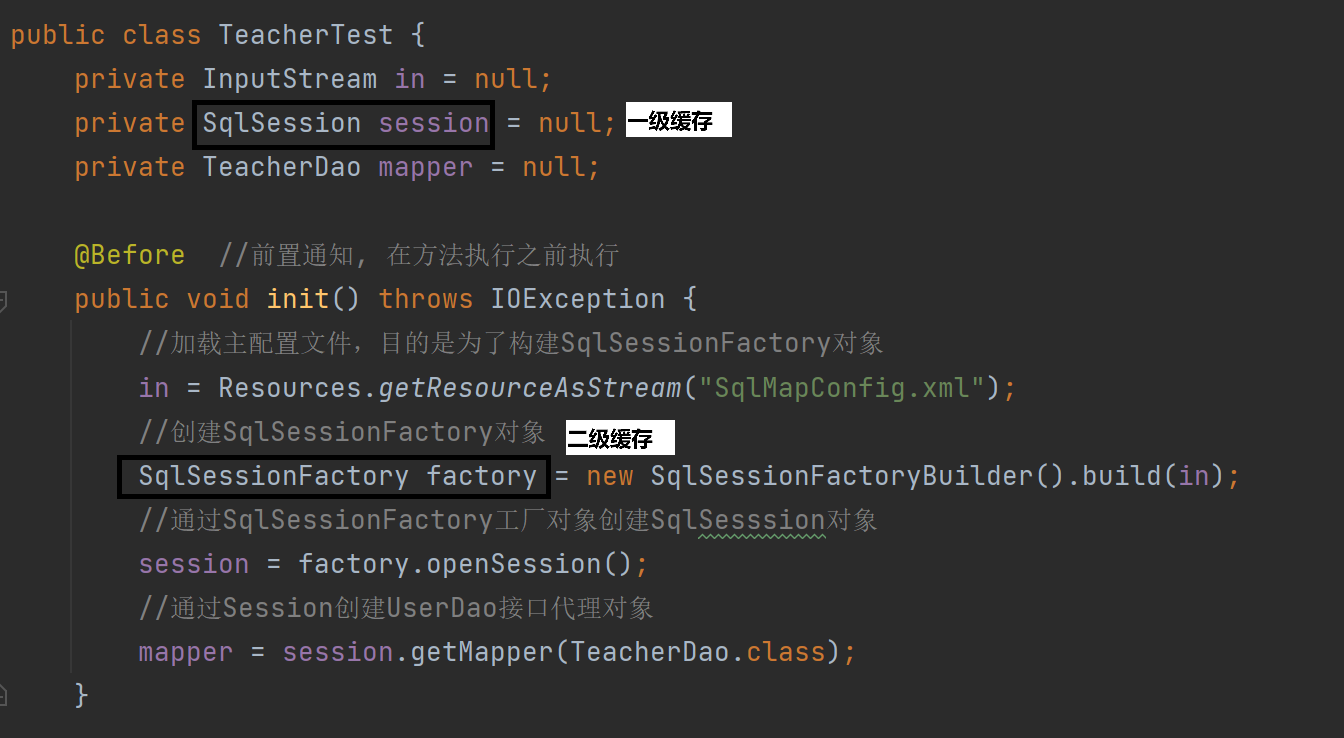
MyBatis缓存 MyBatis系统当中默认定义两级缓存:一级缓存、二级缓存 默认情况下,只有一级缓存开启(sqlSession级别的缓存)二级缓存需要手动开启配置,需要局域namespace级别的缓存 一级缓存(本地缓存&#…...

人工智能 - 在Dify、Coze、n8n、FastGPT和RAGFlow之间做出技术选型
在Dify、Coze、n8n、FastGPT和RAGFlow之间做出技术选型。这些平台各有侧重,适用场景差异显著。下面我将从核心功能定位、典型应用场景、真实体验痛点、选型决策关键点进行拆解,并提供具体场景下的推荐方案。 一、核心功能定位速览 平台核心定位技术栈亮…...