
appium启动 install driver安装驱动
appium启动
appium
PS C:\Windows\system32> appium
[Appium] Welcome to Appium v2.12.1
[Appium] The autodetected Appium home path: C:\Users\liyd\.appium
[HTTP] Could not start REST http interface listener. The requested port may already be in use. Please make sure there is no other instance of this server running already.
[Appium] Could not configure Appium server. It's possible that a driver or plugin tried to update the server and failed. Original error: listen EADDRINUSE: address already in use 0.0.0.0:4723
[Appium] Error: listen EADDRINUSE: address already in use 0.0.0.0:4723at Server.setupListenHandle [as _listen2] (node:net:1751:16)at listenInCluster (node:net:1799:12)at doListen (node:net:1948:7)at processTicksAndRejections (node:internal/process/task_queues:83:21)
PS C:\Windows\system32>
此时,见端口已经被占用,需要指定appium启动端口号
appium --port 4724
启动成功
PS C:\Windows\system32> appium --port 4724
[Appium] Welcome to Appium v2.12.1
[Appium] Non-default server args:
[Appium] {port: 4724
}
[Appium] The autodetected Appium home path: C:\Users\liyd\.appium
[Appium] Attempting to load driver uiautomator2...
[Appium] Requiring driver at C:\Users\liyd\.appium\node_modules\appium-uiautomator2-driver\build\index.js
[Appium] AndroidUiautomator2Driver has been successfully loaded in 0.626s
[Appium] Appium REST http interface listener started on http://0.0.0.0:4724
[Appium] You can provide the following URLs in your client code to connect to this server:http://192.168.17.76:4724/http://192.168.42.60:4724/http://127.0.0.1:4724/ (only accessible from the same host)http://172.28.224.1:4724/
[Appium] Available drivers:
[Appium]   - uiautomator2@3.8.1 (automationName 'UiAutomator2')
[Appium] No plugins have been installed. Use the "appium plugin" command to install the one(s) you want to use.
appium安装driver到电脑
appium driver install uiautomator2
PS C:\Windows\system32> appium driver install uiautomator2
√ Checking if 'appium-uiautomator2-driver' is compatible
√ Installing 'uiautomator2' using NPM install spec 'appium-uiautomator2-driver'
i Driver uiautomator2@3.8.1 successfully installed
- automationName: UiAutomator2
- platformNames: ["Android"]
appium将驱动安装到手机
appium setup
PS C:\Windows\system32> appium setup
info Appium uiautomator2 (3.8.1) is already installed. Skipping the installation.
√ Checking if 'appium-espresso-driver' is compatible
√ Installing 'espresso' using NPM install spec 'appium-espresso-driver'
i Driver espresso@3.5.0 successfully installed
- automationName: Espresso
- platformNames: ["Android"]
√ Checking if '@appium/images-plugin' is compatible
√ Installing 'images' using NPM install spec '@appium/images-plugin'
i Plugin images@3.0.21 successfully installed
检查配置是否正确
appium driver doctor uiautomator2
PS C:\Users\liyd> appium driver doctor uiautomator2
Running 7 doctor checks for the "uiautomator2" driver
info Doctor ### Starting doctor diagnostics  ###
info Doctor  ✔ ANDROID_HOME is set to: E:\sdk
info Doctor    Checking adb, emulator, apkanalyzer.bat
info Doctor      'adb' exists in E:\sdk\platform-tools\adb.exe
info Doctor      'emulator' exists in E:\sdk\emulator\emulator.exe
info Doctor      'apkanalyzer.bat' exists in E:\sdk\cmdline-tools\latest\bin\apkanalyzer.bat
info Doctor  ✔ adb, emulator, apkanalyzer.bat exist in 'E:\sdk'
info Doctor  ✔ JAVA_HOME is set to: C:\Users\liyd\.jdks\corretto-11.0.21
info Doctor  ✔ 'bin\java.exe' exists under 'C:\Users\liyd\.jdks\corretto-11.0.21'
WARN Doctor  ✖ bundletool.jar cannot be found
WARN Doctor  ✖ ffmpeg.exe cannot be found
WARN Doctor  ✖ gst-launch-1.0.exe and/or gst-inspect-1.0.exe cannot be found
info Doctor ### Diagnostic completed, 0 required fixes needed, 3 optional fixes possible. ###
info Doctor
info Doctor ### Optional Manual Fixes ###
info Doctor To fix these optional issues, please do the following manually:
WARN Doctor  ➜ bundletool.jar is used to handle Android App bundles. Please download the binary from https://github.com/google/bundletool/releases/ and store it to any folder listed in the PATH environment variable. Folders that are currently present in PATH: C:\Users\liyd\.jdks\corretto-11.0.21\bin;C:\Users\liyd\.jdks\corretto-11.0.21\jre\bin;C:\Python312\Scripts\;C:\Python312\;C:\Windows\system32;C:\Windows;C:\Windows\System32\Wbem;C:\Windows\System32\WindowsPowerShell\v1.0\;C:\Program Files\Git\bin;C:\Program Files\Git;C:\ProgramData\chocolatey\bin;C:\Program Files (x86)\dotnet\;C:\Users\liyd\Desktop\1\dex2jar-2.0\dex2jar-2.0C:\Program Files\nodejs;E:\apktool;E:\software\ant\apache-ant-1.9.16\bin;E:\work\tkbackground\jjchannelpackage\ToolConfigPath\tools\gradle\gradle-6.1.1\jre\bin;E:\software\ant\apache-ant-1.9.16\lib;C:\Windows\System32\OpenSSH\;E:\work\tkbackground\jjchannelpackage\ToolConfigPath\tools\gradle\gradle-6.1.1\bin;C:\Users\liyd\.gradle;E:\sdk\bin;C:\Program Files\MySQL\MySQL Server 8.0\bin;E:\sdk\platform-tools;C:\Program Files\WinRAR;E:\sdk\build-tools\30.0.0;E:\software\dex2jar-2.0;C:\Program Files\apache-maven-3.8.8-bin\apache-maven-3.8.8\bin;C:\Program Files\Git\cmd;C:\Program Files\Huawei\DevEco Studio\sdk\default\openharmony\toolchains;C:\Users\liyd\AppData\Roaming\nvm;C:\Program Files\nodejs;C:\Users\liyd\AppData\Local\Programs\Python\Python38\Scripts\;C:\Users\liyd\AppData\Local\Programs\Python\Python38\;C:\Users\liyd\AppData\Local\Microsoft\WindowsApps;C:\Program Files\JetBrains\WebStorm 2023.2.5\bin;;C:\Program Files\JetBrains\PyCharm 2023.2.5\bin;;C:\Users\liyd\AppData\Roaming\npm;C:\Program Files\Huawei\DevEco Studio\bin;;C:\Users\liyd\AppData\Roaming\nvm;C:\Program Files\nodejs
WARN Doctor  ➜ ffmpeg.exe is used to capture screen recordings from the device under test. Please read https://www.ffmpeg.org/download.html.
WARN Doctor  ➜ gst-launch-1.0.exe and gst-inspect-1.0.exe are used to stream the screen of the device under test. Please read https://gstreamer.freedesktop.org/documentation/installing/index.html?gi-language=c.
info Doctor
info Doctor Bye! All issues have been fixed!
info Doctor
相关文章:

appium启动 install driver安装驱动
appium启动 appiumPS C:\Windows\system32> appium [Appium] Welcome to Appium v2.12.1 [Appium] The autodetected Appium home path: C:\Users\liyd\.appium [HTTP] Could not start REST http interface listener. The requested port may already be in use. Please m…...
【机器学习】均方误差根(RMSE:Root Mean Squared Error)
均方误差根(Root Mean Squared Error,RMSE)是机器学习和统计学中常用的误差度量指标,用于评估预测值与真实值之间的差异。它通常用于回归模型的评价,以衡量模型的预测精度。 RMSE的定义与公式 给定预测值 和实际值 …...
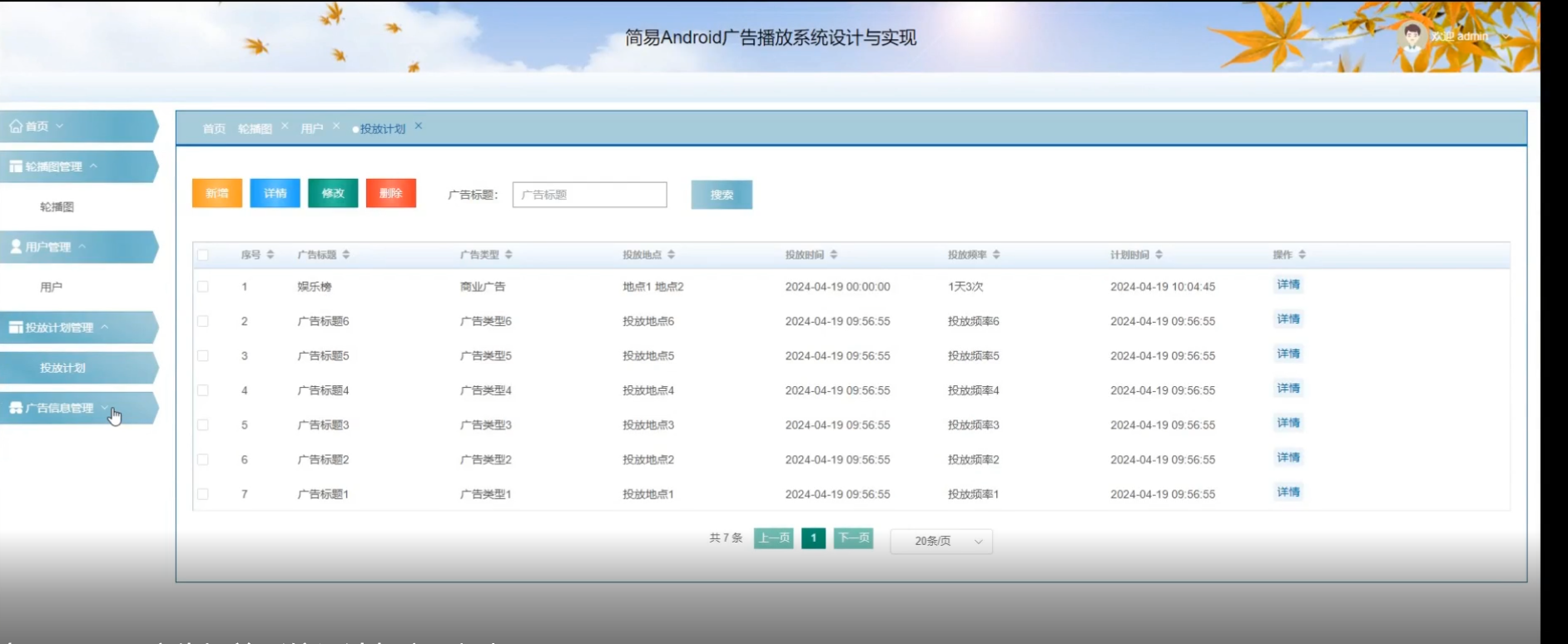
[含文档+PPT+源码等]精品基于springboot实现的原生Andriod广告播放系统
基于Spring Boot实现的原生Android广告播放系统背景,主要可以从以下几个方面进行阐述: 一、市场需求与背景 移动互联网的快速发展: 随着移动互联网技术的不断进步,智能手机已成为人们日常生活中不可或缺的一部分。人们越来越多地…...
【机器学习】均方误差(MSE:Mean Squared Error)
均方误差(Mean Squared Error, MSE)是衡量预测值与真实值之间差异的一种方法。在统计学和机器学习中,MSE 是一种常见的损失函数,用于评估模型的预测准确性。 均方误差的定义 假设有一组真实值 和模型预测的对应值 。均方误…...

融合虚拟与现实,AR Engine为用户提供沉浸式交互体验
当今的应用市场中,传统的应用产品已经难以完全满足消费者的多样化需求。为了在竞争激烈的市场中脱颖而出,企业需要深入洞察用户需求,提供个性化的服务体验和差异化的产品创新,以吸引并留住消费者。 比如,购物类App通过…...

python | xmltodict,一个非常厉害的 关于XML数据 Python 库!
本文来源公众号“python”,仅用于学术分享,侵权删,干货满满。 原文链接:xmltodict,一个非常厉害的 Python 库! 大家好,今天为大家分享一个非常厉害的 Python 库 - xmltodict。 Github地址&am…...
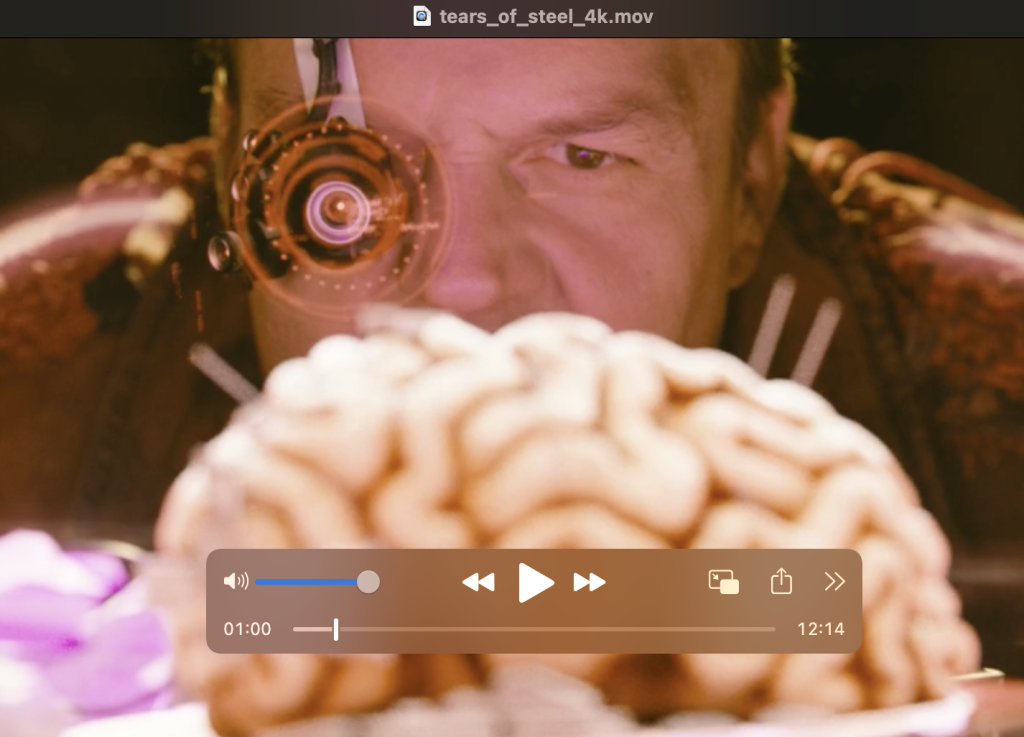
教程:FFmpeg结合GPU实现720p至4K视频转换
将一个 720p 的视频放大编码到 4K,这样的视频处理在很多业务场景中都会用到。很多视频社交、短视频、视频点播等应用,都会需要通过服务器来处理大量的视频编辑需求。 本文我们会探讨一下做这样的视频处理,最低的 GPU 指标应该是多少。利用开源…...

MeterSphere接口自动化-ForEach循环
接口自动化场景:一个接口根据不同的参数取值来运行测试,本场景中只有一个参数来去不同值。举例如下: https:://test.csdn/query?placementList1接口,测试id1,2,3时,断言接口返回的data数据都有返回。(当然…...

ssm074应急资源管理系统+jsp(论文+源码)_kaic
毕 业 设 计(论 文) 题目:应急资源管理系统设计与实现 摘 要 现代经济快节奏发展以及不断完善升级的信息化技术,让传统数据信息的管理升级为软件存储,归纳,集中处理数据信息的管理方式。本应急资源管理系统…...
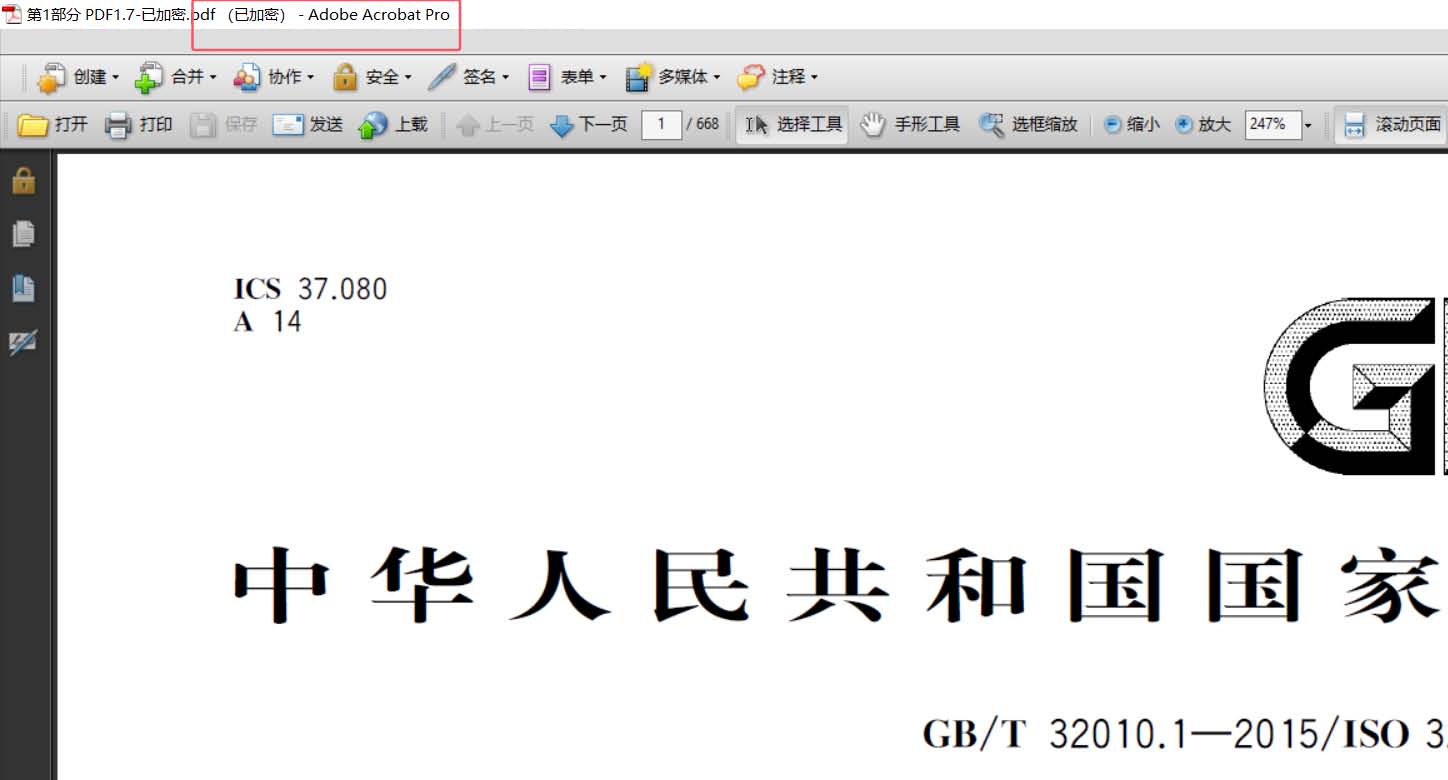
怎么对 PDF 添加权限密码或者修改密码-免费软件分享
序言 目前市面上有关PDF处理的工具有很多,不过绝大多数的PDF处理工具都需要付费使用,且很多厂商甚至连试用的机会也不给用户,偶有试用的,其试用版的条件也极为苛刻,比如只能处理前两页,或者只能处理非常小的…...

LVSM: A LARGE VIEW SYNTHESIS MODEL WITH MINIMAL 3D INDUCTIVE BIAS 论文解读
目录 一、概述 二、相关工作 1、新视角合成 2、优化3D表示 3、可泛化的前馈方法 三、LVSM 1、总体结构 2、encoder-decoder 3、decoder-only 4、Loss 一、概述 该论文提出大视角合成模型LVSM,基于Transformer方法,用于场景中或对象级层次从稀…...

7.《双指针篇》---⑦三数之和(中等偏难)
题目传送门 方法一:双指针 1.新建一个顺序表用来返回结果。并排序数组。 2.for循环 i 从第一个数组元素遍历到倒数第三个数。 3.如果遍历过程中有值大于0的则break; 4.定义左右指针,以及target。int left i 1, right n - 1; int target -nums[i];…...

鸿蒙ArkTS中的布局容器组件(Scroll、List、Tabs)
1、Scroll组件 Scroll组件是一个可滚动的容器组件,用于在子组件的布局尺寸超过父组件尺寸时提供滚动功能。它允许在其内部容纳超过自身显示区域的内容,并通过滚动机制来查看全部内容。这对于显示大量信息(如长列表、长篇文本或大型图像等&…...

mybatis连接PGSQL中对于json和jsonb的处理
pgsql数据库表字段设置了jsonb格式;在java的实体里使用String或者对象转换会一直提示一个错误: Caused by: org.postgresql.util.PSQLException: ERROR: column "xx" is of type jsonb but expression is of type character varying 需要加一…...

Redis 权限控制(ACL)|ACL 命令详解、ACL 持久化
官网文档地址:https://redis.io/docs/latest/operate/oss_and_stack/management/security/acl/ 使用版本:Redis7.4.1 什么是 ACL? ACL(Access Control List),权限控制列表,是 Redis 提供的一种…...

内网学习一:windows基础
工作组介绍 按照不同的计算机功能或工作部门将计算机列入不同的工作组。要是想访问某一个工作组的资源 只需要双击该部门的工作组,就可以看到该组内的所有计算机。 目的:在大型网络中,方便管理员去管理设备 加入工作组 右击计算机图标---…...

编译工具与文件学习(一)-YAML、repos、vcstoolcolcon
YAML YAML(YAML Ain’t Markup Language)是一种人类可读的数据序列化格式,常用于配置文件、数据交换和存储结构化数据。YAML 的设计目标是简洁、易读,并且能够表示复杂的数据结构。 YAML 文件的基本语法 基本结构: Y…...

使用 HuggingFace 提供的 Elasticsearch 托管交叉编码器进行重新排名
作者:来自 Elastic Jeff Vestal 了解如何使用 Hugging Face 的模型在 Elasticsearch 中托管和执行语义重新排序。 在这篇简短的博文中,我将向你展示如何使用 Hugging Face 中的模型在搜索时在你自己的 Elasticsearch 集群中执行语义重新排序。我们将使用…...

CKA认证 | Day1 k8s核心概念与集群搭建
第一章 Kubernetes 核心概念 1、主流的容器集群管理系统 容器编排系统: KubernetesSwarmMesos Marathon 2、Kubernetes介绍 Kubernetes是Google在2014年开源的一个容器集群管理系统,Kubernetes简称K8s。 Kubernetes用于容器化应用程序的部署&#x…...
[极客大挑战 2019]PHP 1
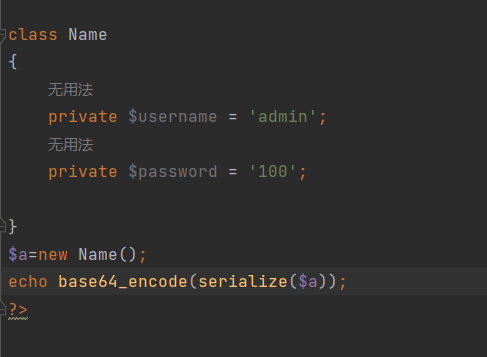
[极客大挑战 2019]PHP 1 审题 猜测备份在www.zip中,输入下载文件。 知识点 反序列化 解题 查看代码 看到index.php中包含了class.php,直接看class.php中的代码 查看条件 当usernameadmin,password100时输出flag 构造反序列化 输入select中&#…...
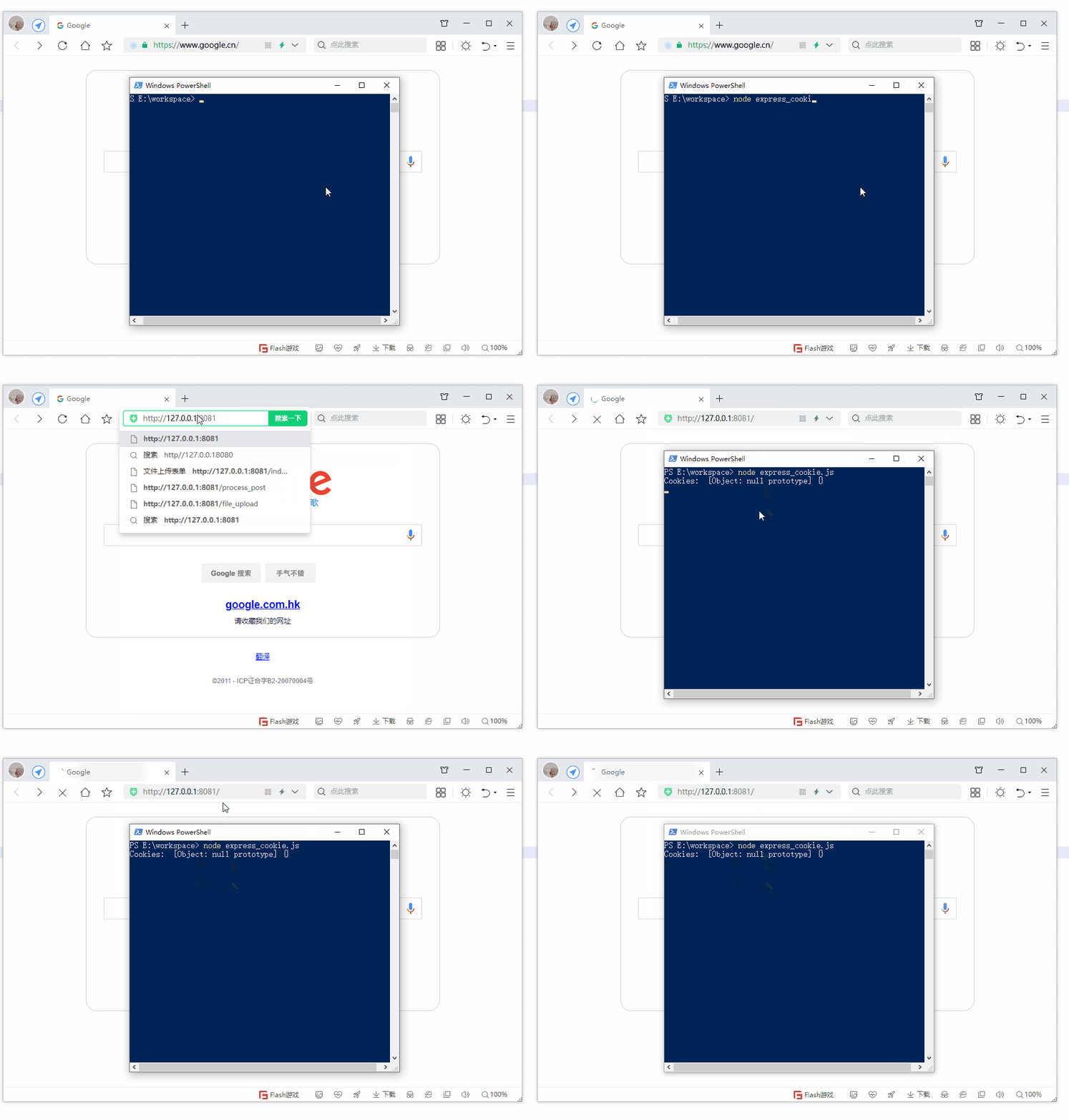
第19节 Node.js Express 框架
Express 是一个为Node.js设计的web开发框架,它基于nodejs平台。 Express 简介 Express是一个简洁而灵活的node.js Web应用框架, 提供了一系列强大特性帮助你创建各种Web应用,和丰富的HTTP工具。 使用Express可以快速地搭建一个完整功能的网站。 Expre…...
C++实现分布式网络通信框架RPC(3)--rpc调用端
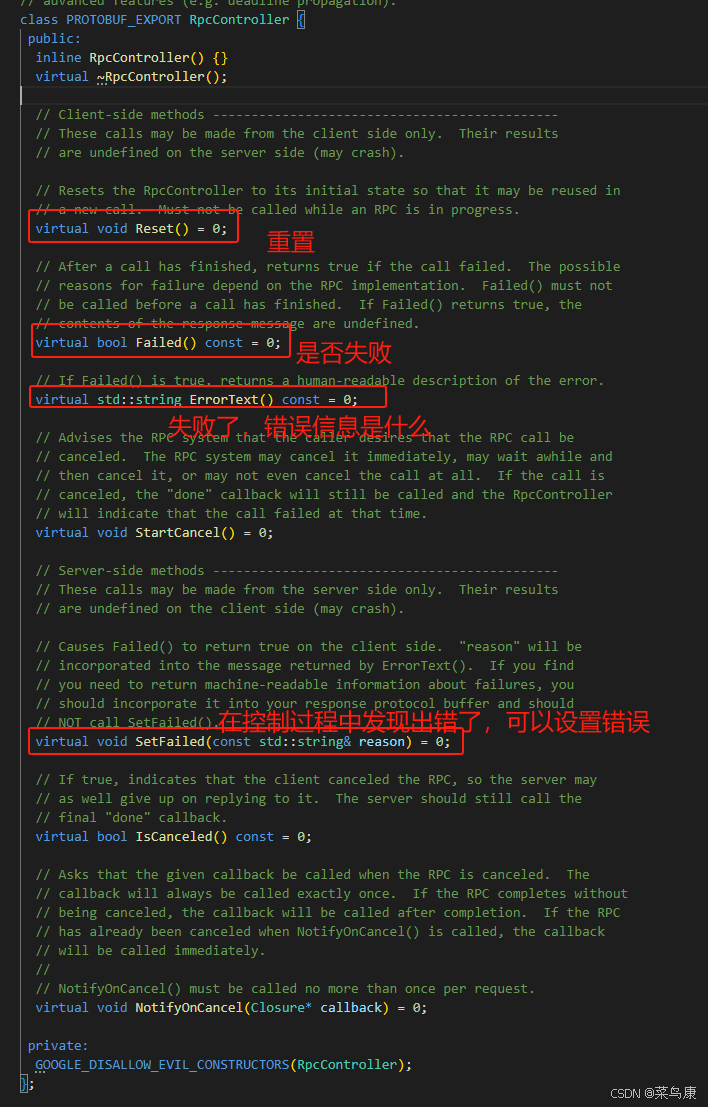
目录 一、前言 二、UserServiceRpc_Stub 三、 CallMethod方法的重写 头文件 实现 四、rpc调用端的调用 实现 五、 google::protobuf::RpcController *controller 头文件 实现 六、总结 一、前言 在前边的文章中,我们已经大致实现了rpc服务端的各项功能代…...

【Linux】shell脚本忽略错误继续执行
在 shell 脚本中,可以使用 set -e 命令来设置脚本在遇到错误时退出执行。如果你希望脚本忽略错误并继续执行,可以在脚本开头添加 set e 命令来取消该设置。 举例1 #!/bin/bash# 取消 set -e 的设置 set e# 执行命令,并忽略错误 rm somefile…...
)
椭圆曲线密码学(ECC)
一、ECC算法概述 椭圆曲线密码学(Elliptic Curve Cryptography)是基于椭圆曲线数学理论的公钥密码系统,由Neal Koblitz和Victor Miller在1985年独立提出。相比RSA,ECC在相同安全强度下密钥更短(256位ECC ≈ 3072位RSA…...

线程与协程
1. 线程与协程 1.1. “函数调用级别”的切换、上下文切换 1. 函数调用级别的切换 “函数调用级别的切换”是指:像函数调用/返回一样轻量地完成任务切换。 举例说明: 当你在程序中写一个函数调用: funcA() 然后 funcA 执行完后返回&…...

《用户共鸣指数(E)驱动品牌大模型种草:如何抢占大模型搜索结果情感高地》
在注意力分散、内容高度同质化的时代,情感连接已成为品牌破圈的关键通道。我们在服务大量品牌客户的过程中发现,消费者对内容的“有感”程度,正日益成为影响品牌传播效率与转化率的核心变量。在生成式AI驱动的内容生成与推荐环境中࿰…...

spring:实例工厂方法获取bean
spring处理使用静态工厂方法获取bean实例,也可以通过实例工厂方法获取bean实例。 实例工厂方法步骤如下: 定义实例工厂类(Java代码),定义实例工厂(xml),定义调用实例工厂ÿ…...
 自用)
css3笔记 (1) 自用
outline: none 用于移除元素获得焦点时默认的轮廓线 broder:0 用于移除边框 font-size:0 用于设置字体不显示 list-style: none 消除<li> 标签默认样式 margin: xx auto 版心居中 width:100% 通栏 vertical-align 作用于行内元素 / 表格单元格ÿ…...

Swagger和OpenApi的前世今生
Swagger与OpenAPI的关系演进是API标准化进程中的重要篇章,二者共同塑造了现代RESTful API的开发范式。 本期就扒一扒其技术演进的关键节点与核心逻辑: 🔄 一、起源与初创期:Swagger的诞生(2010-2014) 核心…...
【开发技术】.Net使用FFmpeg视频特定帧上绘制内容
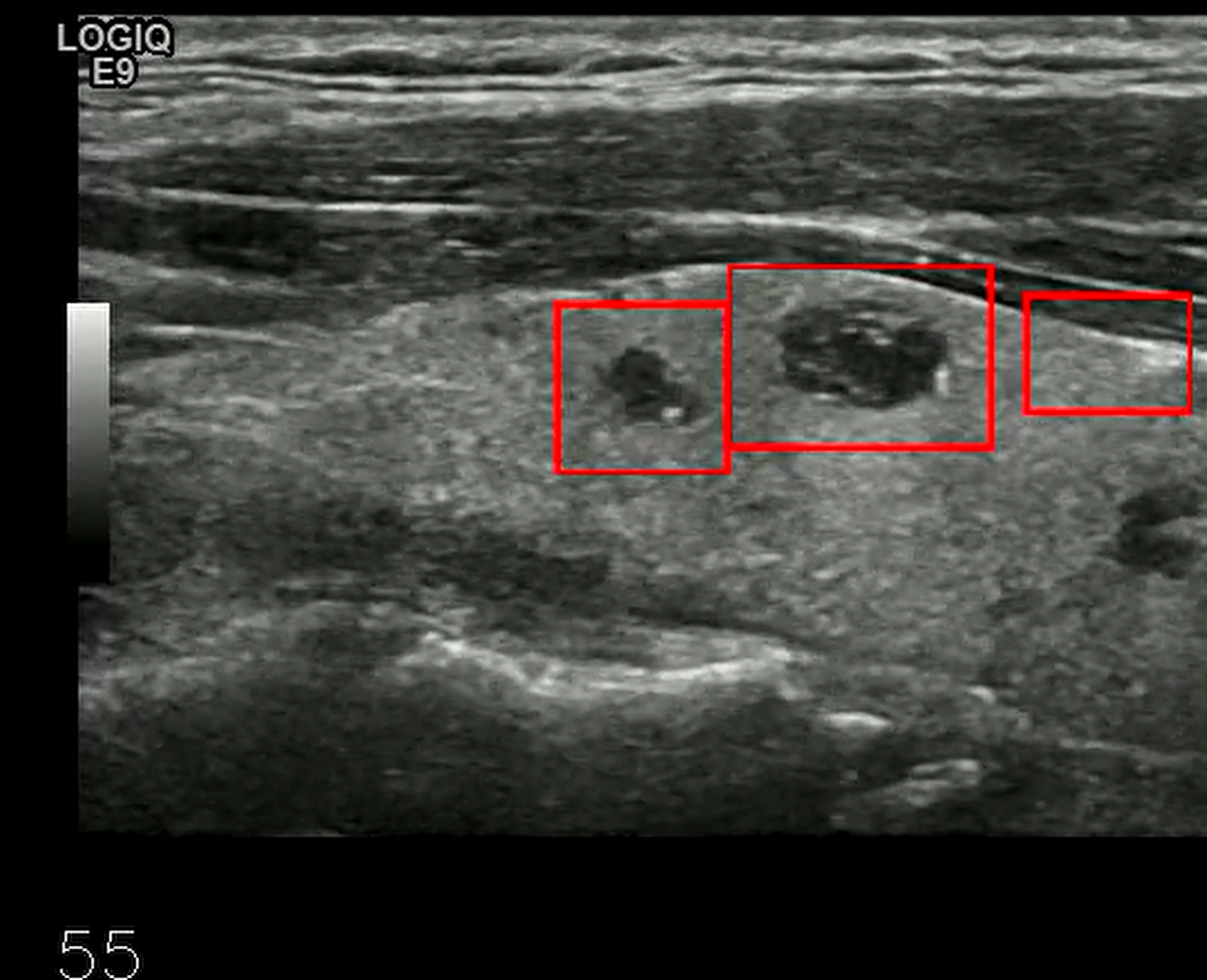
目录 一、目的 二、解决方案 2.1 什么是FFmpeg 2.2 FFmpeg主要功能 2.3 使用Xabe.FFmpeg调用FFmpeg功能 2.4 使用 FFmpeg 的 drawbox 滤镜来绘制 ROI 三、总结 一、目的 当前市场上有很多目标检测智能识别的相关算法,当前调用一个医疗行业的AI识别算法后返回…...