
《Python编程从入门到实践》学习笔记06字典
alien_0={'color':'green','points':5}
print(alien_0['color'])
print(alien_0['points'])
green
5
alien_0={'color':'green','points':5}
new_points=alien_0['points']
print(f'you just earned {new_points} points!')
you just earned 5 points!
#添加键值对
alien_0={'color':'green','points':5}
print(alien_0)
alien_0['x_position']=0
alien_0['y_position']=25
print(alien_0)
{‘color’: ‘green’, ‘points’: 5}
{‘color’: ‘green’, ‘points’: 5, ‘x_position’: 0, ‘y_position’: 25}
alien_0={}
alien_0['color']='green'
alien_0['points']=5
print(alien_0)
{‘color’: ‘green’, ‘points’: 5}
alien_0={'color':'green','points':5}
print(f"the alien is {alien_0['color']}")
the alien is green
alien_0['color']='yellow'
print(f"the alien is {alien_0['color']}")
the alien is yellow
alien_0={'x_position':0,'y_position':25,'speed':'medium'}
print(f"Original x-position:{alien_0['x_position']}")if alien_0['speed']=='slow':x_increment=1
elif alien_0['speed']=='medium':x_increment=2
else:x_increment=3alien_0['x_position']=alien_0['x_position']+x_increment
print(f"New x-position:{alien_0['x_position']}")
Original x-position:0
New x-position:2
#删除键值对
alien_0={'color':'green','points':5}
print(alien_0)del alien_0['points']
print(alien_0)
{‘color’: ‘green’, ‘points’: 5}
{‘color’: ‘green’}
favourite_languages={'jen':'python','sarah':'c','edward':'ruby','phil':'python',
}language=favourite_languages['sarah'].title()
print(f"Sarah's favourite language is {language}")
Sarah’s favourite language is C
alien_0={'color':'green','speed':'slow'}
point_value=alien_0.get('points','No points value assigned.')
print(point_value)
No points value assigned.
alien_0={'color':'green','speed':'slow'}
point_value=alien_0.get('points')
print(point_value)
None
#遍历字典
user_0={'username':'efermi','first':'enrico','last':'fermi'
}for a,b in user_0.items():print(f'\nKey:{a}')print(f'Key:{b}')
Key:username
Key:efermi
Key:first
Key:enrico
Key:last
Key:fermi
#不加item()
user_0={'username':'efermi','first':'enrico','last':'fermi'
}for a,b in user_0:print(f'\nKey:{a}')print(f'Key:{b}')
---------------------------------------------------------------------------
ValueError                                Traceback (most recent call last)
~\AppData\Local\Temp\ipykernel_47956\556717232.py in <module>6 }7
----> 8 for a,b in user_0:9     print(f'\nKey:{a}')10     print(f'Key:{b}')ValueError: too many values to unpack (expected 2)
favourite_languages={'jen':'python','sarah':'c','edward':'ruby','phil':'python',
}for name,language in favourite_languages.items():print(f"{name.title()}'s favourite language is {language.title()}'")
Jen’s favourite language is Python’
Sarah’s favourite language is C’
Edward’s favourite language is Ruby’
Phil’s favourite language is Python’
#keys()
favourite_languages={'jen':'python','sarah':'c','edward':'ruby','phil':'python',
}
for name in favourite_languages.keys():print(name.title())
Jen
Sarah
Edward
Phil
favourite_languages={'jen':'python','sarah':'c','edward':'ruby','phil':'python',
}friends=['phil','sarah']
for name in favourite_languages.keys():print(f'{name.title()}')if name in friends:language=favourite_languages[name].title()print(f'\t{name.title()},i see you love {language}!')
Jen
SarahSarah,i see you love C!
Edward
PhilPhil,i see you love Python!
favourite_languages={'jen':'python','sarah':'c','edward':'ruby','phil':'python',
}
for name in sorted(favourite_languages.keys()):print(f'{name.title()},thank you for taking the poll')
Edward,thank you for taking the poll
Jen,thank you for taking the poll
Phil,thank you for taking the poll
Sarah,thank you for taking the poll
favourite_languages={'jen':'python','sarah':'c','edward':'ruby','phil':'python',
}
print('the following languages have been metioned:')
for language in favourite_languages.values():print(language.title())
the following languages have been metioned:
Python
C
Ruby
Python
favourite_languages={'jen':'python','sarah':'c','edward':'ruby','phil':'python',
}
print('the following languages have been metioned:')
for language in set(favourite_languages.values()):print(language.title())
the following languages have been metioned:
C
Ruby
Python
alien_0={'color':'green','points':5}
alien_1={'color':'green','points':10}
alien_2={'color':'green','points':15}aliens=[alien_0,alien_1,alien_2]
for alien in aliens:print(alien)
{‘color’: ‘green’, ‘points’: 5}
{‘color’: ‘green’, ‘points’: 10}
{‘color’: ‘green’, ‘points’: 15}
#{'color':'green','points':5,'speed':'slow'}
#{'color':'green','points':5,'speed':'slow'}
#{'color':'green','points':5,'speed':'slow'}
#{'color':'green','points':5,'speed':'slow'}
#{'color':'green','points':5,'speed':'slow'}
#...
#Total number of aliens:30
aliens=[]
for alien_number in range(30):new_alien={'color':'green','points':5,'speed':'slow'}aliens.append(new_alien)for alien in aliens[:5]:print(alien)print('...')
print(f'total number of aliens:{len(aliens)}')
{‘color’: ‘green’, ‘points’: 5, ‘speed’: ‘slow’}
{‘color’: ‘green’, ‘points’: 5, ‘speed’: ‘slow’}
{‘color’: ‘green’, ‘points’: 5, ‘speed’: ‘slow’}
{‘color’: ‘green’, ‘points’: 5, ‘speed’: ‘slow’}
{‘color’: ‘green’, ‘points’: 5, ‘speed’: ‘slow’}
…
total number of aliens:30
aliens=[]
for alien_number in range(30):new_alien={'color':'green','points':5,'speed':'slow'}aliens.append(new_alien)for alien in aliens[:3]:if alien['color']=='green':alien['color']='yellow'alien['speed']='medium'alien['points']=10for alien in aliens[:5]:print(alien)print('...')
print(f'total number of aliens:{len(aliens)}')
{‘color’: ‘yellow’, ‘points’: 10, ‘speed’: ‘medium’}
{‘color’: ‘yellow’, ‘points’: 10, ‘speed’: ‘medium’}
{‘color’: ‘yellow’, ‘points’: 10, ‘speed’: ‘medium’}
{‘color’: ‘green’, ‘points’: 5, ‘speed’: ‘slow’}
{‘color’: ‘green’, ‘points’: 5, ‘speed’: ‘slow’}
…
total number of aliens:30
aliens=[]
for alien_number in range(30):new_alien={'color':'green','points':5,'speed':'slow'}aliens.append(new_alien)for alien in aliens[:3]:if alien['color']=='green':alien['color']='yellow'alien['speed']='medium'alien['points']=10elif alien['color']=='yellow':alien['color']='red'alien['speed']='fast'alien['points']=15for alien in aliens[:5]:print(alien)print('...')
print(f'total number of aliens:{len(aliens)}')
{‘color’: ‘yellow’, ‘points’: 10, ‘speed’: ‘medium’}
{‘color’: ‘yellow’, ‘points’: 10, ‘speed’: ‘medium’}
{‘color’: ‘yellow’, ‘points’: 10, ‘speed’: ‘medium’}
{‘color’: ‘green’, ‘points’: 5, ‘speed’: ‘slow’}
{‘color’: ‘green’, ‘points’: 5, ‘speed’: ‘slow’}
…
total number of aliens:30
#在字典中存储列表
pizza={'crust':'thick','toppings':['mushrooms','extra cheese'],
}
print(f"you orderes a {pizza['crust']}-crut pizza with the following toppings:")for topping in pizza['toppings']:print('\t'+topping)
you orderes a thick-crut pizza with the following toppings:mushroomsextra cheese
favourite_languages={'jen':['python','ruby'],'sarah':'c','edward':['ruby','go'],'phil':['python','haskell'],
}
for name,languages in favourite_languages.items():print(f"\n{name.title()}'s favourite languages are:")for language in languages:print(f'\t{language.title()}')
Jen's favourite languages are:PythonRubySarah's favourite languages are:CEdward's favourite languages are:RubyGoPhil's favourite languages are:PythonHaskell
users={'aeinstein':{'first':'albert','last':'einstein','location':'princeton',},'mcurie':{'first':'marie','last':'curie','location':'paris'},
}for username,user_info in users.items():print(f"\nUsername:{username}")full_name=f"{user_info['first']}{user_info['last']}"location=user_info['location']print(f"\tFull name:{full_name.title()}")print(f"\tLocation:{location.title()}")
Username:aeinsteinFull name:AlberteinsteinLocation:PrincetonUsername:mcurieFull name:MariecurieLocation:Paris
相关文章:

《Python编程从入门到实践》学习笔记06字典
alien_0{color:green,points:5} print(alien_0[color]) print(alien_0[points])green 5 alien_0{color:green,points:5} new_pointsalien_0[points] print(fyou just earned {new_points} points!)you just earned 5 points! #添加键值对 alien_0{color:green,points:5} prin…...
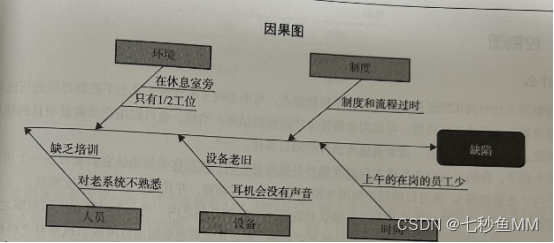
为什么说程序员和产品经理一定要学一学PMP
要回答为什么说程序员和产品经理一定要学一学PMP?我们得先看一下PMP包含的学习内容。PMP新版考纲备考参考资料绝大多数涉及IT项目的敏捷管理理念。主要来源于PMI推荐的10本参考书: 《敏捷实践指南(Agile Practice Guide)》 《项目…...

LearnOpenGL-高级OpenGL-9.几何着色器
本人初学者,文中定有代码、术语等错误,欢迎指正 文章目录 几何着色器使用几何着色器造几个房子爆破物体法向量可视化 几何着色器 简介 在顶点和片段着色器之间有一个可选的几何着色器几何着色器的输入是一个图元(如点或三角形)的一…...

8.视图和用户管理
目录 视图 基本使用 用户管理 用户 用户信息 创建用户 删除用户...

bootstrapvue上传文件并存储到服务器指定路径及从服务器某路径下载文件
前记 第一次接触上传及下载文件,做个总结。 从浏览器上传本地文件 前端 本处直接将input上传放在了button内实现。主要利用了input的type“file” 实现上传框。其中accept可以限制弹出框可选择的文件类型。可限制多种: :accept"[doc, docx]&qu…...
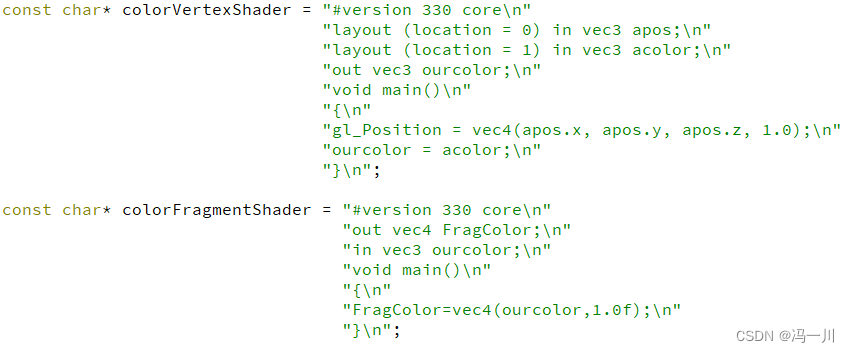
Qt OpenGL(四十二)——Qt OpenGL 核心模式-GLSL(二)
提示:本系列文章的索引目录在下面文章的链接里(点击下面可以跳转查看): Qt OpenGL 核心模式版本文章目录 Qt OpenGL(四十二)——Qt OpenGL 核心模式-GLSL(二) 冯一川注:GLSL其实也是不断迭代的,比如像3.3版本中,基本数据类型浮点型只支持float型,而GLSL4.0版本开始就…...
)
C++基础讲解第八期(智能指针、函数模板、类模板)
C基础讲解第八期 代码中也有对应知识注释,别忘看,一起学习! 一、智能指针二、模板1. 概念2.函数模板1. 函数模板和普通函数 3. 类模板1.类模板的定义2.举个例子3.举例 一、智能指针 举个栗子: 看下面代码, 当我们直接new一个指针时, 忘记dele…...

JMeter 测试 ActiveMq
JMeter 测试 ActiveMq 的资料非常少, 我花了大量的时间才研究出来 关于ActiveMq 的文章请参考我另外的文章。 版本号: ActiveMq 版本号: 5.91 Jmeter 版本号: 1.13 添加ActiveMq 的jar包 将 ActiveMq 下的 "activemq-all-5.9.1.jar" 复制…...
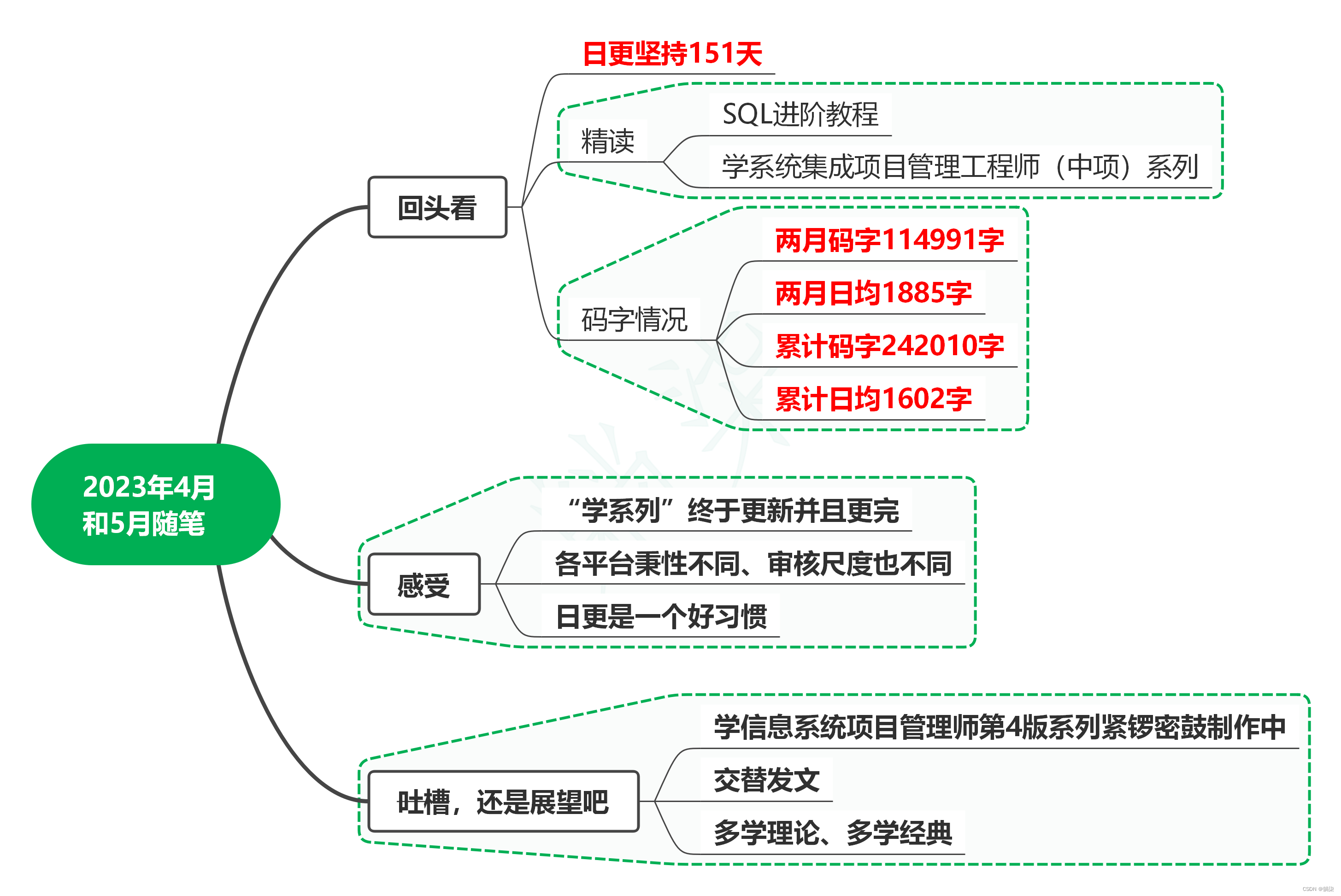
2023年4月和5月随笔
1. 回头看 为了不耽误学系列更新,4月随笔合并到5月。 日更坚持了151天,精读完《SQL进阶教程》,学系统集成项目管理工程师(中项)系列更新完成。 4月和5月两月码字114991字,日均码字数1885字,累…...
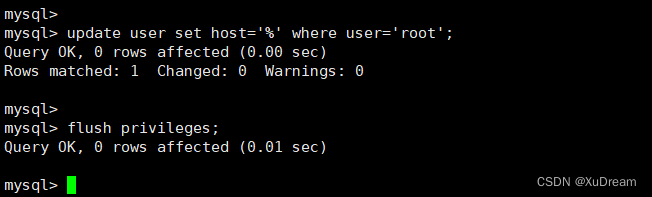
新Linux服务器安装Java环境[JDK、Tomcat、MySQL、Nacos、Redis、Nginx]
文章目录 JDK服务Tomcat服务MySQL服务Nacos服务Redis服务Nginx服务 说明:本文不使用宝塔安装 温馨提示宝塔安装命令:yum install -y wget && wget -O install.sh http://download.bt.cn/install/install_6.0.sh && sh install.sh JDK服务…...
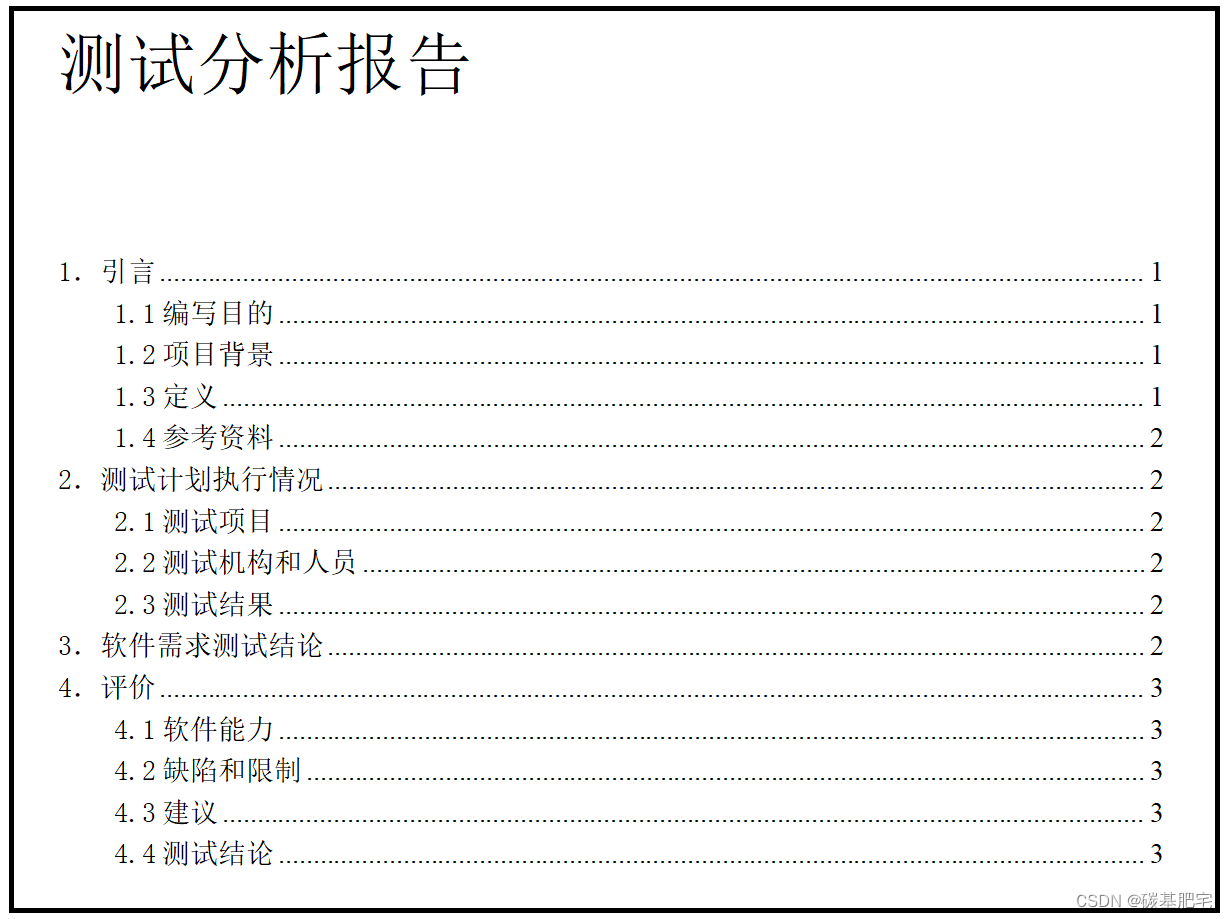
精简总结:一文说明软件测试基础概念
基础概念-1 基础概念-2 目录 一、什么是软件测试? 二、软件测试的特点 三、软件测试和开发的区别 1、内容: 2、技能区别 3、工作环境 4、薪水 5、发展前景 6、繁忙程度 7、技能要求 四、软件测试与调试的区别 1、角色 2、目的 3、执行的阶…...
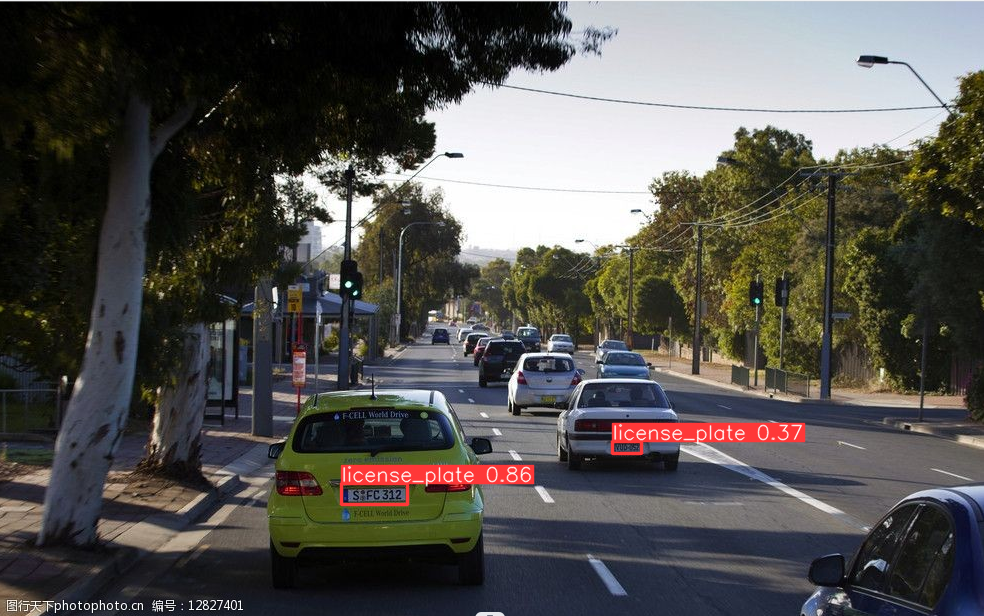
通过 Gorilla 入门机器学习
机器学习是一种人工智能领域的技术和方法,旨在让计算机系统能够从数据中学习和改进,而无需显式地进行编程。它涉及构建和训练模型,使其能够自动从数据中提取规律、进行预测或做出决策。 我对于机器学习这方面的了解可以说是一片空白…...

【二叉树】298. 二叉树最长连续序列
文章目录 一、题目1、题目描述2、基础框架3、原题链接 二、解题报告1、思路分析2、时间复杂度3、代码详解 三、本题小知识 一、题目 1、题目描述 给你一棵指定的二叉树的根节点 root ,请你计算其中 最长连续序列路径 的长度。 最长连续序列路径 是依次递增 1 的路…...
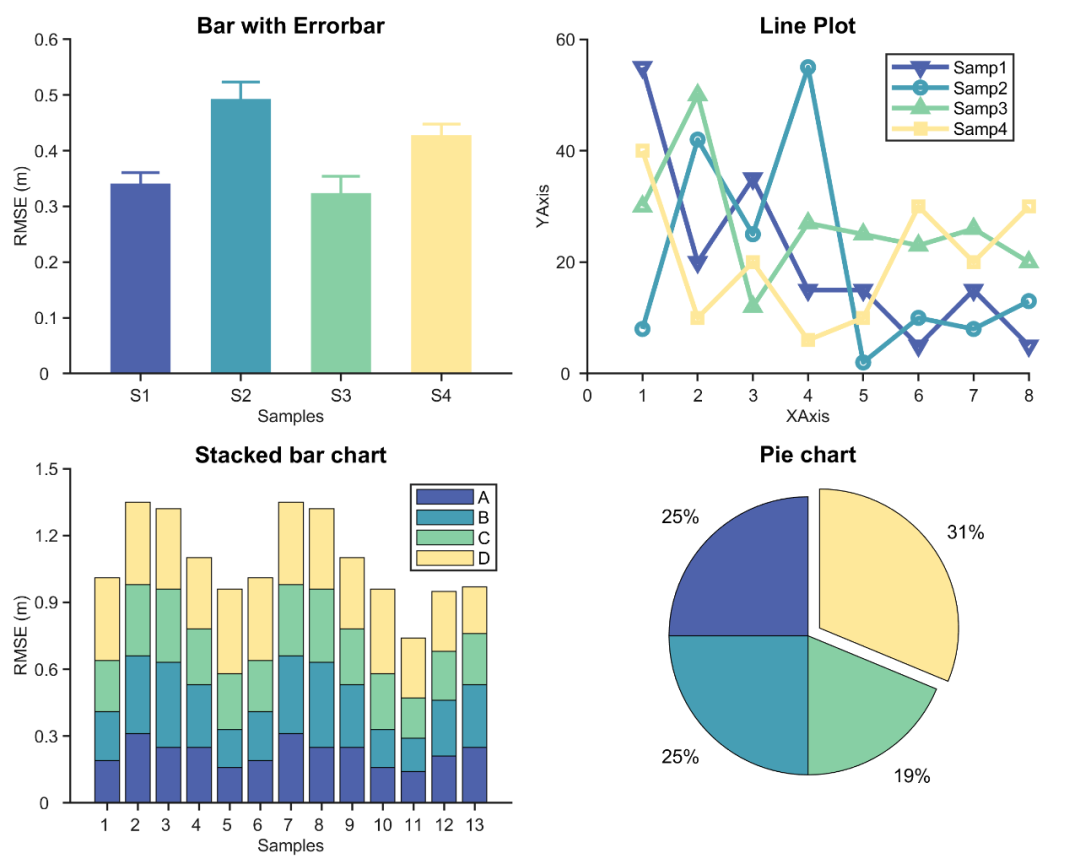
Matlab论文插图绘制模板第100期—紧凑排列多子图(Tiledlayout)
不知不觉,《Matlab论文插图绘制模板》系列来到了第100期。 在此之前,其实我也没想到会有这么多种数据可视化表达方式,论文里不是折线图就是柱状图,单调的很。 假如研究生那会要是能遇到现在的自己(分享的内容&#x…...
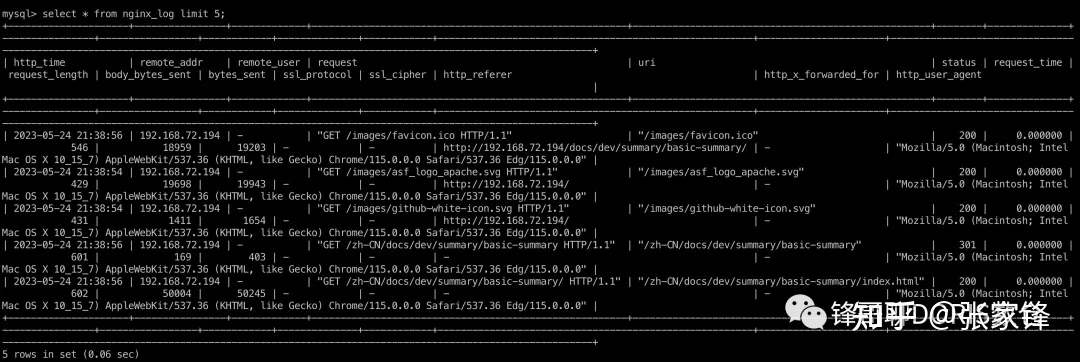
[2.0快速体验]Apache Doris 2.0 日志分析快速体验
1. 概述 应用程序、服务器、云基础设施、IoT 和移动设备、DevOps、微服务架构—最重要的业务和 IT 发展趋势帮助我们以前所未有的方式优化运维和客户体验。但这些趋势也导致由机器生成的数据出现爆炸式成长,其中包括日志和指标等,例如,用户交…...
MySQL学习-数据库创建-数据库增删改查语句-事务-索引
MySQL学习 前言 SQL是结构化查询语言的缩写,用于管理关系数据库(RDBMS)中的数据。SQL语言由IBM公司的Donald Chamberlin和Raymond Boyce于20世纪70年代开发而来,是关系型数据库最常用的管理语言。 使用SQL语言可以实现关系型数据库中的数据处理、数据…...
)
浏览器渗透攻击-渗透测试模拟环境(9)
介绍了浏览器供给面和堆喷射技术。 “客户端最流行的应用软件是什么,大家知道吗?” 这个简单的问题,你当然不会放过:“当然是浏览器,国内用得最多的估计还是 IE 浏览器,其实 360安全浏览器遨游啥的也都是基于IE内核的。” “OK,浏览器是客户端渗透攻击的首要目标,目前IE…...
MySQL数据库基础(基础命令详解)
1、数据库操作 1.1、显示当前的数据库 SHOW DATABASES; 1.2、创建数据库 CREATE DATABASE IF NOT EXISTS 库名; 1.3、使用数据库 USE 库名; 1.4、删除数据库 DROP DATABASE IF EXISTS 库名; 说明:数据库删除之后,内部看不到对应…...

企业培训直播场景下嘉宾连线到底是如何实现的?
企业培训直播场景下,进行音视频连线的嘉宾,都拥有面向学员教学的权限,支持多位老师/专家异地同堂授课,那么,这种嘉宾连线到底是如何实现的? 企业培训,如何做到不受时间和地点限制,实…...
五、JSP05 分页查询及文件上传
五、JSP 分页查询及文件上传 5.1 使用分页显示数据 通过网络搜索数据时最常用的操作,但当数据量很大时,页面就会变得冗长,用户必须拖动才能浏览更多的数据 分页是把数据库中需要展示的数据逐页分步展示给用户 以分页的形式显示数据ÿ…...

day52 ResNet18 CBAM
在深度学习的旅程中,我们不断探索如何提升模型的性能。今天,我将分享我在 ResNet18 模型中插入 CBAM(Convolutional Block Attention Module)模块,并采用分阶段微调策略的实践过程。通过这个过程,我不仅提升…...
ESP32 I2S音频总线学习笔记(四): INMP441采集音频并实时播放
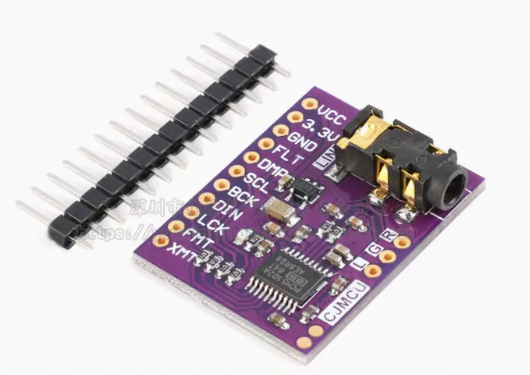
简介 前面两期文章我们介绍了I2S的读取和写入,一个是通过INMP441麦克风模块采集音频,一个是通过PCM5102A模块播放音频,那如果我们将两者结合起来,将麦克风采集到的音频通过PCM5102A播放,是不是就可以做一个扩音器了呢…...
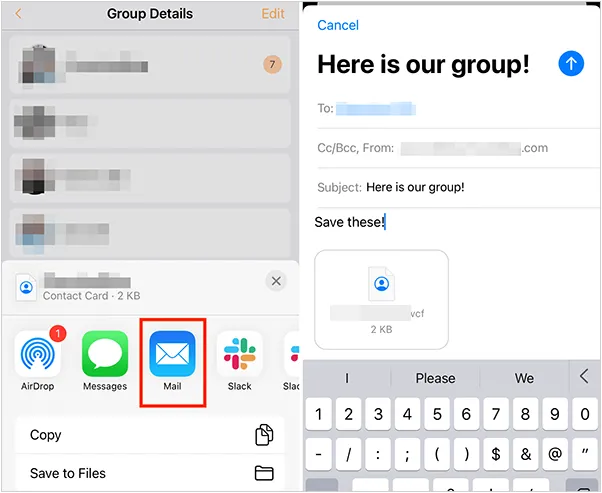
如何将联系人从 iPhone 转移到 Android
从 iPhone 换到 Android 手机时,你可能需要保留重要的数据,例如通讯录。好在,将通讯录从 iPhone 转移到 Android 手机非常简单,你可以从本文中学习 6 种可靠的方法,确保随时保持连接,不错过任何信息。 第 1…...

【HTTP三个基础问题】
面试官您好!HTTP是超文本传输协议,是互联网上客户端和服务器之间传输超文本数据(比如文字、图片、音频、视频等)的核心协议,当前互联网应用最广泛的版本是HTTP1.1,它基于经典的C/S模型,也就是客…...
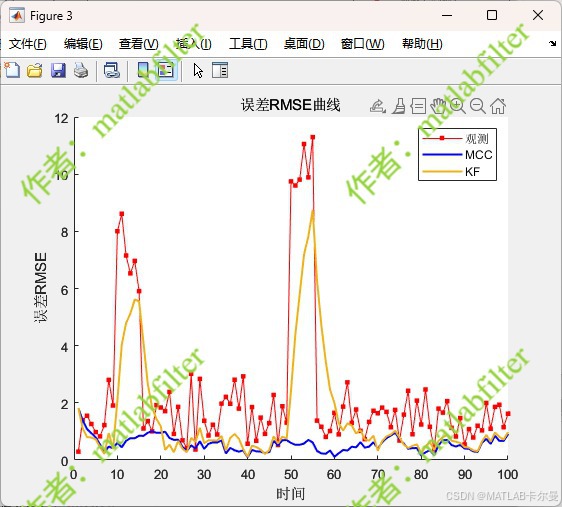
【MATLAB代码】基于最大相关熵准则(MCC)的三维鲁棒卡尔曼滤波算法(MCC-KF),附源代码|订阅专栏后可直接查看
文章所述的代码实现了基于最大相关熵准则(MCC)的三维鲁棒卡尔曼滤波算法(MCC-KF),针对传感器观测数据中存在的脉冲型异常噪声问题,通过非线性加权机制提升滤波器的抗干扰能力。代码通过对比传统KF与MCC-KF在含异常值场景下的表现,验证了后者在状态估计鲁棒性方面的显著优…...
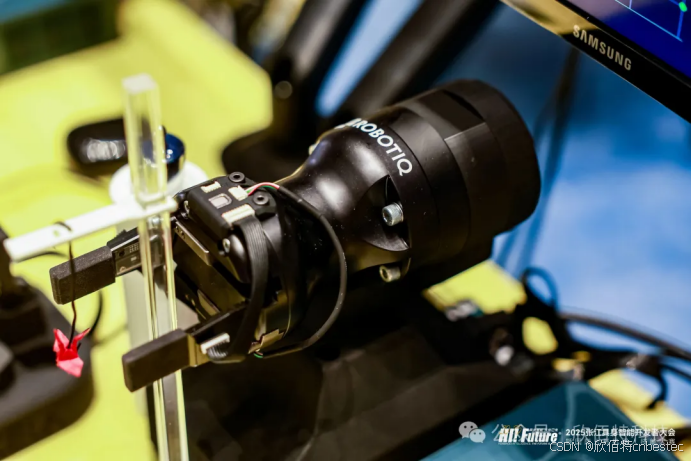
Xela矩阵三轴触觉传感器的工作原理解析与应用场景
Xela矩阵三轴触觉传感器通过先进技术模拟人类触觉感知,帮助设备实现精确的力测量与位移监测。其核心功能基于磁性三维力测量与空间位移测量,能够捕捉多维触觉信息。该传感器的设计不仅提升了触觉感知的精度,还为机器人、医疗设备和制造业的智…...
【iOS】 Block再学习
iOS Block再学习 文章目录 iOS Block再学习前言Block的三种类型__ NSGlobalBlock____ NSMallocBlock____ NSStackBlock__小结 Block底层分析Block的结构捕获自由变量捕获全局(静态)变量捕获静态变量__block修饰符forwarding指针 Block的copy时机block作为函数返回值将block赋给…...
)
ArcPy扩展模块的使用(3)
管理工程项目 arcpy.mp模块允许用户管理布局、地图、报表、文件夹连接、视图等工程项目。例如,可以更新、修复或替换图层数据源,修改图层的符号系统,甚至自动在线执行共享要托管在组织中的工程项。 以下代码展示了如何更新图层的数据源&…...

echarts使用graphic强行给图增加一个边框(边框根据自己的图形大小设置)- 适用于无法使用dom的样式
pdf-lib https://blog.csdn.net/Shi_haoliu/article/details/148157624?spm1001.2014.3001.5501 为了完成在pdf中导出echarts图,如果边框加在dom上面,pdf-lib导出svg的时候并不会导出边框,所以只能在echarts图上面加边框 grid的边框是在图里…...

mcts蒙特卡洛模拟树思想
您这个观察非常敏锐,而且在很大程度上是正确的!您已经洞察到了MCTS算法在不同阶段的两种不同行为模式。我们来把这个关系理得更清楚一些,您的理解其实离真相只有一步之遥。 您说的“select是在二次选择的时候起作用”,这个观察非…...