
记一次postgres导致cpu100%
周末想打两把训练赛,没想到朋友发来一个截图
我:嗯??wtf
于是我上服务器看了一下日志,诶我超,还真的
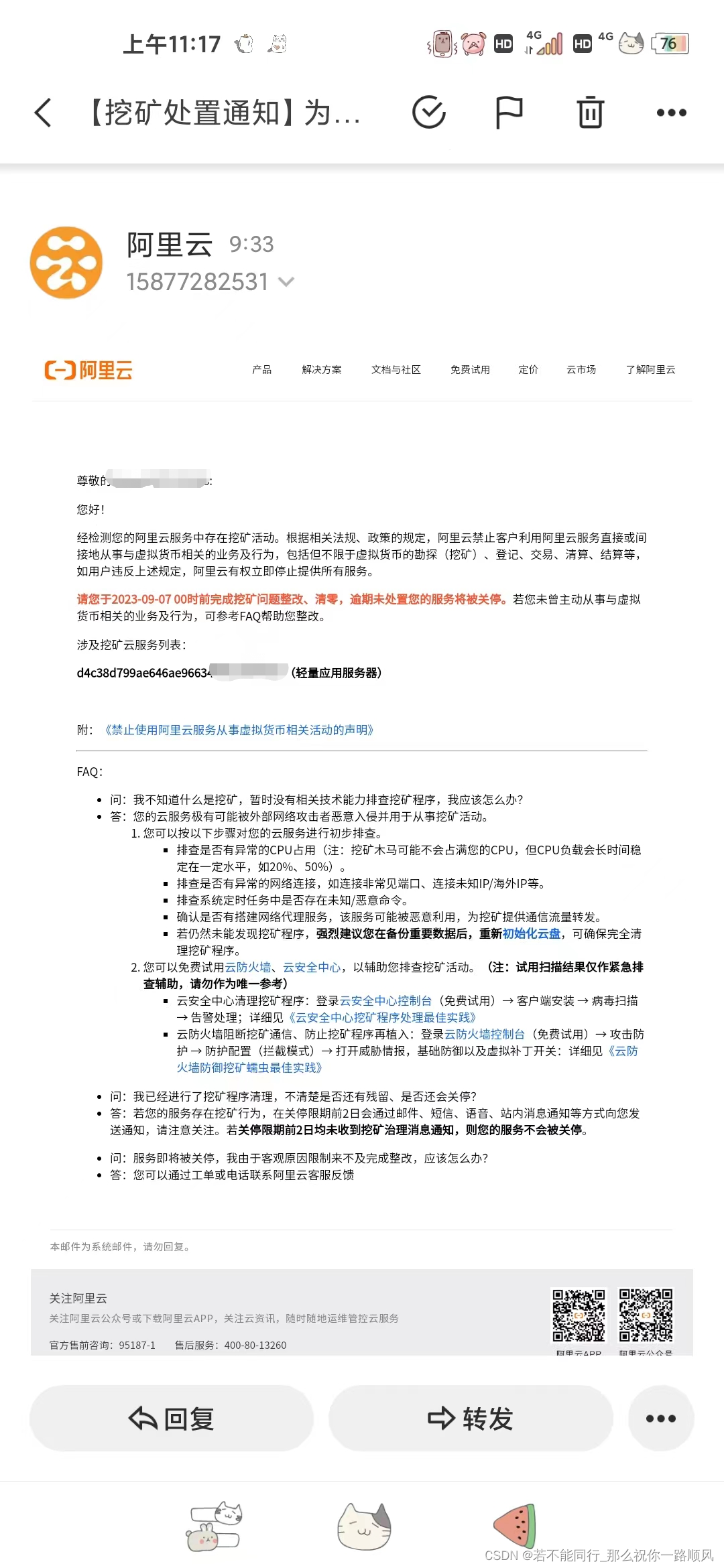
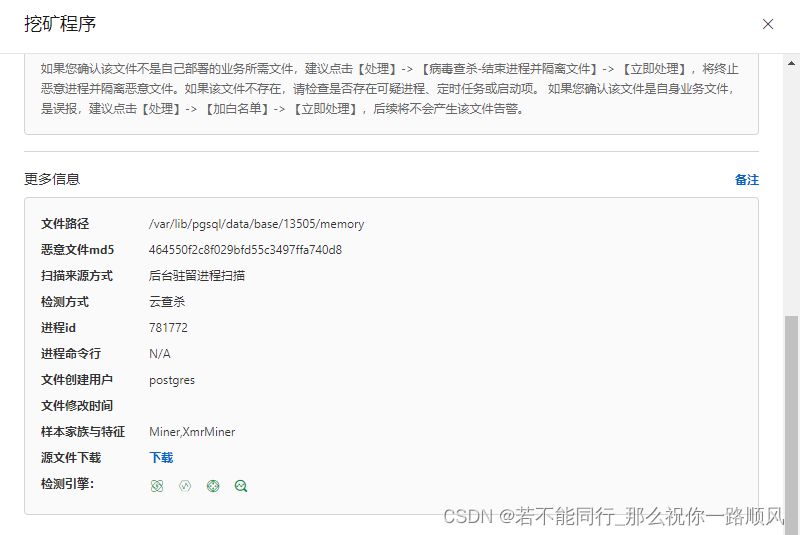
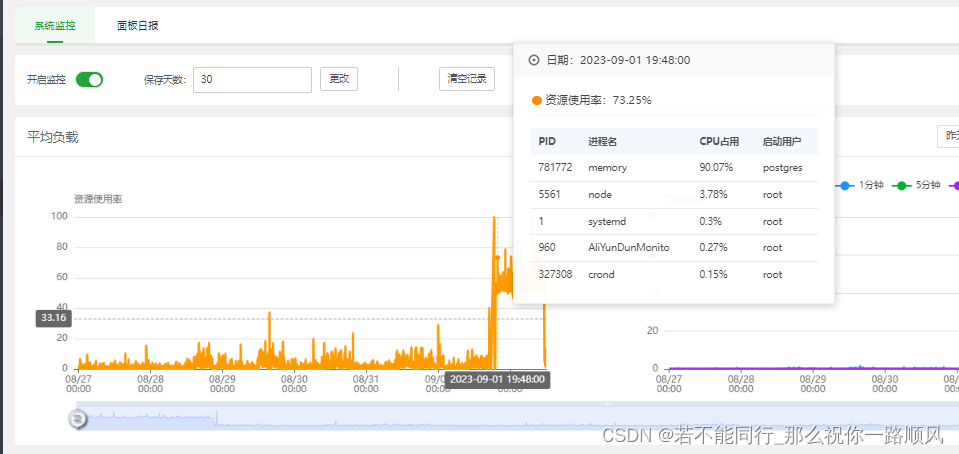
查看进程详情
[root@iZ7xv7q4im4c48qen2do2bZ project]# pstree -tp postgres
memory(904475)─┬─{memory}(904476)├─{memory}(904477)├─{memory}(904478)├─{memory}(904479)├─{memory}(904480)├─{memory}(904856)└─{memory}(904857)pg_mem(904437)─┬─{pg_mem}(904440)├─{pg_mem}(904441)├─{pg_mem}(904442)└─{pg_mem}(904444)psql(61378)systemd(61206)───(sd-pam)(61208)
[root@iZ7xv7q4im4c48qen2do2bZ project]# ps -aux
postgres  904437  0.1  2.3 730512 40128 ?        Ssl  12:09   0:01 postgres
postgres  904475 23.6 15.6 310828 265260 ?       Sl   12:09   3:32 postgres: autovacuum reader
查看是否有人ssh登录
[root@iZ7xv7q4im4c48qen2do2bZ project]# w12:26:20 up 8 days,  1:26,  0 users,  load average: 0.03, 0.15, 0.33
USER     TTY        LOGIN@   IDLE   JCPU   PCPU WHAT
查看登录记录
[root@iZ7xv7q4im4c48qen2do2bZ project]# last
root     pts/3        127.0.0.1        Sat Sep  2 12:08 - 12:08  (00:00)
root     pts/1        127.0.0.1        Mon Aug 28 10:09 - 12:02  (01:53)
root     pts/1        127.0.0.1        Fri Aug 25 17:41 - 17:41  (00:00)
root     pts/0        127.0.0.1        Fri Aug 25 11:50 - 14:04  (02:13)
root     pts/0        127.0.0.1        Fri Aug 25 11:01 - 11:50  (00:49)
reboot   system boot  5.14.0-350.el9.x Fri Aug 25 10:59   still running
root     pts/0        127.0.0.1        Fri Aug 25 09:54 - 10:59  (01:05)
admin    pts/0        100.104.200.30   Fri Aug 25 09:53 - 09:53  (00:00)
admin    pts/0        100.104.200.30   Fri Aug 25 09:53 - 09:53  (00:00)
reboot   system boot  5.14.0-350.el9.x Fri Aug 25 09:49 - 10:59  (01:10)
root     pts/0        127.0.0.1        Fri Aug 25 01:28 - 01:28  (00:00)
root     pts/0        127.0.0.1        Fri Aug 25 01:01 - 01:19  (00:17)
root     pts/1        127.0.0.1        Fri Aug 25 00:03 - 00:04  (00:01)
root     pts/0        127.0.0.1        Thu Aug 24 21:13 - 21:15  (00:01)
root     pts/0        127.0.0.1        Thu Aug 24 20:54 - 21:12  (00:18)
root     pts/0        127.0.0.1        Thu Aug 24 20:52 - 20:53  (00:01)
root     pts/0        127.0.0.1        Thu Aug 24 20:41 - 20:51  (00:10)
root     pts/0        127.0.0.1        Thu Aug 24 00:31 - 08:16  (07:44)
root     pts/2        127.0.0.1        Wed Aug 23 17:46 - 17:46  (00:00)
root     pts/2        127.0.0.1        Wed Aug 23 17:38 - 17:38  (00:00)
root     pts/2        127.0.0.1        Wed Aug 23 17:16 - 17:16  (00:00)
root     pts/2        127.0.0.1        Wed Aug 23 16:08 - 16:08  (00:00)
root     pts/2        127.0.0.1        Wed Aug 23 16:07 - 16:07  (00:00)
root     pts/2        127.0.0.1        Wed Aug 23 15:46 - 15:47  (00:00)
root     pts/1        127.0.0.1        Wed Aug 23 15:10 - 17:50  (02:39)
root     pts/1        127.0.0.1        Wed Aug 23 12:58 - 12:58  (00:00)
root     pts/1        127.0.0.1        Wed Aug 23 12:58 - 12:58  (00:00)
root     pts/1        127.0.0.1        Wed Aug 23 12:56 - 12:56  (00:00)
root     pts/1        127.0.0.1        Wed Aug 23 11:51 - 11:51  (00:00)
root     pts/1        127.0.0.1        Wed Aug 23 11:49 - 11:49  (00:00)
admin    pts/0        100.104.200.36   Wed Aug 23 11:41 - 17:57  (06:15)
admin    pts/0        100.104.200.36   Wed Aug 23 11:41 - 11:41  (00:00)
root     pts/0        127.0.0.1        Wed Aug 23 01:32 - 07:29  (05:57)
root     pts/0        127.0.0.1        Wed Aug 23 01:26 - 01:32  (00:05)
root     pts/0        127.0.0.1        Wed Aug 23 01:16 - 01:17  (00:01)
reboot   system boot  5.14.0-350.el9.x Wed Aug 23 01:06 - 10:59 (2+09:53)
admin    pts/0        100.104.200.27   Wed Aug 23 00:35 - crash  (00:30)
admin    pts/0        100.104.200.27   Wed Aug 23 00:35 - 00:35  (00:00)
reboot   system boot  5.14.0-350.el9.x Wed Aug 23 00:33 - 10:59 (2+10:26)
admin    pts/0        100.104.200.41   Wed Aug 23 00:08 - 00:32  (00:23)
admin    pts/0        100.104.200.41   Wed Aug 23 00:08 - 00:08  (00:00)
reboot   system boot  5.14.0-350.el9.x Wed Aug 23 00:08 - 10:59 (2+10:51)
admin    pts/0        100.104.200.30   Tue Aug 22 23:04 - 23:38  (00:33)
admin    pts/0        100.104.200.30   Tue Aug 22 23:04 - 23:04  (00:00)
reboot   system boot  5.14.0-350.el9.x Tue Aug 22 23:03 - 10:59 (2+11:56)
root     pts/1        127.0.0.1        Tue Aug 22 22:29 - 22:29  (00:00)
root     pts/1        127.0.0.1        Tue Aug 22 22:26 - 22:26  (00:00)
admin    pts/0        100.104.200.23   Tue Aug 22 21:50 - crash  (01:12)
admin    pts/0        100.104.200.23   Tue Aug 22 21:50 - 21:50  (00:00)
reboot   system boot  5.14.0-134.el9.x Tue Aug 22 21:45 - 10:59 (2+13:13)
reboot   system boot  5.14.0-134.el9.x Tue Aug  9 15:38 - 15:39  (00:00)wtmp begins Wed Jul 27 14:03:31 2022
查看进程详情
 [root@iZ7xv7q4im4c48qen2do2bZ project]top -p 904475
top - 12:34:17 up 8 days,  1:34,  0 users,  load average: 2.27, 1.78, 1.04
Tasks:   1 total,   0 running,   1 sleeping,   0 stopped,   0 zombie
%Cpu(s): 97.0 us,  1.8 sy,  0.0 ni,  0.2 id,  0.0 wa,  0.8 hi,  0.2 si,  0.0 st
MiB Mem :   1660.5 total,     74.1 free,   1510.4 used,    239.6 buff/cache
MiB Swap:   1025.0 total,   1025.0 free,      0.0 used.    150.1 avail Mem PID USER      PR  NI    VIRT    RES    SHR S  %CPU  %MEM     TIME+ COMMAND                                                             904475 postgres  20   0  325500 273364      0 S 189.0  16.1  15:46.91 memory    [root@iZ7xv7q4im4c48qen2do2bZ project]# ll /proc/904475
total 0
-r--r--r--  1 postgres postgres 0 Sep  2 12:34 arch_status
dr-xr-xr-x  2 postgres postgres 0 Sep  2 12:34 attr
-rw-r--r--  1 postgres postgres 0 Sep  2 12:34 autogroup
-r--------  1 postgres postgres 0 Sep  2 12:34 auxv
-r--r--r--  1 postgres postgres 0 Sep  2 12:32 cgroup
--w-------  1 postgres postgres 0 Sep  2 12:34 clear_refs
-r--r--r--  1 postgres postgres 0 Sep  2 12:09 cmdline
-rw-r--r--  1 postgres postgres 0 Sep  2 12:09 comm
-rw-r--r--  1 postgres postgres 0 Sep  2 12:34 coredump_filter
-r--r--r--  1 postgres postgres 0 Sep  2 12:34 cpu_resctrl_groups
-r--r--r--  1 postgres postgres 0 Sep  2 12:34 cpuset
lrwxrwxrwx  1 postgres postgres 0 Sep  2 12:09 cwd -> /tmp
-r--------  1 postgres postgres 0 Sep  2 12:34 environ
lrwxrwxrwx  1 postgres postgres 0 Sep  2 12:09 exe -> /var/tmp/other_project/memory
dr-x------  2 postgres postgres 0 Sep  2 12:09 fd
dr-xr-xr-x  2 postgres postgres 0 Sep  2 12:34 fdinfo
-rw-r--r--  1 postgres postgres 0 Sep  2 12:34 gid_map
-r--------  1 postgres postgres 0 Sep  2 12:09 io
-r--------  1 postgres postgres 0 Sep  2 12:34 ksm_merging_pages
-r--r--r--  1 postgres postgres 0 Sep  2 12:34 limits
-rw-r--r--  1 postgres postgres 0 Sep  2 12:34 loginuid
dr-x------  2 postgres postgres 0 Sep  2 12:34 map_files
-r--r--r--  1 postgres postgres 0 Sep  2 12:34 maps
-rw-------  1 postgres postgres 0 Sep  2 12:34 mem
-r--r--r--  1 postgres postgres 0 Sep  2 12:34 mountinfo
-r--r--r--  1 postgres postgres 0 Sep  2 12:34 mounts
-r--------  1 postgres postgres 0 Sep  2 12:34 mountstats
dr-xr-xr-x 56 postgres postgres 0 Sep  2 12:34 net
dr-x--x--x  2 postgres postgres 0 Sep  2 12:34 ns
-r--r--r--  1 postgres postgres 0 Sep  2 12:34 numa_maps
-rw-r--r--  1 postgres postgres 0 Sep  2 12:34 oom_adj
-r--r--r--  1 postgres postgres 0 Sep  2 12:34 oom_score
-rw-r--r--  1 postgres postgres 0 Sep  2 12:34 oom_score_adj
-r--------  1 postgres postgres 0 Sep  2 12:34 pagemap
-r--------  1 postgres postgres 0 Sep  2 12:34 patch_state
-r--------  1 postgres postgres 0 Sep  2 12:34 personality
-rw-r--r--  1 postgres postgres 0 Sep  2 12:34 projid_map
lrwxrwxrwx  1 postgres postgres 0 Sep  2 12:34 root -> /
-rw-r--r--  1 postgres postgres 0 Sep  2 12:34 sched
-r--r--r--  1 postgres postgres 0 Sep  2 12:34 schedstat
-r--r--r--  1 postgres postgres 0 Sep  2 12:34 sessionid
-rw-r--r--  1 postgres postgres 0 Sep  2 12:34 setgroups
-r--r--r--  1 postgres postgres 0 Sep  2 12:34 smaps
-r--r--r--  1 postgres postgres 0 Sep  2 12:34 smaps_rollup
-r--------  1 postgres postgres 0 Sep  2 12:34 stack
-r--r--r--  1 postgres postgres 0 Sep  2 12:09 stat
-r--r--r--  1 postgres postgres 0 Sep  2 12:09 statm
-r--r--r--  1 postgres postgres 0 Sep  2 12:09 status
-r--------  1 postgres postgres 0 Sep  2 12:34 syscall
dr-xr-xr-x 10 postgres postgres 0 Sep  2 12:34 task
-rw-r--r--  1 postgres postgres 0 Sep  2 12:34 timens_offsets
-r--r--r--  1 postgres postgres 0 Sep  2 12:34 timers
-rw-rw-rw-  1 postgres postgres 0 Sep  2 12:34 timerslack_ns
-rw-r--r--  1 postgres postgres 0 Sep  2 12:34 uid_map
-r--r--r--  1 postgres postgres 0 Sep  2 12:34 wchan
这postgres在干啥,用了99%的cpu
查看系统服务
[root@iZ7xv7q4im4c48qen2do2bZ project]#systemctl  status └─user-26.slice├─session-5922.scope│ ├─904437 postgres│ └─904475 "postgres: autovacuum reader"├─session-c7.scope│ └─61378 psql└─user@26.service└─init.scope├─61206 /usr/lib/systemd/systemd --user└─61208 "(sd-pam)"
[root@iZ7xv7q4im4c48qen2do2bZ project]# systemctl -t sliceUNIT                                 LOAD   ACTIVE SUB    DESCRIPTION                    -.slice                              loaded active active Root Slicesystem-code\x2dserver.slice          loaded active active Slice /system/code-serverUNIT                                 LOAD   ACTIVE SUB    DESCRIPTION                    -.slice                              loaded active active Root Slicesystem-code\x2dserver.slice          loaded active active Slice /system/code-serversystem-code\x2dserver\x2dafter.slice loaded active active Slice /system/code-server-aftersystem-getty.slice                   loaded active active Slice /system/gettysystem-modprobe.slice                loaded active active Slice /system/modprobesystem-serial\x2dgetty.slice         loaded active active Slice /system/serial-gettysystem-sshd\x2dkeygen.slice          loaded active active Slice /system/sshd-keygensystem-systemd\x2dcoredump.slice     loaded active active Slice /system/systemd-coredumpsystem-systemd\x2dfsck.slice         loaded active active Slice /system/systemd-fscksystem.slice                         loaded active active System Sliceuser-26.slice                        loaded active active User Slice of UID 26user.slice                           loaded active active User and Session SliceLOAD   = Reflects whether the unit definition was properly loaded.
ACTIVE = The high-level unit activation state, i.e. generalization of SUB.[root@iZ7xv7q4im4c48qen2do2bZ project]# systemctl status user-26.slice
● user-26.slice - User Slice of UID 26Loaded: loadedDrop-In: /usr/lib/systemd/system/user-.slice.d└─10-defaults.confActive: active since Fri 2023-08-25 17:32:40 CST; 1 week 0 days agoUntil: Fri 2023-08-25 17:32:40 CST; 1 week 0 days agoDocs: man:user@.service(5)Tasks: 17 (limit: 4281)Memory: 337.6MCPU: 36min 34.062sCGroup: /user.slice/user-26.slice├─session-5922.scope│ ├─904437 postgres│ └─904475 "postgres: autovacuum reader"├─session-c7.scope│ └─61378 psql
Sep 02 12:50:40 iZ7xv7q4im4c48qen2do2bZ systemd[910257]: Created slice User Background Tasks Slice.
Sep 02 12:50:40 iZ7xv7q4im4c48qen2do2bZ systemd[910257]: Starting Cleanup of User's Temporary Files and Directories...
Sep 02 12:50:40 iZ7xv7q4im4c48qen2do2bZ systemd[910257]: Finished Cleanup of User's Temporary Files and Directories.
Sep 02 12:51:01 iZ7xv7q4im4c48qen2do2bZ CROND[911181]: (postgres) CMD (/var/lib/pgsql/data/pg_mem nLTlZMOfS1ekfDPMUgBASqHkjsz1bMc/WqOiBI8v>
Sep 02 12:52:01 iZ7xv7q4im4c48qen2do2bZ CROND[911305]: (postgres) CMD (/var/lib/pgsql/data/pg_mem nLTlZMOfS1ekfDPMUgBASqHkjsz1bMc/WqOiBI8v>
Sep 02 12:53:01 iZ7xv7q4im4c48qen2do2bZ CROND[911380]: (postgres) CMD (/var/lib/pgsql/data/pg_mem nLTlZMOfS1ekfDPMUgBASqHkjsz1bMc/WqOiBI8v>
Sep 02 12:54:01 iZ7xv7q4im4c48qen2do2bZ CROND[911454]: (postgres) CMD (/var/lib/pgsql/data/pg_mem nLTlZMOfS1ekfDPMUgBASqHkjsz1bMc/WqOiBI8v>
Sep 02 12:55:02 iZ7xv7q4im4c48qen2do2bZ CROND[911537]: (postgres) CMD (/var/lib/pgsql/data/pg_mem nLTlZMOfS1ekfDPMUgBASqHkjsz1bMc/WqOiBI8v>
Sep 02 12:56:01 iZ7xv7q4im4c48qen2do2bZ CROND[911877]: (postgres) CMD (/var/lib/pgsql/data/pg_mem nLTlZMOfS1ekfDPMUgBASqHkjsz1bMc/WqOiBI8v>
Sep 02 12:57:01 iZ7xv7q4im4c48qen2do2bZ CROND[912045]: (postgres) CMD (/var/lib/pgsql/data/pg_mem nLTlZMOfS1ekfDPMUgBASqHkjsz1bMc/WqOiBI8v>[root@iZ7xv7q4im4c48qen2do2bZ project]# systemctl cat user-26.slice
# /usr/lib/systemd/system/user-.slice.d/10-defaults.conf
#  SPDX-License-Identifier: LGPL-2.1-or-later
#
#  This file is part of systemd.
#
#  systemd is free software; you can redistribute it and/or modify it
#  under the terms of the GNU Lesser General Public License as published by
#  the Free Software Foundation; either version 2.1 of the License, or
#  (at your option) any later version.[Unit]
Description=User Slice of UID %j
Documentation=man:user@.service(5)
StopWhenUnneeded=yes[Slice]
TasksMax=33%[root@iZ7xv7q4im4c48qen2do2bZ project]#find /usr/lib/systemd/system -name *user-26*[root@iZ7xv7q4im4c48qen2do2bZ project]# find / -name *user-26*
/sys/fs/cgroup/user.slice/user-26.slice# 查看网络访问
[root@iZ7xv7q4im4c48qen2do2bZ user-26.slice]# netstat -antpu |grep post
tcp        0      1 172.18.42.125:35246     157.240.8.36:13333      SYN_SENT    10084/postgres: aut systemd-cgtop
[root@iZ7xv7q4im4c48qen2do2bZ cgroup]# find / -name *session-122.scope*
/run/systemd/transient/session-122.scope
/run/systemd/units/invocation:session-122.scope
/sys/fs/cgroup/user.slice/user-26.slice/session-122.scope[root@iZ7xv7q4im4c48qen2do2bZ cgroup]# systemd-cgls
├─user.slice (#1213)
│ → user.invocation_id: 3c49f5127e624ba4865bad4633078564
│ → trusted.invocation_id: 3c49f5127e624ba4865bad4633078564
│ └─user-26.slice (#15590)
│   → user.invocation_id: ffc42d8b229c438a9bde46d2ca97e78b
│   → trusted.invocation_id: ffc42d8b229c438a9bde46d2ca97e78b
│   ├─user@26.service … (#15660)
│   │ → user.delegate: 1
│   │ → trusted.delegate: 1
│   │ → user.invocation_id: 1178a7bb2d6c47d7b00ccc2d8e13776a
│   │ → trusted.invocation_id: 1178a7bb2d6c47d7b00ccc2d8e13776a
│   │ └─init.scope (#15695)
│   │   ├─18728 /usr/lib/systemd/systemd --user
│   │   └─18729 (sd-pam)
│   └─session-170.scope (#15835)
│     → user.invocation_id: 09dfca512d4e4535a23c270e4ce2df41
│     → trusted.invocation_id: 09dfca512d4e4535a23c270e4ce2df41
│     ├─18740 postgres
│     └─18776 postgres: autovacuum reader
确定了是利用了user-26.slice进行自启动user@26.service,user@26.service又启动了18776 postgres: autovacuum reader
#终止session又会自启动
systemctl kill session-122.scope
有知道怎么终止user-26.slice的跟我说下,网上找一圈没找到方法,去redhat也搜不到。
最终解决方案
# 因为这个账户是dnf install postgresql 创建的,目前postgresql服务已经停了就直接删除这个用户,阻止他自启动
userdel postgres -f
其实锁定用户应该也行,至于问题的原因是postgresql的bug还是被入侵了后面有空再看
相关文章:
记一次postgres导致cpu100%
周末想打两把训练赛,没想到朋友发来一个截图 我:嗯??wtf 于是我上服务器看了一下日志,诶我超,还真的 查看进程详情 [rootiZ7xv7q4im4c48qen2do2bZ project]# pstree -tp postgres memory(904475)─┬─…...

详谈SpringBoot启动项目后执行自定义方法的方式
在 main 启动函数中调用 这个是在所有启动后执行,也是常用之一。 SpringBootApplication public class ListenerApplication {public static void main(String[] args) {SpringApplication.run(ListenerApplication.class, args);System.out.println("启动成…...
)
KubeAdmin方式搭建K8S(1.26.0)
本次安装K8S版本为1.26.0 服务器环境配置 ip描述配置192.168.233.221master节点CPU(2C) 内存(2G) 硬盘(50G)192.168.233.222node1节点CPU(2C) 内存(2G) 硬盘…...

代码随想录打卡—day57—【编辑距离】— 9.2+9.3 编辑距离系列
1 647. 回文子串 647. 回文子串 纯暴力解法,应该是O(n^3),居然AC了: class Solution { public:int countSubstrings(string s) {// 暴力int cnt 0;cout << s.substr(1,1);for(int i 0; i < s.size();i){…...

Blender界面学习03 原点、鼠标所在位置的缩放与旋转
物体的坐标原点可以移动 放大缩小时默认是屏幕中央,修改为鼠标在哪儿就缩放哪儿 默认旋转时围绕屏幕的中心 可以修改为指定对象旋转...
指针结构体题
目录 初阶指针_指针的概念 1.使用指针打印数组内容 2.字符串逆序 3.整形数组和字符串数组 4.打印菱形 5.打印水仙花数 6.计算求和 结构体 7.喝汽水问题 8.程序死循环解释 9.选择题总结tips 今天是重点是指针&结构体题题目。🆗🆗&#x…...

【力扣每日一题02】数组篇--删除有序数组中的重复项
一、题目 给你一个 升序排列 的数组 nums , 请你原地删除重复出现的元素,使每个元素 只出现一次 返回删除后数组的新长度。 元素的 相对顺序 应该保持 一致 。 然后返回 nums 中唯一元素的个数。 二、思路解析 这道题要用到 “双指针” 的概念&…...
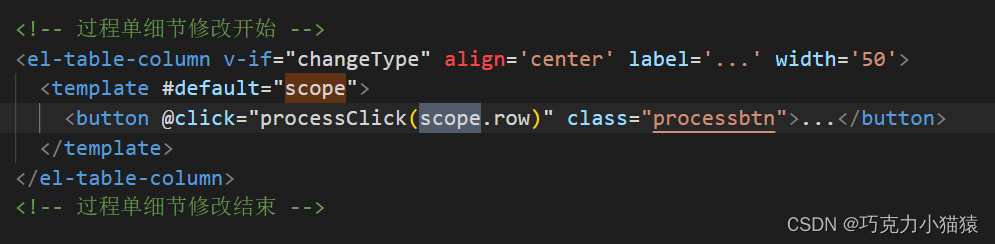
Vue在表格中拿到该行信息的方式(作用域插槽-#default-scope-解决按钮与行点击的顺序问题)
遇到的问题 在做表格的时候,表格是封装好了的,用于展示数据。如果想给单行增加按钮,可以单独写一列存放按钮,最基本的需求是,点击按钮后要拿到数据然后发起请求。 且Vue的element-plus,当我们点击按钮之后…...

OJ练习第158题——单词拆分 II
单词拆分 II 力扣链接:140. 单词拆分 II 题目描述 给定一个字符串 s 和一个字符串字典 wordDict ,在字符串 s 中增加空格来构建一个句子,使得句子中所有的单词都在词典中。以任意顺序 返回所有这些可能的句子。 注意:词典中的…...
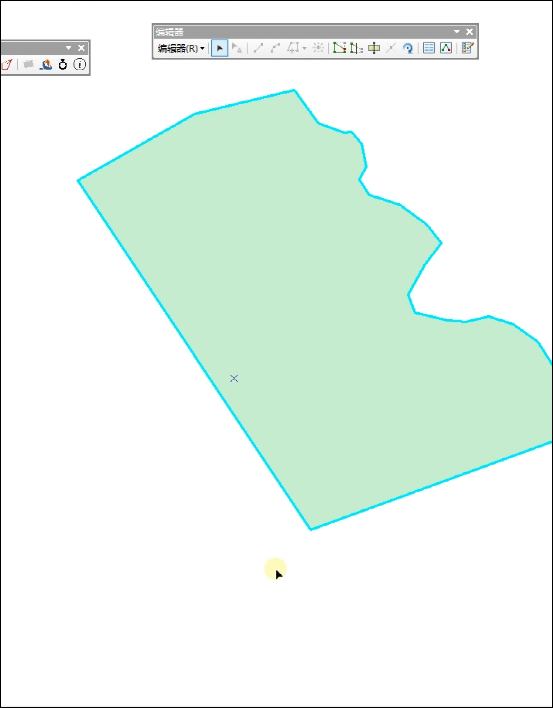
ArcGIS地块面积分割调整工具插件
地块分割调整工具可以实现将选定的图斑按照面积比例或者指定的面积,分割成多个图斑。 各个图斑的面积用逗号分隔,比例分割设置时,用整数表示。 面积分割时,最后一个图斑的面积可以不写,插件可以自动计算图斑的面积&a…...
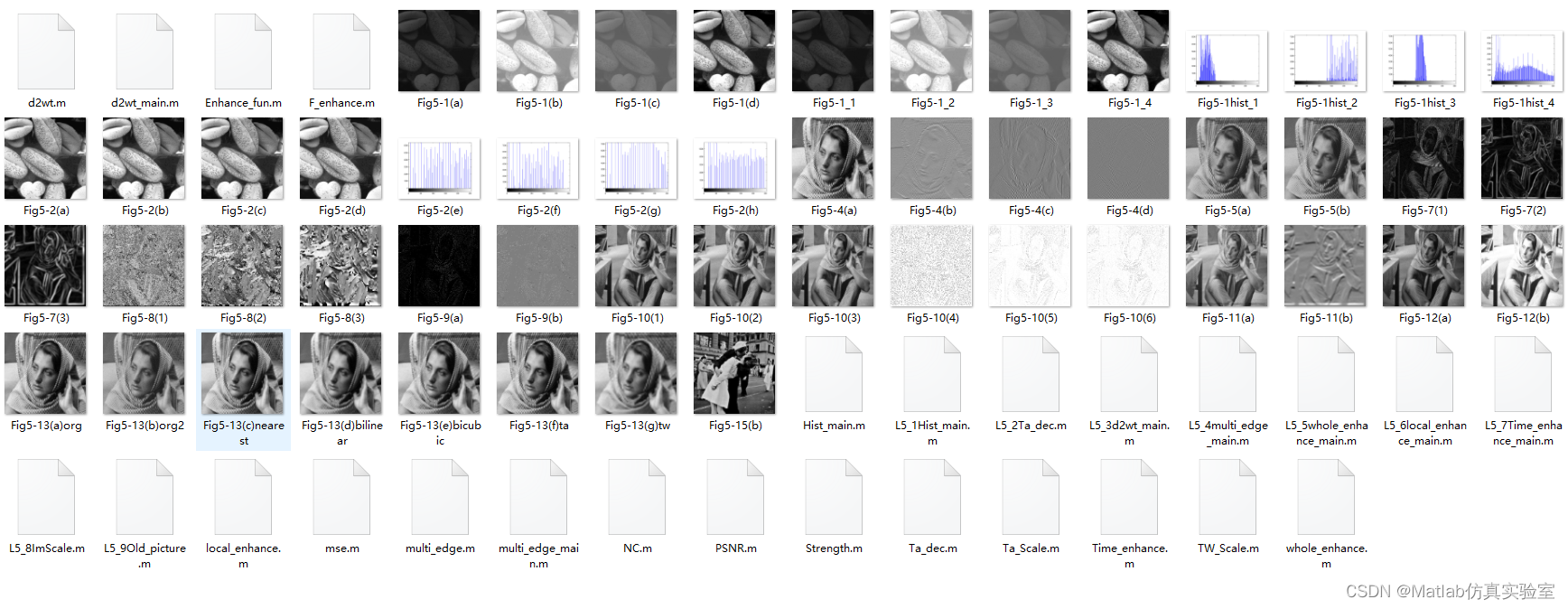
基于Matlab实现多个图像增强案例(附上源码+数据集)
图像增强是数字图像处理中的一个重要步骤,它通过一系列的算法和技术,使图像在视觉上更加清晰、明亮、对比度更强等,以便更好地满足人们的需求。在本文中,我们将介绍如何使用Matlab实现图像增强。 文章目录 部分源码源码数据集下载…...
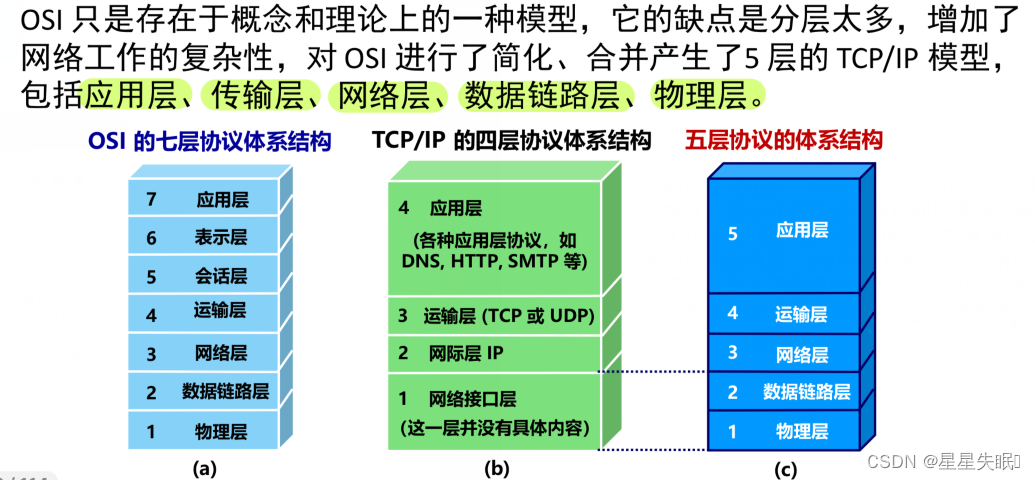
计算机网络 概述部分
目录 计算机网络在信息时代的作用 计算机网络的重要特征 网络,internet,Internet的区别 局域网 广域网的区别 网络协议的分层 计算机网络在信息时代的作用 计算机网络的重要特征 连通性:彼此联通,交换信息 共享性:信息共享…...
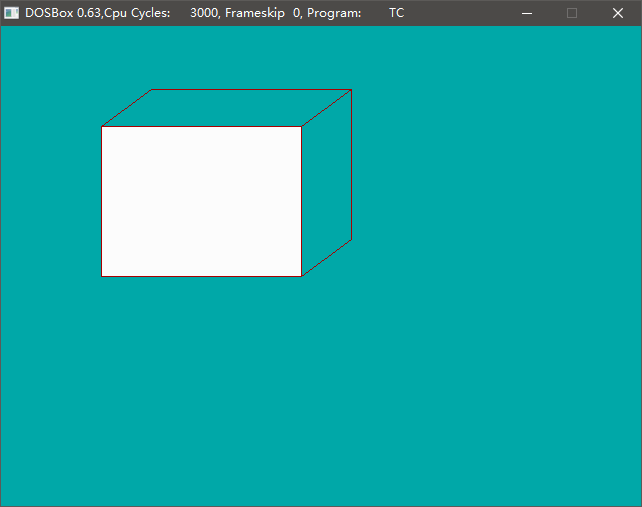
使用DOSBOX运行TurboC2,TC2使用graphics库绘图
Turbo C是由美国Borland公司开发的一套C语言程序开发工具,Borland公司是一家专门从事软件开发、研制的大公司。该公司相继推出了一套Turbo系列软件,如Turbo BASIC、Turbo Pascal、Turbo Prolog,这些软件很受用户欢迎 [1] 。 Turbo C集成了程序…...
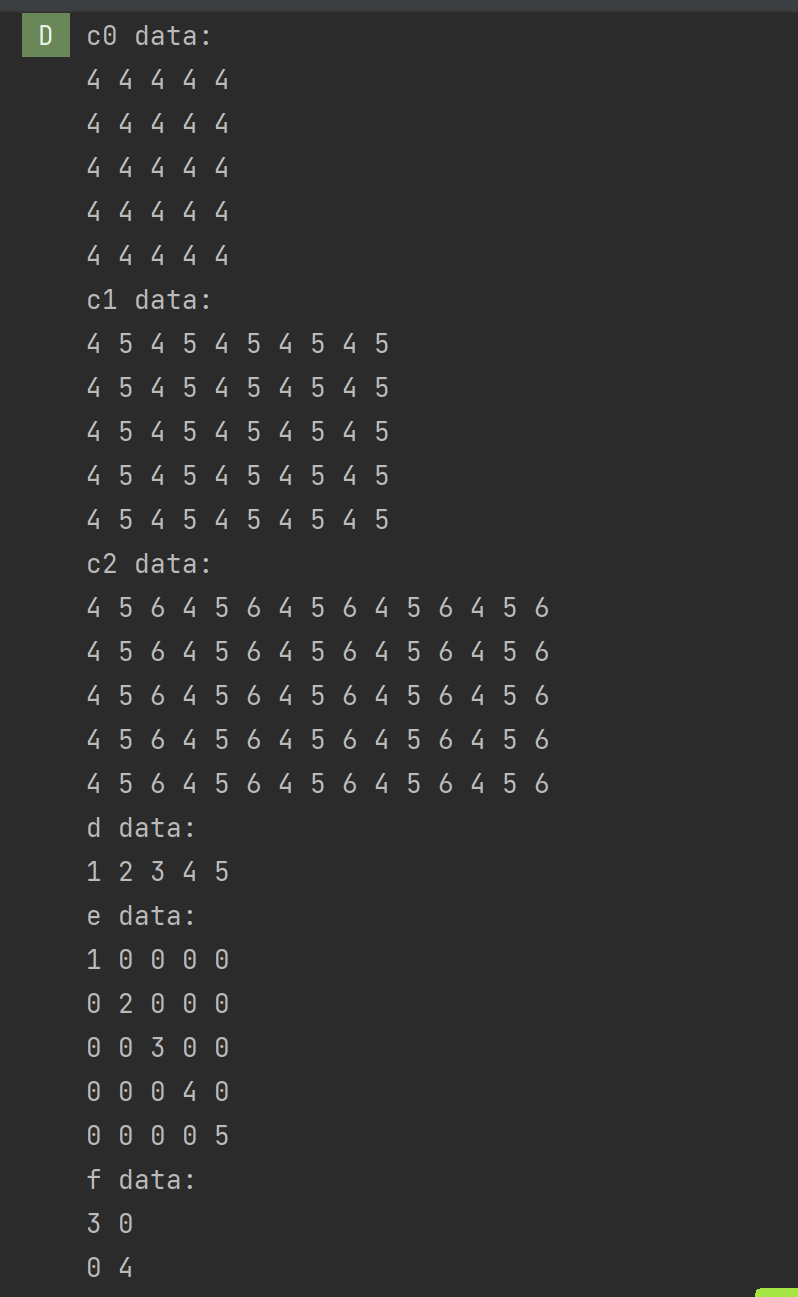
OpenCV(二):认识Mat容器
目录 1.什么是Mat类 2.Mat类能存储的数据 整数类型(有符号和无符号): 浮点数类型: 布尔类型: 3.Mat类的创建 1.利用矩阵宽、高和类型参数创建Mat类 2.利用矩陈Size(结构和数据类型参数创建Mat类 3.利用已有Mat…...
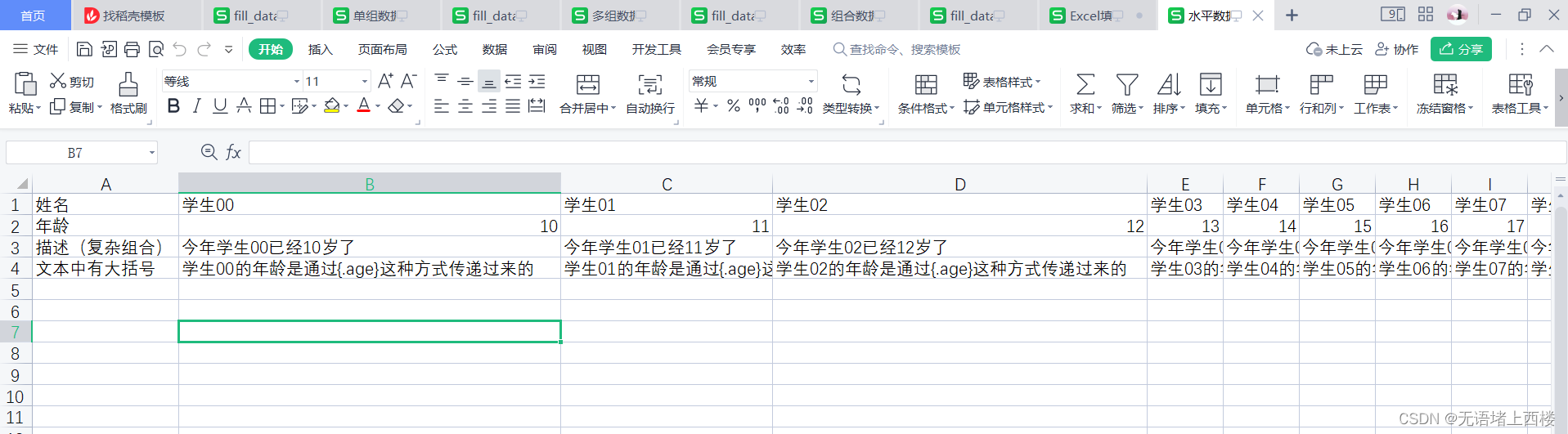
springboot整合Excel填充数据
填充一组数据 准备模板 封装数据 import java.util.ArrayList; import java.util.List;/*** 使用实体类封装填充数据** 实体中成员变量名称需要和Excel表各种{}包裹的变量名匹配*/ Data public class FillData {private String name;private int age;// 生成多组数据代码pub…...

c语言技术面试记录 ---- 纲要、题目、分析及给分标准
纲要 作为一个面试官,除了编程类的问题,你还可以考虑问一些关于技术知识、项目经验、解决问题能力和团队合作等方面的问题,以全面评估应聘者的能力和适应性。以下是一个可能的提问逻辑和大纲,供你参考: 技术知识和基…...
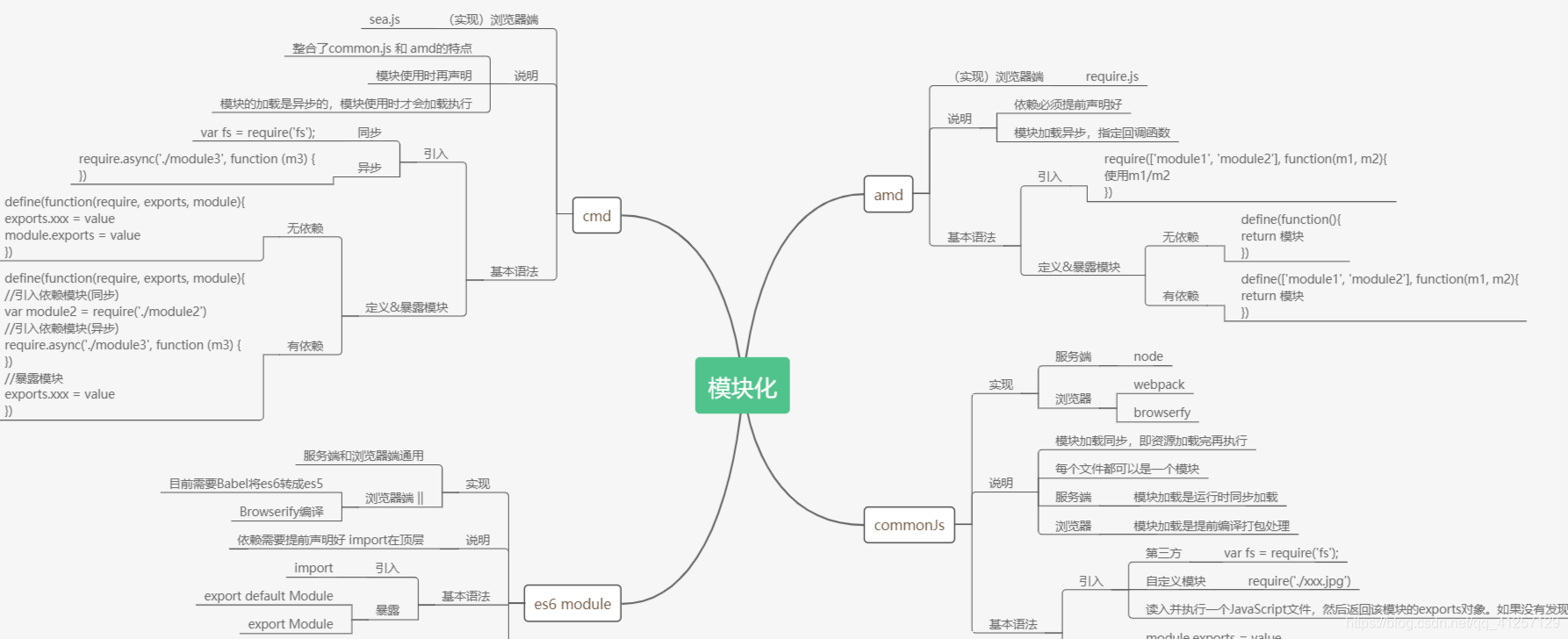
前端进阶之——模块化
在做项目的时候越来越发现模块化的重要性,做好模块化开发不仅给后期的维护带来不少好处而且大大提升项目开发效率,接下来整理一下模块化相关知识吧。 模块化开发的优点 封装方法、提高代码的复用性、可维护性和可读性隔离作用域,避免污染全…...

Python爬虫抓取表情包制作个性化聊天机器人
在现代社交媒体和即时通讯应用中,使用表情包已经成为一种流行的沟通方。本文将介绍如何利用Python编写一个简单而有趣的聊天机器人,并通过爬虫技术来抓取各类表情包,使其具备个性化特点。 1.确定需求与功能 -定义聊天机器人需要实现哪…...
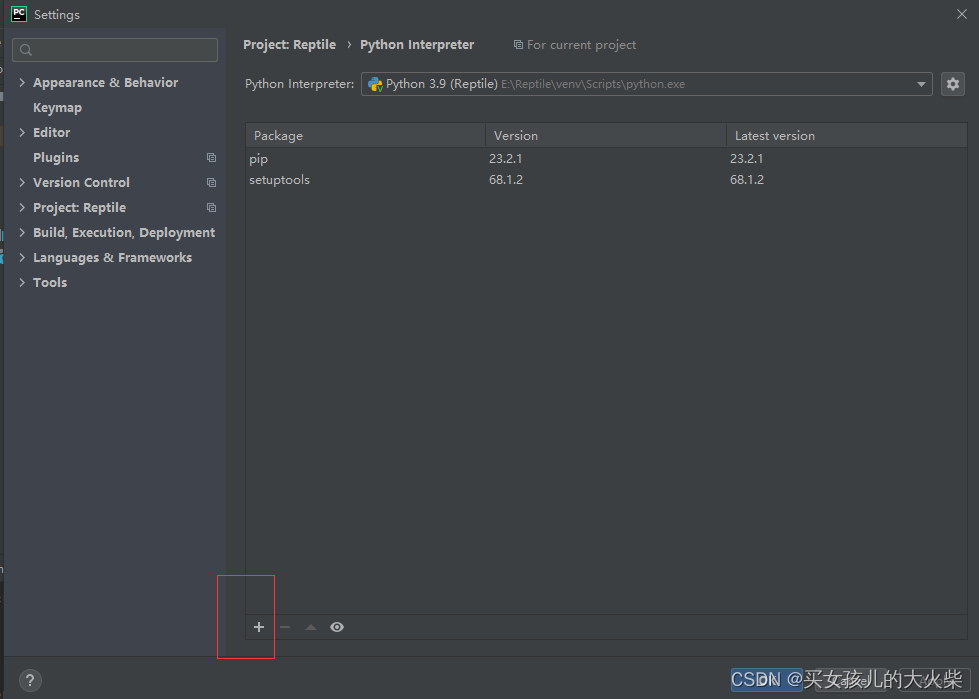
使用pip命令安装库,装到其他环境中的问题。
问题描述:我们在pycharm中创建了新的虚拟环境,但是在其终端使用Pip命令安装库时,发现库却安装到了其他conda创建的环境中。图示安装gym库,刚开始安装到了其他地方,第二次正确安装。 原因分析:安装库时&…...

如何使用CSS实现一个带有动画效果的进度条?
聚沙成塔每天进步一点点 ⭐ 专栏简介⭐ HTML 结构:⭐ CSS 样式:⭐ 写在最后 ⭐ 专栏简介 前端入门之旅:探索Web开发的奇妙世界 记得点击上方或者右侧链接订阅本专栏哦 几何带你启航前端之旅 欢迎来到前端入门之旅!这个专栏是为那…...
优选算法第十二讲:队列 + 宽搜 优先级队列
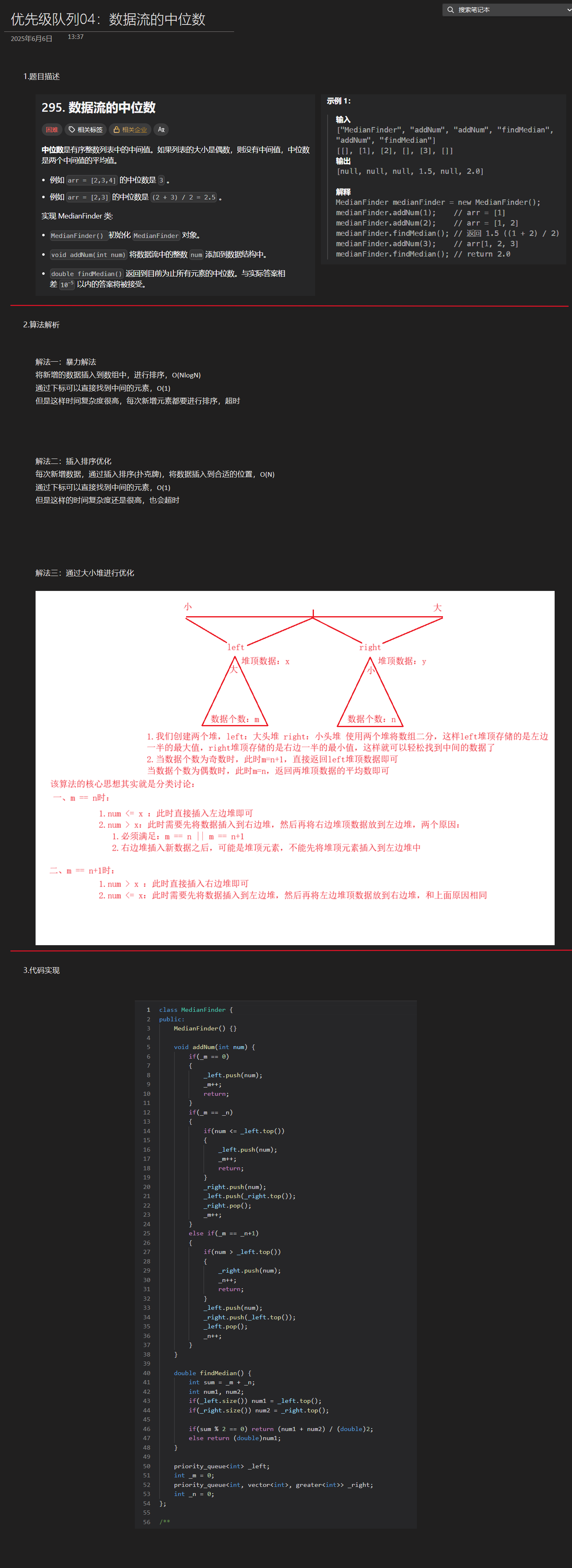
优选算法第十二讲:队列 宽搜 && 优先级队列 1.N叉树的层序遍历2.二叉树的锯齿型层序遍历3.二叉树最大宽度4.在每个树行中找最大值5.优先级队列 -- 最后一块石头的重量6.数据流中的第K大元素7.前K个高频单词8.数据流的中位数 1.N叉树的层序遍历 2.二叉树的锯…...
AI书签管理工具开发全记录(十九):嵌入资源处理
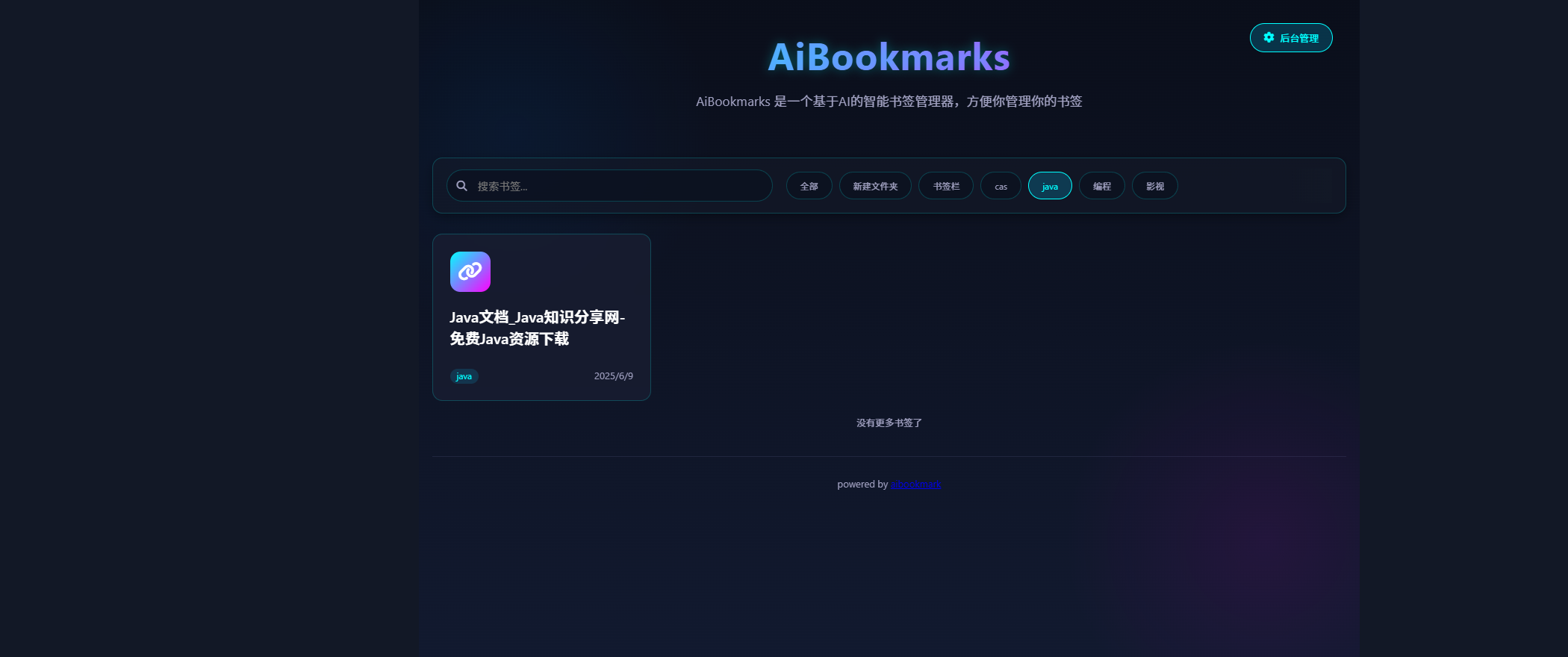
1.前言 📝 在上一篇文章中,我们完成了书签的导入导出功能。本篇文章我们研究如何处理嵌入资源,方便后续将资源打包到一个可执行文件中。 2.embed介绍 🎯 Go 1.16 引入了革命性的 embed 包,彻底改变了静态资源管理的…...

2025季度云服务器排行榜
在全球云服务器市场,各厂商的排名和地位并非一成不变,而是由其独特的优势、战略布局和市场适应性共同决定的。以下是根据2025年市场趋势,对主要云服务器厂商在排行榜中占据重要位置的原因和优势进行深度分析: 一、全球“三巨头”…...

Aspose.PDF 限制绕过方案:Java 字节码技术实战分享(仅供学习)
Aspose.PDF 限制绕过方案:Java 字节码技术实战分享(仅供学习) 一、Aspose.PDF 简介二、说明(⚠️仅供学习与研究使用)三、技术流程总览四、准备工作1. 下载 Jar 包2. Maven 项目依赖配置 五、字节码修改实现代码&#…...
回溯算法学习
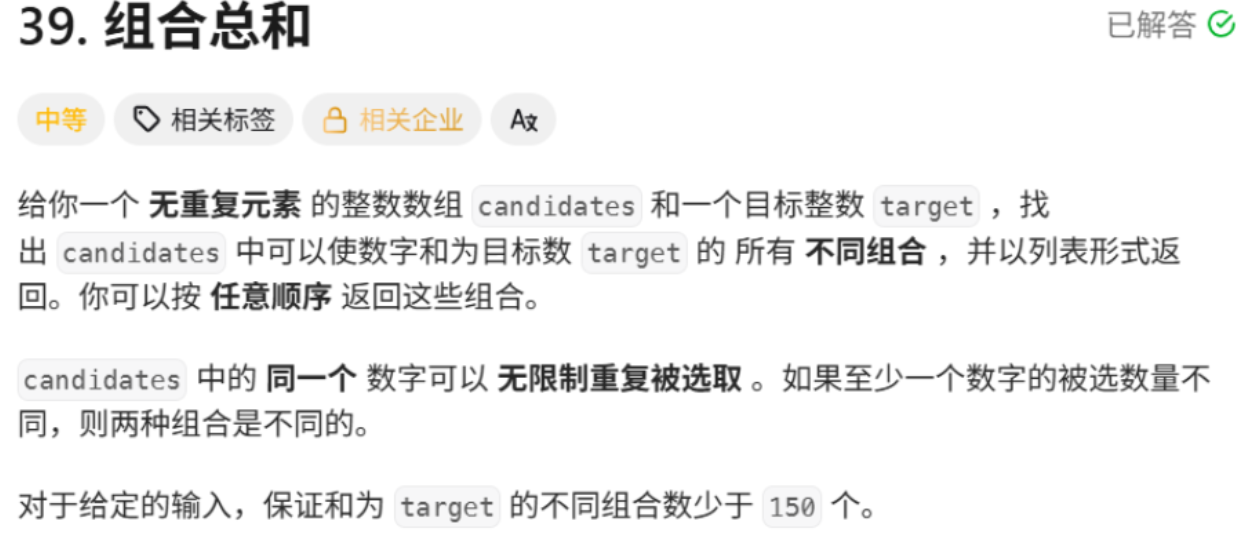
一、电话号码的字母组合 import java.util.ArrayList; import java.util.List;import javax.management.loading.PrivateClassLoader;public class letterCombinations {private static final String[] KEYPAD {"", //0"", //1"abc", //2"…...
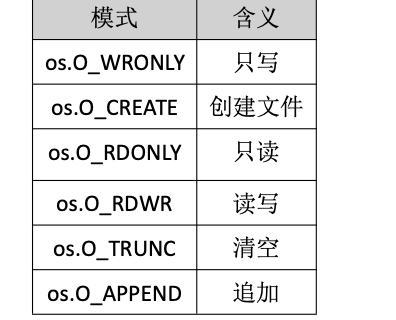
Golang——9、反射和文件操作
反射和文件操作 1、反射1.1、reflect.TypeOf()获取任意值的类型对象1.2、reflect.ValueOf()1.3、结构体反射 2、文件操作2.1、os.Open()打开文件2.2、方式一:使用Read()读取文件2.3、方式二:bufio读取文件2.4、方式三:os.ReadFile读取2.5、写…...

Linux系统部署KES
1、安装准备 1.版本说明V008R006C009B0014 V008:是version产品的大版本。 R006:是release产品特性版本。 C009:是通用版 B0014:是build开发过程中的构建版本2.硬件要求 #安全版和企业版 内存:1GB 以上 硬盘…...

数据结构:递归的种类(Types of Recursion)
目录 尾递归(Tail Recursion) 什么是 Loop(循环)? 复杂度分析 头递归(Head Recursion) 树形递归(Tree Recursion) 线性递归(Linear Recursion)…...
前端开发者常用网站
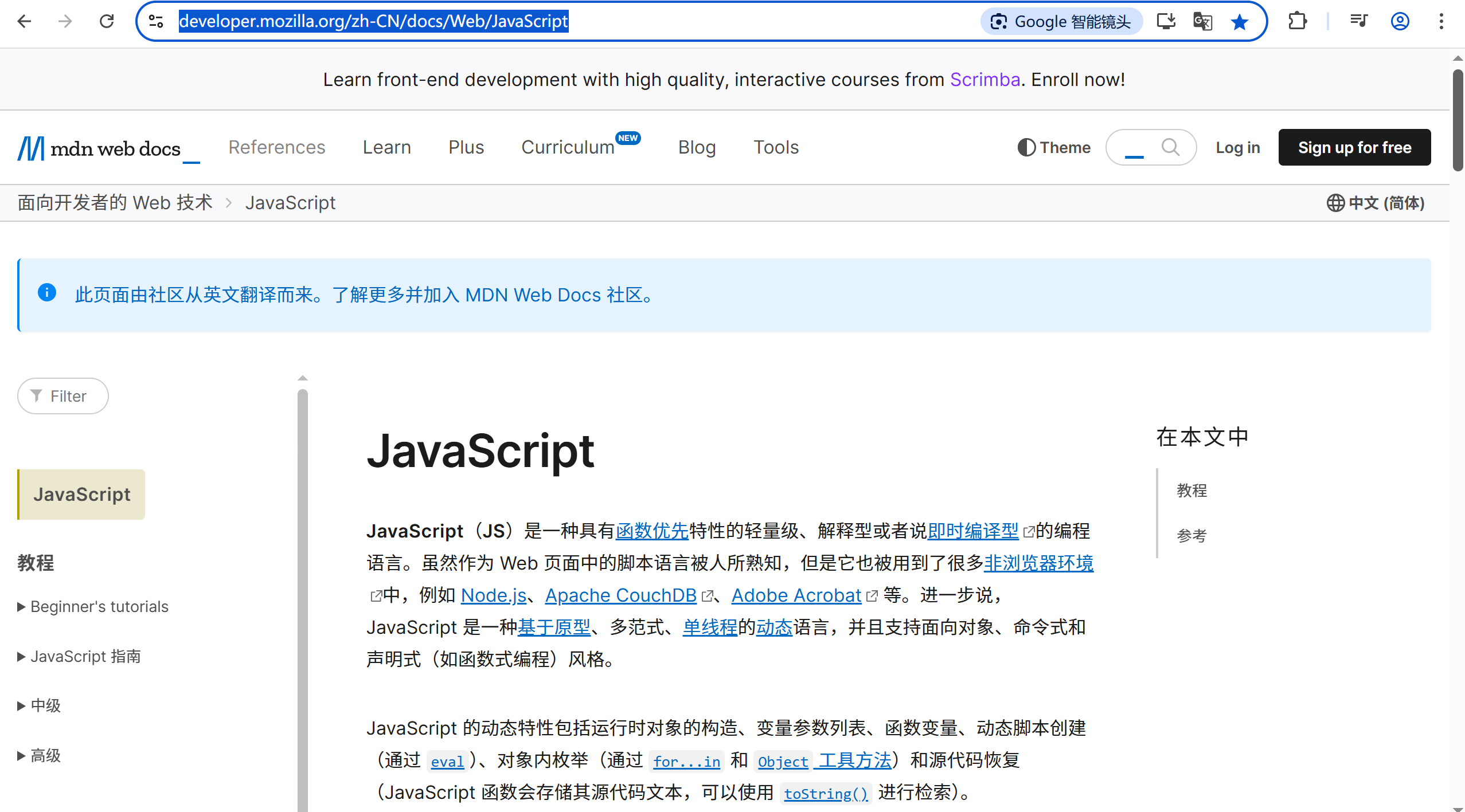
Can I use网站:一个查询网页技术兼容性的网站 一个查询网页技术兼容性的网站Can I use:Can I use... Support tables for HTML5, CSS3, etc (查询浏览器对HTML5的支持情况) 权威网站:MDN JavaScript权威网站:JavaScript | MDN...

解析“道作为序位生成器”的核心原理
解析“道作为序位生成器”的核心原理 以下完整展开道函数的零点调控机制,重点解析"道作为序位生成器"的核心原理与实现框架: 一、道函数的零点调控机制 1. 道作为序位生成器 道在认知坐标系$(x_{\text{物}}, y_{\text{意}}, z_{\text{文}}…...