
Prometheus + grafana 的监控平台部署
一、Prometheus安装
tar -zxvf prometheus-2.44.0.linux-amd64.tar.gz -C /opt/module/
sudo chown -R bigdata:bigdata /opt/module/prometheus-2.44.0.linux-amd64
mv /opt/module/prometheus-2.44.0.linux-amd64 /opt/module/prometheus-2.44.0
ln -s /opt/module/prometheus-2.44.0 /usr/local/prometheus
1.1 修改配置文件
vim /opt/module/prometheus-2.44.0/prometheus.yml
# my global config
global:scrape_interval: 15s # Set the scrape interval to every 15 seconds. Default is every 1 minute.evaluation_interval: 15s # Evaluate rules every 15 seconds. The default is every 1 minute.# scrape_timeout is set to the global default (10s).# Alertmanager configuration
alerting:alertmanagers:- static_configs:- targets:# - alertmanager:9093# Load rules once and periodically evaluate them according to the global 'evaluation_interval'.
rule_files:# - "first_rules.yml"# - "second_rules.yml"# A scrape configuration containing exactly one endpoint to scrape:
# Here it's Prometheus itself.
scrape_configs:# The job name is added as a label `job=<job_name>` to any timeseries scraped from this config.- job_name: "prometheus"# metrics_path defaults to '/metrics'# scheme defaults to 'http'.static_configs:- targets: ["node1:9090"]- job_name: 'pushgateway'static_configs:- targets: ["node1:9091"]labels:instance: pushgateway- job_name: 'node exporter'static_configs:- targets: ['node1:9100', 'node2:9100', 'node3:9100', 'node4:9100']- job_name: 'kafka_exporter'static_configs:- targets: ["node1:9308"]- job_name: 'clickhouse-cluster'static_configs:- targets: ['node4:9363','node3:9363','node2:9363','node1:9363']
1.2 创建数据目录
mkdir -p /data/prometheus/data
chown -R bigdata:bigdata /data/prometheus
1.3 使用systemctl管理Prometheus
sudo vim /usr/lib/systemd/system/prometheus.service
[Unit]
Description=prometheus
Documentation=https://prometheus.io/docs/introduction/overview/After=network.target
After=network.target[Service]
Type=simple
User=bigdata
Group=bigdata
Restart=on-failure
WorkingDirectory=/usr/local/prometheus/
ExecStart=/usr/local/prometheus/prometheus --web.enable-admin-api --web.enable-lifecycle --config.file=/usr/local/prometheus/prometheus.yml --storage.tsdb.path=/data/prometheus/data
[Install]
WantedBy=multi-user.target
命令
systemctl start prometheus
systemctl enable prometheus
systemctl status prometheus
1.4 pushgateway部署
tar -zxvf /opt/software/pushgateway-1.6.0.linux-amd64.tar.gz -C /opt/module/
sudo chown -R bigdata:bigdata /opt/module/pushgateway-1.6.0.linux-amd64
sudo mv /opt/module/pushgateway-1.6.0.linux-amd64 /opt/module/pushgateway-1.6.0
修改配置文件
sudo vim /usr/lib/systemd/system/pushgateway.service
[Unit]
Description=pushgateway
Wants=prometheus.service
After=prometheus.service[Service]
Type=simple
User=bigdata
Group=bigdata
Restart=on-failure
WorkingDirectory=/opt/module/pushgateway-1.6.0/
ExecStart=/opt/module/pushgateway-1.6.0/pushgateway --web.listen-address :9091
[Install]
WantedBy=multi-user.target
命令
sudo systemctl start pushgateway
sudo systemctl enable pushgateway
sudo systemctl status pushgateway
1.5 node_exporter部署
sudo tar -zxvf /opt/software/node_exporter-1.6.0.linux-amd64.tar.gz -C /opt/module/
sudo chown -R bigdata:bigdata /opt/module/node_exporter-1.6.0.linux-amd64
sudo /opt/module/node_exporter-1.6.0.linux-amd64 /opt/module/node_exporter-1.6.0
sudo sh /opt/bash/xsync_bigdata.sh /opt/module/node_exporter-1.6.0
分发 /opt/module/node_exporter-1.6.0 目录到需要监控的节点
使用systemctl 管理node_exporter服务
sudo vim /usr/lib/systemd/system/node_exporter.service
[Unit]
Description=node_export
Documentation=https://github.com/prometheus/node_exporter
After=network.target
[Service]
Type=simple
User=bigdata
Group=bigdata
ExecStart= /opt/module/node_exporter-1.6.0/node_exporter
Restart=on-failure
[Install]
WantedBy=multi-user.target
分发到各个节点,并且启动服务
sudo systemctl start node_exporter.service
sudo systemctl status node_exporter.service
sudo systemctl enable node_exporter.service
1.6 kafka_exporter部署
sudo tar -zxvf /opt/software/kafka_exporter-1.7.0.linux-amd64.tar.gz -C /opt/module/
sudo chown -R bigdata:bigdata /opt/module/kafka_exporter-1.7.0.linux-amd64
mv /opt/module/kafka_exporter-1.7.0.linux-amd64 /opt/module/kafka_exporter-1.7.0
使用systemctl管理 kafka_exporter 服务
sudo vim /usr/lib/systemd/system/kafka_exporter.service
[Unit]
Description=kafka_exporter
Wants=prometheus.service
After=network.target prometheus.service[Service]
Type=simple
User=bigdata
Group=bigdata
Restart=on-failure
WorkingDirectory=/opt/module/kafka_exporter-1.7.0
ExecStart=/opt/module/kafka_exporter-1.7.0/kafka_exporter --kafka.server=node2:9092 --web.listen-address=:9308 --zookeeper.server=node2:2181
[Install]
WantedBy=multi-user.target
命令
sudo systemctl start kafka_exporter
sudo systemctl enable kafka_exporter
sudo systemctl status kafka_exporter
1.7 grafana安装
sudo tar -zxvf /opt/software/grafana-enterprise-10.0.0.linux-amd64.tar.gz -C /opt/module/
sudo chown -R bigdata:bigdata /opt/module/grafana-10.0.0
sudo vim /usr/lib/systemd/system/grafana.service
使用systemctl 管理grafana 服务
[Unit]
Description=grafana
Wants=prometheus.service
After=network.target prometheus.service[Service]
Type=simple
User=bigdata
Group=bigdata
Restart=on-failure
WorkingDirectory=/opt/module/grafana-10.0.0/bin/
ExecStart=/opt/module/grafana-10.0.0/bin/grafana-server --homepath /opt/module/grafana-10.0.0 web
[Install]
WantedBy=multi-user.target
命令
sudo systemctl start grafana
sudo systemctl enable grafana
sudo systemctl status grafana
1.7.1 导入 grafana Dashboard
node-exporter-full_rev31.json
kafka-exporter-overview_rev5.json
1.7.2 grafana 监控 clickhouse集群
1.配置prometheus.yml文件添加如下内容,重启prometheus

2.配置clickhouse的conf.xml文件的prometheus字段,后重启clickhouse
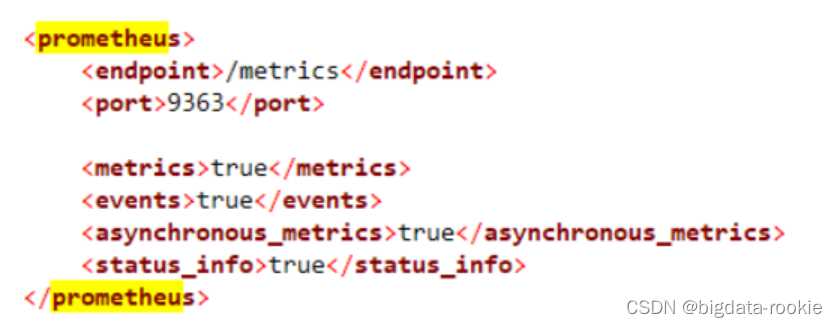
- grafana配置clickhouse监控
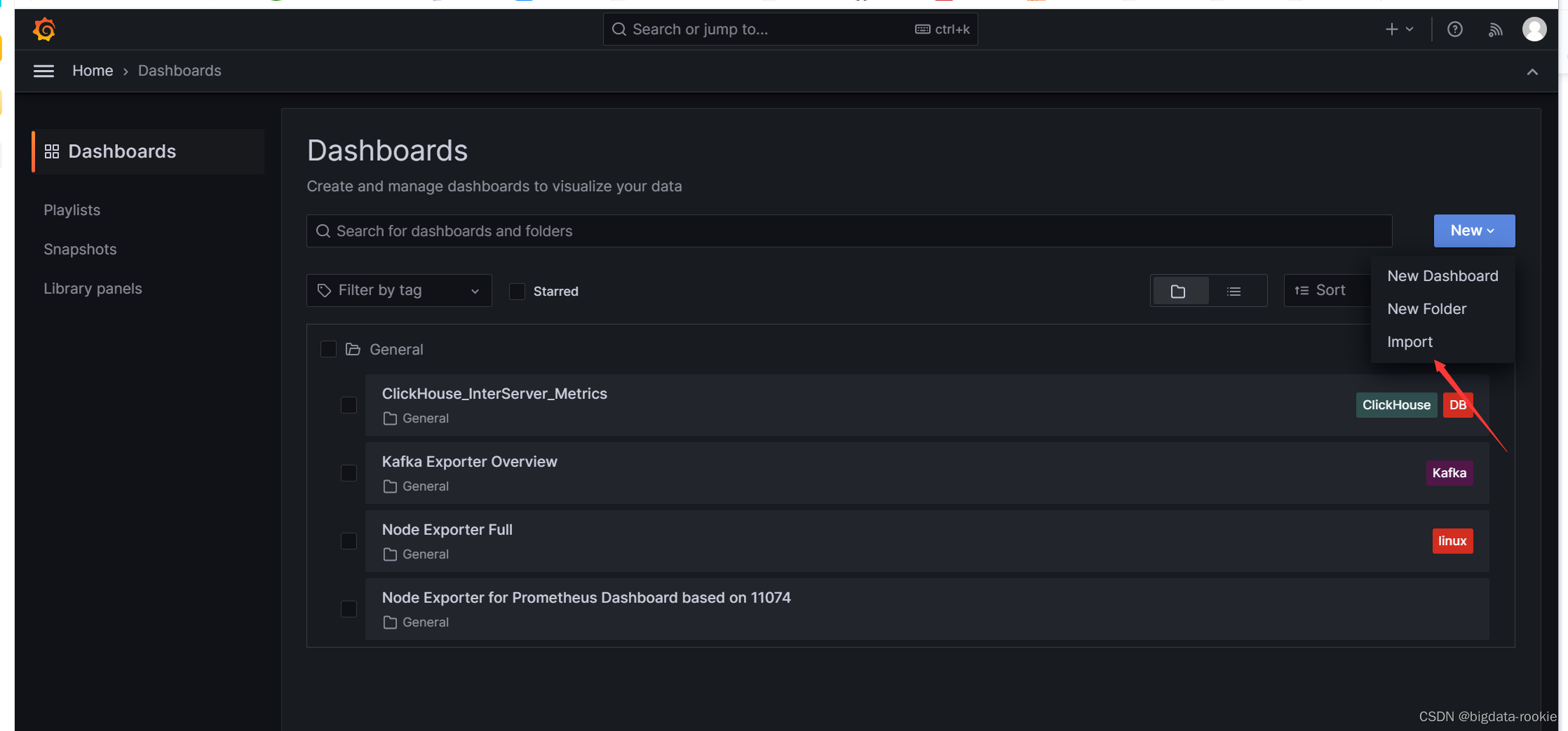
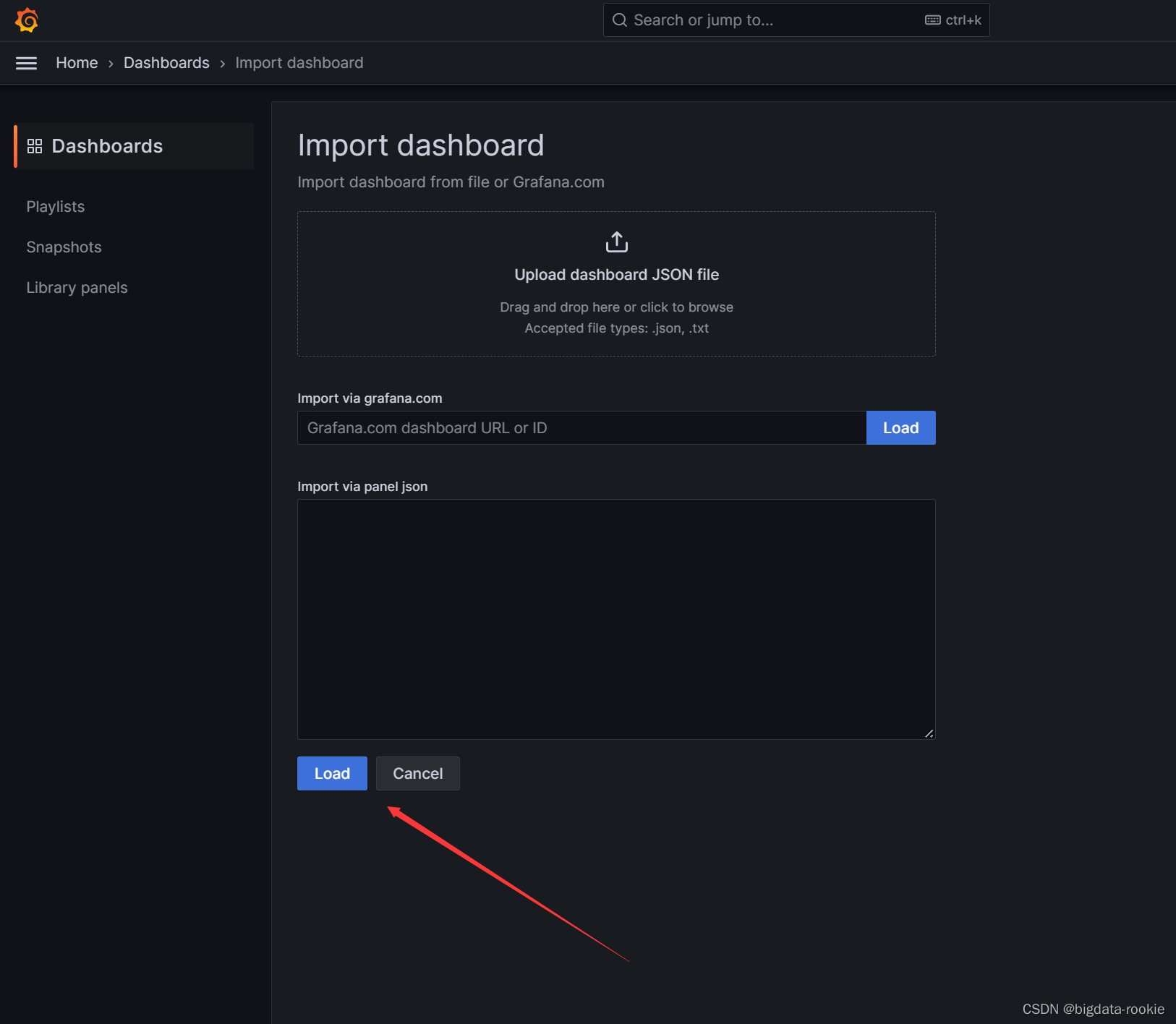
导入 监控clickhouse集群json配置文件
clickhouse-metrics-on-settings_rev1.jsion
granfana的三个json文件可从官网获取
相关文章:
Prometheus + grafana 的监控平台部署
一、Prometheus安装 tar -zxvf prometheus-2.44.0.linux-amd64.tar.gz -C /opt/module/ sudo chown -R bigdata:bigdata /opt/module/prometheus-2.44.0.linux-amd64 mv /opt/module/prometheus-2.44.0.linux-amd64 /opt/module/prometheus-2.44.0 ln -s /opt/module/promethe…...

npm、yarn、pnpm
一、简介 CommonJS 的出现,使 node 环境下的 JS 代码可以用模块更加细粒度的划分。一个类、一个函数、一个对象、一个配置等等均可以作为模块,这种细粒度的划分,是开发大型应用的基石。 为了解决在开发过程中遇到的常见问题,比如…...
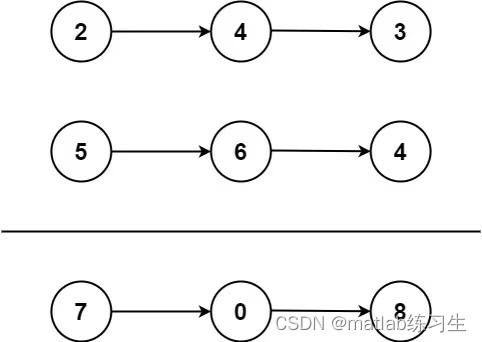
力扣|两数相加
先放题目: 给你两个非空的链表,表示两个非负的整数。它们每位数字都是按照 逆序 的方式存储的,并且每个节点只能存储 一位 数字。 请你将两个数相加,并以相同形式返回一个表示和的链表。 你可以假设除了数字 0 之外,…...
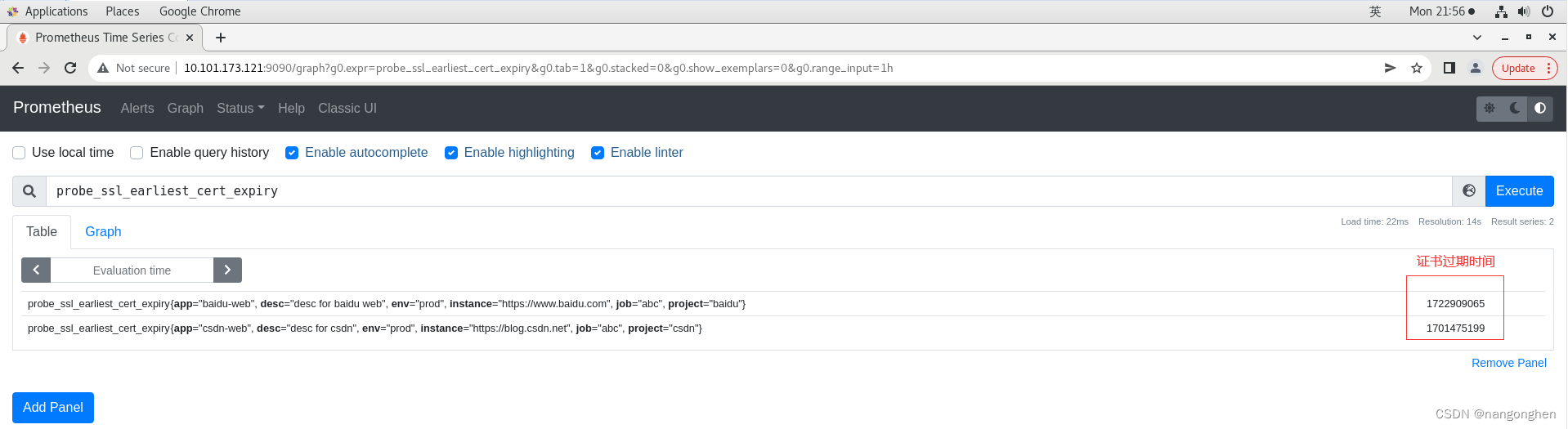
prometheus通过blackbox-exporter监控web站点证书
1 概述 线上站点普遍是https,因此监控https web站点的证书的过期时间,是一个基础性需求。例如,证书过期会导致tls握手失败,进而导致用户无法正常访问web站点。 blackbox-expoter是一个web服务,它暴露了一个接口&#…...
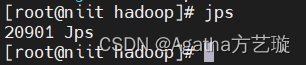
CentOS7 Hadoop3.3.0 安装与配置
一、安装JDK 1、创建文件夹tools和training用于存放压缩包和解压使用,tools存放压缩包,training用于解压后安装jdk和hadoop的路径。 1)回到路径为 / 的位置 cd /2) 创建 tools 和 training mkdir toolsmkdir training3) 进入tools文件夹 …...

2023年9月CDGA/CDGP数据治理认证考试报名,当然弘博创新
据DAMA中国官方网站消息,2023年度第三期DAMA中国CDGA和CDGP认证考试定于2023年9月23日举行。 报名通道现已开启,相关事宜通知如下: 考试科目: 数据治理工程师(CertifiedDataGovernanceAssociate,CDGA) 数据治理专家(CertifiedDataGovernanc…...
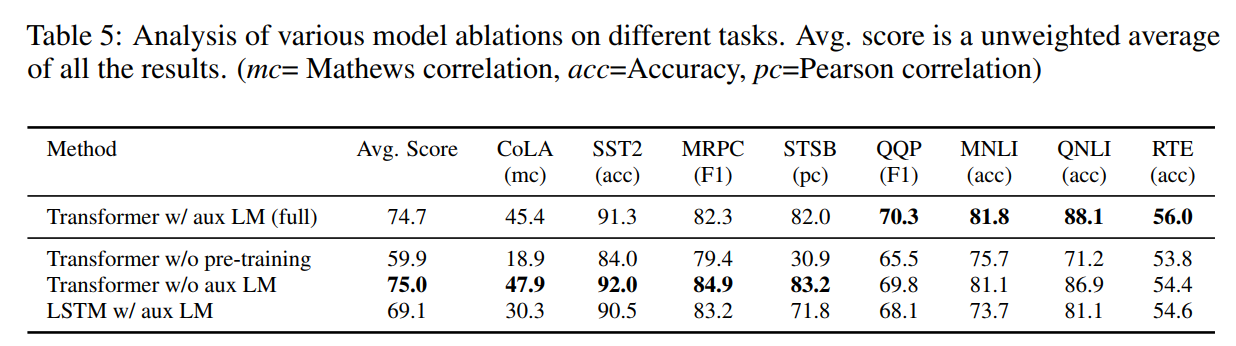
Re45:读论文 GPT-1 Improving Language Understanding by Generative Pre-Training
诸神缄默不语-个人CSDN博文目录 诸神缄默不语的论文阅读笔记和分类 论文全名:Improving Language Understanding by Generative Pre-Training 论文下载地址:https://www.mikecaptain.com/resources/pdf/GPT-1.pdf 本文是2018年OpenAI的工作,…...
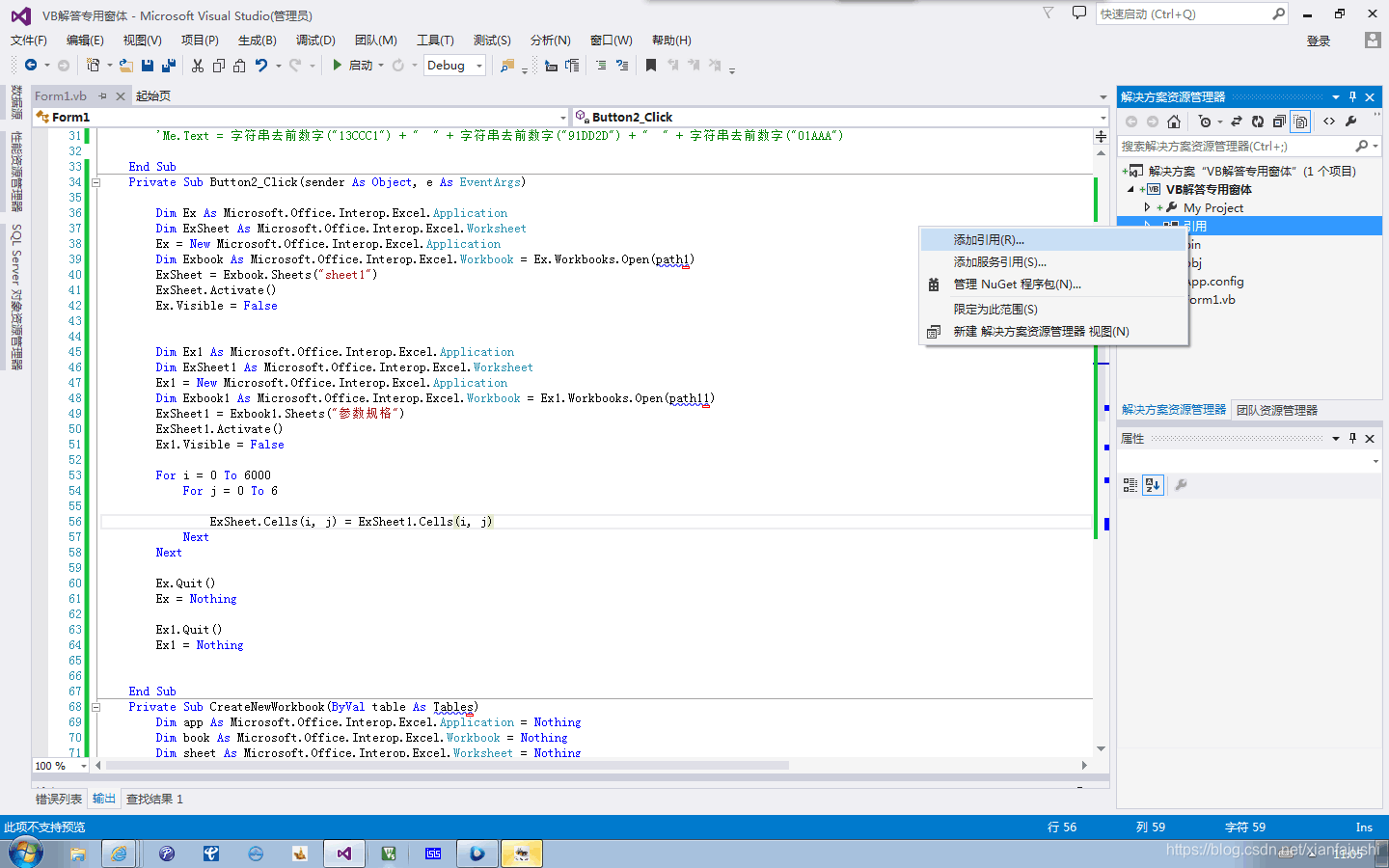
VB.NET 如何将某个Excel的工作表中复制到另一个的Excel中的工作表中https://bbs.csdn.net/topics/392861034
参考http://share.freesion.com/306372/可以实现直接拷贝指定表 Private Sub Excel复制工作簿()Dim myExcelApp As New Microsoft.Office.Interop.Excel.ApplicationmyExcelApp.Workbooks.Open(System.Environment.CurrentDirectory "\\测试用例.xlsx", Type.Missin…...
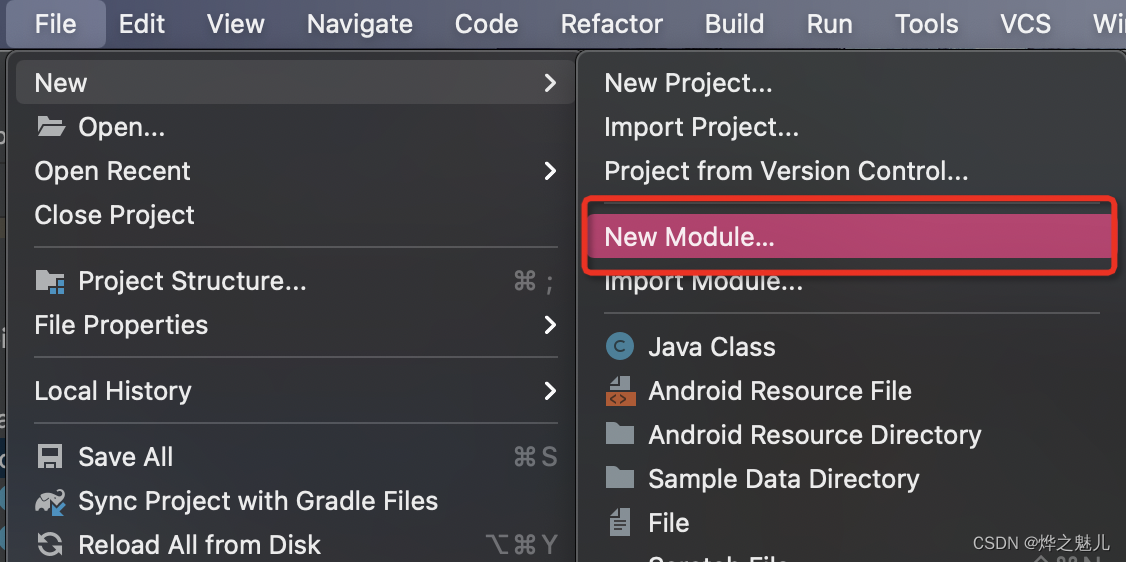
深入解析Kotlin类与对象:构造、伴生、单例全面剖析
前言 本篇文章将带您了解Kotlin编程中的重要概念:类及构造函数、访问修饰符、伴生对象和单例模式。就像搭积木一样,我们会逐步揭开这些概念的面纱,让您轻松理解它们的作用和用法。无论您是编程新手还是有经验的开发者,本文都将为…...
JavaScript构造函数
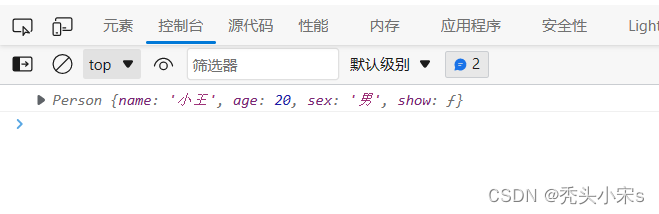
1、构造函数: 是一个函数,是通过new运算符进行调用,生成一个特殊的对象并返回。 function 函数名([参数]){ this.属性名 ‘属性值’ ... this.属性名 function([参数]){ 函数体语句 } } 通常情况下,建议构造函数的首字母大写 …...
)
手写嵌入式操作系统(基于stm8单片机)
#include <stc8h.h> #include <intrins.h> #define MAX_TASKS 2 //简化方面,我们当前操作系统只有2个task #define MAX_TASK_DEP 32unsigned char idata task_sp[MAX_TASKS]; // 任务的堆栈指针 unsigned char idata task_stack[MAX_TASKS][MAX_TASK_DEP];// 每个…...

vue3.3 ~
defineModel 原本: // 1 defineProps({modelValue: {type: Number,required: true,default: 0} })defineProps([modelValue]) // 2 const emit defineEmits([update:modelValue])现在: const value defineModel<number>({ default: 0 })defin…...

滑动窗口实例4(将x减到0的最小操作数)
题目: 给你一个整数数组 nums 和一个整数 x 。每一次操作时,你应当移除数组 nums 最左边或最右边的元素,然后从 x 中减去该元素的值。请注意,需要 修改 数组以供接下来的操作使用。 如果可以将 x 恰好 减到 0 ,返回 …...
数据库原理及应用(MySQL)
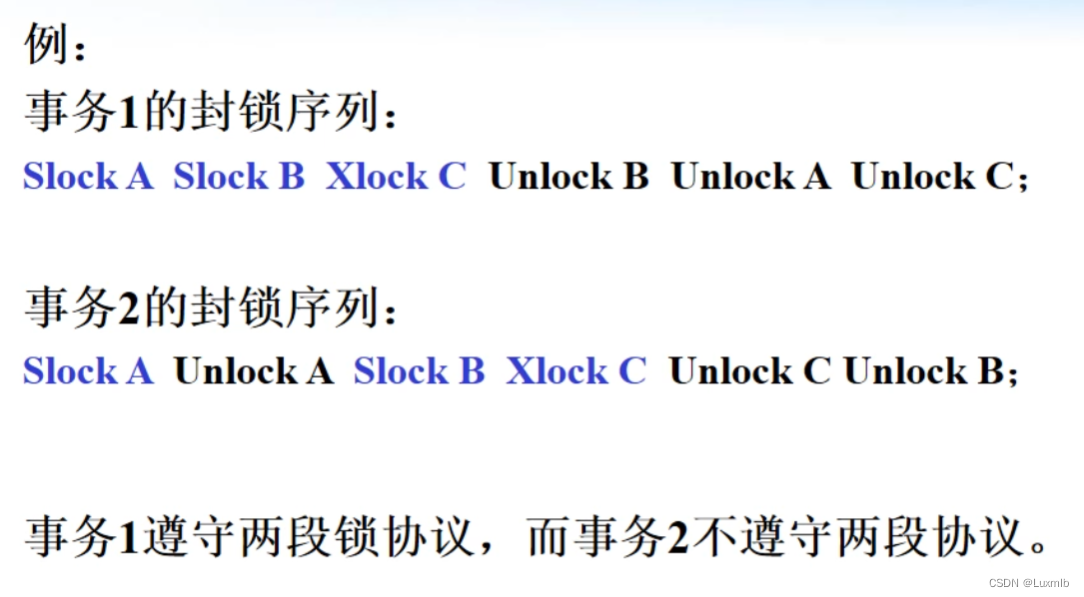
建议大屏观看,避免格式错误,影响观感 目录 第一章 数据库系统概述 1.数据库系统概述 1.1.信息 1.2.数据 1.3.信息和数据之间的联系 1.4.数据库(DB) 1.5.数据库管理系统(DBMS) 1.6.数据库管理系统的…...
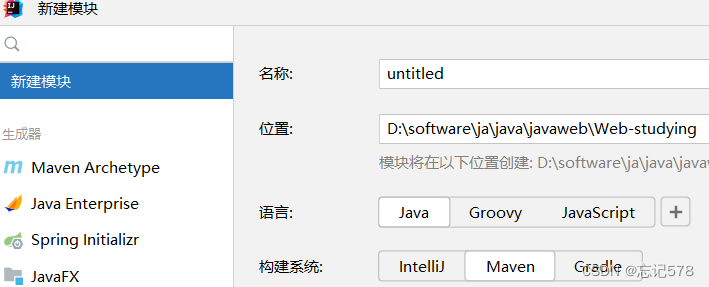
初识Maven(一)命令行操作和idea创建maven工程
Maven 是 Apache 软件基金会组织维护的一款专门为 Java 项目提供**构建**和**依赖**管理支持的工具。 构建过程包含的主要的环节:- 清理:删除上一次构建的结果,为下一次构建做好准备 - 编译:Java 源程序编译成 *.class 字节码文件…...

MHA高可用配置及故障切换
1.什么是 MHA MHA(MasterHigh Availability)是一套优秀的MySQL高可用环境下故障切换和主从复制的软件。 MHA 的出现就是解决MySQL 单点的问题。 MySQL故障切换过程中,MHA能做到0-30秒内自动完成故障切换操作。 MHA能在故障切换的过…...
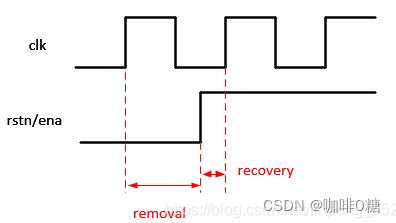
FPGA/IC秋招面试题 1(解析版)
分享个人觉得遇到还不错的题,后续有会继续补充。。。 以下题目均来自网络平台,用于学习交流如有侵权立马删除!!! 1. Verilog语言中,下面哪些语句不可被综合() A. #delay语句 B. initial语句 C. always语句 D. 用gen…...
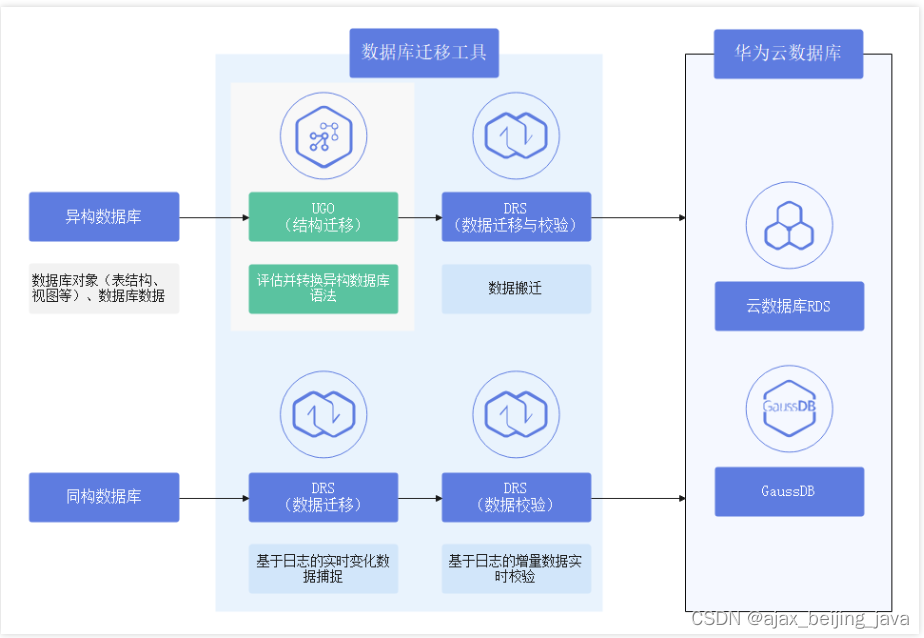
华为云 异构数据迁移
数据库和应用迁移 UGO(Database and Application Migration UGO,以下简称为UGO)是专注于异构数据库结构迁移的专业服务。可将源数据库中的DDL、DML和DCL一键自动转换为华为云GaussDB/RDS的SQL语法,通过数据库评估、对象迁移两大核…...

wininet,winhttp,xmlhttprequest,各版本区别 《转》
一、标准API接口WinINet(Microsoft Windows Internet)和WinHTTP(Microsoft Windows HTTP) 实现Http访问,微软提供了二套API:WinINet, WinHTTP(分别封装于system32目录下的wininet.dll和winhttp.dll内) 二者主要区别在于后者更为安…...
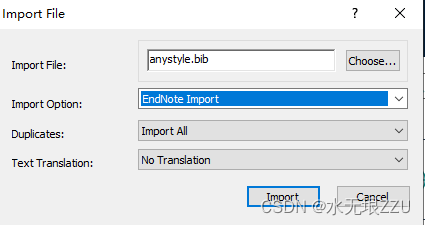
朴素,word,任何参考文献导入endnote
朴素,word,任何参考文献导入endnote 注意:对于以下这几种不做阐述,看其他帖子都有讲述: 这里的参考文献指的是类似于: [1]. Li Y, Lu Y, Huo X, et al. Bandgap tuning strategy by cations and halide io…...
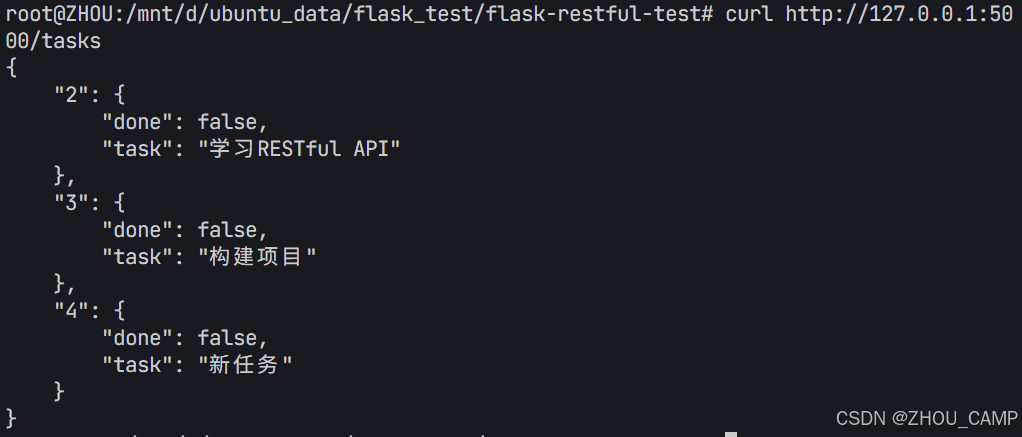
Flask RESTful 示例
目录 1. 环境准备2. 安装依赖3. 修改main.py4. 运行应用5. API使用示例获取所有任务获取单个任务创建新任务更新任务删除任务 中文乱码问题: 下面创建一个简单的Flask RESTful API示例。首先,我们需要创建环境,安装必要的依赖,然后…...

视频字幕质量评估的大规模细粒度基准
大家读完觉得有帮助记得关注和点赞!!! 摘要 视频字幕在文本到视频生成任务中起着至关重要的作用,因为它们的质量直接影响所生成视频的语义连贯性和视觉保真度。尽管大型视觉-语言模型(VLMs)在字幕生成方面…...

CRMEB 框架中 PHP 上传扩展开发:涵盖本地上传及阿里云 OSS、腾讯云 COS、七牛云
目前已有本地上传、阿里云OSS上传、腾讯云COS上传、七牛云上传扩展 扩展入口文件 文件目录 crmeb\services\upload\Upload.php namespace crmeb\services\upload;use crmeb\basic\BaseManager; use think\facade\Config;/*** Class Upload* package crmeb\services\upload* …...

#Uniapp篇:chrome调试unapp适配
chrome调试设备----使用Android模拟机开发调试移动端页面 Chrome://inspect/#devices MuMu模拟器Edge浏览器:Android原生APP嵌入的H5页面元素定位 chrome://inspect/#devices uniapp单位适配 根路径下 postcss.config.js 需要装这些插件 “postcss”: “^8.5.…...
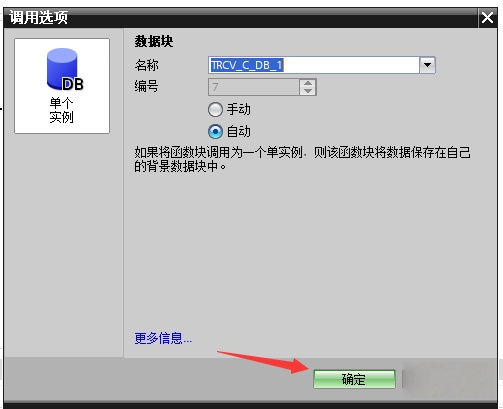
协议转换利器,profinet转ethercat网关的两大派系,各有千秋
随着工业以太网的发展,其高效、便捷、协议开放、易于冗余等诸多优点,被越来越多的工业现场所采用。西门子SIMATIC S7-1200/1500系列PLC集成有Profinet接口,具有实时性、开放性,使用TCP/IP和IT标准,符合基于工业以太网的…...

webpack面试题
面试题:webpack介绍和简单使用 一、webpack(模块化打包工具)1. webpack是把项目当作一个整体,通过给定的一个主文件,webpack将从这个主文件开始找到你项目当中的所有依赖文件,使用loaders来处理它们&#x…...
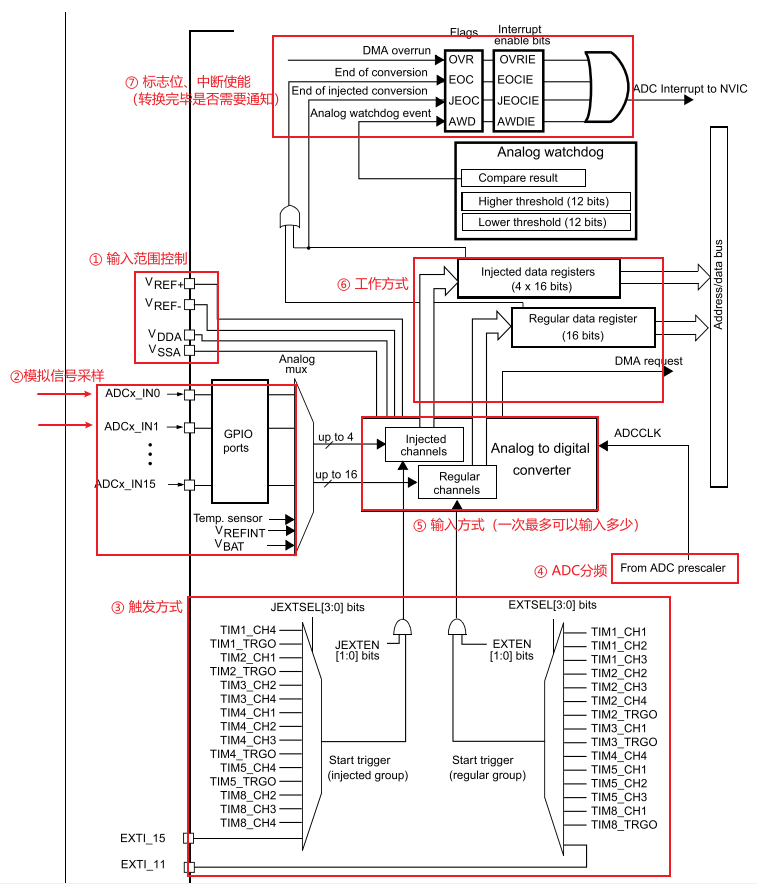
深入解析光敏传感技术:嵌入式仿真平台如何重塑电子工程教学
一、光敏传感技术的物理本质与系统级实现挑战 光敏电阻作为经典的光电传感器件,其工作原理根植于半导体材料的光电导效应。当入射光子能量超过材料带隙宽度时,价带电子受激发跃迁至导带,形成电子-空穴对,导致材料电导率显著提升。…...

Caliper 配置文件解析:config.yaml 和 fisco-bcos.json 附加在caliper中执行不同的合约方法
Caliper 配置文件解析:config.yaml 和 fisco-bcos.json Caliper 是一个区块链性能基准测试工具,用于评估不同区块链平台的性能。下面我将详细解释你提供的 fisco-bcos.json 文件结构,并说明它与 config.yaml 文件的关系。 fisco-bcos.json 文件解析 这个文件是针对 FISCO…...

Linux--vsFTP配置篇
一、vsFTP 简介 vsftpd(Very Secure FTP Daemon)是 Linux 下常用的 FTP 服务程序,具有安全性高、效率高和稳定性好等特点。支持匿名访问、本地用户登录、虚拟用户等多种认证方式,并可灵活控制权限。 二、安装与启动 1. 检查是否已…...

android计算器代码
本次作业要求实现一个计算器应用的基础框架。以下是布局文件的核心代码: <LinearLayout xmlns:android"http://schemas.android.com/apk/res/android"android:layout_width"match_parent"android:layout_height"match_parent"andr…...