
Linux C++ OpenVINO 物体检测 Demo
目录
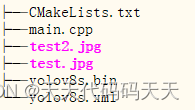
main.cpp
#include <iostream>
#include <string>
#include <vector>
#include <openvino/openvino.hpp>
#include <opencv2/opencv.hpp>
#include <dirent.h>
#include <stdio.h>
#include <time.h>
#include <unistd.h>std::vector<cv::Scalar> colors = { cv::Scalar(0, 0, 255) , cv::Scalar(0, 255, 0) , cv::Scalar(255, 0, 0) ,cv::Scalar(255, 100, 50) , cv::Scalar(50, 100, 255) , cv::Scalar(255, 50, 100) };const std::vector<std::string> class_names = {"person", "bicycle", "car", "motorcycle", "airplane", "bus", "train", "truck", "boat", "traffic light","fire hydrant", "stop sign", "parking meter", "bench", "bird", "cat", "dog", "horse", "sheep", "cow","elephant", "bear", "zebra", "giraffe", "backpack", "umbrella", "handbag", "tie", "suitcase", "frisbee","skis", "snowboard", "sports ball", "kite", "baseball bat", "baseball glove", "skateboard", "surfboard","tennis racket", "bottle", "wine glass", "cup", "fork", "knife", "spoon", "bowl", "banana", "apple","sandwich", "orange", "broccoli", "carrot", "hot dog", "pizza", "donut", "cake", "chair", "couch","potted plant", "bed", "dining table", "toilet", "tv", "laptop", "mouse", "remote", "keyboard", "cell phone","microwave", "oven", "toaster", "sink", "refrigerator", "book", "clock", "vase", "scissors", "teddy bear","hair drier", "toothbrush" };using namespace cv;
using namespace dnn;Mat letterbox(const cv::Mat& source)
{int col = source.cols;int row = source.rows;int _max = MAX(col, row);Mat result = Mat::zeros(_max, _max, CV_8UC3);source.copyTo(result(Rect(0, 0, col, row)));return result;
}int main()
{clock_t start, end;std::cout << "共8步" << std::endl;char   buffer[100];getcwd(buffer, 100);std::cout << "当前路径:" << buffer << std::endl;// -------- Step 1. Initialize OpenVINO Runtime Core --------std::cout << "1. Initialize OpenVINO Runtime Core" << std::endl;ov::Core core;// -------- Step 2. Compile the Model --------std::cout << "2. Compile the Model" << std::endl;String model_path = String(buffer) + "/yolov8s.xml";std::cout << "model_path:\t" << model_path << std::endl;ov::CompiledModel compiled_model;try {compiled_model = core.compile_model(model_path, "CPU");}catch (std::exception& e) {std::cout << "Compile the Model 异常:" << e.what() << std::endl;return 0;}// -------- Step 3. Create an Inference Request --------std::cout << "3. Create an Inference Request" << std::endl;ov::InferRequest infer_request = compiled_model.create_infer_request();// -------- Step 4.Read a picture file and do the preprocess --------std::cout << "4.Read a picture file and do the preprocess" << std::endl;String img_path = String(buffer) + "/test2.jpg";std::cout << "img_path:\t" << img_path << std::endl;Mat img = cv::imread(img_path);// Preprocess the imageMat letterbox_img = letterbox(img);float scale = letterbox_img.size[0] / 640.0;Mat blob = blobFromImage(letterbox_img, 1.0 / 255.0, Size(640, 640), Scalar(), true);// -------- Step 5. Feed the blob into the input node of the Model -------std::cout << "5. Feed the blob into the input node of the Model" << std::endl;// Get input port for model with one inputauto input_port = compiled_model.input();// Create tensor from external memoryov::Tensor input_tensor(input_port.get_element_type(), input_port.get_shape(), blob.ptr(0));// Set input tensor for model with one inputinfer_request.set_input_tensor(input_tensor);start = clock();// -------- Step 6. Start inference --------std::cout << "6. Start inference" << std::endl;infer_request.infer();end = clock();std::cout << "inference time = " << double(end - start) << "us" << std::endl;// -------- Step 7. Get the inference result --------std::cout << "7. Get the inference result" << std::endl;auto output = infer_request.get_output_tensor(0);auto output_shape = output.get_shape();std::cout << "The shape of output tensor:\t" << output_shape << std::endl;int rows = output_shape[2];        //8400int dimensions = output_shape[1];  //84: box[cx, cy, w, h]+80 classes scoresstd::cout << "8. Postprocess the result " << std::endl;// -------- Step 8. Postprocess the result --------float* data = output.data<float>();Mat output_buffer(output_shape[1], output_shape[2], CV_32F, data);transpose(output_buffer, output_buffer); //[8400,84]float score_threshold = 0.25;float nms_threshold = 0.5;std::vector<int> class_ids;std::vector<float> class_scores;std::vector<Rect> boxes;// Figure out the bbox, class_id and class_scorefor (int i = 0; i < output_buffer.rows; i++) {Mat classes_scores = output_buffer.row(i).colRange(4, 84);Point class_id;double maxClassScore;minMaxLoc(classes_scores, 0, &maxClassScore, 0, &class_id);if (maxClassScore > score_threshold) {class_scores.push_back(maxClassScore);class_ids.push_back(class_id.x);float cx = output_buffer.at<float>(i, 0);float cy = output_buffer.at<float>(i, 1);float w = output_buffer.at<float>(i, 2);float h = output_buffer.at<float>(i, 3);int left = int((cx - 0.5 * w) * scale);int top = int((cy - 0.5 * h) * scale);int width = int(w * scale);int height = int(h * scale);boxes.push_back(Rect(left, top, width, height));}}//NMSstd::vector<int> indices;NMSBoxes(boxes, class_scores, score_threshold, nms_threshold, indices);// -------- Visualize the detection results -----------for (size_t i = 0; i < indices.size(); i++) {int index = indices[i];int class_id = class_ids[index];rectangle(img, boxes[index], colors[class_id % 6], 2, 8);std::string label = class_names[class_id] + ":" + std::to_string(class_scores[index]).substr(0, 4);Size textSize = cv::getTextSize(label, FONT_HERSHEY_SIMPLEX, 0.5, 1, 0);Rect textBox(boxes[index].tl().x, boxes[index].tl().y - 15, textSize.width, textSize.height + 5);cv::rectangle(img, textBox, colors[class_id % 6], FILLED);putText(img, label, Point(boxes[index].tl().x, boxes[index].tl().y - 5), FONT_HERSHEY_SIMPLEX, 0.5, Scalar(255, 255, 255));}cv::imwrite("detection.png", img);std::cout << "detect success" << std::endl;cv::imshow("window",img);cv::waitKey(0);return 0;
}
CMakeLists.txt
cmake_minimum_required(VERSION 3.0)project(openvino_test )find_package(OpenCV REQUIRED )find_package(OpenVINO REQUIRED )file(COPY test.jpg DESTINATION ${CMAKE_CURRENT_BINARY_DIR})
file(COPY test2.jpg DESTINATION ${CMAKE_CURRENT_BINARY_DIR})
file(COPY yolov8s.xml DESTINATION ${CMAKE_CURRENT_BINARY_DIR})
file(COPY yolov8s.bin DESTINATION ${CMAKE_CURRENT_BINARY_DIR})add_executable(openvino_test main.cpp )target_link_libraries(openvino_test ${OpenCV_LIBS} openvino)
编译
ll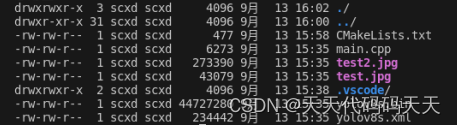
mkdir build
cd build
cmake ..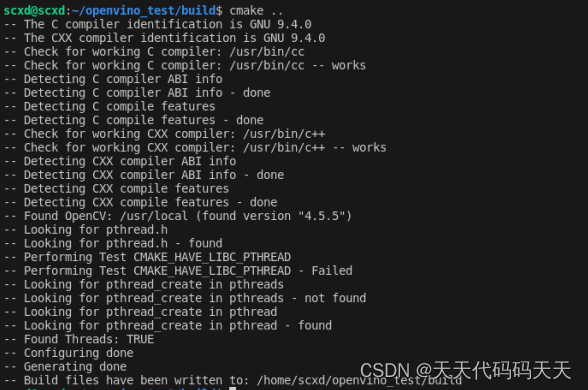
make 
ll 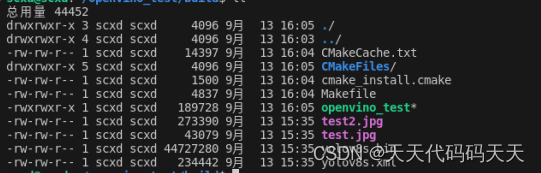
测试运行
./openvino_test效果
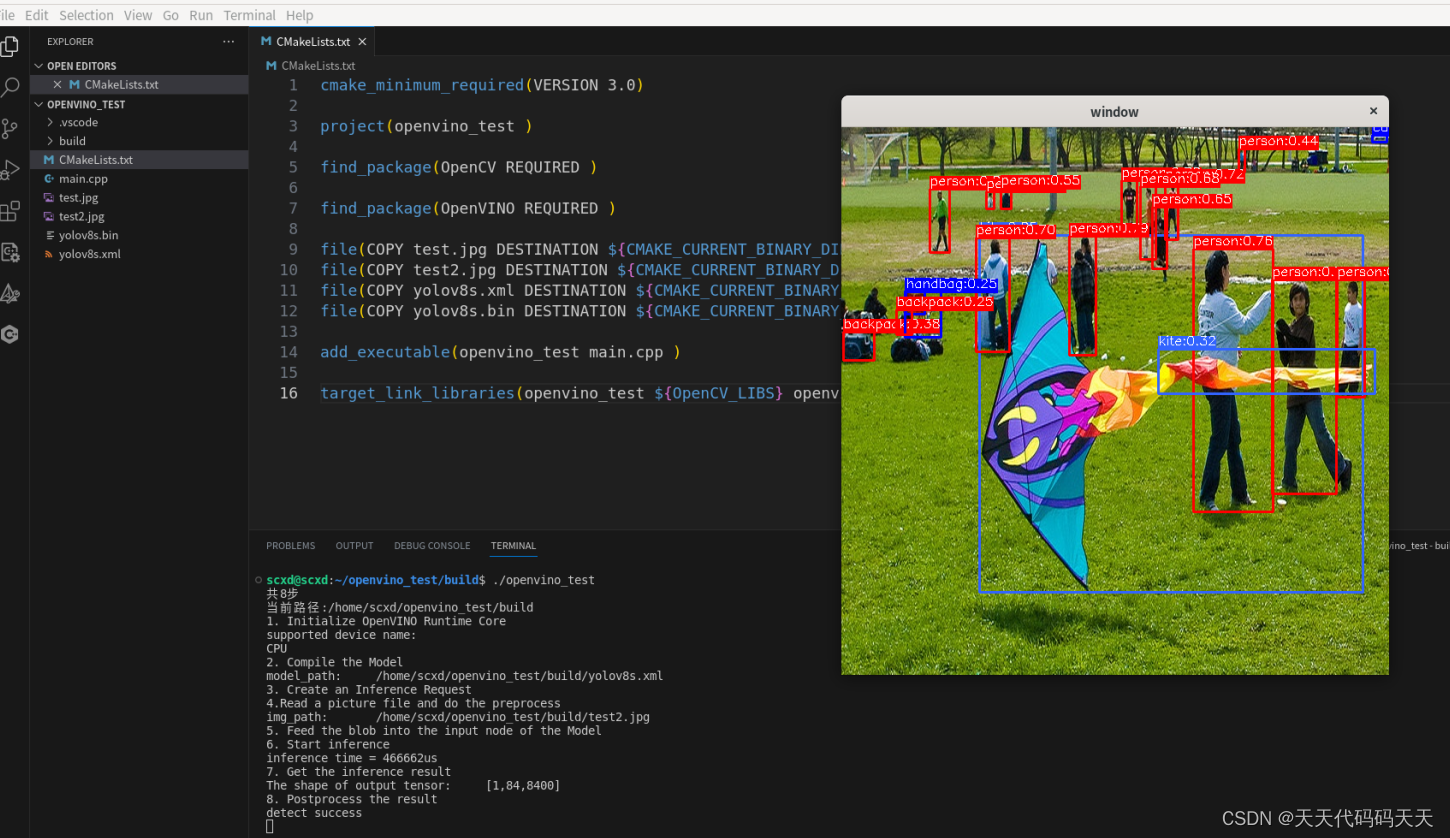
Demo下载
相关文章:
Linux C++ OpenVINO 物体检测 Demo
目录 main.cpp #include <iostream> #include <string> #include <vector> #include <openvino/openvino.hpp> #include <opencv2/opencv.hpp> #include <dirent.h> #include <stdio.h> #include <time.h> #include …...

解决运行Docker镜像报错:version `GLIBC_2.32‘ not found
解决运行Docker镜像,报错:version GLIBC_2.32’ not found 详细报错日志 xapi-backend % docker logs 036de55b5bc6 ./xapi-backend: /lib/aarch64-linux-gnu/libc.so.6: version GLIBC_2.32 not found (required by ./xapi-backend) ./xapi-backend: …...
网络层--IP协议
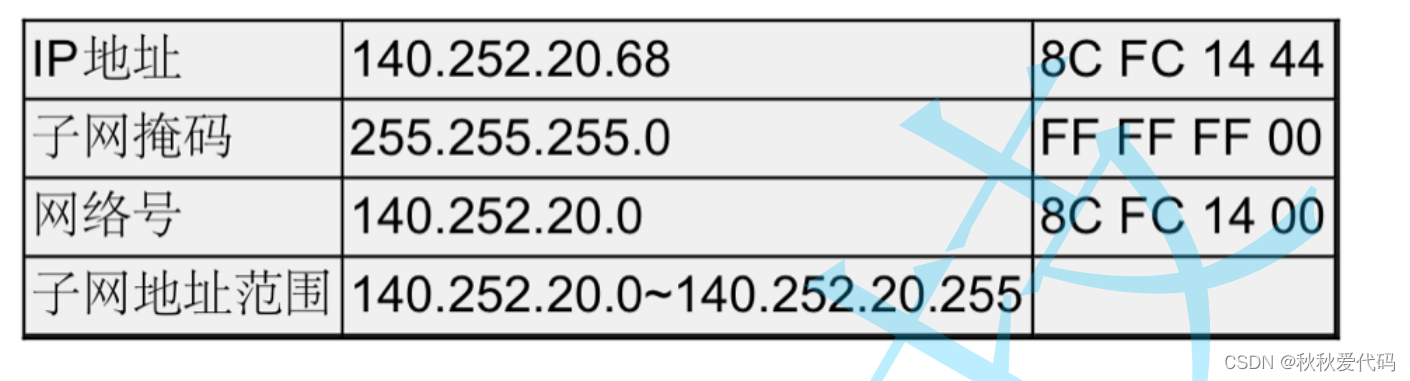
引入: IP协议主要解决什么问题呢? IP协议提供一种将数据从主机A 发送到 主机B的能力。(有能力不一定能做到,比如小明很聪明,可以考100分,但是他也不是每次搜能考100分࿰…...
Vue2 | Vant uploader实现上传文件和图片
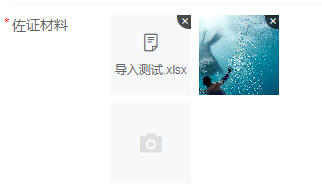
需求: 实现图片和文件的上传,单个图片超过1M则压缩,全部文件加起来不得超过10M。 效果: 1. html <van-form ref"form"><van-field name"uploader" label"佐证材料" required><t…...

第二十一章 Classes
文章目录 第二十一章 ClassesClasses类名和包类定义的基本内容 第二十一章 Classes Classes 类定义并不是 ObjectScript 的正式组成部分。相反,可以在类定义的特定部分中使用 ObjectScript(特别是在方法定义中,可以在其中使用其他实现语言&…...

Ubuntu不能上网解决办法
问题及现象 Ubuntu的虚拟机(18.04)总是莫名就不能上网了。 使用ifconfig -a 查看,ensxx(xx为虚拟机分配的id号)对应的网卡有mac地址,但是没有分配ip地址。 Network中也没有Wired的选项。 临时解决方案 使…...
百度飞浆OCR识别表格入门python实践
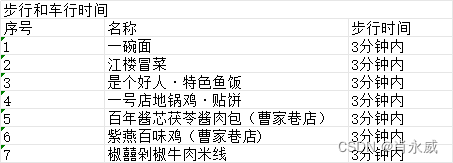
1. 百度飞桨(PaddlePaddle) 百度飞桨(PaddlePaddle)是百度推出的一款深度学习平台,旨在为开发者提供强大的深度学习框架和工具。飞桨提供了包括OCR(光学字符识别)在内的多种功能,可…...

直接插入排序、希尔排序详解。及性能比较
直接插入排序、希尔排序详解。及性能比较 一、 直接插入排序1.1 插入排序原理1.2 代码实现1.3 直接插入排序特点总结 二、希尔排序 ( 缩小增量排序 )2.1 希尔排序原理2.2 代码实现2.3 希尔排序特点总结 三、直接插入排序和希尔排序性能大比拼 !!!3.1 如何对比性能?准…...
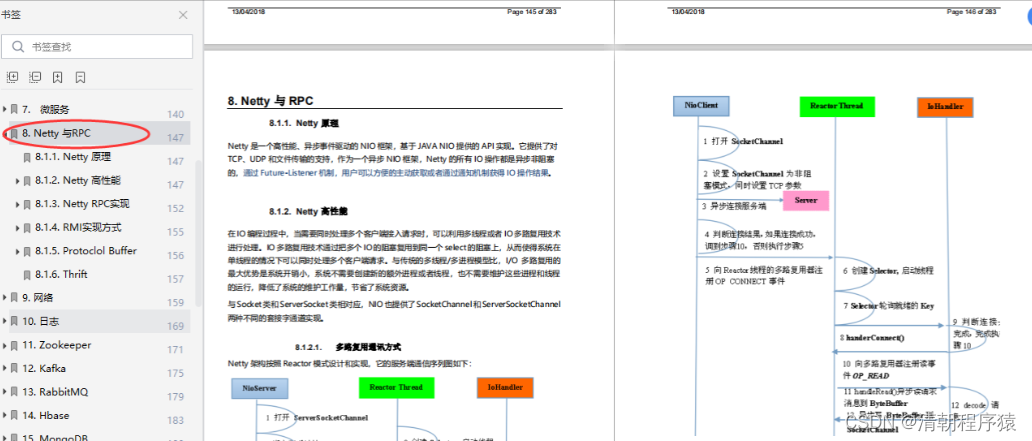
2023备战秋招Java面试八股文合集
Java就业大环境仍然根基稳定,市场上有很多机会,技术好的人前景就好,就看你有多大本事了。小编得到了一份很不错的资源,建议大家可以认真地来看看以下的资料,来提升一下自己的核心竞争力,在面试中轻松应对面…...
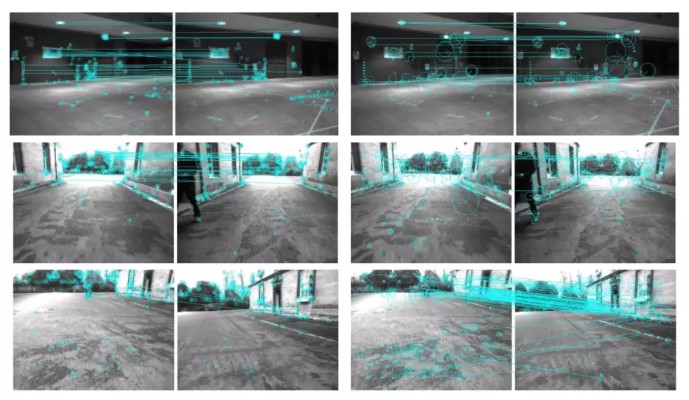
SLAM中的二进制词袋生成过程和工作原理
长期视觉SLAM (Simultaneous Localization and Mapping)最重要的要求之一是鲁棒的位置识别。经过一段探索期后,当长时间未观测到的区域重新观测时,标准匹配算法失效。 当它们被健壮地检测到时,回环检测提供正确的数据关联以获得一致的地图。…...

算法训练第五十九天
503. 下一个更大元素 II - 力扣(LeetCode) 代码: class Solution { public:vector<int> nextGreaterElements(vector<int>& nums) {vector<int> nums1(nums.begin(), nums.end());nums.insert(nums.end(), nums1.beg…...
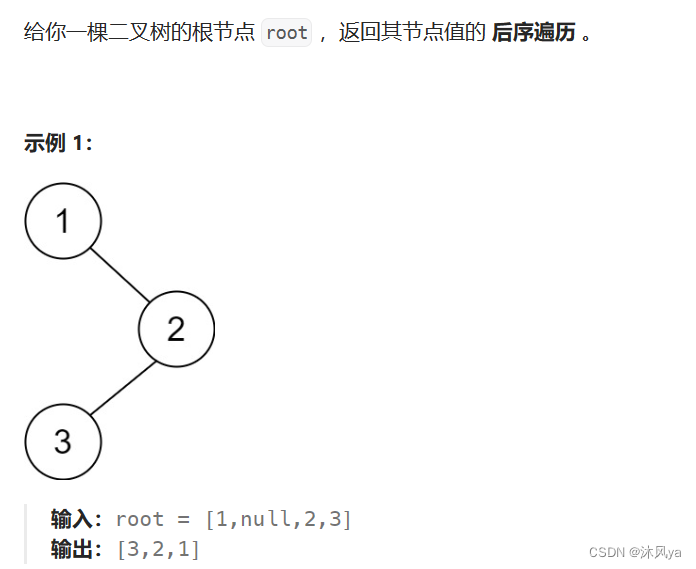
二叉树oj题
目录 层序遍历(一) 题目 思路 代码 层序遍历(二) 题目 思路 代码 根据二叉树创建字符串 题目 思路 代码 二叉树的最近公共祖先 题目 思路 代码 暴力版 队列版 栈版 bs树和双向链表 题目 思路 代码 前序中序序列构建二叉树 题目 思路 代码 中序后序…...

华为数通方向HCIP-DataCom H12-831题库(单选题:1-20)
第1题 关于IPSG下列说法错误的是? A、IPSG可以防范IP地址欺骗攻击 B、IPSG是一种基于三层接口的源IP地址过滤技术 C、IPSG可以开启IP报文检查告警功能,联动网管进行告警 D、可以通过IPSG防止主机私自更改IP地址 答案: B 解析: IPSG(入侵防护系统)并不是基于三层接口的源I…...

TableConvert-免费在线表格转工具 让表格转换变得更容易
在线表格转工具TableConvert TableConvert 是一个基于web的免费且强大在线表格转换工具,它可以在 Excel、CSV、LaTeX 表格、HTML、JSON 数组、insert SQL、Markdown 表格 和 MediaWiki 表格等之间进行互相转换,也可以通过在线表格编辑器轻松的创建和生成…...
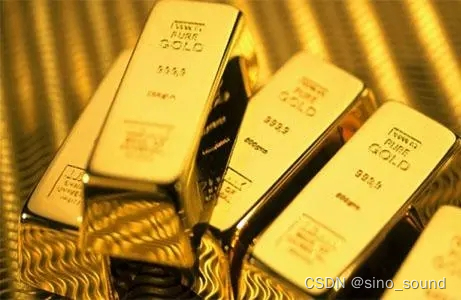
伦敦金实时行情中的震荡
不知道各位伦敦金投资者,曾经花过多长的时间来观察行情走势的表现,不知道大家是否有统计过,其实行情有60%-70%的时间,都会处于没有明显方向的震荡行情之中呢?面对长期的震荡行情,伦敦金投资者道理应该如何应…...

蓝桥杯打卡Day7
文章目录 阶乘的末尾0整除问题 一、阶乘的末尾0IO链接 本题思路:由于本题需要求阶乘的末尾0,由于我们知道2*510可以得到一个0,那么我们就可以找出2的数和5的数,但是由于是阶乘,所以5的数量肯定是小于2的数量…...
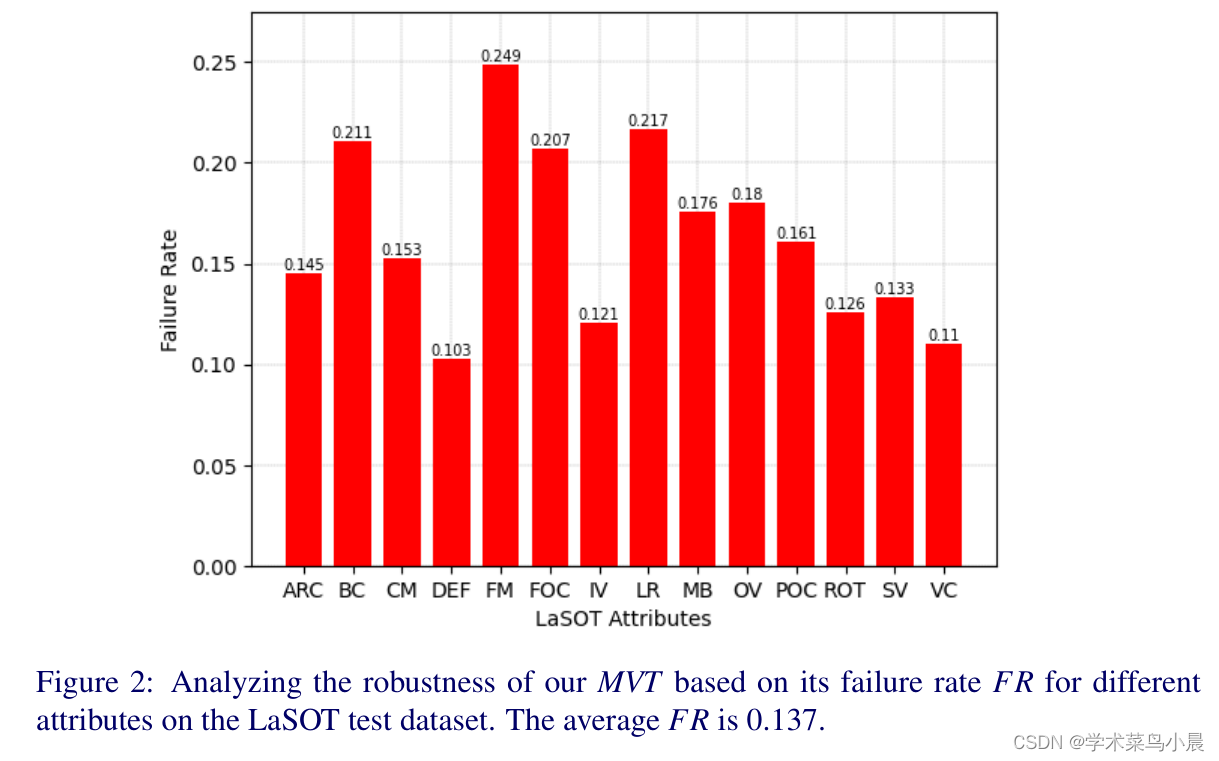
Mobile Vision Transformer-based Visual Object Tracking
论文作者:Goutam Yelluru Gopal,Maria A. Amer 作者单位:Concordia University 论文链接:https://arxiv.org/pdf/2309.05829v1.pdf 项目链接:https://github.com/goutamyg/MVT 内容简介: 1)方向&#…...
HTTP反爬困境
尊敬的程序员朋友们,大家好!今天我要和您分享一篇关于解决反爬困境的文章。在网络爬虫的时代,许多网站采取了反爬措施来保护自己的数据资源。然而,作为程序员,我们有着聪明才智和技术能力,可以应对这些困境…...
----函数指针与回调函数)
从零开始探索C语言(九)----函数指针与回调函数
函数指针 函数指针是指向函数的指针变量。 通常我们说的指针变量是指向一个整型、字符型或数组等变量,而函数指针是指向函数。 函数指针可以像一般函数一样,用于调用函数、传递参数。 函数指针变量的声明: typedef int (*fun_ptr)(int,i…...

智慧工厂的基础是什么?功能有哪些?
关键词:智慧工厂、智慧工厂数字化、设备设施数字化、智能运维、工业互联网 1.智慧工厂的定义 智慧工厂是以数字化信息形式的工厂模型为基础,以实现制造系统离线分析设计和实际生产系统运行状态在线监控的新型工厂。智慧工厂的建设在于以高度集成的信息化…...

DISMTools企业部署:在组织中大规模应用的最佳实践
DISMTools企业部署:在组织中大规模应用的最佳实践 【免费下载链接】DISMTools The connected place for Windows system administration 项目地址: https://gitcode.com/GitHub_Trending/di/DISMTools DISMTools是一款专为Windows系统管理设计的连接平台&…...

Unity安卓打包实战指南:从环境配置到APK生成全链路排错
1. 这不是“入门教程”,而是一份写给真实开发现场的生存指南你打开Unity,新建一个3D项目,拖进一个Cube,点击Play——它动了。你松了口气,觉得“Unity好像也没那么难”。但当你把APK打包发给测试同事,对方回…...

从理论推导到代码实现:手把手教你用Python/Numpy写出守恒形式的NS方程求解器
从理论推导到代码实现:手把手教你用Python/Numpy写出守恒形式的NS方程求解器计算流体力学(CFD)的魅力在于它将抽象的数学方程转化为可执行的代码,让流体运动的奥秘在计算机中重现。对于已经掌握流体力学理论的中高级学习者来说&am…...

一次搞懂内存取证:用Volatility3和Cobalt Strike分析工具复现VNCTF‘来一把紧张刺激的CS’
实战内存取证:从Volatility3到Cobalt Strike信标分析全解析 在网络安全事件响应中,内存取证往往是发现高级威胁的最后一道防线。当攻击者使用文件无落地的技术时,传统的磁盘取证可能一无所获,而内存中却保留着攻击行为的完整痕迹。…...

钱钟书《围城》第1-5章阅读笔记:一场关于人生困境的提前预演
前言 钱钟书先生的《围城》被誉为"新儒林外史",是中国现代文学史上风格独特的讽刺经典。这部创作于20世纪40年代的长篇小说,以抗战初期为背景,通过主人公方鸿渐的人生轨迹,深刻揭示了知识分子群体的精神困境与人性弱点。…...

内存占用3KB!极致瘦身释放MCU无限可能
极致小体积,给工业领域带来了无限的可能:更低硬件成本,更小芯片体积,更低功耗,更高可靠性,让每一颗小MCU都拥有大系统的完整能力。 https://www.bilibili.com/video/BV1eZLi6PEjc/?spm_id_from333.1387.ho…...

【DeepSeek架构评审功能深度解密】:20年架构师亲授3大避坑指南与5步落地 checklist
更多请点击: https://kaifayun.com 第一章:DeepSeek架构评审功能全景概览 DeepSeek架构评审功能是一套面向大模型系统设计与工程落地的自动化分析框架,聚焦于模型结构合理性、计算图优化潜力、内存访问模式、算子兼容性及部署约束等多维度评…...
)
大佬推荐的网络安全学习路线(从基础到高级,超级详细)
大佬推荐的网络安全学习路线(从基础到高级,超级详细) 说起网络安全,你可能会担心它是一个过时的行业。有人说,网络安全快卷死了,你既要攻又要防,并且随着技术的发展,你还要不断地学…...

DragonBones与Godot集成:骨骼动画的可编程化实践
1. 为什么在Godot里用DragonBones不是“锦上添花”,而是“绕不开的刚需” 去年上线一个横版动作手游Demo时,美术团队交来一套20个角色、每个角色含8套动画(待机/跑动/跳跃/攻击/受击/死亡/闪避/必杀)的Spine资源。我兴冲冲导入God…...

Godot4 2D游戏开发避坑指南:TileMap绘制、节点顺序与相机设置的三个常见问题
Godot4 2D游戏开发避坑指南:TileMap绘制、节点顺序与相机设置的三个常见问题当你第一次用Godot4完成一个2D场景搭建时,那种成就感往往会被几个突如其来的bug瞬间击碎——角色神秘消失、背景纹丝不动、屏幕边缘出现诡异黑边。这些问题看似简单,…...