
WPF中行为与触发器的概念及用法
完全来源于十月的寒流,感谢大佬讲解
一、行为 (Behaviors)
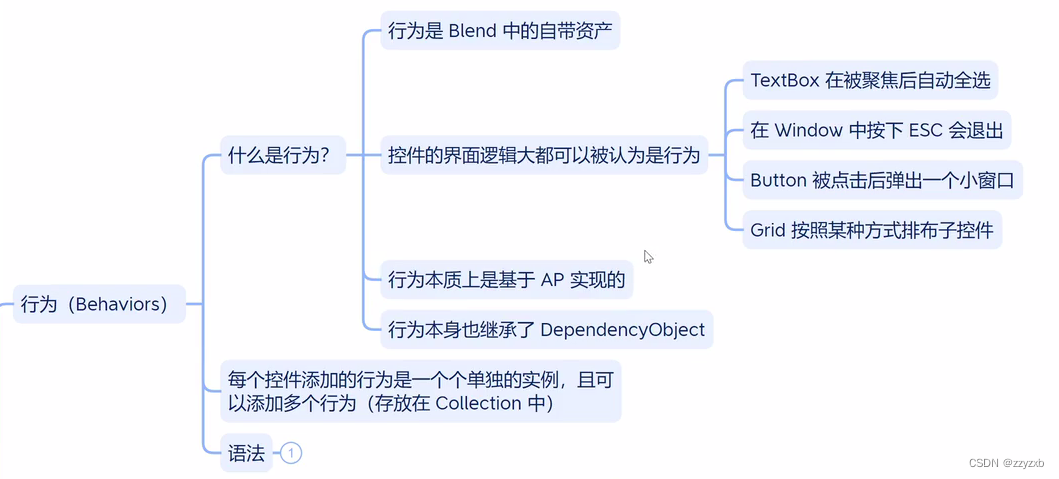
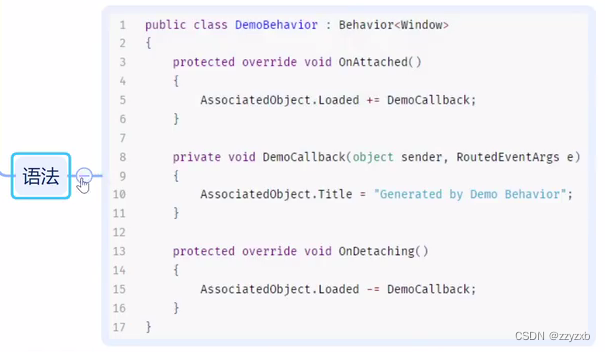
behaviors的简单测试
<Window x:Class="Test_05.MainWindow"xmlns="http://schemas.microsoft.com/winfx/2006/xaml/presentation"xmlns:x="http://schemas.microsoft.com/winfx/2006/xaml"xmlns:d="http://schemas.microsoft.com/expression/blend/2008"xmlns:mc="http://schemas.openxmlformats.org/markup-compatibility/2006"xmlns:local="clr-namespace:Test_05"mc:Ignorable="d"xmlns:b="http://schemas.microsoft.com/xaml/behaviors"Title="MainWindow" Height="450" Width="800"><Grid><Border x:Name="bord" Width="50" Height="50" Background="Blue"><b:Interaction.Behaviors><b:MouseDragElementBehavior></b:MouseDragElementBehavior></b:Interaction.Behaviors></Border></Grid>
</Window>
自定义behaviors测试
<Window x:Class="Test_05.MainWindow"xmlns="http://schemas.microsoft.com/winfx/2006/xaml/presentation"xmlns:x="http://schemas.microsoft.com/winfx/2006/xaml"xmlns:d="http://schemas.microsoft.com/expression/blend/2008"xmlns:mc="http://schemas.openxmlformats.org/markup-compatibility/2006"xmlns:local="clr-namespace:Test_05"mc:Ignorable="d"xmlns:b="http://schemas.microsoft.com/xaml/behaviors"Title="MainWindow" Height="450" Width="800"><Grid><Border x:Name="bord" Width="50" Height="50" Background="Blue" RenderTransformOrigin="1.47,0.858"><b:Interaction.Behaviors><b:MouseDragElementBehavior></b:MouseDragElementBehavior><local:MyBehaviors></local:MyBehaviors></b:Interaction.Behaviors></Border></Grid>
</Window>
using Microsoft.Xaml.Behaviors;
using System;
using System.Collections.Generic;
using System.Linq;
using System.Text;
using System.Threading.Tasks;
using System.Windows;
using System.Windows.Controls;
using System.Windows.Data;
using System.Windows.Documents;
using System.Windows.Input;
using System.Windows.Media;
using System.Windows.Media.Imaging;
using System.Windows.Navigation;
using System.Windows.Shapes;namespace Test_05
{/// <summary>/// MainWindow.xaml 的交互逻辑/// </summary>public partial class MainWindow : Window{public MainWindow(){InitializeComponent();}}public class MyBehaviors : Behavior<Border>{protected override void OnAttached(){//AssociatedObject.Background = Brushes.Green;AssociatedObject.MouseEnter += (sender,args) => {AssociatedObject.Background = Brushes.Green;};AssociatedObject.MouseLeave += (sender, args) =>{AssociatedObject.Background = Brushes.Blue;};}protected override void OnDetaching(){}}
}
点击按钮后清空某个文本框的内容
<Window x:Class="Test_05.MainWindow"xmlns="http://schemas.microsoft.com/winfx/2006/xaml/presentation"xmlns:x="http://schemas.microsoft.com/winfx/2006/xaml"xmlns:d="http://schemas.microsoft.com/expression/blend/2008"xmlns:mc="http://schemas.openxmlformats.org/markup-compatibility/2006"xmlns:local="clr-namespace:Test_05"mc:Ignorable="d"xmlns:b="http://schemas.microsoft.com/xaml/behaviors"Title="MainWindow" Height="450" Width="800"><StackPanel><TextBox x:Name="tbox"></TextBox><Button HorizontalAlignment="Left" Content="clear"><b:Interaction.Behaviors><local:ClearTextBox Target="{Binding ElementName=tbox}"></local:ClearTextBox></b:Interaction.Behaviors></Button></StackPanel>
</Window>
using Microsoft.Xaml.Behaviors;
using System;
using System.Collections.Generic;
using System.Linq;
using System.Text;
using System.Threading.Tasks;
using System.Windows;
using System.Windows.Controls;
using System.Windows.Data;
using System.Windows.Documents;
using System.Windows.Input;
using System.Windows.Media;
using System.Windows.Media.Imaging;
using System.Windows.Navigation;
using System.Windows.Shapes;namespace Test_05
{/// <summary>/// MainWindow.xaml 的交互逻辑/// </summary>public partial class MainWindow : Window{public MainWindow(){InitializeComponent();}}public class ClearTextBox : Behavior<Button>{public TextBox Target{get { return (TextBox)GetValue(TargetProperty); }set { SetValue(TargetProperty, value); }}public static readonly DependencyProperty TargetProperty =DependencyProperty.Register("Target", typeof(TextBox), typeof(ClearTextBox), new PropertyMetadata(null));protected override void OnAttached(){AssociatedObject.Click += EmptyText;}private void EmptyText(object sender, RoutedEventArgs e){Target?.Clear();}}
}
用鼠标滚轮调整文本框中的数字
<Window x:Class="Test_05.MainWindow"xmlns="http://schemas.microsoft.com/winfx/2006/xaml/presentation"xmlns:x="http://schemas.microsoft.com/winfx/2006/xaml"xmlns:d="http://schemas.microsoft.com/expression/blend/2008"xmlns:mc="http://schemas.openxmlformats.org/markup-compatibility/2006"xmlns:local="clr-namespace:Test_05"mc:Ignorable="d"xmlns:b="http://schemas.microsoft.com/xaml/behaviors"Title="MainWindow" Height="450" Width="800"><StackPanel><TextBox x:Name="tbox" FontSize="30" Text="0"><b:Interaction.Behaviors><local:MouseWheelBehavior MinValue="-100" MaxValue="100" Scale="3"></local:MouseWheelBehavior></b:Interaction.Behaviors></TextBox></StackPanel>
</Window>
using Microsoft.Xaml.Behaviors;
using System;
using System.Collections.Generic;
using System.Linq;
using System.Text;
using System.Threading.Tasks;
using System.Windows;
using System.Windows.Controls;
using System.Windows.Data;
using System.Windows.Documents;
using System.Windows.Input;
using System.Windows.Media;
using System.Windows.Media.Imaging;
using System.Windows.Navigation;
using System.Windows.Shapes;namespace Test_05
{/// <summary>/// MainWindow.xaml 的交互逻辑/// </summary>public partial class MainWindow : Window{public MainWindow(){InitializeComponent();}}public class MouseWheelBehavior : Behavior<TextBox>{public int MaxValue { get; set; } = 10;public int MinValue { get; set; } = -10;public int Scale { get; set; } = 1;protected override void OnAttached(){AssociatedObject.MouseWheel += Wheel;}private void Wheel(object sender, MouseWheelEventArgs e){int num = int.Parse(AssociatedObject.Text);if (e.Delta > 0){num += Scale;}else{num -= Scale;}if (num > MaxValue){num = MaxValue;}if (num < MinValue){num = MinValue;}AssociatedObject.Text = num.ToString();}}
}
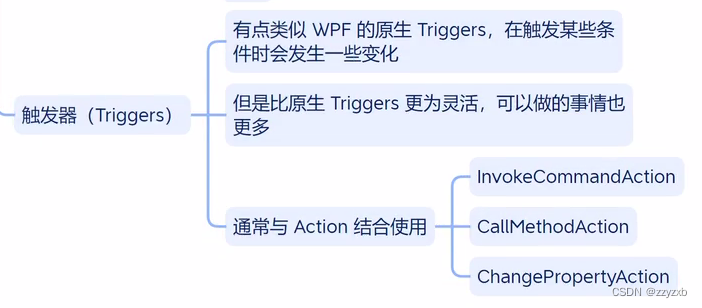
二、触发器 (Triggers)
相关文章:
WPF中行为与触发器的概念及用法
完全来源于十月的寒流,感谢大佬讲解 一、行为 (Behaviors) behaviors的简单测试 <Window x:Class"Test_05.MainWindow"xmlns"http://schemas.microsoft.com/winfx/2006/xaml/presentation"xmlns:x"http://schemas.microsoft.com/winf…...

2023-2024华为ICT大赛-计算赛道-广东省省赛初赛-高职组-部分赛题分析【2023.11.18】
2023-2024华为ICT大赛 计算赛道 广东省 省赛 初赛 高职组 部分赛题 分析【2023.11.18】 文章目录 单选题tpcds模式中存在表customer,不能成功删除tpcds模式是( )以下哪个函数将圆转换成矩形( )下列哪个选项表示依赖该D…...
『 MySQL数据库 』数据库之表的约束
文章目录 前言 💻空属性约束(非空约束) 🔖default约束(默认值约束,缺省) 🔖列描述comment 🔖数字类型长度zerofill 🔖主键primary key 🔖📍 追加主键 📍📍 删除主键 &…...
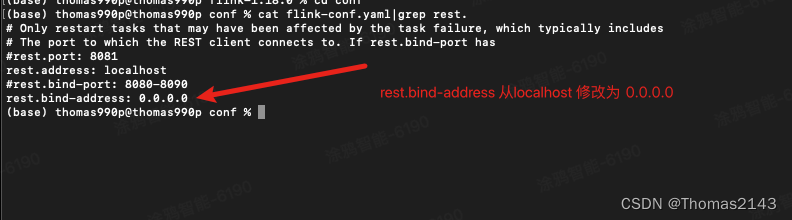
flink 8081 web页面无法被局域网内其他机器访问
实现 http://localhost:8081/#/overview 可以被局域网其他机器访问...
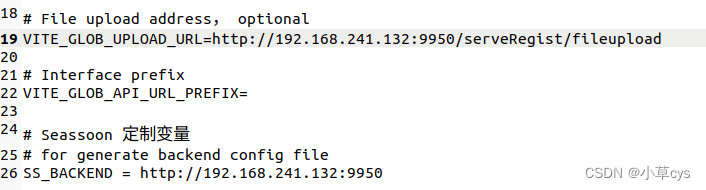
零基础安装分布式数据服务注册系统
一、先安装VM虚拟机,安装最新的ubuntu22系统, 先安装mysql, sudo apt install mysql-server sudo mysql_secure_installation 根据自己需求选择 密码安全级别时,选择n 删除匿名用户?(按y|Y表示是&…...

2023最新最全【OpenMV】 入门教程
1. 什么是OpenMV OpenMV 是一个开源,低成本,功能强大的 机器视觉模块。 OpenMV上的机器视觉算法包括 寻找色块、人脸检测、眼球跟踪、边缘检测、标志跟踪 等。 以STM32F427CPU为核心,集成了OV7725摄像头芯片,在小巧的硬件模块上&a…...

【Java并发编程三】线程的基本使用一
基本使用一 将类继承Runnable,创建Thread,然后调用Thread的start方法启动: package myTest;public class myTest implements Runnable {public static void main(String[] args) throws InterruptedException {myTest test new myTest();Th…...

企业邮箱认证指南:安全与高效的邮箱认证方法
企业邮箱是专门为企业提供的电子邮件服务,安全性和专业性更高。在开始使用企业邮箱之前,很多人会有一些问题,比如企业邮箱需要认证吗、如何开通企业邮箱,以及哪款企业邮箱好。 1、企业邮箱在使用前需要认证吗? 答案是肯…...
)
Django(八、如何开启事务、介绍长见的字段类型和参数)
文章目录 ORM事务操作开启事务 常见的字段类型和参数ORM还支持用户自定义字段类型ORM常用字段参数外键相关参数 ORM事务操作 引入事务 1.事务的四大特性原子性、一致性、隔离性、持久性 2.相关SQL关键字start transaction;rollback;commit;savapoint; 3.相关重要概念脏读、幻…...
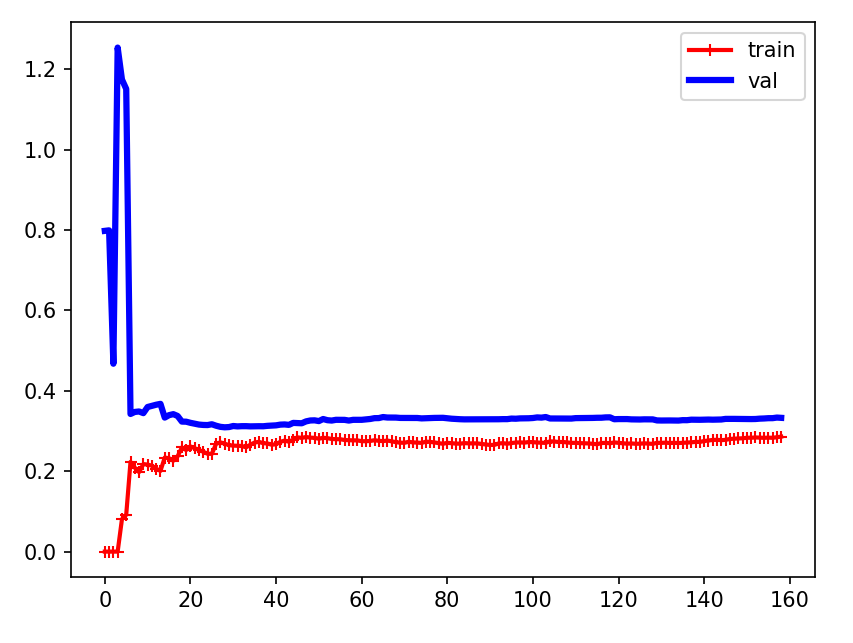
机器学习第5天:多项式回归与学习曲线
文章目录 多项式回归介绍 方法与代码 方法描述 分离多项式 学习曲线的作用 场景 学习曲线介绍 欠拟合曲线 示例 结论 过拟合曲线 示例 结论 多项式回归介绍 当数据不是线性时我们该如何处理呢,考虑如下数据 import matplotlib.pyplot as plt impo…...
MSYS2介绍及工具安装
0 Preface/Foreword 1 MSYS2 官网:MSYS2...

Swift开发中:非逃逸闭包、逃逸闭包、自动闭包的区别
1. 非逃逸闭包(Non-Escaping Closure) 定义:默认情况下,在 Swift 中闭包是非逃逸的。这意味着闭包在函数结束之前被调用并完成,它不会“逃逸”出函数的范围。内存管理:由于闭包在函数返回前被调用…...

栈结构应用-进制转换-辗转相除法
// 定义类class Stack{// #items [] 前边加#变为私有 外部不能随意修改 内部使用也要加#items []pop(){return this.items.pop()}push(data){this.items.push(data)}peek(){return this.items[this.items.length-1]}isEmpty(){return this.items.length 0}size(){return th…...
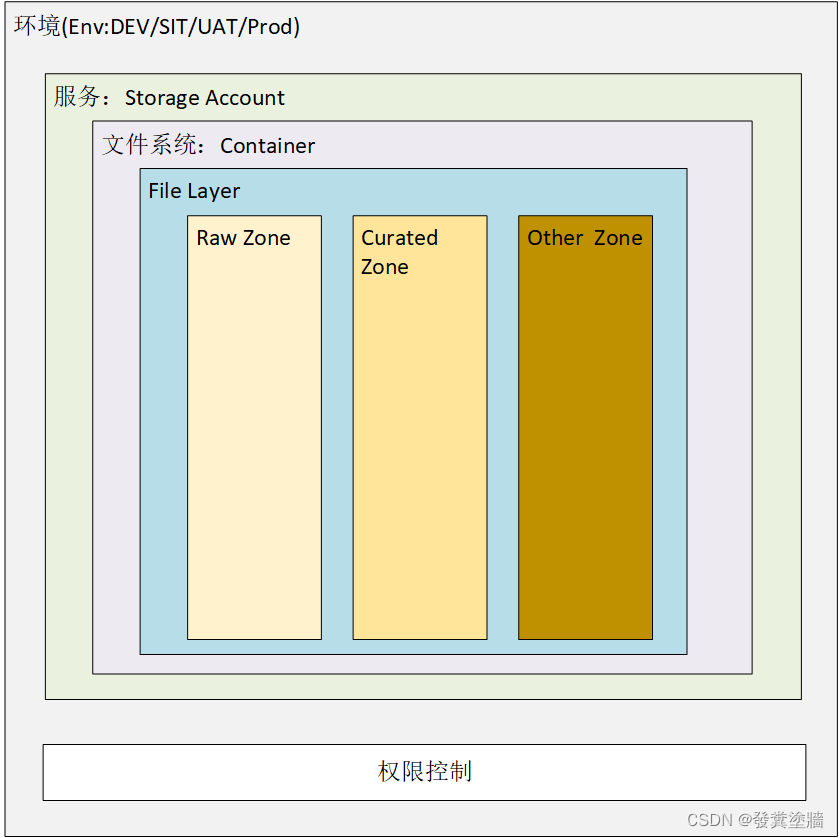
【Azure 架构师学习笔记】-Azure Storage Account(6)- File Layer
本文属于【Azure 架构师学习笔记】系列。 本文属于【Azure Storage Account】系列。 接上文 【Azure 架构师学习笔记】-Azure Storage Account(5)- Data Lake layers 前言 上一文介绍了存储帐户的概述,还有container的一些配置,在…...
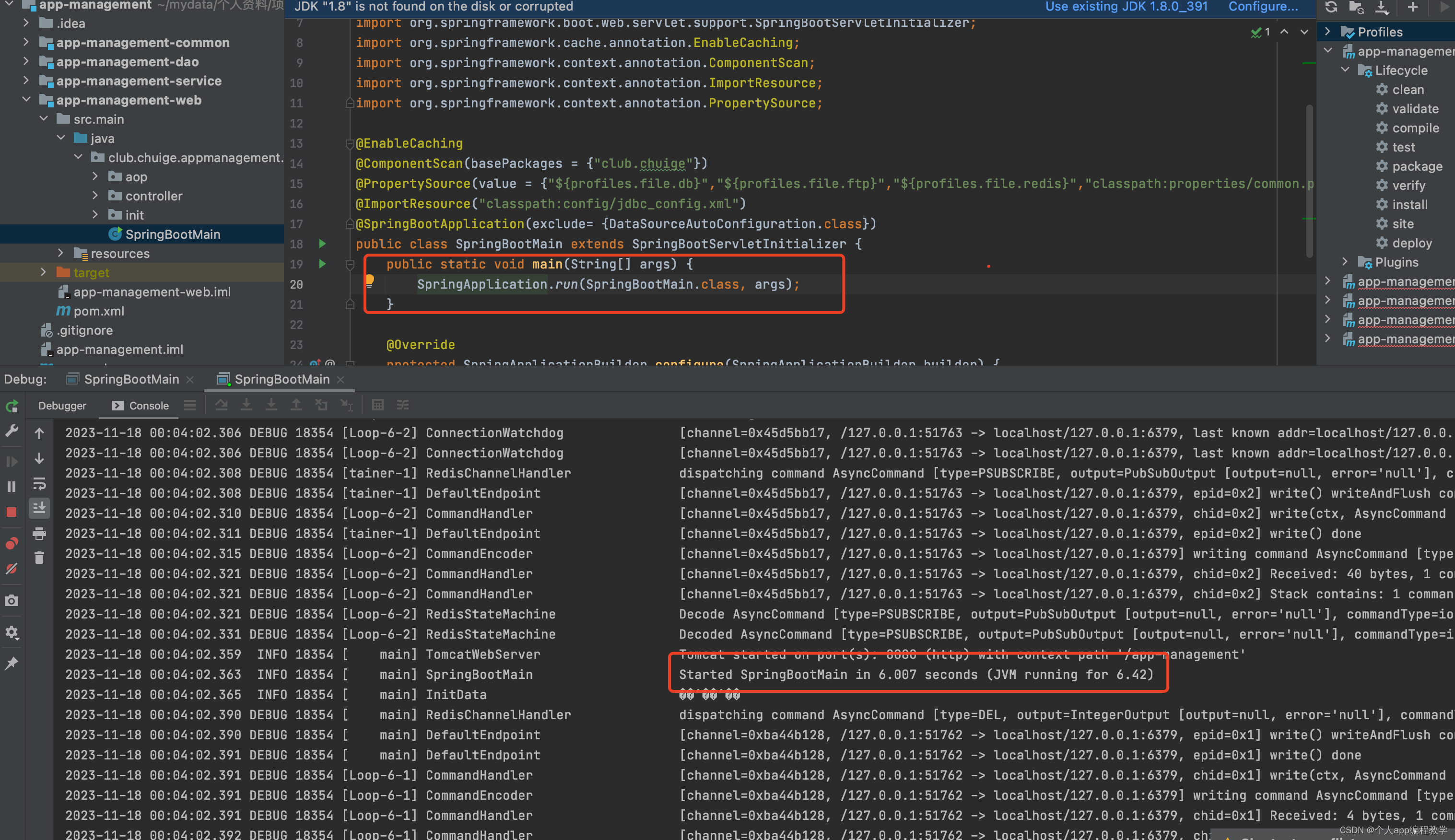
idea 环境搭建及运行java后端源码
1、 idea 历史版本下载及安装 建议下载和我一样的版本,2020.3 https://www.jetbrains.com/idea/download/other.html,idea分为专业版本(Ultimate)和社区版本(Community),前期可以下载专业版本…...
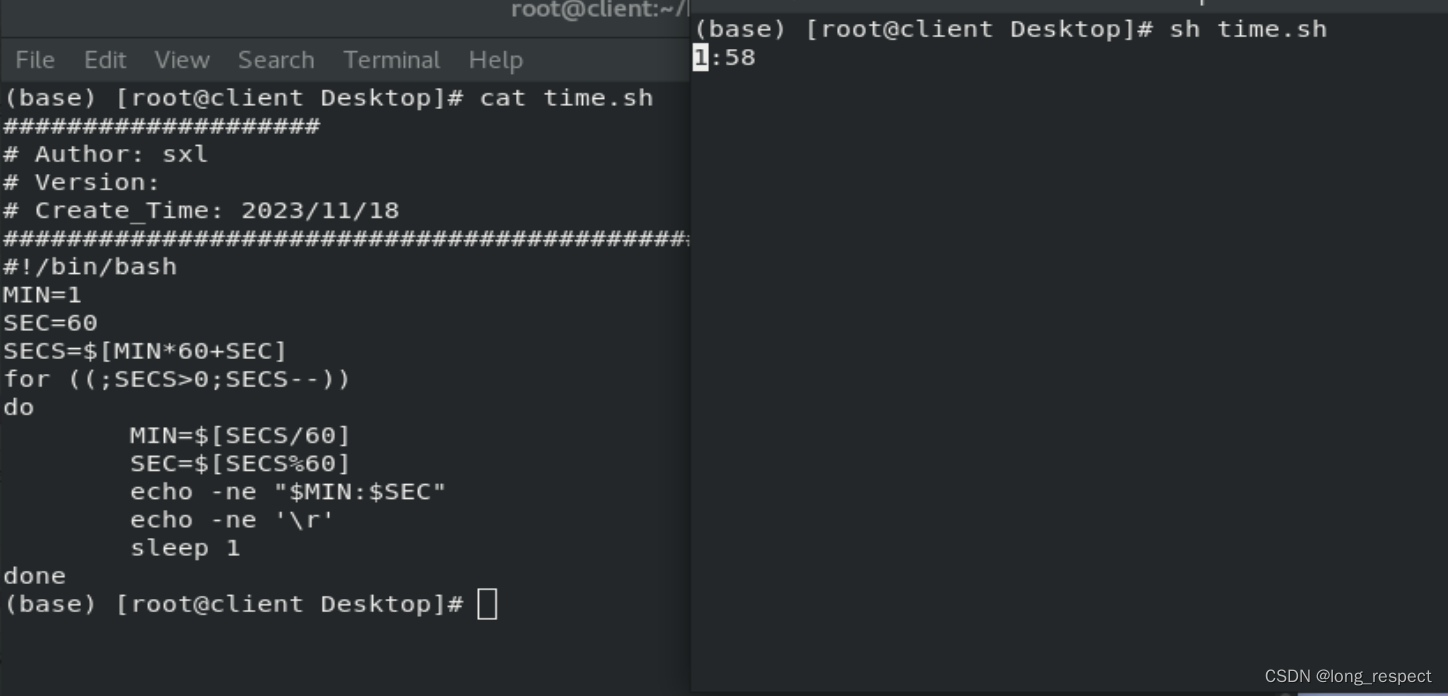
掌握Shell:从新手到编程大师的Linux之旅
1 shell介绍 1.1 shell脚本的意义 1.记录命令执行的过程和执行逻辑,以便以后重复执行 2.脚本可以批量处理主机 3.脚本可以定时处理主机 1.2 脚本的创建 #!/bin/bash # 运行脚本时候执行的环境1.3 自动添加脚本说明信息 /etc/vimrc # vim主配置文件 ~/.vimrc # 该…...

有重复元素的快速排序
当涉及到处理重复元素的快速排序时,可以使用荷兰国旗问题的方法,也就是三路划分。下面是使用 Java 实现的示例代码: import java.util.Arrays;public class QuickSort {public static void quickSort(int[] arr, int low, int high) {if (lo…...
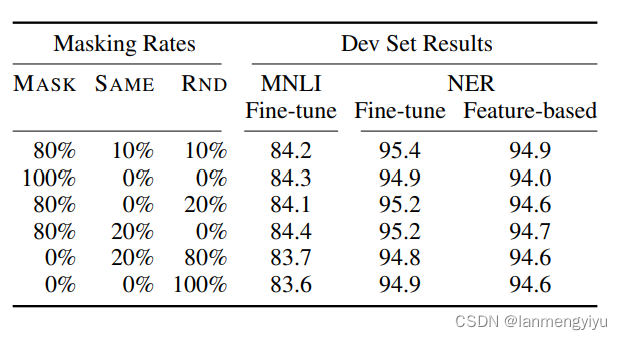
Bert浅谈
优点 首先,bert的创新点在于利用了双向transformer,这就跟openai的gpt有区别,gpt是采用单向的transformer,而作者认为双向transformer更能够融合上下文的信息。这里双向和单向的区别在于,单向只跟当前位置之前的tocke…...
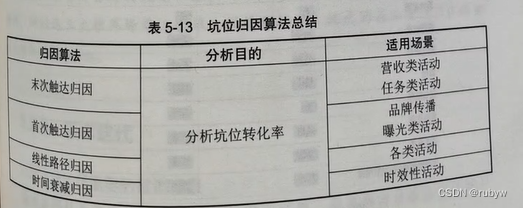
产品运营的场景和运营策略
一、启动屏 1.概念 启动屏,特指 APP 产品启动时即显示的界面,这个界面一般会停留几秒钟时间,在这个时间内 APP 会在后台加载服务框架、启动各种服务 SDK 、获取用户地理位置、判断有无新版本、判断用户账户状态以及其他系统级别的…...

C#异常捕获try catch详细介绍
在C#中,异常处理是通过try、catch、finally和throw语句来实现的,它们提供了一种结构化和可预测的方法来处理运行时错误。 C#异常基本用法 try块 异常处理以try块开始,try块包含可能会引发异常的代码。如果在try块中的代码执行过程中发生了…...
)
React Native 开发环境搭建(全平台详解)
React Native 开发环境搭建(全平台详解) 在开始使用 React Native 开发移动应用之前,正确设置开发环境是至关重要的一步。本文将为你提供一份全面的指南,涵盖 macOS 和 Windows 平台的配置步骤,如何在 Android 和 iOS…...
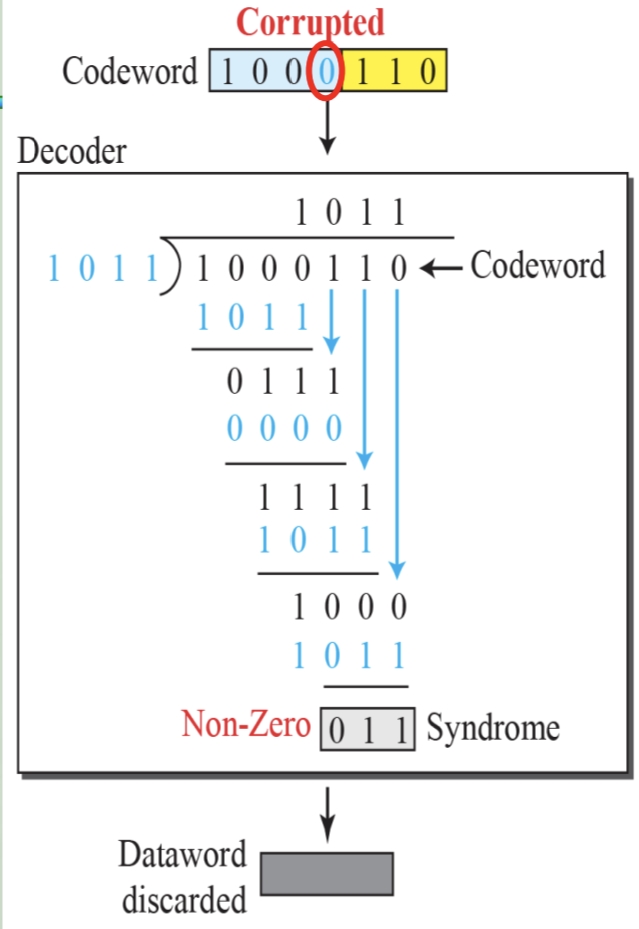
循环冗余码校验CRC码 算法步骤+详细实例计算
通信过程:(白话解释) 我们将原始待发送的消息称为 M M M,依据发送接收消息双方约定的生成多项式 G ( x ) G(x) G(x)(意思就是 G ( x ) G(x) G(x) 是已知的)࿰…...

条件运算符
C中的三目运算符(也称条件运算符,英文:ternary operator)是一种简洁的条件选择语句,语法如下: 条件表达式 ? 表达式1 : 表达式2• 如果“条件表达式”为true,则整个表达式的结果为“表达式1”…...

将对透视变换后的图像使用Otsu进行阈值化,来分离黑色和白色像素。这句话中的Otsu是什么意思?
Otsu 是一种自动阈值化方法,用于将图像分割为前景和背景。它通过最小化图像的类内方差或等价地最大化类间方差来选择最佳阈值。这种方法特别适用于图像的二值化处理,能够自动确定一个阈值,将图像中的像素分为黑色和白色两类。 Otsu 方法的原…...

OkHttp 中实现断点续传 demo
在 OkHttp 中实现断点续传主要通过以下步骤完成,核心是利用 HTTP 协议的 Range 请求头指定下载范围: 实现原理 Range 请求头:向服务器请求文件的特定字节范围(如 Range: bytes1024-) 本地文件记录:保存已…...
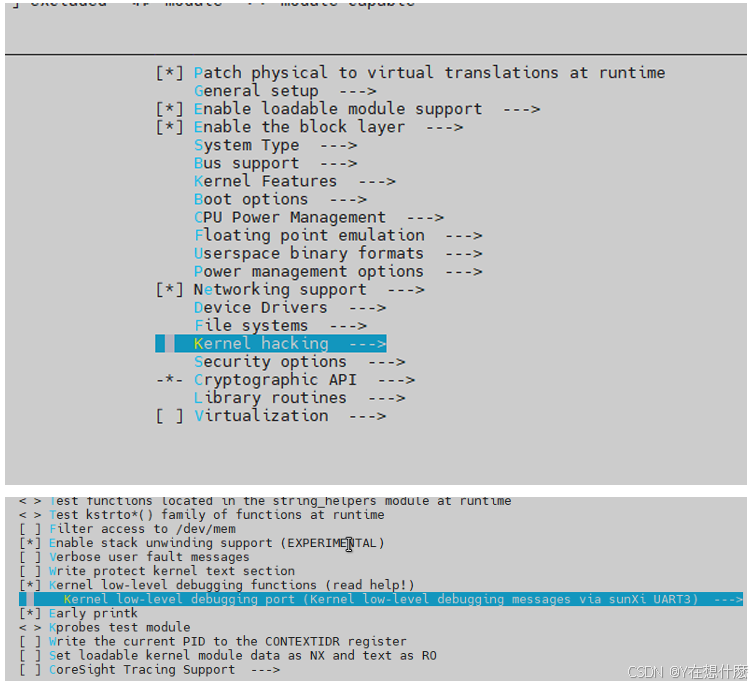
全志A40i android7.1 调试信息打印串口由uart0改为uart3
一,概述 1. 目的 将调试信息打印串口由uart0改为uart3。 2. 版本信息 Uboot版本:2014.07; Kernel版本:Linux-3.10; 二,Uboot 1. sys_config.fex改动 使能uart3(TX:PH00 RX:PH01),并让boo…...

学习STC51单片机32(芯片为STC89C52RCRC)OLED显示屏2
每日一言 今天的每一份坚持,都是在为未来积攒底气。 案例:OLED显示一个A 这边观察到一个点,怎么雪花了就是都是乱七八糟的占满了屏幕。。 解释 : 如果代码里信号切换太快(比如 SDA 刚变,SCL 立刻变&#…...
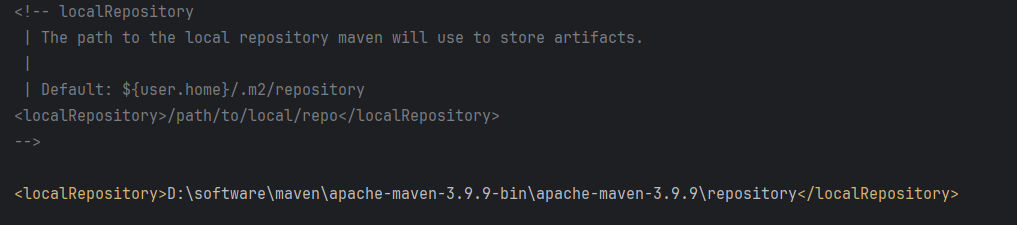
Maven 概述、安装、配置、仓库、私服详解
目录 1、Maven 概述 1.1 Maven 的定义 1.2 Maven 解决的问题 1.3 Maven 的核心特性与优势 2、Maven 安装 2.1 下载 Maven 2.2 安装配置 Maven 2.3 测试安装 2.4 修改 Maven 本地仓库的默认路径 3、Maven 配置 3.1 配置本地仓库 3.2 配置 JDK 3.3 IDEA 配置本地 Ma…...

Device Mapper 机制
Device Mapper 机制详解 Device Mapper(简称 DM)是 Linux 内核中的一套通用块设备映射框架,为 LVM、加密磁盘、RAID 等提供底层支持。本文将详细介绍 Device Mapper 的原理、实现、内核配置、常用工具、操作测试流程,并配以详细的…...
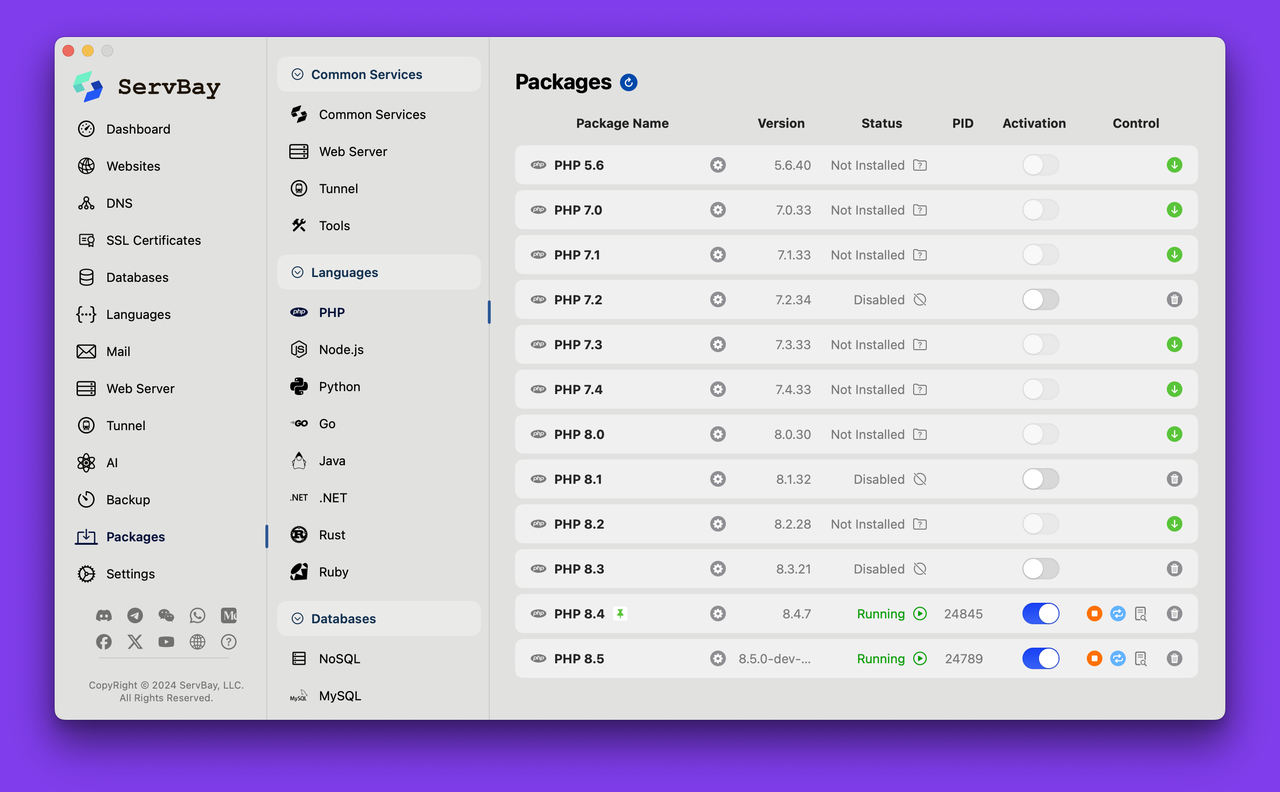
PHP 8.5 即将发布:管道操作符、强力调试
前不久,PHP宣布了即将在 2025 年 11 月 20 日 正式发布的 PHP 8.5!作为 PHP 语言的又一次重要迭代,PHP 8.5 承诺带来一系列旨在提升代码可读性、健壮性以及开发者效率的改进。而更令人兴奋的是,借助强大的本地开发环境 ServBay&am…...