
Android Wifi断开问题分析和802.11原因码
Android Wifi连接和断链分析思路。
1.密码错误导致的连接失败
2.关联被拒绝
3.热点未回复AUTH_RSP或者STA未收到 AUTH_RSP
4.热点未回复ASSOC_RSP或者STA未收到ASSOC_RSP
5.DHCP FAILURE
6.发生roaming
7.AP发送了DEAUTH帧导致断开连接
8.被AP踢出,这个原因需要sniffer log分析
下面详细介绍。
1.密码错误导致的连接失败
1.1
其实有时候并不是用户真的输入了错误密码,有可能WIFI底层驱动存在异常。
可以查一下WIFI配置文件中保存的AP密码是否与期望值一致。
wpa_supplicant: wlan0: WPA: 4-Way Handshake failed - pre-shared key may be incorrect
wpa_supplicant: wlan0: CTRL-EVENT-SSID-TEMP-DISABLED id=0 ssid="inhub" aut
1.2 在4WAY_HANDSHAKE阶段由于密码错误、丢帧或者弱信号丢包导致WRONG_KEY:
密码错误在4WAY_HANDSHAKE阶段中的2/4次握手会显示wrong key。如果已经连接过则显示
I/wpa_supplicant(19043): wlan0: CTRL-EVENT-SSID-TEMP-DISABLED id=1 ssid="inhub" auth_failures=1 duration=5 reason=WRONG_KEY。丢帧导致连接断开:
wlan: [24597:E :PE ] limHandleMissedBeaconInd: 2121: Sending EXIT_BMPS_IND to SME due to Missed beacon from FW信号弱导致断开:
I/wpa_supplicant(31023): wlan0: CTRL-EVENT-DISCONNECTED bssid=c8:3a:35:2b:71:30 reason=0
E/WifiStateMachine( 821): NETWORK_DISCONNECTION_EVENT in connected state BSSID=c8:3a:35:2b:71:30 RSSI=-89 freq=2437 was debouncing=false reason=0 ajst=0
reason=0表示因为信号弱而断开。
2.关联被拒绝
2.1
wpa_supplicant: wlan0: CTRL-EVENT-ASSOC-REJECT status_code=1
wpa_supplicant: wlan0: Request to deauthenticate - bssid=00:00:00:00:00:00 pending_bssid=00:00:00:00:00:00 reason=3 state=ASSOCIATING
wpa_supplicant: wpa_driver_nl80211_disconnect(reason_code=3)
2.2 在ASSOCIATING阶段由于丢包导致ASSOC REJECT
Line 15551: 03-10 15:42:04.953 884 884 I wpa_supplicant: wlan0: CTRL-EVENT-DISCONNECTED bssid=f4:2a:7d:7c:65:df reason=3 locally_generated=1
Line 15552: 03-10 15:42:04.959 884 884 W wpa_supplicant: nl80211: Was expecting local disconnect but got another disconnect event first
Line 18957: 03-10 15:42:07.363 884 884 I wpa_supplicant: wlan0: Trying to associate with f4:2a:7d:7c:65:df (SSID='inhub' freq=2412 MHz)
Line 18965: 03-10 15:42:08.372 884 884 I wpa_supplicant: wlan0: CTRL-EVENT-ASSOC-REJECT bssid=f4:2a:7d:7c:65:df status_code=1
Line 18991: 03-10 15:42:08.693 884 884 I wpa_supplicant: wlan0: Trying to associate with f4:2a:7d:7c:65:df (SSID='inhub' freq=2412 MHz)
上面日志分析
CTRL-EVENT-DISCONNECTED bssid=f4:2a:7d:7c:65:df reason=3 ==>这是系统下断线的
重连后有看到CTRL-EVENT-ASSOC-REJECT==>有可能跟网络有关,
若是当前环境下WiFi 比较多(2.4G环境比较糟,干扰较大,有可能某一方收发不好导致),
若是一直都出现CTRL-EVENT-ASSOC-REJECT导致连线不上,最好找WiFi 方案商帮忙协助确认一下是否是WiFi端的问题?
3.热点未回复AUTH_RSP或者STA未收到 AUTH_RSP
正常情况下,STA发送AUTH request后,会收到一个AUTH_RSP,即正确情况下,内核LOG中会有如下两行打印,异常情况下,仅有第一行。
这种情况下,可以用其他设备接入AP,看是否存在同样的问题,则基本判断出是否为热点问题。
4,20619,2759068545,-;AUTH - Send AUTH request seq#1 (Alg=0)...
4,20620,2759170874,-;AUTH - Receive AUTH_RSP seq#2 to me (Alg=0, Status=0)
4.热点未回复ASSOC_RSP或者STA未收到ASSOC_RSP
异常情况下,STA端不会有下面的第二行日志打印。
[ 2854.218696] ASSOC - Send ASSOC request...
[ 2854.238083] PeerAssocRspAction():ASSOC - receive ASSOC_RSP to me (status=0)
5.DHCP FAILURE
四次握手成功但是获取IP地址失败:
WifiConfigStore: message=DHCP FAILURE正常情况下的流程如下:
DhcpClient: Broadcasting DHCPDISCOVER
DhcpClient: Received packet: 10:c7:53:71:ae:7c OFFER, ip /192.168.236.146, mask /255.255.255.0, DNS servers: /192.168.236.1 , gateways [/192.168.236.1] lease time 86400, domain null
DhcpClient: Got pending lease: IP address 192.168.236.146/24 Gateway 192.168.236.1  DNS servers: [ 192.168.236.1 ] Domains  DHCP server /192.168.236.1 Vendor info null lease 86400seconds
DhcpClient: Broadcasting DHCPREQUEST ciaddr=0.0.0.0 request=192.168.236.146 serverid=192.168.236.1
DhcpClient: Received packet: 10:c7:53:71:ae:7c ACK: your new IP /192.168.236.146, netmask /255.255.255.0, gateways [/192.168.236.1] DNS servers: /192.168.236.1 , lease time 86400
DhcpClient: Confirmed lease: IP address 192.168.236.146/24 Gateway 192.168.236.1  DNS servers: [ 192.168.236.1 ] Domains  DHCP server /192.168.236.1 Vendor info null lease 86400 seconds
6.发生roaming
当前连接AP1信号太弱,此时又扫描到了已连接过的AP2,AP2的信号强度更好,则会断开AP1,连接AP2,这一系列动作就叫roaming。
如下列中,断开了与10:0e:0e:20:66:15热点的连接,连接到了10:0e:0e:20:5e:6d热点。
wpa_supplicant: nl80211: Associated on 2422 MHz
wpa_supplicant: nl80211: Associated with 10:0e:0e:20:66:15
wpa_supplicant: nl80211: Drv Event 47 (NL80211_CMD_ROAM) received for wlan0
wpa_supplicant: nl80211: Roam event
wpa_supplicant: nl80211: Associated on 2472 MHz
wpa_supplicant: nl80211: Associated with 10:0e:0e:20:5e:6d
日志2
I/WifiHAL (28360): event received NL80211_CMD_ROAM, vendor_id = 0x0
I/wpa_supplicant(28064): wlan0: CTRL-EVENT-CONNECTED - Connection to c4:14:3c:29:47:25 completed [id=0 id_str=]
I/WifiHAL (28360): event received NL80211_CMD_ROAM, vendor_id = 0x0
I/wpa_supplicant(28064): wlan0: CTRL-EVENT-CONNECTED - Connection to c4:14:3c:29:47:05 completed [id=0 id_str=]
I/WifiHAL (28360): event received NL80211_CMD_ROAM, vendor_id = 0x0
I/wpa_supplicant(28064): wlan0: CTRL-EVENT-CONNECTED - Connection to 1c:1d:86:e9:e2:85 completed [id=0 id_str=]
7.AP发送了DEAUTH帧导致断开连接
此时可以连接其他AP测试一下,进而判断是否是刚才这个AP的问题
[ 1555.321037] (1)[3319:tx_thread][wlan] Rx Deauth frame from BSSID=[aa:63:df:4c:db:c2]
[ 1555.321093] (1)[3319:tx_thread][wlan] Reason code = 7
8.被AP踢出,这个原因需要sniffer log分析
reason=2,reason=7,reason=15代表被AP踢出,在kernel log中可以找到对应的deauth信息。
I/wpa_supplicant(28064): wlan0: CTRL-EVENT-DISCONNECTED bssid=c4:14:3c:29:47:05 reason=7
wlan: [28055:E :PE ] limProcessDeauthFrame: 144: Received Deauth frame for Addr: 44:a4:2d:52:bc:a5 (mlm state = eLIM_MLM_LINK_ESTABLISHED_STATE, sme state = 12 systemrole = 3) with reason code 7 from c4:14:3c:29:47:05
I/wpa_supplicant(28064): wlan0: CTRL-EVENT-DISCONNECTED bssid=1c:1d:86:e9:e2:85 reason=15
wlan: [28055:E :PE ] limProcessDeauthFrame: 144: Received Deauth frame for Addr: 44:a4:2d:52:bc:a5 (mlm state = eLIM_MLM_LINK_ESTABLISHED_STATE, sme state = 12 systemrole = 3) with reason code 15 from 1c:1d:86:e9:e2:85
I/wpa_supplicant(28064): wlan0: CTRL-EVENT-DISCONNECTED bssid=c4:14:3c:29:47:25 reason=2
wlan: [28055:E :PE ] limProcessDeauthFrame: 144: Received Deauth frame for Addr: 44:a4:2d:52:bc:a5 (mlm state = eLIM_MLM_LINK_ESTABLISHED_STATE, sme state = 12 systemrole = 3) with reason code 2 from c4:14:3c:29:47:25
其他情况后续补充。
附录:
802.11 Association Status, 802.11 Deauth Reason codes
802.11 Association Status, 802.11 Deauth Reason codes - Cisco Community
802.11 Association Status Codes
| Code | 802.11 definition | Explanation |
| 0 | Successful | |
| 1 | Unspecified failure | For example : when there is no ssid specified in an association request |
| 10 | Cannot support all requested capabilities in the Capability Information field | Example Test: Reject when privacy bit is set for WLAN not requiring security |
| 11 | Reassociation denied due to inability to confirm that association exists | NOT SUPPORTED |
| 12 | Association denied due to reason outside the scope of this standard | Example : When controller receives assoc from an unknown or disabled SSID |
| 13 | Responding station does not support the specified authentication algorithm | For example, MFP is disabled but was requested by the client. |
| 14 | Received an Authentication frame with authentication transaction sequence number | If the authentication sequence number is not correct. |
| 15 | Authentication rejected because of challenge failure | |
| 16 | Authentication rejected due to timeout waiting for next frame in sequence | |
| 17 | Association denied because AP is unable to handle additional associated stations | Will happen if you run out of AIDs on the AP; so try associating a large number of stations. |
| 18 | Association denied due to requesting station not supporting all of the data rates in the | Will happen if the rates in the assoc request are not in the BasicRateSet in the beacon. |
| 19 | Association denied due to requesting station not supporting the short preamble | NOT SUPPORTED |
| 20 | Association denied due to requesting station not supporting the PBCC modulation | NOT SUPPORTED |
| 21 | Association denied due to requesting station not supporting the Channel Agility | NOT SUPPORTED |
| 22 | Association request rejected because Spectrum Management capability is required | NOT SUPPORTED |
| 23 | Association request rejected because the information in the Power Capability | NOT SUPPORTED |
| 24 | Association request rejected because the information in the Supported Channels | NOT SUPPORTED |
| 25 | Association denied due to requesting station not supporting the Short Slot Time | NOT SUPPORTED |
| 26 | Association denied due to requesting station not supporting the DSSS-OFDM option | NOT SUPPORTED |
| 27-31 | Reserved | NOT SUPPORTED |
| 32 | Unspecified, QoS-related failure | NOT SUPPORTED |
| 33 | Association denied because QAP has insufficient bandwidth to handle another | NOT SUPPORTED |
| 34 | Association denied due to excessive frame loss rates and/or poor conditions on current | NOT SUPPORTED |
| 35 | Association (with QBSS) denied because the requesting STA does not support the | If the WMM is required by the WLAN and the client is not capable of it, the association will get rejected. |
| 36 | Reserved in 802.11 | This is used in our code ! There is no blackbox test for this status code. |
| 37 | The request has been declined | This is not used in assoc response; ignore |
| 38 | The request has not been successful as one or more parameters have invalid values | NOT SUPPORTED |
| 39 | The TS has not been created because the request cannot be honored; however, a suggested | NOT SUPPORTED |
| 40 | Invalid information element, i.e., an information element defined in this standard for | Sent when Aironet IE is not present for a CKIP WLAN |
| 41 | Invalid group cipher | Used when received unsupported Multicast 802.11i OUI Code |
| 42 | Invalid pairwise cipher | |
| 43 | Invalid AKMP | |
| 44 | Unsupported RSN information element version | If you put anything but version value of 1, you will see this code. |
| 45 | Invalid RSN information element capabilities | If WPA/RSN IE is malformed, such as incorrect length etc, you will see this code. |
| 46 | Cipher suite rejected because of security policy | NOT SUPPORTED |
| 47 | The TS has not been created; however, the HC may be capable of creating a TS, in | NOT SUPPORTED |
| 48 | Direct link is not allowed in the BSS by policy | NOT SUPPORTED |
| 49 | Destination STA is not present within this QBSS | NOT SUPPORTED |
| 50 | The Destination STA is not a QSTA | NOT SUPPORTED |
| 51 | Association denied because the ListenInterval is too large | NOT SUPPORTED |
| 200 | Unspecified, QoS-related failure. | Unspecified QoS Failure. This will happen if the Assoc request contains more than one TSPEC for the same AC. |
| 201 | TSPEC request refused due to AP’s policy configuration (e.g., AP is configured to deny all TSPEC requests on this SSID). A TSPEC will not be suggested by the AP for this reason code. | This will happen if a TSPEC comes to a WLAN which has lower priority than the WLAN priority settings. For example a Voice TSPEC coming to a Silver WLAN. Only applies to CCXv4 clients. |
| 202 | Association Denied due to AP having insufficient bandwidth to handle a new TS. This cause code will be useful while roaming only. | |
| 203 | Invalid Parameters. The request has not been successful as one or more TSPEC parameters in the request have invalid values. A TSPEC SHALL be present in the response as a suggestion. Not defined in IEEE, defined in CCXv4 | This happens in cases such as PHY rate mismatch. If the TSRS IE contains a phy rate not supported by the controller, for example. Other examples include sending a TSPEC with bad parameters, such as sending a date rate of 85K for a narrowband TSPEC. |
802.11 Deauth Reason Codes
| Code | 802.11 definition | Explanation |
| 0 | Reserved | NOT SUPPORTED |
| 1 | Unspecified reason | TBD |
| 2 | Previous authentication no longer valid | NOT SUPPORTED |
| 3 | station is leaving (or has left) IBSS or ESS | NOT SUPPORTED |
| 4 | Disassociated due to inactivity | Do not send any data after association; |
| 5 | Disassociated because AP is unable to handle all currently associated stations | TBD |
| 6 | Class 2 frame received from nonauthenticated station | NOT SUPPORTED |
| 7 | Class 3 frame received from nonassociated station | NOT SUPPORTED |
| 8 | Disassociated because sending station is leaving (or has left) BSS | TBD |
| 9 | Station requesting (re)association is not authenticated with responding station | NOT SUPPORTED |
| 10 | Disassociated because the information in the Power Capability element is unacceptable | NOT SUPPORTED |
| 11 | Disassociated because the information in the Supported Channels element is unacceptable | NOT SUPPORTED |
| 12 | Reserved | NOT SUPPORTED |
| 13 | Invalid information element, i.e., an information element defined in this standard for which the content does not meet the specifications in Clause 7 | NOT SUPPORTED |
| 14 | Message integrity code (MIC) failure | NOT SUPPORTED |
| 15 | 4-Way Handshake timeout | NOT SUPPORTED |
| 16 | Group Key Handshake timeout | NOT SUPPORTED |
| 17 | Information element in 4-Way Handshake different from (Re)Association Request/Probe Response/Beacon frame | NOT SUPPORTED |
| 18 | Invalid group cipher | NOT SUPPORTED |
| 19 | Invalid pairwise cipher | NOT SUPPORTED |
| 20 | Invalid AKMP | NOT SUPPORTED |
| 21 | Unsupported RSN information element version | NOT SUPPORTED |
| 22 | Invalid RSN information element capabilities | NOT SUPPORTED |
| 23 | IEEE 802.1X authentication failed | NOT SUPPORTED |
| 24 | Cipher suite rejected because of the security policy | NOT SUPPORTED |
| 25-31 | Reserved | NOT SUPPORTED |
| 32 | Disassociated for unspecified, QoS-related reason | NOT SUPPORTED |
| 33 | Disassociated because QAP lacks sufficient bandwidth for this QSTA | NOT SUPPORTED |
| 34 | Disassociated because excessive number of frames need to be acknowledged, but are not acknowledged due to AP transmissions and/or poor channel conditions | NOT SUPPORTED |
| 35 | Disassociated because QSTA is transmitting outside the limits of its TXOPs | NOT SUPPORTED |
| 36 | Requested from peer QSTA as the QSTA is leaving the QBSS (or resetting) | NOT SUPPORTED |
| 37 | Requested from peer QSTA as it does not want to use the mechanism | NOT SUPPORTED |
| 38 | Requested from peer QSTA as the QSTA received frames using the mechanism for which a setup is required | NOT SUPPORTED |
| 39 | Requested from peer QSTA due to timeout | NOT SUPPORTED |
| 40 | Peer QSTA does not support the requested cipher suite | NOT SUPPORTED |
| 46-65535 | 46--65 535 Reserved | NOT SUPPORTED |
| 98 | Cisco defined | TBD |
| 99 | Cisco defined Used when the reason code sent in a deassoc req or deauth by the client is invalid – invalid length, invalid value etc | Example: Send a Deauth to the AP with the reason code to be invalid, say zero |
相关文章:

Android Wifi断开问题分析和802.11原因码
Android Wifi连接和断链分析思路。 1.密码错误导致的连接失败 2.关联被拒绝 3.热点未回复AUTH_RSP或者STA未收到 AUTH_RSP 4.热点未回复ASSOC_RSP或者STA未收到ASSOC_RSP 5.DHCP FAILURE 6.发生roaming 7.AP发送了DEAUTH帧导致断开连接 8.被AP踢出,这个原因…...
【Cell Signaling + 神经递质(neurotransmitter) ; 神经肽 】
Neuroscience EndocytosisExcitatory synapse pathwayGlutamatergic synapseInflammatory PainInhibitors of axonal regenerationNeurotrophin signaling pathwaySecreted Extracellular VesiclesSynaptic vesicle cycle...

当springsecurity出现SerializationException问题
当springsecurity出现SerializationException问题 01 异常发生场景 当我使用springsecurity时,登录成功后携带token访问接口出了问题 org.springframework.data.redis.serializer.SerializationException: Could not read JSON: Unrecognized field "userna…...

[SaaS] 广告创意中stable-diffusion的应用
深度对谈:广告创意领域中 AIGC 的应用这个领域非常快速发展,所以你应该保持好奇心,不断尝试新事物,不断挑战自己。https://mp.weixin.qq.com/s/ux9iEABNois3y4wwyaDzAQ我对AIGC领域应用调研,除了MaaS服务之外ÿ…...
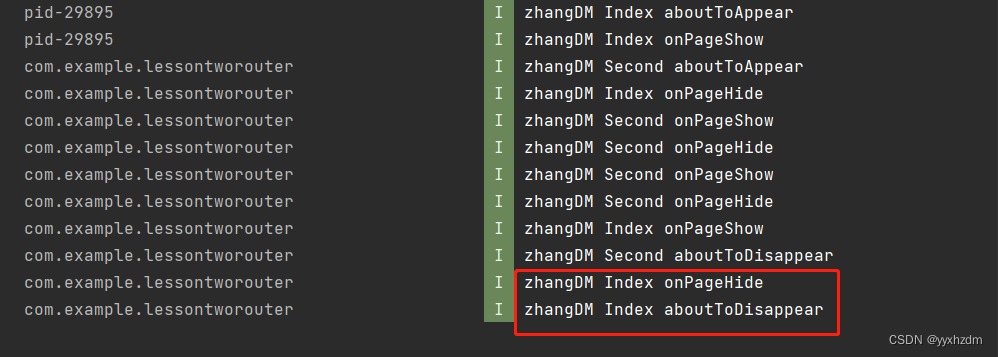
第八节HarmonyOS @Component自定义组件的生命周期
在开始之前,我们先明确自定义组件和页面的关系: 1、自定义组件:Component装饰的UI单元,可以组合多个系统组件实现UI的复用。 2、页面:即应用的UI页面。可以由一个或者多个自定义组件组成,Entry装饰的自定…...
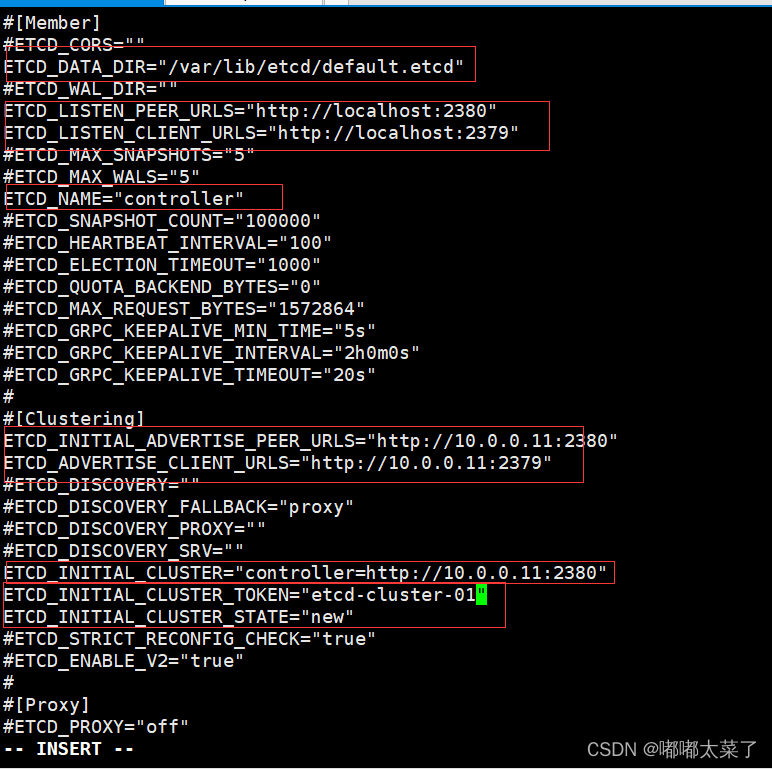
【Openstack Train安装】五、Memcached/Etcd安装
本文介绍Memcached/Etcd安装步骤,Memcached/Etcd仅需在控制节点安装。 在按照本教程安装之前,请确保完成以下配置: 【Openstack Train安装】一、虚拟机创建 【Openstack Train安装】二、NTP安装 【Openstack Train安装】三、openstack安装…...

29 kafka动态配置
为什么需要动态配置 线上运行的kafka broker修改配置需要重启的话,影响比较大。需要一个不需要重启就能使参数生效的功能 使用的场景 配置优先级: per-broker参数 > cluster-wide参数 > static参数 > 默认参数 1.动态调整network线程数和工…...

JIRA部分数据库结构
表jiraissue(问题表) 字段 数据类型 是否为空 KEY 说明 ID decimal(18,0) NO PRI 主键 pkey varchar(255) YES MUL 查看主键,“项目ID” PROJECT decimal(18,0) YES MUL 项目外键,项目表外键 REPORTER varch…...
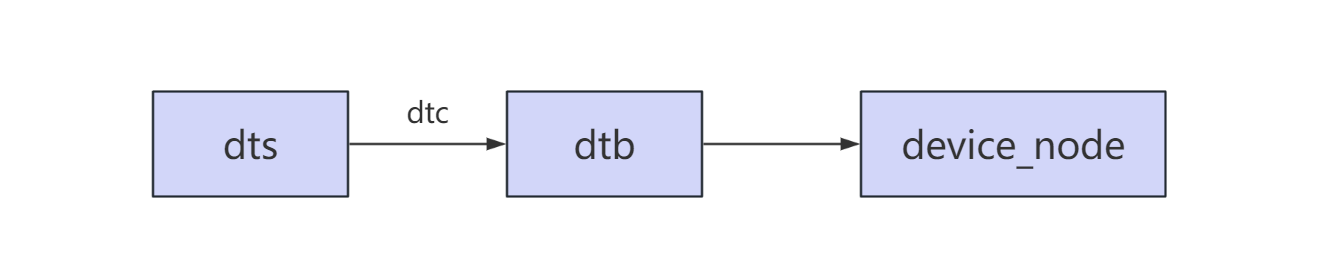
RK3568平台开发系列讲解(Linux系统篇) dtb 到 device_node 的转化
🚀返回专栏总目录 文章目录 一、dtb 展开流程二、dtb 解析过程源码分析沉淀、分享、成长,让自己和他人都能有所收获!😄 📢本篇将介绍通过设备树 dtb 如何展开成 device_node 一、dtb 展开流程 设备树源文件编写: 根据设备树的基本语法和相关知识编写符合规范的设备树。…...

屏幕的刷新率和分辨率
一、显示器刷新率和分辨率的区别 1、显示器刷新率是什么意思? 刷新率是指电子束对屏幕上的图像重复扫描的次数。刷新率越高,所显示的图像(画面)稳定就越好。 刷新率高低直接决定其价格,但是由于刷新率与分辨率两者相互制约,因此只有在高分辨率下达到…...

面试官:请说说JS中的防抖和节流
给大家推荐一个实用面试题库 1、前端面试题库 (面试必备) 推荐:★★★★★ 地址:web前端面试题库 前言 为什么要做性能优化?性能优化到底有多重要? 性能优化是为了提供更好的用户体验、加…...

[足式机器人]Part4 南科大高等机器人控制课 Ch00 课程简介
本文仅供学习使用 本文参考: B站:CLEAR_LAB 课程主讲教师: Prof. Wei Zhang 南科大高等机器人控制课 Ch00 课程简介 1. What is this course about?2. Tentative Schedule暂定时间表 1. What is this course about? Develop a solid found…...
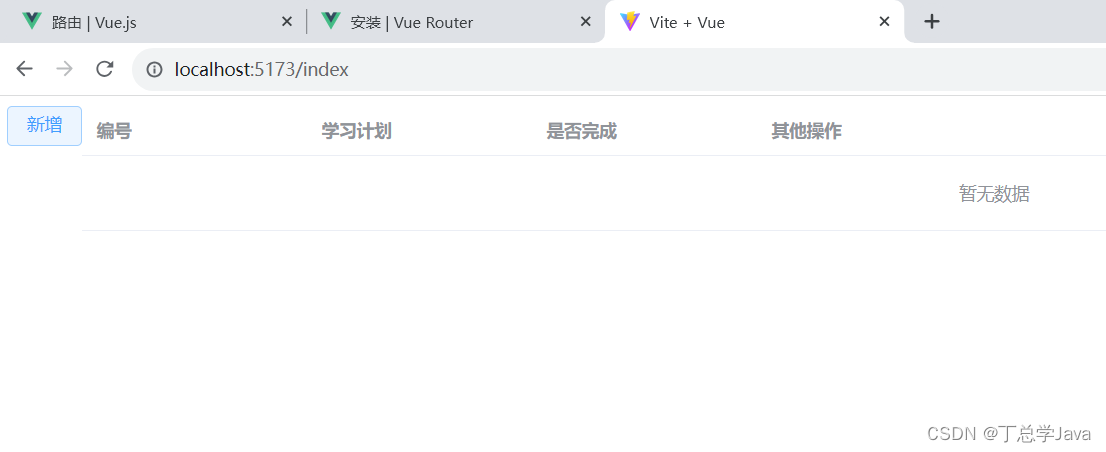
SSM项目实战-登录验证成功并路由到首页面,Vue3+Vite+Axios+Element-Plus技术
1、util/request.js import axios from "axios";let request axios.create({baseURL: "http://localhost:8080",timeout: 50000 });export default request 2、api/sysUser.js import request from "../util/request.js";export const login (…...

Python----网络爬虫
目录 1.Robots排除协议 2.request库的使用 3.beautifulsoup4库的使用 Python网络爬虫应用一般分为两部: (1)通过网络连接获取网页内容 (2)对获得的网页内容进行处理 - 这两个步骤分别使用不同的函数库:requests …...
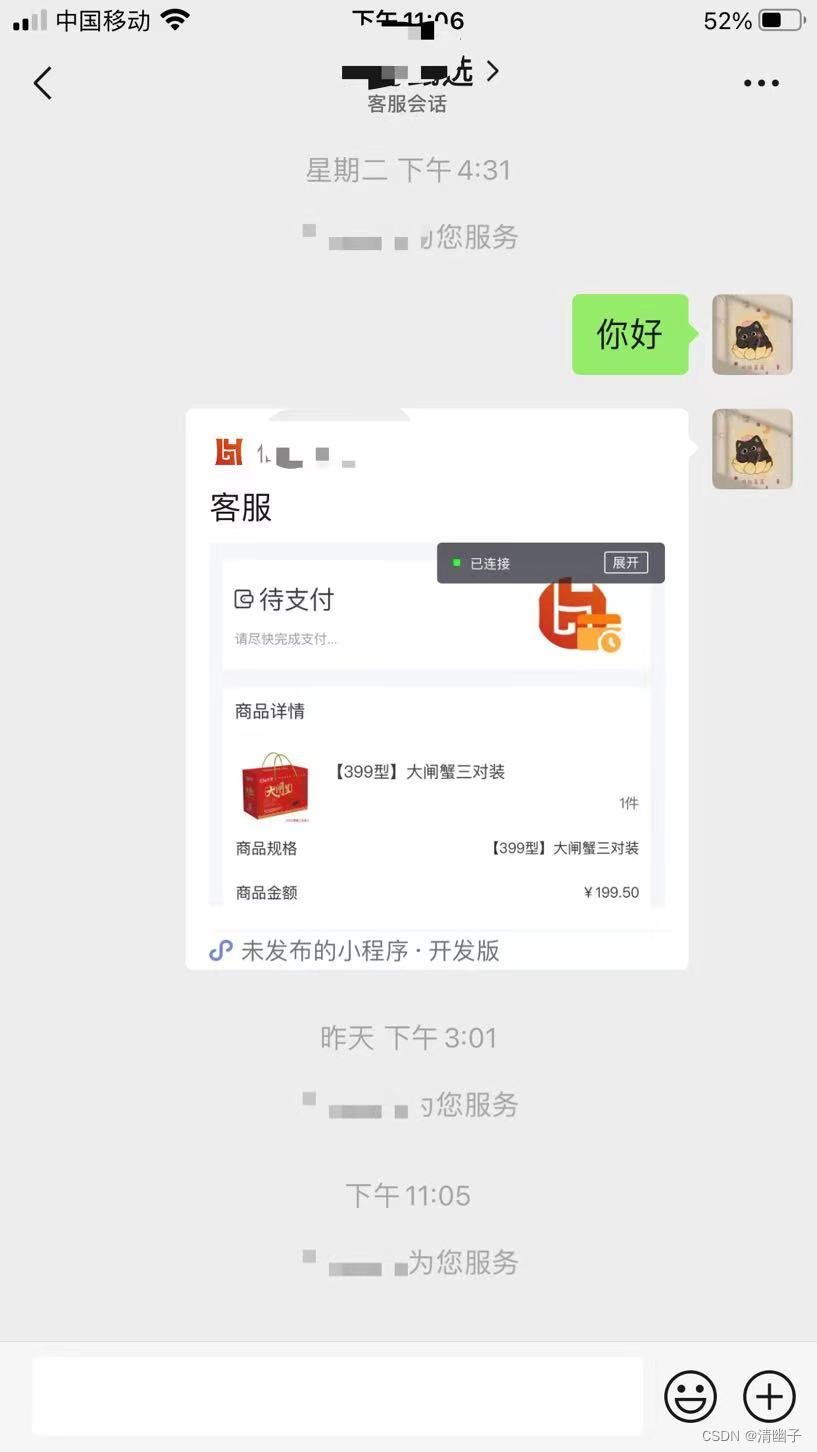
【微信小程序】上传头像 微信小程序内接小程序客服
这里写目录标题 微信小程序上传头像使用button按钮包裹img 微信小程序内接小程序客服使用button按钮跳转客服 微信小程序上传头像 使用button按钮包裹img 原本思路是只使用image标签再加上chooseImg,但发现使用button标签上传头像这种方法更实用。微信小程序文档上…...

【c++随笔15】c++常用第三方库
【c随笔15】c常用第三方库 一、数据库相关:HDFS、libpq、SQLite、RocksDB、unixODBC、Nanobdc、Ignite ; 二、网络通信相关:libcurl、libevent、libssh、mosquitto、nghttp2、libuv; 三、加密和安全相关:1、OpenSSL 四…...
数据结构 | 查漏补缺之ASL、
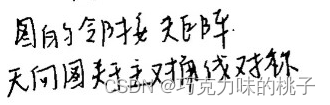
目录 ASL 情形之一:二分查找 线索二叉树 哈夫曼树 大根堆 邻接表&邻接矩阵 ASL 参考博文 关于ASL(平均查找长度)的简单总结_平均查找长度asl-CSDN博客 情形之一:二分查找 线索二叉树 参考博文 线索二叉树(线索链表遍历,二叉树…...

泊车功能专题介绍 ———— 汽车全景影像监测系统性能要求及试验方法(国标未公布)
文章目录 术语和定义一般要求功能要求故障指示 性能要求响应时间图像时延单视图视野范围平面拼接视图视野平面拼接效果总体要求行列畸变拼接错位及拼接无效区域 试验方法环境条件仪器和设备车辆条件系统响应时间试验图像时延试验单视图视野范围试验平面拼接视图视野试验平面拼接…...
【Linux】第二十六站:软硬链接
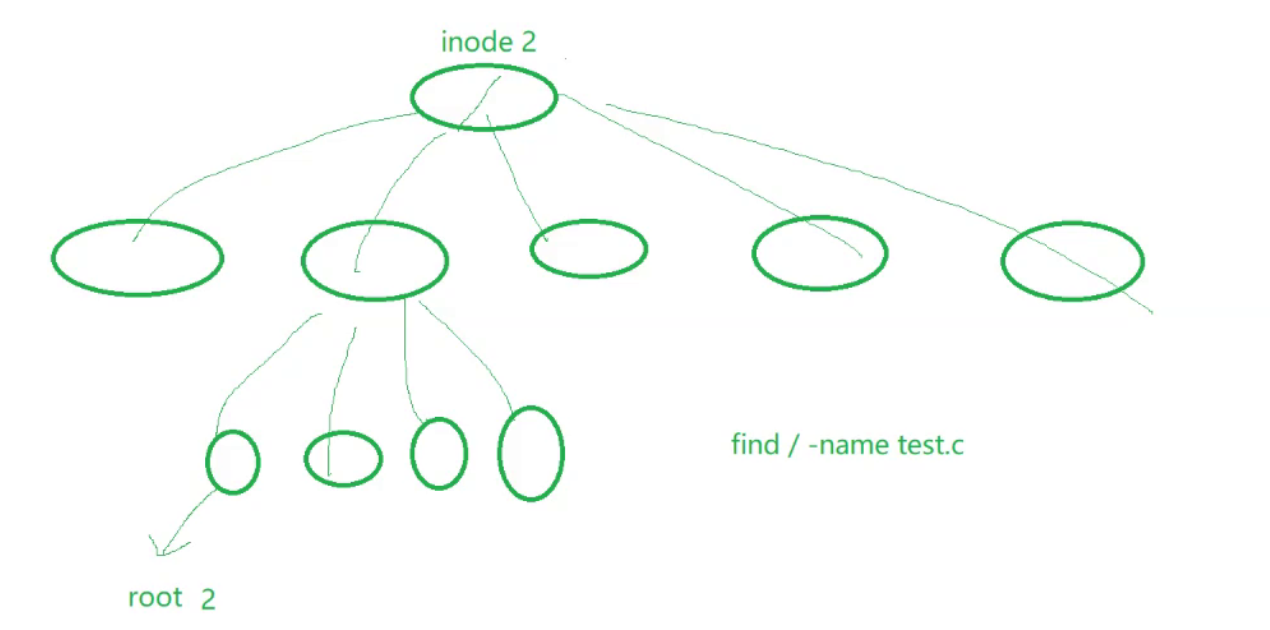
文章目录 一、软链接二、硬链接三、ln命令四、该如何理解硬链接?五、如何理解软链接六、为什么要用软硬链接1.软链接的应用场景2.硬链接的应用场景 一、软链接 如下所示,我们创建一个文件以后,然后执行下面的指令 ln -s file.txt soft-link…...
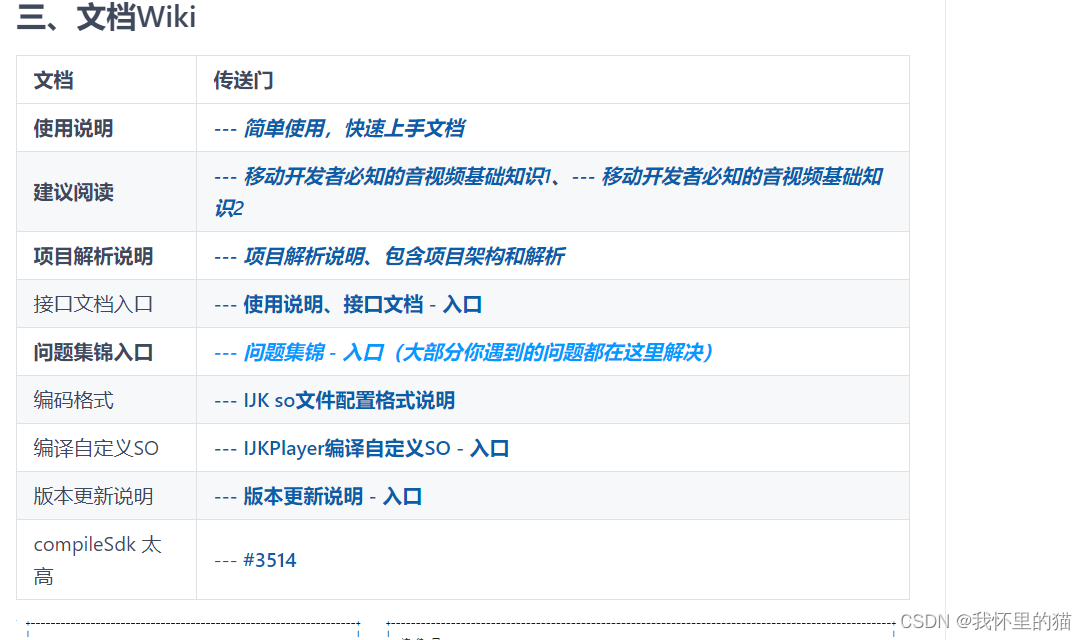
开源播放器GSYVideoPlayer + ViewPager2 源码解析
开源播放器GSYVideoPlayer ViewPager2 源码解析 前言一、GSYVideoPlayer🔥🔥🔥是什么?二、源码解析1.ViewPager2Activity 总结 前言 本文介绍GSYVideoPlayer源码中关于ViewPager2 GSYVideoPlayer 实现的滑动播放列表的实现原理。…...

WinCC组态没问题,数据就是存不进U盘?手把手教你诊断西门子触摸屏USB接口‘假死’
WinCC组态正确却无法存储数据?深度解析西门子触摸屏USB接口故障排查 最近在工业自动化论坛上,看到不少工程师反馈一个奇怪现象:明明WinCC组态完全正确,数据记录配置也没问题,但就是无法将数据存入U盘。这种"组态正…...

yolo检测生成的txt转换为labelme可以编辑的json
yolo检测生成的txt转换为labelme可以编辑的json,以及json转txttxt转json代码如下import cv2 import os import json该脚本实现将yolo格式标签转为json格式标签 需要的数据:原始图像 原始yolo格式标签(txt文件) imgs_path "D…...

OpenClaw安全审计工具:五维扫描与实时监控保障AI助手安全
1. 项目概述:为你的AI助手装上“安全爪”如果你正在使用OpenClaw,或者任何类似的AI助手框架,那么你很可能正面临一个被大多数人忽视的“影子风险”。我们热衷于为AI助手添加各种技能(MCP服务器),优化提示词…...

TS8180,TS6180,TS5180,TS5080,TS8080,G1810,G2000,G2010,G2800,G2810报错5B00,P07,E08,1700,5b04废墨垫清零,亲测有用
下载:点这里下载 备用下载:https://pan.baidu.com/s/1WrPFvdV8sq-qI3_NgO2EvA?pwd0000 常见型号如下: G系列 G1000、G1100、G1200、G1400、G1500、G1800、G1900、G1010、G1110、G1120、G1410、G1420、G1411、G1510、G1520、G1810、G1820、…...

魔兽争霸3终极优化指南:WarcraftHelper完全使用教程
魔兽争霸3终极优化指南:WarcraftHelper完全使用教程 【免费下载链接】WarcraftHelper Warcraft III Helper , support 1.20e, 1.24e, 1.26a, 1.27a, 1.27b 项目地址: https://gitcode.com/gh_mirrors/wa/WarcraftHelper 还在为《魔兽争霸3》在现代电脑上运行…...

构建AI代理编排平台:从CLI工具协同到复杂工作流自动化
1. 项目概述:一个可配置的AI代理编排平台最近在折腾一个挺有意思的东西,我把它叫做“AI交响乐团”。本质上,它是一个全栈应用,核心目标是把那些我们日常在命令行里单打独斗的AI工具,比如Claude Code、Codex CLI、OpenC…...

从ESC SV幕后筹备看技术会议的系统工程与参会策略
1. 从“Day -1”的视角看一场顶级技术盛会的幕后如果你也和我一样,是个在嵌入式系统、半导体设计或者硬件开发领域摸爬滚打了有些年头的工程师,那么“ESC SV”(Embedded Systems Conference Silicon Valley)这个名字,对…...

ZenlessZoneZero-OneDragon技术深度解析:数据驱动的自动化战斗引擎架构
ZenlessZoneZero-OneDragon技术深度解析:数据驱动的自动化战斗引擎架构 【免费下载链接】ZenlessZoneZero-OneDragon 绝区零 一条龙 | 全自动 | 自动闪避 | 自动每日 | 自动空洞 | 支持手柄 项目地址: https://gitcode.com/gh_mirrors/ze/ZenlessZoneZero-OneDrag…...

动态漏洞利用框架:从静态Exploit到自适应运行时攻击引擎
1. 项目概述:一个动态化的运行时漏洞利用框架 在安全研究领域,漏洞利用(Exploit)的开发与测试是核心且极具挑战性的工作。传统的漏洞利用代码往往是静态、一次性的,针对特定版本的程序、特定的操作系统环境编写。一旦目…...

从崩溃到修复:ImHex中Intel Hex文件视图无限递归问题深度解析
从崩溃到修复:ImHex中Intel Hex文件视图无限递归问题深度解析 【免费下载链接】ImHex 🔍 A Hex Editor for Reverse Engineers, Programmers and people who value their retinas when working at 3 AM. 项目地址: https://gitcode.com/GitHub_Trendin…...