
vue el-select多选封装及使用
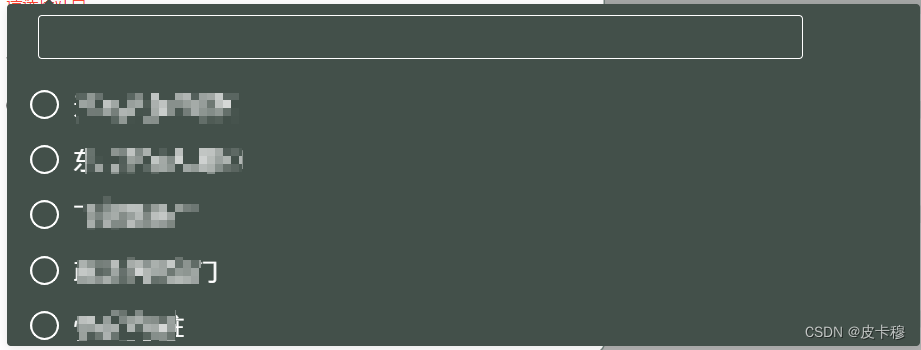
使用了Element UI库中的el-select和el-option组件来构建多选下拉框。同时,也包含了一个el-input组件用于过滤搜索选择项,以及el-checkbox-group和el-checkbox组件用于显示多选项。
创建组件index.vue (src/common-ui/selectMultiple/index.vue)
<template><el-selectref="select"v-model="hValue"multiplecollapse-tags:clearable="clearable":disabled="disabled":placeholder="placeholder":popper-class="'select-default no-empty'":key="poperKeyValue":value-key="valueKey"@blur="handleBlur"@change="handleChange"@clear="handleClear"@focus="handleFocus"@remove-tag="handleRemoveTag"@visible-change="handleVisibleChange"><el-inputclass="filter-input"v-model.trim="hFilterVal"v-if="filterable":class="selectInfo.options.length == 0 ? 'filter-input-mb' : ''"></el-input><el-checkbox-group v-model="hValue"><el-optionv-for="(item, index) in selectInfo.options":key="index":label="selectInfo.prop && selectInfo.prop.label? item[selectInfo.prop.label]: item.name":disabled="item.disabled":value="selectInfo.prop && selectInfo.prop.value? item[selectInfo.prop.value]: item.id"><el-checkboxstyle="pointer-events: none":label="selectInfo.prop && selectInfo.prop.value? item[selectInfo.prop.value]: item.id">{{selectInfo.prop && selectInfo.prop.label? item[selectInfo.prop.label]: item.name}}</el-checkbox></el-option></el-checkbox-group></el-select>
</template><script>export default {name: "HSelectMul",props: {placeholder: String,selectInfo: {type: Object,default() {return {align: "left",options: [],filterOptions: [],prop:{label:'name',value:'id'}};}},filterVal:{type:String,value:''},clearable: {type: Boolean,default: true},disabled: {type: Boolean,default: false},filterable: {type: Boolean,default: true},value: {type: [String, Number, Array, Boolean],required: true},valueKey: String,keyValue: {type: String,default: "select-single"}},data() {return {poperKeyValue: ""};},computed: {hValue: {get() {let value = [];if (this.value instanceof Array) {this.value.forEach(key => {if (this.checkValueExisting(key)) {value.push(key);}});}return value;},set(value) {this.$emit("input", value);}},hFilterVal: {get() {return this.filterVal;},set(value) {this.$emit("input-search", value);}},},watch: {keyValue(val) {this.poperKeyValue = val;}},methods: {checkValueExisting(value) {let key = this.selectInfo.prop&&this.selectInfo.prop.value?this.selectInfo.prop.value:'id'if(this.filterable) {if (this.selectInfo.filterOptions instanceof Array) {let index = this.selectInfo.filterOptions.findIndex(item => item[key] === value,this);return index > -1;}} else {if (this.selectInfo.options instanceof Array) {let index = this.selectInfo.options.findIndex(item => item[key] === value,this);return index > -1;}}return false;},handleBlur(event) {this.$emit("blur", event);},handleChange(value) {this.$emit("change", value);},handleClear() {this.$emit("clear");},handleFocus(event) {this.$emit("focus", event);},handleRemoveTag(tag) {this.$emit("remove-tag", tag);},handleVisibleChange(visible) {this.$emit("visible-change", visible);}}};
</script><style lang="scss" scoped></style>
页面引入
- 在需要使用selectMultiple组件的地方,通过import语句组件注册并使用
<template><div><HSelectMultiple:select-info="selectInfo"v-model="selectedValue":filter-val="filterVal"@input-search="dropDownSearchTop"@change="changeSelect"></HSelectMultiple></div>
</template>
<script>import HSelectMultiplefrom '@/common-ui/selectMultiple/index'export default {components: {HSelectMultiplefrom },data() {return {filterVal: '',dataSource: [],selectedValue: '',selectInfo: {align: "left",options: [],filterOptions: [],prop: {label: 'name',value: 'id'}},}},methods: {changeSelect(val, field, parentField, info) {this.selectInfo.chooseSelectList = [];for (let i = 0; i < this.selectInfo.filterOptions.length; i++) {for (let j = 0; j < val.length; j++) {let value = this.selectInfo.prop && this.selectInfo.prop.value ? this.selectInfo.prop.value : "id";if (val[j] === this.selectInfo.filterOptions[i][value]) {this.selectInfo.chooseSelectList.push(this.selectInfo.filterOptions[i]);}}}console.log(val, '选择的值')},dropDownSearchTop(val) {this.filterVal = this.selectInfo.filterVal;if (this.selectInfo.filterVal === "") {this.selectInfo.options = JSON.parse(JSON.stringify(this.selectInfo.filterOptions));return;}let list = [];if (this.selectInfo.chooseSelectList.length > 0) {list = this.selectInfo.filterOptions.filter(item => {let value = ithis.selectInfonfo.prop && this.selectInfo.prop.value ? this.selectInfo.prop.value : "id";return this.selectInfo.chooseSelectList.every(el => el[value] != item[value]);});} else {list = JSON.parse(JSON.stringify(this.selectInfo.filterOptions));}this.selectInfo.options = this.selectInfo.chooseSelectList.concat(list.filter(item => {let name = this.selectInfo.prop && this.selectInfo.prop.label ? this.selectInfo.prop.label : "name";return item[name].includes(this.selectInfo.filterVal);}));},}// ...}
</script>
确保你已经安装了Vue.js和Element UI,并在项目中引入它们。
相关文章:
vue el-select多选封装及使用
使用了Element UI库中的el-select和el-option组件来构建多选下拉框。同时,也包含了一个el-input组件用于过滤搜索选择项,以及el-checkbox-group和el-checkbox组件用于显示多选项。 创建组件index.vue (src/common-ui/selectMultiple/index.vue) <tem…...
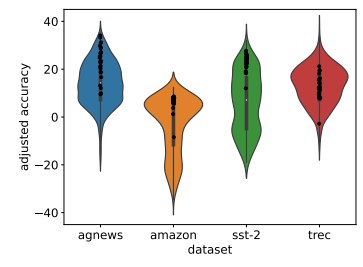
大模型上下文学习(ICL)训练和推理两个阶段31篇论文
大模型都火了这么久了,想必大家对LLM的上下文学习(In-Context Learning)能力都不陌生吧? 以防有的同学不太了解,今天我就来简单讲讲。 上下文学习(ICL)是一种依赖于大型语言模型的学习任务方式…...
zibll-7.5.1)
WordPress(安装比子主题文件)zibll-7.5.1
提示:文章写完后,目录可以自动生成,如何生成可参考右边的帮助文档 文章目录 前言一、新建网站二、配置ssl三.配置伪静态四.上传文件五.添加本地访问前言 提示:这里可以添加本文要记录的大概内容: 首先,我们要先理解什么是授权原理。 原理就是我们大家运营网站,点击授权…...

蓝桥杯 动态规划
01 数字三角形 #include<bits/stdc.h> using namespace std; const int N105; using lllong long; ll a[N][N],dp[N][N]; int main(){int n;cin>>n;for(int i1;i<n;i){for(int j1;j<i;j){cin>>a[i][j];}}for(int i5;i>1;i--){for(int j1;j<i;j){…...
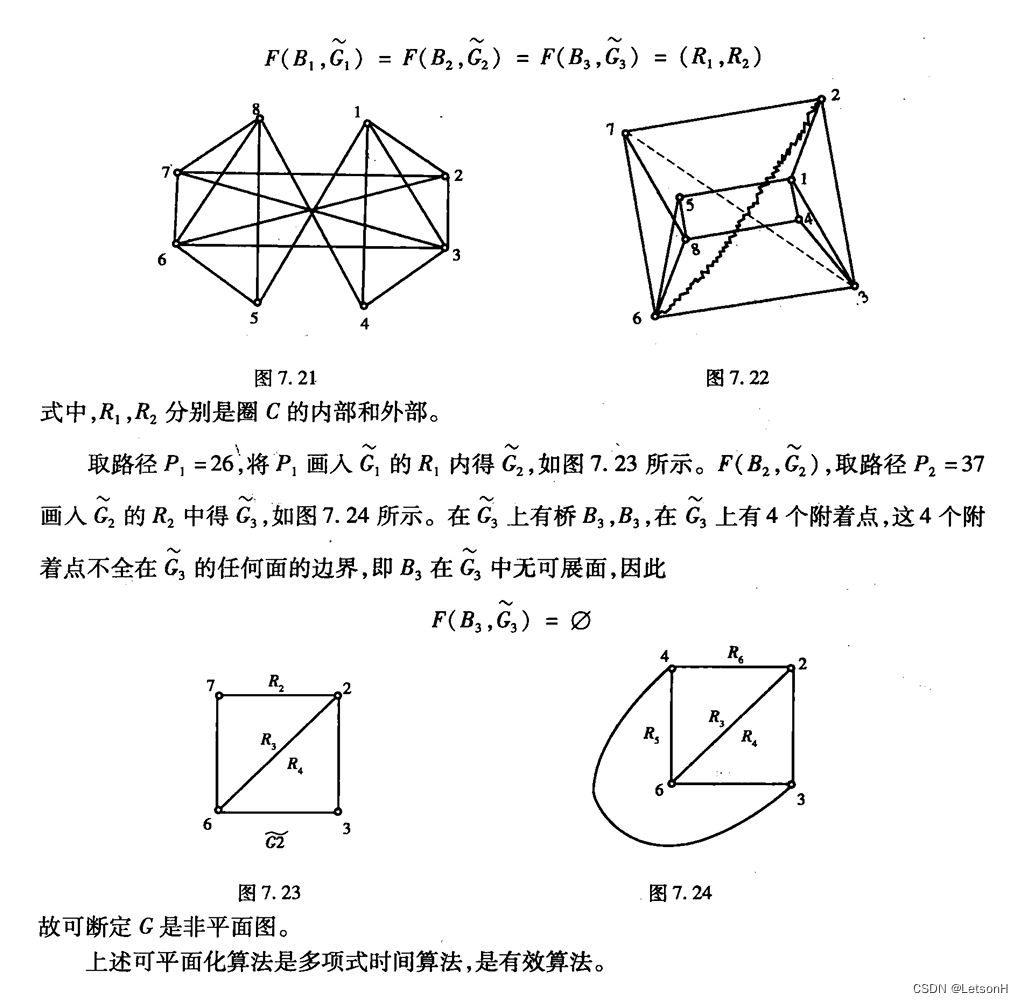
【图论】重庆大学图论与应用课程期末复习资料2-各章考点(计算部分)(私人复习资料)
图论各章考点 二、树1、避圈法(克鲁斯克尔算法)2、破圈法3、Prim算法 四、路径算法1、Dijkstra算法2、Floyd算法 五、匹配1、匈牙利算法(最大权理想匹配(最小权权值取反)) 六、行遍性问题1、Fleury算法&…...

整数和浮点数在内存中的存储(大小端详解)
目录 一、整数在内存中的存储 二、大小端字节序和字节序判断 2.1为什么有大小端? 2.2请简述大端字节序和小端字节序的概念,设计一个小程序来判断当前机器的字节序。(10分)-百度笔试题 方法一(char*强制类型转换)…...
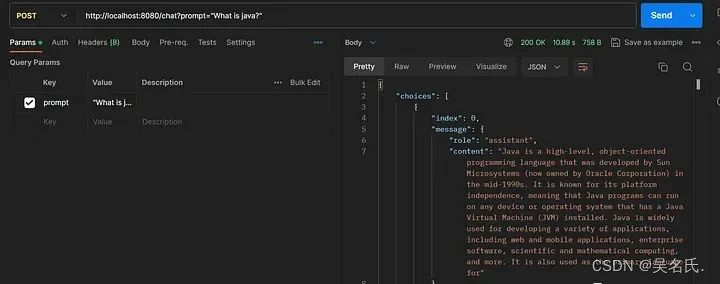
SpringBoot 集成 ChatGPT,实战附源码
1 前言 在本文中,我们将探索在 Spring Boot 应用程序中调用 OpenAI ChatGPT API 的过程。我们的目标是开发一个 Spring Boot 应用程序,能够利用 OpenAI ChatGPT API 生成对给定提示的响应。 您可能熟悉 ChatGPT 中的术语“提示”。在 ChatGPT 或类似语…...

数据结构——希尔排序(详解)
呀哈喽,我是结衣 不知不觉,我们的数据结构之路已经来到了,排序这个新的领域,虽然你会说我们还学过冒泡排序。但是冒泡排序的性能不高,今天我们要学习的希尔排序可就比冒泡快的多了。 希尔排序 希尔排序的前身是插入排…...
C++ day53 最长公共子序列 不相交的线 最大子序和
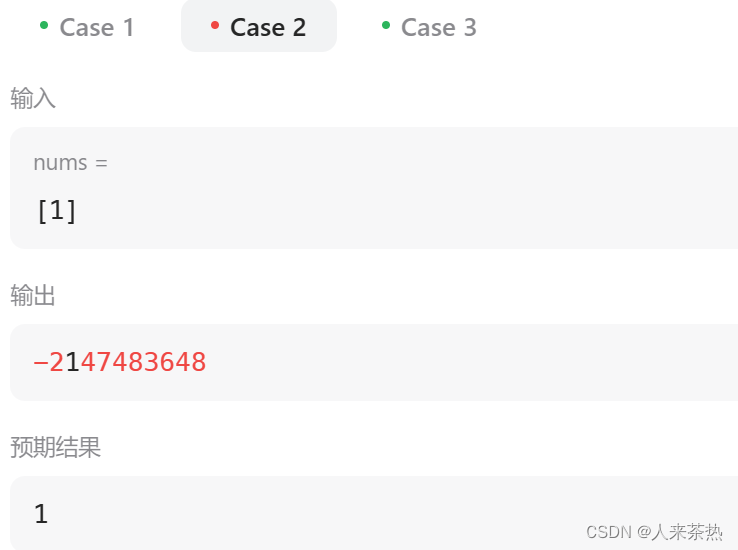
题目1:1143 最长公共子序列 题目链接:最长公共子序列 对题目的理解 返回两个字符串的最长公共子序列的长度,如果不存在公共子序列,返回0,注意返回的是最长公共子序列,与前一天的最后一道题不同的是子序…...

ubuntu中删除镜像和容器、ubuntu20.04配置静态ip
1 删除镜像 # 短id sudo docker rmi 镜像id # 完整id sudo docker rmi 镜像id# 镜像名【REPOSITORY:TAG】 sudo docker rmi redis:latest2 删除容器 # 删除某个具体容器 sudo docker rm 容器id# 删除Exited状态/未运行的容器,三种命令均可 sudo docker rm docker …...

华为手环 8 五款免费表盘已上线,请注意查收
华为手环 8,作为一款集时尚与实用于一体的智能手环,不仅具备强大的功能,还经常更新的表盘样式,让用户掌控时间与健康的同时,也能展现自己的时尚品味。这不,12 月官方免费表盘又上新了,推出了五款…...

JOSEF约瑟 同步检查继电器DT-13/200 100V柜内安装,板前接线
系列型号 DT-13/200同步检查继电器; DT-13/160同步检查继电器; DT-13/130同步检查继电器; DT-13/120同步检查继电器; DT-13/90同步检查继电器; DT-13/254同步检查继电器; 同步检查继电器DT-13/200 100V柜内板前接线 一、用途 DT-13型同步检查继电器用于两端供电线路的…...
龙迅#LT8311X3 USB中继器应用描述!
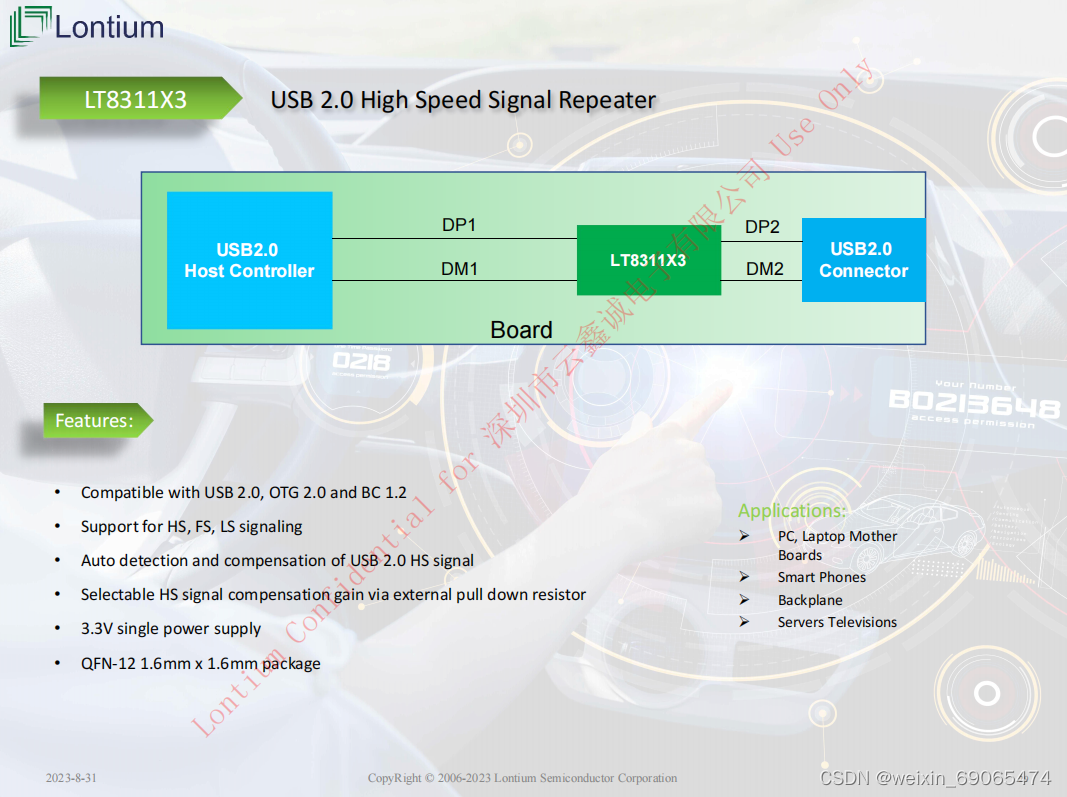
1. 概述 LT8311X3是一款USB 2.0高速信号中继器,用于补偿ISI引起的高速信号衰减。通过外部下拉电阻器选择的编程补偿增益有助于提高 USB 2.0 高速信号质量并通过 CTS 测试。 2. 特点 • 兼容 USB 2.0、OTG 2.0 和 BC 1.2• 支持 HS、FS、LS 信令 • 自动检测和补偿 U…...

eclipse jee中 如何建立动态网页及服务的设置问题
第一次打开eclipse 时,设置工作区时,一定是空目录 进入后 File-----NEW------Dynamic Web Project 填 项目名,不要有大写 m1 next next Generate前面打对勾 finish 第一大步: window----Preferences type filter text 处填 :Serve…...
一张网页截图,AI帮你写前端代码,前端窃喜,终于不用干体力活了
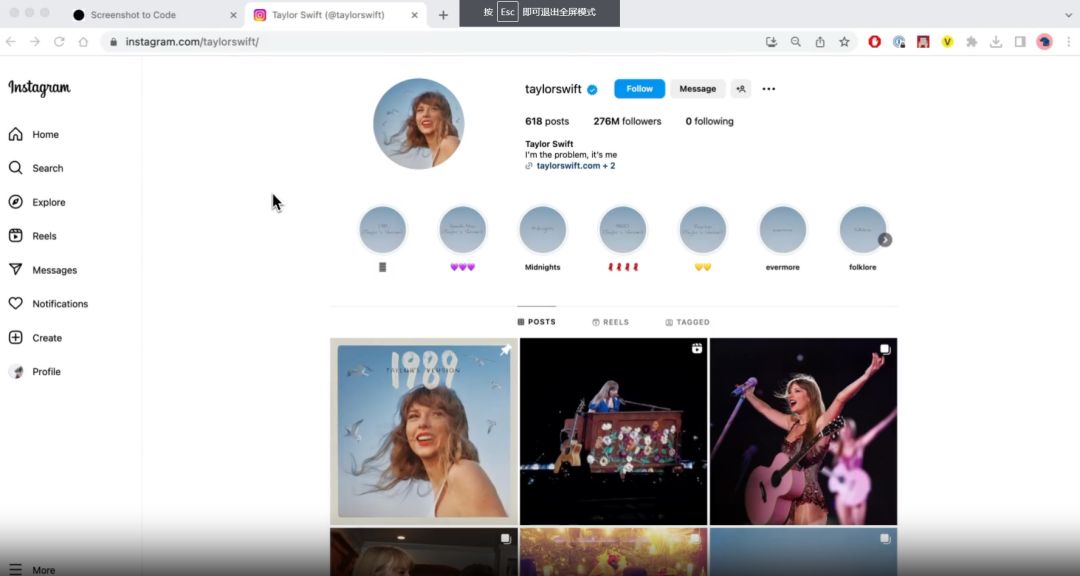
简介 众所周知,作为一个前端开发来说,尤其是比较偏营销和页面频繁改版的项目,大部分的时间都在”套模板“,根本没有精力学习前端技术,那么这个项目可谓是让前端的小伙伴们看到了一丝丝的曙光。将屏幕截图转换为代码&a…...

处理k8s中创建ingress失败
创建ingress: 如果在创建过程中出错了: 处理方法就是: kubectl get ValidatingWebhookConfiguration kubectl delete -A ValidatingWebhookConfiguration ingress-nginx-admission 然后再次创建,发现可以:...
Redis高可用集群架构
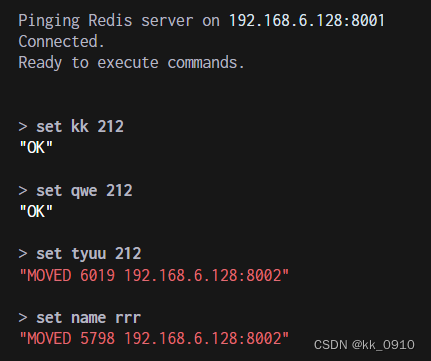
高可用集群架构 哨兵模式缺点 主从切换阶段, redis服务不可用,高可用不太友好只有单个主节点对外服务,不能支持高并发单节点如果设置内存过大,导致持久化文件很大,影响数据恢复,主从同步性能 高可用集群…...

JAVA常见问题解答:解决Java 11新特性兼容性问题的六个步骤
引言: 随着技术的不断发展,Java作为一种被广泛使用的编程语言,也在不断更新和改进。Java 11作为Java的最新版本,带来了许多新的特性和改进。然而,对于一些老旧的Java应用程序来说,升级到Java 11可能会带来一…...

【C语言】深入理解指针(1)
目录 前言 (一)内存与地址 从实际生活出发 地址 内存 内存与地址关系密切 (二)指针变量 指针变量与取地址操作符 指针变量与解引用操作符 指针的大小 指针的运算 指针 - 整数 指针-指针 指针的关系运算 指针的类型的…...
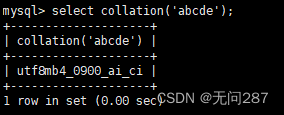
MySQL的系统信息函数
系统信息函数让你更好的使用MySQL数据库 1、version()函数 查看MySQL系统版本信息号 select version();2、connection_id()函数 查看当前登入用户的连接次数 直接调用CONNECTION_ID()函数--不需任何参数--就可以看到当下连接MySQL服务器的连接次数,不同时间段该…...

基于Git的开发者环境配置同步工具copaw详解与实践
1. 项目概述与核心价值最近在折腾一个挺有意思的项目,叫copaw,是 GitHub 上一个名为jackxiong11894的开发者开源的工具。乍一看这个名字,可能会有点摸不着头脑,但如果你经常需要在不同环境、不同机器之间同步你的命令行配置、脚本…...

互联网大厂Java求职面试:从Spring Boot到微服务的技术探讨
互联网大厂Java求职面试:从Spring Boot到微服务的技术探讨 在某个阳光明媚的下午,互联网大厂的面试室里,面试官严肃地坐在桌子后面,准备对候选人燕双非进行一轮面试。第一轮提问 面试官:燕双非,你能给我讲讲…...

国产SCA工具评测:谁在开源治理赛道上领跑?
在数字化浪潮席卷全球的当下,软件供应链安全已成为国家安全的重要组成部分。近年来,从SolarWinds供应链攻击到Log4j漏洞事件,一系列重大安全事件不断为行业敲响警钟。根据Gartner最新预测,到2026年,全球60%的企业将把软…...

resolv-rhel详解
resolv.conf是linxu系统中一个古老的dns解析器配置文件,而resolvconf这个像管家一样的服务,就是为解决其被多个网络服务争相修改、配置冲突的问题而生的。 随着systemd在linux生态中的普及,它自带的systemd-resolvd组件逐渐成为一个强大的竞争者,其功能远超传统的resolvcon…...

5分钟快速上手:XUnity自动翻译器让外语游戏秒变中文版
5分钟快速上手:XUnity自动翻译器让外语游戏秒变中文版 【免费下载链接】XUnity.AutoTranslator 项目地址: https://gitcode.com/gh_mirrors/xu/XUnity.AutoTranslator 还在为看不懂的日语RPG或英语独立游戏而烦恼吗?XUnity自动翻译器是你的终极解…...

U 盘安装 ESXi 8.0 进度条卡住?核心修复方案与全流程实操指南
本文针对 U 盘安装 VMware ESXi 8.0 时高频出现的安装进度条卡死、无法继续的痛点问题,详解故障的核心触发根源,重点讲解 2 个经过生产环境验证的修复方案 —— 更换服务器原生 USB 3.0 接口、使用 Rufus 工具 DD 模式制作安装 U 盘,同时补充…...

盟接之桥®制造业EDI软件:从Forecast到Invoice,打通供应链的“任督二脉”
在全球制造业数字化转型的浪潮中,供应链的协同效率直接决定了企业的竞争力。对于汽车零部件、机械制造、电子电器等行业的制造企业而言,电子数据交换(EDI)已不再是“锦上添花”的选项,而是进入全球顶级供应链体系的“入…...

视觉语言模型幻觉检测基准HalDec-Bench解析
1. 项目概述HalDec-Bench是一个专门用于评估视觉语言模型(VLM)在图像描述幻觉检测任务中表现的基准测试系统。在当前的VLM应用中,模型生成的图像描述经常包含与图像实际内容不符的"幻觉"现象,这严重影响了模型输出的可靠性。HalDec-Bench通过构…...

xFasterTransformer:CPU大模型推理加速引擎原理与部署实践
1. 项目概述:xFasterTransformer,CPU上的大模型推理加速利器如果你正在为如何高效、低成本地部署百亿甚至千亿参数的大语言模型(LLM)而头疼,尤其是在没有高端GPU的X86服务器集群上,那么今天聊的这个工具&am…...

AI编程助手安全扫描:DeepSafe Scan防御恶意Hook与代码注入
1. 项目概述:为什么你的AI编程助手需要一个“安检仪”如果你和我一样,日常工作已经离不开Claude Code、Cursor这类AI编程助手,那你肯定体验过那种“魔法时刻”——一个模糊的想法,通过几句自然语言描述,就能快速生成可…...