
ElasticSearch 学习笔记总结(四)
文章目录
- 一、ES继承 Spring Data 框架
- 二、SpringData 功能集成
- 三、ES SpringData 文档搜索
- 四、ES 优化 硬件选择
- 五、ES 优化 分片策略
- 六、ES 优化 路由选择
- 七、ES 优化 写入速度优化
- 七、ES 优化 内存设置
- 八、ES 优化 重要配置
一、ES继承 Spring Data 框架
Spring Data 是一个用于简化数据库、非关系型数据库、索引库访问。
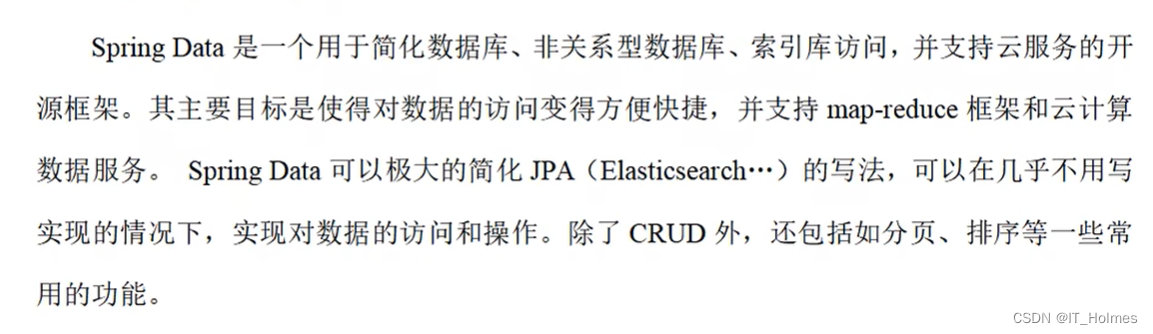
Spring Data的官方:https://spring.io/projects/spring-data
其实Spring Data框架的出现,是为了更好快速的操作ES服务器,简化ES的操作。
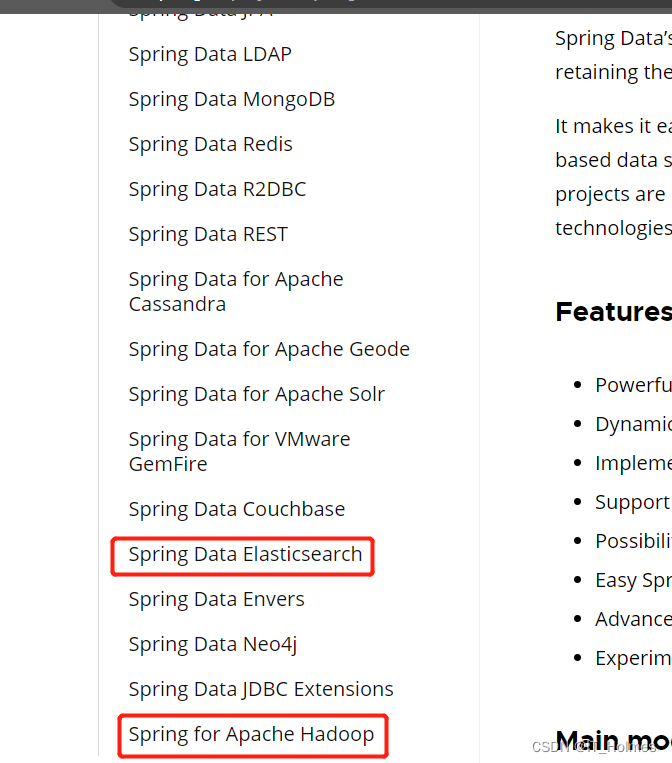
自然操作的就是Spring Data Elasticsearch对应的内容。
二、SpringData 功能集成
创建一个springboot项目。
第一步:项目依赖,配置文件如下:
<?xml version="1.0" encoding="UTF-8"?>
<project xmlns="http://maven.apache.org/POM/4.0.0"xmlns:xsi="http://www.w3.org/2001/XMLSchema-instance"xsi:schemaLocation="http://maven.apache.org/POM/4.0.0 http://maven.apache.org/xsd/maven-4.0.0.xsd"><modelVersion>4.0.0</modelVersion><parent><artifactId>spring-boot-starter-parent</artifactId><groupId>org.springframework.boot</groupId><version>2.3.6.RELEASE</version><relativePath/></parent><groupId>org.itholmes</groupId><artifactId>es-spring</artifactId><version>1.0</version><properties><maven.compiler.source>8</maven.compiler.source><maven.compiler.target>8</maven.compiler.target></properties><dependencies><dependency><groupId>org.springframework.boot</groupId><artifactId>spring-boot-starter-data-elasticsearch</artifactId></dependency><dependency><groupId>org.springframework.boot</groupId><artifactId>spring-boot-devtools</artifactId></dependency><dependency><groupId>org.springframework.boot</groupId><artifactId>spring-boot-starter-test</artifactId><scope>test</scope></dependency><dependency><groupId>org.springframework.boot</groupId><artifactId>spring-boot-test</artifactId></dependency><dependency><groupId>junit</groupId><artifactId>junit</artifactId></dependency><dependency><groupId>org.springframework</groupId><artifactId>spring-test</artifactId></dependency></dependencies></project>
第二步:配置application.properties文件。
# es服务地址 为了项目引用
elasticsearch.host=127.0.0.1
# es服务端口
elasticsearch.port=9200
# 配置日志级别,开启debug日志
logging.level.com.itholmes.es=debug
第三步:创建SpringBoot主程序。
package com.itholmes.es;import org.springframework.boot.SpringApplication;
import org.springframework.boot.autoconfigure.SpringBootApplication;@SpringBootApplication
public class SpringDataElasticSearchMainApplication {public static void main(String[] args) {SpringApplication.run(SpringDataElasticSearchMainApplication.class,args);}
}
第四步:创建实体类,通过实体类来作为数据进行相关操作。
package com.itholmes.es;import lombok.AllArgsConstructor;
import lombok.Data;
import lombok.NoArgsConstructor;
import lombok.ToString;@Data
@NoArgsConstructor
@AllArgsConstructor
@ToString
public class Product {private Long id; // 商品唯一标识private String title; // 商品名称private String category; // 分类名称private Double price; // 商品价格private String images; // 图片地址
}
第五步:创建ElasticsearchConfig类,对应的配置文件。
package com.itholmes.es;import lombok.Data;
import org.apache.http.HttpHost;
import org.elasticsearch.client.RestClient;
import org.elasticsearch.client.RestClientBuilder;
import org.elasticsearch.client.RestHighLevelClient;
import org.springframework.boot.context.properties.ConfigurationProperties;
import org.springframework.context.annotation.Configuration;
import org.springframework.data.elasticsearch.config.AbstractElasticsearchConfiguration;// @ConfigurationProperties(prefix = "elasticsearch") 去匹配 elasticsearch.host 和 elasticsearch.port。
@ConfigurationProperties(prefix = "elasticsearch")
@Configuration
@Data
public class ElasticsearchConfig extends AbstractElasticsearchConfiguration {private String host;private Integer port;@Overridepublic RestHighLevelClient elasticsearchClient() {RestClientBuilder builder = RestClient.builder(new HttpHost(host, port));RestHighLevelClient restHighLevelClient = new RestHighLevelClient(builder);return restHighLevelClient;}
}
第六步:配置 DAO数据 访问对象,获取数据。
package com.itholmes.es;import org.springframework.data.elasticsearch.repository.ElasticsearchRepository;
import org.springframework.stereotype.Repository;// ElasticsearchRepository<Product,Long> 来进行操作
@Repository
public interface ProductDao extends ElasticsearchRepository<Product,Long> {}
第七步:配置 实体类映射操作。
package com.itholmes.es;import lombok.AllArgsConstructor;
import lombok.Data;
import lombok.NoArgsConstructor;
import lombok.ToString;
import org.springframework.data.annotation.Id;
import org.springframework.data.elasticsearch.annotations.Document;
import org.springframework.data.elasticsearch.annotations.Field;
import org.springframework.data.elasticsearch.annotations.FieldType;@Data
@NoArgsConstructor
@AllArgsConstructor
@ToString
// 关联索引,分片,备份
@Document(indexName = "product",shards = 3,replicas = 1)
public class Product {/*** 必须有id,这里的id是全局唯一的标识,等同于es中的_id。*/@Idprivate Long id; // 商品唯一标识/*** type: 字段数据类型* analyzer:分词器类型* index: 是否索引(默认为:true)* Keyword:短语,不进行分词 就是关键字不能分开*/@Field(type = FieldType.Text) // ,analyzer = "ik_max_word"private String title; // 商品名称@Field(type = FieldType.Keyword)private String category; // 分类名称@Field(type = FieldType.Double)private Double price; // 商品价格@Field(type = FieldType.Keyword,index = false) // index = false 就是不做索引查询的private String images; // 图片地址
}
第八步:做一个测试,简单走个测试就会把对应索引创建出来(初始化创建)。
package com.itholmes.es;import org.junit.Test;
import org.junit.runner.RunWith;
import org.springframework.beans.factory.annotation.Autowired;
import org.springframework.boot.test.context.SpringBootTest;
import org.springframework.data.domain.Page;
import org.springframework.data.domain.PageRequest;
import org.springframework.data.domain.Sort;
import org.springframework.test.context.junit4.SpringRunner;import java.util.ArrayList;@RunWith(SpringRunner.class)
@SpringBootTest
public class SpringDataESProductDaoTest {// 注入ElasticsearchRestTemplate@Autowiredprivate ProductDao productDao;// 新增数据@Testpublic void save(){// 其实就是把后台相关数据,存储到了ES中。Product product = new Product();product.setId(2L);product.setTitle("华为手机");product.setCategory("手机");product.setPrice(2999.0);product.setImages("http://www.itholmes/hw.jpg");productDao.save(product);// 查看:get方法 http://127.0.0.1:9200/product/_doc/2}// 修改数据@Testpublic void update(){Product product = new Product();product.setId(2L); // id相同就是修改数据product.setTitle("华为222手机");product.setCategory("手机");product.setPrice(2999.0);product.setImages("http://www.itholmes/hw.jpg");productDao.save(product);//查看:get方法 http://127.0.0.1:9200/product/_doc/2}// 根据id查询@Testpublic void findById(){Product product = productDao.findById(2L).get();System.out.println(product);}// 查询所有@Testpublic void findAll(){Iterable<Product> all = productDao.findAll();for (Product product : all) {System.out.println(product);}}// 删除@Testpublic void delete(){Product product = new Product();product.setId(2L);productDao.delete(product);}// 批量新增@Testpublic void saveAll(){ArrayList<Product> productList = new ArrayList<>();for (int i = 0; i < 10; i++) {Product product = new Product();product.setId(Long.valueOf(i));product.setTitle("[" + i + "]" + "小米手机");product.setCategory("手机");product.setPrice(1999.0 + i);product.setImages("http://itholems.com" + i);productList.add(product);}productDao.saveAll(productList);}// 分页查询@Testpublic void findByPageable(){// 设置排序(排序方式,正序还是倒序,排序的id)Sort sort = Sort.by(Sort.Direction.DESC, "id");int currentPage = 0; // 当前页 第一页从0开始,1表示第二页int pageSize = 5; // 每页显示多少条PageRequest pageRequest = PageRequest.of(currentPage, pageSize, sort);Page<Product> productPage = productDao.findAll(pageRequest);for (Product product : productPage) {System.out.println(product);}}}
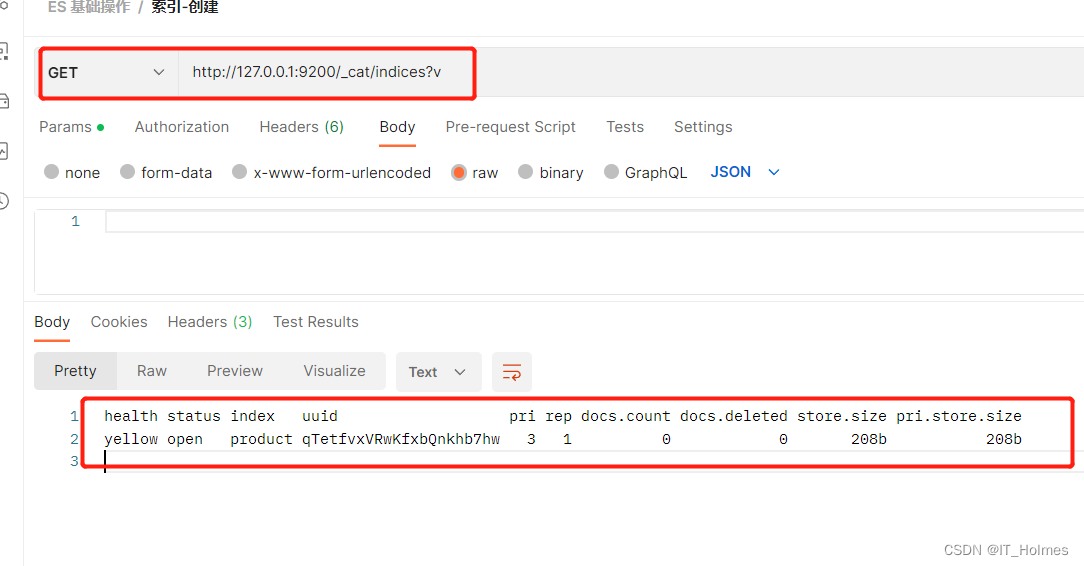
三、ES SpringData 文档搜索
SpringData 文档搜索
package com.itholmes.es;import org.elasticsearch.index.query.QueryBuilders;
import org.elasticsearch.index.query.TermQueryBuilder;
import org.junit.Test;
import org.junit.runner.RunWith;
import org.springframework.beans.factory.annotation.Autowired;
import org.springframework.boot.test.context.SpringBootTest;
import org.springframework.data.domain.Page;
import org.springframework.data.domain.PageRequest;
import org.springframework.test.context.junit4.SpringRunner;@RunWith(SpringRunner.class)
@SpringBootTest
public class SpringDataESSearchTest {@AutowiredProductDao productDao;// 文档搜索@Testpublic void termQuery(){TermQueryBuilder termQueryBuilder = QueryBuilders.termQuery("category", "手机");Iterable<Product> products = productDao.search(termQueryBuilder);for (Product product : products) {System.out.println(product);}}// 分页请求@Testpublic void termQueryByPage(){int currentPage = 0;int pageSize = 5;PageRequest pageRequest = PageRequest.of(currentPage, pageSize);TermQueryBuilder termQueryBuilder = QueryBuilders.termQuery("category", "手机");Page<Product> products = productDao.search(termQueryBuilder, pageRequest);for (Product product : products) {System.out.println(product);}}}
此外还有,Spark Streaming框架 集成、Flink框架集成等等,先将数据经过它们处理,之后存储到ES服务器中。
四、ES 优化 硬件选择
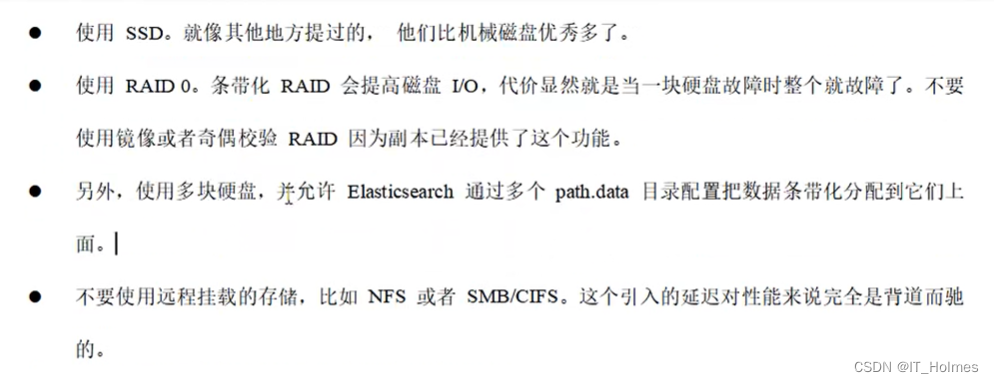
Elasticsearch的基础是 Lucene,所有的索引和文档数据是存储在本地的磁盘中,具体路径可在ES的配置文件 …/config/elasticsearch.yml中配置。
SSD是 固态硬盘。
硬件选择推荐如下:
五、ES 优化 分片策略
分片 和 副本并不是无限分配的。

分片的代价:


具体要根据架构师技术人员进行确认:

遵循的原则:

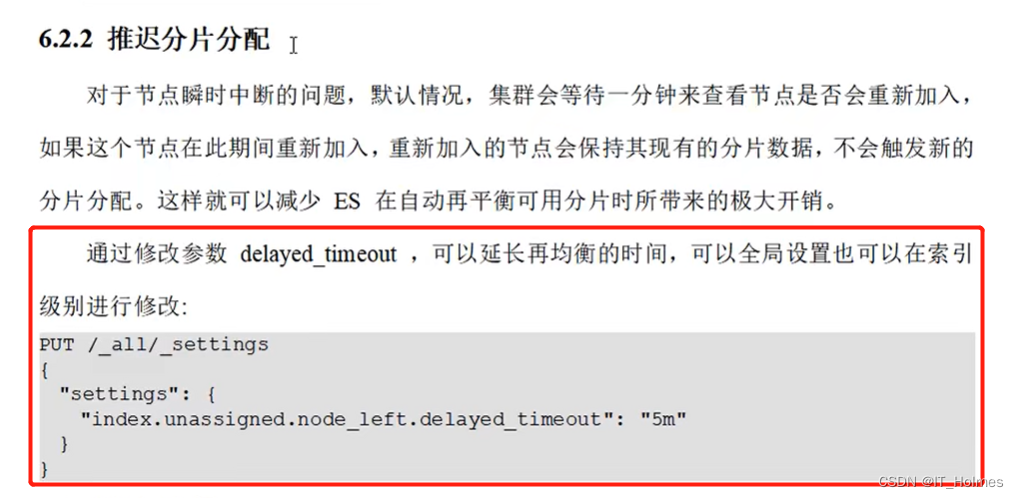
推迟分片分配:
六、ES 优化 路由选择
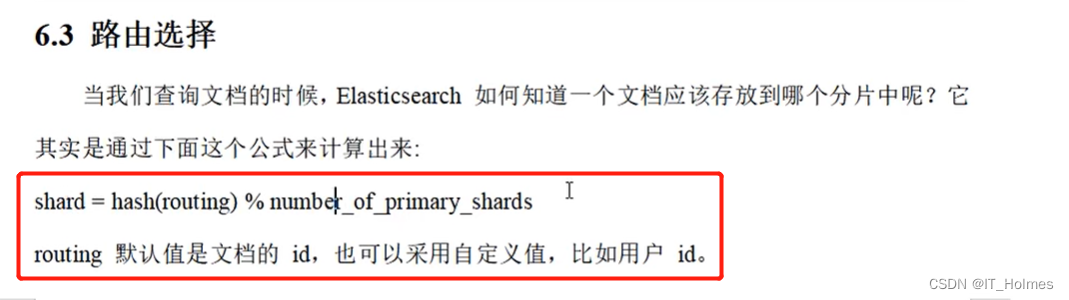
存放规则:
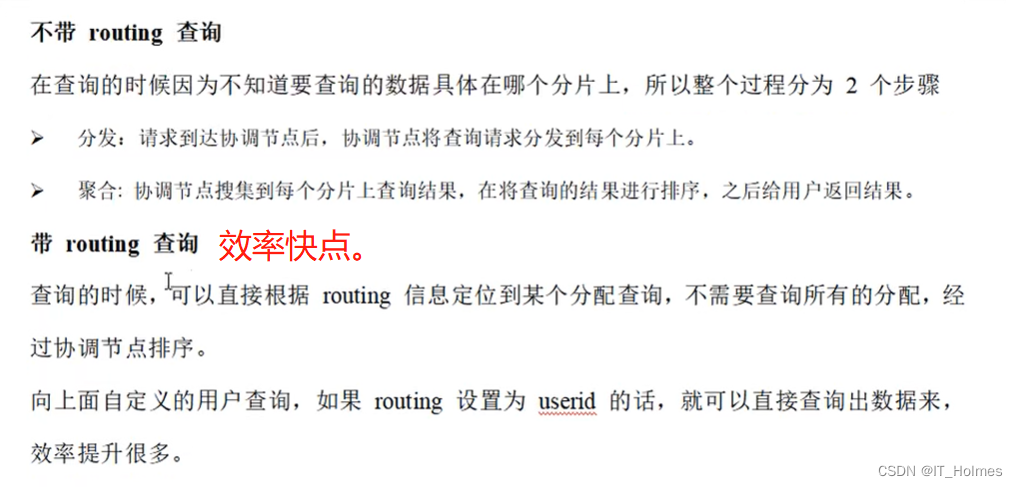
查询的时候有两种情况:不带routing路由查询、待routing路由查询。
七、ES 优化 写入速度优化
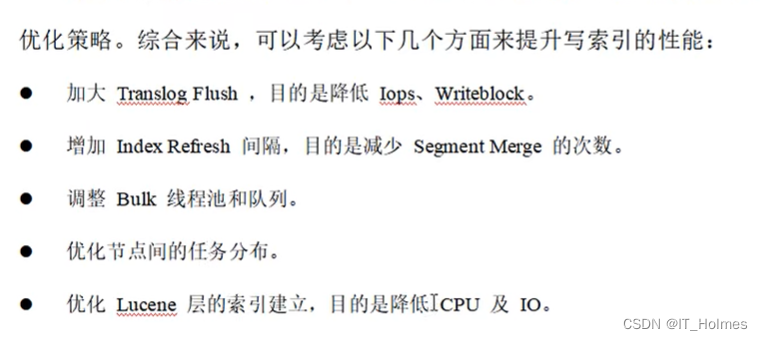
针对搜索性能要求不高,但是对于写入要求较高的场景,我们需要尽可能的选择恰当写优化策略。
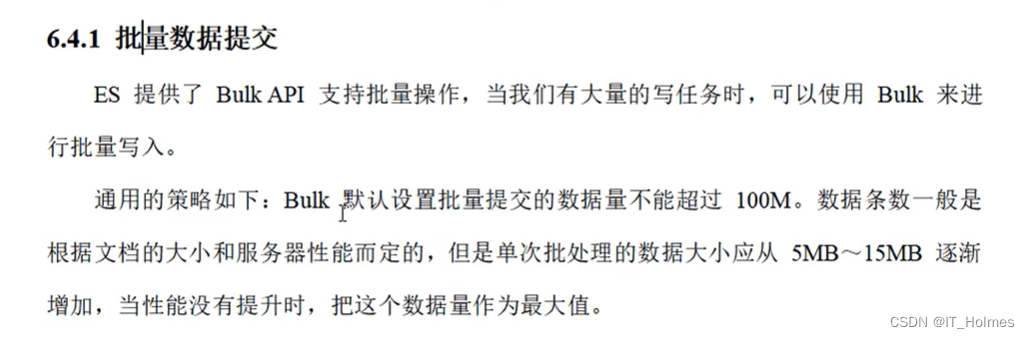
批量操作:
优化存储设备:

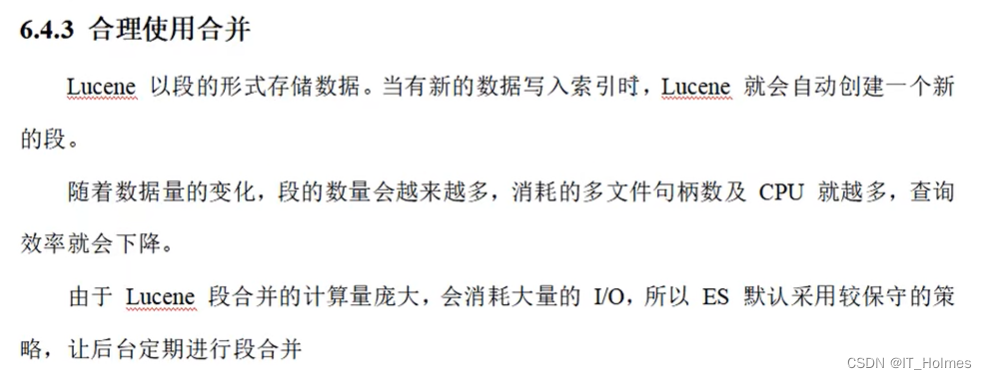
合理的使用合并:(将 段 合并 )
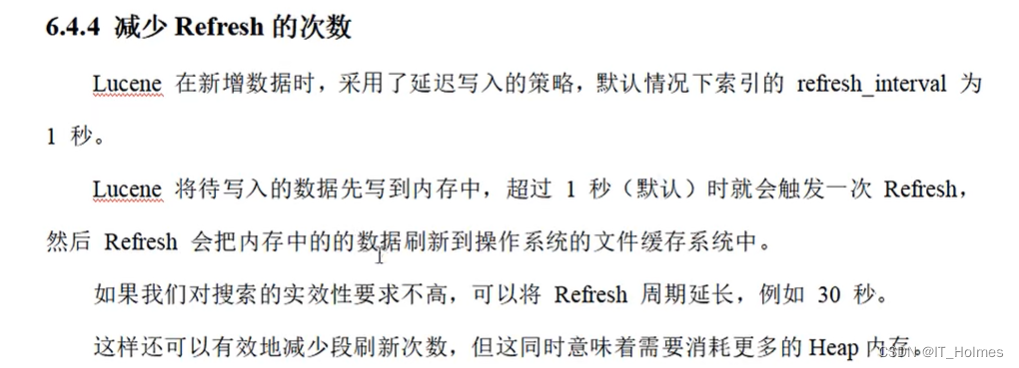
减少Refresh次数:
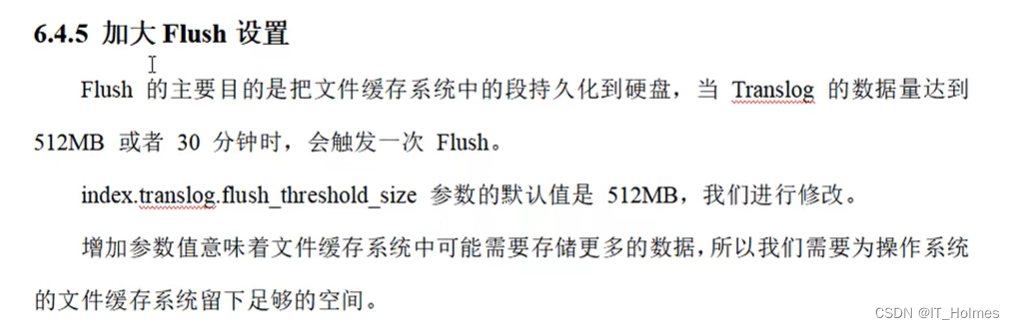
加大Flush设置:
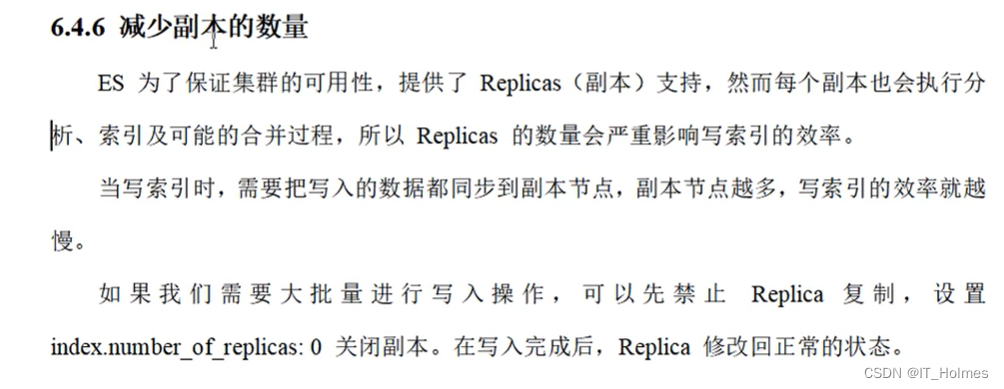
减少副本的数量:
七、ES 优化 内存设置
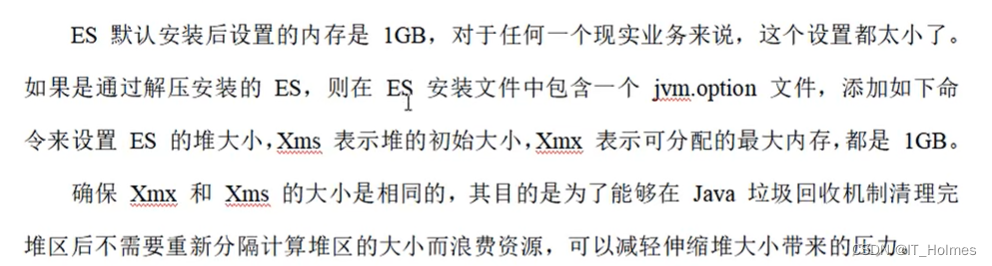
ES默认安装后设置的内存是1GB ,对于一个现实业务来说设个设置太小了。
不过,可以配置一下。
jvm.options文件进行配置:
配置内存的原则:
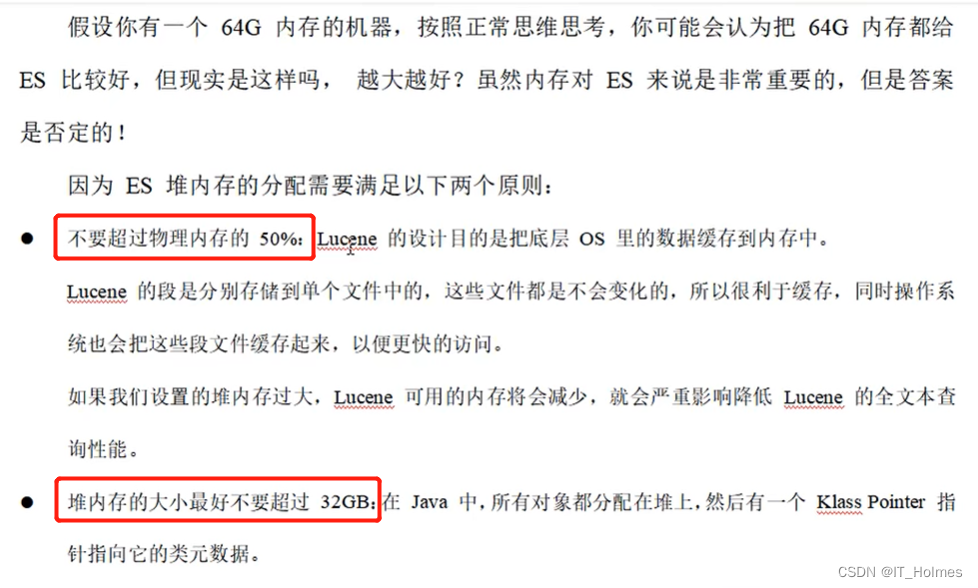
像上面那个64g的 最佳配置就是设置为31G。 -Xms 31g -Xmx 31g。
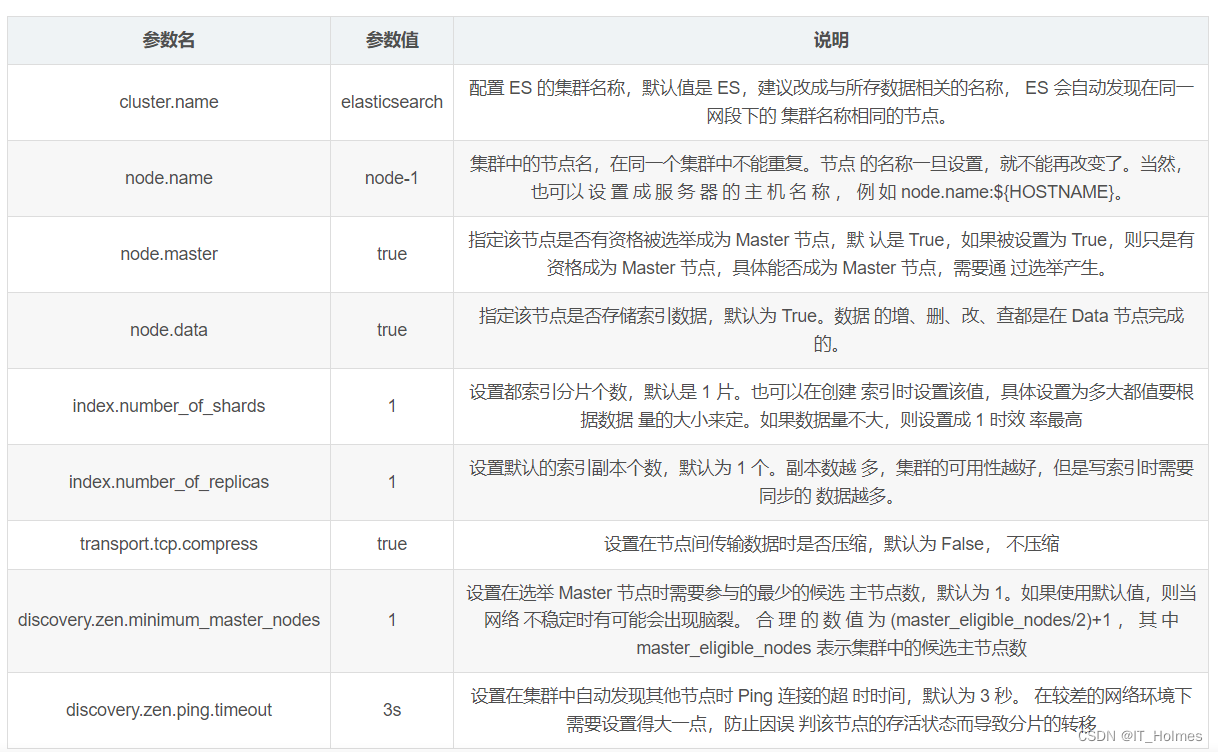
八、ES 优化 重要配置
相关文章:
ElasticSearch 学习笔记总结(四)
文章目录一、ES继承 Spring Data 框架二、SpringData 功能集成三、ES SpringData 文档搜索四、ES 优化 硬件选择五、ES 优化 分片策略六、ES 优化 路由选择七、ES 优化 写入速度优化七、ES 优化 内存设置八、ES 优化 重要配置一、ES继承 Spring Data 框架 Spring Data 是一个用…...

HDFS文件块大小
HDFS中的文件在物理上是分块存储(Block),块的大小可以通过配置参数(dfs.blocksize)来规定,默认大小在Hadooop2X版本中是128M,老版本中是64M。 思考:为什么块的大小不能设置太小&…...

C++——优先级队列(priority_queue)的使用及实现
目录 一.priority_queue的使用 1.1、基本介绍 1.2、优先级队列的定义 1.3、基本操作(常见接口的使用) 1.4、重写仿函数支持自定义数据类型 二.priority_queue的模拟实现 2.1、构造&&重要的调整算法 2.2、常见接口的实现 push() pop() top() empt…...

Linux学习记录——십일 环境变量
文章目录1、认识2、通过代码获取环境变量1、手动获取2、函数获取3、重新认识环境变量1、认识 在云服务器上写程序时,最终的执行需要./文件名,点表示当前目录,/是文件分隔符,之后就会打印程序,这是用户的操作ÿ…...
【人工智能 Open AI 】我们程序员真的要下岗了- 全能写Go / C / Java / C++ / Python / JS 人工智能机器人
文章目录[toc]人工智能 AI Code 写代码测试用golang实现冒泡排序用golang实现计算环比函数goroutine and channel用golang实现二叉树遍历代码用golang实现线程安全的HashMap操作代码using C programming language write a tiny Operation Systemuse C language write a tiny co…...
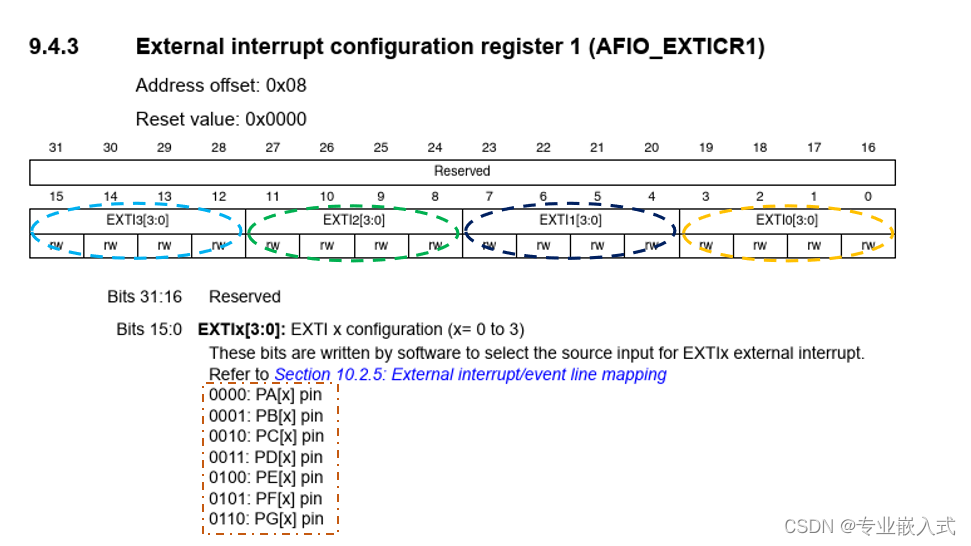
STM32 EXTI外部中断
本文代码使用 HAL 库。 文章目录前言一、什么是外部中断?二、外部中断中断线三、STM32F103的引脚复用四、相关函数:总结前言 一、什么是外部中断? 外部中断 是单片机实时地处理外部事件的一种内部机制。当某种外部事件发生时,单片…...
Mapper代理开发——书接MaBatis的简单使用
在这个mybatis的普通使用中依旧存在硬编码问题,虽然静态语句比原生jdbc都写更少了但是还是要写,Mapper就是用来解决原生方式中的硬编码还有简化后期执行SQL UserMapper是一个接口,里面有很多方法,都是一一和配置文件里面的sql语句的id名称所对…...

实体对象说明
1.工具类层Utilutil 工具顾明思义,util层就是存放工具类的地方,对于一些独立性很高的小功能,或重复性很高的代码片段,可以提取出来放到Util层中。2.数据层POJO对象(概念比较大) 包含了以下POJO plain ord…...
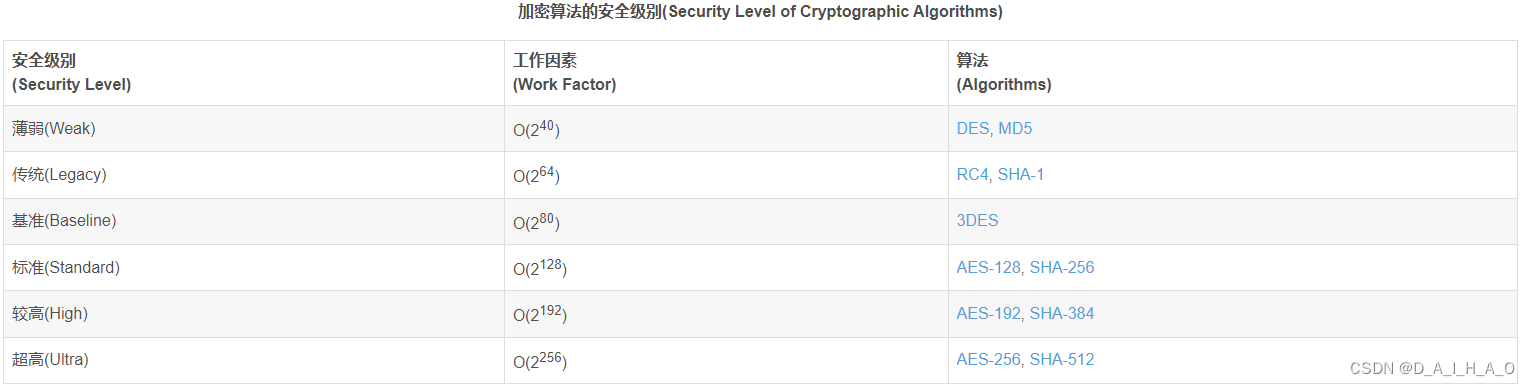
JAVA中加密与解密
BASE64加密/解密 Base64 编码会将字符串编码得到一个含有 A-Za-z0-9/ 的字符串。标准的 Base64 并不适合直接放在URL里传输,因为URL编码器会把标准 Base64 中的“/”和“”字符变为形如 “%XX” 的形式,而这些 “%” 号在存入数据库时还需要再进行转换&…...
改进YOLO系列 | ICLR2022 | OMNI-DIMENSIONAL DYNAMIC CONVOLUTION: 全维动态卷积
单个静态卷积核是现代卷积神经网络(CNNs)的常见训练范式。然而,最近的动态卷积研究表明,学习加权为其输入依赖注意力的n个卷积核的线性组合可以显著提高轻量级CNNs的准确性,同时保持高效的推理。然而,我们观察到现有的作品通过卷积核空间的一个维度(关于卷积核数量)赋予…...

信息收集之Github搜索语法
信息收集之Github搜索语法1.Github的搜索语法2.使用 Github 进行邮件配置信息收集3.使用Github进行数据库信息收集4.使用Github进行 SVN 信息收集5.使用Github进行综合信息收集在测试的信息收集阶段,可以去Github和码云上搜索与目标有关的信息,或者就有意…...
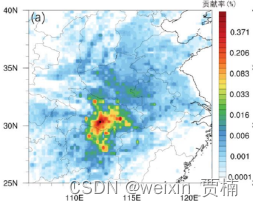
【案例教程】拉格朗日粒子扩散模式FLEXPART
拉格朗日粒子扩散模式FLEXPART通过计算点、线、面或体积源释放的大量粒子的轨迹,来描述示踪物在大气中长距离、中尺度的传输、扩散、干湿沉降和辐射衰减等过程。该模式既可以通过时间的前向运算来模拟示踪物由源区向周围的扩散,也可以通过后向运算来确定…...
试题 算法训练 自行车停放
问题描述 有n辆自行车依次来到停车棚,除了第一辆自行车外,每辆自行车都会恰好停放在已经在停车棚里的某辆自行车的左边或右边。(e.g.停车棚里已经有3辆自行车,从左到右编号为:3,5,1。现在编号为2的第4辆自行车要停在5号自行车的左…...
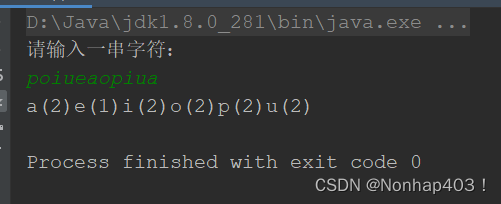
泛型与Map接口
Java学习之道 泛型 泛型这种参数类型可以用在类、方法和接口中,分别被称为泛型类,泛型方法,泛型接口 参数化类型:将类型由原来的具体的类型参数化,在使用/调用时传入具体的类型JDK5引入特性提供了安全检测机制…...

Unity Bug记录本
//个人记录,持续更新 1、将此代码挂载到空脚本上: bool flag (object)GetComponent<Camera>() null; bool flag1 (object)GetComponent<Text>() null; Debug.Log(flag"::"flag1); //输出结果:False::True bool…...
厉害)
B. The Number of Products)厉害
You are given a sequence a1,a2,…,ana1,a2,…,an consisting of nn non-zero integers (i.e. ai≠0ai≠0). You have to calculate two following values: the number of pairs of indices (l,r)(l,r) (l≤r)(l≤r) such that al⋅al1…ar−1⋅aral⋅al1…ar−1⋅ar is neg…...
)
一起Talk Android吧(第五百一十二回:自定义Dialog)
文章目录整体思路实现方法第一步第二步第三步第四步各位看官们大家好,上一回中咱们说的例子是"自定义Dialog主题",这一回中咱们说的例子是" 自定义Dialog"。闲话休提,言归正转, 让我们一起Talk Android吧!整体…...
GinVueAdmin源码分析3-整合MySQL
目录文件结构数据库准备配置文件处理config.godb_list.gogorm_mysql.gosystem.go初始化数据库gorm.gogorm_mysql.go开始初始化测试数据库定义实体类 Userserviceapi开始测试!文件结构 本文章将使用到上一节创建的 CommonService 接口,用于测试连接数据库…...
MapReduce框架原理——MapReduce开发总结)
大数据框架之Hadoop:MapReduce(三)MapReduce框架原理——MapReduce开发总结
在编写MapReduce程序时,需要考虑如下几个方面: 1、输入数据接口:InputFormat 默认使用的实现类是:TextInputFormatTextInputFormat的功能逻辑是:一次读一行文本,然后将该行的起始偏移量作为key࿰…...

requests---(4)发送post请求完成登录
前段时间写过一个通过cookies完成登录,今天我们写一篇通过post发送请求完成登录豆瓣网 模拟登录 1、首先找到豆瓣网的登录接口 打开豆瓣网站的登录接口,请求错误的账号密码,通过F12或者抓包工具找到登录接口 通过F12抓包获取到请求登录接口…...

Python开发者首次使用Taotoken接入大模型API的完整步骤指南
🚀 告别海外账号与网络限制!稳定直连全球优质大模型,限时半价接入中。 👉 点击领取海量免费额度 Python开发者首次使用Taotoken接入大模型API的完整步骤指南 对于Python开发者而言,接入大模型API进行应用开发已成为一…...

荣耀出征官方网站下载正版手游 翅膀养成细节玩法全方位讲解
玩荣耀出征的玩家都清楚,翅膀不仅是角色的颜值象征,更是提升整体战力的核心途径。很多新手玩家只顾着升级、刷装备,完全忽略翅膀养成,导致等级很高但战力始终上不去。还有不少玩家胡乱合成、盲目进阶,浪费了大量稀有翅…...

网络配置工具类详解
CNet 网络配置工具类详解平台:仅支持 Linux,大量使用 ioctl 系统调用一、概述 CNet 是一个 纯静态方法的网络配置工具类,封装了 Linux 下常用的网络操作:功能类别涵盖内容IP 地址读取/设置本机 IP、子网掩码网关读取/添加/删除/设…...

浏览器指纹识别机制深度剖析与反识别技术实现
一、浏览器指纹技术基础认知1.1 浏览器指纹的核心定义在数字化时代,每一台接入互联网的设备都会留下独特的数字标识,浏览器指纹便是其中最关键的识别凭证之一。浏览器指纹是网站通过 JavaScript 脚本、HTTP 请求头、硬件接口调用等多种技术手段ÿ…...

Adobe-GenP 3.0:轻松激活Adobe全家桶的完整指南
Adobe-GenP 3.0:轻松激活Adobe全家桶的完整指南 【免费下载链接】Adobe-GenP Adobe CC 2019/2020/2021/2022/2023 GenP Universal Patch 3.0 项目地址: https://gitcode.com/gh_mirrors/ad/Adobe-GenP Adobe-GenP 3.0是一款专为Adobe Creative Cloud系列软件…...

终极歌词同步神器LRCGET:5分钟为你的音乐库添加完美歌词
终极歌词同步神器LRCGET:5分钟为你的音乐库添加完美歌词 【免费下载链接】lrcget Utility for mass-downloading LRC synced lyrics for your offline music library. 项目地址: https://gitcode.com/gh_mirrors/lr/lrcget 你是否厌倦了在听歌时手动搜索歌词…...

Windows Cleaner:终极免费系统清理工具,彻底解决C盘空间不足问题
Windows Cleaner:终极免费系统清理工具,彻底解决C盘空间不足问题 【免费下载链接】WindowsCleaner Windows Cleaner——专治C盘爆红及各种不服! 项目地址: https://gitcode.com/gh_mirrors/wi/WindowsCleaner 你是否经常遇到C盘爆红、…...
)
CentOS 8.5最小化安装后,这5个必做的安全与效率优化设置(附一键脚本)
CentOS 8.5最小化安装后的5个必做安全与效率优化刚完成CentOS 8.5最小化安装的系统就像一张白纸——干净但缺乏生产力。作为运维老手,我见过太多人跳过基础优化直接部署应用,结果在后续使用中频繁遇到权限混乱、软件安装慢、SSH爆破等问题。本文将分享我…...

DIY智能USB充电器:基于电流检测与双稳态继电器的零功耗节能方案
1. 项目概述:打造一款智能、节能的USB手机充电器作为一名电子爱好者,我经常折腾各种电源项目。市面上很多手机充电器,包括一些原装货,都存在一个通病:手机充满电后,充电器依然插在插座上,内部电…...

8款网盘直链下载助手:彻底告别限速烦恼,实现高速下载自由
8款网盘直链下载助手:彻底告别限速烦恼,实现高速下载自由 【免费下载链接】Online-disk-direct-link-download-assistant 一个基于 JavaScript 的网盘文件下载地址获取工具。基于【网盘直链下载助手】修改 ,支持 百度网盘 / 阿里云盘 / 中国移…...