
SpringBoot+Vue3 完成小红书项目
简介
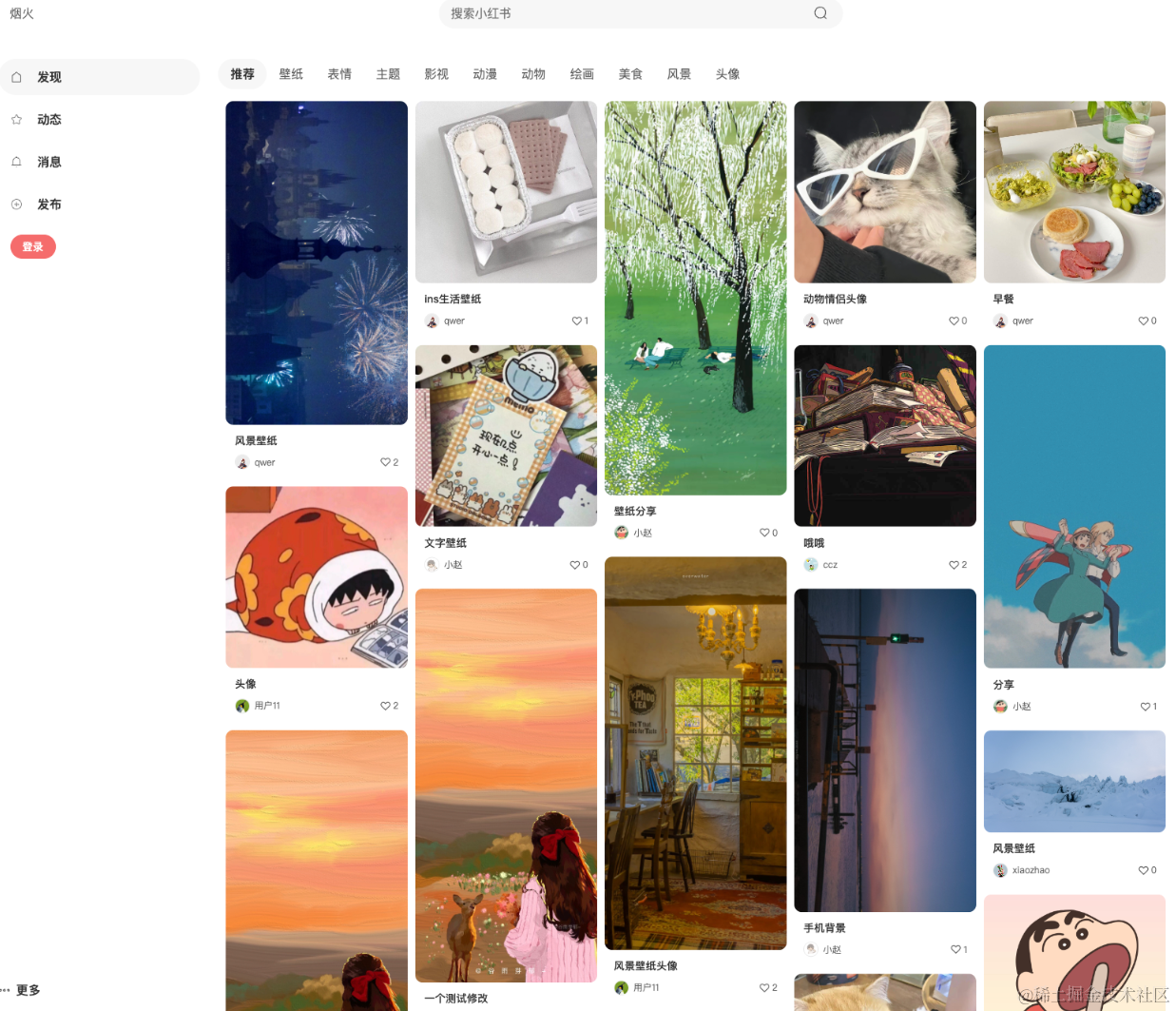
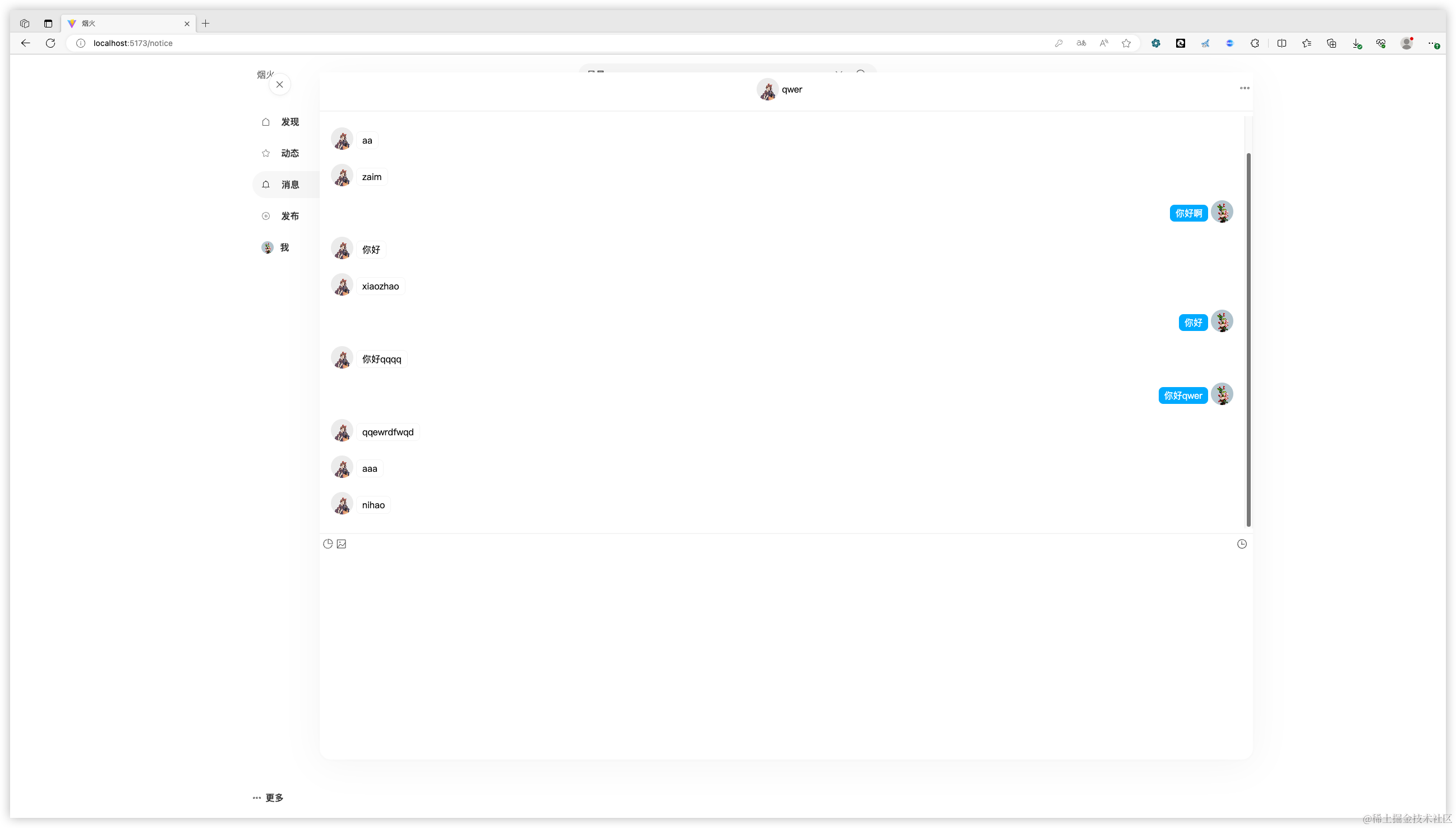
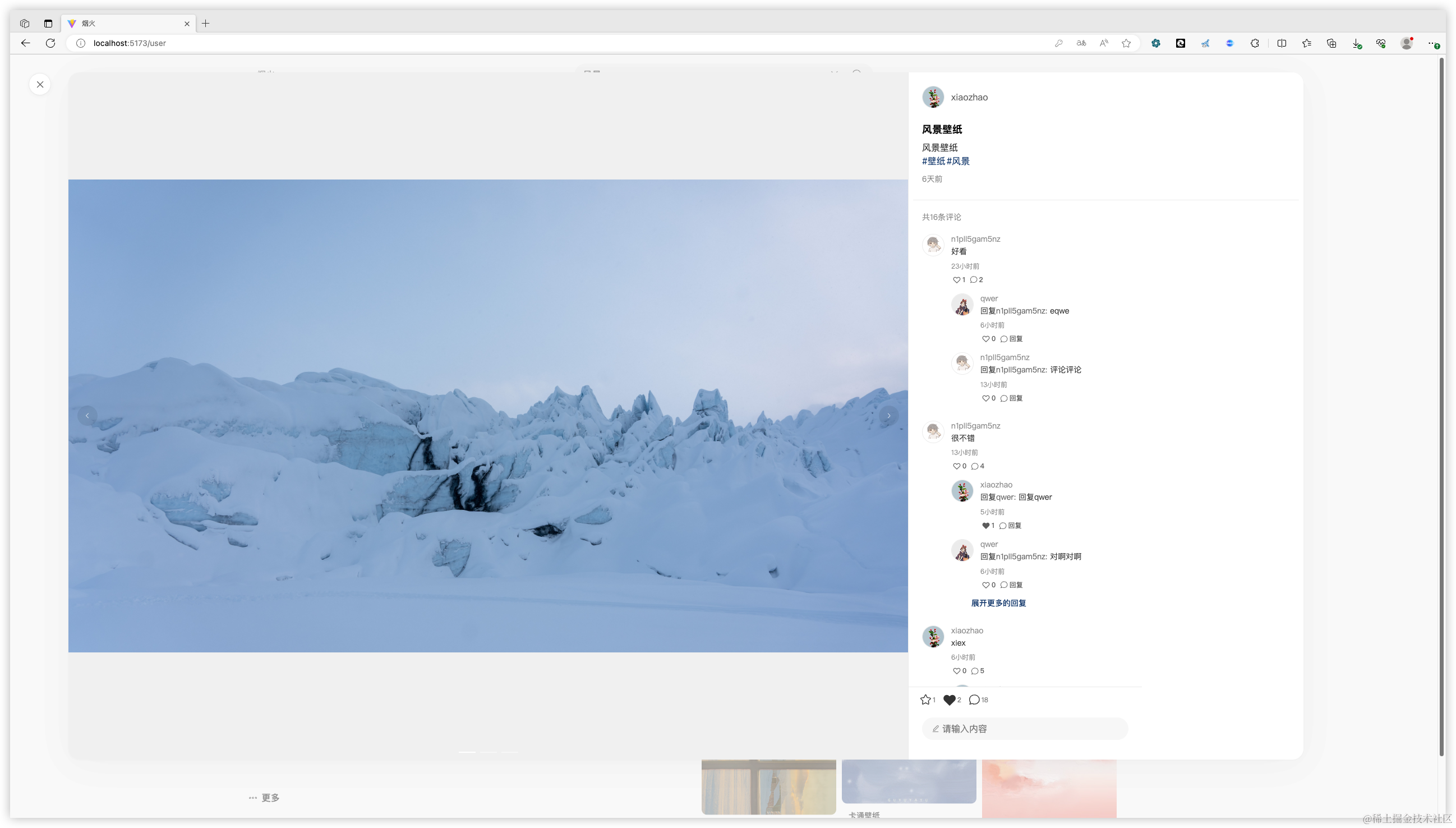
该项目采用微服务架构,实现了前后端分离的系统设计。在前端,我们选择了 Vue3 配合 TypeScript 和 ElementUi 框架,以提升开发效率和用户体验。而在后端,则是运用 SpringBoot 和 Mybatis-plus 进行开发,保证了系统的高效和稳定。此外,我们引入了 ElasticSearch 作为全文检索服务,以加快搜索速度和提高检索效率。同时,通过 WebSocket 技术实现了实时聊天和消息推送功能,增强了用户的互动体验。
代码下载
https://url21.ctfile.com/f/15432821-1020751544-c0e7e4?p=8418
(访问密码: 8418)
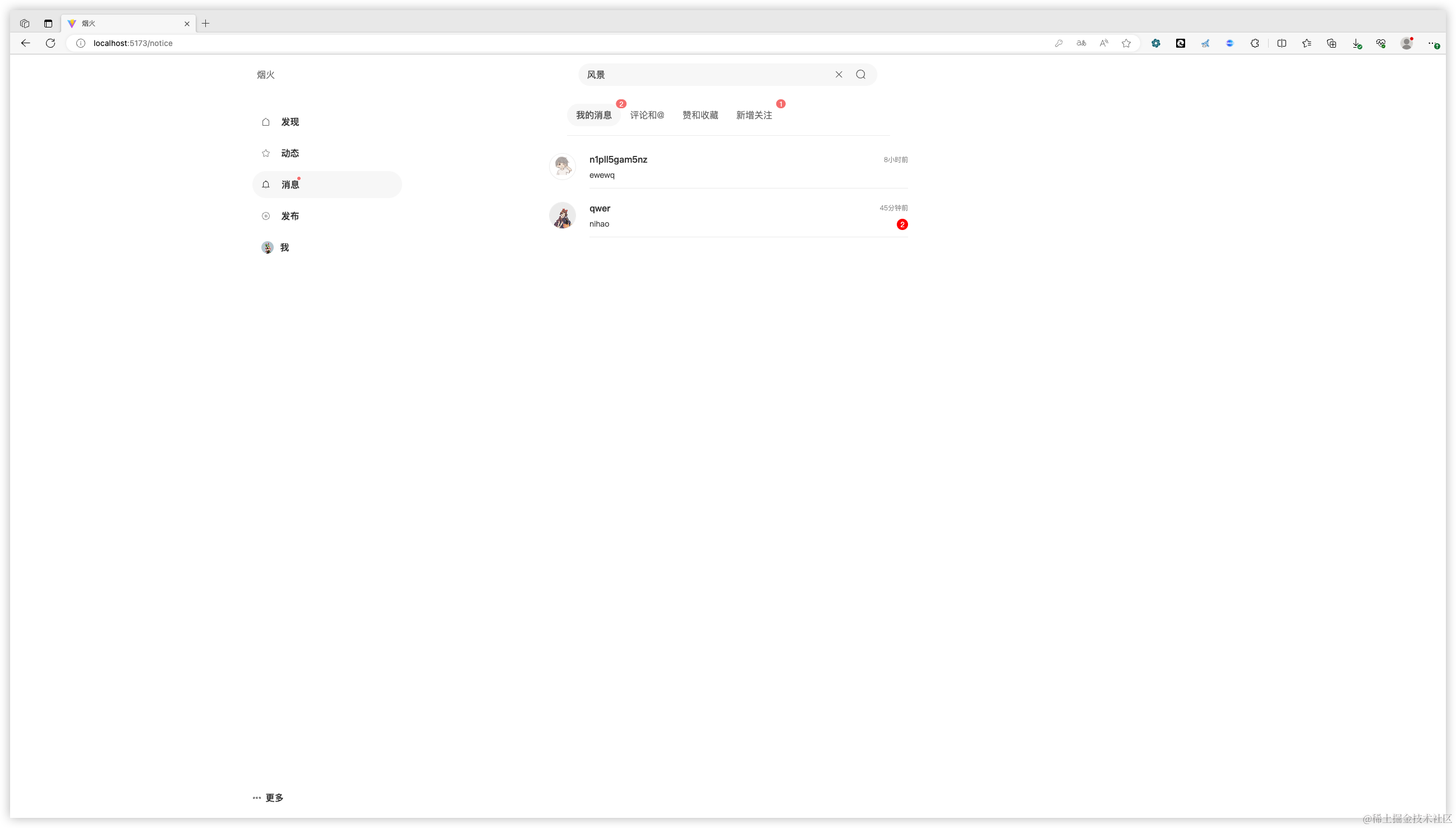
项目目录
- yanhuo-web 前段页面
- yanhuo-auth 认证服务
- yanhuo-common 公共模块,存放一些工具类或公用类
- yanhuo-platform 烟火 app 主要功能模块
- yanhuo-im 聊天模块
- yanhuo-search 搜索模块
- yanhuo-util 第三方服务模块,邮箱短信,oss 对象存储服务
- yanhuo-xo 对象存放模块
源码讲解
Controller 源码示例
首先来看 AlbumController 中的代码,主要讲解八个容易误解的方面。
-
@RestController:这是一个组合注解,它表示这个类是一个控制器,并且其中的所有方法都会返回数据而不是视图。
-
@RequestMapping(“/album”):这个注解用于将 HTTP 请求映射到 MVC 和 REST 控制器的处理方法上。在这里,它将所有的请求映射到以/album 为前缀的 URL。
-
@Autowired:这个注解用于自动注入 Spring 容器中的 bean。在这里,它注入了一个 AlbumService 的实例,这个实例提供了专辑的增删改查操作。
-
getAlbumPageByUserId 方法:这个方法用于根据用户 ID 获取专辑列表,并支持分页。它接受三个参数:当前页(currentPage),分页数(pageSize)和用户 ID(userId)。它调用 albumService 的 getAlbumPageByUserId 方法来获取数据,并返回一个 Result<?>对象。
-
saveAlbumByDTO 方法:这个方法用于保存专辑。它接受一个 AlbumDTO 对象作为参数,并使用 ValidatorUtils.validateEntity 方法进行数据校验。然后,它调用 albumService 的 saveAlbumByDTO 方法来保存专辑,并返回一个 Result<?>对象。
-
getAlbumById 方法:这个方法用于根据专辑 ID 获取专辑。它接受一个 albumId 作为参数,并调用 albumService 的 getAlbumById 方法来获取数据,并返回一个 Result<?>对象。
-
deleteAlbumById 方法:这个方法用于根据专辑 ID 删除专辑。它接受一个 albumId 作为参数,并调用 albumService 的 deleteAlbumById 方法来删除数据,并返回一个 Result<?>对象。
-
updateAlbumByDTO 方法:这个方法用于更新专辑。它接受一个 AlbumDTO 对象作为参数,并使用 ValidatorUtils.validateEntity 方法进行数据校验。然后,它调用 albumService 的 updateAlbumByDTO 方法来更新专辑,并返回一个 Result<?>对象。
package com.yanhuo.platform.controller;import com.baomidou.mybatisplus.extension.plugins.pagination.Page;
import com.yanhuo.common.result.Result;
import com.yanhuo.common.validator.ValidatorUtils;
import com.yanhuo.common.validator.group.AddGroup;
import com.yanhuo.common.validator.group.UpdateGroup;
import com.yanhuo.platform.service.AlbumService;
import com.yanhuo.xo.dto.AlbumDTO;
import com.yanhuo.xo.entity.Album;
import com.yanhuo.xo.vo.AlbumVo;
import org.springframework.beans.factory.annotation.Autowired;
import org.springframework.web.bind.annotation.PathVariable;
import org.springframework.web.bind.annotation.RequestBody;
import org.springframework.web.bind.annotation.RequestMapping;
import org.springframework.web.bind.annotation.RestController;@RequestMapping("/album")
@RestController
public class AlbumController {@AutowiredAlbumService albumService;/*** 根据用户id获取专辑* @param currentPage 当前页* @param pageSize 分页数* @param userId 用户id* @return 专辑数*/@RequestMapping("getAlbumPageByUserId/{currentPage}/{pageSize}")public Result<?> getAlbumPageByUserId(@PathVariable long currentPage, @PathVariable long pageSize,String userId){Page<Album> page =  albumService.getAlbumPageByUserId(currentPage,pageSize,userId);return Result.ok(page);}/*** 保存专辑* @param albumDTO 专辑实体* @return success*/@RequestMapping("saveAlbumByDTO")public Result<?> saveAlbumByDTO(@RequestBody AlbumDTO albumDTO) {ValidatorUtils.validateEntity(albumDTO, AddGroup.class);albumService.saveAlbumByDTO(albumDTO);return Result.ok();}/*** 根据专辑id获取专辑* @param albumId 专辑id* @return 专辑实体*/@RequestMapping("getAlbumById")public Result<?> getAlbumById(String albumId) {AlbumVo albumVo = albumService.getAlbumById(albumId);return Result.ok(albumVo);}/*** 根据专辑id删除专辑* @param albumId 专辑id* @return success*/@RequestMapping("deleteAlbumById")public Result<?> deleteAlbumById(String albumId) {albumService.deleteAlbumById(albumId);return Result.ok();}/*** 更新专辑* @param albumDTO 专辑实体* @return success*/@RequestMapping("updateAlbumByDTO")public Result<?> updateAlbumByDTO(@RequestBody AlbumDTO albumDTO) {ValidatorUtils.validateEntity(albumDTO, UpdateGroup.class);albumService.updateAlbumByDTO(albumDTO);return Result.ok();}
}
Service 源码示例
下面代码是一个服务实现类,用于处理与笔记相关的业务逻辑。这个类使用了 MyBatis-Plus 框架来简化数据库操作,并使用了 Hutool 工具类库来处理 JSON 数据。下面是这段代码的详细解释:
-
NoteServiceImpl类继承了ServiceImpl<NoteDao, Note>,这意味着它继承了 MyBatis-Plus 提供的基本 CRUD 操作。NoteDao是一个接口,用于定义与笔记相关的数据库操作方法。Note是一个实体类,用于映射数据库中的笔记表。 -
类中注入了多个服务,包括用户服务、标签服务、分类服务、ES 客户端、关注服务、点赞或收藏服务以及 OSS 客户端。这些服务将在后面的方法中被使用。
-
getNoteById方法用于根据笔记 ID 获取笔记详情。该方法首先通过getById方法从数据库中获取笔记对象,然后将浏览次数加 1 并更新到数据库。接下来,通过用户 ID 获取用户对象,并将用户名、头像和更新时间设置到NoteVo对象中。然后,检查当前用户是否关注了该笔记的作者,并设置NoteVo对象的isFollow属性。接着,检查当前用户是否点赞或收藏了该笔记,并设置NoteVo对象的isLike和isCollection属性。最后,通过标签笔记关系服务获取该笔记的所有标签,并设置到NoteVo对象中。 -
saveNoteByDTO方法用于保存新的笔记。该方法首先从当前用户上下文中获取用户 ID,然后将传入的 JSON 字符串转换为NoteDTO对象,并将其转换为Note对象。然后,将用户 ID 设置到Note对象中,并保存到数据库。接下来,更新用户的动态数量。然后,处理标签关系,将标签 ID 和笔记 ID 保存到标签笔记关系表中。然后,通过 OSS 客户端上传图片,并将图片 URL 保存到Note对象中。最后,将Note对象更新到数据库,并将笔记信息添加到 ES 搜索引擎中。 -
deleteNoteByIds、updateNoteByDTO和getHotPage方法目前没有实现具体的业务逻辑。这段代码的主要功能是处理与笔记相关的业务逻辑,包括获取笔记详情、保存新的笔记、更新笔记等。代码中使用了 MyBatis-Plus 框架来简化数据库操作,并使用了 Hutool 工具类库来处理 JSON 数据。此外,代码中还使用了 ES 搜索引擎和 OSS 对象存储服务来处理笔记的搜索和图片存储。
package com.yanhuo.platform.service.impl;import cn.hutool.json.JSONUtil;
import com.baomidou.mybatisplus.core.conditions.query.QueryWrapper;
import com.baomidou.mybatisplus.extension.plugins.pagination.Page;
import com.baomidou.mybatisplus.extension.service.impl.ServiceImpl;
import com.yanhuo.common.auth.AuthContextHolder;
import com.yanhuo.common.exception.YanHuoException;
import com.yanhuo.common.result.Result;
import com.yanhuo.common.utils.ConvertUtils;
import com.yanhuo.platform.client.EsClient;
import com.yanhuo.platform.client.OssClient;
import com.yanhuo.platform.service.*;
import com.yanhuo.xo.dao.NoteDao;
import com.yanhuo.xo.dto.NoteDTO;
import com.yanhuo.xo.entity.*;
import com.yanhuo.xo.vo.NoteSearchVo;
import com.yanhuo.xo.vo.NoteVo;
import org.springframework.beans.factory.annotation.Autowired;
import org.springframework.stereotype.Service;
import org.springframework.transaction.annotation.Transactional;
import org.springframework.web.multipart.MultipartFile;import java.util.ArrayList;
import java.util.List;
import java.util.Set;
import java.util.stream.Collectors;@Service
public class NoteServiceImpl extends ServiceImpl<NoteDao, Note> implements NoteService {@AutowiredUserService userService;@AutowiredTagNoteRelationService tagNoteRelationService;@AutowiredTagService tagService;@AutowiredCategoryService categoryService;@AutowiredEsClient esClient;@AutowiredFollowerService followerService;@AutowiredLikeOrCollectionService likeOrCollectionService;@AutowiredOssClient ossClient;@Overridepublic NoteVo getNoteById(String noteId) {Note note = this.getById(noteId);note.setViewCount(note.getViewCount() + 1);User user = userService.getById(note.getUid());NoteVo noteVo = ConvertUtils.sourceToTarget(note, NoteVo.class);noteVo.setUsername(user.getUsername()).setAvatar(user.getAvatar()).setTime(note.getUpdateDate().getTime());boolean follow = followerService.isFollow(user.getId());noteVo.setIsFollow(follow);String currentUid = AuthContextHolder.getUserId();List<LikeOrCollection> likeOrCollectionList = likeOrCollectionService.list(new QueryWrapper<LikeOrCollection>().eq("like_or_collection_id", noteId).eq("uid", currentUid));if(!likeOrCollectionList.isEmpty()) {Set<Integer> types = likeOrCollectionList.stream().map(LikeOrCollection::getType).collect(Collectors.toSet());noteVo.setIsLike(types.contains(1));noteVo.setIsCollection(types.contains(3));}//得到标签List<TagNoteRelation> tagNoteRelationList = tagNoteRelationService.list(new QueryWrapper<TagNoteRelation>().eq("nid", noteId));List<String> tids = tagNoteRelationList.stream().map(TagNoteRelation::getTid).collect(Collectors.toList());if (!tids.isEmpty()) {List<Tag> tagList = tagService.listByIds(tids);noteVo.setTagList(tagList);}this.updateById(note);return noteVo;}@Transactional(rollbackFor = Exception.class)@Overridepublic String saveNoteByDTO(String noteData, MultipartFile[] files) {String currentUid = AuthContextHolder.getUserId();NoteDTO noteDTO = JSONUtil.toBean(noteData, NoteDTO.class);Note note =ConvertUtils.sourceToTarget(noteDTO, Note.class);note.setUid(currentUid);boolean  save = this.save(note);if(!save){return null;}// TODO 需要往专辑中添加User user = userService.getById(currentUid);user.setTrendCount(user.getTrendCount() + 1);userService.updateById(user);List<String> tids = noteDTO.getTagList();List<TagNoteRelation> tagNoteRelationList = new ArrayList<>();String tags="";if(!tids.isEmpty()){for (String tid : tids) {TagNoteRelation tagNoteRelation = new TagNoteRelation();tagNoteRelation.setTid(tid);tagNoteRelation.setNid(note.getId());tagNoteRelationList.add(tagNoteRelation);}tagNoteRelationService.saveBatch(tagNoteRelationList);tags  = tagService.listByIds(tids).stream().map(Tag::getTitle).collect(Collectors.joining(","));}Category category = categoryService.getById(note.getCid());Category parentCategory = categoryService.getById(note.getCpid());List<String> dataList;try {Result<List<String>> result = ossClient.saveBatch(files, 1);dataList = result.getData();}catch (Exception e){throw new YanHuoException("添加图片失败");}String[] urlArr = dataList.toArray(new String[dataList.size()]);String urls = JSONUtil.toJsonStr(urlArr);note.setUrls(urls);note.setNoteCover(urlArr[0]);this.updateById(note);// 往es中添加数据NoteSearchVo noteSearchVo = ConvertUtils.sourceToTarget(note, NoteSearchVo.class);noteSearchVo.setUsername(user.getUsername()).setAvatar(user.getAvatar()).setLikeCount(0L).setCategoryName(category.getTitle()).setCategoryParentName(parentCategory.getTitle()).setTags(tags).setTime(note.getUpdateDate().getTime());esClient.addNote(noteSearchVo);return note.getId();}@Overridepublic void deleteNoteByIds(List<String> noteIds) {}@Overridepublic String updateNoteByDTO(NoteDTO noteDTO) {return null;}@Overridepublic Page<NoteVo> getHotPage(long currentPage, long pageSize) {return null;}
}
Vue3 源码示例
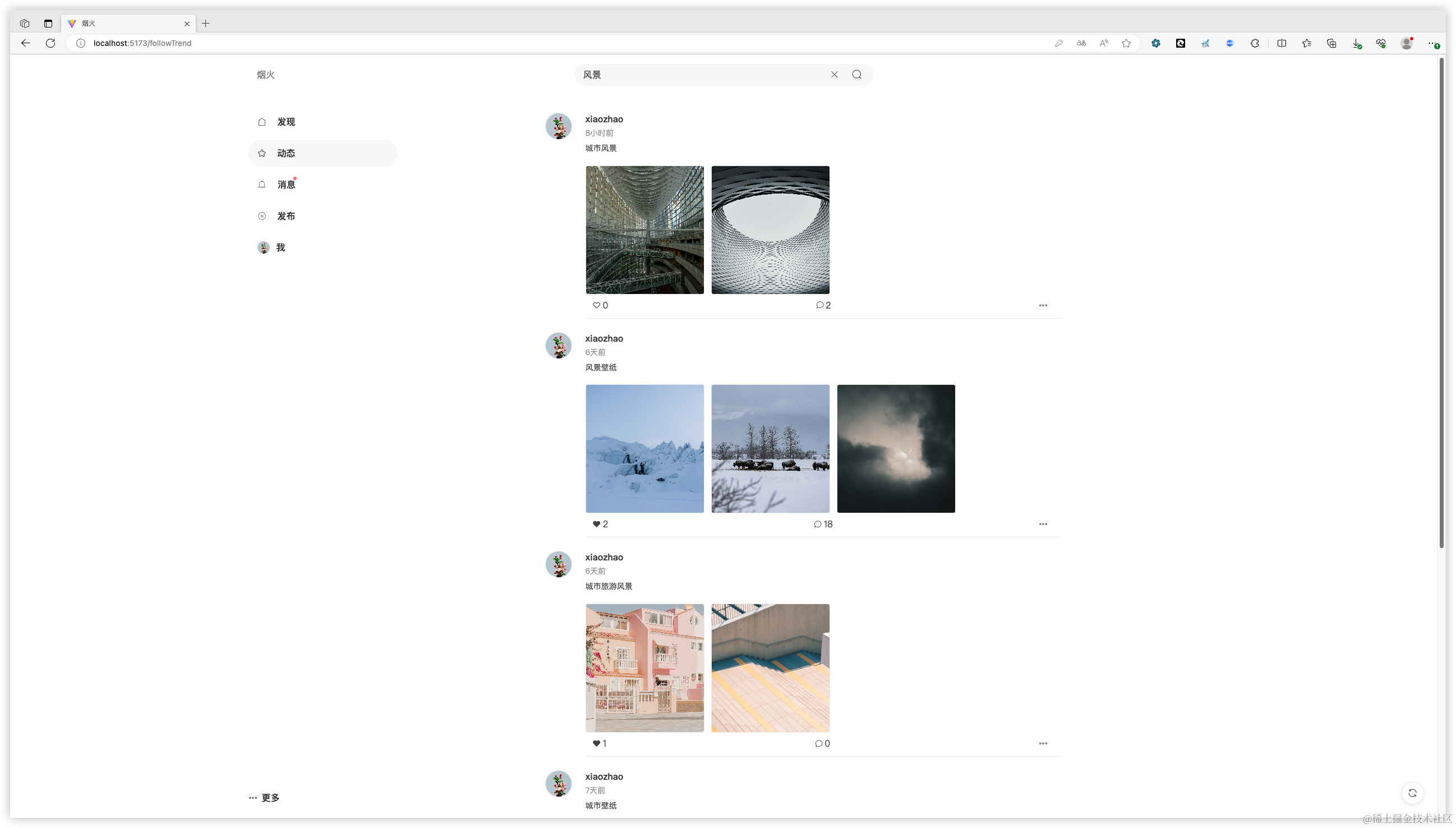
这段代码是一个Vue3组件的模板和脚本部分,用于展示和加载关注者的动态(trends)。下面是对代码的详细解释:
模板部分(Template)
<template>标签内定义了组件的结构。- 使用了Vue的
v-infinite-scroll指令来实现无限滚动加载更多数据。 - 使用
v-for指令循环渲染trendData数组中的每个动态项。 - 每个动态项包含用户头像、用户信息、动态内容、图片和交互按钮(点赞、评论等)。
- 使用
v-if和v-else指令来条件渲染加载中的图片和已加载的图片。 - 事件绑定(
@click)用于处理用户交互,如跳转到用户页面、点赞、查看动态等。
脚本部分(Script)
- 导入了必要的Vue组件和图标。
- 使用Vue 3的Composition API(
<script setup>)定义组件的逻辑。 - 响应式变量,如
currentPage、pageSize、trendData等,用于控制分页和存储数据。 handleLoad函数,用于处理图片加载完成的事件。toUser函数,用于导航到用户页面。getFollowTrends函数,用于获取关注者的动态数据。loadMoreData函数,用于加载更多动态数据。toMain函数,用于显示动态的详细内容。close函数,用于关闭动态详细内容的显示。refresh函数,用于刷新动态数据。like函数,用于处理点赞和取消点赞的操作。
12.initData函数,用于初始化动态数据。- 在组件挂载时调用
initData函数。
样式部分(Style)
- 使用了Less预处理器编写样式。
- 定义了
.container、.trend-container、.trend-item等类,用于设置组件的布局和样式。 - 使用了
flex布局来排列用户头像、信息和图片。 - 使用了
scoped属性,确保样式只应用于当前组件。
<template><div class="container" v-infinite-scroll="loadMoreData"><ul class="trend-container"><li class="trend-item" v-for="(item, index) in trendData" :key="index"><a class="user-avatar"><img class="avatar-item" :src="item.avatar" @click="toUser(item.uid)" /></a><div class="main"><div class="info"><div class="user-info"><a class>{{ item.username }}</a></div><div class="interaction-hint"><span>{{ item.time }}</span></div><div class="interaction-content" @click="toMain(item.nid)">{{ item.content }}</div><div class="interaction-imgs" @click="toMain(item.nid)"><div class="details-box" v-for="(url, index) in item.imgUrls" :key="index"><el-imagev-if="!item.isLoading":src="url"@load="handleLoad(item)"style="height: 230px; width: 100%"></el-image><el-imagev-else:src="url"class="note-img animate__animated animate__fadeIn animate__delay-0.5s"fit="cover"></el-image></div></div><div class="interaction-footer"><div class="icon-item"><iclass="iconfont icon-follow-fill"style="width: 1em; height: 1em"@click="like(item.nid, item.uid, index, -1)"v-if="item.isLike"></i><iclass="iconfont icon-follow"style="width: 1em; height: 1em"@click="like(item.nid, item.uid, index, 1)"v-else></i><span class="count">{{ item.likeCount }}</span></div><div class="icon-item"><ChatRound style="width: 0.9em; height: 0.9em" /><span class="count">{{item.commentCount}}</span></div><div class="icon-item"><More style="width: 1em; height: 1em" /></div></div></div></div></li></ul><div class="feeds-loading"><Refresh style="width: 1.2em; height: 1.2em" color="rgba(51, 51, 51, 0.8)" /></div><FloatingBtn @click-refresh="refresh"></FloatingBtn><Mainv-show="mainShow":nid="nid"class="animate__animated animate__zoomIn animate__delay-0.5s"@click-main="close"></Main></div>
</template>
<script lang="ts" setup>
import { ChatRound, More, Refresh } from "@element-plus/icons-vue";
import { ref } from "vue";
import { getFollowTrendPage } from "@/api/follower";
import { formateTime } from "@/utils/util";
import FloatingBtn from "@/components/FloatingBtn.vue";
import Main from "@/pages/main/main.vue";
import type { LikeOrCollectionDTO } from "@/type/likeOrCollection";
import { likeOrCollectionByDTO } from "@/api/likeOrCollection";
import { useRouter } from "vue-router";const router = useRouter();
const currentPage = ref(1);
const pageSize = ref(5);
const trendData = ref<Array<any>>([]);
const trendTotal = ref(0);
const topLoading = ref(false);
const mainShow = ref(false);
const nid = ref("");
const likeOrCollectionDTO = ref<LikeOrCollectionDTO>({likeOrCollectionId: "",publishUid: "",type: 0,
});const handleLoad = (item: any) => {item.isLoading = true;
};const toUser = (uid: string) => {router.push({ name: "user", state: { uid: uid } });
};const getFollowTrends = () => {getFollowTrendPage(currentPage.value, pageSize.value).then((res) => {const { records, total } = res.data;console.log(records, total);records.forEach((item: any) => {item.time = formateTime(item.time);trendData.value.push(item);});trendTotal.value = total;});
};const loadMoreData = () => {currentPage.value += 1;getFollowTrends();
};const toMain = (noteId: string) => {nid.value = noteId;mainShow.value = true;
};const close = (nid: string, isLike: boolean) => {const index = trendData.value.findIndex((item) => item.nid === nid);trendData.value[index].isLike = isLike;mainShow.value = false;
};const refresh = () => {let scrollTop =window.pageYOffset || document.documentElement.scrollTop || document.body.scrollTop;const clientHeight =window.innerHeight ||Math.min(document.documentElement.clientHeight, document.body.clientHeight);if (scrollTop <= clientHeight * 2) {const timeTop = setInterval(() => {document.documentElement.scrollTop = document.body.scrollTop = scrollTop -= 100;if (scrollTop <= 0) {clearInterval(timeTop);topLoading.value = true;setTimeout(() => {currentPage.value = 1;trendData.value = [];getFollowTrends();topLoading.value = false;}, 500);}}, 10); //定时调用函数使其更顺滑} else {document.documentElement.scrollTop = 0;topLoading.value = true;setTimeout(() => {currentPage.value = 1;trendData.value = [];getFollowTrends();topLoading.value = false;}, 500);}
};const like = (nid: string, uid: string, index: number, val: number) => {likeOrCollectionDTO.value.likeOrCollectionId = nid;likeOrCollectionDTO.value.publishUid = uid;likeOrCollectionDTO.value.type = 1;likeOrCollectionByDTO(likeOrCollectionDTO.value).then(() => {trendData.value[index].isLike = val == 1;trendData.value[index].likeCount += val;});
};const initData = () => {getFollowTrends();
};initData();
</script><style lang="less" scoped>
.container {flex: 1;padding: 0 24px;padding-top: 72px;width: 67%;height: 100vh;margin: 0 auto;.feeds-loading {margin: 3vh;text-align: center;}.trend-container {.trend-item {display: flex;flex-direction: row;padding-top: 24px;max-width: 100vw;.user-avatar {margin-right: 24px;flex-shrink: 0;.avatar-item {width: 48px;height: 48px;display: flex;align-items: center;justify-content: center;cursor: pointer;border-radius: 100%;border: 1px solid rgba(0, 0, 0, 0.08);object-fit: cover;}}.main {flex-grow: 1;flex-shrink: 1;display: flex;flex-direction: row;padding-bottom: 12px;border-bottom: 1px solid rgba(0, 0, 0, 0.08);.info {flex-grow: 1;flex-shrink: 1;.user-info {display: flex;flex-direction: row;align-items: center;font-size: 16px;font-weight: 600;margin-bottom: 4px;a {color: #333;}}.interaction-hint {font-size: 14px;color: rgba(51, 51, 51, 0.6);margin-bottom: 8px;}.interaction-content {display: flex;font-size: 14px;color: #333;margin-bottom: 12px;line-height: 140%;cursor: pointer;}.interaction-imgs {display: flex;.details-box {width: 25%;border-radius: 4px;margin: 8px 12px 0 0;cursor: pointer;.note-img {width: 100%;height: 230px;display: flex;border-radius: 4px;align-items: center;justify-content: center;cursor: pointer;object-fit: cover;}}}.interaction-footer {margin: 8px 12px 0 0;padding: 0 12px;display: flex;justify-content: space-between;align-items: center;.icon-item {display: flex;justify-content: left;align-items: center;color: rgba(51, 51, 51, 0.929);.count {margin-left: 3px;}}}}}}}
}
</style>
相关文章:
SpringBoot+Vue3 完成小红书项目
简介 该项目采用微服务架构,实现了前后端分离的系统设计。在前端,我们选择了 Vue3 配合 TypeScript 和 ElementUi 框架,以提升开发效率和用户体验。而在后端,则是运用 SpringBoot 和 Mybatis-plus 进行开发,保证了系统…...

springboot集成Sa-Token及Redis的redisson客户端
文章目录 什么是Sa-Token?为什么集成Redis的redisson客户端?如何集成?maven依赖application.yml配置过滤器配置验证参考什么是Sa-Token? Sa-Token 是一个轻量级 Java 权限认证框架,主要解决:登录认证、权限认证、单点登录、OAuth2.0、分布式Session会话、微服务网关鉴权…...

SQL世界之命令语句Ⅴ
目录 一、SQL CREATE INDEX 语句 1.SQL CREATE INDEX 语句 2.SQL CREATE INDEX 语法 3.SQL CREATE UNIQUE INDEX 语法 4.SQL CREATE INDEX 实例 二、SQL 撤销索引、表以及数据库 1.SQL DROP INDEX 语句 2.SQL DROP TABLE 语句 3.SQL DROP DATABASE 语句 4.SQL TRUNCA…...
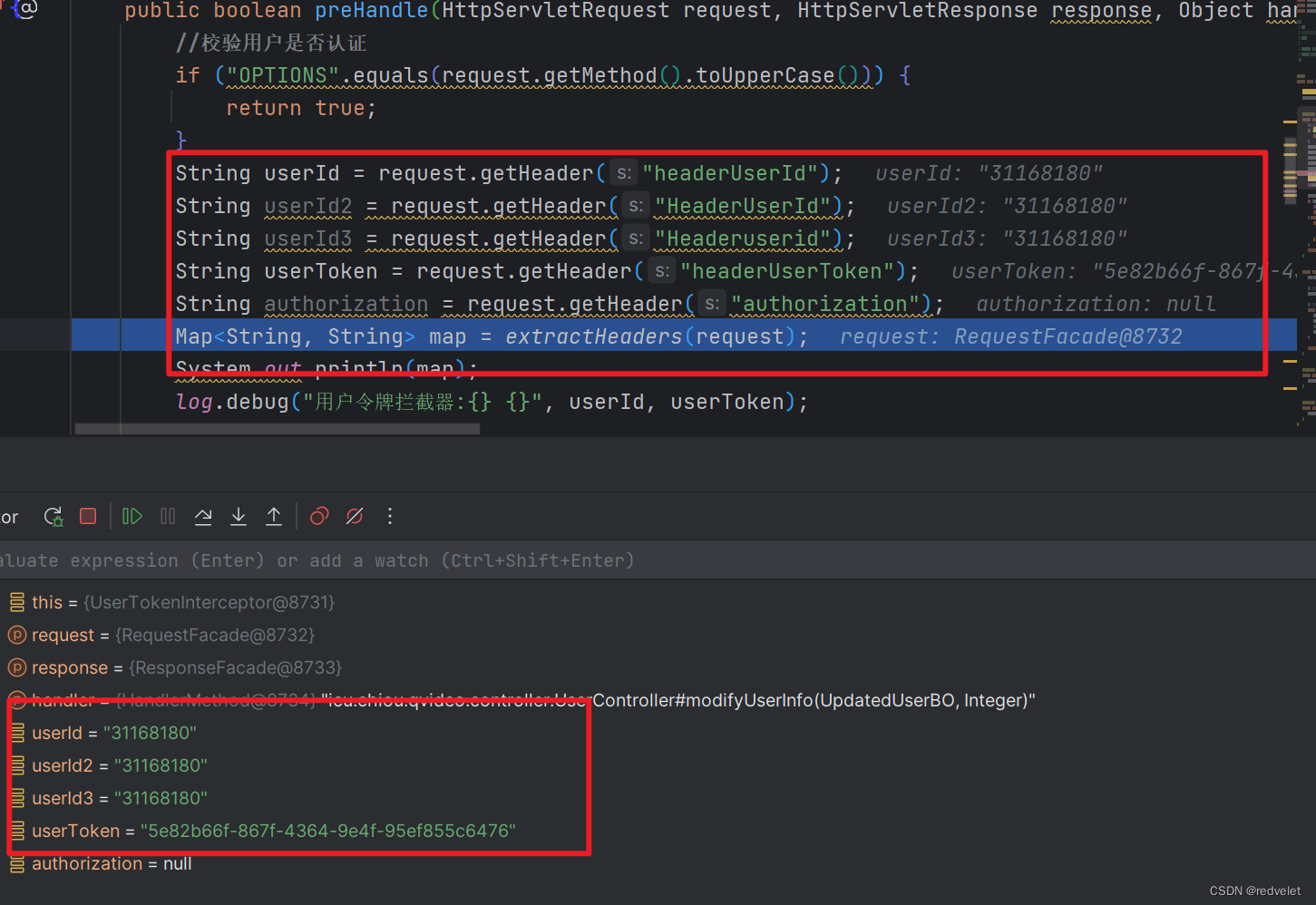
Springboot拦截器中跨域失效的问题、同一个接口传入参数不同,一个成功,一个有跨域问题、拦截器和@CrossOrigin和@Controller
Springboot拦截器中跨域失效的问题 一、概述 1、具体场景 起因: 同一个接口,传入不同参数进行值的修改时,一个成功,另一个竟然失败,而且是跨域问题拦截器内的request参数调用getHeader方法时,获取不到前端…...
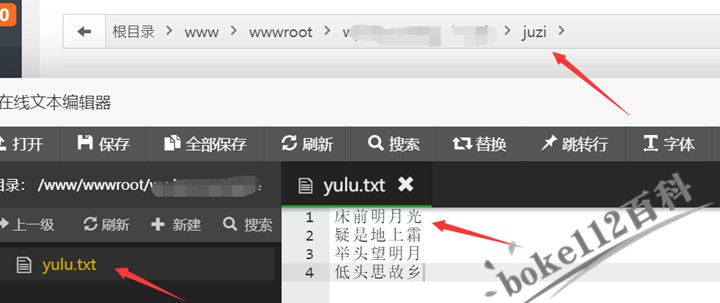
WordPress如何自建txt文本经典语录并随机显示一句话经典语录?
前面跟大家分享的『WordPress集成一言(Hitokoto)API经典语句功能』一文中就提供有自创API,其中懿古今顶部左上角显示的经典语录用的就是自建一个txt文本文件,然后再在前端网页指定位置随机显示语录。具体操作方法如下:…...
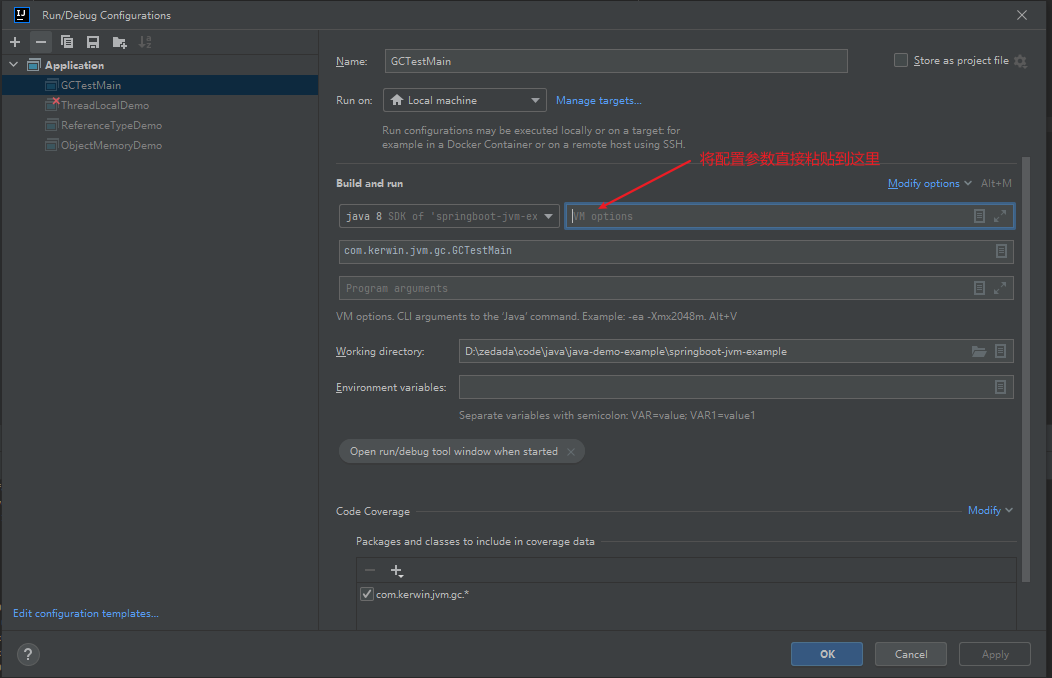
Java中JVM常用参数配置(提供配置示例)
目录 前言一、内存参数配置二、垃圾收集器配置三、GC策略配置3.1、基础通用配置3.2、Parallel 和 Parallel Old 常用参数配置3.3、CMS 常用参数配置3.4、G1 常用参数配置 四、GC日志配置五、dump 日志参数配置5.1、OutOfMemory异常时生成dump文件5.2、发生Full GC时生成dump文件…...
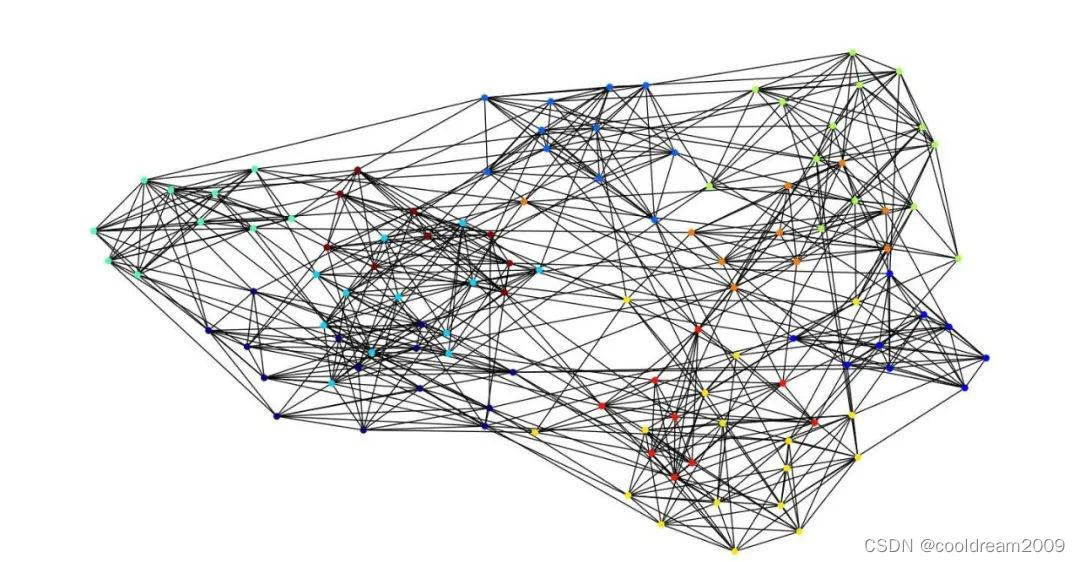
图论与图数据应用综述:从基础概念到知识图谱与图智能
目录 前言1 图论基础概念1.1 节点度1.2 度分布1.3 邻接矩阵 2 探索图的高级概念2.1 最短路径的关键性2.2 图的直径与平均路径的意义2.3 循环与路径类型的多样性 3 深入探讨图的广泛应用领域3.1 知识图谱的知识管理3.2 图智能在复杂决策中的应用3.3 图数据挖掘与分析的多领域应用…...

知识碎片-SpringBoot统一返回结果和捕获异常
统一返回结果 定义统一返回结果类ResultResponse定义新注解ResponseResult来标记需要拦截的方法或类添加RestControllerAdvice注解,实现ResponseBodyAdvice接口,重写support, beforeBodyWrite方法 统一结果类ResultResponse Setter Getter public cla…...
)
Open-FWI代码解析(1)
目录 1. dataset文件 1.1初始化网络 1.2load_every函数 1.3 getitem函数 1.4测试函数 2. transforms文件 2.1裁切函数和翻转函数 2.2上\下采样函数 2.3加入随机因子的上\下采样函数 2.4填充函数 2.5标准图像函数 2.6标准化函数 2.7归一化函数 2.8反归一化 2.9添加噪声的函数 …...
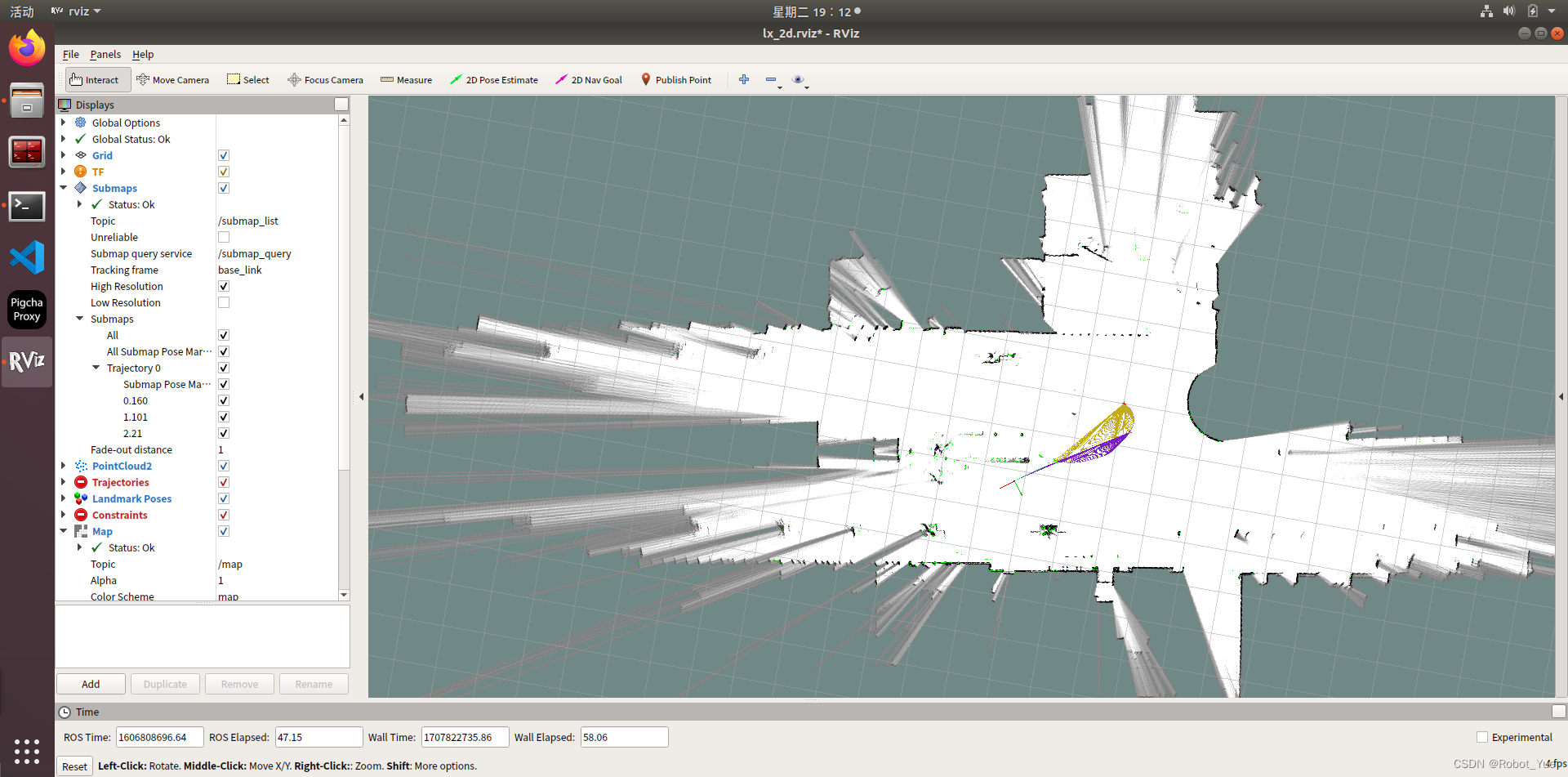
移动机器人激光SLAM导航(五):Cartographer SLAM 篇
参考 Cartographer 官方文档Cartographer 从入门到精通 1. Cartographer 安装 1.1 前置条件 推荐在刚装好的 Ubuntu 16.04 或 Ubuntu 18.04 上进行编译ROS 安装:ROS学习1:ROS概述与环境搭建 1.2 依赖库安装 资源下载完解压并执行以下指令 https://pa…...

第四篇【传奇开心果微博系列】Python微项目技术点案例示例:美女颜值判官
传奇开心果微博系列 系列微博目录Python微项目技术点案例示例系列 微博目录一、微项目目标二、雏形示例代码三、扩展思路四、添加不同类型的美女示例代码五、增加难度等级示例代码六、添加特殊道具示例代码七、设计关卡系统示例代码八、添加音效和背景音乐示例代码九、多人游戏…...

Python学习之路-初识爬虫:requests
Python学习之路-初识爬虫:requests requests的作用 作用:发送网络请求,返回响应数据 中文文档 : http://docs.python-requests.org/zh_CN/latest/index.html 为什么学requests而不是urllib requests的底层实现就是urllibrequests在pytho…...

Linux 常用的命令
① 基本命令 uname -m 显示机器的处理器架构uname -r 显示正在使用的内核版本dmidecode -q 显示硬件系统部件(SMBIOS / DMI) hdparm -i /dev/hda 罗列一个磁盘的架构特性hdparm -tT /dev/sda 在磁盘上执行测试性读取操作系统信息arch 显示机器的处理器架构uname -m 显示机器的处…...
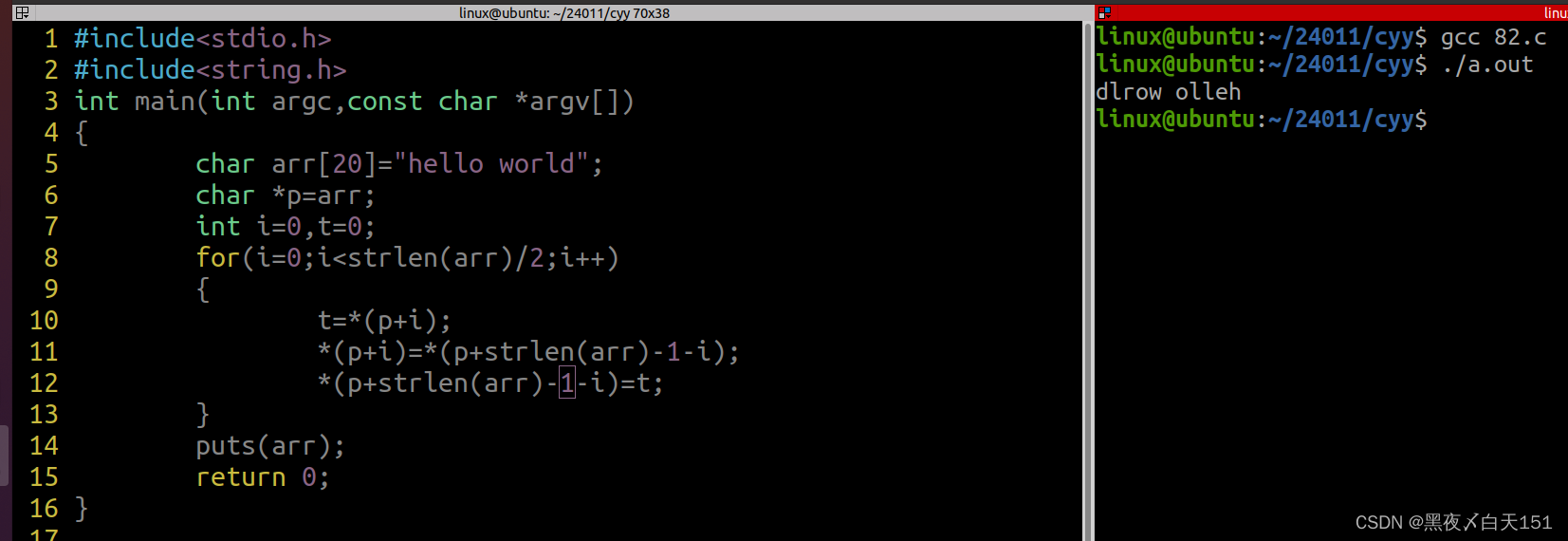
假期作业 10
1.整理磁盘操作的完整流程,如何接入虚拟机,是否成功识别,对磁盘分区工具的使用,格式化,挂载以及取消挂载 U盘接入虚拟机 在虚拟机--->可移动设备--->找到U盘---->连接 检测U盘是否被虚拟机识别 ls /dev/s…...
)
【洛谷 P3367】【模板】并查集 题解(并查集+路径压缩)
【模板】并查集 题目描述 如题,现在有一个并查集,你需要完成合并和查询操作。 输入格式 第一行包含两个整数 N , M N,M N,M ,表示共有 N N N 个元素和 M M M 个操作。 接下来 M M M 行,每行包含三个整数 Z i , X i , Y i Z_i,X_i,Y…...
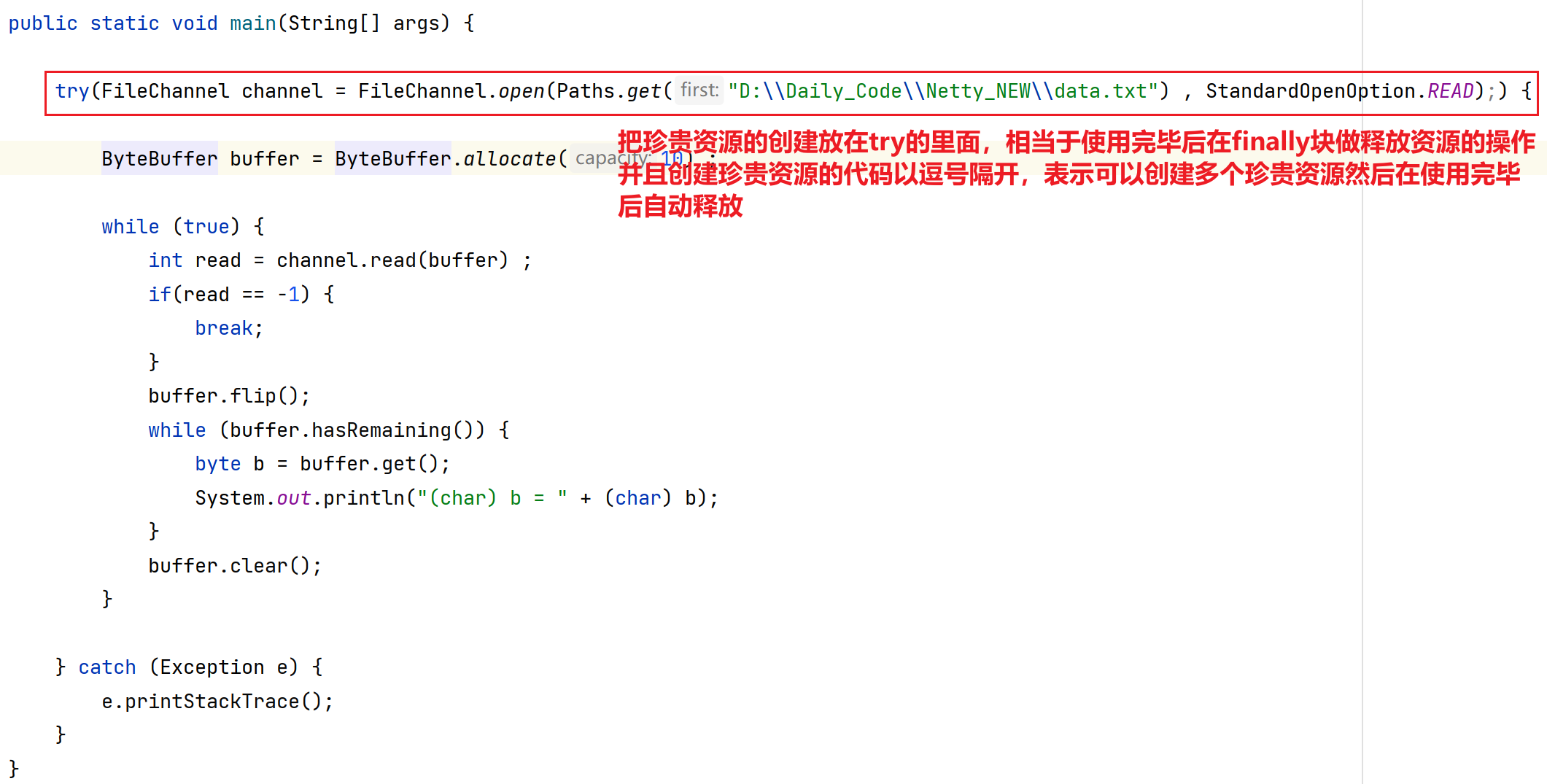
Netty应用(一) 之 NIO概念 基本编程
目录 第一章 概念引入 1.分布式概念引入 第二章 Netty基础 - NIO 1.引言 1.1 什么是Netty? 1.2 为什么要学习Netty? 2.NIO编程 2.1 传统网络通信中开发方式及问题(BIO) 2.1.1 多线程版网络编程 2.1.2 线程池版的网络编程…...
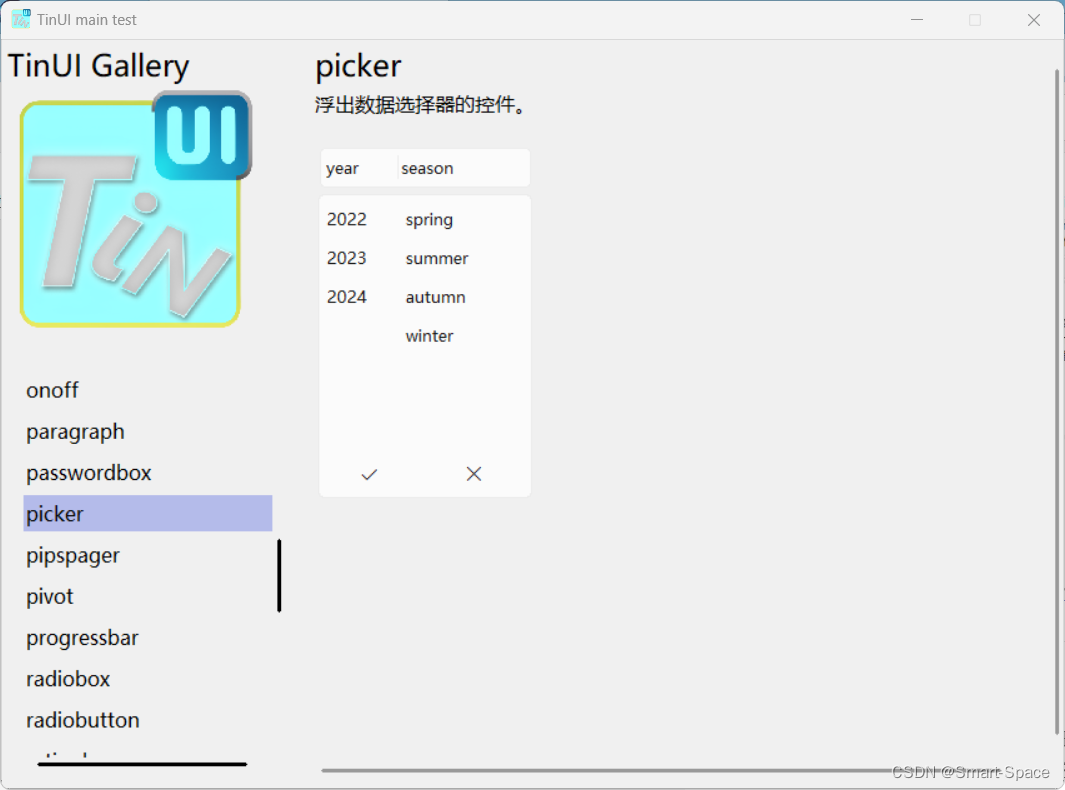
tkinter-TinUI-xml实战(10)展示画廊
tkinter-TinUI-xml实战(10)展示画廊 引言声明文件结构核心代码主界面统一展示控件控件展示界面单一展示已有展示多类展示 最终效果在这里插入图片描述  ………… 结语 引言…...
LeetCode二叉树的垂序遍历
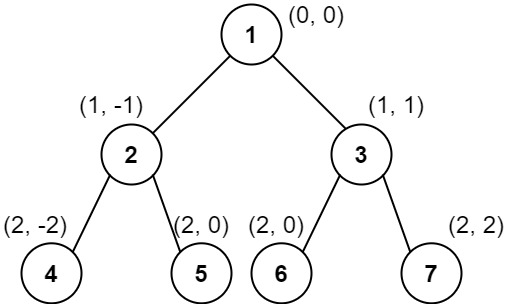
题目描述 给你二叉树的根结点 root ,请你设计算法计算二叉树的 垂序遍历 序列。 对位于 (row, col) 的每个结点而言,其左右子结点分别位于 (row 1, col - 1) 和 (row 1, col 1) 。树的根结点位于 (0, 0) 。 二叉树的 垂序遍历 从最左边的列开始直到…...
 函数用法)
[linux c]linux do_div() 函数用法
linux do_div() 函数用法 do_div() 是一个 Linux 内核中的宏,用于执行 64 位整数的除法操作,并将结果存储在给定的变量中,同时将余数存储在另一个变量中。这个宏通常用于内核编程中,特别是在处理大整数和性能敏感的场合。 函数原…...

Python学习之路-爬虫提高:常见的反爬手段和解决思路
Python学习之路-爬虫提高:常见的反爬手段和解决思路 常见的反爬手段和解决思路 明确反反爬的主要思路 反反爬的主要思路就是:尽可能的去模拟浏览器,浏览器在如何操作,代码中就如何去实现。浏览器先请求了地址url1,保留了cookie…...
css实现圆环展示百分比,根据值动态展示所占比例
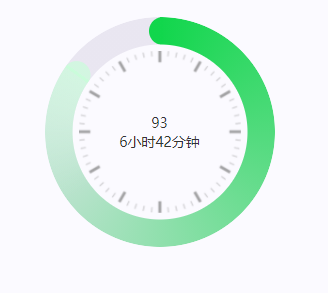
代码如下 <view class""><view class"circle-chart"><view v-if"!!num" class"pie-item" :style"{background: conic-gradient(var(--one-color) 0%,#E9E6F1 ${num}%),}"></view><view v-else …...

ubuntu搭建nfs服务centos挂载访问
在Ubuntu上设置NFS服务器 在Ubuntu上,你可以使用apt包管理器来安装NFS服务器。打开终端并运行: sudo apt update sudo apt install nfs-kernel-server创建共享目录 创建一个目录用于共享,例如/shared: sudo mkdir /shared sud…...

反向工程与模型迁移:打造未来商品详情API的可持续创新体系
在电商行业蓬勃发展的当下,商品详情API作为连接电商平台与开发者、商家及用户的关键纽带,其重要性日益凸显。传统商品详情API主要聚焦于商品基本信息(如名称、价格、库存等)的获取与展示,已难以满足市场对个性化、智能…...
【第二十一章 SDIO接口(SDIO)】
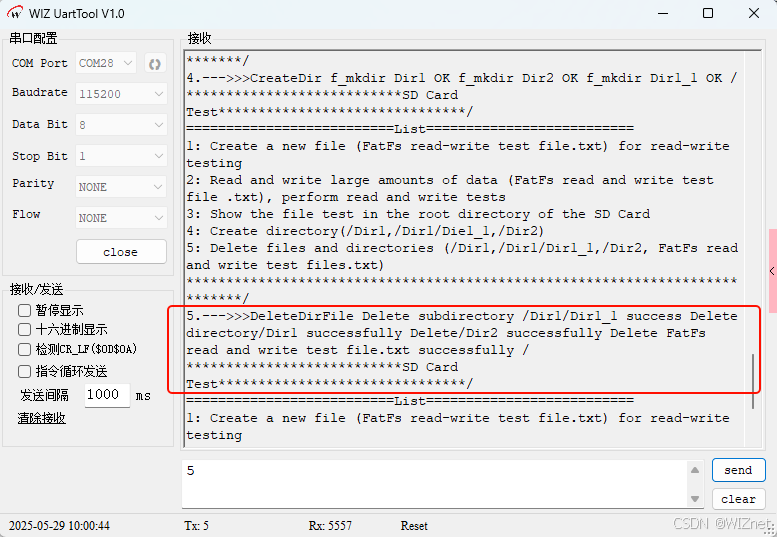
第二十一章 SDIO接口 目录 第二十一章 SDIO接口(SDIO) 1 SDIO 主要功能 2 SDIO 总线拓扑 3 SDIO 功能描述 3.1 SDIO 适配器 3.2 SDIOAHB 接口 4 卡功能描述 4.1 卡识别模式 4.2 卡复位 4.3 操作电压范围确认 4.4 卡识别过程 4.5 写数据块 4.6 读数据块 4.7 数据流…...

Cilium动手实验室: 精通之旅---20.Isovalent Enterprise for Cilium: Zero Trust Visibility
Cilium动手实验室: 精通之旅---20.Isovalent Enterprise for Cilium: Zero Trust Visibility 1. 实验室环境1.1 实验室环境1.2 小测试 2. The Endor System2.1 部署应用2.2 检查现有策略 3. Cilium 策略实体3.1 创建 allow-all 网络策略3.2 在 Hubble CLI 中验证网络策略源3.3 …...

在 Nginx Stream 层“改写”MQTT ngx_stream_mqtt_filter_module
1、为什么要修改 CONNECT 报文? 多租户隔离:自动为接入设备追加租户前缀,后端按 ClientID 拆分队列。零代码鉴权:将入站用户名替换为 OAuth Access-Token,后端 Broker 统一校验。灰度发布:根据 IP/地理位写…...

EtherNet/IP转DeviceNet协议网关详解
一,设备主要功能 疆鸿智能JH-DVN-EIP本产品是自主研发的一款EtherNet/IP从站功能的通讯网关。该产品主要功能是连接DeviceNet总线和EtherNet/IP网络,本网关连接到EtherNet/IP总线中做为从站使用,连接到DeviceNet总线中做为从站使用。 在自动…...

Android Bitmap治理全解析:从加载优化到泄漏防控的全生命周期管理
引言 Bitmap(位图)是Android应用内存占用的“头号杀手”。一张1080P(1920x1080)的图片以ARGB_8888格式加载时,内存占用高达8MB(192010804字节)。据统计,超过60%的应用OOM崩溃与Bitm…...

Pinocchio 库详解及其在足式机器人上的应用
Pinocchio 库详解及其在足式机器人上的应用 Pinocchio (Pinocchio is not only a nose) 是一个开源的 C 库,专门用于快速计算机器人模型的正向运动学、逆向运动学、雅可比矩阵、动力学和动力学导数。它主要关注效率和准确性,并提供了一个通用的框架&…...
Netty从入门到进阶(二)
二、Netty入门 1. 概述 1.1 Netty是什么 Netty is an asynchronous event-driven network application framework for rapid development of maintainable high performance protocol servers & clients. Netty是一个异步的、基于事件驱动的网络应用框架,用于…...