
BUUCTF-Ezsql1

1.打开靶机
打开第一个链接
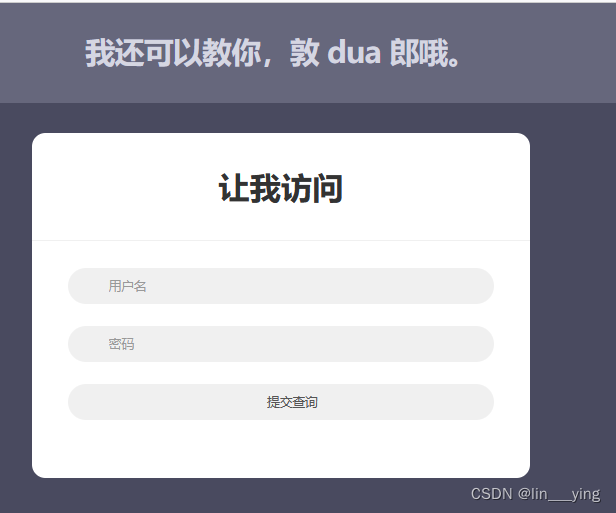
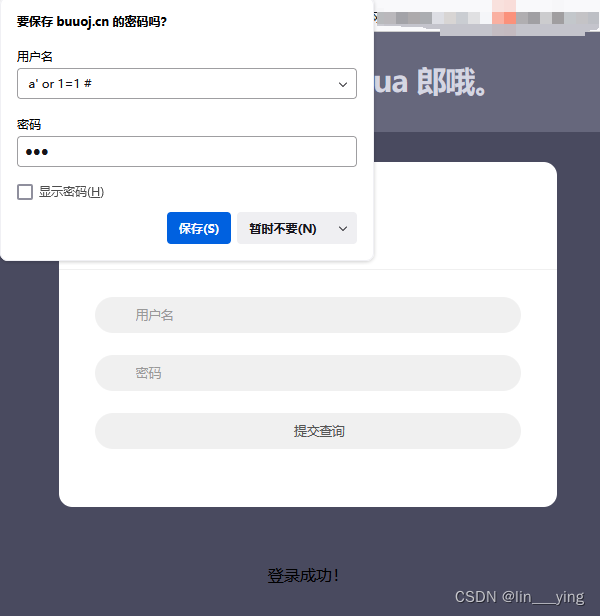
2.万能密码
使用万能密码:a' or 1 #
密码为随意
第二个用kali打开
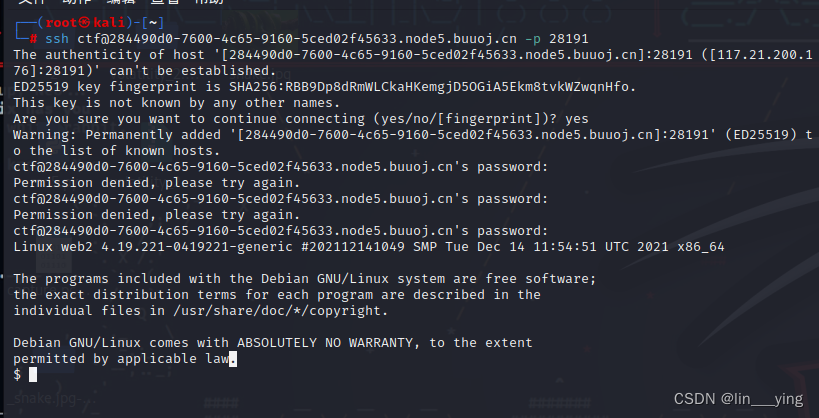
3.ssh连接靶机
ssh ctf@284490d0-7600-4c65-9160-5ced02f45633.node5.buuoj.cn -p 28191
由题可知密码为123456
4.找到并修改index.php文件
找到index.php文件

#内容如下:
<!DOCTYPE html>
<html lang="zh">
<head>
<meta charset="UTF-8">
<meta http-equiv="X-UA-Compatible" content="IE=edge,chrome=1">
<meta name="viewport" content="width=device-width, initial-scale=1.0">
<title>让我访问</title>
<link href="http://cdn.bootcss.com/bootstrap/3.3.7/css/bootstrap.min.css" rel="stylesheet">
<link href="http://cdn.bootcss.com/font-awesome/4.6.3/css/font-awesome.min.css" rel="stylesheet">
<link rel="stylesheet" type="text/css" href="css/htmleaf-demo.css">
<style type="text/css">
.form-bg {
padding: 2em 0;
}.form-horizontal {
background: #ffffff;
padding-bottom: 40px;
border-radius: 15px;
text-align: center;
}.form-horizontal .heading {
display: block;
font-size: 35px;
font-weight: 700;
padding: 35px 0;
border-bottom: 1px solid #f0f0f0;
margin-bottom: 30px;
}.form-horizontal .form-group {
padding: 0 40px;
margin: 0 0 25px 0;
position: relative;
}.form-horizontal .form-control {
background: #f0f0f0;
border: none;
border-radius: 20px;
box-shadow: none;
padding: 0 20px 0 45px;
height: 40px;
transition: all 0.3s ease 0s;
}.form-horizontal .form-control:focus {
background: #e0e0e0;
box-shadow: none;
outline: 0 none;
}.form-horizontal .form-group i {
position: absolute;
top: 12px;
left: 60px;
font-size: 17px;
color: #c8c8c8;
transition: all 0.5s ease 0s;
}.form-horizontal .form-control:focus + i {
color: #00b4ef;
}.form-horizontal .fa-question-circle {
display: inline-block;
position: absolute;
top: 12px;
right: 60px;
font-size: 20px;
color: #808080;
transition: all 0.5s ease 0s;
}.form-horizontal .fa-question-circle:hover {
color: #000;
}.form-horizontal .main-checkbox {
float: left;
width: 20px;
height: 20px;
background: #11a3fc;
border-radius: 50%;
position: relative;
margin: 5px 0 0 5px;
border: 1px solid #11a3fc;
}.form-horizontal .main-checkbox label {
width: 20px;
height: 20px;
position: absolute;
top: 0;
left: 0;
cursor: pointer;
}.form-horizontal .main-checkbox label:after {
content: "";
width: 10px;
height: 5px;
position: absolute;
top: 5px;
left: 4px;
border: 3px solid #fff;
border-top: none;
border-right: none;
background: transparent;
opacity: 0;
-webkit-transform: rotate(-45deg);
transform: rotate(-45deg);
}.form-horizontal .main-checkbox input[type=checkbox] {
visibility: hidden;
}.form-horizontal .main-checkbox input[type=checkbox]:checked + label:after {
opacity: 1;
}.form-horizontal .text {
float: left;
margin-left: 7px;
line-height: 20px;
padding-top: 5px;
text-transform: capitalize;
}.form-horizontal .btn {
float: right;
font-size: 14px;
color: #fff;
background: #00b4ef;
border-radius: 30px;
padding: 10px 25px;
border: none;
text-transform: capitalize;
transition: all 0.5s ease 0s;
}@media only screen and (max-width: 479px) {
.form-horizontal .form-group {
padding: 0 25px;
}.form-horizontal .form-group i {
left: 45px;
}.form-horizontal .btn {
padding: 10px 20px;
}
}
</style>
</head>
<body>
<div class="htmleaf-container">
<header class="htmleaf-header">
<h1>我还可以教你,敦 dua 郎哦。</h1>
<div class="htmleaf-links">
</div>
</header>
<div class="demo form-bg">
<div class="container">
<div class="row">
<div class="col-md-offset-3 col-md-6">
<form class="form-horizontal" method="get" action="">
<span class="heading">让我访问</span>
<div class="form-group">
<input type="text" class="form-control" id="inputEmail3" placeholder="用户名" name="username">
</div>
<div class="form-group help">
<input type="password" class="form-control" id="inputPassword3" placeholder="密码"
name="password">
</div>
<div class="form-group help">
<input type="submit" class="form-control" id="inputSubmit">
</div>
</form>
</div>
</div>
</div>
</div>
<div class="related">
</div>
</div>
</body>
</html>
<h4 style="text-align: center; color: #000000">
<?php
error_reporting(0);
include 'dbConnect.php';
$username = $_GET['username'];
$password = $_GET['password'];
if (isset($_GET['username']) && isset($_GET['password'])) {
$sql = "SELECT * FROM users WHERE username = '$username' AND password = '$password'";
$result = $mysqli->query($sql);
if (!$result)
die(mysqli_error($mysqli));
$data = $result->fetch_all(); // 从结果集中获取所有数据
if (!empty($data)) {
echo '登录成功!';
} else {
echo "用户名或密码错误";
}
}
?>
</h4>
$
增加两行
$username = addslashes($username);
$password = addslashes($password);
最终index.php的内容如下
<!DOCTYPE html>
<html lang="zh">
<head>
<meta charset="UTF-8">
<meta http-equiv="X-UA-Compatible" content="IE=edge,chrome=1">
<meta name="viewport" content="width=device-width, initial-scale=1.0">
<title>让我访问</title>
<link href="http://cdn.bootcss.com/bootstrap/3.3.7/css/bootstrap.min.css" rel="stylesheet">
<link href="http://cdn.bootcss.com/font-awesome/4.6.3/css/font-awesome.min.css" rel="stylesheet">
<link rel="stylesheet" type="text/css" href="css/htmleaf-demo.css">
<style type="text/css">
.form-bg {
padding: 2em 0;
}.form-horizontal {
background: #ffffff;
padding-bottom: 40px;
border-radius: 15px;
text-align: center;
}.form-horizontal .heading {
display: block;
font-size: 35px;
font-weight: 700;
padding: 35px 0;
border-bottom: 1px solid #f0f0f0;
margin-bottom: 30px;
}.form-horizontal .form-group {
padding: 0 40px;
margin: 0 0 25px 0;
position: relative;
}.form-horizontal .form-control {
background: #f0f0f0;
border: none;
border-radius: 20px;
box-shadow: none;
padding: 0 20px 0 45px;
height: 40px;
transition: all 0.3s ease 0s;
}.form-horizontal .form-control:focus {
background: #e0e0e0;
box-shadow: none;
outline: 0 none;
}.form-horizontal .form-group i {
position: absolute;
top: 12px;
left: 60px;
font-size: 17px;
color: #c8c8c8;
transition: all 0.5s ease 0s;
}.form-horizontal .form-control:focus + i {
color: #00b4ef;
}.form-horizontal .fa-question-circle {
display: inline-block;
position: absolute;
top: 12px;
right: 60px;
font-size: 20px;
color: #808080;
transition: all 0.5s ease 0s;
}.form-horizontal .fa-question-circle:hover {
color: #000;
}.form-horizontal .main-checkbox {
float: left;
width: 20px;
height: 20px;
background: #11a3fc;
border-radius: 50%;
position: relative;
margin: 5px 0 0 5px;
border: 1px solid #11a3fc;
}.form-horizontal .main-checkbox label {
width: 20px;
height: 20px;
position: absolute;
top: 0;
left: 0;
cursor: pointer;
}.form-horizontal .main-checkbox label:after {
content: "";
width: 10px;
height: 5px;
position: absolute;
top: 5px;
left: 4px;
border: 3px solid #fff;
border-top: none;
border-right: none;
background: transparent;
opacity: 0;
-webkit-transform: rotate(-45deg);
transform: rotate(-45deg);
}.form-horizontal .main-checkbox input[type=checkbox] {
visibility: hidden;
}.form-horizontal .main-checkbox input[type=checkbox]:checked + label:after {
opacity: 1;
}.form-horizontal .text {
float: left;
margin-left: 7px;
line-height: 20px;
padding-top: 5px;
text-transform: capitalize;
}.form-horizontal .btn {
float: right;
font-size: 14px;
color: #fff;
background: #00b4ef;
border-radius: 30px;
padding: 10px 25px;
border: none;
text-transform: capitalize;
transition: all 0.5s ease 0s;
}@media only screen and (max-width: 479px) {
.form-horizontal .form-group {
padding: 0 25px;
}.form-horizontal .form-group i {
left: 45px;
}.form-horizontal .btn {
padding: 10px 20px;
}
}
</style>
</head>
<body>
<div class="htmleaf-container">
<header class="htmleaf-header">
<h1>我还可以教你,敦 dua 郎哦。</h1>
<div class="htmleaf-links">
</div>
</header>
<div class="demo form-bg">
<div class="container">
<div class="row">
<div class="col-md-offset-3 col-md-6">
<form class="form-horizontal" method="get" action="">
<span class="heading">让我访问</span>
<div class="form-group">
<input type="text" class="form-control" id="inputEmail3" placeholder="用户名" name="username">
</div>
<div class="form-group help">
<input type="password" class="form-control" id="inputPassword3" placeholder="密码"
name="password">
</div>
<div class="form-group help">
<input type="submit" class="form-control" id="inputSubmit">
</div>
</form>
</div>
</div>
</div>
</div>
<div class="related">
</div>
</div>
</body>
</html>
<h4 style="text-align: center; color: #000000">
<?php
error_reporting(0);
include 'dbConnect.php';
$username = $_GET['username'];
$password = $_GET['password'];$username = addslashes($username);
$password = addslashes($password);
if (isset($_GET['username']) && isset($_GET['password'])) {
$sql = "SELECT * FROM users WHERE username = '$username' AND password = '$password'";
$result = $mysqli->query($sql);
if (!$result)
die(mysqli_error($mysqli));
$data = $result->fetch_all(); // 从结果集中获取所有数据
if (!empty($data)) {
echo '登录成功!';
}
else { echo "用户名或密码错误"; }
}
?>
</h4>
保存修改后的index.php文件
5.再次访问
然后访问第一个链接,使用万能密码登录,发现账号或密码错误,登不进去
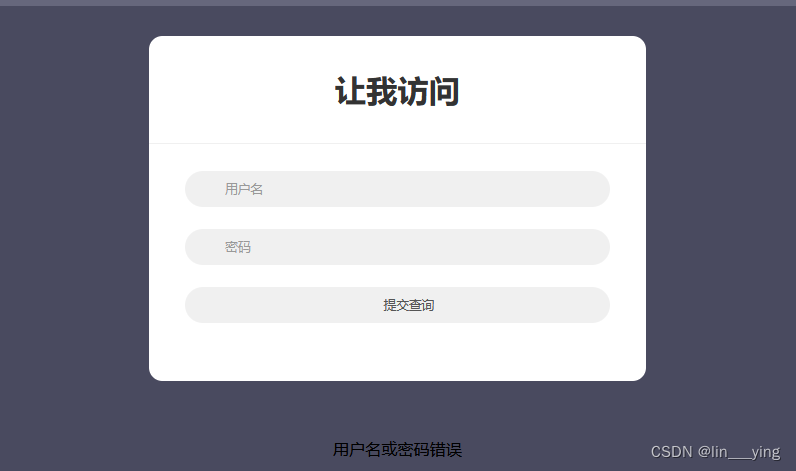
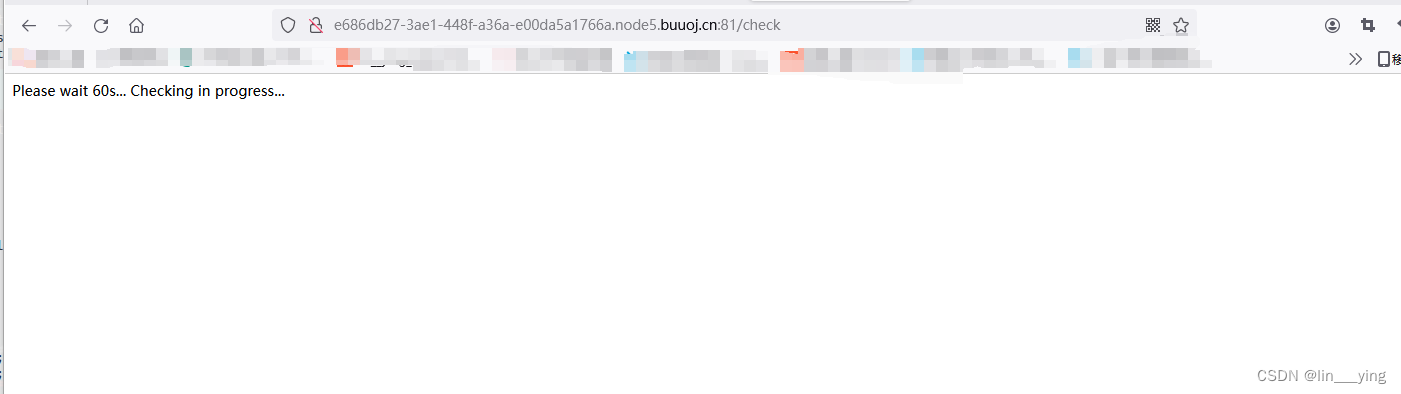
访问第三个链接在后面加上/check 等待一会
6.得到flag
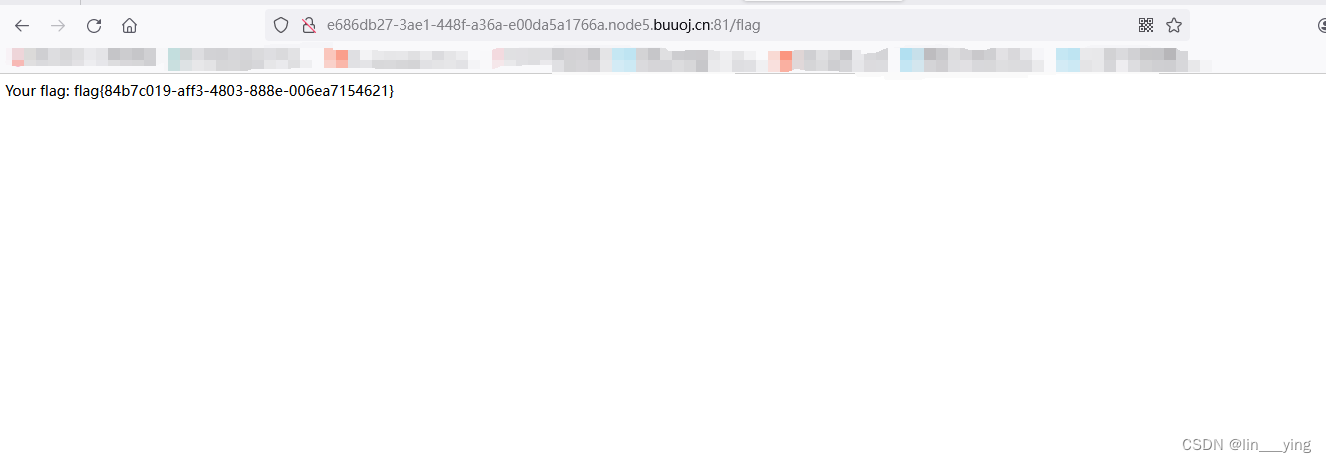
将/check改为/flag,得到flag
相关文章:
BUUCTF-Ezsql1
1.打开靶机 打开第一个链接 2.万能密码 使用万能密码:a or 1 # 密码为随意 第二个用kali打开 3.ssh连接靶机 ssh ctf284490d0-7600-4c65-9160-5ced02f45633.node5.buuoj.cn -p 28191 由题可知密码为123456 4.找到并修改index.php文件 找到index.php文件 #内容如…...
LiveGBS流媒体平台GB/T28181功能-大屏播放上大屏支持轮巡播放分屏轮巡值守播放监控视频轮播大屏轮询播放轮播
LiveGBS支持-大屏播放上大屏支持轮巡播放分屏轮巡值守播放监控视频轮播大屏轮询播放轮播 1、轮播功能2、分屏展示3、选择轮播通道4、配置轮播间隔(秒)5、点击开始轮播6、轮播停止及全屏7、搭建GB28181视频直播平台 1、轮播功能 视频监控项目使用过程中,有时需要大屏…...

npm和pnpm安装、更换镜像源
安装pnpm 1 wins 在系统中搜索框 输入“Windos PowerShell”右击“管理员身份运行” 2 输入“set-ExecutionPolicy RemoteSigned”回车,根据提示输入A,回车 3 输入 pnpm -v 查看版本 如果没有版本好就是没有安装 pnpm 输入安装命令 npm install -g pnpm 4 再次 …...

springcloud 复习day1~[自动装配]
package com.gavin.eureka_server;public class First {private String auto"自动装配";public String getAuto() {return auto;}public void setAuto(String auto) {this.auto auto;} }package com.gavin.eureka_server;public class Second { }装配:实现ImportSe…...

模块化开发在不同编程语言中的实现方式有何异同?并以LabVIEW为例进行说明
模块化开发是一种软件设计方法,它将一个大型程序分解成独立的、可以单独开发和测试的模块或组件。这种方法提高了代码的可重用性、可维护性和可测试性。不同编程语言实现模块化开发的方式各有特色,但都遵循基本的设计原则,如封装、接口抽象和…...
外贸网站文章批量生成器
随着全球贸易的不断发展,越来越多的企业开始关注外贸市场,而拥有高质量的内容是吸引潜在客户的关键之一。然而,为外贸网站生产大量优质的文章内容可能是一项耗时且繁琐的任务。因此,外贸网站文章批量生成软件成为了解决这一难题的…...
maven一点通
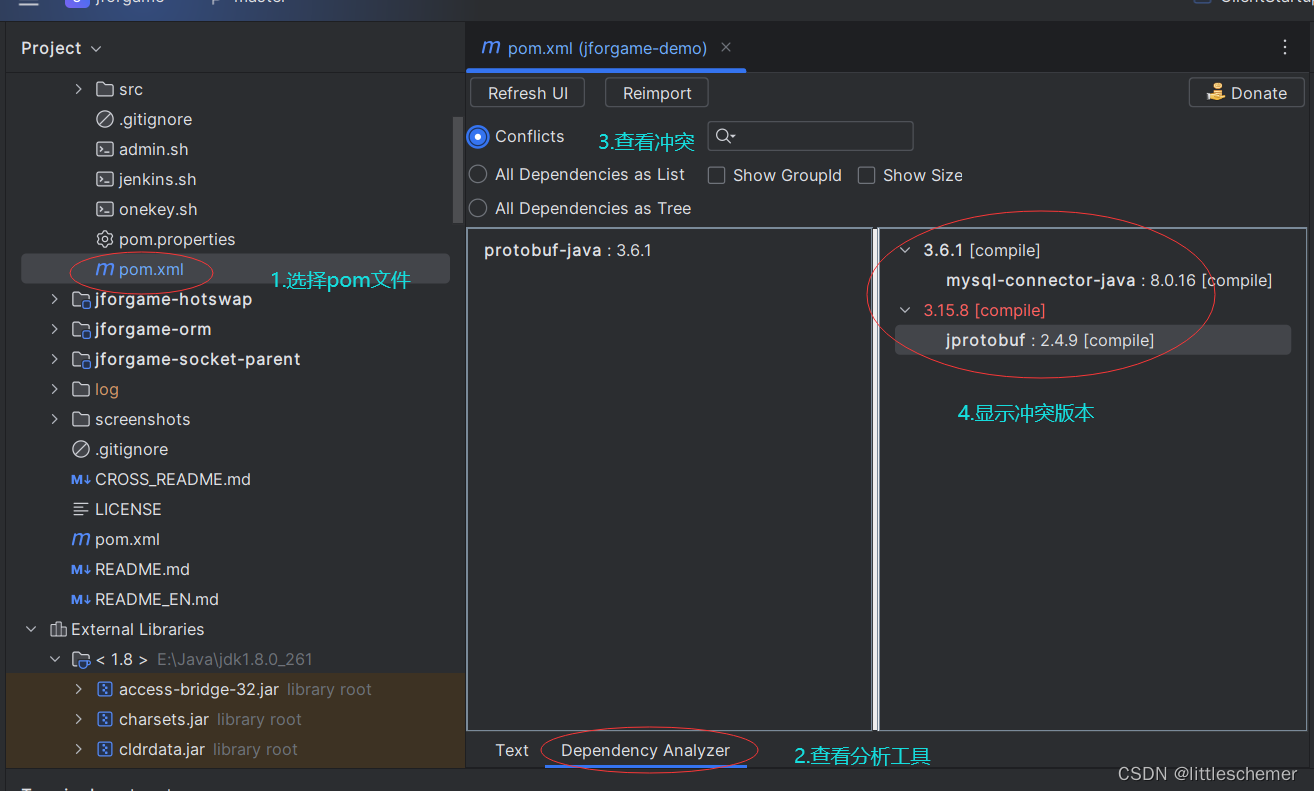
1.maven简介 Maven是一个基于Java的工程构建工具,用于管理和构建项目的依赖关系。它提供了一种标准的项目结构和一组约定,使得项目的开发、构建、部署和文档化更加容易和可靠。 Maven的主要功能包括: 依赖管理:Maven可以自动下载…...

超越标签的探索:K-means与DBSCAN在数据分析中的新视角
最近在苦恼为我的数据决定分组问题,在查找资料时,恰好看到机器学习中的无监督学习的聚类分析,正好适用于我的问题,但是我之前学机器学习时。正好没有学习无监督部分,因为我认为绝大多数问题都是有标签的监督学习&#…...
linux板子vscode gdb 远程调试
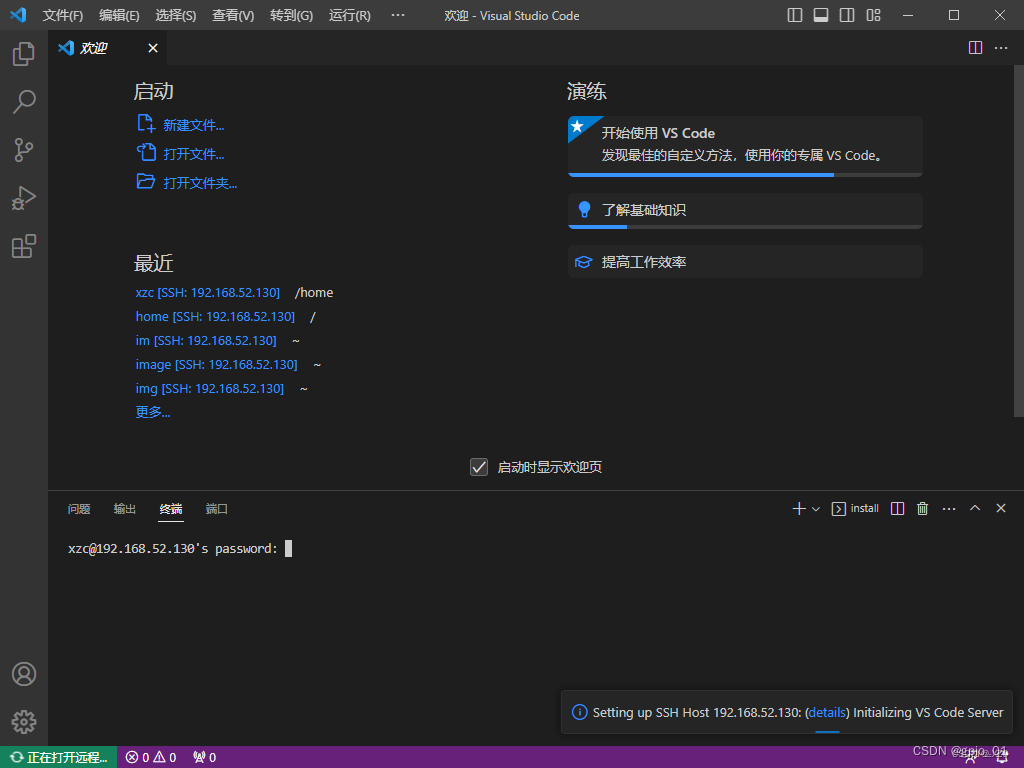
板子:hi3556v200 交叉编译工具:arm-himix200-linux 主机:win10虚拟机的ubuntu16.4 gdb:gdb-8.2.tar.gz 1.在ubuntu交叉编译gdb(Remote g packet reply is too long解决) 建议修改gdb8.2/gdb目录下面的remote.c解决…...

nginx代理服务器配置
nginx代理服务器配置 需要配置环境需求 1、一台1.1.1.1服务器,一台2.2.2.2服务器 前端包路径在1.1.1.1 /etc/dist 下 后端服务在2.2.2.2 上 暴露端口为9999 2、需求 现在需要访问 1.1.1.1:80访问到2.2.2.2 上面的9999后端服务 3、配置nginx ①:在…...
基于Matlab的视频人面检测识别,Matalb实现
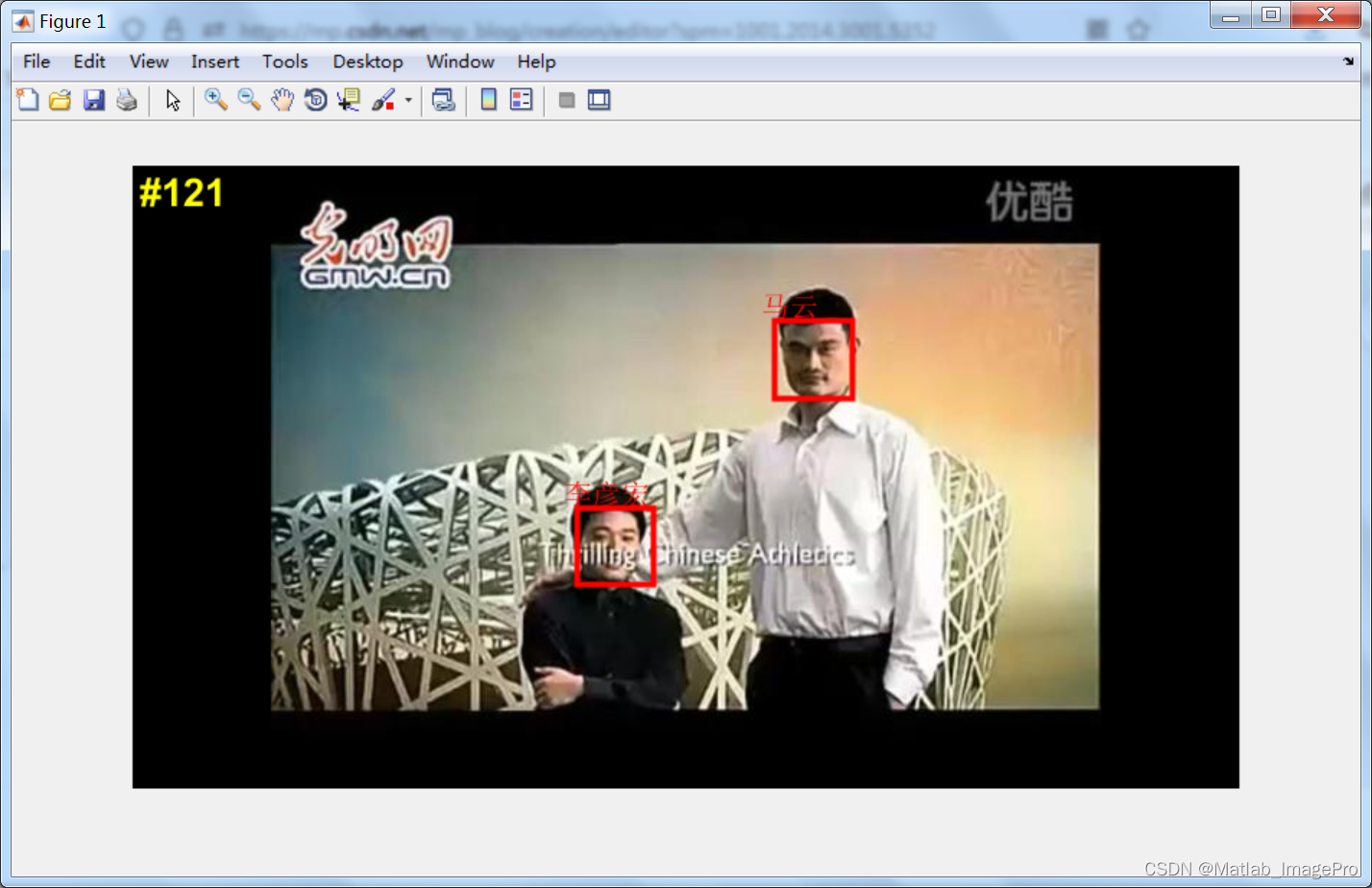
博主简介: 专注、专一于Matlab图像处理学习、交流,matlab图像代码代做/项目合作可以联系(QQ:3249726188) 个人主页:Matlab_ImagePro-CSDN博客 原则:代码均由本人编写完成,非中介,提供…...
VSCode创建用户代码片段-案例demo
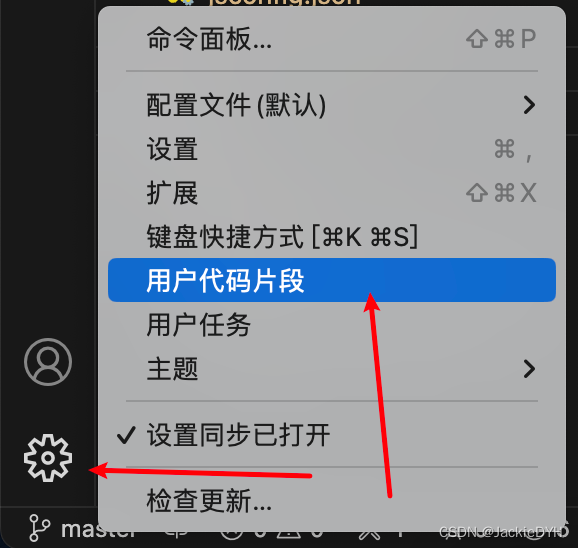
示例 - 在线生成代码片段 Vue3代码片段 {"vue3": {scope": "javascript,typescript,html,vue","prefix": "vue3","body": ["<template>","$1","</template>",""…...

河南大学-数字图像处理-图像变换
计算机与信息工程学院实验报告 序号:20 姓名:__杨馥瑞___ 学号:_2212080042_ 专业:__数据科学与大数据技术 年级:___2022级_____ 课程:数字图像处理 主讲教师:张延锋 辅导教师&#x…...
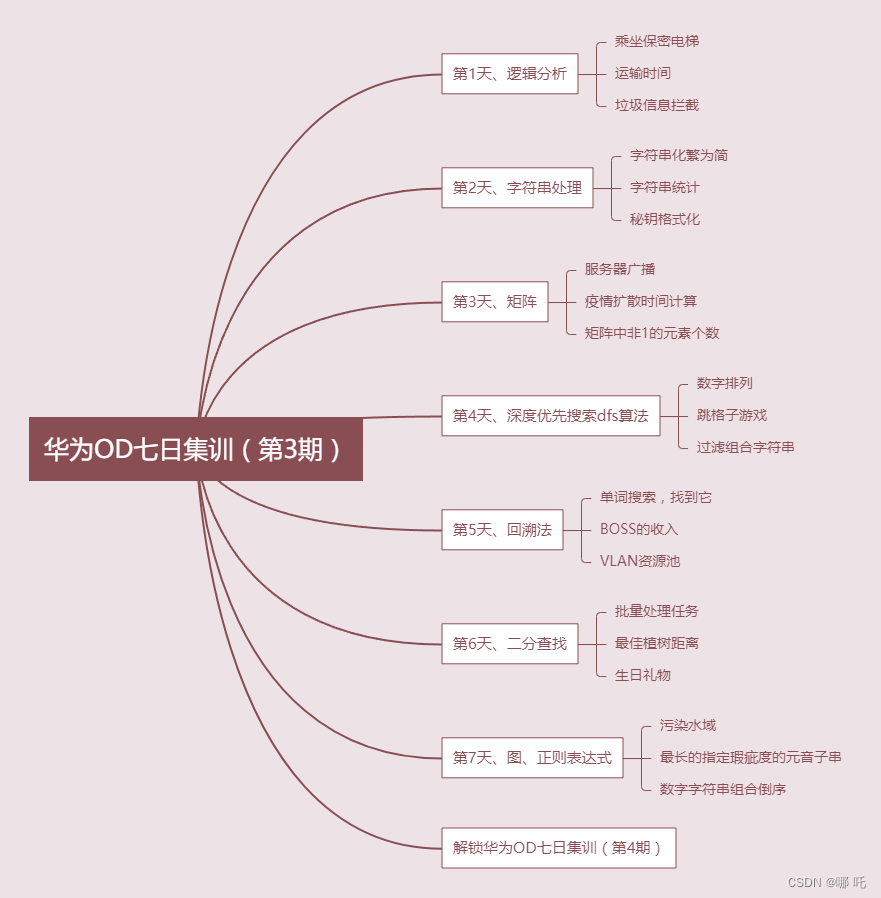
华为OD七日集训第3期 - 按算法分类,由易到难,循序渐进,玩转OD
目录 一、适合人群二、本期训练时间三、如何参加四、七日集训第 3 期五、精心挑选21道高频100分经典题目,作为入门。第1天、逻辑分析第2天、字符串处理第3天、矩阵第4天、深度优先搜索dfs算法第5天、回溯法第6天、二分查找第7天、图、正则表达式 大家好,…...

Android中的进程间通讯
一、简介 进程间通讯(InterProcess Communication) 指在不同进程之间传播或交换信息,Android是基于Linux 系统的,在Linux 中进程间是不能直接通讯的,IPC就是为了解决这一问题 每个操作系统都有相应的IPC机制&#x…...
day03vue学习
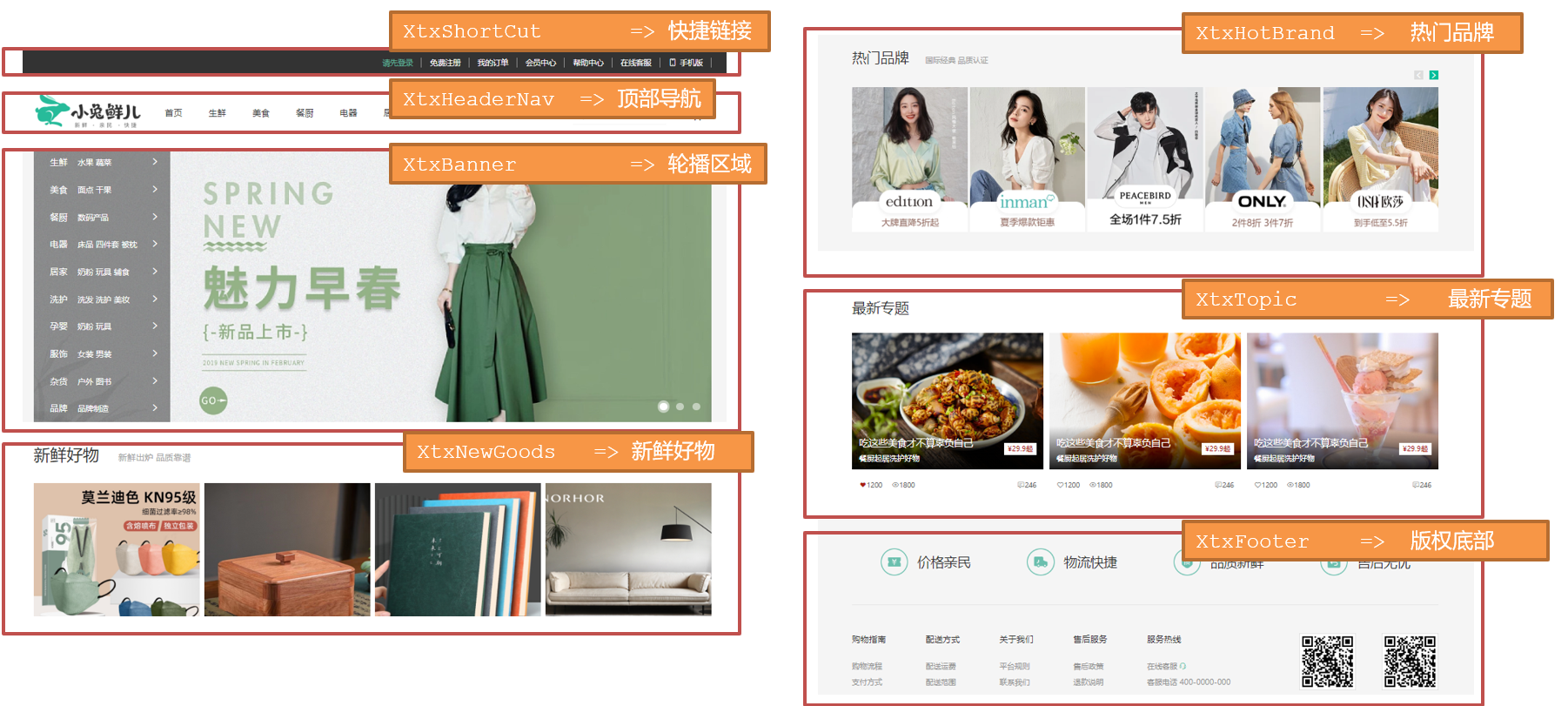
day03 一、今日目标 1.生命周期 生命周期介绍生命周期的四个阶段生命周期钩子声明周期案例 2.综合案例-小黑记账清单 列表渲染添加/删除饼图渲染 3.工程化开发入门 工程化开发和脚手架项目运行流程组件化组件注册 4.综合案例-小兔仙首页 拆分模块-局部注册结构样式完善…...

32. 最长有效括号
给你一个只包含 ( 和 ) 的字符串,找出最长有效(格式正确且连续)括号 子串 的长度。 示例 1: 输入:s "(()" 输出:2 解释:最长有效括号子串是 "()"示例 2: 输…...

如何在 docker 容器内部运行 docker命令
场景: 有些场景在容器内部需要调用 docker 命令。为此,本文梳理2种可以在容器内部执行docker命令的方法。 方法1:基于 docker.sock /var/run/docker.sock是默认的Unix socket(套接字),socket是同一机器中进程间通讯的一种方式。…...
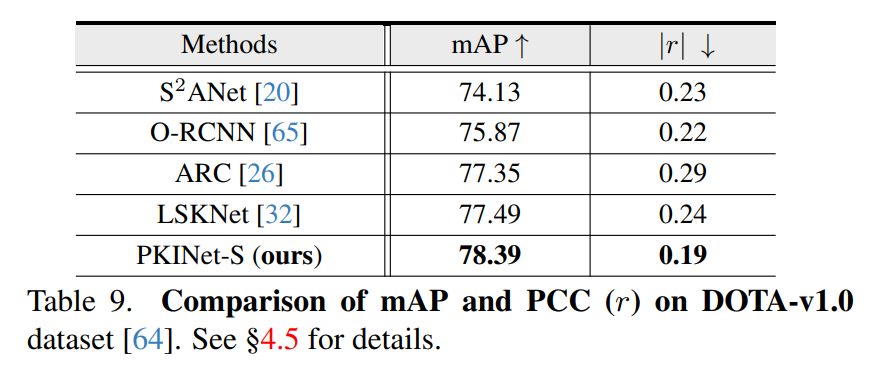
Poly Kernel Inception Network在遥感检测中的应用
摘要 https://export.arxiv.org/pdf/2403.06258 遥感图像(RSI)中的目标检测经常面临一些日益严重的挑战,包括目标尺度的巨大变化和多样的上下文环境。先前的方法试图通过扩大骨干网络的空间感受野来解决这些挑战,要么通过大核卷积…...

tiktok 与 赵长鹏 遭遇了什么
对于美丽国来说,比特币是国家资产,赵长鹏动了国家资产的奶酪,当然要被消灭;新闻媒体是国家资产,TIKTOK作为新兴媒体也动了国家资产的奶酪,当然也在消灭之列;高端芯片、波音飞机也是国家资产&…...
结构体的进阶应用)
基于算法竞赛的c++编程(28)结构体的进阶应用
结构体的嵌套与复杂数据组织 在C中,结构体可以嵌套使用,形成更复杂的数据结构。例如,可以通过嵌套结构体描述多层级数据关系: struct Address {string city;string street;int zipCode; };struct Employee {string name;int id;…...
日语AI面试高效通关秘籍:专业解读与青柚面试智能助攻
在如今就业市场竞争日益激烈的背景下,越来越多的求职者将目光投向了日本及中日双语岗位。但是,一场日语面试往往让许多人感到步履维艰。你是否也曾因为面试官抛出的“刁钻问题”而心生畏惧?面对生疏的日语交流环境,即便提前恶补了…...

蓝牙 BLE 扫描面试题大全(2):进阶面试题与实战演练
前文覆盖了 BLE 扫描的基础概念与经典问题蓝牙 BLE 扫描面试题大全(1):从基础到实战的深度解析-CSDN博客,但实际面试中,企业更关注候选人对复杂场景的应对能力(如多设备并发扫描、低功耗与高发现率的平衡)和前沿技术的…...
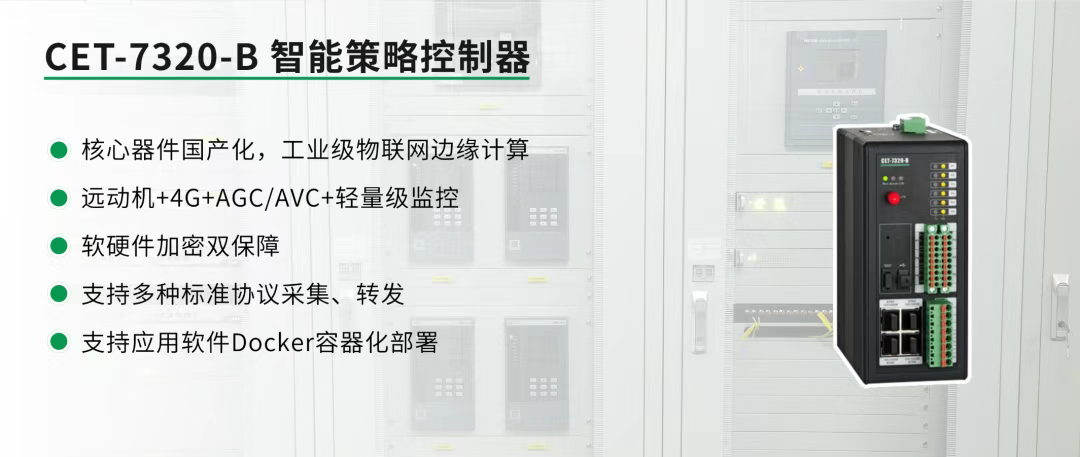
屋顶变身“发电站” ,中天合创屋面分布式光伏发电项目顺利并网!
5月28日,中天合创屋面分布式光伏发电项目顺利并网发电,该项目位于内蒙古自治区鄂尔多斯市乌审旗,项目利用中天合创聚乙烯、聚丙烯仓库屋面作为场地建设光伏电站,总装机容量为9.96MWp。 项目投运后,每年可节约标煤3670…...

分布式增量爬虫实现方案
之前我们在讨论的是分布式爬虫如何实现增量爬取。增量爬虫的目标是只爬取新产生或发生变化的页面,避免重复抓取,以节省资源和时间。 在分布式环境下,增量爬虫的实现需要考虑多个爬虫节点之间的协调和去重。 另一种思路:将增量判…...
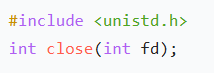
嵌入式学习笔记DAY33(网络编程——TCP)
一、网络架构 C/S (client/server 客户端/服务器):由客户端和服务器端两个部分组成。客户端通常是用户使用的应用程序,负责提供用户界面和交互逻辑 ,接收用户输入,向服务器发送请求,并展示服务…...
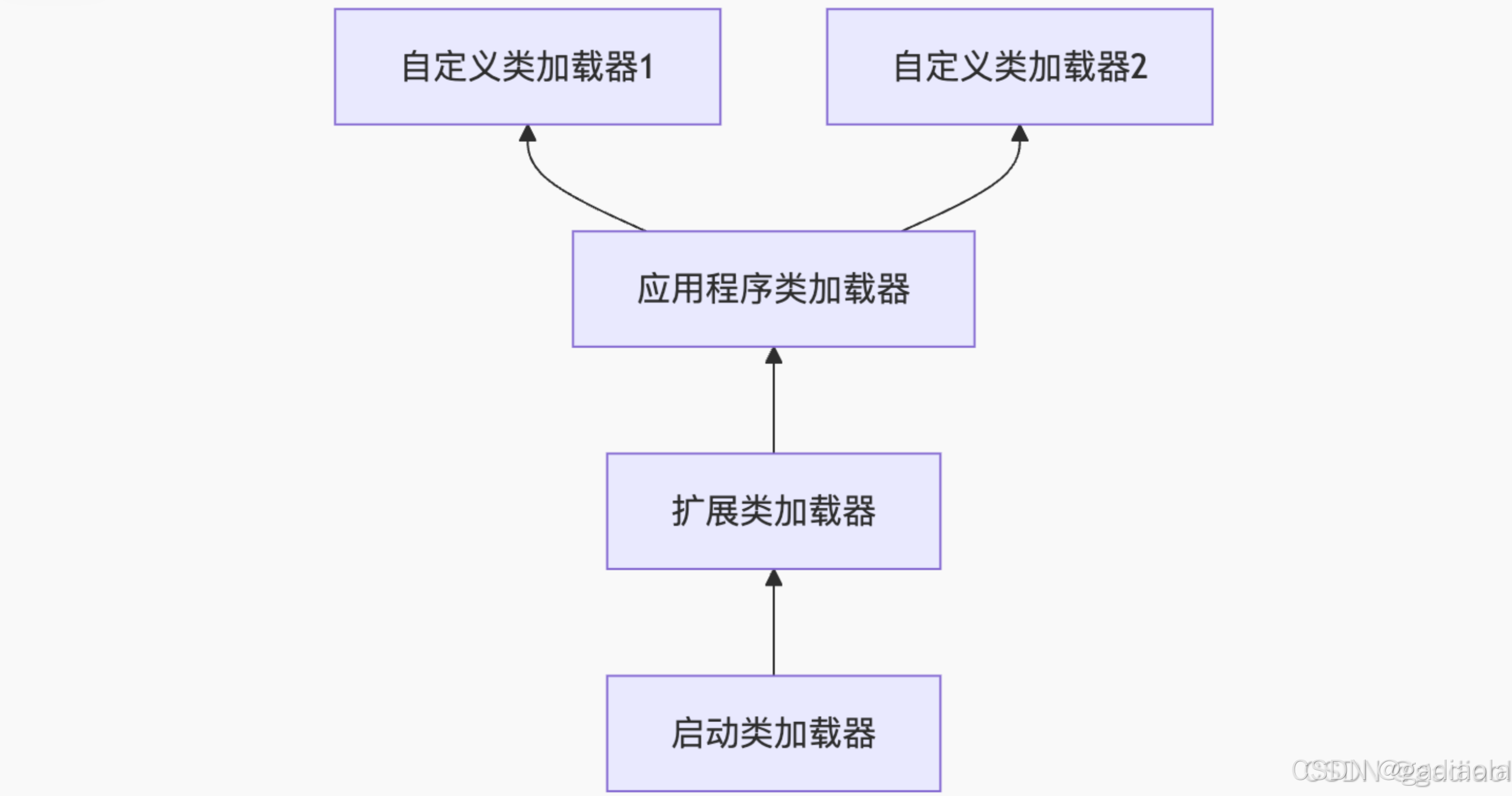
【JVM面试篇】高频八股汇总——类加载和类加载器
目录 1. 讲一下类加载过程? 2. Java创建对象的过程? 3. 对象的生命周期? 4. 类加载器有哪些? 5. 双亲委派模型的作用(好处)? 6. 讲一下类的加载和双亲委派原则? 7. 双亲委派模…...
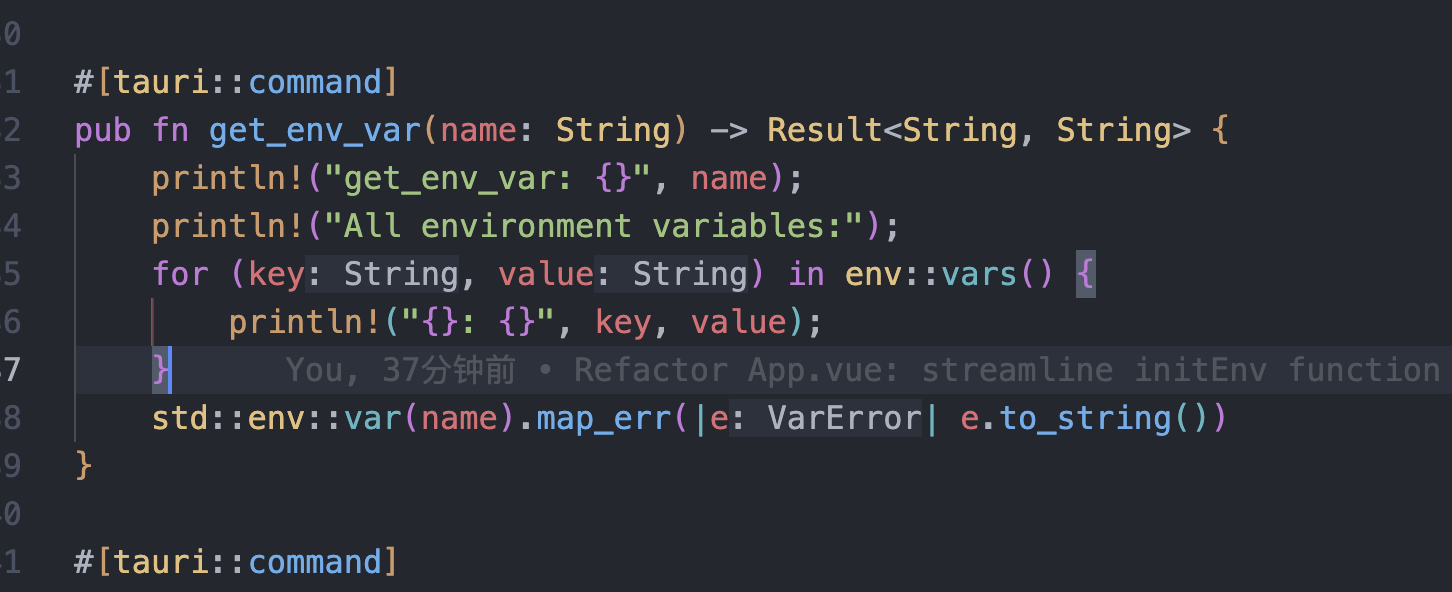
tauri项目,如何在rust端读取电脑环境变量
如果想在前端通过调用来获取环境变量的值,可以通过标准的依赖: std::env::var(name).ok() 想在前端通过调用来获取,可以写一个command函数: #[tauri::command] pub fn get_env_var(name: String) -> Result<String, Stri…...
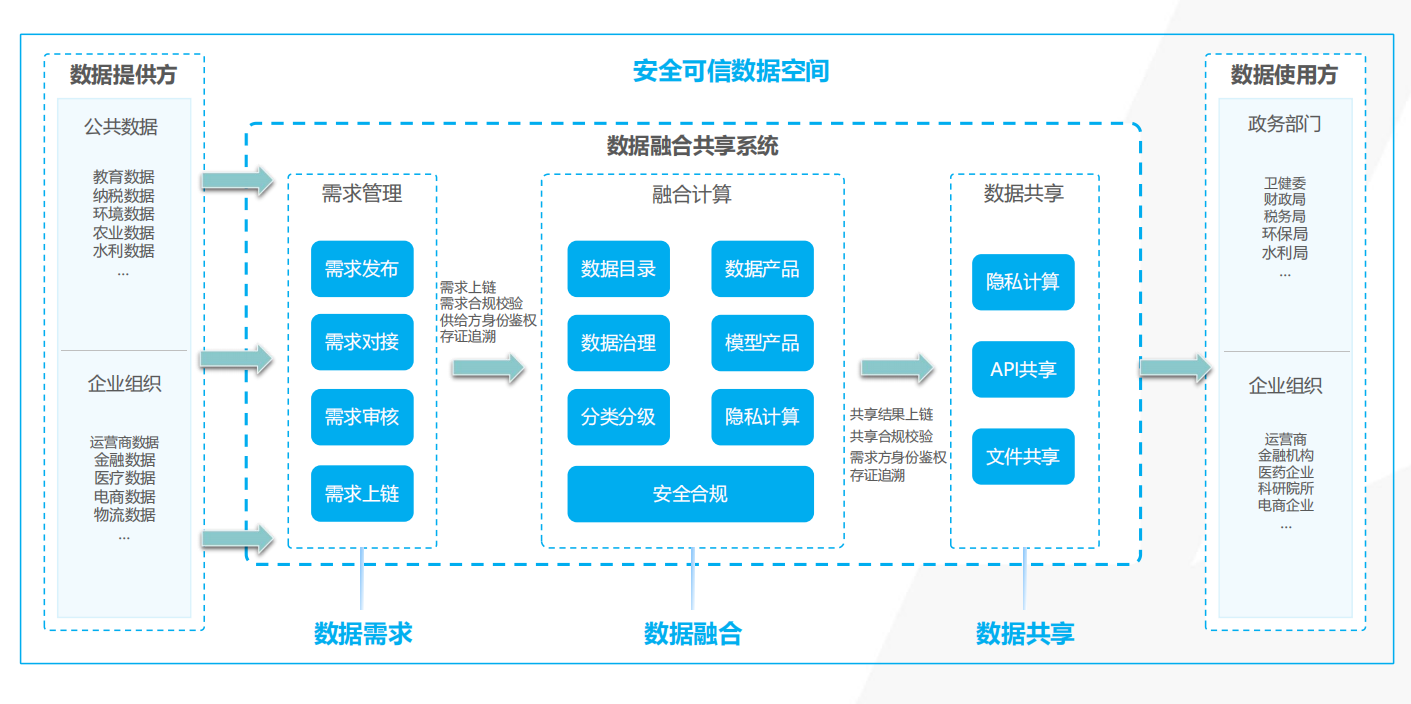
热烈祝贺埃文科技正式加入可信数据空间发展联盟
2025年4月29日,在福州举办的第八届数字中国建设峰会“可信数据空间分论坛”上,可信数据空间发展联盟正式宣告成立。国家数据局党组书记、局长刘烈宏出席并致辞,强调该联盟是推进全国一体化数据市场建设的关键抓手。 郑州埃文科技有限公司&am…...

WEB3全栈开发——面试专业技能点P4数据库
一、mysql2 原生驱动及其连接机制 概念介绍 mysql2 是 Node.js 环境中广泛使用的 MySQL 客户端库,基于 mysql 库改进而来,具有更好的性能、Promise 支持、流式查询、二进制数据处理能力等。 主要特点: 支持 Promise / async-await…...