
Android netty的使用
导入netty依赖
implementation 'io.netty:netty-all:4.1.107.Final'
使用netty
关闭netty
/*** 关闭*/private void closeSocket() {LogUtils.i(TAG, "closeSocket");if (nettyManager != null) {nettyManager.close();nettyManager = null;}if (nettyExecutor != null) {try {nettyExecutor.shutdown();nettyExecutor.shutdownNow();} catch (Exception e) {}}}
创建netty
private void initSocket() {closeSocket(); //关闭之前的连接nettyManager = new NettyManager(ip, port, dataTimeOut, readTimeOut, whiteTimeOut);nettyExecutor = Executors.newSingleThreadExecutor();nettyExecutor.execute(new Runnable() {@Overridepublic void run() {nettyManager.connect();  //连接}});nettyManager.setOnNettyListener(new NettyManager.OnNettyListener() {@Overridepublic void onConnectSuccess() {LogUtils.i(TAG, "onConnectSuccess");}@Overridepublic void onConnectFail(int connectFailNum) {LogUtils.i(TAG, "onConnectFail >>" + connectFailNum);if (connectFailNum >= 5) {  //重连次数达到阈值  则重设nett的ipresetNeetyIpAndConnect();}}@Overridepublic void onReceiveData(byte[] bytes) {LogUtils.i(TAG, "onReceiveData");parseReceiveData(bytes);}@Overridepublic void onNeedReCreate() {initSocket();}});}/*** 重新设置ip地址  断开重设ip不需要调用  nettyManager.reConnect(); 因为会自动重连*/private void resetNeetyIpAndConnect() {ip = (String) MmkvUtils.getInstance().decode(Content.SP_KEY_SOCKET_TALK_IP, "");port = (int) MmkvUtils.getInstance().decode(Content.SP_KEY_SOCKET_TALK_PORT, 0);LogUtils.i(TAG, "resetNeetyIpAndConnect>>ip:" + ip + "  port:" + port);nettyManager.setIp(ip);nettyManager.setPort(port);}/**
连接中时 重设ip 需要调用nettyManager.reConnect();
*/
private void resetIp(){String ip = (String) MmkvUtils.getInstance().decode(Content.SP_KEY_SOCKET_TALK_IP, "");int port = (int) MmkvUtils.getInstance().decode(Content.SP_KEY_SOCKET_TALK_PORT, 0);nettyManager.setIp(ip);nettyManager.setPort(port);nettyManager.reConnect(); //重连ip}
}
有时候不需要netty进行数据粘包处理的情况,直接返回原始响应数据则使用 具体参数看完整代码
nettyManager = new NettyManager(ip, port, dataTimeOut, readTimeOut, whiteTimeOut, 0, 0, 0, 0);
完整代码
package com.baolan.netty;import android.util.Log;import java.net.InetSocketAddress;
import java.util.concurrent.TimeUnit;import io.netty.bootstrap.Bootstrap;
import io.netty.buffer.ByteBuf;
import io.netty.channel.ChannelFuture;
import io.netty.channel.ChannelFutureListener;
import io.netty.channel.ChannelInitializer;
import io.netty.channel.ChannelOption;
import io.netty.channel.ChannelPipeline;
import io.netty.channel.nio.NioEventLoopGroup;
import io.netty.channel.socket.SocketChannel;
import io.netty.channel.socket.nio.NioSocketChannel;
import io.netty.handler.codec.LengthFieldBasedFrameDecoder;
import io.netty.handler.codec.LengthFieldPrepender;
import io.netty.handler.codec.bytes.ByteArrayDecoder;
import io.netty.handler.codec.bytes.ByteArrayEncoder;
import io.netty.handler.timeout.IdleStateHandler;
import io.netty.util.internal.StringUtil;public class NettyManager {private static final String TAG = "bl_netty";private ChannelFuture channelFuture;private String ip;private int port;private int dataTimeOut; //收发超时private int readTimeOut; // 读超时时间private int whiteTimeOut; // 写超时时间private ChannelFutureListener channelFutureListener;private NioEventLoopGroup nioEventLoopGroup;private Bootstrap bootstrap;private int connectFailNum = 0;  //重连次数private int lengthFieldOffset = 3; //长度域偏移。就是说数据开始的几个字节可能不是表示数据长度,需要后移几个字节才是长度域private int lengthFieldLength = 2; //长度域字节数。用几个字节来表示数据长度。private int lengthAdjustment = 1; //数据长度修正。因为长度域指定的长度可以使header+body的整个长度,也可以只是body的长度。如果表示header+body的整个长度,那么我们需要修正数据长度。private int initialBytesToStrip = 0; //跳过的字节数。如果你需要接收header+body的所有数据,此值就是0,如果你只想接收body数据,那么需要跳过header所占用的字节数。public String getIp() {return ip;}public void setIp(String ip) {this.ip = ip;}public int getPort() {return port;}public void setPort(int port) {this.port = port;}public NettyManager(String ip, int port, int dataTimeOut, int readTimeOut, int whiteTimeOut) {this(ip, port, dataTimeOut, readTimeOut, whiteTimeOut, 3, 2, 1, 0);}/*** @param ip  连接的地址* @param port  连接的端口* @param dataTimeOut  收发超时* @param readTimeOut  读超时时间* @param whiteTimeOut 写超时时间*/public NettyManager(String ip, int port, int dataTimeOut, int readTimeOut, int whiteTimeOut, int lengthFieldOffset, int lengthFieldLength,int lengthAdjustment, int initialBytesToStrip) {this.ip = ip;this.port = port;this.dataTimeOut = dataTimeOut;this.readTimeOut = readTimeOut;this.whiteTimeOut = whiteTimeOut;this.lengthFieldOffset = lengthFieldOffset;this.lengthFieldLength = lengthFieldLength;this.lengthAdjustment = lengthAdjustment;this.initialBytesToStrip = initialBytesToStrip;Log.i(TAG, "create ip>>" + ip);Log.i(TAG, "create port>>" + port);Log.i(TAG, "create dataTimeOut>>" + dataTimeOut);Log.i(TAG, "create readTimeOut>>" + readTimeOut);Log.i(TAG, "create whiteTimeOut>>" + whiteTimeOut);//进行初始化//初始化线程组nioEventLoopGroup = new NioEventLoopGroup();bootstrap = new Bootstrap();bootstrap.channel(NioSocketChannel.class).group(nioEventLoopGroup);bootstrap.option(ChannelOption.TCP_NODELAY, true); //无阻塞bootstrap.option(ChannelOption.SO_KEEPALIVE, true); //长连接bootstrap.option(ChannelOption.SO_TIMEOUT, dataTimeOut); //收发超时bootstrap.option(ChannelOption.CONNECT_TIMEOUT_MILLIS, 10000); //收发超时bootstrap.handler(new ChannelInitializer<SocketChannel>() {@Overrideprotected void initChannel(SocketChannel ch) throws Exception {ChannelPipeline pipeline = ch.pipeline();if (lengthFieldOffset > 0) {  //为0时 不处理应答数据pipeline.addLast("frameDecoder", new LengthFieldBasedFrameDecoder(65530, lengthFieldOffset, lengthFieldLength, lengthAdjustment, initialBytesToStrip));}pipeline.addLast("decoder", new ByteArrayDecoder())  //接收解码方式.addLast("encoder", new ByteArrayEncoder())  //发送编码方式.addLast(new ChannelHandle(NettyManager.this))//处理数据接收.addLast(new IdleStateHandler(readTimeOut, whiteTimeOut, 0)); //心跳 参数1:读超时时间 参数2:写超时时间  参数3: 将在未执行读取或写入时触发超时回调,0代表不处理;读超时尽量设置大于写超时代表多次写超时时写心跳包,多次写了心跳数据仍然读超时代表当前连接错误,即可断开连接重新连接}});}private void create() {if (StringUtil.isNullOrEmpty(ip) || port == 0 || dataTimeOut == 0 || readTimeOut == 0 || whiteTimeOut == 0) {//TODO 设置回调通知service 重连if (onNettyListener != null) {onNettyListener.onNeedReCreate();}return;}if (channelFuture != null && channelFuture.channel().isActive()) {return;}//开始建立连接并监听返回try {channelFuture = bootstrap.connect(new InetSocketAddress(ip, port));channelFuture.addListener(channelFutureListener = new ChannelFutureListener() {@Overridepublic void operationComplete(ChannelFuture future) {boolean success = future.isSuccess();Log.i(TAG, "connect success>>" + success);if (success) {connectFailNum = 0;Log.i(TAG, "connect success !");if (onNettyListener != null) {onNettyListener.onConnectSuccess();}} else { //失败connectFailNum++;future.channel().eventLoop().schedule(new Runnable() {@Overridepublic void run() {reConnect();}}, 5, TimeUnit.SECONDS);if (onNettyListener != null) {onNettyListener.onConnectFail(connectFailNum);}}}}).sync();} catch (Exception e) {Log.i(TAG, "e>>" + e);e.printStackTrace();}}/*** 发送数据** @param sendBytes*/public void sendData(byte[] sendBytes) {if (channelFuture == null) {return;}Log.i(TAG, "sendDataToServer");if (sendBytes != null && sendBytes.length > 0) {if (channelFuture != null && channelFuture.channel().isActive()) {Log.i(TAG, "writeAndFlush");channelFuture.channel().writeAndFlush(sendBytes);}}}public void receiveData(byte[] byteBuf) {Log.i(TAG, "receiveData>>" + byteBuf.toString());if (onNettyListener != null && byteBuf.length > 0) {onNettyListener.onReceiveData(byteBuf);}}public void connect() {Log.i(TAG, "connect ");if (channelFuture != null && channelFuture.channel() != null && channelFuture.channel().isActive()) {channelFuture.channel().close();//已经连接时先关闭当前连接,关闭时回调exceptionCaught进行重新连接} else {create(); //当前未连接,直接连接即可}}public void reConnect() {Log.i(TAG, "reConnect");if (StringUtil.isNullOrEmpty(ip) || port == 0 || dataTimeOut == 0 || readTimeOut == 0 || whiteTimeOut == 0) {//TODO 设置回调通知service 重连if (onNettyListener != null) {onNettyListener.onNeedReCreate();}return;}connect(); //当前未连接,直接连接即可}public void close() {if (channelFuture != null && channelFutureListener != null) {channelFuture.removeListener(channelFutureListener);channelFuture.cancel(true);}}private OnNettyListener onNettyListener;public void setOnNettyListener(OnNettyListener onNettyListener) {this.onNettyListener = onNettyListener;}public interface OnNettyListener {/*** 连接成功*/void onConnectSuccess();/*** 连接失败*/void onConnectFail(int connectFailNum);/*** 接收到数据** @param bytes*/void onReceiveData(byte[] bytes);/*** 参数丢失 需重新创建*/void onNeedReCreate();}
}
package com.baolan.netty;import android.util.Log;import io.netty.buffer.ByteBuf;
import io.netty.channel.ChannelHandlerContext;
import io.netty.channel.SimpleChannelInboundHandler;
import io.netty.handler.timeout.IdleState;
import io.netty.handler.timeout.IdleStateEvent;public class ChannelHandle extends SimpleChannelInboundHandler<ByteBuf> {private static final String TAG = "bl_netty";private NettyManager nettyManager;public ChannelHandle(NettyManager nettyManager) {this.nettyManager = nettyManager;}@Overridepublic void channelActive(ChannelHandlerContext ctx) throws Exception {super.channelActive(ctx);//成功Log.i(TAG,"channelActive");}@Overridepublic void channelInactive(ChannelHandlerContext ctx) throws Exception {super.channelInactive(ctx);//连接失败Log.i(TAG,"channelInactive 连接失败");if (nettyManager != null) {nettyManager.reConnect(); //重新连接}}/*** 心跳检测 当设置时间没有收到事件 会调用* @param ctx* @param evt* @throws Exception*/@Overridepublic void userEventTriggered(ChannelHandlerContext ctx, Object evt) throws Exception {super.userEventTriggered(ctx, evt);if (evt instanceof IdleStateEvent) {IdleStateEvent idleStateEvent = (IdleStateEvent) evt;if (idleStateEvent.state().equals(IdleState.WRITER_IDLE)) { //写超时,此时可以发送心跳数据给服务器Log.i(TAG, "userEventTriggered write idle");if (nettyManager == null){return;}}else if (idleStateEvent.state().equals(IdleState.READER_IDLE)){ //读超时,此时代表没有收到心跳返回可以关闭当前连接进行重连Log.i(TAG, "userEventTriggered read idle");ctx.channel().close();}}}@Overridepublic void exceptionCaught(ChannelHandlerContext ctx, Throwable cause) throws Exception {super.exceptionCaught(ctx, cause);Log.i(TAG, "exceptionCaught");cause.printStackTrace();ctx.close();if (nettyManager != null) {nettyManager.reConnect(); //重新连接}}@Overrideprotected void channelRead0(ChannelHandlerContext ctx, ByteBuf msg) throws Exception {Log.i(TAG, "channelRead0");if (nettyManager == null){return;}}@Overridepublic void channelRead(ChannelHandlerContext ctx, Object msg) throws Exception {super.channelRead(ctx, msg);Log.i(TAG, "channelRead >>"+msg.getClass());if (nettyManager == null){return;}if(msg instanceof byte[]){nettyManager.receiveData((byte[]) msg); //收到数据处理}}
}
相关文章:

Android netty的使用
导入netty依赖 implementation io.netty:netty-all:4.1.107.Final使用netty 关闭netty /*** 关闭*/private void closeSocket() {LogUtils.i(TAG, "closeSocket");if (nettyManager ! null) {nettyManager.close();nettyManager null;}if (nettyExecutor ! null) {…...
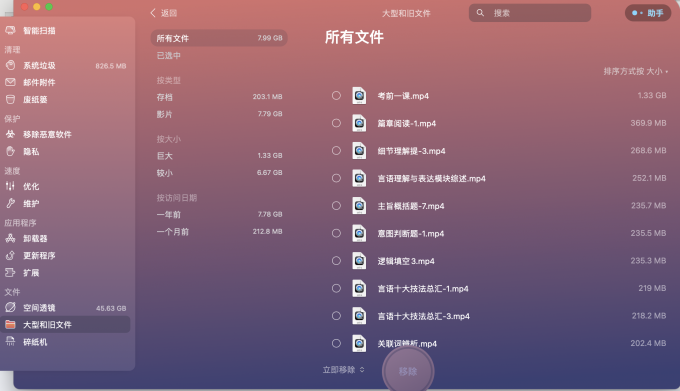
苹果电脑启动磁盘是什么意思 苹果电脑磁盘清理软件 mac找不到启动磁盘 启动磁盘没有足够的空间来进行分区
当你一早打开苹果电脑,结果系统突然提示: “启动磁盘已满,需要删除部分文件”。你会怎么办?如果你认为单纯靠清理废纸篓或者删除大型文件就能释放你的启动磁盘上的空间,那就大错特错了。其实苹果启动磁盘的清理技巧有很…...
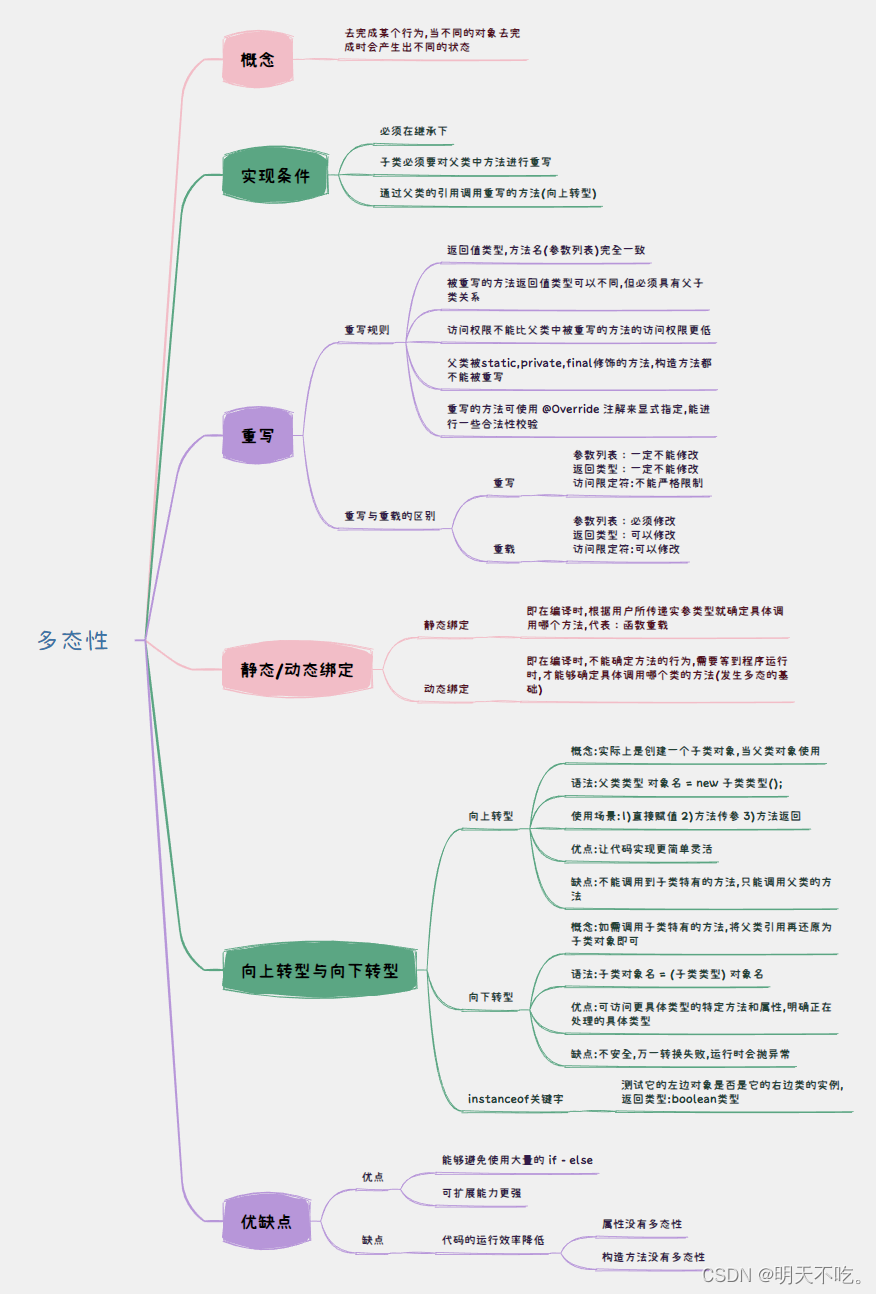
【Java SE】多态
🥰🥰🥰来都来了,不妨点个关注叭! 👉博客主页:欢迎各位大佬!👈 文章目录 1. 多态1.1 多态是什么1.2 多态的意义1.3 多态的实现条件 2. 重写2.1 重写的概念2.2 重写的规则2.3 重写与重…...

Yarn vs npm的大同小异Yarn是什么?
Yarn vs npm的大同小异&Yarn是什么? 一、Yarn、npm是什么?二、Yarn vs npm:特性差异总结 一、Yarn、npm是什么? npm是Node.js的包管理器,是由Chris Korda维护。 npm,它全称为Node Package Manager,是…...
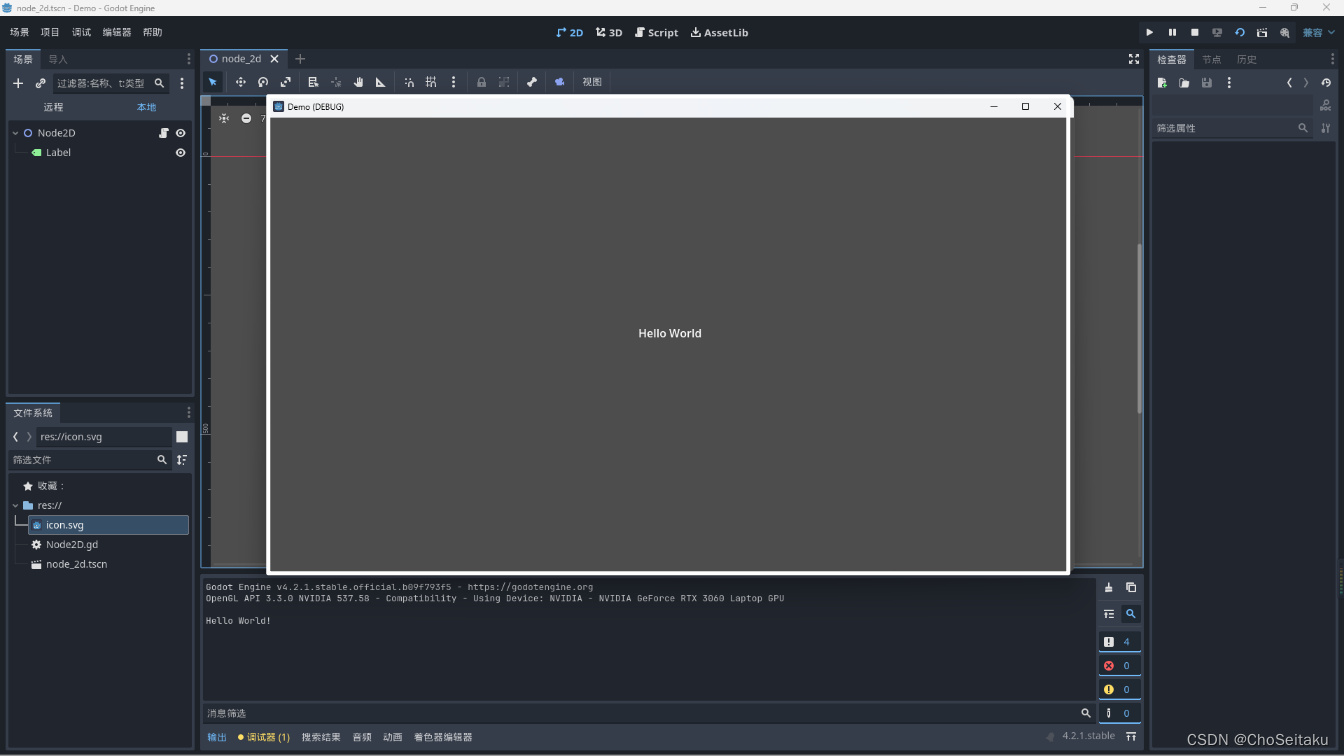
1.Godot引擎|场景|节点|GDS|介绍
Godot介绍 Godot是一款游戏引擎 可以通过在steam商城免费下载 初学者和编程基础稍差的推荐学习使用GDScript,和python有些相似 Godot节点 Godot的开发思想——围绕节点 节点的特征与优势 最常用基本的开发组件大部分都具有具体的功能,如图片…...

springboot3 redis 实现分布式锁
分布式锁介绍 分布式锁是一种在分布式系统中用于控制不同节点上的进程或线程对共享资源进行互斥访问的技术机制。 在分布式环境中,多个服务可能同时访问和操作共享资源,如数据库、文件系统等。为了保持数据的一致性和完整性,需要确保在同一…...
)
2024年第十四届MathorCup数学应用挑战赛A题思路分享(妈妈杯)
A题 移动通信网络中PCI规划问题 物理小区识别码(PCI)规划是移动通信网络中下行链路层上,对各覆盖小区编号进行合理配置,以避免PCI冲突、PCI混淆以及PCI模3干扰等现象。PCI规划对于减少物理层的小区间互相干扰(ICI),增加物理下行控制信道(PDCCH)的吞吐量有着重要的作用,尤其…...
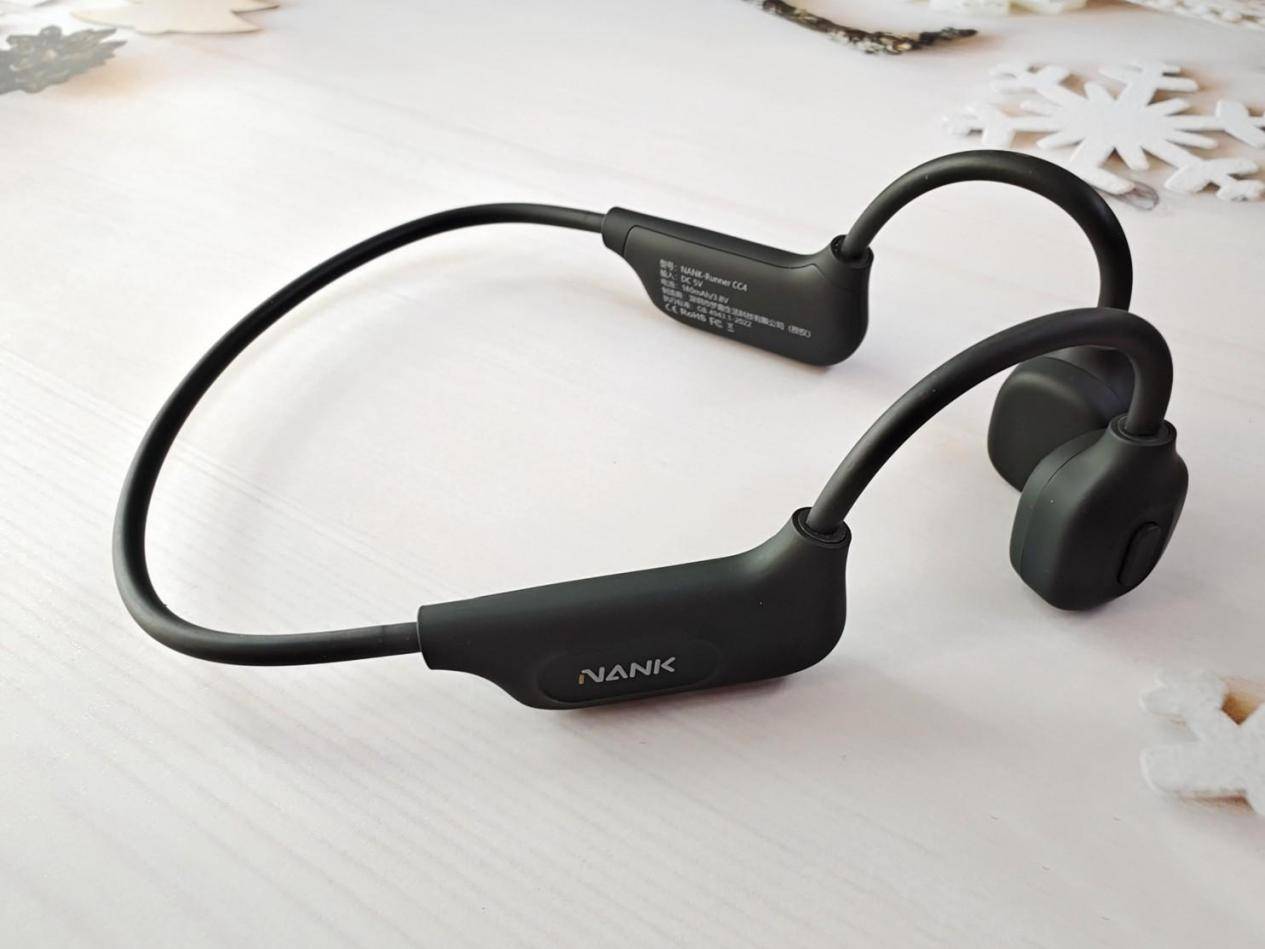
运动听歌哪款耳机靠谱?精选五款热门开放式耳机
随着人们对运动健康的重视,越来越多的运动爱好者开始关注如何在运动中享受音乐。开放式蓝牙耳机凭借其独特的设计,成为了户外运动的理想选择。它不仅让你在运动时能够清晰听到周围环境的声音,保持警觉,还能让你在需要时与他人轻松…...
Kubernetes学习笔记12
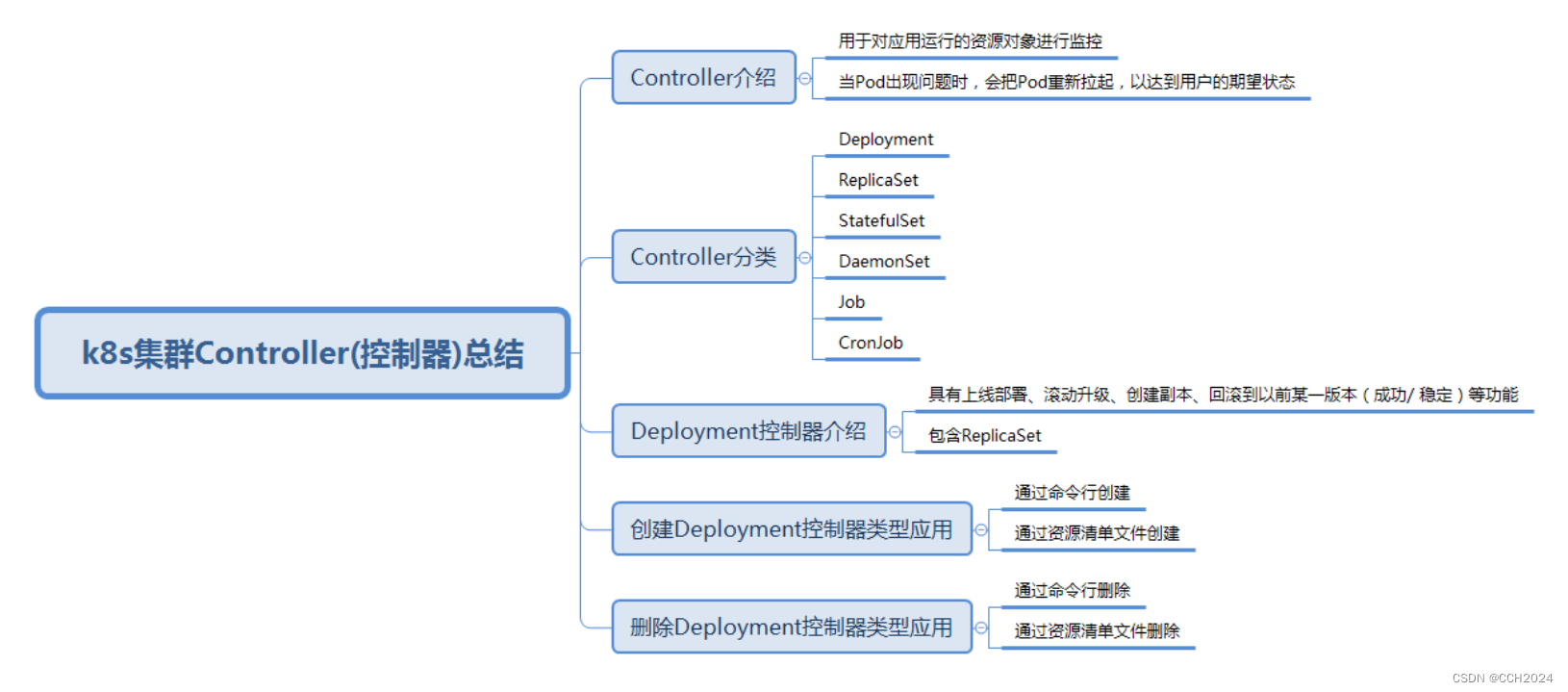
k8s核心概念:控制器: 我们删除Pod是可以直接删除的,如果生产环境中的误操作,Pod同样也会被轻易地被删除掉。 所以,在K8s中引入另外一个概念:Controller(控制器)的概念,…...

Qt Designer 控件箱中的控件介绍及布局比列分配
控件箱介绍 Qt Designer的控件箱(Widget Box)包含了各种常用的控件,用户可以通过拖放的方式将这些控件添加到窗体设计器中,用于构建用户界面。以下是一些常见控件箱中的控件及其功能的讲解: 1.基本控件&#…...

蓝桥集训之三国游戏
蓝桥集训之三国游戏 核心思想:贪心 将每个事件的贡献值求出 降序排序从大到小求和为正是即可 #include <iostream>#include <cstring>#include <algorithm>using namespace std;typedef long long LL;const int N 100010;int a[N],b[N],c[N];…...
MySQL知识整理
MySQL知识整理 基础第一讲:基础架构:一条SQL查询语句是如何执行的?架构尽量减少长连接的原因和方案为什么尽量不要依赖查询缓存 索引第四讲:深入浅出索引(上)第五讲:深入浅出索引(下…...

代码随想录算法训练营第36天| 435. 无重叠区间、 763.划分字母区间*、56. 合并区间
435. 无重叠区间 力扣题目链接 代码 示例代码 class Solution { public:// 按照区间右边界排序static bool cmp (const vector<int>& a, const vector<int>& b) {return a[1] < b[1];}int eraseOverlapIntervals(vector<vector<int>>&a…...
SpringBoot整合Nacos
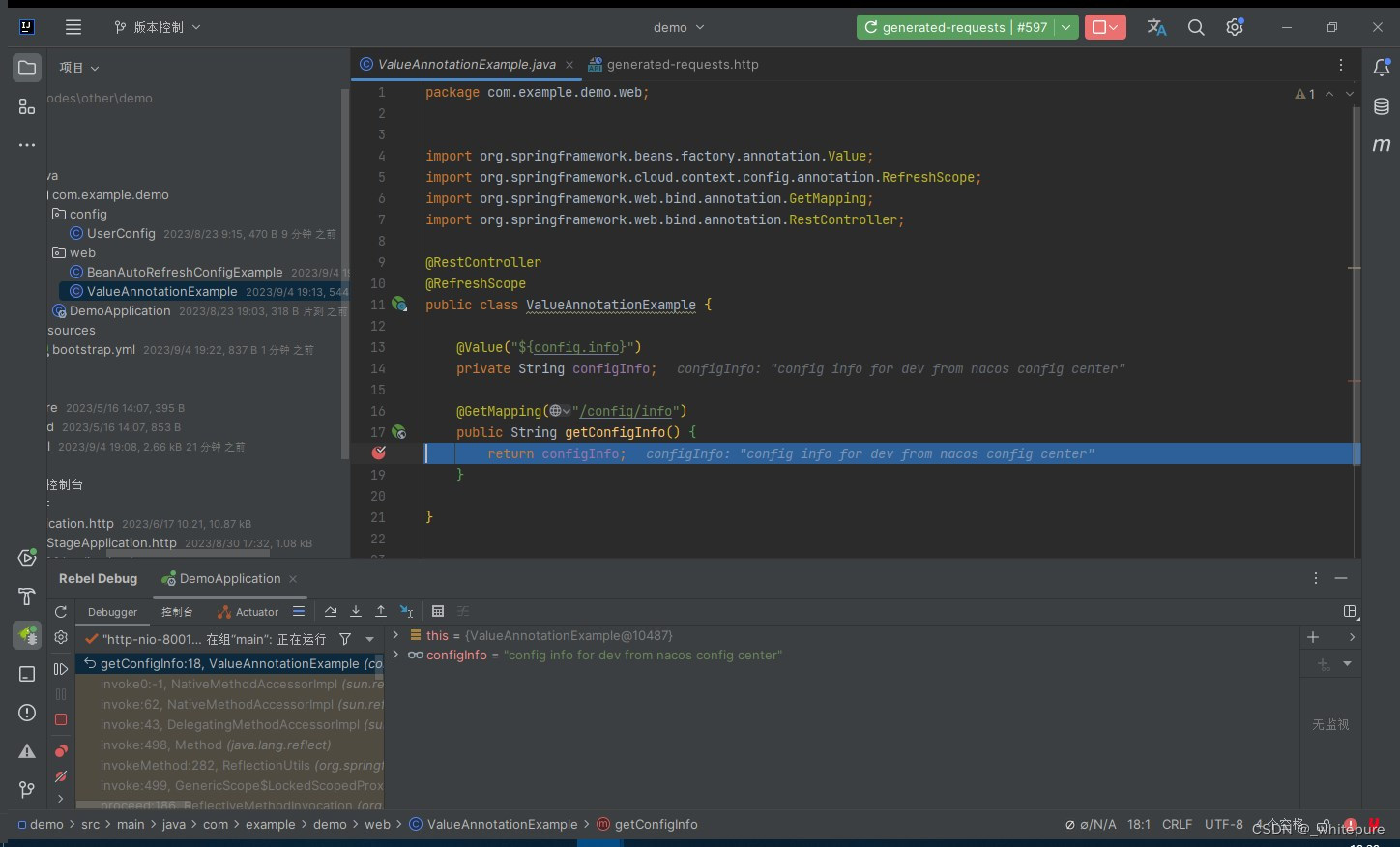
文章目录 nacosnacos下载nacos启动nacos相关配置demo-dev.yamldemo-test.yamluser.yaml 代码pom.xmlUserConfigBeanAutoRefreshConfigExampleValueAnnotationExampleDemoApplicationbootstrap.yml测试结果补充.刷新静态配置 nacos nacos下载 下载地址 一键傻瓜试安装即可,官…...

vue3 浅学
一、toRefs 问题: reactive 对象取出的所有属性值都是⾮响应式的 解决: 利⽤ toRefs 可以将⼀个响应式 reactive 对象的所有原始属性转换为 响应式的 ref 属性 二、hook函数 将可复⽤的功能代码进⾏封装,类似与vue2混⼊。 三、ref:获取元素或者组件 let …...

三小时使用鸿蒙OS模仿羊了个羊,附源码
学习鸿蒙arkTS语言,决定直接通过实践的方式上手,而不是一点点进行观看视频再来实现。 结合羊了个羊的开发思路,准备好相应的卡片素材后进行开发。遇到了需要arkTS进行解决的问题,再去查看相应的文档。 首先需要准备卡片对应的图片…...
如何使用 ArcGIS Pro 制作热力图
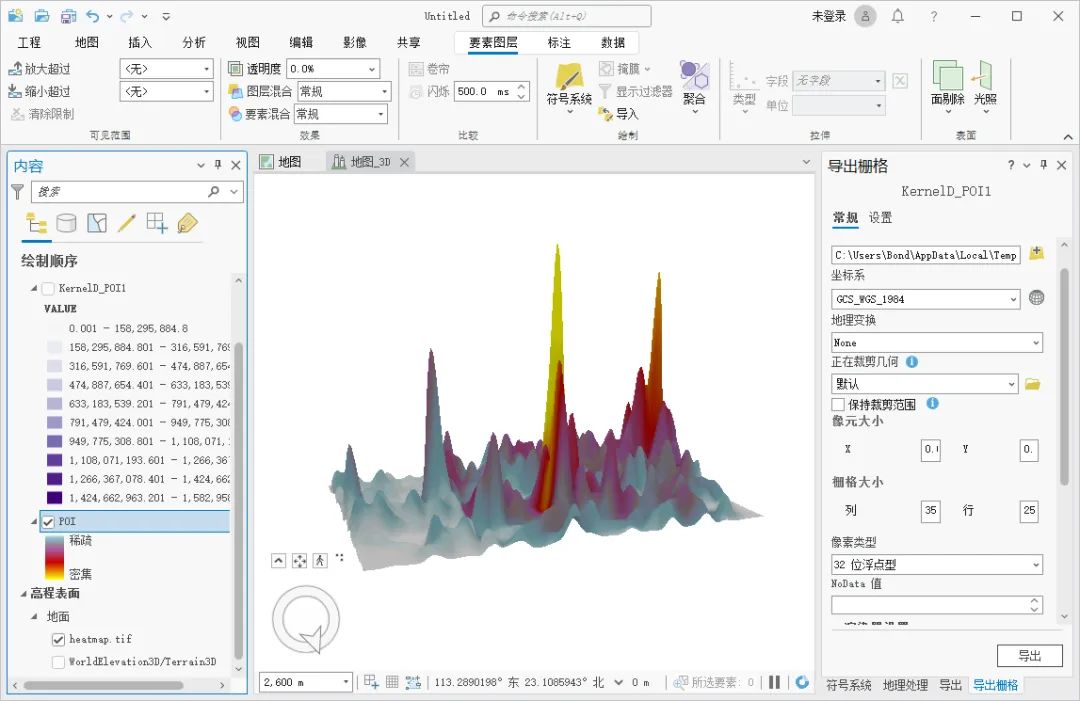
热力图是一种用颜色表示数据密度的地图,通常用来显示空间分布数据的热度或密度,我们可以通过 ArcGIS Pro 来制作热力图,这里为大家介绍一下制作的方法,希望能对你有所帮助。 数据来源 教程所使用的数据是从水经微图中下载的POI数…...
SpringBoot之集成Redis
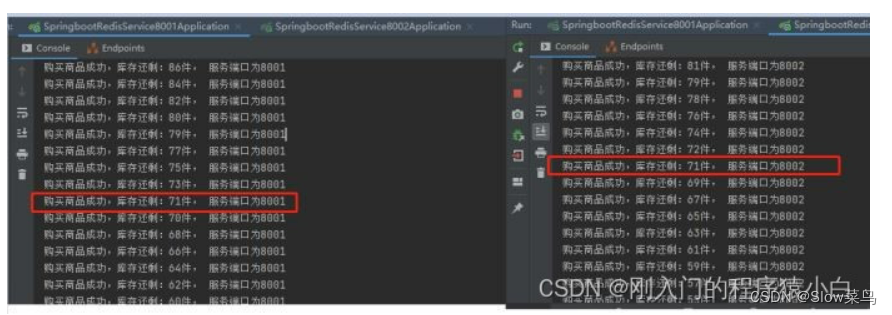
SpringBoot之集成Redis 一、Redis集成简介二、集成步骤2.1 添加依赖2.2 添加配置2.3 项目中使用 三、工具类封装四、序列化 (正常都需要自定义序列化)五、分布式锁(一)RedisTemplate 去实现场景一:单体应用场景二&…...

mybatis-plus与mybatis同时使用别名问题
在整合mybatis和mybatis-plus的时候发现一个小坑,单独使用mybatis,配置别名如下: #配置映射文件中指定的实体类的别名 mybatis.type-aliases-packagecom.jk.entity XML映射文件如下: <update id"update" paramete…...
MySQL基础知识——MySQL日志
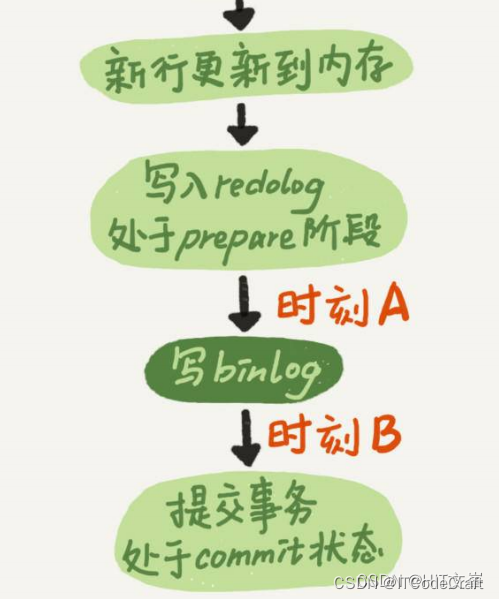
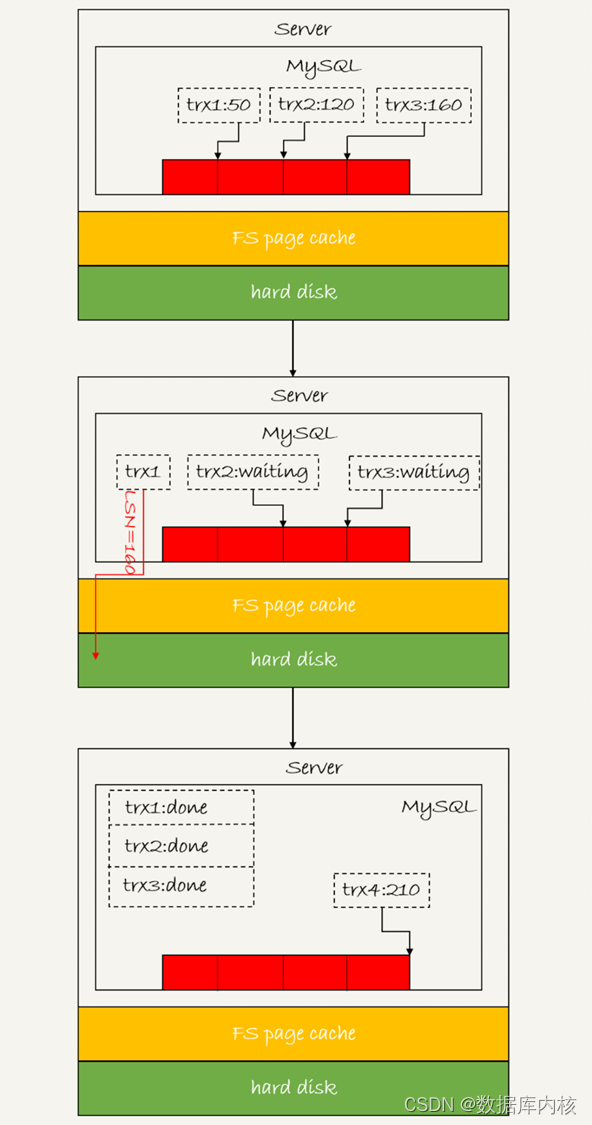
一条查询语句的执行过程一般是经过连接器、 分析器、 优化器、 执行器等功能模块, 最后到达存储引擎。 那么, 一条更新语句的执行流程又是怎样的呢? 下面我们从一个表的一条更新语句进行具体介绍: 假设这个表有一个主键ID和一个…...

Vim-Pathogen终极指南:轻松管理Vim插件的神器
Vim-Pathogen终极指南:轻松管理Vim插件的神器 【免费下载链接】vim-pathogen pathogen.vim: manage your runtimepath 项目地址: https://gitcode.com/gh_mirrors/vi/vim-pathogen Vim-Pathogen是一款强大的Vim插件管理工具,它能帮助你轻松管理Vi…...

Coruna 漏洞工具包曝光:苹果紧急推送 iOS 15.8.7,老 iPhone 正面临一场「无声围剿」
近日,苹果面向仍在使用 iOS 15 的老旧机型,紧急推送 iOS 15.8.7 安全更新,官方描述简短低调,却直指一个代号为 Coruna 的高危漏洞利用工具包。这不是一次常规迭代,而是一场针对数亿旧款 iPhone 的安全止损。 在移动安全…...

大模型学习宝典:零基础入门到项目实战的完整攻略
这篇文章提供了从零进入大模型领域的完整转型攻略,包括明确目标方向、掌握基础知识、学习大模型技术、实践项目、参与开源社区、推荐学习资源、职业发展建议和常见问题解答,帮助读者系统学习大模型技术并成功转型。 这里为你提供一份详细的转型攻略&…...

GD32VW553开发板驱动1.3寸SH1106 OLED显示屏实战指南
GD32VW553开发板驱动1.3寸SH1106 OLED显示屏实战指南 最近在玩GD32VW553这块开发板,想给它接个小屏幕显示点信息,就选了市面上很常见的1.3寸SH1106 OLED屏。这种屏价格便宜、接口简单(SPI),显示效果也不错,…...
)
Java家政预约平台的设计与实现毕业论文+PPT(附源代码+演示视频)
文章目录一、项目简介1.1 运行视频1.2 🚀 项目技术栈1.3 ✅ 环境要求说明1.4 包含的文件列表前台运行截图后台运行截图项目部署源码下载一、项目简介 项目基于SpringBoot框架,前后端分离架构,后端为SpringBoot前端Vue。随着社会节奏的加快&a…...

零代码搭建文档分析系统:OpenDataLab MinerU完整使用教程
零代码搭建文档分析系统:OpenDataLab MinerU完整使用教程 1. 引言:为什么选择OpenDataLab MinerU? 在日常办公和学术研究中,我们经常需要处理大量PDF文档、扫描件和PPT演示文稿。传统方法要么依赖人工阅读效率低下,要…...

VScode与Vivado编码格式冲突:彻底解决中文注释乱码问题
1. 为什么VScode和Vivado会出现中文乱码? 这个问题困扰过很多FPGA开发者。我刚开始用VScode写Verilog时也踩过这个坑,明明在VScode里中文注释显示好好的,一到Vivado就变成一堆问号或乱码。后来发现这其实是两个软件对文本编码的处理方式不同导…...

中文文本分段可解释性分析:BERT文本分割模型关键token贡献度可视化
中文文本分段可解释性分析:BERT文本分割模型关键token贡献度可视化 你有没有遇到过这样的情况?拿到一份长长的会议记录或者讲座文稿,从头读到尾,感觉信息都堆在一起,找不到重点,读起来特别累。这其实就是因…...

AI图像修复新标准:Super Resolution行业应用前景展望
AI图像修复新标准:Super Resolution行业应用前景展望 1. 项目概述 今天要介绍的是一个真正能让老照片重获新生的AI工具——基于OpenCV EDSR模型的超分辨率图像增强系统。这个工具能够将模糊、低清的图片智能放大3倍,同时修复细节,让图像质量…...
)
豆包API vs 科大讯飞:多模态语音识别性能实测对比(含Unity接入指南)
豆包API与科大讯飞多模态语音识别深度评测:Unity开发实战指南 在智能语音交互领域,API的选择往往决定了应用体验的上限。当开发者需要在Unity项目中集成语音识别功能时,豆包API和科大讯飞作为国内两大主流方案,各有其技术特点和适…...