
SpringBoot整合阿里云RocketMQ对接,商业版
1.需要阿里云开通商业版RocketMQ
普通消息新建普通主题,普通组,延迟消息新建延迟消息主题,延迟消息组
2.结构目录

3.引入依赖
<!--阿里云RocketMq整合--><dependency><groupId>com.aliyun.openservices</groupId><artifactId>ons-client</artifactId><version>1.8.8.5.Final</version></dependency>
4.延迟消息配置
import com.aliyun.openservices.ons.api.PropertyKeyConst;
import com.aliyun.openservices.ons.api.batch.BatchMessageListener;
import com.aliyun.openservices.ons.api.bean.BatchConsumerBean;
import com.aliyun.openservices.ons.api.bean.Subscription;
import com.atkj.devicewx.config.MqConfig;
import org.springframework.beans.factory.annotation.Autowired;
import org.springframework.context.annotation.Bean;
import org.springframework.context.annotation.Configuration;import java.util.HashMap;
import java.util.Map;
import java.util.Properties;/*** 延迟消息配置类*/
@Configuration
public class BatchConsumerClient {@Autowiredprivate MqConfig mqConfig;@Autowiredprivate BatchDemoMessageListener messageListener;@Bean(initMethod = "start", destroyMethod = "shutdown")public BatchConsumerBean buildBatchConsumer() {BatchConsumerBean batchConsumerBean = new BatchConsumerBean();//配置文件Properties properties = mqConfig.getMqPropertie();properties.setProperty(PropertyKeyConst.GROUP_ID, mqConfig.getDelayGroupId());//将消费者线程数固定为20个 20为默认值properties.setProperty(PropertyKeyConst.ConsumeThreadNums, "20");batchConsumerBean.setProperties(properties);//订阅关系Map<Subscription, BatchMessageListener> subscriptionTable = new HashMap<Subscription, BatchMessageListener>();Subscription subscription = new Subscription();subscription.setTopic(mqConfig.getDelayTopic());subscription.setExpression(mqConfig.getDelayTag());subscriptionTable.put(subscription, messageListener);//订阅多个topic如上面设置batchConsumerBean.setSubscriptionTable(subscriptionTable);return batchConsumerBean;}}
import com.aliyun.openservices.ons.api.Action;
import com.aliyun.openservices.ons.api.ConsumeContext;
import com.aliyun.openservices.ons.api.Message;
import com.aliyun.openservices.ons.api.batch.BatchMessageListener;
import lombok.extern.slf4j.Slf4j;
import org.springframework.stereotype.Component;import java.text.SimpleDateFormat;
import java.util.Date;
import java.util.List;/*** 延迟消息消费者*/
@Slf4j
@Component
public class BatchDemoMessageListener implements BatchMessageListener {@Overridepublic Action consume(final List<Message> messages, final ConsumeContext context) {log.info("消费者收到消息大小:"+messages.size());for (Message message : messages) {byte[] body = message.getBody();String s = new String(body);Date date = new Date();SimpleDateFormat sdf = new SimpleDateFormat("yyyy-MM-dd HH:mm:ss");String formatTime = sdf.format(date);System.out.println("接收到消息时间:"+formatTime);log.info("接收到消息内容:"+s);}try {//do something..return Action.CommitMessage;} catch (Exception e) {//消费失败return Action.ReconsumeLater;}}
}5.MQ配置类
import com.aliyun.openservices.ons.api.PropertyKeyConst;
import lombok.Data;
import org.springframework.boot.context.properties.ConfigurationProperties;
import org.springframework.context.annotation.Configuration;import java.util.Properties;@Data
@Configuration
@ConfigurationProperties(prefix = "rocketmq")
public class MqConfig {private String accessKey;private String secretKey;private String nameSrvAddr;private String topic;private String groupId;private String tag;private String orderTopic;private String orderGroupId;private String orderTag;private String delayTopic;private String delayGroupId;private String delayTag;public Properties getMqPropertie() {Properties properties = new Properties();properties.setProperty(PropertyKeyConst.AccessKey, this.accessKey);properties.setProperty(PropertyKeyConst.SecretKey, this.secretKey);properties.setProperty(PropertyKeyConst.NAMESRV_ADDR, this.nameSrvAddr);return properties;}}
6.YML配置
## 阿里云RocketMQ配置
rocketmq:accessKey: laskdfjlaksdjflaksjdflaksdjflakdjfsecretKey: asdfasdlfkasjdlfkasjdlfkajsdlkfjkalksdfjnameSrvAddr: rmq..rmq.acs.com:8080topic: topic_lsdjf_testgroupId: Glskdfjalsdkfjalksdjflaksdfj_pushtag: "*"orderTopic: XXXorderGroupId: XXXorderTag: "*"delayTopic: topic_alskdjfalksdjflksdjfkla_delaydelayGroupId: GIlaskdjflkasdjflkajsdkf_delaydelayTag: "*"
7.普通消息配置
import com.aliyun.openservices.ons.api.MessageListener;
import com.aliyun.openservices.ons.api.PropertyKeyConst;
import com.aliyun.openservices.ons.api.bean.ConsumerBean;
import com.aliyun.openservices.ons.api.bean.Subscription;
import com.atkj.devicewx.config.MqConfig;
import org.springframework.beans.factory.annotation.Autowired;
import org.springframework.context.annotation.Bean;
import org.springframework.context.annotation.Configuration;import java.util.HashMap;
import java.util.Map;
import java.util.Properties;/*** 普通消息配置类*/
@Configuration
public class ConsumerClient {@Autowiredprivate MqConfig mqConfig;@Autowiredprivate DemoMessageListener messageListener;@Bean(initMethod = "start", destroyMethod = "shutdown")public ConsumerBean buildConsumer() {ConsumerBean consumerBean = new ConsumerBean();//配置文件Properties properties = mqConfig.getMqPropertie();properties.setProperty(PropertyKeyConst.GROUP_ID, mqConfig.getGroupId());//将消费者线程数固定为20个 20为默认值properties.setProperty(PropertyKeyConst.ConsumeThreadNums, "20");consumerBean.setProperties(properties);//订阅关系Map<Subscription, MessageListener> subscriptionTable = new HashMap<Subscription, MessageListener>();Subscription subscription = new Subscription();subscription.setTopic(mqConfig.getTopic());subscription.setExpression(mqConfig.getTag());subscriptionTable.put(subscription, messageListener);//订阅多个topic如上面设置consumerBean.setSubscriptionTable(subscriptionTable);return consumerBean;}}
import com.aliyun.openservices.ons.api.Action;
import com.aliyun.openservices.ons.api.ConsumeContext;
import com.aliyun.openservices.ons.api.Message;
import com.aliyun.openservices.ons.api.MessageListener;
import lombok.extern.slf4j.Slf4j;
import org.springframework.stereotype.Component;/*** 普通主题消费者*/
@Component
@Slf4j
public class DemoMessageListener implements MessageListener {@Overridepublic Action consume(Message message, ConsumeContext context) {log.info("接收到消息: " + message);try {byte[] body = message.getBody();String s = new String(body);log.info("接收到消息字符串:"+s);//Action.CommitMessag 进行消息的确认return Action.CommitMessage;} catch (Exception e) {//消费失败return Action.ReconsumeLater;}}
}
import com.aliyun.openservices.ons.api.bean.ProducerBean;
import com.atkj.devicewx.config.MqConfig;
import org.springframework.beans.factory.annotation.Autowired;
import org.springframework.context.annotation.Bean;
import org.springframework.context.annotation.Configuration;/*** 普通消息生产者配置类*/
@Configuration
public class ProducerClient {@Autowiredprivate MqConfig mqConfig;@Bean(initMethod = "start", destroyMethod = "shutdown")public ProducerBean buildProducer() {ProducerBean producer = new ProducerBean();producer.setProperties(mqConfig.getMqPropertie());return producer;}}import com.aliyun.openservices.ons.api.Message;
import com.aliyun.openservices.ons.api.SendResult;
import com.aliyun.openservices.ons.api.bean.ProducerBean;
import com.aliyun.openservices.ons.api.exception.ONSClientException;
import com.atkj.devicewx.config.MqConfig;
import org.springframework.stereotype.Component;/*** 普通消息生产者***/
@Component
public class RocketMessageProducer {private static ProducerBean producer;private static MqConfig mqConfig;public RocketMessageProducer(ProducerBean producer, MqConfig mqConfig) {this.producer = producer;this.mqConfig = mqConfig;}/*** @Description: <h2>生产 普通 消息</h2>* @author: LiRen*/public static void producerMsg(String tag, String key, String body) {Message msg = new Message(mqConfig.getTopic(), tag, key, body.getBytes());long time = System.currentTimeMillis();try {SendResult sendResult = producer.send(msg);assert sendResult != null;System.out.println(time+ " Send mq message success.Topic is:" + msg.getTopic()+ " Tag is:" + msg.getTag() + " Key is:" + msg.getKey()+ " msgId is:" + sendResult.getMessageId());} catch (ONSClientException e) {e.printStackTrace();System.out.println(time + " Send mq message failed. Topic is:" + msg.getTopic());}}}
import com.aliyun.openservices.ons.api.*;
import com.atkj.devicewx.config.MqConfig;
import org.springframework.beans.factory.annotation.Autowired;
import org.springframework.context.annotation.Bean;import java.util.Properties;/*** 普通消息消费者*/
//效果和 DemoMessageListener 一致
//@Component
public class RocketMQConsumer {@Autowiredprivate MqConfig rocketMQConfig;/*** 1、普通订阅** @param*/@Bean //不加@Bean Spring启动时没有注册该方法,就无法被调用public void normalSubscribe( ) {Properties properties = rocketMQConfig.getMqPropertie();properties.put(PropertyKeyConst.GROUP_ID,rocketMQConfig.getGroupId());Consumer consumer = ONSFactory.createConsumer(properties);consumer.subscribe(rocketMQConfig.getTopic(), rocketMQConfig.getTag(), new MessageListener() {@Overridepublic Action consume(Message message, ConsumeContext context) {System.out.println("Receive: " + new String(message.getBody()));//把消息转化为java对象//JSONObject jsonObject=JSONObject.parseObject(jsonString);//Book book= jsonObject.toJavaObject(Book.class);return Action.CommitMessage;}});consumer.start();}
}
7.order没用到
import com.aliyun.openservices.ons.api.PropertyKeyConst;
import com.aliyun.openservices.ons.api.bean.OrderConsumerBean;
import com.aliyun.openservices.ons.api.bean.Subscription;
import com.aliyun.openservices.ons.api.order.MessageOrderListener;
import com.atkj.devicewx.config.MqConfig;
import org.springframework.beans.factory.annotation.Autowired;
import org.springframework.context.annotation.Bean;import java.util.HashMap;
import java.util.Map;
import java.util.Properties;//项目中加上 @Configuration 注解,这样服务启动时consumer也启动了
public class OrderConsumerClient {@Autowiredprivate MqConfig mqConfig;@Autowiredprivate OrderDemoMessageListener messageListener;@Bean(initMethod = "start", destroyMethod = "shutdown")public OrderConsumerBean buildOrderConsumer() {OrderConsumerBean orderConsumerBean = new OrderConsumerBean();//配置文件Properties properties = mqConfig.getMqPropertie();properties.setProperty(PropertyKeyConst.GROUP_ID, mqConfig.getOrderGroupId());orderConsumerBean.setProperties(properties);//订阅关系Map<Subscription, MessageOrderListener> subscriptionTable = new HashMap<Subscription, MessageOrderListener>();Subscription subscription = new Subscription();subscription.setTopic(mqConfig.getOrderTopic());subscription.setExpression(mqConfig.getOrderTag());subscriptionTable.put(subscription, messageListener);//订阅多个topic如上面设置orderConsumerBean.setSubscriptionTable(subscriptionTable);return orderConsumerBean;}}
import com.aliyun.openservices.ons.api.Message;
import com.aliyun.openservices.ons.api.order.ConsumeOrderContext;
import com.aliyun.openservices.ons.api.order.MessageOrderListener;
import com.aliyun.openservices.ons.api.order.OrderAction;
import lombok.extern.slf4j.Slf4j;
import org.springframework.stereotype.Component;@Slf4j
@Component
public class OrderDemoMessageListener implements MessageOrderListener {@Overridepublic OrderAction consume(final Message message, final ConsumeOrderContext context) {log.info("接收到消息: " + message);try {//do something..return OrderAction.Success;} catch (Exception e) {//消费失败,挂起当前队列return OrderAction.Suspend;}}
}
import com.aliyun.openservices.ons.api.bean.OrderProducerBean;
import com.atkj.devicewx.config.MqConfig;
import org.springframework.beans.factory.annotation.Autowired;
import org.springframework.context.annotation.Bean;
import org.springframework.context.annotation.Configuration;/*** 生产者配置类*/
@Configuration
public class OrderProducerClient {@Autowiredprivate MqConfig mqConfig;@Bean(initMethod = "start", destroyMethod = "shutdown")public OrderProducerBean buildOrderProducer() {OrderProducerBean orderProducerBean = new OrderProducerBean();orderProducerBean.setProperties(mqConfig.getMqPropertie());return orderProducerBean;}}8.事务消息没用到
import com.aliyun.openservices.ons.api.Message;
import com.aliyun.openservices.ons.api.transaction.LocalTransactionChecker;
import com.aliyun.openservices.ons.api.transaction.TransactionStatus;
import lombok.extern.slf4j.Slf4j;
import org.springframework.stereotype.Component;/*** 事务消息*/
@Slf4j
@Component
public class DemoLocalTransactionChecker implements LocalTransactionChecker {@Overridepublic TransactionStatus check(Message msg) {log.info("开始回查本地事务状态");return TransactionStatus.CommitTransaction; //根据本地事务状态检查结果返回不同的TransactionStatus}
}
import com.aliyun.openservices.ons.api.bean.TransactionProducerBean;
import com.atkj.devicewx.config.MqConfig;
import org.springframework.beans.factory.annotation.Autowired;
import org.springframework.context.annotation.Bean;
import org.springframework.context.annotation.Configuration;/*** 事务消息配置类*/
@Configuration
public class TransactionProducerClient {@Autowiredprivate MqConfig mqConfig;@Autowiredprivate DemoLocalTransactionChecker localTransactionChecker;@Bean(initMethod = "start", destroyMethod = "shutdown")public TransactionProducerBean buildTransactionProducer() {TransactionProducerBean producer = new TransactionProducerBean();producer.setProperties(mqConfig.getMqPropertie());producer.setLocalTransactionChecker(localTransactionChecker);return producer;}}9.测试类
import com.aliyun.openservices.ons.api.*;
import com.aliyun.openservices.ons.api.exception.ONSClientException;
import com.aliyun.openservices.shade.com.alibaba.fastjson.JSON;
import com.atkj.devicewx.config.MqConfig;
import com.atkj.devicewx.normal.RocketMessageProducer;
import com.atkj.devicewx.service.TestService;
import com.atkj.devicewx.vo.MetabolicVo;
import org.springframework.beans.factory.annotation.Autowired;
import org.springframework.web.bind.annotation.RequestMapping;
import org.springframework.web.bind.annotation.RequestMethod;
import org.springframework.web.bind.annotation.RestController;import java.text.SimpleDateFormat;
import java.util.Date;
import java.util.Properties;/*** @Author: albc* @Date: 2024/07/12/10:22* @Description: good good study,day day up*/
@RequestMapping("/api/v1/mq/test")
@RestController
public class TestController {@Autowiredprivate TestService testService;@Autowiredprivate MqConfig mqConfig;@RequestMapping("/one")public String testOne(){Integer count = testService.testOne();return "发送成功:"+count;}/*** 普通消息测试* @return*/@RequestMapping("/useRocketMQ")public String useRocketMQ() {MetabolicVo metabolicVo = new MetabolicVo();metabolicVo.setAge(123);metabolicVo.setName("测试名字");metabolicVo.setWeight(75);RocketMessageProducer.producerMsg("123","666", JSON.toJSONString(metabolicVo));return "请求成功!";}/*** 发送延迟消息测试* @return*/@RequestMapping("/delayMqMsg")public String delayMqMsg() {Properties producerProperties = new Properties();producerProperties.setProperty(PropertyKeyConst.AccessKey, mqConfig.getAccessKey());producerProperties.setProperty(PropertyKeyConst.SecretKey, mqConfig.getSecretKey());producerProperties.setProperty(PropertyKeyConst.NAMESRV_ADDR, mqConfig.getNameSrvAddr());//注意!!!如果访问阿里云RocketMQ 5.0系列实例,不要设置PropertyKeyConst.INSTANCE_ID,否则会导致收发失败Producer producer = ONSFactory.createProducer(producerProperties);producer.start();System.out.println("生产者启动..........");Date date = new Date();SimpleDateFormat sdf = new SimpleDateFormat("yyyy-MM-dd HH:mm:ss");String formatTime = sdf.format(date);String meg = formatTime + "发送延迟消息测试";Message message = new Message(mqConfig.getDelayTopic(), mqConfig.getDelayTag(), meg.getBytes());// 延时时间单位为毫秒(ms),指定一个时刻,在这个时刻之后才能被消费,这个例子表示 3秒 后才能被消费long delayTime = 3000;message.setStartDeliverTime(System.currentTimeMillis() + delayTime);try {SendResult sendResult = producer.send(message);assert sendResult != null;System.out.println(new Date() + "发送mq消息主题:" + mqConfig.getDelayTopic() + "消息id: " + sendResult.getMessageId());} catch (ONSClientException e) {// 消息发送失败,需要进行重试处理,可重新发送这条消息或持久化这条数据进行补偿处理System.out.println(new Date() + "重试发送mq消息主题:" + mqConfig.getDelayTopic());e.printStackTrace();}return "请求成功!";}}
优化部分
每次发送消息都要创建生产者,效率低下
使用单例优化
import com.aliyun.openservices.ons.api.ONSFactory;
import com.aliyun.openservices.ons.api.Producer;
import com.aliyun.openservices.ons.api.PropertyKeyConst;
import lombok.extern.slf4j.Slf4j;
import org.springframework.beans.factory.annotation.Value;
import org.springframework.stereotype.Component;import java.util.Properties;/*** 生产者单例* @Author: albc* @Date: 2024/07/15/15:49* @Description: good good study,day day up*/
@Component
@Slf4j
public class ProducerSingleton {private volatile static Producer producer;private static String accessKey;private static String secretKey;private static String nameSrvAddr;private ProducerSingleton() {}@Value("${rocketmq.accessKey}")private void setAccessKey(String accessKey) {ProducerSingleton.accessKey = accessKey;}@Value("${rocketmq.secretKey}")private void setSecretKey(String secretKey) {ProducerSingleton.secretKey = secretKey;}@Value("${rocketmq.nameSrvAddr}")private void setNameSrvAddr(String nameSrvAddr) {ProducerSingleton.nameSrvAddr = nameSrvAddr;}/*** 创建生产者* @return*/public static Producer getProducer(){if (producer == null){synchronized(ProducerSingleton.class){if (producer == null){Properties producerProperties = new Properties();producerProperties.setProperty(PropertyKeyConst.AccessKey, accessKey);producerProperties.setProperty(PropertyKeyConst.SecretKey, secretKey);producerProperties.setProperty(PropertyKeyConst.NAMESRV_ADDR, nameSrvAddr);//注意!!!如果访问阿里云RocketMQ 5.0系列实例,不要设置PropertyKeyConst.INSTANCE_ID,否则会导致收发失败producer = ONSFactory.createProducer(producerProperties);producer.start();log.info("生产者启动........");}}}return producer;}}
import com.aliyun.openservices.ons.api.*;
import com.aliyun.openservices.ons.api.exception.ONSClientException;
import com.atkj.devicewx.level.config.MqConfig;
import lombok.extern.slf4j.Slf4j;
import org.springframework.beans.factory.annotation.Autowired;
import org.springframework.stereotype.Component;/*** 延迟消息生产者** @Author: albc* @Date: 2024/07/15/14:11* @Description: good good study,day day up*/
@Slf4j
@Component
public class BatchMessageProducer {@Autowiredprivate MqConfig mqConfig;/*** 发送消息* @param msg 发送消息内容* @param delayTime 延迟时间,毫秒*/public void sendDelayMeg(String msg,Long delayTime) {Producer producer = ProducerSingleton.getProducer();Message message = new Message(mqConfig.getDelayTopic(), mqConfig.getDelayTag(), msg.getBytes());message.setStartDeliverTime(System.currentTimeMillis() + delayTime);try {SendResult sendResult = producer.send(message);assert sendResult != null;log.info( "发送mq消息主题:" + mqConfig.getDelayTopic() + "消息id: " + sendResult.getMessageId());} catch (ONSClientException e) {// 消息发送失败,需要进行重试处理,可重新发送这条消息或持久化这条数据进行补偿处理log.error("重试发送mq消息主题:" + mqConfig.getDelayTopic());e.printStackTrace();}finally {message = null;}}}
其他不变
相关文章:
SpringBoot整合阿里云RocketMQ对接,商业版
1.需要阿里云开通商业版RocketMQ 普通消息新建普通主题,普通组,延迟消息新建延迟消息主题,延迟消息组 2.结构目录 3.引入依赖 <!--阿里云RocketMq整合--><dependency><groupId>com.aliyun.openservices</groupId><artifactId>ons-client</…...

modbus slave 设备通过 网关thingsboard-gateway 将数据上传到thingsboard云平台
搭建thingsboard物联网云平台花了大量时间,从小白到最后搭建成功,折磨了好几天,也感谢网友的帮助,提供了思路最终成功搞定,特此记录。 一、thingsboard环境搭建(Ubuntu20.04LTS) 参考官方文档&a…...

安全防御:智能选路
目录 一、智能选路 1.1 就近选路 1.2 策略路由 1.3 虚拟系统---VRF 二、全局选路策略 1,基于链路带宽进行负载分担 2,基于链路质量进行负载分担 3,基于链路权重的负载分担 4,根据链路优先级的主备备份 DNS透明代理 一、…...

Gitee使用教程2-克隆仓库(下载项目)并推送更新项目
一、下载 Gitee 仓库 1、点击克隆-复制代码 2、打开Git Bash 并输入复制的代码 下载好后,找不到文件在哪的可以输入 pwd 找到仓库路径 二、推送更新 Gitee 项目 1、打开 Git Bash 用 cd 命令进入你的仓库(我的仓库名为book) 2、添加文件到 …...

Postfix+Dovecot+Roundcube开源邮件系统搭建系列1-2:系统搭建目标+MariaDB数据库配置(MySQL)
1. 系统搭建目标 通过本系列文章,最终可以部署一套提供如下服务的邮件系统: SMTP服务:由Postfix提供,监听25、465、587端口。POP3服务:由Dovecot提供,监听110、995端口。IMAP服务:由Dovecot提…...

Flower花所比特币交易及交易费用科普
在加密货币交易中,选择一个可靠的平台至关重要。Flower花所通过提供比特币交易服务脱颖而出。本文将介绍在Flower花所进行比特币交易的基础知识及其交易费用。 什么是Flower花所? Flower花所是一家加密货币交易平台,为新手和资深交易者提供…...

1个Xpath定位可以在Web页面查找到多个元素Selenium
1个Xpath定位可以在Web页面查找到多个元素Selenium//input[id\"transactionId\"] 打开Web页面, 点击F12可以看到压面 点击Ctrl F 可以点图如下图的输入框,输入xpath,看右侧可以找到3个对应的元素 点击Ctrl F 点击Ctrl F 点…...
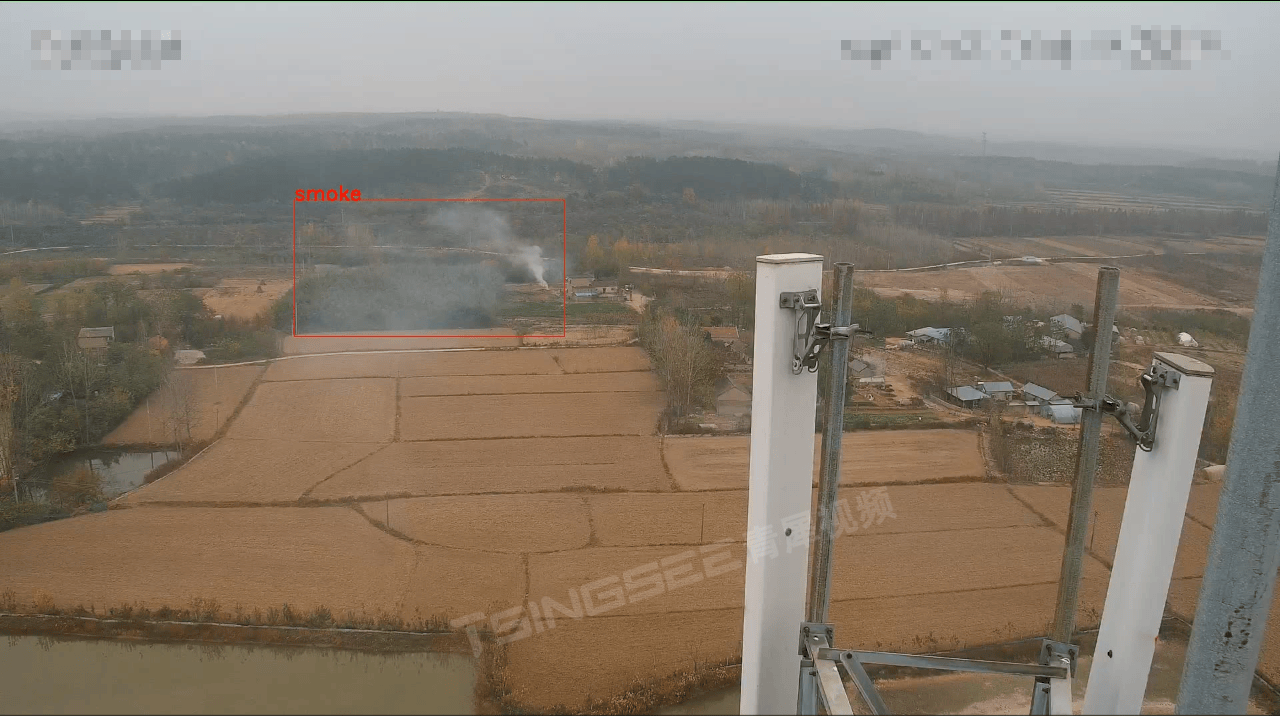
智慧博物馆的“眼睛”:视频智能监控技术守护文物安全与智能化管理
近日,位于四川德阳的三星堆博物馆迎来了参观热潮。据新闻报道,三星堆博物馆的日均参观量达1.5万人次。随着暑假旅游高峰期的到来,博物馆作为重要的文化场所,也迎来了大量游客。博物馆作为文化和历史的重要载体,其安全保…...

vue中:class、watch、v-show使用
1、:class 指令 在 Vue.js 中,:class 指令(或 v-bind:class)允许你动态地绑定 CSS 类到一个元素。这个指令有两种主要的使用方式:绑定一个对象或者绑定一个数组。 1.1、:class{} 对象语法 对象语法允许你基于条件来添加或移除类…...

中电金信-杭州工商银行|面试真题|2024年
中电金信-杭州工商银行 JAva集合用过哪些? ArrayList、LinkedList、HashSet、TreeSet、HashMap、LinkedHashMap、ConcurrentHashMap Arraylist和linkbist区别 ArrayList底层是数据,查询快,增删慢,线程不安全,效率高LikedList 底…...
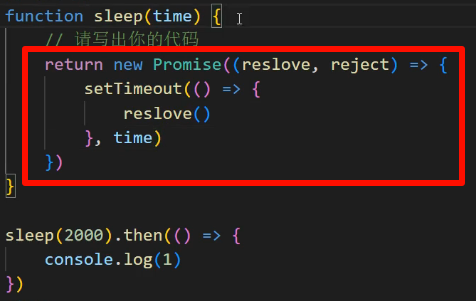
搞定前端面试题——ES6同步与异步机制、async/await的使用以及Promise的使用!!!
文章目录 同步和异步async/awaitPromisePromise的概念 同步和异步 同步:代码按照编写顺序逐行执行,后续的代码必须等待当前正在执行的代码完成之后才能执行,当遇到耗时的操作(如网络请求等)时,主线程会…...

Redis数据结构--跳跃表 Skip List
跳跃表(Skip List)是一种高效的随机化数据结构,通过引入多层索引来实现快速的查找、插入和删除操作。它在Redis中被用来实现有序集合(Sorted Set),在处理大量数据时表现出了优越的性能和灵活性。本文将详细…...

线状激光模组定制厂家哪家好?具体怎么收费?
在激光技术领域,线状激光模组因其高精度、高效率的特点,被广泛应用于工业制造、科研实验及医疗设备等多个领域。然而,市场上的线状激光模组种类繁多,品质参差不齐。然后如何选择线状激光模组定制厂家,以及了解其具体收…...

【Python游戏】编程开发贪吃蛇游戏(第一期)
本文收录于 《一起学Python趣味编程》专栏,从零基础开始,分享一些Python编程知识,欢迎关注,谢谢! 文章目录 一、前言二、贪吃蛇游戏开发简介2.1 贪吃蛇游戏规则2.2 贪吃蛇游戏开发步骤 三、贪吃蛇游戏开发实战四、总结…...

【机器学习入门】拥抱人工智能,从机器学习开始
拥抱人工智能,从机器学习开始 目录: 1. 机器学习:一种实现人工智能的方法 2. 机器学习算法:是使计算机具有智能的关键 3. Anaconda:初学Python、入门机器学习的首选 4. 总结 转载链接: 文章-阿里云开发者社…...

【React打卡学习第一天】
React入门 一、简介二、基本使用1.引入相关js库2.babel.js的作用 二、创建虚拟DOM三、JSX(JavaScript XML)1.本质2.作用3.基本语法规则定义虚拟DOM时,不要写引号。标签中混入JS表达式时要用{}。样式的类名指定不要用class,要用className.内联…...

matlab PID tuner整定工具箱的用法
从主页的APP中搜索到它: 按照下图IMPORT导入被控对象的传递函数 在下图的Inspect按钮中可以看到导入的被控对象的传函。 在下图的Type中选择控制器类型: 在下图的Form中选择PID的形式:有两种可选:平行式Parallel和标准式Standard …...

富格林:可信办法阻挠虚假受骗
富格林悉知,在现货黄金中,投资者一定要谦虚谨慎切记不要骄傲自大,否则就可能遭遇投资虚假受骗。在盈利后一定要持续学习可信技巧稳固基础,失败了一定要总结错误教训这样才能阻挠虚假受骗为以后的稳定盈利打好基础。以下是富格林总…...
)
OPPO 2024届校招正式批笔试题-后端(C卷)
小欧的括号嵌套 题目描述 小欧想要构造一个合法的括号序列满足以下条件: 括号序列长度恰好为 2 n 2n 2n。括号序列的嵌套层数最大值为 r r r。 括号嵌套层数是指在一个字符串中,以左括号 “(” 和右括号 “)” 形成的括号对的最大嵌套深度。 输入…...

HTTP请求五类状态码详细介绍,以及部分处理思路
HTTP请求状态码分为五类: 一. 消息系列 二 成功系列 三. 重定向系列 四. 请求错误系列 五. 服务器端错误系列 302:临时转移成功,请求的内容已转移到新位置 403:禁止访问 500:服务器内部错误 401代表未授权。 以下是常见的一些状态码: 1xx&…...
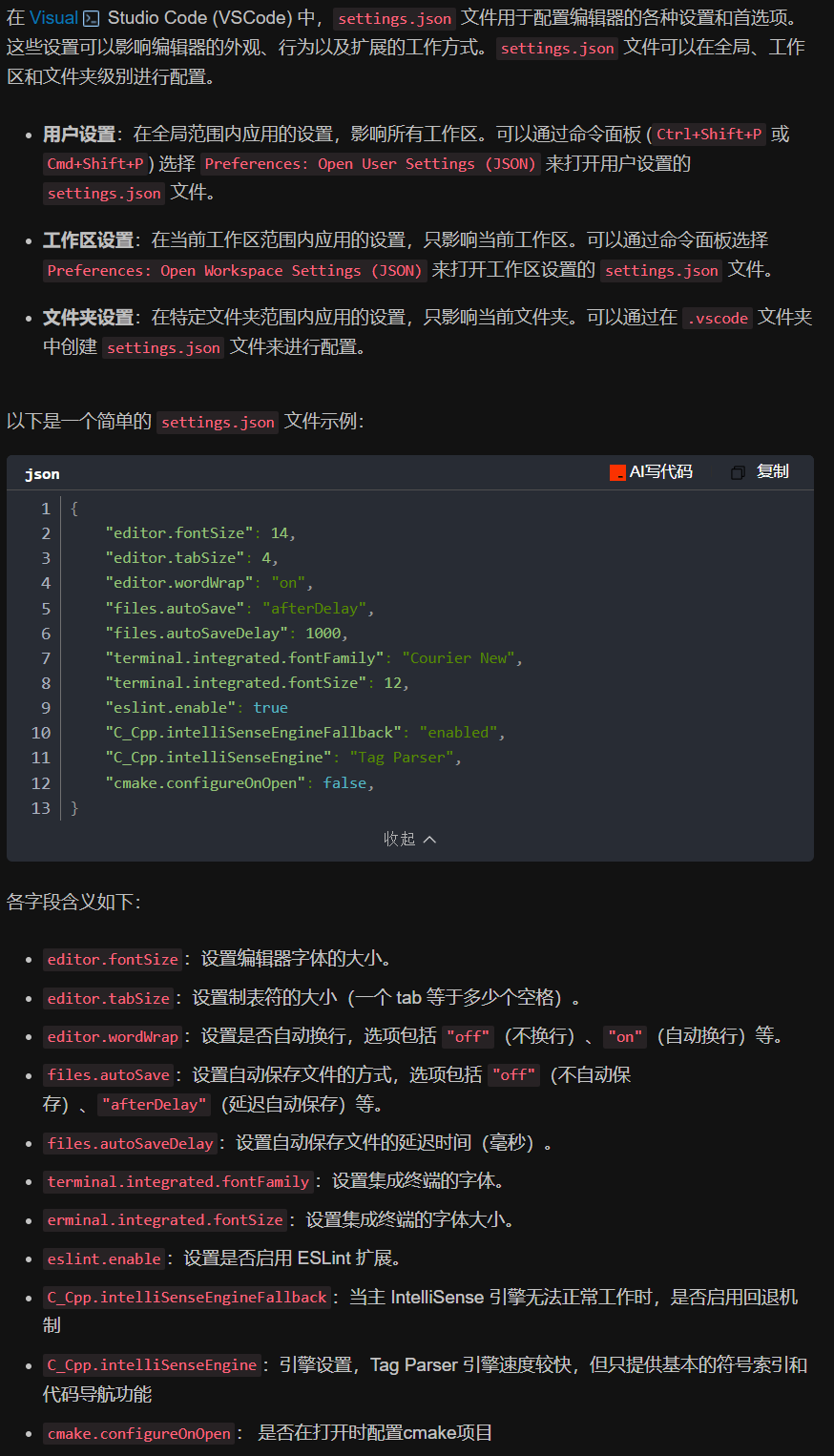
vscode(仍待补充)
写于2025 6.9 主包将加入vscode这个更权威的圈子 vscode的基本使用 侧边栏 vscode还能连接ssh? debug时使用的launch文件 1.task.json {"tasks": [{"type": "cppbuild","label": "C/C: gcc.exe 生成活动文件"…...
Nuxt.js 中的路由配置详解
Nuxt.js 通过其内置的路由系统简化了应用的路由配置,使得开发者可以轻松地管理页面导航和 URL 结构。路由配置主要涉及页面组件的组织、动态路由的设置以及路由元信息的配置。 自动路由生成 Nuxt.js 会根据 pages 目录下的文件结构自动生成路由配置。每个文件都会对…...

Android15默认授权浮窗权限
我们经常有那种需求,客户需要定制的apk集成在ROM中,并且默认授予其【显示在其他应用的上层】权限,也就是我们常说的浮窗权限,那么我们就可以通过以下方法在wms、ams等系统服务的systemReady()方法中调用即可实现预置应用默认授权浮…...

Hive 存储格式深度解析:从 TextFile 到 ORC,如何选对数据存储方案?
在大数据处理领域,Hive 作为 Hadoop 生态中重要的数据仓库工具,其存储格式的选择直接影响数据存储成本、查询效率和计算资源消耗。面对 TextFile、SequenceFile、Parquet、RCFile、ORC 等多种存储格式,很多开发者常常陷入选择困境。本文将从底…...
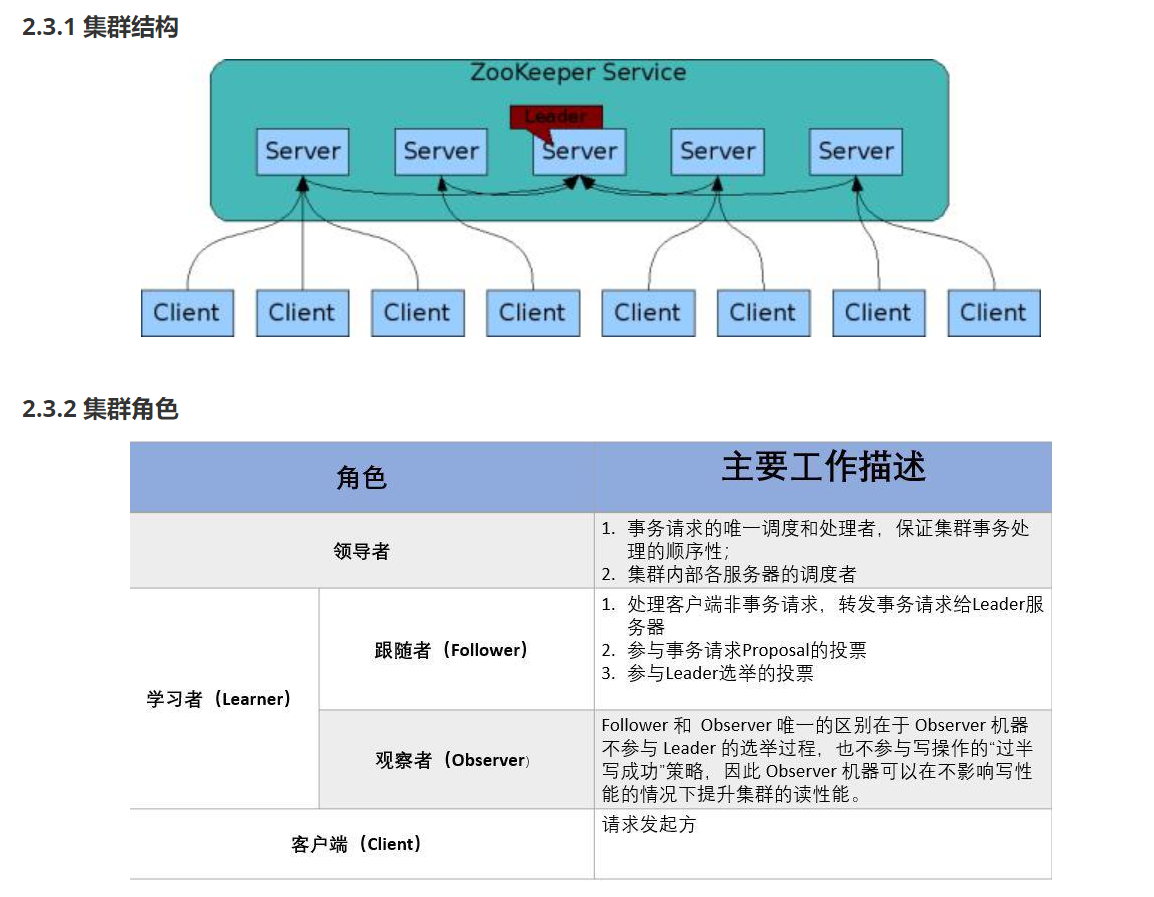
HDFS分布式存储 zookeeper
hadoop介绍 狭义上hadoop是指apache的一款开源软件 用java语言实现开源框架,允许使用简单的变成模型跨计算机对大型集群进行分布式处理(1.海量的数据存储 2.海量数据的计算)Hadoop核心组件 hdfs(分布式文件存储系统)&a…...
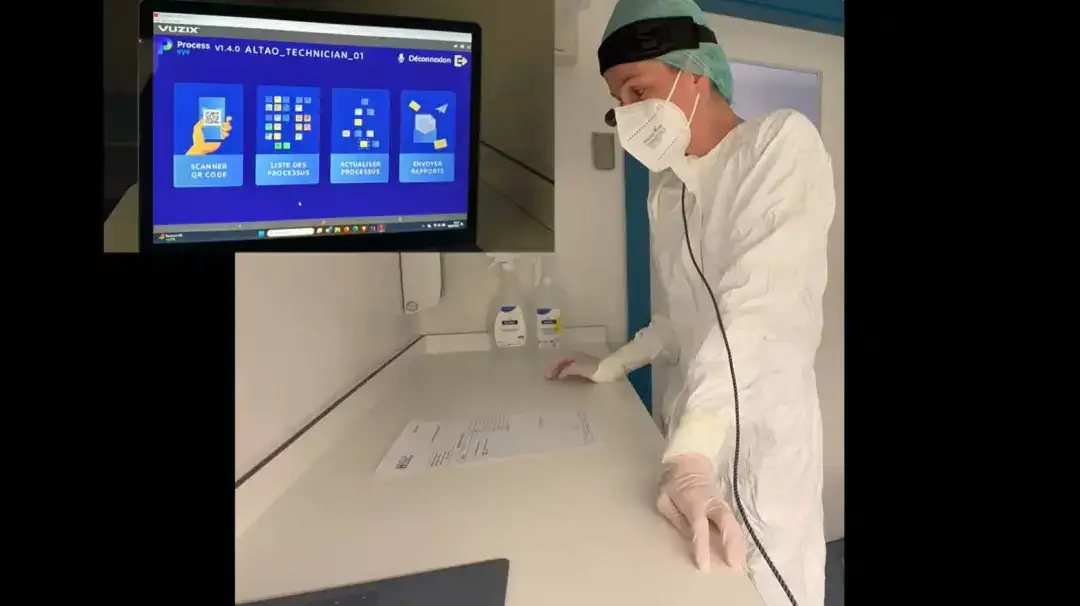
安宝特案例丨Vuzix AR智能眼镜集成专业软件,助力卢森堡医院药房转型,赢得辉瑞创新奖
在Vuzix M400 AR智能眼镜的助力下,卢森堡罗伯特舒曼医院(the Robert Schuman Hospitals, HRS)凭借在无菌制剂生产流程中引入增强现实技术(AR)创新项目,荣获了2024年6月7日由卢森堡医院药剂师协会࿰…...

JavaScript基础-API 和 Web API
在学习JavaScript的过程中,理解API(应用程序接口)和Web API的概念及其应用是非常重要的。这些工具极大地扩展了JavaScript的功能,使得开发者能够创建出功能丰富、交互性强的Web应用程序。本文将深入探讨JavaScript中的API与Web AP…...
[免费]微信小程序问卷调查系统(SpringBoot后端+Vue管理端)【论文+源码+SQL脚本】
大家好,我是java1234_小锋老师,看到一个不错的微信小程序问卷调查系统(SpringBoot后端Vue管理端)【论文源码SQL脚本】,分享下哈。 项目视频演示 【免费】微信小程序问卷调查系统(SpringBoot后端Vue管理端) Java毕业设计_哔哩哔哩_bilibili 项…...

scikit-learn机器学习
# 同时添加如下代码, 这样每次环境(kernel)启动的时候只要运行下方代码即可: # Also add the following code, # so that every time the environment (kernel) starts, # just run the following code: import sys sys.path.append(/home/aistudio/external-libraries)机…...

关于uniapp展示PDF的解决方案
在 UniApp 的 H5 环境中使用 pdf-vue3 组件可以实现完整的 PDF 预览功能。以下是详细实现步骤和注意事项: 一、安装依赖 安装 pdf-vue3 和 PDF.js 核心库: npm install pdf-vue3 pdfjs-dist二、基本使用示例 <template><view class"con…...