
QtExa001自动包装流水线的框架设计vs2019QT
QtExa001自动包装流水线的框架设计
工程代码:
https://download.csdn.net/download/txwtech/89636815 https://download.csdn.net/download/txwtech/89636815
主界面:
设置:进行参数配置,保存ini文件
调试:tcp/ip,串口,modbus tcp/RTU,http进行调试
查询:通过连接mysql数据库实现增删改查操作
登录界面:tt,密码1登录后,设置与调试显示可用
多线程的操作:点击开始后,启动任务,对主界面相关控件进行信息更新
底部实时显示当前时间,配置的IP与端口信息
实现整体流水线任务时,根据项目业务逻辑,通过调试通信的代码一起放到线程中运行

鼠标移动到按钮工具提示,信息提示


程序启动,初始化部分
void auto_pack_line_demo::InitInterface()
{AddToMainLog("程序启动");AddToMainLog("developed by cdtxw@foxmail");ui.pushButton_setting->setEnabled(false);ui.pushButton_debug->setEnabled(false);std::shared_ptr<CFile_Operation> ptr1 = std::make_shared<CFile_Operation>();//make_shared函数创建std::shared_ptr<CFile_Operation> ptr2 = std::shared_ptr<CFile_Operation>(); //构造函数创建ptr1->AddToLoginfo("smart ptr test");ptr2->AddToLoginfo("smart ptr test2");serial_modbus_ptr = std::make_shared<SerialModbus>();cfile_operation = new CFile_Operation();main_thread = new MainTaskThread();c_op->ReadAllMainConfig();tcp_Client = new tcp_client();http_req = new http_request();tcp_client_modbus = new TcpClientModbus();tcp_Client->Connect(c_op->vision_ip, c_op->vision_port);tcp_client_modbus->Connect(c_op->plc1_ip,c_op->plc1_port);serial_modbus_ptr->SerialConnect(c_op->serial_port_read_weight,c_op->baudrate_read_weight.toInt());//SerialModbus* bb = serial_modbus_ptr.get();//bb->SerialConnect("aa",11);QString tcp_msg=tcp_client_modbus->GetConnectInfo();QTimer* timer2 = new QTimer(this);connect(timer2, &QTimer::timeout, this, &auto_pack_line_demo::TimerUpdate);timer2->start(1000);ui.lineEdit_PLC_IP->setText(c_op->plc1_ip);ui.lineEdit_PLC_port->setText(c_op->plc1_port);ui.lineEdit_vision_IP->setText(c_op->vision_ip);ui.lineEdit_vision_port->setText(c_op->vision_port);QToolTip::setFont(font3); //按钮提示信息通用设置// QPalette toolTipPalette= QToolTip::palette();//    toolTipPalette.setColor(QPalette::Text, Qt::white);       // 设置文本颜色为红色//    toolTipPalette.setColor(QPalette::WindowText, Qt::blue); // 设置窗口文本颜色为蓝色//    toolTipPalette.setColor(QPalette::Background, Qt::yellow); // 设置背景颜色为黄色QPalette pal = QToolTip::palette();// 修改背景色,工具提示,按钮信息提示pal.setColor(QPalette::Inactive,QPalette::ToolTipBase,// QColor("darkblue")QColor("blue"));// 修改文本颜色pal.setColor(QPalette::Inactive,QPalette::ToolTipText,//QColor("lightyellow")QColor("black"));QToolTip::setPalette(pal);setWindowIcon(QIcon("box_1a.png")); // 使用文件系统路径table_view_msg = ui.tableView_lot_information;//table_view_box_label = ui->tableView_box_label_info;//QPixmap pixmap(":/auto_pack_line_demo/pics/box_1a.png");//代码设置图片路径// ui.label_main_box->setPixmap(pixmap); //设置图片ui.label_main_box->setScaledContents(true); //适应控件大小QString msg = "";// ui->plainTextEdit_log_msg->appendPlainText(msg);btn_start = ui.pushButton_start;btn_pause = ui.pushButton_pause;btn_inspection = ui.pushButton_inspection;btn_exit = ui.pushButton_system_exit;btn_prod_precheck = ui.pushButton_inspection;btn_logoff = ui.pushButton_user_logoff;// lineedit_yinzi = ui->lineEdit_yinzi_check;btn_setting = ui.pushButton_setting;btn_debug = ui.pushButton_debug;// btn_camera_debug = ui->pushButton_camera_debug;btn_database = ui.pushButton_query;btn_log_in = ui.pushButton_user;//btn_log_info = ui->pushButton_log_info;connect(this, &auto_pack_line_demo::Thread3Finished, this, [=](int value) {ui.lineEdit_vision_info->setText(QString::number(value));});connect(ui.pushButton_system_exit, (SIGNAL(clicked())), this, SLOT(CloseWindow()));connect(ui.pushButton_start, (SIGNAL(clicked())), this, SLOT(StartTask()));connect(ui.lineEdit_equ_comm, &QLineEdit::textChanged, this, [=] {if (ui.lineEdit_equ_comm->text() == "OK"){QString green = QString("background-color: rgb(85, 255, 0);");ui.lineEdit_equ_comm->setStyleSheet(green);}else{QString red = QString("background-color: rgb(255, 0, 0);");QString yellow = QString("background-color: rgb(255, 255, 0);");ui.lineEdit_equ_comm->setStyleSheet(yellow);}});connect(btn_setting, (SIGNAL(clicked())), this, SLOT(OpenSettingWindow()));connect(btn_debug, (SIGNAL(clicked())), this, SLOT(OpenDebugWindow()));//宏定义方式,QT4.0connect(ui.pushButton_query, &QPushButton::clicked, this, [=] {Dialog_DataBase2* dialog_database = new Dialog_DataBase2(this);dialog_database->setModal(true);dialog_database->show();});connect(table_view_msg, &QTableView::clicked, this, &auto_pack_line_demo::GetTableViewLotSelectedText); //QT5connect(lineedit_yinzi, &QLineEdit::textChanged, this, [=](QString input_msg) {if (input_msg.length() > 3){AddToMainLog("已输入印字信息:" + lineedit_yinzi->text());}});connect(ui.pushButton_user, &QPushButton::clicked, this, [=] {dialog_login = new Dialog_LogIn(this);dialog_login->setModal(true);dialog_login->show();connect(dialog_login, &Dialog_LogIn::LoginRet, this, [=](bool value) {if (value == true){ui.pushButton_setting->setEnabled(true);ui.pushButton_debug->setEnabled(true);btn_setting->setStyleSheet(styleSheet_setting);btn_debug->setStyleSheet(styleSheet_debug);AddToMainLog("登录成功");}else{btn_setting->setStyleSheet(sytleSheet_gray_font);btn_debug->setStyleSheet(sytleSheet_gray_font);ui.pushButton_setting->setEnabled(false);ui.pushButton_debug->setEnabled(false);AddToMainLog("登录失败");}});});connect(ui.pushButton_pause, &QPushButton::clicked, this, [=] {AddToMainLog("点击了暂停"); //cdtxw});connect(ui.pushButton_inspection, &QPushButton::clicked, this, [=] {AddToMainLog("点击了检测"); //cdtxw});connect(ui.pushButton_user_logoff, &QPushButton::clicked, this, [=] {AddToMainLog("点击了注销"); //cdtxw});// connect(btn_camera_debug, &QPushButton::clicked, this, [=] {// Dialog_camera_debug* camera_debug = new Dialog_camera_debug();//   camera_debug->setModal(true);//  camera_debug->showNormal();//  });// connect(ui->pushButton_exit,(SIGNAL(clicked())),this,SLOT(close()));btn_start->setToolTip(("启动程序")); //按钮提示信息btn_pause->setToolTip(("系统暂停")); //按钮提示信息btn_exit->setToolTip(("退出程序")); //按钮提示信息btn_logoff->setToolTip(("注销用户")); //按钮提示信息btn_prod_precheck->setToolTip(("产品检测")); //按钮提示信息btn_setting->setToolTip(("参数配置")); //按钮提示信息btn_debug->setToolTip(("输入输出调试")); //按钮提示信息//btn_camera_debug->setToolTip(("相机调试")); //按钮提示信息btn_database->setToolTip(("数据库查询")); //按钮提示信息btn_log_in->setToolTip(("权限登录")); //按钮提示信息//btn_log_info->setToolTip(("日志查询")); //按钮提示信息// start_value = ("开始");start_value = "开始";stop_value = "停止";QString pic_path_start = tr(":/auto_pack_line_demo/pics/button_start_icon.png");QString pic_path_pause = tr(":/auto_pack_line_demo/pics/button_pause_icon.png");QString pic_path_user_change = tr(":/auto_pack_line_demo/pics/button_bg.png");QString pic_path_setting_icon = tr(":/auto_pack_line_demo/pics/setting_icon2.png");QString pic_path_debug_icon = tr(":/auto_pack_line_demo/pics/button_debug_icon_副本.png");QString pic_path_camera_icon = tr(":/auto_pack_line_demo/pics/摄像头图像采集_副本2.png");QString pic_path_database_icon = tr(":/auto_pack_line_demo/pics/button_calibration_icon_副本.png");QString pic_path_user_icon = tr(":/auto_pack_line_demo/pics/button_user_icon_副本.png");QString pic_path_logInfo_icon = tr(":/auto_pack_line_demo/pics/button_Log_icon.png");QString color_white = tr("rgb(255, 255, 255);");QString color_black = tr("rgb(0, 0, 0);");QString color_gray = tr("rgb(192,192,192);");QString styleSheet_start = QString("QPushButton{border-image:url(%1);background-color:transparent;border:none;font: 28pt \"Microsoft YaHei UI\";color:%2}""QPushButton:hover{background-color:transparent;font: 28pt \"Microsoft YaHei UI\";color:%3}""QPushButton:pressed{border-image:none;background-color: rgb(0, 170, 0);font: 28pt \"Microsoft YaHei UI\";}").arg(pic_path_start, color_white, color_black);QString styleSheet_pause = QString("QPushButton{border-image:url(%1);background-color:transparent;border:none;font: 28pt \"Microsoft YaHei UI\";color:%2}""QPushButton:hover{background-color:transparent;font: 28pt \"Microsoft YaHei UI\";color:%3}""QPushButton:pressed{border-image:none;background-color: rgb(0, 170, 0);font: 28pt \"楷体\";}").arg(pic_path_pause, color_white, color_black);QString styleSheet_exit = QString("QPushButton{border-image:url(%1);border:none;font: 28pt \"Microsoft YaHei UI\";color:%2}""QPushButton:hover{background-color:transparent;font: 28pt \"Microsoft YaHei UI\";color:%3}""QPushButton:pressed{border-image:none;background-color: rgb(0, 170, 0);font: 28pt \"楷体\";}").arg(pic_path_user_change, color_white, color_black);styleSheet_debug = QString("QPushButton{border-image:url(%1);border:none;font: 28pt \"Microsoft YaHei UI\";color:%2}""QPushButton:hover{background-color:transparent;font: 28pt \"Microsoft YaHei UI\";color:%3}""QPushButton:pressed{border-image:none;background-color: rgb(0, 170, 0);font: 28pt \"Microsoft YaHei UI\";}""QPushButton{image:url(%4);image-position: left center;text-align:center}").arg(pic_path_user_change, color_white, color_black, pic_path_debug_icon);QString styleSheet_camera = QString("QPushButton{border-image:url(%1);border:none;font: 28pt \"Microsoft YaHei UI\";color:%2}""QPushButton:hover{background-color:transparent;font: 28pt \"Microsoft YaHei UI\";color:%3}""QPushButton:pressed{border-image:none;background-color: rgb(0, 170, 0);font: 28pt \"Microsoft YaHei UI\";}""QPushButton{image:url(%4);image-position: left center;text-align:center}").arg(pic_path_user_change, color_white, color_black, pic_path_camera_icon);QString styleSheet_database = QString("QPushButton{border-image:url(%1);border:none;font: 28pt \"Microsoft YaHei UI\";color:%2}""QPushButton:hover{background-color:transparent;font: 28pt \"Microsoft YaHei UI\";color:%3}""QPushButton:pressed{border-image:none;background-color: rgb(0, 170, 0);font: 28pt \"Microsoft YaHei UI\";}""QPushButton{image:url(%4);image-position: left center;text-align:center}").arg(pic_path_user_change, color_white, color_black, pic_path_database_icon);QString styleSheet_user = QString("QPushButton{border-image:url(%1);border:none;font: 28pt \"Microsoft YaHei UI\";color:%2}""QPushButton:hover{background-color:transparent;font: 28pt \"Microsoft YaHei UI\";color:%3}""QPushButton:pressed{border-image:none;background-color: rgb(0, 170, 0);font: 28pt \"Microsoft YaHei UI\";}""QPushButton{image:url(%4);image-position: left center;text-align:center}").arg(pic_path_user_change, color_white, color_black, pic_path_user_icon);QString styleSheet_loginfo = QString("QPushButton{border-image:url(%1);border:none;font: 28pt \"Microsoft YaHei UI\";color:%2}""QPushButton:hover{background-color:transparent;font: 28pt \"Microsoft YaHei UI\";color:%3}""QPushButton:pressed{border-image:none;background-color: rgb(0, 170, 0);font: 28pt \"Microsoft YaHei UI\";}""QPushButton{image:url(%4);image-position: left center;text-align:center}").arg(pic_path_user_change, color_white, color_black, pic_path_logInfo_icon);//image: url(:/img/pics/auto_pack_main2.ico);// image-position: left center;btn_start->setStyleSheet(styleSheet_start);btn_logoff->setStyleSheet(styleSheet_start);btn_pause->setStyleSheet(styleSheet_pause);btn_prod_precheck->setStyleSheet(styleSheet_pause);btn_exit->setStyleSheet(styleSheet_exit);sytleSheet_gray_font = QString("QPushButton:hover{background-color:transparent;font: 28pt \"Microsoft YaHei UI\";color:%1}").arg(color_gray);styleSheet_setting = QString("QPushButton{border-image:url(%1);border:none;font: 28pt \"Microsoft YaHei UI\";color:%2}""QPushButton:hover{background-color:transparent;font: 28pt \"Microsoft YaHei UI\";color:%3}""QPushButton:pressed{border-image:none;background-color: rgb(0, 170, 0);font: 28pt \"Microsoft YaHei UI\";}""QPushButton{image:url(%4);image-position: left center;text-align:center}").arg(pic_path_user_change, color_white, color_black, pic_path_setting_icon);btn_setting->setStyleSheet(sytleSheet_gray_font);btn_debug->setStyleSheet(sytleSheet_gray_font);//btn_camera_debug->setStyleSheet(styleSheet_camera);btn_database->setStyleSheet(styleSheet_database);btn_log_in->setStyleSheet(styleSheet_user);//btn_log_info->setStyleSheet(styleSheet_loginfo);QString space2 = "     ";btn_debug->setText(space2 + btn_debug->text());//btn_camera_debug->setText(space2 + btn_camera_debug->text());btn_database->setText(space2 + btn_database->text());btn_log_in->setText(space2 + btn_log_in->text());//btn_log_info->setText(space2 + btn_log_info->text());QStringList list;// list.append("aa");// list.append("bb");// list.append("cc");list << "aa" << "bb" << "cc";// QTableView aa;//table_view_msg->setModel(&model2);model = new QStandardItemModel(this);QStandardItemModel* model_box_label = new QStandardItemModel(this);//QStandardItem aa = new QStandardItem();model->setColumnCount(8);model->setHeaderData(0, Qt::Horizontal, ("序号"));model->setHeaderData(1, Qt::Horizontal, ("批次"));model->setHeaderData(2, Qt::Horizontal, ("类型"));model->setHeaderData(3, Qt::Horizontal, ("刻字"));model->setHeaderData(4, Qt::Horizontal, ("数量(总)"));model->setHeaderData(5, Qt::Horizontal, ("数量(单盘)"));model->setHeaderData(6, Qt::Horizontal, ("卷盘总数"));model->setHeaderData(7, Qt::Horizontal, ("入站时间"));model->setItem(0, 0, new QStandardItem(("1")));model->setItem(0, 1, new QStandardItem(("ABC2345670")));model->setItem(0, 2, new QStandardItem(("SS355")));model->setItem(0, 3, new QStandardItem(("A1")));model->setItem(0, 4, new QStandardItem(("150000")));model->setItem(0, 5, new QStandardItem(("1500")));model->setItem(0, 6, new QStandardItem(("10")));model->setItem(0, 7, new QStandardItem(("2024/4/22 11:20:30")));model->setItem(1, 0, new QStandardItem(("2")));model->setItem(1, 1, new QStandardItem(("CBC2345670")));model->setItem(1, 2, new QStandardItem(("SS358")));model->setItem(1, 3, new QStandardItem(("A2")));model->setItem(1, 4, new QStandardItem(("150000")));model->setItem(1, 5, new QStandardItem(("1500")));model->setItem(1, 6, new QStandardItem(("10")));model->setItem(1, 7, new QStandardItem(("2024/4/22 11:20:30")));QList<QStandardItem*> qq1;for (int i = 0; i < 6; i++){QString value = "aa" + QString::number(i + 1); //数字转字符qq1.append(new QStandardItem(value));}QString aa = "111";int aa_int = aa.toInt();//字符转数字model->appendRow(qq1);table_view_msg->setModel(model);table_view_msg->verticalHeader()->setVisible(false);model_box_label->setColumnCount(6);model_box_label->setHeaderData(0, Qt::Horizontal, ("序号"));model_box_label->setHeaderData(1, Qt::Horizontal, ("批次"));model_box_label->setHeaderData(2, Qt::Horizontal, ("类型"));model_box_label->setHeaderData(3, Qt::Horizontal, ("dateCode"));model_box_label->setHeaderData(4, Qt::Horizontal, ("数量(盒)"));model_box_label->setHeaderData(5, Qt::Horizontal, ("查询时间"));model_box_label->setItem(0, 0, new QStandardItem(("1")));model_box_label->setItem(0, 1, new QStandardItem(("LA12345670")));model_box_label->setItem(0, 2, new QStandardItem(("SOT23")));model_box_label->setItem(0, 3, new QStandardItem(("DTE2351")));model_box_label->setItem(0, 4, new QStandardItem(("10")));model_box_label->setItem(0, 5, new QStandardItem(("2024/4/22 11:20:30")));model_box_label->setItem(1, 0, new QStandardItem(("2")));model_box_label->setItem(1, 1, new QStandardItem(("LA12345671")));model_box_label->setItem(1, 2, new QStandardItem(("SOT123")));model_box_label->setItem(1, 3, new QStandardItem(("DTE2351")));model_box_label->setItem(1, 4, new QStandardItem(("10")));model_box_label->setItem(1, 5, new QStandardItem(("2024/4/22 11:20:30")));//table_view_box_label->setModel(model_box_label);//table_view_box_label->verticalHeader()->setVisible(false);}
设置:参数配置

调试界面测试:TCP通信

模拟连接PLC进行modbus TCP通信,线圈与寄存器的读写操作

http的get应用

串口RS485 modbus RTU通信
 普通串口通信:

多线程的操作:
通过两种方法创建了多个线程,同时运行,实时更新主界面控件
void auto_pack_line_demo::StartTask()
{// QMessageBox::information(this,"提示","ab");// QMessageBox::information(this,"提示1","baaa");AddToTableView_lot_info();if (btn_start->text() == start_value){QMessageBox::StandardButton select_ret = QMessageBox::information(this, ("提示"), (" 确认启动设备吗? "), QMessageBox::Yes, QMessageBox::No);if (select_ret == ret_yes){b_main_thread = true;btn_start->setText(stop_value);AddToMainLog("点击开始");connect(main_thread, &MainTaskThread::sig_update_main_loginfo, this, &auto_pack_line_demo::AddToMainLog);connect(main_thread, &MainTaskThread::sig_update_main_equ_info, this, &auto_pack_line_demo::EquStateChanged);connect(main_thread, &MainTaskThread::sig_update_main_ocr_info, this, &auto_pack_line_demo::OcrChanged);connect(main_thread, &MainTaskThread::sig_update_main_label_process_info, this, &auto_pack_line_demo::ProcessStateChanged);main_thread->start();QFuture<void> future1 = QtConcurrent::run(this, &auto_pack_line_demo::UpdateVisionComm); //窗口按钮里面写法//QFuture<void> future1 = QtConcurrent::run(UpdateVisionComm); //控制台的代码// future1.waitForFinished(); //表示阻塞模式QFuture<void> future2 = QtConcurrent::run(this, &auto_pack_line_demo::UpdateVisionComm2); //窗口按钮里面写法//QFuture<void> future1 = QtConcurrent::run(UpdateVisionComm); //控制台的代码// future1.waitForFinished();//QMessageBox::information(this, (" 提示 "), btn_start->text() + (",选择了是"));QFuture<int> future3 = QtConcurrent::run(this, &auto_pack_line_demo::UpdateVisionComm3);//future3.waitForFinished();//表示阻塞模式//int fu3 = future3.result();// qDebug() << "fu3的结果:" << QString::number(fu3);}else{QMessageBox::information(this, (" 提示 "), btn_start->text() + (",选择了否"));}}else if (btn_start->text() == stop_value){btn_start->setText(start_value);disconnect(main_thread,nullptr, nullptr, nullptr);AddToMainLog("已点击停止");main_thread->stop();b_main_thread = false;}
} 
数据库的查询:

相关文章:
QtExa001自动包装流水线的框架设计vs2019QT
QtExa001自动包装流水线的框架设计 工程代码: https://download.csdn.net/download/txwtech/89636815https://download.csdn.net/download/txwtech/89636815 主界面: 设置:进行参数配置,保存ini文件 调试:tcp/ip&…...

SpringBoot拦截器的使用介绍
SpringBoot拦截器的使用介绍 本篇文章主要讲的是 SpringBoot 拦截器的使用介绍。 1、定义拦截器 拦截器:所谓拦截器,就是能够在进行某个操作之前拦截请求,如果请求符合条件就允许在往下执行。 定义拦截器的几种方式。 1.1 实现HandleInt…...

Spring Boot应用中的资源分离与高效打包实践
在电商网站项目中,前端资源通常包括HTML、CSS、JavaScript、图片、字体等静态文件,以及Thymeleaf或Freemarker等模板引擎渲染的页面。将这些资源从Spring Boot主应用中分离出来,不仅有利于前后端团队的并行开发,还能提高应用的加载…...

分析 avformat_open_input 数据读取过程
------------------------------------------------------------ author: hjjdebug date: 2024年 08月 13日 星期二 17:31:43 CST descriptor: 分析 avformat_open_input 数据读取过程 ------------------------------------------------------------ avformat_open_input 中读…...
 VS Data Integration (通常被称为 Kettle))
Apache HOP (Hop Orchestration Platform) VS Data Integration (通常被称为 Kettle)
Apache HOP (Hop Orchestration Platform) 和 Data Integration (通常被称为 Kettle) 都是强大的 ETL (Extract, Transform, Load) 工具, 它们都由 Hitachi Vantara 开发和支持。尽管它们有着相似的目标,即帮助用户进行数据集成任务,但它们在…...

如何判断一个dll/exe是32位还是64位
通过记事本判断(可判断C或者C#) 64位、将dll用记事本打开,可以看到一堆乱码,但是找到乱码行的第一个PE,如果后面是d?则为64位 32位、将dll用记事本打开,可以看到一堆乱码,但是找到乱码行的第…...

加速网页加载,提升用户体验:HTML、JS 和 Vue 项目优化全攻略
在信息爆炸的时代,网页加载速度成为了用户体验的重中之重。试想一下,如果一个页面加载超过 3 秒,你还有耐心等待吗? 为了留住用户,提升转化率,网页优化势在必行! 本文将从 HTML、JavaScript 和…...

LVS服务器基础环境配置
环境配置 1 基础服务关闭 setenforce 0 # 临时关闭selinuxvi /etc/sysconfig/selinux # 永久关闭selinuxsystemctl disable --now firewalld # 关闭防火墙systemctl disable --now NetworkManager # 关闭网络管理器2 centos7软件仓库的配置 mount /dev/cdrom /media以防万一&…...

【Python OpenCV】使用OpenCV实现两张图片拼接
问题引入: 如何使用Python OpenCV实现两张图片的水平拼接和垂直拼接 代码实现: import cv2 import numpy as npdef image_hstack(image_path_1, image_path_2):"""两张图片左右拼接"""img1 cv2.imread(image_path_1)img…...

springboot jar -jar centos后台运行的几种方式
在CentOS系统中,如果你想要在后台运行一个Spring Boot应用程序,你可以使用nohup命令或者使用screen会话。以下是两种常用的方法: 1. **使用nohup命令**: nohup命令可以使进程在你退出SSH会话后继续运行。它还会把标准输出和标…...

【GitLab】使用 Docker 安装 GitLab:配置 SSH 端口
使用 Docker 安装 GitLab 要求修改ssh端口 GitLab 使用 SSH 通过 SSH 与 Git 交互。默认情况下,GitLab 使用端口22。 要在使用 GitLab Docker 映像时使用其他端口,您可以执行以下操作之一: 更改服务器的 SSH 端口(推荐)。 更改 GitLab Shell SSH 端口。 更改服务器的 SSH …...

【pdf文件生成】如何将盖章的文件生成PDF文件
一、提出问题 在我们的工作中,有时候上级让下级将盖章的文件生成PDF文件通过内部平台发送到上级邮箱,那如何解决呢?是去找一个扫描仪,还是用手机拍图转。用Python基实就能实现。 二、分析问题 现在网上好多的软件都是收费的&am…...

铝壳电阻在电路中的作用和影响是什么?
铝壳电阻,顾名思义,就是用铝材料制成的电阻。在电路中,它主要起到限流、分压、负载等作用。下面详细介绍铝壳电阻在电路中的作用和影响。 1. 限流作用:铝壳电阻可以限制电流的大小,防止电流过大而损坏电路。当电路中的…...

# Python 判断入参日期是周几
在数据分析和软件开发中,经常需要判断某个特定日期是星期几。Python 提供了强大的日期时间处理功能,可以轻松实现这一功能。本篇文章将介绍如何使用 Python 的内置库来判断给定日期是星期几,并提供具体实例。 1. 使用 datetime 模块 Python…...

井字棋游戏(HTML+CSS+JavaScript)
🌏个人博客主页:心.c 前言:这两天在写植物大战僵尸,写不动了,现在和大家分享一下之前我写的一个很简单的小游戏井字棋,这个没有AI,可以两个人一起玩,如果大家觉得我哪里写的有一些问…...
HTML 列表和容器元素——WEB开发系列10
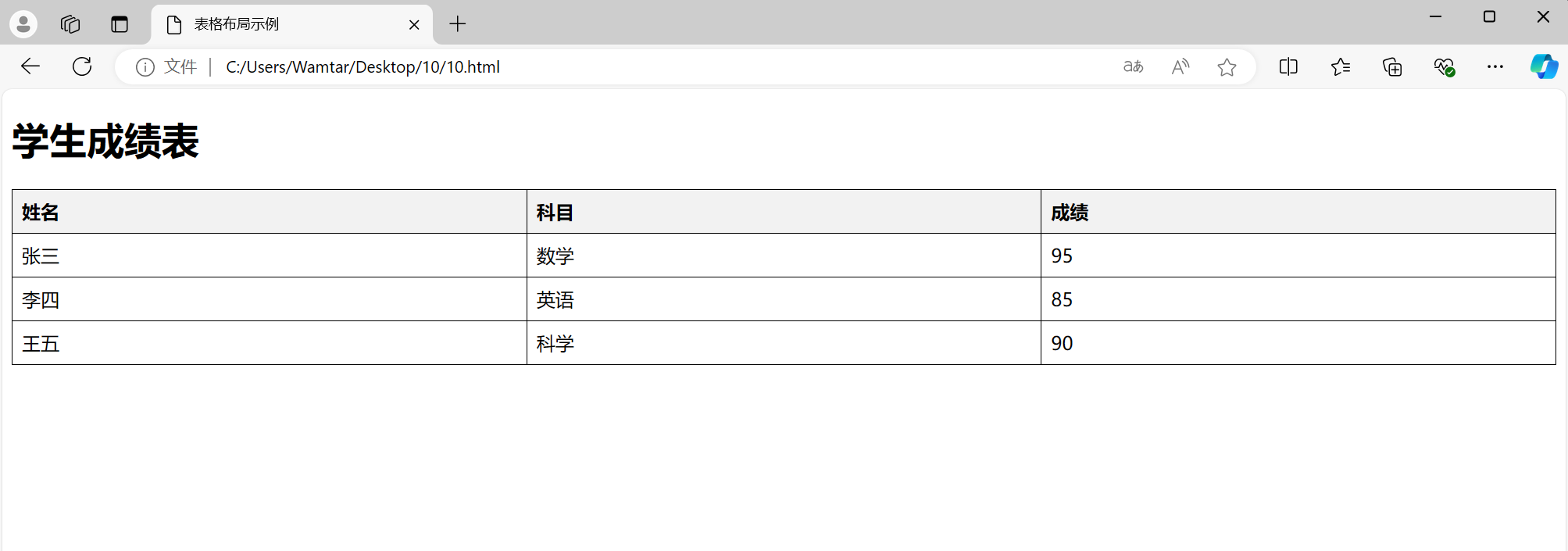
HTML 提供了多种方式来组织和展示内容,其中包括无序列表、有序列表、分区元素 <div> 和内联元素 <span>、以及如何使用 <div> 进行布局和表格布局。 一、HTML 列表 1. 无序列表 (<ul>) 无序列表用于展…...

Java数组的高级使用技巧与性能优化
Java数组的高级使用技巧与性能优化 大家好,我是微赚淘客返利系统3.0的小编,是个冬天不穿秋裤,天冷也要风度的程序猿! Java数组是程序设计中的基础数据结构,提供了一种存储固定大小的同类型元素的方式。本文将介绍Jav…...

python spyne报No module named ‘http.cookies‘的解决
python spyne报No module named ‘http.cookies’ python实现webservice服务端时,会使用spyne这个库,安装后,运行会提示No module named ‘http.cookies’。 尝试过不行的方法 pip install http.cookiespip install http.cookiejar 可行的…...

vmware虚拟机玩GPU显卡直通
安装好exsi以后,找到管理----硬件-----PCI设备,勾选想要直通的显卡,然后点击“切换直通” 切换以后可以看到列表中的直通列显示为活动就对了。 然后编辑虚拟机设置,CPU关闭硬件虚拟化(向客户机操作系统公开硬件辅助的…...

Linux下Oracle 11g升级19c实录
1.组件信息 source /home/oracle/.bash_profile11g && sqlplus "/ as sysdba"<<EOF set line 200 col COMP_NAME for a40 select comp_name,VERSION,STATUS from dba_registry; exit; EOF COMP_NAME VERSION …...

Linux应用开发之网络套接字编程(实例篇)
服务端与客户端单连接 服务端代码 #include <sys/socket.h> #include <sys/types.h> #include <netinet/in.h> #include <stdio.h> #include <stdlib.h> #include <string.h> #include <arpa/inet.h> #include <pthread.h> …...

谷歌浏览器插件
项目中有时候会用到插件 sync-cookie-extension1.0.0:开发环境同步测试 cookie 至 localhost,便于本地请求服务携带 cookie 参考地址:https://juejin.cn/post/7139354571712757767 里面有源码下载下来,加在到扩展即可使用FeHelp…...

【网络】每天掌握一个Linux命令 - iftop
在Linux系统中,iftop是网络管理的得力助手,能实时监控网络流量、连接情况等,帮助排查网络异常。接下来从多方面详细介绍它。 目录 【网络】每天掌握一个Linux命令 - iftop工具概述安装方式核心功能基础用法进阶操作实战案例面试题场景生产场景…...

CVPR 2025 MIMO: 支持视觉指代和像素grounding 的医学视觉语言模型
CVPR 2025 | MIMO:支持视觉指代和像素对齐的医学视觉语言模型 论文信息 标题:MIMO: A medical vision language model with visual referring multimodal input and pixel grounding multimodal output作者:Yanyuan Chen, Dexuan Xu, Yu Hu…...

AI Agent与Agentic AI:原理、应用、挑战与未来展望
文章目录 一、引言二、AI Agent与Agentic AI的兴起2.1 技术契机与生态成熟2.2 Agent的定义与特征2.3 Agent的发展历程 三、AI Agent的核心技术栈解密3.1 感知模块代码示例:使用Python和OpenCV进行图像识别 3.2 认知与决策模块代码示例:使用OpenAI GPT-3进…...
P3 QT项目----记事本(3.8)
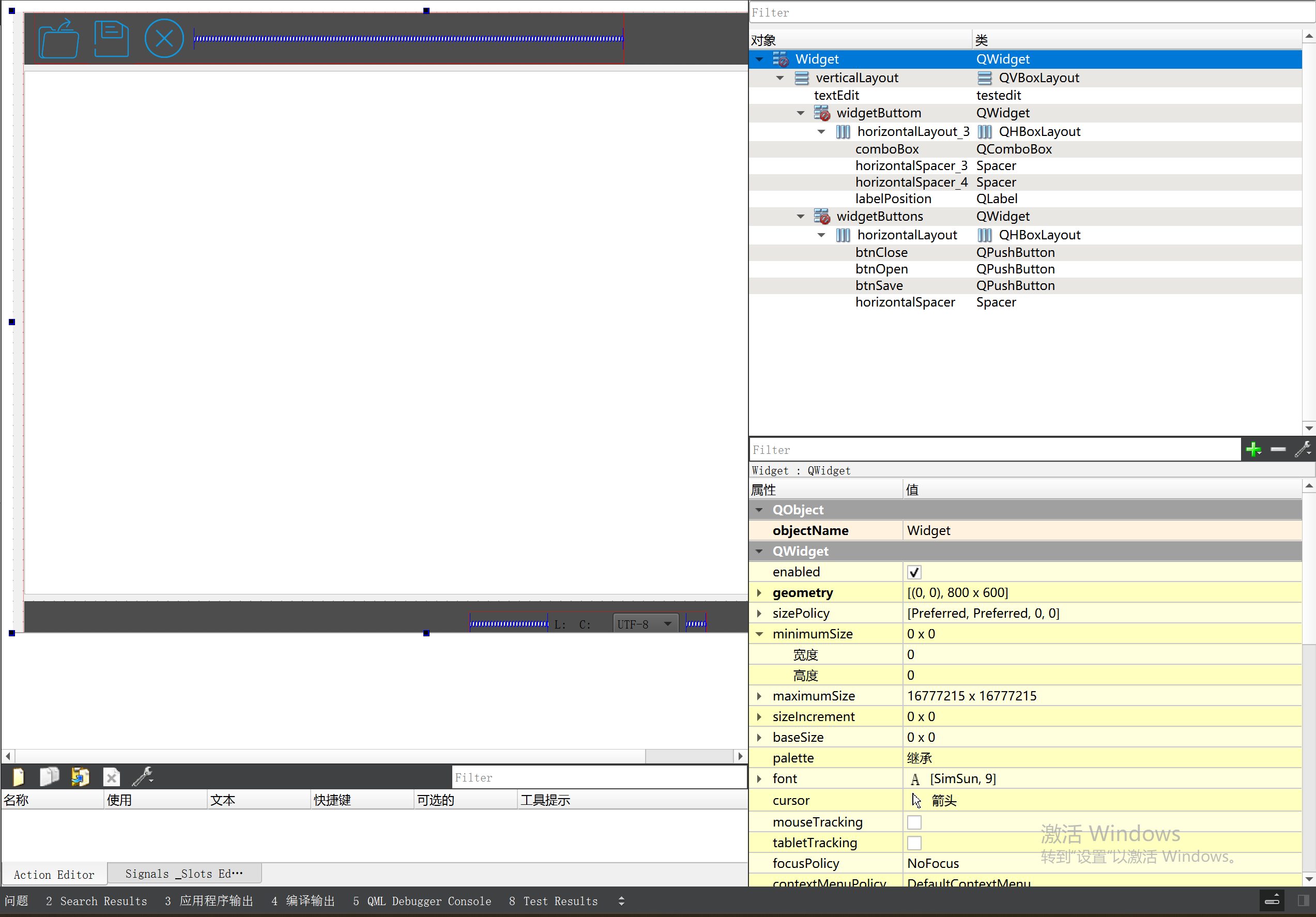
3.8 记事本项目总结 项目源码 1.main.cpp #include "widget.h" #include <QApplication> int main(int argc, char *argv[]) {QApplication a(argc, argv);Widget w;w.show();return a.exec(); } 2.widget.cpp #include "widget.h" #include &q…...

【Go】3、Go语言进阶与依赖管理
前言 本系列文章参考自稀土掘金上的 【字节内部课】公开课,做自我学习总结整理。 Go语言并发编程 Go语言原生支持并发编程,它的核心机制是 Goroutine 协程、Channel 通道,并基于CSP(Communicating Sequential Processes࿰…...
学习STC51单片机31(芯片为STC89C52RCRC)OLED显示屏1
每日一言 生活的美好,总是藏在那些你咬牙坚持的日子里。 硬件:OLED 以后要用到OLED的时候找到这个文件 OLED的设备地址 SSD1306"SSD" 是品牌缩写,"1306" 是产品编号。 驱动 OLED 屏幕的 IIC 总线数据传输格式 示意图 …...

Java 加密常用的各种算法及其选择
在数字化时代,数据安全至关重要,Java 作为广泛应用的编程语言,提供了丰富的加密算法来保障数据的保密性、完整性和真实性。了解这些常用加密算法及其适用场景,有助于开发者在不同的业务需求中做出正确的选择。 一、对称加密算法…...

NFT模式:数字资产确权与链游经济系统构建
NFT模式:数字资产确权与链游经济系统构建 ——从技术架构到可持续生态的范式革命 一、确权技术革新:构建可信数字资产基石 1. 区块链底层架构的进化 跨链互操作协议:基于LayerZero协议实现以太坊、Solana等公链资产互通,通过零知…...