
HTML+CSS 水滴登录页
文章目录
- 一、效果演示
- 二、Code
- 1.HTML
- 2.CSS
- 三、实现思路拆分
一、效果演示

实现了一个水滴登录页的效果。页面包含一个水滴形状的登录框和两个按钮,登录框包括用户名、密码和登录按钮,按钮分别为忘记密码和注册。整个页面的设计非常有创意,采用了水滴形状和渐变色的设计,使得页面看起来非常美观和舒适。同时,登录框和按钮的动态效果也增强了页面的交互性和视觉效果。
二、Code
1.HTML
<!DOCTYPE html>
<html lang="en"><head><meta charset="UTF-8"><meta name="viewport" content="width=device-width, initial-scale=1.0"><title>水滴登录页</title><link rel="stylesheet" href="./68-水滴登录页.css">
</head><body><div class="box"><div class="content"><h2>登录</h2><div><input type="text" placeholder="请输入用户名"></div><div><input type="password" placeholder="请输入密码"></div><div><input type="submit" value="登录"></div></div><a href="#" class="btns">忘记密码</a><a href="#" class="btns register">注册</a></div>
</body></html>
2.CSS
* {margin: 0;padding: 0;box-sizing: border-box;
}body {height: 100vh;background: #eff0f4;overflow: hidden;
}.box {position: relative;display: flex;justify-content: space-between;margin: 150px auto;width: 470px;
}.box .content {position: relative;display: flex;flex-direction: column;justify-content: space-around;align-items: center;width: 350px;height: 350px;padding: 60px 20px;box-shadow: inset 20px 20px 20px rgba(0, 0, 0, 0.05),25px 35px 20px rgba(0, 0, 0, 0.05), 25px 30px 30px rgba(0, 0, 0, 0.05),inset -20px -20px 25px rgba(255, 255, 255, 0.9);
}.box .content {border-radius: 52% 48% 33% 67% / 38% 45% 55% 62%;transition: 0.5s;
}.box .content:hover {border-radius: 50%;
}.box .content::before {content: "";position: absolute;top: 50px;left: 85px;width: 35px;height: 35px;border-radius: 50%;background: #fff;opacity: 0.9;
}.box .content::after {content: "";position: absolute;top: 90px;left: 110px;width: 15px;height: 15px;border-radius: 50%;background: #fff;opacity: 0.9;
}.box .content div {position: relative;width: 225px;border-radius: 25px;box-shadow: inset 2px 5px 10px rgba(0, 0, 0, 0.1),inset -2px -5px 10px rgba(255, 255, 255, 1),15px 15px 10px rgba(0, 0, 0, 0.05), 15px 10px 15px rgba(0, 0, 0, 0.025);
}.box .content div::before {content: "";position: absolute;top: 8px;left: 50%;transform: translateX(-50%);width: 65%;height: 5px;background: rgba(255, 255, 255, 0.5);border-radius: 5px;
}.box .content input {width: 100%;border: none;outline: none;background: transparent;font-size: 16px;padding: 10px 15px;
}.box .content input[type="submit"] {color: #fff;cursor: pointer;
}.box .content div:last-child {width: 120px;background: #ff0f5b;box-shadow: inset 2px 5px 10px rgba(0, 0, 0, 0.1),15px 15px 10px rgba(0, 0, 0, 0.05), 15px 10px 15px rgba(0, 0, 0, 0.025);transition: 0.5s;
}.box .content div:last-child:hover {width: 150px;
}.btns {position: absolute;right: 0;bottom: 0;width: 120px;height: 120px;background: #c61dff;display: flex;justify-content: center;align-items: center;cursor: pointer;text-decoration: none;color: #fff;font-size: 14px;box-shadow: inset 10px 10px 10px rgba(190, 1, 254, 0.05),15px 25px 10px rgba(190, 1, 254, 0.1), 15px 20px 20px rgba(190, 1, 254, 0.1),inset -10px -10px 15px rgba(255, 255, 255, 0.5);border-radius: 44% 56% 65% 35% / 57% 58% 42% 43%;
}.register {bottom: 150px;right: 0px;width: 80px;height: 80px;border-radius: 49% 51% 52% 48% / 63% 59% 41% 37%;background: #01b4ff;box-shadow: inset 10px 10px 10px rgba(1, 180, 255, 0.05),15px 25px 10px rgba(1, 180, 255, 0.1), 15px 20px 20px rgba(1, 180, 255, 0.1),inset -10px -10px 15px rgba(255, 255, 255, 0.5);
}.btns::before {content: "";position: absolute;top: 15px;left: 30px;width: 20px;height: 20px;border-radius: 50%;background: #fff;opacity: 0.45;
}.register::before {left: 20px;width: 15px;height: 15px;
}.btns {transition: 0.25s;
}.btns:hover {border-radius: 50%;
}
三、实现思路拆分
* {margin: 0;padding: 0;box-sizing: border-box;
}
重置所有元素的默认样式。
body {height: 100vh;background: #eff0f4;overflow: hidden;
}
设置页面的背景颜色和尺寸。
.box {position: relative;display: flex;justify-content: space-between;margin: 150px auto;width: 470px;
}
设置登录表单容器的布局、位置和尺寸。
.box .content {position: relative;display: flex;flex-direction: column;justify-content: space-around;align-items: center;width: 350px;height: 350px;padding: 60px 20px;box-shadow: inset 20px 20px 20px rgba(0, 0, 0, 0.05),25px 35px 20px rgba(0, 0, 0, 0.05), 25px 30px 30px rgba(0, 0, 0, 0.05),inset -20px -20px 25px rgba(255, 255, 255, 0.9);
}
设置登录表单内容的样式,包括3D效果和过渡动画。
.box .content::before {content: "";position: absolute;top: 50px;left: 85px;width: 35px;height: 35px;border-radius: 50%;background: #fff;opacity: 0.9;
}.box .content::after {content: "";position: absolute;top: 90px;left: 110px;width: 15px;height: 15px;border-radius: 50%;background: #fff;opacity: 0.9;
}
创建伪元素以增强水滴效果。
.box .content div {position: relative;width: 225px;border-radius: 25px;box-shadow: inset 2px 5px 10px rgba(0, 0, 0, 0.1),inset -2px -5px 10px rgba(255, 255, 255, 1),15px 15px 10px rgba(0, 0, 0, 0.05), 15px 10px 15px rgba(0, 0, 0, 0.025);
}
设置输入框容器的样式,包括阴影和边框圆角。
.box .content input {width: 100%;border: none;outline: none;background: transparent;font-size: 16px;padding: 10px 15px;
}
设置输入框的基本样式。
.box .content input[type="submit"] {color: #fff;cursor: pointer;
}
为提交按钮设置特定的样式。
.btns {position: absolute;right: 0;bottom: 0;width: 120px;height: 120px;background: #c61dff;display: flex;justify-content: center;align-items: center;cursor: pointer;text-decoration: none;color: #fff;font-size: 14px;box-shadow: inset 10px 10px 10px rgba(190, 1, 254, 0.05),15px 25px 10px rgba(190, 1, 254, 0.1), 15px 20px 20px rgba(190, 1, 254, 0.1),inset -10px -10px 15px rgba(255, 255, 255, 0.5);border-radius: 44% 56% 65% 35% / 57% 58% 42% 43%;
}
设置忘记密码和注册按钮的样式,包括3D效果、阴影和过渡动画。
.register {bottom: 150px;right: 0px;width: 80px;height: 80px;border-radius: 49% 51% 52% 48% / 63% 59% 41% 37%;background: #01b4ff;box-shadow: inset 10px 10px 10px rgba(1, 180, 255, 0.05),15px 25px 10px rgba(1, 180, 255, 0.1), 15px 20px 20px rgba(1, 180, 255, 0.1),inset -10px -10px 15px rgba(255, 255, 255, 0.5);
}
为注册按钮设置特定的样式。
.btns::before {content: "";position: absolute;top: 15px;left: 30px;width: 20px;height: 20px;border-radius: 50%;background: #fff;opacity: 0.45;
}.register::before {left: 20px;width: 15px;height: 15px;
}.btns {transition: 0.25s;
}.btns:hover {border-radius: 50%;
}
为按钮添加悬停效果和装饰性伪元素。
相关文章:
HTML+CSS 水滴登录页
文章目录 一、效果演示二、Code1.HTML2.CSS 三、实现思路拆分 一、效果演示 实现了一个水滴登录页的效果。页面包含一个水滴形状的登录框和两个按钮,登录框包括用户名、密码和登录按钮,按钮分别为忘记密码和注册。整个页面的设计非常有创意,采…...
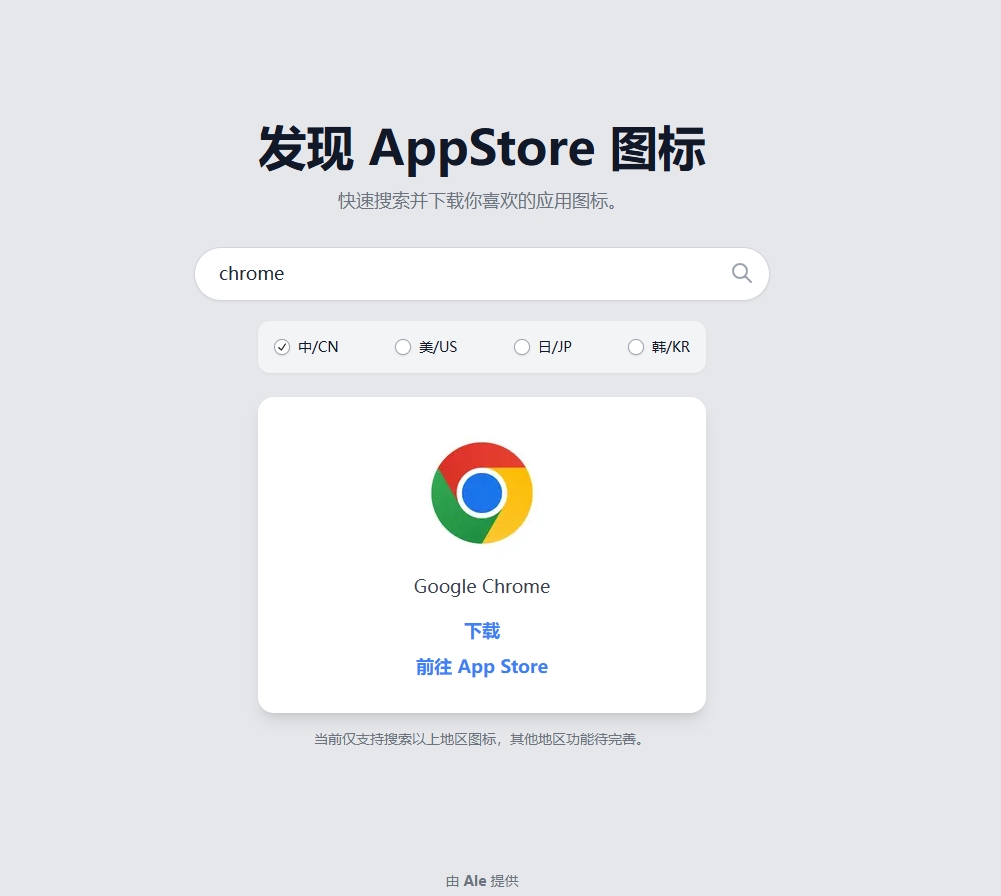
基于Next.js和TailwindCss的TailwindCss
最近在研究 Next.js 和 TailwindCss ,这两天没事的时候就搞了一个 c。 目前工具部署在 Vercel ,欢迎各位体验(能提出意见更好嘿嘿) 体验地址: https://icon.999872.xyz/ 图片预览 👇...

若依开源系统多数据源整合clickhouse数据库详细步骤
1.添加依赖【pom.xml文件】 <!-- clickhouse数据源依赖--><dependency><groupId>ru.yandex.clickhouse</groupId>...
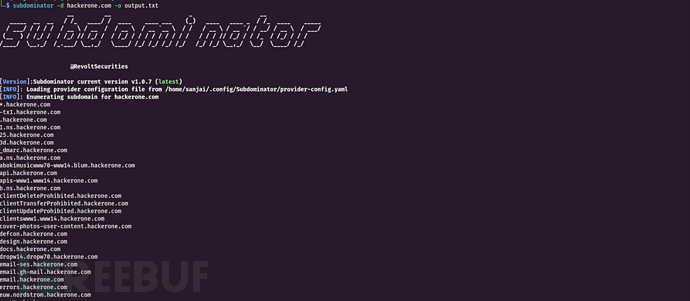
Subdominator:一款针对漏洞奖励计划的子域名安全枚举工具
关于Subdominator Subdominator是一款针对漏洞奖励计划的子域名安全枚举工具,可用于在漏洞搜寻和侦察过程中进行被动子域名枚举。它旨在通过高效枚举子域名和各种免费被动资源来帮助研究人员和网络安全专业人员发现潜在的安全漏洞。 Subdominator 与各种免费和付费…...

[leetcode]516_最长回文子序列
给你一个字符串 s ,找出其中最长的回文子序列,并返回该序列的长度。 子序列定义为:不改变剩余字符顺序的情况下,删除某些字符或者不删除任何字符形成的一个序列。示例 1: 输入:s "bbbab" 输出&a…...

电子相册|智能化电子相册|基于java的电子相册管理系统设计与实现(源码+数据库+文档)
电子相册管理系统 目录 基于java的电子相册管理系统设计与实现 一、前言 二、系统功能设计 三、系统实现 四、数据库设计 1、实体ER图 五、核心代码 六、论文参考 七、最新计算机毕设选题推荐 八、源码获取: 博主介绍:✌️大厂码农|毕设布道师&…...

linux项目_c语言:Makefile编写、动态库生成、添加动态库路径
一直想搞懂Linux中Makefile是怎么管理项目的,知识积累到一定程度后,我就做了一个自己的缩小项目去把剩下的细节搞清楚 代码: Service.c: #include <stdio.h> #include "lib_sevr.h" int main(){printf("输入a, b的值…...
:字典、DataFrame的创建方法)
Python学习(1):字典、DataFrame的创建方法
1. 字典的创建方法 1.1 直接创建 # 创建一个包含姓名和年龄的字典 person {"name": "Alice", "age": 25}print(person) # 输出:{name: Alice, age: 25} 1.2 使用 dict() 函数 # 使用键值对列表创建字典 person dict(name"…...

async await 介绍 从0手动实现async await
1 async await介绍 async 和 await 是用于处理异步编程的语法糖,它们简化了异步操作的编写,使其看起来像同步代码。通过 async 标记一个函数为异步函数,返回的是一个 Promise 对象,而 await 用来暂停执行,直到 Promise…...

UDP校验和计算及网络中的校验和机制
UDP (User Datagram Protocol) 是一种无连接的传输层协议,它不像 TCP 那样提供可靠的传输保证。虽然 UDP 不保证数据可靠性,但它仍然提供了一个可选的校验和机制来检测数据在传输过程中出现的错误。 理解UDP校验和的计算过程和其在网络中的作用至关重要。…...

如何使用C语言接入Doris数据库
如何使用C语言接入Doris数据库 一、环境准备1. 安装MySQL C API2. Doris数据库环境二、编写C语言接入代码1. 包含必要的头文件2. 编写连接和查询函数3. 编译和运行程序三、注意事项1. 安全性2. 错误处理3. 性能优化4. 兼容性5. 调试和日志记录四、结论Doris(之前称为Palo或Apa…...

DarkLabel 2.4 目标追标注工具介绍
DarkLabel介绍 https://github.com/darkpgmr/DarkLabel 官方地址 视频/图像标注工具,很适合用于目标追踪任务 DarkLabel可以在视频和图像中标注物体的边界框,并附上 ID 和name。还可以用于裁剪视频、从视频中采样训练图像以及对图像区域进行马赛克处理…...

uniapp设置从右上角到左下角的三种渐变颜色
推荐学习文档 golang应用级os框架,欢迎stargolang应用级os框架使用案例,欢迎star案例:基于golang开发的一款超有个性的旅游计划app经历golang实战大纲golang优秀开发常用开源库汇总想学习更多golang知识,这里有免费的golang学习笔…...

Python 解析 html
一、场景分析 假设有如下 html 文档: 写一段 python 脚本,解析出里面的数据,包括经度维度。 <div classstorelist><ul><li lng"100.111111" lat"10.111111"><h4>联盟店1</h4><p>…...

“大数据+高职”:VR虚拟仿真实训室的发展前景
随着信息技术的迅猛发展,大数据技术与虚拟现实(VR)的融合正在为高等教育,尤其是高等职业教育(高职)带来革命性的变革。VR虚拟仿真实训室作为这一技术融合的典型应用,正逐步展现其在提升教育质量…...

Pygame中Sprite实现逃亡游戏4
在《Pygame中Sprite实现逃亡游戏3》中实现了玩家跳跃飞火的效果,接下来通过精灵类的碰撞检测来判断飞火是否击中玩家、飞火是否击中飞龙以及飞龙是否抓住玩家。 1 飞火是否击中玩家的判断 判断飞火是否击中玩家的代码如图1所示。 图1 判断飞火是否击中玩家的代码 …...

sentinel原理源码分析系列(一)-总述
背景 微服务是目前java主流开发架构,微服务架构技术栈有,服务注册中心,网关,熔断限流,服务同学,配置中心等组件,其中,熔断限流主要3个功能特性,限流,熔断&…...

创建数据/采集数据+从PI数据到PC+实时UI+To PLC
Get_Data ---------- import csv import os import random from datetime import datetime import logging import time # 配置日志记录 logging.basicConfig(filename=D:/_Study/Case/Great_Data/log.txt, level=logging.INFO, format=%(asctime)s - %(l…...
)
Linux基础入门 --12 DAY(SHELL脚本编程基础)
shell脚本编程 声明:首行shebang机制 #!/bin/bash #!/usr/bin/python #!/usr/bin/perl 变量 变量类型 变量类型: 内置变量 : 如 PS1 , PATH ,HISTSIZE 用户自定义变量 不同变量存放数据不同,决定了以下 1.数据存储方式 2.参与的运算 3.表示…...

关于frp Web界面-----frp Server Dashboard 和 frp Client Admin UI
Web 界面 官方文档:https://gofrp.org/zh-cn/docs/features/common/ui/ 目前 frpc 和 frps 分别内置了相应的 Web 界面方便用户使用。 客户端 Admin UI 服务端 Dashboard 服务端 Dashboard 服务端 Dashboard 使用户可以通过浏览器查看 frp 的状态以及代理统计信…...

DeepSeek 赋能智慧能源:微电网优化调度的智能革新路径
目录 一、智慧能源微电网优化调度概述1.1 智慧能源微电网概念1.2 优化调度的重要性1.3 目前面临的挑战 二、DeepSeek 技术探秘2.1 DeepSeek 技术原理2.2 DeepSeek 独特优势2.3 DeepSeek 在 AI 领域地位 三、DeepSeek 在微电网优化调度中的应用剖析3.1 数据处理与分析3.2 预测与…...
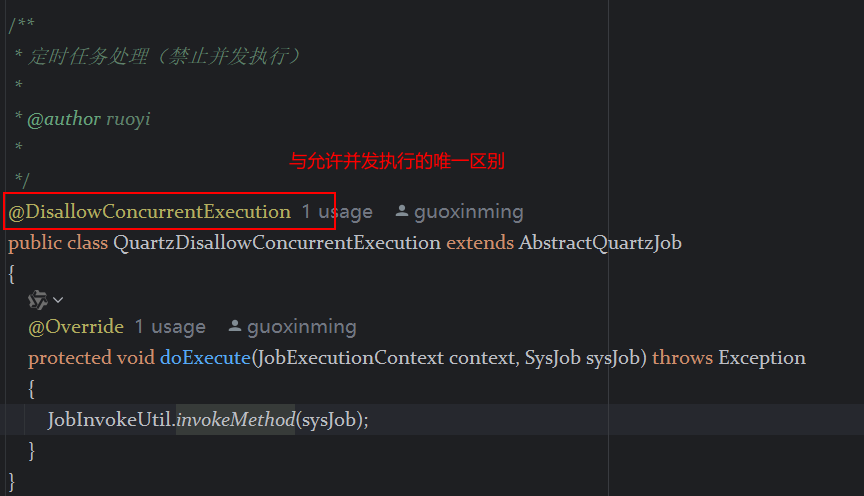
定时器任务——若依源码分析
分析util包下面的工具类schedule utils: ScheduleUtils 是若依中用于与 Quartz 框架交互的工具类,封装了定时任务的 创建、更新、暂停、删除等核心逻辑。 createScheduleJob createScheduleJob 用于将任务注册到 Quartz,先构建任务的 JobD…...
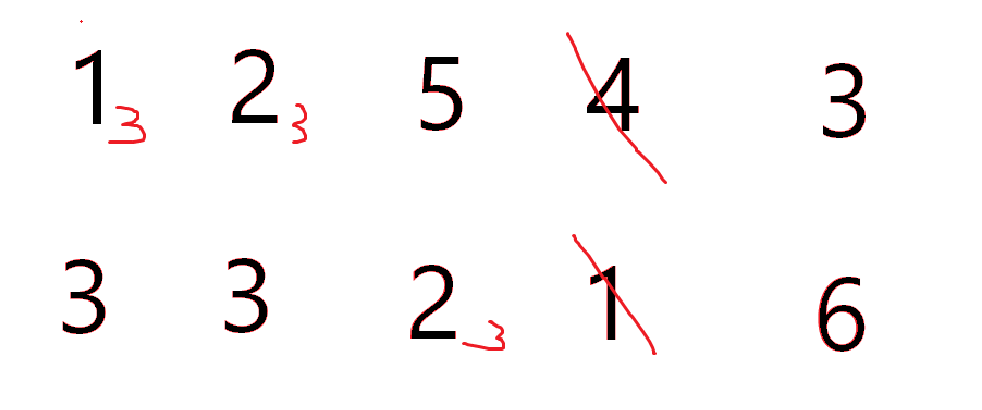
cf2117E
原题链接:https://codeforces.com/contest/2117/problem/E 题目背景: 给定两个数组a,b,可以执行多次以下操作:选择 i (1 < i < n - 1),并设置 或,也可以在执行上述操作前执行一次删除任意 和 。求…...
如何将联系人从 iPhone 转移到 Android
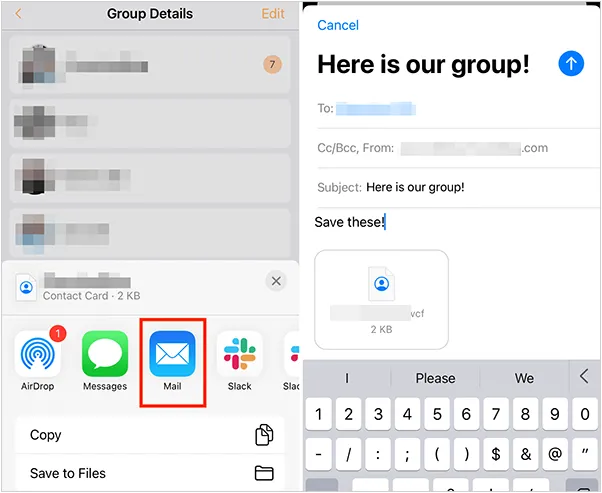
从 iPhone 换到 Android 手机时,你可能需要保留重要的数据,例如通讯录。好在,将通讯录从 iPhone 转移到 Android 手机非常简单,你可以从本文中学习 6 种可靠的方法,确保随时保持连接,不错过任何信息。 第 1…...
CocosCreator 之 JavaScript/TypeScript和Java的相互交互
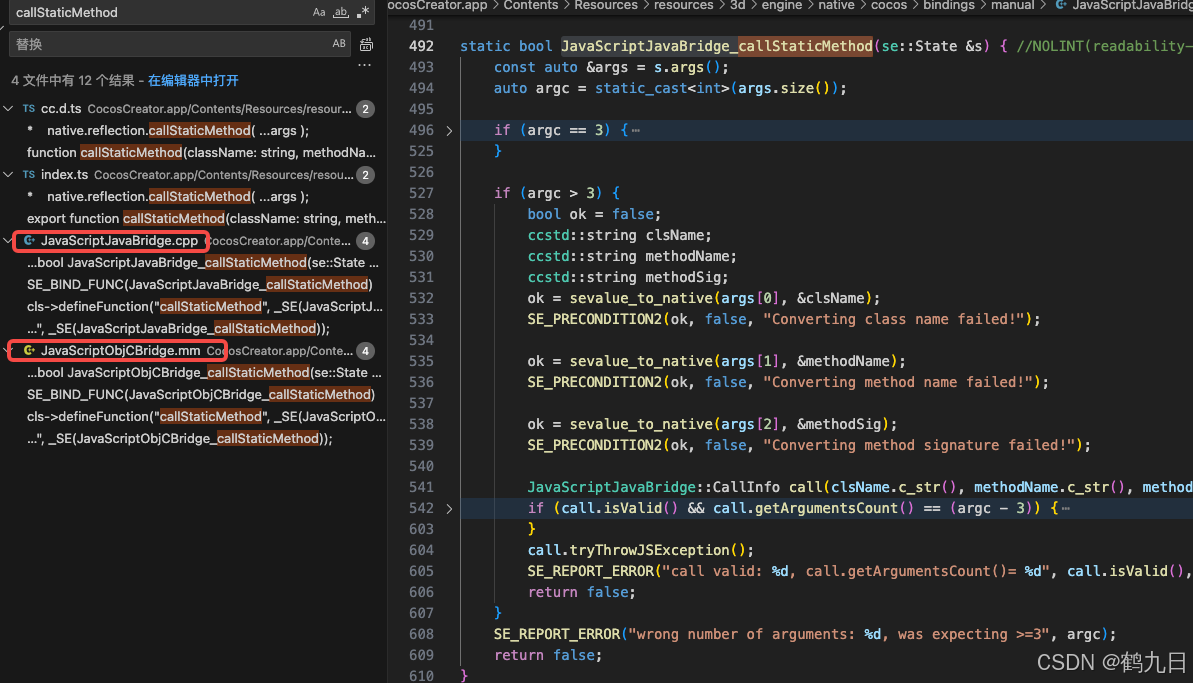
引擎版本: 3.8.1 语言: JavaScript/TypeScript、C、Java 环境:Window 参考:Java原生反射机制 您好,我是鹤九日! 回顾 在上篇文章中:CocosCreator Android项目接入UnityAds 广告SDK。 我们简单讲…...
自然语言处理——Transformer
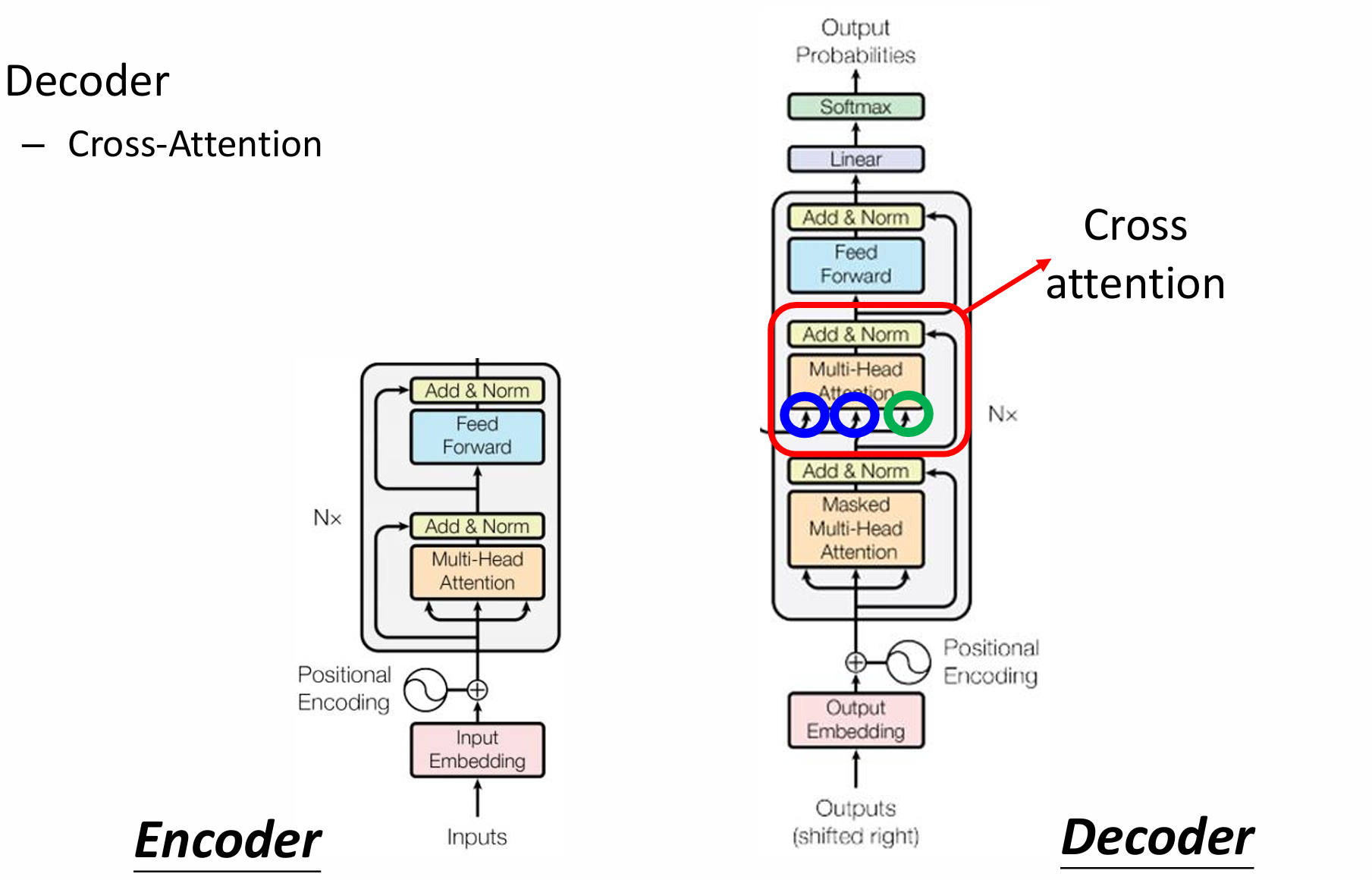
自然语言处理——Transformer 自注意力机制多头注意力机制Transformer 虽然循环神经网络可以对具有序列特性的数据非常有效,它能挖掘数据中的时序信息以及语义信息,但是它有一个很大的缺陷——很难并行化。 我们可以考虑用CNN来替代RNN,但是…...
让AI看见世界:MCP协议与服务器的工作原理
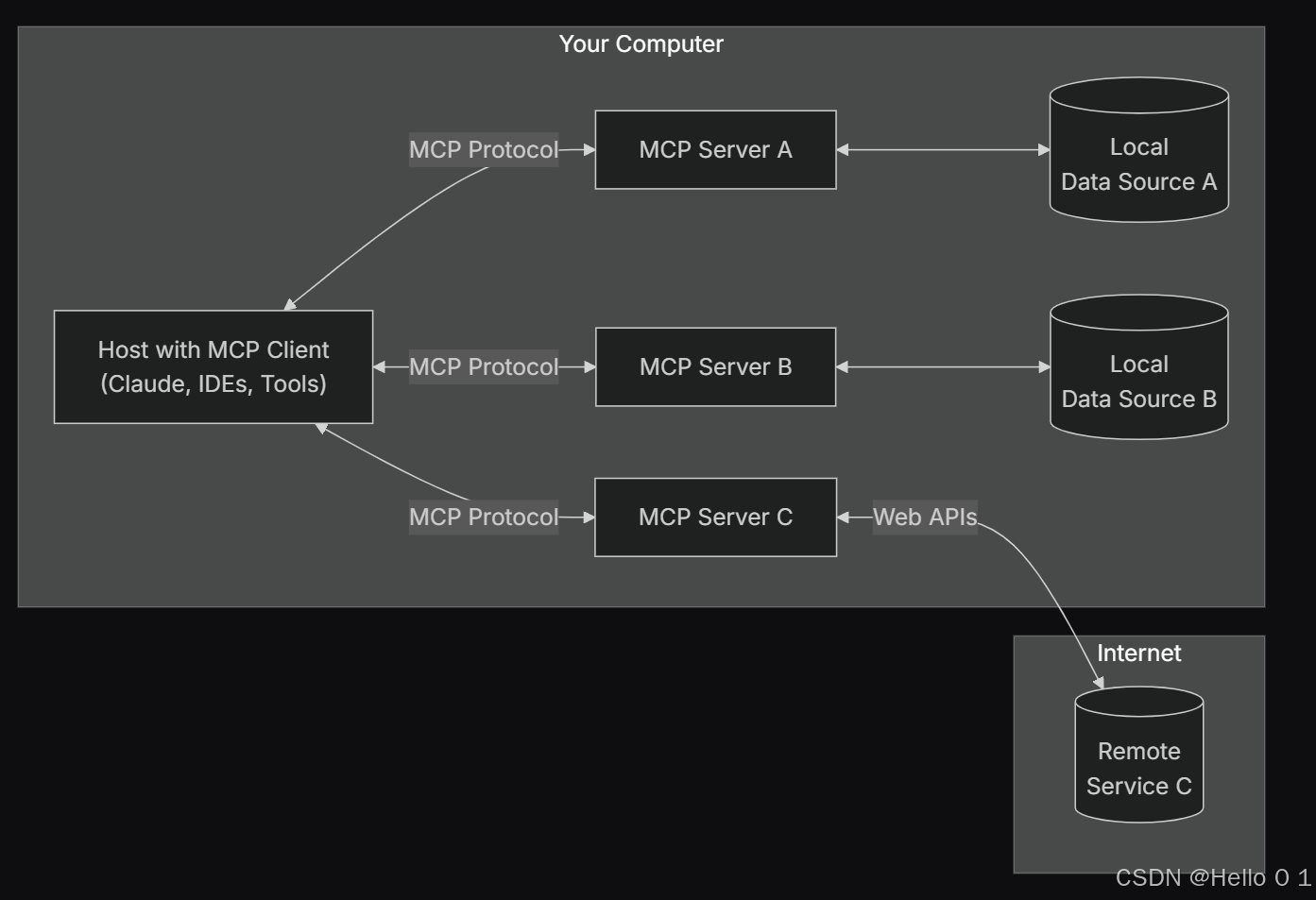
让AI看见世界:MCP协议与服务器的工作原理 MCP(Model Context Protocol)是一种创新的通信协议,旨在让大型语言模型能够安全、高效地与外部资源进行交互。在AI技术快速发展的今天,MCP正成为连接AI与现实世界的重要桥梁。…...

分布式增量爬虫实现方案
之前我们在讨论的是分布式爬虫如何实现增量爬取。增量爬虫的目标是只爬取新产生或发生变化的页面,避免重复抓取,以节省资源和时间。 在分布式环境下,增量爬虫的实现需要考虑多个爬虫节点之间的协调和去重。 另一种思路:将增量判…...

django blank 与 null的区别
1.blank blank控制表单验证时是否允许字段为空 2.null null控制数据库层面是否为空 但是,要注意以下几点: Django的表单验证与null无关:null参数控制的是数据库层面字段是否可以为NULL,而blank参数控制的是Django表单验证时字…...
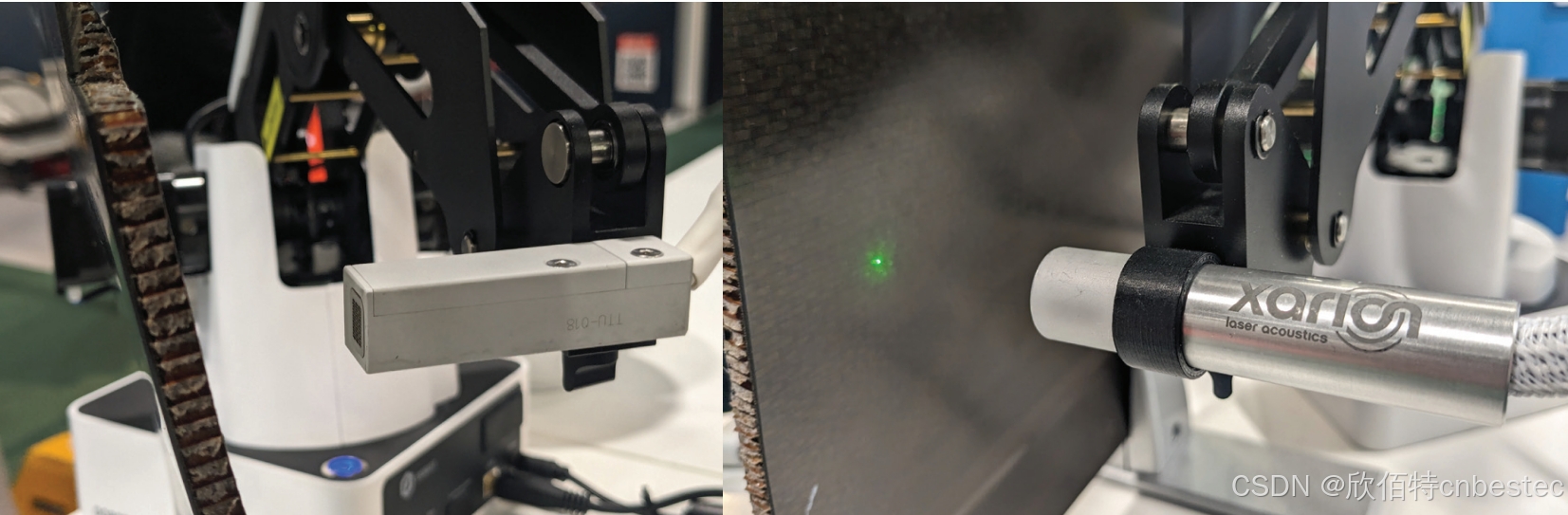
解析奥地利 XARION激光超声检测系统:无膜光学麦克风 + 无耦合剂的技术协同优势及多元应用
在工业制造领域,无损检测(NDT)的精度与效率直接影响产品质量与生产安全。奥地利 XARION开发的激光超声精密检测系统,以非接触式光学麦克风技术为核心,打破传统检测瓶颈,为半导体、航空航天、汽车制造等行业提供了高灵敏…...