
【博客627】gobgp服务无损变更:graceful restart特性
gobgp服务无损变更:graceful restart特性
场景
当我们的bgp网关在对外宣告bgp路由的时候,如果我们网关有新的特性要发布,那么此时如果把网关停止再启动新版本,此时bgp路由会有短暂撤回再播出的过程,会有网络抖动
期待的行为:无损变更
我们希望bgp网关服务在变更的时候,播出去的路由能够在bgp网关中断时,继续保持一段时间,除非过了这段时间,bgp网关仍无法正常启动,对端网络设备再进行路由撤回
graceful restart特性
- bgp服务非正常退出时,会启动优雅重启特性,此时路由不会马上撤回
- bgp服务是被SIGTERM信号终止的时候,则会马上回撤路由
解析:
通过此配置,如果与对等方协商了优雅重启功能,则对等方启动优雅重启帮助程序,当 gobgpd 非自愿死亡或 SIGINT 时,SIGKILL 信号发送到 gobgpd。请注意,当 SIGTERM 信号发送到 gobgpd 时,优雅重启协商的对等点不会启动优雅重启帮助程序,因为 gobgpd 在它死亡之前会向这些对等点发送通知消息
graceful restart演示:gobgp graceful restart example
场景:
192.168.128.132节点与192.168.128.134节点建立bgp连接,132向134宣告路由,同时132会模拟退出后,让134进行路由保持的特性,也即:graceful restart
192.168.128.132节点的bgp config文件:
[global.config]as = 65001router-id = "192.168.128.132"
[[neighbors]][neighbors.config]neighbor-address = "192.168.128.134"peer-as = 65001[neighbors.graceful-restart.config]enabled = truerestart-time = 30[[neighbors.afi-safis]][neighbors.afi-safis.config]afi-safi-name = "ipv4-unicast"[neighbors.afi-safis.mp-graceful-restart.config]enabled = true[neighbors.afi-safis.long-lived-graceful-restart.config]enabled = truerestart-time = 30
192.168.128.134节点的bgp config文件:
[global.config]as = 65001router-id = "192.168.128.134"
[[neighbors]][neighbors.config]neighbor-address = "192.168.128.132"peer-as = 65001[neighbors.graceful-restart.config]enabled = truelong-lived-enabled = truerestart-time = 30notification-enabled = true[[neighbors.afi-safis]][neighbors.afi-safis.config]afi-safi-name = "ipv4-unicast"[neighbors.afi-safis.mp-graceful-restart.config]enabled = true[neighbors.afi-safis.long-lived-graceful-restart.config]enabled = truerestart-time = 30
启动两个bgp server:
sudo ./gobgpd -f bgp-graceful.conf -l debug -p -r
在132上宣告一条路由:./gobgp global rib -a ipv4 add 192.168.3.0/24 origin igp
                  Key=192.168.128.134 Topic=config
INFO[0000] Add a peer configuration                      Key=192.168.128.134 Topic=Peer
DEBU[0000] IdleHoldTimer expired                         Duration=0 Key=192.168.128.134 Topic=Peer
DEBU[0000] state changed                                 Key=192.168.128.134 Topic=Peer new=BGP_FSM_ACTIVE old=BGP_FSM_IDLE reason=idle-hold-timer-expired
DEBU[0005] try to connect                                Key=192.168.128.134 Topic=Peer
DEBU[0005] state changed                                 Key=192.168.128.134 Topic=Peer new=BGP_FSM_OPENSENT old=BGP_FSM_ACTIVE reason=new-connection
DEBU[0005] state changed                                 Key=192.168.128.134 Topic=Peer new=BGP_FSM_OPENCONFIRM old=BGP_FSM_OPENSENT reason=open-msg-received
INFO[0005] Peer Up                                       Key=192.168.128.134 State=BGP_FSM_OPENCONFIRM Topic=Peer
DEBU[0005] state changed                                 Key=192.168.128.134 Topic=Peer new=BGP_FSM_ESTABLISHED old=BGP_FSM_OPENCONFIRM reason=open-msg-negotiated
DEBU[0005] Now syncing, suppress sending updates. start deferral timer  Duration=360 Key=192.168.128.134 Topic=Server
DEBU[0005] received update                               Key=192.168.128.134 Topic=Peer attributes="[]" nlri="[]" withdrawals="[]"
DEBU[0005] EOR received                                  AddressFamily=ipv4-unicast Key=192.168.128.134 Topic=Peer
INFO[0005] sync finished                                 Topic=Server
DEBU[0005] sent update                                   Key=192.168.128.134 State=BGP_FSM_ESTABLISHED Topic=Peer attributes="[]" nlri="[]" withdrawals="[]"
DEBU[0012] create Destination                            Nlri=192.168.3.0/24 Topic=Table
DEBU[0012] sent update                                   Key=192.168.128.134 State=BGP_FSM_ESTABLISHED Topic=Peer attributes="[{Origin: i}  {Nexthop: 192.168.128.132} {LocalPref: 100}]" nlri="[192.168.3.0/24]" withdrawals="[]"
在134上查看从132邻居学到的路由:
luzejia@luzejia-virtual-machine:~/Desktop$ ./gobgp neighbor 192.168.128.132 adj-inID Network Next Hop AS_PATH Age Attrs0 192.168.3.0/24 192.168.128.132 00:00:02 [{Origin: i} {LocalPref: 100}]
使用ctrl + c将bgp server停掉,可以看到做了一些清理现场的行为,让134对端知道你是正常退出,不需要启动优雅重启,直接回撤路由即可
sudo ./gobgpd -f bgp-graceful.conf -l debug -p -r
INFO[0000] gobgpd started
INFO[0000] Finished reading the config file              Topic=Config
INFO[0000] Add Peer                                      Key=192.168.128.134 Topic=config
INFO[0000] Add a peer configuration                      Key=192.168.128.134 Topic=Peer
DEBU[0000] IdleHoldTimer expired                         Duration=0 Key=192.168.128.134 Topic=Peer
DEBU[0000] state changed                                 Key=192.168.128.134 Topic=Peer new=BGP_FSM_ACTIVE old=BGP_FSM_IDLE reason=idle-hold-timer-expired
DEBU[0001] Accepted a new passive connection             Key=192.168.128.134 Topic=Peer
DEBU[0001] stop connect loop                             Key=192.168.128.134 Topic=Peer
DEBU[0001] state changed                                 Key=192.168.128.134 Topic=Peer new=BGP_FSM_OPENSENT old=BGP_FSM_ACTIVE reason=new-connection
DEBU[0001] peer has restarted, skipping wait for EOR     Key=192.168.128.134 State=BGP_FSM_OPENSENT Topic=Peer
DEBU[0001] state changed                                 Key=192.168.128.134 Topic=Peer new=BGP_FSM_OPENCONFIRM old=BGP_FSM_OPENSENT reason=open-msg-received
INFO[0001] Peer Up                                       Key=192.168.128.134 State=BGP_FSM_OPENCONFIRM Topic=Peer
DEBU[0001] state changed                                 Key=192.168.128.134 Topic=Peer new=BGP_FSM_ESTABLISHED old=BGP_FSM_OPENCONFIRM reason=open-msg-negotiated
INFO[0001] sync finished                                 Key=192.168.128.134 Topic=Server
DEBU[0001] received update                               Key=192.168.128.134 Topic=Peer attributes="[]" nlri="[]" withdrawals="[]"
DEBU[0001] EOR received                                  AddressFamily=ipv4-unicast Key=192.168.128.134 Topic=Peer
DEBU[0001] sent update                                   Key=192.168.128.134 State=BGP_FSM_ESTABLISHED Topic=Peer attributes="[]" nlri="[]" withdrawals="[]"
DEBU[0008] create Destination                            Nlri=192.168.3.0/24 Topic=Table
DEBU[0008] sent update                                   Key=192.168.128.134 State=BGP_FSM_ESTABLISHED Topic=Peer attributes="[{Origin: i}  {Nexthop: 192.168.128.132} {LocalPref: 100}]" nlri="[192.168.3.0/24]" withdrawals="[]"
^CINFO[0021] stopping gobgpd server
INFO[0021] Delete a peer configuration                   Key=192.168.128.134 Topic=Peer
INFO[0021] Peer Down                                     Key=192.168.128.134 Reason=dying State=BGP_FSM_ESTABLISHED Topic=Peer
DEBU[0021] freed fsm.h                                   Key=192.168.128.134 State=BGP_FSM_ESTABLISHED Topic=Peer
134上观察路由,发现被回撤:
luzejia@luzejia-virtual-machine:~/Desktop$ ./gobgp neighbor 192.168.128.132 adj-in
neighbor 192.168.128.132's BGP session is not established
查看134的日志,原因是识别到了132是peer down,然后回撤路由
INFO[0028] Peer Down                                     Key=192.168.128.132 Reason="notification-received code 6(cease) subcode 3(peer deconfigured)" State=BGP_FSM_ESTABLISHED Topic=Peer
DEBU[0028] state changed                                 Key=192.168.128.132 Topic=Peer new=BGP_FSM_IDLE old=BGP_FSM_ESTABLISHED reason="notification-received code 6(cease) subcode 3(peer deconfigured)"
DEBU[0028] Removing withdrawals                          Key=192.168.3.0/24 Topic=Table
DEBU[0033] IdleHoldTimer expired                         Duration=5 Key=192.168.128.132 Topic=Peer
DEBU[0033] state changed                                 Key=192.168.128.132 Topic=Peer new=BGP_FSM_ACTIVE old=BGP_FSM_IDLE reason=idle-hold-timer-expired
如果使用kill -9来杀掉132上的bgp server
luzejia@luzejia-virtual-machine:~/bgp$ sudo ./gobgpd -f bgp-graceful.conf -l debug -p -r
INFO[0000] gobgpd started
INFO[0000] Finished reading the config file              Topic=Config
INFO[0000] Add Peer                                      Key=192.168.128.134 Topic=config
INFO[0000] Add a peer configuration                      Key=192.168.128.134 Topic=Peer
DEBU[0000] IdleHoldTimer expired                         Duration=0 Key=192.168.128.134 Topic=Peer
DEBU[0000] state changed                                 Key=192.168.128.134 Topic=Peer new=BGP_FSM_ACTIVE old=BGP_FSM_IDLE reason=idle-hold-timer-expired
DEBU[0005] try to connect                                Key=192.168.128.134 Topic=Peer
DEBU[0005] state changed                                 Key=192.168.128.134 Topic=Peer new=BGP_FSM_OPENSENT old=BGP_FSM_ACTIVE reason=new-connection
DEBU[0005] state changed                                 Key=192.168.128.134 Topic=Peer new=BGP_FSM_OPENCONFIRM old=BGP_FSM_OPENSENT reason=open-msg-received
INFO[0005] Peer Up                                       Key=192.168.128.134 State=BGP_FSM_OPENCONFIRM Topic=Peer
DEBU[0005] state changed                                 Key=192.168.128.134 Topic=Peer new=BGP_FSM_ESTABLISHED old=BGP_FSM_OPENCONFIRM reason=open-msg-negotiated
DEBU[0005] Now syncing, suppress sending updates. start deferral timer  Duration=360 Key=192.168.128.134 Topic=Server
DEBU[0005] received update                               Key=192.168.128.134 Topic=Peer attributes="[]" nlri="[]" withdrawals="[]"
DEBU[0005] EOR received                                  AddressFamily=ipv4-unicast Key=192.168.128.134 Topic=Peer
INFO[0005] sync finished                                 Topic=Server
DEBU[0005] sent update                                   Key=192.168.128.134 State=BGP_FSM_ESTABLISHED Topic=Peer attributes="[]" nlri="[]" withdrawals="[]"
DEBU[0012] create Destination                            Nlri=192.168.3.0/24 Topic=Table
DEBU[0012] sent update                                   Key=192.168.128.134 State=BGP_FSM_ESTABLISHED Topic=Peer attributes="[{Origin: i}  {Nexthop: 192.168.128.132} {LocalPref: 100}]" nlri="[192.168.3.0/24]" withdrawals="[]"
已杀死
134上观察到132的路由还在,并且有S标志,这个是保留的意思,证明启动了优雅重启,暂时不回撤,等待对端重启:
luzejia@luzejia-virtual-machine:~/Desktop$ ./gobgp neighbor 192.168.128.132 adj-inID  Network              Next Hop             AS_PATH              Age        Attrs
S  0   192.168.3.0/24       192.168.128.132                           00:00:21   [{Origin: i} {LocalPref: 100}]
134上看到识别出了peer是graceful restart,启动了优雅重启,没有马上回撤路由,但是过了超时时间后还是回撤了路由:
DEBU[0053] From same AS, ignore                          Key=192.168.128.132 Path="{ 192.168.3.0/24 | src: { 192.168.128.132 | as: 65001, id: 192.168.128.132 }, nh: 192.168.128.132 }" Topic=Peer
INFO[0071] peer graceful restart                         Key=192.168.128.132 State=BGP_FSM_ESTABLISHED Topic=Peer
INFO[0071] Peer Down                                     Key=192.168.128.132 Reason=graceful-restart State=BGP_FSM_ESTABLISHED Topic=Peer
DEBU[0071] state changed                                 Key=192.168.128.132 Topic=Peer new=BGP_FSM_IDLE old=BGP_FSM_ESTABLISHED reason=graceful-restart
DEBU[0071] Implicit withdrawal of old path, since we have learned new path from the same peer  Key=192.168.3.0/24 Path="{ 192.168.3.0/24 | src: { 192.168.128.132 | as: 65001, id: 192.168.128.132 }, nh: 192.168.128.132 }" Topic=Table
DEBU[0076] IdleHoldTimer expired                         Duration=5 Key=192.168.128.132 Topic=Peer
DEBU[0076] state changed                                 Key=192.168.128.132 Topic=Peer new=BGP_FSM_ACTIVE old=BGP_FSM_IDLE reason=idle-hold-timer-expired
DEBU[0085] try to connect                                Key=192.168.128.132 Topic=Peer
DEBU[0085] failed to connect                             Error="dial tcp 0.0.0.0:0->192.168.128.132:179: connect: connection refused" Key=192.168.128.132 Topic=Peer
WARN[0101] graceful restart timer expired                Key=192.168.128.132 State=BGP_FSM_ACTIVE Topic=Peer
DEBU[0101] stop connect loop                             Key=192.168.128.132 Topic=Peer
DEBU[0101] state changed                                 Key=192.168.128.132 Topic=Peer new=BGP_FSM_IDLE old=BGP_FSM_ACTIVE reason=restart-timer-expired
DEBU[0101] Removing withdrawals                          Key=192.168.3.0/24 Topic=Table
DEBU[0106] IdleHoldTimer expired                         Duration=5 Key=192.168.128.132 Topic=Peer
DEBU[0106] state changed                                 Key=192.168.128.132 Topic=Peer new=BGP_FSM_ACTIVE old=BGP_FSM_IDLE reason=idle-hold-timer-expired
DEBU[0115] try to connect                                Key=192.168.128.132 Topic=Peer
DEBU[0115] failed to connect                             Error="dial tcp 0.0.0.0:0->192.168.128.132:179: connect: connection refused" Key=192.168.128.132 Topic=Peer
过了graceful resstart的timeout时间后,看到路由被正常撤回
luzejia@luzejia-virtual-machine:~/Desktop$ ./gobgp neighbor 192.168.128.132 adj-in
neighbor 192.168.128.132's BGP session is not established
总结:
- bgp服务非正常退出时,会启动优雅重启特性,此时路由不会马上撤回
- bgp服务是被SIGTERM信号终止的时候,则会马上回撤路由
注意:
- bgp服务是被SIGTERM信号终止的时候,则会马上回撤路由,这部分需要自己实现去捕捉SIGTERM信号,然后调用gobgp server的stop接口,才能实现路由回撤,也就是实际stop接口向对端宣告了一个自己是正常退出的down信息,从而告知对端此时不需要启动优雅重启特性来保持路由,直接回撤即可
捕捉SIGTERM信号并进行处理,参考gobgpd源码,给出一个example:
package mainimport ("fmt""io""net/http"_ "net/http/pprof""os""os/signal""runtime""syscall""github.com/coreos/go-systemd/v22/daemon""github.com/jessevdk/go-flags""github.com/kr/pretty""github.com/sirupsen/logrus""golang.org/x/net/context""google.golang.org/grpc""google.golang.org/grpc/credentials""github.com/osrg/gobgp/v3/internal/pkg/version""github.com/osrg/gobgp/v3/pkg/config""github.com/osrg/gobgp/v3/pkg/server"
)func main() {sigCh := make(chan os.Signal, 1)signal.Notify(sigCh, syscall.SIGTERM, syscall.SIGINT)......logger.Info("gobgpd started")bgpServer := server.NewBgpServer(server.GrpcListenAddress(opts.GrpcHosts), server.GrpcOption(grpcOpts), server.LoggerOption(&builtinLogger{logger: logger}))go bgpServer.Serve()for sig := range sigCh {if sig != syscall.SIGHUP {stopServer(bgpServer, opts.UseSdNotify)return}logger.WithFields(logrus.Fields{"Topic": "Config",}).Info("Reload the config file")newConfig, err := config.ReadConfigFile(opts.ConfigFile, opts.ConfigType)if err != nil {logger.WithFields(logrus.Fields{"Topic": "Config","Error": err,}).Warningf("Can't read config file %s", opts.ConfigFile)continue}currentConfig, err = config.UpdateConfig(context.Background(), bgpServer, currentConfig, newConfig)if err != nil {logrus.WithFields(logrus.Fields{"Topic": "Config","Error": err,}).Warningf("Failed to update config %s", opts.ConfigFile)continue}}
}func stopServer(bgpServer *server.BgpServer, useSdNotify bool) {logger.Info("stopping gobgpd server")bgpServer.Stop()if useSdNotify {daemon.SdNotify(false, daemon.SdNotifyStopping)}
}
相关文章:

【博客627】gobgp服务无损变更:graceful restart特性
gobgp服务无损变更:graceful restart特性 场景 当我们的bgp网关在对外宣告bgp路由的时候,如果我们网关有新的特性要发布,那么此时如果把网关停止再启动新版本,此时bgp路由会有短暂撤回再播出的过程,会有网络抖动 期待…...

一起学 pixijs(1):常见图形的绘制
大家好,我是前端西瓜哥。 pixijs 是一个强大的 Web Canvas 2D 库,以其强大性能而著称。其底层使用了 WebGL 实现了硬件加速,当然如果不支持的话,也能回退为 Canvas。 本文使用的 pixijs 版本为 7.1.2。 Application Applicati…...

2023年PMP考试教材有哪些?(含pmp资料)
PMP考试教材是《PMBOK指南》,但这次的考试因为大纲的更新,而需要另外的敏捷书籍来备考。且官方发了通知,3、5月还是第六版指南,8月及8月之后,使用第七版教材。 新版考纲将专注于以下三个新领域: 人 – 强调与有效领导项…...

centos7防火墙工具firewall-cmd使用
centos7防火墙工具firewall-cmd使用防火墙概述centos7防火墙工具firewall-cmd使用介绍firewalld的基本使用服务管理工具相关指令配置firewalld-cmd防火墙概述 防火墙是可以帮助计算机在内部网络和外部网络之间构建一道相对隔绝的保护屏障,从而保护数据信息的一种技…...

js html过滤所有标签格式并清除所有nbsp;
var odiv document.getElementsByTagName("*"); for(var i 0; i<odiv.length; i){ if(odiv[i].className newDetail){ let obj odiv[i].childNodes[3]; let oldHtml odiv[i].childNodes[3].innerText;//获取html中不带标签内容 //console.log(odiv[i].childN…...

「技术选型」深度学习软件如何选择?
深度学习(DL, Deep Learning)是机器学习(ML, Machine Learning)领域中一个新的研究方向,它被引入机器学习使其更接近于最初的目标——人工智能(AI, Artificial Intelligence)。 深度学习是学习样本数据的内在规律和表示层次,这些学习过程中获得的信息对…...
加油站会员管理小程序实战开发教程13
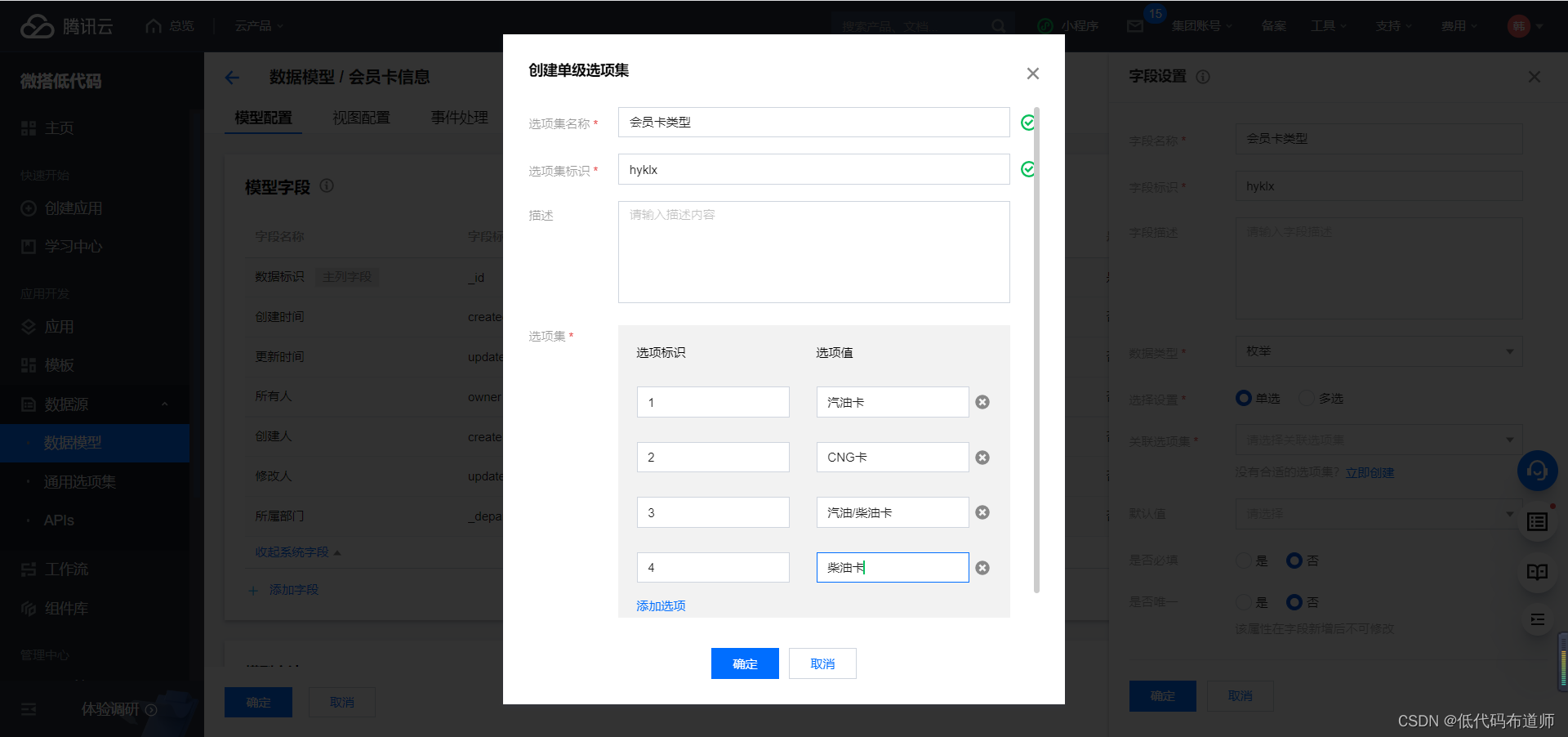
我们上一篇讲解了会员注册的功能,本篇我们介绍一下会员开卡的功能。 会员注册之后,可以进行开卡的动作。一个会员可以有多张会员卡,在微搭中用来描述这种一对多的关系的,我们用关联关系来表达。 登录微搭的控制台,点击数据模型,点击新建数据模型 输入数据源的名称会员卡…...
Go语言Web入门之浅谈Gin框架
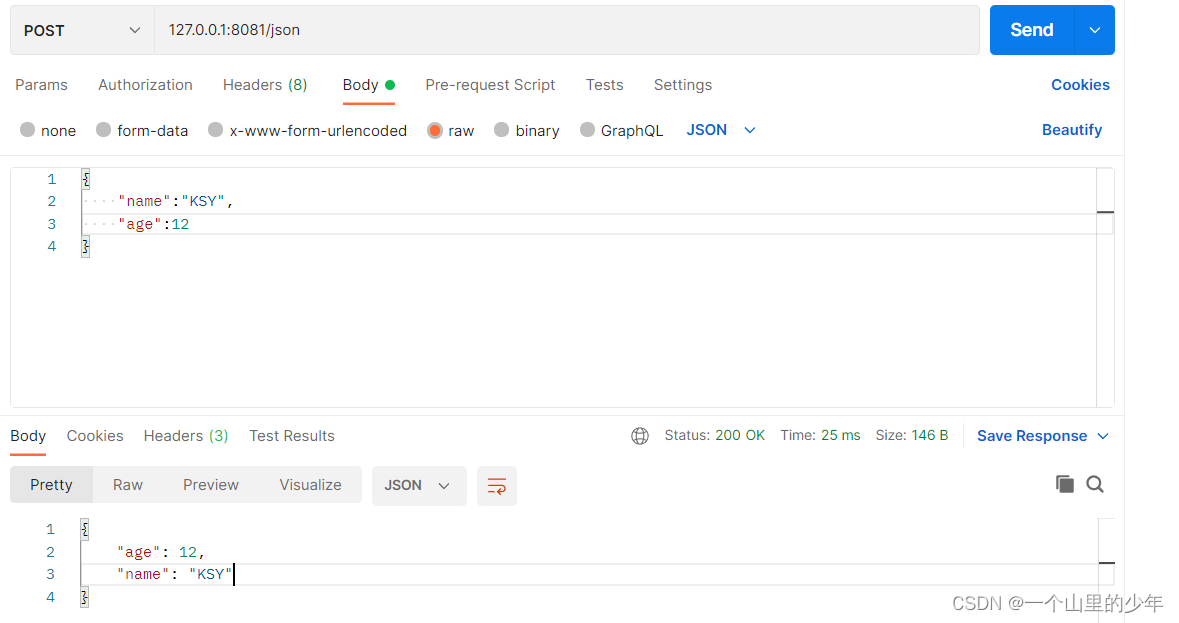
Gin框架Gin简介第一个Gin示例HelloworldRESTful APIGin返回数据的几种格式Gin 获取参数HTTP重定向Gin路由&路由组Gin框架当中的中间件Gin简介 Gin 是一个用 Go (Golang) 编写的 web 框架。它是一个类似于 martini 但拥有更好性能的 API 框架,由于 httprouter&a…...
《MySQL学习》 MySQL优化器选择如何选择索引
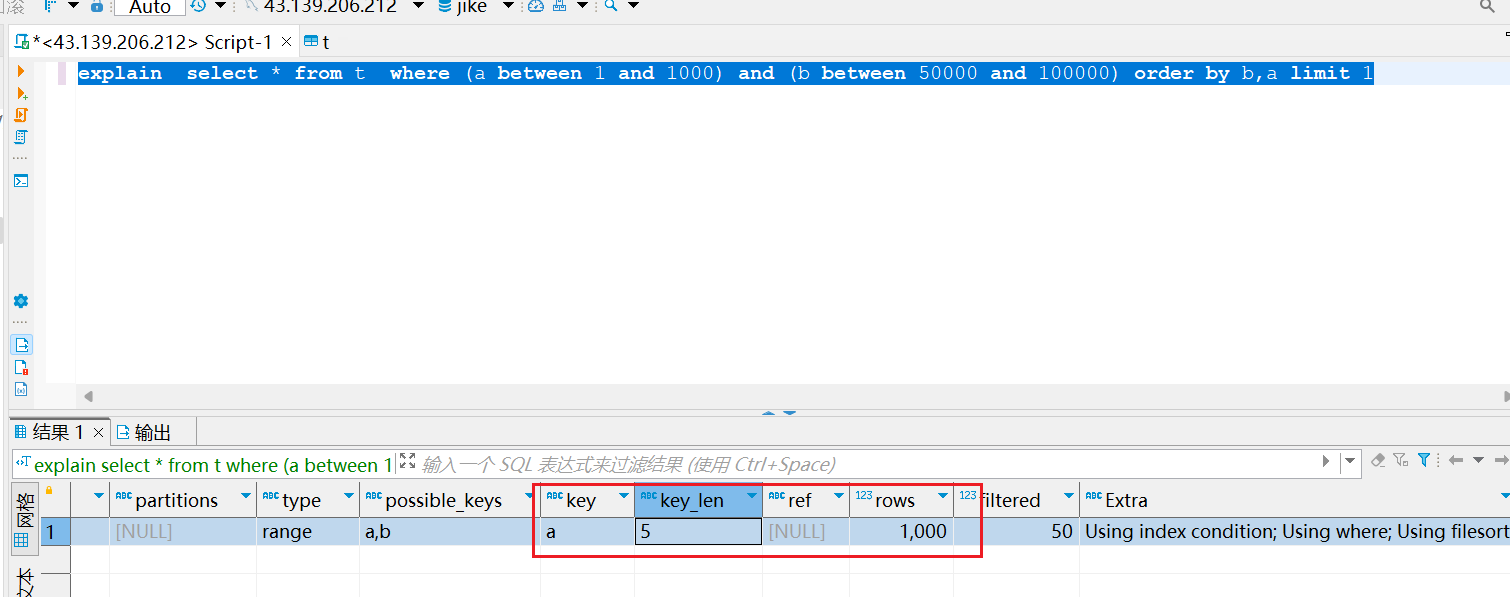
一.优化器的选择逻辑 建表语句 CREATE TABLE t (id int(11) NOT NULL AUTO_INCREMENT,a int(11) DEFAULT NULL,b int(11) DEFAULT NULL,PRIMARY KEY (id),KEY a (a),KEY b (b) ) ENGINEInnoDB;往表中插入10W条数据 delimiter ;; create procedure idata() begindeclare i in…...
uniapp 悬浮窗(应用内、无需授权) Ba-FloatWindow2
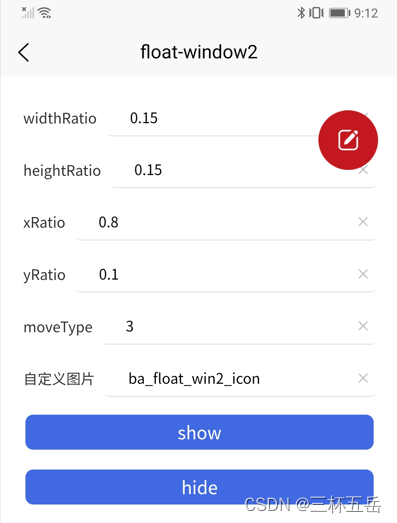
简介(下载地址) Ba-FloatWindow2 是一款应用内并且无需授权的悬浮窗插件。支持多种拖动;自定义位置、大小;支持动态修改。 支持自动定义起始位置支持自定义悬浮窗大小支持贴边显示支持多种拖动方效果:不可拖动、任意…...

MMKV与mmap:全方位解析
概述 MMKV 是基于 mmap 内存映射的移动端通用 key-value 组件,底层序列化/反序列化使用 protobuf 实现,性能高,稳定性强。从 2015 年中至今,在 iOS 微信上使用已有近 3 年,其性能和稳定性经过了时间的验证。近期已移植…...
)
【信息系统项目管理师】项目管理十大知识领域记忆敲出(整体范围进度)
【信息系统项目管理师】项目管理十大知识领域记忆敲出(整体范围进度) 【信息系统项目管理师】项目管理十大知识领域记忆敲出(整体范围进度)【信息系统项目管理师】项目管理十大知识领域记忆敲出(整体范围进度ÿ…...

一起学 pixijs(3):Sprite
大家好,我是前端西瓜哥。今天来学习 pixijs 的 Sprite。 Sprite pixijs 的 Sprite 类用于将一些纹理(Texture)渲染到屏幕上。 Sprite 直译为 “精灵”,是游戏开发中常见的术语,就是将一个角色的多个动作放到一个图片…...

深入讲解Kubernetes架构-垃圾收集
垃圾收集(Garbage Collection)是 Kubernetes 用于清理集群资源的各种机制的统称。 垃圾收集允许系统清理如下资源:终止的 Pod已完成的 Job不再存在属主引用的对象未使用的容器和容器镜像动态制备的、StorageClass 回收策略为 Delete 的 PV 卷…...
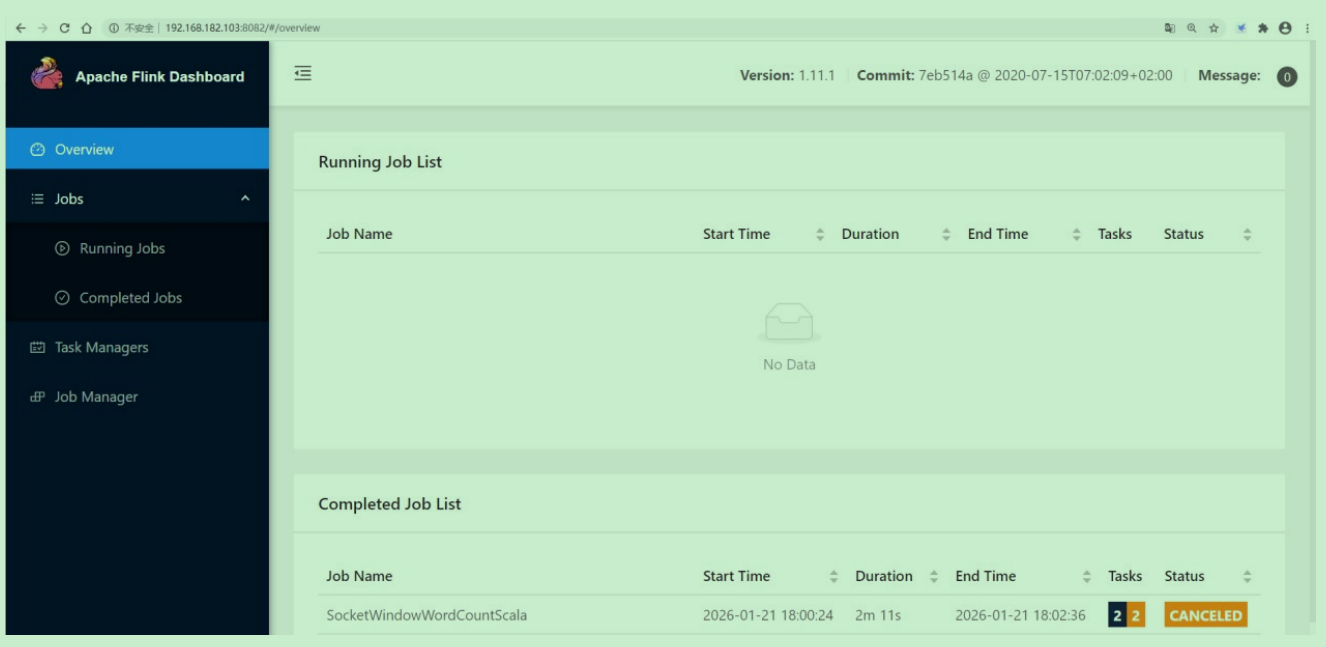
Flink03: 集群安装部署
Flink支持多种安装部署方式 StandaloneON YARNMesos、Kubernetes、AWS… 这些安装方式我们主要讲一下standalone和on yarn。 如果是一个独立环境的话,可能会用到standalone集群模式。 在生产环境下一般还是用on yarn 这种模式比较多,因为这样可以综合利…...
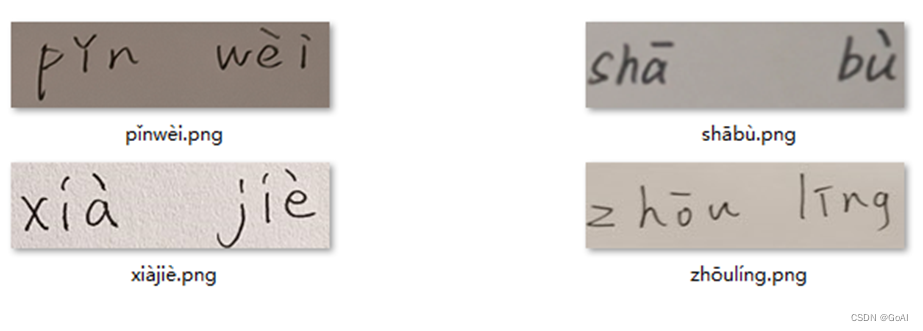
OCR项目实战(一):手写汉语拼音识别(Pytorch版)
✨写在前面:强烈推荐给大家一个优秀的人工智能学习网站,内容包括人工智能基础、机器学习、深度学习神经网络等,详细介绍各部分概念及实战教程,非常适合人工智能领域初学者及研究者学习。➡️点击跳转到网站。 📝OCR专栏…...
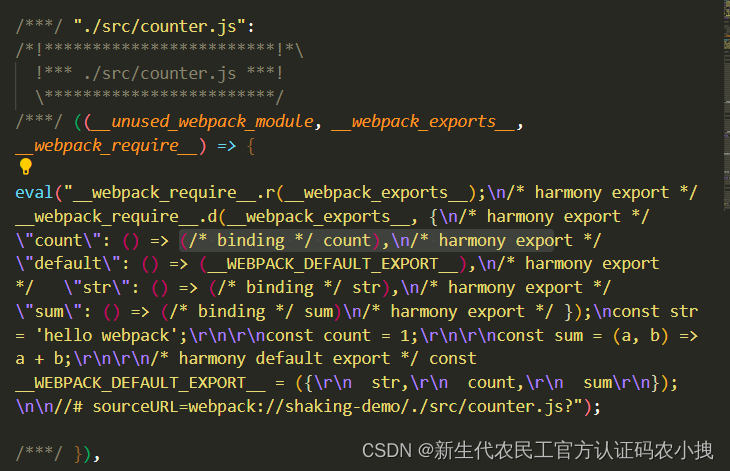
【js】export default也在影响项目性能呢
这里写目录标题介绍先说结论分析解决介绍 无意间看到一个关于export与exprot default对比的话题, 于是对二者关于性能方面,有了想法,二者的区别,仅仅是在于写法吗? 于是,有了下面的测试。 先说结论 太长…...

《软件安全》 彭国军 阅读总结
对于本书,小编本意是对其讲述的内容,分点进行笔记的整理,后来学习以后,发现,这本书应该不算是一本技术提升类的书籍,更像是一本领域拓展和知识科普类书籍,所讲知识广泛,但是较少实践…...

深入讲解Kubernetes架构-节点与控制面之间的通信
本文列举控制面节点(确切说是 API 服务器)和 Kubernetes 集群之间的通信路径。 目的是为了让用户能够自定义他们的安装,以实现对网络配置的加固, 使得集群能够在不可信的网络上(或者在一个云服务商完全公开的 IP 上&am…...

120个IT冷知识,看完就不愁做选择题了
目录 IT冷知识 01-10 1.冰淇淋馅料 2.蠕虫起源 3.Linux和红帽子 4."间谍软件"诞生 5.游戏主机的灵魂 6.Linux之父 7.NetBSD的口号 8.安卓起源 9.不是第七代的 Win 7 10.域名金字塔 11~20 11.神奇魔盒 12. 第一个Ubuntu 正式版本 13.巾帼英雄 14.密码…...

.Net框架,除了EF还有很多很多......
文章目录 1. 引言2. Dapper2.1 概述与设计原理2.2 核心功能与代码示例基本查询多映射查询存储过程调用 2.3 性能优化原理2.4 适用场景 3. NHibernate3.1 概述与架构设计3.2 映射配置示例Fluent映射XML映射 3.3 查询示例HQL查询Criteria APILINQ提供程序 3.4 高级特性3.5 适用场…...
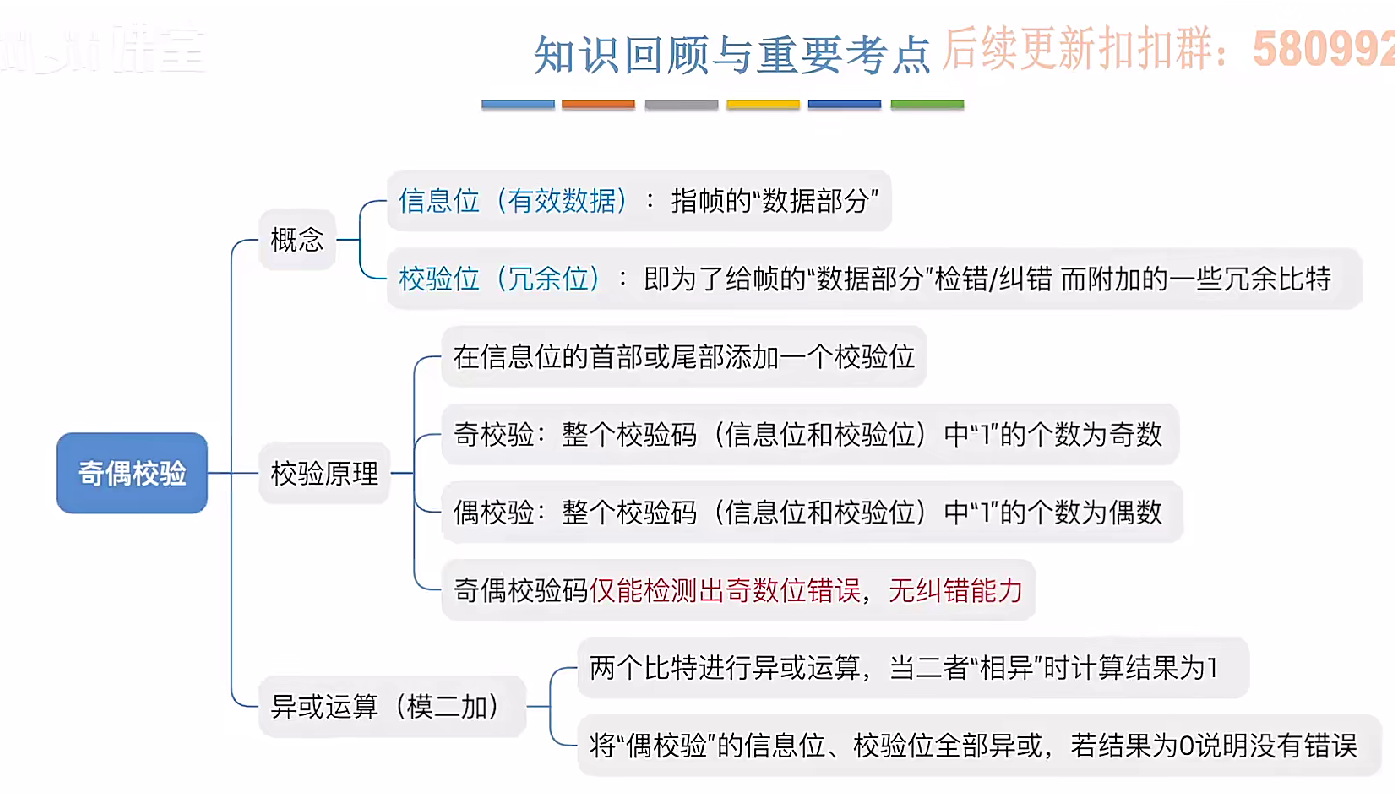
3.3.1_1 检错编码(奇偶校验码)
从这节课开始,我们会探讨数据链路层的差错控制功能,差错控制功能的主要目标是要发现并且解决一个帧内部的位错误,我们需要使用特殊的编码技术去发现帧内部的位错误,当我们发现位错误之后,通常来说有两种解决方案。第一…...

ssc377d修改flash分区大小
1、flash的分区默认分配16M、 / # df -h Filesystem Size Used Available Use% Mounted on /dev/root 1.9M 1.9M 0 100% / /dev/mtdblock4 3.0M...
centos 7 部署awstats 网站访问检测
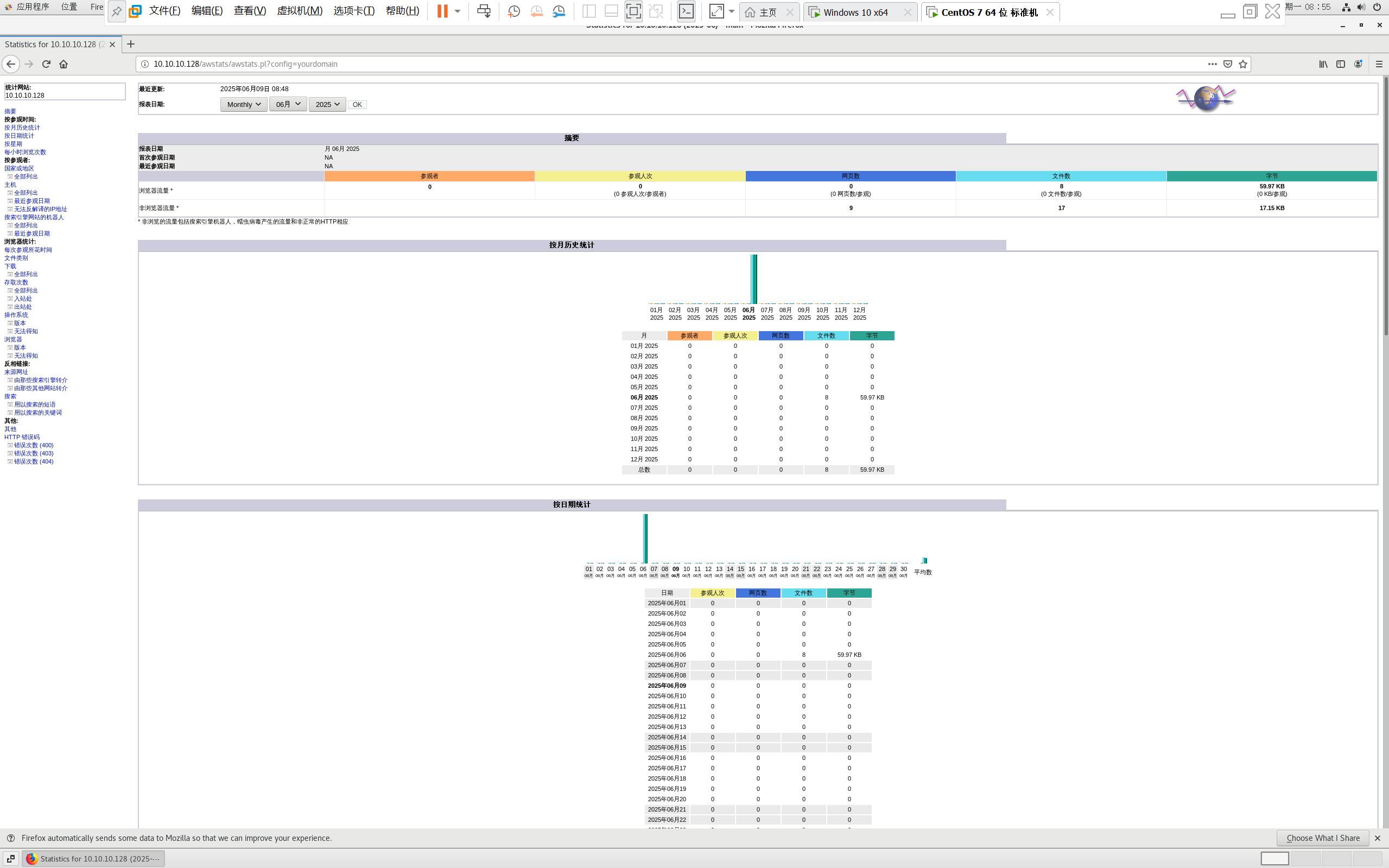
一、基础环境准备(两种安装方式都要做) bash # 安装必要依赖 yum install -y httpd perl mod_perl perl-Time-HiRes perl-DateTime systemctl enable httpd # 设置 Apache 开机自启 systemctl start httpd # 启动 Apache二、安装 AWStats࿰…...

【机器视觉】单目测距——运动结构恢复
ps:图是随便找的,为了凑个封面 前言 在前面对光流法进行进一步改进,希望将2D光流推广至3D场景流时,发现2D转3D过程中存在尺度歧义问题,需要补全摄像头拍摄图像中缺失的深度信息,否则解空间不收敛…...
详解:相对定位 绝对定位 固定定位)
css的定位(position)详解:相对定位 绝对定位 固定定位
在 CSS 中,元素的定位通过 position 属性控制,共有 5 种定位模式:static(静态定位)、relative(相对定位)、absolute(绝对定位)、fixed(固定定位)和…...
华为云Flexus+DeepSeek征文|DeepSeek-V3/R1 商用服务开通全流程与本地部署搭建
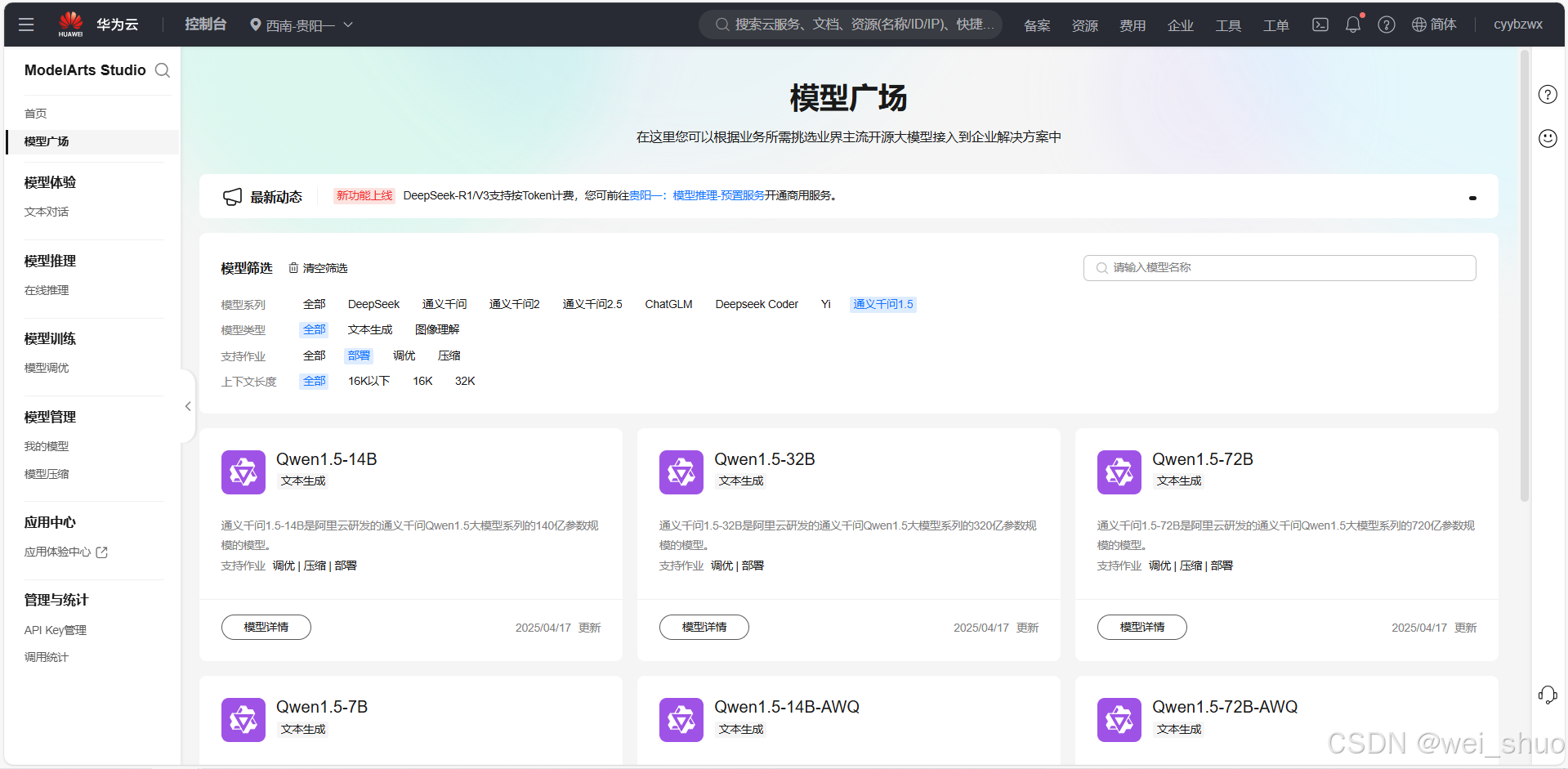
华为云FlexusDeepSeek征文|DeepSeek-V3/R1 商用服务开通全流程与本地部署搭建 前言 如今大模型其性能出色,华为云 ModelArts Studio_MaaS大模型即服务平台华为云内置了大模型,能助力我们轻松驾驭 DeepSeek-V3/R1,本文中将分享如何…...
短视频矩阵系统文案创作功能开发实践,定制化开发
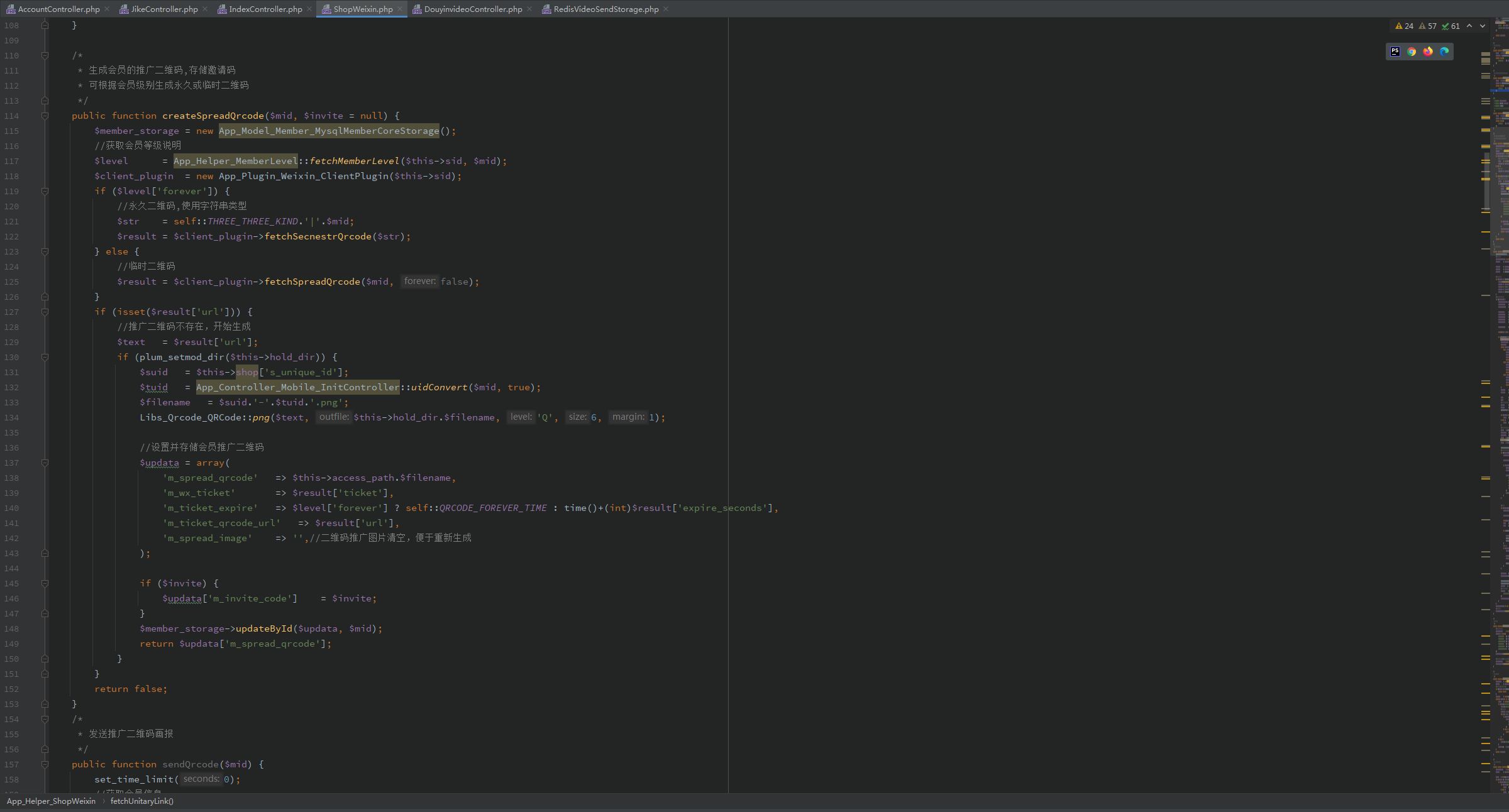
在短视频行业迅猛发展的当下,企业和个人创作者为了扩大影响力、提升传播效果,纷纷采用短视频矩阵运营策略,同时管理多个平台、多个账号的内容发布。然而,频繁的文案创作需求让运营者疲于应对,如何高效产出高质量文案成…...

JavaScript基础-API 和 Web API
在学习JavaScript的过程中,理解API(应用程序接口)和Web API的概念及其应用是非常重要的。这些工具极大地扩展了JavaScript的功能,使得开发者能够创建出功能丰富、交互性强的Web应用程序。本文将深入探讨JavaScript中的API与Web AP…...
Python 实现 Web 静态服务器(HTTP 协议)
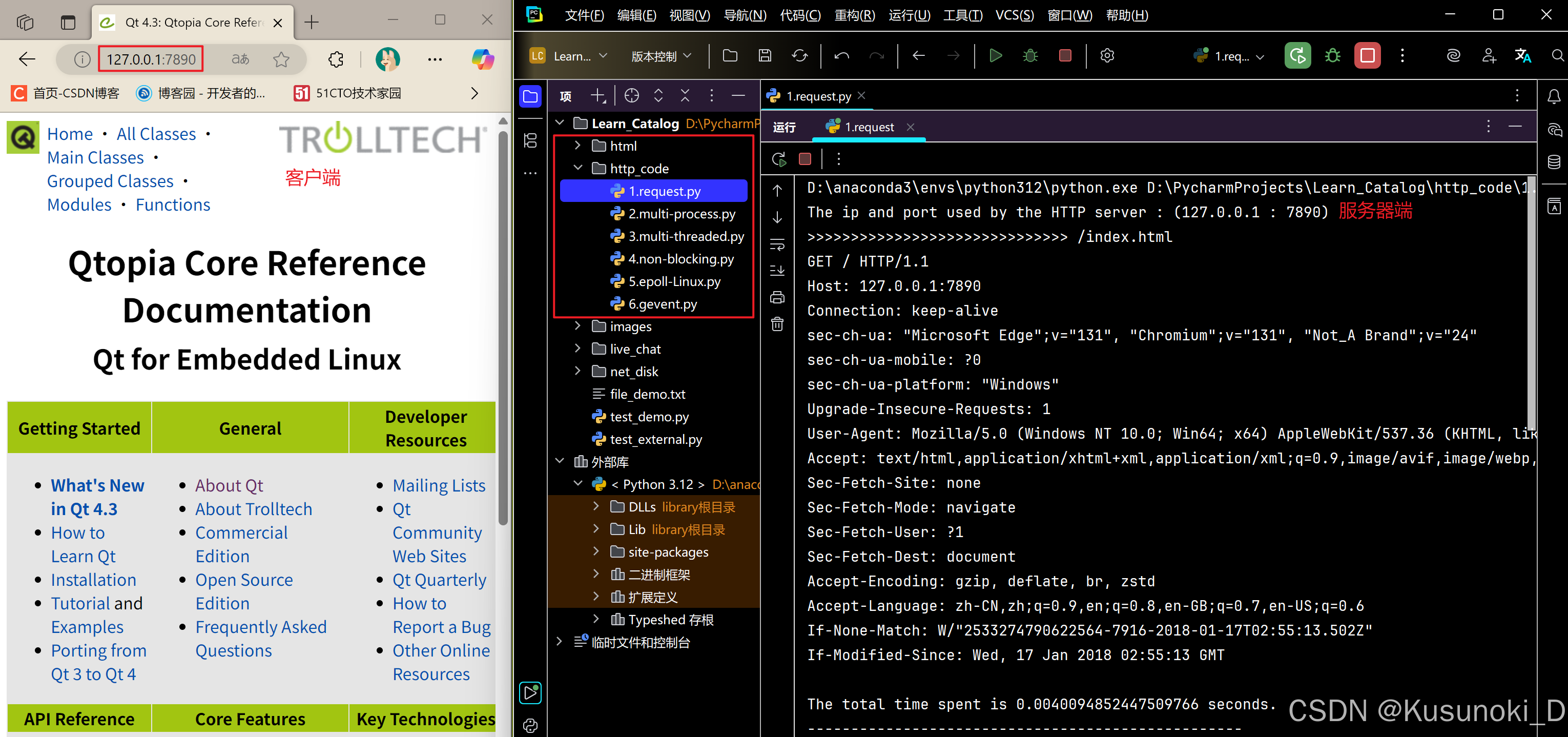
目录 一、在本地启动 HTTP 服务器1. Windows 下安装 node.js1)下载安装包2)配置环境变量3)安装镜像4)node.js 的常用命令 2. 安装 http-server 服务3. 使用 http-server 开启服务1)使用 http-server2)详解 …...