
Docker搭建ELK日志采集服务及Kibana可视化图表展示
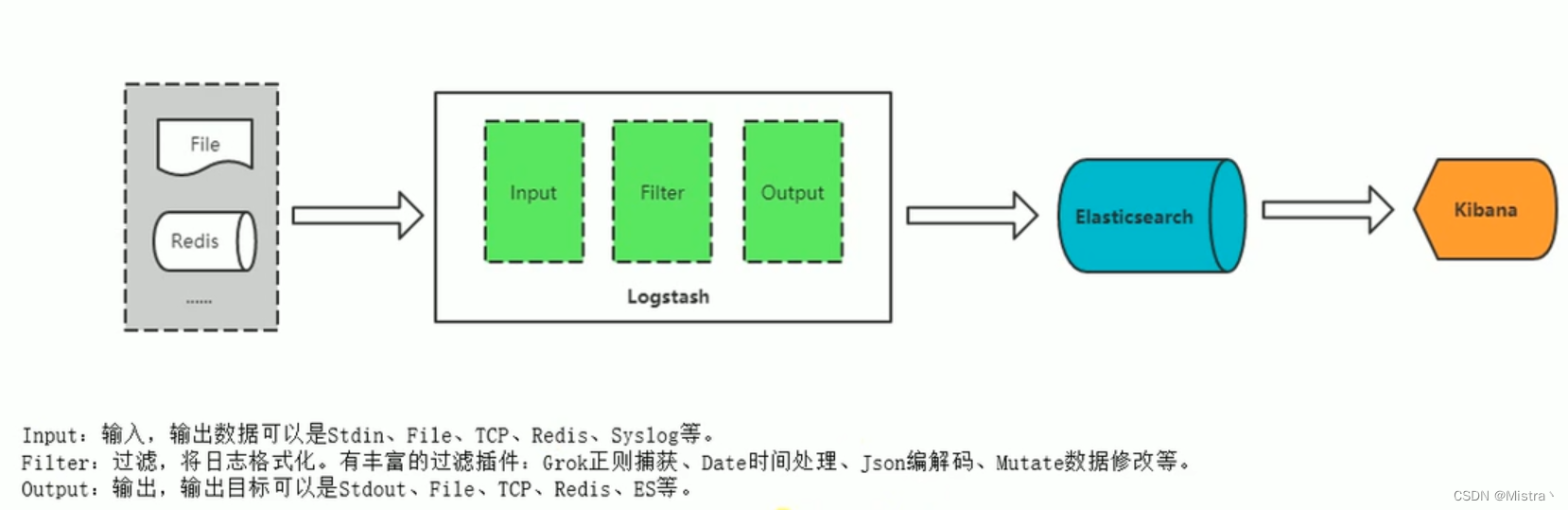
架构
ES
docker network create elkmkdir -p /opt/ELK/es/datachmod 777 /opt/ELK/esdocker run -d --name elasticsearch --net elk -p 9200:9200 -p 9300:9300 -e "discovery.type=single-node" -v /opt/ELK/es/plugins:/usr/share/elasticsearch/plugins -v /opt/ELK/es/data:/usr/share/elasticsearch/data elasticsearch:7.16.1chmod 777 /opt/ELK/es/data && docker restart elasticsearch
访问:http://ip:9200 可看到ES节点信息
Logstash
log.conf
mkdir -p /opt/ELK/logstash/conf.d
cd /opt/ELK/logstash/conf.d
touch log.conf
编辑log.conf 新增内容如下
input {file {type => "sidetreelog"path => "/var/log/messages/core-1.log"start_position => "beginning"sincedb_path => "/dev/null"stat_interval => "5"}file {type => "sidetreelog"path => "/var/log/messages/core-2.log"start_position => "beginning"sincedb_path => "/dev/null"stat_interval => "5"}
}filter {grok {# 自定义正则文件目录patterns_dir => ["/usr/share/logstash/pattern"]# 日志采集规则match => {"message" => "%{IP:node} %{INT:count}\.%{WORD:batch} %{SIDETREE:stage} %{NUMBER:time}"}}mutate{remove_field => ["@version","host","path"]#rename => ["@timestamp", "create_time"]}
}
output {if[type] == "sidetreelog"{#无法解析的json不记录到elasticsearch中if "_grokparsefailure" not in [tags] {elasticsearch {hosts => "192.168.4.151:9200" index => "sidetree"document_type => "_doc"}}}stdout {codec => rubydebug}
}
logstash.yml
cd /opt/ELK/logstash
touch logstash.yml
编辑logstash.yml内容如下
path.config: /usr/share/logstash/conf.d/*.conf
path.logs: /var/log/logstash
jvm.options
若需要设置Logstash的内存大小,则需要修改JVM配置,读取日志时文件较多会内存溢出,一般都需要修改默认配置
touch jvm.options
编辑jvm.options内容如下 修改为8G -Xms8g
## JVM configuration# Xms represents the initial size of total heap space
# Xmx represents the maximum size of total heap space-Xms8g
-Xmx8g################################################################
## Expert settings
################################################################
##
## All settings below this section are considered
## expert settings. Don't tamper with them unless
## you understand what you are doing
##
################################################################## GC configuration
-XX:+UseConcMarkSweepGC
-XX:CMSInitiatingOccupancyFraction=75
-XX:+UseCMSInitiatingOccupancyOnly## Locale
# Set the locale language
#-Duser.language=en# Set the locale country
#-Duser.country=US# Set the locale variant, if any
#-Duser.variant=## basic# set the I/O temp directory
#-Djava.io.tmpdir=$HOME# set to headless, just in case
-Djava.awt.headless=true# ensure UTF-8 encoding by default (e.g. filenames)
-Dfile.encoding=UTF-8# use our provided JNA always versus the system one
#-Djna.nosys=true# Turn on JRuby invokedynamic
-Djruby.compile.invokedynamic=true
# Force Compilation
-Djruby.jit.threshold=0
# Make sure joni regexp interruptability is enabled
-Djruby.regexp.interruptible=true## heap dumps# generate a heap dump when an allocation from the Java heap fails
# heap dumps are created in the working directory of the JVM
-XX:+HeapDumpOnOutOfMemoryError# specify an alternative path for heap dumps
# ensure the directory exists and has sufficient space
#-XX:HeapDumpPath=${LOGSTASH_HOME}/heapdump.hprof## GC logging
#-XX:+PrintGCDetails
#-XX:+PrintGCTimeStamps
#-XX:+PrintGCDateStamps
#-XX:+PrintClassHistogram
#-XX:+PrintTenuringDistribution
#-XX:+PrintGCApplicationStoppedTime# log GC status to a file with time stamps
# ensure the directory exists
#-Xloggc:${LS_GC_LOG_FILE}# Entropy source for randomness
-Djava.security.egd=file:/dev/urandom
自定义正则表达式
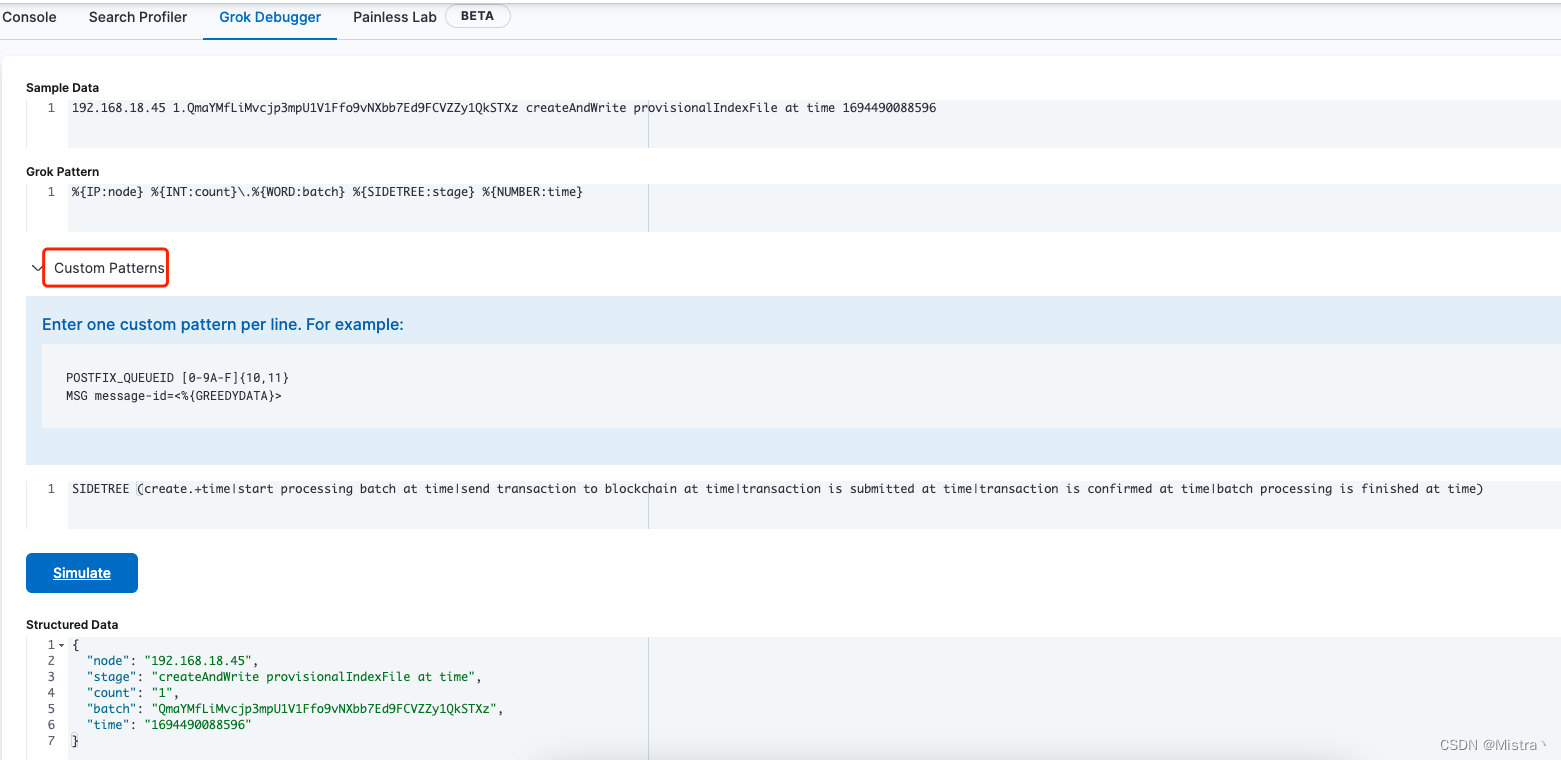
可使用Kibana的 Grok Debugger工具测试正则日志提取的正确性
mkdir -p /opt/ELK/logstash/pattern
cd /opt/ELK/logstash/pattern
touch pattern
vim pattern
我这里自定义的正则如下
SIDETREE (create.+time|start processing batch at time|send transaction to blockchain at time|transaction is submitted at time|transaction is confirmed at time|batch processing is finished at time)
这里配置的正则在log.conf配置文件里面就可以使用了
启动Logstash服务
docker run -d --name logstash --net elk -u root -p 5044:5044 -v /etc/timezone:/etc/timezone:ro -v /etc/localtime:/etc/localtime:ro -v /opt/ELK/logstash/logstash.yml:/usr/share/logstash/config/logstash.yml -v /opt/ELK/logstash/conf.d/:/usr/share/logstash/conf.d/ -v /opt/ELK/logstash/jvm.options:/usr/share/logstash/config/jvm.options -v /opt/ELK/logstash/pattern:/usr/share/logstash/pattern -v /root/DIF/sidetree/ion/logs:/var/log/messages logstash:6.8.19docker logs -f logstash //查看日志
这里是配置的读取/root/DIF/sidetree/ion/logs目录下的core-1.log和core-2.log文件,只要这2个文件有日志写入,就会自动读取并入库到ES中
Kibana
启动
docker run -d --name kibana --net elk -p 5601:5601 kibana:7.14.2
Grok Debugger: http://ip:5601/app/dev_tools#/grokdebugger
可视化图表
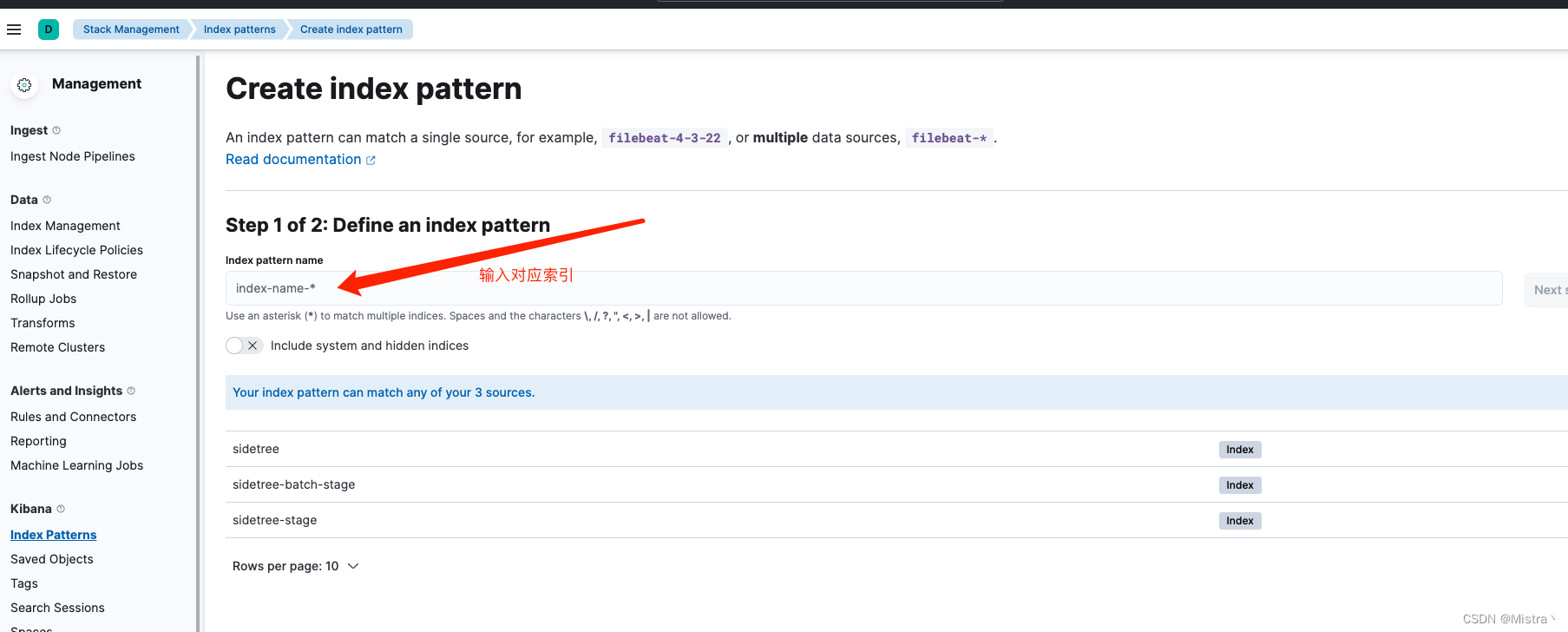
先在Kibana设置Index patterns
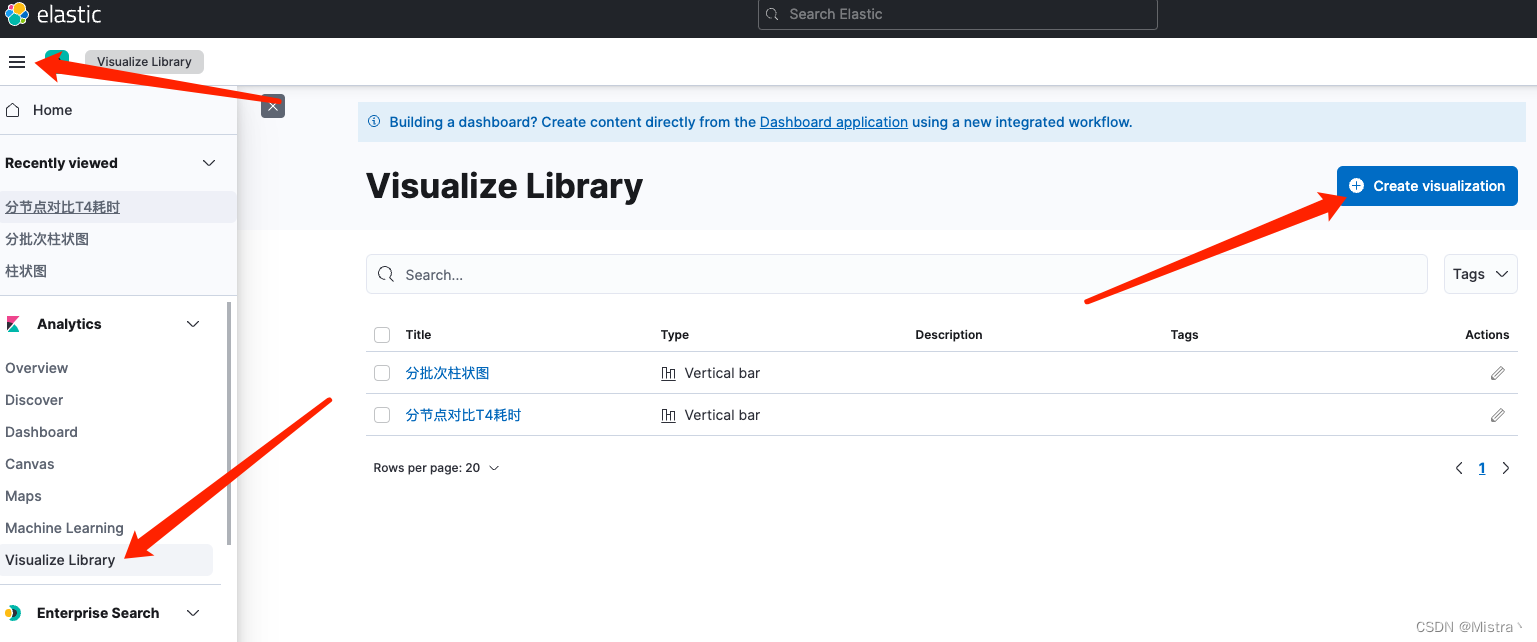
创建一个聚合柱状图可视化图表
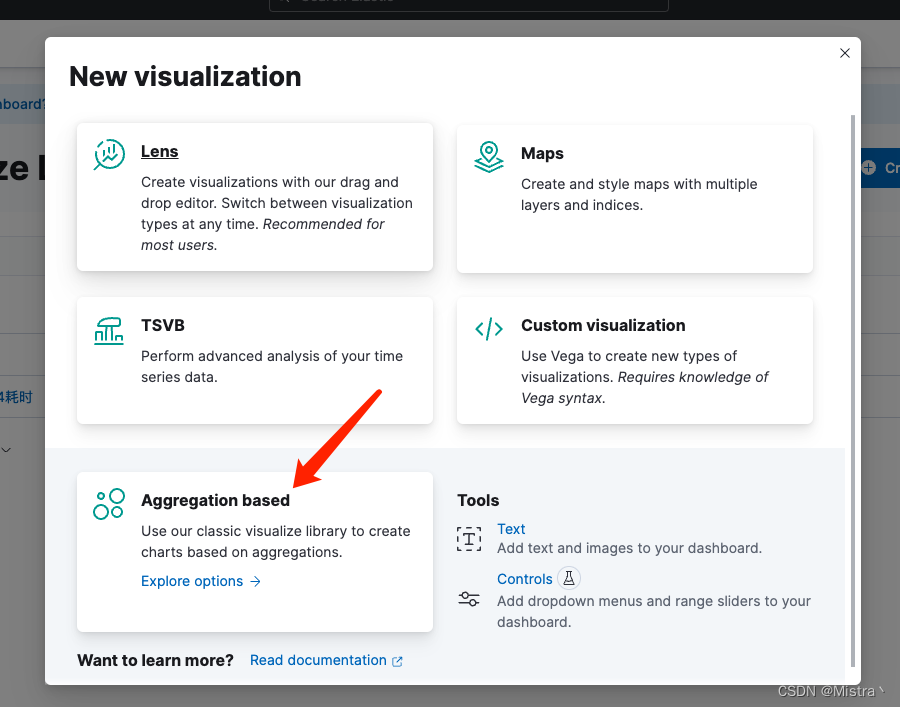
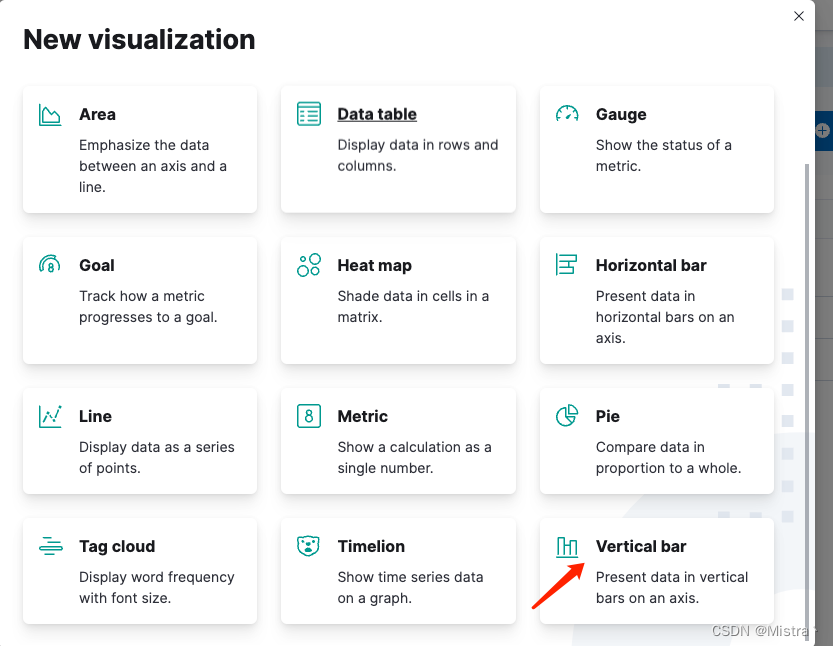
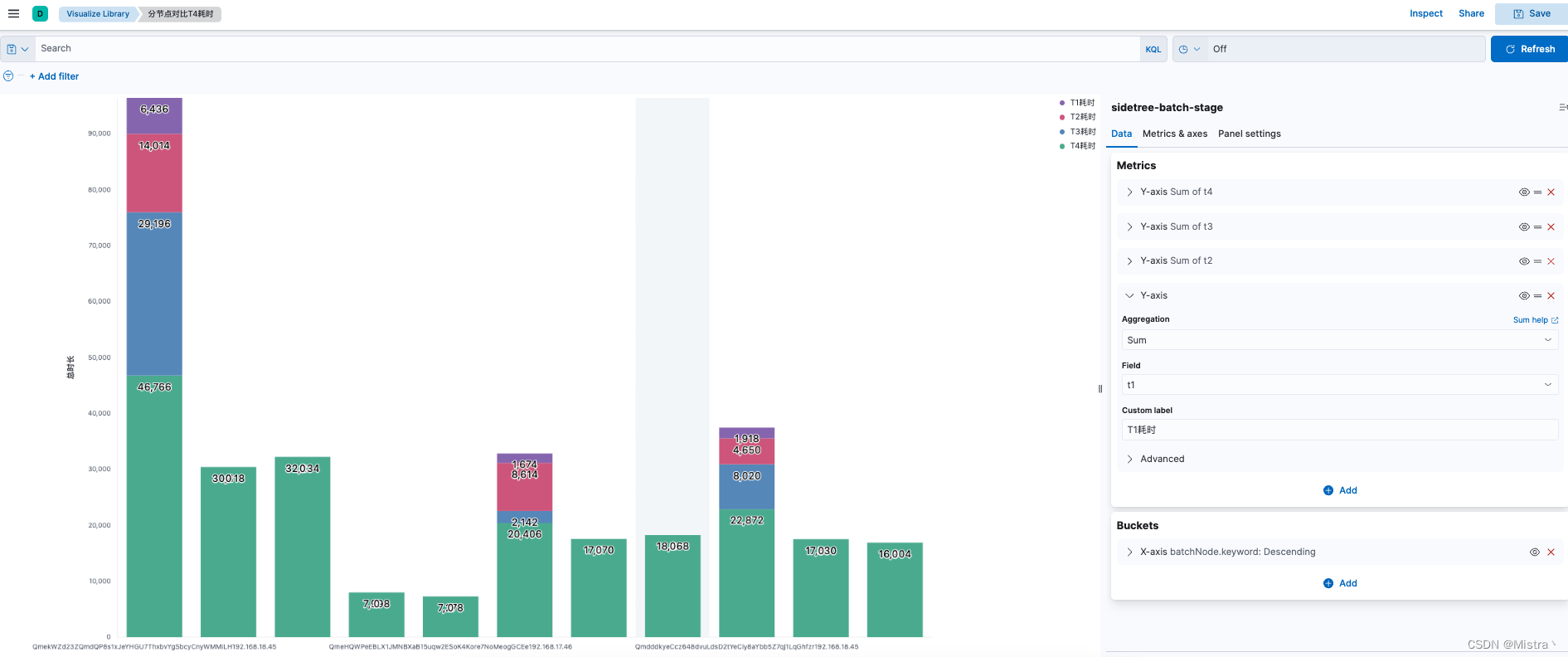
相关文章:
Docker搭建ELK日志采集服务及Kibana可视化图表展示
架构 ES docker network create elkmkdir -p /opt/ELK/es/datachmod 777 /opt/ELK/esdocker run -d --name elasticsearch --net elk -p 9200:9200 -p 9300:9300 -e "discovery.typesingle-node" -v /opt/ELK/es/plugins:/usr/share/elasticsearch/plugins -v /opt/…...

SpringBoot结合MyBatis实现多数据源配置
SpringBoot结合MyBatis实现多数据源配置 一、前提条件 1.1、环境准备 SpringBoot框架实现多数据源操作,首先需要搭建Mybatis的运行环境。 由于是多数据源,也就是要有多个数据库,所以,我们创建两个测试数据库,分别是…...

单个vue echarts页面
<template> <div ref"history" class"echarts"></div> </template> <script> export default{ data () { return {}; }, methods: { history(){ let myChart this.$echarts.init(this.$refs.history); // 绘制图表 myCha…...
【web开发】6、Django(1)
提示:文章写完后,目录可以自动生成,如何生成可参考右边的帮助文档 文章目录 一、Django是什么?二、使用步骤1.安装Django2.创建项目3.创建app4.快速上手5.模板继承 数据库操作1.安装第三方模块2.自己创建数据库3.DJango链接数据库…...
第29节-PhotoShop基础课程-滤镜库
文章目录 前言1.滤镜库2.Camera Raw滤镜 (用来对图片进行预处理,最全面的一个)3.神经滤镜(2022插件 需要先下载)4.液化(胖-> 瘦 矮->高)5.其它滤镜1.自适应广角2.镜头矫正 把图片放正3.消…...
)
空间(蓝桥杯)
空间 本题为填空题,只需要算出结果后,在代码中使用输出语句将所填结果输出即可。 小蓝准备用 256MB 的内存空间开一个数组,数组的每个元素都是 32 位 二进制整数,如果不考虑程序占用的空间和维护内存需要的辅助空间,…...
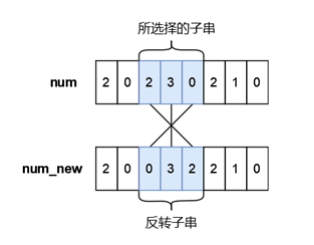
蓝桥杯2023年第十四届省赛真题-更小的数--题解
目录 蓝桥杯2023年第十四届省赛真题-更小的数 题目描述 输入格式 输出格式 样例输入 样例输出 提示 【思路解析】 【代码实现】 蓝桥杯2023年第十四届省赛真题-更小的数 时间限制: 3s 内存限制: 320MB 提交: 895 解决: 303 题目描述 小蓝有一个长度均为 n 且仅由数字…...
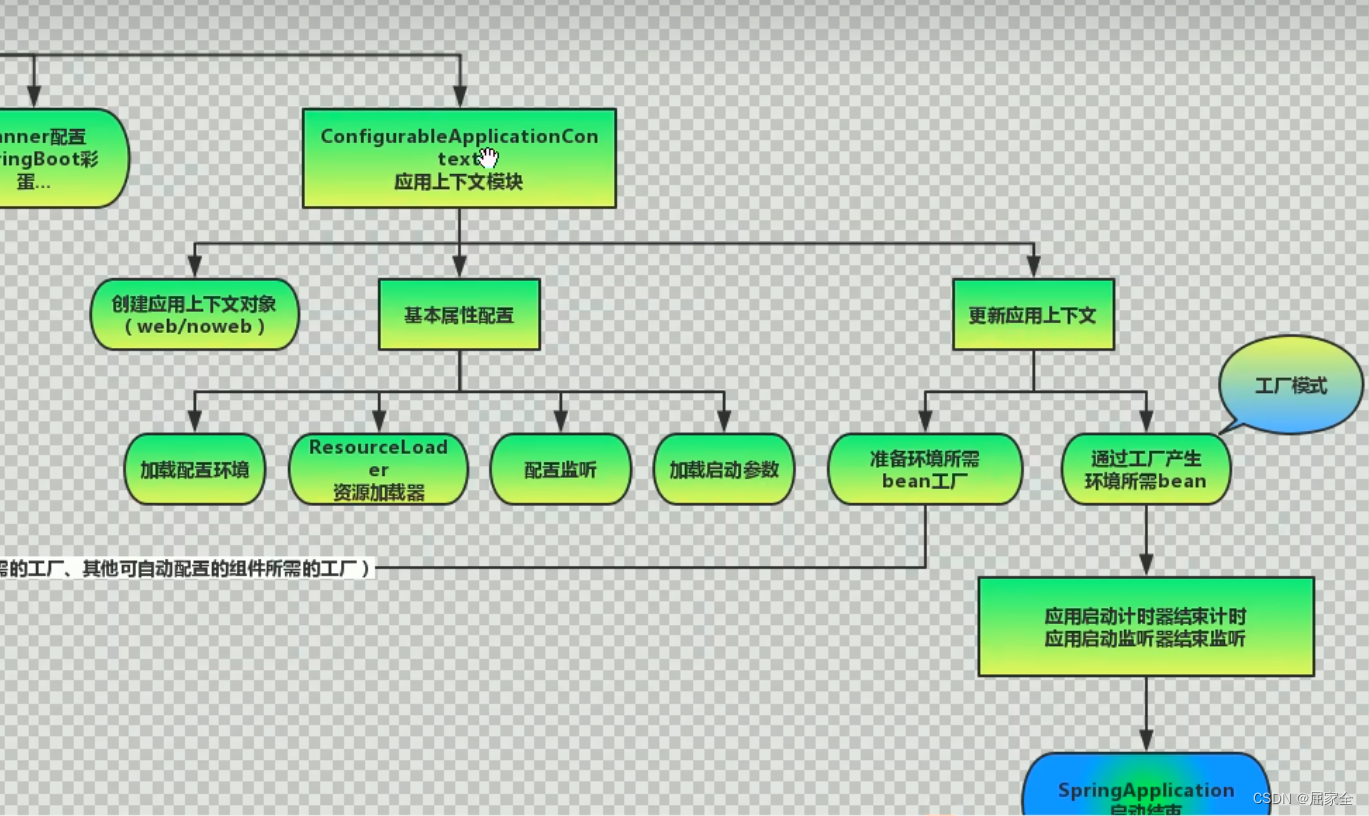
SpringBoot详解
文章目录 SpringBoot的特点Spring,SpringBoot的区别SpringBoot常用注解标签SpringBoot概述SpringBoot简单Demo搭建读取配置文件的内容 SpringBoot自动配置Condition自定义beanSpringBoot常用注解原理EnableAutoConfiguration SpringBoot监听机制SpringBoot启动流程分…...

typescript 类型断言
typescript 类型断言 TypeScript 是一种在 JavaScript 基础上开发的强类型语言,它为开发者提供了类型安全性和其他有用的特性。类型断言是 TypeScript 中的一种特性,允许开发者在编译时确定变量或表达式的类型。类型断言有多种使用场景,包括…...

如何确定自己是否适合做程序员?
如果你不确定你是否注定要成为一名程序员,这里有六个迹象可能表明你不适合。 1. 你缺乏实验创造力 尽管编程的基础是逻辑,但它在很大程度上是一种创造性的艺术。新程序就像一张空白的画布。画笔和调色板是语言、框架和库。您需要对自己的创作和创造力有…...
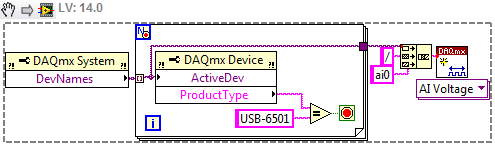
LabVIEW以编程方式查找系统中DAQ设备的设备名称
LabVIEW以编程方式查找系统中DAQ设备的设备名称 使用DAQmx VI,“创建虚拟通道”函数,这个函数需要物理通道输入端。当使用相同型号的新设备(例如,两个不同的USB-6210)运行可执行文件时,代码会中断…...

23、mysql数据库的安装
(无图,简易版本) 一、下载 点开下面的链接:https://dev.mysql.com/downloads/mysql/ 点击Download 就可以下载对应的安装包了 二、解压 下载完成后我们得到的是一个压缩包,将其解压,我们就可以得到MyS…...
【实战详解】如何快速搭建接口自动化测试框架?Python + Requests
摘要: 本文主要介绍如何使用Python语言和Requests库进行接口自动化测试,并提供详细的代码示例和操作步骤。希望能对读者有所启发和帮助。 前言 随着移动互联网的快速发展,越来越多的应用程序采用Web API(也称为RESTful API&…...

Linux安全加固:保护你的服务器
🌷🍁 博主猫头虎(🐅🐾)带您 Go to New World✨🍁 🦄 博客首页——🐅🐾猫头虎的博客🎐 🐳 《面试题大全专栏》 🦕 文章图文…...

【C++初阶】C++STL详解(四)—— vector的模拟实现
📝个人主页:Sherry的成长之路 🏠学习社区:Sherry的成长之路(个人社区) 📖专栏链接:C初阶 🎯长路漫漫浩浩,万事皆有期待 【C初阶】CSTL详解(三…...

VS code 下 makefile 【缺少分隔符 停下来】 报错解决方法
首先来看报错的makefile源码 再来看报错的信息: 第5行缺少分隔符,其实不止是第5行,只要是前面需要加tab留白的行都会报这个错误,比如说第7行第11行 编译的时候,前面的留白必须是按tab键生成的 但是!&…...

虹科案例 | Zuellig Pharma和ELPRO通过符合GDP标准的温度监测和高效的温度数据管理为未来发展奠定基础
在本案例研究中,您将了解Zuellig Pharma 实施了温度监测解决方案,以一致的数据结构获取各国和各种运输方式的数据; 通过将温度数据上传到其数据库管理系统,显著提高了其效率; 并建立了为未来管理决策提供数据增值使用的基础。 项目合作伙伴 …...

为啥我的第二个for循环不加框红的代码就运行失效呢?(文末赠书)
点击上方“Python爬虫与数据挖掘”,进行关注 回复“书籍”即可获赠Python从入门到进阶共10本电子书 今 日 鸡 汤 苟全性命于乱世,不求闻达于诸侯。 大家好,我是皮皮。 一、前言 前几天在Python最强王者群【哎呦喂 是豆子~】问了一…...

Java高级之注解
文章目录 一、注解1.1、Annotation的使用示例1.2、自定义注解1.3、元注解1.4、通过反射获取注解信息---未完成1.5、jdk 8 中注解的新特性 一、注解 注解:Annotation 注解是一种趋势,一定程度上 可以说:框架 注解 反射 设计模式 jdk 5.0 新…...
【SpringMVC】JSON数据传输与异常处理的使用
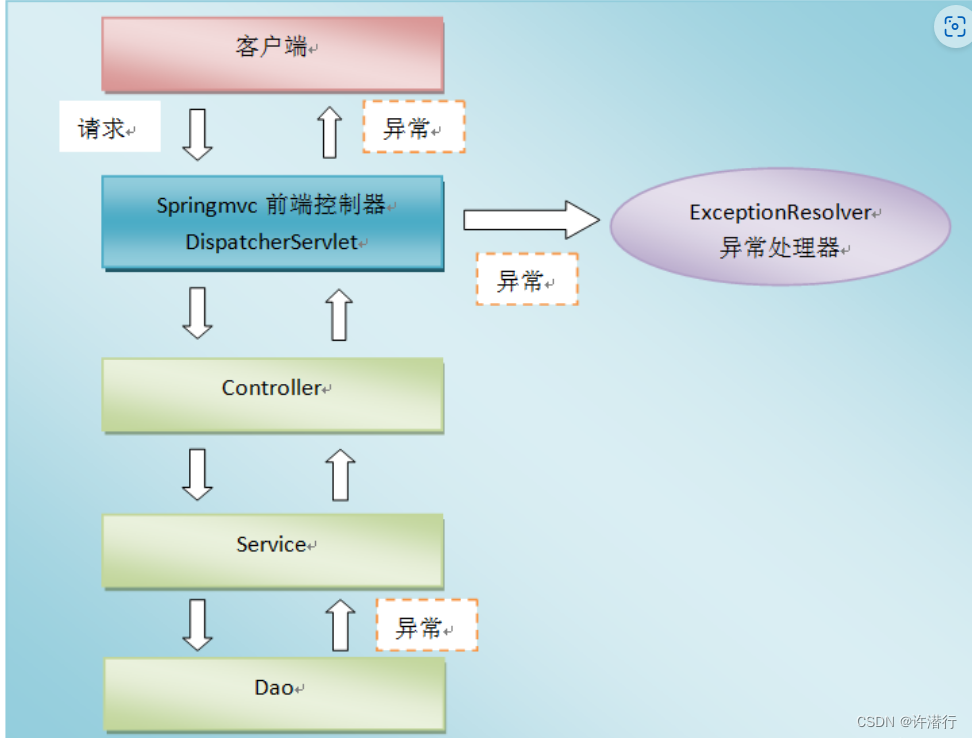
文章目录 一、Jackson1.1 Jackson是什么1.2 常用注解1.3 实例1.3.1导入依赖1.3.2 配置spring-mvc.xml1.3.3 JsonController.java 二、Spring MVC异常处理机制2.1 使用原因2.2 SpringMVC异常处理2.2.1 异常处理机制流程图2.2.2 异常处理的三种方式 一、Jackson 1.1 Jackson是什…...
【大模型RAG】拍照搜题技术架构速览:三层管道、两级检索、兜底大模型
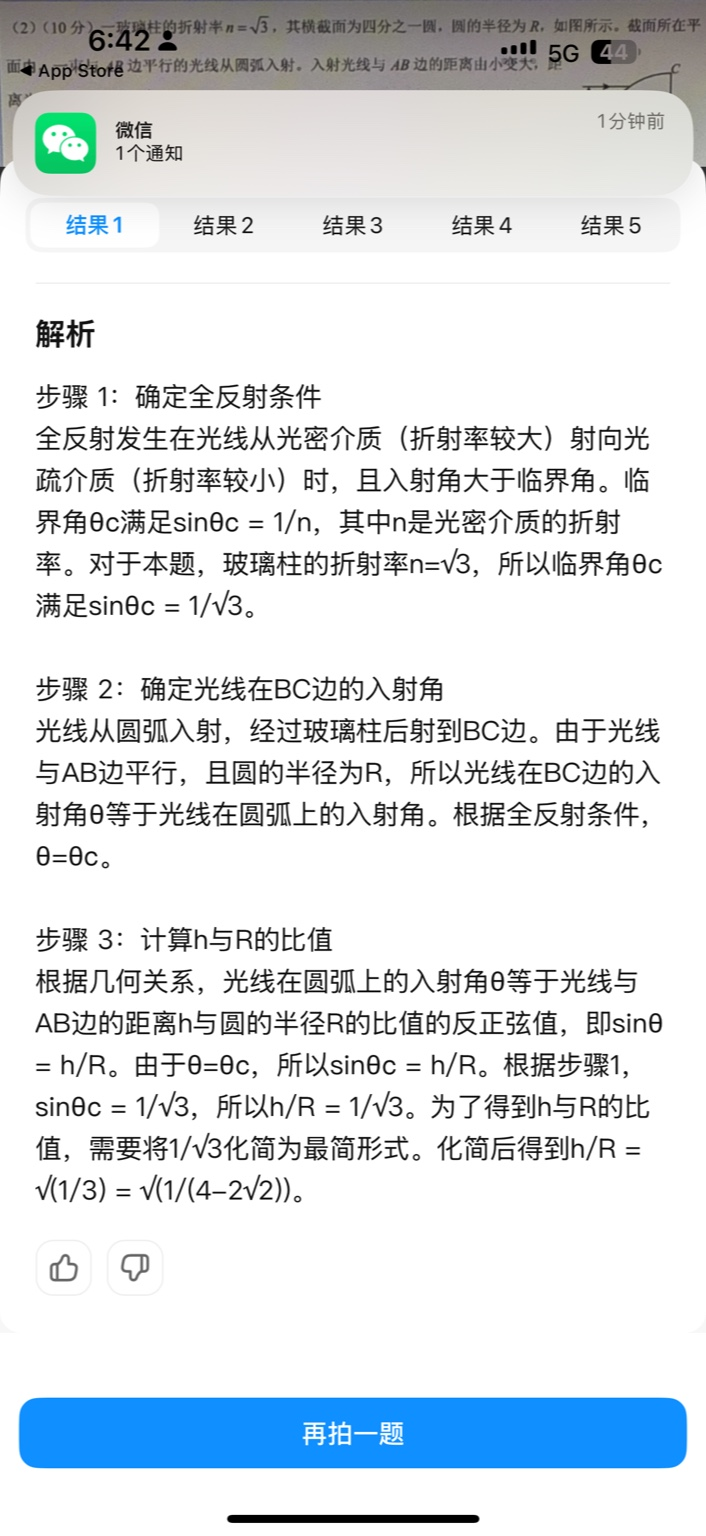
摘要 拍照搜题系统采用“三层管道(多模态 OCR → 语义检索 → 答案渲染)、两级检索(倒排 BM25 向量 HNSW)并以大语言模型兜底”的整体框架: 多模态 OCR 层 将题目图片经过超分、去噪、倾斜校正后,分别用…...

利用ngx_stream_return_module构建简易 TCP/UDP 响应网关
一、模块概述 ngx_stream_return_module 提供了一个极简的指令: return <value>;在收到客户端连接后,立即将 <value> 写回并关闭连接。<value> 支持内嵌文本和内置变量(如 $time_iso8601、$remote_addr 等)&a…...
微服务商城-商品微服务
数据表 CREATE TABLE product (id bigint(20) UNSIGNED NOT NULL AUTO_INCREMENT COMMENT 商品id,cateid smallint(6) UNSIGNED NOT NULL DEFAULT 0 COMMENT 类别Id,name varchar(100) NOT NULL DEFAULT COMMENT 商品名称,subtitle varchar(200) NOT NULL DEFAULT COMMENT 商…...

【OSG学习笔记】Day 16: 骨骼动画与蒙皮(osgAnimation)
骨骼动画基础 骨骼动画是 3D 计算机图形中常用的技术,它通过以下两个主要组件实现角色动画。 骨骼系统 (Skeleton):由层级结构的骨头组成,类似于人体骨骼蒙皮 (Mesh Skinning):将模型网格顶点绑定到骨骼上,使骨骼移动…...

Caliper 配置文件解析:config.yaml
Caliper 是一个区块链性能基准测试工具,用于评估不同区块链平台的性能。下面我将详细解释你提供的 fisco-bcos.json 文件结构,并说明它与 config.yaml 文件的关系。 fisco-bcos.json 文件解析 这个文件是针对 FISCO-BCOS 区块链网络的 Caliper 配置文件,主要包含以下几个部…...
Maven 概述、安装、配置、仓库、私服详解
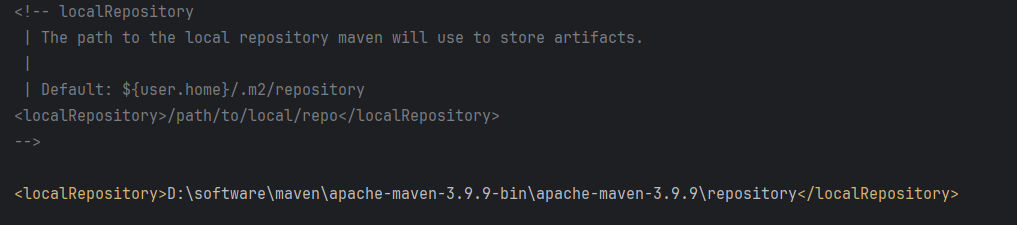
目录 1、Maven 概述 1.1 Maven 的定义 1.2 Maven 解决的问题 1.3 Maven 的核心特性与优势 2、Maven 安装 2.1 下载 Maven 2.2 安装配置 Maven 2.3 测试安装 2.4 修改 Maven 本地仓库的默认路径 3、Maven 配置 3.1 配置本地仓库 3.2 配置 JDK 3.3 IDEA 配置本地 Ma…...
C++:多态机制详解
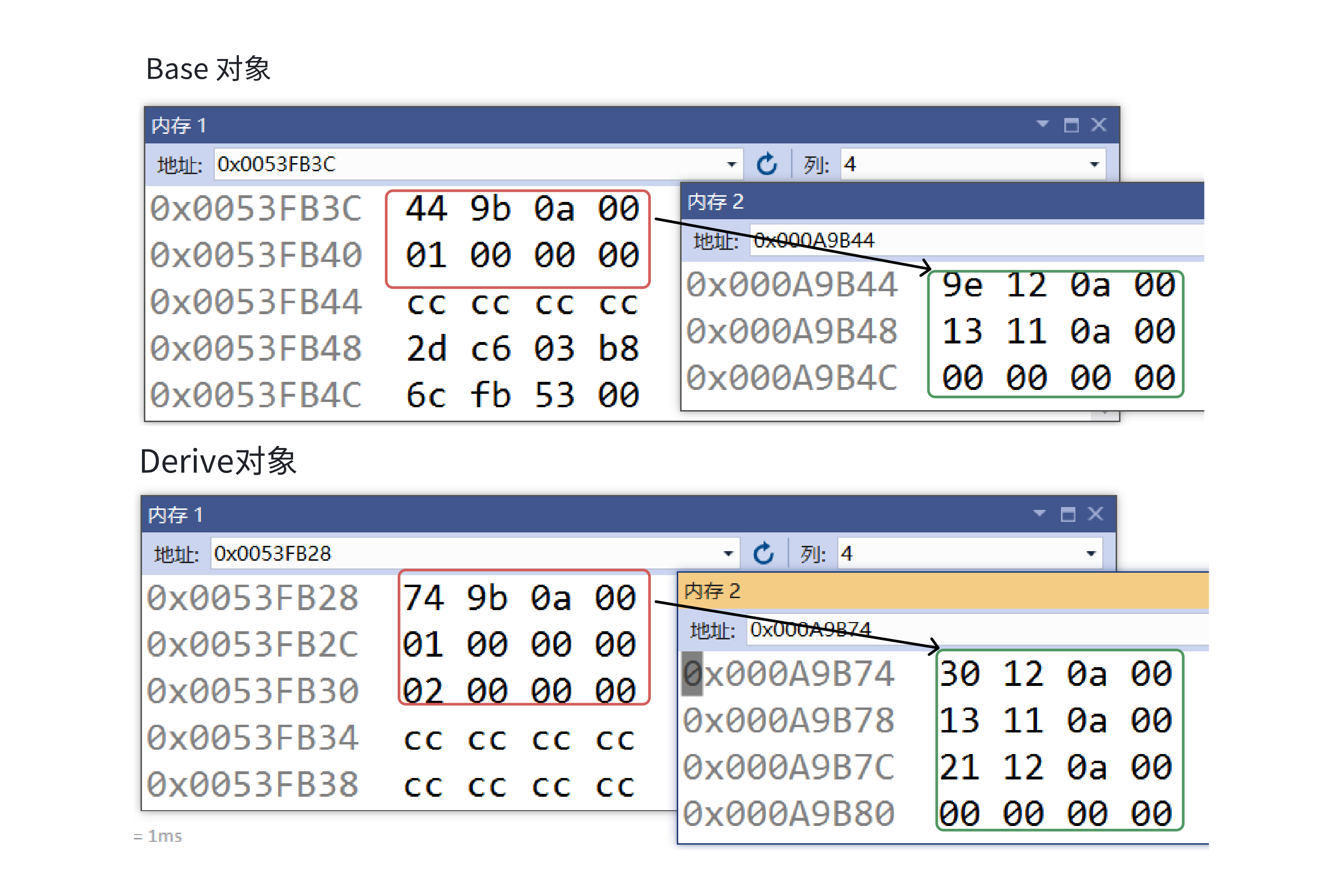
目录 一. 多态的概念 1.静态多态(编译时多态) 二.动态多态的定义及实现 1.多态的构成条件 2.虚函数 3.虚函数的重写/覆盖 4.虚函数重写的一些其他问题 1).协变 2).析构函数的重写 5.override 和 final关键字 1&#…...

LCTF液晶可调谐滤波器在多光谱相机捕捉无人机目标检测中的作用
中达瑞和自2005年成立以来,一直在光谱成像领域深度钻研和发展,始终致力于研发高性能、高可靠性的光谱成像相机,为科研院校提供更优的产品和服务。在《低空背景下无人机目标的光谱特征研究及目标检测应用》这篇论文中提到中达瑞和 LCTF 作为多…...

Python网页自动化Selenium中文文档
1. 安装 1.1. 安装 Selenium Python bindings 提供了一个简单的API,让你使用Selenium WebDriver来编写功能/校验测试。 通过Selenium Python的API,你可以非常直观的使用Selenium WebDriver的所有功能。 Selenium Python bindings 使用非常简洁方便的A…...
AD学习(3)
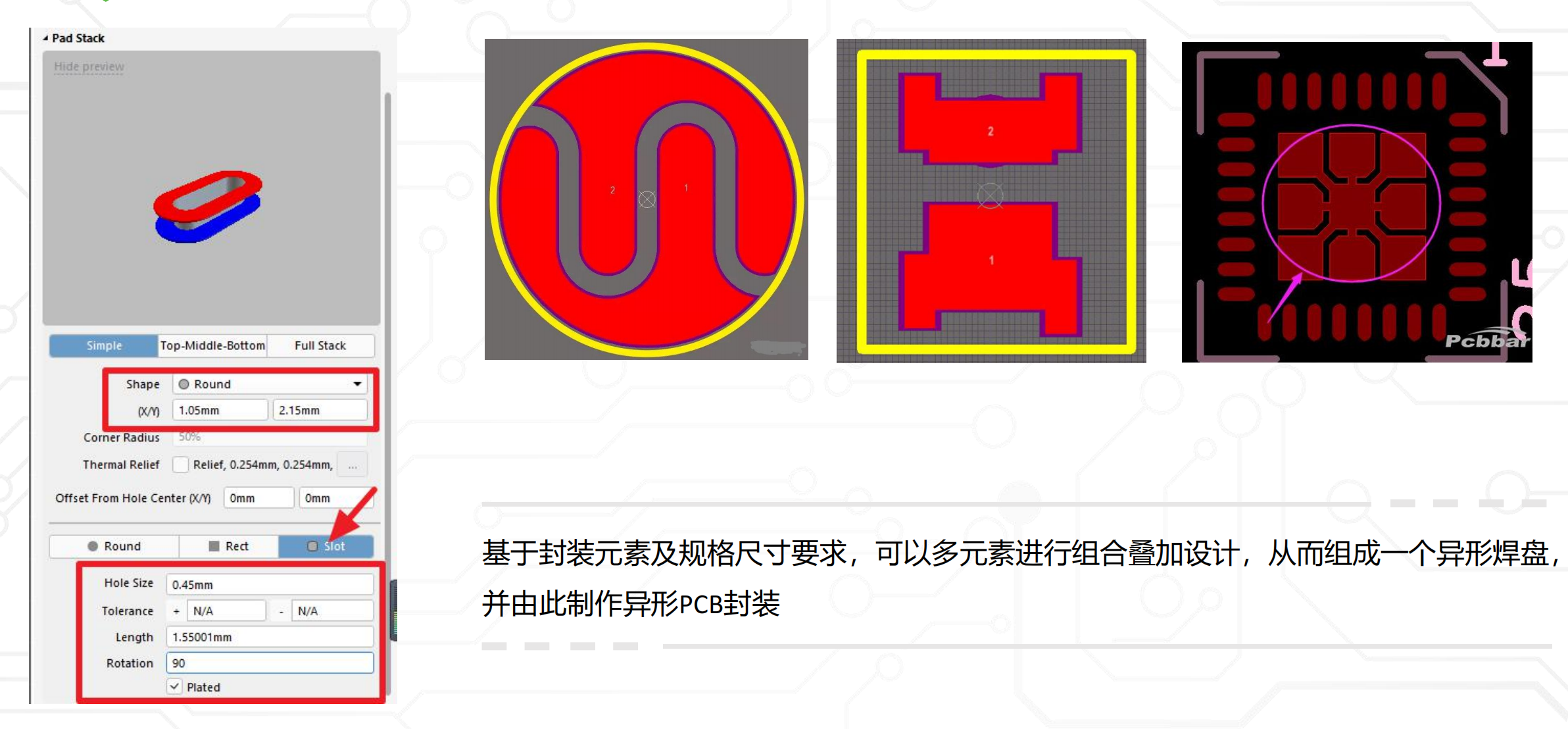
1 PCB封装元素组成及简单的PCB封装创建 封装的组成部分: (1)PCB焊盘:表层的铜 ,top层的铜 (2)管脚序号:用来关联原理图中的管脚的序号,原理图的序号需要和PCB封装一一…...