
python 学习笔记(6)—— Flask 、MySql
目录
Flask
1、起步
2、渲染项目的首页
3、处理无参数的 GET 请求
4、处理有 query 参数的 GET 请求
6、处理 params 参数的 get 请求
6、处理 application/json 类型请求体的 POST 请求
7、根据参数渲染模板页面
8、上传文件
数据库操作(mysql)
Flask
1、起步
先创建一个项目的文件夹,然后在该文件夹下初始化一个虚拟环境。虚拟环境建设好后,文件夹下将有一个 venv 的目录。
# python 3版本 创建虚拟环境:
py -3 -m venv venv# 激活虚拟环境
venv\Scripts\activate# 安装 flask
pip install flask
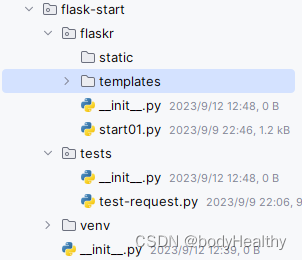
依次创建 flaskr、flaskr/static、flaskr/templates、tests目录:
flaskr目录:包含应用代码和文件的 Python 包;
/static:存放静态文件,如图片等;
/templates:可以用来存放 html 文件,用于服务端渲染;
test 目录:用来存放测试类型的文件;
2、渲染项目的首页
from flask import Flask
from flask import render_template
from flask_cors import CORS# 创建该类的实例
app = Flask(__name__)
CORS(app, resources={r'/*': {'origins' :'*'}})      # 同源策略解决方法# 使用装饰器设定匹配的URL,如果命中,则执行下面的函数;默认是 get 请求
@app.route('/')
def default_page():# 返回指定的页面,是项目下 templates 下的文件return render_template('index.html')if __name__ == '__main__':# 运行该服务,监听的端口为 9090,host=‘0.0.0.0’表示接受公开访问app.run(port=9090, host='0.0.0.0')
# templates/index.js<!DOCTYPE html>
<html lang="en">
<head><meta charset="UTF-8"><title>Title</title><style>h1{ color: brown; }</style>
</head>
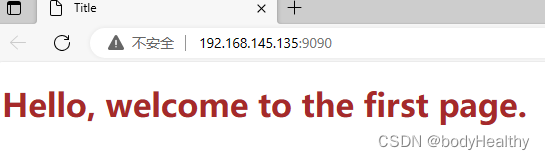
<body><h1>Hello, welcome to the first page.</h1>
</body>
</html>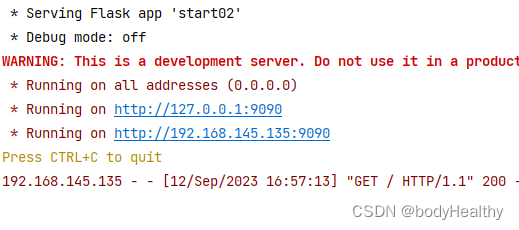
3、处理无参数的 GET 请求
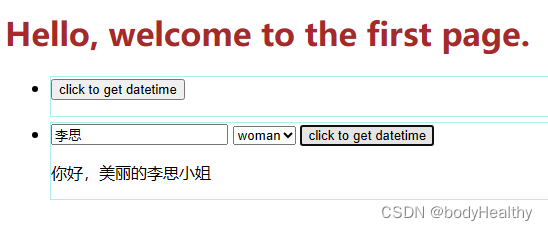
改造 index.html 文件,让请求和结果展示在当前界面完成:
# templates/index.js<body><h1>Hello, welcome to the first page.</h1><ul><li><button onclick="get_request('get_datetime', '.datetime')">click to get datetime</button><p class="datetime"></p></li></ul>
<script>function get_request(path, renderElement, query='', callback){const xhr = new XMLHttpRequest()xhr.open('GET', `http://192.168.145.135:9090/${path}${query ?  `?${query}` : ''}`)xhr.onreadystatechange = () => {if(xhr.readyState === 4 && xhr.status){document.querySelector(renderElement).innerText = xhr.responsecallback ? callback(xhr.response) : ''}}xhr.send()}
</script>
</body>
# 规定匹配的路径为 /get_time 或 /get_time?
@app.route('/get_datetime')
def get_datetime():return datetime.datetime.now().strftime('%Y-%m-%d %H:%M:%S')
4、处理有 query 参数的 GET 请求
/templates/index.html 中新增的内容:
        <li><input class="name" type="text" placeholder="please input you name"><select class="gender" name="" id=""><option value="man">man</option><option value="woman">woman</option></select><button onclick="request_args()">click to get datetime</button><p class="name-gender"></p></li><script>function request_args(){let name = document.querySelector('.name').valuelet gender = document.querySelector('.gender').valueget_request('get_with_args', '.name-gender', `name=${name}&gender=${gender}`)}
</script>
from flask import Flask,request@app.route('/get_with_args')
def get_with_args():args = request.args# 各参数可以从 request 实例上去获取# print(args['name'], args['gender'])name = args['name']gender = args['gender']return f'你好,帅气的{name}先生' if gender == 'man' else f'你好,美丽的{name}小姐'关于 request 更多内容可以参考: https://flask.net.cn/api.html#incoming-request-data
6、处理 params 参数的 GET 请求
html 文件新增的测试内容:
        <li><input class="nickname" type="text" placeholder="input nickname"><input class="age" type="number" placeholder="input age"><button onclick="sendParams()">click to send params</button><p class="nickname-and-age"></p></li><script>const sendParams = () => {let nickname = document.querySelector('.nickname').valuelet age = document.querySelector('.age').valueget_request(`test-params/${nickname}/${age}`, '.nickname-and-age', '', (resdata)=>{let strong = document.createElement('strong')let obj = JSON.parse(resdata)strong.innerText = `response data: nickname: ${obj.nickname}; age: ${obj.age}`document.querySelector('.nickname-and-age').append(strong)})}
</script>
# 两个 params 参数都必须传, 预定义 nickname 参数为字符串,age 为整型
@app.route('/test-params/<string:nickname>/<int:age>')
def test_params(nickname, age):return {'nickname':nickname,'age':age}
6、处理 application/json 类型请求体的 POST 请求
index.html 文件中新增的内容:
        <li><input class="username" type="text"><input class="passwd" type="password"><button class="post-btn">click to post</button><p class="post-res"></p></li><script>document.querySelector('.post-btn').addEventListener('click',()=>{fetch('http://localhost:9090/test-post',{method:'post',body:JSON.stringify({username:document.querySelector('.username').value,passwd:document.querySelector('.passwd').value}),headers:{'Content-Type':'application/json','auth':'abcdefg---6789'}}).then(res => res.text()).then(data=>{document.querySelector('.post-res').innerText = data})})
</script>
@app.route('/test-post', methods=['post'])
def test_post():str = (request.data).decode()print(str)obj = json.loads(str)print(obj['username'])print(request.json['username'])# print(request.get_data()) # 与 request.data 一致,是字符串类型# print(request.json) # 是dict类型return 'ok'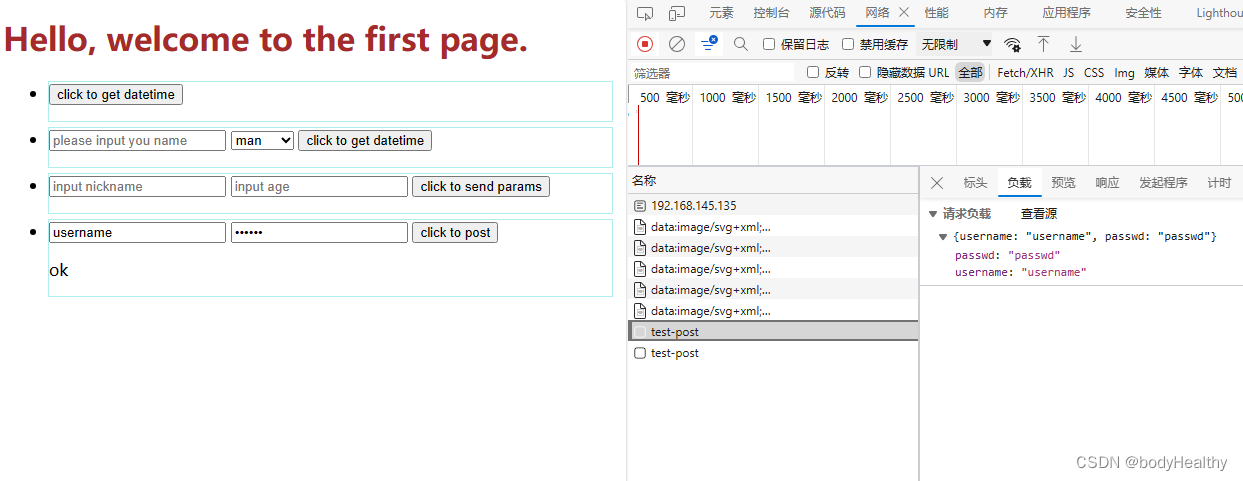

7、根据参数渲染模板页面
index.js 中添加的内容:
        <li><input type="text" placeholder="your address" class="_address"><input type="text" placeholder="your name" class="_name"><button class="to-new-page">click to new page with data</button></li><script>document.querySelector('.to-new-page').addEventListener('click', ()=>{address = document.querySelector('._address').valuename = document.querySelector('._name').value# 在新的窗口中访问window.open(`http://localhost:9090/new-page?address=${address}&name=${name}`)})
</script>
新创建两个 html:
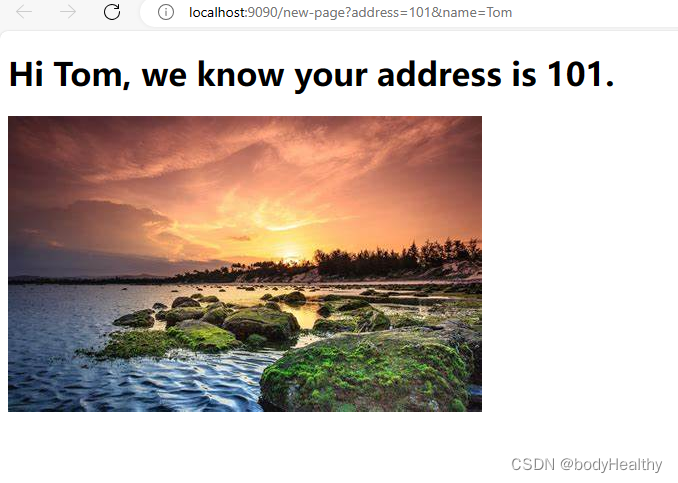
# new-page.html   当有 name 时返回的页面,可以没有address<body>{% if address %}<h1>Hi {{name}}, we know your address is {{address}}.</h1>{% else %}<h1>Hello {{name}}!</h1>{% endif %}<img src="https://tse3-mm.cn.bing.net/th/id/OIP-C.bVb769JBdzVZYuksxZ2Y-AHaEo?pid=ImgDet&rs=1" alt="">
</body>
# 404.html<head><meta charset="UTF-8"><meta name="viewport" content="width=device-width, initial-scale=1.0"><title>404</title><style>body,html{margin: 0;padding: 0;}.outer{width: 100vw;height: 100vh;display: flex;justify-content: center;align-items: center;}.num{width: 100px;height: 100px;font-size: 5rem;font-weight: 900;text-shadow: 3px 3px 3px #aaa;}.num:nth-child(2n){ color: brown; }.num:nth-child(2n + 1){ color: chocolate; }.num:nth-child(4){ width: auto; }</style>
</head>
<body><div class="outer"><div class="num">4</div><div class="num">0</div><div class="num">4</div><div class="num">no found</div></div>
</body># 可以直接访问
@app.route('/new-page')
def new_page():# 设置 address 和 name 都不是必传参数address = request.args['address'] if request.args else ''name = request.args['name'] if request.args else ''if name: # 往模板页面传递两个参数return render_template('another.html', address=address, name=name)else:# 如果没有名字,则返回 404 的页面return render_template('404.html')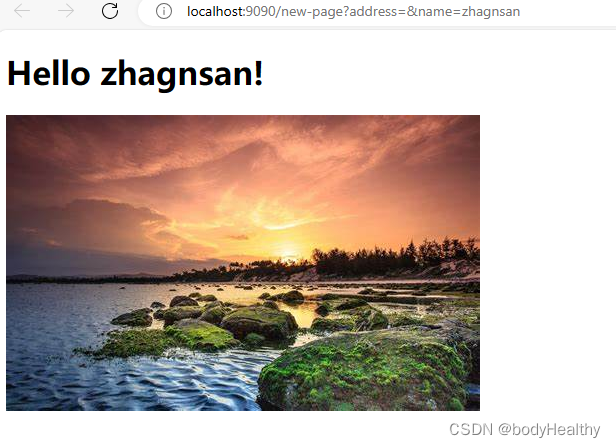


8、上传文件
index.html 中新增的内容:
        <li><input type="file" accept=".jpg,.png,.gif" id="file"><button class="upload-file" onclick="uploadFile()">upload file</button><p class="upload-file-res"></p></li><script>function uploadFile(){let files = document.querySelector('#file').filesconst formdata = new FormData()formdata.append('file', files[0])formdata.append('time', new Date().getTime())fetch('http://localhost:9090/upload-file',{method:'post',body:formdata}).then(res=>res.text()).then(data=>{console.log(data)})}
</script>
@app.route('/upload-file', methods=['post'])
def upload_file():if 'file' not in request.files:return 'upload fail'file = request.files['file']if file.filename == '':return 'filename no found'file.save(f'./{file.filename}')        # 保存图片到本地return 'ok'
关于 flask 文件上传的更安全的处理:上传文件_Flask中文网
数据库操作(mysql)
安装 pymysql:
pip install pymysqlimport pymysql# 连接指定数据库
conn = pymysql.connect(host='localhost', user='root',password='abcdef',database='python_study',charset='utf8')# 定义一个游标对象,靠游标对象来执行sql 以及获取 结果
#cursor = conn.cursor() # 默认是元组形式的结果# 将游标对象定义为 字典 类型,进而更方便地获取数据
from pymysql.cursors import DictCursor
cursor = conn.cursor(DictCursor) # 创建游标,定义返回的数据类型是字典查询语句的执行和结果获取:
# 创建并执行 执行sql语句
sql = 'select * from student'
cursor.execute(sql)# 获取执行的结果集 所有数据
res = cursor.fetchall()
print(res)# res = cursor.fetchmany(3)                   # 获取前三条结果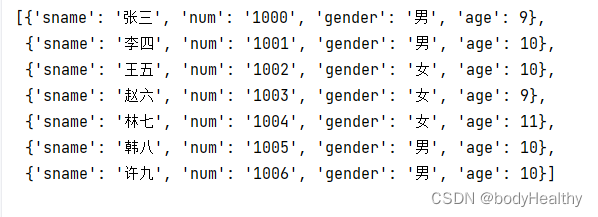
关于更新类的操作(增、删、改):
# 更新一条数据
sql = "update student set age = 9 where num = '1000'"
cursor.execute(sql)
conn.commit()                       # 显式提交更新操作# 新增一条数据,注意格式化的sql语句,如果有引号的要加上引号
name = '许九'
age = 10
gender = '男'
num = '1006'
sql = f"insert into student values ('{name}','{num}','{gender}',{age});"
cursor.execute(sql)
conn.commit()
最后需要关闭连接:
# 关闭连接
conn.close()
如果 连接的时候报错:RuntimeError: 'cryptography' package is required for sha256_password or caching_sha2_password auth methods
该错误指出需要 'cryptography' 包来处理 'sha256_password' 或 'caching_sha2_password' 的认证方式。
这可能是因为 Python 环境中缺少了 'cryptography' 包。这个包是一个 Python 的加密库,它提供了许多加密算法的实现,包括 'sha256_password' 和 'caching_sha2_password' 这两种 MySQL 的密码加密方式。
直接安装这个包然后再运行程序即可:
pip install cryptography
参考:
[1] flask获取post请求参数_flask post参数_阿常呓语的博客-CSDN博客
[2] 快速上手_Flask中文网
相关文章:
python 学习笔记(6)—— Flask 、MySql
目录 Flask 1、起步 2、渲染项目的首页 3、处理无参数的 GET 请求 4、处理有 query 参数的 GET 请求 6、处理 params 参数的 get 请求 6、处理 application/json 类型请求体的 POST 请求 7、根据参数渲染模板页面 8、上传文件 数据库操作(mysql࿰…...

Deepin下vsftp服务安装配置虚拟用户
1. 系统环境 Deepin20.9 2. 在线安装 # apt install -y vsftp //安装ftp服务软件 # apt install -y db-util //安装虚拟用户密码库处理软件 3. 离线安装 3.1 下载依赖包 # apt-get download $(apt-cache depends --recurse --no-recommends --no-suggests --n…...

OpenpyxlWriter‘ object has no attribute ‘save‘
问题 将实验结果保存为EXCEL,报错“OpenpyxlWriter‘ object has no attribute ‘save‘” data_df pd.DataFrame(Experiment_result) #关键1,将ndarray格式转换为DataFrame writer pd.ExcelWriter(./results/ args.model_num _args.data_name …...
)
ES6(三)
文章目录 Promise概念作用回调地狱Promise使用对象的状态Promise.allPromise.race Generator 函数概念基本语法异步流程 Class语法类的写法getter与setter静态属性和静态方法继承模块化 Promise 概念 Promise 是异步编程的一种解决方案,比传统的解决方案回调函数,…...
Android 数据库封装(SQLite)
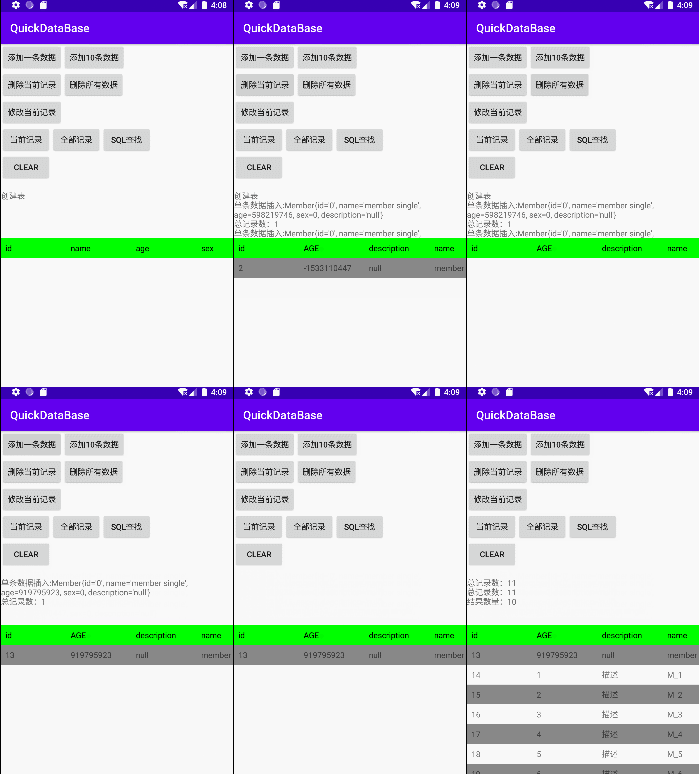
Android 数据库操作(SQLite) Android 数据库操作(SQLite)动态预览使用初始化生成表实体类插入数据批量插入删除数据删除全部修改数据查找(列表)查找(单条)条件查找(列表&…...
)
Git从入门到起飞(详细)
Git从入门到起飞 Git从入门到起飞什么是Git?使用git前提(注册git)下载Git在Windows上安装Git在macOS上安装Git在Linux上安装Git 配置Git配置全局用户信息配置文本编辑器 创建第一个Git仓库初始化仓库拉取代码添加文件到仓库提交更改推送 Git基本操作查看提交历史比较…...
R读写parquet文件
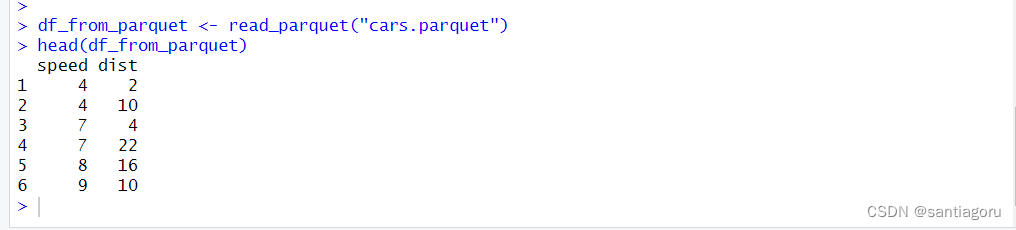
什么是parquet文件 Apache Parquet是一个开源的,列存储的数据文件格式。 https://parquet.apache.org/ 在R里面,我们可以通过arrow包来读写它。 我们先安装一下arrow包,并加载它。 install.packages("arrow") library(arrow)读写…...
Java21 LTS版本
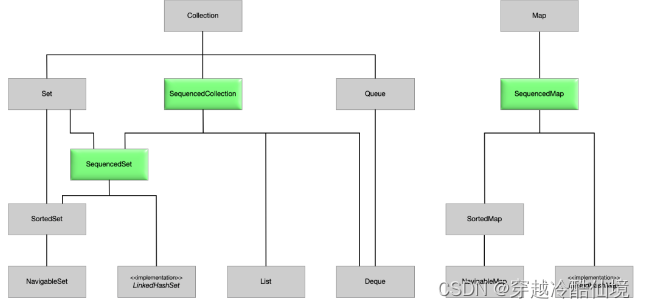
一、前言 除了众所周知的 JEP 之外,Java 21 还有更多内容。首先请确认 java 版本: $ java -version openjdk version "21" 2023-09-19 OpenJDK Runtime Environment (build 2135-2513) OpenJDK 64-Bit Server VM (build 2135-2513, mixed mo…...
element-puls+el-table)
【性能优化】虚拟懒加载(下拉滚动加载长列表)element-puls+el-table
目录 前言一、卡顿的原因?二、解决1、滚动懒加载2.官方 总结 前言 提示:这里可以添加本文要记录的大概内容: 在element-plus中,如果数据超过1k,就会感觉到明显的卡顿,应该是渲染的卡顿吧。反正我在请求回…...
一对多映射处理
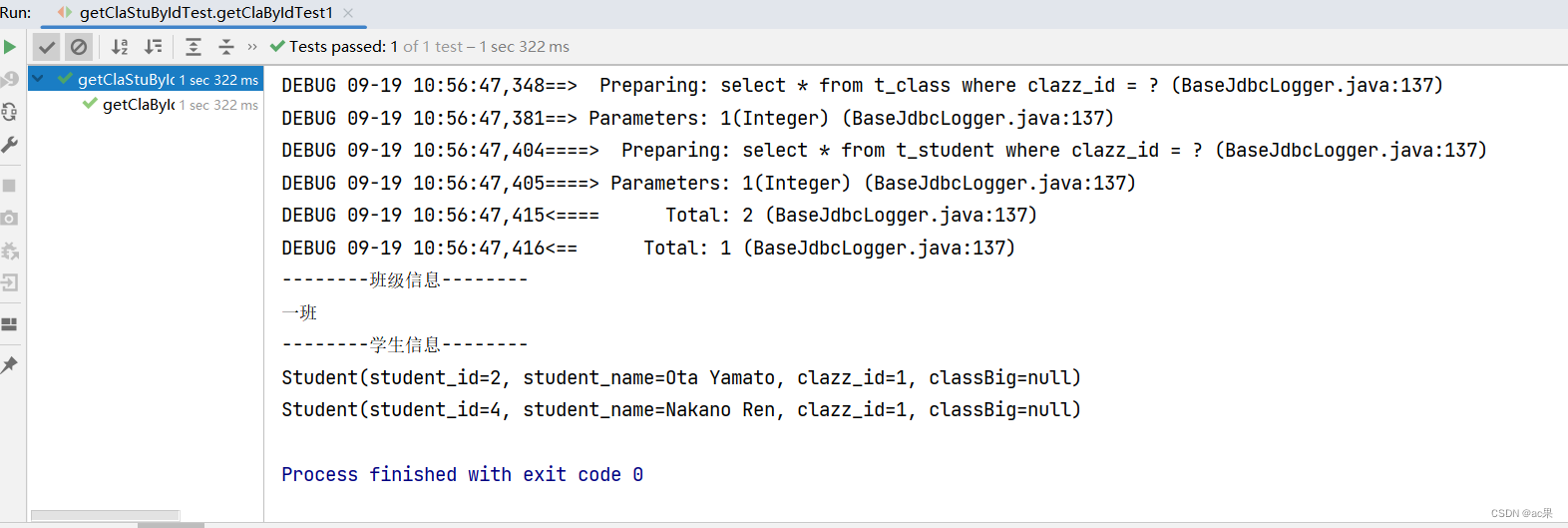
8.3.1 、collection /** * 根据部门id查新部门以及部门中的员工信息 * param did * return */ Dept getDeptEmpByDid(Param("did") int did);<resultMap id"deptEmpMap" type"Dept"> <id property"did" column"did&quo…...
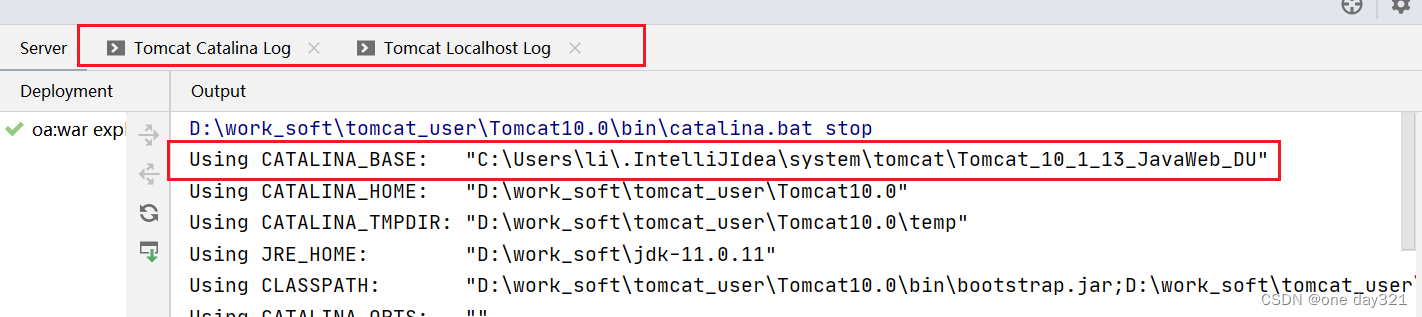
关于IDEA没有显示日志输出?IDEA控制台没有显示Tomcat Localhost Log和Catalina Log 怎么办?
问题描述: 原因是;CATALINA_BASE里面没有相关的文件配置。而之前学习IDEA的时候,把这个文件的位置改变了。导致,最后输出IDEA的时候,不会把日志也打印出来。 检查IDEA配置; D:\work_soft\tomcat_user\Tomcat10.0\bin 在此目录下&…...

蛇形填数 rust解法
蛇形填数。 在nn方阵里填入1,2,…,nn,要求填成蛇形。例如,n=4时方阵为: 10 11 12 1 9 16 13 2 8 15 14 3 7 6 5 4 解法如下: use std::io;fn main() {let mut buf String::new();…...

一文探索SD-WAN技术进阶后与MPLS的区别
在网络通信领域,随着云计算和大数据等新兴技术的快速发展,企业对于网络的可靠性、安全性以及带宽的需求越来越高。 SD-WAN(软件定义广域网)和MPLS(多协议标签交换)是两种不同的网络连接技术,它们…...
RocketMq(四)消息分类
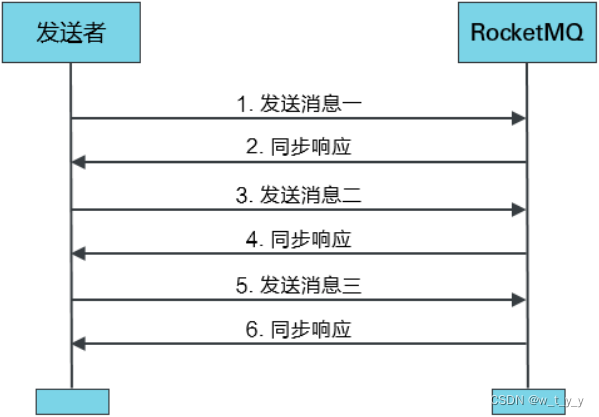
一、普通消息 1、同步发送消息:指的是Producer发出⼀条消息后,会在收到MQ返回的ACK之后才发下⼀条消息。该方式的消息可靠性最高,但消息发送效率低。 二、顺序消息 三、延时消息...

ip地址怎么改网速快
在当今高度依赖互联网的时代,快速稳定的网络连接对于人们的生活和工作至关重要。然而,有时我们可能会遇到网络速度缓慢的问题。虽然更改IP地址并不能直接影响网络速度,但它可以成为改善网络连接的一种策略之一。虎观代理小二二将探讨如何通过…...

植物大战僵尸各种僵尸攻略(四)
前言 此文章为“植物大战僵尸”专栏中的011刊(2023年9月第十刊),欢迎订阅。版权所有。 注意: 1.本博客适用于pvz无名版; 2.pvz指植物大战僵尸(Plants VS Zonbies); 3.本文以耗费低做标准&am…...
main函数中两个参数的作用
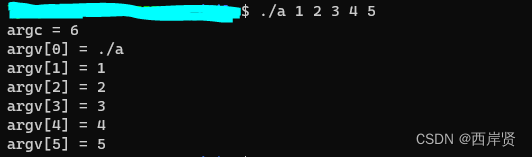
一般我们在使用C语言时不太用到main函数自带的参数,因此最常见的main函数就像下面这样。 int main() {...... }上面这种main函数是省略了其形参的,C语言中规定main函数的参数只能有两个,习惯上这两个参数写为argc和argv,其中&…...

华为OD机试 - 连续字母长度 - 字符串(Java 2023 B卷 100分)
目录 专栏导读一、题目描述二、输入描述三、输出描述1、输入2、输出3、说明4、再输入5、输出6、说明 四、解题思路五、Java算法源码六、效果展示1、输入2、输出3、说明 华为OD机试 2023B卷题库疯狂收录中,刷题点这里 专栏导读 本专栏收录于《华为OD机试(…...

想要精通算法和SQL的成长之路 - 填充书架
想要精通算法和SQL的成长之路 - 填充书架 前言一. 填充书架1.1 优化 前言 想要精通算法和SQL的成长之路 - 系列导航 一. 填充书架 原题链接 题目中有一个值得注意的点就是: 需要按照书本顺序摆放。每一层当中,只要厚度不够了,当前层最高…...
【ROS入门】ROS的核心概念
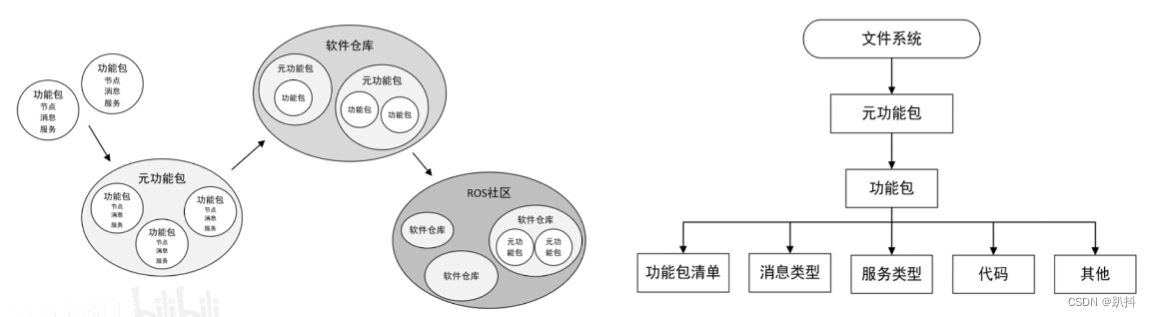
文章结构 通信机制节点(Node)——执行单元节点管理器(ROS Master)——控制中心话题通信——异步通信机制话题(Topic)消息(Message)——话题数据 服务通信——同步通信机制服务(Service) 话题和服务的区别参数(Parameter)——全局共享字典 文件系统功能包(Package&am…...

解决Claude Code访问不稳定与Token不足的痛点
🚀 告别海外账号与网络限制!稳定直连全球优质大模型,限时半价接入中。 👉 点击领取海量免费额度 解决Claude Code访问不稳定与Token不足的痛点 许多开发者将Claude Code作为日常编程的得力助手,用于代码生成、问题调试…...

MBTI性格测试
简介 MBTI(Myers‑Briggs Type Indicator,迈尔斯‑布里格斯类型指标)是基于荣格心理类型理论发展出的性格类型工具,由凯瑟琳库克布里格斯及其女儿伊莎贝尔布里格斯迈尔斯创建。它通过四对偏好维度将个体的认知与行为倾向归纳为 16…...

从CTF题看RSA安全:为什么你的密钥不能‘共享素数’?
从CTF实战看RSA密钥安全:那些年我们踩过的坑 在网络安全竞赛和实际渗透测试中,RSA算法的错误实现方式往往成为突破的关键点。本文将通过典型CTF赛题案例,揭示五种常见RSA实现漏洞背后的数学原理和安全启示,帮助开发者在实际项目中…...

谷氨酸发酵过程的软测量建模【附模型】
✨ 长期致力于软测量、谷氨酸发酵、动力学模型、支持向量机、高斯过程、变量选择、异常状态研究工作,擅长数据搜集与处理、建模仿真、程序编写、仿真设计。 ✅ 专业定制毕设、代码 ✅ 如需沟通交流,点击《获取方式》 (1)多阶段高斯…...

观察Taotoken在多模型聚合调用下的路由与失败重试效果
🚀 告别海外账号与网络限制!稳定直连全球优质大模型,限时半价接入中。 👉 点击领取海量免费额度 观察Taotoken在多模型聚合调用下的路由与失败重试效果 在构建依赖大模型能力的应用时,服务的稳定性是开发者关注的核心…...
)
Sora 2原生MP4输出不兼容Premiere Pro?揭秘H.264/H.265封装层4大隐性缺陷(附MediaInfo诊断模板+自动修复脚本)
更多请点击: https://codechina.net 第一章:Sora 2原生MP4输出不兼容Premiere Pro的根源定位 Sora 2生成的原生MP4文件虽符合ISO/IEC 14496-14规范,但其底层封装结构与Adobe Premiere Pro对时间码、元数据及视频流编码参数的严格校验逻辑存在…...

告别Selenium?手把手教你用Playwright录制脚本,5分钟搞定Web自动化测试
5分钟极速上手Playwright脚本录制:零代码实现Web自动化测试当产品经理突然丢给你一个刚上线的电商活动页,要求半小时内完成所有核心链路测试时,传统的手写Selenium脚本显然来不及。作为测试工程师,我最近发现微软开源的Playwright…...

终极音乐解锁指南:3步让加密音乐在任何设备自由播放
终极音乐解锁指南:3步让加密音乐在任何设备自由播放 【免费下载链接】unlock-music 在浏览器中解锁加密的音乐文件。原仓库: 1. https://github.com/unlock-music/unlock-music ;2. https://git.unlock-music.dev/um/web 项目地址: https:/…...

3步精通WaveTools:鸣潮全场景性能优化终极指南
3步精通WaveTools:鸣潮全场景性能优化终极指南 【免费下载链接】WaveTools 🧰鸣潮工具箱 项目地址: https://gitcode.com/gh_mirrors/wa/WaveTools 开源优化工具WaveTools作为《鸣潮》玩家必备的性能调校助手,通过深度配置优化实现画质…...

如何在macOS上免费安装HSTracker:终极炉石传说套牌追踪器完整指南
如何在macOS上免费安装HSTracker:终极炉石传说套牌追踪器完整指南 【免费下载链接】HSTracker A deck tracker and deck manager for Hearthstone on macOS 项目地址: https://gitcode.com/gh_mirrors/hs/HSTracker 还在为炉石传说对局中记不住对手出牌而烦恼…...