
基于SpringBoot的网上超市系统的设计与实现
目录
前言
一、技术栈
二、系统功能介绍
管理员功能实现
用户功能实现
三、核心代码
1、登录模块
2、文件上传模块
3、代码封装
前言
网络技术和计算机技术发展至今,已经拥有了深厚的理论基础,并在现实中进行了充分运用,尤其是基于计算机运行的软件更是受到各界的关注。加上现在人们已经步入信息时代,所以对于信息的宣传和管理就很关键。因此超市商品销售信息的管理计算机化,系统化是必要的。设计开发网上超市系统不仅会节约人力和管理成本,还会安全保存庞大的数据量,对于超市商品销售信息的维护和检索也不需要花费很多时间,非常的便利。
网上超市系统是在MySQL中建立数据表保存信息,运用SpringBoot框架和Java语言编写。并按照软件设计开发流程进行设计实现。系统具备友好性且功能完善。本系统主要让用户购买商品,在线下单,管理不同状态的订单,让管理员对商品和订单进行集中管理。
网上超市系统在让超市商品销售信息规范化的同时,也能及时通过数据输入的有效性规则检测出错误数据,让数据的录入达到准确性的目的,进而提升网上超市系统提供的数据的可靠性,让系统数据的错误率降至最低。
一、技术栈
末尾获取源码
SpringBoot+Vue+JS+ jQuery+Ajax...
二、系统功能介绍
管理员功能实现
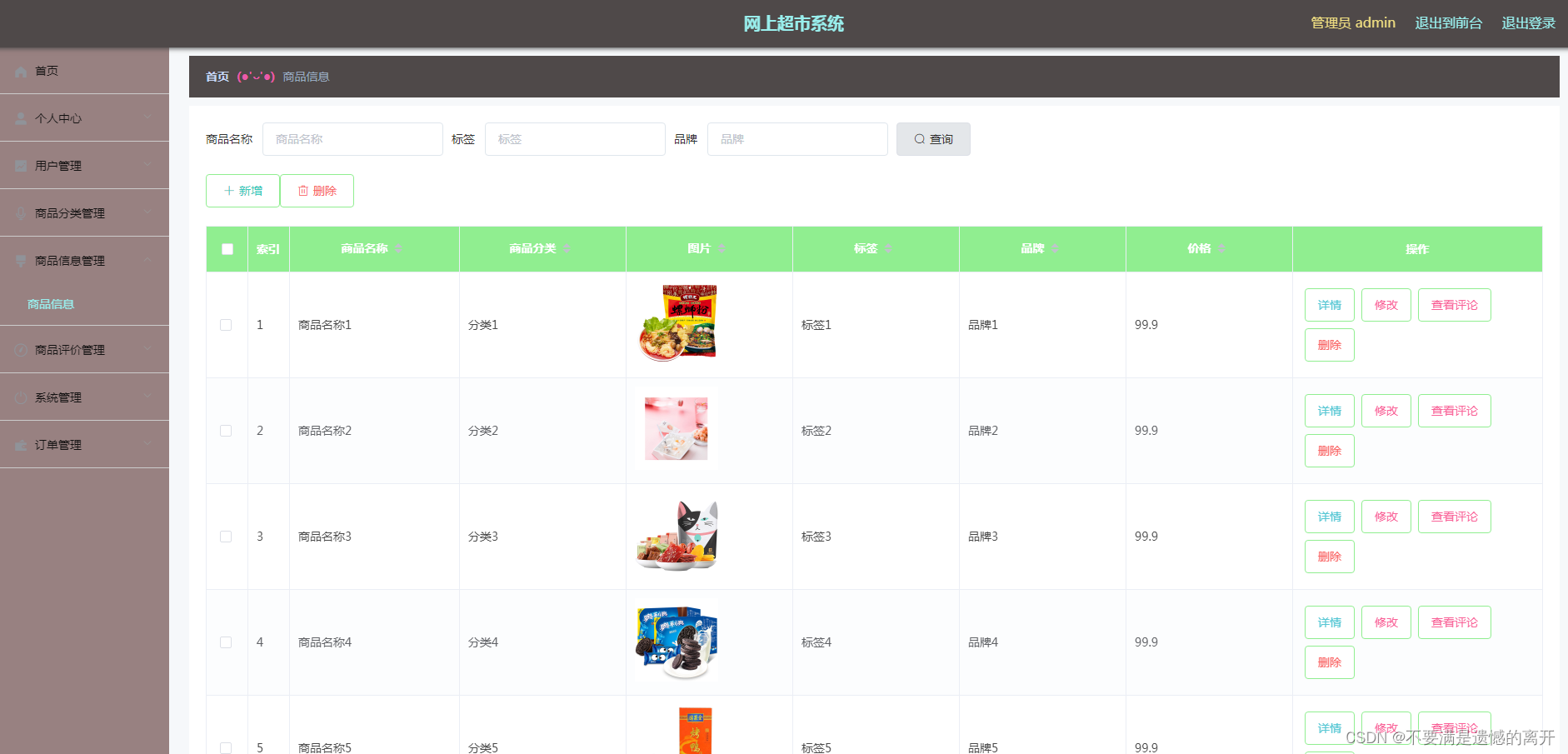
管理员权限中的商品信息管理,其运行效果见下图。管理员查询商品需要提交商品名称才行,管理员点击查看评论,可以查看该商品对应的用户评论信息。
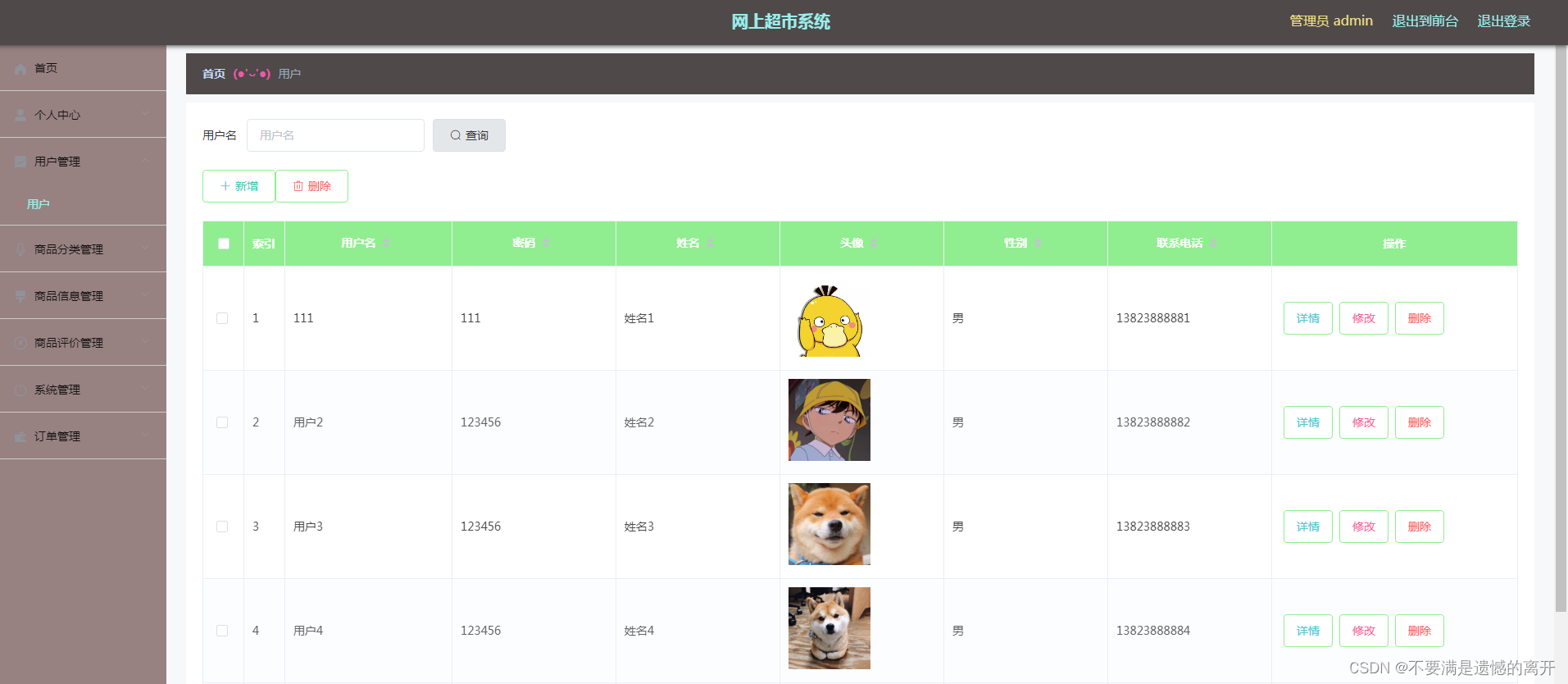
管理员权限中的用户管理,其运行效果见下图。管理员提交用户名获取用户资料,修改有异常情况的用户信息。点击详情可以对用户资料进行更为详细的查看。
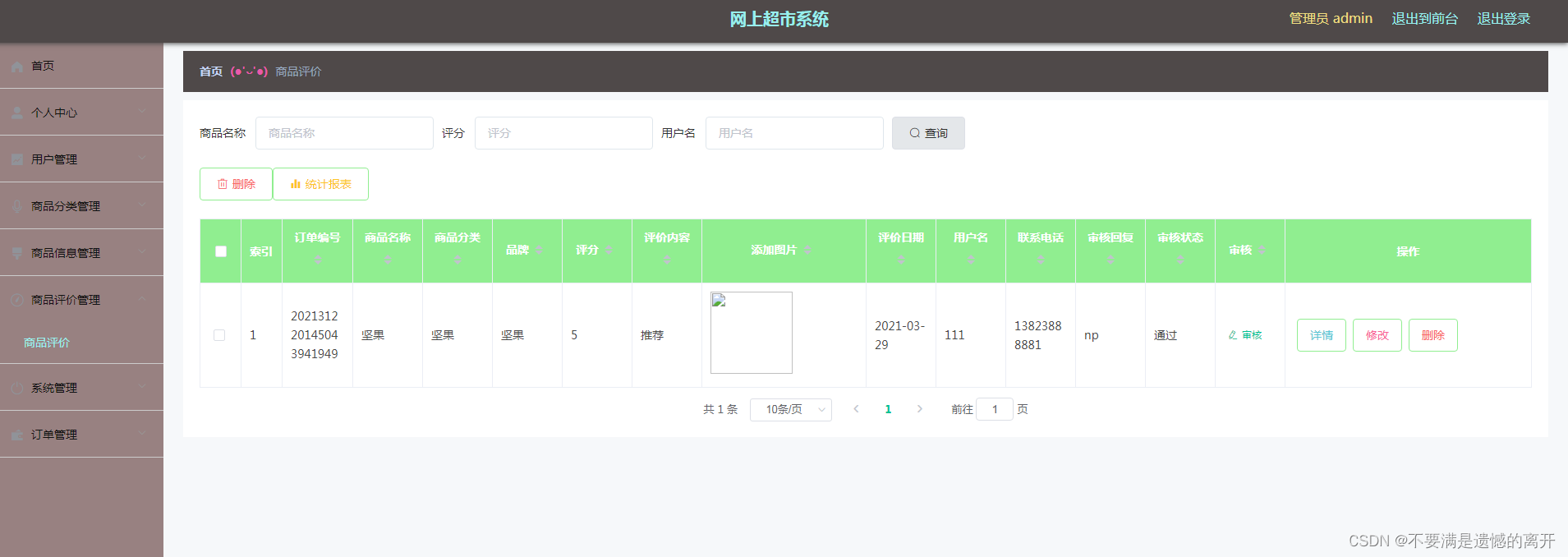
管理员权限中的商品评价管理功能,其运行效果见下图。用户评价商品,需要得到管理员审核才可以显示。同时管理员点击统计报表可以统计商品评价信息。
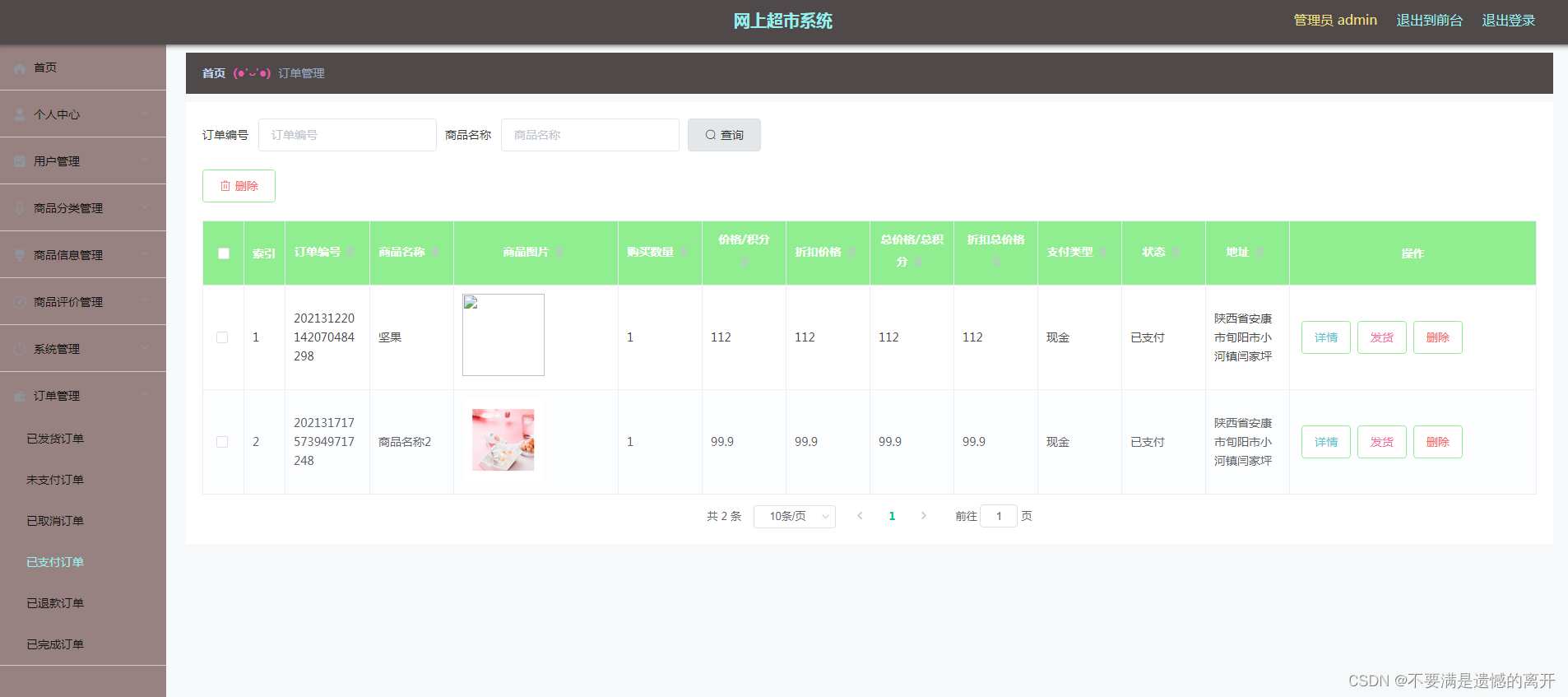
管理员权限中的已支付订单,其运行效果见下图。管理员查看已支付订单,然后逐个进行订单发货。
用户功能实现
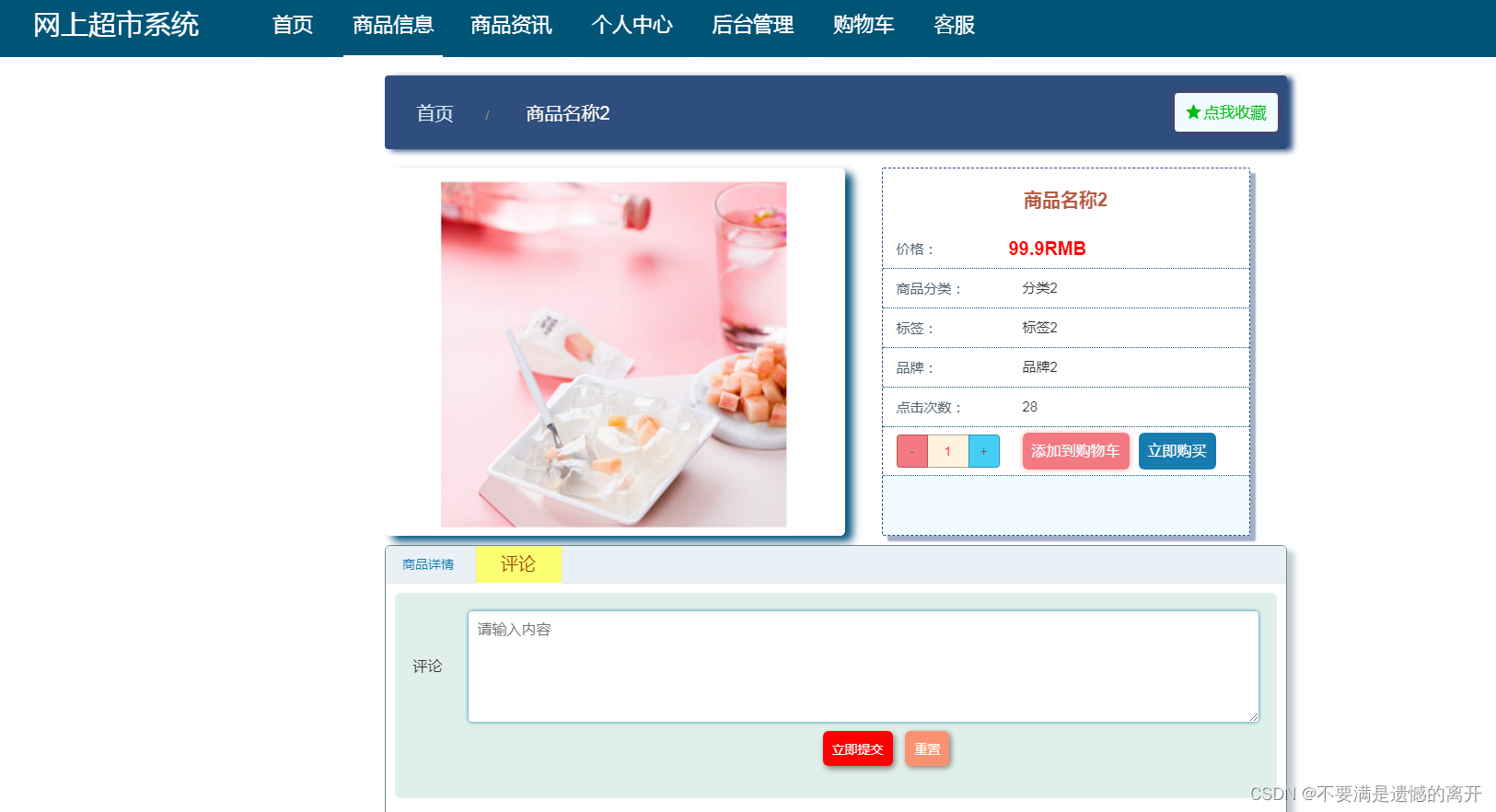
用户权限中的商品信息,其运行效果见下图。用户收藏喜欢的商品,可以立即购买商品,或评价商品,也能把商品添加到购物车。
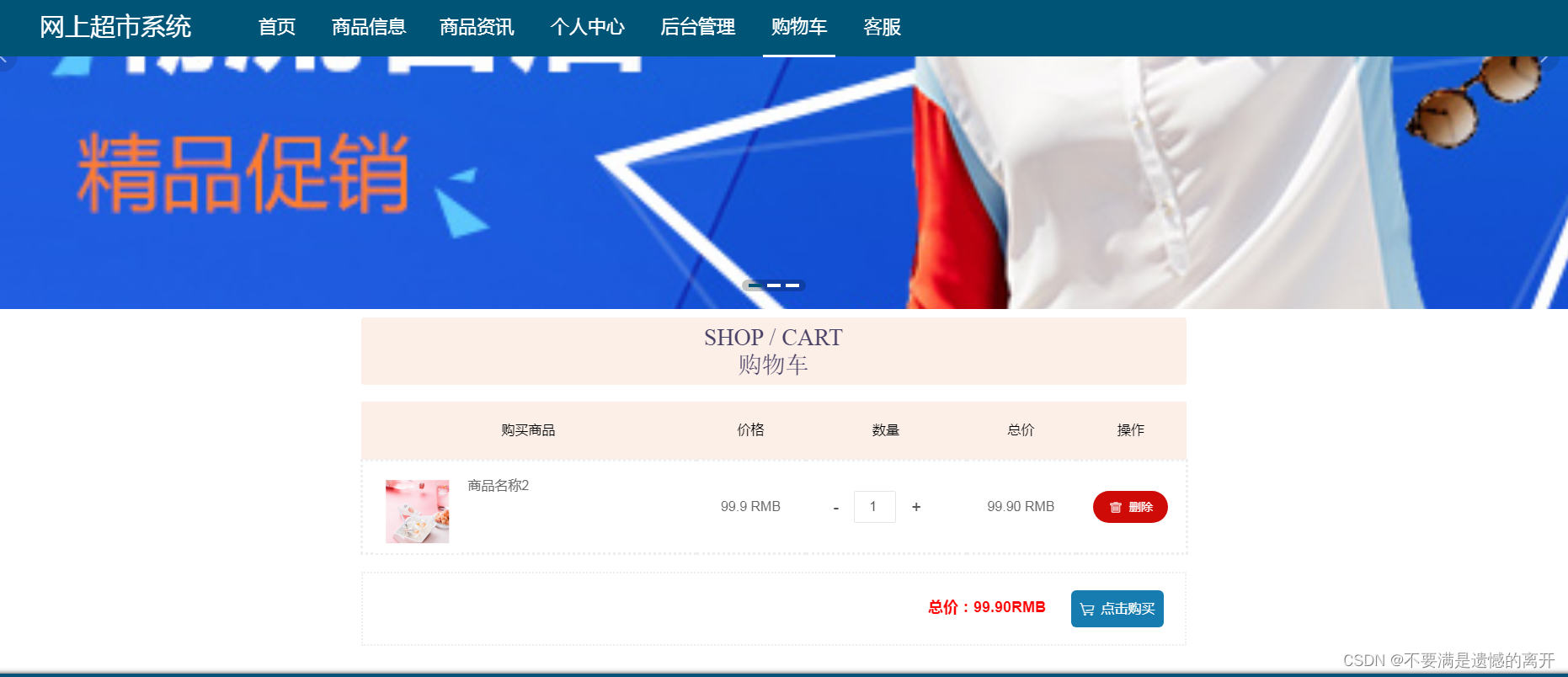
用户权限中的购物车,其运行效果见下图。购物车的商品允许直接下单,也允许删除购物车商品。
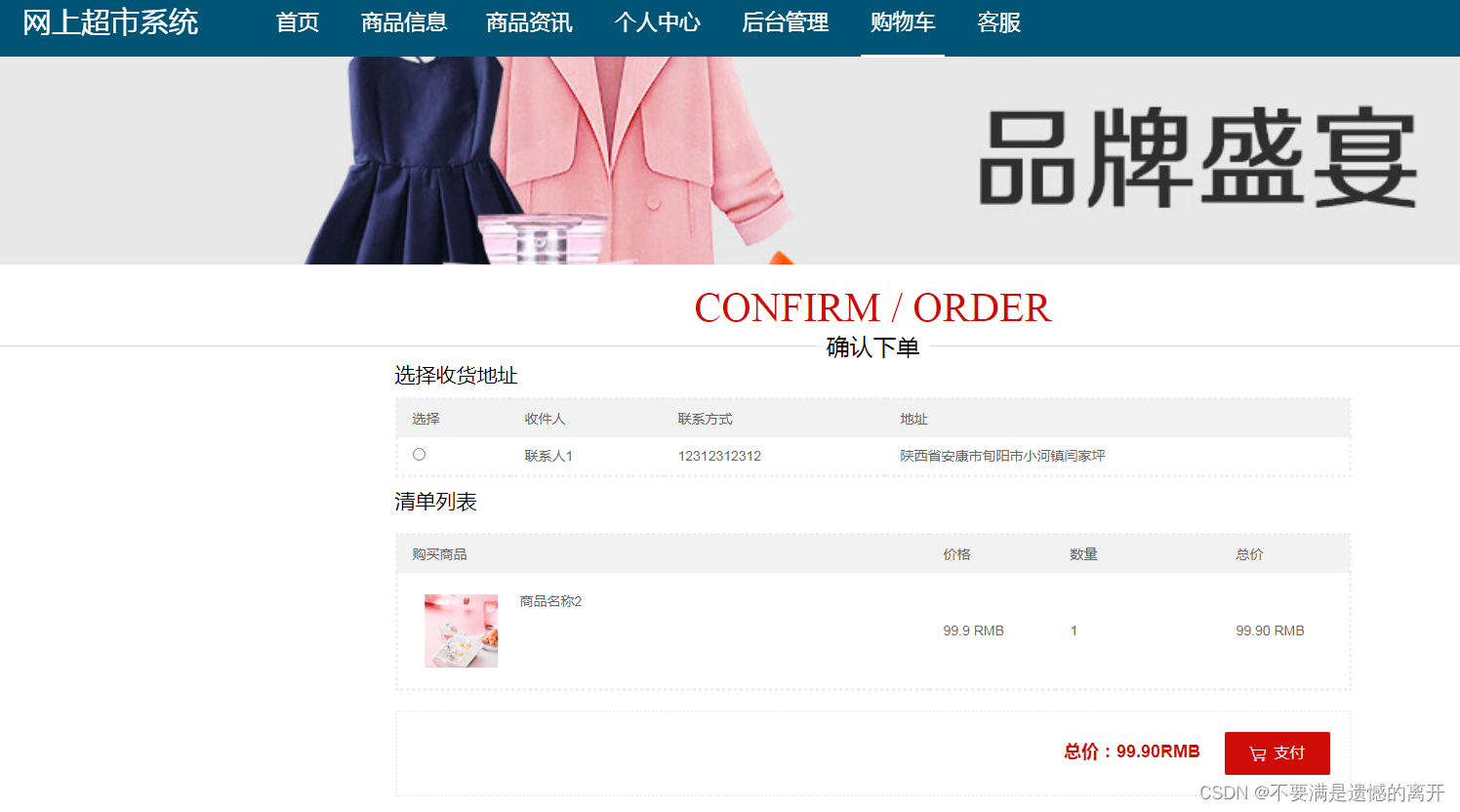
用户权限中的确认下单,其运行效果见下图。确认下单之前,需要选择地址,也需要查看支付金额信息。
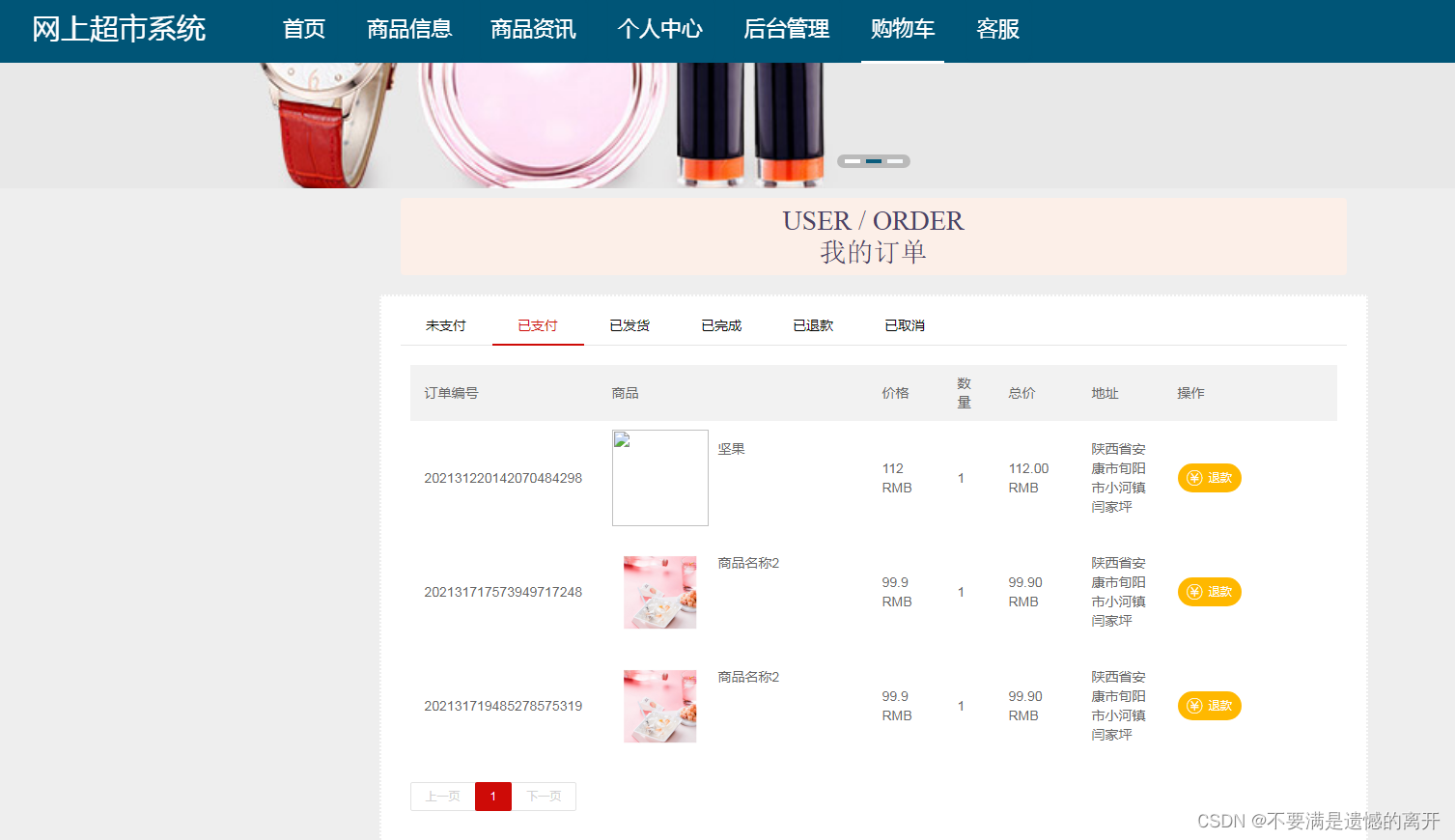
用户权限中的已支付订单,其运行效果见下图。用户已经支付了订单,如果后悔购买商品的话,还可以申请退款。
三、核心代码
1、登录模块
package com.controller;import java.util.Arrays;
import java.util.Calendar;
import java.util.Date;
import java.util.Map;import javax.servlet.http.HttpServletRequest;import org.springframework.beans.factory.annotation.Autowired;
import org.springframework.stereotype.Controller;
import org.springframework.web.bind.annotation.GetMapping;
import org.springframework.web.bind.annotation.PathVariable;
import org.springframework.web.bind.annotation.PostMapping;
import org.springframework.web.bind.annotation.RequestBody;
import org.springframework.web.bind.annotation.RequestMapping;
import org.springframework.web.bind.annotation.RequestParam;
import org.springframework.web.bind.annotation.ResponseBody;
import org.springframework.web.bind.annotation.RestController;import com.annotation.IgnoreAuth;
import com.baomidou.mybatisplus.mapper.EntityWrapper;
import com.entity.TokenEntity;
import com.entity.UserEntity;
import com.service.TokenService;
import com.service.UserService;
import com.utils.CommonUtil;
import com.utils.MD5Util;
import com.utils.MPUtil;
import com.utils.PageUtils;
import com.utils.R;
import com.utils.ValidatorUtils;/*** 登录相关*/
@RequestMapping("users")
@RestController
public class UserController{@Autowiredprivate UserService userService;@Autowiredprivate TokenService tokenService;/*** 登录*/@IgnoreAuth@PostMapping(value = "/login")public R login(String username, String password, String captcha, HttpServletRequest request) {UserEntity user = userService.selectOne(new EntityWrapper<UserEntity>().eq("username", username));if(user==null || !user.getPassword().equals(password)) {return R.error("账号或密码不正确");}String token = tokenService.generateToken(user.getId(),username, "users", user.getRole());return R.ok().put("token", token);}/*** 注册*/@IgnoreAuth@PostMapping(value = "/register")public R register(@RequestBody UserEntity user){
//    	ValidatorUtils.validateEntity(user);if(userService.selectOne(new EntityWrapper<UserEntity>().eq("username", user.getUsername())) !=null) {return R.error("用户已存在");}userService.insert(user);return R.ok();}/*** 退出*/@GetMapping(value = "logout")public R logout(HttpServletRequest request) {request.getSession().invalidate();return R.ok("退出成功");}/*** 密码重置*/@IgnoreAuth@RequestMapping(value = "/resetPass")public R resetPass(String username, HttpServletRequest request){UserEntity user = userService.selectOne(new EntityWrapper<UserEntity>().eq("username", username));if(user==null) {return R.error("账号不存在");}user.setPassword("123456");userService.update(user,null);return R.ok("密码已重置为:123456");}/*** 列表*/@RequestMapping("/page")public R page(@RequestParam Map<String, Object> params,UserEntity user){EntityWrapper<UserEntity> ew = new EntityWrapper<UserEntity>();PageUtils page = userService.queryPage(params, MPUtil.sort(MPUtil.between(MPUtil.allLike(ew, user), params), params));return R.ok().put("data", page);}/*** 列表*/@RequestMapping("/list")public R list( UserEntity user){EntityWrapper<UserEntity> ew = new EntityWrapper<UserEntity>();ew.allEq(MPUtil.allEQMapPre( user, "user")); return R.ok().put("data", userService.selectListView(ew));}/*** 信息*/@RequestMapping("/info/{id}")public R info(@PathVariable("id") String id){UserEntity user = userService.selectById(id);return R.ok().put("data", user);}/*** 获取用户的session用户信息*/@RequestMapping("/session")public R getCurrUser(HttpServletRequest request){Long id = (Long)request.getSession().getAttribute("userId");UserEntity user = userService.selectById(id);return R.ok().put("data", user);}/*** 保存*/@PostMapping("/save")public R save(@RequestBody UserEntity user){
//    	ValidatorUtils.validateEntity(user);if(userService.selectOne(new EntityWrapper<UserEntity>().eq("username", user.getUsername())) !=null) {return R.error("用户已存在");}userService.insert(user);return R.ok();}/*** 修改*/@RequestMapping("/update")public R update(@RequestBody UserEntity user){
//        ValidatorUtils.validateEntity(user);userService.updateById(user);//全部更新return R.ok();}/*** 删除*/@RequestMapping("/delete")public R delete(@RequestBody Long[] ids){userService.deleteBatchIds(Arrays.asList(ids));return R.ok();}
}
2、文件上传模块
package com.controller;import java.io.File;
import java.io.FileNotFoundException;
import java.io.IOException;
import java.util.Arrays;
import java.util.Date;
import java.util.HashMap;
import java.util.List;
import java.util.Map;
import java.util.Random;
import java.util.UUID;import org.apache.commons.io.FileUtils;
import org.apache.commons.lang3.StringUtils;
import org.springframework.beans.factory.annotation.Autowired;
import org.springframework.http.HttpHeaders;
import org.springframework.http.HttpStatus;
import org.springframework.http.MediaType;
import org.springframework.http.ResponseEntity;
import org.springframework.util.ResourceUtils;
import org.springframework.web.bind.annotation.PathVariable;
import org.springframework.web.bind.annotation.RequestBody;
import org.springframework.web.bind.annotation.RequestMapping;
import org.springframework.web.bind.annotation.RequestParam;
import org.springframework.web.bind.annotation.RestController;
import org.springframework.web.multipart.MultipartFile;import com.annotation.IgnoreAuth;
import com.baomidou.mybatisplus.mapper.EntityWrapper;
import com.entity.ConfigEntity;
import com.entity.EIException;
import com.service.ConfigService;
import com.utils.R;/*** 上传文件映射表*/
@RestController
@RequestMapping("file")
@SuppressWarnings({"unchecked","rawtypes"})
public class FileController{@Autowiredprivate ConfigService configService;/*** 上传文件*/@RequestMapping("/upload")public R upload(@RequestParam("file") MultipartFile file,String type) throws Exception {if (file.isEmpty()) {throw new EIException("上传文件不能为空");}String fileExt = file.getOriginalFilename().substring(file.getOriginalFilename().lastIndexOf(".")+1);File path = new File(ResourceUtils.getURL("classpath:static").getPath());if(!path.exists()) {path = new File("");}File upload = new File(path.getAbsolutePath(),"/upload/");if(!upload.exists()) {upload.mkdirs();}String fileName = new Date().getTime()+"."+fileExt;File dest = new File(upload.getAbsolutePath()+"/"+fileName);file.transferTo(dest);FileUtils.copyFile(dest, new File("C:\\Users\\Desktop\\jiadian\\springbootl7own\\src\\main\\resources\\static\\upload"+"/"+fileName));if(StringUtils.isNotBlank(type) && type.equals("1")) {ConfigEntity configEntity = configService.selectOne(new EntityWrapper<ConfigEntity>().eq("name", "faceFile"));if(configEntity==null) {configEntity = new ConfigEntity();configEntity.setName("faceFile");configEntity.setValue(fileName);} else {configEntity.setValue(fileName);}configService.insertOrUpdate(configEntity);}return R.ok().put("file", fileName);}/*** 下载文件*/@IgnoreAuth@RequestMapping("/download")public ResponseEntity<byte[]> download(@RequestParam String fileName) {try {File path = new File(ResourceUtils.getURL("classpath:static").getPath());if(!path.exists()) {path = new File("");}File upload = new File(path.getAbsolutePath(),"/upload/");if(!upload.exists()) {upload.mkdirs();}File file = new File(upload.getAbsolutePath()+"/"+fileName);if(file.exists()){/*if(!fileService.canRead(file, SessionManager.getSessionUser())){getResponse().sendError(403);}*/HttpHeaders headers = new HttpHeaders();headers.setContentType(MediaType.APPLICATION_OCTET_STREAM);    headers.setContentDispositionFormData("attachment", fileName);    return new ResponseEntity<byte[]>(FileUtils.readFileToByteArray(file),headers, HttpStatus.CREATED);}} catch (IOException e) {e.printStackTrace();}return new ResponseEntity<byte[]>(HttpStatus.INTERNAL_SERVER_ERROR);}}
3、代码封装
package com.utils;import java.util.HashMap;
import java.util.Map;/*** 返回数据*/
public class R extends HashMap<String, Object> {private static final long serialVersionUID = 1L;public R() {put("code", 0);}public static R error() {return error(500, "未知异常,请联系管理员");}public static R error(String msg) {return error(500, msg);}public static R error(int code, String msg) {R r = new R();r.put("code", code);r.put("msg", msg);return r;}public static R ok(String msg) {R r = new R();r.put("msg", msg);return r;}public static R ok(Map<String, Object> map) {R r = new R();r.putAll(map);return r;}public static R ok() {return new R();}public R put(String key, Object value) {super.put(key, value);return this;}
}
相关文章:
基于SpringBoot的网上超市系统的设计与实现
目录 前言 一、技术栈 二、系统功能介绍 管理员功能实现 用户功能实现 三、核心代码 1、登录模块 2、文件上传模块 3、代码封装 前言 网络技术和计算机技术发展至今,已经拥有了深厚的理论基础,并在现实中进行了充分运用,尤其是基于计…...

国内首家!阿里云 Elasticsearch 8.9 版本释放 AI 搜索新动能
简介: 阿里云作为国内首家上线 Elasticsearch 8.9版本的厂商,在提供 Elasticsearch Relevance Engine™ (ESRE™) 引擎的基础上,提供增强 AI 的最佳实践与 ES 本身的混合搜索能力,为用户带来了更多创新和探索的可能性。 近年来&a…...
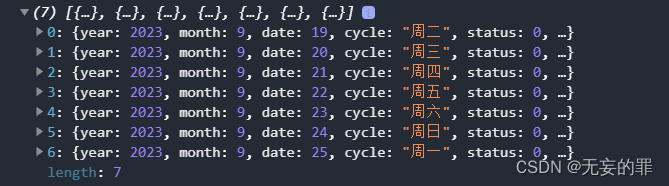
uniapp获取一周日期和星期
UniApp可以使用JavaScript中的Date对象来获取当前日期和星期几。以下是一个示例代码,可以获取当前日期和星期几,并输出在一周内的每天早上和晚上: // 获取当前日期和星期 let date new Date(); let weekdays ["Sunday", "M…...

QT之QListWidget的介绍
QListWidget常用成员函数 1、成员函数介绍2、例子显示图片和按钮的例子 1、成员函数介绍 1)QListWidget(QWidget *parent nullptr) 构造函数,创建一个新的QListWidget对象。 2)void addItem(const QString &label) 在列表末尾添加一个项目,项目标…...

数据结构--排序(1)
文章目录 排序概念直接插入排序希尔排序冒泡排序堆排序选择排序验证不同排序的运行时间 排序概念 排序指的是通过某一特征关键字(如信息量大小,首字母等)来对一连串的数据进行重新排列的操作,实现递增或者递减的数据排序。 稳定…...

【AI视野·今日NLP 自然语言处理论文速览 第三十七期】Thu, 21 Sep 2023
AI视野今日CS.NLP 自然语言处理论文速览 Thu, 21 Sep 2023 Totally 57 papers 👉上期速览✈更多精彩请移步主页 Daily Computation and Language Papers Chain-of-Verification Reduces Hallucination in Large Language Models Authors Shehzaad Dhuliawala, Mojt…...

高防服务器防护效果怎么样?
对于很多拥有在线业务的公司,数据是非常重要,如果遭到网络攻击会导致很严重的后果,所以很多公司选择高防服务器,那么高防服务器防护效果是怎么样的呢?今天就让小编带大家看一看吧! 弹性带宽。高防服务器一…...
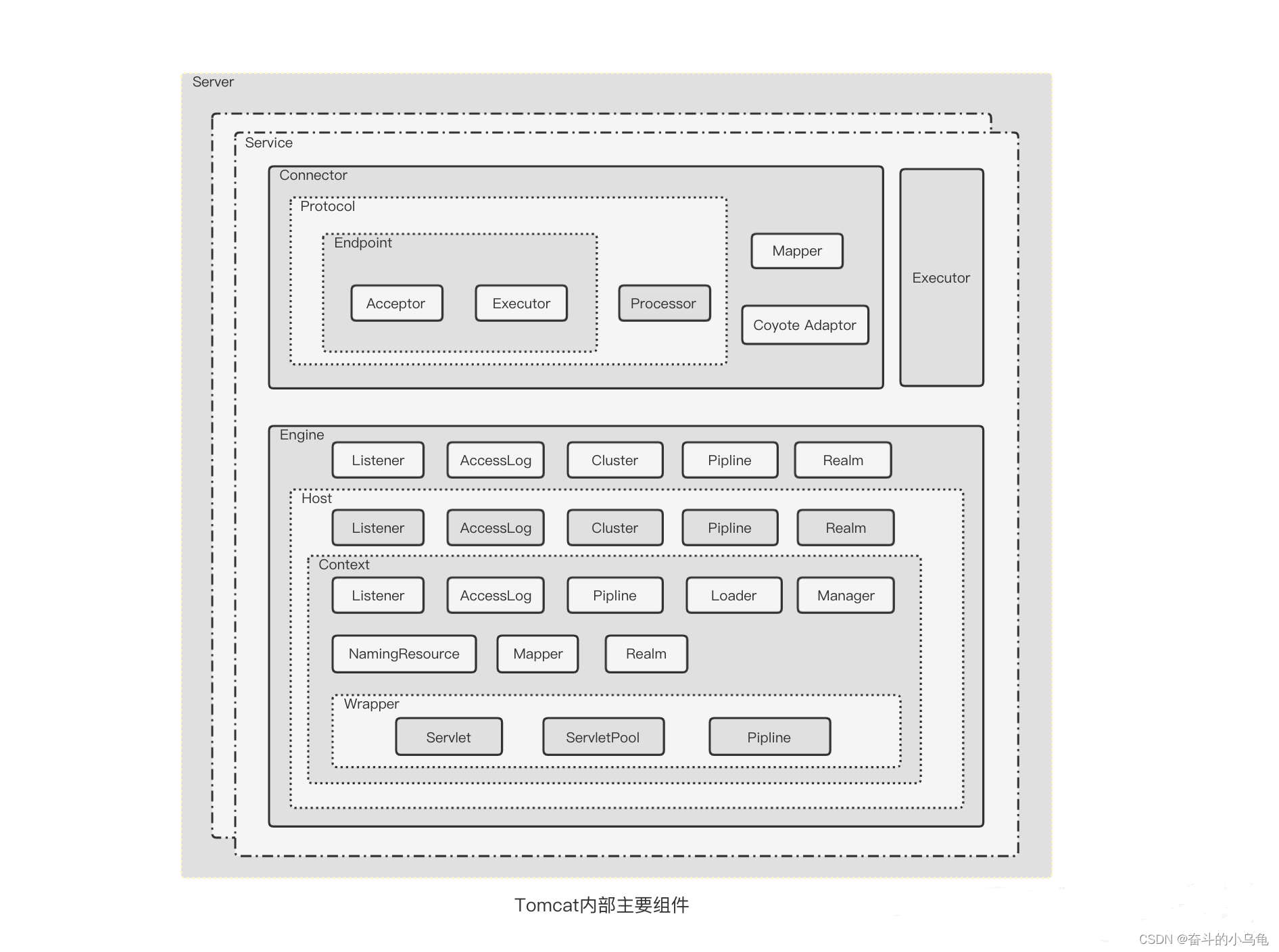
tomcat架构概览
https://blog.csdn.net/ldw201510803006/article/details/119880100 前言 Tomcat 要实现 2 个核心功能: 处理 Socket 连接,负责网络字节流与 Request 和 Response 对象的转化。加载和管理 Servlet,以及具体处理 Request 请求。 因此 Tomc…...

海康的资料
系列文章目录 文章目录 系列文章目录前言一、海康二、使用步骤1.引入库2.读入数据 总结 前言 提示:这里可以添加本文要记录的大概内容: 例如:随着人工智能的不断发展,机器学习这门技术也越来越重要,很多人都开启了学…...

【ELFK】之消息队列kafka
本章结构: 1、为什么要使用消息队列MQ 2、使用消息队列的好处 3、消息队列的两种模式 4、对Kafka的概述 5、Kafka的特性 6、Kafka的系统架构 7、部署Kafka Kafka 定义 Kafka 是一个分布式的基于发布/订阅模式的消息队列(MQ,Message Qu…...
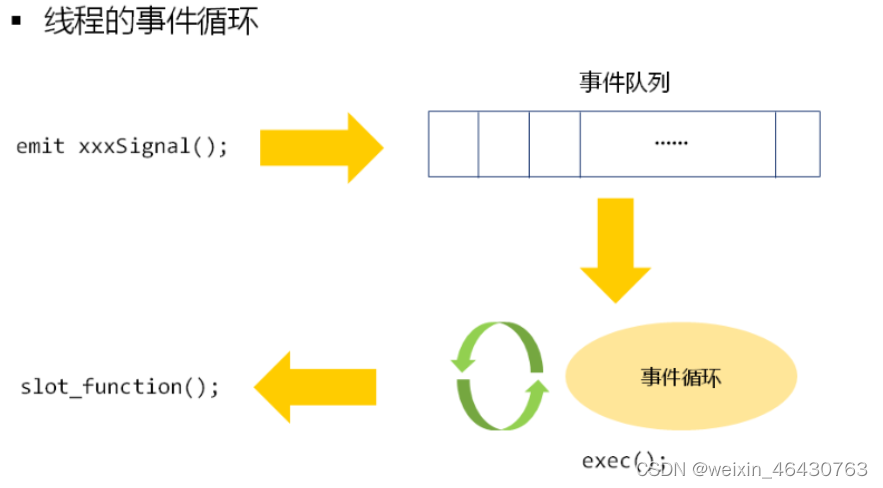
Qt核心:元对象系统、属性系统、对象树、信号槽
一、元对象系统 1、Qt 的元对象系统提供的功能有:对象间通信的信号和槽机制、运行时类型信息和动态属性系统等。 2、元对象系统是 Qt 对原有的 C进行的一些扩展,主要是为实现信号和槽机制而引入的, 信号和槽机制是 Qt 的核心特征。 3、要使…...
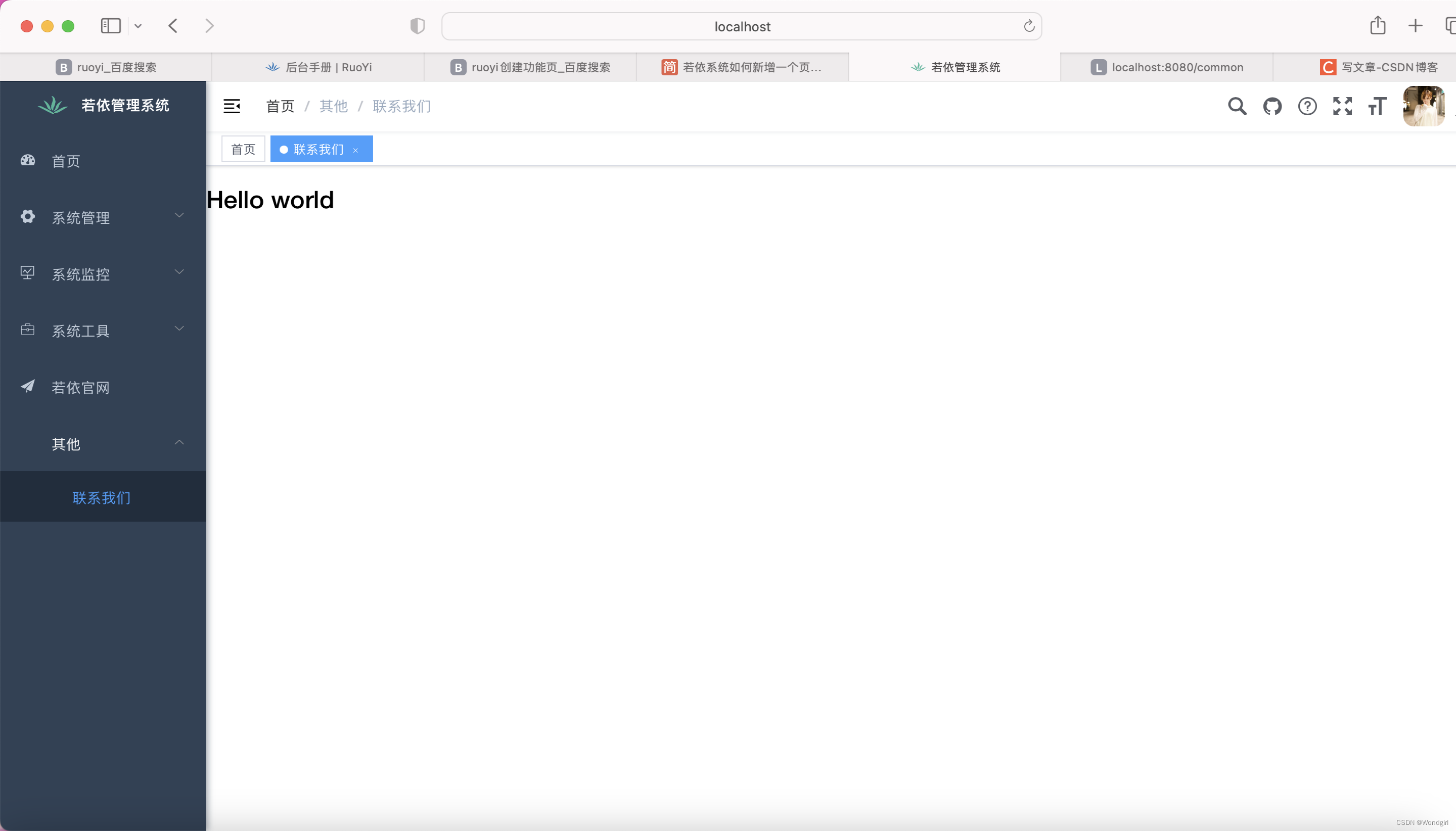
【若依框架2】前后端分离版本添加功能页
在VSCode的src/views下新建个文件平example,在example下创建test文件夹,在test里创建index.vue文件 <template> <h1>Hello world</h1> </template><script> export default {name: "index" } </script><style s…...
Unity Bolt模块间通信
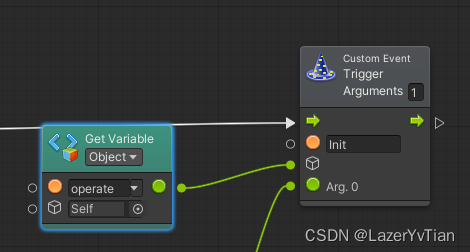
使用Bolt无代码设计开发的时候,我们不能简单的认为只需要一个FlowMachine就可以完成所有流程的开发。我们需要不同的模块进行拆分,以便更好的管理和协作。这就需要不同模块之间的通信处理。经过研究与使用,将常用的通信方式总结如下ÿ…...
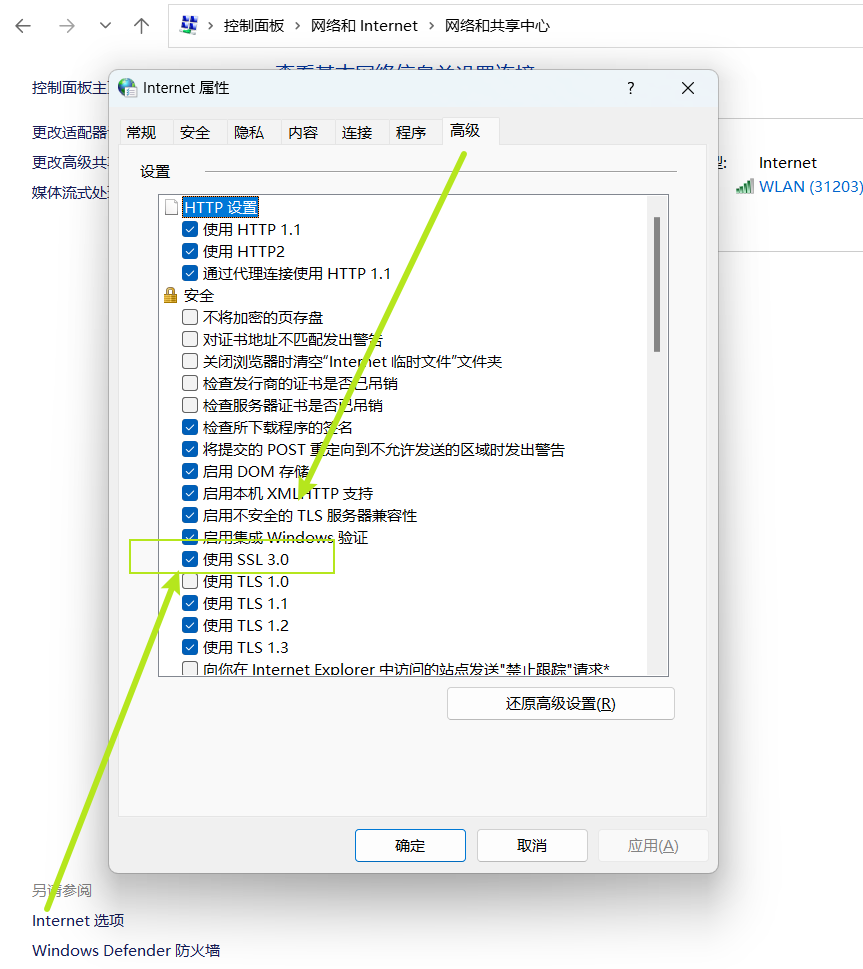
please choose a certificate and try again.(-5)报错怎么解决
the server you want to connect to requests identification,please choose a certificate and try again.(-5)...

国产自研BI系统,更懂中国企业数据分析需求
国产自研BI系统是指由中国企业自主研发的商业智能(BI)系统,这类系统更加了解中国企业的数据分析需求,能够提供更加贴合实际的解决方案。比如说奥威BI系统就是典型的国产自研,不仅了解中国企业的数据分析需求࿰…...
基于Java的高校竞赛管理系统设计与实现(亮点:发起比赛、报名、审核、评委打分、获奖排名,可随意更换主题如蓝桥杯、ACM、王者荣耀、吃鸡等竞赛)
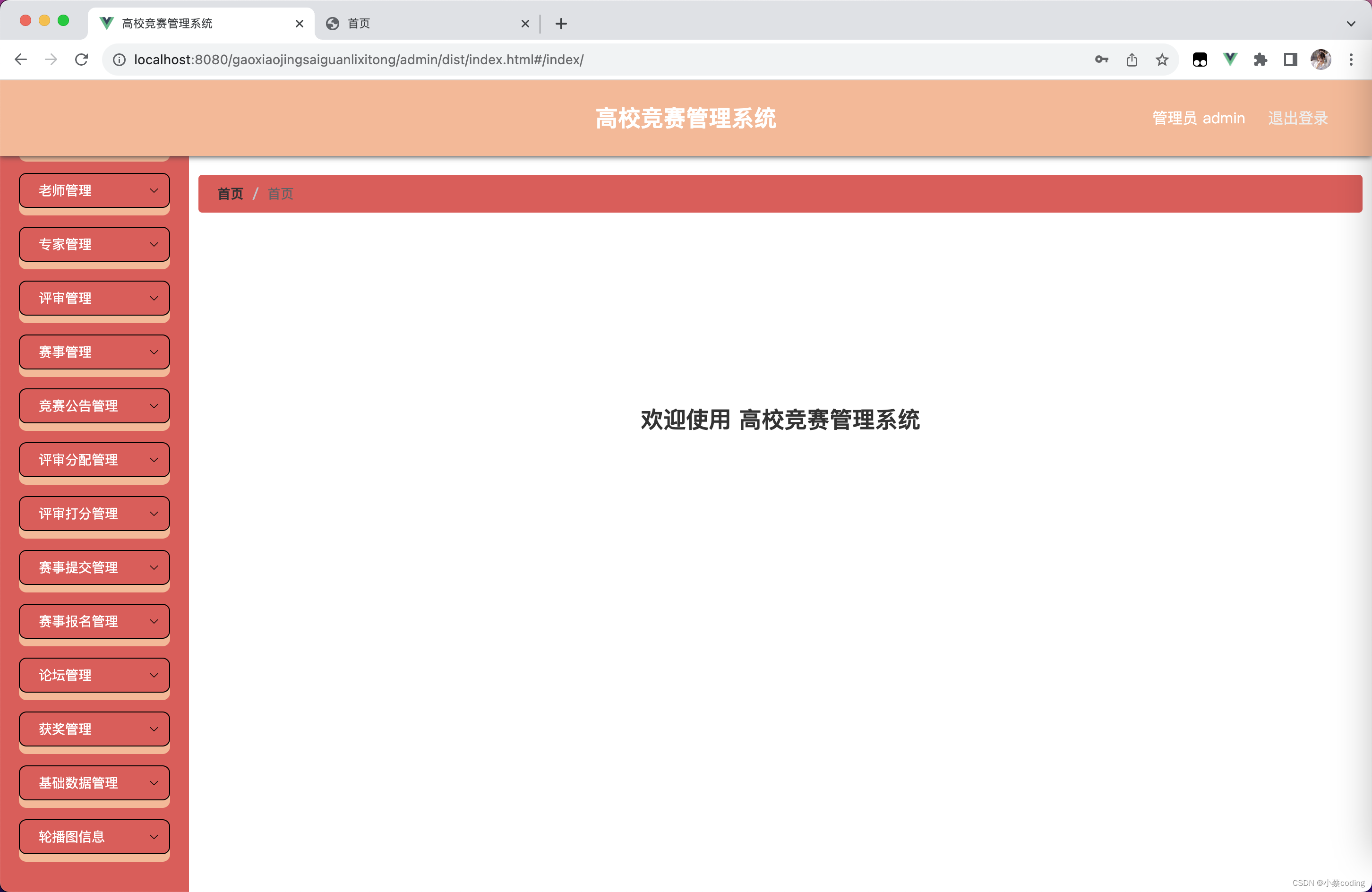
高校竞赛管理系统 一、前言二、我的优势2.1 自己的网站2.2 自己的小程序(小蔡coding)2.3 有保障的售后2.4 福利 三、开发环境与技术3.1 MySQL数据库3.2 Vue前端技术3.3 Spring Boot框架3.4 微信小程序 四、功能设计4.1 主要功能描述4.2 系统角色 五、系统…...

出血性脑卒中临床智能诊疗建模
先说下数据,随访流水号是患者的后续诊断号码,表3有对应的数据,首先需要做下数据整理,需要整理出每次诊断的指标(包括表1中人物信息、表2中的检查指标以及表3中的检查指标,表4中有对应的时间,以刚…...
Cesium 空间量算——生成点位坐标
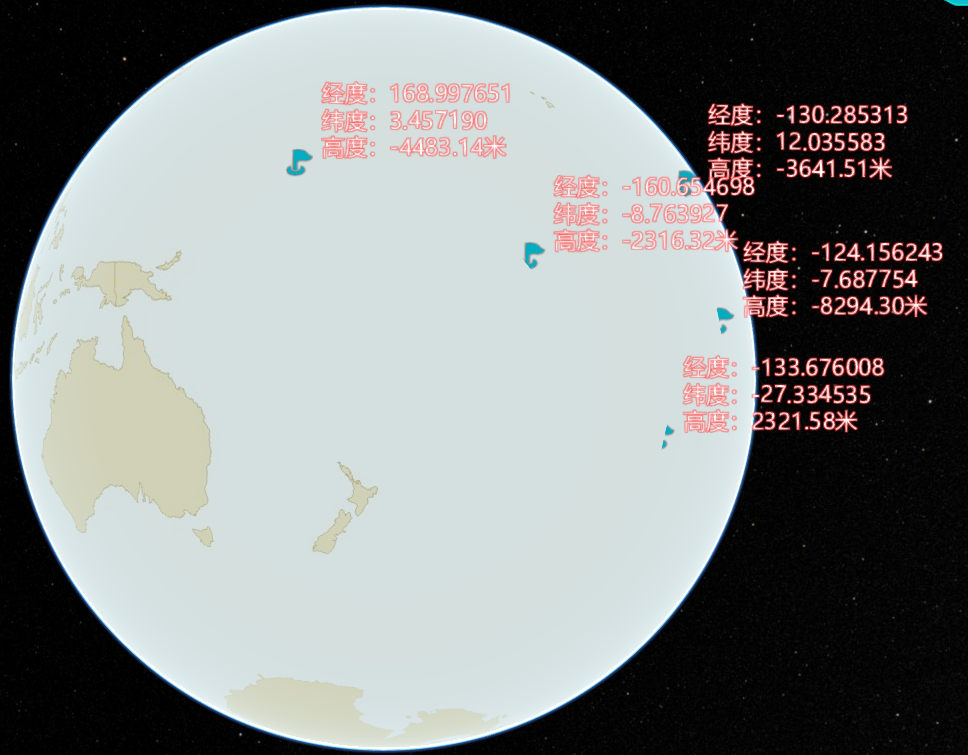
文章目录 需求分析1. 点击坐标点实现2. 输入坐标实现 需求 用 Cesium 生成点位坐标,并明显标识 分析 以下是我的两种实现方式 第一种是坐标点击实现 第二种是输入坐标实现 1. 点击坐标点实现 //点位坐标getLocation() {this.hoverIndex 0;let that this;this.view…...
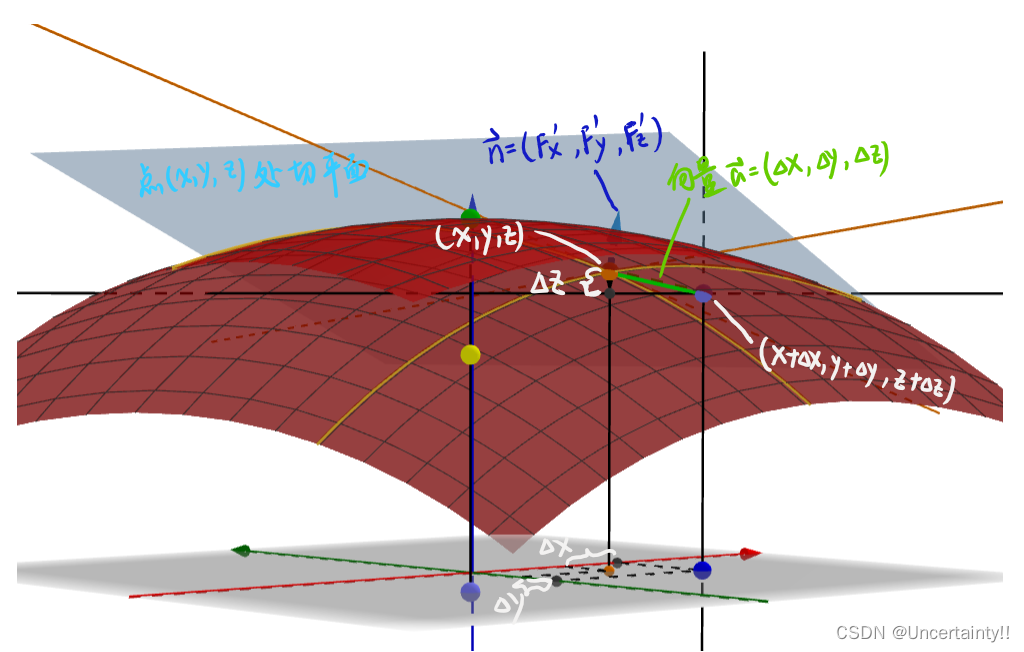
为什么曲面函数的偏导数可以表示其曲面的法向量?
为什么曲面函数的偏导数可以表示其曲面的法向量? 引用资料: 1.知乎shinbade:曲面的三个偏导数为什么能表示法向量? 2.Geogebra羅驥韡 (Pegasus Roe):偏導數、切平面、梯度 曲面 F ( x , y , z ) 0 F(x,y,z)0 F(x,y,…...

❤Uniapp报npx update-browserslist-db@latest
❤ Uniapp报npx update-browserslist-dblatest 按照提示先更新一下 npx update-browserslist-dblatest然后打开一下端口...

从WWDC看苹果产品发展的规律
WWDC 是苹果公司一年一度面向全球开发者的盛会,其主题演讲展现了苹果在产品设计、技术路线、用户体验和生态系统构建上的核心理念与演进脉络。我们借助 ChatGPT Deep Research 工具,对过去十年 WWDC 主题演讲内容进行了系统化分析,形成了这份…...

django filter 统计数量 按属性去重
在Django中,如果你想要根据某个属性对查询集进行去重并统计数量,你可以使用values()方法配合annotate()方法来实现。这里有两种常见的方法来完成这个需求: 方法1:使用annotate()和Count 假设你有一个模型Item,并且你想…...

Qt Http Server模块功能及架构
Qt Http Server 是 Qt 6.0 中引入的一个新模块,它提供了一个轻量级的 HTTP 服务器实现,主要用于构建基于 HTTP 的应用程序和服务。 功能介绍: 主要功能 HTTP服务器功能: 支持 HTTP/1.1 协议 简单的请求/响应处理模型 支持 GET…...

今日科技热点速览
🔥 今日科技热点速览 🎮 任天堂Switch 2 正式发售 任天堂新一代游戏主机 Switch 2 今日正式上线发售,主打更强图形性能与沉浸式体验,支持多模态交互,受到全球玩家热捧 。 🤖 人工智能持续突破 DeepSeek-R1&…...
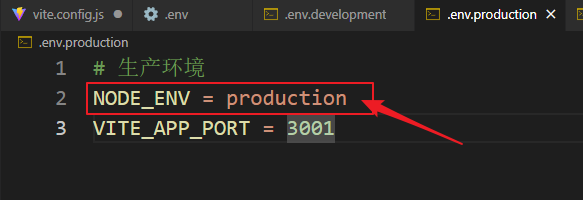
vue3+vite项目中使用.env文件环境变量方法
vue3vite项目中使用.env文件环境变量方法 .env文件作用命名规则常用的配置项示例使用方法注意事项在vite.config.js文件中读取环境变量方法 .env文件作用 .env 文件用于定义环境变量,这些变量可以在项目中通过 import.meta.env 进行访问。Vite 会自动加载这些环境变…...

Web 架构之 CDN 加速原理与落地实践
文章目录 一、思维导图二、正文内容(一)CDN 基础概念1. 定义2. 组成部分 (二)CDN 加速原理1. 请求路由2. 内容缓存3. 内容更新 (三)CDN 落地实践1. 选择 CDN 服务商2. 配置 CDN3. 集成到 Web 架构 …...

【Android】Android 开发 ADB 常用指令
查看当前连接的设备 adb devices 连接设备 adb connect 设备IP 断开已连接的设备 adb disconnect 设备IP 安装应用 adb install 安装包的路径 卸载应用 adb uninstall 应用包名 查看已安装的应用包名 adb shell pm list packages 查看已安装的第三方应用包名 adb shell pm list…...
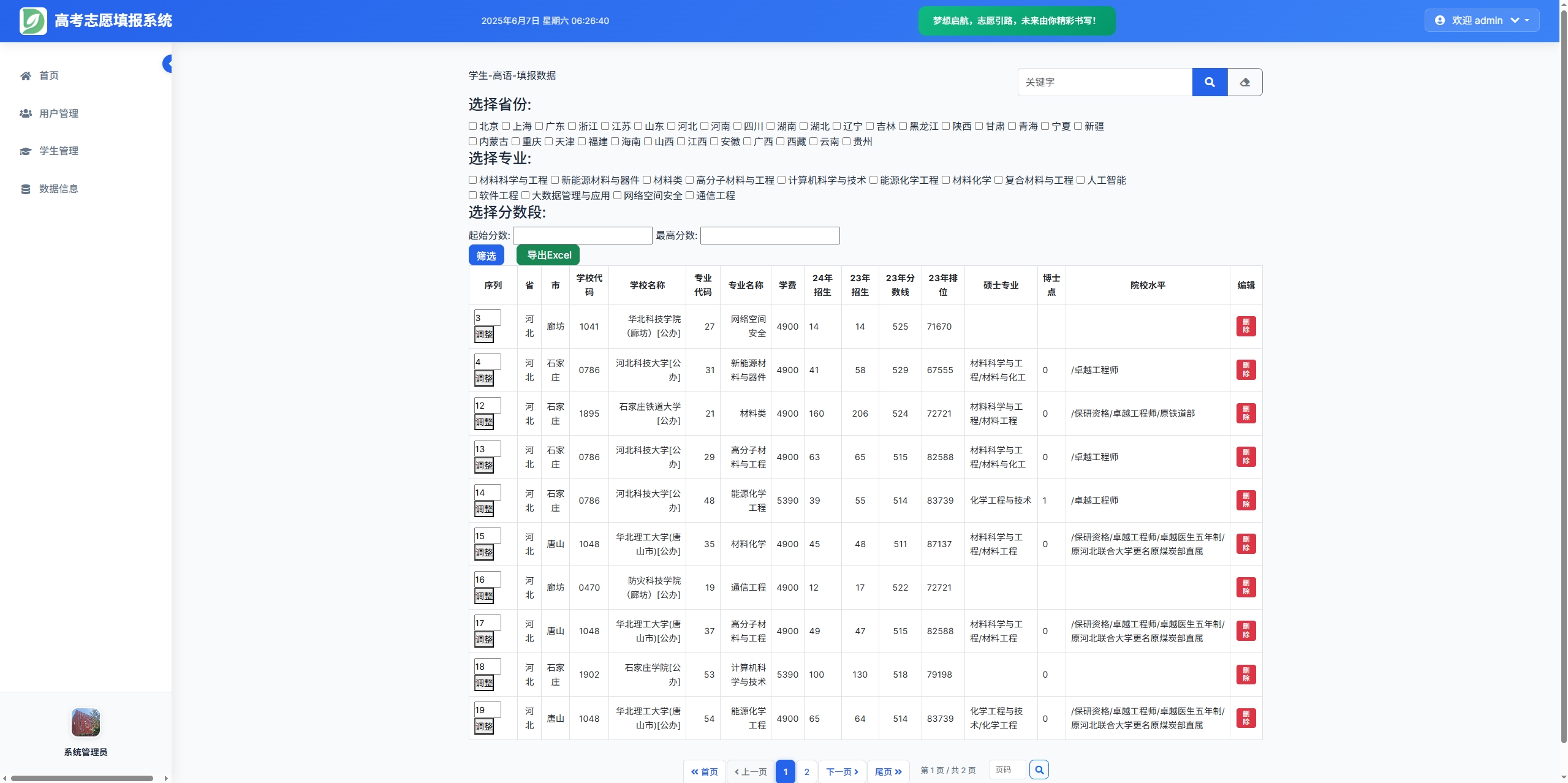
高考志愿填报管理系统---开发介绍
高考志愿填报管理系统是一款专为教育机构、学校和教师设计的学生信息管理和志愿填报辅助平台。系统基于Django框架开发,采用现代化的Web技术,为教育工作者提供高效、安全、便捷的学生管理解决方案。 ## 📋 系统概述 ### 🎯 系统定…...
Android屏幕刷新率与FPS(Frames Per Second) 120hz
Android屏幕刷新率与FPS(Frames Per Second) 120hz 屏幕刷新率是屏幕每秒钟刷新显示内容的次数,单位是赫兹(Hz)。 60Hz 屏幕:每秒刷新 60 次,每次刷新间隔约 16.67ms 90Hz 屏幕:每秒刷新 90 次,…...
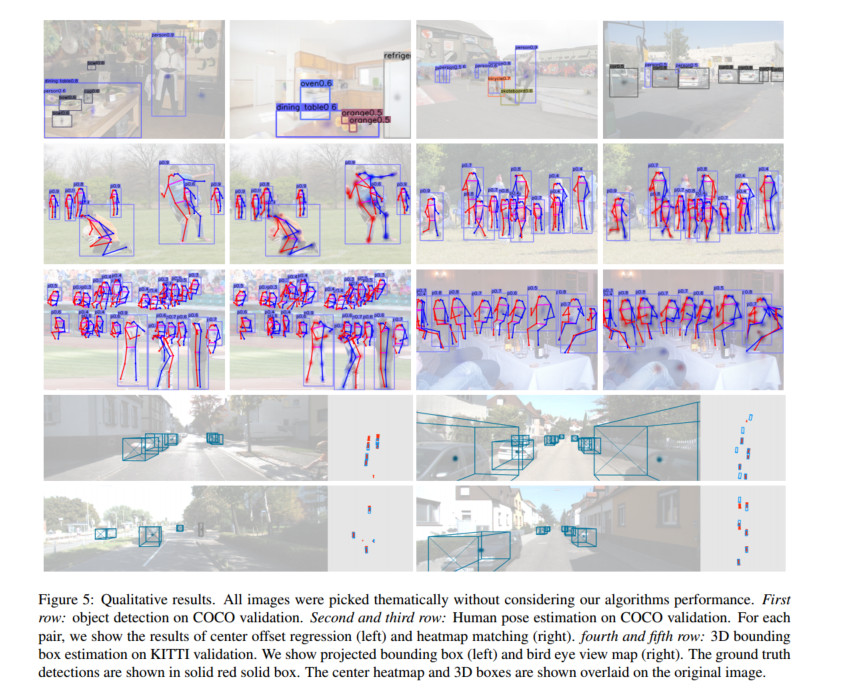
作为点的对象CenterNet论文阅读
摘要 检测器将图像中的物体表示为轴对齐的边界框。大多数成功的目标检测方法都会枚举几乎完整的潜在目标位置列表,并对每一个位置进行分类。这种做法既浪费又低效,并且需要额外的后处理。在本文中,我们采取了不同的方法。我们将物体建模为单…...