
WPF 03
staticResource和dynamicResource的区别
首先看一个案例
MainWindow.xaml
<Window x:Class="WpfDay03.MainWindow"xmlns="http://schemas.microsoft.com/winfx/2006/xaml/presentation"xmlns:x="http://schemas.microsoft.com/winfx/2006/xaml"xmlns:d="http://schemas.microsoft.com/expression/blend/2008"xmlns:mc="http://schemas.openxmlformats.org/markup-compatibility/2006"xmlns:local="clr-namespace:WpfDay03"mc:Ignorable="d"Title="MainWindow" Height="450" Width="800"><Window.Resources><SolidColorBrush x:Key="SolidColor" Color="Red"/></Window.Resources><Grid><StackPanel><Button Content="update" Margin="5" Click="Button_Click"></Button><Button Content="btn1" Margin="5" BorderBrush="{StaticResource SolidColor}" BorderThickness="5"></Button><Button Content="btn2" Margin="5" BorderBrush="{DynamicResource SolidColor}" BorderThickness="5"></Button></StackPanel></Grid>
</Window>
MainWindow.xaml.cs
using System;
using System.Collections.Generic;
using System.Linq;
using System.Text;
using System.Threading.Tasks;
using System.Windows;
using System.Windows.Controls;
using System.Windows.Data;
using System.Windows.Documents;
using System.Windows.Input;
using System.Windows.Media;
using System.Windows.Media.Imaging;
using System.Windows.Navigation;
using System.Windows.Shapes;
namespace WpfDay03
{public partial class MainWindow : Window{public MainWindow(){InitializeComponent();}private void Button_Click(object sender, RoutedEventArgs e){this.Resources["SolidColor"] = new SolidColorBrush(Colors.Blue);}}
}
当update按钮点击之后只有使用动态资源的btn2边框颜色改变,而使用静态资源的btn1不发生改变。

将样式单独写在xaml中
ButtonStyle.xaml
<ResourceDictionary xmlns="http://schemas.microsoft.com/winfx/2006/xaml/presentation"xmlns:x="http://schemas.microsoft.com/winfx/2006/xaml"><SolidColorBrush x:Key="SolidColor" Color="Red"/><Style x:Key="DefaultButtonStyle" TargetType="Button"><Setter Property="Foreground" Value="Blue"></Setter><Setter Property="FontSize" Value="15"></Setter></Style>
</ResourceDictionary>
需要在App.xaml中添加该资源字典
<Application x:Class="WpfDay03.App"xmlns="http://schemas.microsoft.com/winfx/2006/xaml/presentation"xmlns:x="http://schemas.microsoft.com/winfx/2006/xaml"xmlns:local="clr-namespace:WpfDay03"StartupUri="MainWindow.xaml"><Application.Resources><ResourceDictionary><ResourceDictionary.MergedDictionaries><ResourceDictionary Source="ButtonStyle.xaml"/></ResourceDictionary.MergedDictionaries></ResourceDictionary></Application.Resources>
</Application>
MainWindow.xaml
<Window x:Class="WpfDay03.MainWindow"xmlns="http://schemas.microsoft.com/winfx/2006/xaml/presentation"xmlns:x="http://schemas.microsoft.com/winfx/2006/xaml"xmlns:d="http://schemas.microsoft.com/expression/blend/2008"xmlns:mc="http://schemas.openxmlformats.org/markup-compatibility/2006"xmlns:local="clr-namespace:WpfDay03"mc:Ignorable="d"Title="MainWindow" Height="450" Width="800"><Grid><StackPanel><Button Content="update" Margin="5" Click="Button_Click"></Button><Button Content="btn1" Margin="5" BorderBrush="{StaticResource SolidColor}" BorderThickness="5"></Button><Button Content="btn2" Margin="5" BorderBrush="{DynamicResource SolidColor}" BorderThickness="5"></Button><Button Content="useStyle" Margin="5" Style="{StaticResource DefaultButtonStyle}"></Button></StackPanel></Grid>
</Window>
MainWindow.xaml.cs
using System;
using System.Collections.Generic;
using System.Linq;
using System.Text;
using System.Threading.Tasks;
using System.Windows;
using System.Windows.Controls;
using System.Windows.Data;
using System.Windows.Documents;
using System.Windows.Input;
using System.Windows.Media;
using System.Windows.Media.Imaging;
using System.Windows.Navigation;
using System.Windows.Shapes;
namespace WpfDay03
{public partial class MainWindow : Window{public MainWindow(){InitializeComponent();}private void Button_Click(object sender, RoutedEventArgs e){this.Resources["SolidColor"] = new SolidColorBrush(Colors.Blue);//查看资源var solidColor = App.Current.FindResource("SolidColor");var style = App.Current.FindResource("DefaultButtonStyle");}}
}
动画基础
MainWindow.xaml.cs
using System;
using System.Collections.Generic;
using System.Linq;
using System.Text;
using System.Threading.Tasks;
using System.Windows;
using System.Windows.Controls;
using System.Windows.Data;
using System.Windows.Documents;
using System.Windows.Input;
using System.Windows.Media;
using System.Windows.Media.Animation;
using System.Windows.Media.Imaging;
using System.Windows.Navigation;
using System.Windows.Shapes;namespace WpfDay03
{/// <summary>/// MainWindow.xaml 的交互逻辑/// </summary>public partial class MainWindow : Window{public MainWindow(){InitializeComponent();}private void Button_Click(object sender, RoutedEventArgs e){//this.Resources["SolidColor"] = new SolidColorBrush(Colors.Blue);//var solidColor = App.Current.FindResource("SolidColor");//var style = App.Current.FindResource("DefaultButtonStyle");//创建一个双精度动画DoubleAnimation animation = new DoubleAnimation();animation.By = -30;//animation.From = btn.Width; //设置动画的初始值//animation.To = btn.Width - 30; //设置动画的结束值animation.Duration = TimeSpan.FromSeconds(1); //设置动画的持续时间animation.AutoReverse = true; //是否往返执行animation.RepeatBehavior = new RepeatBehavior(3); //RepeatBehavior.Forever; 执行周期animation.Completed += Animation_Completed;btn.BeginAnimation(Button.WidthProperty, animation);}private void Animation_Completed(object sender, EventArgs e){btn.Content = "动画已完成";}}
}
MainWindow.xaml
<Window x:Class="WpfDay03.MainWindow"xmlns="http://schemas.microsoft.com/winfx/2006/xaml/presentation"xmlns:x="http://schemas.microsoft.com/winfx/2006/xaml"xmlns:d="http://schemas.microsoft.com/expression/blend/2008"xmlns:mc="http://schemas.openxmlformats.org/markup-compatibility/2006"xmlns:local="clr-namespace:WpfDay03"mc:Ignorable="d"Title="MainWindow" Height="450" Width="800"><Window.Resources> </Window.Resources><Grid><StackPanel><Button Width="100" Height="40" x:Name="btn" Content="update" Margin="5" Click="Button_Click"></Button></StackPanel></Grid>
</Window>
相关文章:
WPF 03
staticResource和dynamicResource的区别 首先看一个案例 MainWindow.xaml <Window x:Class"WpfDay03.MainWindow"xmlns"http://schemas.microsoft.com/winfx/2006/xaml/presentation"xmlns:x"http://schemas.microsoft.com/winfx/2006/xaml&quo…...
Android 使用kotlin+注解+反射+泛型实现MVP架构
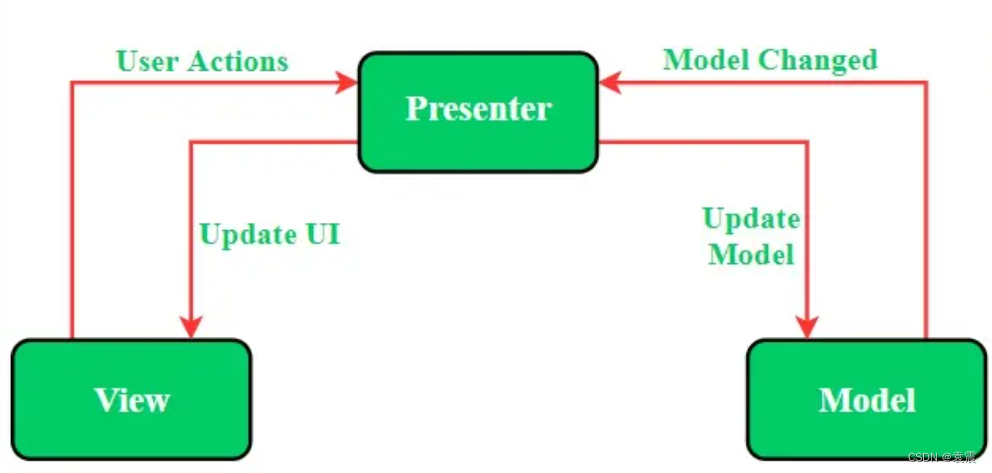
一,MVP模式的定义 ①Model:用于存储数据。它负责处理领域逻辑以及与数据库或网络层的通信。 ②View:UI层,提供数据可视化界面,并跟踪用户的操作,以便通知presenter。 ③Presenter:从Model层获…...
数据结构——堆(C语言)
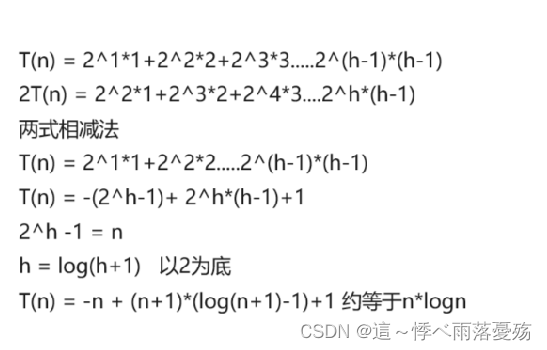
本篇会解决一下几个问题: 1.堆是什么? 2.如何形成一个堆? 3.堆的应用场景 堆是什么? 堆总是一颗完全二叉树堆的某个节点总是不大于或不小于父亲节点 如图,在小堆中,父亲节点总是小于孩子节点的。 如图&a…...
B058-SpringBoot
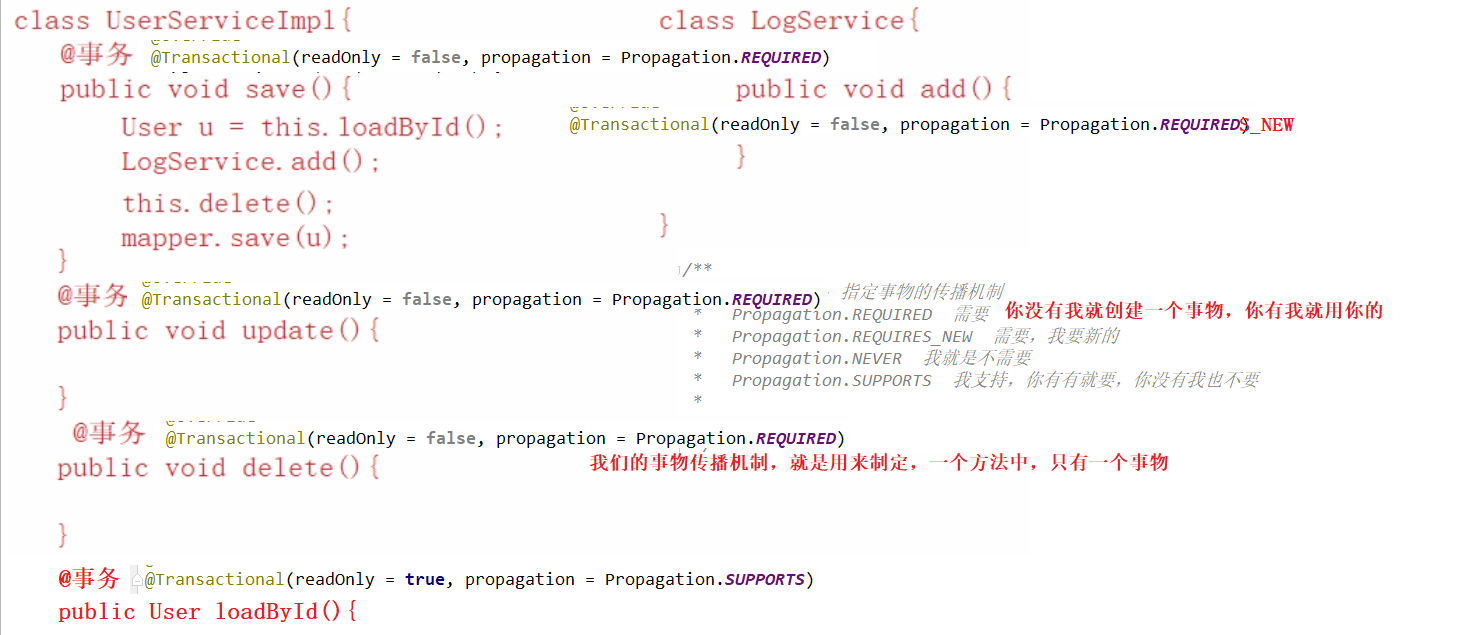
目录 springboot概念与作用入门案例springboot运行方式热部署配置文件Profile多环境支持整合测试-springboot-testSpringboot-web1.返回json数据2.返回页面(模板技术)thymeleaf1.导入thymeleaf依赖2.模板文件3.controller4.启动类 SSM整合1.导包2.项目目…...
龙迅LT9611UXC 2PORT MIPICSI/DSI转HDMI(2.0)转换器+音频,内置MCU
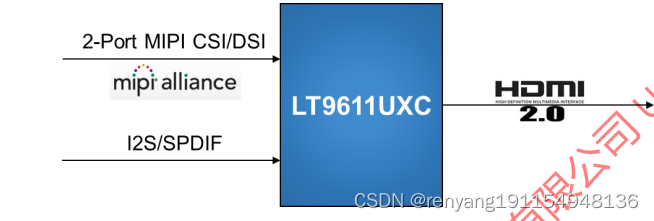
龙迅LT9611UXC 1.描述: LT9611UXC是一个高性能的MIPI DSI/CSI到HDMI2.0转换器。MIPI DSI/CSI输入具有可配置的单 端口或双端口,1高速时钟通道和1~4高速数据通道,最大2Gbps/通道,可支持高达16Gbps的总带 宽。LT9611UXC支持突发…...
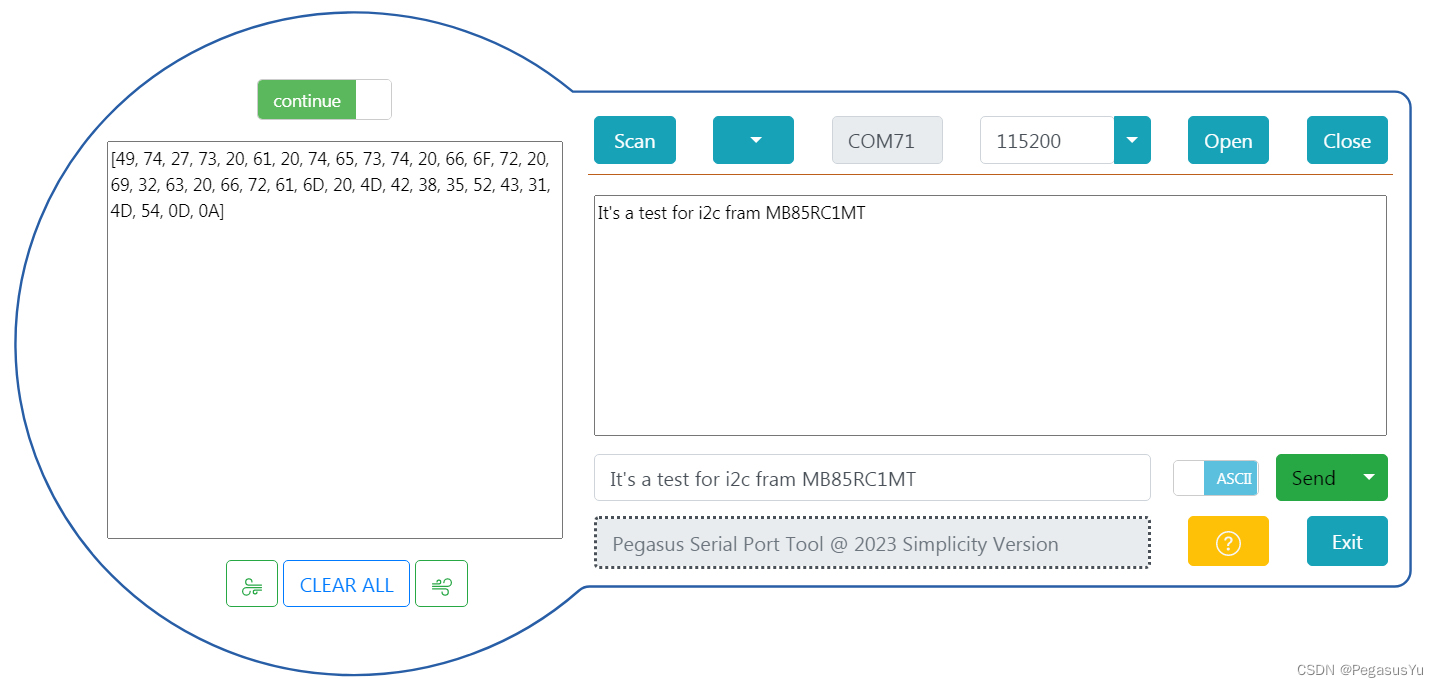
STM32存储左右互搏 I2C总线读写FRAM MB85RC1M
STM32存储左右互搏 I2C总线读写FRAM MB85RC1M 在较低容量存储领域,除了EEPROM的使用,还有铁电存储器FRAM的使用,相对于EEPROM, 同样是非易失性存储单元,FRAM支持更高的访问速度, 其主要优点为没有EEPROM持续写操作跨页…...
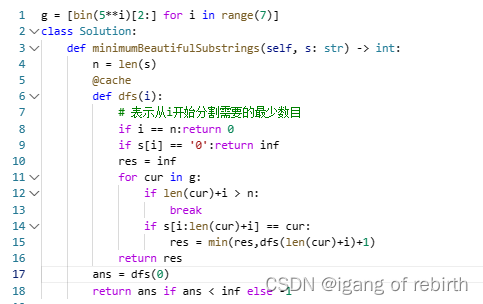
1340. 跳跃游戏 V;2039. 网络空闲的时刻;2767. 将字符串分割为最少的美丽子字符串
1340. 跳跃游戏 V 核心思想:动态规划记忆化搜索。定义dfs(i),表示从i开始最多可以访问多少个下标,然后统计往左跳和往右边跳的最大值,思路其实比较简单,但是代码我感觉还是不太好想。 2039. 网络空闲的时刻 核心思想…...
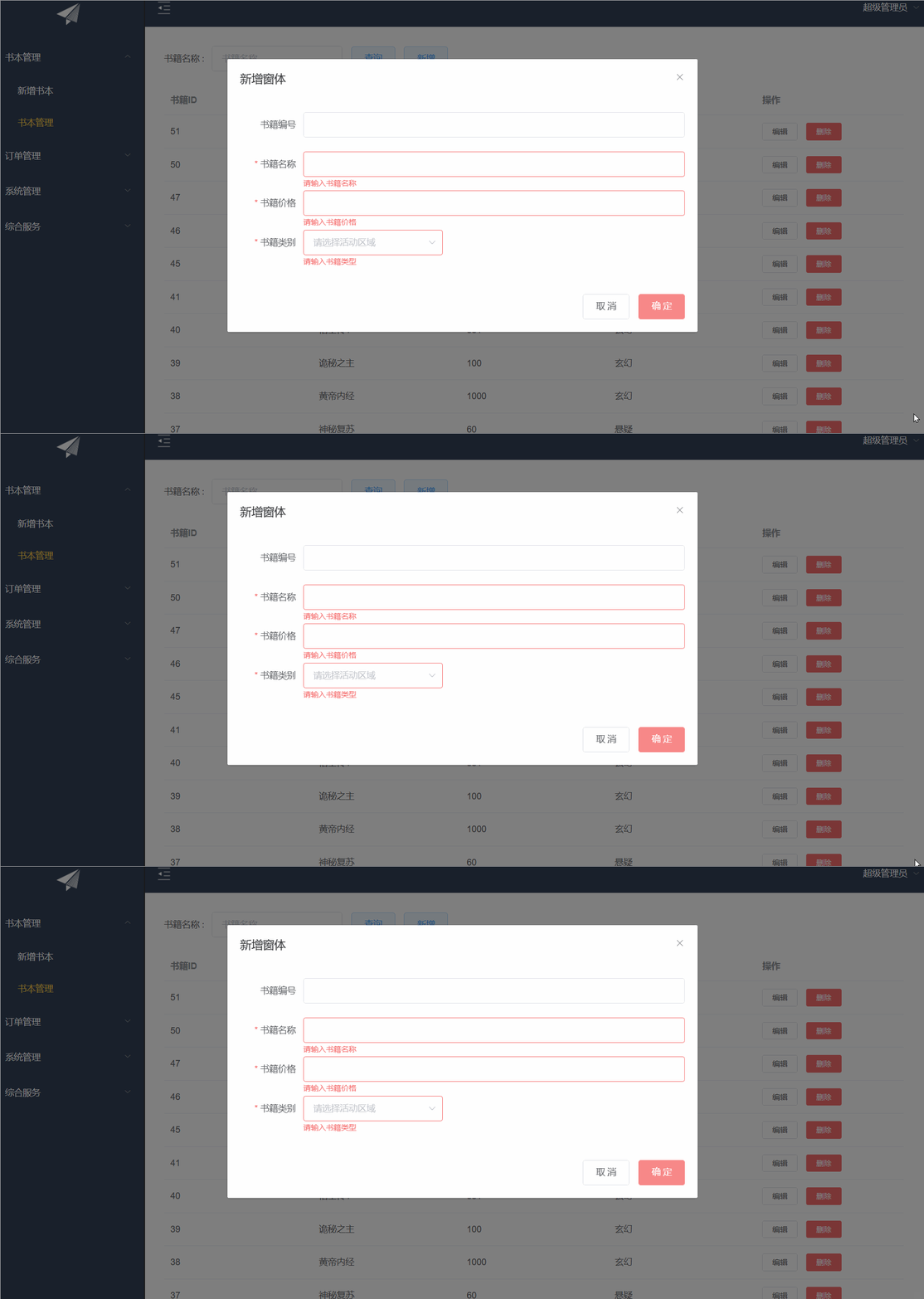
ElementUI之CUD+表单验证
目录 前言: 增删改查 表单验证 前言: 继上篇博客来写我们的增删改以及表单验证 增删改查 首先先定义接口 数据样式,我们可以去elementUI官网去copy我们喜欢的样式 <!-- 编辑窗体 --><el-dialog :title"title" :visib…...

Linux:nginx---web文件服务器
我这里使用的是centos7系统 nginx源码包安装 Linux:nginx基础搭建(源码包)_鲍海超-GNUBHCkalitarro的博客-CSDN博客https://blog.csdn.net/w14768855/article/details/131445878?ops_request_misc%257B%2522request%255Fid%2522%253A%25221…...

go 端口转发 代理V2 --chatGPT
问:broker(localPort, targetPort), 实现远程访问localPort的http代理转发到目标机器 gpt: 要实现一个简单的 HTTP 代理服务器,你可以使用 Go 的 net/http 包来处理 HTTP 请求和响应。以下是一个示例,演示如何创建一个 HTTP 代理服务器将本地…...
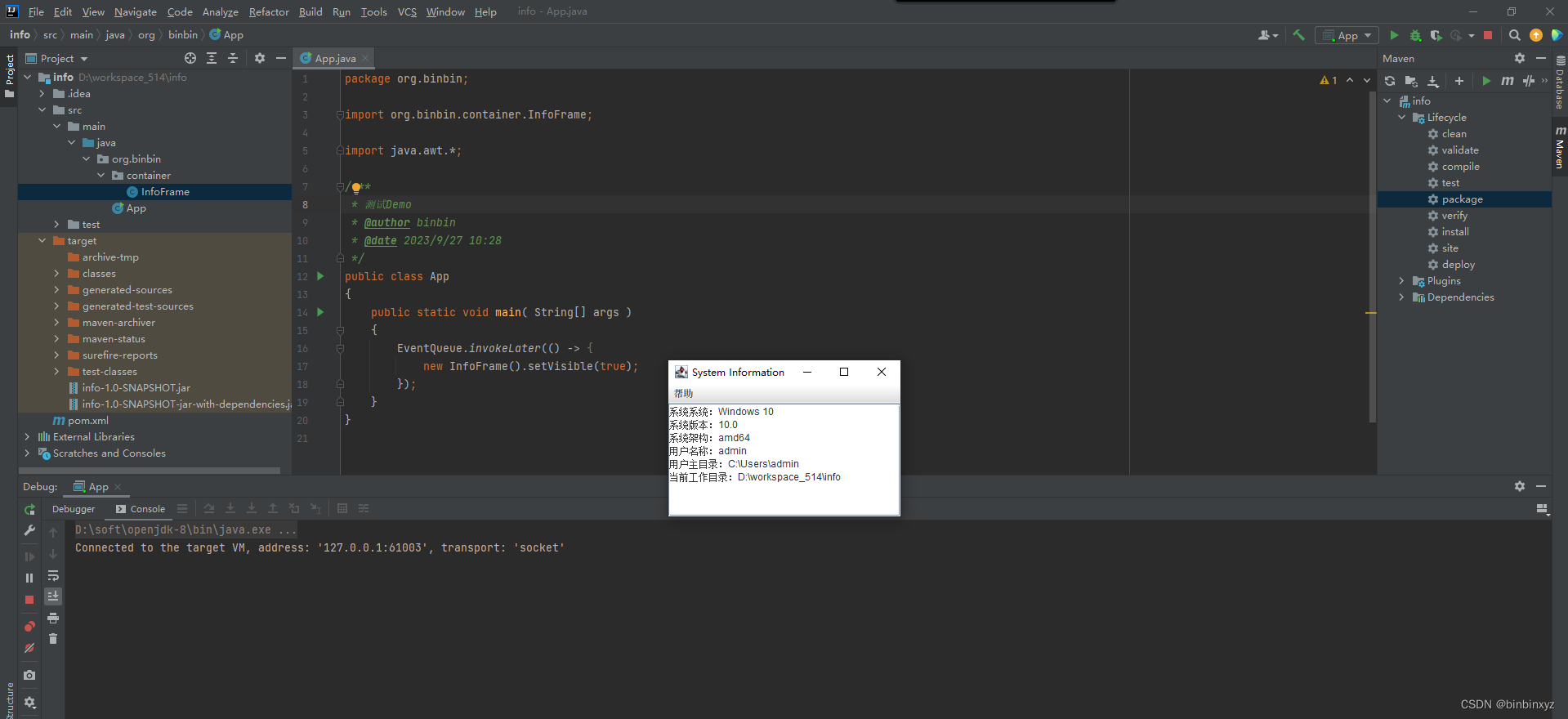
idea环境下如何打包可运行jar?
工作中有时候偶尔写一些工具类、小程序,可是java程序员制作一个可运行jar实在折腾,利用idea开发环境,可以快速打包自己的可运行jar。具体怎么操作呢? 创建一个空白的java项目并完成自己的程序开发 完成java代码: /**…...

基于FFmpeg的Android播放器
基于FFmpeg的Android播放器 文章目录 基于FFmpeg的Android播放器1. 前言2. 编译相关组件库3. 解码器4. 解码流程5. 音频输出6. 视频输出(需要优化) 1. 前言 FFmpeg是一个最有名的开源的编解码库,实现了通常的编解码逻辑。它还能够根据平台特…...
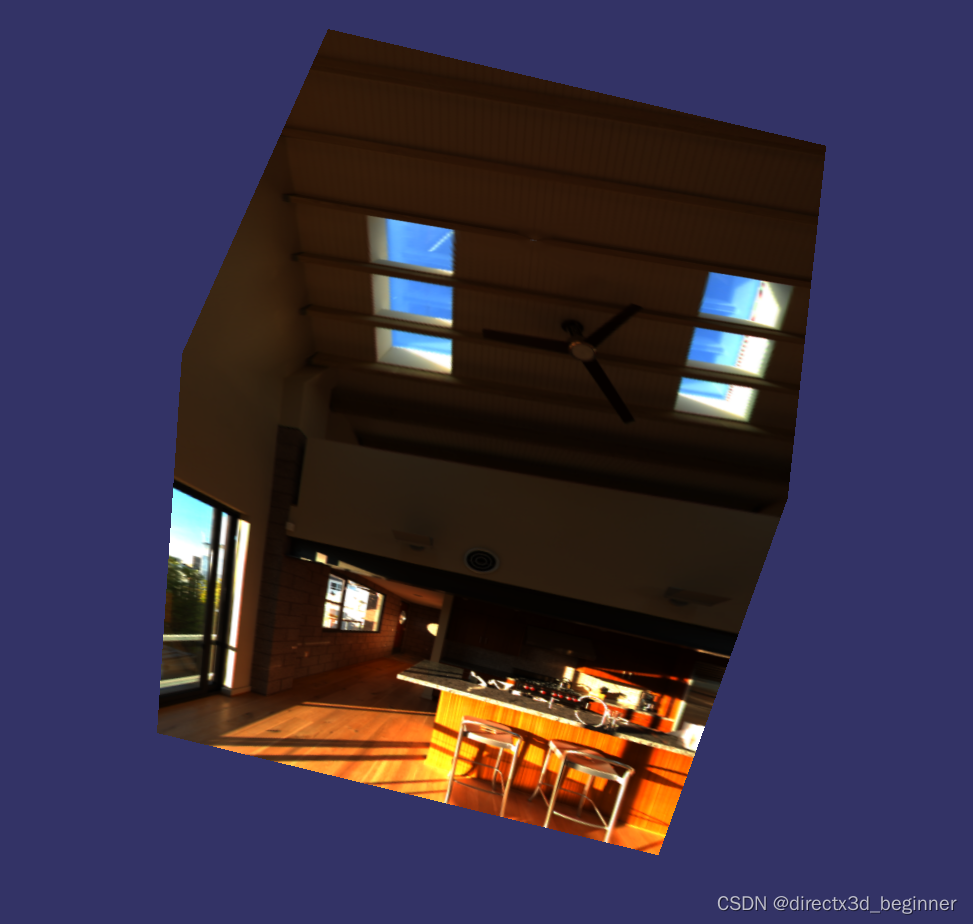
osgPBR(十五)镜面IBL--查看不同级别的HDR环境贴图
首先,设置可以使用Mipmap,启用三线性过滤,设置最大级别和最小级别 osg::ref_ptr<osg::TextureCubeMap> tcm new osg::TextureCubeMap; tcm->setTextureSize(128, 128);tcm->setFilter(osg::Texture::MIN_FILTER, osg::Texture:…...
Docker的学习记录
Docker是一个被广泛使用的开源容器引擎,基于Go语言,遵从Apache2.0协议开源。 docker的三个概念:容器、镜像和仓库。 镜像(Image):镜像是Docker中的一个模板。通过 Docker镜像 来创建 Docker容器ÿ…...

Android Jetpack组件架构:ViewModel的原理
Android Jetpack组件架构:ViewModel的原理 导言 本篇文章是关于介绍ViewModel的,由于ViewModel的使用还是挺简单的,这里就不再介绍其的基本应用,我们主要来分析ViewModel的原理。 ViewModel的生命周期 众所周知,一般…...
学习笔记1.0)
数据分析(python)学习笔记1.0
《利用Python进行数据分析》(原书第2版) 《利用Python进行数据分析》(原书第2版) 《利用Python进行数据分析》(原书第2版) 社区和会议 除了网络搜索,科学、数据相关的Python邮件列表对于解决问题也非常有帮助。可以看看下列邮件列表: pydata:与数据分析和pandas相…...
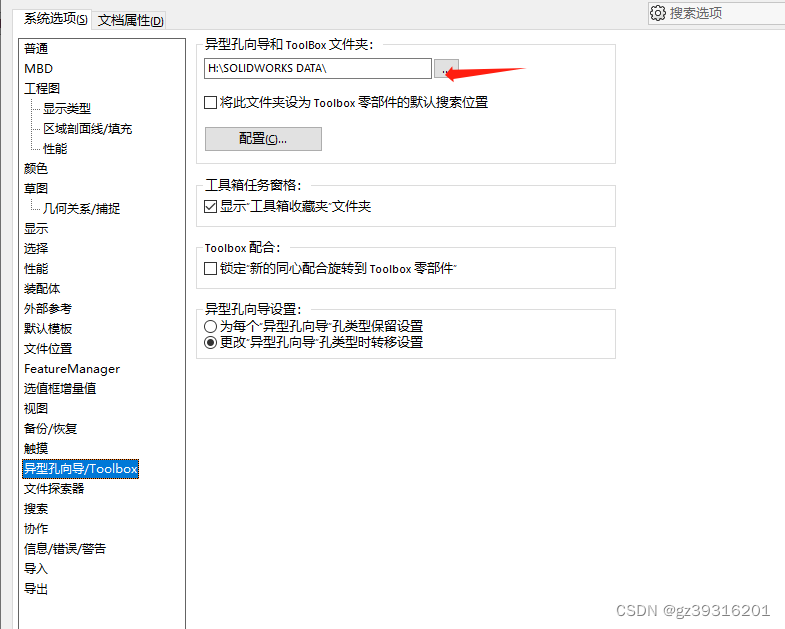
SW免安装的toolbox只读问题
把SOLIDWORKSDATA 整体复制到另外的目录,然后这里设置目录位置。不然原始位置有只读属性...

nodejs在pdf中绘制表格
需求 之前我已经了解过如何在pdf模板中填写字段了 nodejs根据pdf模板填入中文数据并生成新的pdf文件https://blog.csdn.net/ArmadaDK/article/details/132456324 但是当我具体使用的时候,我发现我的模板里面有表格,表格的长度是不固定的,所…...
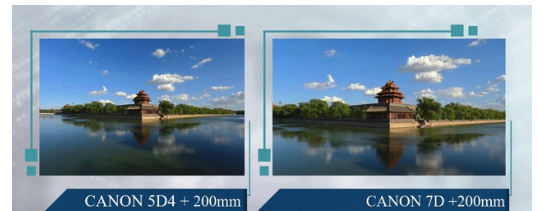
使用不同尺寸的传感器拍照时,怎么保证拍出同样视场范围的照片?
1、问题背景 使用竞品机做图像效果对比时,我们通常都会要求拍摄的照片要视场范围一致,这样才具有可比性。之前我会考虑用同样焦距、同样分辨率的设备去拍照对比就可以了,觉得相机的视场范围只由镜头焦距来决定。 但如果对于不同尺寸的传感器…...
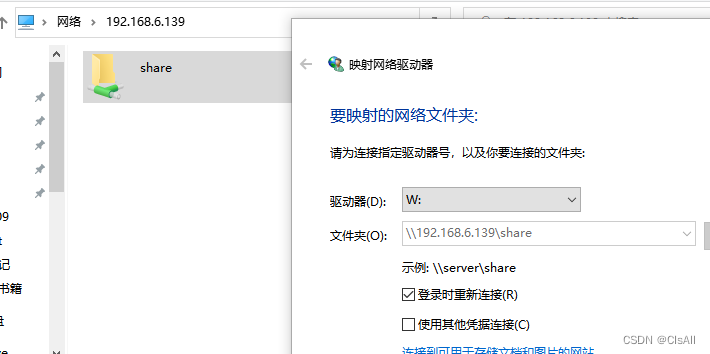
01-工具篇-windows与linux文件共享
一般来说绝大部分PC上装的系统均是windows,为了开发linux程序,会在PC上安装一个Vmware的虚拟机,在虚拟机上安装ubuntu18.04,由于windows上的代码查看软件、浏览器,通信软件更全,我们想只用ubuntu进行编译&a…...

19c补丁后oracle属主变化,导致不能识别磁盘组
补丁后服务器重启,数据库再次无法启动 ORA01017: invalid username/password; logon denied Oracle 19c 在打上 19.23 或以上补丁版本后,存在与用户组权限相关的问题。具体表现为,Oracle 实例的运行用户(oracle)和集…...
《Qt C++ 与 OpenCV:解锁视频播放程序设计的奥秘》
引言:探索视频播放程序设计之旅 在当今数字化时代,多媒体应用已渗透到我们生活的方方面面,从日常的视频娱乐到专业的视频监控、视频会议系统,视频播放程序作为多媒体应用的核心组成部分,扮演着至关重要的角色。无论是在个人电脑、移动设备还是智能电视等平台上,用户都期望…...
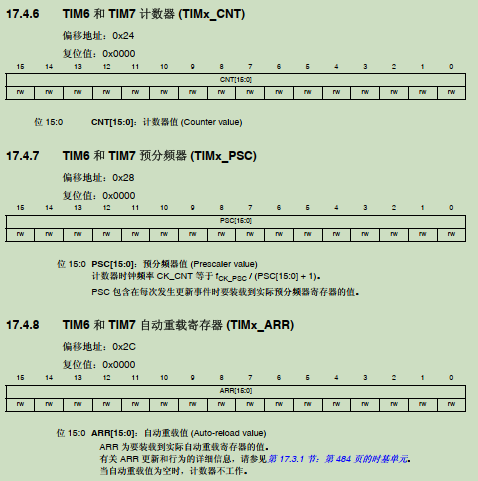
STM32F4基本定时器使用和原理详解
STM32F4基本定时器使用和原理详解 前言如何确定定时器挂载在哪条时钟线上配置及使用方法参数配置PrescalerCounter ModeCounter Periodauto-reload preloadTrigger Event Selection 中断配置生成的代码及使用方法初始化代码基本定时器触发DCA或者ADC的代码讲解中断代码定时启动…...
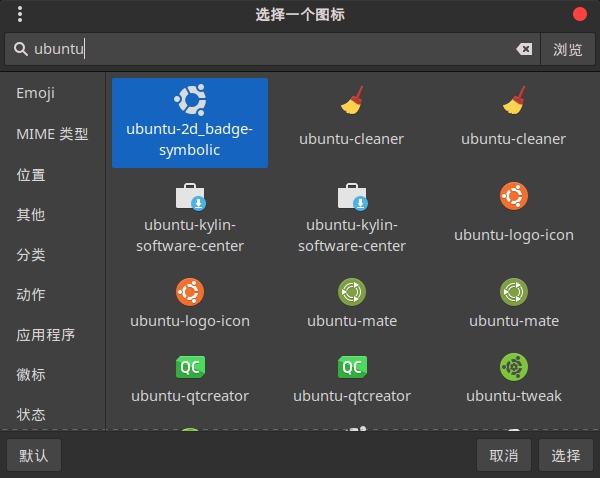
Cinnamon修改面板小工具图标
Cinnamon开始菜单-CSDN博客 设置模块都是做好的,比GNOME简单得多! 在 applet.js 里增加 const Settings imports.ui.settings;this.settings new Settings.AppletSettings(this, HTYMenusonichy, instance_id); this.settings.bind(menu-icon, menu…...

生成 Git SSH 证书
🔑 1. 生成 SSH 密钥对 在终端(Windows 使用 Git Bash,Mac/Linux 使用 Terminal)执行命令: ssh-keygen -t rsa -b 4096 -C "your_emailexample.com" 参数说明: -t rsa&#x…...

Linux云原生安全:零信任架构与机密计算
Linux云原生安全:零信任架构与机密计算 构建坚不可摧的云原生防御体系 引言:云原生安全的范式革命 随着云原生技术的普及,安全边界正在从传统的网络边界向工作负载内部转移。Gartner预测,到2025年,零信任架构将成为超…...

Spring AI 入门:Java 开发者的生成式 AI 实践之路
一、Spring AI 简介 在人工智能技术快速迭代的今天,Spring AI 作为 Spring 生态系统的新生力量,正在成为 Java 开发者拥抱生成式 AI 的最佳选择。该框架通过模块化设计实现了与主流 AI 服务(如 OpenAI、Anthropic)的无缝对接&…...

HTML前端开发:JavaScript 常用事件详解
作为前端开发的核心,JavaScript 事件是用户与网页交互的基础。以下是常见事件的详细说明和用法示例: 1. onclick - 点击事件 当元素被单击时触发(左键点击) button.onclick function() {alert("按钮被点击了!&…...

稳定币的深度剖析与展望
一、引言 在当今数字化浪潮席卷全球的时代,加密货币作为一种新兴的金融现象,正以前所未有的速度改变着我们对传统货币和金融体系的认知。然而,加密货币市场的高度波动性却成为了其广泛应用和普及的一大障碍。在这样的背景下,稳定…...

PAN/FPN
import torch import torch.nn as nn import torch.nn.functional as F import mathclass LowResQueryHighResKVAttention(nn.Module):"""方案 1: 低分辨率特征 (Query) 查询高分辨率特征 (Key, Value).输出分辨率与低分辨率输入相同。"""def __…...