
Springboot使用Aop保存接口请求日志到mysql
1、添加aop依赖
<!-- aop日志 --><dependency><groupId>org.springframework.boot</groupId><artifactId>spring-boot-starter-aop</artifactId></dependency>2、新建接口保存数据库的实体类RequestLog.java
package com.example.springboot.entity;import com.baomidou.mybatisplus.annotation.IdType;
import com.baomidou.mybatisplus.annotation.TableId;
import com.baomidou.mybatisplus.annotation.TableName;
import java.io.Serializable;
import java.time.LocalDateTime;
import lombok.Getter;
import lombok.Setter;/*** <p>* 请求日志* </p>** @author Sca_jie* @since 2023-09-28*/
@Getter
@Setter
@TableName("request_log")
public class RequestLog implements Serializable {private static final long serialVersionUID = 1L;// 主键-自增@TableId(value = "number", type = IdType.AUTO)private Integer number;// 用户账号private String id;// 携带tokenprivate String token;// 接口路径private String url;// 请求类型private String method;// 携带参数private String params;// ip地址private String ip;// 结果private String result;// 接口发起时间private LocalDateTime startDate;// 接口结束时间private LocalDateTime endDate;// 响应耗时private String responseTime;
}
3、新建一个注解RequestLogAnnotation.java
package com.example.springboot.annotation;import java.lang.annotation.*;/*** 请求记录日志注解*/
@Target({ElementType.TYPE, ElementType.METHOD}) //注解放置的目标位置,METHOD是可注解在方法级别上
@Retention(RetentionPolicy.RUNTIME) //注解在哪个阶段执行
@Documented
public @interface RequestLogAnnotation {String value() default "";
}
4、(核心)新建aop面切类RequestLogAspect.java拦截请求并保存日志
package com.example.springboot.common;import cn.hutool.core.net.NetUtil;
import cn.hutool.json.JSONUtil;
import com.alibaba.fastjson.JSONObject;
import com.example.springboot.annotation.RequestLogAnnotation;
import com.example.springboot.entity.RequestLog;
import com.example.springboot.mapper.RequestLogMapper;
import com.example.springboot.utils.CookieUtil;
import org.aspectj.lang.JoinPoint;
import org.aspectj.lang.annotation.AfterReturning;
import org.aspectj.lang.annotation.Aspect;
import org.aspectj.lang.annotation.Before;
import org.aspectj.lang.annotation.Pointcut;
import org.aspectj.lang.reflect.MethodSignature;
import org.springframework.beans.factory.annotation.Autowired;
import org.springframework.stereotype.Component;
import org.springframework.web.context.request.RequestContextHolder;
import org.springframework.web.context.request.ServletRequestAttributes;import javax.servlet.http.Cookie;
import javax.servlet.http.HttpServletRequest;
import javax.servlet.http.HttpServletResponse;
import java.lang.reflect.Method;
import java.time.LocalDateTime;/*** 日志记录**/
@Aspect
@Component
public class RequestLogAspect {@Autowired(required = false)RequestLogMapper requestLogMapper;@Pointcut("@annotation(com.example.springboot.annotation.RequestLogAnnotation)")public void logPointCut() {}// 请求的开始处理时间(不同类型)Long startTime = null;LocalDateTime startDate;@Before("logPointCut()")public void beforeRequest() {startTime = System.currentTimeMillis();startDate = LocalDateTime.now();}@AfterReturning(value = "logPointCut()", returning = "result")public void saveLog(JoinPoint joinPoint, Object result) {// 获取请求头ServletRequestAttributes requestAttributes = (ServletRequestAttributes) RequestContextHolder.getRequestAttributes();HttpServletRequest request = requestAttributes.getRequest();HttpServletResponse response = requestAttributes.getResponse();//从切面织入点处通过反射机制获取织入点处的方法MethodSignature signature = (MethodSignature) joinPoint.getSignature();//获取切入点所在的方法Method method = signature.getMethod();// 初始化日志表的实体类RequestLog requestLog = new RequestLog();//获取操作RequestLogAnnotation requestLogAnnotation = method.getAnnotation(RequestLogAnnotation.class);//        // 获取@SystemLogAnnotation(value = "用户登录")中的注解value
//        if (systemLogAnnotation != null) {
//            String value = systemLogAnnotation.value();
//            requestLog.setSName(value);
//        }// 获取cookiesCookie[] cookies = request.getCookies();if (cookies != null) {// 获取tokenfor(Cookie cookie : cookies){if(cookie.getName().equals("token")){requestLog.setToken(cookie.getValue());}}// 获取idString id = CookieUtil.getid(cookies);if (id != "" | id != null) {requestLog.setId(id);}}// 区分get和post获取参数String params = "{}";if (request.getMethod().equals("GET")) {params = JSONObject.toJSONString(request.getParameterMap());} else if (request.getMethod().equals("POST")) {params = JSONUtil.toJsonStr(joinPoint.getArgs());}// 用户IprequestLog.setIp(NetUtil.getLocalhostStr());// 接口请求类型requestLog.setMethod(request.getMethod());// 请求参数(区分get和post)requestLog.setParams(params);// 请求接口路径requestLog.setUrl(request.getRequestURI().toString());// 返回结果requestLog.setResult(JSONObject.toJSONString(result));// 请求开始时间requestLog.setStartDate(startDate);// 请求结束时间requestLog.setEndDate(LocalDateTime.now());// 请求共计时间(ms)requestLog.setResponseTime(String.valueOf(System.currentTimeMillis() - startTime));// 保存日志到mysqlrequestLogMapper.insert(requestLog);}
}
5、在对应接口添加注解@RequestLogAnnotation
@RequestLogAnnotation(value = "获取上传记录")@GetMapping("/getlist")public Result getlist (@RequestParam(required = false) String id) {if (id == null) {return Result.success(404, "参数缺失");} else {List<UploadLog> page = uploadLogService.getlist(id);return Result.success(200, page.toString());}}效果如下

相关文章:
Springboot使用Aop保存接口请求日志到mysql
1、添加aop依赖 <!-- aop日志 --><dependency><groupId>org.springframework.boot</groupId><artifactId>spring-boot-starter-aop</artifactId></dependency> 2、新建接口保存数据库的实体类RequestLog.java package com.example…...
网络安全面试题汇总(附答案)
作为从业多年的网络安全工程师,我深知在面试过程中面试官所关注的重点及考察的技能点。网络安全作为当前信息技术领域中非常重要的一部分,对于每一个从事网络安全工作的人员来说,不仅需要掌握一定的技术能力,更需要具备全面的综合…...

Centos7安装kvm,配置虚拟机网络
1.安装软件包,禁用防火墙(非必须) yum -y install qemu-kvm libvirt virt-install 1)禁用防火墙(非必须) systemctl stop firewalld systemctl disable firewalld 2)禁用NetworkManager syst…...

Javascript文件上传
什么是文件上传 文件上传包含两部分, 一部分是选择文件,包含所有相关的界面交互。一部分是网络传输,通过一个网络请求,将文件的数据携带过去,传递到服务器中,剩下的,在服务器中如何存储…...
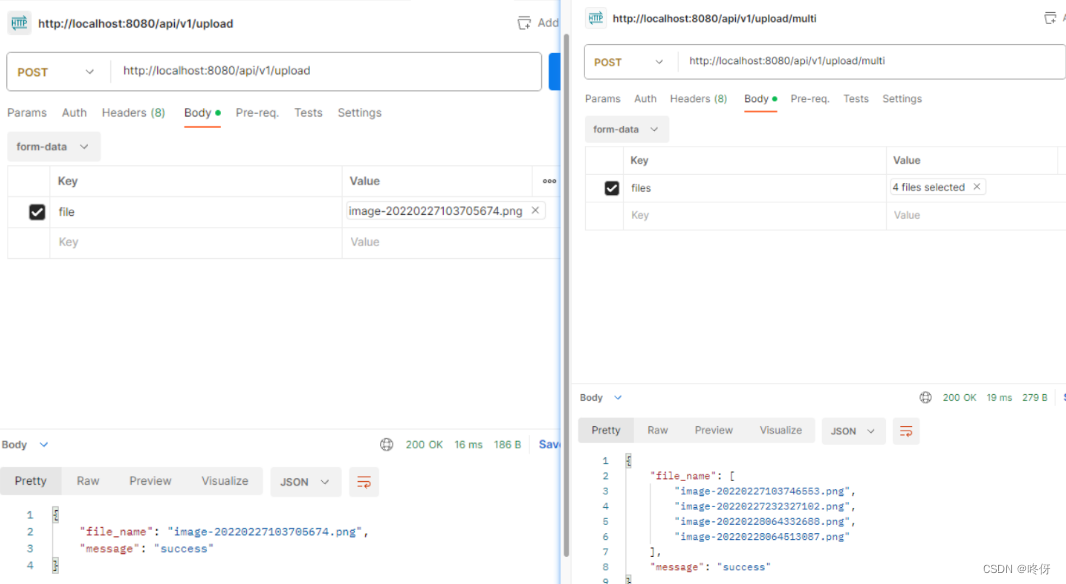
golang gin——文件上传(单文件,多文件)
文件上传 单文件上传 从form-data获取文件 package uploadimport ("github.com/gin-gonic/gin""net/http" ) // 单文件上传,多文件上传 func Upload(c *gin.Context) {file, _ : c.FormFile("file") // file为字段名dst : "…...

面试题:Redis和MySQL的事务区别是什么?
大家好,我是小米!今天我要和大家聊聊一个在技术面试中经常被问到的问题:“Redis和MySQL的事务区别是什么?”这个问题看似简单,但实际上涉及到了数据库和缓存两个不同领域的知识,让我们一起来深入了解一下吧…...

Canvas绘图
Canvas绘图 Canvas的意义 随着前端的不断发展,页面特效越来越炫酷,W3C组织也不断退出新的CSS特性:例如各种渐变,瀑布流布局,各种阴影,但是随着需求越来越花哨,W3C表示:我去你妈的&…...
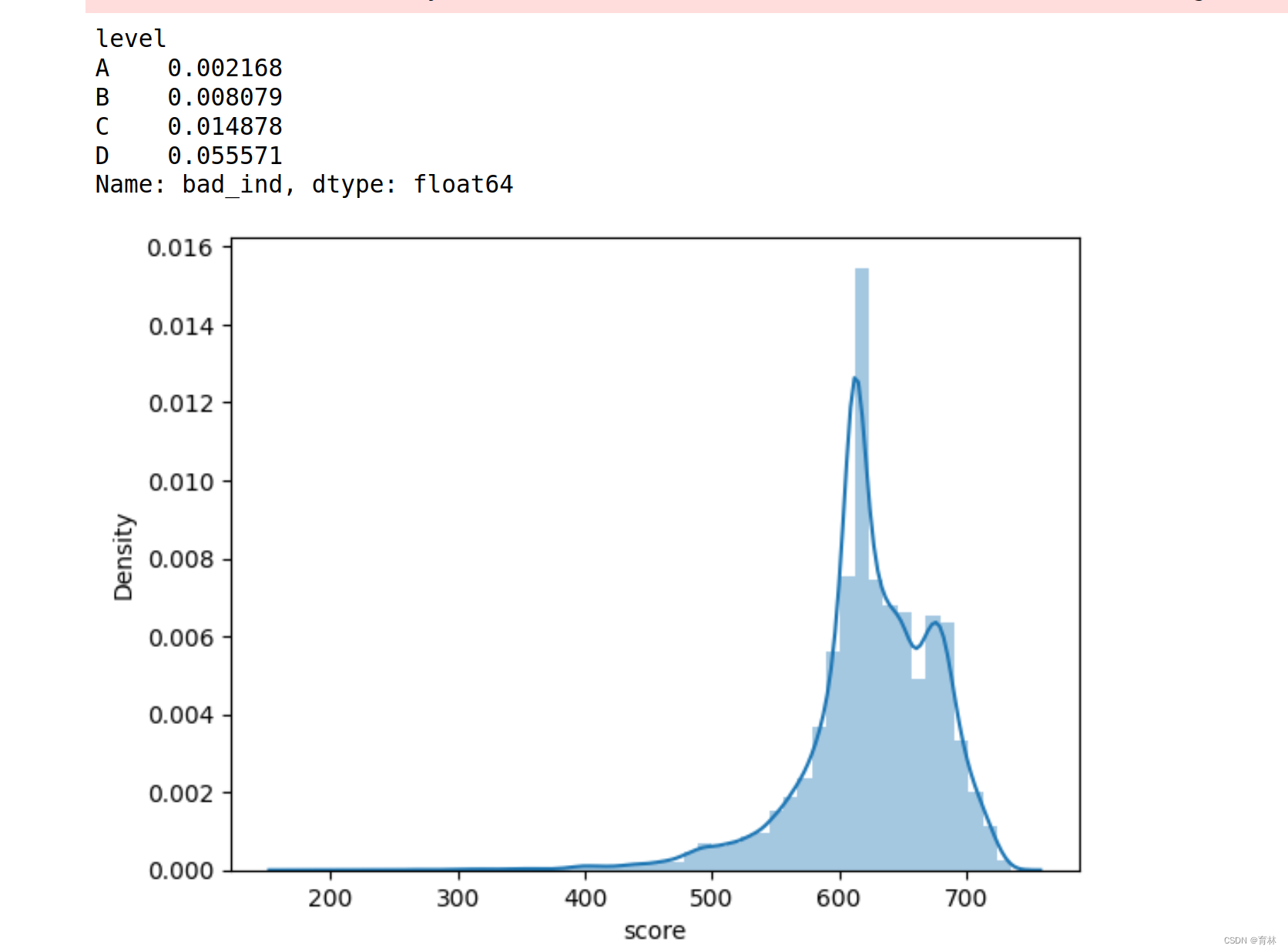
逻辑回归评分卡
文章目录 一、基础知识点(1)逻辑回归表达式(2)sigmoid函数的导数损失函数(Cross-entropy, 交叉熵损失函数)交叉熵求导准确率计算评估指标 二、导入库和数据集导入库读取数据 三、分析与训练四、模型评价ROC曲线KS值再做特征筛选生成报告 五、行为评分卡模型表现总结 一、基础知…...

DPDK系列之三十三DPDK并行机制的底层支持
一、背景介绍 在前面介绍了DPDK中的上层对并行的支持,特别是对多核的支持。但是,大家都知道,再怎么好的设计和架构,再优秀的编码,最终都要落到硬件和固件对整个上层应用的支持。单纯的硬件好处理,一个核不…...
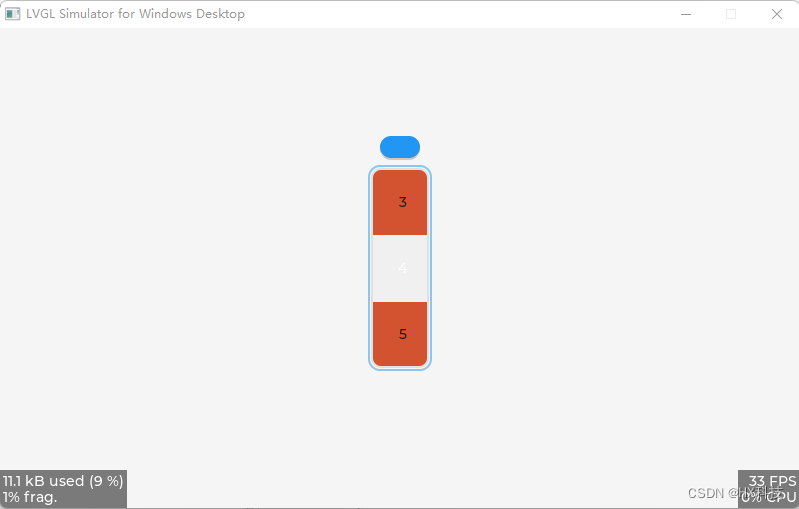
LVGL_基础控件滚轮roller
LVGL_基础控件滚轮roller 1、创建滚轮roller控件 /* 创建一个 lv_roller 部件(对象) */ lv_obj_t * roller lv_roller_create(lv_scr_act()); // 创建一个 lv_roller 部件(对象),他的父对象是活动屏幕对象// 将部件(对象)添加到组,如果设置了默认组,…...
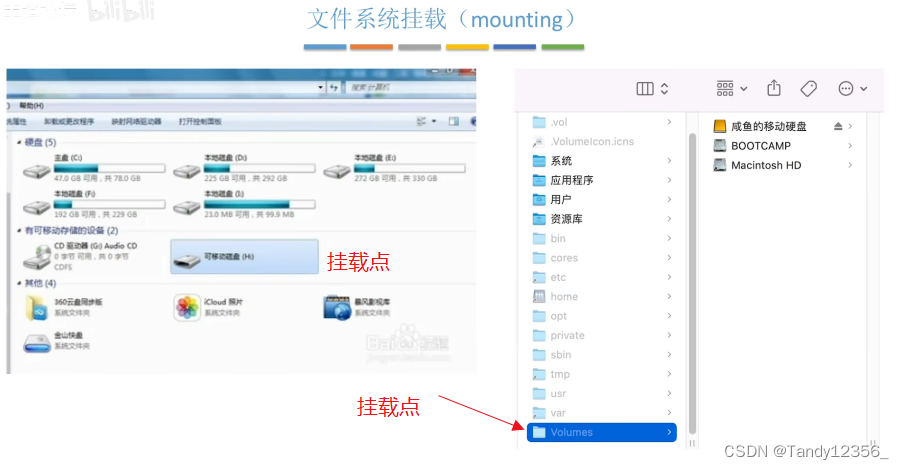
王道考研操作系统——文件管理
磁盘的基础知识 .txt用记事本这个应用程序打开,文件最重要的属性就是文件名了 保护信息:操作系统对系统当中的各个用户进行了分组,不同分组的用户对文件的操作权限是不一样的 文件的逻辑结构就是文件内部的数据/记录应该被怎么组织起来&…...
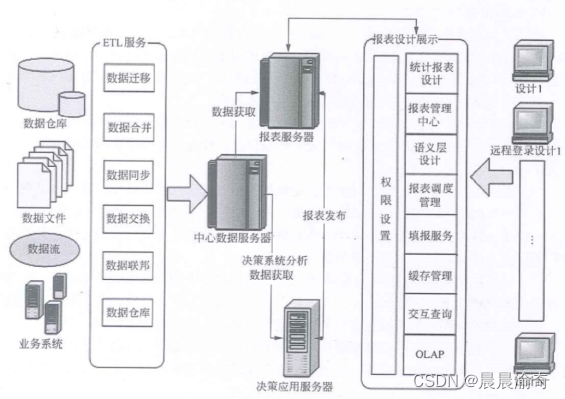
商业智能系统的主要功能包括数据仓库、数据ETL、数据统计输出、分析功能
ETL服务内容包含: 数据迁移数据合并数据同步数据交换数据联邦数据仓库...
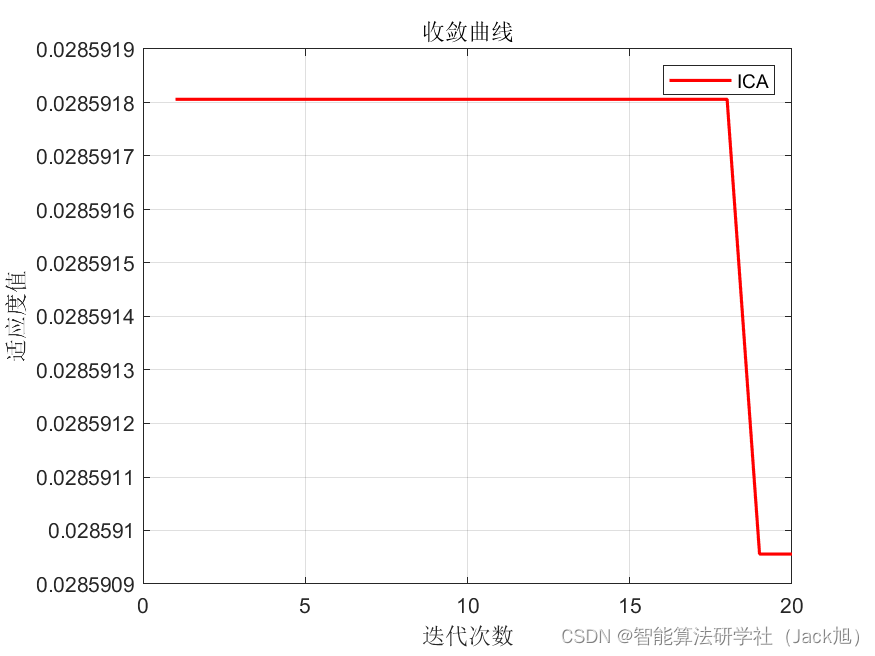
基于帝国主义竞争优化的BP神经网络(分类应用) - 附代码
基于帝国主义竞争优化的BP神经网络(分类应用) - 附代码 文章目录 基于帝国主义竞争优化的BP神经网络(分类应用) - 附代码1.鸢尾花iris数据介绍2.数据集整理3.帝国主义竞争优化BP神经网络3.1 BP神经网络参数设置3.2 帝国主义竞争算…...

将python项目部署在一台服务器上
将python项目部署在一台服务器上 1.服务器2.部署方法2.1 手动部署2.2 容器化技术部署2.3 服务器less技术部署 1.服务器 服务器一般为:物理服务器和云服务器。 我的是物理服务器:这是将服务器硬件直接放置在您自己的数据中心或机房的传统方法。这种方法需…...
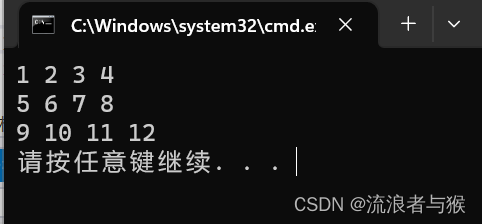
【C语言】善于利用指针(二)
💗个人主页💗 ⭐个人专栏——C语言初步学习⭐ 💫点击关注🤩一起学习C语言💯💫 目录 导读:1. 字符指针1.1 字符串的引用方式1.2 有趣的面试题 2. 数组指针2.1 一维数组指针的定义2.2 一维数组…...

Python调用C++
https://www.cnblogs.com/renfanzi/p/10276997.html Linux使用Python调用C/C接口(一) - 代码先锋网 linux系统上使用Python调用C生成的.so动态链接库opencv_linux 下python 编译为so ,给c使用_比赛学习者的博客-CSDN博客 https://www.cnblogs.com/shuimuqingyang/p/13618105…...
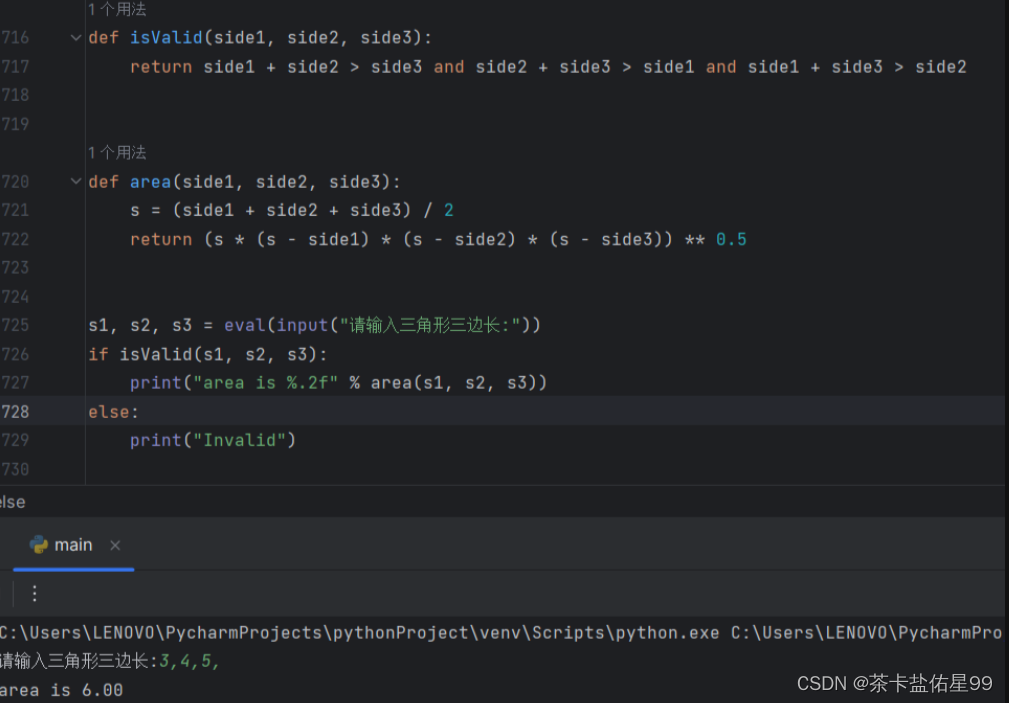
自己实现扫描全盘文件的函数。
1.自己实现扫描全盘的函数 def scan_disk(dir): global count,dir_count if os.path.isdir(dir): files os.listdir(dir) for file in files: print(file) dir_count 1 if os.path.isdir(dir os.sep file): …...

JSON文件读写
1、依赖文件 #include <QFile> #include <QJsonDocument> #include <QJsonObject> #include <QDebug> #include <QStringList>2、头文件 bool ReadJsonFile(const QString& filePath""); bool WriteJsonFile(const QString&…...
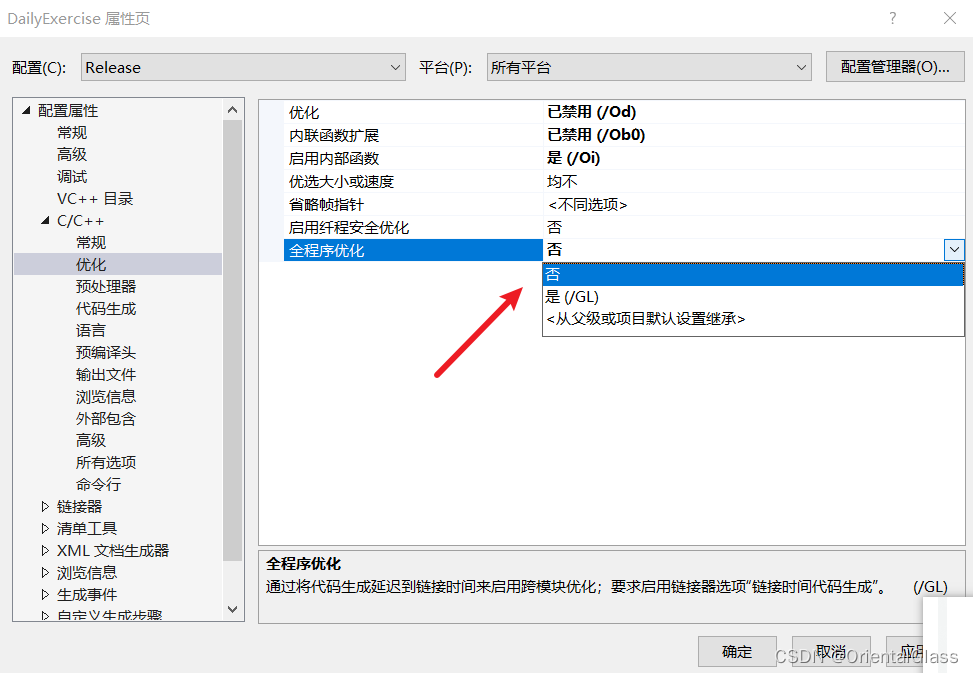
VisualStudio2022环境下Release模式编译dll无法使用TLS函数问题
Debug x86环境下正常使用TLS回调函数 切换到Release发现程序没有使用tls 到C/C > 优化中将全程序优化关闭即可...
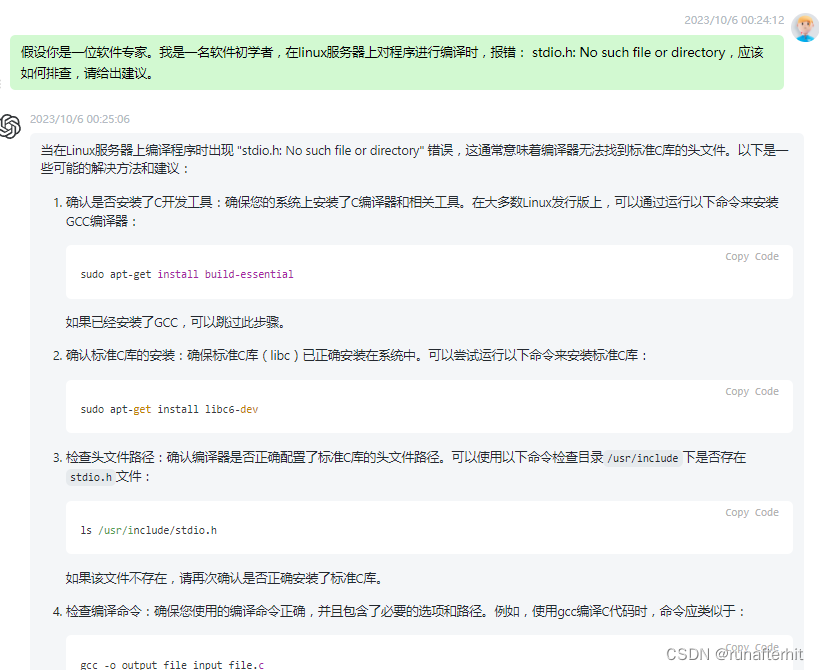
ChatGPT基础使用总结
文章目录 一、ChatGPT基础概念大型语言模型LLMs---一种能够以类似人类语言的方式“说话”的软件ChatGPT定义---OpenAI 研发的一款聊天机器人程序(2022年GPT-3.5,属于大型语言模型)ChatGPT4.0---OpenAI推出了GPT系列的最新模型ChatGPT典型使用…...

Taotoken的TokenPlan套餐如何实现更经济的模型调用
🚀 告别海外账号与网络限制!稳定直连全球优质大模型,限时半价接入中。 👉 点击领取海量免费额度 Taotoken的TokenPlan套餐如何实现更经济的模型调用 1. 理解TokenPlan的计费模式 在模型应用开发过程中,成本的可预测性…...

IPD的势、道、法、术、器
目录 简介 一、势:为什么 IPD 是必然选择? 二、道:IPD 的底层哲学 三、法与术:从战略到执行的具体路径 四、器:让流程真正落地的工具与组织 不是每家公司都需要全套 IPD,但每家公司都需要 IPD 思维 简…...

sudo企业级应用【20260525】001篇
文章目录 一、总体设计思路 1️⃣ 设计原则 2️⃣ 日志策略(重点) 二、10 个真实生产场景(含 sudoers 配置) 🔹 Linux 系统管理(3 个) ✅ 场景 1:基础运维(用户 / 权限) ✅ 场景 2:磁盘与文件系统 ✅ 场景 3:网络与防火墙 🔹 云管理(2 个) ✅ 场景 4:云 CLI …...

FeHelper前端助手:30+开发工具集,让你的浏览器变身效率神器
FeHelper前端助手:30开发工具集,让你的浏览器变身效率神器 【免费下载链接】FeHelper 😍FeHelper--Web前端助手(Awesome!Chrome & Firefox & MS-Edge Extension, All in one Toolbox!) 项目地址:…...

METSO A413248自动化系统
METSO A413248 自动化系统模块产品特点: 品牌归属:芬兰METSO(美卓)工业自动化系统原装备件。 产品类型:工业级自动化控制模块/接口模块。 核心功能:用于控制信号处理、数据采集及系统集成。 系统兼容&am…...

配置OpenClaw Agent使用Taotoken作为后端模型提供商
🚀 告别海外账号与网络限制!稳定直连全球优质大模型,限时半价接入中。 👉 点击领取海量免费额度 配置OpenClaw Agent使用Taotoken作为后端模型提供商 基础教程类,指导希望使用OpenClaw等Agent工具的开发者,…...

基于ESP8266与MQTT的家庭水压自动控制系统设计与实现
1. 项目概述与核心需求解析家里水压不稳、供水时断时续,这大概是很多朋友都遇到过的烦心事。我所在的城市供水情况就很不理想,为了解决这个问题,我不得不自己动手,搭建了一套基于ESP8266微控制器的家庭水压增压与储水自动控制系统…...

探索Windows 10上的Android世界:揭秘WSA-Windows-10项目的3个技术突破
探索Windows 10上的Android世界:揭秘WSA-Windows-10项目的3个技术突破 【免费下载链接】WSA-Windows-10 This is a backport of Windows Subsystem for Android to Windows 10. 项目地址: https://gitcode.com/gh_mirrors/ws/WSA-Windows-10 想象一下&#…...

基于MAX78000与CNN的智能螺栓巡检小车:嵌入式AI实战解析
1. 项目概述与核心思路在轨道交通的日常运维中,螺栓的紧固状态检查是一项繁重且关键的任务。无论是轨道上的紧固螺栓,还是列车转向架、轮对轴承上的关键螺栓,其松动或失效都可能引发严重的安全事故。传统的人工巡检方式不仅效率低下ÿ…...

机器学习与深度学习在社交媒体心理健康检测中的权衡与选择
1. 项目概述:当AI遇见心灵,社交媒体心理健康检测的技术十字路口在社交媒体成为我们数字生活延伸的今天,海量的文本数据无意中记录着用户的情感波动与心理状态。作为一名长期混迹于数据科学和自然语言处理(NLP)一线的从…...