
nginx的配置文件概述及简单demo(二)
默认配置文件
当安装完nginx后,它的目录下通常有默认的配置文件
#user  nobody;
worker_processes  1;#error_log  logs/error.log;
#error_log  logs/error.log  notice;
#error_log  logs/error.log  info;#pid        logs/nginx.pid;events {worker_connections  1024;
}http {include       mime.types;default_type  application/octet-stream;#log_format  main  '$remote_addr - $remote_user [$time_local] "$request" '#                  '$status $body_bytes_sent "$http_referer" '#                  '"$http_user_agent" "$http_x_forwarded_for"';#access_log  logs/access.log  main;sendfile        on;#tcp_nopush     on;#keepalive_timeout  0;keepalive_timeout  65;#gzip  on;server {listen       80;server_name  localhost;#charset koi8-r;#access_log  logs/host.access.log  main;location / {root   html;index  index.html index.htm;}#error_page  404              /404.html;# redirect server error pages to the static page /50x.html#error_page   500 502 503 504  /50x.html;location = /50x.html {root   html;}# proxy the PHP scripts to Apache listening on 127.0.0.1:80##location ~ \.php$ {#    proxy_pass   http://127.0.0.1;#}# pass the PHP scripts to FastCGI server listening on 127.0.0.1:9000##location ~ \.php$ {#    root           html;#    fastcgi_pass   127.0.0.1:9000;#    fastcgi_index  index.php;#    fastcgi_param  SCRIPT_FILENAME  /scripts$fastcgi_script_name;#    include        fastcgi_params;#}# deny access to .htaccess files, if Apache's document root# concurs with nginx's one##location ~ /\.ht {#    deny  all;#}}# another virtual host using mix of IP-, name-, and port-based configuration##server {#    listen       8000;#    listen       somename:8080;#    server_name  somename  alias  another.alias;#    location / {#        root   html;#        index  index.html index.htm;#    }#}# HTTPS server##server {#    listen       443 ssl;#    server_name  localhost;#    ssl_certificate      cert.pem;#    ssl_certificate_key  cert.key;#    ssl_session_cache    shared:SSL:1m;#    ssl_session_timeout  5m;#    ssl_ciphers  HIGH:!aNULL:!MD5;#    ssl_prefer_server_ciphers  on;#    location / {#        root   html;#        index  index.html index.htm;#    }#}}
可以看到主要分为3个部分
- 全局块
从开头到events块之间的内容,被称为全局块,从配置文件开始到 events 块之间的内容,主要会设置一些影响 nginx 服务整体运行的配指,主要包括配置运行 Nginx 服务器的用户(组)、允许生成的 worker process ,进程 PID 存放路径、日志存放路径和类型以及配置文件的引入等。
这里部分是全局块的内容,这里面除了注释,只有 “worker_processes 1;”,这样一条属性配置
#user  nobody;
worker_processes  1;#error_log  logs/error.log;
#error_log  logs/error.log  notice;
#error_log  logs/error.log  info;#pid        logs/nginx.pid;
这是 Nginx 服务器并发处理服务的关健配置,worker_processes 值越大,可以支持的并发处理量也越多,但是受到硬件、软件等设备的制约
- event块
events {worker_connections  1024;
}
events 块涉及的指今主要影响 Nginx 服务与用户的网络连接,常用的设置包括是否开启对多 work process下的网络连接进行序列化,是否允许同时接收多个网络连接,选取哪种事件驱动模型来处理连接请求,每个 word process 可以同时支持的最大连接数等。
上述例子就表示每个 work process 支持的最大连接数为 1024.这部分的配置对 Nginx 的性能影响较大,在实际中应该灵活
- http块
这算是 Nginx 服务器配置中最频察的部分,代理、缓存和志定义等绝大多数功能和第三方模块的配置都在这里
需要注意的是:http 块也可以包括 http 全局块、server 块
http {include mime.types;default_type application/octet-stream;#log_format main '$remote_addr - $remote_user [$time_local] "$request" '# '$status $body_bytes_sent "$http_referer" '# '"$http_user_agent" "$http_x_forwarded_for"';#access_log logs/access.log main;sendfile on;#tcp_nopush on;#keepalive_timeout 0;keepalive_timeout 65;#gzip on;server {listen 80;server_name localhost;#charset koi8-r;#access_log logs/host.access.log main;location / {root html;index index.html index.htm;}#error_page 404 /404.html;# redirect server error pages to the static page /50x.html#error_page 500 502 503 504 /50x.html;location = /50x.html {root html;}# proxy the PHP scripts to Apache listening on 127.0.0.1:80##location ~ \.php$ {# proxy_pass http://127.0.0.1;#}# pass the PHP scripts to FastCGI server listening on 127.0.0.1:9000##location ~ \.php$ {# root html;# fastcgi_pass 127.0.0.1:9000;# fastcgi_index index.php;# fastcgi_param SCRIPT_FILENAME /scripts$fastcgi_script_name;# include fastcgi_params;#}# deny access to .htaccess files, if Apache's document root# concurs with nginx's one##location ~ /\.ht {# deny all;#}}# another virtual host using mix of IP-, name-, and port-based configuration##server {# listen 8000;# listen somename:8080;# server_name somename alias another.alias;# location / {# root html;# index index.html index.htm;# }#}# HTTPS server##server {# listen 443 ssl;# server_name localhost;# ssl_certificate cert.pem;# ssl_certificate_key cert.key;# ssl_session_cache shared:SSL:1m;# ssl_session_timeout 5m;# ssl_ciphers HIGH:!aNULL:!MD5;# ssl_prefer_server_ciphers on;# location / {# root html;# index index.html index.htm;# }#}}
http块配置详解
http 块也可以包括 http 全局块、server 块
http全局块
http 全局块配置的指>包括文件引入、MIME-TYPE 定义、日志自定义、连接超时时间、单链接请求数上限等
include mime.types;default_type application/octet-stream;#log_format main '$remote_addr - $remote_user [$time_local] "$request" '# '$status $body_bytes_sent "$http_referer" '# '"$http_user_agent" "$http_x_forwarded_for"';#access_log logs/access.log main;sendfile on;#tcp_nopush on;#keepalive_timeout 0;keepalive_timeout 65;#gzip on;server块
这块和虚拟主机有密切关系,虚拟主机从用户角度看,和一台独立的硬件主机是完全一样的,该技术的产生是为了节省互联网服务器硬件成本。每个 http 块可以包括多个 server 块,而每个 server 块就相当于一个虚拟主机。而每个 server 块也分为全局 server 块,以及可以同时包含多个 locaton 块。
server {listen 80;server_name localhost;location / {root html;index index.html index.htm;}error_page 500 502 503 504 /50x.html;location = /50x.html {root html;}}
而实际上server块也可以接着细分下去,每个 server 块也分为全局 server 块,以及可以同时包含多个 locaton 块。
全局server块的内容
listen       80;
server_name  localhost;
error_page   500 502 503 504  /50x.html;
locaton 块内容
location / {root html;index index.html index.htm;}location = /50x.html {root html;}我们实际上要配置的内容都在http块中,给两个简单地例子
nginx简单demo
demo1
访问nginx转到tomcat页面,修改nginx配置,修改server_name,以及location / 模块的转发路径
worker_processes  1;
events {worker_connections  1024;
}
http {include       mime.types;default_type  application/octet-stream;sendfile        on;keepalive_timeout  65;server {listen       80;server_name  121.4.170.108;location / {proxy_pass  http://127.0.0.1:8080;}error_page   500 502 503 504  /50x.html;location = /50x.html {root   html;}}}
这里我们监听了80端口,然后server_name是主机名或者ip,转发路径是我们tomcat的地址
demo2
部署多个tomcat,使用nginx做反向代理,部署在同一个服务器,根据路径转换到不同的服务器 ,127.0.0.1即代表本地,proxy_pass后面的地址代表我们转发的路径
worker_processes  1;
events {worker_connections  1024;
}
http {include       mime.types;default_type  application/octet-stream;sendfile        on;keepalive_timeout  65;server {listen       80;server_name  121.4.170.108;# 在页面输入121.4.170.108  会默认跳转到tomcat的页面location / {proxy_pass  http://127.0.0.1:8080;}# 第一个tomcat代理location ~ /a/ {proxy_pass   http://127.0.0.1:8080;}# 第一个tomcat的代理location ~ /b/ {proxy_pass   http://127.0.0.1:8081;}error_page   500 502 503 504  /50x.html;location = /50x.html {root   html;}}
}
相关文章:
)
nginx的配置文件概述及简单demo(二)
默认配置文件 当安装完nginx后,它的目录下通常有默认的配置文件 #user nobody; worker_processes 1;#error_log logs/error.log; #error_log logs/error.log notice; #error_log logs/error.log info;#pid logs/nginx.pid;events {worker_connection…...
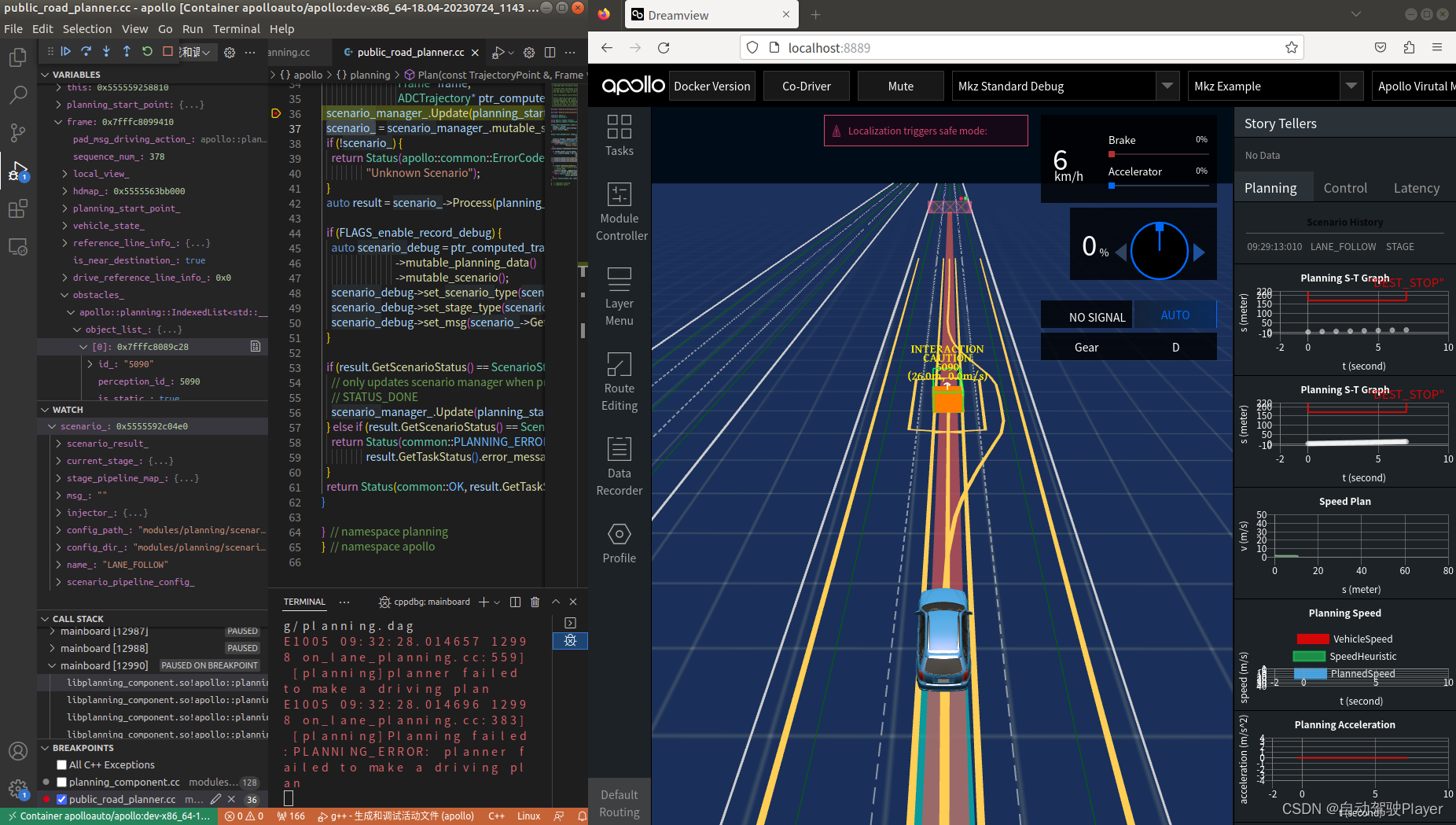
Apollo Planning2.0决策规划算法代码详细解析 (2): vscode gdb单步调试环境搭建
前言: apollo planning2.0 在新版本中在降低学习和二次开发成本上进行了一些重要的优化,重要的优化有接口优化、task插件化、配置参数改造等。 GNU symbolic debugger,简称「GDB 调试器」,是 Linux 平台下最常用的一款程序调试器。GDB 编译器通常以 gdb 命令的形式在终端…...
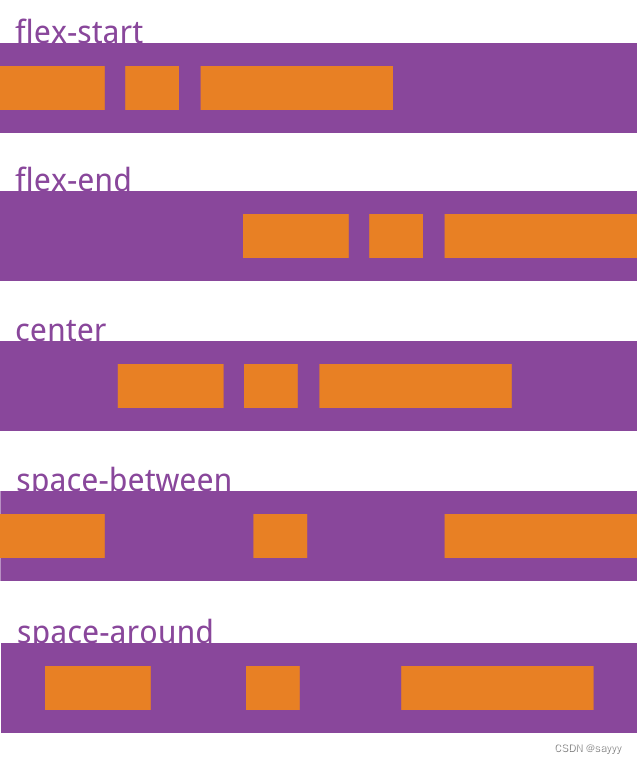
flex 布局:元素/文字靠右
前言 略 使用flex的justify-content属性控制元素的摆放位置 靠右 <view class"more">展开更多<text class"iconfont20231007 icon-zhankai"></text></view>.more {display: flex;flex-direction: row;color: #636363;justify-co…...
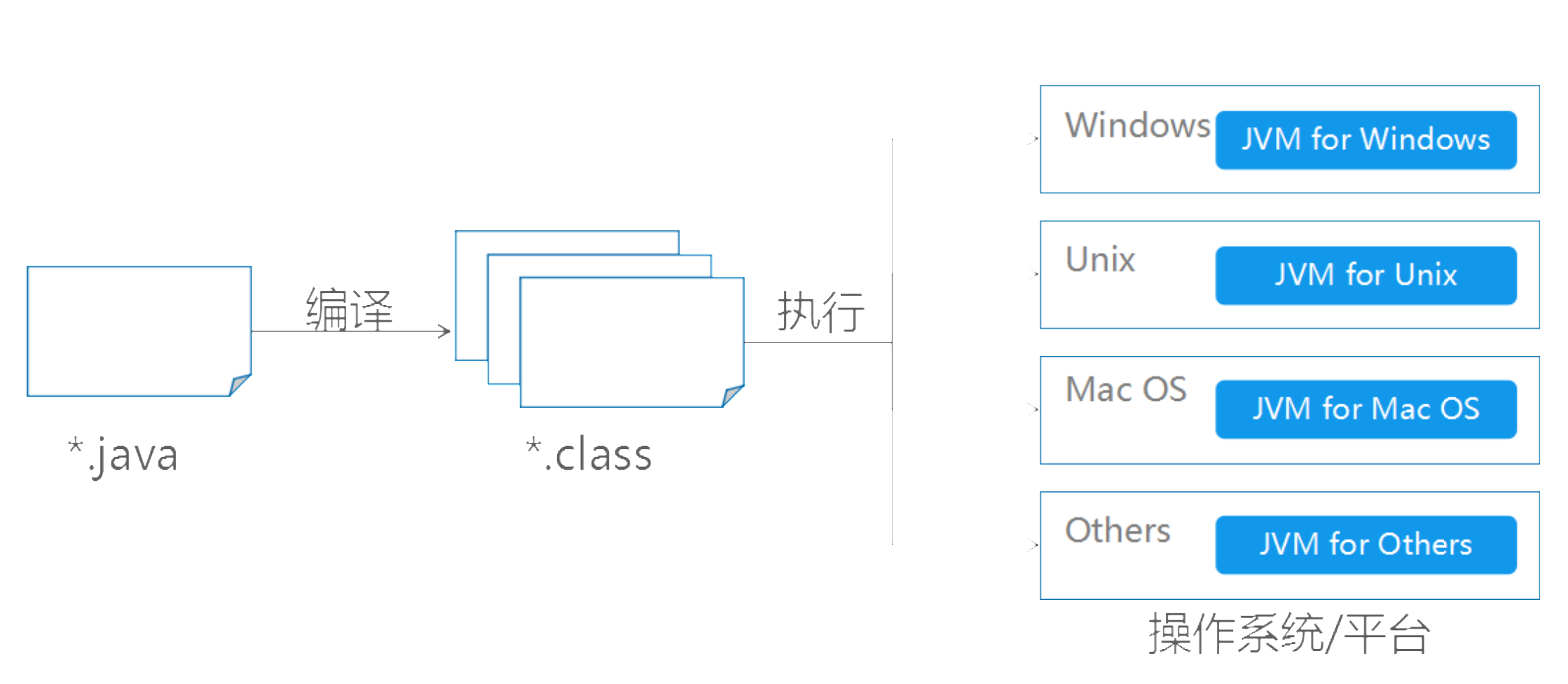
java基础-第1章-走进java世界
一、计算机基础知识 常用的DOS命令 二、计算机语言介绍 三、Java语言概述 四、Java环境的搭建 JDK安装图解 环境变量的配置 配置环境变量意义 配置环境变量步骤 五、第一个Java程序 编写Java源程序 编译Java源文件 运行Java程序 六、Java语言运行机制 核心机制—Java虚拟机 核…...

jvm 堆内存 栈内存 大小设置
4种方式配置不同作用域的jvm的堆栈内存。 1、Eclise 中设置jvm内存: 改动eclipse的配置文件,对全部project都起作用 改动eclipse根文件夹下的eclipse.ini文件 -vmargs //虚拟机设置 -Xms40m //初始内存 -Xmx256m //最大内存 -Xmn16m //最小内存 -XX:PermSize=128M //非堆内…...
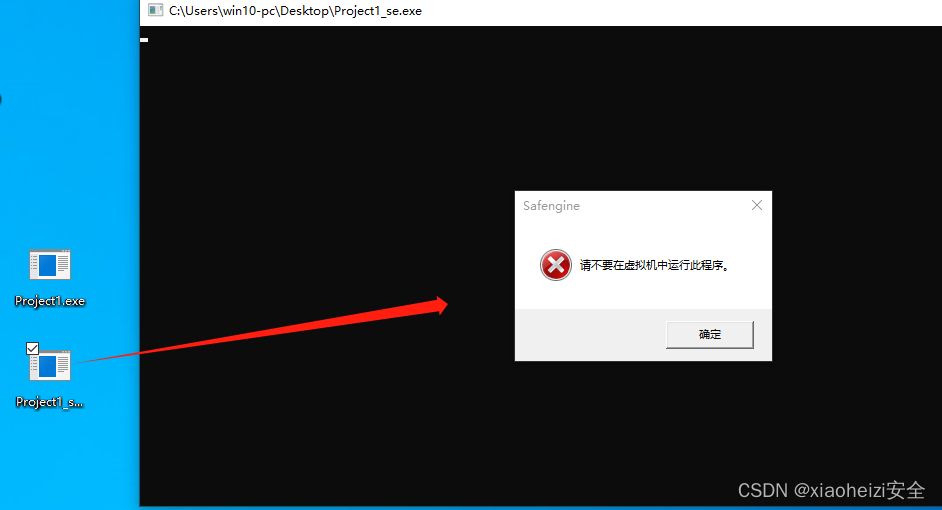
免杀对抗-反沙盒+反调试
反VT-沙盒检测-Go&Python 介绍: 近年来,各类恶意软件层出不穷,反病毒软件也更新了各种检测方案以提高检率。 其中比较有效的方案是动态沙箱检测技术,即通过在沙箱中运行程序并观察程序行为来判断程序是否为恶意程序。简单来说…...

QTimer类的使用方法
本文介绍QTimer类的使用方法。 1.单次触发 在某些情况下,定时器只运行一次,可使用单次触发方式。 QTimer *timer new QTimer(this); connect(timer, &QTimer::timeout, this, &MainWindow::timeout); timer->setSingleShot(true); timer-…...
行为模式:9、空对象模式(Null Object Pattern)(C++示例))
(三)行为模式:9、空对象模式(Null Object Pattern)(C++示例)
目录 1、空对象模式(Null Object Pattern)含义 2、空对象模式的主要涉及以下几个角色 3、空对象模式的应用场景 4、空对象模式的优缺点 (1)优点 (2)缺点 5、C实现空对象模式的实例 1、空对象模式&am…...

Django实战项目-学习任务系统-用户登录
第一步:先创建一个Django应用程序框架代码 1,先创建一个Django项目 django-admin startproject mysite将创建一个目录,其布局如下:mysite/manage.pymysite/__init__.pysettings.pyurls.pyasgi.pywsgi.py 2,再创建一个…...
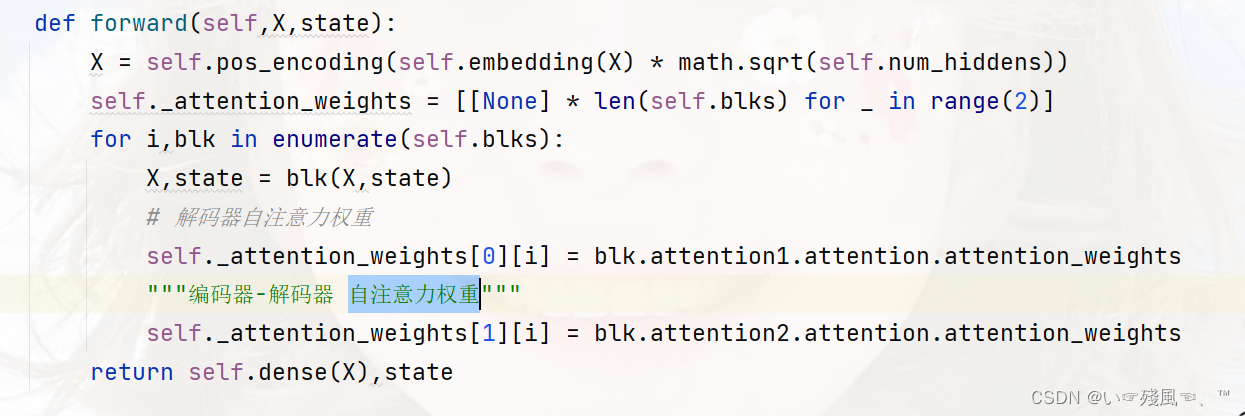
【动手学深度学习-Pytorch版】Transformer代码总结
本文是纯纯的撸代码讲解,没有任何Transformer的基础内容~ 是从0榨干Transformer代码系列,借用的是李沐老师上课时讲解的代码。 本文是根据每个模块的实现过程来进行讲解的。如果您想获取关于Transformer具体的实现细节(不含代码)可…...

做外贸独立站选Shopify还是WordPress?
现在确实会有很多新人想做独立站,毕竟跨境电商平台内卷严重,平台规则限制不断升级,脱离平台“绑架”布局独立站,才能获得更多流量、订单、塑造品牌价值。然而,在选择建立外贸独立站的过程中,选择适合的建站…...
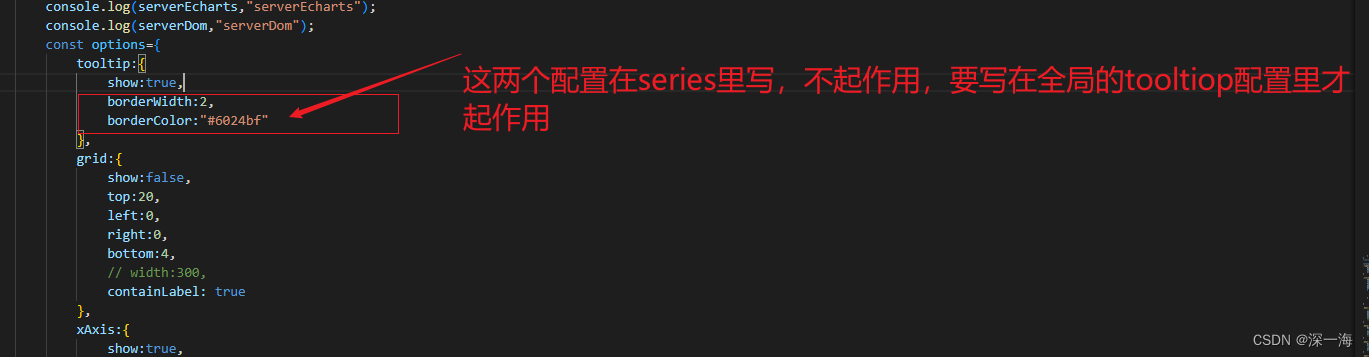
echarts的bug,在series里写tooltip,不起作用,要在全局先写tooltip:{}才起作用,如果在series里写的不起作用就写到全局里
echarts的bug,在series里写tooltip,不起作用,要在全局先写tooltip:{show:true}才起作用,如果在series里写的不起作用就写到全局里 series里写tooltip不起作用,鼠标悬浮在echarts图表上时不显示提示 你需要…...

jmeter分布式压测
一、什么是压力测试? 压力测试(Stress Test),也称为强度测试、负载测试,属于性能测试的范畴。 压力测试是模拟实际应用的软硬件环境及用户使用过程的系统负荷,长时间或超大负荷地运行被测软件系统ÿ…...

consulmanage部署
一、部署consul 使用yum方式部署consul yum install -y yum-utils yum-config-manager --add-repo https://rpm.releases.hashicorp.com/RHEL/hashicorp.repo yum -y install consul 执行以下命令获取uuid密钥并记录下来 uuidgen 编辑consul配置文件 vi /etc/consul.d/consul.h…...

大数据软件项目的验收流程
大数据软件项目的验收流程是确保项目交付符合预期需求和质量标准的关键步骤。以下是一般的大数据软件项目验收流程,希望对大家有所帮助。北京木奇移动技术有限公司,专业的软件外包开发公司,欢迎交流合作。 1.项目验收计划制定: 在…...

《第一行代码Andorid》阅读笔记-第一章
这篇文章是我自己的《第一行代码Andorid》的阅读笔记,虽然大量参考了别人已经写好的一些笔记和代码但是也有自己的提炼和新的问题在里面,我也会放上参考文章链接。 学习重点 Android系统的四大组件: (1)活动ÿ…...
(VP))
Educational Codeforces Round 146 (Rated for Div. 2)(VP)
写个题解 A. Coins void solve(){ll n, k; cin >> n >> k;bl ok true;if (n &1 && k %2 0) ok false;print(ok ? yes : no); } B. Long Legs void solve(){db x, y; cin >> x >> y;if (x < y) swap(x, y);int t1 ceil(sqrt(x))…...

9.30国庆
消息队列完成进程间通信 #include <myhead.h>#define size sizeof(msg_ds)-sizeof(long) //正文大小//消息结构体 typedef struct {long msgtype; //消息类型char data[1024]; //消息正文 }msg_ds;//创建子线程构造体 void *task1(void *arg) {//创造第二个key值ke…...
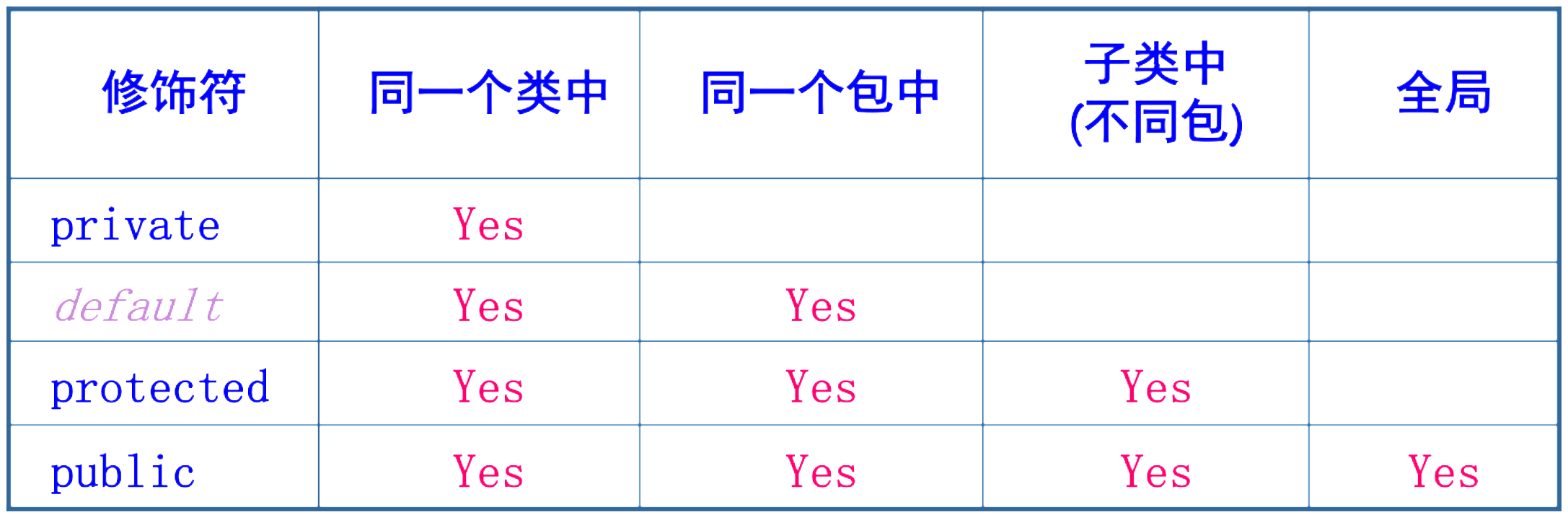
java基础-第4章-面向对象(二)
一、static关键字 静态(static)可以修饰属性和方法。 称为静态属性(类属性)、静态方法(类方法)。 静态成员是全类所有对象共享的成员。 在全类中只有一份,不因创建多个对象而产生多份。 不必创…...

flex加 grid 布局笔记
<style> .flex-container { display: flex; height: 100%; /* 设置容器的高度 */ } .wide { display: flex; padding: 10px; border: 1px solid lightgray; text-align: center; justify-content: …...
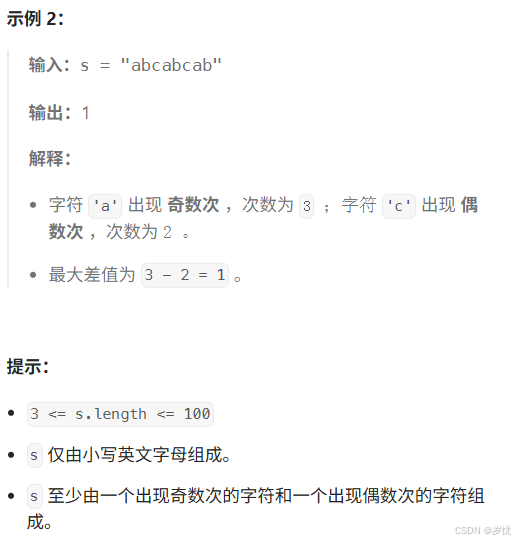
(LeetCode 每日一题) 3442. 奇偶频次间的最大差值 I (哈希、字符串)
题目:3442. 奇偶频次间的最大差值 I 思路 :哈希,时间复杂度0(n)。 用哈希表来记录每个字符串中字符的分布情况,哈希表这里用数组即可实现。 C版本: class Solution { public:int maxDifference(string s) {int a[26]…...

在软件开发中正确使用MySQL日期时间类型的深度解析
在日常软件开发场景中,时间信息的存储是底层且核心的需求。从金融交易的精确记账时间、用户操作的行为日志,到供应链系统的物流节点时间戳,时间数据的准确性直接决定业务逻辑的可靠性。MySQL作为主流关系型数据库,其日期时间类型的…...

DeepSeek 赋能智慧能源:微电网优化调度的智能革新路径
目录 一、智慧能源微电网优化调度概述1.1 智慧能源微电网概念1.2 优化调度的重要性1.3 目前面临的挑战 二、DeepSeek 技术探秘2.1 DeepSeek 技术原理2.2 DeepSeek 独特优势2.3 DeepSeek 在 AI 领域地位 三、DeepSeek 在微电网优化调度中的应用剖析3.1 数据处理与分析3.2 预测与…...
无法与IP建立连接,未能下载VSCode服务器
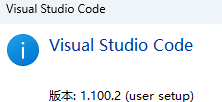
如题,在远程连接服务器的时候突然遇到了这个提示。 查阅了一圈,发现是VSCode版本自动更新惹的祸!!! 在VSCode的帮助->关于这里发现前几天VSCode自动更新了,我的版本号变成了1.100.3 才导致了远程连接出…...

基于当前项目通过npm包形式暴露公共组件
1.package.sjon文件配置 其中xh-flowable就是暴露出去的npm包名 2.创建tpyes文件夹,并新增内容 3.创建package文件夹...
第一篇:Agent2Agent (A2A) 协议——协作式人工智能的黎明
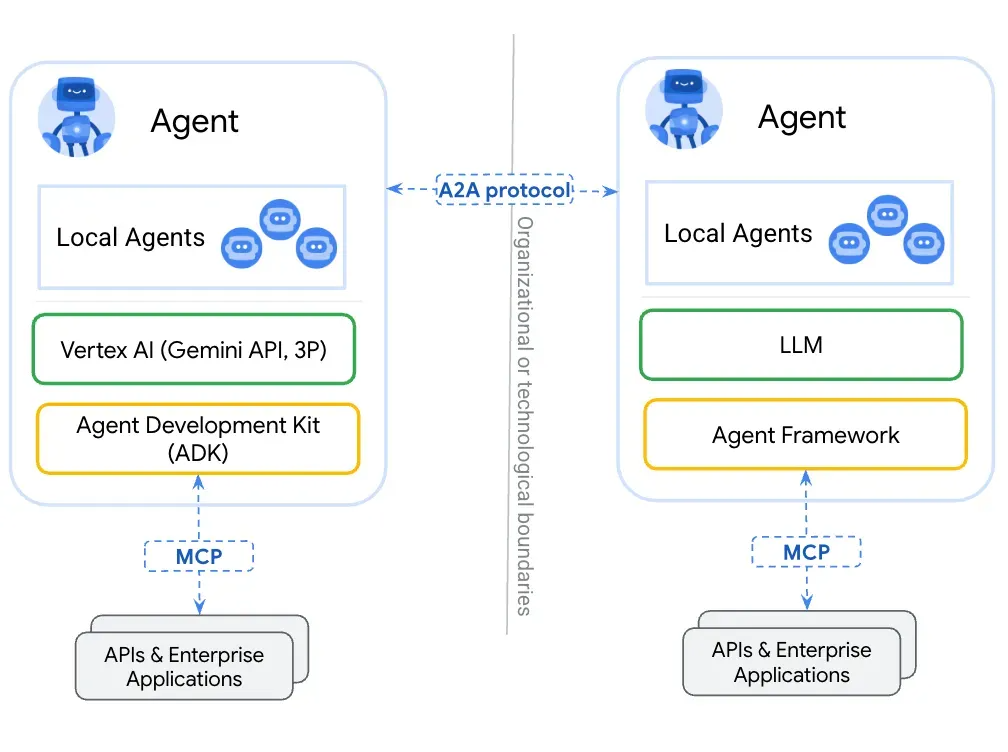
AI 领域的快速发展正在催生一个新时代,智能代理(agents)不再是孤立的个体,而是能够像一个数字团队一样协作。然而,当前 AI 生态系统的碎片化阻碍了这一愿景的实现,导致了“AI 巴别塔问题”——不同代理之间…...

Neo4j 集群管理:原理、技术与最佳实践深度解析
Neo4j 的集群技术是其企业级高可用性、可扩展性和容错能力的核心。通过深入分析官方文档,本文将系统阐述其集群管理的核心原理、关键技术、实用技巧和行业最佳实践。 Neo4j 的 Causal Clustering 架构提供了一个强大而灵活的基石,用于构建高可用、可扩展且一致的图数据库服务…...
基础光照(Basic Lighting))
C++.OpenGL (10/64)基础光照(Basic Lighting)
基础光照(Basic Lighting) 冯氏光照模型(Phong Lighting Model) #mermaid-svg-GLdskXwWINxNGHso {font-family:"trebuchet ms",verdana,arial,sans-serif;font-size:16px;fill:#333;}#mermaid-svg-GLdskXwWINxNGHso .error-icon{fill:#552222;}#mermaid-svg-GLd…...
全志A40i android7.1 调试信息打印串口由uart0改为uart3
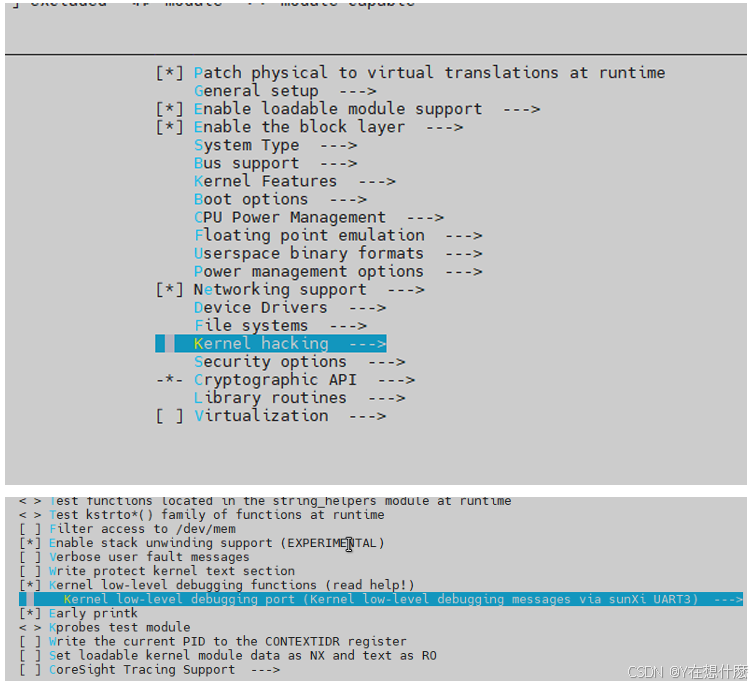
一,概述 1. 目的 将调试信息打印串口由uart0改为uart3。 2. 版本信息 Uboot版本:2014.07; Kernel版本:Linux-3.10; 二,Uboot 1. sys_config.fex改动 使能uart3(TX:PH00 RX:PH01),并让boo…...
3-11单元格区域边界定位(End属性)学习笔记
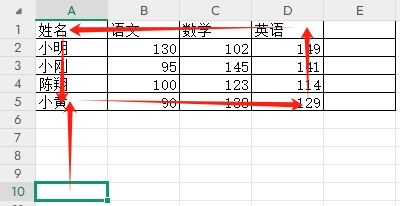
返回一个Range 对象,只读。该对象代表包含源区域的区域上端下端左端右端的最后一个单元格。等同于按键 End 向上键(End(xlUp))、End向下键(End(xlDown))、End向左键(End(xlToLeft)End向右键(End(xlToRight)) 注意:它移动的位置必须是相连的有内容的单元格…...