
Android底层摸索改BUG(一):Android系统状态栏显示不下Wifi图标
这是我入职的第一个BUG,头疼,隔壁实习生一周解决了,我多花了几天
其中最大的原因就是我思考复杂了,在公司系统上,此BUG标题为:
请确认Wifi优先级,状态栏Wifi被忽略
BUG意思就是:当前安卓系统状态栏图标有显示尺寸的测量,如果比如需要显示8个图标,已经在状态栏绘制不下,则显示一个点表示省略,而不希望wifi被省略
我思考了一下一直以为就是优先级问题,是不是Android底层状态栏有各个图标优先级,图标过多的时候优先级高的就不会被隐藏,而其实最后参考了公司以前相关BUG的修改,其实只是状态栏的图标大小修改即可,将图标改小,状态栏就可以多一个显示图标,Wifi就不会被隐藏。(点向后一个图标挪了一位)
在尺寸文件中进行修改:对这两个尺寸进行改小(可以调一下刷机看一下)
<dimen name="status_bar_icon_size">14dip</dimen><dimen name="status_bar_system_icon_size">11.5dp</dimen>值得一提的是上面的逻辑:超出的图标隐藏、绘制、测量相关的Java类是:StatusIconContainer.Java(虽然和BUG不在这改,记录一下)
/*** StatusIconContainer 是 StatusBarMobileView 内部的一个自定义视图容器,用于管理状态图标的显示。* 它负责在 StatusBarMobileView 中管理状态图标的布局和可见性。*/
public class StatusIconContainer extends AlphaOptimizedLinearLayout {//TAG    private static final String TAG = "StatusIconContainer";//是否打开DEBUG模式,会Log相关信息private static final boolean DEBUG = false;//是否打开DEBUG_OVERFLOW,会在状态栏绘制边框用来显示区域什么的private static final boolean DEBUG_OVERFLOW = false;// 最多可以显示 8 个状态图标,包括电池图标private static final int MAX_ICONS = 7;//    private static final int MAX_ICONS = 8;//点的个数        private static final int MAX_DOTS = 1;//Dot  点  Icon图标 相关属性private int mDotPadding;private int mIconSpacing;private int mStaticDotDiameter;private int mUnderflowWidth;private int mUnderflowStart = 0;// 是否可以在溢出空间中绘制private boolean mNeedsUnderflow;// 单个 StatusBarIconView 的点图标在此宽度内居中显示private int mIconDotFrameWidth;private boolean mShouldRestrictIcons = true;// 用于计算哪些状态要在布局期间可见private ArrayList<StatusIconState> mLayoutStates = new ArrayList<>();// 为了正确计数和测量private ArrayList<View> mMeasureViews = new ArrayList<>();// 任何被忽略的图标将不会被添加为子视图private ArrayList<String> mIgnoredSlots = new ArrayList<>();/*** 创建 StatusIconContainer 的构造函数。** @param context Android 上下文对象*/public StatusIconContainer(Context context) {this(context, null);}/*** 创建 StatusIconContainer 的构造函数。** @param context Android 上下文对象* @param attrs   属性集*/public StatusIconContainer(Context context, AttributeSet attrs) {super(context, attrs);initDimens();setWillNotDraw(!DEBUG_OVERFLOW);}@Overrideprotected void onFinishInflate() {super.onFinishInflate();}/*** 设置是否限制状态图标的显示。** @param should 是否应该限制状态图标的显示*/public void setShouldRestrictIcons(boolean should) {mShouldRestrictIcons = should;}/*** 检查是否正在限制状态图标的显示。** @return 如果正在限制状态图标的显示,则返回 true;否则返回 false。*/public boolean isRestrictingIcons() {return mShouldRestrictIcons;}/*** 初始化尺寸参数。*/private void initDimens() {// 这是与 StatusBarIconView 使用相同的值mIconDotFrameWidth = getResources().getDimensionPixelSize(com.android.internal.R.dimen.status_bar_icon_size);mDotPadding = getResources().getDimensionPixelSize(R.dimen.overflow_icon_dot_padding);mIconSpacing = getResources().getDimensionPixelSize(R.dimen.status_bar_system_icon_spacing);// 点图标int radius = getResources().getDimensionPixelSize(R.dimen.overflow_dot_radius);// 计算点的直径 R.dimen.overflow_dot_radius 2dpmStaticDotDiameter = 2 * radius;// 不能超过宽度 mIconDotFrameWidth 图标宽度 最大图标个数-1(可能还有个点,所以-1) 每个宽高mUnderflowWidth = mIconDotFrameWidth + (MAX_DOTS - 1) * (mStaticDotDiameter + mDotPadding);android.util.Log.d(TAG, "initDimens: " + mUnderflowStart);}@Overrideprotected void onLayout(boolean changed, int l, int t, int r, int b) {float midY = getHeight() / 2.0f;// 首先对所有子视图进行布局,以便稍后移动它们for (int i = 0; i < getChildCount(); i++) {View child = getChildAt(i);int width = child.getMeasuredWidth();int height = child.getMeasuredHeight();int top = (int) (midY - height / 2.0f);child.layout(0, top, width, top + height);}resetViewStates();calculateIconTranslations();applyIconStates();}
//绘制@Overrideprotected void onDraw(Canvas canvas) {super.onDraw(canvas);if (DEBUG_OVERFLOW) {//如果开启了DEBUG_OVERFLOW模式画框框Paint paint = new Paint();paint.setStyle(Style.STROKE);paint.setColor(Color.RED);// 显示边界框canvas.drawRect(getPaddingStart(), 0, getWidth() - getPaddingEnd(), getHeight(), paint);// 显示溢出框paint.setColor(Color.GREEN);canvas.drawRect(mUnderflowStart, 0, mUnderflowStart + mUnderflowWidth, getHeight(), paint);}}//测量@Overrideprotected void onMeasure(int widthMeasureSpec, int heightMeasureSpec) {mMeasureViews.clear();int mode = MeasureSpec.getMode(widthMeasureSpec);final int width = MeasureSpec.getSize(widthMeasureSpec);final int count = getChildCount();// 收集所有希望进行布局的视图for (int i = 0; i < count; i++) {// 获取子视图StatusIconDisplayable icon = (StatusIconDisplayable) getChildAt(i);// 如果视图可见且没有被阻止,则加入可见视图列表if (icon.isIconVisible() && !icon.isIconBlocked()&& !mIgnoredSlots.contains(icon.getSlot())) {mMeasureViews.add((View) icon);}}// 可见视图数量int visibleCount = mMeasureViews.size();int maxVisible = visibleCount <= MAX_ICONS ? MAX_ICONS : MAX_ICONS - 1;int totalWidth = mPaddingLeft + mPaddingRight;boolean trackWidth = true;// 测量所有子视图,以便它们报告正确的宽度int childWidthSpec = MeasureSpec.makeMeasureSpec(width, MeasureSpec.UNSPECIFIED);mNeedsUnderflow = mShouldRestrictIcons && visibleCount > MAX_ICONS;for (int i = 0; i < visibleCount; i++) {View child = mMeasureViews.get(i);measureChild(child, childWidthSpec, heightMeasureSpec);int spacing = i == visibleCount - 1 ? 0 : mIconSpacing;if (mShouldRestrictIcons) {if (i < maxVisible && trackWidth) {totalWidth += getViewTotalMeasuredWidth(child) + spacing;} else if (trackWidth) {// 达到图标限制;为点图标添加空间totalWidth += mUnderflowWidth;trackWidth = false;}} else {totalWidth += getViewTotalMeasuredWidth(child) + spacing;}}if (mode == MeasureSpec.EXACTLY) {if (!mNeedsUnderflow && totalWidth > width) {mNeedsUnderflow = true;}setMeasuredDimension(width, MeasureSpec.getSize(heightMeasureSpec));} else {if (mode == MeasureSpec.AT_MOST && totalWidth > width) {mNeedsUnderflow = true;totalWidth = width;}setMeasuredDimension(totalWidth, MeasureSpec.getSize(heightMeasureSpec));}}@Overridepublic void onViewAdded(View child) {super.onViewAdded(child);StatusIconState vs = new StatusIconState();vs.justAdded = true;child.setTag(R.id.status_bar_view_state_tag, vs);}@Overridepublic void onViewRemoved(View child) {super.onViewRemoved(child);child.setTag(R.id.status_bar_view_state_tag, null);}/*** 添加要忽略的图标槽的名称。它将不会显示在布局中也不会被测量。** @param slotName 图标的名称,就像在 frameworks/base/core/res/res/values/config.xml 中定义的那样*/public void addIgnoredSlot(String slotName) {android.util.Log.d(TAG, "addIgnoredSlot: " + slotName);boolean added = addIgnoredSlotInternal(slotName);if (added) {requestLayout();}}/*** 添加要忽略的图标槽的名称的列表。** @param slots 要忽略的图标的名称列表*/public void addIgnoredSlots(List<String> slots) {for (String slot : slots) {android.util.Log.d(TAG, "addIgnoredSlots: " + slot);}boolean willAddAny = false;for (String slot : slots) {willAddAny |= addIgnoredSlotInternal(slot);}if (willAddAny) {requestLayout();}}/*** 内部添加要忽略的图标槽名称。** @param slotName 图标的名称,就像在 frameworks/base/core/res/res/values/config.xml 中定义的那样* @return 如果成功添加,则返回 true,否则返回 false*/private boolean addIgnoredSlotInternal(String slotName) {android.util.Log.d(TAG, "addIgnoredSlotInternal: " + slotName);if (mIgnoredSlots.contains(slotName)) {return false;}mIgnoredSlots.add(slotName);return true;}/*** 从忽略的图标槽中移除一个名称。** @param slotName 要移除的图标槽的名称*/public void removeIgnoredSlot(String slotName) {android.util.Log.d(TAG, "removeIgnoredSlot: " + slotName);boolean removed = mIgnoredSlots.remove(slotName);if (removed) {requestLayout();}}/*** 从忽略的图标槽中移除名称的列表。** @param slots 要移除的图标槽的名称列表*/public void removeIgnoredSlots(List<String> slots) {for (String slot: slots) {android.util.Log.d(TAG, "removeIgnoredSlot: " + slot);}boolean removedAny = false;for (String slot : slots) {removedAny |= mIgnoredSlots.remove(slot);}if (removedAny) {requestLayout();}}/*** 设置要忽略的图标槽的列表,清除当前的列表。** @param slots 要忽略的图标槽的名称列表*/public void setIgnoredSlots(List<String> slots) {mIgnoredSlots.clear();addIgnoredSlots(slots);}/*** 返回与特定槽名称相对应的视图。* 仅用于操作它如何呈现。** @param slot 槽名称,与 com.android.internal.R.config_statusBarIcons 中定义的名称相对应* @return 如果此容器拥有相应的视图,则返回该视图,否则返回 null*/public View getViewForSlot(String slot) {for (int i = 0; i < getChildCount(); i++) {View child = getChildAt(i);if (child instanceof StatusIconDisplayable&& ((StatusIconDisplayable) child).getSlot().equals(slot)) {return child;}}return null;}/*** 布局从右到左发生。*/private void calculateIconTranslations() {mLayoutStates.clear();float width = getWidth();float translationX = width - getPaddingEnd();float contentStart = getPaddingStart();int childCount = getChildCount();// Underflow === 不显示内容直到此索引if (DEBUG) Log.d(TAG, "calculateIconTranslations: start=" + translationX+ " width=" + width + " underflow=" + mNeedsUnderflow);// 收集所有希望可见的状态for (int i = childCount - 1; i >= 0; i--) {View child = getChildAt(i);StatusIconDisplayable iconView = (StatusIconDisplayable) child;StatusIconState childState = getViewStateFromChild(child);if (!iconView.isIconVisible() || iconView.isIconBlocked()|| mIgnoredSlots.contains(iconView.getSlot())) {childState.visibleState = STATE_HIDDEN;if (DEBUG) Log.d(TAG, "skipping child (" + iconView.getSlot() + ") not visible");continue;}// 移动 translationX 到布局的位置,以添加视图而不截断子视图translationX -= getViewTotalWidth(child);childState.visibleState = STATE_ICON;childState.xTranslation = translationX;mLayoutStates.add(0, childState);// 为下一个视图移动 translationX 以腾出间隔translationX -= mIconSpacing;}// 显示 1 至 MAX_ICONS 个图标,或 (MAX_ICONS - 1) 个图标 + 溢出int totalVisible = mLayoutStates.size();int maxVisible = totalVisible <= MAX_ICONS ? MAX_ICONS : MAX_ICONS - 1;mUnderflowStart = 0;int visible = 0;int firstUnderflowIndex = -1;for (int i = totalVisible - 1; i >= 0; i--) {StatusIconState state = mLayoutStates.get(i);// 如果在测量时发现需要溢出,则允许在此之前腾出空间if (mNeedsUnderflow && (state.xTranslation < (contentStart + mUnderflowWidth)) ||(mShouldRestrictIcons && visible >= maxVisible)) {firstUnderflowIndex = i;break;}mUnderflowStart = (int) Math.max(contentStart, state.xTranslation - mUnderflowWidth - mIconSpacing);visible++;}//开始判断是否超出  超出则画点if (firstUnderflowIndex != -1) {int totalDots = 0;int dotWidth = mStaticDotDiameter + mDotPadding;int dotOffset = mUnderflowStart + mUnderflowWidth - mIconDotFrameWidth;for (int i = firstUnderflowIndex; i >= 0; i--) {StatusIconState state = mLayoutStates.get(i);if (totalDots < MAX_DOTS) {state.xTranslation = dotOffset;state.visibleState = STATE_DOT;dotOffset -= dotWidth;totalDots++;} else {state.visibleState = STATE_HIDDEN;}}}// 从 NotificationIconContainer 中拿来的,不是最优解,但保持布局逻辑简洁if (isLayoutRtl()) {for (int i = 0; i < childCount; i++) {View child = getChildAt(i);StatusIconState state = getViewStateFromChild(child);state.xTranslation = width - state.xTranslation - child.getWidth();}}}private void applyIconStates() {for (int i = 0; i < getChildCount(); i++) {View child = getChildAt(i);StatusIconState vs = getViewStateFromChild(child);if (vs != null) {vs.applyToView(child);}}}private void resetViewStates() {for (int i = 0; i < getChildCount(); i++) {View child = getChildAt(i);StatusIconState vs = getViewStateFromChild(child);if (vs == null) {continue;}vs.initFrom(child);vs.alpha = 1.0f;vs.hidden = false;}}private static @Nullable StatusIconState getViewStateFromChild(View child) {return (StatusIconState) child.getTag(R.id.status_bar_view_state_tag);}private static int getViewTotalMeasuredWidth(View child) {return child.getMeasuredWidth() + child.getPaddingStart() + child.getPaddingEnd();}private static int getViewTotalWidth(View child) {return child.getWidth() + child.getPaddingStart() + child.getPaddingEnd();}public static class StatusIconState extends ViewState {/// StatusBarIconView.STATE_*public int visibleState = STATE_ICON;public boolean justAdded = true;// 从视图末尾的距离是最相关的,用于动画float distanceToViewEnd = -1;@Overridepublic void applyToView(View view) {float parentWidth = 0;if (view.getParent() instanceof View) {parentWidth = ((View) view.getParent()).getWidth();}float currentDistanceToEnd = parentWidth - xTranslation;if (!(view instanceof StatusIconDisplayable)) {return;}StatusIconDisplayable icon = (StatusIconDisplayable) view;AnimationProperties animationProperties = null;boolean animateVisibility = true;// 用于计算哪些状态在布局过程中是可见的,找出哪些属性的状态转换(如果有的话)我们需要动画// 确定要动画的状态转换的属性(如果有)if (justAdded|| icon.getVisibleState() == STATE_HIDDEN && visibleState == STATE_ICON) {// 图标正在出现,通过将其放在它将出现的位置并动画 alpha 来淡入它super.applyToView(view);view.setAlpha(0.f);icon.setVisibleState(STATE_HIDDEN);animationProperties = ADD_ICON_PROPERTIES;} else if (icon.getVisibleState() != visibleState) {if (icon.getVisibleState() == STATE_ICON && visibleState == STATE_HIDDEN) {// 消失,不要执行任何复杂的操作animateVisibility = false;} else {// 所有其他转换(到/从点等)animationProperties = ANIMATE_ALL_PROPERTIES;}} else if (visibleState != STATE_HIDDEN && distanceToViewEnd != currentDistanceToEnd) {// 可见性不在发生变化,只需动画位置animationProperties = X_ANIMATION_PROPERTIES;}icon.setVisibleState(visibleState, animateVisibility);if (animationProperties != null) {view.animate().cancel();icon.addTransformationToViewGroup(view, animationProperties, null);}icon.applyInShelfTransformation(view, this, animationProperties, animationProperties);}}
}
相关文章:
:Android系统状态栏显示不下Wifi图标)
Android底层摸索改BUG(一):Android系统状态栏显示不下Wifi图标
这是我入职的第一个BUG,头疼,隔壁实习生一周解决了,我多花了几天 其中最大的原因就是我思考复杂了,在公司系统上,此BUG标题为: 请确认Wifi优先级,状态栏Wifi被忽略 BUG意思就是:当…...
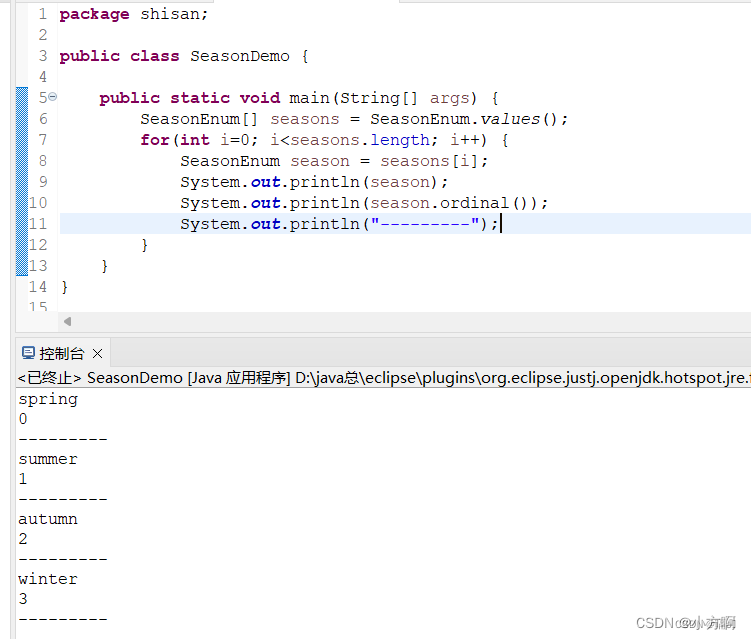
第十三章---枚举类型与泛型
一,枚举类型 1.使用枚举类型设置常量 设置常量时,我们通常将常量放置在接口中,这样在程序中就可以直接使用。该常量稚因为在接口中定义常量时,该常量的修饰符为 final 与 static。 public interface Constants ( public static …...

shell语法大全(超级详细!!!!),非常适合入门
本文旨在对y总的Linux基础课shell语法做学习记录,指令较多,方便日后查找。 参考视频:Linux基础课 参考教程:Linux教程 1 概论 Linux中常见的shell脚本有很多种,常见的有: Bourne Shell(/usr/bin/sh或/bi…...

【Python机器学习】零基础掌握ExtraTreesRegressor集成学习
面临的问题:如何更准确地预测糖尿病患者的病情? 在医疗领域,准确预测疾病的发展状况是至关重要的。尤其是对于糖尿病这样的慢性病,一个精准的预测模型能帮助医生制定更有效的治疗方案。但问题是,如何构建一个高准确度的预测模型呢? 假设现有一组糖尿病患者的医疗数据,…...
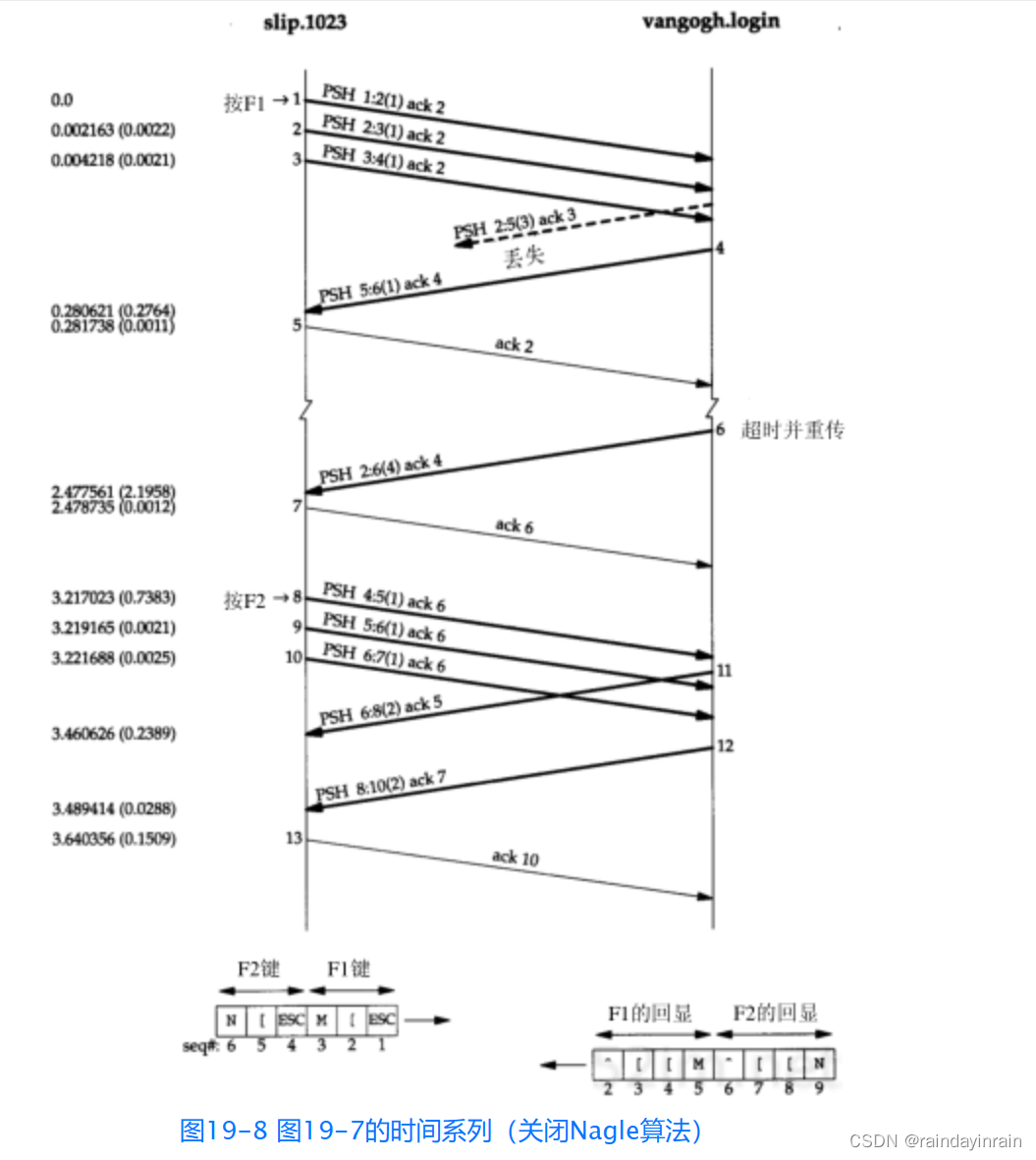
网络协议--TCP的交互数据流
19.1 引言 前一章我们介绍了TCP连接的建立与释放,现在来介绍使用TCP进行数据传输的有关问题。 一些有关TCP通信量的研究如[Caceres et al. 1991]发现,如果按照分组数量计算,约有一半的TCP报文段包含成块数据(如FTP、电子邮件和U…...

IOC课程整理-13 Spring校验
1. Spring 校验使用场景 2. Validator 接口设计 3. Errors 接口设计 4. Errors 文案来源 5. 自定义 Validator 6. Validator 的救赎 7. 面试题精选 Spring 校验接口是哪个 org.springframework.validation.Validator Spring 有哪些校验核心组件?...

SSM咖啡点餐管理系统开发mysql数据库web结构java编程计算机网页源码eclipse项目
一、源码特点 SSM 咖啡点餐管理系统是一套完善的信息系统,结合SSM框架完成本系统,对理解JSP java编程开发语言有帮助系统采用SSM框架(MVC模式开发),系统具有完整的源代码和数据库,系统主 要采用B/S模式开…...
Capacitor 打包 h5 到 Android 应用,uniapp https http net::ERR_CLEARTEXT_NOT_PERMITTED
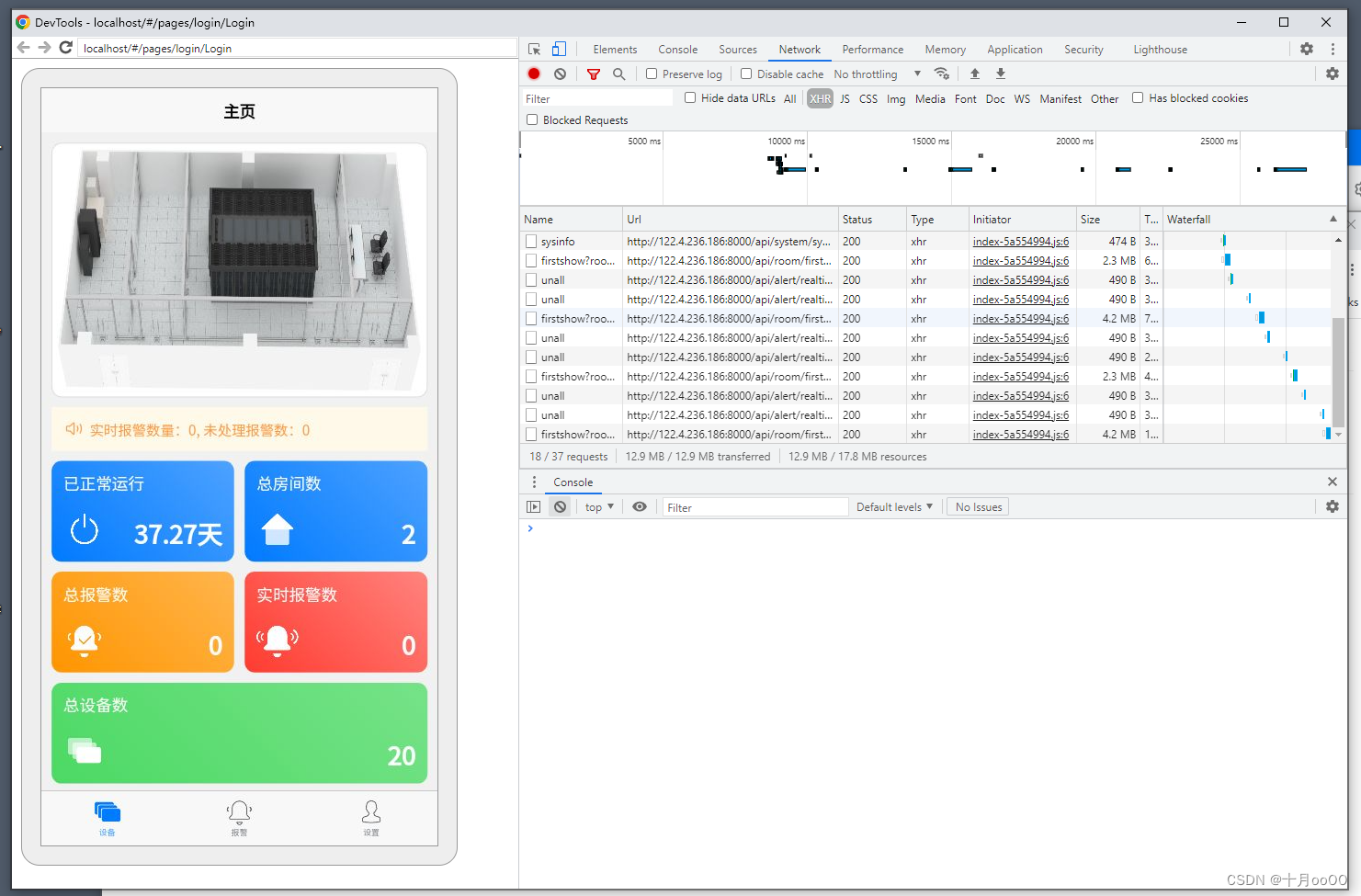
Capacitor 打包 h5 到 Android 应用,uniapp https http net::ERR_CLEARTEXT_NOT_PERMITTED capacitor 官网: https://capacitorjs.com/docs/ 项目上需要做一个 app,而这个 app 是用 uniapp 做的,里面用到了一个依赖 dom 的库&…...

华为数通方向HCIP-DataCom H12-831题库(多选题:101-120)
第101题 LSR对收到的标签进行保留,且保留方式有多种,那么以下关于LDP标签保留一自由方式的说法 A、保留邻居发送来的所有标签 B、需要更多的内存和标签空间 C、只保留来自下一跳邻居的标签,丢弃所有非下一跳铃邻居发来的标签 D、节省内存和标签空间 E、当IP路由收敛、下一跳…...

misc学习(4)Traffic(流量分析)-
感悟:回想起自己学的计算机网络和网络协议分析,有所感悟:计算机网络好比将一群人区分开来(局域网),为了能够使得不同部分的人能够沟通(wireshark中的数据包),就设置了网络…...

Less的基本语法
less的每一个语句后必须使用";"结束,否则可能无法正确的转换成css 1、导入 即在当前less文件中引用其它less文件,被引入的less文件中的内容可以在此less文件中使用。在引用less文件时可以省略扩展名 import "global"; // global.…...

spring boot项目优雅停机
1、关闭流程 停止接收请求和内部线程。判断是否有线程正在执行。等待正在执行的线程执行完毕。停止容器。 2、关闭过程有新的请求 在kill Spring Boot项目时,如果有访问请求过来,请求会被拒绝并返回错误提示。 在kill Spring Boot项目时,Sp…...
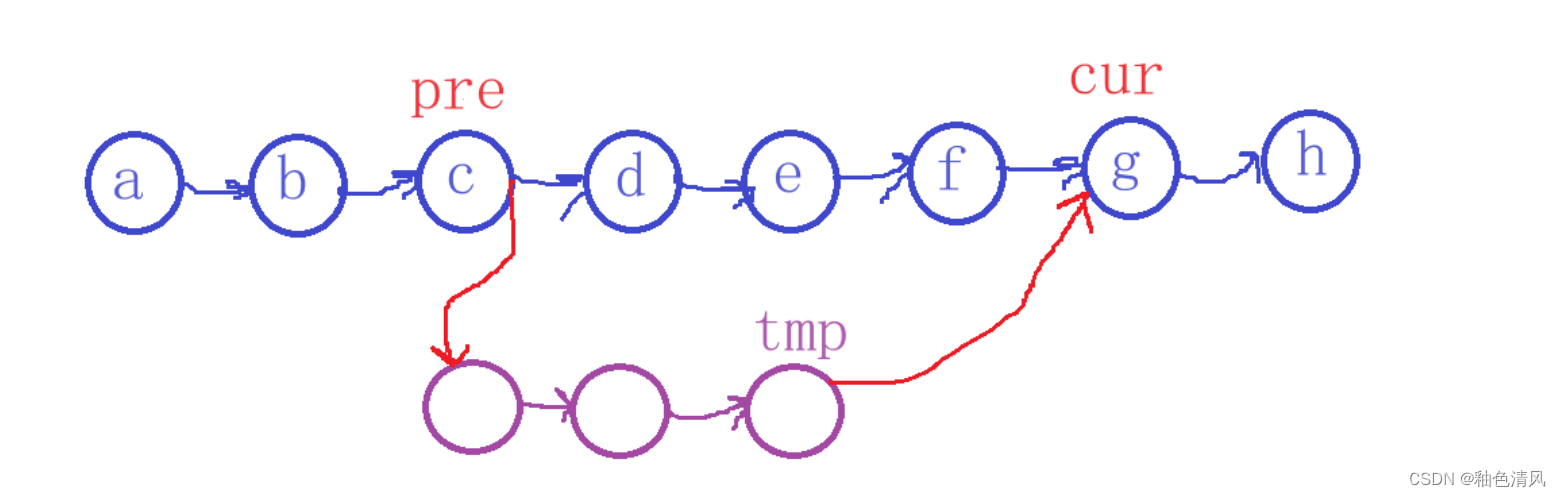
链式存储方式下字符串的replace(S,T1,T2)运算
链式存储方式下字符串的replace运算 ⭐️题目⭐️思路⭐️代码✨定义结点✨打印字符串函数✨计算字符串函数✨初始化字符串函数✨代码解读✨字符串替换函数✨字符串替换函数解读✨ 主函数✨完整代码 实现在链式存储下字符串的replace(S,T1,T2),来自课本习题的一道题…...
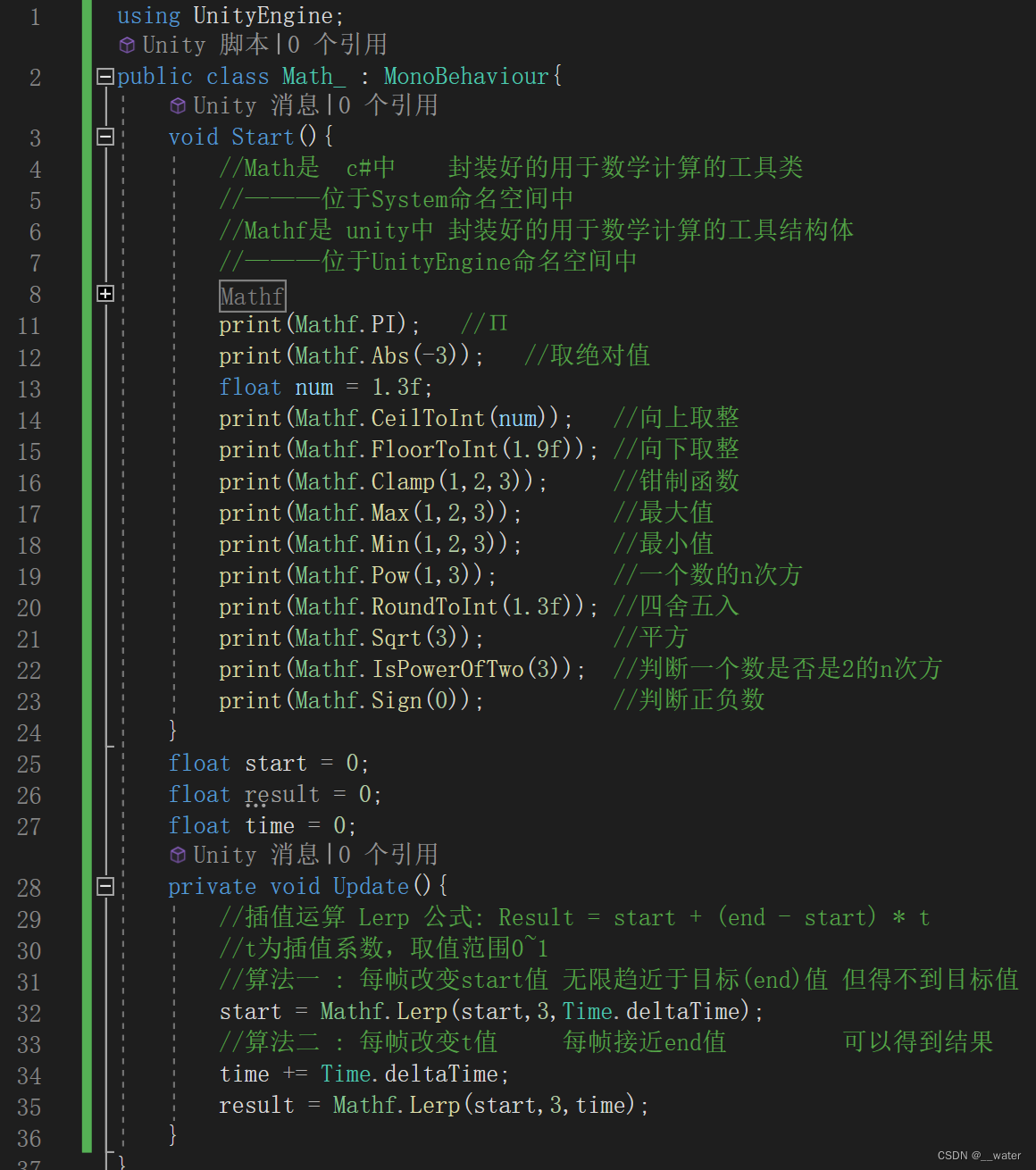
unity脚本_Mathf和Math c#
首先创建一个脚本 当我们要做一个值趋近于一个值变化时 可以用Mathf.Lerp(start,end,time);方法实现 比如物体跟随...
轻量级仿 Spring Boot=嵌入式 Tomcat+Spring MVC
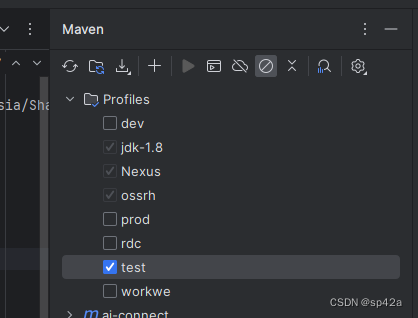
啥?Spring Boot 不用?——对。就只是使用 Spring MVC Embedded Tomcat,而不用 Boot。为啥?——因为 Boot 太重了:) 那是反智吗?Spring Boot 好好的就只是因为太重就不用?——稍安勿…...
笔记Kubernetes核心技术-之Controller
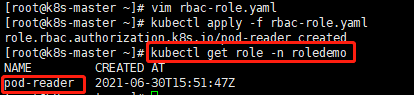
2、Controller 2.1、概述 在集群上管理和运行容器的对象,控制器(也称为:工作负载),Controller实际存在的,Pod是抽象的; 2.2、Pod和Controller关系 Pod是通过Controller实现应用运维,比如:弹…...
Azure云工作站上做Machine Learning模型开发 - 全流程演示
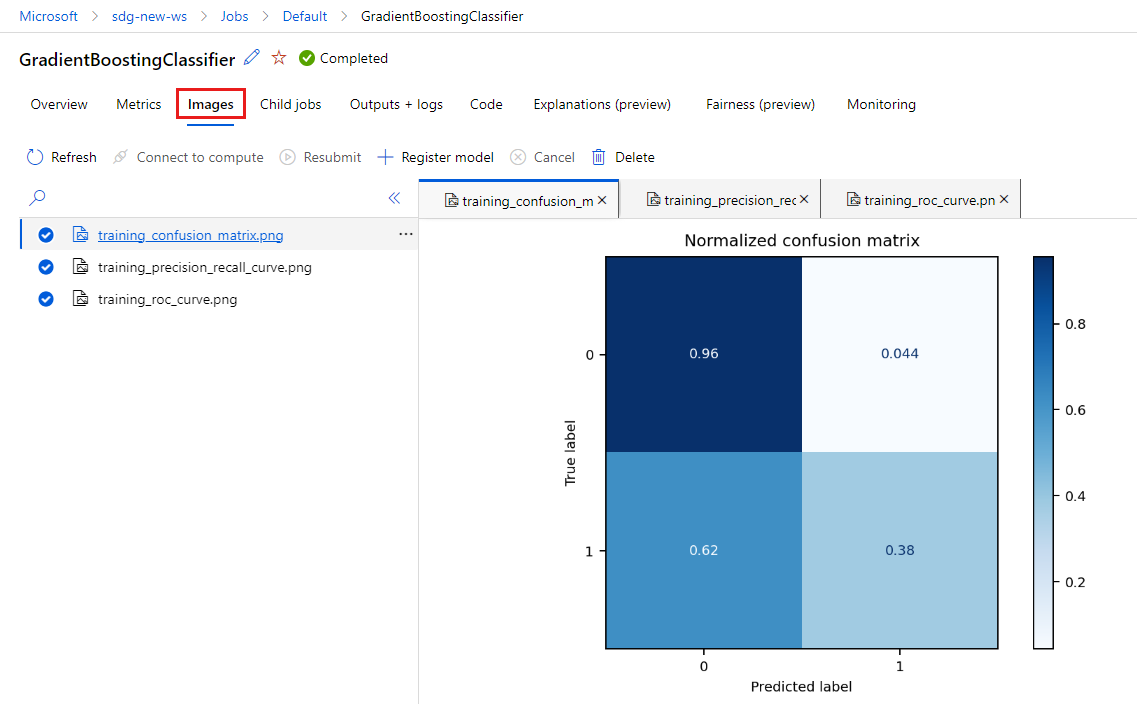
目录 本文内容先决条件从“笔记本”开始设置用于原型制作的新环境(可选)创建笔记本开发训练脚本迭代检查结果 关注TechLead,分享AI全维度知识。作者拥有10年互联网服务架构、AI产品研发经验、团队管理经验,同济本复旦硕࿰…...
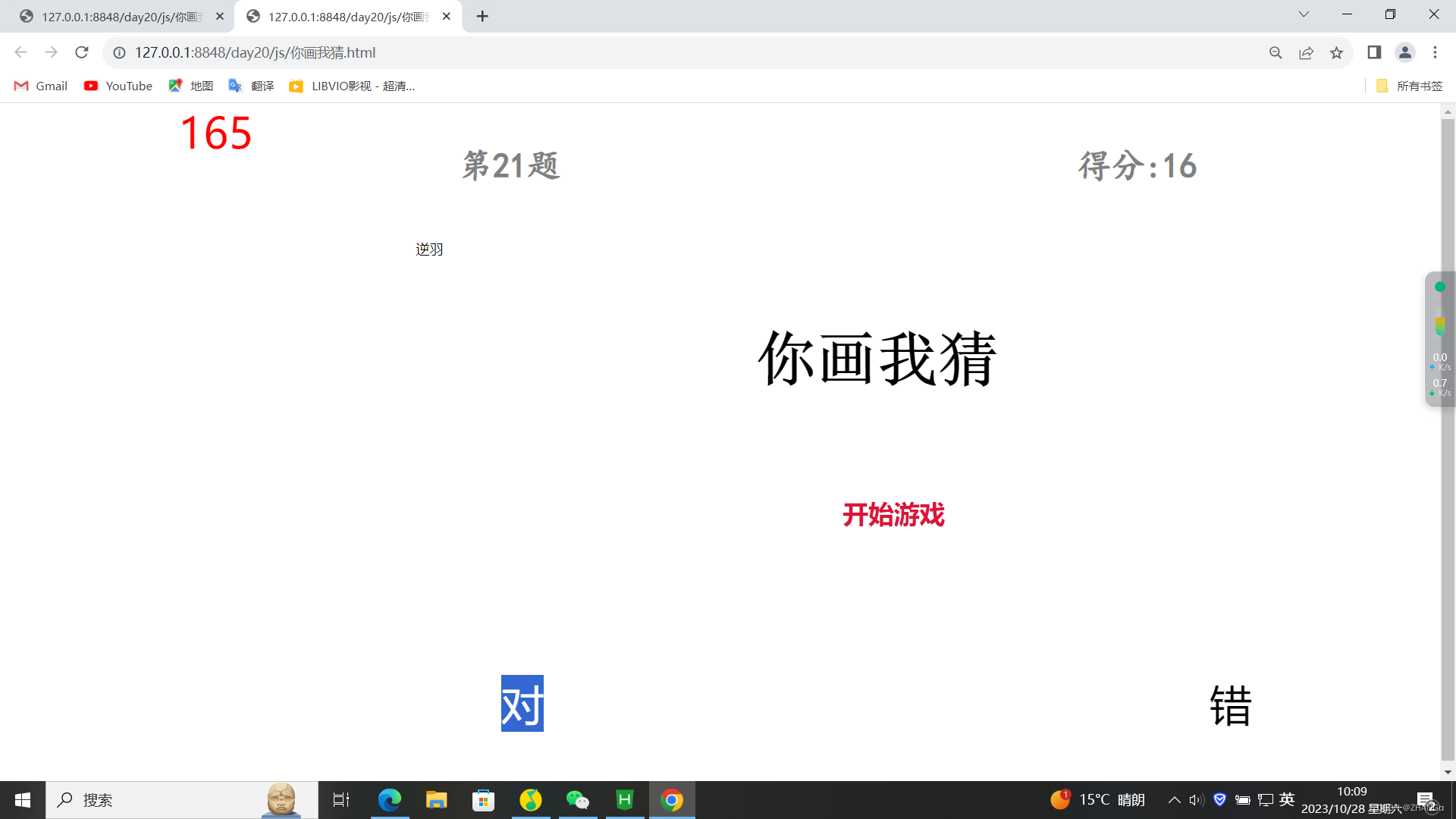
前端 : 用html ,css,js写一个你画我猜的游戏
1.HTML: <body><div id "content"><div id "box1">计时器</div><div id"box"><div id "top"><div id "box-top-left">第几题:</div><div id "box…...
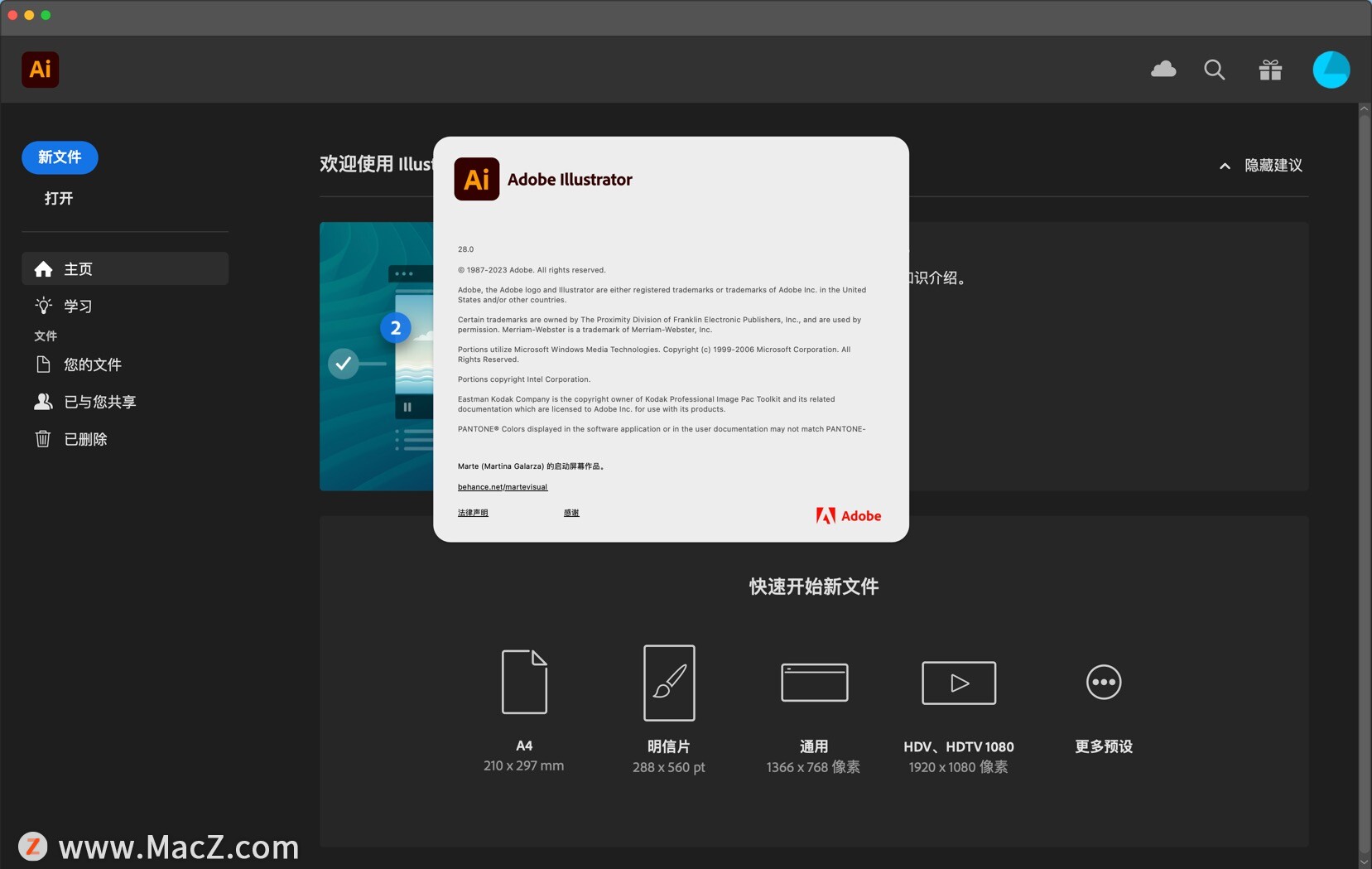
Illustrator 2024(AI v28.0)
Illustrator 2024是一款功能强大的矢量图形编辑软件,由Adobe公司开发。它是设计师、艺术家和创意专业人士的首选工具,用于创建和编辑各种矢量图形、插图、图标、标志和艺术作品。 以下是Adobe Illustrator的主要功能和特点: 矢量图形编辑&…...

【Git企业开发】第二节.Git 的分支管理
作者简介:大家好,我是未央; 博客首页:未央.303 系列专栏:Git企业级开发 每日一句:人的一生,可以有所作为的时机只有一次,那就是现在!!!࿰…...
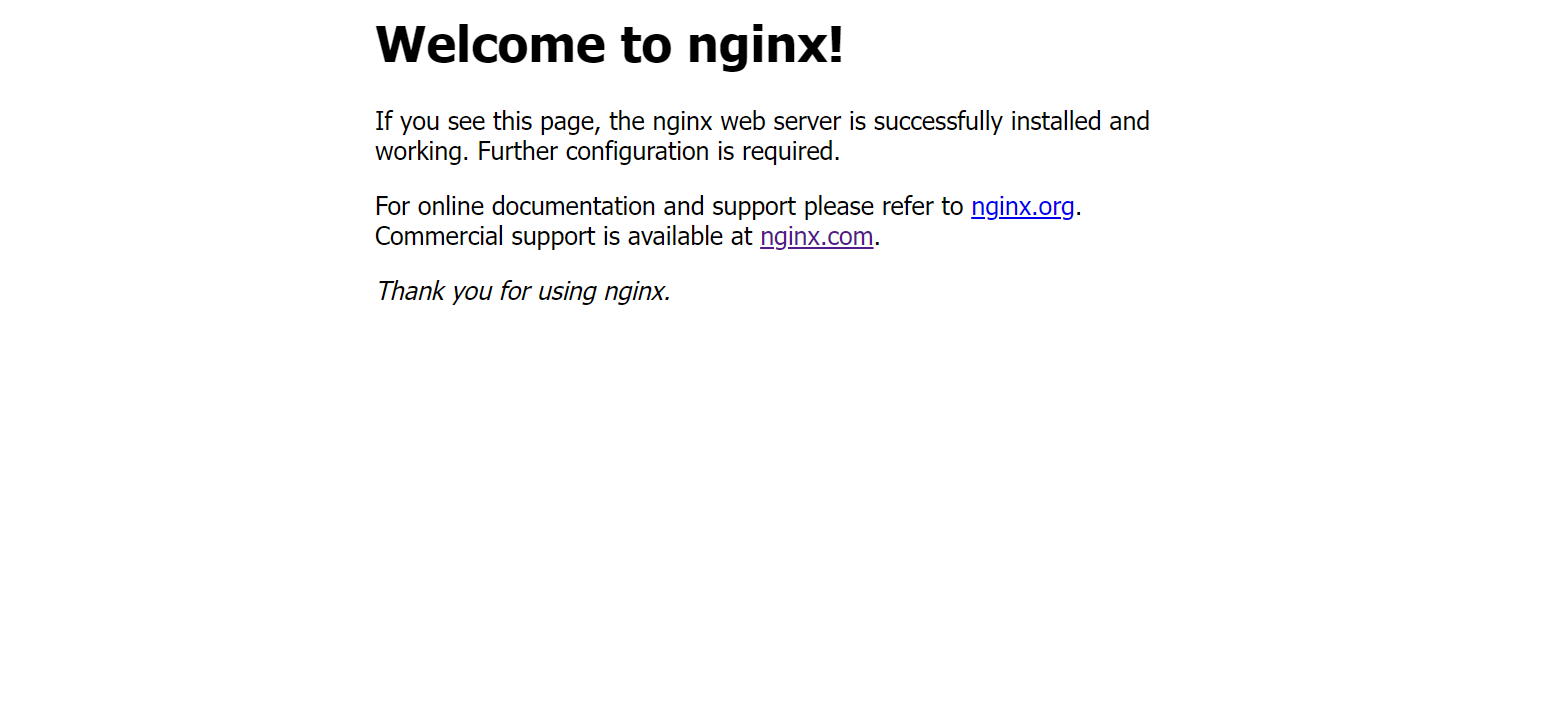
linux之kylin系统nginx的安装
一、nginx的作用 1.可做高性能的web服务器 直接处理静态资源(HTML/CSS/图片等),响应速度远超传统服务器类似apache支持高并发连接 2.反向代理服务器 隐藏后端服务器IP地址,提高安全性 3.负载均衡服务器 支持多种策略分发流量…...

【OSG学习笔记】Day 18: 碰撞检测与物理交互
物理引擎(Physics Engine) 物理引擎 是一种通过计算机模拟物理规律(如力学、碰撞、重力、流体动力学等)的软件工具或库。 它的核心目标是在虚拟环境中逼真地模拟物体的运动和交互,广泛应用于 游戏开发、动画制作、虚…...

五年级数学知识边界总结思考-下册
目录 一、背景二、过程1.观察物体小学五年级下册“观察物体”知识点详解:由来、作用与意义**一、知识点核心内容****二、知识点的由来:从生活实践到数学抽象****三、知识的作用:解决实际问题的工具****四、学习的意义:培养核心素养…...
:爬虫完整流程)
Python爬虫(二):爬虫完整流程
爬虫完整流程详解(7大核心步骤实战技巧) 一、爬虫完整工作流程 以下是爬虫开发的完整流程,我将结合具体技术点和实战经验展开说明: 1. 目标分析与前期准备 网站技术分析: 使用浏览器开发者工具(F12&…...
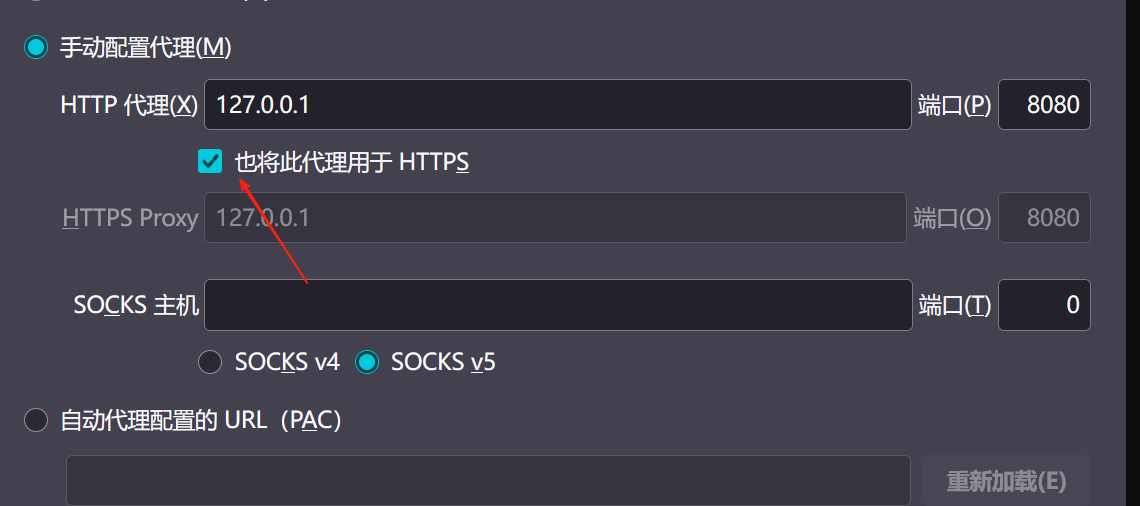
【2025年】解决Burpsuite抓不到https包的问题
环境:windows11 burpsuite:2025.5 在抓取https网站时,burpsuite抓取不到https数据包,只显示: 解决该问题只需如下三个步骤: 1、浏览器中访问 http://burp 2、下载 CA certificate 证书 3、在设置--隐私与安全--…...
新能源汽车智慧充电桩管理方案:新能源充电桩散热问题及消防安全监管方案
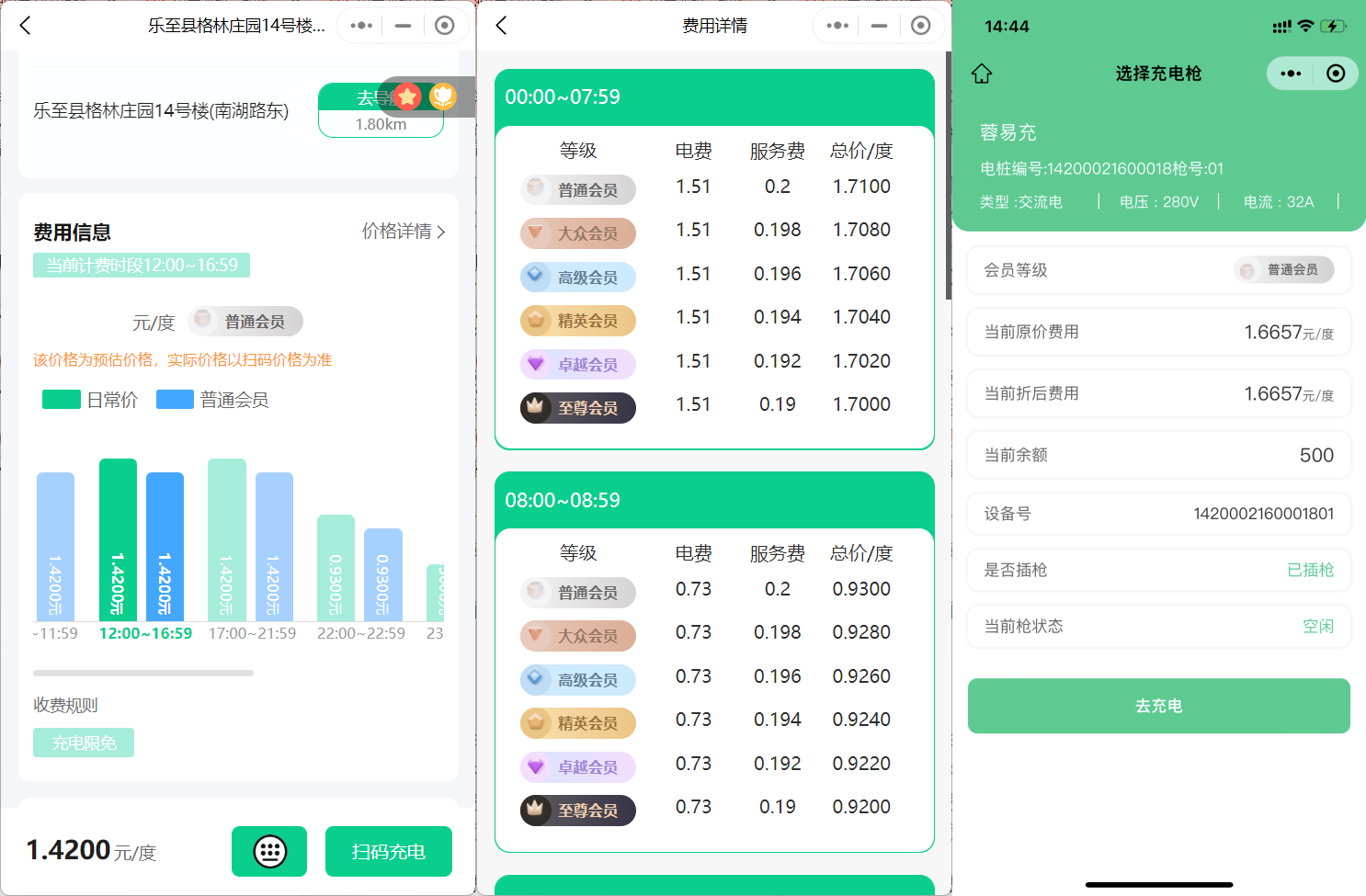
随着新能源汽车的快速普及,充电桩作为核心配套设施,其安全性与可靠性备受关注。然而,在高温、高负荷运行环境下,充电桩的散热问题与消防安全隐患日益凸显,成为制约行业发展的关键瓶颈。 如何通过智慧化管理手段优化散…...
)
GitHub 趋势日报 (2025年06月08日)
📊 由 TrendForge 系统生成 | 🌐 https://trendforge.devlive.org/ 🌐 本日报中的项目描述已自动翻译为中文 📈 今日获星趋势图 今日获星趋势图 884 cognee 566 dify 414 HumanSystemOptimization 414 omni-tools 321 note-gen …...

React---day11
14.4 react-redux第三方库 提供connect、thunk之类的函数 以获取一个banner数据为例子 store: 我们在使用异步的时候理应是要使用中间件的,但是configureStore 已经自动集成了 redux-thunk,注意action里面要返回函数 import { configureS…...
短视频矩阵系统文案创作功能开发实践,定制化开发
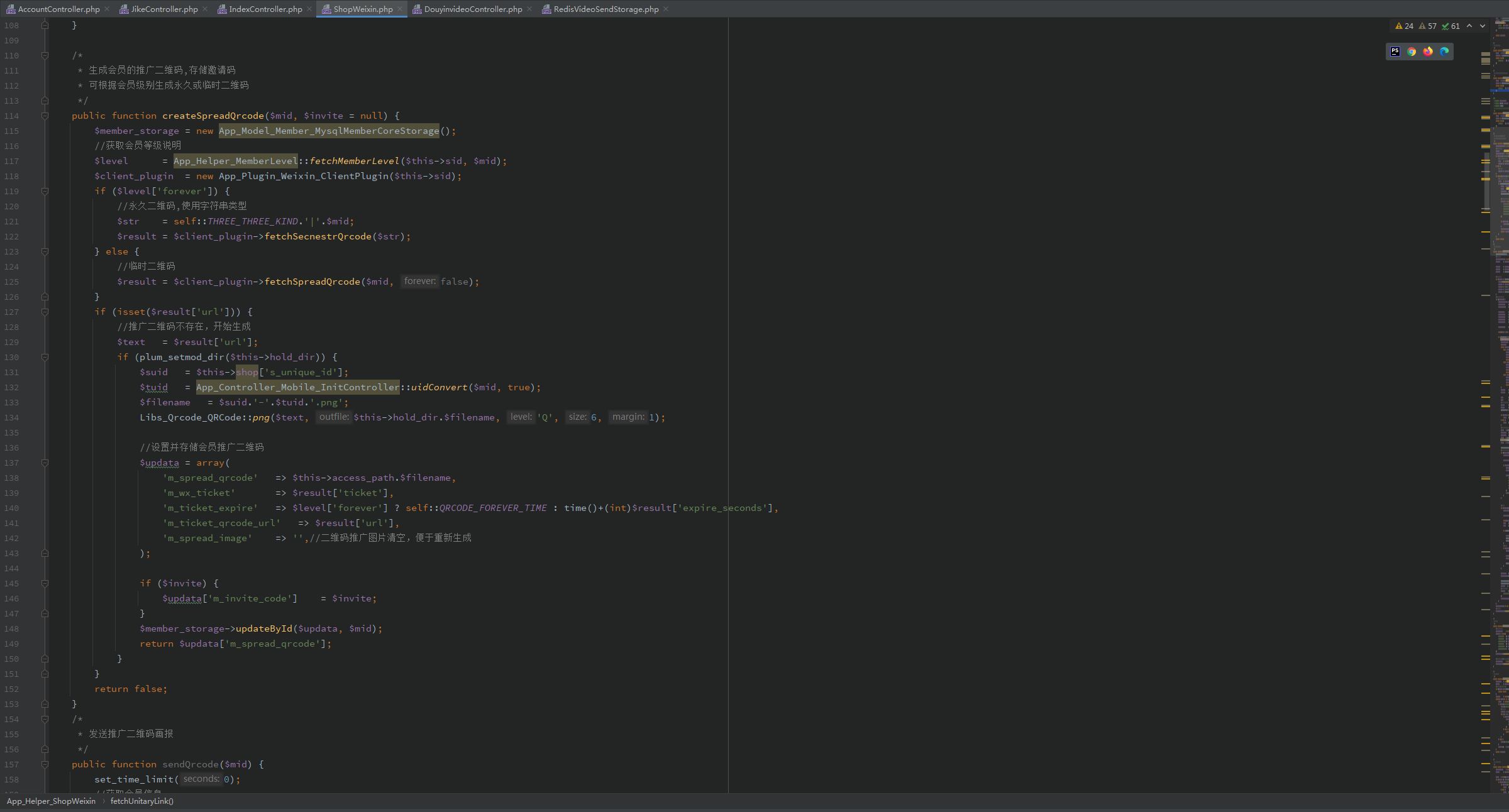
在短视频行业迅猛发展的当下,企业和个人创作者为了扩大影响力、提升传播效果,纷纷采用短视频矩阵运营策略,同时管理多个平台、多个账号的内容发布。然而,频繁的文案创作需求让运营者疲于应对,如何高效产出高质量文案成…...

Java多线程实现之Runnable接口深度解析
Java多线程实现之Runnable接口深度解析 一、Runnable接口概述1.1 接口定义1.2 与Thread类的关系1.3 使用Runnable接口的优势 二、Runnable接口的基本实现方式2.1 传统方式实现Runnable接口2.2 使用匿名内部类实现Runnable接口2.3 使用Lambda表达式实现Runnable接口 三、Runnabl…...