
MyBatis-xml版本
MyBatis 是一款优秀的持久层框架
MyBatis中文网https://mybatis.net.cn/
添加依赖
<dependencies><!--mysql驱动--><dependency><groupId>mysql</groupId><artifactId>mysql-connector-java</artifactId><version>5.1.47</version></dependency><!--mybatis--><dependency><groupId>org.mybatis</groupId><artifactId>mybatis</artifactId><version>3.5.2</version></dependency><!--测试工具--><dependency><groupId>junit</groupId><artifactId>junit</artifactId><version>4.12</version></dependency><dependency><groupId>log4j</groupId><artifactId>log4j</artifactId><version>1.2.17</version></dependency>
</dependencies>
<!--扫描包,读取配置文件-->
<build><resources><resource><directory>src/main/java</directory><includes><include>**/*.properties</include><include>**/*.xml</include></includes><filtering>true</filtering></resource><resource><directory>src/main/resources</directory><includes><include>**/*.properties</include><include>**/*.xml</include></includes><filtering>true</filtering></resource></resources>
</build>
resources目录下编写配置文件
- db.properties
driver=com.mysql.jdbc.Driver
url=jdbc:mysql://localhost:3306/test?useSSL&useUnicode=true&charsetEncoding=UTF-8
username=root
password=123
- log4j.properties
# 输出DEBUG级别的日志到console和file
log4j.rootLogger=DEBUG,console,file
#输出到控制台的相关设置
log4j.appender.console = org.apache.log4j.ConsoleAppender
log4j.appender.console.Target = System.out
log4j.appender.console.Threshold = DEBUG
log4j.appender.console.layout = org.apache.log4j.PatternLayout
# log4j.appender.console.layout.ConversionPattern = [%c]-%m%n
log4j.appender.console.layout.ConversionPattern=%5p [%t] - %m%n
#输出到文件的相关设置
log4j.appender.file = org.apache.log4j.RollingFileAppender
# 不追加写入:log4j.appender.file.Append = false
# 输出位置
log4j.appender.file.File = ./log/log.log
# 文件最大容量,满了会生成新的文件
log4j.appender.file.MaxFileSize = 10mb
log4j.appender.file.Threshold = DEBUG
log4j.appender.file.layout = org.apache.log4j.PatternLayout
log4j.appender.file.layout.ConversionPattern = [%p][%d{yyyy-MM-dd HH:mm:ss}][%c]%m%n
#日志输出级别
log4j.logger.org.mybatis = DEBUG
log4j.logger.java.sql = DEBUG
log4j.logger.java.sql.Statement = DEBUG
log4j.logger.java.sql.ResultSet = DEBUG
log4j.logger.java.sql.PreparedStatement = DEBUG
- mybatis-config.xml
<?xml version="1.0" encoding="utf-8" ?>
<!DOCTYPE configurationPUBLIC "-//mybatis.org//DTD Config 3.0//EN""http://mybatis.org/dtd/mybatis-3-config.dtd" >
<configuration><!--引入外部配置文件--><properties resource="db.properties"><!--可以添加属性,遇到相同属性,外部资源优先级高于这里--><property name="addr" value="bj"/></properties><settings><!--设置日志实现:STDOUT_LOGGING标准日志工厂-->
<!-- <setting name="logImpl" value="STDOUT_LOGGING"/>--><setting name="logImpl" value="LOG4J"/><!--开启全局缓存(二级),默认是true--><setting name="cacheEnabled" value="true"/></settings><!--别名设置--><typeAliases><!--自定义类的别名--><typeAlias type="org.example.pojo.User" alias="User"/><!--定义包下类的别名:默认是类名(建议首字母小写),要自定义别名可以在类名上加注解:@Alias("别名")--><package name="org.example.pojo"/></typeAliases><!--配置环境:default设置使用哪套环境--><environments default="prd"><environment id="dev"><!--设置事务类型--><transactionManager type="JDBC"></transactionManager><!--设置连接池--><dataSource type="POOLED"><property name="driver" value="com.mysql.jdbc.Driver"/><property name="username" value="root"/><property name="password" value="123"/><property name="url" value="jdbc:mysql://localhost:3306/test?useSSL&useUnicode=true&charsetEncoding=UTF-8"/></dataSource></environment><environment id="prd"><transactionManager type="JDBC"></transactionManager><dataSource type="POOLED"><property name="driver" value="${driver}"/><property name="username" value="${username}"/><property name="password" value="${password}"/><property name="url" value="${url}"/></dataSource></environment></environments><!--注册mapper.xml--><mappers><mapper resource="org/example/dao/UserMapper.xml"/></mappers>
</configuration>
实体类
//@Alias("user")
public class User implements Serializable {private Integer id;private String username;private String password;// getter、setter、tostring、有参构造、无参构造
}
mapper接口
public interface UserMapper {// xml实现List<User> getUsers();// 多参数情况下用注解@Param("占位名")声明User getUser(@Param("user_name") String username,@Param("pass_word") String password);User getUserById(Integer id);int insertUser(User user);int insertUserBatch(@Param("userList") List<User> userList);// 常用map做参数int insertUserAsMap(Map<String,Object> map);int updateUserById(User user);int deleteUserById(Integer id);int deleteUserByIds(Integer[] id);// 注解实现@Select("select * from user")List<User> getUsers2();
}
UserMapper.xml
<?xml version="1.0" encoding="utf-8" ?>
<!DOCTYPE mapperPUBLIC "-//mybatis.org//DTD Mapper 3.0//EN""http://mybatis.org/dtd/mybatis-3-mapper.dtd" >
<mapper namespace="org.example.dao.UserMapper"><!--在当前mapper.xml文件中使用二级缓存,实体类必须序列化--><!--会话提交或关闭后,数据会存入二级缓存--><cache/><resultMap id="userMap" type="org.example.pojo.User"><!--主键用id标签--><id column="id" property="id"/><!--普通字段用result标签--><result column="username" property="username"/><result column="password" property="password"/><!--对象属性配置,引用其他mapper.xml中配置好的resultMap,实现关联查询-->
<!--        <association property="user" resultMap="userMap"/>--><!--一对多--><!--<collection property="userList" ofType="user"><id column="id" property="id"/><result column="username" property="username"/><result column="password" property="password"/></collection>--></resultMap><select id="getUsers" resultMap="userMap">select * from user<!--特殊符号处理:< > & ' "--><!--<![CDATA[select * from user where id < 10]]>--></select><select id="getUser" resultMap="userMap">select * from user<where><if test="user_name != null and user_name != ''">and username like concat('%',#{user_name},'%')</if><if test="pass_word != null and pass_word != ''">and password = #{pass_word}</if><!--choose when otherwise类似switch case default--><!--<choose><when test="user_name != null and user_name != ''">and username like concat('%',#{user_name},'%')</when><when test="pass_word != null and pass_word != ''">and password = #{pass_word}</when><otherwise>and id = -1</otherwise></choose>--></where></select><select id="getUserById" parameterType="java.lang.Integer" resultType="org.example.pojo.User">select * from user where id = #{id}</select><!--对象参数可以直接解构,useGeneratedKeys返回生成的主键,返回到keyProperty指定的属性中--><insert id="insertUser" keyProperty="id" useGeneratedKeys="true">insert into user (id,username,password) values(#{id},#{username},#{password})</insert><!--批量新增--><insert id="insertUserBatch">insert into user (id,username,password) values<foreach collection="userList" item="user" separator=",">(#{user.id},#{user.username},#{user.password})</foreach></insert><!--通过map自定义占位符的命名,万能参数类型--><insert id="insertUserAsMap" parameterType="java.util.Map">insert into user (username,password) values(#{name},#{pwd})</insert><update id="updateUserById" parameterType="org.example.pojo.User">update user<set><!--set标签可以去除多余的逗号--><if test="username != null and username != ''">username = #{username},</if><if test="password != null and password != ''">password = #{password},</if></set><where><if test="id != null">and id = #{id}</if></where></update><delete id="deleteUserById" parameterType="java.lang.Integer">delete from user where id = #{id}</delete><delete id="deleteUserByIds">delete from user where id in<!--delete from user where id in ( ? , ? )--><foreach collection="array" item="id" separator="," open="(" close=")">#{id}</foreach></delete>
</mapper>
测试类
public class Test01 {private SqlSession sqlSession;@Beforepublic void before(){SqlSessionFactory sqlSessionFactory;try {InputStream inputStream = Resources.getResourceAsStream("mybatis-config.xml");sqlSessionFactory = new SqlSessionFactoryBuilder().build(inputStream);} catch (IOException e) {throw new RuntimeException(e);}sqlSession =  sqlSessionFactory.openSession();System.out.println("@Before在测试方法执行前执行,可以在此处获取sqlSession");}@Afterpublic void after(){// DML语句需要提交事务sqlSession.commit();sqlSession.close();System.out.println("@After在测试方法完成后执行,可以在此处提交事务,关闭资源");}@Testpublic void test01() {UserMapper userMapper = sqlSession.getMapper(UserMapper.class);
//        System.out.println(userMapper.getUserById(-3));
//        User user = new User(null,"zhaoliu", "12345");
//        System.out.println(userMapper.insertUser(user));
//        System.out.println(user.getId());
//        List<User> userList = new ArrayList<>();
//        userList.add(new User(6,"66","666"));
//        userList.add(new User(7,"77","777"));
//        System.out.println(userMapper.insertUserBatch(userList));
//        System.out.println(userMapper.updateUserById(new User(5, "zhao", "12345")));
//        System.out.println(userMapper.deleteUserById(-4));
//        System.out.println(userMapper.deleteUserByIds(new Integer[]{6,7}));
//        Map<String,Object> map = new HashMap<String, Object>();
//        map.put("name","chenqi");
//        map.put("pwd",1234);
//        System.out.println(userMapper.insertUserAsMap(map));
//        System.out.println(userMapper.getUser("lisi","12345"));
//        System.out.println(userMapper.getUsers());System.out.println(userMapper.getUsers2());}
}
相关文章:

MyBatis-xml版本
MyBatis 是一款优秀的持久层框架 MyBatis中文网https://mybatis.net.cn/ 添加依赖 <dependencies><!--mysql驱动--><dependency><groupId>mysql</groupId><artifactId>mysql-connector-java</artifactId><version>5.1.47<…...

在eclipse中安装python插件:PyDev
在eclipse中安装插件PyDev,就可以在eclipse中开发python了。 PyDev的官网:https://www.pydev.org/ 不过可以直接在eclipse中用Marketplace安装(备注:有可能一次安装不成功,是因为下载太慢了,多试几次&…...
25、pytest的测试报告插件allure
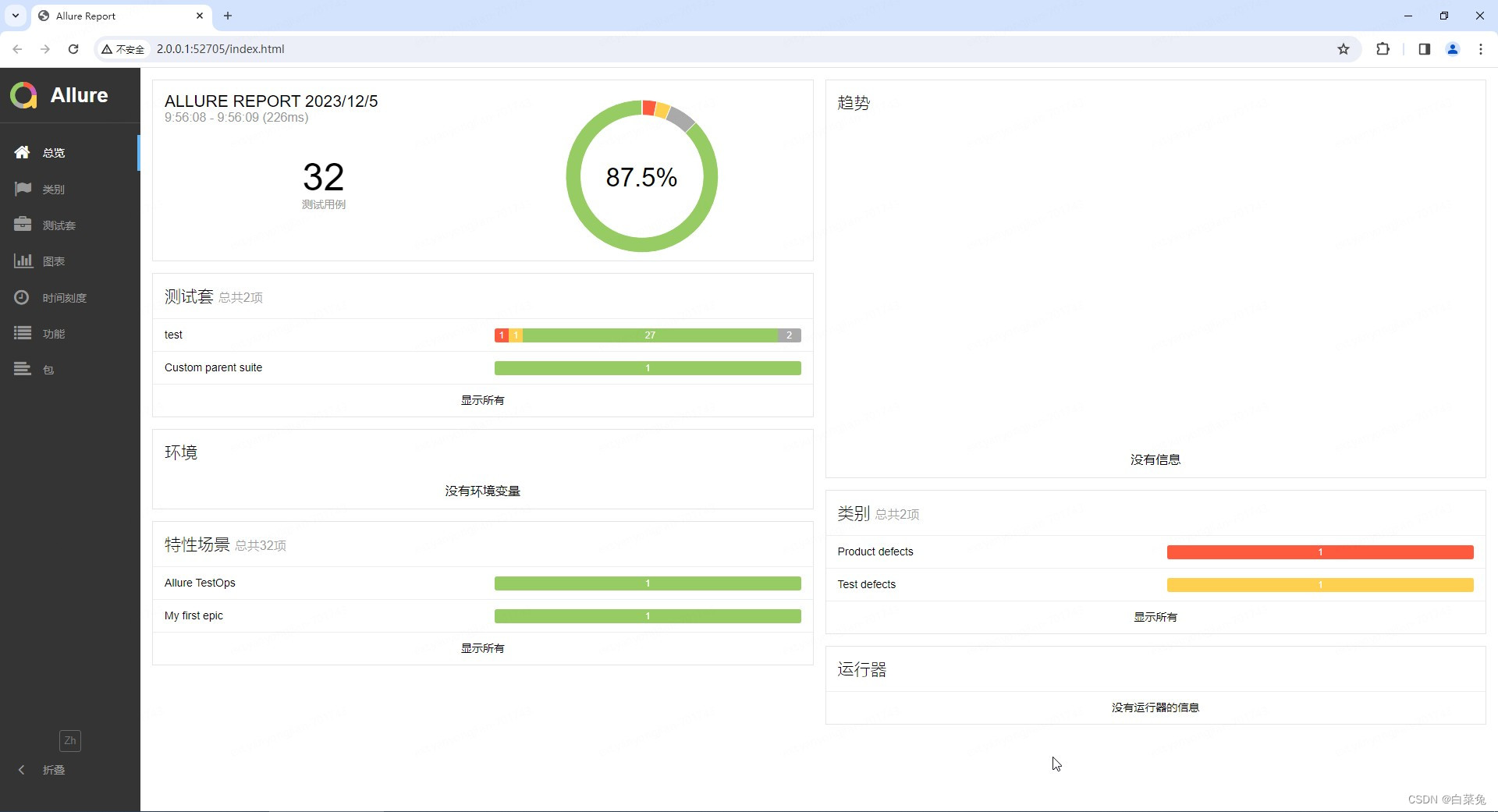
allure简介 在这里,你将找到使用allure创建、定制和理解测试报告所需的一切。开始让你的测试沟通更清晰,更有影响力。 Allure Report是一个实用程序,它处理由兼容的测试框架收集的测试结果并生成HTML报告。 安装allure 1、确保安装了Java…...

从零开始学习 JavaScript APl(七):实例解析关于京东案例头部案例和放大镜效果!
大家好关于JS APl 知识点已经全部总结了,第七部部分全部都是案例部分呢!!(素材的可以去百度网盘去下载!!!) 目录 前言 一、个人实战文档 放大镜效果 思路分析: 关于其它…...
使用Pytoch实现Opencv warpAffine方法
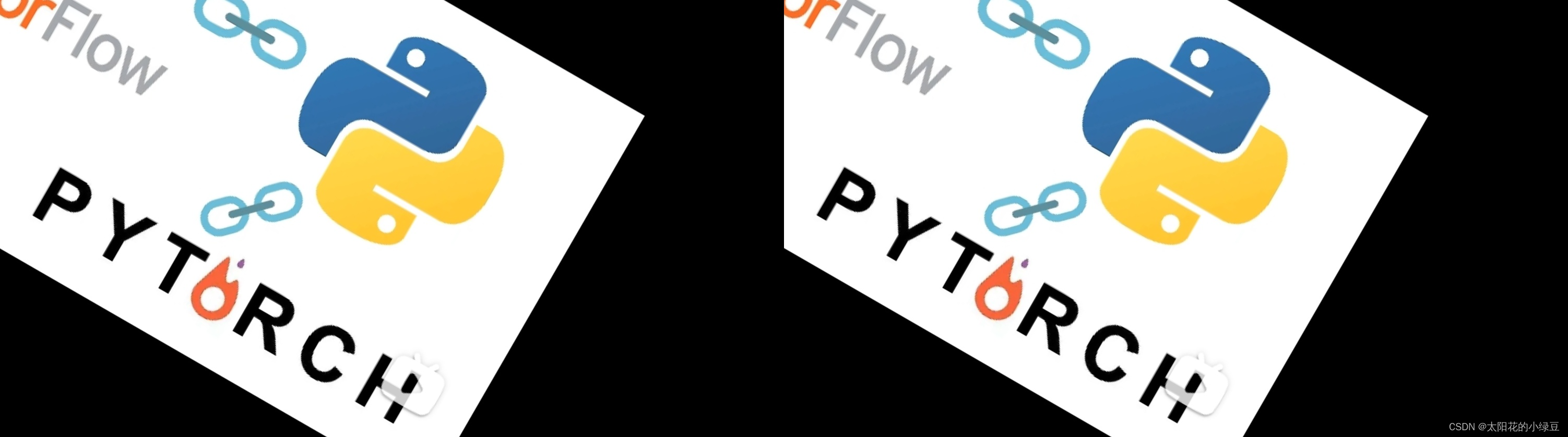
随着深度学习的不断发展,GPU/NPU的算力也越来越强,对于一些传统CV计算也希望能够直接在GPU/NPU上进行,例如Opencv的warpAffine方法。Opencv的warpAffine的功能主要是做仿射变换,如果不了解仿射变换的请自行了解。由于Pytorch的图像…...
Hello World
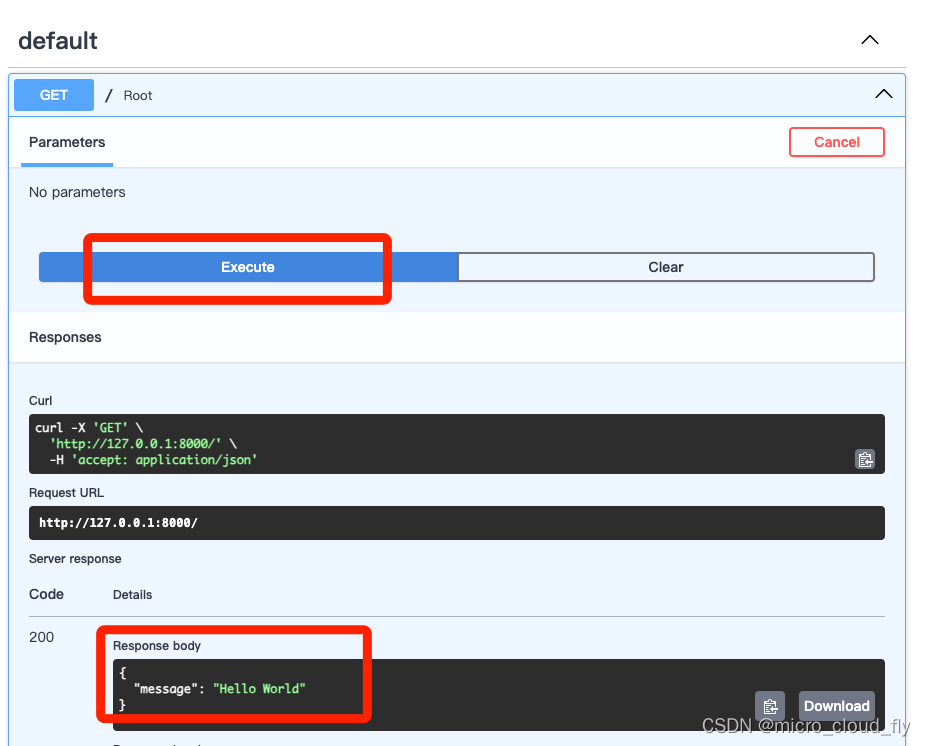
世界上最著名的程序 from fastapi import FastAPIapp FastAPI()app.get("/") async def root():return {"message": "Hello World"}app.get("/hello/{name}") async def say_hello(name: str):return {"message": f"…...
【Python】Python读Excel文件生成xml文件
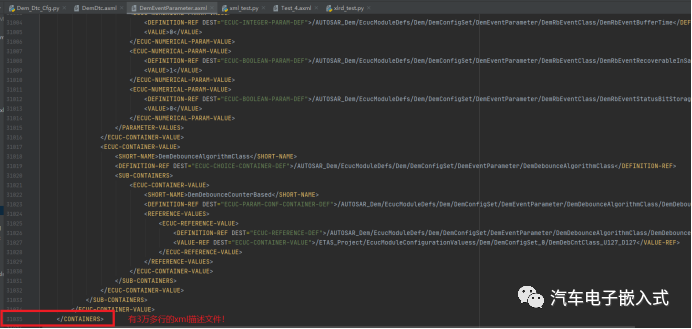
目录 前言 正文 1.Python基础学习 2.Python读取Excel表格 2.1安装xlrd模块 2.2使用介绍 2.2.1常用单元格中的数据类型 2.2.2 导入模块 2.2.3打开Excel文件读取数据 2.2.4常用函数 2.2.5代码测试 2.2.6 Python操作Excel官方网址 3.Python创建xml文件 3.1 xml语法…...
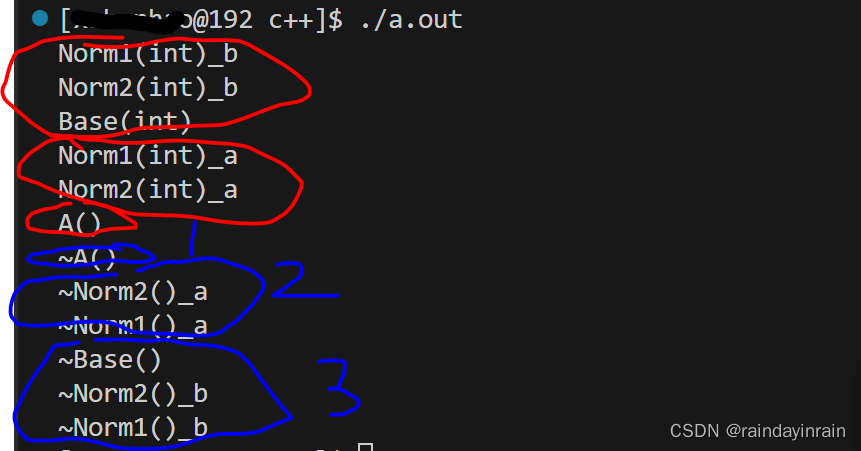
c++--类型行为控制
1.c的类 1.1.c的类关键点 c类型的关键点在于类存在继承。在此基础上,类存在构造,赋值,析构三类通用的关键行为。 类型提供了构造函数,赋值运算符,析构函数来让我们控制三类通用行为的具体表现。 为了清楚的说明类的构…...

笔记64:Bahdanau 注意力
本地笔记地址:D:\work_file\(4)DeepLearning_Learning\03_个人笔记\3.循环神经网络\第10章:动手学深度学习~注意力机制 a a a a a a a a a a a...

面试官问:如何手动触发垃圾回收?幸好昨天复习到了
在Java中,手动触发垃圾回收可以使用 System.gc() 方法。但需要注意,调用 System.gc() 并不能确保立即执行垃圾回收,因为具体的垃圾回收行为是由Java虚拟机决定的,而不受程序员直接控制。 public class GarbageCollectionExample …...
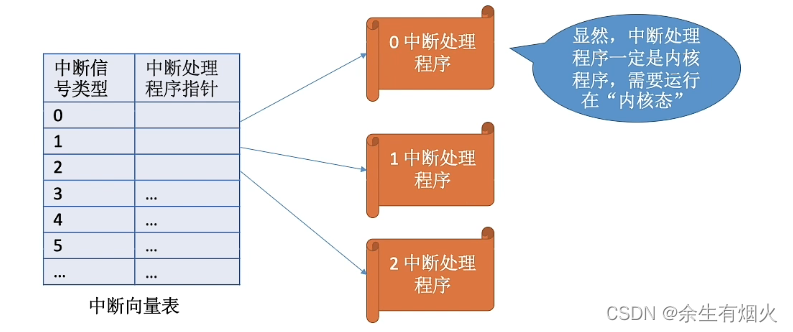
操作系统的运行机制+中断和异常
一、CPU状态 在CPU设计和生产的时候就划分了特权指令和非特叔指令,因此CPU执行一条指令前就能断出其类型 CPU有两种状态,“内核态”和“用户态” 处于内核态时,说明此时正在运行的是内核程序,此时可以执行特权指令。 处于用户态…...
Python实战:批量加密Excel文件指南
更多Python学习内容:ipengtao.com 大家好,我是彭涛,今天为大家分享 Python实战:批量加密Excel文件指南,全文3800字,阅读大约10分钟。 在日常工作中,保护敏感数据是至关重要的。本文将引导你通过…...
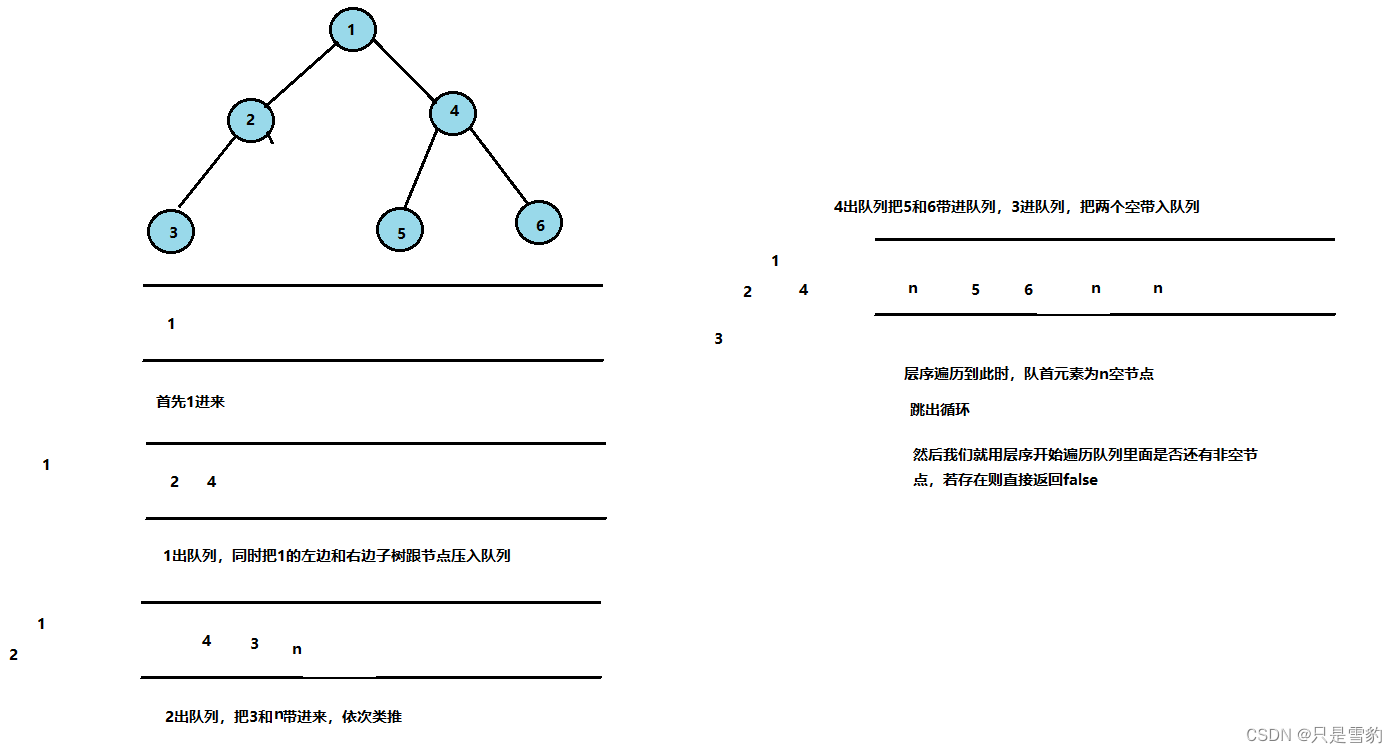
二叉树链式结构的实现和二叉树的遍历以及判断完全二叉树
二叉树的实现 定义结构体 我们首先定义一个结构来存放二叉树的节点 结构体里分别存放左子节点和右子节点以及节点存放的数据 typedef int BTDataType; typedef struct BinaryTreeNode {BTDataType data;struct BinaryTreeNode* left;struct BinaryTreeNode* right; }BTNode;…...
vue中的动画组件使用及如何在vue中使用animate.css
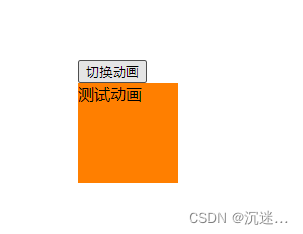
“< Transition >” 是一个内置组件,这意味着它在任意别的组件中都可以被使用,无需注册。它可以将进入和离开动画应用到通过默认插槽传递给它的元素或组件上。进入或离开可以由以下的条件之一触发: 由 v-if 所触发的切换由 v-show 所触…...

qt 5.15.2 网络文件下载功能
qt 5.15.2 网络文件下载功能 #include <QCoreApplication>#include <iostream> #include <QFile> #include <QTextStream> // #include <QtCore> #include <QtNetwork> #include <QNetworkAccessManager> #include <QNetworkRep…...

Wifi adb 操作步骤
1.连接usb 到主机 手机开起热点,电脑和车机连接手机,或者电脑开热点,车机连接电脑,车机和电脑连接同一个网络 因为需要先使用usb,后面切换到wifi usb 2.查看车机ip地址,和电脑ip地址 电脑win键r 输入cmd…...

湿货 - 231206 - 关于如何构造输入输出数据并读写至文件中
TAG - 造数据、读写文件 造数据、读写文件 造数据、读写文件//*.in // #include<bits/stdc.h> using namespace std;/* *********** *********** 全局 ********** *********** */ string Pre_File_Name; ofstream IN_cout; int idx;void Modify_ABS_Path( string& …...
EasyMicrobiome-易扩增子、易宏基因组等分析流程依赖常用软件、脚本文件和数据库注释文件
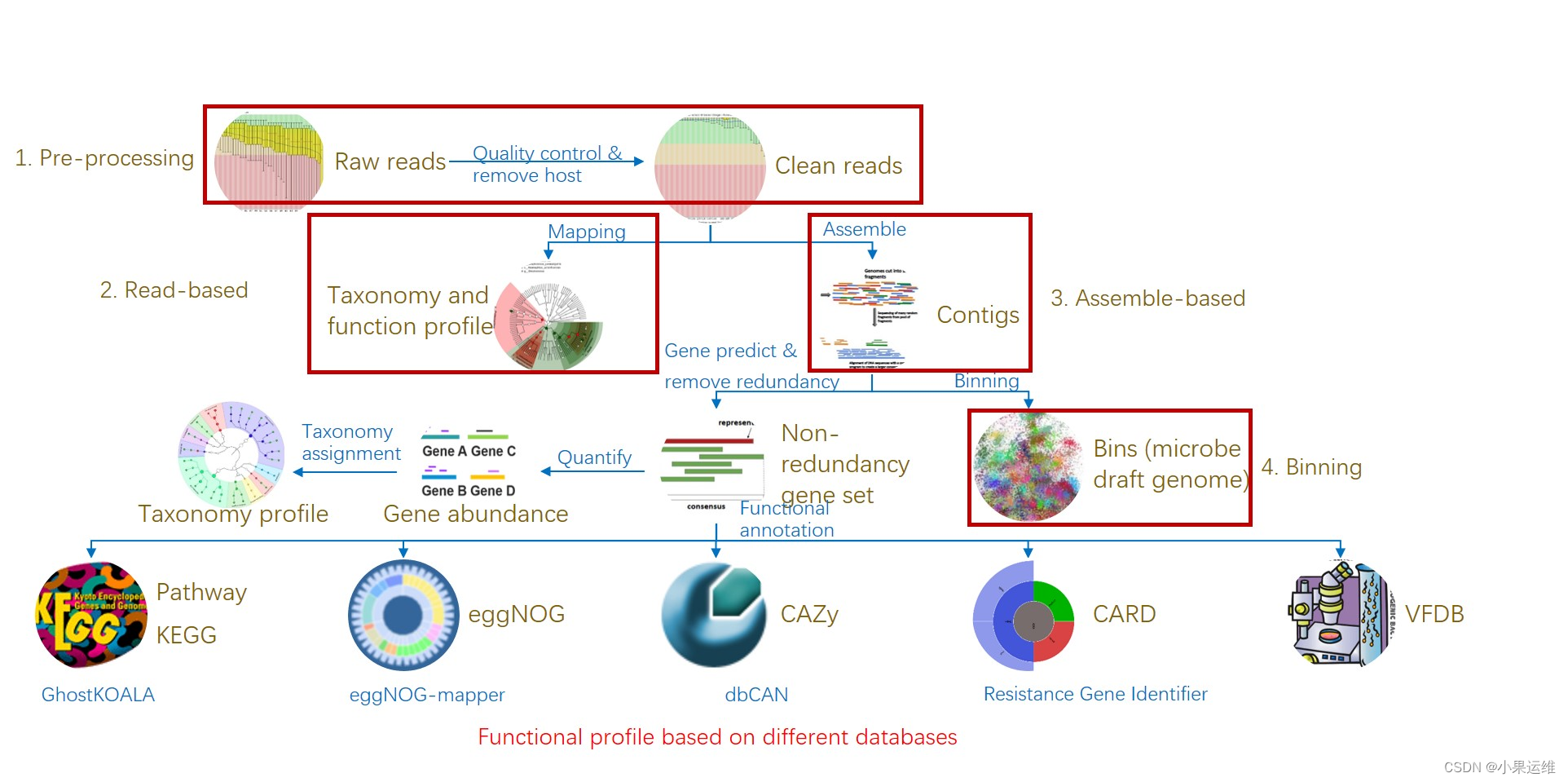
啥也不说了,这个好用,给大家推荐:YongxinLiu/EasyMicrobiome (github.com) 大家先看看引用文献吧,很有用:https://doi.org/10.1002/imt2.83 还有这个,后面马上介绍:YongxinLiu/EasyAmplicon: E…...

【Python百宝箱】漫游Python数据可视化宇宙:pyspark、dash、streamlit、matplotlib、seaborn全景式导览
Python数据可视化大比拼:从大数据处理到交互式Web应用 前言 在当今数字时代,数据可视化是解释和传达信息的不可或缺的工具之一。本文将深入探讨Python中流行的数据可视化库,从大数据处理到交互式Web应用,为读者提供全面的了解和…...

企业数字档案馆室建设指南
数字化时代,企业数字化转型已经成为当下各行业发展的必然趋势。企业数字化转型不仅仅是IT系统的升级,也包括企业内部各种文件、档案、合同等信息的数字化管理。因此,建设数字档案馆室也变得尤为重要。本篇文章将为您介绍企业数字档案馆室建设…...

设计模式和设计原则回顾
设计模式和设计原则回顾 23种设计模式是设计原则的完美体现,设计原则设计原则是设计模式的理论基石, 设计模式 在经典的设计模式分类中(如《设计模式:可复用面向对象软件的基础》一书中),总共有23种设计模式,分为三大类: 一、创建型模式(5种) 1. 单例模式(Sing…...
Vue3 + Element Plus + TypeScript中el-transfer穿梭框组件使用详解及示例
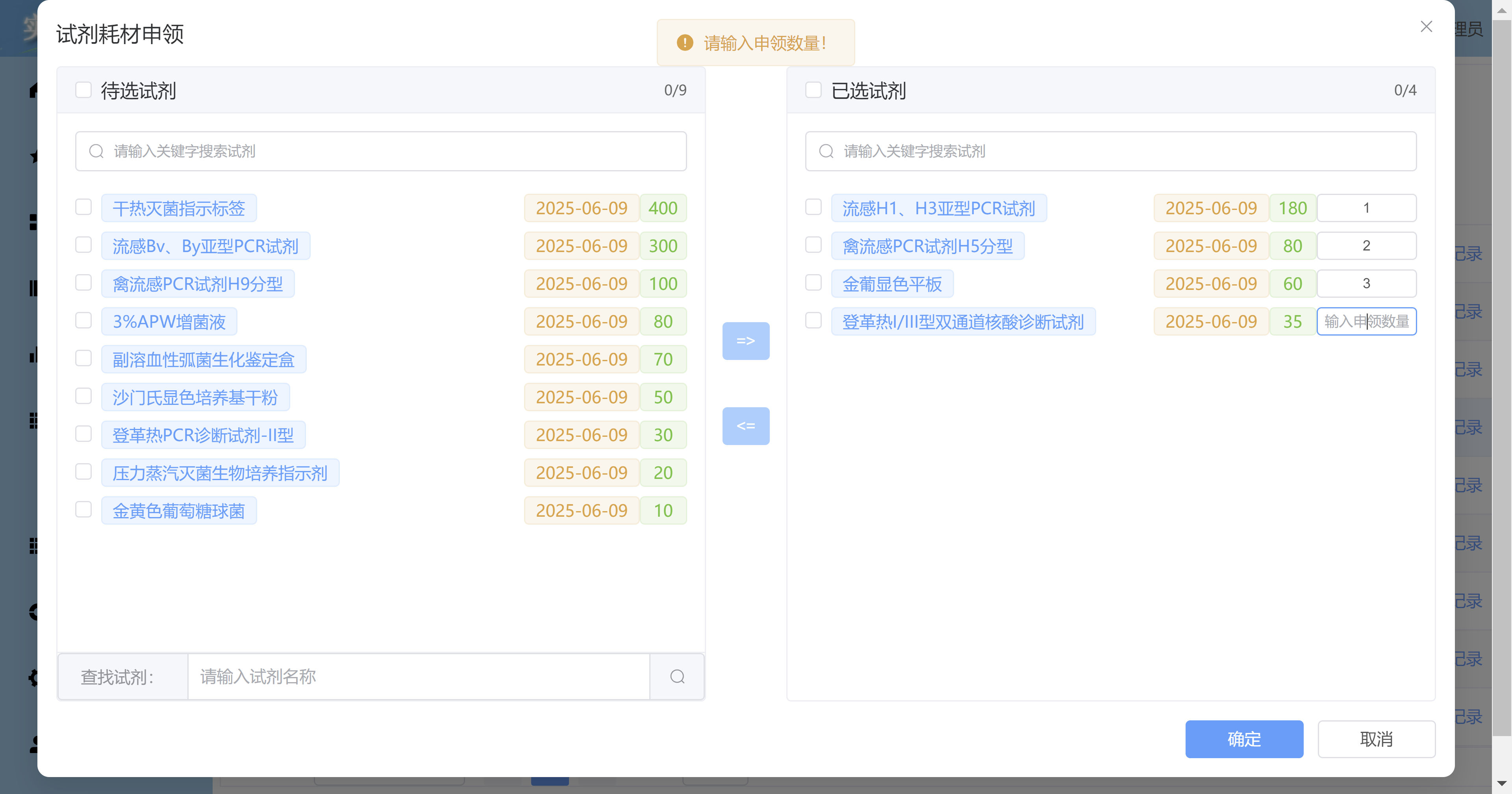
使用详解 Element Plus 的 el-transfer 组件是一个强大的穿梭框组件,常用于在两个集合之间进行数据转移,如权限分配、数据选择等场景。下面我将详细介绍其用法并提供一个完整示例。 核心特性与用法 基本属性 v-model:绑定右侧列表的值&…...

【机器视觉】单目测距——运动结构恢复
ps:图是随便找的,为了凑个封面 前言 在前面对光流法进行进一步改进,希望将2D光流推广至3D场景流时,发现2D转3D过程中存在尺度歧义问题,需要补全摄像头拍摄图像中缺失的深度信息,否则解空间不收敛…...
Java-41 深入浅出 Spring - 声明式事务的支持 事务配置 XML模式 XML+注解模式
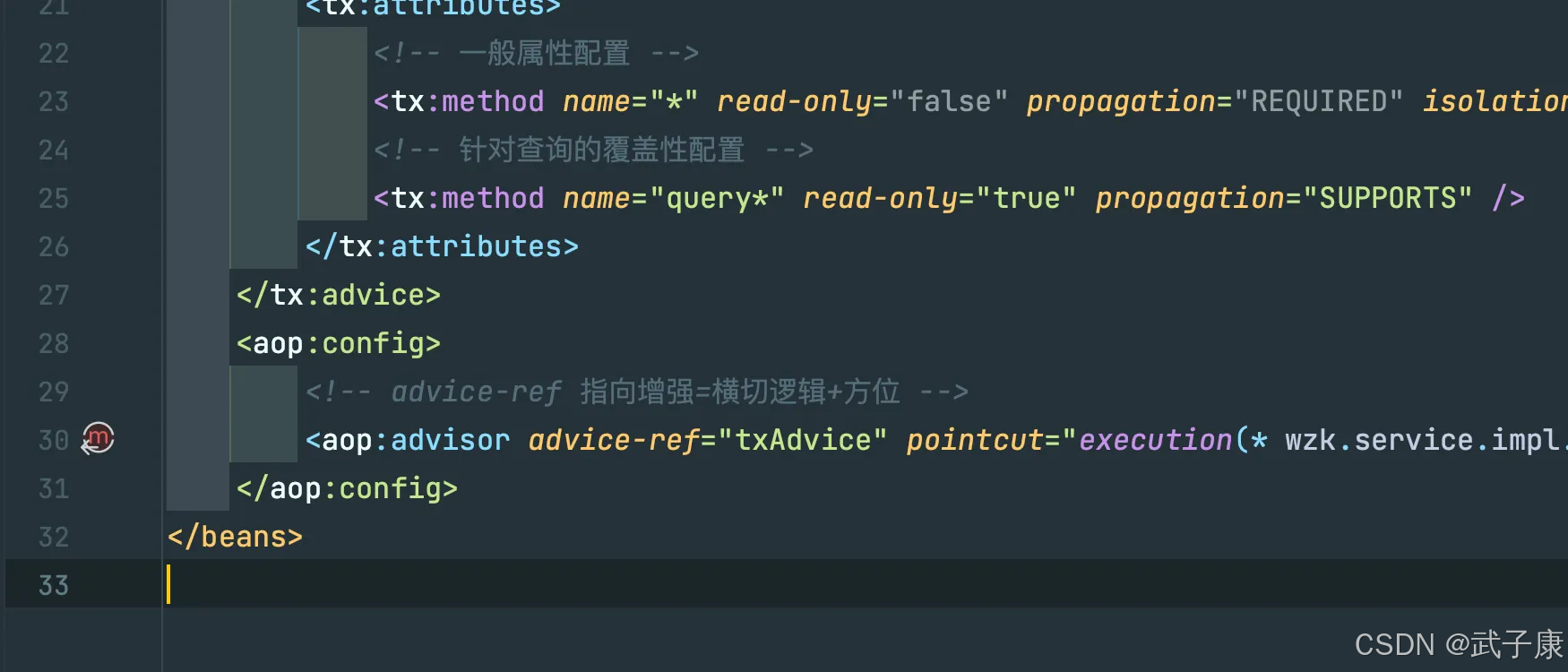
点一下关注吧!!!非常感谢!!持续更新!!! 🚀 AI篇持续更新中!(长期更新) 目前2025年06月05日更新到: AI炼丹日志-28 - Aud…...
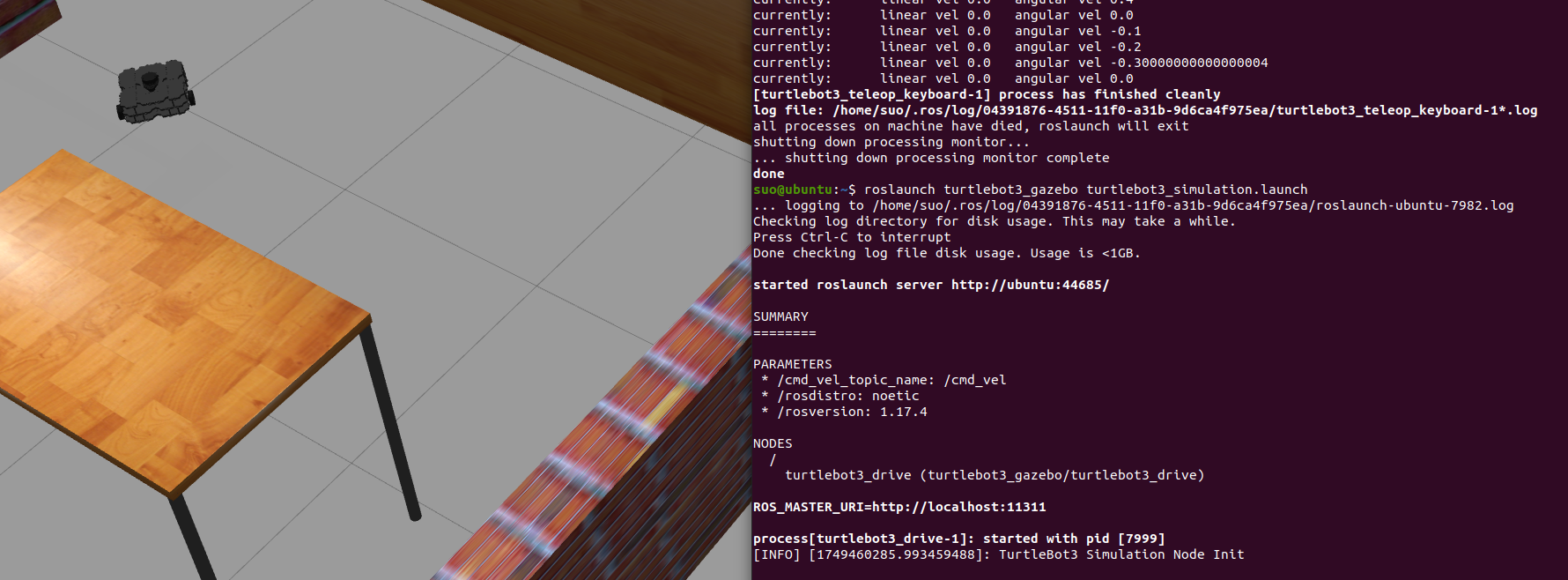
基于TurtleBot3在Gazebo地图实现机器人远程控制
1. TurtleBot3环境配置 # 下载TurtleBot3核心包 mkdir -p ~/catkin_ws/src cd ~/catkin_ws/src git clone -b noetic-devel https://github.com/ROBOTIS-GIT/turtlebot3.git git clone -b noetic https://github.com/ROBOTIS-GIT/turtlebot3_msgs.git git clone -b noetic-dev…...
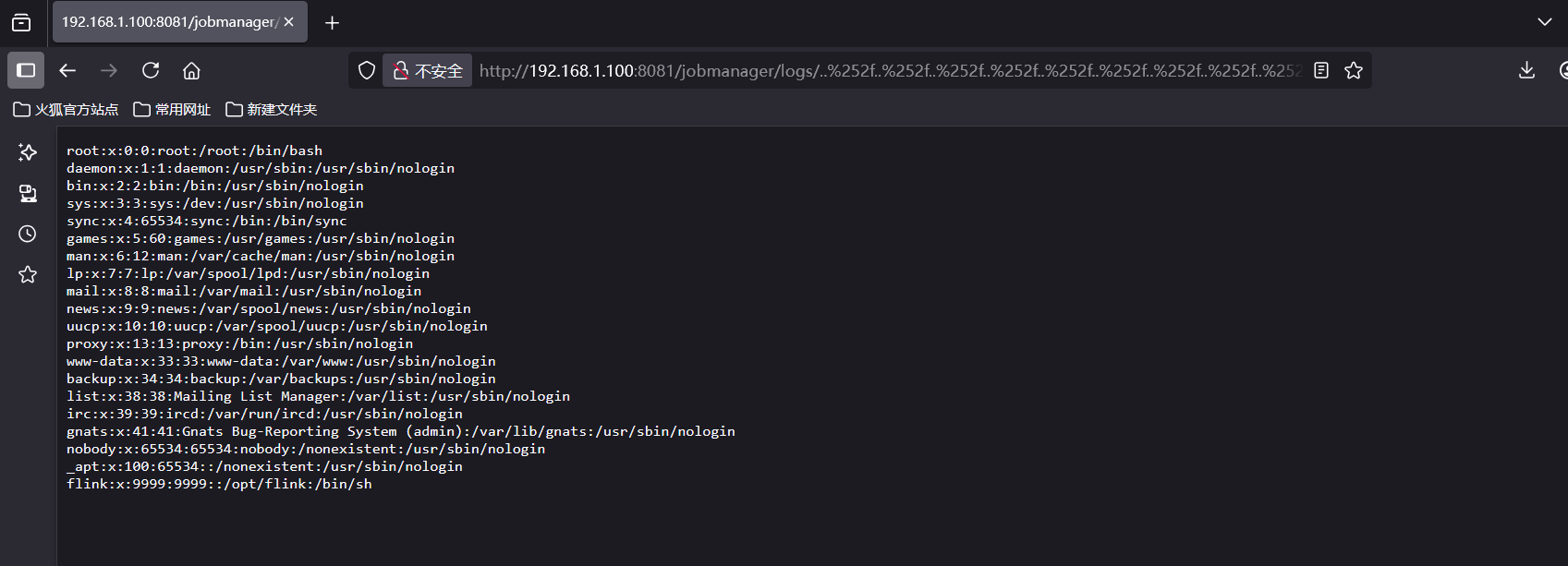
CVE-2020-17519源码分析与漏洞复现(Flink 任意文件读取)
漏洞概览 漏洞名称:Apache Flink REST API 任意文件读取漏洞CVE编号:CVE-2020-17519CVSS评分:7.5影响版本:Apache Flink 1.11.0、1.11.1、1.11.2修复版本:≥ 1.11.3 或 ≥ 1.12.0漏洞类型:路径遍历&#x…...

08. C#入门系列【类的基本概念】:开启编程世界的奇妙冒险
C#入门系列【类的基本概念】:开启编程世界的奇妙冒险 嘿,各位编程小白探险家!欢迎来到 C# 的奇幻大陆!今天咱们要深入探索这片大陆上至关重要的 “建筑”—— 类!别害怕,跟着我,保准让你轻松搞…...
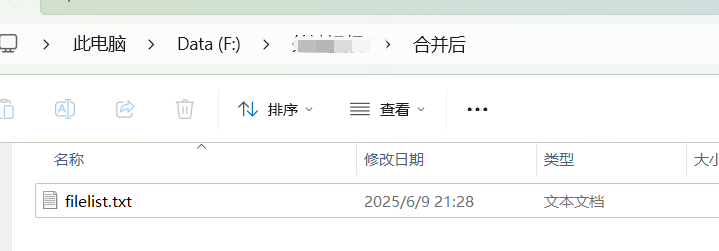
FFmpeg:Windows系统小白安装及其使用
一、安装 1.访问官网 Download FFmpeg 2.点击版本目录 3.选择版本点击安装 注意这里选择的是【release buids】,注意左上角标题 例如我安装在目录 F:\FFmpeg 4.解压 5.添加环境变量 把你解压后的bin目录(即exe所在文件夹)加入系统变量…...

WebRTC从入门到实践 - 零基础教程
WebRTC从入门到实践 - 零基础教程 目录 WebRTC简介 基础概念 工作原理 开发环境搭建 基础实践 三个实战案例 常见问题解答 1. WebRTC简介 1.1 什么是WebRTC? WebRTC(Web Real-Time Communication)是一个支持网页浏览器进行实时语音…...
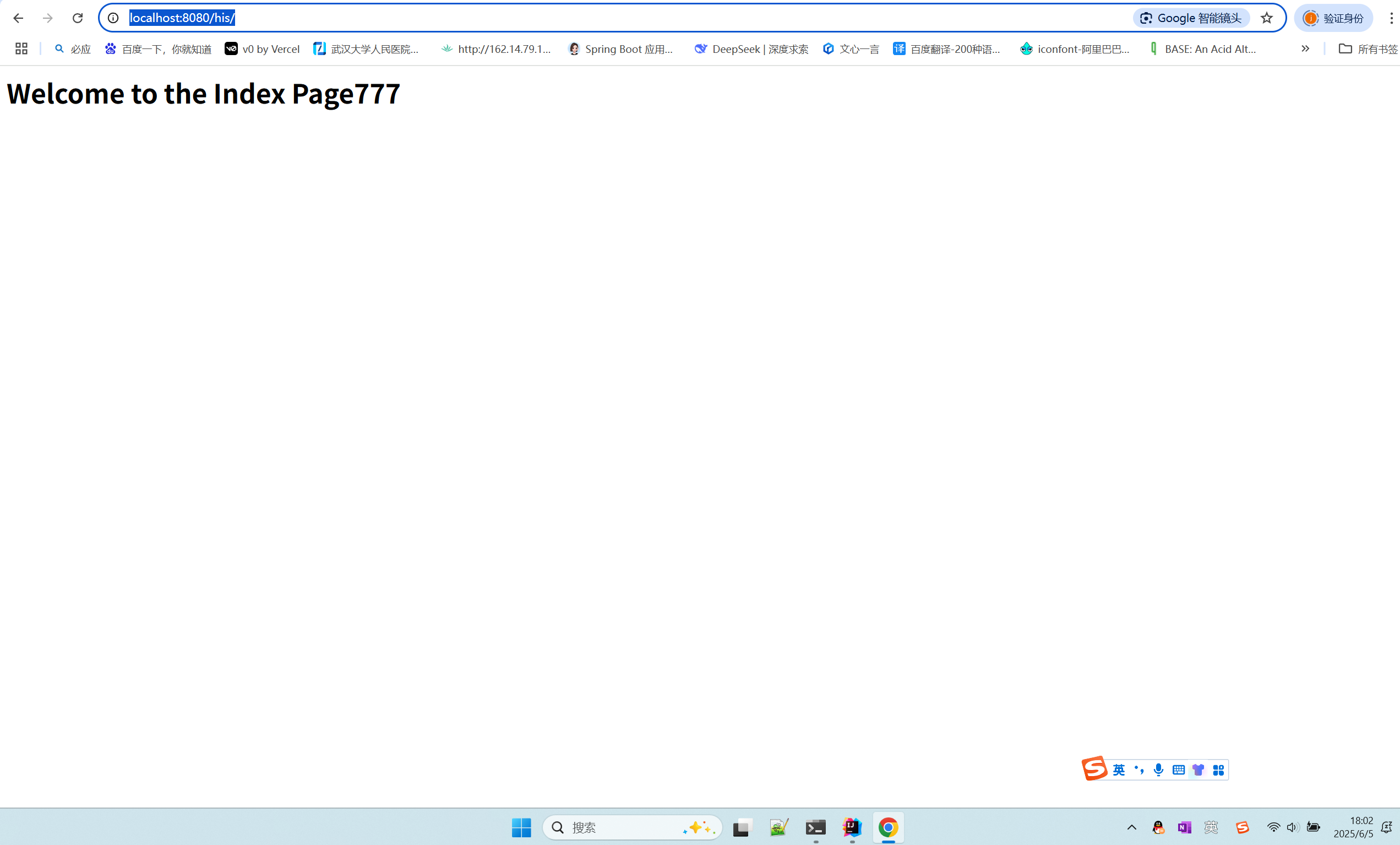
在 Spring Boot 中使用 JSP
jsp? 好多年没用了。重新整一下 还费了点时间,记录一下。 项目结构: pom: <?xml version"1.0" encoding"UTF-8"?> <project xmlns"http://maven.apache.org/POM/4.0.0" xmlns:xsi"http://ww…...