
springboot + thymeleaf + layui 初尝试
一、背景
公司运营的同事有个任务,提供一个数据文件给我,然后从数据库中找出对应的加密串再导出来给他。这个活不算是很难,但时不时就会有需求。
同事给我的文件有时是给excel表格,每一行有4列,逗号隔开,合并成一列数据,这类文件需要把所有数据复制到文本编辑器进行处理,把逗号替换成空格,再使用列块编辑模式复制2、3、4列替换原来的excel数据。有时是给.DAT的文件,这类文件需要手动修改后缀为csv,修改后就跟普通的excel表格一样打开,去掉第一列。最后添加一行表头,再对第一列进行筛选去重。
去重后准备导入到数据库的临时表,在此之前需要手动清空临时表的历史数据。导入后再执行一段sql语句,然后把查询结果导出为excel文件给到同事。
这样的工作重复重复再重复,确实挺无趣的,何不鼓捣一个工具给同事自己去处理?
二、步骤
2.1 项目搭建
项目结构如下图:
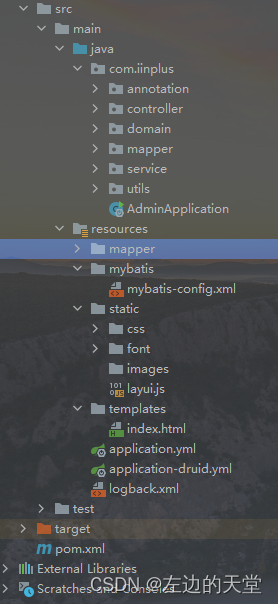
创建项目,使用springboot 2.5.14、poi 4.1.2、mybatis,前端使用 thymeleaf + layui-v2.6.8 。
具体看maven配置
<?xml version="1.0" encoding="UTF-8"?>
<project xmlns="http://maven.apache.org/POM/4.0.0"xmlns:xsi="http://www.w3.org/2001/XMLSchema-instance"xsi:schemaLocation="http://maven.apache.org/POM/4.0.0 http://maven.apache.org/xsd/maven-4.0.0.xsd"><parent><groupId>org.springframework.boot</groupId><artifactId>spring-boot-starter-parent</artifactId><version>2.5.14</version></parent><modelVersion>4.0.0</modelVersion><groupId>com.xxx</groupId><artifactId>test</artifactId><version>1.0</version><properties><maven.compiler.source>8</maven.compiler.source><maven.compiler.target>8</maven.compiler.target></properties><dependencies><!-- Spring框架基本的核心工具 --><dependency><groupId>org.springframework</groupId><artifactId>spring-context-support</artifactId></dependency><!-- SpringBoot Web容器 --><dependency><groupId>org.springframework.boot</groupId><artifactId>spring-boot-starter-web</artifactId><exclusions><exclusion><groupId>org.apache.tomcat.embed</groupId><artifactId>tomcat-embed-el</artifactId></exclusion><exclusion><groupId>org.apache.tomcat.embed</groupId><artifactId>tomcat-embed-websocket</artifactId></exclusion></exclusions></dependency><!-- thymeleaf --><dependency><groupId>org.springframework.boot</groupId><artifactId>spring-boot-starter-thymeleaf</artifactId></dependency><dependency><groupId>org.mybatis.spring.boot</groupId><artifactId>mybatis-spring-boot-starter</artifactId><version>2.1.4</version><exclusions><exclusion><groupId>com.zaxxer</groupId><artifactId>HikariCP</artifactId></exclusion></exclusions></dependency><!-- 阿里数据库连接池 --><dependency><groupId>com.alibaba</groupId><artifactId>druid-spring-boot-starter</artifactId><version>1.2.16</version></dependency><!-- Mysql驱动包 --><dependency><groupId>mysql</groupId><artifactId>mysql-connector-java</artifactId></dependency><!--常用工具类 --><dependency><groupId>org.apache.commons</groupId><artifactId>commons-lang3</artifactId></dependency><!-- io常用工具类 --><dependency><groupId>commons-io</groupId><artifactId>commons-io</artifactId><version>2.11.0</version></dependency><!-- excel工具 --><dependency><groupId>org.apache.poi</groupId><artifactId>poi-ooxml</artifactId><version>4.1.2</version><exclusions><exclusion><groupId>org.apache.commons</groupId><artifactId>commons-math3</artifactId></exclusion><exclusion><groupId>org.zaxxer</groupId><artifactId>SparseBitSet</artifactId></exclusion></exclusions></dependency><!-- servlet包 --><dependency><groupId>javax.servlet</groupId><artifactId>javax.servlet-api</artifactId></dependency><!-- lombok --><dependency><groupId>org.projectlombok</groupId><artifactId>lombok</artifactId><scope>provided</scope></dependency></dependencies><build><plugins><plugin><groupId>org.apache.maven.plugins</groupId><artifactId>maven-compiler-plugin</artifactId><version>3.1</version><configuration><source>${java.version}</source><target>${java.version}</target><encoding>${project.build.sourceEncoding}</encoding></configuration></plugin><plugin><groupId>org.springframework.boot</groupId><artifactId>spring-boot-maven-plugin</artifactId><version>2.7.3</version><executions><execution><goals><goal>repackage</goal></goals></execution></executions><configuration><mainClass>com.xxx.AdminApplication</mainClass></configuration></plugin></plugins></build></project>
为了节省jar包体积,尽可能把不需要的依赖给排除。
2.2 后端处理逻辑
Controller内容
import com.xxx.domain.Result;
import com.xxx.domain.CellItem;
import com.xxx.domain.HelmetConfig;
import com.xxx.service.HelmetService;
import com.xxx.utils.file.DatUtil;
import com.xxx.utils.poi.ExcelUtil;
import org.apache.commons.io.FilenameUtils;
import org.springframework.stereotype.Controller;
import org.springframework.web.bind.annotation.GetMapping;
import org.springframework.web.bind.annotation.PostMapping;
import org.springframework.web.bind.annotation.ResponseBody;
import org.springframework.web.multipart.MultipartFile;import javax.annotation.Resource;
import javax.servlet.http.HttpServletResponse;
import java.util.Arrays;
import java.util.List;/*** 通用请求处理** @author admin*/
@Controller
public class CommonController {public static final String[] EXCEL_EXTENSION = {"xls", "xlsx", "XLS", "XLSX"};public static final String DAT_EXTENSION = "DAT";@Resourceprivate HelmetService helmetService;@GetMapping(value = {"/", "/index"})public String index(Model model) {return "index";}/*** 通用下载请求*/@GetMapping("/download")public void fileDownload(HttpServletResponse response) {List<HelmetConfig> list = helmetService.queryAll();ExcelUtil<HelmetConfig> util = new ExcelUtil<>(HelmetConfig.class);util.exportExcel(response, list, "Sheet1");}/*** 通用上传请求(单个)*/@PostMapping("/upload")@ResponseBodypublic Result uploadFile(MultipartFile file) {if (file == null || file.isEmpty()) {return Result.error("文件不能为空");}String extension = FilenameUtils.getExtension(file.getOriginalFilename());List<CellItem> list;if (Arrays.asList(EXCEL_EXTENSION).contains(extension)) {list = ExcelUtil.getData(file);} else if (DAT_EXTENSION.equalsIgnoreCase(extension)) {list = DatUtil.readDat(file);} else {return Result.error("文件格式不正确");}if (list.isEmpty()) {return Result.error("操作失败,请重试");}helmetService.batchAdd(list);return Result.success("操作成功,请点击【下载文件】");}
}
数据库根据最后的查询sql创建一个视图(View),通过mybatis对这个试图进行查询,然后把结构进行导出即可。
ExcelUtil.getData()内容
public static List<CellItem> getData(MultipartFile file) {InputStream inputStream = null;List<CellItem> rowList = new ArrayList<>();try {inputStream = file.getInputStream();XSSFWorkbook wb = new XSSFWorkbook(inputStream);int ignoreRows = 0;int sheetNum = wb.getNumberOfSheets();//for循环:取前N个表,下标从0开始for (int i = 0; i < sheetNum; i++) {XSSFSheet sheetI = wb.getSheetAt(i);//列数int cellSize = sheetI.getRow(0).getLastCellNum();//第N+1行开始,可以通过传参,从第N+1行开始取for (int rowIndex = ignoreRows; rowIndex <= sheetI.getLastRowNum(); rowIndex++) {XSSFRow row = sheetI.getRow(rowIndex);if (row == null) {continue;}if (cellSize == 1) {XSSFCell cell = row.getCell(0);String cellValue = cell.getStringCellValue();if (cellValue.contains(",")) {CellItem item = new CellItem();String[] cells = cellValue.split(",");String deviceId = cells[1];Boolean exists = checkExists(rowList, deviceId);if (exists) {continue;}item.setDeviceId(deviceId.trim());item.setProductId(cells[2]);item.setMac(cells[3]);rowList.add(item);}} else if (cellSize == 4){//在每行中的每一列,从下标1开始,忽略第一列,一直取到所有CellItem item = new CellItem();String deviceId = row.getCell(1).getStringCellValue();Boolean exists = checkExists(rowList, deviceId);if (exists) {continue;}item.setDeviceId(deviceId.trim());item.setProductId(row.getCell(2).getStringCellValue());item.setMac(row.getCell(3).getStringCellValue());rowList.add(item);}}}} catch (IOException e) {e.printStackTrace();} finally {if (inputStream != null) {try {inputStream.close();} catch (Exception e) {log.error("文件流关闭失败:{}", e.getMessage());}}}return rowList;
}private static Boolean checkExists(List<CellItem> rowList, String key) {for (int i = 0; i < rowList.size(); i++) {CellItem item = rowList.get(i);if (item.getDeviceId().equals(key.trim())) {return Boolean.TRUE;}}return Boolean.FALSE;
}
DatUtil.readDat()
public static List<CellItem> readDat(MultipartFile file) {List<CellItem> list = new ArrayList<>();try (BufferedReader reader = new BufferedReader(new InputStreamReader(file.getInputStream()))) {String line;while ((line = reader.readLine()) != null) {String[] split = line.split(",");String deviceId = split[1];Boolean exists = checkExists(list, deviceId);if (exists) {continue;}CellItem item = new CellItem();item.setDeviceId(deviceId.trim());item.setMac(split[2]);item.setProductId(split[3]);list.add(item);}} catch (IOException e) {e.printStackTrace();}return list;
}private static Boolean checkExists(List<CellItem> rowList, String key) {for (int i = 0; i < rowList.size(); i++) {CellItem item = rowList.get(i);if (item.getDeviceId().equals(key.trim())) {return Boolean.TRUE;}}return Boolean.FALSE;
}
导出的代码这里省略了。
2.3 配置
application.yml
# 开发环境配置
server:# 服务器的HTTP端口port: 8080servlet:# 应用的访问路径context-path: /# Spring配置
spring:profiles:active: druid#thymeleaf 页面的缓存开关thymeleaf:enabled: truecache: truemode: HTML5encoding: utf-8suffix: .html# 文件上传servlet:multipart:# 单个文件大小max-file-size: 10MB# 设置总上传的文件大小max-request-size: 50MB# MyBatis配置
mybatis:# 搜索指定包别名typeAliasesPackage: com.xxx.domain# 配置mapper的扫描,找到所有的mapper.xml映射文件mapperLocations: classpath:mapper/*.xml# 加载全局的配置文件configLocation: classpath:mybatis/mybatis-config.xml# 日志配置
logging:level:com.xxx: infoorg.springframework: warn
数据库配置application-druid.yml
# 数据源配置
spring:datasource:type: com.alibaba.druid.pool.DruidDataSourcedriver-class-name: com.mysql.cj.jdbc.Driverurl: jdbc:mysql://172.16.1.2:3306/test?useUnicode=true&useSSL=false&allowLoadLocalInfile=false&autoReconnect=true&characterEncoding=utf8&zeroDateTimeBehavior=convertToNull&serverTimezone=GMT%2B8username: rootpassword: root#Spring Boot 默认是不注入这些属性值的,需要自己绑定#druid 数据源专有配置initialSize: 5minIdle: 5maxActive: 20maxWait: 60000timeBetweenEvictionRunsMillis: 60000minEvictableIdleTimeMillis: 300000validationQuery: SELECT 1 FROM DUALtestWhileIdle: truetestOnBorrow: falsetestOnReturn: falsepoolPreparedStatements: true
2.3 前端处理逻辑
把layui的相关文件放到resources/static目录,再新建一个index.html文件放入resources/templates目录,这两个目录是thymeleaf默认的,如果要修改可以在application.yml进行配置。静态文件如下:
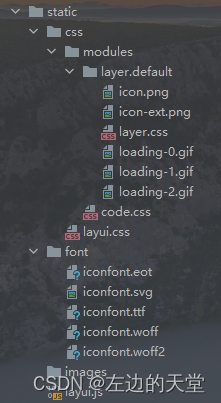
为了压缩jar包的体积,把所有不必要的文件都精简掉了。
以下是index.html内容
<!DOCTYPE html>
<html lang="en" xmlns:th="http://www.thymeleaf.org">
<head><meta charset="UTF-8"><title>测试</title><script th:src="@{/layui.js}"></script><link rel="stylesheet" th:href="@{/css/layui.css}" media="all">
</head>
<body><div class="layui-card"><div class="layui-card-header">操作面板</div><div class="layui-card-body"><div class="layui-tab" lay-filter="window"><ul class="layui-tab-title"><li class="layui-this" lay-id="uploadTab">文件上传</li><li lay-id="downloadTab">文件下載</li></ul><div class="layui-tab-content"><div class="layui-tab-item layui-show"><form id="upload_form" class="layui-form" enctype="multipart/form-data"><div class="layui-form-item"><label class="layui-form-label">文件</label><div class="layui-input-block"><button type="button" class="layui-btn" id="upload"><i class="layui-icon"></i>选择文件</button></div></div><div class="layui-form-item"><div class="layui-input-block"><button id="btnSubmit" class="layui-btn" onclick="return false;">立即提交</button></div></div></form></div><div class="layui-tab-item"><div class="layui-form-item"><label class="layui-form-label">文件</label><div class="layui-input-block"><button type="button" class="layui-btn" id="downloadBtn"><i class="layui-icon"></i>下载文件</button></div></div></div></div></div></div></div>
</body>
</html>
<script>layui.use(['upload', 'layer', 'element'], function () {let $ = layui.jquery, layer = layui.layer, element = layui.element, upload = layui.upload;//执行实例upload.render({elem: '#upload' //绑定元素, url: '/upload' //上传接口, accept: 'file' //允许上传的文件类型,不写默认是图片, acceptMime: ".xlsx,.xls,.DAT,.dat" //不写默认验证图片格式,一定要省略【exts】参数, auto: false //选择文件后不自动上传, bindAction: '#btnSubmit' //指向一个按钮触发上传, before: function (obj) {layer.load(); //上传loading},done: function (res) {console.log(res)layer.closeAll('loading'); //关闭loadinglayer.alert(res.msg);if (res.code === 200) {element.tabChange('window', 'downloadTab');}}, error: function (res) {console.error(res)layer.msg(res.msg);layer.closeAll('loading'); //关闭loading}});$("#downloadBtn").on('click', function () {location.href = "/download";})});
</script>
编辑好测试没问题直接打包放到服务器上执行就可以啦。
三、实现效果
3.1 文件导入

导入成功后会自动切换到【文件下载】的tab页
3.2 文件导出

相关文章:
springboot + thymeleaf + layui 初尝试
一、背景 公司运营的同事有个任务,提供一个数据文件给我,然后从数据库中找出对应的加密串再导出来给他。这个活不算是很难,但时不时就会有需求。 同事给我的文件有时是给excel表格,每一行有4列,逗号隔开,…...
2024年网络安全竞赛-Web安全应用
Web安全应用 (一)拓扑图 任务环境说明: 1.获取PHP的版本号作为Flag值提交;(例如:5.2.14) 2.获取MySQL数据库的版本号作为Flag值提交;(例如:5.0.22) 3.获取系统的内核版本号作为Flag值提交;(例如:2.6.18) 4.获取网站后台管理员admin用户的密码作为Flag值提交…...
【改进YOLOv8】车辆测距预警系统:融合空间和通道重建卷积SCConv改进YOLOv8
1.研究背景与意义 项目参考AAAI Association for the Advancement of Artificial Intelligence 研究背景与意义: 随着交通工具的普及和道路交通的不断增加,车辆安全问题日益凸显。特别是在高速公路等高速道路上,车辆之间的距离和速度差异较…...

YOLOv8改进 | 2023Neck篇 | 利用RepGFPN改进特征融合层(附yaml文件+添加教程)
一、本文介绍 本文给大家带来的改进机制是Damo-YOLO的RepGFPN(重参数化泛化特征金字塔网络),利用其优化YOLOv8的Neck部分,可以在不影响计算量的同时大幅度涨点(亲测在小目标和大目标检测的数据集上效果均表现良好涨点…...

关于“Python”的核心知识点整理大全21
9.3.2 Python 2.7 中的继承 在Python 2.7中,继承语法稍有不同,ElectricCar类的定义类似于下面这样: class Car(object):def __init__(self, make, model, year):--snip-- class ElectricCar(Car):def __init__(self, make, model, year):supe…...

Sui承诺向流动性质押协议投入$SUI
Sui将提供SUI以支持三个流动性质押协议及其相应的流动性质押token( Liquid Staking Tokens,LST),为网络上不断增长的DeFi领域增加了流动性。此次注入将加强LST在交易和其他DeFi 用途中的流动性。 流动性质押让SUI所有者通过将其t…...

不知道CRM系统怎么选?这十款值得推荐
许多想要购买CRM软件的客户都因为市场上产品数量众多而不知从何下手。因此,我们以企业实力、品牌荣誉、企业在行业内的排名情况,结合网络口碑等多种因素为基础,为国内CRM软件建立了以下排行榜,并重点介绍排行榜前十的CRM软件供应商…...
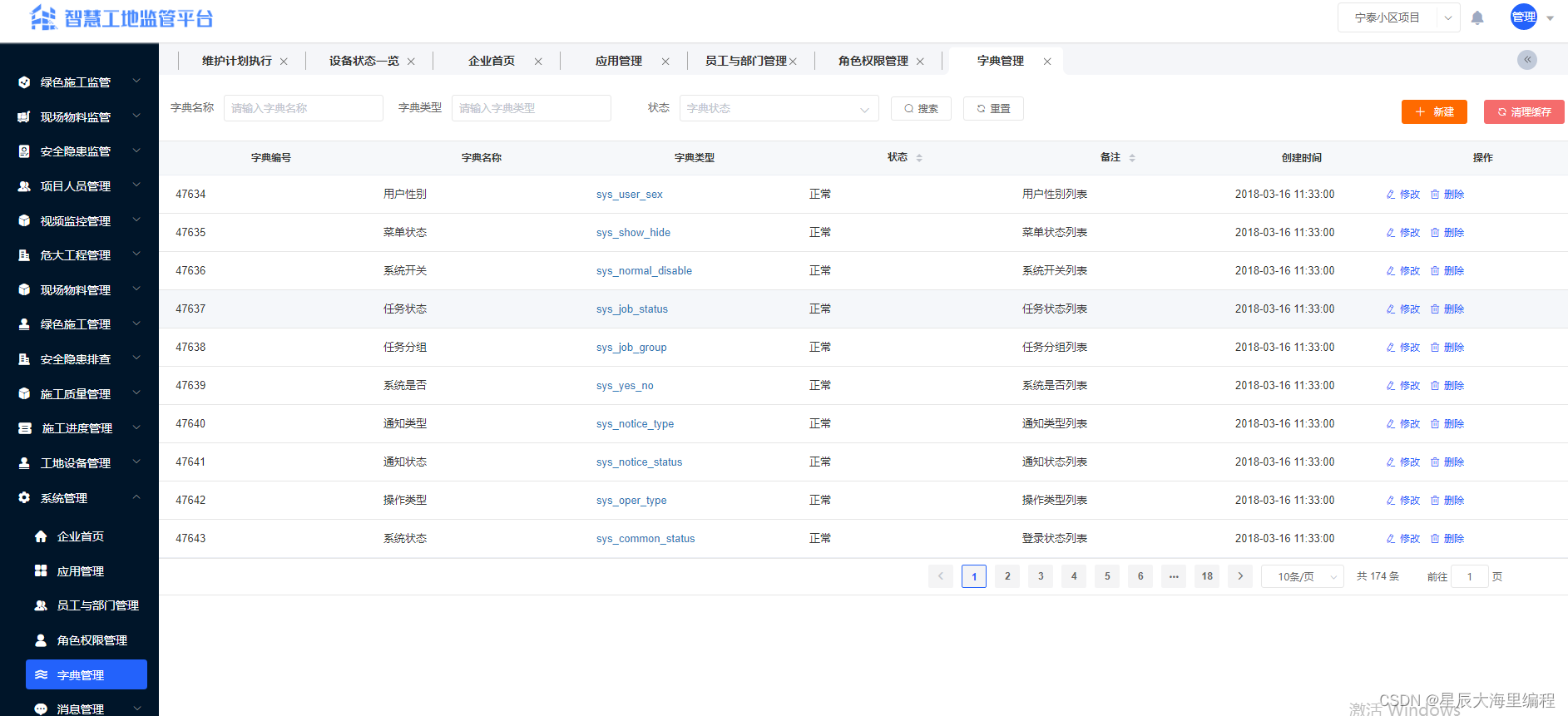
智慧工地源码(微服务+Java+Springcloud+Vue+MySQL)
智慧工地系统是依托物联网、互联网、AI、可视化建立的大数据管理平台,是一种全新的管理模式,能够实现劳务管理、安全施工、绿色施工的智能化和互联网化。围绕施工现场管理的人、机、料、法、环五大维度,以及施工过程管理的进度、质量、安全三…...

有趣的数学 数学建模入门三 数学建模入门示例两例 利用微积分求解
一、入门示例1 1、问题描述 某宾馆有150间客房,经过一段时间的经营,该宾馆经理得到一些数据:如果每间客房定价为200元,入住率为55%;定价为180元,入住率为65%;定价为160元…...
【Monitor, Maintenance Operation, Script code/prgramme】
Summary of M,M&O,Program JD) Monitor & M&O Symbio信必优) Job chance/opportunities on Dec 12th, 20231.1) Content 招聘JD job description:1.2) suggestions from Ms Liang/Winnie on Wechat app1.3) Java微服务是什么?1.3.1) [URL Java 微服务](…...

python接口自动化测试(单元测试方法)
一、环境搭建 python unittest requests实现http请求的接口自动化Python的优势:语法简洁优美, 功能强大, 标准库跟第三方库灰常强大,建议大家事先了解一下Python的基础;unittest是python的标准测试库,相比于其他测试框架是python目前使用最广…...

【css】划过滚动条,滚动条加宽,划出时,变回原宽度
// 全局的滚动条样式 ::-webkit-scrollbar { //滚动条的宽度width: 4px;height: 6px; }::-webkit-scrollbar-thumb { //滚动条的滑块background-color: rgba(144, 147, 153, 0.6);border-radius: 4px; }// 内容区滚动条划过加宽 .content>div>div::-webkit-scrollbar {…...

飞天使-linux操作的一些技巧与知识点5-ansible之roles
文章目录 roles批量替换文件 role 的依赖关系role 的实际案例 roles tasks 和 handlers ,那怎样组织 playbook 才是最好的方式呢?简 单的回答就是:使用 Roles Roles 基于一个已知的文件结构,去自动的加载 vars,tasks 以…...
FPGA - 1、Simulink HDL coder模型例化到FPGA
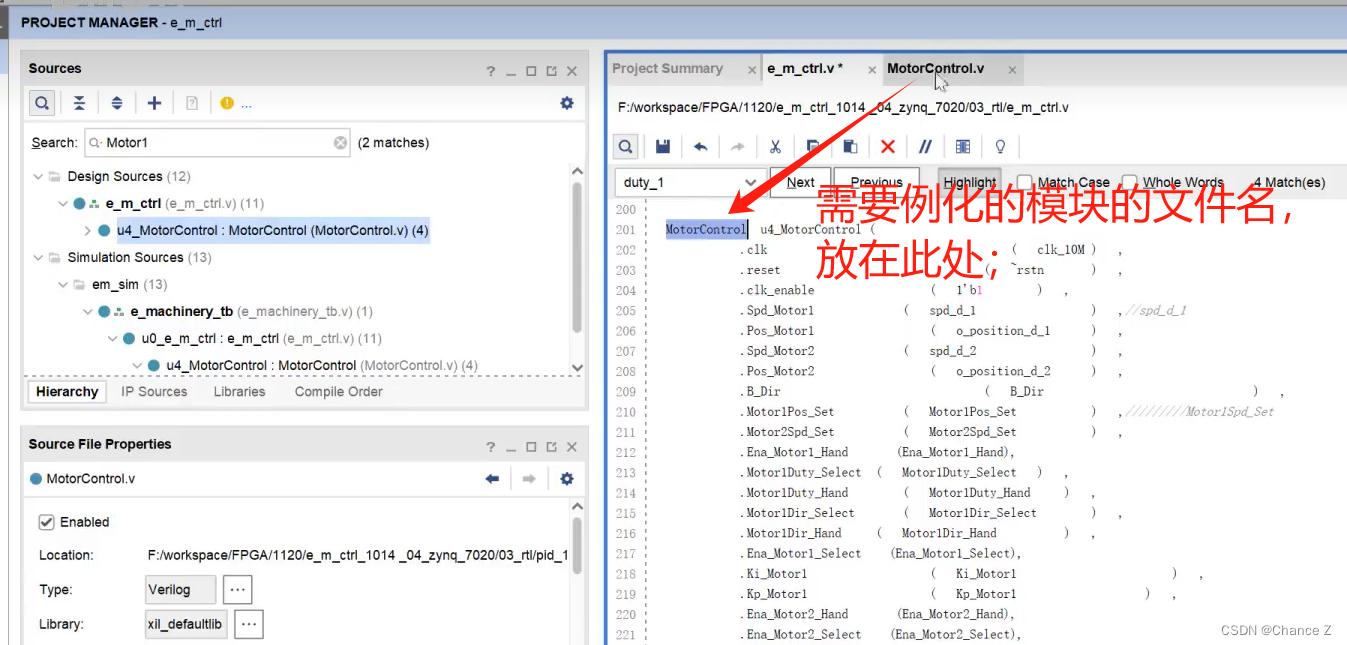
Simulink HDL coder模型例化到FPGA 提示:这里可以添加系列文章的所有文章的目录,目录需要自己手动添加 例如:第一章 Python 机器学习入门之pandas的使用 提示:写完文章后,目录可以自动生成,如何生成可参考右…...
02基于matlab的卡尔曼滤波
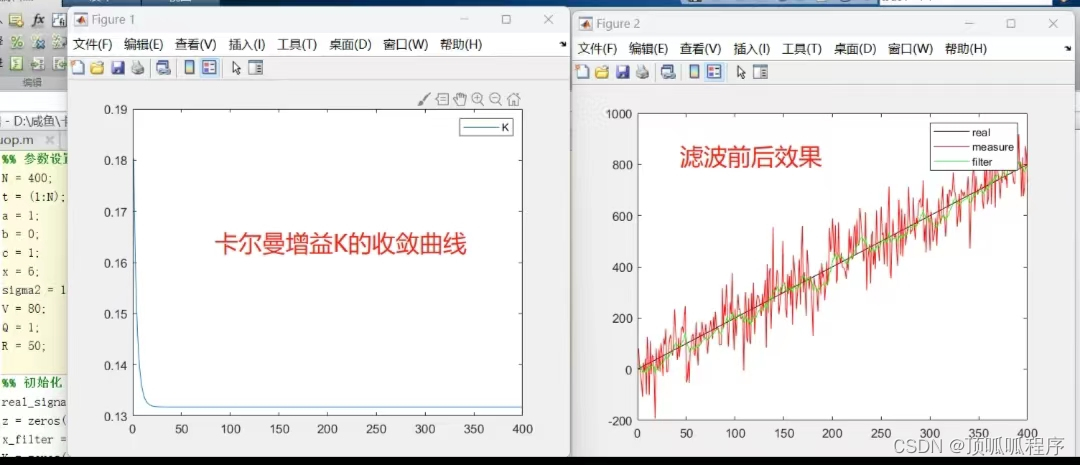
基于matlab的卡尔曼滤波,可更改状态转移方程,控制输入,观测方程,设置生成的信号的噪声标准差,设置状态转移方差Q和观测方差R等参数,程序已调通,需要直接拍下。...
基础算法(3):排序(3)插入排序
1.插入排序实现 插入排序的工作原理是:通过构建有序序列,对于未排序数据,在已经排序的序列从后向前扫描,找到位置并插入,类似于平时打扑克牌时,将牌从大到小排列,每次摸到一张牌就插入到正确的位…...
Vue3-18-侦听器watch()、watchEffect() 的基本使用
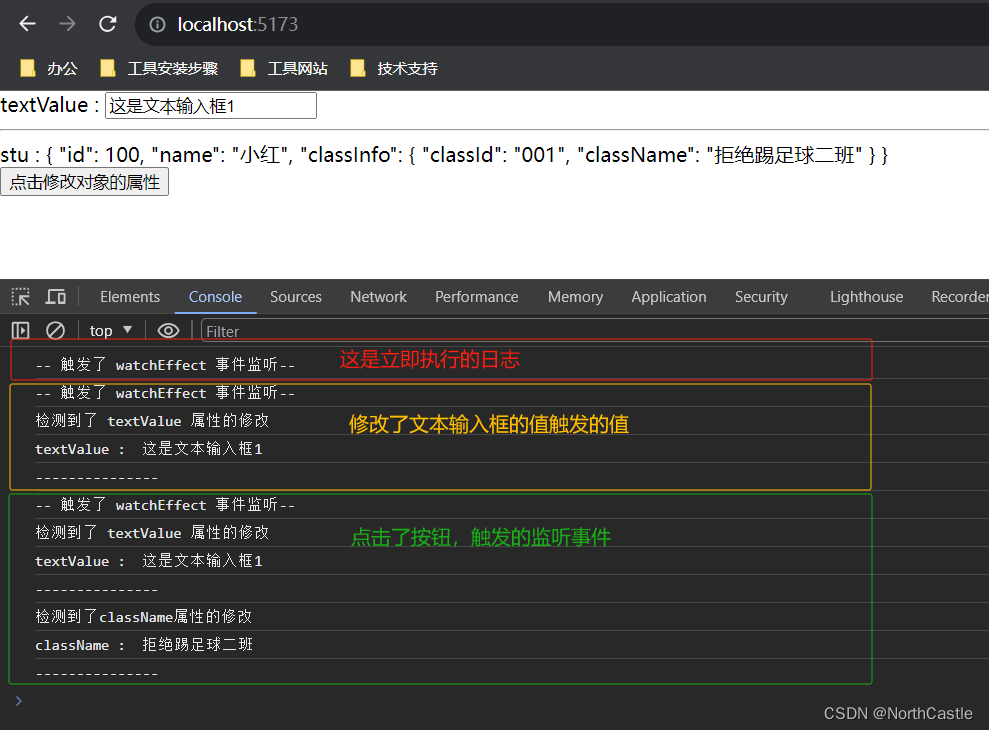
什么是侦听器 个人理解:当有一个响应式状态(普通变量 or 一个响应式对象)发生改变时,我们希望监听到这个改变,并且能够进行一些逻辑处理。那么侦听器就是来帮助我们实现这个功能的。侦听器 其实就是两个函数ÿ…...
mysql 5.7.34升级到5.7.44修补漏洞
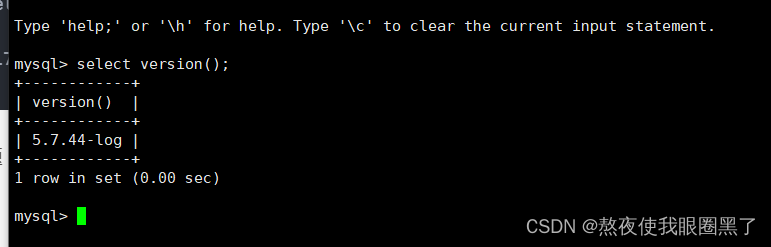
mysql 5.7.34旧版本,漏扫有漏洞,升级到最新版本 旧版本5.7.34在 /home/mysql/mysql中安装 备份旧版本数据还有目录 数据库备份升级 tar -xf mysql-5.7.44-el7-x86_64.tar #覆盖旧版本数据库文件 #注意看看文件是否和你起服务的用户一样 \cp -r mysql-5…...
基于电子密码锁具有掉电存储系统设计
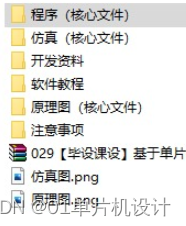
**单片机设计介绍,基于电子密码锁具有掉电存储系统设计 文章目录 一 概要二、功能设计设计思路 三、 软件设计原理图 五、 程序六、 文章目录 一 概要 电子密码锁是一种使用电子技术实现开关门的装置,通常由密码输入板、电控锁、控制电路等组成。其中&a…...

清华大学考研复试上机题之二叉树的遍历
问题描述: 编一个程序,读入用户输入的一串先序遍历字符串,根据此字符串建立一个二叉树(以指针方式存储)。 例如如下的先序遍历字符串:ABC##DE#G##F### 其中#表示的是空格,空格字符代表空树。…...

Vim 调用外部命令学习笔记
Vim 外部命令集成完全指南 文章目录 Vim 外部命令集成完全指南核心概念理解命令语法解析语法对比 常用外部命令详解文本排序与去重文本筛选与搜索高级 grep 搜索技巧文本替换与编辑字符处理高级文本处理编程语言处理其他实用命令 范围操作示例指定行范围处理复合命令示例 实用技…...

SciencePlots——绘制论文中的图片
文章目录 安装一、风格二、1 资源 安装 # 安装最新版 pip install githttps://github.com/garrettj403/SciencePlots.git# 安装稳定版 pip install SciencePlots一、风格 简单好用的深度学习论文绘图专用工具包–Science Plot 二、 1 资源 论文绘图神器来了:一行…...

Python:操作 Excel 折叠
💖亲爱的技术爱好者们,热烈欢迎来到 Kant2048 的博客!我是 Thomas Kant,很开心能在CSDN上与你们相遇~💖 本博客的精华专栏: 【自动化测试】 【测试经验】 【人工智能】 【Python】 Python 操作 Excel 系列 读取单元格数据按行写入设置行高和列宽自动调整行高和列宽水平…...

【AI学习】三、AI算法中的向量
在人工智能(AI)算法中,向量(Vector)是一种将现实世界中的数据(如图像、文本、音频等)转化为计算机可处理的数值型特征表示的工具。它是连接人类认知(如语义、视觉特征)与…...
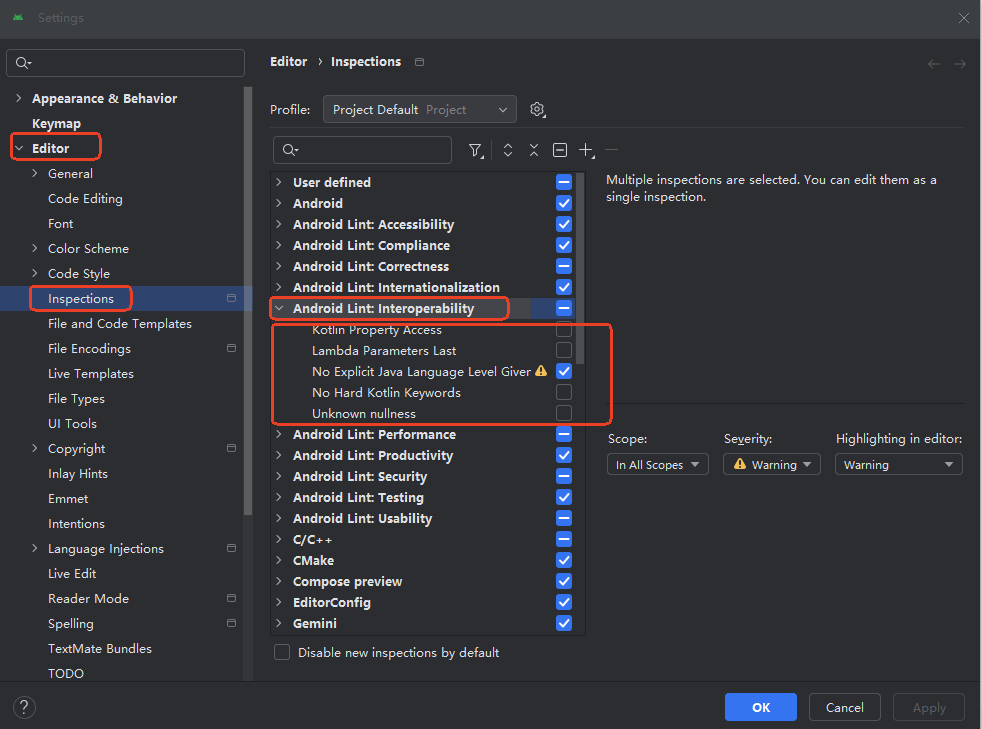
Android 之 kotlin 语言学习笔记三(Kotlin-Java 互操作)
参考官方文档:https://developer.android.google.cn/kotlin/interop?hlzh-cn 一、Java(供 Kotlin 使用) 1、不得使用硬关键字 不要使用 Kotlin 的任何硬关键字作为方法的名称 或字段。允许使用 Kotlin 的软关键字、修饰符关键字和特殊标识…...

无人机侦测与反制技术的进展与应用
国家电网无人机侦测与反制技术的进展与应用 引言 随着无人机(无人驾驶飞行器,UAV)技术的快速发展,其在商业、娱乐和军事领域的广泛应用带来了新的安全挑战。特别是对于关键基础设施如电力系统,无人机的“黑飞”&…...

【SSH疑难排查】轻松解决新版OpenSSH连接旧服务器的“no matching...“系列算法协商失败问题
【SSH疑难排查】轻松解决新版OpenSSH连接旧服务器的"no matching..."系列算法协商失败问题 摘要: 近期,在使用较新版本的OpenSSH客户端连接老旧SSH服务器时,会遇到 "no matching key exchange method found", "n…...
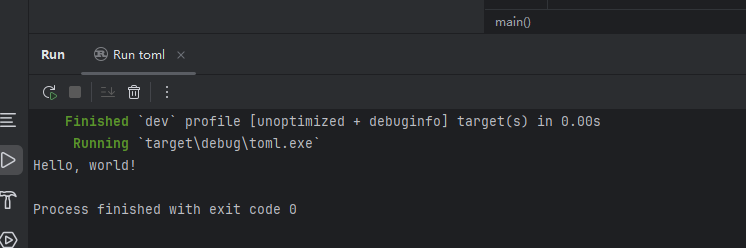
Rust 开发环境搭建
环境搭建 1、开发工具RustRover 或者vs code 2、Cygwin64 安装 https://cygwin.com/install.html 在工具终端执行: rustup toolchain install stable-x86_64-pc-windows-gnu rustup default stable-x86_64-pc-windows-gnu 2、Hello World fn main() { println…...

掌握 HTTP 请求:理解 cURL GET 语法
cURL 是一个强大的命令行工具,用于发送 HTTP 请求和与 Web 服务器交互。在 Web 开发和测试中,cURL 经常用于发送 GET 请求来获取服务器资源。本文将详细介绍 cURL GET 请求的语法和使用方法。 一、cURL 基本概念 cURL 是 "Client URL" 的缩写…...

git: early EOF
macOS报错: Initialized empty Git repository in /usr/local/Homebrew/Library/Taps/homebrew/homebrew-core/.git/ remote: Enumerating objects: 2691797, done. remote: Counting objects: 100% (1760/1760), done. remote: Compressing objects: 100% (636/636…...