
初次在 GitHub 建立仓库以及公开代码的流程 - 公开代码
初次在 GitHub 建立仓库以及公开代码的流程 - 公开代码
- References
在已有仓库中添加代码并公开。
- git clone 已有仓库
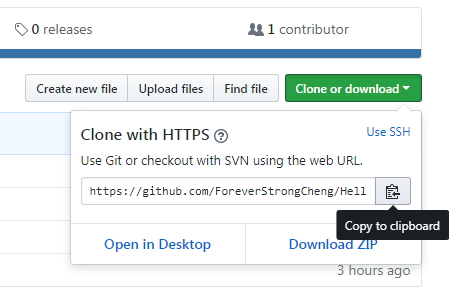
将已有仓库 clone 到本地的开发环境中。
strong@foreverstrong:~$ mkdir github_work
strong@foreverstrong:~$ cd github_work/
strong@foreverstrong:~/github_work$ ll
total 8
drwxrwxr-x  2 strong strong 4096 Dec 17 14:03 ./
drwxr-xr-x 44 strong strong 4096 Dec 17 14:03 ../
strong@foreverstrong:~/github_work$ git clone https://github.com/ForeverStrongCheng/Hello-World.git
Cloning into 'Hello-World'...
remote: Counting objects: 4, done.
remote: Compressing objects: 100% (3/3), done.
Unpacking objects: 100% (4/4), done.
remote: Total 4 (delta 0), reused 0 (delta 0), pack-reused 0
Checking connectivity... done.
strong@foreverstrong:~/github_work$ ll
total 12
drwxrwxr-x  3 strong strong 4096 Dec 17 14:04 ./
drwxr-xr-x 44 strong strong 4096 Dec 17 14:03 ../
drwxrwxr-x  3 strong strong 4096 Dec 17 14:04 Hello-World/
strong@foreverstrong:~/github_work$ cd Hello-World/
strong@foreverstrong:~/github_work/Hello-World$ ll
total 20
drwxrwxr-x 3 strong strong 4096 Dec 17 14:04 ./
drwxrwxr-x 3 strong strong 4096 Dec 17 14:04 ../
drwxrwxr-x 8 strong strong 4096 Dec 17 14:04 .git/
-rw-rw-r-- 1 strong strong  272 Dec 17 14:04 .gitignore
-rw-rw-r-- 1 strong strong   13 Dec 17 14:04 README.md
strong@foreverstrong:~/github_work/Hello-World$
strong@foreverstrong:~/github_work/Hello-World$ git status
On branch master
Your branch is up-to-date with 'origin/master'.
nothing to commit, working directory clean
strong@foreverstrong:~/github_work/Hello-World$
将想要公开的代码提交至这个仓库再 push 到 GitHub 的仓库中,代码便会被公开。
- 编写代码
由于 Hello_World.py 还没有添加至 Git 仓库,所以显示为 untracked files。
strong@foreverstrong:~/github_work/Hello-World$ git status
On branch master
Your branch is up-to-date with 'origin/master'.
Untracked files:(use "git add <file>..." to include in what will be committed)Hello_World.pyimage_data/nothing added to commit but untracked files present (use "git add" to track)
strong@foreverstrong:~/github_work/Hello-World$
- 提交
将 Hello_World.py 提交至仓库。这样一来,这个文件就进入了版本管理系统的管理之下。今后的更改管理都交由 Git 进行。
strong@foreverstrong:~/github_work/Hello-World$ git add .
strong@foreverstrong:~/github_work/Hello-World$ git status
On branch master
Your branch is up-to-date with 'origin/master'.
Changes to be committed:(use "git reset HEAD <file>..." to unstage)new file:   Hello_World.pynew file:   image_data/lena.jpgstrong@foreverstrong:~/github_work/Hello-World$
strong@foreverstrong:~/github_work/Hello-World$ git commit -m "Add Hello World script by Python"
[master a984390] Add Hello World script by Python2 files changed, 21 insertions(+)create mode 100644 Hello_World.pycreate mode 100644 image_data/lena.jpg
strong@foreverstrong:~/github_work/Hello-World$
通过 git add 命令将文件加入暂存区,再通过 git commit 命令提交。
添加成功后,可以通过 git log 命令查看提交日志,输入 q 退出 git log 状态。
strong@foreverstrong:~/github_work/Hello-World$ git log
commit a984390cb3c6b756842675b0cd13f00a6c428e6b
Author: chengyq116 <chengyq116@163.com>
Date:   Sun Dec 17 15:23:42 2017 +0800Add Hello World script by Pythoncommit 8054468596d91cfedab242b08b3fa111d8d68aac
Author: Yongqiang Cheng <chengyq116@163.com>
Date:   Sun Dec 17 13:17:11 2017 +0800Initial commit
strong@foreverstrong:~/github_work/Hello-World$
strong@foreverstrong:~/github_work/Hello-World$ git status
On branch master
Your branch is ahead of 'origin/master' by 1 commit.(use "git push" to publish your local commits)
nothing to commit, working directory clean
strong@foreverstrong:~/github_work/Hello-World$
- 进行 push
执行 push, GitHub 上的仓库就会被更新,代码就在 GitHub 上公开了。
strong@foreverstrong:~/github_work/Hello-World$ git push
warning: push.default is unset; its implicit value has changed in
Git 2.0 from 'matching' to 'simple'. To squelch this message
and maintain the traditional behavior, use:git config --global push.default matchingTo squelch this message and adopt the new behavior now, use:git config --global push.default simpleWhen push.default is set to 'matching', git will push local branches
to the remote branches that already exist with the same name.Since Git 2.0, Git defaults to the more conservative 'simple'
behavior, which only pushes the current branch to the corresponding
remote branch that 'git pull' uses to update the current branch.See 'git help config' and search for 'push.default' for further information.
(the 'simple' mode was introduced in Git 1.7.11. Use the similar mode
'current' instead of 'simple' if you sometimes use older versions of Git)Username for 'https://github.com': chengyq116@163.com
Password for 'https://chengyq116@163.com@github.com':
Counting objects: 5, done.
Delta compression using up to 8 threads.
Compressing objects: 100% (4/4), done.
Writing objects: 100% (5/5), 90.25 KiB | 0 bytes/s, done.
Total 5 (delta 0), reused 0 (delta 0)
To https://github.com/ForeverStrongCheng/Hello-World.git8054468..a984390  master -> master
strong@foreverstrong:~/github_work/Hello-World$ git status
On branch master
Your branch is up-to-date with 'origin/master'.
nothing to commit, working directory clean
strong@foreverstrong:~/github_work/Hello-World$
References
[1] Yongqiang Cheng, https://yongqiang.blog.csdn.net/
[2] (日) 大塚弘记 著, 支鹏浩, 刘斌 译. GitHub入门与实践[M]. 北京:人民邮电出版社, 2015. 1-255
[3] 初次在 GitHub 建立仓库以及公开代码的流程 - 建立仓库, https://yongqiang.blog.csdn.net/article/details/137360191
相关文章:
初次在 GitHub 建立仓库以及公开代码的流程 - 公开代码
初次在 GitHub 建立仓库以及公开代码的流程 - 公开代码 References 在已有仓库中添加代码并公开。 git clone 已有仓库 将已有仓库 clone 到本地的开发环境中。 strongforeverstrong:~$ mkdir github_work strongforeverstrong:~$ cd github_work/ strongforeverstrong:~/git…...
论文笔记 - :MonoLSS: Learnable Sample Selection For Monocular 3D Detection
论文笔记✍MonoLSS: Learnable Sample Selection For Monocular 3D Detection 📜 Abstract 🔨 主流做法限制 : 以前的工作以启发式的方式使用特征来学习 3D 属性,没有考虑到不适当的特征可能会产生不利影响。 🔨 本…...

LVS、HAProxy
集群:将很多个机器组织到一起,作为一个整体对外提供服务。集群在扩展性、性能方面都可以做到很灵活。集群的分类:负载均衡集群:Load Balance。高可用集群:High Available。高性能集群:High Performance Com…...
开发环境->生产环境
1、数据迁移 不涉及docker # 以数据库用户导出数据 mysqldump -h 192.168.1.168 -P 3307 -u abragent -pabragebb17 abragent > abragent.sql# 以root用户导出数据 mysqldump -h 192.168.1.168 -P 3307 -u root -p8d3Ba1b abragent > abragent.sql 涉及docker …...
基于AI智能识别技术的智慧展览馆视频监管方案设计
一、建设背景 随着科技的不断进步和社会安全需求的日益增长,展览馆作为展示文化、艺术和科技成果的重要场所,其安全监控系统的智能化升级已成为当务之急。为此,旭帆科技(TSINGSEE青犀)基于视频智能分析技术推出了展览…...
Leetcode-894-所有可能的真二叉树-c++
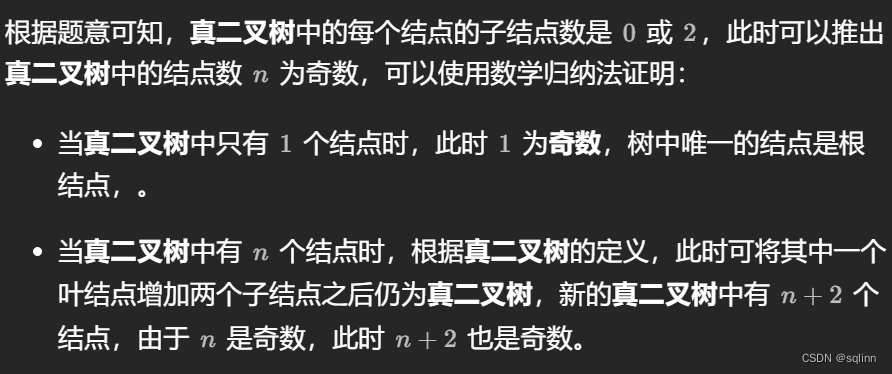
题目详见https://leetcode.cn/problems/all-possible-full-binary-trees/ 主搞动态规划,因为这玩意儿我还不是很懂 关于节点个数为奇数偶数的证明请见官方题解方法一中的如下内容: 这里DP的一个主要思想是:对于任何一个满二叉树ÿ…...
Django DRF视图
文章目录 一、DRF类视图介绍APIViewGenericAPIView类ViewSet类ModelViewSet类重写方法 二、Request与ResponseRequestResponse 参考 一、DRF类视图介绍 在DRF框架中提供了众多的通用视图基类与扩展类,以简化视图的编写。 • View:Django默认的视图基类&…...

SQLite全文搜索引擎:实现原理、应用实践和版本差异
文章目录 一、实现原理1.1 倒排索引1.2 虚拟表 二、应用在工程上的实施方法2.1 创建FTS虚拟表2.2 插入数据2.3 全文搜索2.4 关联普通表2.5 更新和删除数据2.6 优化FTS虚拟表2.7 小结 三、FTS3、FTS4和FTS5的区别3.1 FTS33.2 FTS43.3 FTS53.4 小结 四、更新SQLite的FTS版本的步骤…...

day17-二叉树part04
110.平衡二叉树 (优先掌握递归)后序遍历 左右中 class Solution {public boolean isBalanced(TreeNode root) {return getHeight(root) ! -1;}//递归三部曲 确定方法的参数与返回值private int getHeight(TreeNode root){//明确终止条件if(root null){r…...
书生浦语第一次课
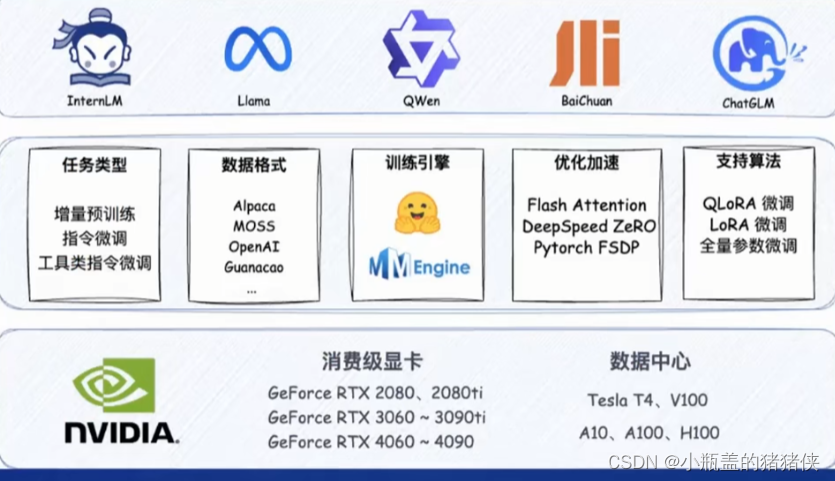
模型的发展 从专业模型到通用模型 书生浦语大模型全链路开源体系 2023.06.07 -> InternLM千亿参数语言大模型发布 2023.07.06 -> InternLM千亿参数语言大模型全面升级,支持8K语境、26种语言。全面开源、免费商用:InternLM-7B、全链条开源工具…...

UE小:UE5.3无法创建C++工程
当您在使用Unreal Engine (UE) 构建项目时,如果遇到以下问题: Running C:/Program Files/Epic Games/UE\_5.3/Engine/Build/BatchFiles/Build.bat -projectfiles -project"C:/UEProject/Shp\_1/Shp\_1.uproject" -game -rocket -progress Usi…...

FFmpeg获取视频详情
话不多说,直接上代码: pom依赖: <!--视频多媒体工具包 包含 FFmpeg、OpenCV--><dependency><groupId>org.bytedeco</groupId><artifactId>javacv-platform</artifactId><version>1.5.3</versi…...

find: paths must precede expression
find: paths must precede expression 1. find: paths must precede expression2. 请在搜索字符串上添加单引号或者双引号References 1. find: paths must precede expression strongforeverstrong:~/ForeverStrong$ find /home/strong/ForeverStrong/image_results/ -name *.…...
RabbitMQ3.x之九_Docker中安装RabbitMQ
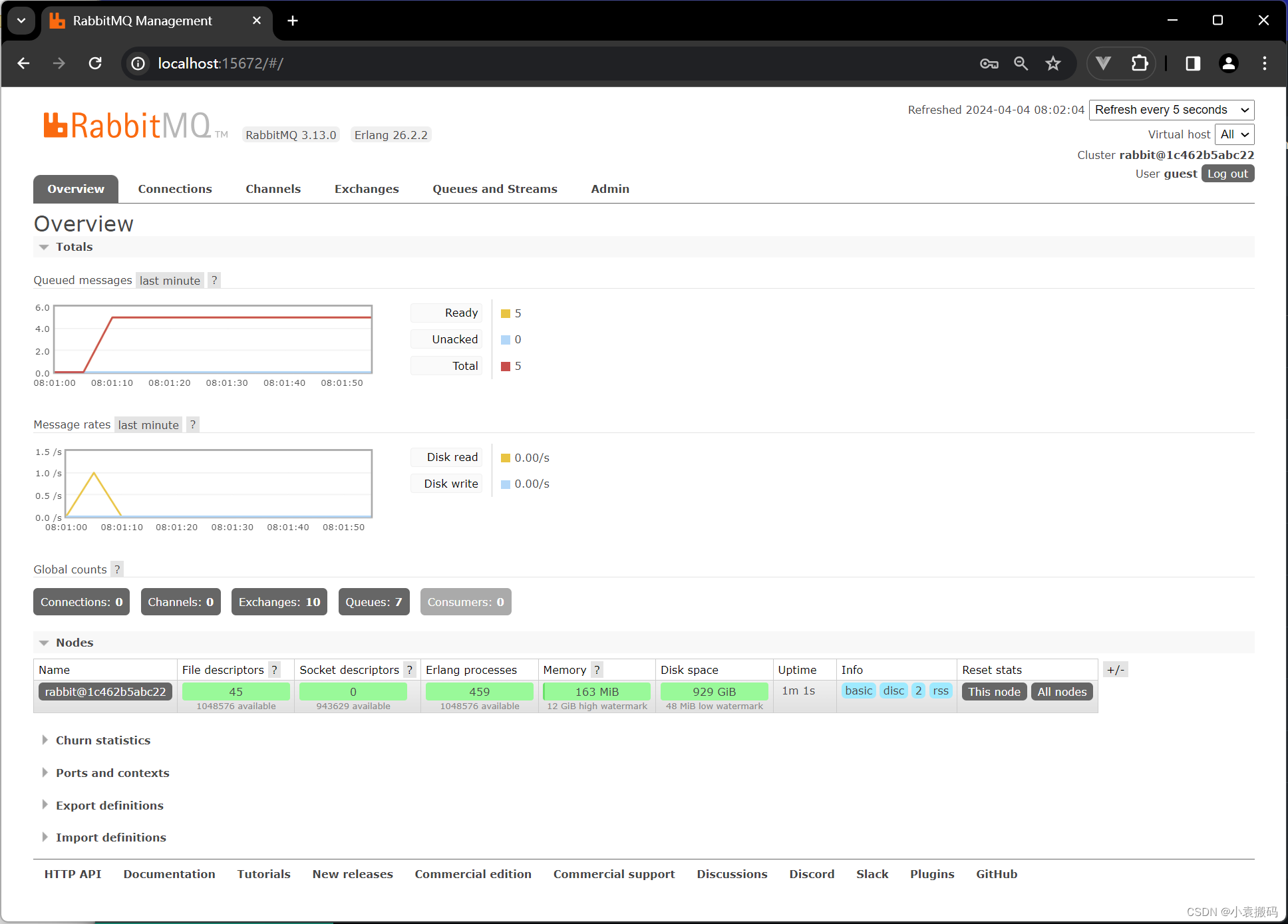
RabbitMQ3.x之_Docker中安装RabbitMQ 文章目录 RabbitMQ3.x之_Docker中安装RabbitMQ1. 官网2. 安装1 .拉取镜像2. 运行容器 3. 访问 1. 官网 rabbitmq - Official Image | Docker Hub 2. 安装 1 .拉取镜像 docker pull rabbitmq:3.13.0-management2. 运行容器 # latest Rabb…...
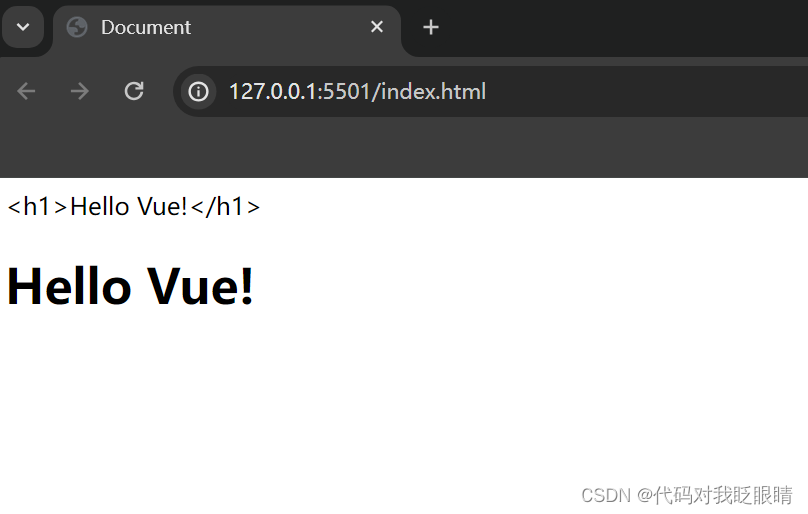
vue快速入门(四)v-html
注释很详细,直接上代码 上一篇 新增内容 使用v-html将文本以html的方式显示 源码 <!DOCTYPE html> <html lang"en"> <head><meta charset"UTF-8"><meta name"viewport" content"widthdevice-width, …...
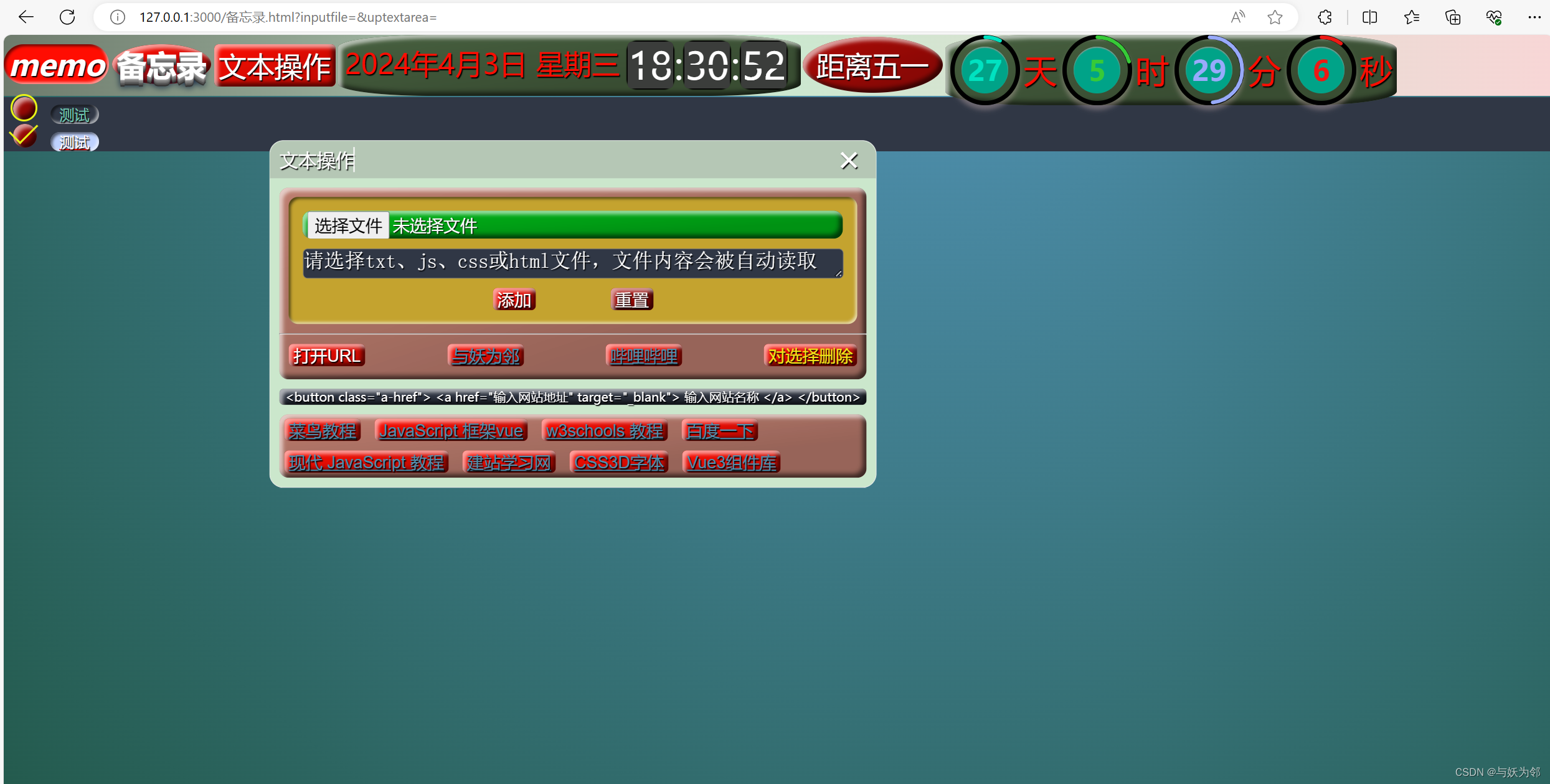
第19次修改了可删除可持久保存的前端html备忘录:换了一个特别的倒计时时钟
第19次修改了可删除可持久保存的前端html备忘录:换了一个特别的倒计时时钟 <!DOCTYPE html> <html lang"zh"> <head><meta charset"UTF-8"><meta http-equiv"X-UA-Compatible" content"IEedge"><met…...
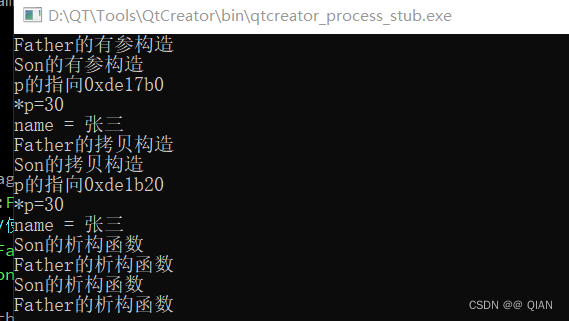
C++ 2024-4-1 作业
#include <iostream> using namespace std;class A { public:int a;A(int a):a(a){cout<<"A的有参构造"<<endl;} }; class B:virtual public A { public:int b;B(int a,int b):A(a),b(b){cout<<"B的有参构造"<<endl;} }; cl…...
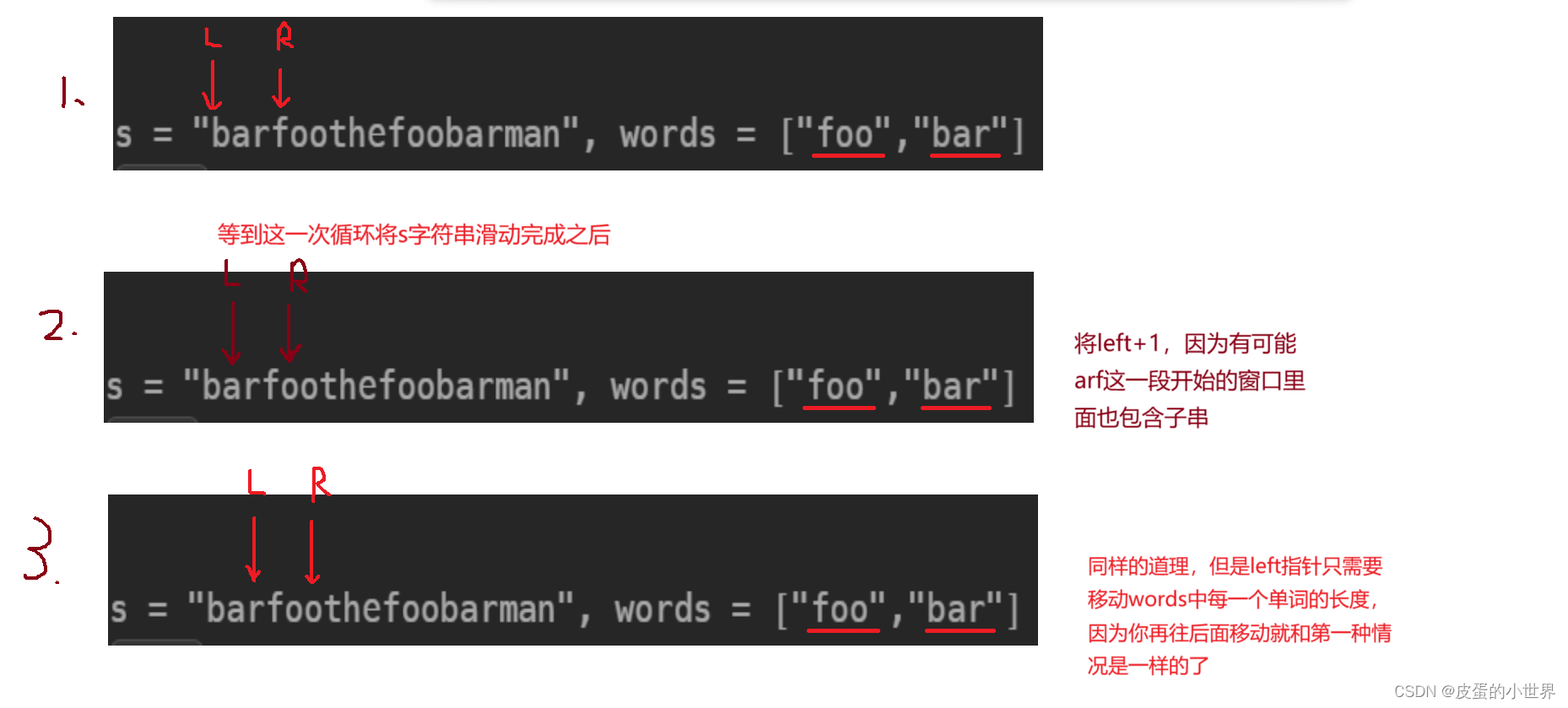
【滑动窗口】Leetcode 串联所有单词的子串
题目解析 30. 串联所有单词的子串 本题的意思就是在目标串s中寻找能够找到的words字符串的全排列,返回起始位置 算法讲解 我们可以将这道题转化为寻找目标串的words字母的异位词,按照上一次讲解的【滑动窗口】Leetcode 找到字符串中所有字母异位词我们…...

golang channel实践代码及注意事项
在使用Go语言(Golang)的通道(Channel)时,有几个重要的注意点可以帮助开发者更安全、高效地使用它们进行并发编程。以下是一些关键的注意事项: 选择正确的通道类型:Go语言提供了两种类型的通道&…...
面试题:RabbitMQ 消息队列中间件
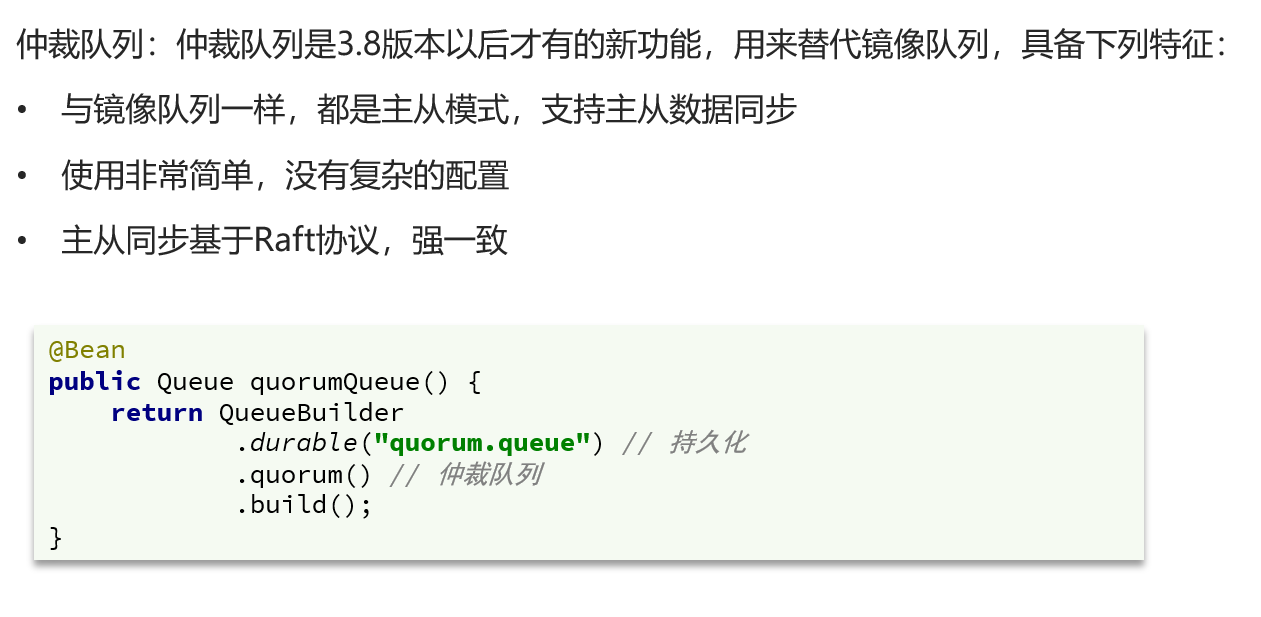
1. 确保消息不丢失 生产者确认机制 确保生产者的消息能到达队列,如果报错可以先记录到日志中,再去修复数据持久化功能 确保消息未消费前在队列中不会丢失,其中的交换机、队列、和消息都要做持久化消费者确认机制 由spring确认消息处理成功后…...
业务系统对接大模型的基础方案:架构设计与关键步骤
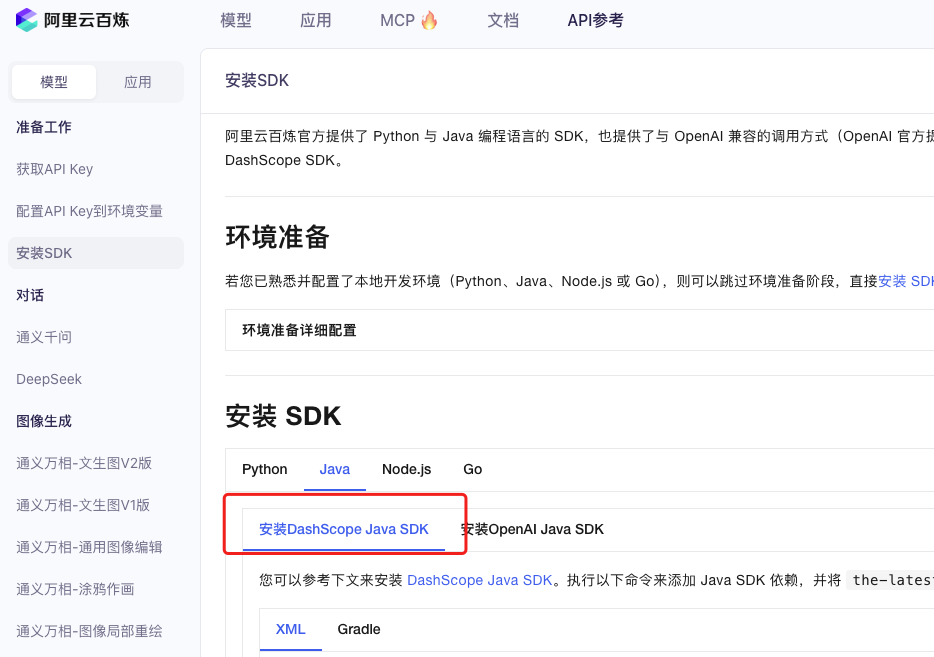
业务系统对接大模型:架构设计与关键步骤 在当今数字化转型的浪潮中,大语言模型(LLM)已成为企业提升业务效率和创新能力的关键技术之一。将大模型集成到业务系统中,不仅可以优化用户体验,还能为业务决策提供…...

深入剖析AI大模型:大模型时代的 Prompt 工程全解析
今天聊的内容,我认为是AI开发里面非常重要的内容。它在AI开发里无处不在,当你对 AI 助手说 "用李白的风格写一首关于人工智能的诗",或者让翻译模型 "将这段合同翻译成商务日语" 时,输入的这句话就是 Prompt。…...
循环冗余码校验CRC码 算法步骤+详细实例计算
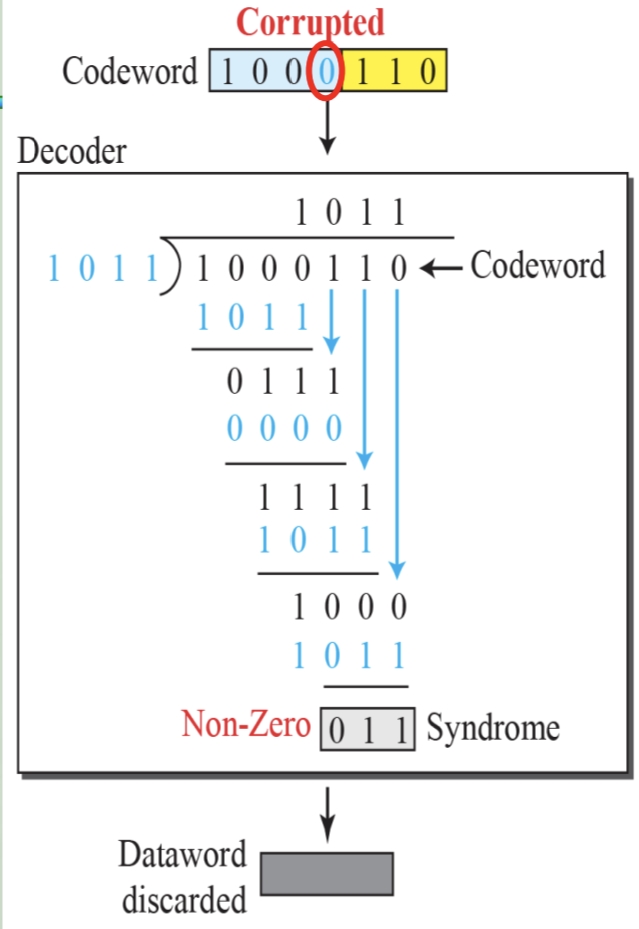
通信过程:(白话解释) 我们将原始待发送的消息称为 M M M,依据发送接收消息双方约定的生成多项式 G ( x ) G(x) G(x)(意思就是 G ( x ) G(x) G(x) 是已知的)࿰…...

大模型多显卡多服务器并行计算方法与实践指南
一、分布式训练概述 大规模语言模型的训练通常需要分布式计算技术,以解决单机资源不足的问题。分布式训练主要分为两种模式: 数据并行:将数据分片到不同设备,每个设备拥有完整的模型副本 模型并行:将模型分割到不同设备,每个设备处理部分模型计算 现代大模型训练通常结合…...

汇编常见指令
汇编常见指令 一、数据传送指令 指令功能示例说明MOV数据传送MOV EAX, 10将立即数 10 送入 EAXMOV [EBX], EAX将 EAX 值存入 EBX 指向的内存LEA加载有效地址LEA EAX, [EBX4]将 EBX4 的地址存入 EAX(不访问内存)XCHG交换数据XCHG EAX, EBX交换 EAX 和 EB…...
如何在最短时间内提升打ctf(web)的水平?
刚刚刷完2遍 bugku 的 web 题,前来答题。 每个人对刷题理解是不同,有的人是看了writeup就等于刷了,有的人是收藏了writeup就等于刷了,有的人是跟着writeup做了一遍就等于刷了,还有的人是独立思考做了一遍就等于刷了。…...
如何在网页里填写 PDF 表格?
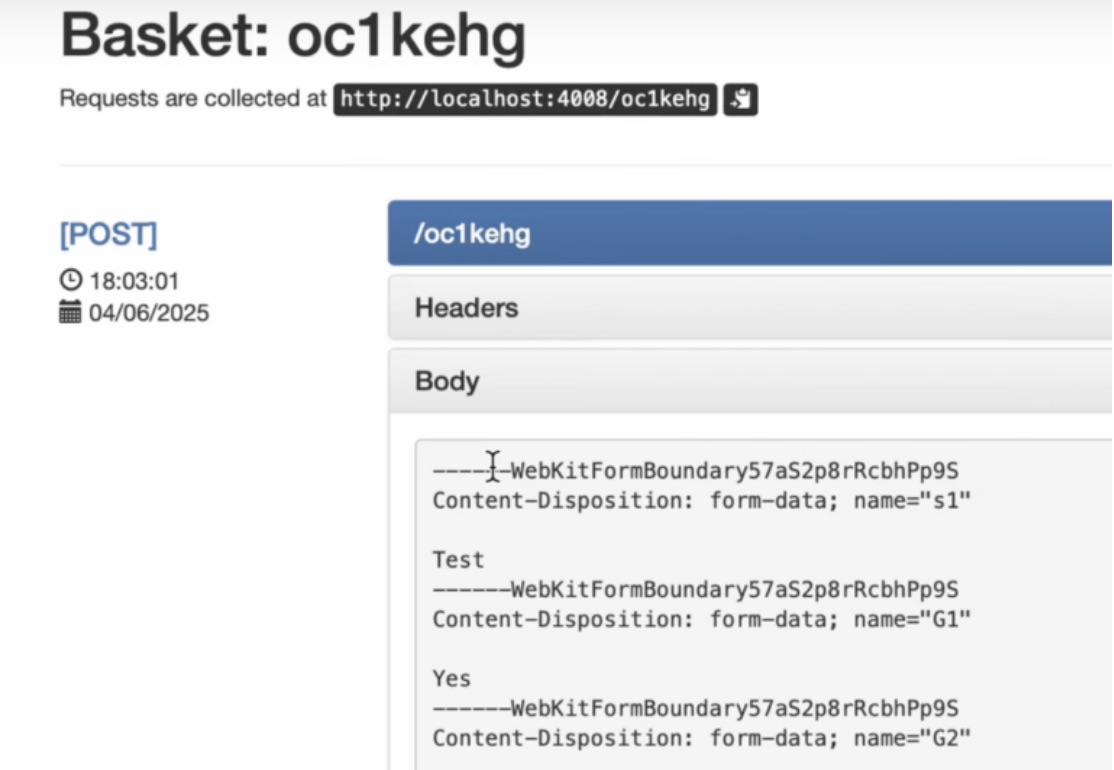
有时候,你可能希望用户能在你的网站上填写 PDF 表单。然而,这件事并不简单,因为 PDF 并不是一种原生的网页格式。虽然浏览器可以显示 PDF 文件,但原生并不支持编辑或填写它们。更糟的是,如果你想收集表单数据ÿ…...
)
Angular微前端架构:Module Federation + ngx-build-plus (Webpack)
以下是一个完整的 Angular 微前端示例,其中使用的是 Module Federation 和 npx-build-plus 实现了主应用(Shell)与子应用(Remote)的集成。 🛠️ 项目结构 angular-mf/ ├── shell-app/ # 主应用&…...
20个超级好用的 CSS 动画库
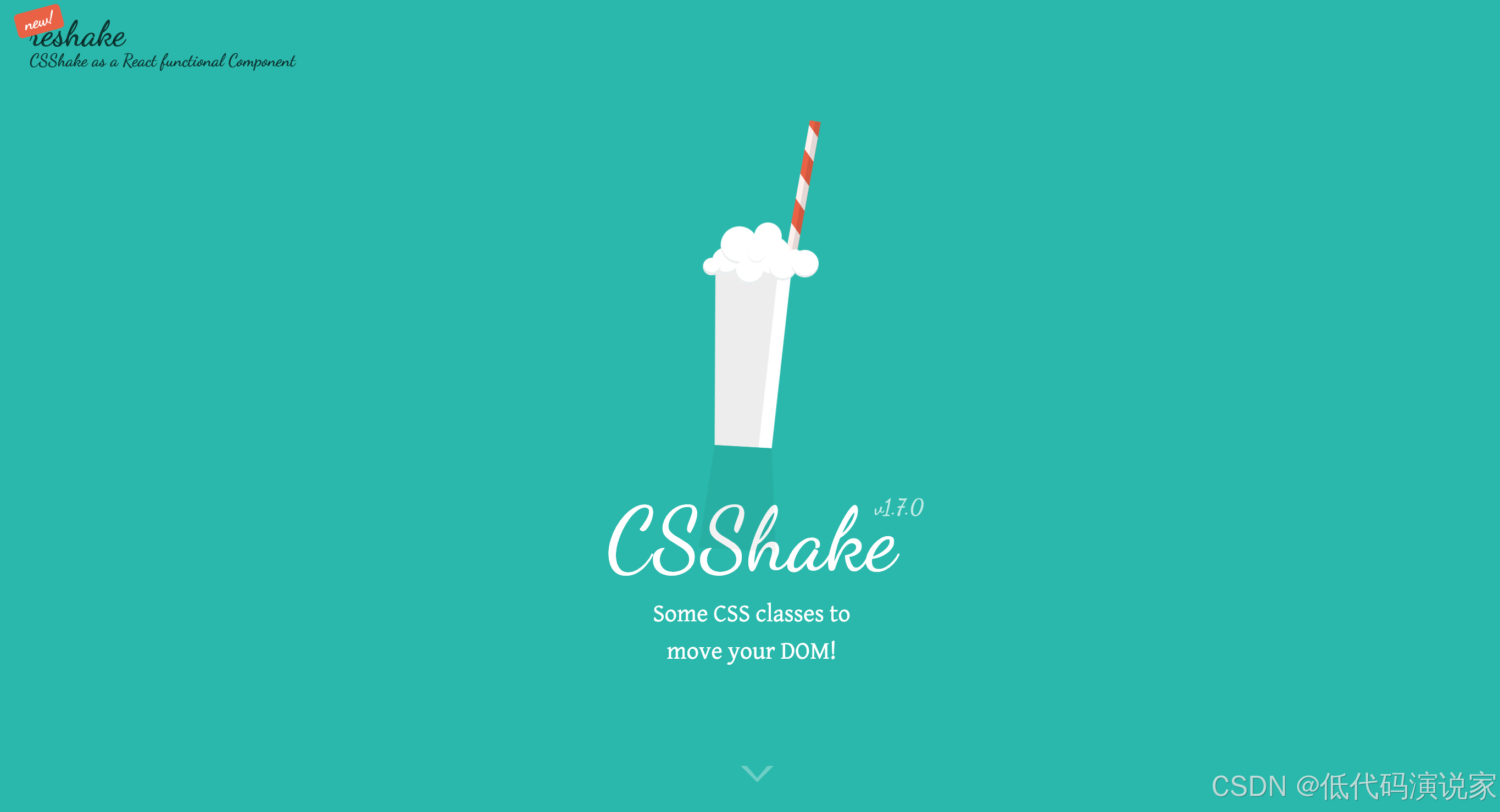
分享 20 个最佳 CSS 动画库。 它们中的大多数将生成纯 CSS 代码,而不需要任何外部库。 1.Animate.css 一个开箱即用型的跨浏览器动画库,可供你在项目中使用。 2.Magic Animations CSS3 一组简单的动画,可以包含在你的网页或应用项目中。 3.An…...

Web中间件--tomcat学习
Web中间件–tomcat Java虚拟机详解 什么是JAVA虚拟机 Java虚拟机是一个抽象的计算机,它可以执行Java字节码。Java虚拟机是Java平台的一部分,Java平台由Java语言、Java API和Java虚拟机组成。Java虚拟机的主要作用是将Java字节码转换为机器代码&#x…...