
表 ,索引的 degree 检查, trim(degree) default INSTANCES
检查degree >1 的
select substr(owner,1,15) Owner , ltrim(degree) Degree,
ltrim(instances) Instances,
count(*) "Num Tables" , 'Parallel'
from dba_tables
where ( trim(degree) > '1' )
and table_name not like 'ET$%'
group by owner, degree , instances
order by owner;
--select *from dba_tables where ( trim(degree) > '1' )
select substr(owner,1,15) Owner ,
substr(trim(degree),1,7) Degree ,
substr(trim(instances),1,9) Instances ,
count(*) "Num Indexes",
'Parallel'
from dba_indexes
where ( trim(degree) > '1' ) or
( trim(instances) != '1' and trim(instances) != '0' )
group by owner, degree , instances
order by owner;
--select * from dba_indexes where ( trim(degree) > '1' ) or ( trim(instances) != '1' and trim(instances) != '0' )
alter index xxx noparallel change default to 1
----------------- degree default
For index maintenance (online rebuild). The session level degree of parallelism was altered to a higher value.
Alter session force parallel DDL parallel 12;
Alter session force parallel Query parallel 12;
Alter session force parallel DML parallel 12;
ALTER INDEX index_name rebuild ONLINE;
QUESTION : After the above maintenance, the index DOP is reflecting 12 instead of the default.
Is this an expected behavior ?
CHANGES
CAUSE
This is expected behavior.
SOLUTION
FORCE Clause
FORCE forces parallel execution of subsequent statements in the session. If no parallel clause or hint is specified, then a default degree of parallelism is used. This clause overrides any parallel_clause specified in subsequent statements in the session but is overridden by a parallel hint.
DML: Provided no parallel DML restrictions are violated, subsequent DML statements in the session are executed with the default degree of parallelism, unless a degree is specified in this clause.
DDL: Subsequent DDL statements in the session are executed with the default degree of parallelism, unless a degree is specified in this clause. Resulting database objects will have associated with them the prevailing degree of parallelism. >>>>>>>>>>>>>>
Specifying FORCE DDL automatically causes all tables created in this session to be created with a default level of parallelism. The effect is the same as if you had specified the parallel_clause (with the default degree) in the CREATE TABLE statement.
QUERY: Subsequent queries are executed with the default degree of parallelism, unless a degree is specified in this clause.
--------------------
This article has been written to explain the formula to compute the new default value for the Database parameter PARALLEL_MAX_SERVERS in 11.2.0.2 and above.
DETAILS
With 11.2.0.2 & above, there is a new method to compute the default for PARALLEL_MAX_SERVERS.
In the Oracle Rdbms Reference Guide we find:
parallel_max_servers = PARALLEL_THREADS_PER_CPU * CPU_COUNT * concurrent_parallel_users * 5
In the formula, the value assigned to concurrent_parallel_users running at the default degree of parallelism on an
instance is dependent on the memory management setting.
- If automatic memory management is disabled (manual mode), then the value of concurrent_parallel_users is 1.
- If PGA automatic memory management is enabled, then the value of concurrent_parallel_users is 2.
- If global memory management or SGA memory target is used in addition to PGA automatic memory management,
then the value of concurrent_parallel_users is 4.
The value is capped by processes -15 (this is true for versions prior 11.2.0.2 as well).
As example we have the following values
parallel_threads_per_cpu = 2
cpu_count = 4
pga_aggregate_target = 500M
sga_target = 900M
processes = 150
parallel_max_servers = 2 * 4 * 4 * 5 = 160
parallel_max_servers = min( 150-15 , 160 ) = 135
So with these values we get a default of 135 for parallel_max_servers.
Note if the parallel_max_servers is reduced due to value of processes, then you see similar to the following in alert log (e.g. at instance start up):
Mon May 06 18:43:06 2013
Adjusting the default value of parameter parallel_max_servers
from 160 to 135 due to the value of parameter processes (150)
Starting ORACLE instance (normal)
------check degree
Provide script for a DBA to check the degree of parallelism on tables and indexes.
SOLUTION
Requirements
Any tool that can execute SQL in the database. A simple one is SQLPlus.
Configuring
No configuration needed, other than remove the column formatting lines if not executed in SQLPlus.
Instructions
The scripts can be run with copy and paste after connected to the database as a user who has select access on the queried objects.
Script
Check Script
-------------
col name format a30
col value format a20
Rem How many CPU does the system have?
Rem Default degree of parallelism is
Rem Default = parallel_threads_per_cpu * cpu_count
Rem -------------------------------------------------;
select substr(name,1,30) Name , substr(value,1,5) Value
from v$parameter
where name in ('parallel_threads_per_cpu' , 'cpu_count' );
col owner format a30
col degree format a10
col instances format a10
Rem Normally DOP := degree * Instances
Rem See the following Note for the exact formula.
Rem Note:260845.1 Old and new Syntax for setting Degree of Parallelism
Rem How many tables a user have with different DOPs
Rem -------------------------------------------------------;
select * from (
select substr(owner,1,15) Owner , ltrim(degree) Degree,
ltrim(instances) Instances,
count(*) "Num Tables" , 'Parallel'
from all_tables
where ( trim(degree) != '1' and trim(degree) != '0' ) or
( trim(instances) != '1' and trim(instances) != '0' )
group by owner, degree , instances
union
select substr(owner,1,15) owner , '1' , '1' ,
count(*) , 'Serial'
from all_tables
where ( trim(degree) = '1' or trim(degree) = '0' ) and
( trim(instances) = '1' or trim(instances) = '0' )
group by owner
)
order by owner;
Rem How many indexes a user have with different DOPs
Rem ---------------------------------------------------;
select * from (
select substr(owner,1,15) Owner ,
substr(trim(degree),1,7) Degree ,
substr(trim(instances),1,9) Instances ,
count(*) "Num Indexes",
'Parallel'
from all_indexes
where ( trim(degree) != '1' and trim(degree) != '0' ) or
( trim(instances) != '1' and trim(instances) != '0' )
group by owner, degree , instances
union
select substr(owner,1,15) owner , '1' , '1' ,
count(*) , 'Serial'
from all_indexes
where ( trim(degree) = '1' or trim(degree) = '0' ) and
( trim(instances) = '1' or trim(instances) = '0' )
group by owner
)
order by owner;
col table_name format a35
col index_name format a35
Rem Tables that have Indexes with not the same DOP
Rem !!!!! This command can take some time to execute !!!
Rem ---------------------------------------------------;
set lines 150
select substr(t.owner,1,15) Owner ,
t.table_name ,
substr(trim(t.degree),1,7) Degree ,
substr(trim(t.instances),1,9) Instances,
i.index_name ,
substr(trim(i.degree),1,7) Degree ,
substr(trim(i.instances),1,9) Instances
from all_indexes i,
all_tables t
where ( trim(i.degree) != trim(t.degree) or
trim(i.instances) != trim(t.instances) ) and
i.owner = t.owner and
i.table_name = t.table_name;
Sample Output
NAME VALUE
------------------------------ --------------------
cpu_count 2
parallel_threads_per_cpu 2
OWNER DEGREE INSTANCES Num Tables 'PARALLEL'
------------------------------ ---------- ---------- ---------- ------------
APEX_030200 1 1 360 Serial
APEX_040000 1 1 426 Serial
APEX_WS1 1 1 18 Serial
APPQOSSYS 1 1 4 Serial
CTXSYS 1 1 49 Serial
DWHBW 8 1 1 Parallel
DWH_DM DEFAULT DEFAULT 1 Parallel
... OWNER DEGREE INSTANCES Num Indexes 'PARALLEL'
------------------------------ ---------- ---------- ----------- -----------
APEX_030200 1 1 946 Serial
APEX_040000 1 1 1177 Serial
APEX_WS1 1 1 28 Serial
CTXSYS 1 1 59 Serial
DWHBW 1 1 20 Serial
DWH_DM DEFAULT DEFAULT 1 Parallel ... OWNER TABLE_NAME DEGREE INSTANCES INDEX_NAME DEGREE INSTANCES
------------------------------ ----------------------------------- ---------- ---------- ----------------------------------- ---------- ----------
OWBSYS CMPFCOCLASSES 1 1 IDX_FCOUOID DEFAULT DEFAULT
OWBSYS CMPFCOCLASSES 1 1 IDX_FCOCLASSNAMEELEMID DEFAULT DEFAULT
OWBSYS CMPFCOCLASSES 1 1 IDX_FCOOWNINGFOLDER DEFAULT DEFAULT
OWBSYS CMPFCOCLASSES 1 1 IDX_FCONAME DEFAULT DEFAULT
------------------instance default-------------
This notes explain the differences for setting of the DOP ( Degree of Parallelism )
on a object between old and new syntax.
SCOPE
DBA's , Developer's and Engineers.
DETAILS
Before 8.1 we used the syntax
parallel(object, degree, instances)
to define the degree of parallelism. In 8.1 we changed the syntax to
parallel(object, degree )
There was a documentation bug until 10g that the documentation
only used the old syntax.
For the backward compatibilty we convert internally the old into the
next syntax.
When we use the old syntax, a value for instances, does not mean that
we restrict slaves only on this instances.
1.) DOP's on Tables and Indexes
--------------------------------
We use the Matrix above to convert table /index setting's into the next syntax:
Degree Instances new Oracle DOP
--------- --------- ------------------
1 1 1
x Default x
x 1 x
1 Default Default
Default y y
1 y y
Default 1 Default
x y x*y
Default Default Default
Example:
create table test ... parallel (degree 2 instances 3);
is the same as
create table test ... parallel 6;
2.) DOP's setting via Hints
=======都强制了ALTER SESSION 还是并行,这个instance defalut的值是什么呢???
GOAL
What is the reason for which a statement is executed in parallel even so all the conditions of having this in serial are met?
The degree for all the tables involved is set to 1
and
parallel_degree_limit CPU
parallel_degree_policy MANUAL
Much more even when setting:
ALTER SESSION DISABLE PARALLEL DML;
ALTER SESSION DISABLE PARALLEL DDL;
ALTER SESSION DISABLE PARALLEL QUERY;
the statement is still executed in parallel.
SOLUTION
Parallelism was triggered by the fact that instances was set to default for one of the tables even if the degree was set to 1.
SQL> select owner, table_name, degree, instances from dba_tables where table_name='LMCMPHQ';
OWNER TABLE_NAME DEGREE INSTANCES
------------------------------ ------------------------------ ---------- ----------------------------------------
TEST LMTEST 1 DEFAULT
This is expected behaviour as explained into "Old and New Syntax for Setting Degree of Parallelism (Doc ID 260845.1)" when degree is 1 and instances is DEFAULT then the DOP is DEFAULT.
-------------------------
Query executes with DEFAULT PX sessions when Degree=1 on object and no parallel hint is present
CAUSE
When a query shows parallel execution plan even if degree=1 and no hint used, check the value of "INSTANCES" from DBA_TABLES or DBA_INDEXES. A value of DEFAULT for INSTANCES will make the query use DEFAULT degree
e.g.
SQL> create table table_objects as select * from dba_objects union select * from dba_objects union select * from dba_objects union select * from dba_objects union select * from dba_objects union select * from dba_objects union select * from dba_objects;Table created.
SQL> create index table_objects_idx on TABLE_OBJECTS(OBJECT_TYPE,object_name) parallel(DEGREE 1 INSTANCES DEFAULT);Index created.SQL> explain plan for select /*+ index_ffs(table_objects,table_objects_idx) */ count(distinct object_name) from table_objects where OBJECT_TYPE='TABLE';Explained.SQL> select * from table(dbms_xplan.display) ;PLAN_TABLE_OUTPUT
------------------------------------------------------------------------------------------------------------------------------------------------------------------------------------------------------------------------------------------------------------------------------------------------------------
Plan hash value: 2868850136---------------------------------------------------------------------------------------------------------------------------------
| Id  | Operation                      | Name              | Rows  | Bytes | Cost (%CPU)| Time     |    TQ  |IN-OUT| PQ Distrib |
---------------------------------------------------------------------------------------------------------------------------------
|   0 | SELECT STATEMENT               |                   |     1 |    66 |   175   (6)| 00:00:01 |        |      |            |
|   1 |  SORT AGGREGATE                |                   |     1 |    66 |            |          |        |      |            |
|   2 |   PX COORDINATOR               |                   |       |       |            |          |        |      |            |
|   3 |    PX SEND QC (RANDOM)         | :TQ10001          |     1 |    66 |            |          |  Q1,01 | P->S | QC (RAND)  |
|   4 |     SORT AGGREGATE             |                   |     1 |    66 |            |          |  Q1,01 | PCWP |            |
|   5 |      VIEW                      | VW_DAG_0          |  2387 |   153K|   175   (6)| 00:00:01 |  Q1,01 | PCWP |            |
|   6 |       HASH GROUP BY            |                   |  2387 |   184K|   175   (6)| 00:00:01 |  Q1,01 | PCWP |            |
|   7 |        PX RECEIVE              |                   |  2387 |   184K|   175   (6)| 00:00:01 |  Q1,01 | PCWP |            |
|   8 |         PX SEND HASH           | :TQ10000          |  2387 |   184K|   175   (6)| 00:00:01 |  Q1,00 | P->P | HASH       |
|   9 |          HASH GROUP BY         |                   |  2387 |   184K|   175   (6)| 00:00:01 |  Q1,00 | PCWP |            |
|  10 |           PX BLOCK ITERATOR    |                   |  2387 |   184K|   166   (0)| 00:00:01 |  Q1,00 | PCWC |            |
|* 11 |            INDEX FAST FULL SCAN| TABLE_OBJECTS_IDX |  2387 |   184K|   166   (0)| 00:00:01 |  Q1,00 | PCWP |            |
---------------------------------------------------------------------------------------------------------------------------------Predicate Information (identified by operation id):
---------------------------------------------------11 - filter("OBJECT_TYPE"='TABLE')
SQL> select index_name,degree,instances from dba_indexes where index_name='TABLE_OBJECTS_IDX';INDEX_NAME                     DEGREE                                   INSTANCES
------------------------------ ---------------------------------------- ----------------------------------------
TABLE_OBJECTS_IDX              1                                        DEFAULTSQL> alter index table_objects_idx noparallel;Index altered.SQL> select index_name,degree,instances from dba_indexes where index_name='TABLE_OBJECTS_IDX';INDEX_NAME                     DEGREE                                   INSTANCES
------------------------------ ---------------------------------------- ----------------------------------------
TABLE_OBJECTS_IDX              1                                        1SQL> explain plan for select /*+ index_ffs(table_objects,table_objects_idx) */ count(distinct object_name) from table_objects where OBJECT_TYPE='TABLE';Explained.SQL> select * from table(dbms_xplan.display) ;PLAN_TABLE_OUTPUT
------------------------------------------------------------------------------------------------------------------------------------------------------------------------------------------------------------------------------------------------------------------------------------------------------------
Plan hash value: 1073692753---------------------------------------------------------------------------------------------
| Id  | Operation               | Name              | Rows  | Bytes | Cost (%CPU)| Time     |
---------------------------------------------------------------------------------------------
|   0 | SELECT STATEMENT        |                   |     1 |    66 |   168   (2)| 00:00:01 |
|   1 |  SORT AGGREGATE         |                   |     1 |    66 |            |          |
|   2 |   VIEW                  | VW_DAG_0          |  2387 |   153K|   168   (2)| 00:00:01 |
|   3 |    HASH GROUP BY        |                   |  2387 |   184K|   168   (2)| 00:00:01 |
|*  4 |     INDEX FAST FULL SCAN| TABLE_OBJECTS_IDX |  2387 |   184K|   166   (0)| 00:00:01 |
---------------------------------------------------------------------------------------------Predicate Information (identified by operation id):
---------------------------------------------------4 - filter("OBJECT_TYPE"='TABLE')
As observed making the object to NoParallel makes the INSTANCES value to 1 or just to make INSTANCES=1 you can issue : alter index table_objects_idx PARALLEL(INSTANCES 1) ;
SOLUTION
When an object is created with PARALLEL and have INSTANCES=DEFAULT, it will make query to spawn DEFAULT degree. From 11gR2 onwards it is recommended not to use INSTANCES variable in PARALLEL clause
相关文章:
 default INSTANCES)
表 ,索引的 degree 检查, trim(degree) default INSTANCES
检查degree >1 的 select substr(owner,1,15) Owner , ltrim(degree) Degree, ltrim(instances) Instances, count(*) "Num Tables" , Parallel from dba_tables where ( trim(degree) > 1 ) and table_name not like ET$% group by owner, degree , ins…...

Git - Rebase命令介绍
Git rebase 是版本控制系统 Git 中一个功能强大、使用广泛的命令。它用于将一个分支中的改动整合到另一个分支中。rebase与merge不同, merge会创建一个新的提交,而rebase则是将一系列提交移动或合并到一个新的基础提交中。下面是详细解释: G…...
JavaScript 从入门到精通Object(对象)
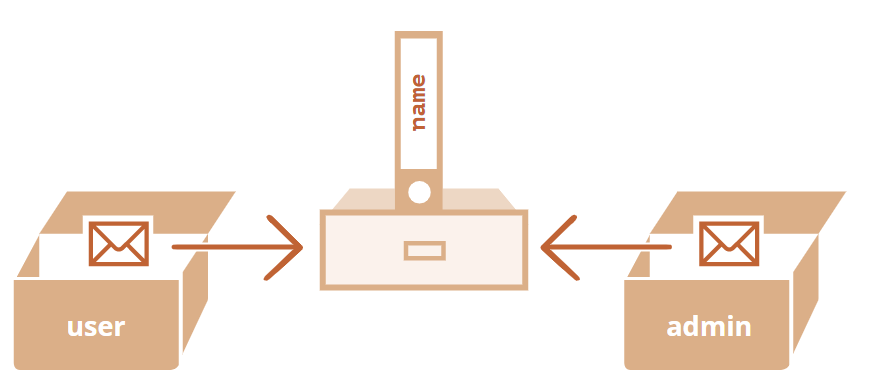
文章目录 对象文本和属性方括号计算属性 属性值简写属性名称限制属性存在性测试,“in” 操作符“for…in” 循环像对象一样排序 总结✅任务你好,对象检查空对象对象属性求和将数值属性值都乘以 2 对象引用和复制通过引用来比较克隆与合并,Obj…...
Postgresql中json和jsonb类型区别
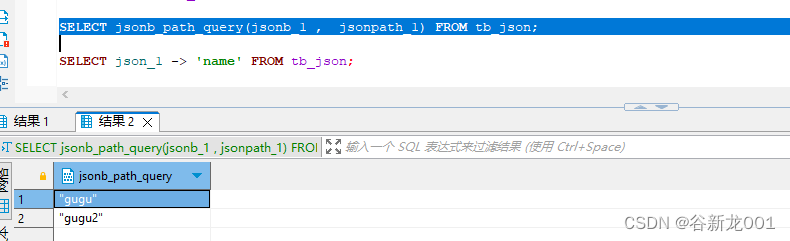
在我们的业务开发中,可能会因为特殊【历史,偷懒,防止表连接】经常会有JSON或者JSONArray类的数据存储到某列中,这个时候再PG数据库中有两种数据格式可以直接一对多或者一对一的映射对象。所以我们也可能会经常用到这类格式数据&am…...
太强了,使用 C# 开发的开源内网穿透工具
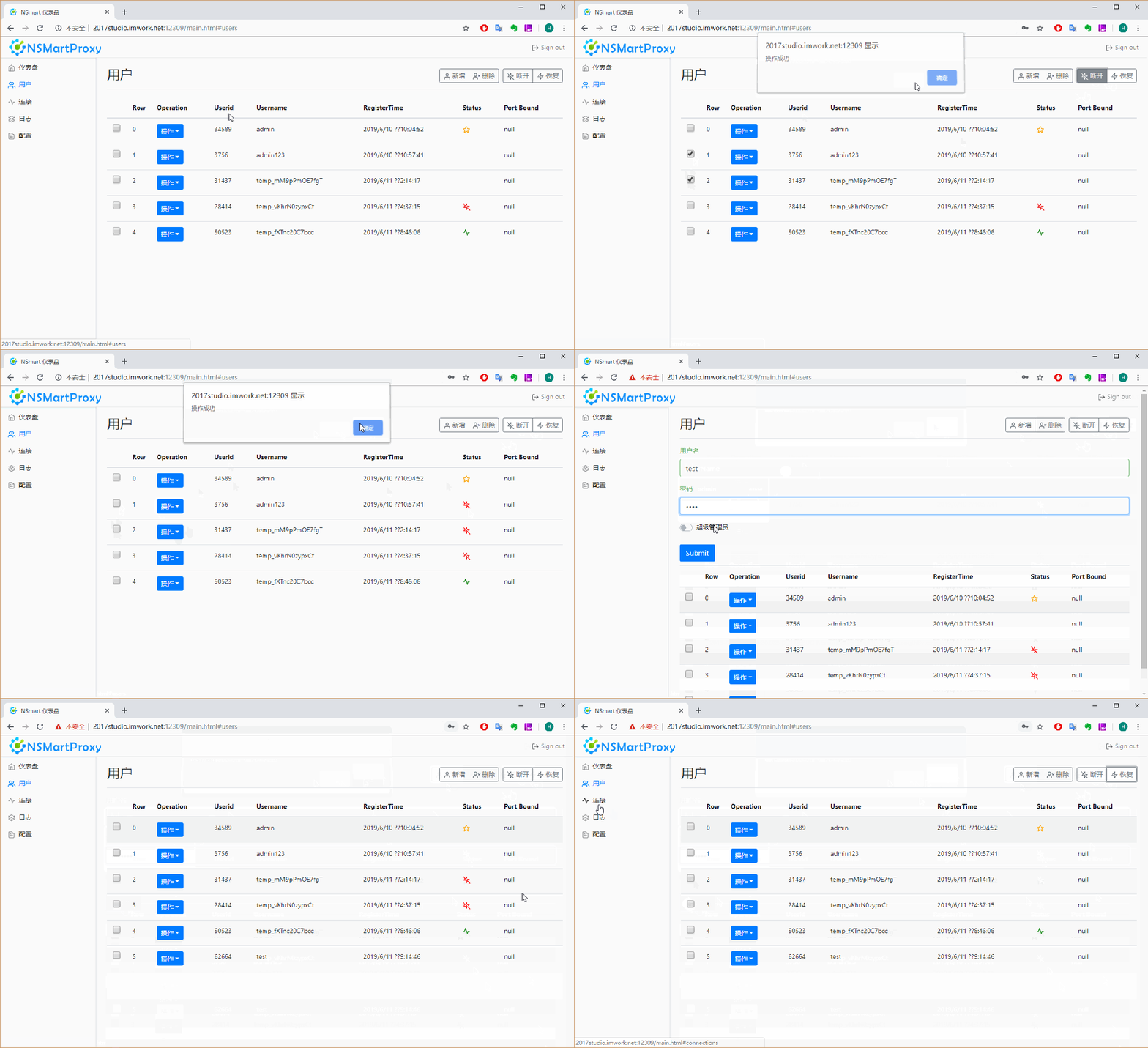
🏆作者:科技、互联网行业优质创作者 🏆专注领域:.Net技术、软件架构、人工智能、数字化转型、DeveloperSharp、微服务、工业互联网、智能制造 🏆欢迎关注我(Net数字智慧化基地),里面…...
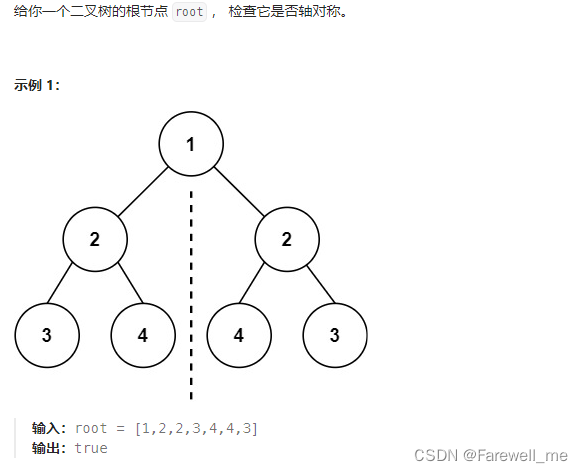
leetcode及牛客网二叉树相关题、单值二叉树、相同的树、二叉树的前序、中序、后序遍历、另一棵树的子树、二叉树的遍历、 对称二叉树等的介绍
文章目录 前言一、单值二叉树二、相同的树三、二叉树的前序遍历四、二叉树的中序遍历五、二叉树的后序遍历六、另一棵树的子树七、二叉树的遍历八、 对称二叉树总结 前言 leetcode及牛客网二叉树相关题、单值二叉树、相同的树、二叉树的前序、中序、后序遍历、另一棵树的子树、…...
Spring Cloud)
Spring (38)Spring Cloud
Spring Cloud是一系列框架的集合,它利用Spring Boot的开发便利性,简化了分布式系统(如配置管理、服务发现、断路器、路由、微代理、事件总线、全局锁、决策竞选、分布式会话等)的开发。Spring Cloud为开发人员提供了在分布式系统中…...
)
MySQL之数据库相关操作学习笔记(一)
数据库相关操作 数据库表创建 定义逻辑库、数据表 DML 添加修改删除查询 DCL 用户权限事务 DDL 逻辑库数据表视图索引 DCL (Data Control Language) 示例 DCL(数据控制语言)主要用于控制数据库用户的访问权限和管理事务。DCL 主要包含两类语句&…...
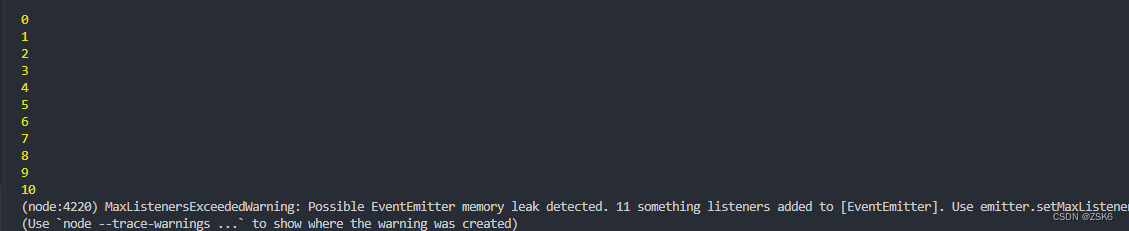
【Node】node的Events模块(事件模块)的介绍和使用
文章目录 简言EventsPassing arguments and this to listeners 向监听器传递参数Asynchronous vs. synchronous 异步和同步Handling events only once 只一次处理事件Error events 错误事件Capture rejections of promises 捕捉拒绝承诺的情况Class: EventEmitter 事件类Event:…...
C#中字节数组(byte[])末尾继续添加字节的示例
方法一:使用List 使用List可以很容易地在末尾添加字节,然后如果需要,可以将其转换回byte[]。 using System; using System.Collections.Generic; using System.ComponentModel; using System.Data; using System.Drawing; using System.Lin…...
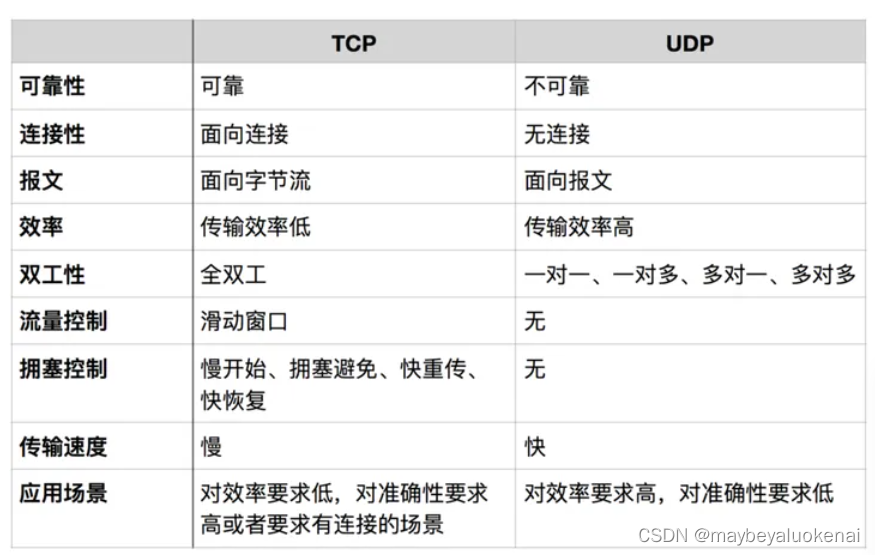
Socket编程学习笔记之TCP与UDP
Socket: Socket是什么呢? 是一套用于不同主机间通讯的API,是应用层与TCP/IP协议族通信的中间软件抽象层。 是一组接口。在设计模式中,Socket其实就是一个门面模式,它把复杂的TCP/IP协议族隐藏在Socket接口后面&#…...

JavaScript第九讲BOM编程的练习题
前言 上一节有BOM的讲解,有需要的码客们可以去看一下 以下是一个结合了上述BOM(Browser Object Model)相关内容的练习题及其源代码示例: 练习题: 编写一个JavaScript脚本,该脚本应该执行以下操作&#…...

JavaScript 中创建函数的多种方式
在 JavaScript 中,可以通过多种方式创建函数。每种方式都有其特定的用途、优点和缺点,以及适用的使用场景。以下是几种常见的创建函数的方式及其详细说明。 1. 函数声明(Function Declaration) 示例 function add(a, b) {retur…...
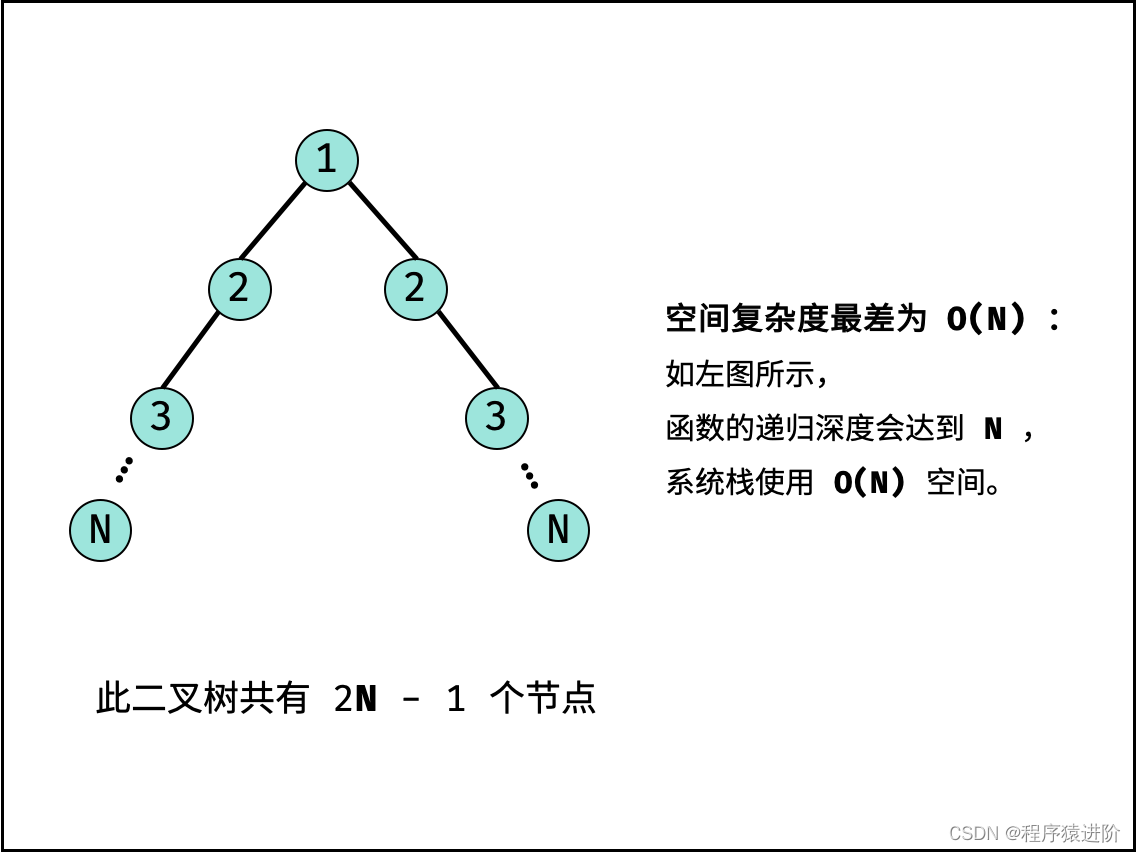
对称二叉树[简单]
优质博文:IT-BLOG-CN 一、题目 给你一个二叉树的根节点root, 检查它是否轴对称。 示例 1: 输入:root [1,2,2,3,4,4,3] 输出:true 示例 2: 输入:root [1,2,2,null,3,null,3] 输出…...

判断GIF类型并使用ImageDecoder解析GIF图
一、判断是否为GIF图片类型 在JavaScript中,判断用户上传的文件是否为GIF文件类型时,通常可以通过检查文件的type属性或文件的拓展名来判断,但是由于文件拓展名可以轻易被用户修改,type属性是由浏览器根据文件拓展名猜测得出的&a…...

数组对象数据修改后页面没有更新,无法进行编辑,校验失效问题
在 Vue 中,当你通过 Object.assign 或其他方式修改了对象中的某个属性时,Vue 并不会触发组件重新渲染,因此表单中的 input 框无法及时更新。这可能导致在修改表单数据后,页面没有更新,而且表单校验也失效的情况。这是因…...

什么是低代码?有什么特点?
低代码是一种高效的软件开发方法,它允许开发者通过图形化界面和预构建的代码块,以最小化传统手写代码的方式快速构建应用程序。这种方法旨在加速应用程序的开发周期,同时降低技术门槛和成本。以下是根据驰骋低代码设计者的观念与主张…...

Kafka 消息保留时长由 24 小时变更为 72 小时的影响分析
目录 Kafka 消息保留时长由 24 小时变更为 72 小时的影响分析Kafka 消息存储机制保留时长对生产速度的影响保留时长对消费速度的影响底层分析与优化建议附加:将 Kafka 消息保留时长从 24 小时更改为 72 小时后,CPU 使用率从 40% 上升到 70% 的现象1. 增加…...

MySQL A表的字段值更新为B表的字段值
MySQL A表的字段值更新为B表的字段值 准备数据表 create table person (id int unsigned auto_increment comment 主键 primary key,uuid varchar(32) not null comment 系统唯一标识符32个长度的字符串,mobile varchar(11) null comment 中国国内手机号,nickn…...
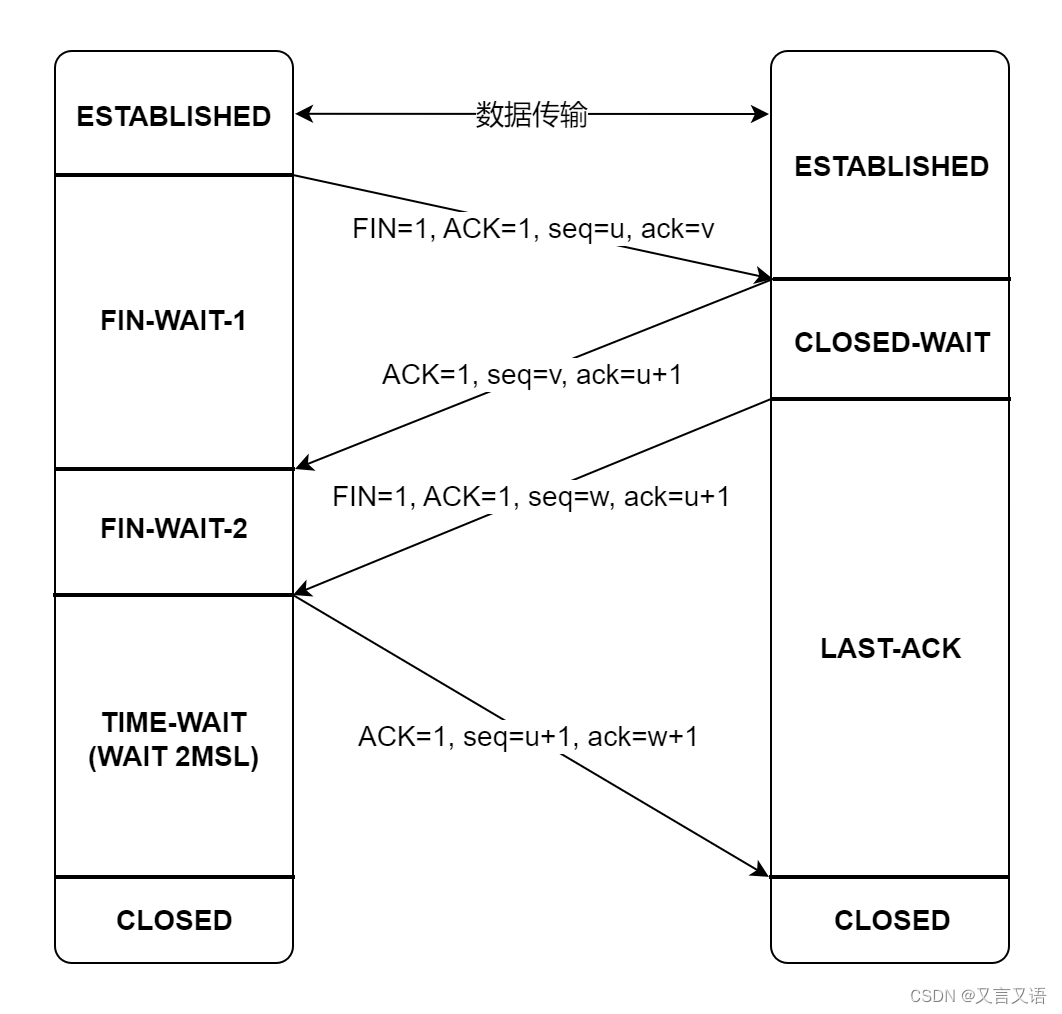
TCP 建链(三次握手)和断链(四次握手)
TCP 建链(三次握手)和断链(四次挥手) 背景简介建链(三次握手)断链(四次挥手)序号及标志位延伸问题为什么建立连接需要握手三次,两次行不行?三次握手可以携带数…...

MiniProfiler 存储策略全解析:SQL Server、Redis、MongoDB 配置指南
MiniProfiler 存储策略全解析:SQL Server、Redis、MongoDB 配置指南 【免费下载链接】dotnet A simple but effective mini-profiler for ASP.NET (and Core) websites 项目地址: https://gitcode.com/gh_mirrors/do/dotnet MiniProfiler 是一款轻量级但功能…...

如何一键搞定Switch游戏安装:Awoo Installer全面指南
如何一键搞定Switch游戏安装:Awoo Installer全面指南 【免费下载链接】Awoo-Installer A No-Bullshit NSP, NSZ, XCI, and XCZ Installer for Nintendo Switch 项目地址: https://gitcode.com/gh_mirrors/aw/Awoo-Installer 还在为Switch游戏安装的繁琐流程而…...

DDrawCompat:老游戏兼容性修复与性能优化终极解决方案
DDrawCompat:老游戏兼容性修复与性能优化终极解决方案 【免费下载链接】DDrawCompat DirectDraw and Direct3D 1-7 compatibility, performance and visual enhancements for Windows Vista, 7, 8, 10 and 11 项目地址: https://gitcode.com/gh_mirrors/dd/DDrawC…...

SpeedyBee F405 V4 55A飞塔到手后,这5个关键步骤和3个常见坑点你必须知道
SpeedyBee F405 V4 55A飞塔实战指南:从开箱到首飞的深度解析 穿越机玩家拿到新飞塔的兴奋感,就像赛车手拿到新引擎——但这份喜悦往往伴随着"如何正确启动"的焦虑。SpeedyBee F405 V4 55A飞塔作为当前中高端穿越机的热门选择,其性能…...

C语言浪漫玫瑰代码:用编程传递爱意的创意实践
1. 用代码绽放爱的玫瑰:程序员专属浪漫指南 当传统玫瑰花束遇上代码,会碰撞出怎样的火花?作为一名写过无数行代码的老程序员,我发现用C语言绘制玫瑰花不仅能展现技术实力,更能传递独特的情感温度。记得第一次给女友展…...

158页精品PPT | 某大型研发制造集团信息化IT规划整体方案
许多公司在数字化转型过程中会遇到一些共同的挑战,比如数据孤岛、技术更新慢、员工技能不足等。这些问题会导致企业效率低下,难以适应市场变化。针对这些问题,我们提出了一套解决方案,核心目标是帮助企业提升数字化水平࿰…...

SEO_SEO数据监控与分析的关键指标介绍
SEO数据监控与分析的关键指标介绍 在当今数字营销的世界里,SEO(搜索引擎优化)已经成为了每个网站运营者和数字营销人员必不可少的技能。SEO数据监控与分析是SEO工作的重要环节,通过对关键指标的监控和分析,我们可以更好…...
)
Python打包神器大PK:Nuitka vs PyInstaller,谁才是你的菜?(附实测数据)
Python打包工具深度评测:Nuitka与PyInstaller的终极对决 当开发者需要将Python项目分发给没有Python环境的用户时,打包工具的选择往往成为关键决策。本文将深入分析两大主流工具Nuitka和PyInstaller在多个维度的表现,帮助开发者根据项目需求做…...

MinerU智能文档理解镜像:财务报表自动识别实战体验
MinerU智能文档理解镜像:财务报表自动识别实战体验 1. 引言:财务文档处理的痛点与机遇 在财务工作中,我们经常需要处理各种格式的财务报表——PDF扫描件、Excel截图、纸质文档照片等。传统的手工录入方式不仅效率低下,还容易出错…...

李慕婉-仙逆-造相Z-Turbo AI核心原理科普:如何用Transformer理解并生成人类语言
李慕婉-仙逆-造相Z-Turbo AI核心原理科普:如何用Transformer理解并生成人类语言 你有没有想过,当你和“李慕婉-仙逆-造相Z-Turbo”这样的AI模型对话时,它到底是怎么“听懂”你的话,又“想”出那些回答的?它不像我们人…...