
python:faces swap
# encoding: utf-8
# 版权所有 2024 ©涂聚文有限公司
# 许可信息查看: 两个头像图片之间换脸
# 描述: https://stackoverflow.com/questions/902761/saving-a-numpy-array-as-an-image?answertab=votes
# Author    : geovindu,Geovin Du 涂聚文.
# IDE       : PyCharm 2023.1 python 311
# Datetime  : 2024/6/13 10:25
# User      : geovindu
# Product   : PyCharm
# Project   : EssentialAlgorithms
# File      : imageFaceSwapFun.py
# explain   : 学习
import cv2
import numpy as np
import dlib
from PIL import Image as imclass FaceSwaFun(object):"""换脸类"""def __init__(self,SOURCEPATH,DESTPATH):"""实例化:param SOURCEPATH: 需要用脸的图片:param DESTPATH: 用脸目标图片"""self.SOURCE_PATH=SOURCEPATHself.DEST_PATH=DESTPATHdef index_from_array(self,numpyarray):""":param numpyarray::return:"""index = Nonefor n in numpyarray[0]:index = nbreakreturn indexdef getImage(self)-> tuple:""":return: 返回 (图片的数组,保存的文件名)"""frontal_face_detector = dlib.get_frontal_face_detector()frontal_face_predictor = dlib.shape_predictor("dataset/shape_predictor_68_face_landmarks.dat")source_image = cv2.imread(self.SOURCE_PATH)source_image_grayscale = cv2.cvtColor(source_image, cv2.COLOR_BGR2GRAY)#destination_image = cv2.imread(self.DEST_PATH)destination_image_grayscale = cv2.cvtColor(destination_image, cv2.COLOR_BGR2GRAY)source_image_canvas = np.zeros_like(source_image_grayscale)height, width, no_of_channels = destination_image.shapedestination_image_canvas = np.zeros((height, width, no_of_channels), np.uint8)source_faces = frontal_face_detector(source_image_grayscale)# Obtaining source face landmark points, convex hull, creating mask and also getting delaunay triangle face landmark indices for every facefor source_face in source_faces:source_face_landmarks = frontal_face_predictor(source_image_grayscale, source_face)source_face_landmark_points = []for landmark_no in range(68):x_point = source_face_landmarks.part(landmark_no).xy_point = source_face_landmarks.part(landmark_no).ysource_face_landmark_points.append((x_point, y_point))source_face_landmark_points_array = np.array(source_face_landmark_points, np.int32)source_face_convexhull = cv2.convexHull(source_face_landmark_points_array)cv2.fillConvexPoly(source_image_canvas, source_face_convexhull, 255)source_face_image = cv2.bitwise_and(source_image, source_image, mask=source_image_canvas)# DELAUNAY TRIANGULATIONbounding_rectangle = cv2.boundingRect(source_face_convexhull)subdivisions = cv2.Subdiv2D(bounding_rectangle)subdivisions.insert(source_face_landmark_points)triangles_vector = subdivisions.getTriangleList()triangles_array = np.array(triangles_vector, dtype=np.int32)triangle_landmark_points_list = []source_face_image_copy = source_face_image.copy()for triangle in triangles_array:index_point_1 = (triangle[0], triangle[1])index_point_2 = (triangle[2], triangle[3])index_point_3 = (triangle[4], triangle[5])index_1 = np.where((source_face_landmark_points_array == index_point_1).all(axis=1))index_1 = self.index_from_array(index_1)index_2 = np.where((source_face_landmark_points_array == index_point_2).all(axis=1))index_2 = self.index_from_array(index_2)index_3 = np.where((source_face_landmark_points_array == index_point_3).all(axis=1))index_3 = self.index_from_array(index_3)triangle = [index_1, index_2, index_3]triangle_landmark_points_list.append(triangle)destination_faces = frontal_face_detector(destination_image_grayscale)# Obtaining destination face landmark points and also convex hull for every facefor destination_face in destination_faces:destination_face_landmarks = frontal_face_predictor(destination_image_grayscale, destination_face)destination_face_landmark_points = []for landmark_no in range(68):x_point = destination_face_landmarks.part(landmark_no).xy_point = destination_face_landmarks.part(landmark_no).ydestination_face_landmark_points.append((x_point, y_point))destination_face_landmark_points_array = np.array(destination_face_landmark_points, np.int32)destination_face_convexhull = cv2.convexHull(destination_face_landmark_points_array)# Iterating through all source delaunay triangle and superimposing source triangles in empty destination canvas after warping to same size as destination triangles' shapefor i, triangle_index_points in enumerate(triangle_landmark_points_list):# Cropping source triangle's bounding rectanglesource_triangle_point_1 = source_face_landmark_points[triangle_index_points[0]]source_triangle_point_2 = source_face_landmark_points[triangle_index_points[1]]source_triangle_point_3 = source_face_landmark_points[triangle_index_points[2]]source_triangle = np.array([source_triangle_point_1, source_triangle_point_2, source_triangle_point_3],np.int32)source_rectangle = cv2.boundingRect(source_triangle)(x, y, w, h) = source_rectanglecropped_source_rectangle = source_image[y:y + h, x:x + w]source_triangle_points = np.array([[source_triangle_point_1[0] - x, source_triangle_point_1[1] - y],[source_triangle_point_2[0] - x, source_triangle_point_2[1] - y],[source_triangle_point_3[0] - x, source_triangle_point_3[1] - y]],np.int32)# Create a mask using cropped destination triangle's bounding rectangle(for same landmark points as used for source triangle)destination_triangle_point_1 = destination_face_landmark_points[triangle_index_points[0]]destination_triangle_point_2 = destination_face_landmark_points[triangle_index_points[1]]destination_triangle_point_3 = destination_face_landmark_points[triangle_index_points[2]]destination_triangle = np.array([destination_triangle_point_1, destination_triangle_point_2, destination_triangle_point_3], np.int32)destination_rectangle = cv2.boundingRect(destination_triangle)(x, y, w, h) = destination_rectanglecropped_destination_rectangle_mask = np.zeros((h, w), np.uint8)destination_triangle_points = np.array([[destination_triangle_point_1[0] - x, destination_triangle_point_1[1] - y],[destination_triangle_point_2[0] - x, destination_triangle_point_2[1] - y],[destination_triangle_point_3[0] - x, destination_triangle_point_3[1] - y]],np.int32)cv2.fillConvexPoly(cropped_destination_rectangle_mask, destination_triangle_points, 255)# Warp source triangle to match shape of destination triangle and put it over destination triangle masksource_triangle_points = np.float32(source_triangle_points)destination_triangle_points = np.float32(destination_triangle_points)matrix = cv2.getAffineTransform(source_triangle_points, destination_triangle_points)warped_rectangle = cv2.warpAffine(cropped_source_rectangle, matrix, (w, h))warped_triangle = cv2.bitwise_and(warped_rectangle, warped_rectangle,mask=cropped_destination_rectangle_mask)# Reconstructing destination face in empty canvas of destination image# removing white lines in triangle using maskingnew_dest_face_canvas_area = destination_image_canvas[y:y + h, x:x + w]new_dest_face_canvas_area_gray = cv2.cvtColor(new_dest_face_canvas_area, cv2.COLOR_BGR2GRAY)_, mask_created_triangle = cv2.threshold(new_dest_face_canvas_area_gray, 1, 255, cv2.THRESH_BINARY_INV)warped_triangle = cv2.bitwise_and(warped_triangle, warped_triangle, mask=mask_created_triangle)new_dest_face_canvas_area = cv2.add(new_dest_face_canvas_area, warped_triangle)destination_image_canvas[y:y + h, x:x + w] = new_dest_face_canvas_area# Put reconstructed face on the destination imagefinal_destination_canvas = np.zeros_like(destination_image_grayscale)final_destination_face_mask = cv2.fillConvexPoly(final_destination_canvas, destination_face_convexhull, 255)final_destination_canvas = cv2.bitwise_not(final_destination_face_mask)destination_face_masked = cv2.bitwise_and(destination_image, destination_image, mask=final_destination_canvas)destination_with_face = cv2.add(destination_face_masked, destination_image_canvas)# Seamless cloning to make attachment blend with surrounding pixels# we have to find center point of reconstructed convex hull to pass into seamlessClone()(x, y, w, h) = cv2.boundingRect(destination_face_convexhull)destination_face_center_point = (int((x + x + w) / 2), int((y + y + h) / 2))seamless_cloned_face = cv2.seamlessClone(destination_with_face, destination_image, final_destination_face_mask,destination_face_center_point, cv2.NORMAL_CLONE)data = im.fromarray(seamless_cloned_face)# saving the final output# as a PNG filefile='geovindu.png'data.save(file)#cv2.imshow("Destination image with source face 2", seamless_cloned_face)#cv2.waitKey(0)#cv2.destroyAllWindows()print(type(seamless_cloned_face))return (seamless_cloned_face,file)'''1.import cv2cv2.imwrite("geovindu.jpg", seamless_cloned_face)2.from PIL import Imageim = Image.fromarray(seamless_cloned_face)im.save("geovindu.jpg")3.import scipy.miscscipy.misc.imsave('geovindu.jpg', seamless_cloned_face)4.import scipy.miscscipy.misc.toimage(seamless_cloned_face, cmin=0.0, cmax=...).save('geovindu.jpg')5.import matplotlibmatplotlib.image.imsave('geovindu.png', seamless_cloned_face)'''
調用:
# 调用du= BLL.imageFaceSwapFun.FaceSwaFun("media/images/modi.jpg","media/images/viplav.jpeg")#du.SOURCE_PATH="media/images/modi.jpg"# du.DEST_PATH="media/images/viplav.jpeg"geovindu=du.getImage()print(geovindu)cv2.imwrite("geovindu20.png", geovindu[0])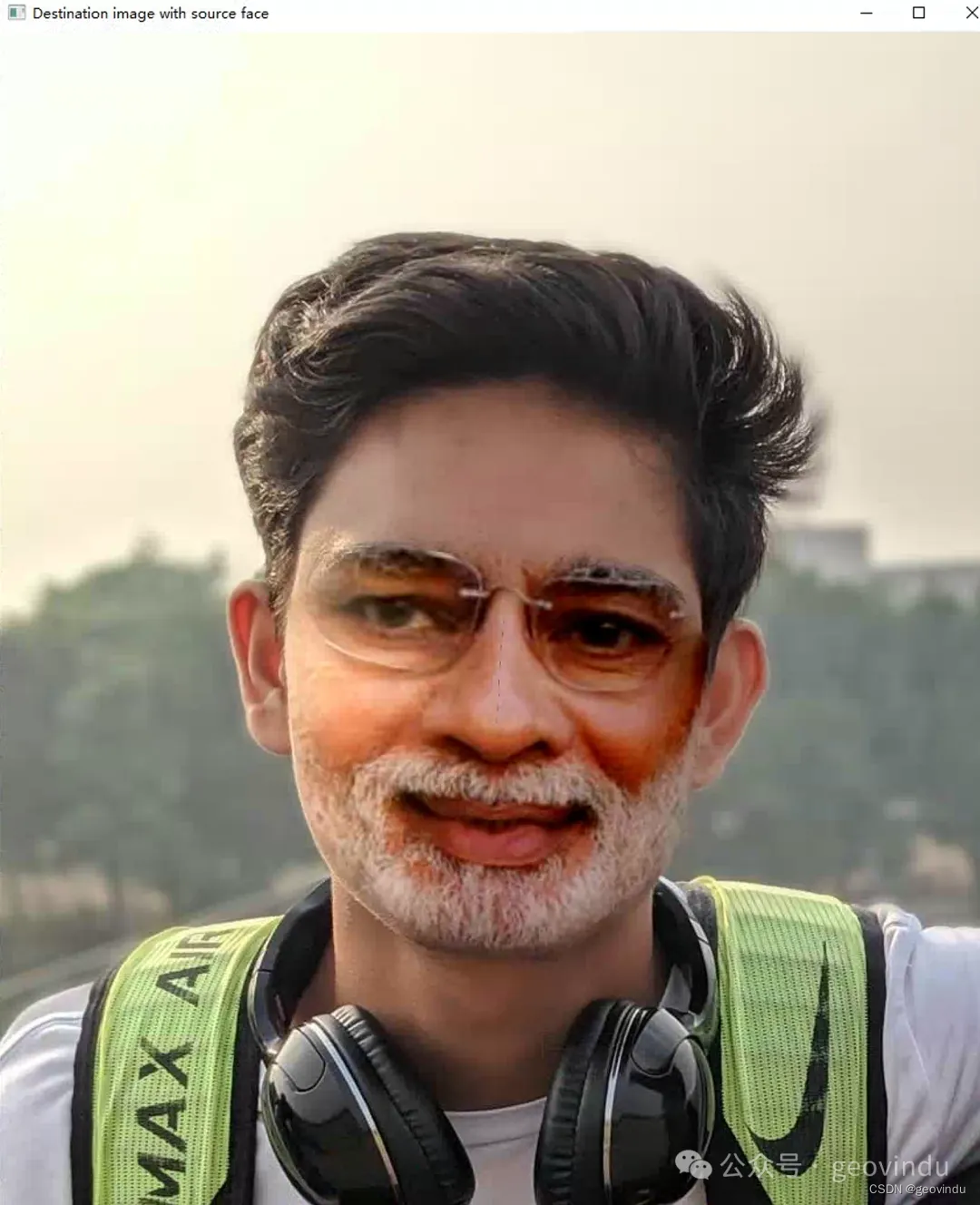
相关文章:
python:faces swap
# encoding: utf-8 # 版权所有 2024 ©涂聚文有限公司 # 许可信息查看: 两个头像图片之间换脸 # 描述: https://stackoverflow.com/questions/902761/saving-a-numpy-array-as-an-image?answertabvotes # Author : geovindu,Geovin Du 涂聚文. #…...
Android开发之音乐播放器添加排行需求
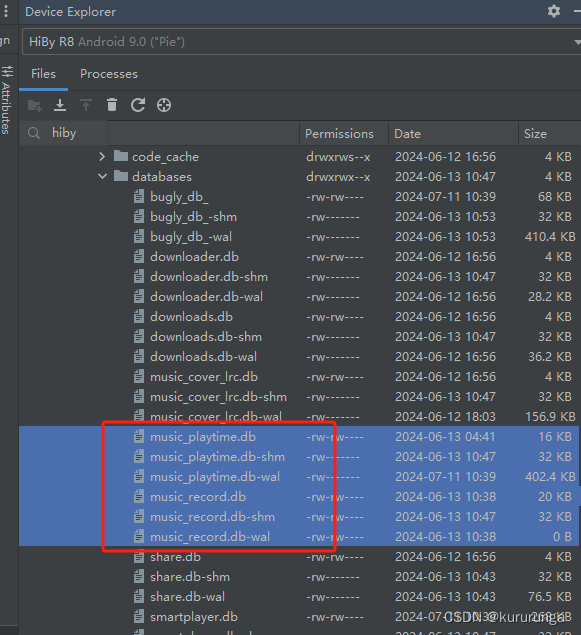
Music统计功能需求 1.记录歌曲名称与次数(歌曲播放结束算一次),根据播放次数制作一个排行列表;(开始说要记录歌手,后面debug发现这个字段没有,暂时不记录) 2.记录播放歌曲的时长,时间累加;&…...
latex 方括号编号
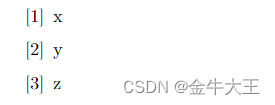
最近在做简历,需要列出发表的论文。 论文编号一般是采用[1]这种样式,但是找了几个简历模板里头没有直接包含这种编号样式。 我只好求助网络。 在CSDN上找了一圈,这篇博客给了一个思路:在\begin{enumerate}后面添加对应的样式即…...
Vue CLI 4与项目构建实战指南
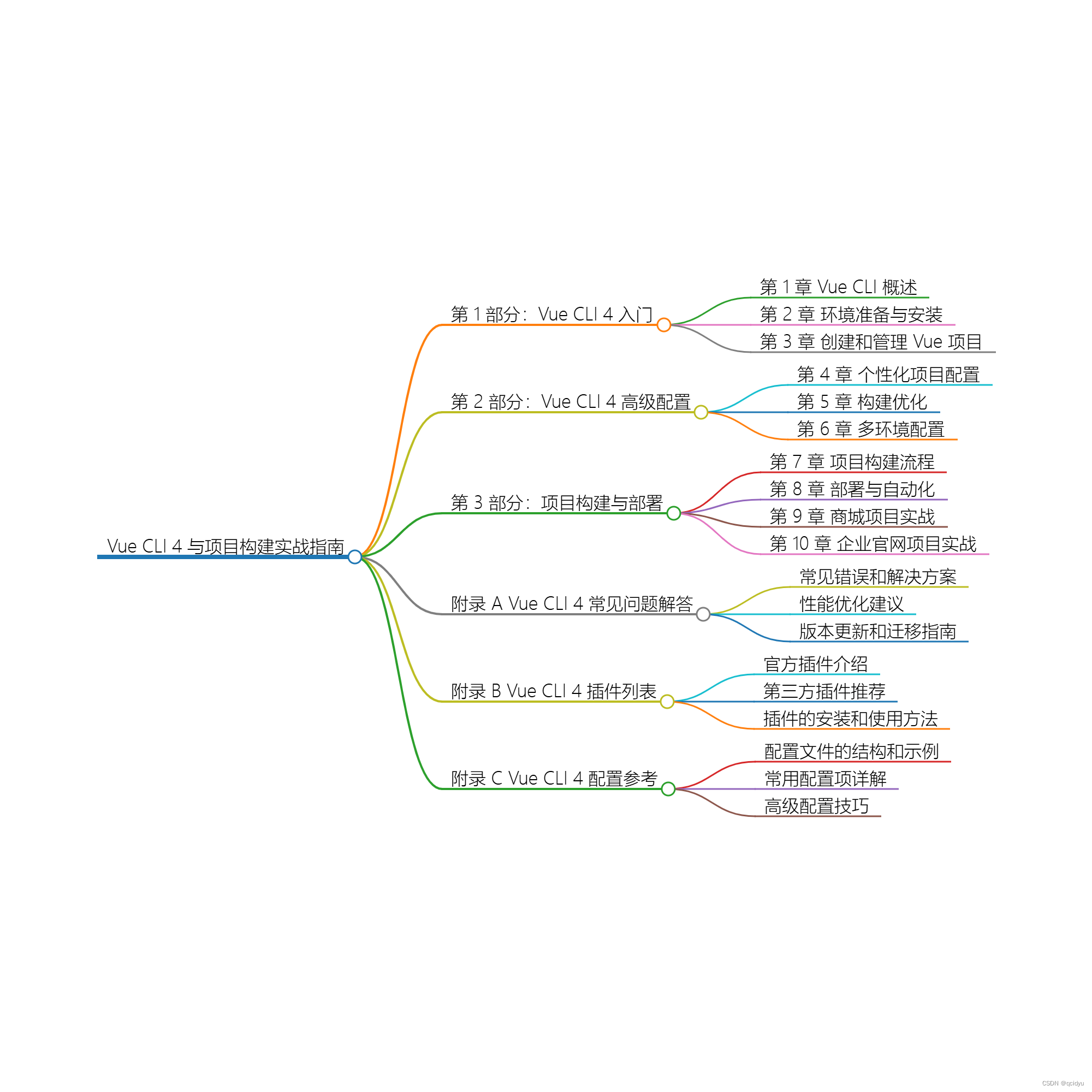
title: Vue CLI 4与项目构建实战指南 date: 2024/6/9 updated: 2024/6/9 excerpt: 这篇文章介绍了如何使用Vue CLI优化项目构建配置,提高开发效率,涉及配置管理、项目部署策略、插件系统定制以及Webpack和TypeScript的深度集成技巧。 categories: 前端…...

深入解析Web通信 HTTP、HTTPS 和 WebSocket
在现代Web开发中,了解和掌握HTTP、HTTPS以及WebSocket协议是非常重要的。这些协议是实现Web应用程序之间通信的基石。本文将详细介绍这三种协议,包括它们的基本概念、工作原理、优缺点以及适用场景。通过深入解析它们的特点和应用,帮助读者更好地理解和使用这些协议。 一、…...
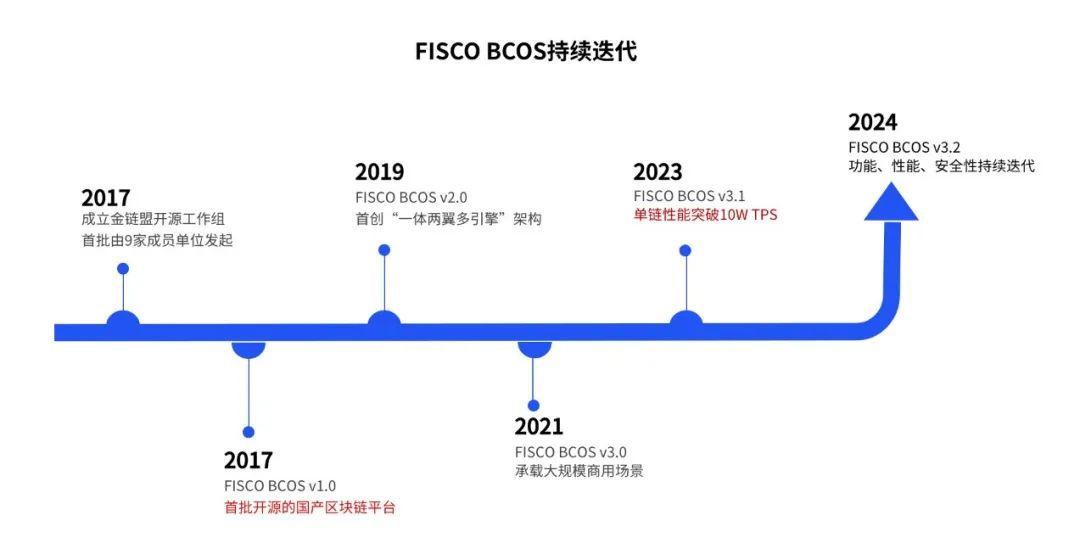
FISCO BCOS x GitLink,为国产开源技术生态注入新活力
作为中国领先的区块链底层平台之一,FISCO BCOS 自成立以来始终致力于推动国产开源区块链技术的应用和普及。近期,FISCO BCOS 将开源代码托管到CCF官方代码托管平台 GitLink (确实开源),为国产开源技术生态注入新活力。…...
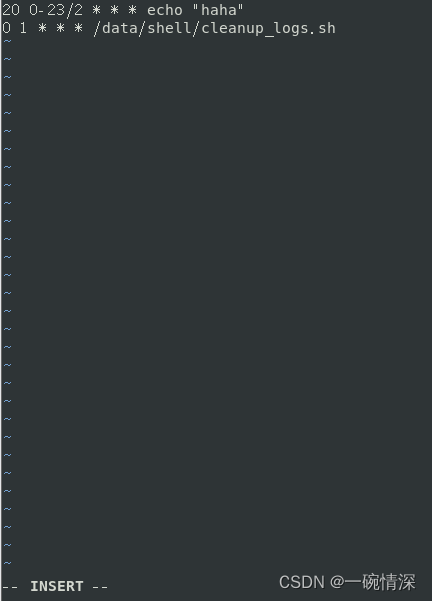
Linux crontabs定时执行任务
文章目录 前言一、安装二、服务1. 启动crond服务2. 关闭crond服务3. 重启crond服务4. 设置crond开机启动5. 禁用crond开机启动6. 查看crond是否开机启动7. 重新载入配置8. 查看crond运行状态 三、使用1. 查看当前用户的crontab2. 编辑用户的crontab3. 删除用户的crontab的内容 …...
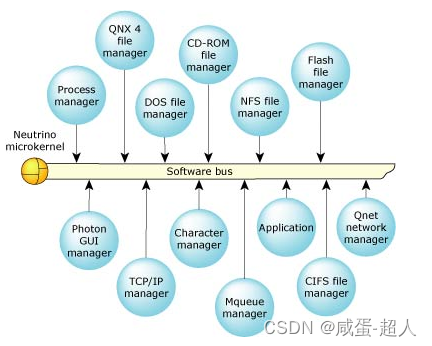
QNX简述
文章目录 前言1. QNX简介1.1 什么是QNX1.2 QNX的应用场景1.3 QNX的优点1.4 QNX的发展史1.5 QNX的商业模式 2. QNX的技术特点3. QNX和其它操作系统的比较3.1 QNX VS LINUX3.2 QNX VS FreeRTOS3.3 QNX VS 鸿蒙操作系统 4. 我的疑问4.1 微内核看起来又稳定又容易调试,为…...

[Llama3] ReAct Prompt 测试实验
ReAct 是一种 LLM 提示和结果处理方法,结合了推理、行动计划和知识源整合,使 LLM 超越其语言模型,并在预测中使用来自现实世界的信息。 ReAct 是推理和行动的结合。 介绍 ReAct 的论文表明它比思维链提示更好。与后者不同的是,Re…...
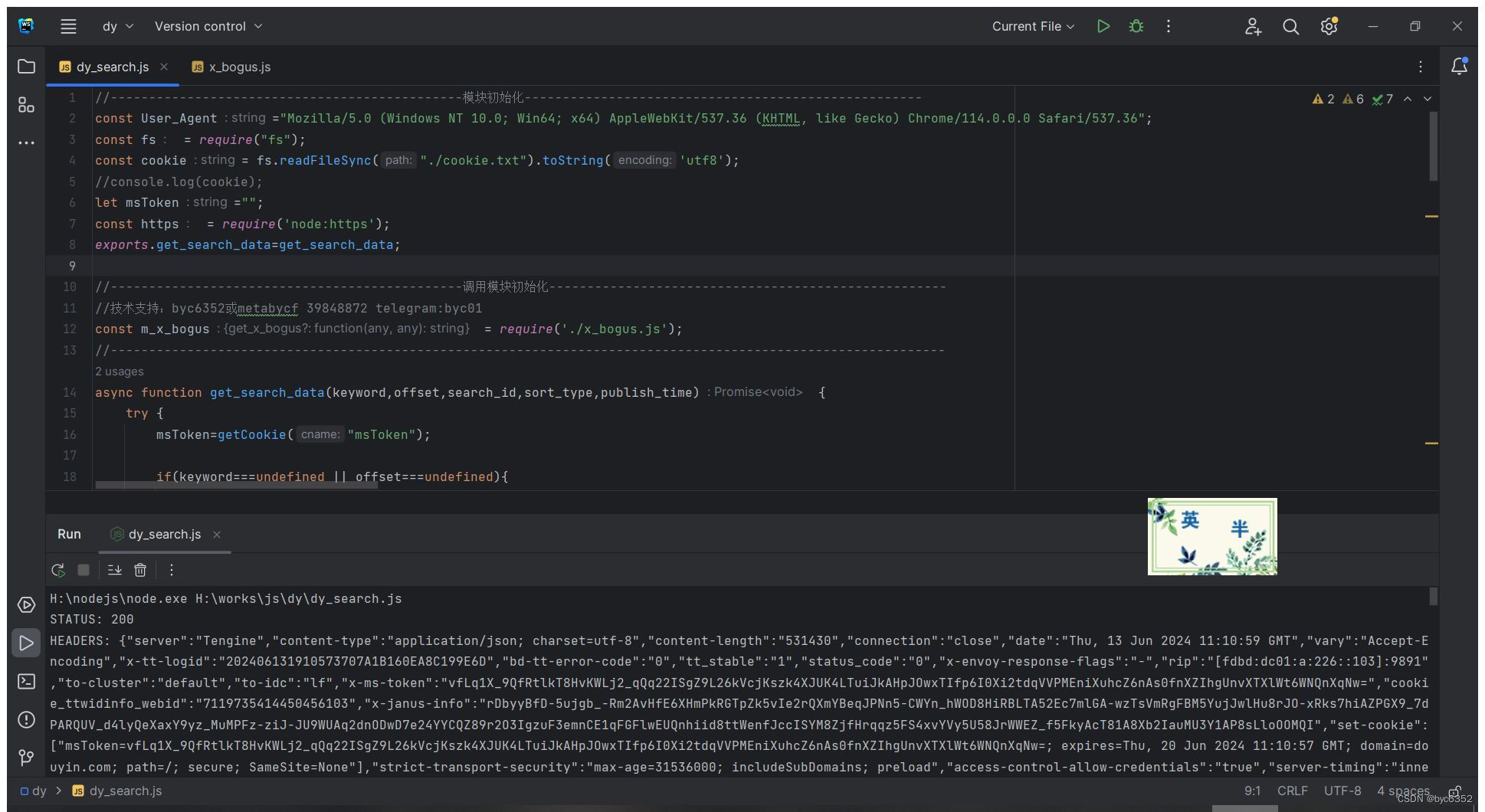
nodejs 某音douyin网页端搜索接口及x_bogus、a_bogus(包含完整源码)(2024-06-13)
前言 x_bogus或a_bogus算法大概是对数据、ua、时间戳、浏览器的几个指纹进行计算,拿到一个110位大数组,然后转字符,在头部再添加十二位随机字符,再进行魔改的base64加密。 问:抖音的x_bogus、a_bogus值有什么用&#x…...
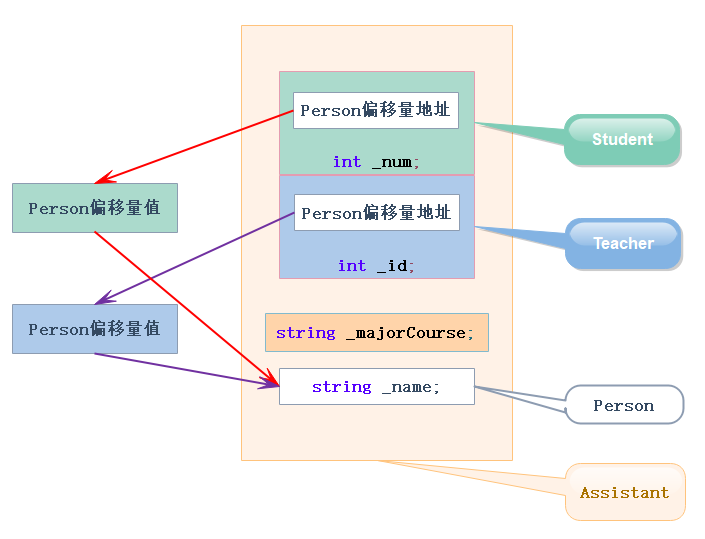
继承深度剖析
前言 从继承开始就开始C进阶了, 这一块需要好好学习,这块知识很重要, 坑有点多,所以是面试笔试的常客。 基本概念 继承(inheritance)机制是面向对象程序设计使代码可以复用的最重要的手段, 它允许程序员在保持原有…...

使用 Vue 和 Ant Design 实现抽屉效果的模块折叠功能
功能描述: 有两个模块,点击上面模块的收起按钮时,上面的模块可以折叠,下面的模块随之扩展 代码实现: 我们在 Vue 组件中定义两个模块的布局和状态管理: const scrollTableY ref(560); // 表格初始高度…...

Springboot整合SpringCache+redis简化缓存开发
使用步骤: 1.引入依赖 <dependency><groupId>org.springframework.boot</groupId><artifactId>spring-boot-starter-cache</artifactId> </dependency><dependency><groupId>org.springframework.boot</groupI…...

关于EOF标识符
EOF的概念 EOF是C语言中表示文件结束的标志符号,通常被定义为-1,它用于指示已到达文件的末尾或输入流的末尾。 EOF的使用 在输入操作中,EOF常常用于判断是否到达了文件末尾或输入流末尾,以便终止读取操作。例如,在使…...
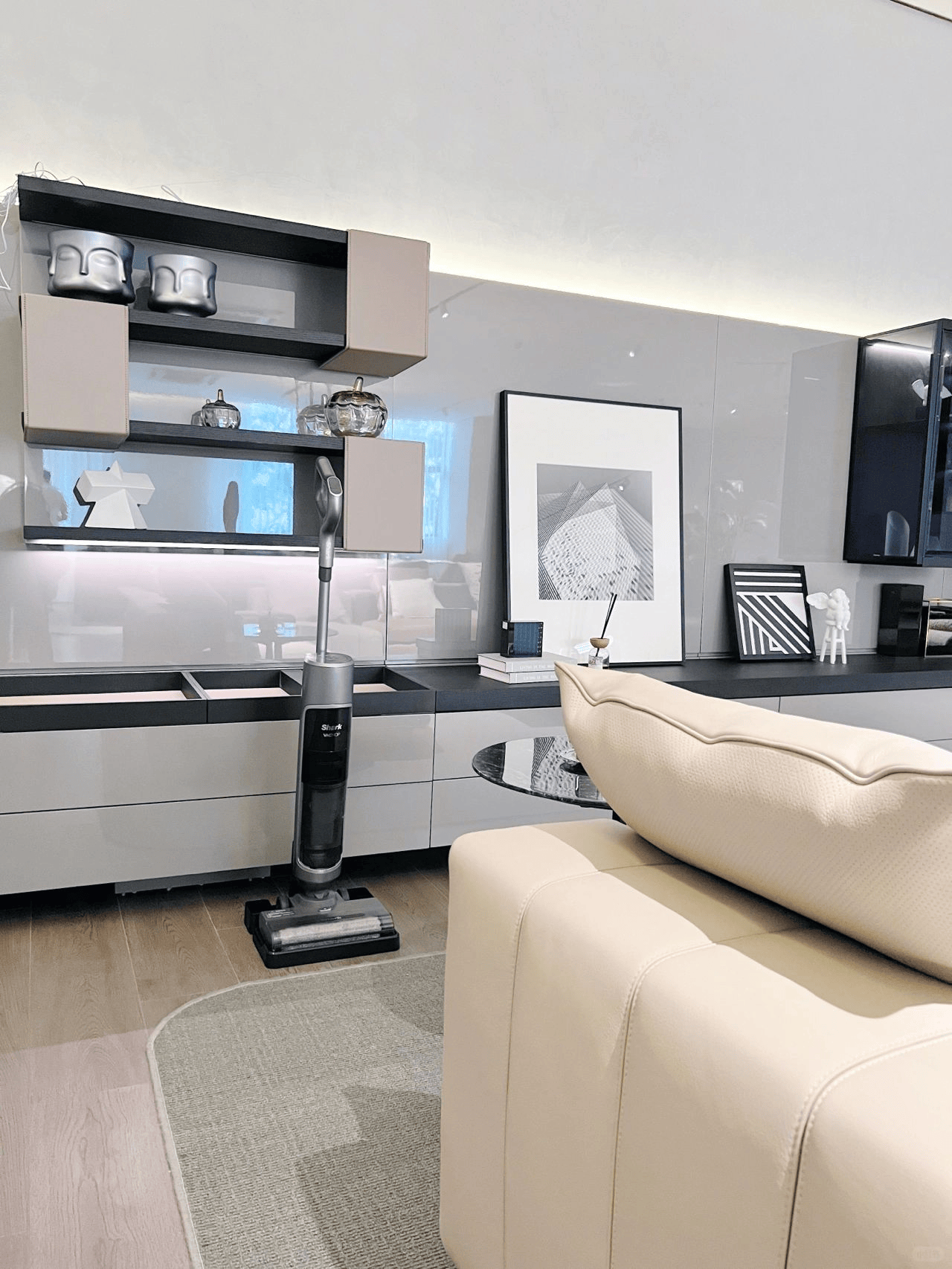
家用洗地机排行榜前十名:2024十大王牌机型精准种草
最近很多人都在问我洗地机相关的问题,不愧是改善家庭生活品质的“三神器”之一。洗地机依靠其清洁力和清洁效率吸引了越来越多的平时需要做家务人群的兴趣,为了解答大家关于洗地机的各种疑问,我把市面上目前非常火爆的洗地机型号和参数都进行…...

【Chrome插件】如何在Chrome插件开发中处理复杂数据结构的存储
最近俺在接触 Chrome 插件开发,需要把一个数据存放到浏览器的存储中。这个数据结构有点复杂,它包含一个 Map 和一个数组。我使用 chrome.storage.local API来存储这个数据,然后在另一个地方获取数据。保存数据的代码并没有报错,但…...
:使用 MySQL 检索数据)
MySQL 保姆级教程(二):使用 MySQL 检索数据
使用 MySQL 3.2 选择数据库 使用数据库: 输入: USE 数据库名;输出: Database changed分析: 不返回任何结果,显示某种形式的通知 例如: 使用 crashcourse 数据库 use crashcourse; 3.3 了解数据库和表 列出所有的数据库: 输入: SHOW DATABASES;输出: --------…...
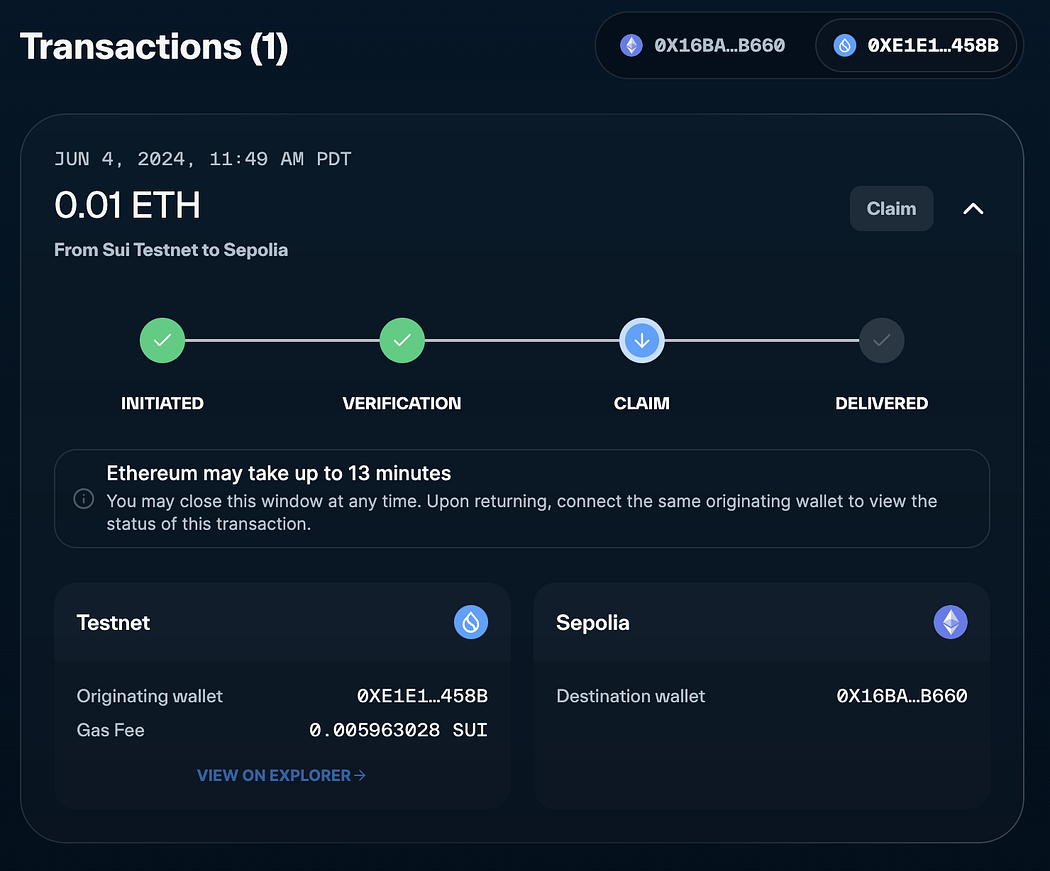
Sui Bridge在测试网上线并推出10万SUI激励计划
是一种为Sui设计的原生桥接协议,专门用于在Sui与其他网络之间桥接资产和数据。今天,Sui Bridge宣布在测试网上线。作为一种原生协议,Sui Bridge能够在Ethereum和Sui之间轻松且安全地转移ETH、wBTC、USDC和USDT,使其成为Sui基础设施…...
Spring系统学习 - Bean的作用域
bean作用域介绍 Spring框架提供了不同的作用域来管理Bean的生命周期和可见性,这对于控制不同类型的组件和处理并发请求尤其重要。 singleton(默认): 每个Spring IoC容器只有一个bean实例。当容器创建bean后,它会被缓存…...
贪吃蛇双人模式设计(2)
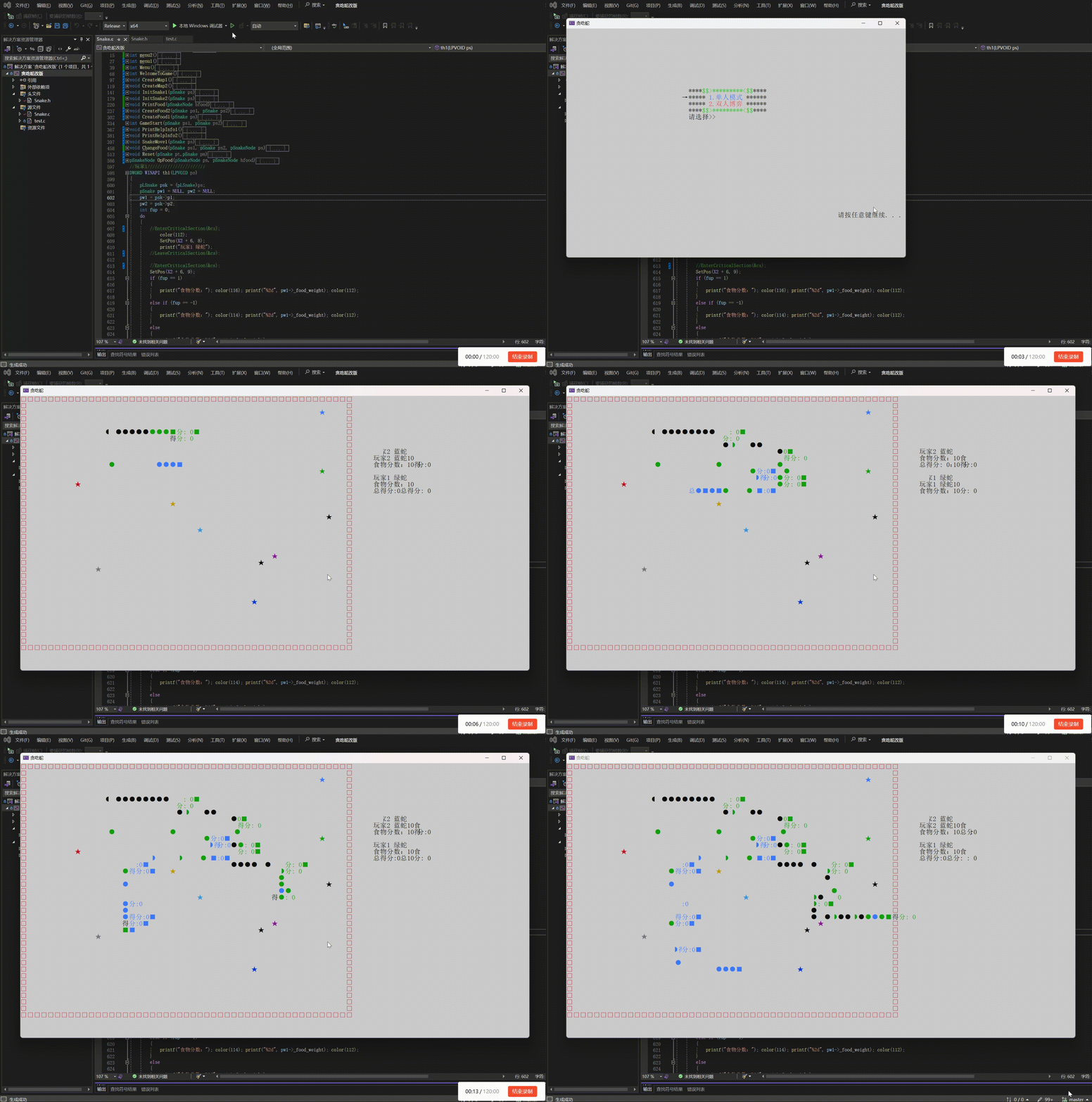
敲上瘾-CSDN博客控制台程序设置_c语言控制程序窗口大小-CSDN博客贪吃蛇小游戏_贪吃蛇小游戏csdn-CSDN博客 一、功能实现: 玩家1使用↓ → ← ↑按键来操作蛇的方向,使用右Shift键加速,右Ctrl键减速玩家2使用W A S D按键来操作蛇的方向&am…...
UE5 学习系列(二)用户操作界面及介绍
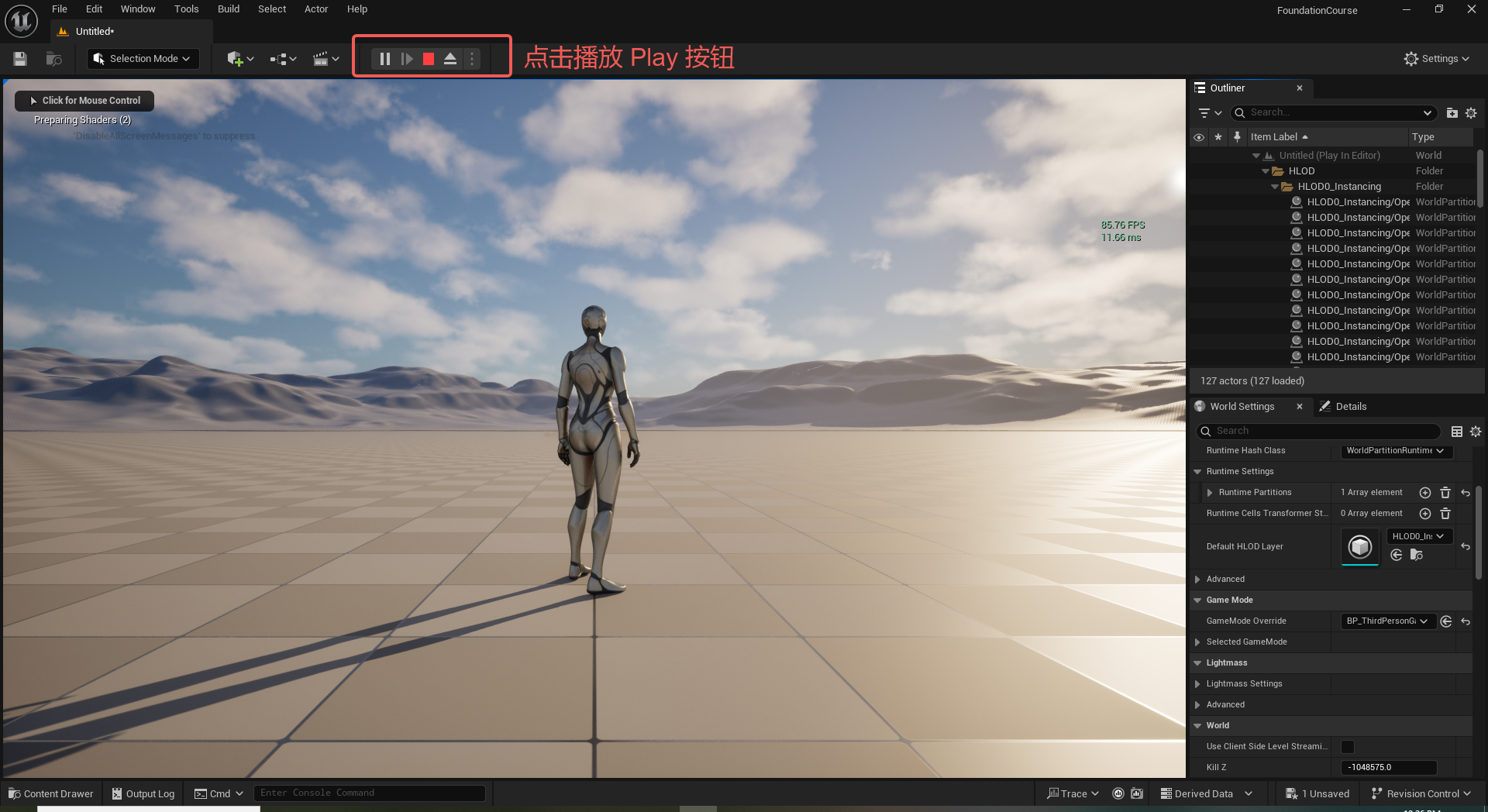
这篇博客是 UE5 学习系列博客的第二篇,在第一篇的基础上展开这篇内容。博客参考的 B 站视频资料和第一篇的链接如下: 【Note】:如果你已经完成安装等操作,可以只执行第一篇博客中 2. 新建一个空白游戏项目 章节操作,重…...

C++:std::is_convertible
C++标志库中提供is_convertible,可以测试一种类型是否可以转换为另一只类型: template <class From, class To> struct is_convertible; 使用举例: #include <iostream> #include <string>using namespace std;struct A { }; struct B : A { };int main…...

连锁超市冷库节能解决方案:如何实现超市降本增效
在连锁超市冷库运营中,高能耗、设备损耗快、人工管理低效等问题长期困扰企业。御控冷库节能解决方案通过智能控制化霜、按需化霜、实时监控、故障诊断、自动预警、远程控制开关六大核心技术,实现年省电费15%-60%,且不改动原有装备、安装快捷、…...
对WWDC 2025 Keynote 内容的预测
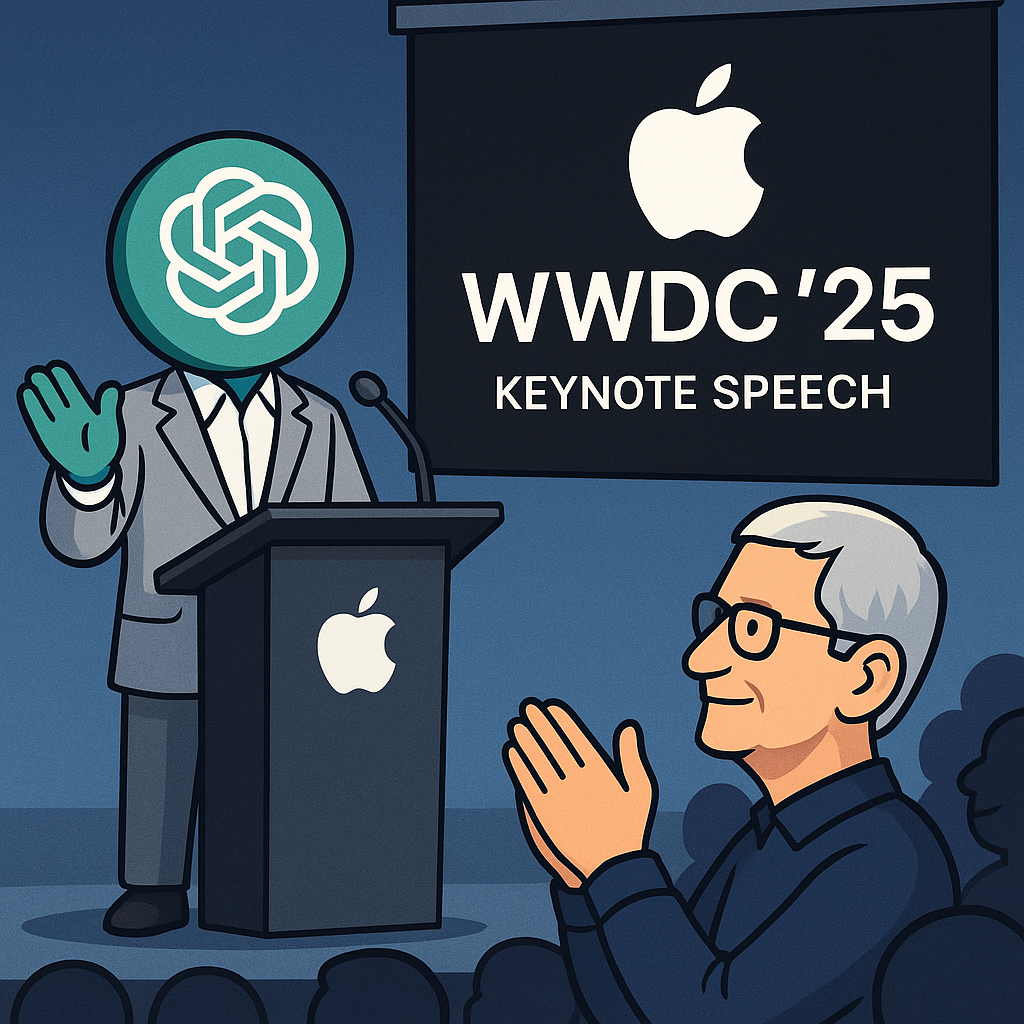
借助我们以往对苹果公司发展路径的深入研究经验,以及大语言模型的分析能力,我们系统梳理了多年来苹果 WWDC 主题演讲的规律。在 WWDC 2025 即将揭幕之际,我们让 ChatGPT 对今年的 Keynote 内容进行了一个初步预测,聊作存档。等到明…...

使用van-uploader 的UI组件,结合vue2如何实现图片上传组件的封装
以下是基于 vant-ui(适配 Vue2 版本 )实现截图中照片上传预览、删除功能,并封装成可复用组件的完整代码,包含样式和逻辑实现,可直接在 Vue2 项目中使用: 1. 封装的图片上传组件 ImageUploader.vue <te…...
微服务商城-商品微服务
数据表 CREATE TABLE product (id bigint(20) UNSIGNED NOT NULL AUTO_INCREMENT COMMENT 商品id,cateid smallint(6) UNSIGNED NOT NULL DEFAULT 0 COMMENT 类别Id,name varchar(100) NOT NULL DEFAULT COMMENT 商品名称,subtitle varchar(200) NOT NULL DEFAULT COMMENT 商…...
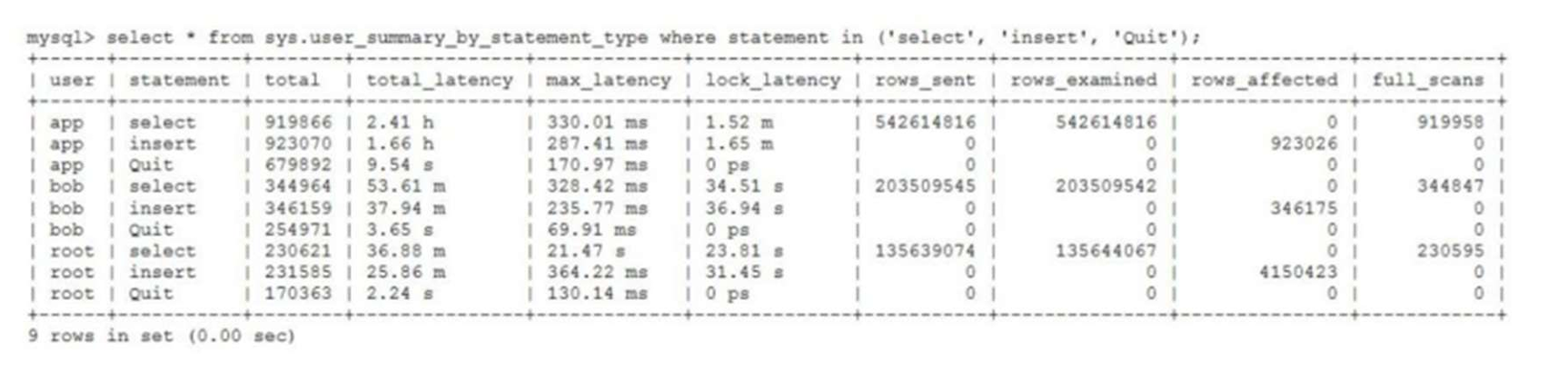
MySQL 8.0 OCP 英文题库解析(十三)
Oracle 为庆祝 MySQL 30 周年,截止到 2025.07.31 之前。所有人均可以免费考取原价245美元的MySQL OCP 认证。 从今天开始,将英文题库免费公布出来,并进行解析,帮助大家在一个月之内轻松通过OCP认证。 本期公布试题111~120 试题1…...

[Java恶补day16] 238.除自身以外数组的乘积
给你一个整数数组 nums,返回 数组 answer ,其中 answer[i] 等于 nums 中除 nums[i] 之外其余各元素的乘积 。 题目数据 保证 数组 nums之中任意元素的全部前缀元素和后缀的乘积都在 32 位 整数范围内。 请 不要使用除法,且在 O(n) 时间复杂度…...
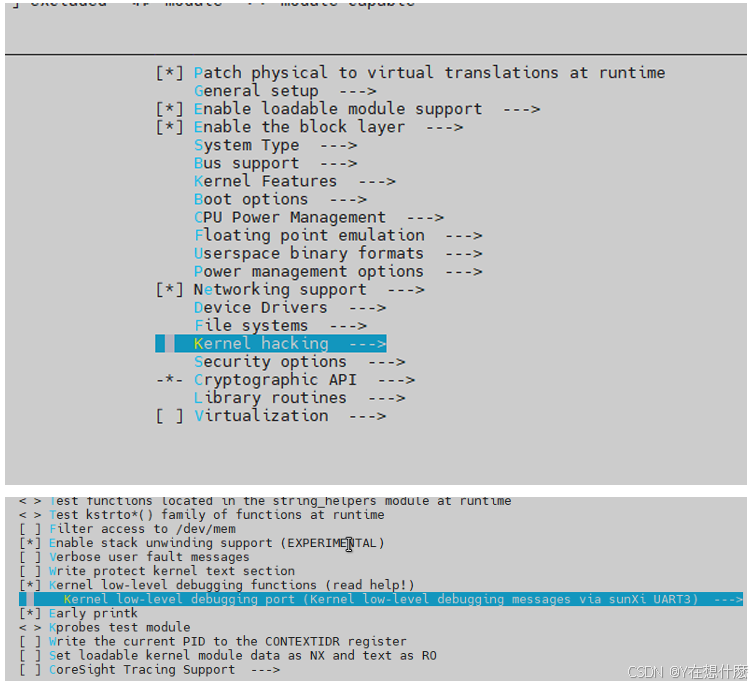
全志A40i android7.1 调试信息打印串口由uart0改为uart3
一,概述 1. 目的 将调试信息打印串口由uart0改为uart3。 2. 版本信息 Uboot版本:2014.07; Kernel版本:Linux-3.10; 二,Uboot 1. sys_config.fex改动 使能uart3(TX:PH00 RX:PH01),并让boo…...

AspectJ 在 Android 中的完整使用指南
一、环境配置(Gradle 7.0 适配) 1. 项目级 build.gradle // 注意:沪江插件已停更,推荐官方兼容方案 buildscript {dependencies {classpath org.aspectj:aspectjtools:1.9.9.1 // AspectJ 工具} } 2. 模块级 build.gradle plu…...