
【前端】Vue项目:旅游App-(23)detail:房东介绍、热门评论、预定须知组件
文章目录
- 目标
- 过程与代码
- 房东介绍landlord
- 热门评论HotComment
- 预定须知Book
- 效果
- 总代码
- 修改或添加的文件
- detail.vue
- detail-book.vue
- detail-hotComment.vue
- detail-landlord.vue
- 参考
本项目博客总结:【前端】Vue项目:旅游App-博客总结
目标
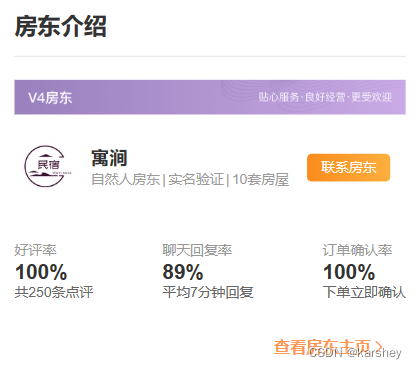
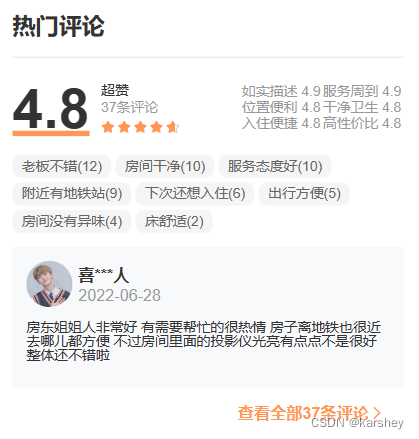
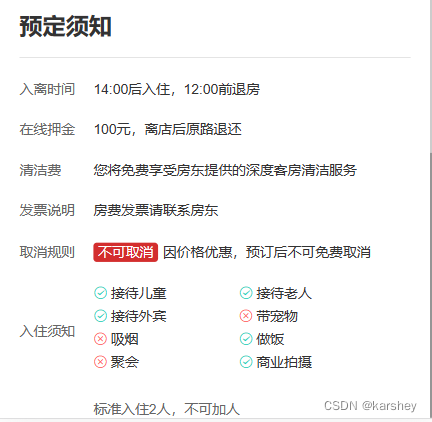
根据detail页面获得的数据完成房东介绍、热门评论和预定须知模块。
房东介绍:
热门评论:
预定须知:
过程与代码
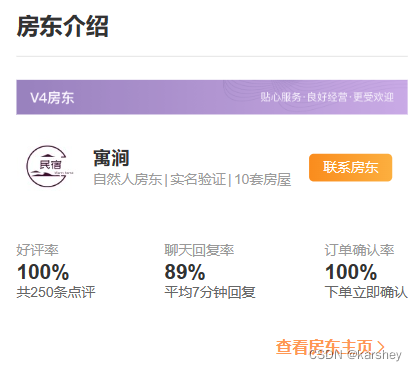
房东介绍landlord
目标:
相关数据:
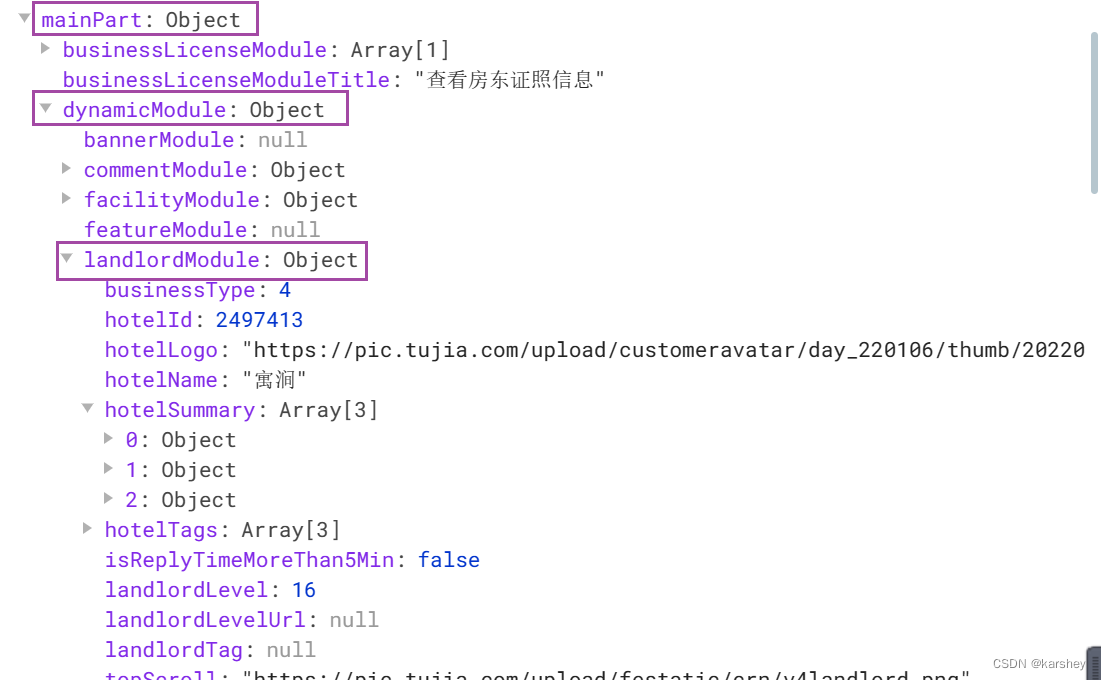
数据对应:
ps:后来发现这个V4房东是固定的背景,不是businessType:https://pic.tujia.com/upload/festatic/crn/v4landlord.png
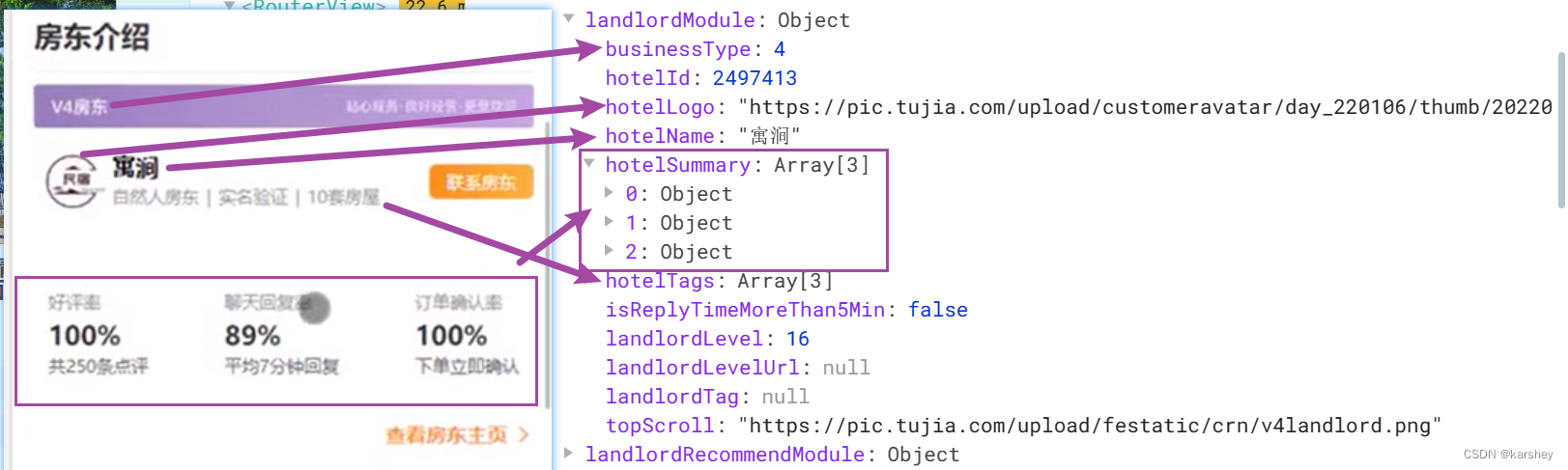
传入数据:
<!-- 房东介绍 -->
<detailSection :header-text="'房东介绍'" :more-text="'房东主页'"><detailLandlord :landlord-module="detailData.mainPart.dynamicModule.landlordModule"/>
</detailSection>
在控制台把数据打印出来:
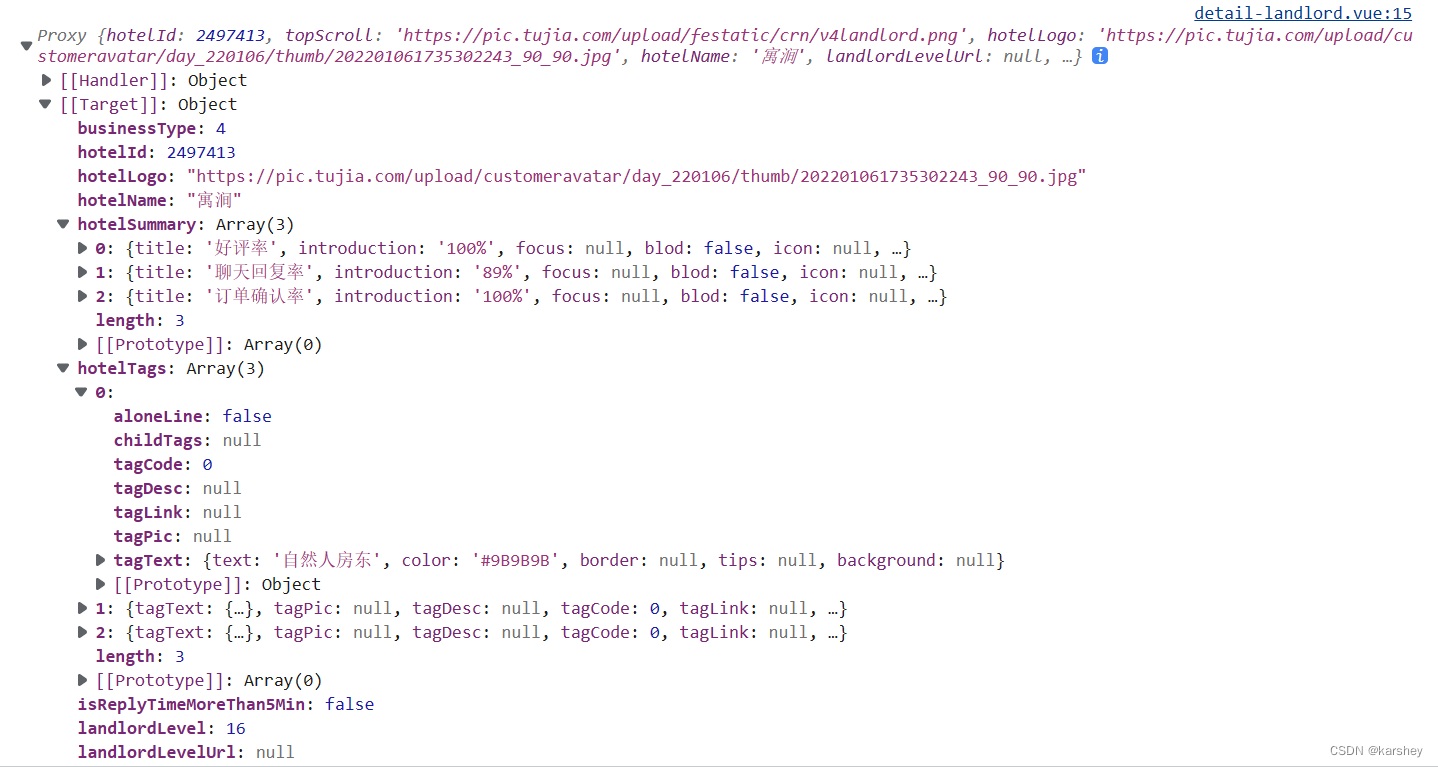
根据数据写html:
<template><div class="landlord"><div class="bg"><img src="https://pic.tujia.com/upload/festatic/crn/v4landlord.png" alt=""></div><div class="hotelInfo"><div class="logo"><img :src="props.landlordModule.hotelLogo" alt=""></div><div class="name"><div class="name1">{{ props.landlordModule.hotelName }}</div><div class="nameInfo"><template v-for="(item, index) in props.landlordModule.hotelTags" :key="index"><div class="separate" v-if="index !== 0" :style="{ color: item.tagText.color }">|</div><div class="text" :style="{ color: item.tagText.color }">{{ item.tagText.text }}</div></template></div></div><div class="button"><span>联系房东</span></div></div><div class="summary"><template v-for="(item, index) in props.landlordModule.hotelSummary" :key="index"><div class="title">{{ item.title }}</div><div class="intro">{{ item.introduction }}</div><div class="tip">{{ item.tip }}</div></template></div></div>
</template><script setup>
const props = defineProps({landlordModule: {type: Object,default: () => ({})}
})console.log(props.landlordModule)
</script>
效果:
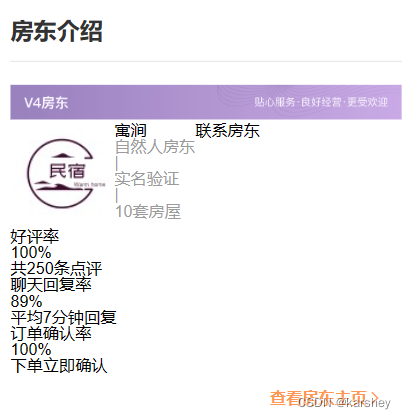
加上样式css:
.landlord {.bg {img {width: 100%;}}.hotelInfo {display: flex;justify-content: left;align-items: center;padding: 16px 0;.logo {img {width: 54px;height: 54px;}}.name {margin-left: 12px;margin-right: 16px;.name1 {font-weight: 700;font-size: 16px;color: #333;}.nameInfo {display: flex;align-items: center;margin-top: 5px;font-size: 12px;.separate {padding: 0 2px;}}}.button {width: 72px;height: 24px;// 垂直水平居中line-height: 24px;text-align: center;background-image: var(--theme-linear-gradient);color: #fff;font-weight: 600;font-size: 12px;border-radius: 4px;}}.summary {display: flex;justify-content: space-between;align-items: center;padding: 22px 0 20px 0;.item {display: flex;flex-direction: column;}.title {color: #999;font-size: 12px;}.intro {color: #333;font-weight: 700;font-size: 18px;margin: 4px 0 2px 0;}.tip {color: #666;font-size: 12px;}}
}
效果:
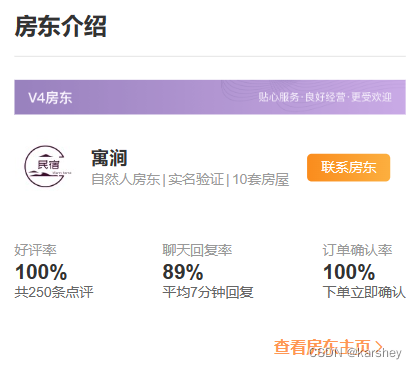
热门评论HotComment
相关数据:
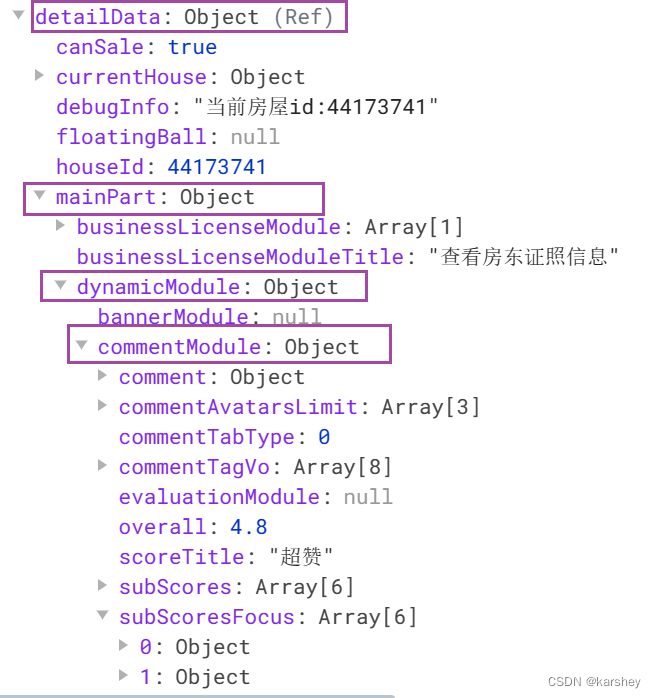
在控制台打印数据:
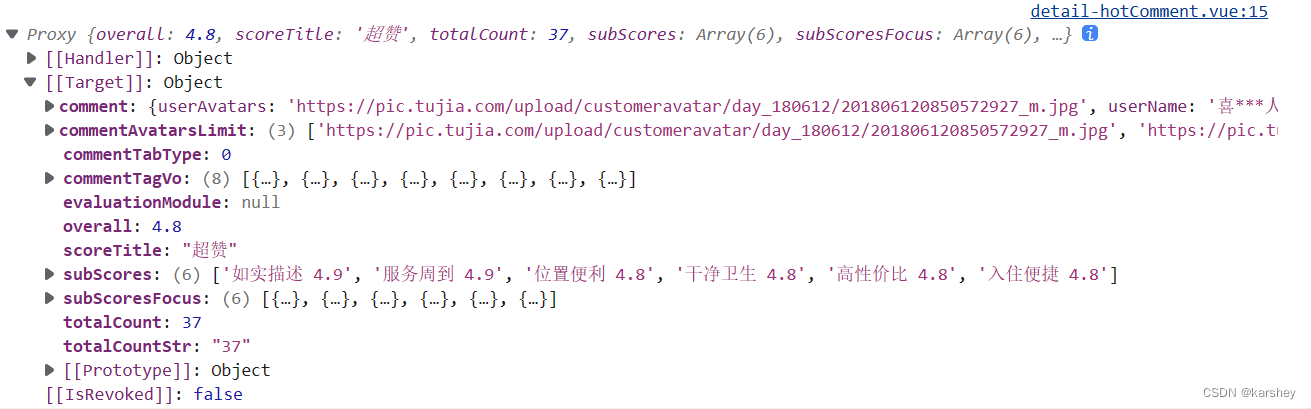
数据的对应:
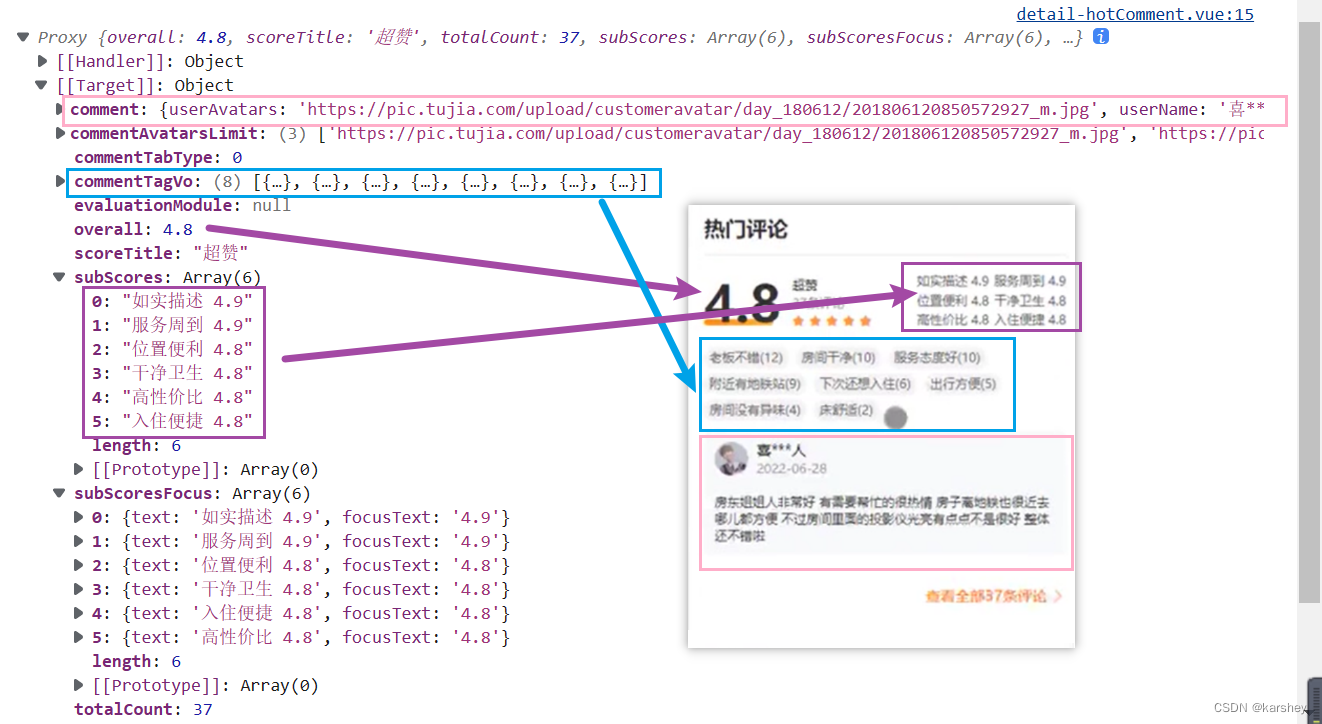
根据数据写html:
<template><div class="Comment"><div class="info"><div class="summary"><div class="overall">{{ props.hotComment.overall }}</div><div class="scoreTitle">{{ props.hotComment.scoreTitle }}</div><div class="totalCount">{{ props.hotComment.totalCount }}条评论</div><div class="star"><van-rate v-model="starValue" readonly allow-half /></div></div><div class="summaryTag"><template v-for="(item, index) in props.hotComment.subScores" :key="index"><div>{{ item }}</div></template></div></div><div class="tag"><template v-for="(item, index) in props.hotComment.commentTagVo" :key="index"><div class="item" :style="{ color: item.color, backgroundColor: item.backgroundColor }">{{ item.text }}</div></template></div><div class="comment"><div class="user"><div class="img"><img :src="props.hotComment.comment.userAvatars" alt=""></div><div class="name"><div class="userName">{{ props.hotComment.comment.userName }}</div><div class="time">{{ props.hotComment.comment.checkInDate }}</div></div></div><div class="content">{{ props.hotComment.comment.commentDetail }}</div></div></div>
</template><script setup>
import { ref } from 'vue';const props = defineProps({hotComment: {type: Object,default: () => ({})}
})
const starValue = ref(props.hotComment.overall);
console.log(props.hotComment)
</script>
效果:
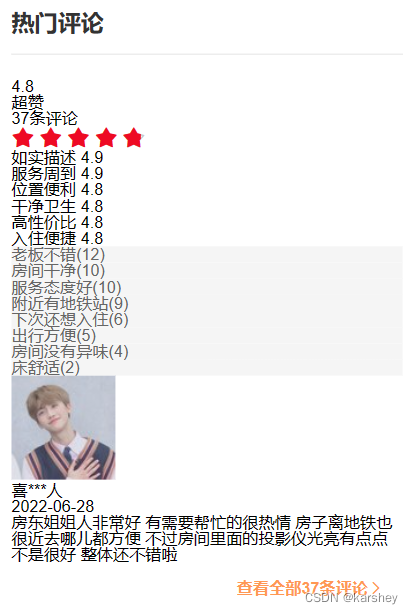
加上样式:
.Comment {.info {display: flex;align-items: center;justify-content: space-between;padding-bottom: 13px;.summary {display: flex;align-items: center;justify-content: left;.overall {font-size: 48px;font-weight: 700;color: #333;text-decoration: underline var(--primary-color);}.otherComment {display: flex;flex-direction: column;justify-content: space-between;margin-left: 10px;.scoreTitle {font-size: 12px;color: #333;margin-bottom: 3px;}.totalCount {font-size: 12px;color: #999;margin-bottom: 3px;}}}.summaryTag {display: grid;grid-template-columns: auto auto;color: #999;font-size: 12px;.item2 {margin: 0 2px 2px 0;}}}.tag {display: flex;flex-wrap: wrap;margin: 3px 0;.item {font-size: 12px;margin: 0 4px 4px 0;padding: 4px 8px;border-radius: 7px;}}.comment {background-color: #f7f9fb;margin: 8px 0 0;padding: 12px;.user {display: flex;justify-content: left;align-items: center;.img {width: 40px;img {width: 100%;border-radius: 50%;}}.name {display: flex;flex-direction: column;justify-content: flex-start;margin-left: 5px;.userName {font-weight: 600;color: #333;margin-bottom: 3px;}.time {color: #999;}}}.content {color: #333;font-size: 12px;margin: 10px 0;}}
}
效果:
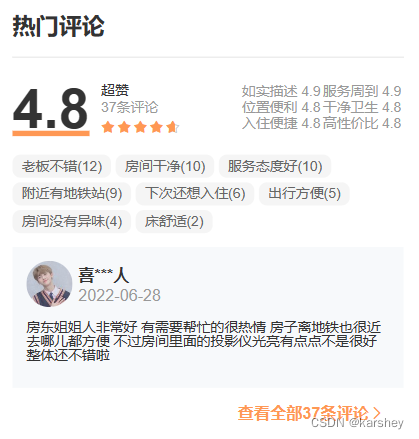
预定须知Book
相关数据:
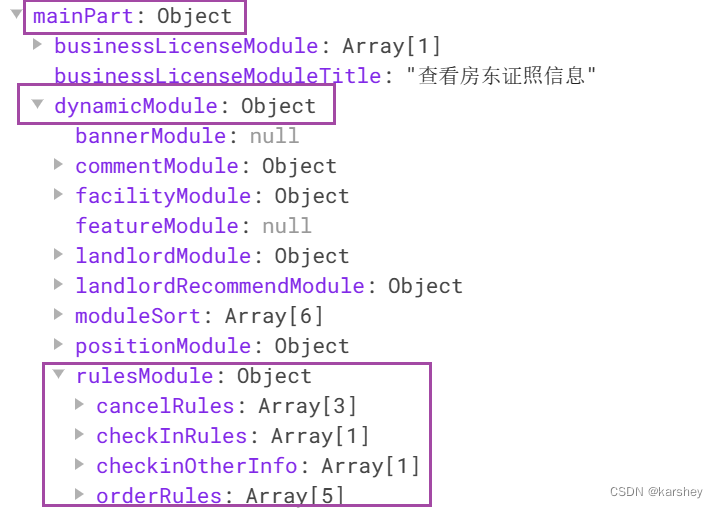
数据对应:
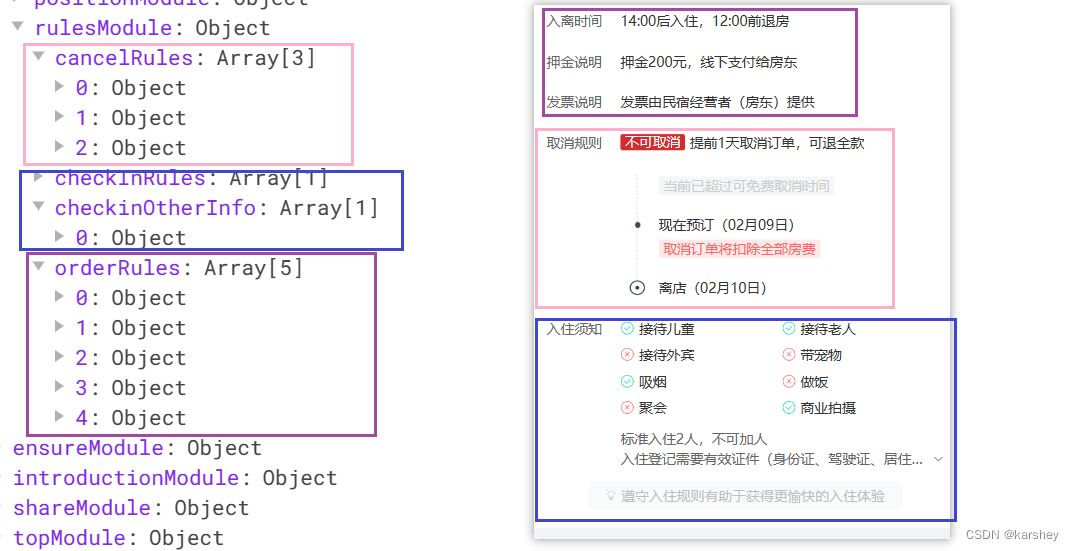
在控制台打印数据:
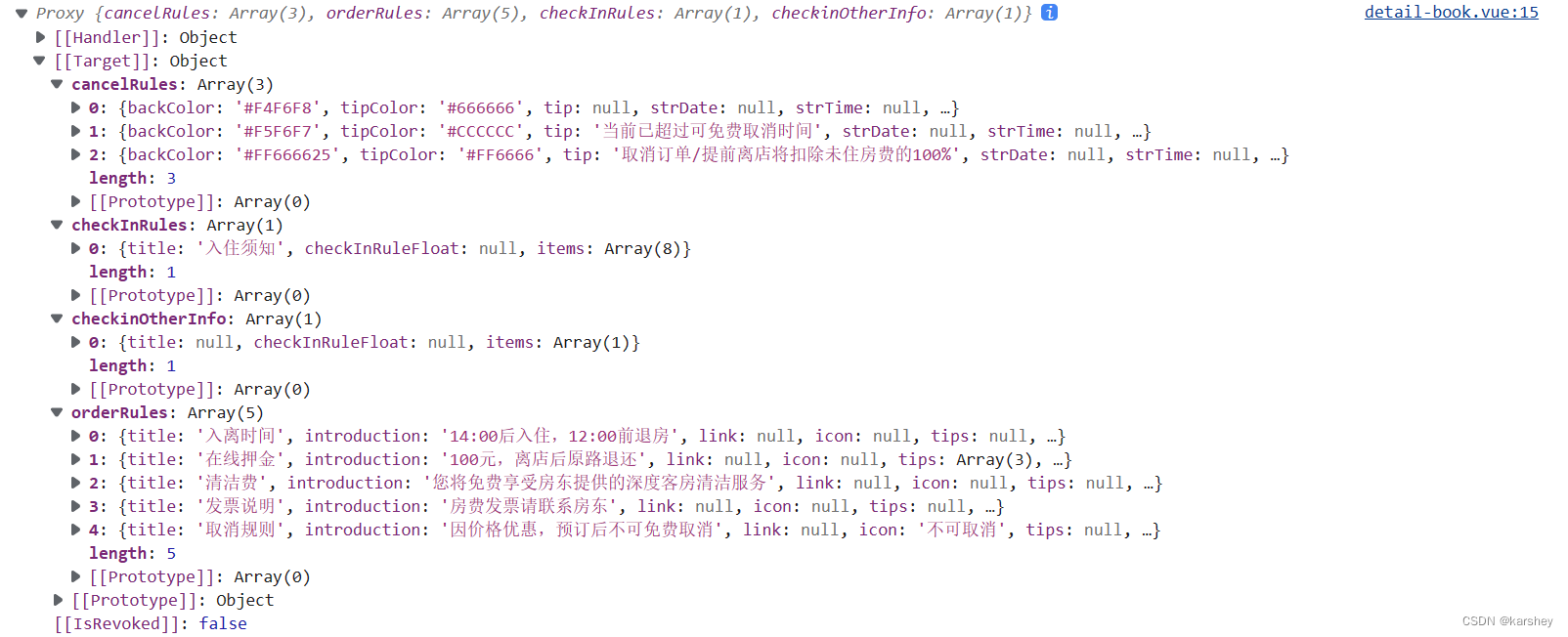
根据数据搭建html:
<template><div class="book"><div class="order"><template v-for="(item, index) in props.book.orderRules" :key="index"><div class="item"><div class="title">{{ item.title }}</div><div class="if" v-if="item.icon !== null" :style="{ backgroundColor: item.color, color: '#fff' }">{{item.icon}}</div><div class="content">{{ item.introduction }}</div></div></template></div><div class="cancel"><template v-for="(item, index) in props.book.cancelRules" :key="index"><div class="content"><div class="introduction">{{ item.introduction }}</div><div class="tip" :style="{ color: item.tipColor, backgroundColor: item.backColor }">{{ item.tip }}</div></div></template></div><div class="checkIn"><div class="item"><div class="title">{{ props.book.checkInRules[0].title }}</div><div class="content"><template v-for="(item, index) in props.book.checkInRules[0].items" :key="index"><div class="content-item"><div class="icon"><div v-if="item.isDeleted"><van-icon name="close" /></div><div v-else="item.isDeleted"><van-icon name="passed" /></div></div><div class="text">{{ item.introduction }}</div></div></template></div></div></div><div class="checkOther"><div class="item"><div class="title" v-if="props.book.checkinOtherInfo[0].title!==null">{{ props.book.checkinOtherInfo.title }}</div><div class="content"><template v-for="(item,index) in props.book.checkinOtherInfo[0].items" :key="index">{{ item.introduction }}</template></div></div></div></div>
</template><script setup>
const props = defineProps({book: {type: Object,default: () => ({})}
})console.log(props.book)
</script><style lang="less" scoped></style>
效果:
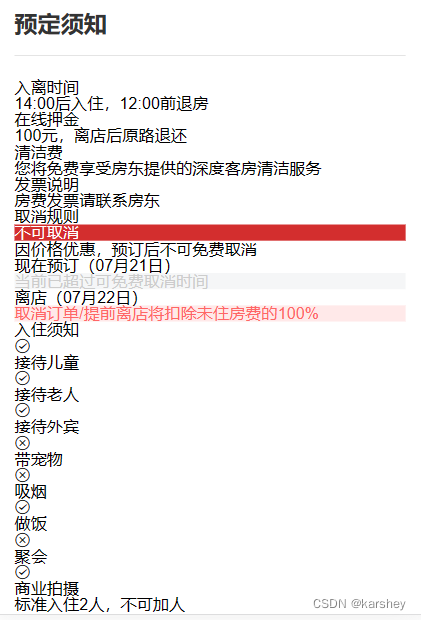
加上样式:
.item {display: flex;align-items: center;margin-top: 20px;font-size: 12px;line-height: 15px;.title {color: #666;width: 64px;height: 15px;}.content {color: #333;}
}.book {.order {.if {margin-right: 4px;padding: 1px 4px;border-radius: 3px;}}.checkIn {.content2 {display: grid;grid-template-columns: 100% 100%;          .content-item {display: flex;margin-bottom: 5px;.icon {margin-right: 3px;}}}}.checkOther{.content{color: #666;}}
}
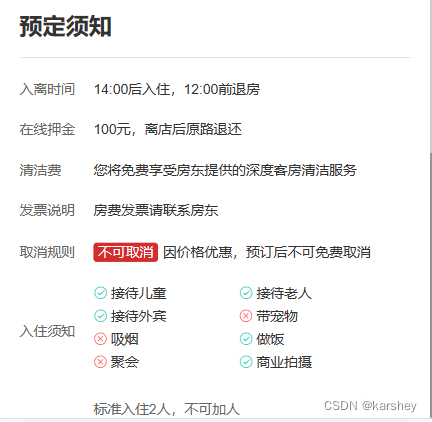
效果
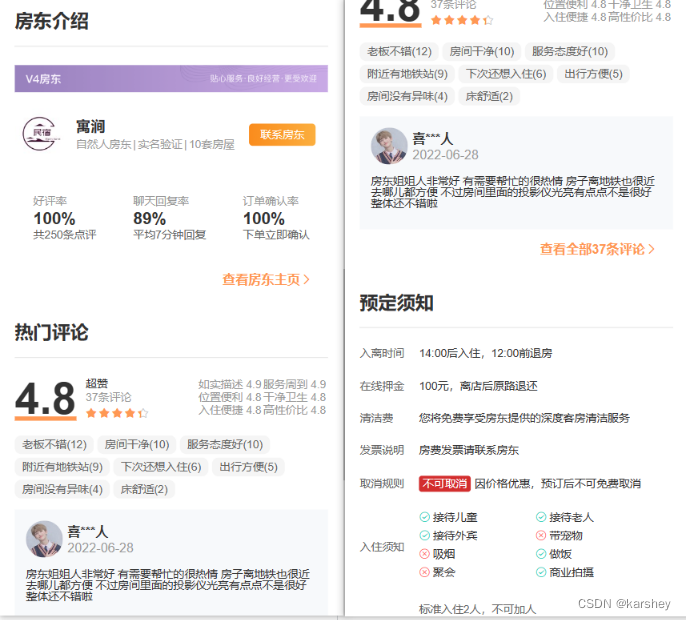

总代码
修改或添加的文件
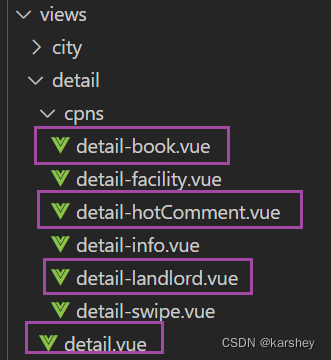
detail.vue
房屋详情页总页。
<template><div class="detail top-page"><!-- 返回上级的导航栏 --><van-nav-bar title="房屋详情" left-text="旅途" left-arrow @click-left="onClickLeft" /><div class="main" v-if="detailData.mainPart"><!-- 轮播图 --><detailSwipe :swipe-data="detailData.mainPart.topModule.housePicture.housePics" /><!-- 标题 --><div class="info"><detailInfo :house-info="detailData.mainPart.topModule" /></div><!-- 内容 --><detailSection :header-text="'房屋设施'" :more-text="'全部房屋设施'"><!-- 插槽内容 --><detailFacility :houseFacility="detailData.mainPart.dynamicModule.facilityModule.houseFacility" /></detailSection><!-- 房东介绍 --><detailSection :header-text="'房东介绍'" :more-text="'房东主页'"><detailLandlord :landlord-module="detailData.mainPart.dynamicModule.landlordModule" /></detailSection><!-- 热门评论 --><detailSection :header-text="'热门评论'" :more-text="'全部'+detailData.mainPart.dynamicModule.commentModule.totalCountStr+'条评论'"><detailHotComment :hot-comment="detailData.mainPart.dynamicModule.commentModule" /></detailSection><!-- 预定须知 --><detailSection :header-text="'预定须知'"><detailBook :book="detailData.mainPart.dynamicModule.rulesModule"/></detailSection></div></div>
</template><script setup>
import useDetailStore from '@/store/modules/detail';
import detailSwipe from '../detail/cpns/detail-swipe.vue'
import detailInfo from './cpns/detail-info.vue';
import detailSection from '@/components/detail-section/detail-section.vue';
import detailFacility from './cpns/detail-facility.vue';
import detailLandlord from './cpns/detail-landlord.vue';
import detailHotComment from './cpns/detail-hotComment.vue';
import detailBook from './cpns/detail-book.vue';import { useRoute } from 'vue-router';
import { storeToRefs } from 'pinia';// const
const detailStore = useDetailStore()
const route = useRoute()// 返回导航栏
const onClickLeft = () => history.back();// 相关参数:在store前
const houseId = route.params.id// store
detailStore.fetchDetailData(houseId)
const { detailData } = storeToRefs(detailStore)</script><style lang="less" scoped>
.detail {.info {margin: 9px;}
}
</style>
detail-book.vue
预定须知组件。
<template><div class="book"><div class="order"><template v-for="(item, index) in props.book.orderRules" :key="index"><div class="item"><div class="title">{{ item.title }}</div><div class="if" v-if="item.icon !== null" :style="{ backgroundColor: item.color, color: '#fff' }">{{item.icon}}</div><div class="content">{{ item.introduction }}</div></div></template></div><div class="checkIn"><div class="item"><div class="title">{{ props.book.checkInRules[0].title }}</div><div class="content"><div class="content2"><template v-for="(item, index) in props.book.checkInRules[0].items" :key="index"><div class="content-item"><div class="icon"><div v-if="item.isDeleted"><van-icon name="close" color="#ff6666" /></div><div v-else="item.isDeleted"><van-icon name="passed" color="#17d2bc" /></div></div><div class="text">{{ item.introduction }}</div></div></template></div></div></div></div><div class="checkOther"><div class="item"><div class="title" v-if="props.book.checkinOtherInfo[0].title !== null">{{props.book.checkinOtherInfo.title}}</div><div class="title" v-else >    </div><div class="content"><template v-for="(item, index) in props.book.checkinOtherInfo[0].items" :key="index">{{ item.introduction }}</template></div></div></div></div>
</template><script setup>
const props = defineProps({book: {type: Object,default: () => ({})}
})console.log(props.book)
</script><style lang="less" scoped>
.item {display: flex;align-items: center;margin-top: 20px;font-size: 12px;line-height: 15px;.title {color: #666;width: 64px;height: 15px;}.content {color: #333;}
}.book {.order {.if {margin-right: 4px;padding: 1px 4px;border-radius: 3px;}}.checkIn {.content2 {display: grid;grid-template-columns: 100% 100%;          .content-item {display: flex;margin-bottom: 5px;.icon {margin-right: 3px;}}}}.checkOther{.content{color: #666;}}
}
</style>
detail-hotComment.vue
热门评论组件。
<template><div class="Comment"><div class="info"><div class="summary"><div class="overall">{{ props.hotComment.overall }}</div><div class="otherComment"><div class="scoreTitle">{{ props.hotComment.scoreTitle }}</div><div class="totalCount">{{ props.hotComment.totalCount }}条评论</div><div class="star"><van-rate v-model="starValue" readonly allow-half size="10px" color="var(--primary-color)" /></div></div></div><div class="summaryTag"><template v-for="(item, index) in props.hotComment.subScoresFocus" :key="index"><div class="item2">{{ item.text }}</div></template></div></div><div class="tag"><template v-for="(item, index) in props.hotComment.commentTagVo" :key="index"><div class="item" :style="{ color: item.color, backgroundColor: item.backgroundColor }">{{ item.text }}</div></template></div><div class="comment"><div class="user"><div class="img"><img :src="props.hotComment.comment.userAvatars" alt=""></div><div class="name"><div class="userName">{{ props.hotComment.comment.userName }}</div><div class="time">{{ props.hotComment.comment.checkInDate }}</div></div></div><div class="content">{{ props.hotComment.comment.commentDetail }}</div></div></div>
</template><script setup>
import { ref } from 'vue';const props = defineProps({hotComment: {type: Object,default: () => ({})}
})
const starValue = ref(props.hotComment.overall);
// console.log(props.hotComment)
</script><style lang="less" scoped>
.Comment {.info {display: flex;align-items: center;justify-content: space-between;padding-bottom: 13px;.summary {display: flex;align-items: center;justify-content: left;.overall {font-size: 48px;font-weight: 700;color: #333;text-decoration: underline var(--primary-color);}.otherComment {display: flex;flex-direction: column;justify-content: space-between;margin-left: 10px;.scoreTitle {font-size: 12px;color: #333;margin-bottom: 3px;}.totalCount {font-size: 12px;color: #999;margin-bottom: 3px;}}}.summaryTag {display: grid;grid-template-columns: auto auto;color: #999;font-size: 12px;.item2 {margin: 0 2px 2px 0;}}}.tag {display: flex;flex-wrap: wrap;margin: 3px 0;.item {font-size: 12px;margin: 0 4px 4px 0;padding: 4px 8px;border-radius: 7px;}}.comment {background-color: #f7f9fb;margin: 8px 0 0;padding: 12px;.user {display: flex;justify-content: left;align-items: center;.img {width: 40px;img {width: 100%;border-radius: 50%;}}.name {display: flex;flex-direction: column;justify-content: flex-start;margin-left: 5px;.userName {font-weight: 600;color: #333;margin-bottom: 3px;}.time {color: #999;}}}.content {color: #333;font-size: 12px;margin: 10px 0;}}
}
</style>
detail-landlord.vue
房东介绍组件。
<template><div class="landlord"><div class="bg"><img src="https://pic.tujia.com/upload/festatic/crn/v4landlord.png" alt=""></div><div class="hotelInfo"><div class="logo"><img :src="props.landlordModule.hotelLogo" alt=""></div><div class="name"><div class="name1">{{ props.landlordModule.hotelName }}</div><div class="nameInfo"><template v-for="(item, index) in props.landlordModule.hotelTags" :key="index"><div class="separate " v-if="index !== 0" :style="{ color: item.tagText.color }">|</div><div class="text " :style="{ color: item.tagText.color }">{{ item.tagText.text }}</div></template></div></div><div class="button"><span>联系房东</span></div></div><div class="summary"><template v-for="(item, index) in props.landlordModule.hotelSummary" :key="index"><div class="item"><div class="title">{{ item.title }}</div><div class="intro">{{ item.introduction }}</div><div class="tip">{{ item.tip }}</div></div></template></div></div>
</template><script setup>
const props = defineProps({landlordModule: {type: Object,default: () => ({})}
})// console.log(props.landlordModule)
</script><style lang="less" scoped>
.landlord {.bg {img {width: 100%;}}.hotelInfo {display: flex;justify-content: left;align-items: center;padding: 16px 0;.logo {img {width: 54px;height: 54px;}}.name {margin-left: 12px;margin-right: 16px;.name1 {font-weight: 700;font-size: 16px;color: #333;}.nameInfo {display: flex;align-items: center;margin-top: 5px;font-size: 12px;.separate {padding: 0 2px;}}}.button {width: 72px;height: 24px;// 垂直水平居中line-height: 24px;text-align: center;background-image: var(--theme-linear-gradient);color: #fff;font-weight: 600;font-size: 12px;border-radius: 4px;}}.summary {display: flex;justify-content: space-around;align-items: center;padding: 22px 0 20px 0;.item {display: flex;flex-direction: column;}.title {color: #999;font-size: 12px;}.intro {color: #333;font-weight: 700;font-size: 18px;margin: 4px 0 2px 0;}.tip {color: #666;font-size: 12px;}}
}
</style>
参考
html图像和屏幕一样宽_林小李的博客-CSDN博客_html图片宽度和页面一样宽
css里面div如何居中显示文字-css教程-PHP中文网
CSS text-decoration 属性 | 菜鸟教程 (runoob.com)
最强大的 CSS 布局 —— Grid 布局 - 掘金 (juejin.cn)
CSS Grid 网格布局教程 - 阮一峰的网络日志 (ruanyifeng.com)
相关文章:
【前端】Vue项目:旅游App-(23)detail:房东介绍、热门评论、预定须知组件
文章目录目标过程与代码房东介绍landlord热门评论HotComment预定须知Book效果总代码修改或添加的文件detail.vuedetail-book.vuedetail-hotComment.vuedetail-landlord.vue参考本项目博客总结:【前端】Vue项目:旅游App-博客总结 目标 根据detail页面获…...

JUC并发编程与源码分析
一、本课程前置知识及要求说明 二、线程基础知识复习 三、CompletableFuture 四、说说Java"锁"事 8锁案例原理解释: 五、LockSupport与线程中断 六、 Java内存模型之JMM 七、volatile与JMM 八、CAS 九、原子操作类之18罗汉增强 十、聊聊ThreadLocal 十一、Java对…...
Spark09: Spark之checkpoint
一、checkpoint概述 checkpoint,是Spark提供的一个比较高级的功能。有时候,我们的Spark任务,比较复杂,从初始化RDD开始,到最后整个任务完成,有比较多的步骤,比如超过10个transformation算子。而…...

《剑指offer》:数组部分
一、数组中重复的数字题目描述:在一个长度为n的数组里的所有数字都在0到n-1的范围内。 数组中某些数字是重复的,但不知道有几个数字是重复的。也不知道每个数字重复几次。请找出数组中任意一个重复的数字。 例如,如果输入长度为7的数组{2,3,1…...
基于微信小程序图书馆座位预约管理系统
开发工具:IDEA、微信小程序服务器:Tomcat9.0, jdk1.8项目构建:maven数据库:mysql5.7前端技术:vue、uniapp服务端技术:springbootmybatis本系统分微信小程序和管理后台两部分,项目采用…...
)
剑指 Offer Day1——栈与队列(简单)
本专栏将记录《剑指 Offer》的刷题,传送门:https://leetcode.cn/study-plan/lcof/。 目录剑指 Offer 09. 用两个栈实现队列剑指 Offer 30. 包含min函数的栈剑指 Offer 09. 用两个栈实现队列 原题链接:09. 用两个栈实现队列 class CQueue { pu…...
详解Python正则表达式中group与groups的用法
在Python中,正则表达式的group和groups方法是非常有用的函数,用于处理匹配结果的分组信息。 group方法是re.MatchObject类中的一个函数,用于返回匹配对象的整个匹配结果或特定的分组匹配结果。而groups方法同样是re.MatchObject类中的函数&am…...
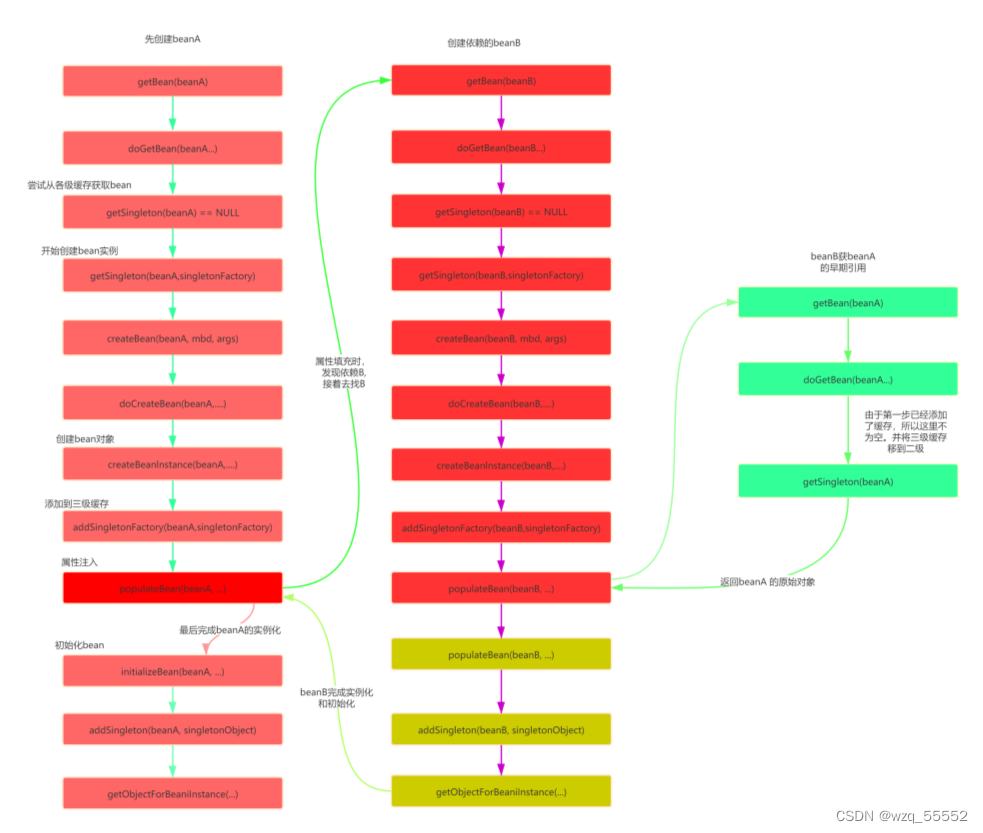
Spring面试重点(三)——AOP循环依赖
Spring面试重点 AOP 前置通知(Before):在⽬标⽅法运行之前运行;后置通知(After):在⽬标⽅法运行结束之后运行;返回通知(AfterReturning):在⽬标…...
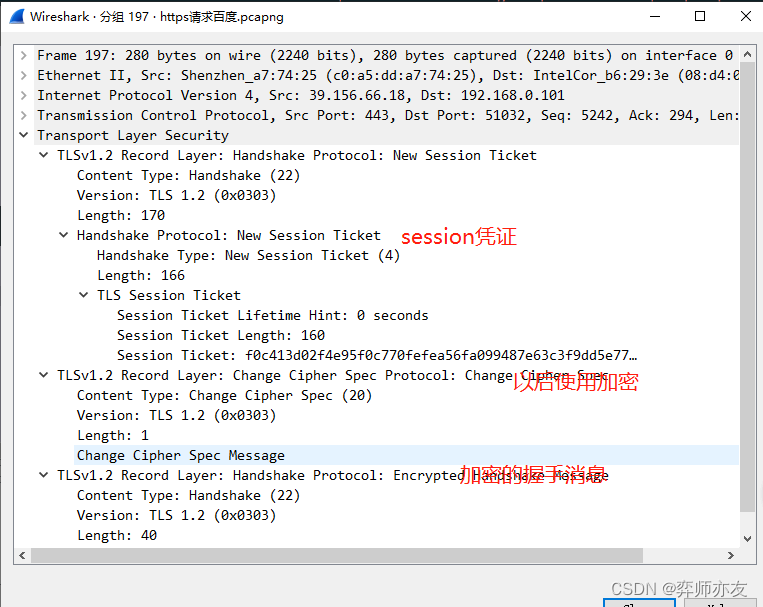
计算机网络之HTTP04ECDHE握手解析
DH算法 离散读对数问题是DH算法的数学基础 (1)计算公钥 (2)交换公钥,并计算 对方公钥^我的私钥 mod p 离散对数的交换幂运算交换律使二者算出来的值一样,都为K k就是对称加密的秘钥 2. DHE算法 E&#…...
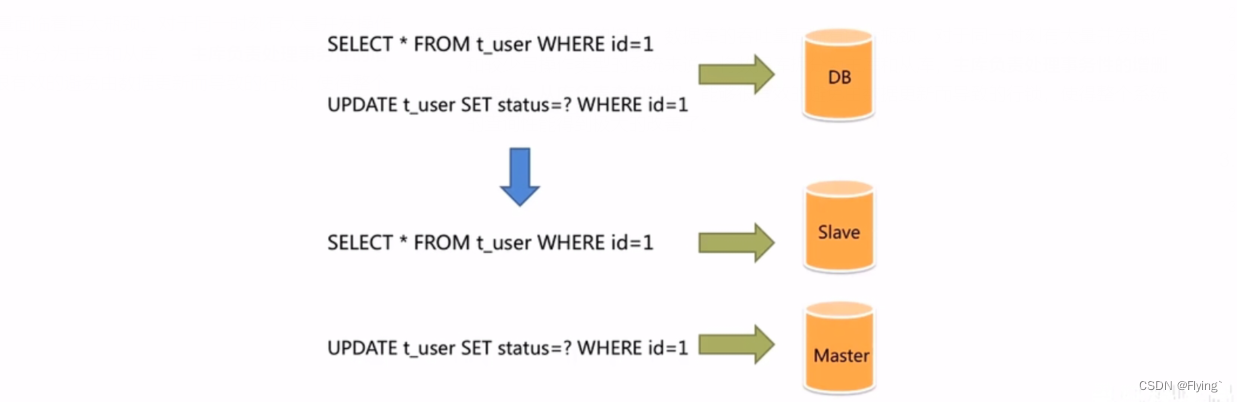
【MySQL数据库】主从复制原理和应用
主从复制和读写分离1. 主从复制的原理2. 主从复制的环境配置2.1 准备好数据库服务器2.2 配置master2.3 配置slave2.4 测试3. 主从复制的应用——读写分离3.1 读写分离的背景3.2 Sharding-JDBC介绍3.3 Sharding-JDBC使用步骤1. 主从复制的原理 MySQL主从复制是一个异步的过程&a…...
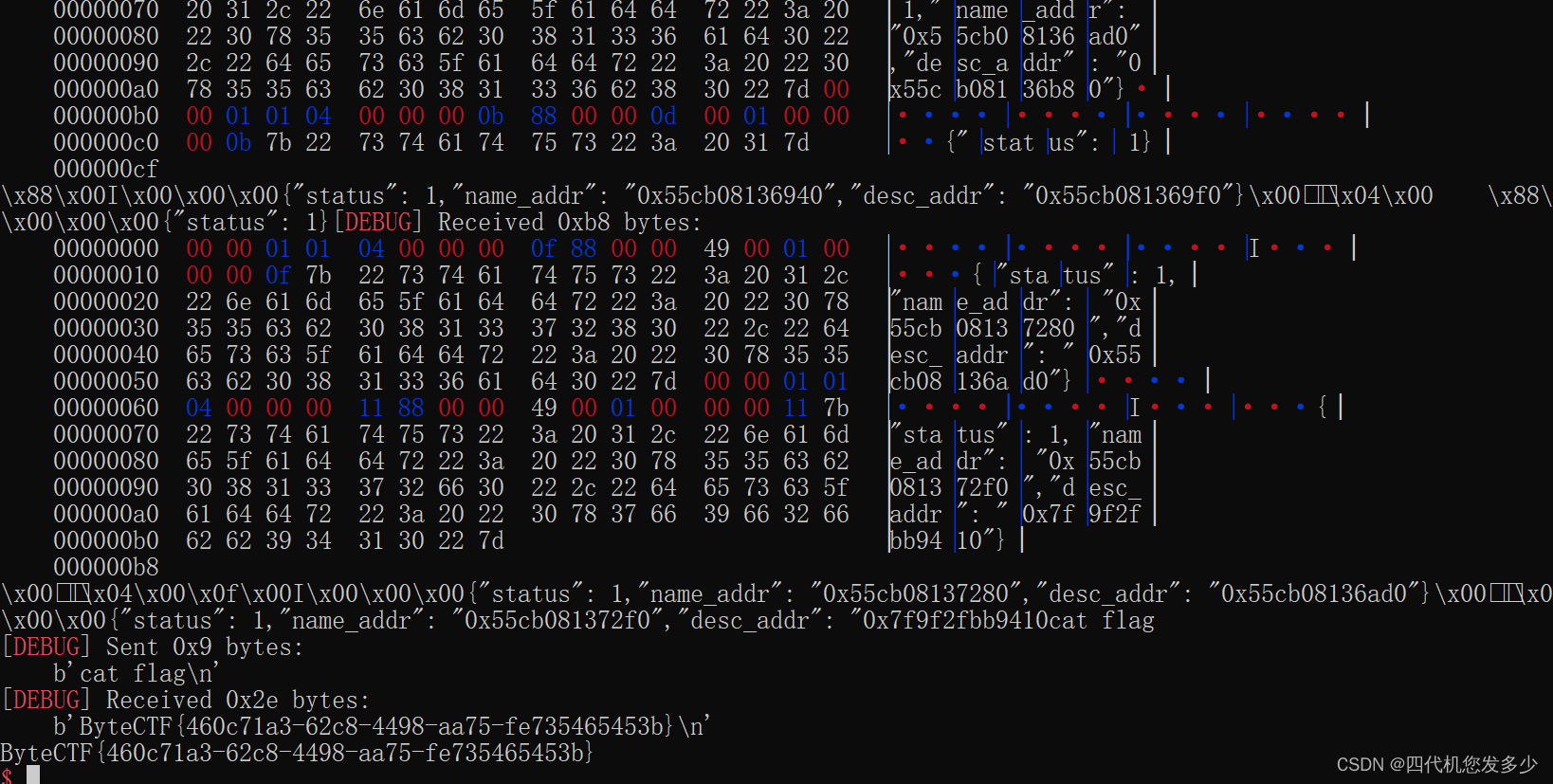
复现随记~
note(美团2022) 比较简单的越界漏洞,堆本身并没有什么漏洞,而且保护并没全开,所以逆向思维。必然是ROP类而非指针类,故我们着重注意unsigned int等无符号数前后是否不一致 int __fastcall edit(__int64 a1) {int idx; // [rsp14…...
【计组】设计大型DMP系统--《深入浅出计算机组成原理》(十四)
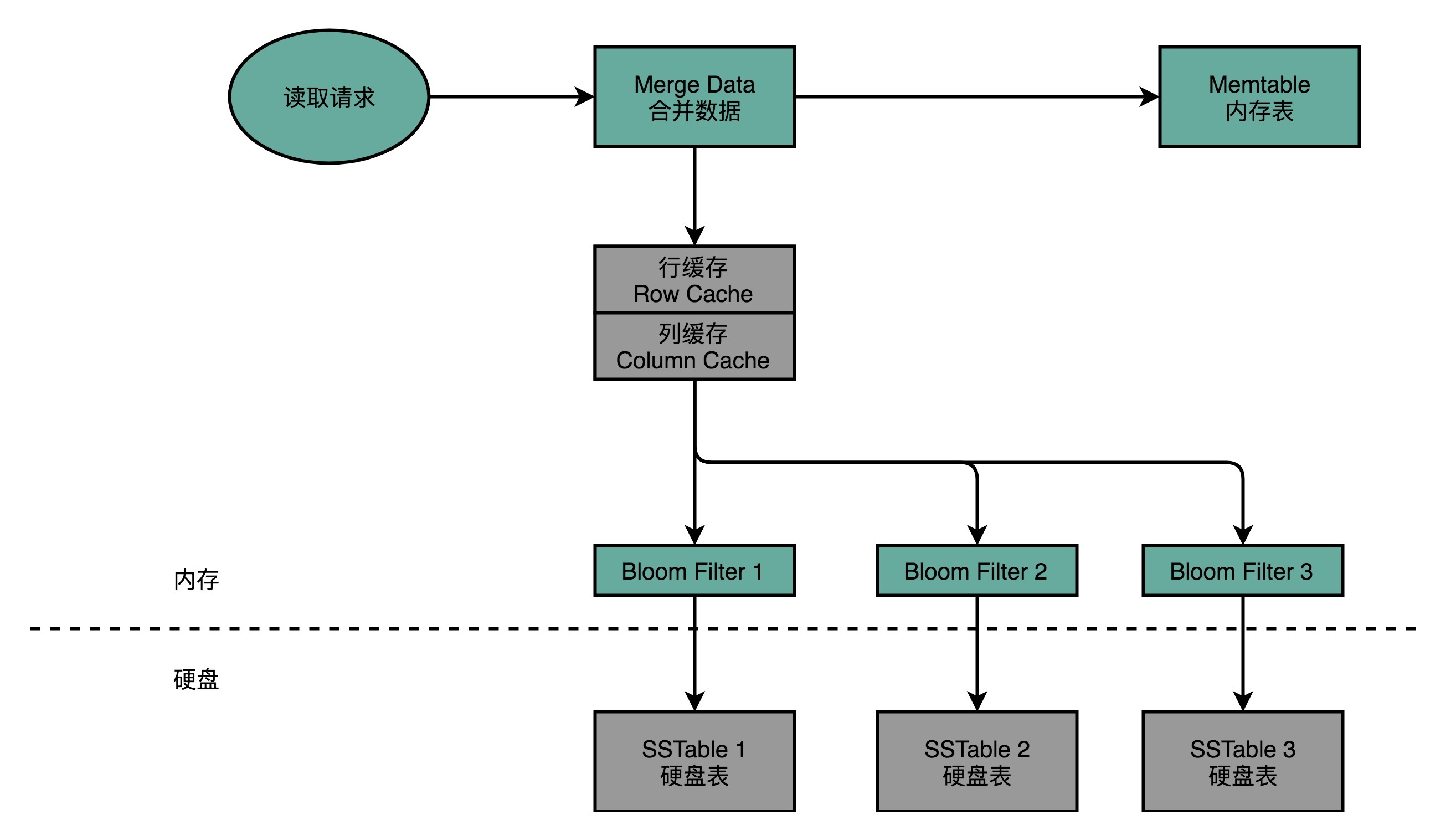
目录 一、DMP:数据管理平台 二、MongoDB 真的万能吗 三、关系型数据库:不得不做的随机读写 (一)Cassandra:顺序写和随机读 1、Cassandra 的数据模型 2、Cassandra 的写操作 3、Cassandra 的读操作 (…...

66 使用注意力机制的seq2seq【动手学深度学习v2】
66 使用注意力机制的seq2seq【动手学深度学习v2】 深度学习学习笔记 学习视频:https://www.bilibili.com/video/BV1v44y1C7Tg/?spm_id_from…top_right_bar_window_history.content.click&vd_source75dce036dc8244310435eaf03de4e330 在机器翻译时,…...
)
NextJS(ReactSSR)
pre-render: 预渲染 1. 静态化 发生的时间:next build 1). 纯静态化 2). SSG: server static generator getStaticProps: 当渲染组件之前会运行 生成html json //该函数只可能在服务端运行 //该函数运行在组件渲染之前 //该函数只能在build期间运…...

JointBERT代码复现详解【上】
BERT for Joint Intent Classification and Slot Filling代码复现【上】 源码链接:JointBERT源码复现(含注释) 一、准备工作 源码架构 data:存放两个基准数据集;model:JointBert模型的实现;…...
进程间通信(上)
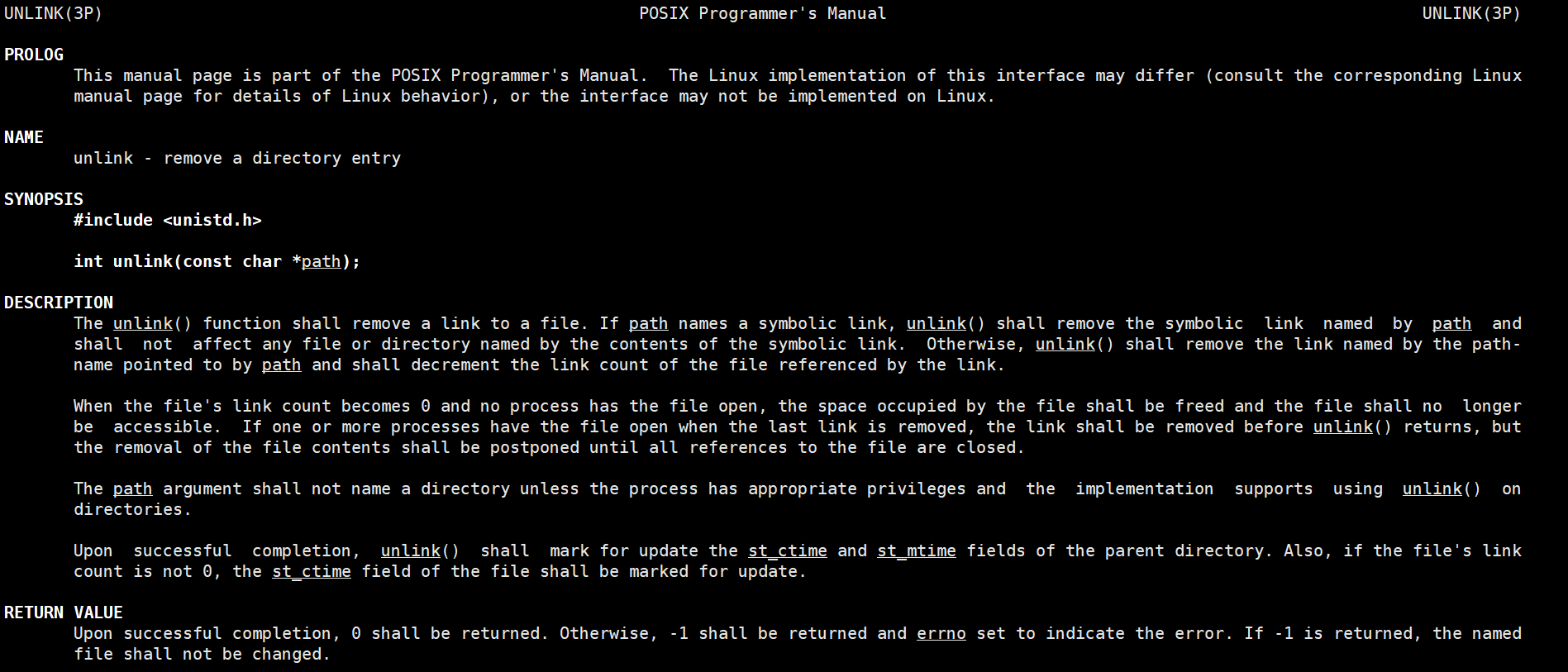
进程间通信(上)背景进程间通信目的进程间通信发展进程间通信分类管道什么是管道匿名管道实例代码简单的匿名管道实现一个父进程控制单个子进程完成指定任务父进程控制一批子进程完成任务(进程池)用fork来共享管道站在文件描述符角…...
【Unity3D】Unity 3D 连接 MySQL 数据库
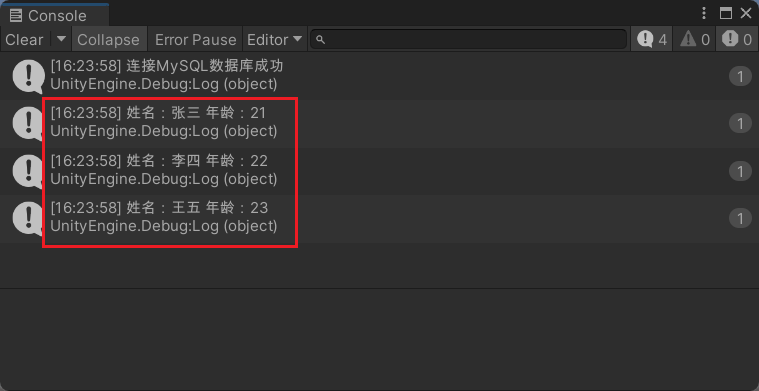
1.Navicat准备 test 数据库,并在test数据库下创建 user 数据表,预先插入测试数据。 2.启动 Unity Hub 新建一个项目,然后在Unity编辑器的 Project视图 中,右击新建一个 Plugins 文件夹将连接 MySQL的驱动包 导入(附加驱…...
vue通用后台管理系统
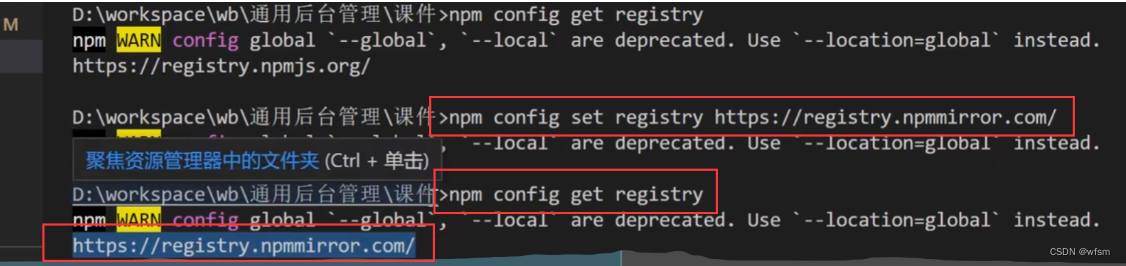
用到的js库 遇到的问题 vuex和 localStorage区别 vuex在内存中,localStorage存在本地localStorage只能存储字符串类型数据,存储对象需要JSON.stringify() 和 parse()…读取内存比读取硬盘速度要快刷新页面vuex数据丢失,localStorage不会vuex…...
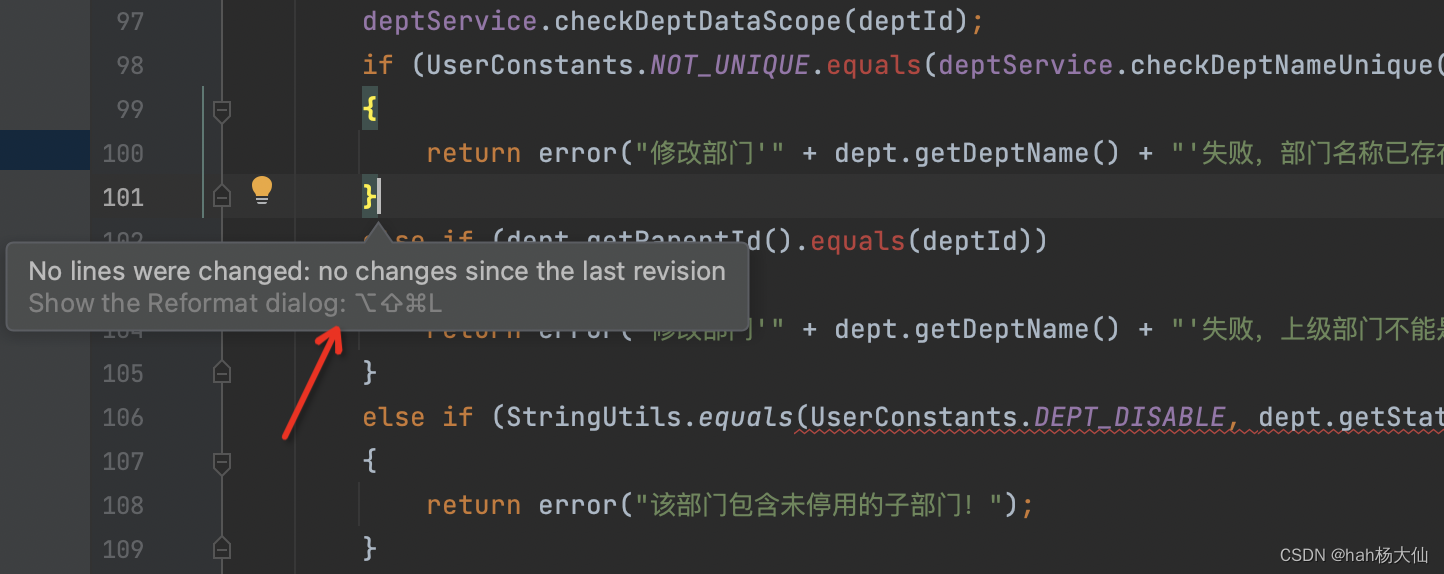
IDEA设置只格式化本次迭代变更的代码
趁着上海梅雨季节,周末狠狠更新一下。平常工作在CR的时候,经常发现会有新同事出现大量代码变更行..一看原因竟是在格式化代码时把历史代码也格式化掉了这样不仅坑了自己(覆盖率问题等),也可能会影响原始代码责任到人&a…...
算法训练——剑指offer(Hash集合问题)
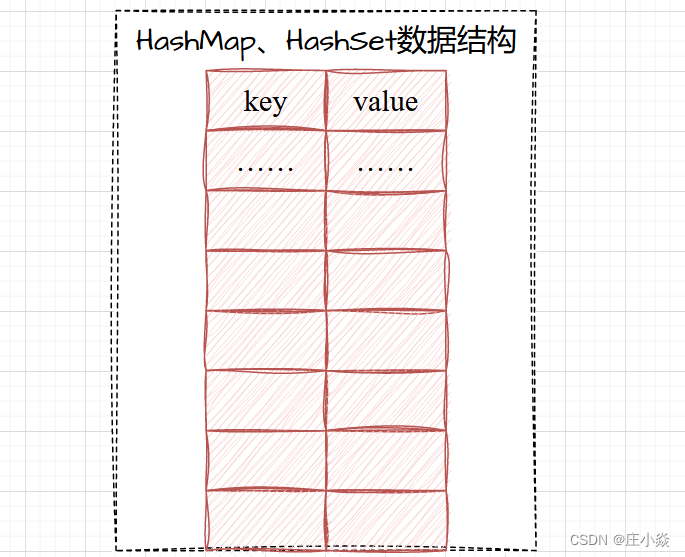
摘要 数据结构中有一个用于存储重要的数据结构,它们就是HashMap,HasSet,它典型特征就是存储key:value键值对。在查询制定的key的时候查询效率最高O(1)。Hashmap,HasSet的底层结构是如图所示。它们的区别就是是否存在重复的元素。 二、HashMa…...

2026快消日化CRM选型指南,这几点一定注意
针对洗护日化行业SKU繁杂、全渠道(KA/CS/母婴)管理难的技术痛点,企业在CRM选型时必须关注SFA执行、DMS协同及ERP深度集成的能力。我们在日化赛道,通过勤策SFAAI Agent方案,帮客户把陈列识别准确率提升至98%,…...

初创团队如何利用Token Plan套餐控制大模型API开发成本
🚀 告别海外账号与网络限制!稳定直连全球优质大模型,限时半价接入中。 👉 点击领取海量免费额度 初创团队如何利用Token Plan套餐控制大模型API开发成本 对于初创团队而言,在原型开发和产品迭代阶段,技术选…...
)
8K 剪辑卡皇之争:RTX 4090 vs A6000 大显存显卡选型深度指南(下)
在上一篇文章中,我们探讨了 8K 视频剪辑对硬件的整体需求,并初步对比了 RTX 4090 和 RTX A6000 在理论性能上的差异。本文将深入分析实际剪辑过程中,大显存显卡对工作流程的影响,尤其是在处理复杂特效、多层合成以及高码率素材时&…...

FPGA神经形态计算架构与Class 7实现详解
1. FPGA神经形态计算架构概述 神经形态计算是一种模拟生物神经系统信息处理机制的新型计算范式,其核心在于脉冲神经网络(SNiking Neural Network, SNN)的硬件实现。与传统人工神经网络不同,SNN通过精确模拟神经元间的脉冲时序依赖可塑性(STDP)来实现更接…...

不只是编译:用Groops GUI玩转GNSS数据处理,从仿真轨道到结果可视化
不只是编译:用Groops GUI玩转GNSS数据处理,从仿真轨道到结果可视化 当GNSS数据处理遇上可视化交互,科研效率会发生怎样的质变?Groops作为重力场与卫星轨道分析领域的专业工具,其GUI界面将复杂的数学建模转化为直观的拖…...

别再为论文格式掉头发了!Paperxie 一键搞定 4000 + 高校排版规范
paperxie-免费查重复率aigc检测/开题报告/毕业论文/智能格式排版/文献综述/AI PPThttps://www.paperxie.cn/format/typesettinghttps://www.paperxie.cn/format/typesetting 你有没有过这种经历:论文内容改到导师点头,却栽在格式这最后一关?…...

087、Python并发编程:队列Queue与线程安全
087、Python并发编程:队列Queue与线程安全 上周排查一个线上问题,服务端处理传感器上报数据时偶尔会丢失几条。日志里没报错,但计数器就是对不上。最后定位到是多个工作线程共用一个列表,其中一个线程在遍历时,另一个线程正好删除了元素——经典的多线程数据竞争问题。这…...

开发环境准备:Python、Node.js、Docker与Git
从“环境搞了两天”到“半小时开箱即用”,一个老油条的环境配置血泪史前几天团队来了个新同事,应届生,看着简历上写着“熟悉Python、Node.js、Docker、Git”。我心想,挺好,基本功扎实。然后给了他一个新电脑࿰…...

iPaaS平台排名:五大主流产品的市场表现与核心能力
在数字化转型加速推进的当下,iPaaS(集成平台即服务)已成为企业构建敏捷IT架构、打通数据孤岛的关键基础设施。市场上涌现出多款各具特色的集成平台,它们在产品定位、技术架构与行业深耕上形成了差异化优势。本文基于公开资料&…...

Nucleus MCP:构建AI智能体标准化工具层的核心架构与实践
1. 项目概述:一个为AI智能体打造的“工具箱”中枢最近在折腾AI智能体(Agent)开发的朋友,可能都遇到过类似的困境:你有一个绝佳的想法,想让AI去调用某个API、查询数据库,或者操作一个本地工具。你…...