
后盾人JS--继承
继承是原型的继承
<!DOCTYPE html>
<html lang="en"><head><meta charset="UTF-8"><meta name="viewport" content="width=device-width, initial-scale=1.0"><title>Document</title>
</head><body><script>let f = {}console.log(f.__proto__)function User() {User.prototype.name = function () {console.log("user.name")}}function Admin() { }// Admin.prototype.__proto__ = User.prototypeAdmin.prototype = Object.create(User.prototype)Admin.prototype.role = function () {console.log("admin.role")}function Member() { }Member.prototype = Object.create(User.prototype)Member.prototype.role = function () {console.log("member.role")}let a = new Admin()a.role()</script>
</body></html>
两种方式都可以实现继承

禁止constructor被遍历
有的时候不希望constructor被遍历
<!DOCTYPE html>
<html lang="en">
<head><meta charset="UTF-8"><meta name="viewport" content="width=device-width, initial-scale=1.0"><title>Document</title>
</head>
<body><script>function Admin(){Admin.prototype = Object.create(User.prototype)console.log(Object.getOwnPropertyDescriptor(Admin.prototype))Object.defineProperty(Admin.prototype,'construct',{value:Admin})Admin.prototype.role = function(){console.log("admin.role")}let a = new Admin()for(const key in a){console.log(key)}}</script>
</body>
</html>
方法重写与父级属性访问
父级和子级的哪一个适合 用哪个
<!DOCTYPE html>
<html lang="en">
<head><meta charset="UTF-8"><meta name="viewport" content="width=device-width, initial-scale=1.0"><title>Document</title>
</head>
<body><script>function User(){User.prototype.show = function(){console.log("user.name")}}User.prototype.site = function(){return "后盾人"}function Admin(){}Admin.prototype = Object.create(User.prototype)Admin.prototype.constructor = AdminAdmin.prototype.show = function(){console.log(User.prototype.site() + "admin.show")}let hd = new Admin()hd.show()</script>
</body>
</html>
面向对象的多态
有多态特性分类就比较方便了
<!DOCTYPE html>
<html lang="en">
<head><meta charset="UTF-8"><meta name="viewport" content="width=device-width, initial-scale=1.0"><title>Document</title>
</head>
<body><script>function User(){}User.prototype.show = function(){console.log(this.description())}function Admin(){}Admin.prototype = Object.create(User.prototype)Admin.prototype.description = function(){return "管理员在此"}function Member(){}Member.prototype = Object.create(User.prototype)Member.prototype.description = function(){return "我是会员"}function Enterprise(){}Enterprise.prototype = Object.create(User.prototype)Enterprise.prototype.description = function(){return "企业账户"}for(const obj of [new Admin(),new Member(),new Enterprise()]){obj.show()//假如没有多态if(obj instanceof Admin){console.log(obj.showAdmin())}}</script>
</body>
</html>
使用父类构造函数初始属性
<!DOCTYPE html>
<html lang="en"><head><meta charset="UTF-8"><meta name="viewport" content="width=device-width, initial-scale=1.0"><title>Document</title>
</head><body><script>let hd = {name: "后盾人",view() {console.log(this.name)}}hd.view()function User(name, age) {this.name = namethis.age = age}User.prototype.show = function () {console.log(this.name, this.age)}function Admin(...args) {User.apply(this, args)}Admin.prototype = Object.create(User.prototype)let xj = new Admin("向军", 18)xj.show()function Member(...args) {User.apply(this, args)}Member.prototype = Object.create(User.prototype)let lisi = new Member("李四", 19)lisi.show()</script>
</body></html>
使用原型工厂封装继承
只要有重复的就可以封装起来
<!DOCTYPE html>
<html lang="en">
<head><meta charset="UTF-8"><meta name="viewport" content="width=device-width, initial-scale=1.0"><title>Document</title>
</head>
<body><script>function extend(sub,sup){sub.prototype = Object.create(sup.prototype)Object.defineProperty(sub.prototype,"constructor",{value:sub,enumerable:false})}function User(name,age){this.name = namethis.age = age}User.prototype.show = function(){console.log(this.name,this.age)}function Admin(...args){User.apply(this,args)}extend(Admin,User)let admin = new Admin('向军',19)admin.show()function Member(...args){User.apply(this,args)}extend(Member,User)let member = new Member('李四',23)member.show()// Member.prototype = Object.create(User.prototype)// Object.defineProperty(Member.prototype,"constructor",{//     value:Member,//     enumerable:false// })</script>
</body>
</html>
对象工厂派生对象并实现继承
<!DOCTYPE html>
<html lang="en">
<head><meta charset="UTF-8"><meta name="viewport" content="width=device-width, initial-scale=1.0"><title>Document</title>
</head>
<body><script>function User(name,age){this.name = namethis.age = age}User.prototype.show = function(){console.log(this.name,this.age)}function admin(name,age){const instance = Object.create(User.prototype)User.call(instance,name,age)instance.role = function(){console.log("role")}return instance}let hd = admin("向军",19)hd.show()hd.role()// let admin = new Admin('向军',19)// admin.show()// function Member(...args){//     User.apply(this,args)// }// extend(Member,User)// let member = new Member('李四',23)// member.show()// Member.prototype = Object.create(User.prototype)// Object.defineProperty(Member.prototype,"constructor",{//     value:Member,//     enumerable:false// })</script>
</body>
</html>
mixin实现多继承
// 定义一些 mixin 对象
const canEat = {eat() {console.log('I can eat.');}
};const canWalk = {walk() {console.log('I can walk.');}
};const canSwim = {swim() {console.log('I can swim.');}
};// 定义一个基础类
class Person {}// 定义一个混入函数
function mixin(target, ...sources) {Object.assign(target.prototype, ...sources);
}// 进行混入操作
mixin(Person, canEat, canWalk, canSwim);// 创建 Person 实例
const person = new Person();// 调用混入的方法
person.eat();
person.walk();
person.swim();
使用工厂函数混入:
// 定义一些 mixin 函数
function canFly() {return {fly() {console.log('I can fly.');}};
}function canClimb() {return {climb() {console.log('I can climb.');}};
}// 定义一个基础类
class Animal {}// 定义一个工厂函数进行混入
function createMixinAnimal(...mixins) {class MixedAnimal extends Animal {}mixins.forEach(mixin => {Object.assign(MixedAnimal.prototype, mixin());});return MixedAnimal;
}// 创建一个混入了 canFly 和 canClimb 的新类
const FlyingClimbingAnimal = createMixinAnimal(canFly, canClimb);// 创建实例
const animal = new FlyingClimbingAnimal();// 调用混入的方法
animal.fly();
animal.climb();
mixin的内部继承与super关键字
功能类也可以实现继承
<!DOCTYPE html>
<html lang="en">
<head><meta charset="UTF-8"><meta name="viewport" content="width=device-width, initial-scale=1.0"><title>Document</title>
</head>
<body><script>function extend(sub,sup){sub.prototype = Object.create(sup.prototype)Object.defineProperty(sub.prototype,"constructor",{value:sub,enumerable:false})} const Address = {getAddress(){console.log("获取收货地址")}}const Request = {ajax(){return "请求后台"}}const Credit = {__proto__:Request,total(){console.log(super.ajax()+"积分统计")}} function User(name,age){this.name = name this.age = age}User.prototype.show = function(){console.log(this.name,this.age)}function Admin(name,age){User.call(this,name,age)}extend(Admin,User)Admin.prototype = Object.assign(Admin.prototype,Request,Credit)let admin = new Admin("向军",19)admin.show()admin.ajax()admin.total()function Member(name,age){User.call(this,name,age)}extend(Member,User)//    Member.prototype = Object.assign(Admin.prototype,Request,Credit)//    let lisi = new Member("李四",22)//    lisi.getAddress()</script>
</body>
</html>
Tab选项卡显示效果基类开发
<!DOCTYPE html>
<html lang="en">
<head><meta charset="UTF-8"><meta name="viewport" content="width=device-width, initial-scale=1.0"><title>Document</title>
</head>
<body><main class="tab2"><nav><a href="javascript:;">后盾人</a><a href="javascript:;">hdcms</a></nav><section>1</section><section>2</section></main><script>function extend(sub,sup){sub.prototype = Object.create(sup.prototype)sub.prototype.constructor = sub}function Animation(){}Animation.prototype.show = function(){this.style.display = "block"}Animation.prototype.hide = function(){this.style.display = "none"}Animation.prototype.background = function(color){this.style.backgroundColor = color}// let tab = document.querySelector('.tab')// Animation.prototype.background.call(tab,"red")</script>
</body>
</html>
好用的TAB业务管理类
<!DOCTYPE html>
<html lang="en">
<head><meta charset="UTF-8"><meta name="viewport" content="width=device-width, initial-scale=1.0"><title>Document</title>
</head>
<body><main class="tab1"><nav><a href="javascript:;">后盾人</a><a href="javascript:;">hdcms</a></nav><section>1</section><section>2</section></main><main class="tab2"><nav><a href="javascript:;">后盾人</a><a href="javascript:;">hdcms</a></nav><section>1</section><section>2</section></main><script>function extend(sub,sup){sub.prototype = Object.create(sup.prototype)sub.prototype.constructor = sub}function Animation(){}Animation.prototype.show = function(){this.style.display = "block"}Animation.prototype.hide = function(){this.style.display = "none"}Animation.prototype.background = function(color){this.style.backgroundColor = color}// let tab = document.querySelector('.tab')// Animation.prototype.background.call(tab,"red")function Tab(el){ this.tab = document.querySelector(el)this.links = this.tab.querySelectorAll('a')this.sections = this.tab.querySelectorAll('section')}extend(Tab,Animation)Tab.prototype.run = function(){this.bindEvent()this.reset()this.action(0)}Tab.prototype.bindEvent = function(){this.links.forEach((el,i) => {el.addEventListener("click",()=>{this.reset()this.action(i)})               });}Tab.prototype.action =function(i){this.background.call(this.links[i],"#e67e22")this.show.call(this.sections[i])}Tab.prototype.reset =function(){this.links.forEach((el,i)=>{this.background.call(this.links[i],"#95a5a6")this.hide.call(this.sections[i])})}new Tab('.tab2').run()</script>
</body>
</html>
也可以通过设置默认参数来进行更多的设置,让自由度更高
相关文章:
后盾人JS--继承
继承是原型的继承 <!DOCTYPE html> <html lang"en"><head><meta charset"UTF-8"><meta name"viewport" content"widthdevice-width, initial-scale1.0"><title>Document</title> </hea…...

提升开发效率:IDE使用技巧与插件推荐
在软件开发过程中,选择一个合适的集成开发环境(IDE)并掌握其使用技巧,可以显著提高开发效率。本文将分享一些常用的IDE使用技巧,并推荐几款实用的插件,帮助开发者更好地利用IDE进行开发。 一、IDE使用技巧…...
)
开源模型应用落地-DeepSeek-R1-Distill-Qwen-7B与vllm实现推理加速的正确姿势(一)
一、前言 在当今人工智能技术迅猛发展的时代,各类人工智能模型如雨后春笋般不断涌现,其性能的优劣直接影响着应用的广度与深度。从自然语言处理到计算机视觉,从智能安防到医疗诊断,AI 模型广泛应用于各个领域,人们对其准确性、稳定性和高效性的期望也与日俱增。 在此背景下…...
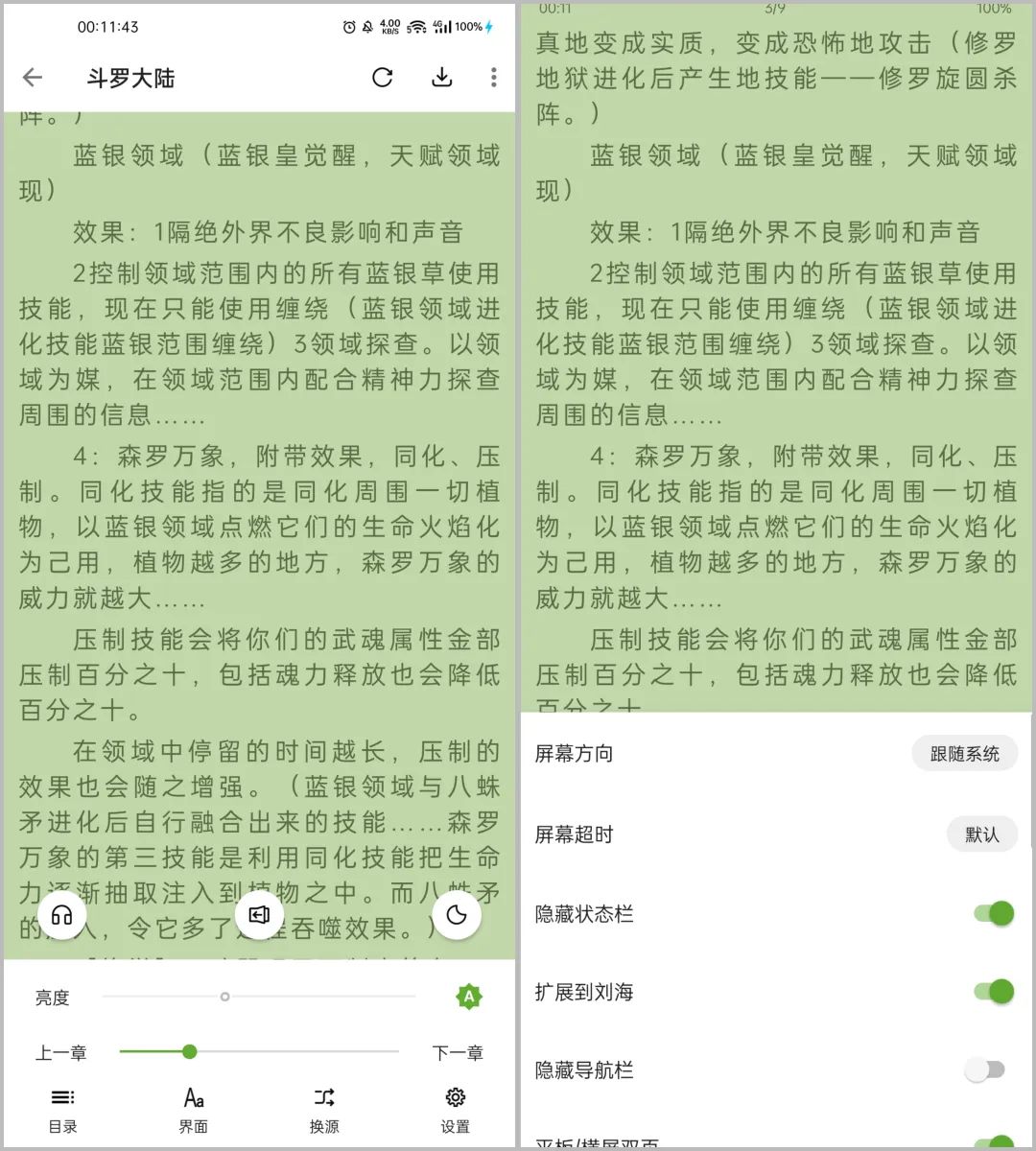
小书包:让阅读更美的二次开发之作
小书包是在一款知名阅读软件的基础上进行二次开发的产品。在保留原有软件的基本功能和用户体验的同时,对其界面和视觉效果进行了精心美化,让阅读体验更加舒适和愉悦。 内置了171条书源,虽然数量不算多,但都是作者精挑细选出来的&a…...

MySQL 插入数据指南
MySQL 插入数据指南 引言 MySQL 是一款广泛使用的开源关系数据库管理系统,被广泛应用于各种规模的组织中。在数据库管理中,数据的插入是基础操作之一。本文将详细介绍如何在 MySQL 中插入数据,包括插入单条记录和多条记录,以及一…...

防火墙安全策略实验
一、拓扑图 需求 Cloud云: 二、防火墙配置 初始化防火墙 Username:admin Password:***** The password needs to be changed. Change now? [Y/N]: y Please enter old password: Admin123 Please enter new password: admin123 Please confirm new password: …...

【Redis】主从模式,哨兵,集群
主从复制 单点问题: 在分布式系统中,如果某个服务器程序,只有一个节点(也就是一个物理服务器)来部署这个服务器程序的话,那么可能会出现以下问题: 1.可用性问题:如果这个机器挂了…...

互联网行业常用12个数据分析指标和八大模型
本文目录 前言 一、互联网线上业务数据分析的12个指标 1. 用户数据(4个) (1) 存量(DAU/MAU) (2) 新增用户 (3) 健康程度(留存率) (4) 渠道来源 2. 用户行为数据(4个) (1) 次数/频率…...

多模块协同信息安全管理平台
1.产品介绍 产品名称 【SecureMOS - 多模块协同信息安全管理平台】 主要功能: [功能1] 模块化架构设计与集成 具体作用与使用方式: 通过模块化的设计,将信息安全系统分解为多个独立且可扩展的组件,便于快速部署和维护。需求满足与问题解…...

基于RK3588/RK3576+MCU STM32+AI的储能电站电池簇管理系统设计与实现
伴随近年来新型储能技术的高质量规模化发展,储能电站作为新能源领域的重要载体, 旨在配合逐步迈进智能电网时代,满足电力系统能源结构与分布的创新升级,给予相应规模 电池管理系统的设计与实现以新的挑战。同时,电子系…...

使用LightGlue进行图像配准并提取图像重叠区域
发表日期:2023年6月23日 项目地址:https://github.com/cvg/LightGlue https://github.com/cvg/glue-factory/ LightGlue是一个在精度上媲美Superglue,但在速度上比Superglue快一倍的模型。通过博主实测,LightGlue的配准效果比Su…...

DeepSeek-R1:开源机器人智能控制系统的革命性突破
目录 引言 一、DeepSeek-R1 的概述 1.1 什么是 DeepSeek-R1? 1.2 DeepSeek-R1 的定位 二、DeepSeek-R1 的核心特性 2.1 实时控制能力 2.2 多传感器融合 2.3 路径规划与导航 2.4 人工智能集成 2.5 开源与模块化设计 2.6 跨平台支持 三、DeepSeek-R1 的技术…...

第二十二章 MySQL锁之全局锁
目录 一、锁概述 二、全局锁概念 三、全局锁使用 四、全局锁特点 五、不加锁一致性数据备份 5.1. 实现方式 5.2. 优点和缺点 一、锁概述 锁是计算机协调多个进程或线程并发访问某一资源的机制。在数据库中,除传统的计算资源(CPU、RAM、I/O&#x…...

pytorch实现简单的情感分析算法
人工智能例子汇总:AI常见的算法和例子-CSDN博客 在PyTorch中实现中文情感分析算法通常涉及以下几个步骤:数据预处理、模型定义、训练和评估。下面是一个简单的实现示例,使用LSTM模型进行中文情感分析。 1. 数据预处理 首先,我…...

Win11关闭登录密码?
或者使用winR快捷键, 输入: netplwiz 进入页面后,按照提示按ctrlaltdel键更改密码。 在跳转页面点击更改密码。 输入原密码后,将新密码设置为空即可。 Win11的两个实用技巧系列之如何关闭登录密码?_win11关闭密码还是要输入-CSDN博客...

e2studio开发RA4M2(6)----GPIO外部中断(IRQ)配置
e2studio开发RA4M2.6--GPIO外部中断(IRQ)配置 概述视频教学样品申请硬件准备参考程序源码下载新建工程工程模板保存工程路径芯片配置工程模板选择时钟设置SWD调试口设置GPIO口配置按键中断配置中断回调函数主程序 概述 GPIO(通用输入/输出&a…...

DeepSeek 阐述 2025年前端发展趋势
预测2025年前端的发展趋势。首先,我需要考虑当前的前端 技术发展情况,以及近几年的变化趋势。比如,框架方面,React、Vue、Angular这些主流框架的更新方向和社区活跃度。可能用户想知道未来哪些技术会更流行,或者需要学…...

linux内核源代码中__init的作用?
在 Linux 内核源代码中,__init是一个特殊的宏,用于标记在内核初始化阶段使用的变量或函数。这个宏的作用是告诉内核编译器和链接器,被标记的变量或函数只在内核的初始化阶段使用,在系统启动完成后就不再需要了。因此,这…...

计算机从何而来?计算技术将向何处发展?
计算机的前生:机械计算工具的演进 算盘是计算机的起点,它其实是一台“机械式半自动化运算器”。打算盘的“口诀”其实就是它的编程语言,算盘珠就是它的存储器。 第二阶段是可以做四则运算的加法器、乘法器。1642年,法国数学家帕斯…...

浏览器的通信能力
浏览器的通信能力 用户代理 浏览器可以代替用户完成http请求,代替用户解析响应结果,所以我们称之为: 用户代理 user agent 在网络层面,对于前端开发者,必须要知道浏览器拥有的两大核心能力: 自动发出请…...

PasteMD企业应用:集成至内部Wiki系统,实现员工随手粘贴→自动归档Markdown
PasteMD企业应用:集成至内部Wiki系统,实现员工随手粘贴→自动归档Markdown 1. 引言:从个人工具到企业级知识管理 想象一下这个场景:一位产品经理刚开完一场需求评审会,会议记录散乱地记在记事本里,有要点…...

同工不同酬,劳务派遣成部分企业吸血工具,委员建议废除。网友:非常好,支持
在 2026 年两会期间,全国政协委员周世虹抛出重磅建议:废除劳务派遣制度。在他看来,劳务派遣早已背离“临时性、辅助性、替代性”的立法初衷,从补充用工形式异化为部分企业的主流用工方式。本该是“过渡性”的岗位,如今…...

archery-在rockylinux8上用docker部署sql审计平台
1.安装docker [rootarchery ~]# rpm -qa | grep podman [rootarchery ~]# rpm -q podman package podman is not installed [rootarchery ~]# dnf install -y yum-utils device-mapper-persistent-data lvm2 [rootarchery ~]# yum-config-manager --add-repo https://downloa…...

神州路由器vlan 10访问电信,vlan 20访问移动的配置
SWA配置: CS6200-28X-Pro> CS6200-28X-Pro>ena CS6200-28X-Pro#conf CS6200-28X-Pro(config)#vlan 10;20;100;1017;1018 CS6200-28X-Pro(config)#int vlan 10 CS6200-28X-Pro(config-if-vlan10)#ip add 192.168.10.254 255.255.255.0 CS6200-28X-Pro(config-if-vlan10…...

SQL优化全攻略:从索引设计到执行计划的深度解析
SQL优化全攻略:从索引设计到执行计划的深度解析 在数据爆炸的时代,一条低效的SQL查询可能拖垮整个系统。本文通过索引策略示例、查询优化案例及Explain工具对比,为你揭开SQL优化的神秘面纱,实现从“慢查询”到“毫秒级响应”的质变…...

光伏储能虚拟同步发电机Simulink仿真模型探索
光伏储能虚拟同步发电机simulink仿真模型 主电路:三相全桥逆变 直流侧电压800V 光伏模块:光伏板结合Boost电路应用MPPT 储能模块:采用双闭环控制,外环直流母线电容稳压,内环为电池电流环控制 Matlab/simulink 2021b版本…...

软件工程软件开发生命周期瀑布模型与敏捷模型的比较
软件工程中的开发模型选择直接影响项目成败,瀑布模型与敏捷模型作为两种经典方法论,分别代表了结构化与灵活性的两极。随着数字化转型加速,开发团队常面临模型选择的困惑。本文将从核心维度对比二者的差异,帮助读者理解不同场景下…...

【BBF系列协议】TR-135 支持TR-069的STB的数据模型
TR-135 支持TR-069的STB的数据模型 执行摘要 TR-135,启用TR-069的STB的数据模型,定义了用于通过TR-069和TR-106中定义的CWMP远程管理机顶盒(STB)设备上的数字电视(IPTV或广播)功能的数据模型。它包括用于…...

react-shimmer自定义加载效果:打造属于你的独特加载动画
react-shimmer自定义加载效果:打造属于你的独特加载动画 【免费下载链接】react-shimmer 🌠 Async loading, performant Image component for React.js 项目地址: https://gitcode.com/gh_mirrors/re/react-shimmer react-shimmer是一个为React.j…...

Revanced-patches与同类工具对比:为什么它是Android应用定制的最佳选择
Revanced-patches与同类工具对比:为什么它是Android应用定制的最佳选择 【免费下载链接】revanced-patches 🧩 Patches for ReVanced 项目地址: https://gitcode.com/gh_mirrors/reva/revanced-patches 在Android应用定制领域,用户常常…...