
Vue3快速入门【二】
Vue3快速入门
- 一、传值
- 父传子,子传父
- v-model
- 二、插槽
- 2.1、匿名插槽
- 2.2、具名插槽
- 2.3、插槽作用域
- 2.4、插槽作用域案例
- 2.4.1、初始布局
- 2.4.2、插槽使用
- 2.4.3、点击编辑按钮获取本行数据(插槽作用域的使用)
- 2.4.4、类型书写优化
- 2.4.5、全局接口抽取和ts全局配置
- 三、teleport传送门
- 四、类型增强
- 五、第三方类型声明
- 六、配置项目路径别名
一、传值
父传子,子传父
父组件:
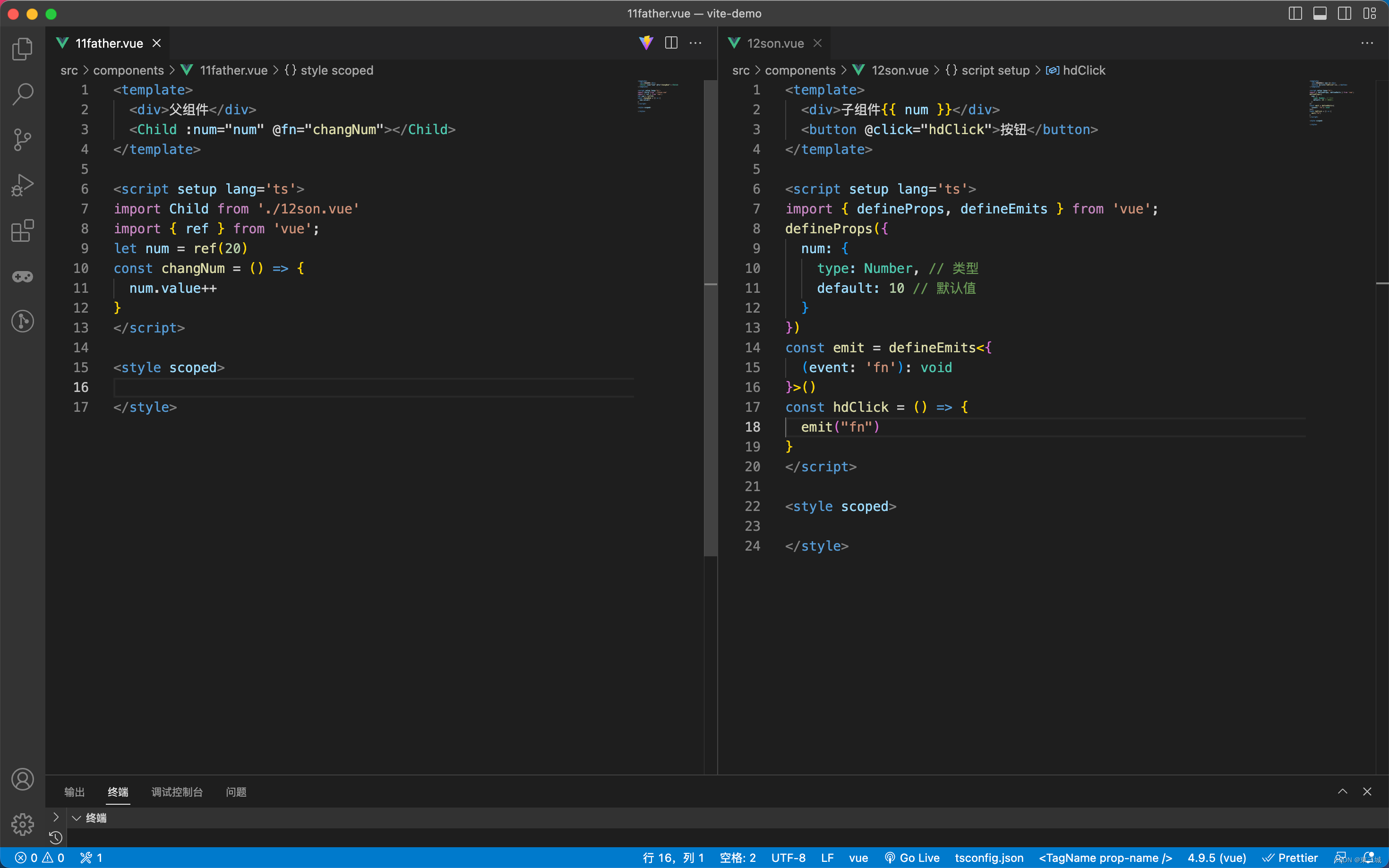
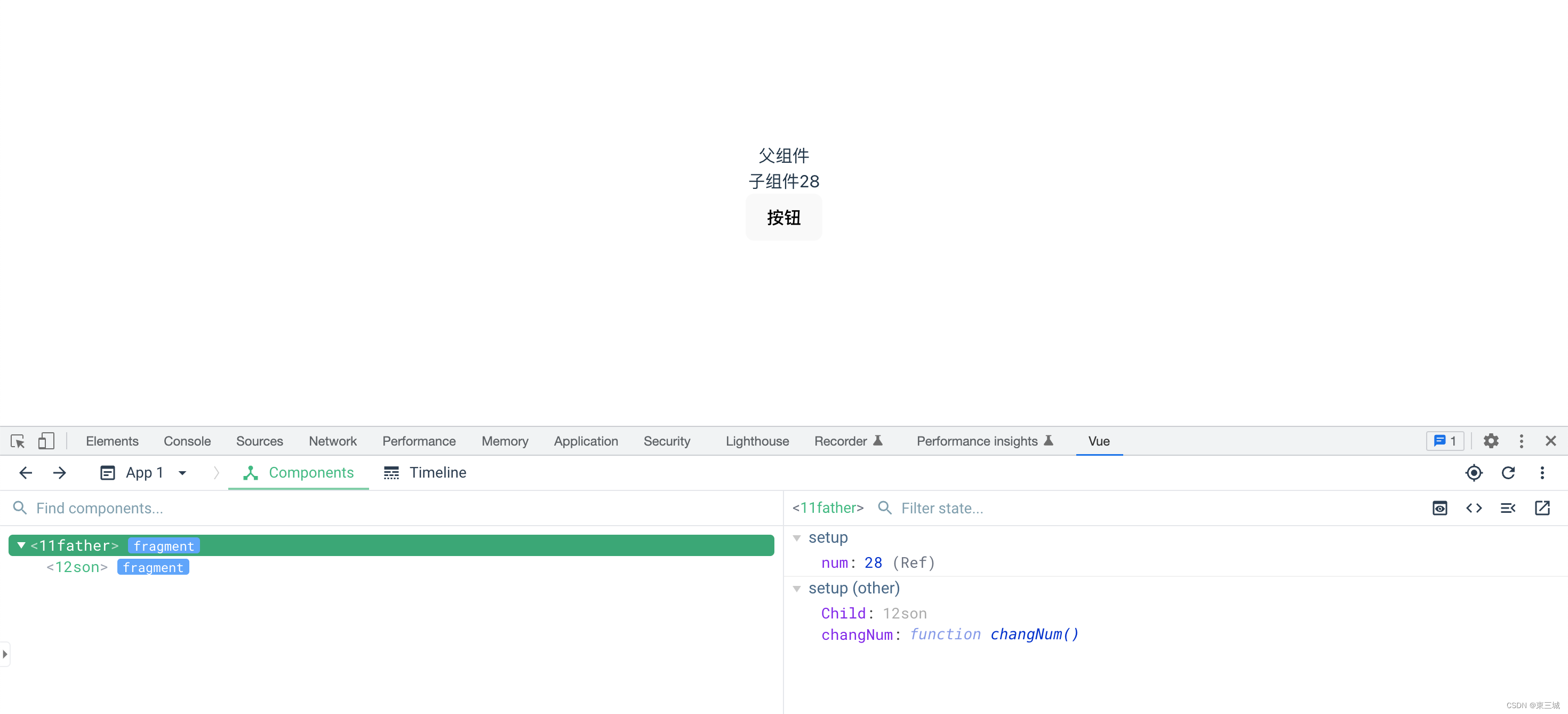
<template><div>父组件</div><Child :num="num" @fn="changNum"></Child>
</template><script setup lang='ts'>
import Child from './12son.vue'
import { ref } from 'vue';
let num = ref(20)
const changNum = () => {num.value++
}
</script><style scoped></style>
子组件:
<template><div>子组件{{ num }}</div><button @click="hdClick">按钮</button>
</template><script setup lang='ts'>
import { defineProps, defineEmits } from 'vue';
defineProps({num: {type: Number, // 类型default: 10 // 默认值}
})
const emit = defineEmits<{(event: 'fn'): void
}>()
const hdClick = () => {emit("fn")
}
</script><style scoped></style>
v-model
父组件:
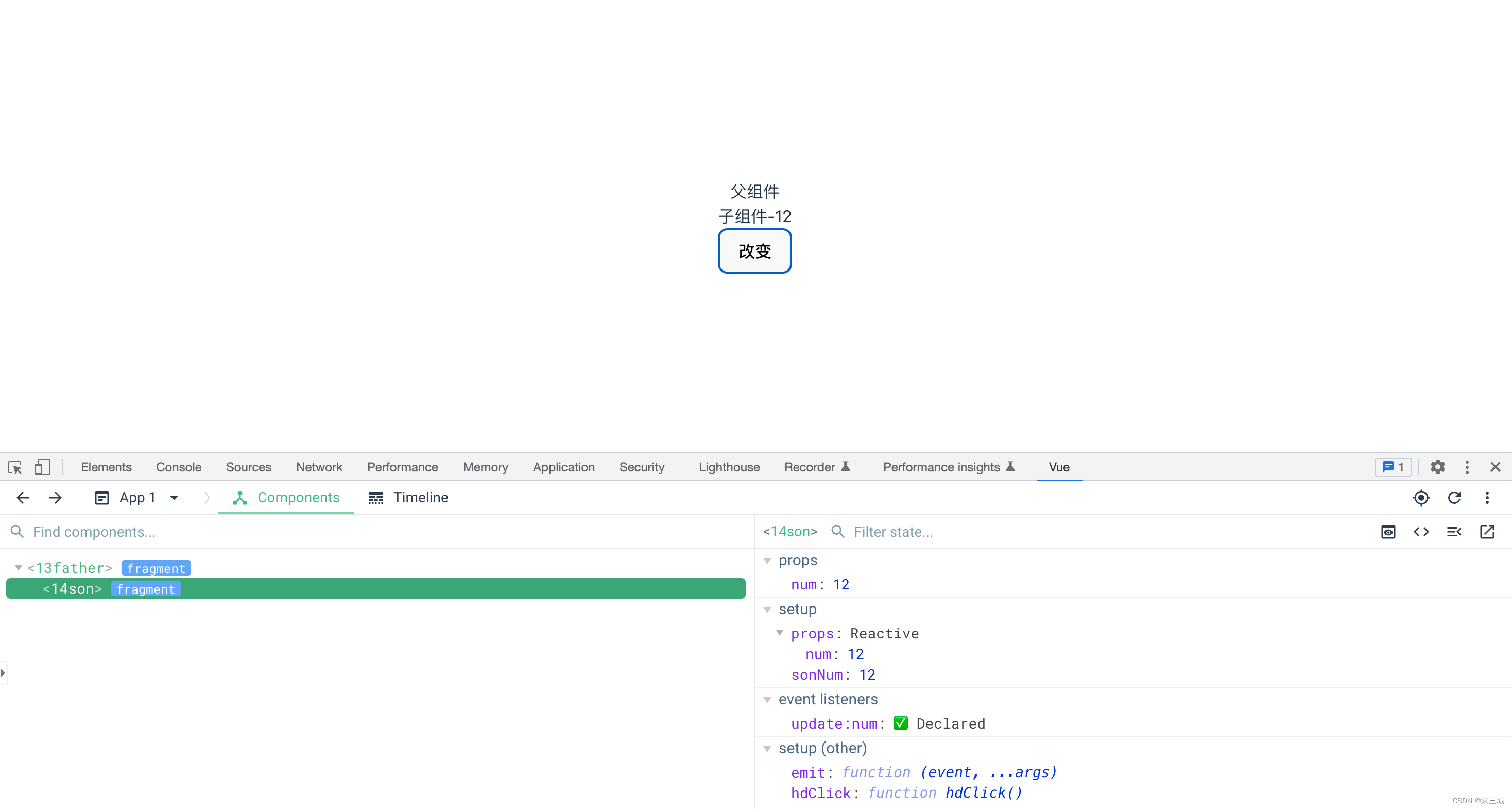
<template><div>父组件</div><Son v-model:num="num"></Son>
</template><script setup lang='ts'>
import Son from "./14son.vue"
import { ref } from 'vue';let num = ref(10)</script><style scoped></style>
子组件:
<template><div>子组件-{{ num }}</div><button @click="hdClick">改变</button>
</template><script setup lang='ts'>
import { } from 'vue';
let props = defineProps({num: {type: Number,default: 100}
})let sonNum = props.num
const emit = defineEmits<{// update固定写法 后面的变量是父组件中v-model:后面的变量(event: 'update:num', n: number): void
}>()
const hdClick = () => {// 上面event的值,要改变的值emit("update:num", ++sonNum)
}</script><style scoped></style>

二、插槽
2.1、匿名插槽
父组件:
<template><div></div><Child><a href="#">a标签</a><p>层楼终究误少年 自由早晚乱余生</p></Child>
</template><script setup lang='ts'>
import Child from "./16son.vue"
import { } from 'vue';</script><style scoped></style>
子组件:
<template><div></div><slot></slot>
</template><script setup lang='ts'>
import { } from 'vue';</script><style scoped></style>
2.2、具名插槽
父组件:
<template><div></div><Child><!-- <template v-slot:link> --><!-- 简写#link --><template #link><a href="#">a标签</a></template><template v-slot:paragraph><p>可春色不过宛若江南</p></template></Child>
</template><script setup lang='ts'>
import Child from "./16son.vue"
import { } from 'vue';</script><style scoped></style>
子组件:
<template><div></div><slot name="paragraph"></slot><slot name="link"></slot>
</template><script setup lang='ts'>
import { } from 'vue';</script><style scoped></style>
2.3、插槽作用域
父组件:
<template><div></div><Child><!-- <template v-slot:link> --><!-- 简写#link --><template #link><a href="#">a标签</a></template><template #paragraph="scope"><p>可春色不过宛若江南</p><p>{{ scope.title }}</p></template></Child>
</template><script setup lang='ts'>
import Child from "./16son.vue"
import { } from 'vue';</script><style scoped></style>
子组件:
<template><div></div><slot name="paragraph" title="空港曲"></slot><slot name="link"></slot>
</template><script setup lang='ts'>
import { } from 'vue';</script><style scoped></style>
2.4、插槽作用域案例
![[外链图片转存失败,源站可能有防盗链机制,建议将图片保存下来直接上传(img-h1sS1OkS-1675953382900)(Vue3-day02.assets/1644863300382.png)]](https://img-blog.csdnimg.cn/857e7eeb5b8a4fa19f43959fe4175593.png)
2.4.1、初始布局
父组件:
<template><MyTable :arr="state.arr"></MyTable>
</template><script lang='ts' setup>
import MyTable from "./18son.vue"
import { reactive } from "Vue"
let state = reactive({arr: [{name: "许巍",age: 18}, {name: "朴树",age: 20}]
})
</script>
子组件:
<template><table><tr><th>姓名</th><th>年龄</th><th>操作</th></tr><tr v-for="item, index in arr" :key="index"><td>{{ item.name }}</td><td>{{ item.age }}</td><td><button>编辑</button><button>删除</button></td></tr></table>
</template><script lang='ts' setup>let props = defineProps({arr: {type: Array,default: []}
})
</script><style scoped>
table {border-collapse: collapse;
}table,
th,
td {border: 1px solid #000;
}th,
td {padding: 10px
}
</style>
2.4.2、插槽使用
需求:第一个表格只有编辑按钮,第二个表格有编辑和删除按钮
![[外链图片转存失败,源站可能有防盗链机制,建议将图片保存下来直接上传(img-38f0fPgQ-1675953382901)(Vue3-day02.assets/1644863481486.png)]](https://img-blog.csdnimg.cn/4546c29f17c143148506cbd8c4de5724.png)
父组件:
<template><MyTable :arr="state.arr"><template #btns><button>编辑</button></template><button>删除</button></MyTable><MyTable :arr="state.arr"><template #btns><button>编辑</button><button>删除</button></template></MyTable>
</template>
子组件:
<td><slot name="btns"></slot></td>
2.4.3、点击编辑按钮获取本行数据(插槽作用域的使用)
父组件:
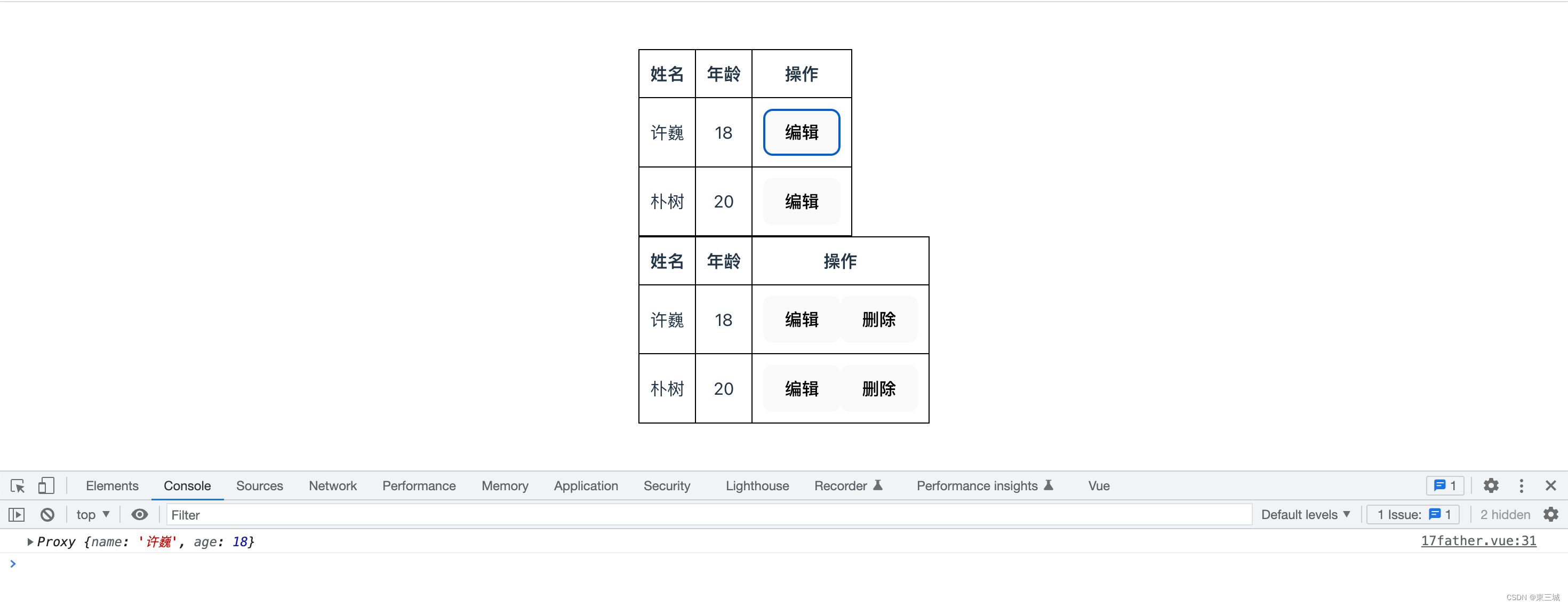
<template><MyTable :arr="state.arr"><template #btns="scoped"><button @click="hdClick(scoped.index)">编辑</button></template><!-- 相当于let {index} = scope --><!-- <template #btns="{index}"><button @click="hdClick(index)">编辑</button></template> --><button>删除</button></MyTable><MyTable :arr="state.arr"><template #btns><button>编辑</button><button>删除</button></template></MyTable>
</template><script lang='ts' setup>
import MyTable from "./18son.vue"
import { reactive } from "Vue"
let state = reactive({arr: [{name: "许巍",age: 18}, {name: "朴树",age: 20}]
})
const hdClick = (index: number) => {console.log(state.arr[index])
}
</script>
子组件:
<template><table><tr><th>姓名</th><th>年龄</th><th>操作</th></tr><tr v-for="item, index in arr" :key="index"><td>{{ item.name }}</td><td>{{ item.age }}</td><td><slot name="btns" :index="index"></slot></td></tr></table>
</template><script lang='ts' setup>let props = defineProps({arr: {type: Array,default: []}
})
</script><style scoped>
table {border-collapse: collapse;
}table,
th,
td {border: 1px solid #000;
}th,
td {padding: 10px
}
</style>
2.4.4、类型书写优化
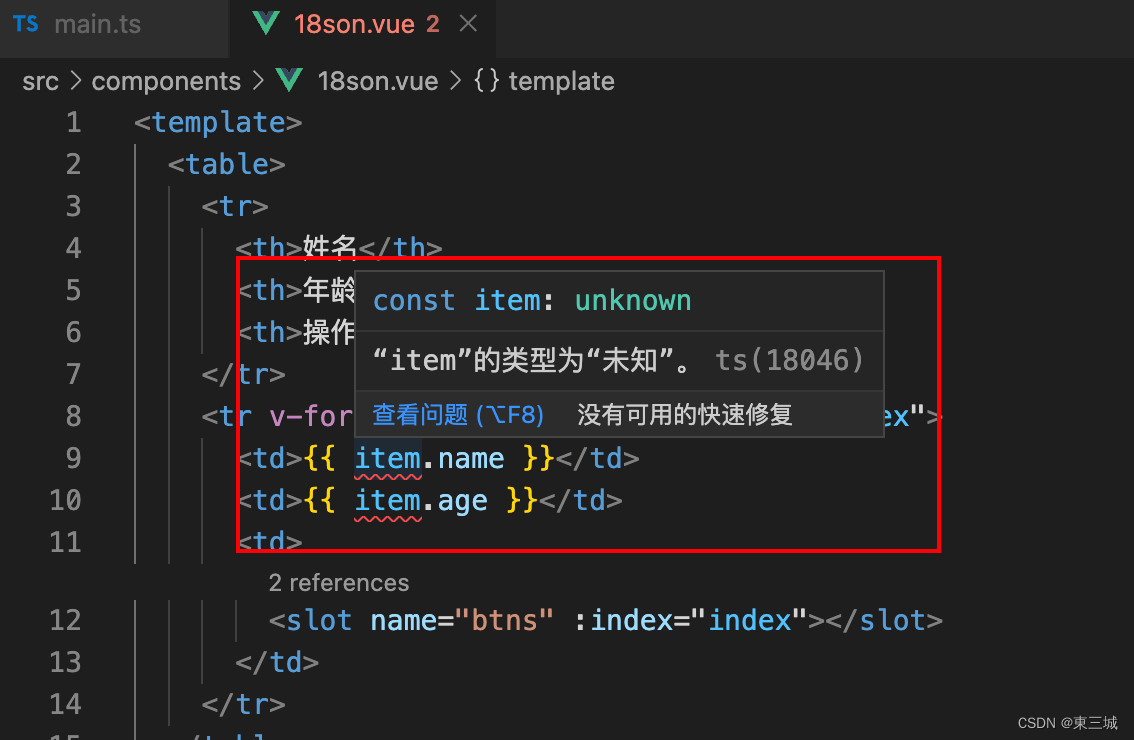
子组件中上面的代码模板里面报错。所以可以做如下优化,
子组件中:
<template><table><tr><th>姓名</th><th>年龄</th><th>操作</th></tr><tr v-for="item, index in arr2" :key="index"><td>{{ item.name }}</td><td>{{ item.age }}</td><td><slot name="btns" :index="index"></slot></td></tr></table>
</template><script lang='ts' setup>let props = defineProps({arr: {type: Array,default: []}
})interface UserType {name: string,age: number
}
let arr2 = props.arr as UserType[]
</script><style scoped>
table {border-collapse: collapse;
}table,
th,
td {border: 1px solid #000;
}th,
td {padding: 10px
}
</style>
2.4.5、全局接口抽取和ts全局配置
项目目录下,新建types文件夹,其中新建table.d.ts文件:
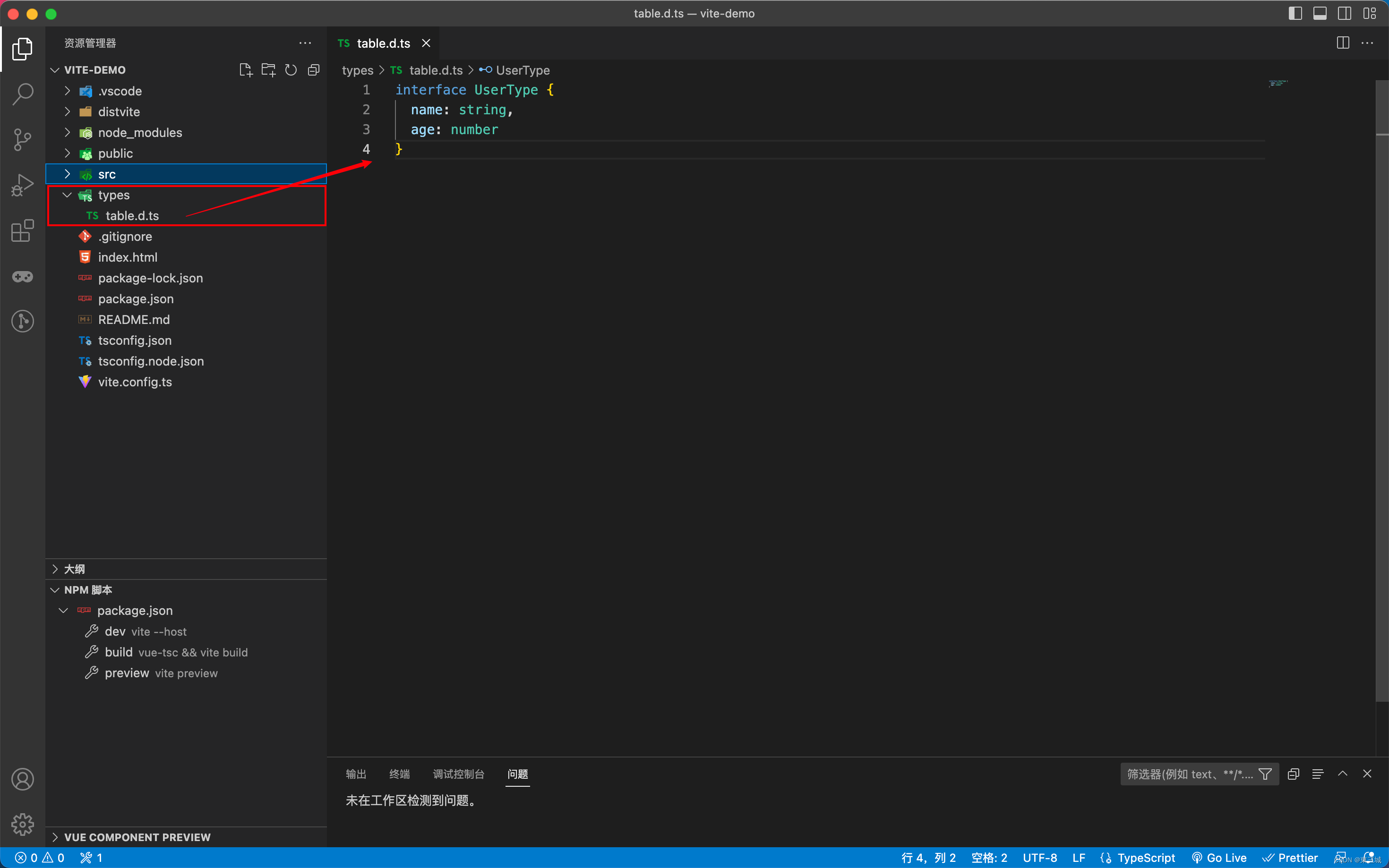
interface UserType{name:string;age:number;
}
在tsconfig.json中补充:
"include": [...,"types/**/*.d.ts"],
在你的项目中,如果table.d.ts文件中已经export,例如:
export interface UserType{name:string;age:number;
}
则需要在组件中引入之后,才可以使用这个接口:
import {UserType} from "../../types/table"
三、teleport传送门
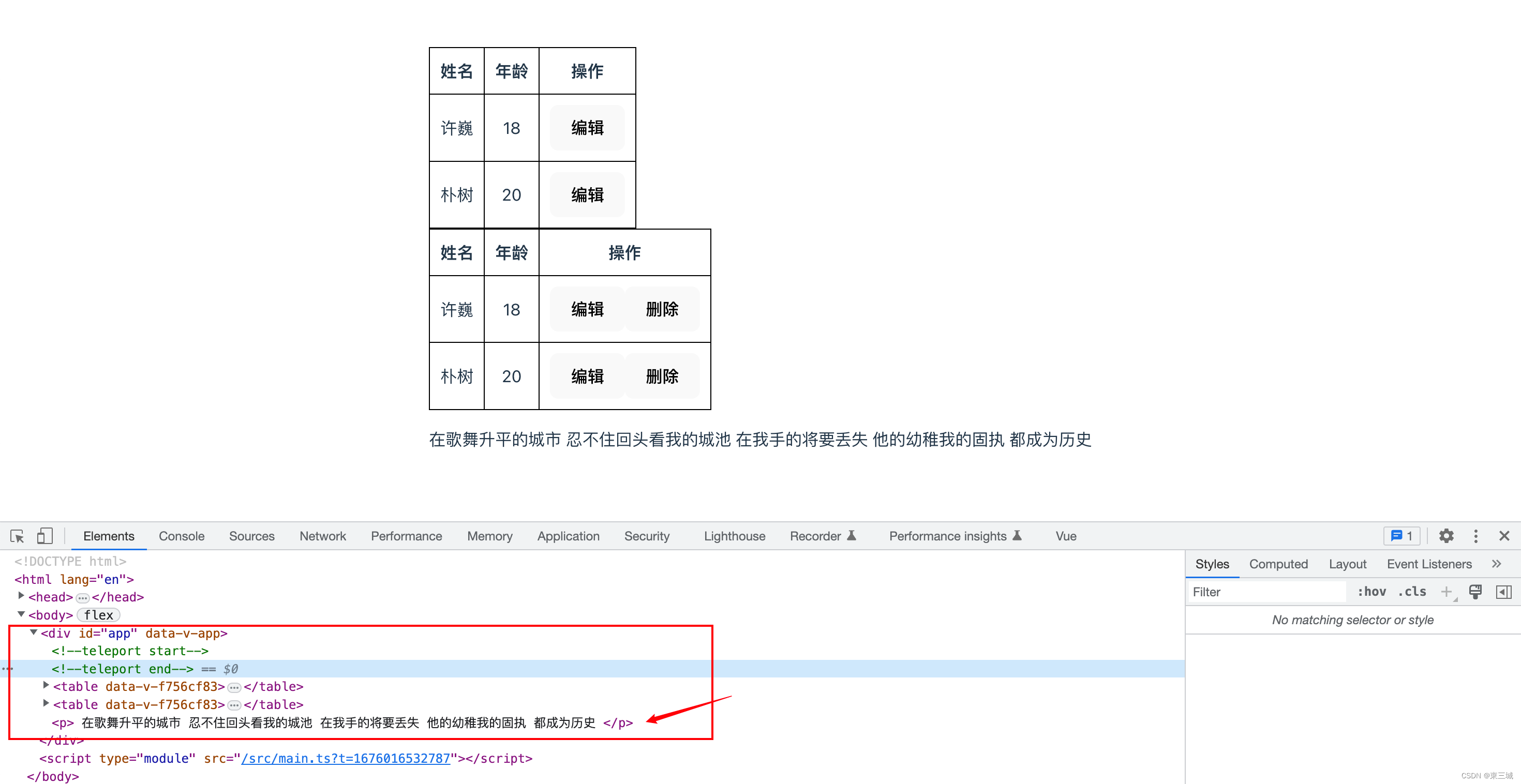
Vue3提供的新组件,它可以把组件传送到指定位置(传送到指定标签内部的最后)
<template><Teleport to="#app"><p>在歌舞升平的城市忍不住回头看我的城池在我手的将要丢失他的幼稚我的固执都成为历史</p></Teleport><MyTable :arr="state.arr"><template #btns="scoped"><button @click="hdClick(scoped.index)">编辑</button></template><button>删除</button></MyTable><MyTable :arr="state.arr"><template #btns><button>编辑</button><button>删除</button></template></MyTable>
</template><script lang='ts' setup>
import MyTable from "./18son.vue"
import { reactive } from "Vue"
let state = reactive({arr: [{name: "许巍",age: 18}, {name: "朴树",age: 20}]
})
const hdClick = (index: number) => {console.log(state.arr[index])
}
</script>
四、类型增强
index.html
<script>var globalVar = 'globalVar变量';var globalObj = { name: '', age: 20 };function fn(str) {console.log('fn函数' + str);}
</script>
组件中:
console.log(globalVar, globalObj);
fn("")
如果上面几个变量和函数没有在全局做声明,会报红线,所以我们在types文件夹中创建common.d.ts文件:
declare var globalVar: string;
type ObjType = { name: string; age: number }
declare var globalObj: ObjType;
// 声明函数fn类型
declare function fn(s?: string): void;
五、第三方类型声明
在index.html中做jquery全局引入:
<script src="http://libs.baidu.com/jquery/2.0.0/jquery.min.js"></script>
在组件中使用:
console.log($("#app"));
$.ajax()
此时没有在全局声明的话,上面的写法也会报红线,在types文件夹中创建jquery.d.ts文件:
declare function $(n: string):any;
/* declare let $: object;   重复报红*/
declare namespace $ {function ajax():void;
}
拓展关于namespace:
// 全局变量的声明文件主要有以下几种语法:
declare var 声明全局变量
declare function 声明全局方法
declare class 声明全局类
declare enum 声明全局枚举类型
declare namespace 声明(含有某方法的)全局对象
interface 和 type 声明全局类型
六、配置项目路径别名
目前ts对@指向src目录的提示是不支持的,vite默认也是不支持的。
所以需要手动配置@符号的指向
tsconfig.json中:添加两项配置
"compilerOptions": {..."baseUrl": "./","paths": {"@/*": ["src/*"],"#/*": ["types/*"]}
},
添加完后就有提示了import MyTable from "@/components/03-AppChild.vue",但这仅仅是ts的提示支持,去运行案例还会报错。这是因为vite默认不认识@符号的意思。
这时候就需要在vite.config.ts中添加配置(参考网址https://vitejs.cn/config/#resolve-alias)
import path from 'path';export default defineConfig({plugins: [vue()],resolve: {alias: {"@": path.join(__dirname, 'src'),"#": path.join(__dirname, 'types')}}
})
这时候引入的会path模块报红,但其实我们已经有node,所以就已经有path模块,只是缺少ts的一些声明配置。
所以需要安装关于node这个库的ts声明配置
npm i -D @types/node
安装成功就没有报红了,如果import后面的path报红,就把引入换成 import * as path from 'path';
如有不足,请多指教,
未完待续,持续更新!
大家一起进步!
相关文章:
Vue3快速入门【二】
Vue3快速入门一、传值父传子,子传父v-model二、插槽2.1、匿名插槽2.2、具名插槽2.3、插槽作用域2.4、插槽作用域案例2.4.1、初始布局2.4.2、插槽使用2.4.3、点击编辑按钮获取本行数据(插槽作用域的使用)2.4.4、类型书写优化2.4.5、全局接口抽…...

C++-类和对象(上)
类和对象(上)一,构造函数1,概念2,特性二,析构函数1,概念2,特性三,拷贝构造1,概念2,特性四,运算符重载1,概念2,…...
CAPL(vTESTStudio) - DoIP - TCP接收_04
TCP接收 函数介绍 TcpOpen函数...

联合培养博士经历对于国内就业有优势吗?
2023年国家留学基金委(CSC)申请在即,很多在读博士在关心申报的同时,也对联培经历能否有助于国内就业心中存疑,故此知识人网小编重点解答此问题。之前,我们在“CSC联合培养-国内在读博士出国的绝佳选择”一文…...
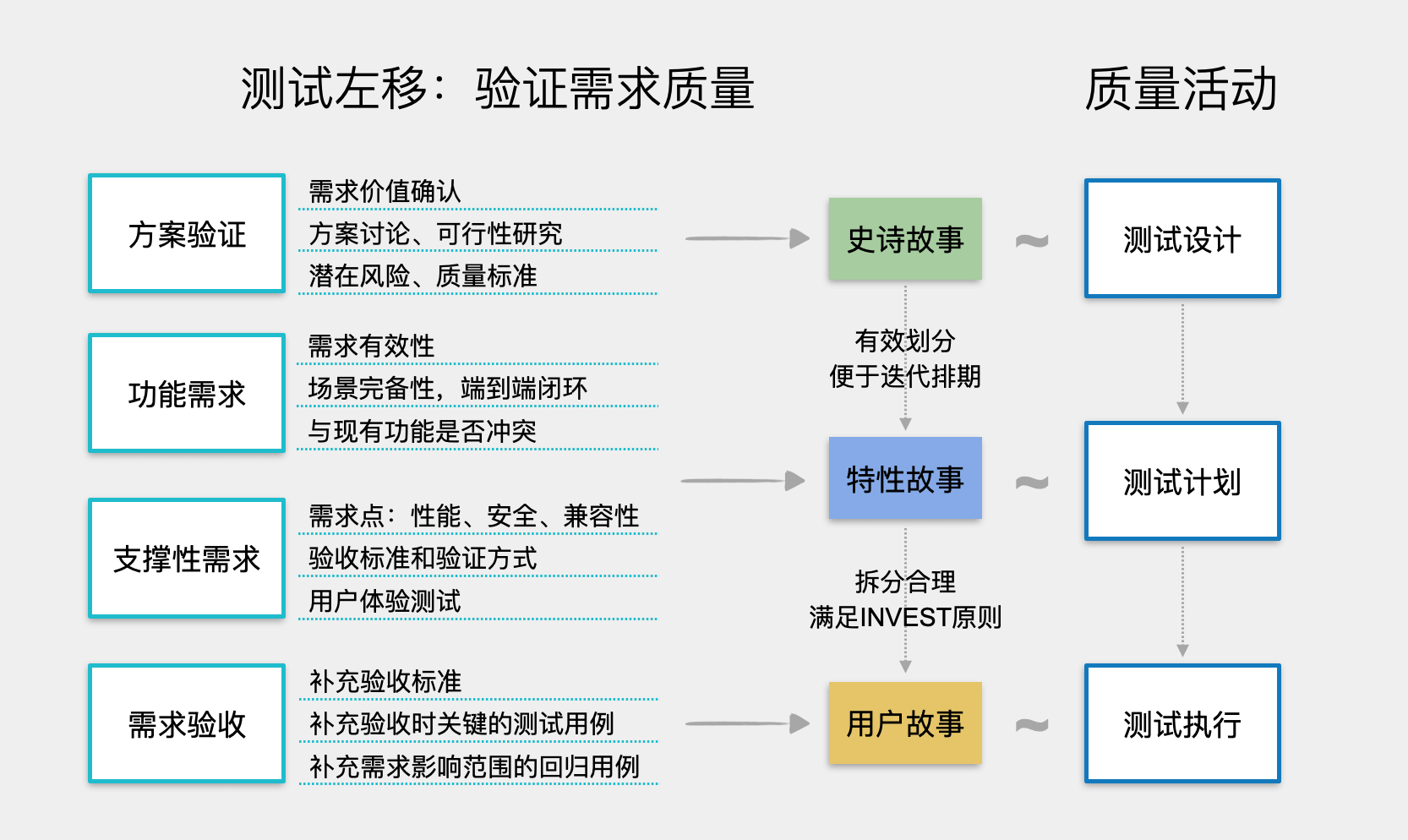
测试左移之需求质量
测试左移的由来 缺陷的修复成本逐步升高 下面是质量领域司空见惯的一张图,看图说话,容易得出:大部分缺陷都是早期引入的,同时大部分缺陷都是中晚期发现的,而缺陷发现的越晚,其修复成本就越高。因此&#…...

【数据结构初阶】第三节.顺序表详讲
文章目录 前言 一、顺序表的概念 二、顺序表功能接口概览 三、顺序表基本功能的实现 四、四大功能 1、增加数据 1.1 头插法: 1.2 尾插法 1.3 指定下标插入 2、删除数据 2.1 头删 2.2 尾删 2.3 指定下标删除 2.4 删除首次出现的指定元素 3、查找数据…...

新手小白适合做跨境电商吗?
今天的跨境电商已经逐渐成熟,靠运气赚钱的时代早已过去,馅饼不可能从天上掉下来,尤其是你想做一个没有货源的小白劝你醒醒。做跨境电商真的不容易,要想做,首先要分析自己是否适合做。米贸搜整理了以下资料,…...

Python搭建自己[IP代理池]
IP代理是什么:ip就是访问网页数据服务器位置信息,每一个主机或者网络都有一个自己IP信息为什么要使用代理ip:因为在向互联网发送请求中,网页端会识别客户端是真实用户还是爬虫程序,在今天以互联网为主导的世界中&#…...
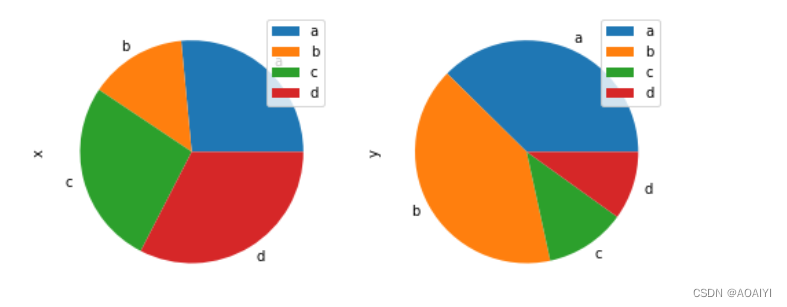
pandas——plot()方法可视化
pandas——plot()方法可视化 作者:AOAIYI 创作不易,如果觉得文章不错或能帮助到你学习,记得点赞收藏评论哦 在此,感谢你的阅读 文章目录pandas——plot()方法可视化一、实验目的二、实验原理三、实验环境四、实验内容五、实验步骤…...
)
【Three.js基础】坐标轴辅助器、requestAnimationFrame处理动画、Clock时钟、resize页面尺寸(二)
🐱 个人主页:不叫猫先生 🙋♂️ 作者简介:前端领域新星创作者、阿里云专家博主,专注于前端各领域技术,共同学习共同进步,一起加油呀! 💫系列专栏:vue3从入门…...
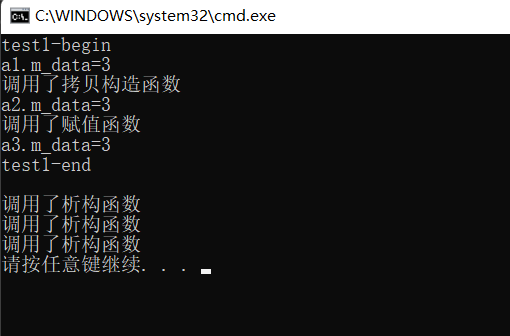
C++之完美转发、移动语义(forward、move函数)
完美转发1. 在函数模板中,可以将自己的参数“完美”地转发给其它函数。所谓完美,即不仅能准确地转发参数的值,还能保证被转发参数的左、右值属性不变。2. C11标准引入了右值引用和移动语义,所以,能否实现完美转发&…...
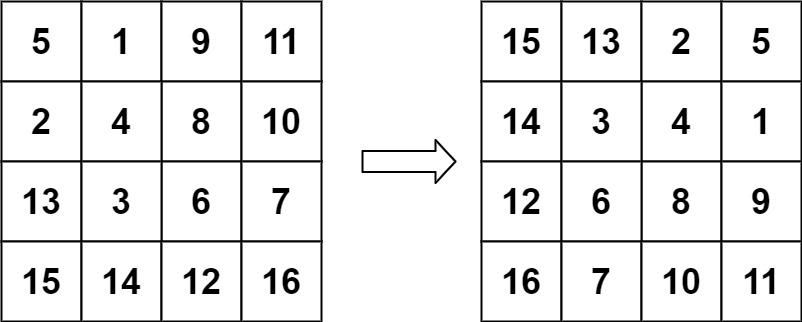
LeetCode刷题系列 -- 48. 旋转图像
给定一个 n n 的二维矩阵 matrix 表示一个图像。请你将图像顺时针旋转 90 度。你必须在 原地 旋转图像,这意味着你需要直接修改输入的二维矩阵。请不要 使用另一个矩阵来旋转图像。示例 1:输入:matrix [[1,2,3],[4,5,6],[7,8,9]]输出&#…...
在多线程环境下使用哈希表
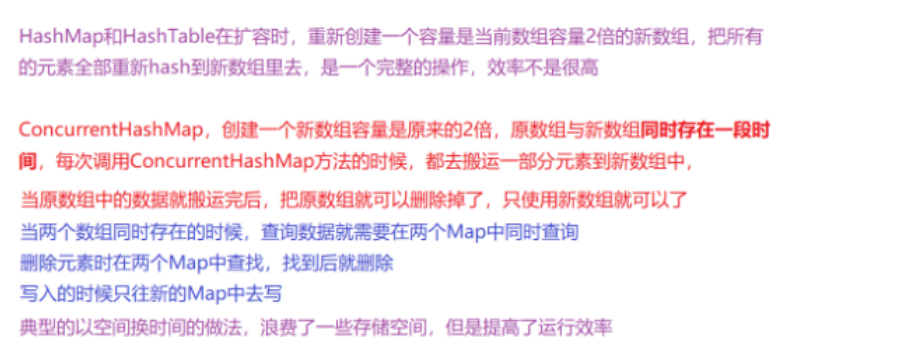
一.HashTable和HashMapHashTable是JDK1.0时创建的,其在创建时考虑到了多线程情况下存在的线程安全问题,但是其解决线程安全问题的思路也相对简单:在其众多实现方法上加上synchronized关键字(效率较低),保证…...
【排序算法】堆排序(Heap Sort)
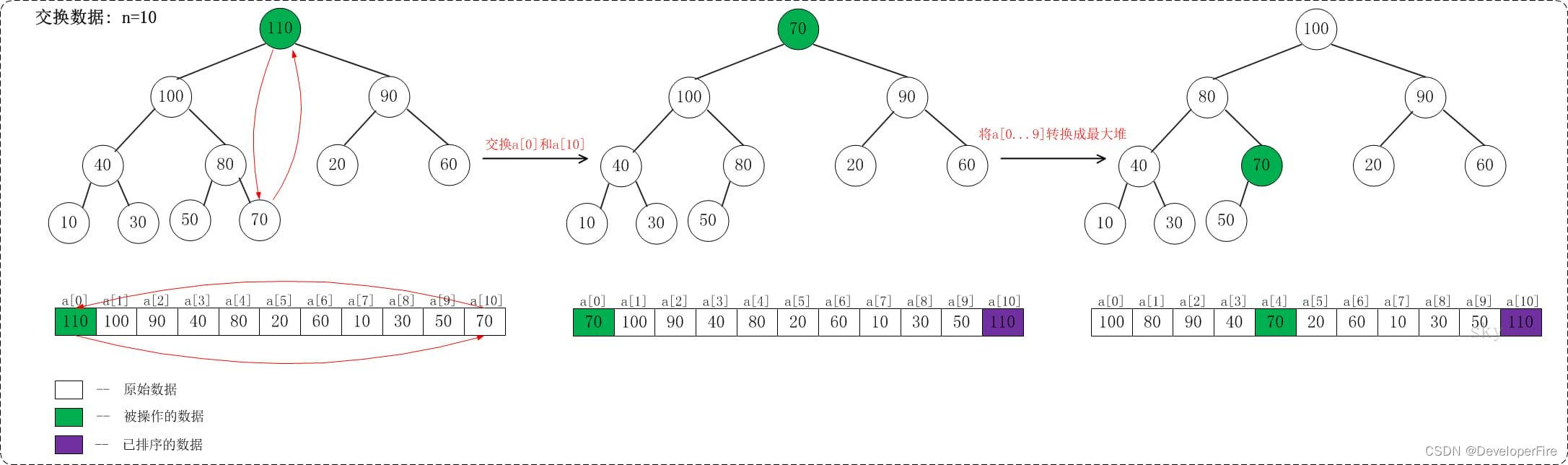
堆排序是指利用堆这种数据结构所设计的一种排序算法。堆是一个近似完全二叉树的结构,并同时满足堆积的性质:即子结点的键值或索引总是小于(或者大于)它的父节点。堆排序介绍学习堆排序之前,有必要了解堆!若…...
分类预测 | Matlab实现SSA-RF和RF麻雀算法优化随机森林和随机森林多特征分类预测
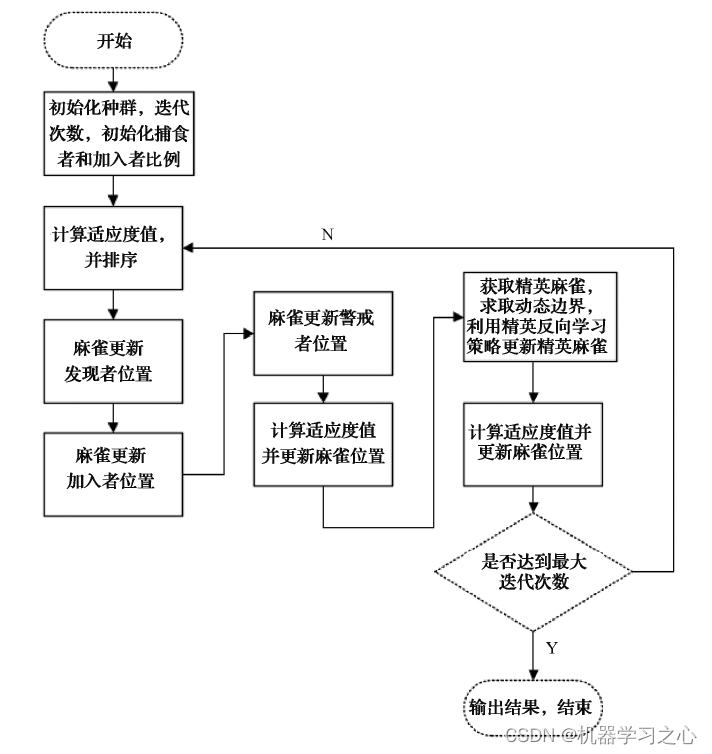
分类预测 |Matlab实现SSA-RF和RF麻雀算法优化随机森林和随机森林多特征分类预测 目录分类预测 |Matlab实现SSA-RF和RF麻雀算法优化随机森林和随机森林多特征分类预测分类效果基本介绍模型描述程序设计参考资料分类效果 基本介绍 Matlab实现SSA-RF和RF麻雀算法优化随机森林和随机…...
Allegro如何添加ICT操作指导
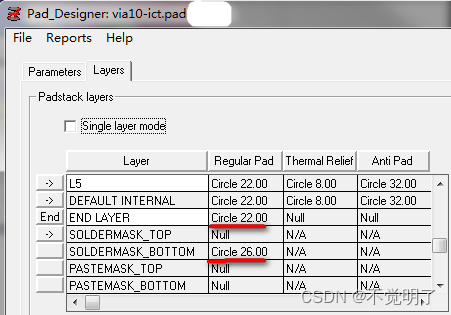
Allegro如何添加ICT操作指导 当PCB板需要做飞针测试的时候,通常需要在PCB设计的时候给需要测试的网络添加上ICT。 如图: Allegro支持给网络添加ICT,具体操作如下 首先在库中创建一个阻焊开窗的过孔,比如via10-ict一般阻焊开窗的尺寸比盘单边大2mil 在PCB中选择Manufacture…...

软件架构设计(二)——领域架构、基于架构的软件开发方法
目录 一、架构描述语言 ADL 二、特定领域软件架构 DSSA 三、DSSA的三层次架构模型 . 四、基于架构的软件开发方法 (1)基于架构的软件设计(ABSD) (2)开发过程 一、架构描述语言 ADL ADL是一种形式化语言,它在底层语义模型的支持下,为软件系统概念体…...
---数组遍历方法)
数组常用方法(2)---数组遍历方法
1. forEach(cb) 回调函数中有三个参数,第一个是当前遍历项(必须),第二个是索引,第三个是遍历的数组本身。forEach() 对于空数组不会执行回调函数。forEach()不会使用回调函数的返回值,返回值为undefined。…...
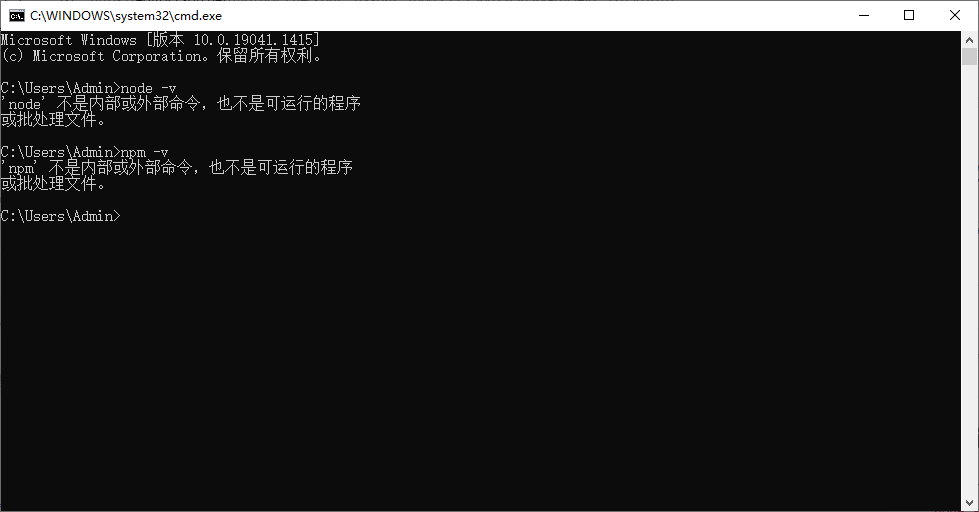
卸载Node.js
0 写在前面 无论您是因为什么原因要卸载Node.js都必须要卸载干净。 请阅读: 1 卸载步骤 1.1通过控制面板卸载node.js winR—>control.exe—>卸载程序—>卸载Node.js 等待—>卸载成功 1.2 删除安装时的nodejs文件夹 通过记忆或者Everthing搜索找…...

发表计算机SCI论文,会经历哪些过程? - 易智编译EaseEditing
一、选期刊。 一定要先选期刊。每本期刊都有自己的特色和方向,如果你的稿子已经成型,再去考虑期刊选择的问题,恐怕后期不是退稿就是要大面积修改稿子。 选期刊的标准没有一定的,主要是各单位都有自己的要求,当然小编…...
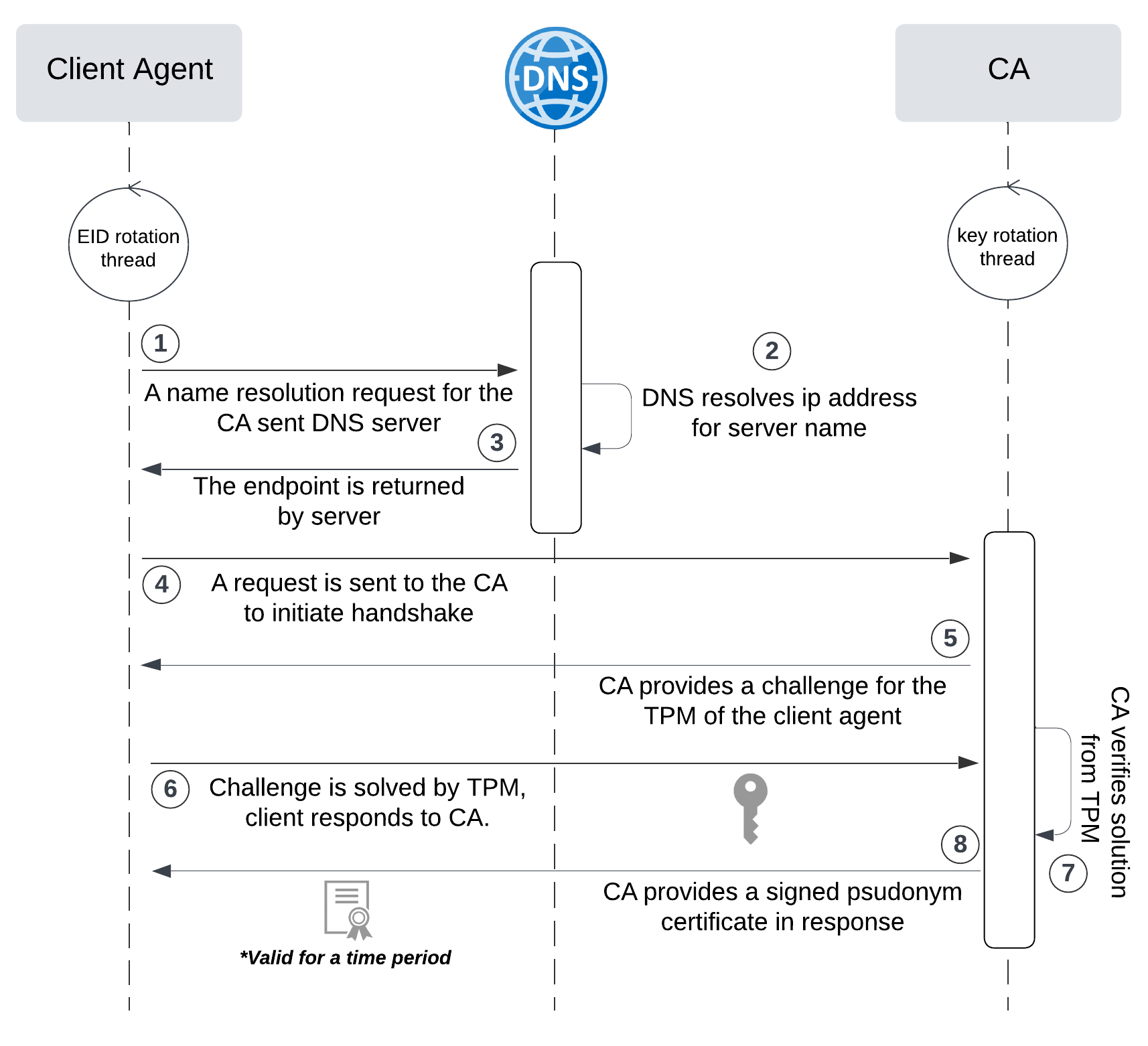
网络六边形受到攻击
大家读完觉得有帮助记得关注和点赞!!! 抽象 现代智能交通系统 (ITS) 的一个关键要求是能够以安全、可靠和匿名的方式从互联车辆和移动设备收集地理参考数据。Nexagon 协议建立在 IETF 定位器/ID 分离协议 (…...

web vue 项目 Docker化部署
Web 项目 Docker 化部署详细教程 目录 Web 项目 Docker 化部署概述Dockerfile 详解 构建阶段生产阶段 构建和运行 Docker 镜像 1. Web 项目 Docker 化部署概述 Docker 化部署的主要步骤分为以下几个阶段: 构建阶段(Build Stage):…...
使用rpicam-app通过网络流式传输视频)
树莓派超全系列教程文档--(62)使用rpicam-app通过网络流式传输视频
使用rpicam-app通过网络流式传输视频 使用 rpicam-app 通过网络流式传输视频UDPTCPRTSPlibavGStreamerRTPlibcamerasrc GStreamer 元素 文章来源: http://raspberry.dns8844.cn/documentation 原文网址 使用 rpicam-app 通过网络流式传输视频 本节介绍来自 rpica…...
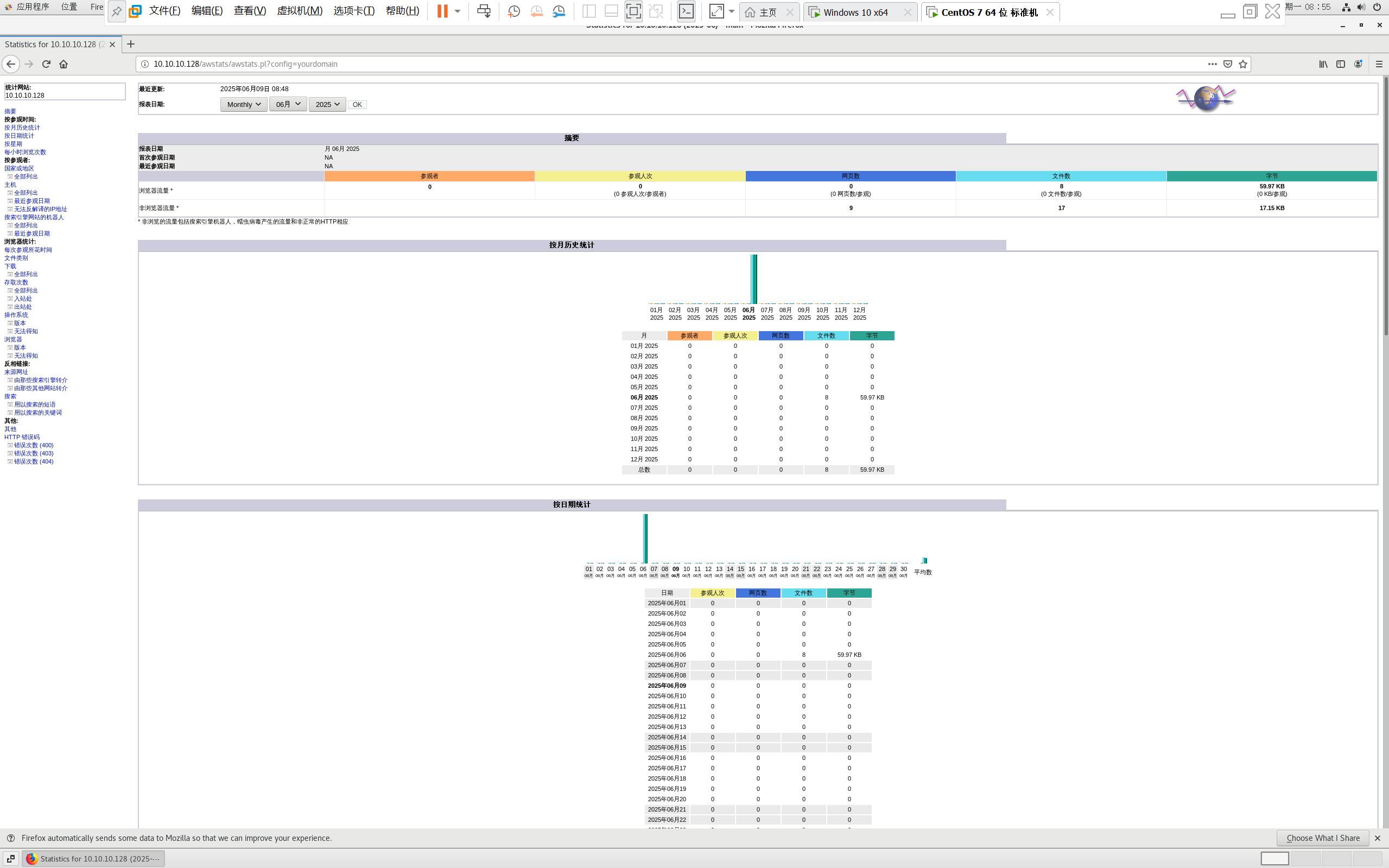
centos 7 部署awstats 网站访问检测
一、基础环境准备(两种安装方式都要做) bash # 安装必要依赖 yum install -y httpd perl mod_perl perl-Time-HiRes perl-DateTime systemctl enable httpd # 设置 Apache 开机自启 systemctl start httpd # 启动 Apache二、安装 AWStats࿰…...

Matlab | matlab常用命令总结
常用命令 一、 基础操作与环境二、 矩阵与数组操作(核心)三、 绘图与可视化四、 编程与控制流五、 符号计算 (Symbolic Math Toolbox)六、 文件与数据 I/O七、 常用函数类别重要提示这是一份 MATLAB 常用命令和功能的总结,涵盖了基础操作、矩阵运算、绘图、编程和文件处理等…...
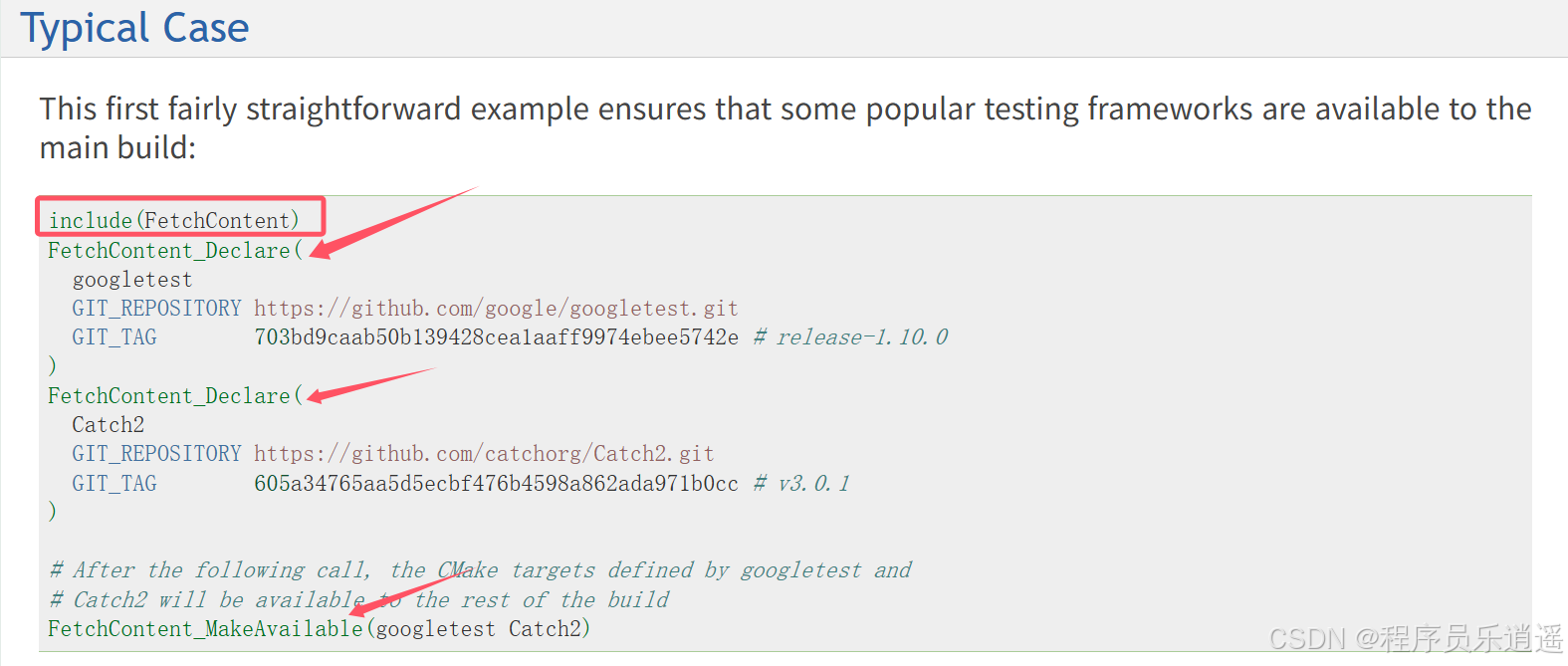
CMake 从 GitHub 下载第三方库并使用
有时我们希望直接使用 GitHub 上的开源库,而不想手动下载、编译和安装。 可以利用 CMake 提供的 FetchContent 模块来实现自动下载、构建和链接第三方库。 FetchContent 命令官方文档✅ 示例代码 我们将以 fmt 这个流行的格式化库为例,演示如何: 使用 FetchContent 从 GitH…...
)
Typeerror: cannot read properties of undefined (reading ‘XXX‘)
最近需要在离线机器上运行软件,所以得把软件用docker打包起来,大部分功能都没问题,出了一个奇怪的事情。同样的代码,在本机上用vscode可以运行起来,但是打包之后在docker里出现了问题。使用的是dialog组件,…...
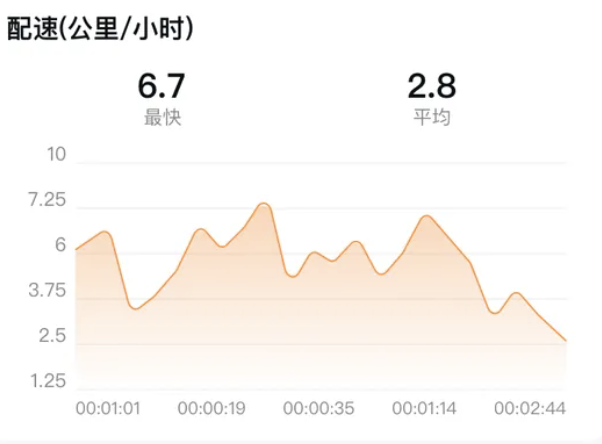
HarmonyOS运动开发:如何用mpchart绘制运动配速图表
##鸿蒙核心技术##运动开发##Sensor Service Kit(传感器服务)# 前言 在运动类应用中,运动数据的可视化是提升用户体验的重要环节。通过直观的图表展示运动过程中的关键数据,如配速、距离、卡路里消耗等,用户可以更清晰…...

Java求职者面试指南:Spring、Spring Boot、MyBatis框架与计算机基础问题解析
Java求职者面试指南:Spring、Spring Boot、MyBatis框架与计算机基础问题解析 一、第一轮提问(基础概念问题) 1. 请解释Spring框架的核心容器是什么?它在Spring中起到什么作用? Spring框架的核心容器是IoC容器&#…...
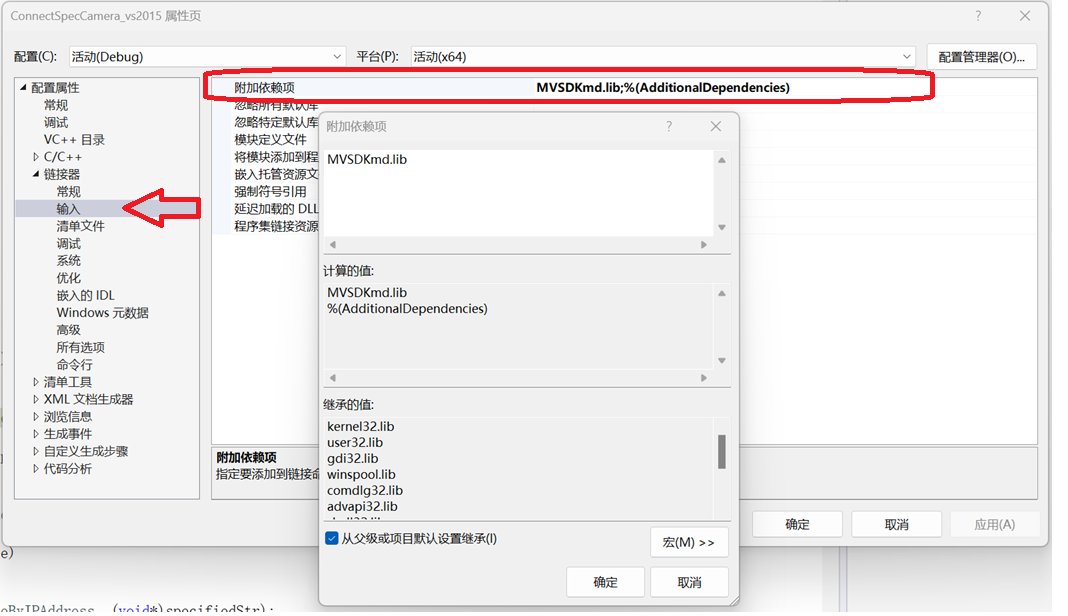
C/C++ 中附加包含目录、附加库目录与附加依赖项详解
在 C/C 编程的编译和链接过程中,附加包含目录、附加库目录和附加依赖项是三个至关重要的设置,它们相互配合,确保程序能够正确引用外部资源并顺利构建。虽然在学习过程中,这些概念容易让人混淆,但深入理解它们的作用和联…...