
64位Ubuntu20.04.5 LTS系统安装32位运行库
背景:
在ubutu(版本为20.04.5 LTS)中运行./arm-none-linux-gnueabi-gcc -v 后提示“no such device”。
经多方查证,是ubutu的版本是64位的,而需要运行的编译工具链是32位的,因此会不兼容。
解决方法就是在ubuntu中安装32位的运行环境
如何安装32位的运行环境:
执行以下3条命令:
sudo apt-get install libc6:i386
sudo apt-get install lib32z1
sudo apt-get install libncurses5:i386
但是问题就来了,当你在执行上面3条命令中的任意一条时,你大概率会出现各种404的错误,就是你无法访问到下载的网站!!
那么就要先进行下面的操作。
Ubuntu 配置国内源
1.找到替换的镜像源
该操作就是将ubuntu自己链接的镜像源更新,重新链接到国内的镜像源,这样下载就会快很多啦。依然选择使用人数比较多的清华的。
镜像源网站链接:
清华大学开源软件镜像站
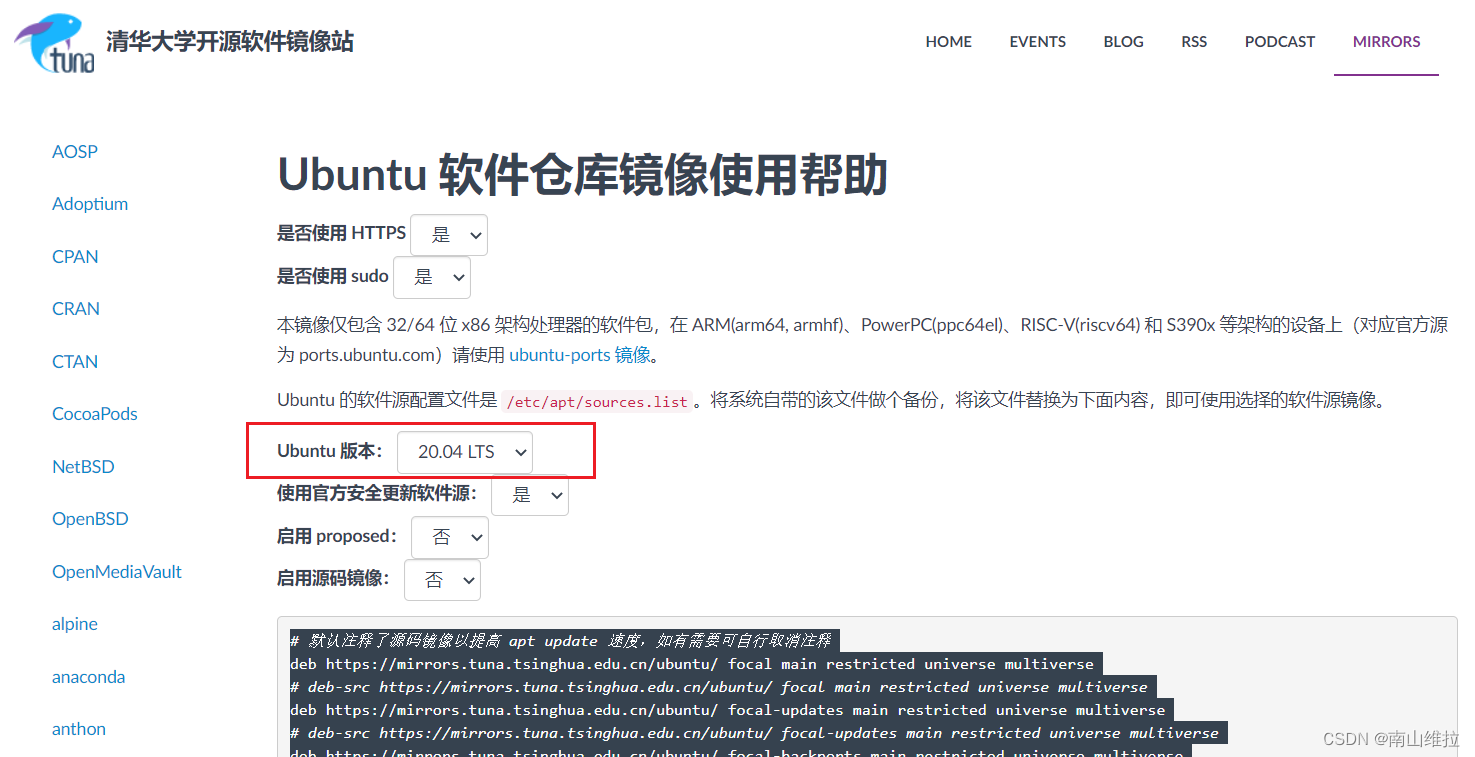
打开之后就是上面这个样子,只需要在这里选择你安装的ubuntu版本。然后把下面这里的内容全部复制!!!
2.替换ubuntu自带的源为清华的源
接下来回到ubuntu中。
首先将ubuntu自带的源备份
root@ubuntu:/home/jian# cd /
root@ubuntu:/# cd /etc/apt
root@ubuntu:/etc/apt# sudo cp sources.list sources.list.bak//备份源文件
完成备份后就可以修改原来的文件的了,就是这里的sources.list
vim sources.list//使用vim编辑器打开sources.list进行编辑
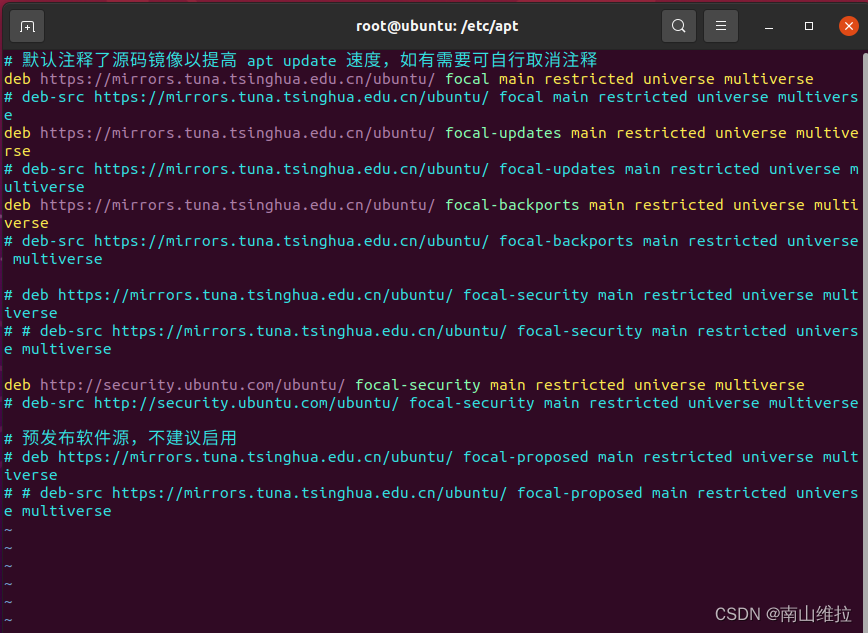
:wq//退出vim编辑器
3.更新替换好的镜像源,让系统生效
root@ubuntu:/etc/apt# sudo apt-get update//更新镜像源
命中:1 https://mirrors.tuna.tsinghua.edu.cn/ubuntu focal InRelease
获取:2 https://mirrors.tuna.tsinghua.edu.cn/ubuntu focal-updates InRelease [114 kB]
获取:3 https://mirrors.tuna.tsinghua.edu.cn/ubuntu focal-backports InRelease [108 kB]
获取:4 https://mirrors.tuna.tsinghua.edu.cn/ubuntu focal/main Translation-zh_CN [113 kB]
获取:5 https://mirrors.tuna.tsinghua.edu.cn/ubuntu focal/restricted Translation-zh_CN [1,324 B]
获取:6 https://mirrors.tuna.tsinghua.edu.cn/ubuntu focal/universe Translation-zh_CN [388 kB]
获取:7 http://security.ubuntu.com/ubuntu focal-security InRelease [114 kB]
获取:8 https://mirrors.tuna.tsinghua.edu.cn/ubuntu focal/multiverse Translation-zh_CN [4,612 B]
获取:9 https://mirrors.tuna.tsinghua.edu.cn/ubuntu focal-updates/main i386 Packages [883 kB]
获取:10 https://mirrors.tuna.tsinghua.edu.cn/ubuntu focal-updates/main amd64 Packages [2,851 kB]
获取:11 https://mirrors.tuna.tsinghua.edu.cn/ubuntu focal-updates/main Translation-en [468 kB]
获取:12 https://mirrors.tuna.tsinghua.edu.cn/ubuntu focal-updates/main amd64 DEP-11 Metadata [275 kB]
获取:13 https://mirrors.tuna.tsinghua.edu.cn/ubuntu focal-updates/main DEP-11 48x48 Icons [60.8 kB]
获取:14 https://mirrors.tuna.tsinghua.edu.cn/ubuntu focal-updates/main DEP-11 64x64 Icons [98.3 kB]
获取:15 https://mirrors.tuna.tsinghua.edu.cn/ubuntu focal-updates/main amd64 c-n-f Metadata [17.1 kB]
获取:16 https://mirrors.tuna.tsinghua.edu.cn/ubuntu focal-updates/restricted amd64 Packages [2,327 kB]
获取:17 http://security.ubuntu.com/ubuntu focal-security/main amd64 Packages [2,435 kB]
获取:18 https://mirrors.tuna.tsinghua.edu.cn/ubuntu focal-updates/restricted i386 Packages [33.7 kB]
获取:19 https://mirrors.tuna.tsinghua.edu.cn/ubuntu focal-updates/restricted Translation-en [325 kB]
获取:20 https://mirrors.tuna.tsinghua.edu.cn/ubuntu focal-updates/restricted amd64 c-n-f Metadata [576 B]
获取:21 https://mirrors.tuna.tsinghua.edu.cn/ubuntu focal-updates/universe amd64 Packages [1,115 kB]
获取:22 https://mirrors.tuna.tsinghua.edu.cn/ubuntu focal-updates/universe i386 Packages [747 kB]
获取:23 https://mirrors.tuna.tsinghua.edu.cn/ubuntu focal-updates/universe Translation-en [266 kB]
获取:24 https://mirrors.tuna.tsinghua.edu.cn/ubuntu focal-updates/universe amd64 DEP-11 Metadata [410 kB]
获取:25 https://mirrors.tuna.tsinghua.edu.cn/ubuntu focal-updates/universe DEP-11 48x48 Icons [280 kB]
获取:26 https://mirrors.tuna.tsinghua.edu.cn/ubuntu focal-updates/universe DEP-11 64x64 Icons [493 kB]
获取:27 https://mirrors.tuna.tsinghua.edu.cn/ubuntu focal-updates/universe amd64 c-n-f Metadata [25.5 kB]
获取:28 https://mirrors.tuna.tsinghua.edu.cn/ubuntu focal-updates/multiverse i386 Packages [8,436 B]
获取:29 https://mirrors.tuna.tsinghua.edu.cn/ubuntu focal-updates/multiverse amd64 Packages [25.8 kB]
获取:30 https://mirrors.tuna.tsinghua.edu.cn/ubuntu focal-updates/multiverse Translation-en [7,484 B]
获取:31 https://mirrors.tuna.tsinghua.edu.cn/ubuntu focal-updates/multiverse amd64 DEP-11 Metadata [940 B]
获取:32 https://mirrors.tuna.tsinghua.edu.cn/ubuntu focal-updates/multiverse amd64 c-n-f Metadata [620 B]
获取:33 https://mirrors.tuna.tsinghua.edu.cn/ubuntu focal-backports/main amd64 Packages [45.7 kB]
获取:34 https://mirrors.tuna.tsinghua.edu.cn/ubuntu focal-backports/main i386 Packages [36.1 kB]
获取:35 https://mirrors.tuna.tsinghua.edu.cn/ubuntu focal-backports/main amd64 DEP-11 Metadata [8,008 B]
获取:36 https://mirrors.tuna.tsinghua.edu.cn/ubuntu focal-backports/main DEP-11 48x48 Icons [7,156 B]
获取:37 https://mirrors.tuna.tsinghua.edu.cn/ubuntu focal-backports/main DEP-11 64x64 Icons [10.7 kB]
获取:38 https://mirrors.tuna.tsinghua.edu.cn/ubuntu focal-backports/main amd64 c-n-f Metadata [1,420 B]
获取:39 https://mirrors.tuna.tsinghua.edu.cn/ubuntu focal-backports/universe i386 Packages [13.8 kB]
获取:40 https://mirrors.tuna.tsinghua.edu.cn/ubuntu focal-backports/universe amd64 Packages [25.0 kB]
获取:41 https://mirrors.tuna.tsinghua.edu.cn/ubuntu focal-backports/universe Translation-en [16.3 kB]
获取:42 https://mirrors.tuna.tsinghua.edu.cn/ubuntu focal-backports/universe amd64 DEP-11 Metadata [30.5 kB]
获取:43 https://mirrors.tuna.tsinghua.edu.cn/ubuntu focal-backports/universe DEP-11 48x48 Icons [13.3 kB]
获取:44 https://mirrors.tuna.tsinghua.edu.cn/ubuntu focal-backports/universe DEP-11 64x64 Icons [22.7 kB]
获取:45 https://mirrors.tuna.tsinghua.edu.cn/ubuntu focal-backports/universe amd64 c-n-f Metadata [880 B]
获取:46 http://security.ubuntu.com/ubuntu focal-security/main i386 Packages [646 kB]
获取:47 http://security.ubuntu.com/ubuntu focal-security/main Translation-en [382 kB]
获取:48 http://security.ubuntu.com/ubuntu focal-security/main amd64 DEP-11 Metadata [59.9 kB]
获取:49 http://security.ubuntu.com/ubuntu focal-security/main DEP-11 48x48 Icons [18.9 kB]
获取:50 http://security.ubuntu.com/ubuntu focal-security/main DEP-11 64x64 Icons [36.0 kB]
获取:51 http://security.ubuntu.com/ubuntu focal-security/main DEP-11 64x64@2 Icons [29 B]
获取:52 http://security.ubuntu.com/ubuntu focal-security/main amd64 c-n-f Metadata [13.1 kB]
获取:53 http://security.ubuntu.com/ubuntu focal-security/restricted i386 Packages [32.3 kB]
获取:54 http://security.ubuntu.com/ubuntu focal-security/restricted amd64 Packages [2,173 kB]
获取:55 http://security.ubuntu.com/ubuntu focal-security/restricted Translation-en [304 kB]
获取:56 http://security.ubuntu.com/ubuntu focal-security/restricted amd64 c-n-f Metadata [580 B]
获取:57 http://security.ubuntu.com/ubuntu focal-security/universe i386 Packages [613 kB]
获取:58 http://security.ubuntu.com/ubuntu focal-security/universe amd64 Packages [881 kB]
获取:59 http://security.ubuntu.com/ubuntu focal-security/universe Translation-en [185 kB]
获取:60 http://security.ubuntu.com/ubuntu focal-security/universe amd64 DEP-11 Metadata [96.3 kB]
获取:61 http://security.ubuntu.com/ubuntu focal-security/universe DEP-11 48x48 Icons [52.0 kB]
获取:62 http://security.ubuntu.com/ubuntu focal-security/universe DEP-11 64x64 Icons [101 kB]
获取:63 http://security.ubuntu.com/ubuntu focal-security/universe DEP-11 64x64@2 Icons [29 B]
获取:64 http://security.ubuntu.com/ubuntu focal-security/universe amd64 c-n-f Metadata [19.1 kB]
获取:65 http://security.ubuntu.com/ubuntu focal-security/multiverse i386 Packages [7,196 B]
获取:66 http://security.ubuntu.com/ubuntu focal-security/multiverse amd64 Packages [23.6 kB]
获取:67 http://security.ubuntu.com/ubuntu focal-security/multiverse Translation-en [5,504 B]
获取:68 http://security.ubuntu.com/ubuntu focal-security/multiverse amd64 DEP-11 Metadata [940 B]
获取:69 http://security.ubuntu.com/ubuntu focal-security/multiverse DEP-11 48x48 Icons [1,867 B]
获取:70 http://security.ubuntu.com/ubuntu focal-security/multiverse DEP-11 64x64 Icons [2,497 B]
获取:71 http://security.ubuntu.com/ubuntu focal-security/multiverse DEP-11 64x64@2 Icons [29 B]
获取:72 http://security.ubuntu.com/ubuntu focal-security/multiverse amd64 c-n-f Metadata [548 B]
已下载 19.9 MB,耗时 9秒 (2,289 kB/s)
正在读取软件包列表... 完成
4.测试源是否可以使用
安装一个好玩的包,安装完成sl包后运行一下,会有惊喜,如果你笑了,那就证明源起作用了。
root@ubuntu:/etc/apt# sudo apt-get install sl//安装sl包
正在读取软件包列表... 完成
正在分析软件包的依赖关系树
正在读取状态信息... 完成
下列【新】软件包将被安装:sl
升级了 0 个软件包,新安装了 1 个软件包,要卸载 0 个软件包,有 323 个软件包未被升级。
需要下载 12.7 kB 的归档。
解压缩后会消耗 60.4 kB 的额外空间。
获取:1 https://mirrors.tuna.tsinghua.edu.cn/ubuntu focal/universe amd64 sl amd64 5.02-1 [12.7 kB]
已下载 12.7 kB,耗时 0秒 (29.9 kB/s)
正在选中未选择的软件包 sl。
(正在读取数据库 ... 系统当前共安装有 179299 个文件和目录。)
准备解压 .../archives/sl_5.02-1_amd64.deb  ...
正在解压 sl (5.02-1) ...
正在设置 sl (5.02-1) ...
正在处理用于 man-db (2.9.1-1) 的触发器 ...
root@ubuntu:/etc/apt# sl//运行sl
好了,现在再到上面安装32位的系统运行环境,应该就没问题了。这里更新了镜像源,在整个linux开发中都是很有用的,因为后续如果要安装其他的包,都会很方便,而不用再愁一直访问失败了。
相关文章:
64位Ubuntu20.04.5 LTS系统安装32位运行库
背景: 在ubutu(版本为20.04.5 LTS)中运行./arm-none-linux-gnueabi-gcc -v 后提示“no such device”。 经多方查证,是ubutu的版本是64位的,而需要运行的编译工具链是32位的,因此会不兼容。 解决方法就是在…...

关于vue.config.js
关于vue.config.js 简述 vue.config.js是一个可选的配置文件,如果项目的根目录中存在这个文件,那么它就会被vue/cli-service自动加载。你也可以使用package.json中的vue字段,但是注意这种写法需要你严格遵守JSON的格式来写。 这个文件应该…...

Jupyter NoteBook 中使用 cv2.imshow 显示图片
Jupyter NoteBook 中使用 cv2.imshow 显示图片 有两种办法: 用 cv2.imshow时加入cv2.destroyAllWindows() 用 plt.imshow() 代替 cv2.imshowhttps://blog.csdn.net/kuweicai/article/details/103359299...
gpt扣款失败,openai扣款失败无法使用-如何解决gpt扣款失败的问题?
gpt扣款失败,openai扣款失败无法使用。毕竟你花了钱却无法使用你所期待的服务,这种情况确实令人不快。但是, 为什么gpt扣款失败? 可能是由于支付问题导致的扣款失败。这包括信用卡额度不足、支付信息错误等等。如果你的支付信息…...
OJ练习第180题——颠倒二进制位
颠倒二进制位 力扣链接:190. 颠倒二进制位 题目描述 颠倒给定的 32 位无符号整数的二进制位。 提示: 请注意,在某些语言(如 Java)中,没有无符号整数类型。在这种情况下,输入和输出都将被指…...

SpringSecurity授权--前端进行访问控制
目录 (1)引入依赖 (2)页面 SpringSecurity可以在一些视图技术中进行控制显示效果。例如Thymeleaf中,只有登录用户拥有某些权限才会展示一些菜单 (1)引入依赖 <!--Spring Security整合Thyme…...

如何看待Unity新的收费模式?
文章目录 背景Unity的论点开发者的担忧如何看待Unity新的收费模式?1. 理解Unity的立场2. 考虑小型开发者3. 探索替代方案4. 对市场变化保持敏感5. 提高游戏质量 结论 🎉 如何看待Unity新的收费模式? ☆* o(≧▽≦)o *☆嗨~我是IT陈寒…...
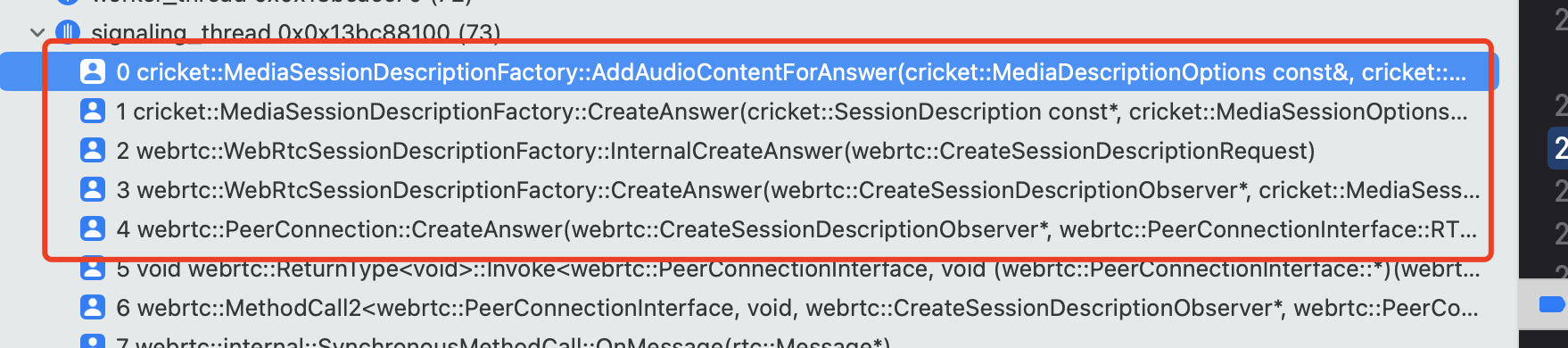
WebRTC系列--sdp协商中的answer编解码协商过程
关于createAnswer的流程在前面的文章WebRTC系列-SDP之CreateAnswer这篇文章中有详细的分析。 这篇文章主要对于MediaSessionDescriptionFactory的AddAudioContentForAnswer做详细的分析,也就是说对于音频编码的匹配也是在这个方法里实现: 首先主要的函数调用如下图: 这篇文…...

WeCanStudio工具套件介绍
直接上视频,在超燃的《天马座幻想》的背景音乐下,再次了解一下该工具套件吧。 WeCanStudio开发套件介绍...
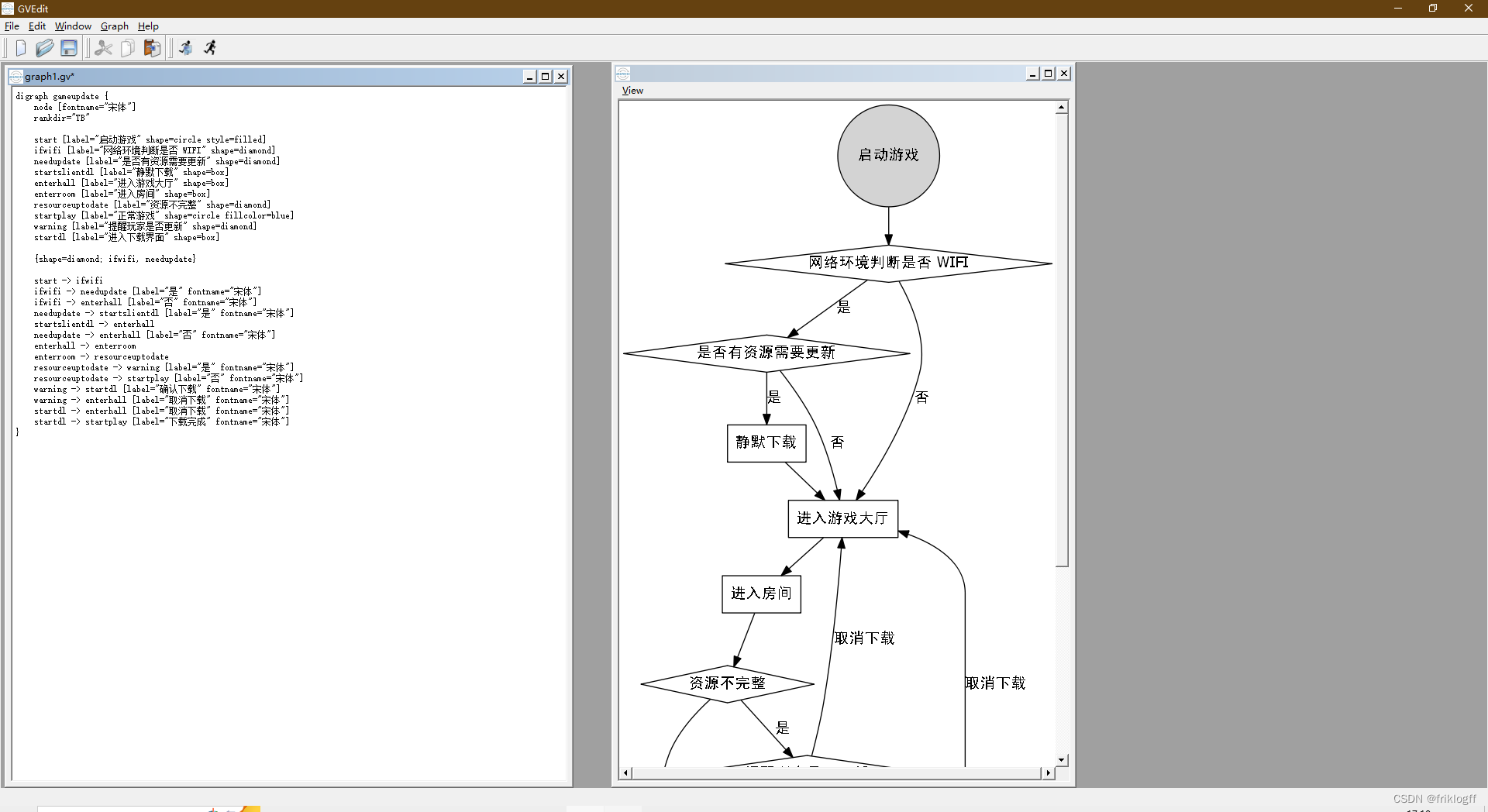
图形化思维:Graphviz和DOT语言的艺术与实践
前言 Graphviz和DOT语言是一对强大的工具,用于创建各种类型的图形,从流程图和组织结构图到网络拓扑图,无所不能。它们的灵活性和自定义性使得它们在数据可视化、系统设计、项目规划等各个领域都备受欢迎。然而,要想真正掌握Graph…...
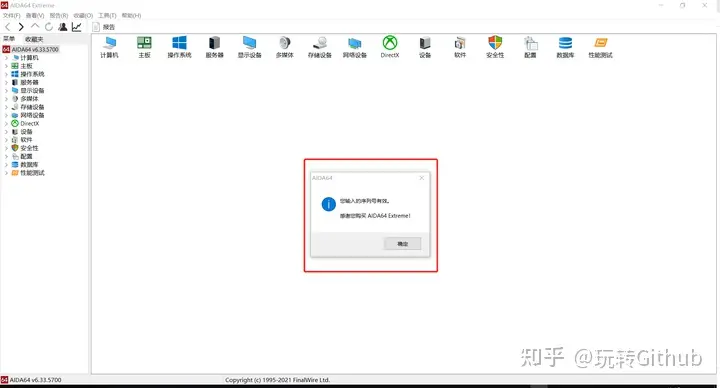
如何查看电脑详细配置、型号?这4个技巧 yyds!
知道自己电脑的配置和型号,可以更合理合适的去安装软件,避免出现电脑系统和软件不兼容问题。 了解详细配置信息可以检测一下电脑组件是否是二手的。 从解决实际问题的角度,推荐这4个技巧: 1、右键“此电脑” 2、设备管理器查看…...
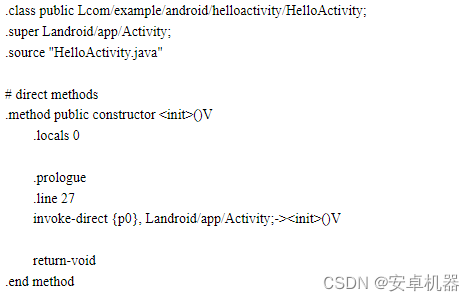
安卓机型固件系统分区的基础组成 手机启动规律初步常识 各分区的基本含义与说明
此贴为基本常识。感兴趣的友友可以了解手机的启动顺序和各模式的基本操作与意义。另外了解手机系统分区各文件夹的含义 分区说明对应贴:安卓机型固件中分区对应说明 手机开机基本启动顺序 当我们按下手机开机键的时候。基本的启动顺序为 注意:该结构图…...

php如何把数组元素反转-array_reverse使用要点
在PHP中,你可以使用array_reverse()函数来反转数组的元素顺序。该函数会返回一个新的数组,其中的元素顺序与原始数组相反。 以下是使用array_reverse()函数反转数组的示例代码: <?php $originalArray array(a, b, c, d); $reversedArr…...
【CV学习笔记】tensorrtx-yolov5 逐行代码解析
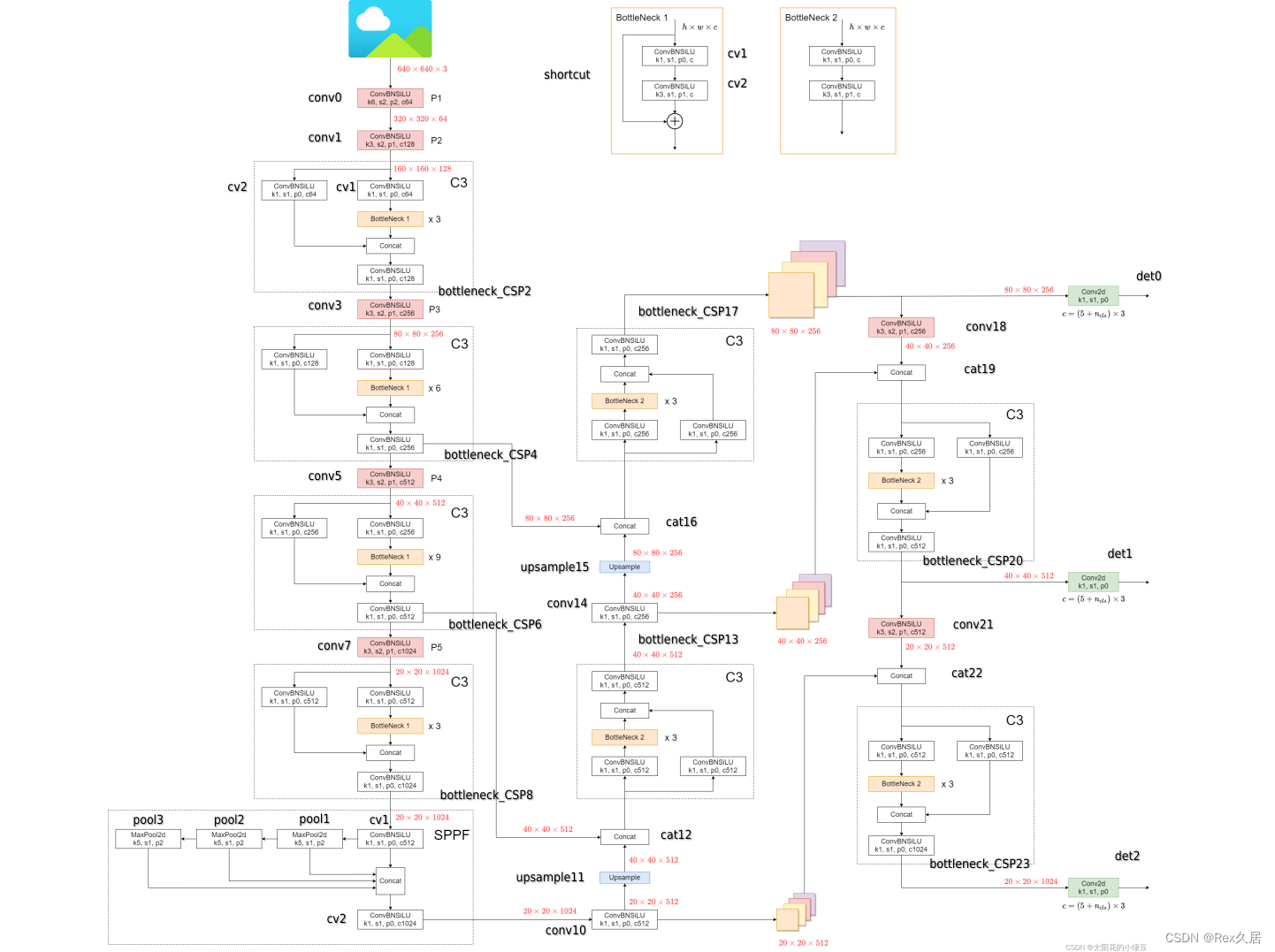
1、前言 TensorRTx(下文简称为trtx)是一个十分流行的利用API来搭建网络结构实现trt加速的开源库,作者提到为什么不用ONNX parser的方式来进行trt加速,而用最底层的API来搭建trt加速的方式有如下原因: Flexible 很容易修改模型的任意一层,删…...
微信管理系统可以解决什么问题?
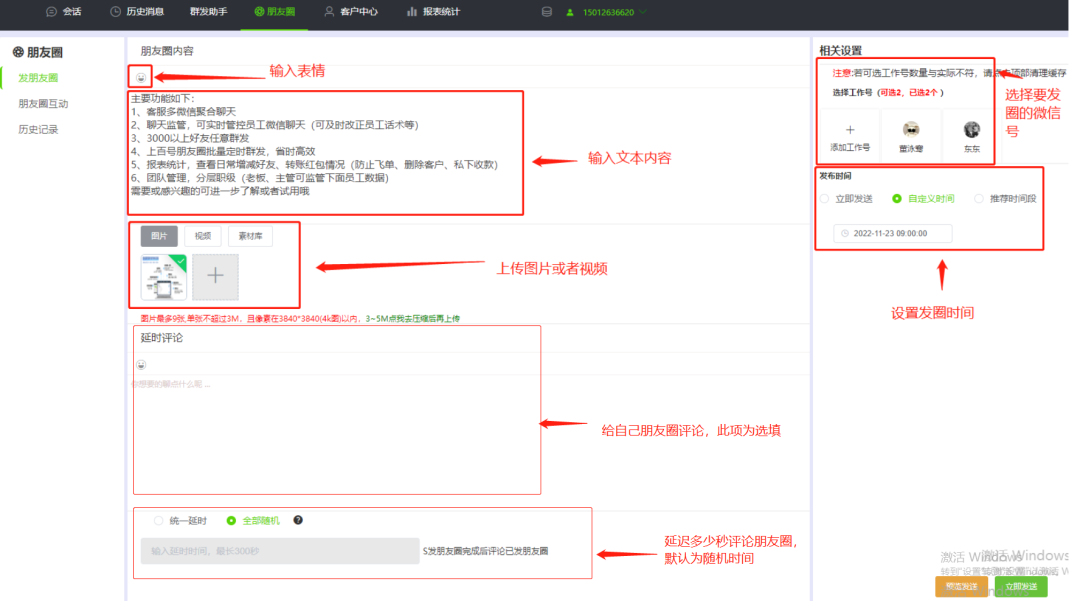
微信作为一款社交通讯软件,已经成为人们日常生活中不可缺少的工具。不仅个人,很多企业都用微信来联系客户、维护客户和营销,这自然而然就会有很多微信账号、手机也多,那管理起来就会带来很多的不便,而微信管理系统正好…...
mysql事务测试
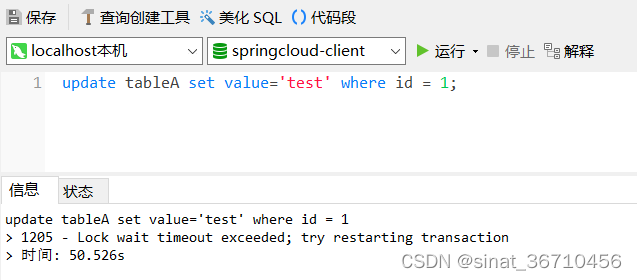
mysql的事务处理主要有两种方法1、用begin,rollback,commit来实现 begin; -- 开始一个事务 rollback; -- 事务回滚 commit; -- 事务提交 2、直接用set来改变mysql的自动提交模式 mysql默认是自动提交的,也就是你提交一个sql,它就直接执行!我…...
Spring面试题14:Spring中什么是Spring Beans? 包含哪些?Spring容器提供几种方式配置元数据?Spring中怎样定义类的作用域?
该文章专注于面试,面试只要回答关键点即可,不需要对框架有非常深入的回答,如果你想应付面试,是足够了,抓住关键点 面试官:Spring中什么是Spring Beans? 包含哪些? 在Spring中,Spring Beans是指由Spring容器管理的对象。Spring Beans包含以下内容: 类定义(Class De…...
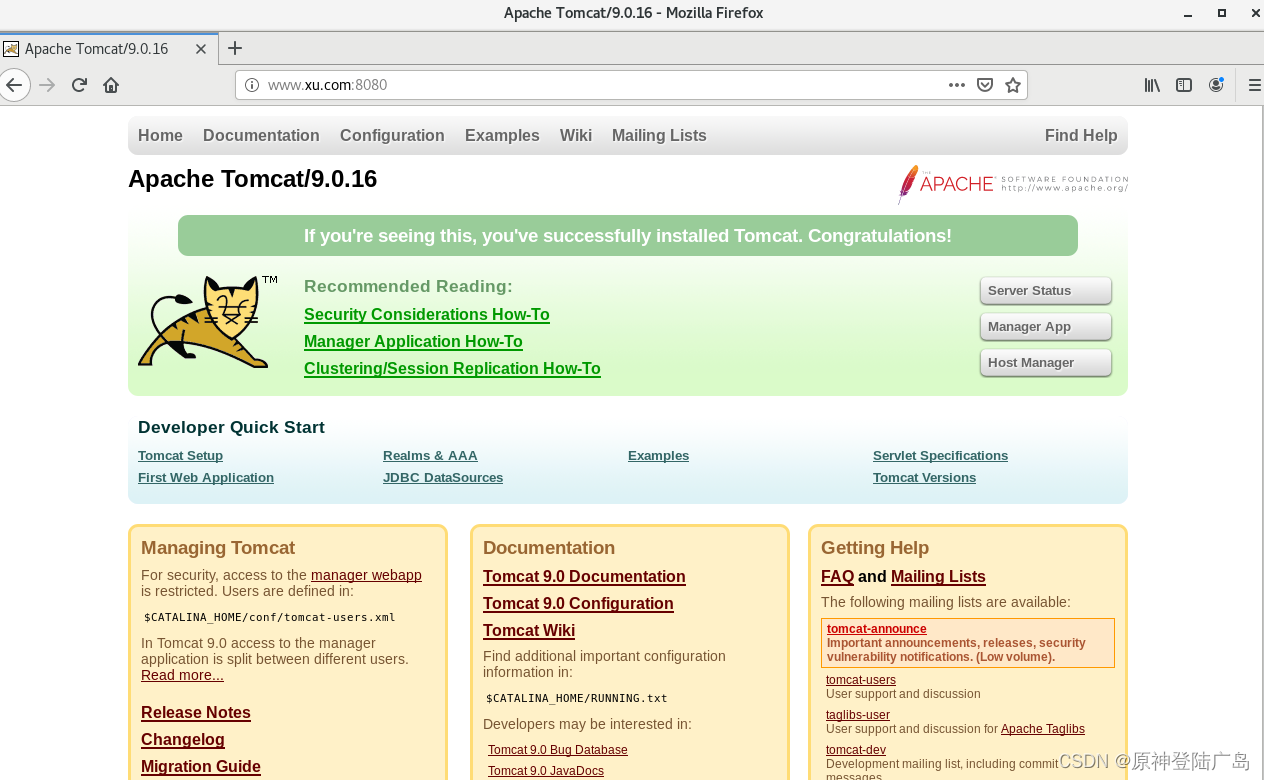
Tomcat部署、优化、以及操作练习
一.Tomcat的基本介绍 1.1.Tomcat是什么? Tomcat服务器是一个免费的开放源代码的Web应用服务器,属于轻量级应用服务器,在中小型系统和并发访问用户不是很多的场合下被普遍使用,是开发和调试JSP程序的首选。一般来说,T…...

服务器假死日志按时间统计排查
文章目录 场景解决方案排查过程根据cost时间来筛选 场景 服务器假死,进程还在,但是已经接不到请求了。因此有客户报事,发现服务假死了。 解决方案 这种假死问题一般不太好排查,常规来说有几种可能。 1、慢sql导致卡死。 2、大数…...
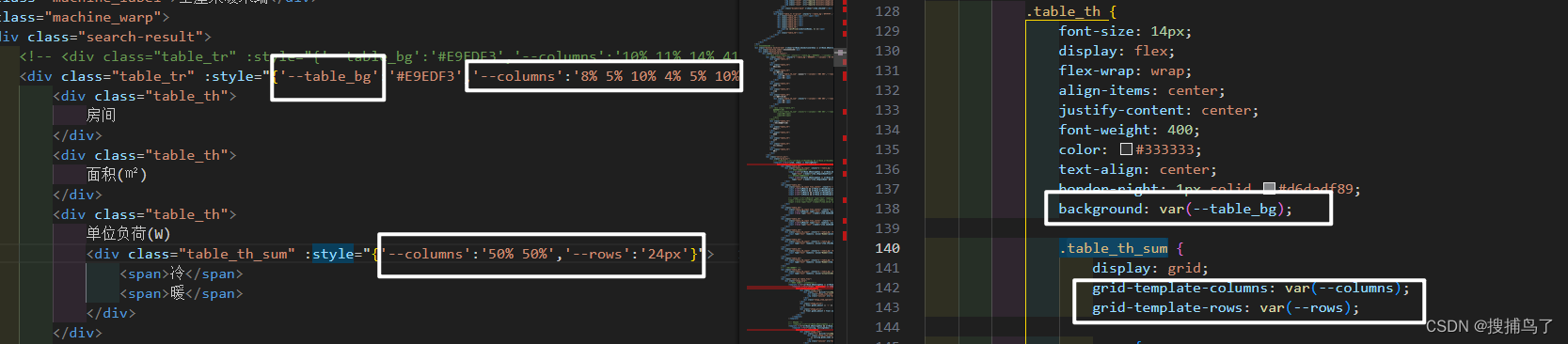
CSS——grid网格布局的基本使用
网格布局在实现页面自适应,大屏可视化中常常使用,在这篇博客里,记录一下网格布局的基本使用。 参考文档:网格布局_菜鸟教程 文章目录 1. 体会grid的自适应性2. grid-template-arr配置网格行列3. 网格单位fr与repeat()简写属性值4…...

深入剖析AI大模型:大模型时代的 Prompt 工程全解析
今天聊的内容,我认为是AI开发里面非常重要的内容。它在AI开发里无处不在,当你对 AI 助手说 "用李白的风格写一首关于人工智能的诗",或者让翻译模型 "将这段合同翻译成商务日语" 时,输入的这句话就是 Prompt。…...

golang循环变量捕获问题
在 Go 语言中,当在循环中启动协程(goroutine)时,如果在协程闭包中直接引用循环变量,可能会遇到一个常见的陷阱 - 循环变量捕获问题。让我详细解释一下: 问题背景 看这个代码片段: fo…...
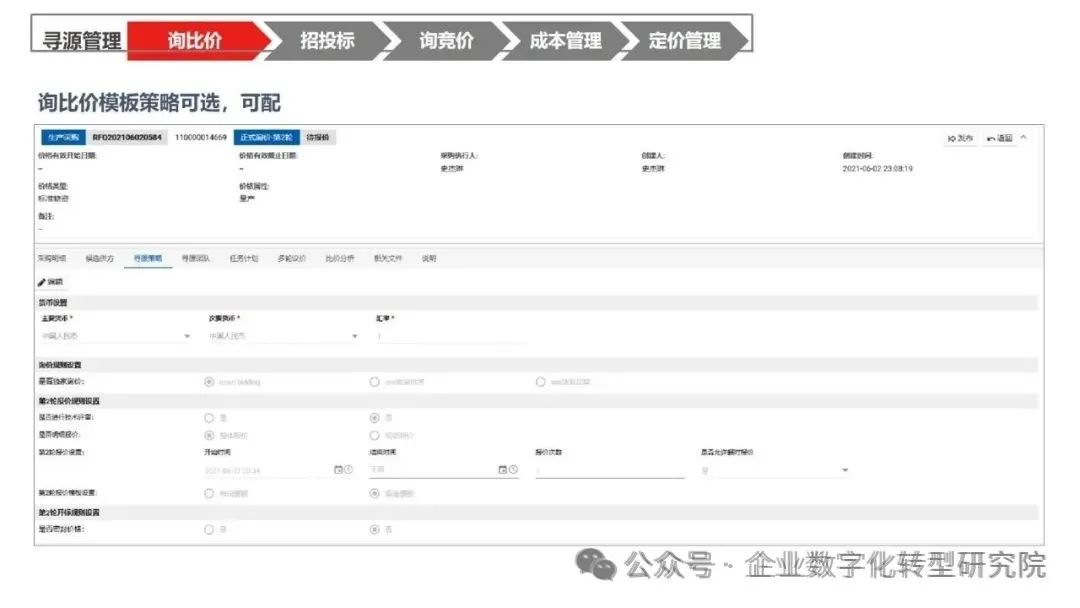
PPT|230页| 制造集团企业供应链端到端的数字化解决方案:从需求到结算的全链路业务闭环构建
制造业采购供应链管理是企业运营的核心环节,供应链协同管理在供应链上下游企业之间建立紧密的合作关系,通过信息共享、资源整合、业务协同等方式,实现供应链的全面管理和优化,提高供应链的效率和透明度,降低供应链的成…...

线程与协程
1. 线程与协程 1.1. “函数调用级别”的切换、上下文切换 1. 函数调用级别的切换 “函数调用级别的切换”是指:像函数调用/返回一样轻量地完成任务切换。 举例说明: 当你在程序中写一个函数调用: funcA() 然后 funcA 执行完后返回&…...
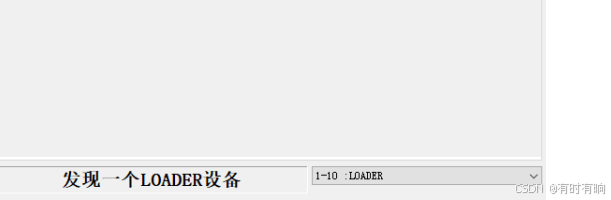
linux arm系统烧录
1、打开瑞芯微程序 2、按住linux arm 的 recover按键 插入电源 3、当瑞芯微检测到有设备 4、松开recover按键 5、选择升级固件 6、点击固件选择本地刷机的linux arm 镜像 7、点击升级 (忘了有没有这步了 估计有) 刷机程序 和 镜像 就不提供了。要刷的时…...

3403. 从盒子中找出字典序最大的字符串 I
3403. 从盒子中找出字典序最大的字符串 I 题目链接:3403. 从盒子中找出字典序最大的字符串 I 代码如下: class Solution { public:string answerString(string word, int numFriends) {if (numFriends 1) {return word;}string res;for (int i 0;i &…...

【Oracle】分区表
个人主页:Guiat 归属专栏:Oracle 文章目录 1. 分区表基础概述1.1 分区表的概念与优势1.2 分区类型概览1.3 分区表的工作原理 2. 范围分区 (RANGE Partitioning)2.1 基础范围分区2.1.1 按日期范围分区2.1.2 按数值范围分区 2.2 间隔分区 (INTERVAL Partit…...
C# 求圆面积的程序(Program to find area of a circle)
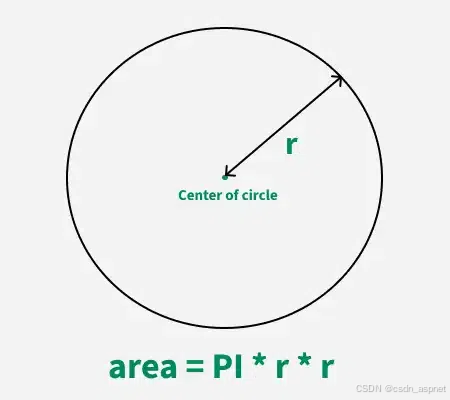
给定半径r,求圆的面积。圆的面积应精确到小数点后5位。 例子: 输入:r 5 输出:78.53982 解释:由于面积 PI * r * r 3.14159265358979323846 * 5 * 5 78.53982,因为我们只保留小数点后 5 位数字。 输…...
html css js网页制作成品——HTML+CSS榴莲商城网页设计(4页)附源码
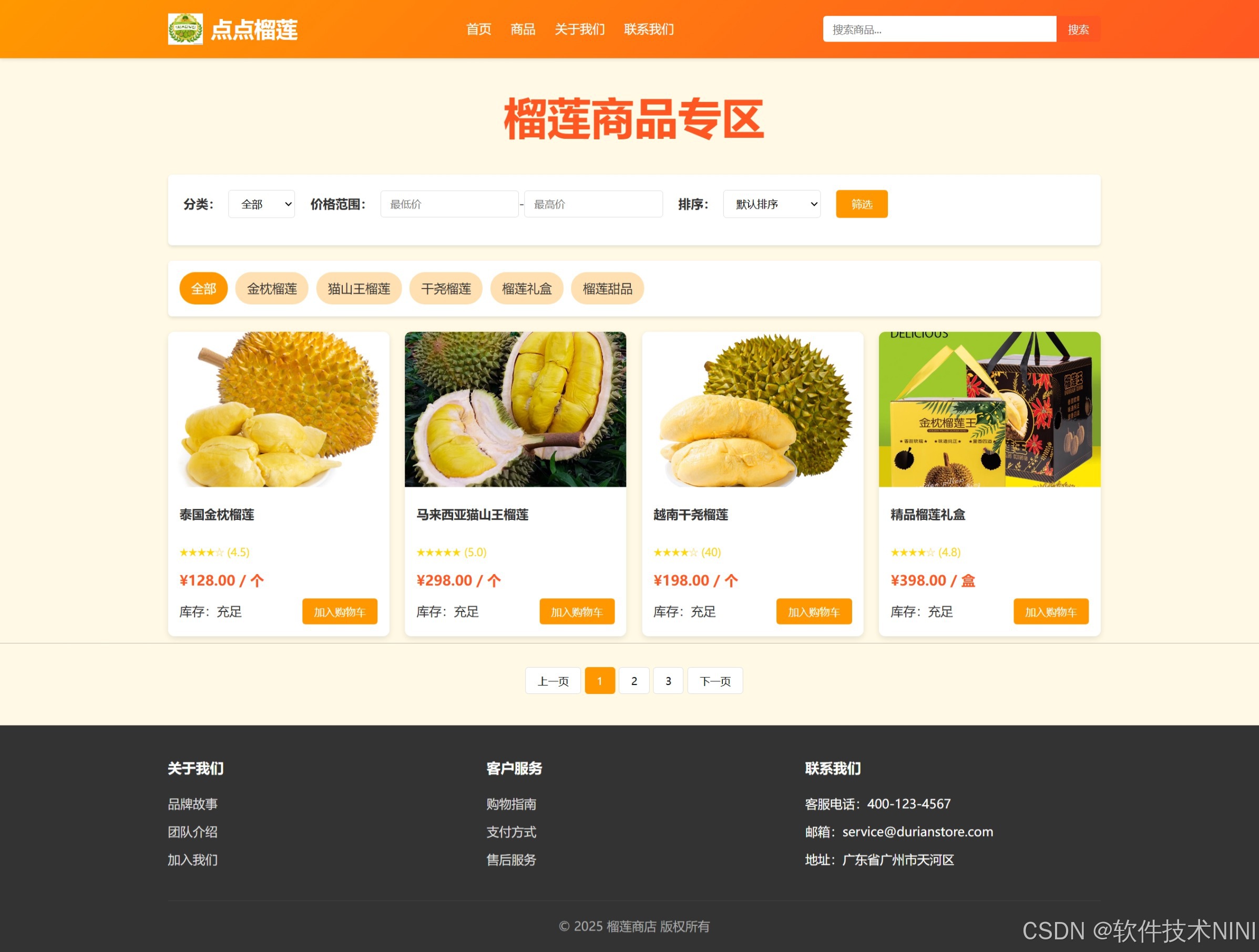
目录 一、👨🎓网站题目 二、✍️网站描述 三、📚网站介绍 四、🌐网站效果 五、🪓 代码实现 🧱HTML 六、🥇 如何让学习不再盲目 七、🎁更多干货 一、👨…...
MFC 抛体运动模拟:常见问题解决与界面美化
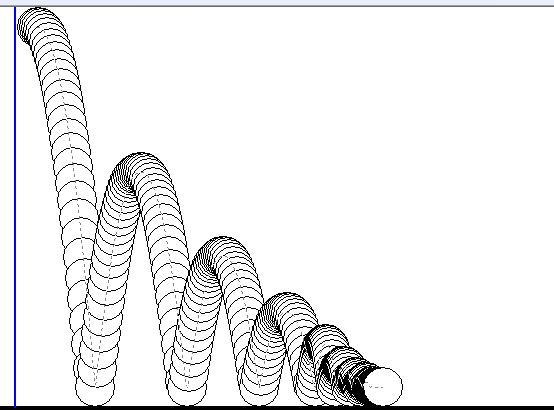
在 MFC 中开发抛体运动模拟程序时,我们常遇到 轨迹残留、无效刷新、视觉单调、物理逻辑瑕疵 等问题。本文将针对这些痛点,详细解析原因并提供解决方案,同时兼顾界面美化,让模拟效果更专业、更高效。 问题一:历史轨迹与小球残影残留 现象 小球运动后,历史位置的 “残影”…...