
Python经典游戏 唤醒你童年记忆
这些游戏你玩过几个?
- 1.贪吃蛇
- 2.吃豆人
- 3.加农炮
- 4.四子棋
- 5. Fly Bird
- <font color = #f3704ab>6.记忆:数字对拼图游戏(欢迎挑战!用时:2min)
- 7.乒乓球
- 8.上课划水必备-井字游戏(我敢说100%的人都玩过)
- 9.将数字滑动到位的拼图游戏
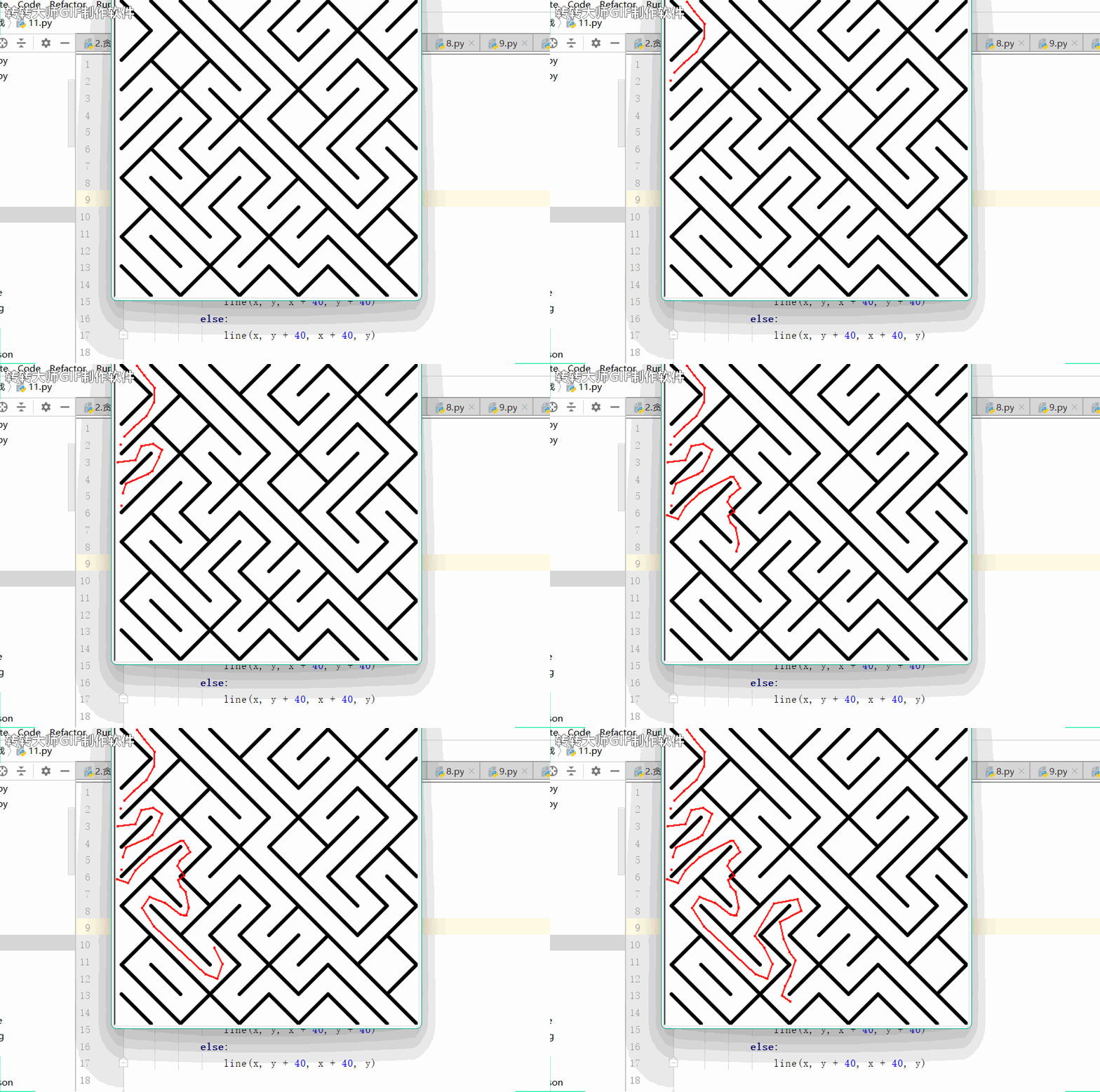
- 10.迷宫(我己经晕了,你们来)
- 获取更多
1.贪吃蛇
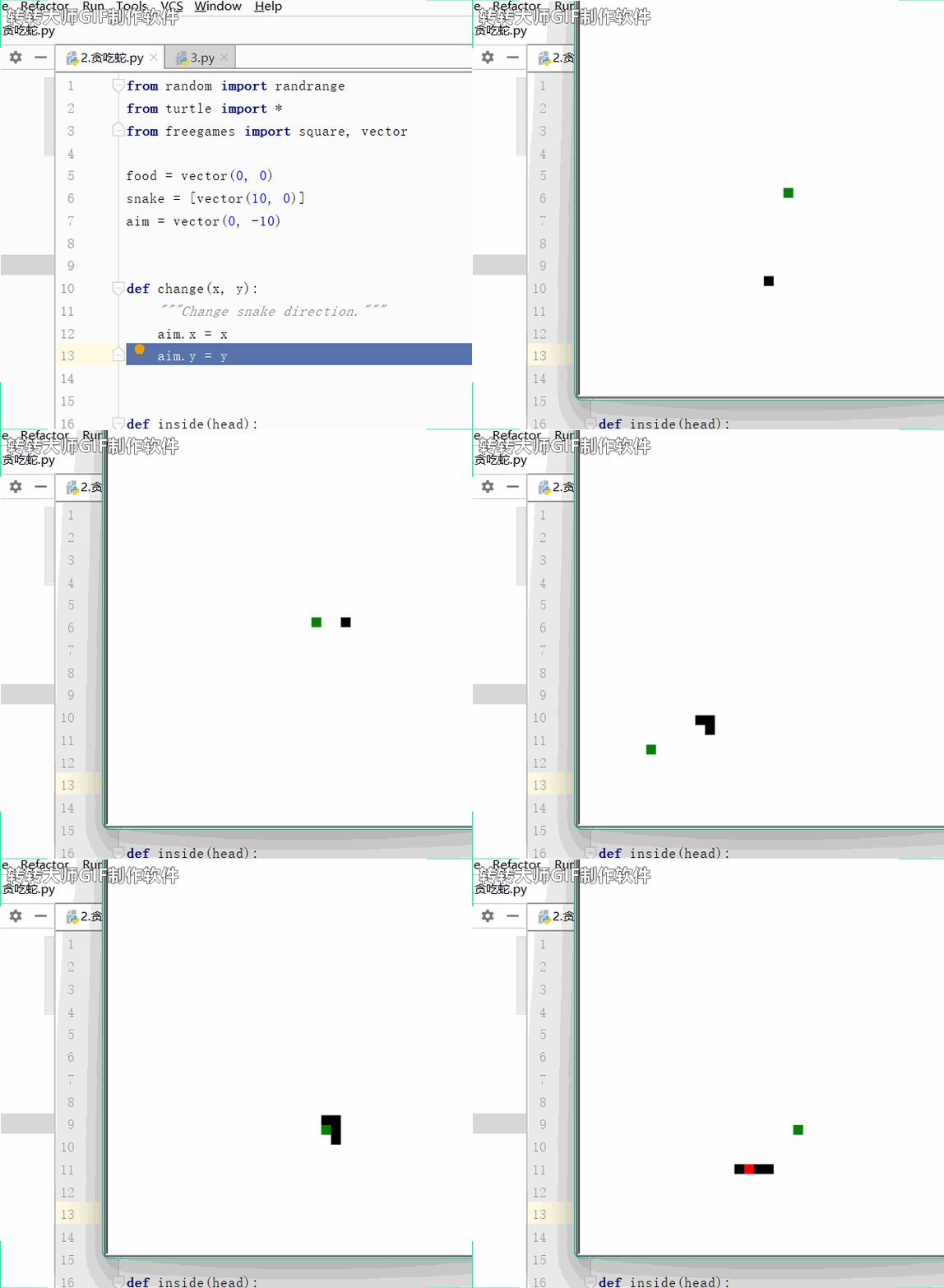
👉游戏规则:使用方向键控制蛇去吃球。每吃一次球,蛇身就长出一格。吃到自己或者出界游戏结束。
from random import randrange
from turtle import *
from freegames import square, vectorfood = vector(0, 0)
snake = [vector(10, 0)]
aim = vector(0, -10)def change(x, y):"""Change snake direction."""aim.x = xaim.y = ydef inside(head):"""Return True if head inside boundaries."""return -200 < head.x < 190 and -200 < head.y < 190def move():"""Move snake forward one segment."""head = snake[-1].copy()head.move(aim)if not inside(head) or head in snake:square(head.x, head.y, 9, 'red')update()returnsnake.append(head)if head == food:print('Snake:', len(snake))food.x = randrange(-15, 15) * 10food.y = randrange(-15, 15) * 10else:snake.pop(0)clear()for body in snake:square(body.x, body.y, 9, 'black')square(food.x, food.y, 9, 'green')update()ontimer(move, 100)setup(420, 420, 370, 0)
hideturtle()
tracer(False)
listen()
onkey(lambda: change(10, 0), 'Right')
onkey(lambda: change(-10, 0), 'Left')
onkey(lambda: change(0, 10), 'Up')
onkey(lambda: change(0, -10), 'Down')
move()
done()
游戏演示:
2.吃豆人
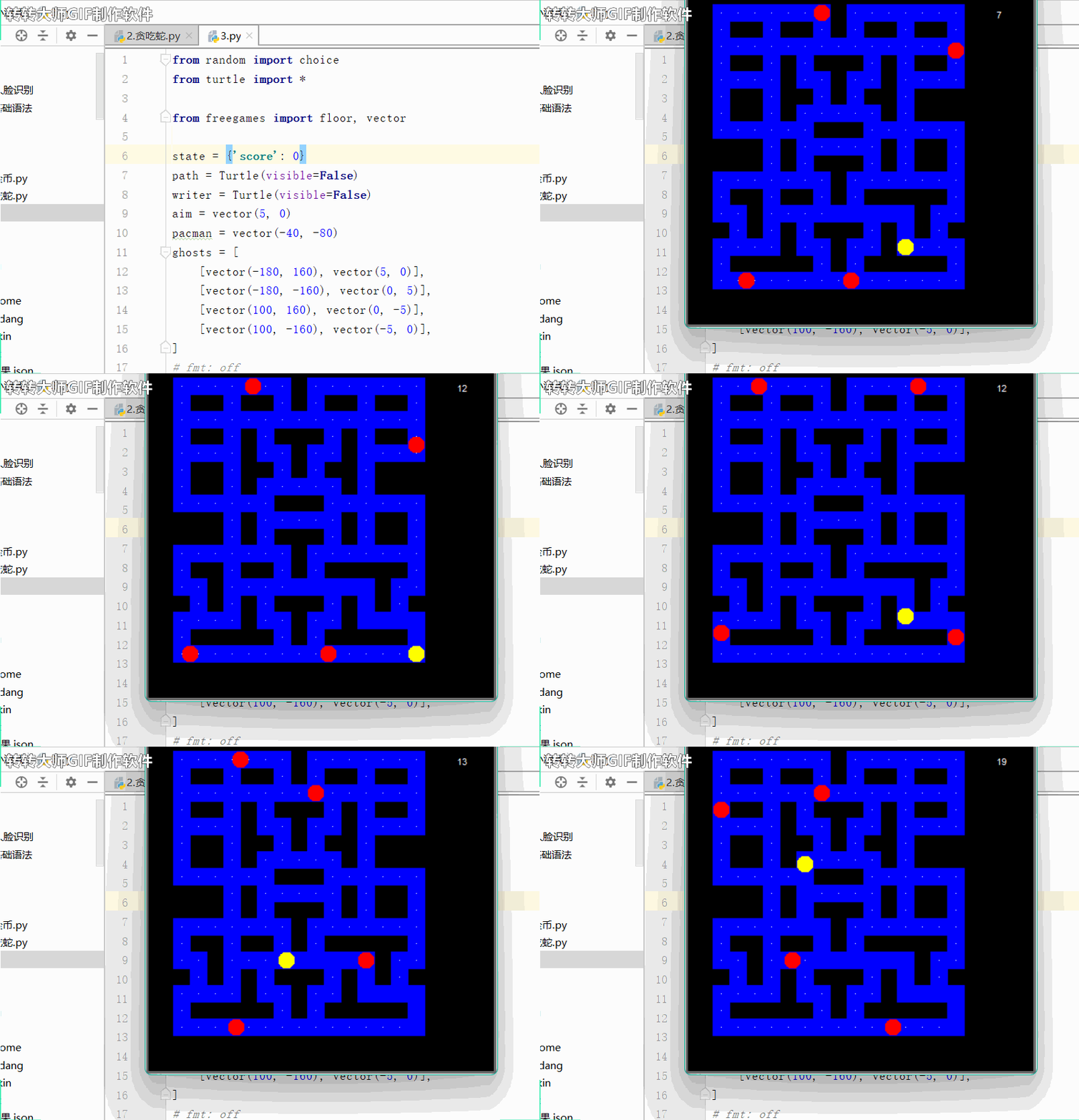
👉游戏规则:用箭头导航控制黄色吃豆人吃掉所有白色食物,若被红色的鬼魂抓住,游戏结束。
from random import choice
from turtle import *from freegames import floor, vectorstate = {'score': 0}
path = Turtle(visible=False)
writer = Turtle(visible=False)
aim = vector(5, 0)
pacman = vector(-40, -80)
ghosts = [[vector(-180, 160), vector(5, 0)],[vector(-180, -160), vector(0, 5)],[vector(100, 160), vector(0, -5)],[vector(100, -160), vector(-5, 0)],
]
# fmt: off
tiles = [0, 0, 0, 0, 0, 0, 0, 0, 0, 0, 0, 0, 0, 0, 0, 0, 0, 0, 0, 0,0, 1, 1, 1, 1, 1, 1, 1, 0, 1, 1, 1, 1, 1, 1, 1, 0, 0, 0, 0,0, 1, 0, 0, 1, 0, 0, 1, 0, 1, 0, 0, 1, 0, 0, 1, 0, 0, 0, 0,0, 1, 1, 1, 1, 1, 1, 1, 1, 1, 1, 1, 1, 1, 1, 1, 0, 0, 0, 0,0, 1, 0, 0, 1, 0, 1, 0, 0, 0, 1, 0, 1, 0, 0, 1, 0, 0, 0, 0,0, 1, 1, 1, 1, 0, 1, 1, 0, 1, 1, 0, 1, 1, 1, 1, 0, 0, 0, 0,0, 1, 0, 0, 1, 0, 0, 1, 0, 1, 0, 0, 1, 0, 0, 0, 0, 0, 0, 0,0, 1, 0, 0, 1, 0, 1, 1, 1, 1, 1, 0, 1, 0, 0, 0, 0, 0, 0, 0,0, 1, 1, 1, 1, 1, 1, 0, 0, 0, 1, 1, 1, 1, 1, 1, 0, 0, 0, 0,0, 0, 0, 0, 1, 0, 1, 1, 1, 1, 1, 0, 1, 0, 0, 1, 0, 0, 0, 0,0, 0, 0, 0, 1, 0, 1, 0, 0, 0, 1, 0, 1, 0, 0, 1, 0, 0, 0, 0,0, 1, 1, 1, 1, 1, 1, 1, 0, 1, 1, 1, 1, 1, 1, 1, 0, 0, 0, 0,0, 1, 0, 0, 1, 0, 0, 1, 0, 1, 0, 0, 0, 0, 0, 1, 0, 0, 0, 0,0, 1, 1, 0, 1, 1, 1, 1, 1, 1, 1, 1, 1, 0, 1, 1, 0, 0, 0, 0,0, 0, 1, 0, 1, 0, 1, 0, 0, 0, 1, 0, 1, 0, 1, 0, 0, 0, 0, 0,0, 1, 1, 1, 1, 0, 1, 1, 0, 1, 1, 0, 1, 1, 1, 1, 0, 0, 0, 0,0, 1, 0, 0, 0, 0, 0, 1, 0, 1, 0, 0, 0, 0, 0, 1, 0, 0, 0, 0,0, 1, 1, 1, 1, 1, 1, 1, 1, 1, 1, 1, 1, 1, 1, 1, 0, 0, 0, 0,0, 0, 0, 0, 0, 0, 0, 0, 0, 0, 0, 0, 0, 0, 0, 0, 0, 0, 0, 0,0, 0, 0, 0, 0, 0, 0, 0, 0, 0, 0, 0, 0, 0, 0, 0, 0, 0, 0, 0,
]
# fmt: ondef square(x, y):"""Draw square using path at (x, y)."""path.up()path.goto(x, y)path.down()path.begin_fill()for count in range(4):path.forward(20)path.left(90)path.end_fill()def offset(point):"""Return offset of point in tiles."""x = (floor(point.x, 20) + 200) / 20y = (180 - floor(point.y, 20)) / 20index = int(x + y * 20)return indexdef valid(point):"""Return True if point is valid in tiles."""index = offset(point)if tiles[index] == 0:return Falseindex = offset(point + 19)if tiles[index] == 0:return Falsereturn point.x % 20 == 0 or point.y % 20 == 0def world():"""Draw world using path."""bgcolor('black')path.color('blue')for index in range(len(tiles)):tile = tiles[index]if tile > 0:x = (index % 20) * 20 - 200y = 180 - (index // 20) * 20square(x, y)if tile == 1:path.up()path.goto(x + 10, y + 10)path.dot(2, 'white')def move():"""Move pacman and all ghosts."""writer.undo()writer.write(state['score'])clear()if valid(pacman + aim):pacman.move(aim)index = offset(pacman)if tiles[index] == 1:tiles[index] = 2state['score'] += 1x = (index % 20) * 20 - 200y = 180 - (index // 20) * 20square(x, y)up()goto(pacman.x + 10, pacman.y + 10)dot(20, 'yellow')for point, course in ghosts:if valid(point + course):point.move(course)else:options = [vector(5, 0),vector(-5, 0),vector(0, 5),vector(0, -5),]plan = choice(options)course.x = plan.xcourse.y = plan.yup()goto(point.x + 10, point.y + 10)dot(20, 'red')update()for point, course in ghosts:if abs(pacman - point) < 20:returnontimer(move, 100)def change(x, y):"""Change pacman aim if valid."""if valid(pacman + vector(x, y)):aim.x = xaim.y = ysetup(420, 420, 370, 0)
hideturtle()
tracer(False)
writer.goto(160, 160)
writer.color('white')
writer.write(state['score'])
listen()
onkey(lambda: change(5, 0), 'Right')
onkey(lambda: change(-5, 0), 'Left')
onkey(lambda: change(0, 5), 'Up')
onkey(lambda: change(0, -5), 'Down')
world()
move()
done()
游戏演示:
3.加农炮
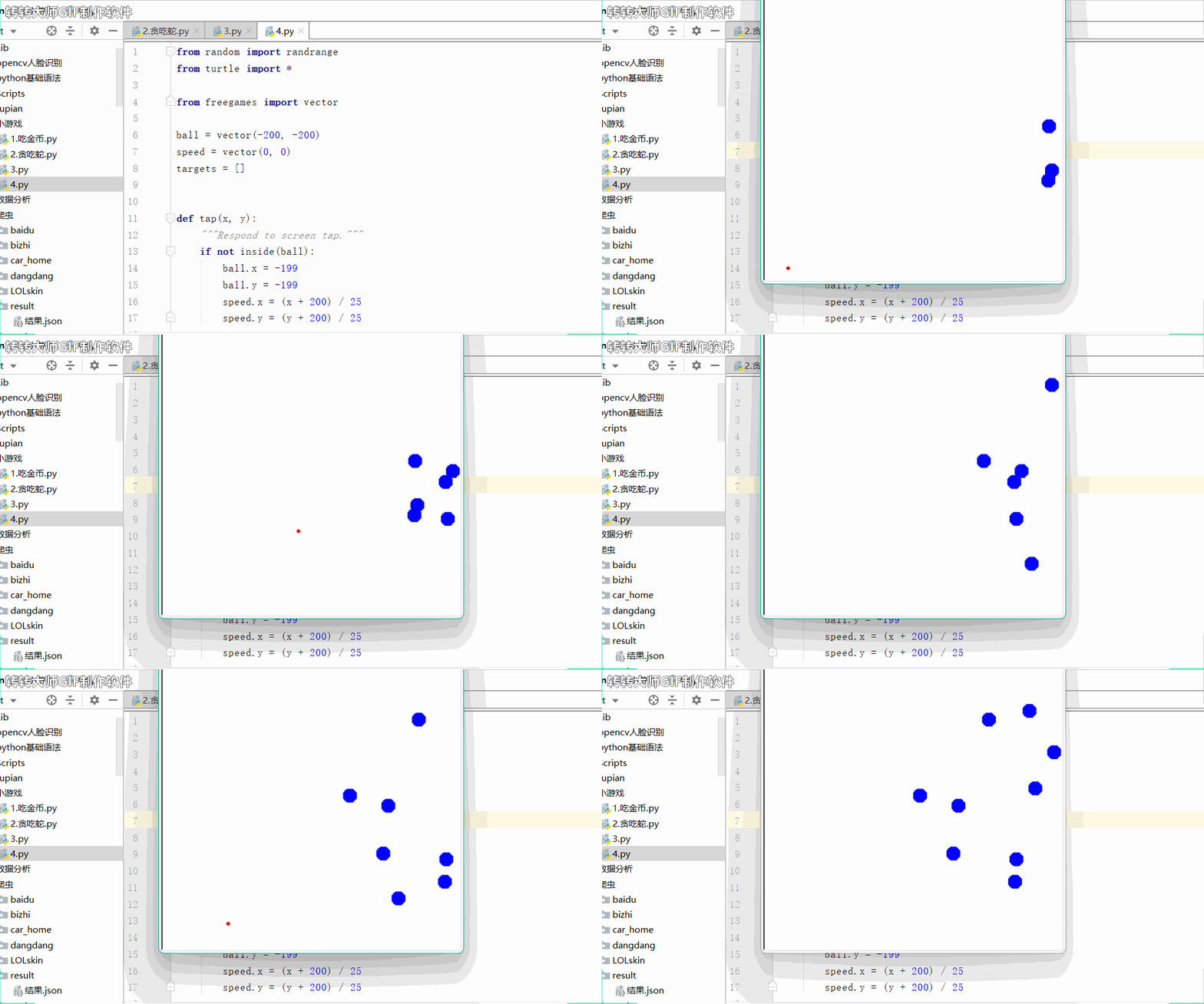
👉游戏规则:点击屏幕发射炮弹。炮弹在它的路径上弹出蓝色气球。在气球穿过屏幕之前把它们全部弹出。
from random import randrange
from turtle import *from freegames import vectorball = vector(-200, -200)
speed = vector(0, 0)
targets = []def tap(x, y):"""Respond to screen tap."""if not inside(ball):ball.x = -199ball.y = -199speed.x = (x + 200) / 25speed.y = (y + 200) / 25def inside(xy):"""Return True if xy within screen."""return -200 < xy.x < 200 and -200 < xy.y < 200def draw():"""Draw ball and targets."""clear()for target in targets:goto(target.x, target.y)dot(20, 'blue')if inside(ball):goto(ball.x, ball.y)dot(6, 'red')update()def move():"""Move ball and targets."""if randrange(40) == 0:y = randrange(-150, 150)target = vector(200, y)targets.append(target)for target in targets:target.x -= 0.5if inside(ball):speed.y -= 0.35ball.move(speed)dupe = targets.copy()targets.clear()for target in dupe:if abs(target - ball) > 13:targets.append(target)draw()for target in targets:if not inside(target):returnontimer(move, 50)setup(420, 420, 370, 0)
hideturtle()
up()
tracer(False)
onscreenclick(tap)
move()
done()
游戏演示:
4.四子棋
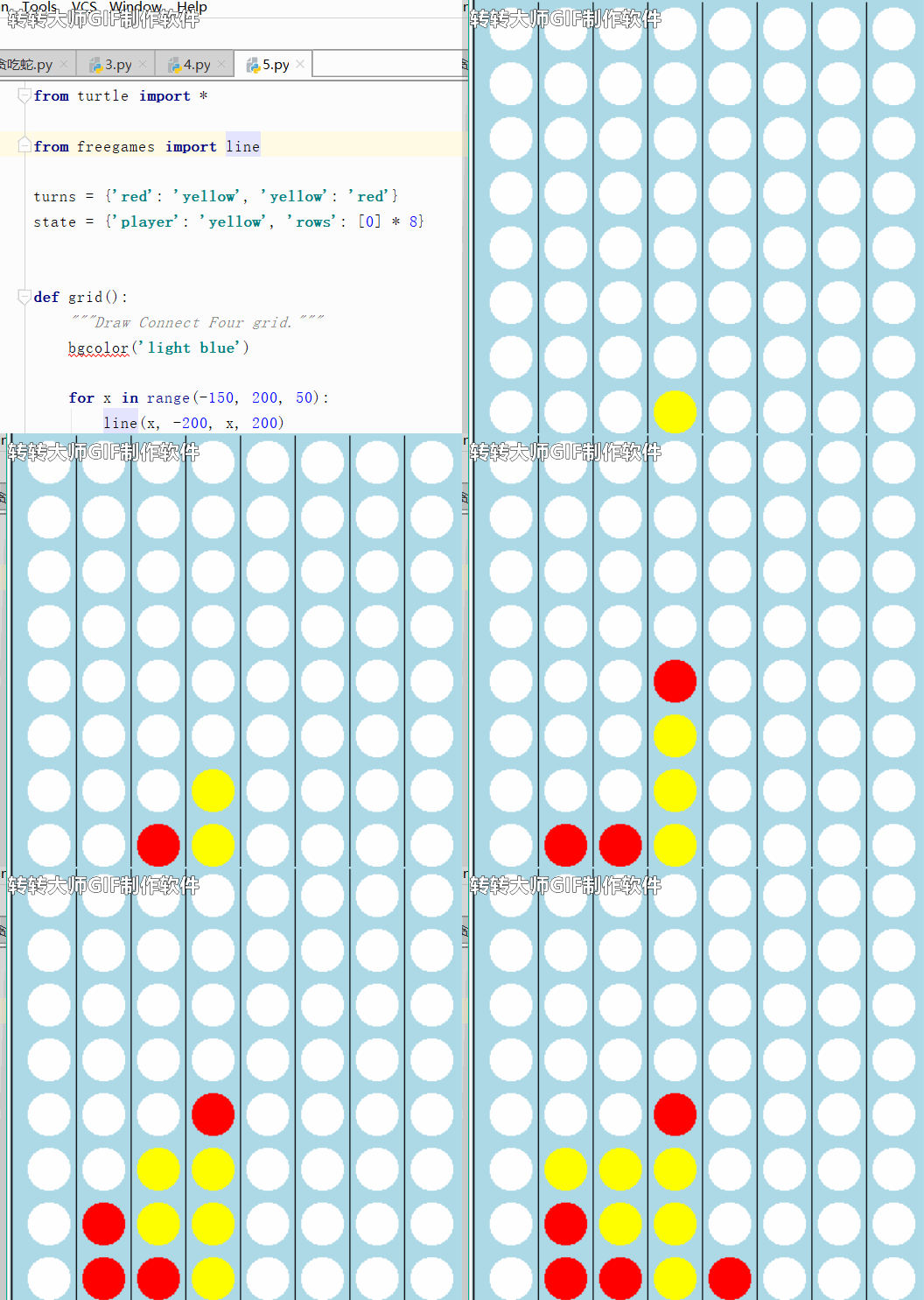
👉 游戏规则:单击行可放置光盘。第一个垂直、水平或对角连接四张光盘的玩家获胜。
from turtle import *from freegames import lineturns = {'red': 'yellow', 'yellow': 'red'}
state = {'player': 'yellow', 'rows': [0] * 8}def grid():"""Draw Connect Four grid."""bgcolor('light blue')for x in range(-150, 200, 50):line(x, -200, x, 200)for x in range(-175, 200, 50):for y in range(-175, 200, 50):up()goto(x, y)dot(40, 'white')update()def tap(x, y):"""Draw red or yellow circle in tapped row."""player = state['player']rows = state['rows']row = int((x + 200) // 50)count = rows[row]x = ((x + 200) // 50) * 50 - 200 + 25y = count * 50 - 200 + 25up()goto(x, y)dot(40, player)update()rows[row] = count + 1state['player'] = turns[player]setup(420, 420, 370, 0)
hideturtle()
tracer(False)
grid()
onscreenclick(tap)
done()
游戏演示:
5. Fly Bird
👉 游戏规则:点击屏幕来拍打鸟的翅膀。飞过屏幕被黑色乌鸦碰到,游戏结束。
from random import *
from turtle import *from freegames import vectorbird = vector(0, 0)
balls = []def tap(x, y):"""Move bird up in response to screen tap."""up = vector(0, 30)bird.move(up)def inside(point):"""Return True if point on screen."""return -200 < point.x < 200 and -200 < point.y < 200def draw(alive):"""Draw screen objects."""clear()goto(bird.x, bird.y)if alive:dot(10, 'green')else:dot(10, 'red')for ball in balls:goto(ball.x, ball.y)dot(20, 'black')update()def move():"""Update object positions."""bird.y -= 5for ball in balls:ball.x -= 3if randrange(10) == 0:y = randrange(-199, 199)ball = vector(199, y)balls.append(ball)while len(balls) > 0 and not inside(balls[0]):balls.pop(0)if not inside(bird):draw(False)returnfor ball in balls:if abs(ball - bird) < 15:draw(False)returndraw(True)ontimer(move, 50)setup(420, 420, 370, 0)
hideturtle()
up()
tracer(False)
onscreenclick(tap)
move()
done()
游戏演示:
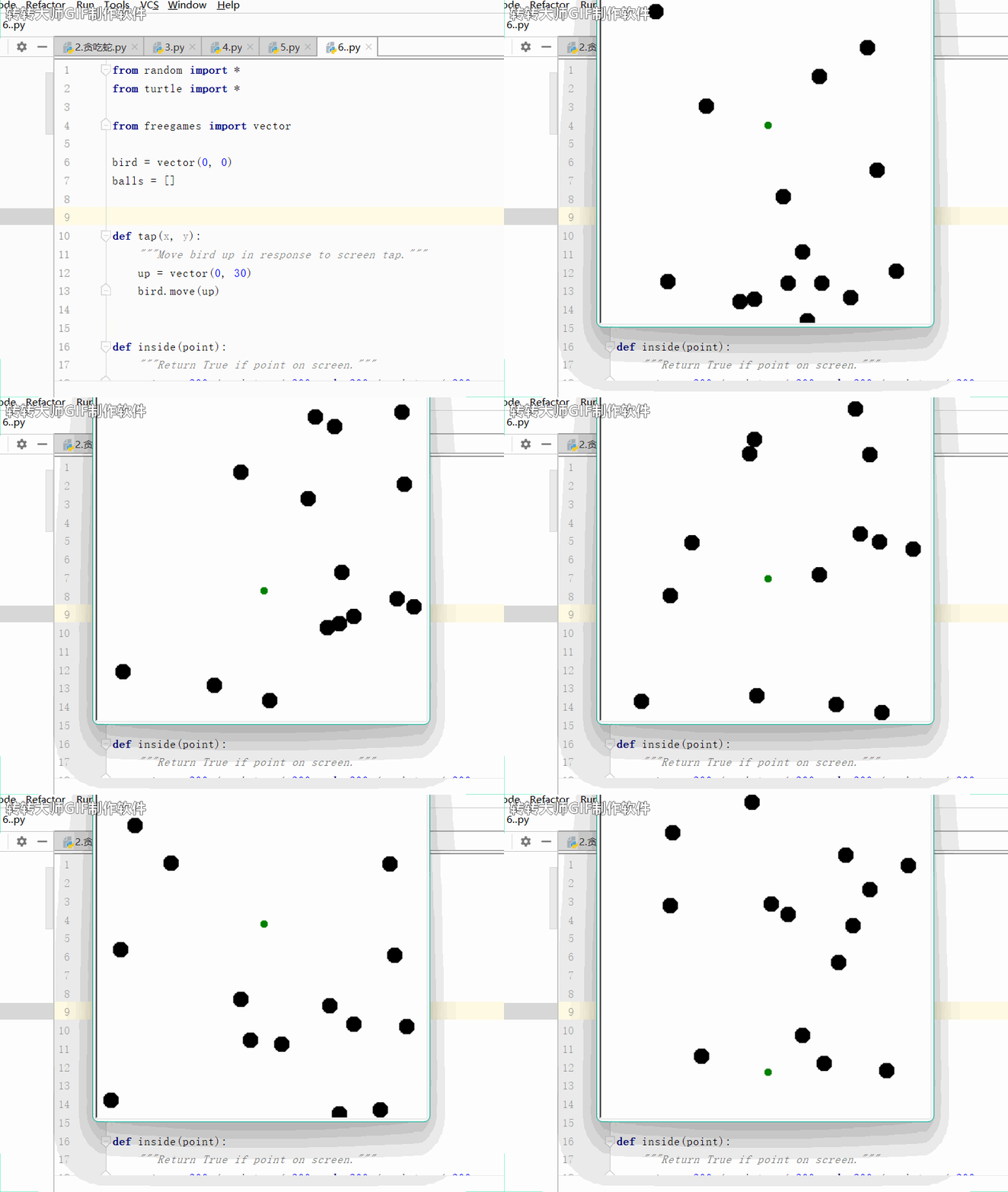
6.记忆:数字对拼图游戏(欢迎挑战!用时:2min)
👉游戏规则:单击方格用于显示数字。匹配两个数字,方格将显示从而显示图像。
from random import *
from turtle import *from freegames import pathcar = path('car.gif')
tiles = list(range(32)) * 2
state = {'mark': None}
hide = [True] * 64def square(x, y):"""Draw white square with black outline at (x, y)."""up()goto(x, y)down()color('black', 'white')begin_fill()for count in range(4):forward(50)left(90)end_fill()def index(x, y):"""Convert (x, y) coordinates to tiles index."""return int((x + 200) // 50 + ((y + 200) // 50) * 8)def xy(count):"""Convert tiles count to (x, y) coordinates."""return (count % 8) * 50 - 200, (count // 8) * 50 - 200def tap(x, y):"""Update mark and hidden tiles based on tap."""spot = index(x, y)mark = state['mark']if mark is None or mark == spot or tiles[mark] != tiles[spot]:state['mark'] = spotelse:hide[spot] = Falsehide[mark] = Falsestate['mark'] = Nonedef draw():"""Draw image and tiles."""clear()goto(0, 0)shape(car)stamp()for count in range(64):if hide[count]:x, y = xy(count)square(x, y)mark = state['mark']if mark is not None and hide[mark]:x, y = xy(mark)up()goto(x + 2, y)color('black')write(tiles[mark], font=('Arial', 30, 'normal'))update()ontimer(draw, 100)shuffle(tiles)
setup(420, 420, 370, 0)
addshape(car)
hideturtle()
tracer(False)
onscreenclick(tap)
draw()
done()
游戏演示:
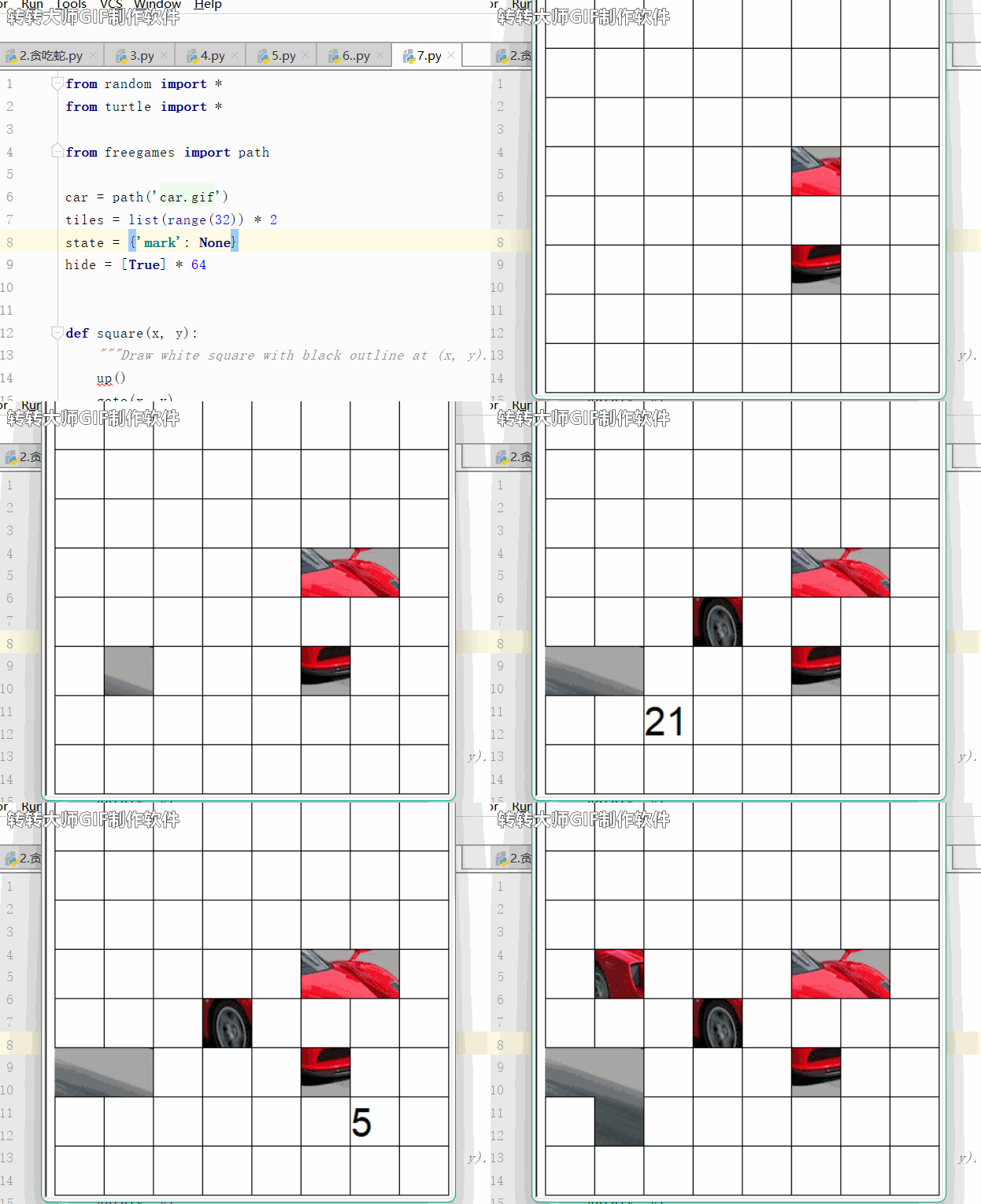
7.乒乓球
👉游戏规则:用键盘上下移动划桨,谁先丢失球,谁输!(左ws上下,右ik上下)
from random import choice, random
from turtle import *from freegames import vectordef value():"""Randomly generate value between (-5, -3) or (3, 5)."""return (3 + random() * 2) * choice([1, -1])ball = vector(0, 0)
aim = vector(value(), value())
state = {1: 0, 2: 0}def move(player, change):"""Move player position by change."""state[player] += changedef rectangle(x, y, width, height):"""Draw rectangle at (x, y) with given width and height."""up()goto(x, y)down()begin_fill()for count in range(2):forward(width)left(90)forward(height)left(90)end_fill()def draw():"""Draw game and move pong ball."""clear()rectangle(-200, state[1], 10, 50)rectangle(190, state[2], 10, 50)ball.move(aim)x = ball.xy = ball.yup()goto(x, y)dot(10)update()if y < -200 or y > 200:aim.y = -aim.yif x < -185:low = state[1]high = state[1] + 50if low <= y <= high:aim.x = -aim.xelse:returnif x > 185:low = state[2]high = state[2] + 50if low <= y <= high:aim.x = -aim.xelse:returnontimer(draw, 50)setup(420, 420, 370, 0)
hideturtle()
tracer(False)
listen()
onkey(lambda: move(1, 20), 'w')
onkey(lambda: move(1, -20), 's')
onkey(lambda: move(2, 20), 'i')
onkey(lambda: move(2, -20), 'k')
draw()
done()
游戏演示:
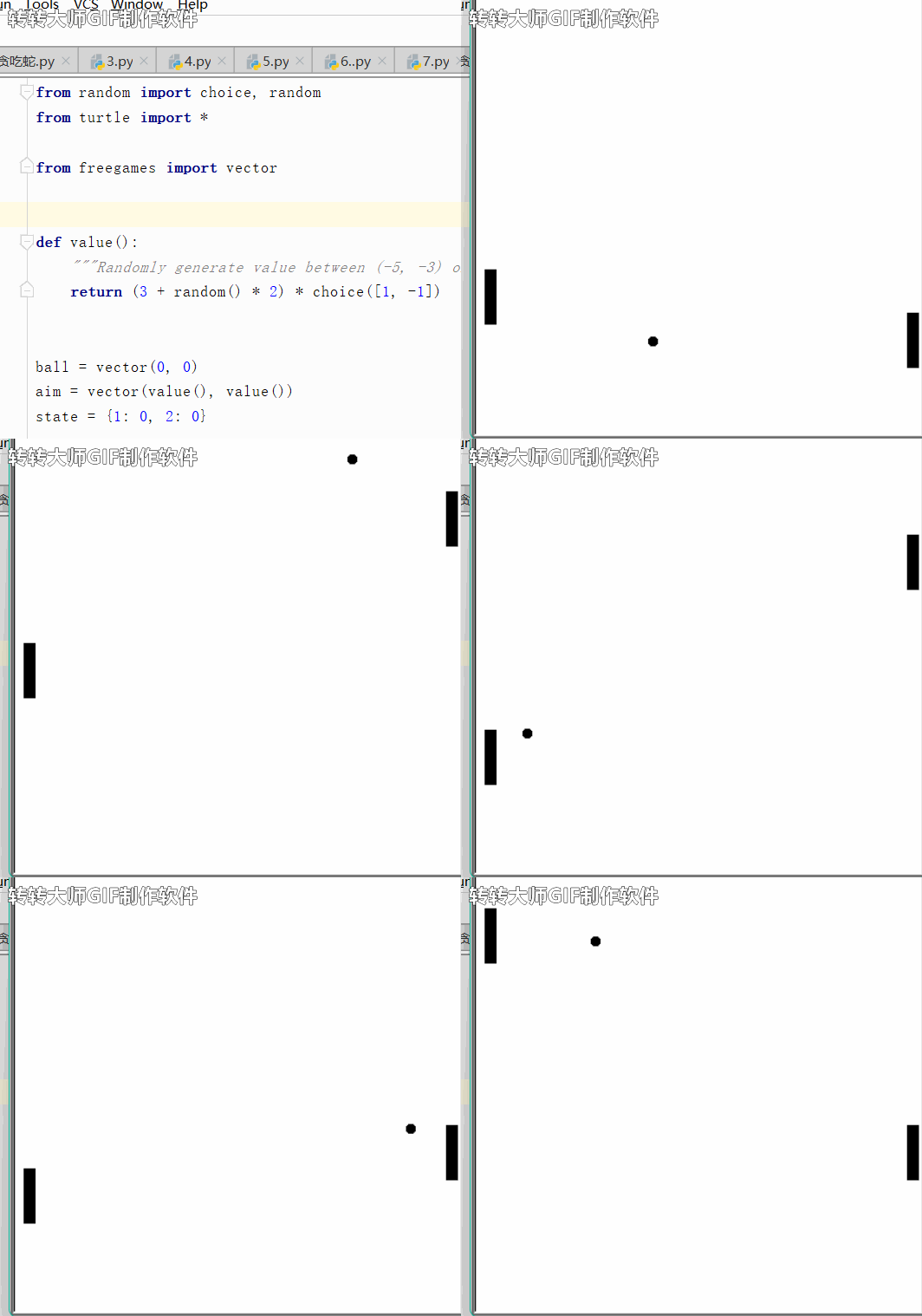
8.上课划水必备-井字游戏(我敢说100%的人都玩过)
👉游戏规则:点击屏幕放置一个X或O。连续连接三个,就赢了!
from turtle import *from freegames import linedef grid():"""Draw tic-tac-toe grid."""line(-67, 200, -67, -200)line(67, 200, 67, -200)line(-200, -67, 200, -67)line(-200, 67, 200, 67)def drawx(x, y):"""Draw X player."""line(x, y, x + 133, y + 133)line(x, y + 133, x + 133, y)def drawo(x, y):"""Draw O player."""up()goto(x + 67, y + 5)down()circle(62)def floor(value):"""Round value down to grid with square size 133."""return ((value + 200) // 133) * 133 - 200state = {'player': 0}
players = [drawx, drawo]def tap(x, y):"""Draw X or O in tapped square."""x = floor(x)y = floor(y)player = state['player']draw = players[player]draw(x, y)update()state['player'] = not playersetup(420, 420, 370, 0)
hideturtle()
tracer(False)
grid()
update()
onscreenclick(tap)
done()
游戏演示:
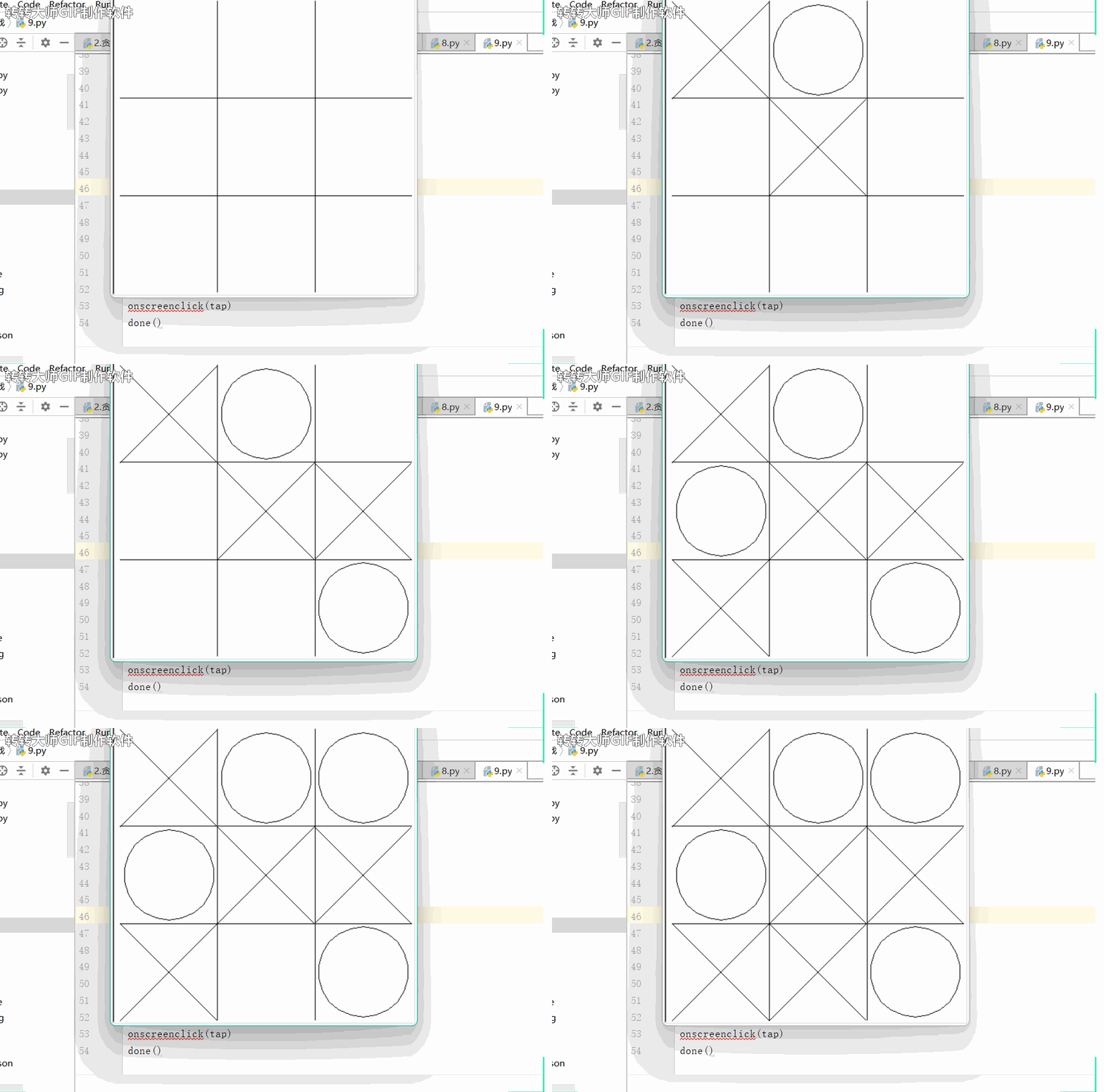
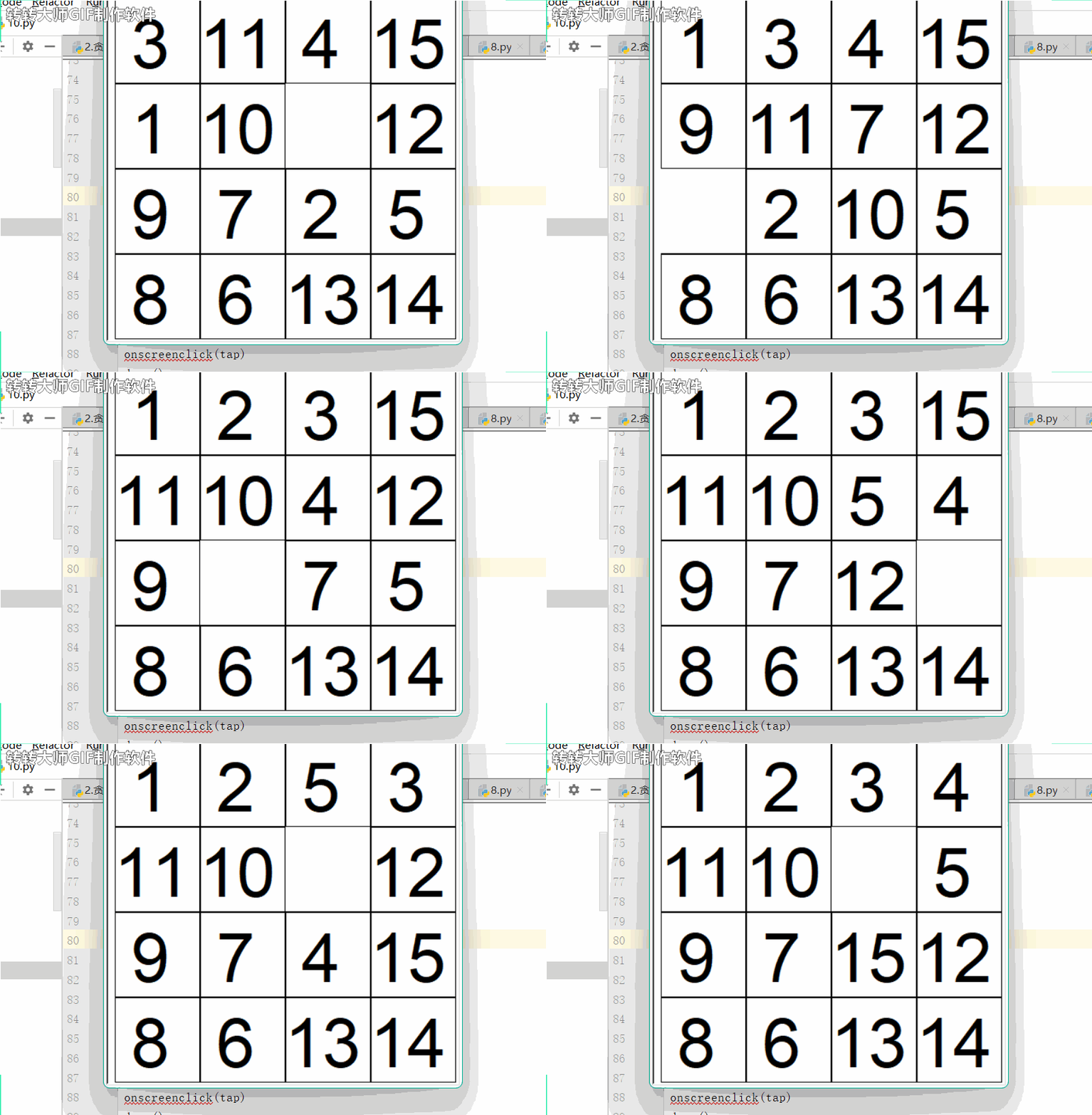
9.将数字滑动到位的拼图游戏
👉 游戏规则:单击靠近空正方形的方格以交换位置。将所有数字从左到右按顺序排列。
from random import *
from turtle import *from freegames import floor, vectortiles = {}
neighbors = [vector(100, 0),vector(-100, 0),vector(0, 100),vector(0, -100),
]def load():"""Load tiles and scramble."""count = 1for y in range(-200, 200, 100):for x in range(-200, 200, 100):mark = vector(x, y)tiles[mark] = countcount += 1tiles[mark] = Nonefor count in range(1000):neighbor = choice(neighbors)spot = mark + neighborif spot in tiles:number = tiles[spot]tiles[spot] = Nonetiles[mark] = numbermark = spotdef square(mark, number):"""Draw white square with black outline and number."""up()goto(mark.x, mark.y)down()color('black', 'white')begin_fill()for count in range(4):forward(99)left(90)end_fill()if number is None:returnelif number < 10:forward(20)write(number, font=('Arial', 60, 'normal'))def tap(x, y):"""Swap tile and empty square."""x = floor(x, 100)y = floor(y, 100)mark = vector(x, y)for neighbor in neighbors:spot = mark + neighborif spot in tiles and tiles[spot] is None:number = tiles[mark]tiles[spot] = numbersquare(spot, number)tiles[mark] = Nonesquare(mark, None)def draw():"""Draw all tiles."""for mark in tiles:square(mark, tiles[mark])update()setup(420, 420, 370, 0)
hideturtle()
tracer(False)
load()
draw()
onscreenclick(tap)
done()
游戏演示:
10.迷宫(我己经晕了,你们来)
👉游戏规则:从一边移到另一边。轻触屏幕可跟踪从一侧到另一侧的路径。
from random import random
from turtle import *from freegames import linedef draw():"""Draw maze."""color('black')width(5)for x in range(-200, 200, 40):for y in range(-200, 200, 40):if random() > 0.5:line(x, y, x + 40, y + 40)else:line(x, y + 40, x + 40, y)update()def tap(x, y):"""Draw line and dot for screen tap."""if abs(x) > 198 or abs(y) > 198:up()else:down()width(2)color('red')goto(x, y)dot(4)setup(420, 420, 370, 0)
hideturtle()
tracer(False)
draw()
onscreenclick(tap)
done()
游戏演示:
获取更多
更多好玩小游戏,可以直接点击获取哦!!
相关文章:
Python经典游戏 唤醒你童年记忆
这些游戏你玩过几个? 1.贪吃蛇2.吃豆人3.加农炮4.四子棋5. Fly Bird<font color #f3704ab>6.记忆:数字对拼图游戏(欢迎挑战!用时:2min)7.乒乓球8.上课划水必备-井字游戏(我敢说100%的人都…...
什么是骨传导耳机?骨传导能保护听力吗?
骨传导耳机是一种非常特殊的蓝牙耳机,它通过骨传导技术将声音直接传送到内耳。这种技术不同于传统耳机,它不通过空气传送声音,而是通过头骨的振动来传送声音。 并且骨传导耳机能够在一定程度上起到保护听力的作用,主要是因为它们不…...
使用electron属性实现保存图片并获取图片的磁盘路径
在普通的网页开发中,JavaScript由于安全性的考虑,通常是无法直接获取到客户端的磁盘路径的。浏览器出于隐私和安全原因对此类信息进行了限制。 在浏览器环境下,JavaScript主要通过Web APIs来与浏览器进行交互,而这些API通常受到浏…...

进击的奶牛
题目 进击的奶牛 题意 通过二分查找算法找到一个最小间距x,使得在数组a中选出的k个数两两之间的间距都不小于x,并且x尽可能大。最后输出这个最大的x值。 思路 程序通过循环依次获取了n个整数,存储在数组a中。.然后,程序对数组a进…...

12月27日,每日信息差
以下是2023年12月27日的8条信息差 第一、小米公司:小米汽车正式加入小米“人车家全生态”,随着小米汽车的即将发布,小米“人车家全生态”也实现了真正闭环 第二、吉利将于2024年初发射11颗卫星,吉利银河E8率先搭载卫星通信技术。…...

【赠书第14期】AI短视频制作一本通:文本生成视频+图片生成视频+视频生成视频
文章目录 前言 1 前期准备 2 拍摄与录制 3 后期编辑 4 技巧与注意事项 5 推荐图书 6 粉丝福利 前言 随着智能技术的迅猛发展,AI 短视频制作成为了一种新兴而创新的表达方式,广泛应用于社交媒体、广告营销、教育培训等领域。本文将介绍 AI 短视频…...
)
简单工厂设计模式(计算器实例优化)
简单工厂设计模式(计算器实例优化) 介绍为什么采用面向对象编程而不是面向过程呢?实例讲解业务层划分出来逻辑层继承简单工厂:(多态)业务层:(解耦合)主控制台 总结 介绍 …...
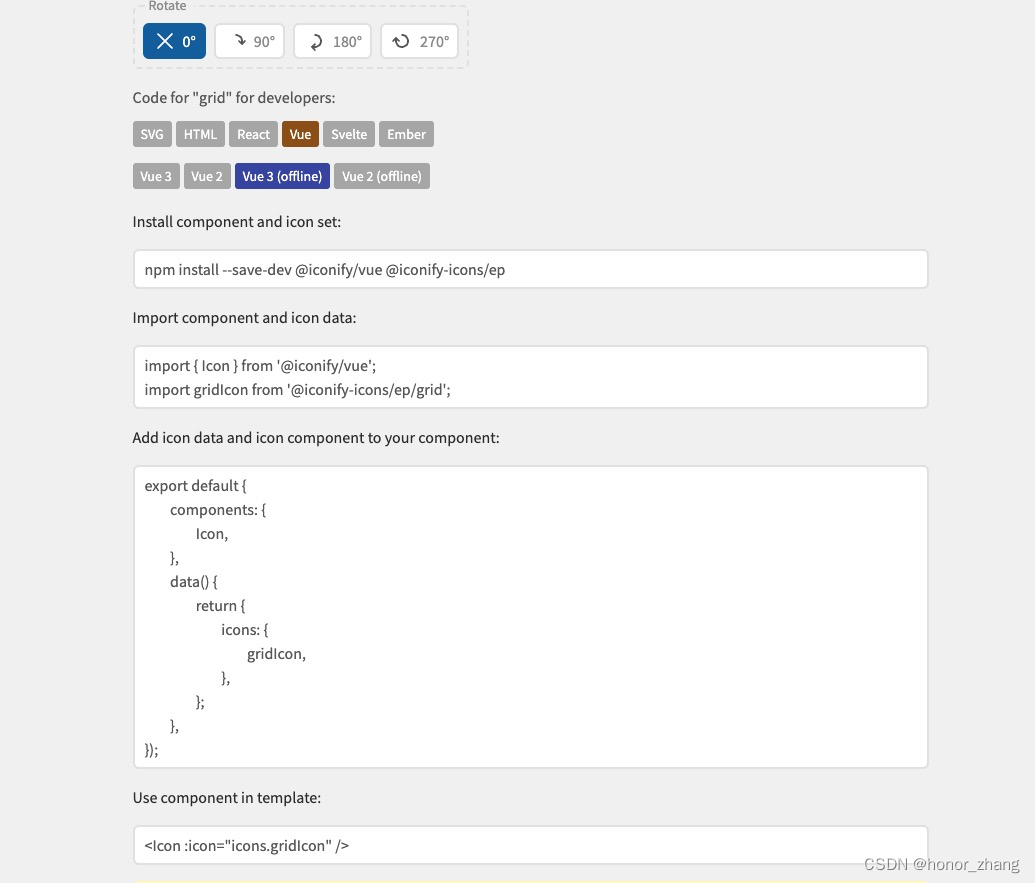
iconify图标集离线使用方案简介
1.需求描述 前端项目,技术栈使用Vue3Element Plus,参考了ruoyi-vue-pro项目与vue-element-plus-admin项目,封装了一个Icon组件,图标使用的是iconify,项目部署在内网环境,不能连接互联网,需要部署一套iconi…...

java基础之理解多态
目录 简单理解 满足多态的三个条件 有类继承或者接口实现 子类要重写父类的方法 父类的引用指向子类的对象。 代码示例 动态多态 静态多态 个人观点 简单理解 简单理解就是,同一操作作用于不同的对象,可以有不同的解释,产生不同的执…...

第二证券:A股市场放量反弹 跨年行情或启动
沪指日线等级放量反弹,周四收中阳线成功站上20日均线,底部结构或可树立。创业板指大涨近4%,日线MACD出现底违反,多方动能较强,中等级反弹行情或在酝酿。月线来看,12月创业板指探底上升出现较长下影…...

web漏洞与修复
一、web漏洞 检测到目标X-Content-Type-Options响应头缺失 详细描述X-Content-Type-Options HTTP 消息头相当于一个提示标志,被服务器用来提示客户端一定要遵循在 Content-Type 首部中对 MIME 类型 的设定,而不能对其进行修改。这就禁用了客户端的 MIM…...

基于Java+SpringBoot+vue实现图书借阅管理系统
基于JavaSpringBootvue实现图书借阅和销售商城一体化系统 🍅 作者主页 程序设计 🍅 欢迎点赞 👍 收藏 ⭐留言 📝 🍅 文末获取源码联系方式 📝 文章目录 基于JavaSpringBootvue实现图书借阅和销售商城一体化…...
可扩展标记语言(Extensible Markup Language))
xml文件学习(xml格式)可扩展标记语言(Extensible Markup Language)
XML 教程 文章目录 XML 文件学习1. XML 概述1.1 什么是 XML?1.2 XML 有什么作用? 2. XML 基本结构1. 声明2. 元素3. 属性4. 文本5. 注释 3. XML 高级知识3.1 XML 命名空间3.2 XML 架构3.3 XML 工具3.4 XML 技术 4. XML 应用实例 XML 文件学习 XML&#…...
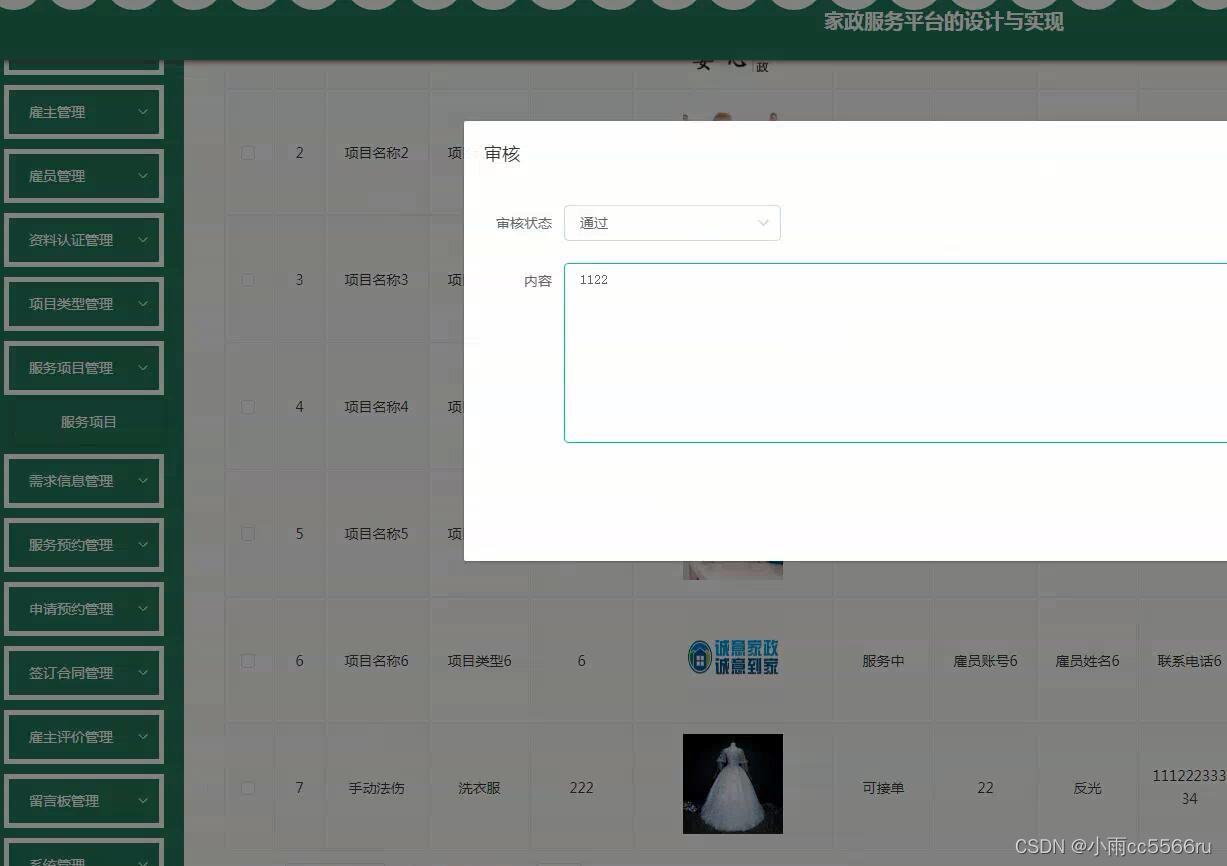
nodejs+vue+ElementUi家政服务系统c90g5
项目中登录模块用到token家政服务平台有管理员,雇主,雇员三个角色。管理员功能有个人中心,雇主管理,雇员管理,资料认证管理,项目类型管理,服务项目管理,需求信息管理,服务…...

数据库(Database)基础知识
什么是数据库 数据库是按照数据结构来组织、存储和管理数据的仓库,用户可以通过数据库管理系统对存储的数据进行增删改查操作。 数据库实际上是一个文件集合,本质就是一个文件系统,以文件的方式,将数据保存在电脑上。 什么是数据…...

QT应用篇 二、QML用Image组件实现Progress Bar 的效果
QT应用篇 一、QT上位机串口编程 二、QML用Image组件实现Progress Bar 的效果 三、QML自定义显示SpinBox的加减按键图片及显示值效果 文章目录 QT应用篇前言一、qml需求二、使用组件1.Image组件2.Image中fillMode的使用例子 总结 前言 记录自己学习QML的一些小技巧方便日后查找…...

SElinux工作原理简介并演示chcon、semanage、restorecon的使用方法
目录 一.SElinux工作原理简介 1.system_u 2.object_r 3.httpd_sys_content_t 4.s0 二.SElinux策略的具体使用详情 1.restorecon 2.semanage 3.chcon 一.SElinux工作原理简介 通过mac方式管理进程,管理的目标是进程是否具有读取权限的文件(文件…...

表情串转换
前言 NWAFU 2021阶段二 D 一、题目描述 题目描述 在一个字符串中,设置了由‘/’前导字符和某些特定字母构成的转义子字符串,如“/s”、“/f”、“/c”等用于表示特殊表情符号。现要求编写一个函数,将给定字符串中的转义字符串转换为表情字…...
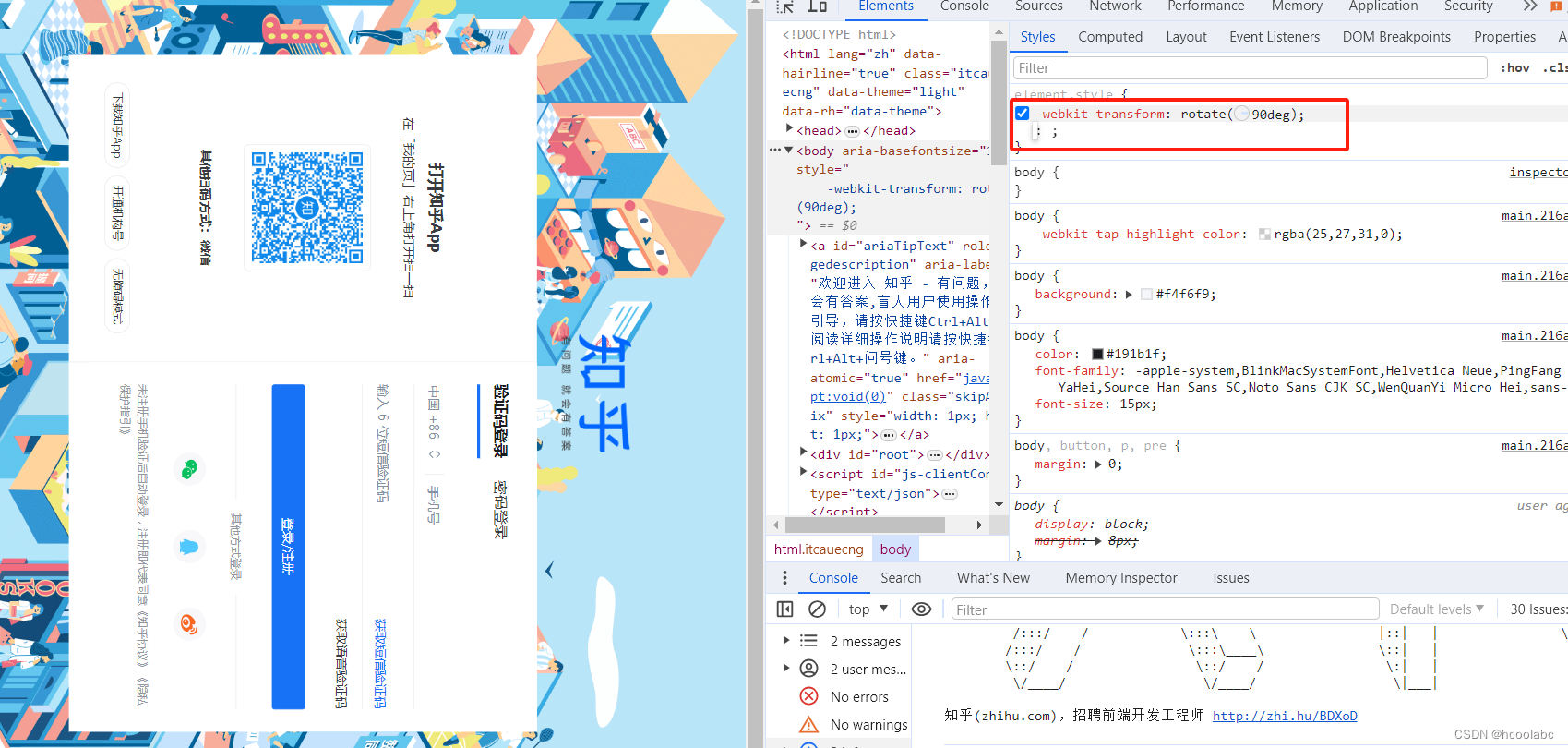
【娱乐小技巧】网页旋转90° 3步搞定
一、按F12,打开控制台; 二、点击号; 插入新body; 三、粘贴代码 -webkit-transform: rotate(90deg);小结,角度值可以自选; 代码的效果:...

移动管理系统软件哪家好?它是如何帮助企业降本增效的?
现在很多管理系统都可以用移动设备接入,最常见的就是手机。只要给管理系统创建一个微信小程序接口,那么要使用系统功能的时候直接打开微信小程序就可以了。例如我们小区的物业巡检就是通过微信扫码打开巡检工单记录信息的,直接用巡检保安自己…...
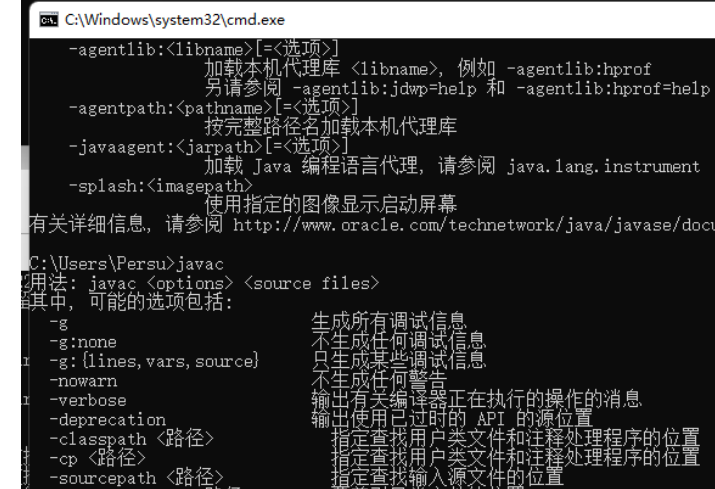
python/java环境配置
环境变量放一起 python: 1.首先下载Python Python下载地址:Download Python | Python.org downloads ---windows -- 64 2.安装Python 下面两个,然后自定义,全选 可以把前4个选上 3.环境配置 1)搜高级系统设置 2…...
YSYX学习记录(八)
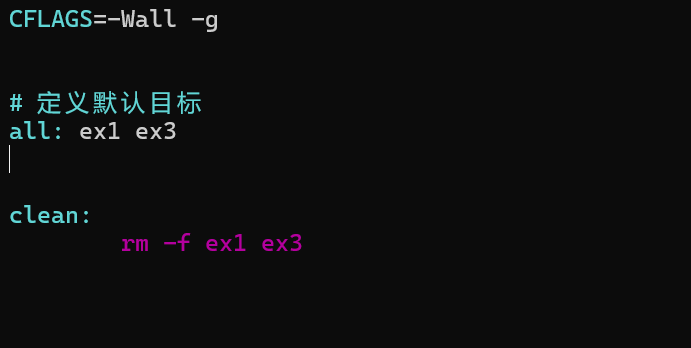
C语言,练习0: 先创建一个文件夹,我用的是物理机: 安装build-essential 练习1: 我注释掉了 #include <stdio.h> 出现下面错误 在你的文本编辑器中打开ex1文件,随机修改或删除一部分,之后…...
LeetCode - 394. 字符串解码
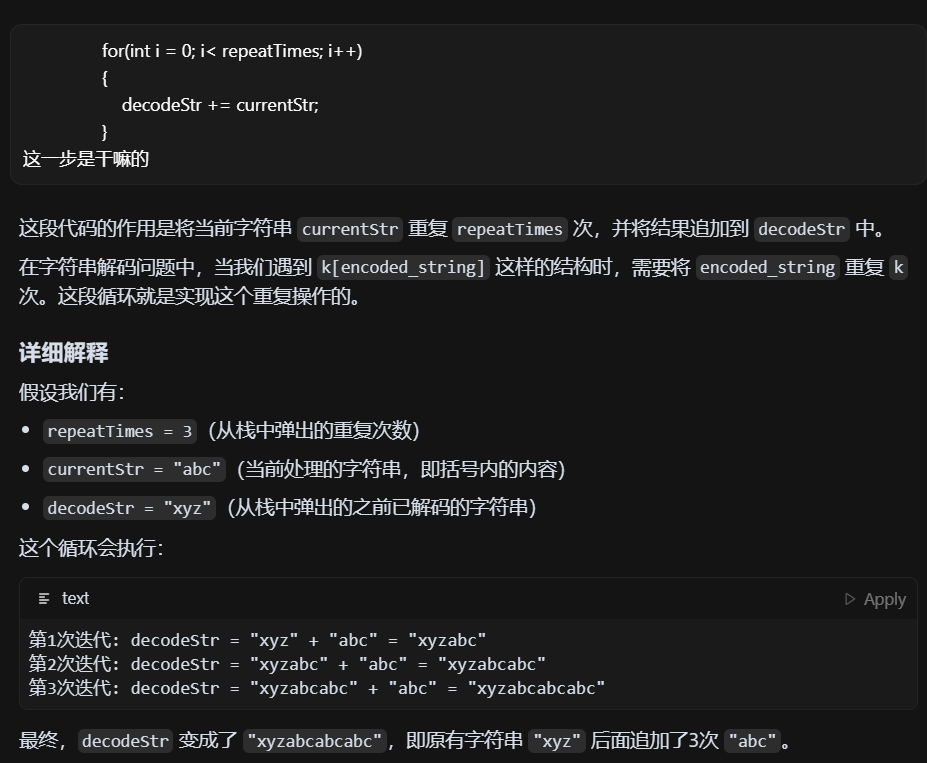
题目 394. 字符串解码 - 力扣(LeetCode) 思路 使用两个栈:一个存储重复次数,一个存储字符串 遍历输入字符串: 数字处理:遇到数字时,累积计算重复次数左括号处理:保存当前状态&a…...

django filter 统计数量 按属性去重
在Django中,如果你想要根据某个属性对查询集进行去重并统计数量,你可以使用values()方法配合annotate()方法来实现。这里有两种常见的方法来完成这个需求: 方法1:使用annotate()和Count 假设你有一个模型Item,并且你想…...
视频字幕质量评估的大规模细粒度基准
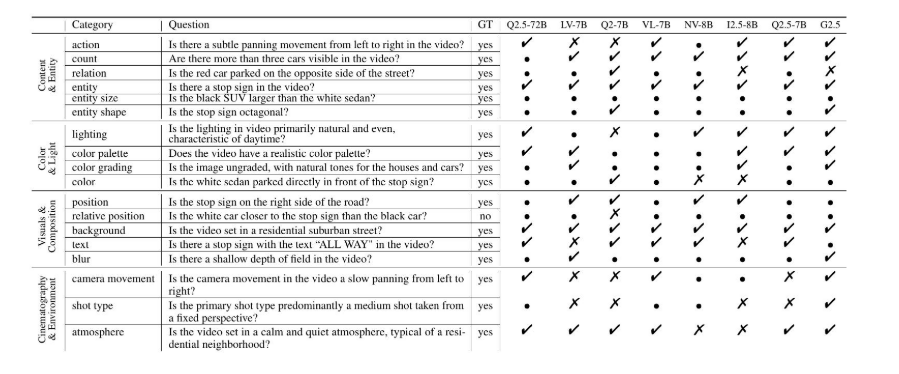
大家读完觉得有帮助记得关注和点赞!!! 摘要 视频字幕在文本到视频生成任务中起着至关重要的作用,因为它们的质量直接影响所生成视频的语义连贯性和视觉保真度。尽管大型视觉-语言模型(VLMs)在字幕生成方面…...
现代密码学 | 椭圆曲线密码学—附py代码
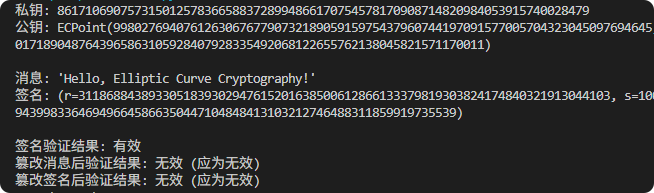
Elliptic Curve Cryptography 椭圆曲线密码学(ECC)是一种基于有限域上椭圆曲线数学特性的公钥加密技术。其核心原理涉及椭圆曲线的代数性质、离散对数问题以及有限域上的运算。 椭圆曲线密码学是多种数字签名算法的基础,例如椭圆曲线数字签…...

C# SqlSugar:依赖注入与仓储模式实践
C# SqlSugar:依赖注入与仓储模式实践 在 C# 的应用开发中,数据库操作是必不可少的环节。为了让数据访问层更加简洁、高效且易于维护,许多开发者会选择成熟的 ORM(对象关系映射)框架,SqlSugar 就是其中备受…...

[Java恶补day16] 238.除自身以外数组的乘积
给你一个整数数组 nums,返回 数组 answer ,其中 answer[i] 等于 nums 中除 nums[i] 之外其余各元素的乘积 。 题目数据 保证 数组 nums之中任意元素的全部前缀元素和后缀的乘积都在 32 位 整数范围内。 请 不要使用除法,且在 O(n) 时间复杂度…...

AGain DB和倍数增益的关系
我在设置一款索尼CMOS芯片时,Again增益0db变化为6DB,画面的变化只有2倍DN的增益,比如10变为20。 这与dB和线性增益的关系以及传感器处理流程有关。以下是具体原因分析: 1. dB与线性增益的换算关系 6dB对应的理论线性增益应为&…...
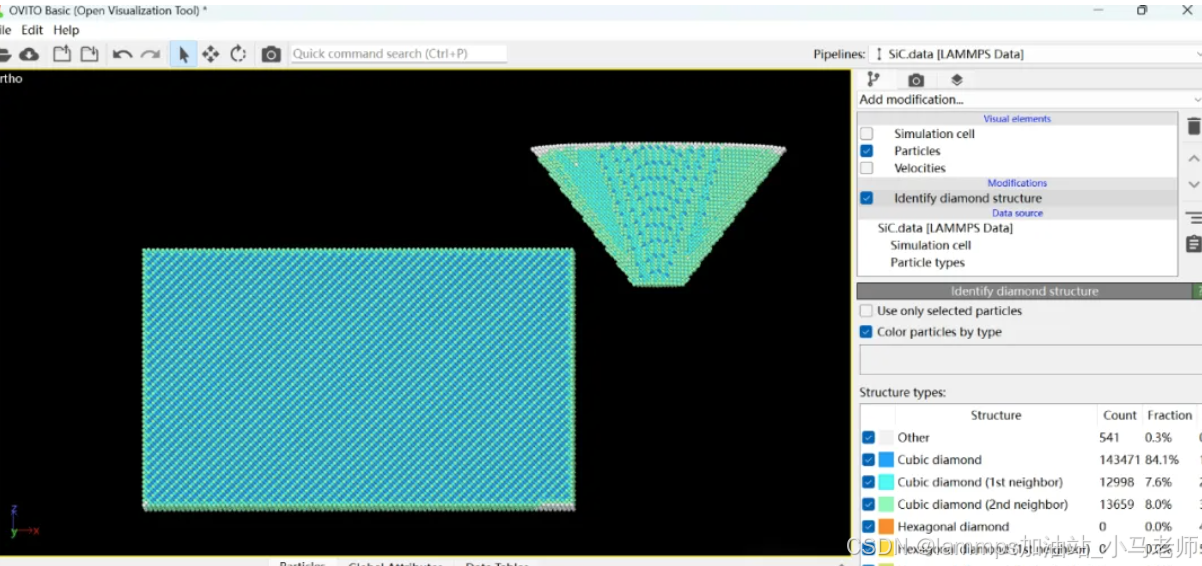
Python Ovito统计金刚石结构数量
大家好,我是小马老师。 本文介绍python ovito方法统计金刚石结构的方法。 Ovito Identify diamond structure命令可以识别和统计金刚石结构,但是无法直接输出结构的变化情况。 本文使用python调用ovito包的方法,可以持续统计各步的金刚石结构,具体代码如下: from ovito…...