
73_Pandas获取分位数/百分位数
73_Pandas获取分位数/百分位数
使用 quantile() 方法获取 pandas 中 DataFrame 或 Series 的分位数/百分位数。
目录
- Quantile() 的基本用法
- 指定要获取的分位数/百分位数:参数 q
- 指定interpolation方法:参数interpolation
- 数据类型 dtype 的差异
- 指定行/列:参数axis
- 指定是否处理非数字值:参数 numeric_only
- 用于字符串上
- 用于日期时间
- 用于布尔值 bool
本文示例代码的pandas版本如下。请注意,规格可能因版本而异。以下面的DataFrame为例。
import pandas as pdprint(pd.__version__)
# 1.3.5df = pd.DataFrame({'col_1': range(11), 'col_2': [i**2 for i in range(11)]})
print(df)
#     col_1  col_2
# 0       0      0
# 1       1      1
# 2       2      4
# 3       3      9
# 4       4     16
# 5       5     25
# 6       6     36
# 7       7     49
# 8       8     64
# 9       9     81
# 10     10    100
Quantile() 的基本用法
默认情况下,DataFrame 的 quantile() 将每列的中值(1/2 分位数,第 50 个百分位数)返回为 Series。稍后将解释包含非数字列的情况。
print(df.quantile())
# col_1     5.0
# col_2    25.0
# Name: 0.5, dtype: float64print(type(df.quantile()))
# <class 'pandas.core.series.Series'>
如果从系列中调用 quantile(),中值将作为标量值返回。
print(df['col_1'].quantile())
# 5.0print(type(df['col_1'].quantile()))
# <class 'numpy.float64'>
元素类型根据原始数据类型和下述interpolation参数的设置而不同。
指定要获取的分位数/百分位数:参数 q
指定想要在第一个参数 q 中获得的 0.0 到 1.0 之间的分位数/百分比。
print(df.quantile(0.2))
# col_1    2.0
# col_2    4.0
# Name: 0.2, dtype: float64
列表中可以指定多种规格。在这种情况下,返回值将是一个 DataFrame。
print(df.quantile([0, 0.25, 0.5, 0.75, 1.0]))
#       col_1  col_2
# 0.00    0.0    0.0
# 0.25    2.5    6.5
# 0.50    5.0   25.0
# 0.75    7.5   56.5
# 1.00   10.0  100.0print(type(df.quantile([0, 0.25, 0.5, 0.75, 1.0])))
# <class 'pandas.core.frame.DataFrame'>
如果指定多个Series,则返回值将为Series。
print(df['col_1'].quantile([0, 0.25, 0.5, 0.75, 1.0]))
# 0.00     0.0
# 0.25     2.5
# 0.50     5.0
# 0.75     7.5
# 1.00    10.0
# Name: col_1, dtype: float64print(type(df['col_1'].quantile([0, 0.25, 0.5, 0.75, 1.0])))
# <class 'pandas.core.series.Series'>
指定interpolation方法:参数 interpolation
值interpolation方法由参数interpolation指定。默认值为“linear”.
print(df.quantile(0.21))
# col_1    2.1
# col_2    4.5
# Name: 0.21, dtype: float64print(df.quantile(0.21, interpolation='linear'))
# col_1    2.1
# col_2    4.5
# Name: 0.21, dtype: float64
“lower”使用较小的值,“higher”使用较大的值,“nearest”使用最接近的值。
print(df.quantile(0.21, interpolation='lower'))
# col_1    2
# col_2    4
# Name: 0.21, dtype: int64print(df.quantile(0.21, interpolation='higher'))
# col_1    3
# col_2    9
# Name: 0.21, dtype: int64print(df.quantile(0.21, interpolation='nearest'))
# col_1    2
# col_2    4
# Name: 0.21, dtype: int64
“midpoint”是前一个值和后一个值之间的中间值(平均值)。
print(df.quantile(0.21, interpolation='midpoint'))
# col_1    2.5
# col_2    6.5
# Name: 0.21, dtype: float64
数据类型 dtype 的差异
默认是线性interpolation,因此如果原始数据类型dtype是整数int,则会转换为浮点数float。请注意,即使该值与原始值相同,数据类型也会改变。
print(df.quantile(0.2))
# col_1    2.0
# col_2    4.0
# Name: 0.2, dtype: float64
在“lower”、“higher”和“nearest”的情况下,按原样使用原始值,因此数据类型保持不变。
print(df.quantile(0.2, interpolation='lower'))
# col_1    2
# col_2    4
# Name: 0.2, dtype: int64
指定行/列:参数axis
默认是按列处理,但如果 axis 参数设置为 1 或 ‘columns’,则会按行处理。
print(df.quantile(axis=1))
# 0      0.0
# 1      1.0
# 2      3.0
# 3      6.0
# 4     10.0
# 5     15.0
# 6     21.0
# 7     28.0
# 8     36.0
# 9     45.0
# 10    55.0
# Name: 0.5, dtype: float64
指定是否处理非数字值:参数 numeric_only
可以使用参数 numeric_only 指定是否处理非数字列。将 numeric_only 设置为 True 将仅定位数字列,并将其设置为 False 将定位所有类型的列。 从pandas 2.0开始,numeric_only的默认值为False。在此之前确实如此。请注意,这取决于版本。
用于字符串上
以添加了字符串列的 DataFrame 为例。
df_str = df.copy()
df_str['col_3'] = list('abcdefghijk')
print(df_str)
#     col_1  col_2 col_3
# 0       0      0     a
# 1       1      1     b
# 2       2      4     c
# 3       3      9     d
# 4       4     16     e
# 5       5     25     f
# 6       6     36     g
# 7       7     49     h
# 8       8     64     i
# 9       9     81     j
# 10     10    100     kprint(df_str.dtypes)
# col_1     int64
# col_2     int64
# col_3    object
# dtype: object
如果参数 numeric_only 设置为 True,则仅以数字列为目标,并且排除字符串列。
print(df_str.quantile(numeric_only=True))
# col_1     5.0
# col_2    25.0
# Name: 0.5, dtype: float64
当以参数 numeric_only 设置为 False(从 pandas 2.0 开始默认)的字符串列为目标时,如果参数interpolation是“线性”(默认)或“中点”,则会发生错误。对于“lower”、“higher”和“nearest”,该值将是前一个值或根据字典顺序的前一个值。
# print(df_str.quantile())
# TypeError: unsupported operand type(s) for -: 'str' and 'str'# print(df_str.quantile(interpolation='midpoint'))
# TypeError: unsupported operand type(s) for -: 'str' and 'str'print(df_str.quantile([0.2, 0.21, 0.3], interpolation='lower'))
#       col_1  col_2 col_3
# 0.20      2      4     c
# 0.21      2      4     c
# 0.30      3      9     dprint(df_str.quantile([0.2, 0.21, 0.3], interpolation='higher'))
#       col_1  col_2 col_3
# 0.20      2      4     c
# 0.21      3      9     d
# 0.30      3      9     dprint(df_str.quantile([0.2, 0.21, 0.3], interpolation='nearest'))
#       col_1  col_2 col_3
# 0.20      2      4     c
# 0.21      2      4     c
# 0.30      3      9     d
用于日期时间
以添加了日期时间列的 DataFrame 为例。
df_dt = df.copy()
df_dt['col_3'] = pd.date_range('2023-01-01', '2023-01-11')
print(df_dt)
#     col_1  col_2      col_3
# 0       0      0 2023-01-01
# 1       1      1 2023-01-02
# 2       2      4 2023-01-03
# 3       3      9 2023-01-04
# 4       4     16 2023-01-05
# 5       5     25 2023-01-06
# 6       6     36 2023-01-07
# 7       7     49 2023-01-08
# 8       8     64 2023-01-09
# 9       9     81 2023-01-10
# 10     10    100 2023-01-11print(df_dt.dtypes)
# col_1             int64
# col_2             int64
# col_3    datetime64[ns]
# dtype: object
如果参数 numeric_only 设置为 True,则仅将数字列作为目标,并且将排除日期和时间列。
print(df_dt.quantile(numeric_only=True))
# col_1     5.0
# col_2    25.0
# Name: 0.5, dtype: float64
即使interpolation参数是“linear”(默认)或“midpoint”,日期和时间列也会正确interpolation。当然,“lower”、“higher”和“nearest”也是可以接受的。
print(df_dt.quantile([0.2, 0.21, 0.3]))
#       col_1  col_2               col_3
# 0.20    2.0    4.0 2023-01-03 00:00:00
# 0.21    2.1    4.5 2023-01-03 02:24:00
# 0.30    3.0    9.0 2023-01-04 00:00:00print(df_dt.quantile([0.2, 0.21, 0.3], interpolation='midpoint'))
#       col_1  col_2               col_3
# 0.20    2.0    4.0 2023-01-03 00:00:00
# 0.21    2.5    6.5 2023-01-03 12:00:00
# 0.30    3.0    9.0 2023-01-04 00:00:00print(df_dt.quantile([0.2, 0.21, 0.3], interpolation='lower'))
#       col_1  col_2      col_3
# 0.20      2      4 2023-01-03
# 0.21      2      4 2023-01-03
# 0.30      3      9 2023-01-04print(df_dt.quantile([0.2, 0.21, 0.3], interpolation='higher'))
#       col_1  col_2      col_3
# 0.20      2      4 2023-01-03
# 0.21      3      9 2023-01-04
# 0.30      3      9 2023-01-04print(df_dt.quantile([0.2, 0.21, 0.3], interpolation='nearest'))
#       col_1  col_2      col_3
# 0.20      2      4 2023-01-03
# 0.21      2      4 2023-01-03
# 0.30      3      9 2023-01-04
用于布尔值 bool
以添加了一列 boolean 布尔值的 DataFrame 为例。
df_bool = df.copy()
df_bool['col_3'] = [True, False, True, False, True, False, True, False, True, False, True]
print(df_bool)
#     col_1  col_2  col_3
# 0       0      0   True
# 1       1      1  False
# 2       2      4   True
# 3       3      9  False
# 4       4     16   True
# 5       5     25  False
# 6       6     36   True
# 7       7     49  False
# 8       8     64   True
# 9       9     81  False
# 10     10    100   Trueprint(df_bool.dtypes)
# col_1    int64
# col_2    int64
# col_3     bool
# dtype: object
可以使用 select_dtypes() 排除 bool 列,也可以使用 astype() 将其转换为整数 int。
print(df_bool.select_dtypes(exclude=bool))
#     col_1  col_2
# 0       0      0
# 1       1      1
# 2       2      4
# 3       3      9
# 4       4     16
# 5       5     25
# 6       6     36
# 7       7     49
# 8       8     64
# 9       9     81
# 10     10    100print(df_bool.select_dtypes(exclude=bool).quantile())
# col_1     5.0
# col_2    25.0
# Name: 0.5, dtype: float64print(df_bool.astype({'col_3': int}))
#     col_1  col_2  col_3
# 0       0      0      1
# 1       1      1      0
# 2       2      4      1
# 3       3      9      0
# 4       4     16      1
# 5       5     25      0
# 6       6     36      1
# 7       7     49      0
# 8       8     64      1
# 9       9     81      0
# 10     10    100      1print(df_bool.astype({'col_3': int}).quantile())
# col_1     5.0
# col_2    25.0
# col_3     1.0
# Name: 0.5, dtype: float64
相关文章:

73_Pandas获取分位数/百分位数
73_Pandas获取分位数/百分位数 使用 quantile() 方法获取 pandas 中 DataFrame 或 Series 的分位数/百分位数。 目录 Quantile() 的基本用法指定要获取的分位数/百分位数:参数 q指定interpolation方法:参数interpolation 数据类型 dtype 的差异 指定行…...

力扣练习题
1. 两数之和 给定一个整数数组 nums 和一个整数目标值 target,请你在该数组中找出 和为目标值 target 的那 两个 整数,并返回它们的数组下标。 你可以假设每种输入只会对应一个答案。但是,数组中同一个元素在答案里不能重复出现。 你可以按…...

Telegraf--采集指定信息
Telegraf 采集字段解释 根据需求选取需要采集的字段,直接配置在fieldpass中,这样的好处是节约流量,更加简洁明了。下面加粗的部分是telegraf.conf中配置的指标,其他指标根据需求添加即可。 2024年3月18日10:55:41 更新说明: 添加自定义温度指标采集 CPU信息 usage_iowait:…...

Redis是如何实现持久化的?请解释RDB和AOF持久化方式的区别和优缺点。Redis是单线程还是多线程的?为什么Redis使用单线程模型仍然能保持高性能?
Redis是如何实现持久化的?请解释RDB和AOF持久化方式的区别和优缺点。 Redis实现持久化主要有两种方式:RDB(Redis DataBase)和AOF(Append Only File)。这两种方式的主要区别在于它们的持久化机制和适用场景。…...

java通过Excel批量上传数据
一、首先在前端写一个上传功能。 <template><!-- 文件上传 --><el-upload class"upload-demo" :on-change"onChange" :auto-upload"false"><el-button type"primary">上传Excel</el-button></el-up…...
VS2022 配置QT5.9.9
QT安装 下载地址:https://download.qt.io/archive/qt/ 下载安装后进行配置 无法运行 rc.exe 下载VS2022 官网下载 配置 1.扩展-管理扩展-下载Qt Visual Studio Tools 安装 2.安装完成后,打开vs2022,点击扩展,会发现多出了QT VS Tools,点…...
以及输出1-100之间的所有质数)
接收用户输入的数字,判断是否是质数(素数)以及输出1-100之间的所有质数
问题描述:接收用户输入的数字,判断是否是质数(素数)以及输出1-100之间的所有质数 质数的概念:一个大于1的自然数,除了1和它本身外,不能被其他自然数整除的数叫做质数,也称为素数 规定:1既不是…...

人脸识别AI视觉算法---豌豆云
人脸识别AI算法是一种基于计算机视觉和深度学习技术的系统,用于自动识别和验证人脸。 这些算法在多种领域有着广泛的应用,包括安全认证、身份验证、监控、社交媒体、医疗保健和零售等。 以下是有关人脸识别AI算法的技术背景和应用场景的介绍࿱…...

Apache SeaTunnel MongoDB CDC 使用指南
随着数据驱动决策的重要性日益凸显,实时数据处理成为企业竞争力的关键。SeaTunnel MongoDB CDC(Change Data Capture) 源连接器的推出,为开发者提供了一个高效、灵活的工具,以实现对 MongoDB 数据库变更的实时捕获和处理。 本文将深入探讨该连…...
智能合约 之 部署ERC-20
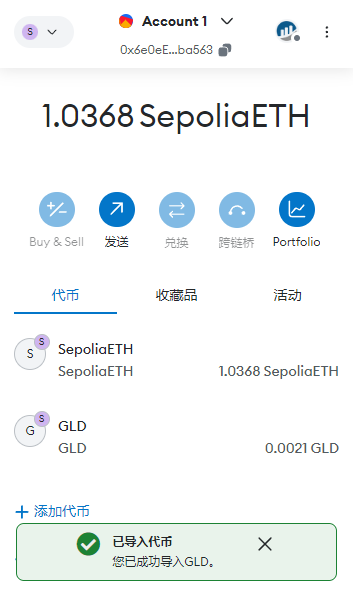
Remix介绍 Remix是一个由以太坊社区开发的在线集成开发环境(IDE),旨在帮助开发者编写、测试和部署以太坊智能合约。它提供了一个简单易用的界面,使得开发者可以在浏览器中直接进行智能合约的开发,而无需安装任何额外的…...
【C++】用红黑树模拟实现set、map
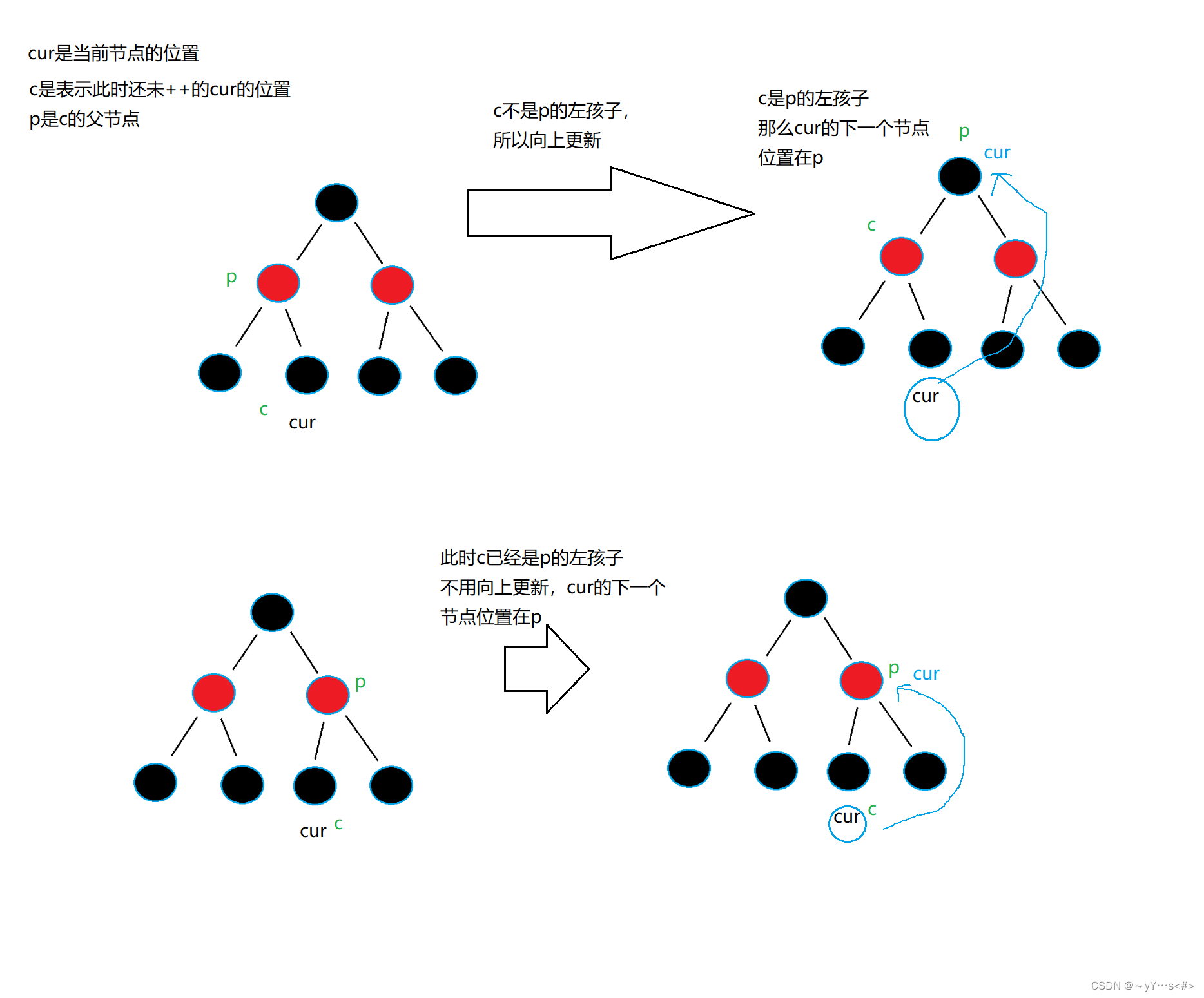
目录 前言及准备:一、红黑树接口1.1 begin1.2 end1.3 查找1.4 插入1.5 左单旋和右单旋 二、树形迭代器(正向)2.1 前置 三、模拟实现set四、模拟实现map 前言及准备: set、map的底层结构是红黑树,它们的函数通过调用红…...

实现:mysql-5.7.42 到 mysql-8.2.0 的升级(二进制方式)
实现:mysql-5.7.42 到 mysql-8.2.0 的升级(二进制方式) 1、操作环境1、查看当前数据库版本2、操作系统版本3、查看 Linux 系统上的 glibc(GNU C 库)版本(**这里很重要,要下载对应的内核mysql版本…...

深入探讨医保购药APP的技术架构与设计思路
随着移动互联网的发展,医疗保健行业也迎来了数字化转型的浪潮。医保购药APP作为医保体系数字化的一部分,其技术架构和设计思路至关重要。接下来,小编将为您讲解医保购药APP的技术架构与设计思路,为相关从业者提供参考和启发。 一、…...

react中点击按钮不能获取最新的state时候
在这个问题中,用户希望在点击确认按钮时触发handleChange函数,并且能够正确获取到最新的bzText值。最初的代码中,在handleOpen函数中弹出一个确认框,并在确认框的onOk回调函数中调用handleChange函数。然而,由于组件传…...
2、鸿蒙学习-申请调试证书和调试Profile文件
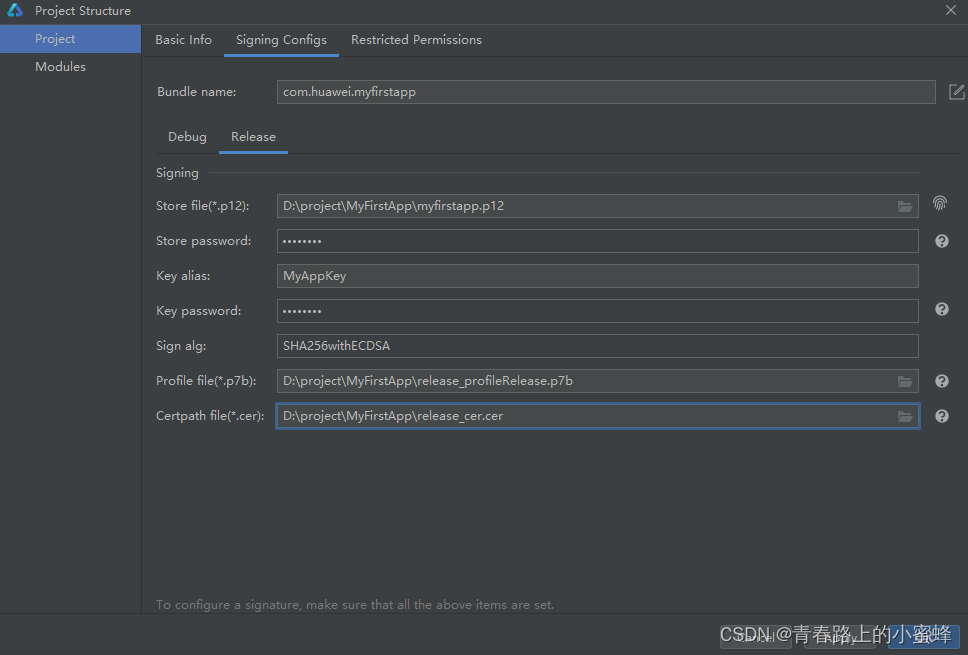
申请发布证书 发布证书由AGC颁发的、为HarmonyOS应用配置签名信息的数字证书,可保障软件代码完整性和发布者身份真实性。证书格式为.cer,包含公钥、证书指纹等信息。 说明 请确保您的开发者帐号已实名认证。每个帐号最多申请1个发布证书。 1、登录AppGa…...
:十大排序算法(希尔排序) (快速排序)c语言版)
蓝桥杯算法基础(13):十大排序算法(希尔排序) (快速排序)c语言版
希尔排序 优化版的插入排序,优化的地方就是步长(增量)增大了,原来的插入排序的步长(增量)是1,而希尔排序的步长(增量)可以很大,然后逐渐减小直到1形成插入排…...
)
web学习笔记(三十二)
目录 1.函数的call、apply、bind方法 1.1call、apply、bind的相同点 1.2call、apply、bind的不同点 1.3call、apply、bind的使用场景 2. 对象的深拷贝 2.1对象的浅拷贝 2.1对象的深拷贝 1.函数的call、apply、bind方法 1.1call、apply、bind的相同点 在没有传参数时&…...

Android 地图SDK 绘制点 删除 指定
问题 Android 地图SDK 删除指定绘制点 详细问题 笔者进行Android 项目开发,对于已标记的绘制点,提供撤回按钮,即删除绘制点,如何实现。 解决方案 新增绘制点 private List<Marker> markerList new ArrayList<>…...
Nodejs 第五十八章(大文件上传)
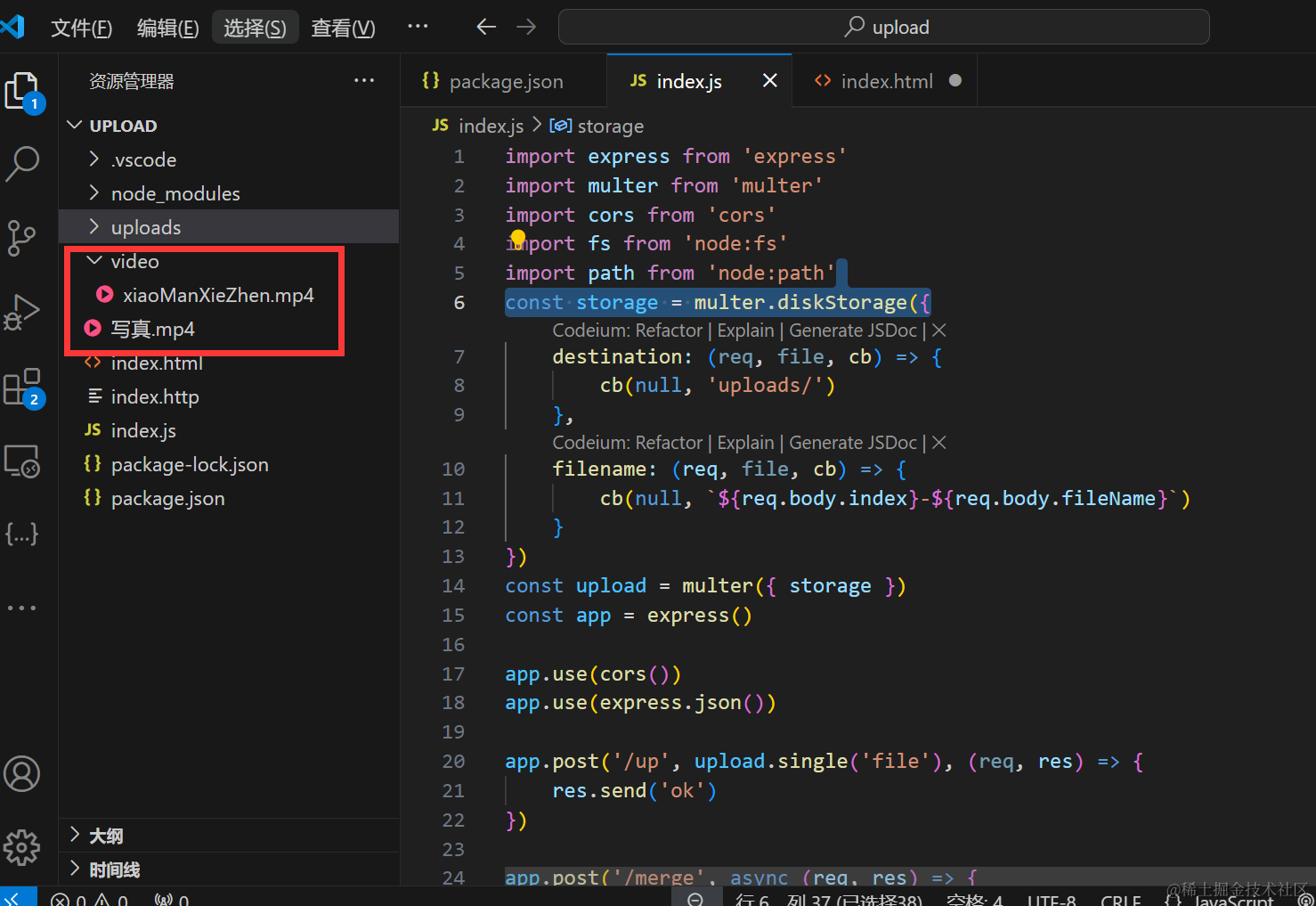
在现代网站中,越来越多的个性化图片,视频,去展示,因此我们的网站一般都会支持文件上传。 文件上传的方案 大文件上传:将大文件切分成较小的片段(通常称为分片或块),然后逐个上传这…...
Linux编译器--gcc/g++的使用
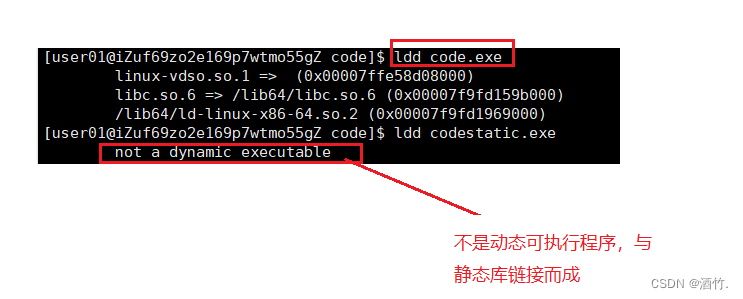
1. gcc与g gcc与g分别是c语言与c代码的编译器,但同时g也兼容c语言。 我们知道在Linux中,系统并不以文件后缀来区分文件类别。但对于gcc与g等编译器而言却是需要的。Linux中c代码文件的后缀是.c,c代码文件的后缀是.cpp(.cc)(.cxx)。 在Linu…...

ubuntu搭建nfs服务centos挂载访问
在Ubuntu上设置NFS服务器 在Ubuntu上,你可以使用apt包管理器来安装NFS服务器。打开终端并运行: sudo apt update sudo apt install nfs-kernel-server创建共享目录 创建一个目录用于共享,例如/shared: sudo mkdir /shared sud…...
大数据零基础学习day1之环境准备和大数据初步理解
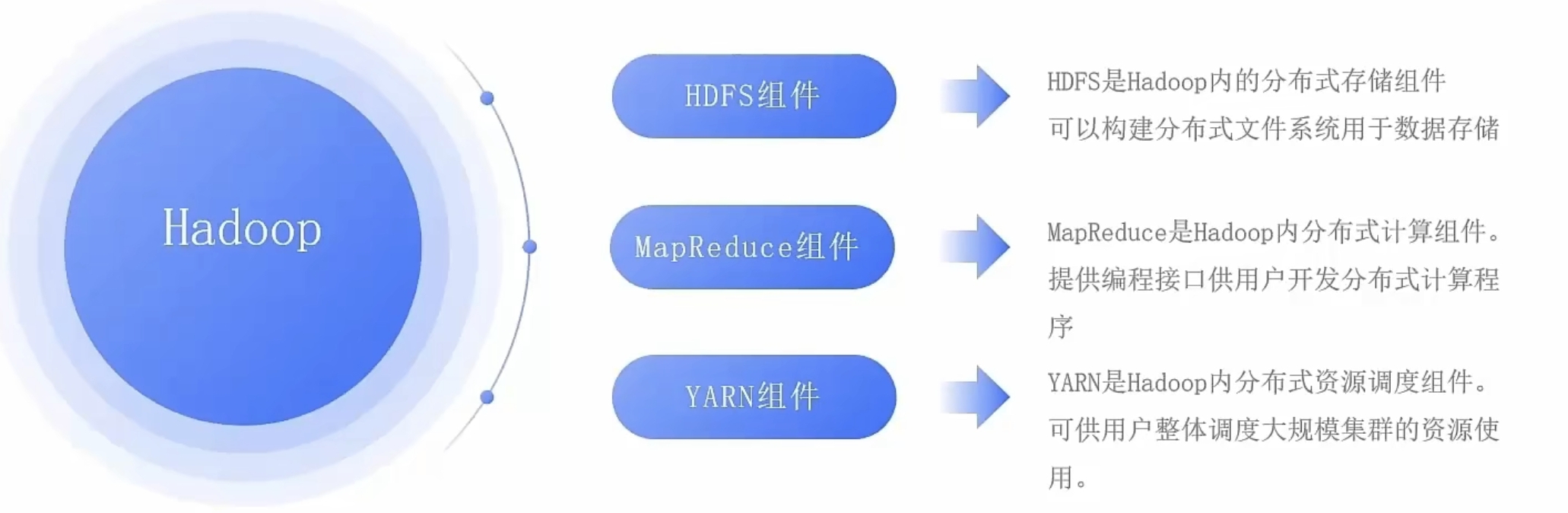
学习大数据会使用到多台Linux服务器。 一、环境准备 1、VMware 基于VMware构建Linux虚拟机 是大数据从业者或者IT从业者的必备技能之一也是成本低廉的方案 所以VMware虚拟机方案是必须要学习的。 (1)设置网关 打开VMware虚拟机,点击编辑…...
Keil 中设置 STM32 Flash 和 RAM 地址详解
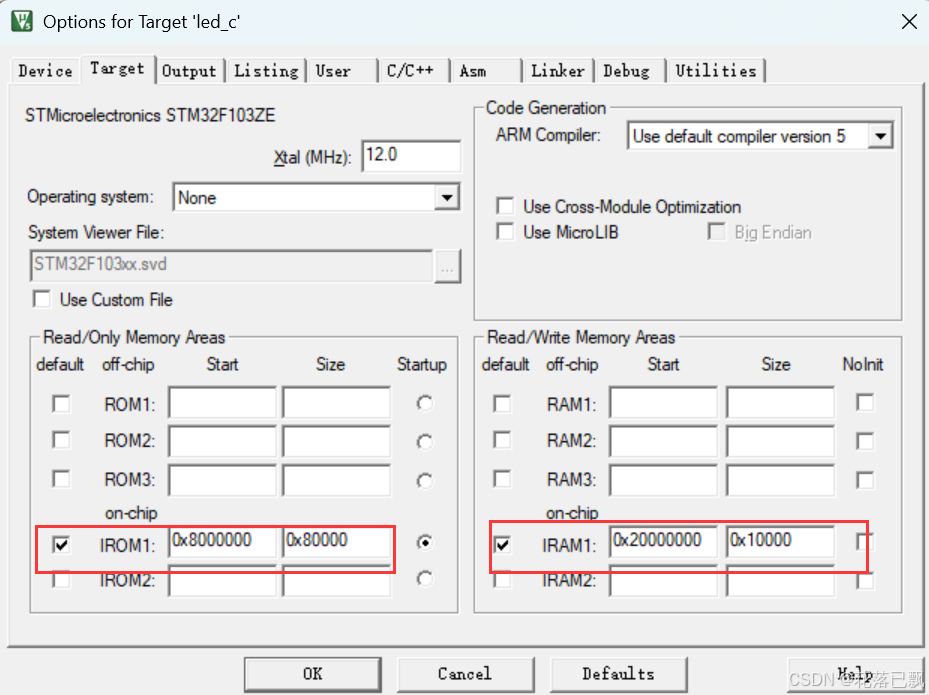
文章目录 Keil 中设置 STM32 Flash 和 RAM 地址详解一、Flash 和 RAM 配置界面(Target 选项卡)1. IROM1(用于配置 Flash)2. IRAM1(用于配置 RAM)二、链接器设置界面(Linker 选项卡)1. 勾选“Use Memory Layout from Target Dialog”2. 查看链接器参数(如果没有勾选上面…...

IoT/HCIP实验-3/LiteOS操作系统内核实验(任务、内存、信号量、CMSIS..)
文章目录 概述HelloWorld 工程C/C配置编译器主配置Makefile脚本烧录器主配置运行结果程序调用栈 任务管理实验实验结果osal 系统适配层osal_task_create 其他实验实验源码内存管理实验互斥锁实验信号量实验 CMISIS接口实验还是得JlINKCMSIS 简介LiteOS->CMSIS任务间消息交互…...

浅谈不同二分算法的查找情况
二分算法原理比较简单,但是实际的算法模板却有很多,这一切都源于二分查找问题中的复杂情况和二分算法的边界处理,以下是博主对一些二分算法查找的情况分析。 需要说明的是,以下二分算法都是基于有序序列为升序有序的情况…...

LeetCode - 199. 二叉树的右视图
题目 199. 二叉树的右视图 - 力扣(LeetCode) 思路 右视图是指从树的右侧看,对于每一层,只能看到该层最右边的节点。实现思路是: 使用深度优先搜索(DFS)按照"根-右-左"的顺序遍历树记录每个节点的深度对于…...
用机器学习破解新能源领域的“弃风”难题
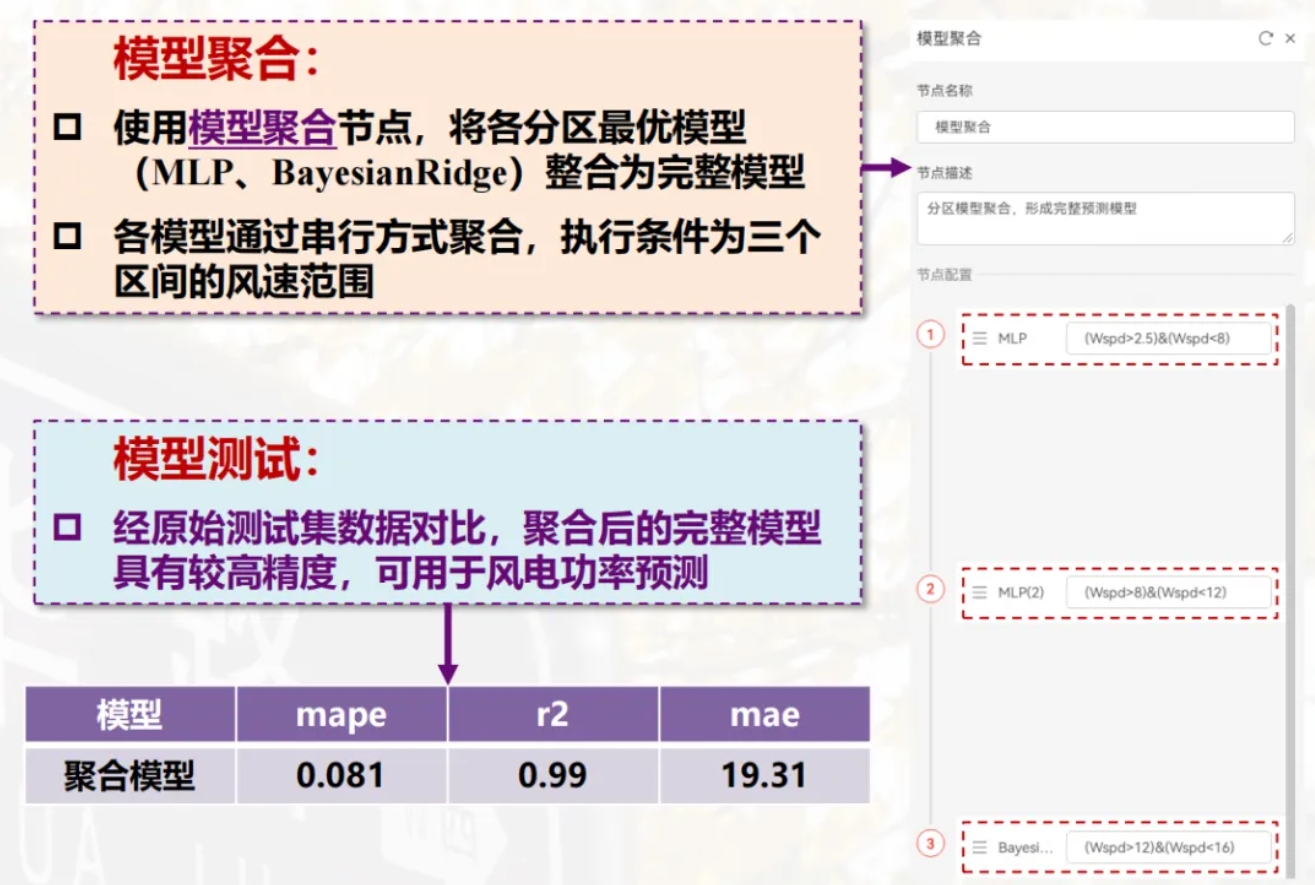
音乐发烧友深有体会,玩音乐的本质就是玩电网。火电声音偏暖,水电偏冷,风电偏空旷。至于太阳能发的电,则略显朦胧和单薄。 不知你是否有感觉,近两年家里的音响声音越来越冷,听起来越来越单薄? —…...

智能AI电话机器人系统的识别能力现状与发展水平
一、引言 随着人工智能技术的飞速发展,AI电话机器人系统已经从简单的自动应答工具演变为具备复杂交互能力的智能助手。这类系统结合了语音识别、自然语言处理、情感计算和机器学习等多项前沿技术,在客户服务、营销推广、信息查询等领域发挥着越来越重要…...
CVE-2020-17519源码分析与漏洞复现(Flink 任意文件读取)
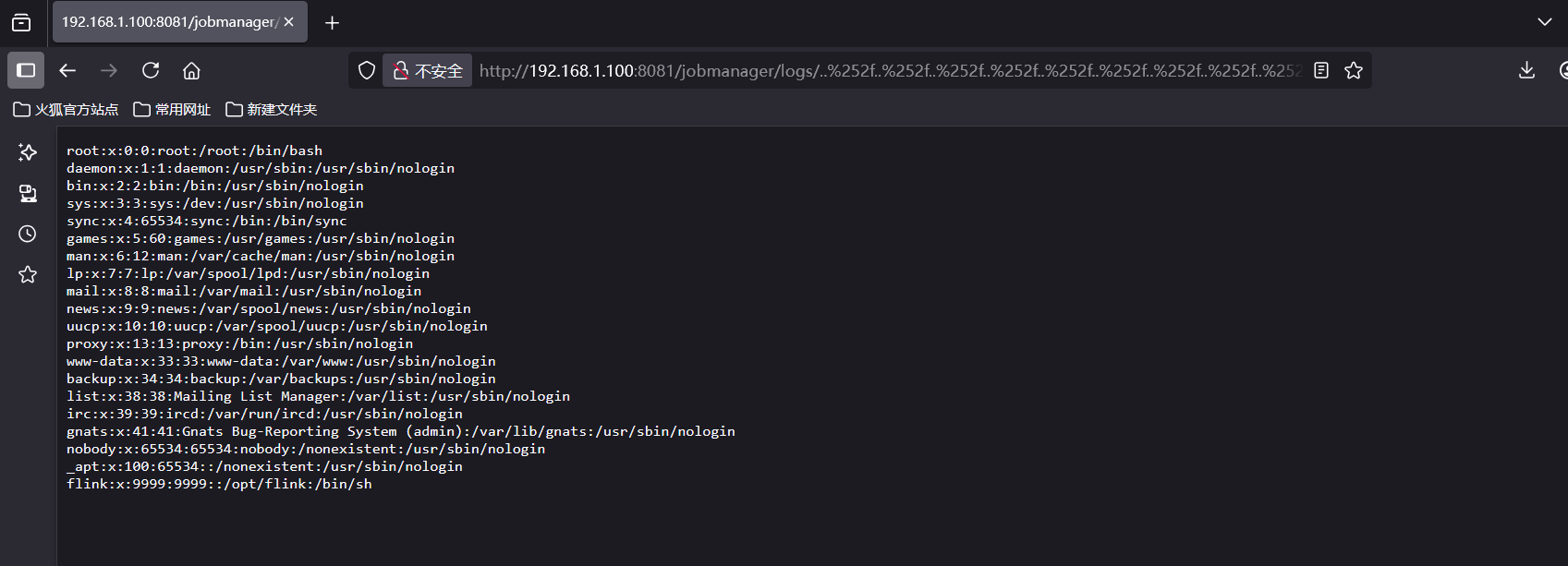
漏洞概览 漏洞名称:Apache Flink REST API 任意文件读取漏洞CVE编号:CVE-2020-17519CVSS评分:7.5影响版本:Apache Flink 1.11.0、1.11.1、1.11.2修复版本:≥ 1.11.3 或 ≥ 1.12.0漏洞类型:路径遍历&#x…...

vulnyx Blogger writeup
信息收集 arp-scan nmap 获取userFlag 上web看看 一个默认的页面,gobuster扫一下目录 可以看到扫出的目录中得到了一个有价值的目录/wordpress,说明目标所使用的cms是wordpress,访问http://192.168.43.213/wordpress/然后查看源码能看到 这…...