
OpenStack云平台搭建(2) | 安装Keystone
目录
1、登录数据库配置
2、数据库导入Keystone表
3、配置http服务
4、创建域、用户
5、创建脚本
- Keystone(OpenStack Identity Service)是 OpenStack 框架中负责管理身份验证、服务访问规则和服务令牌功能的组件。
- 下面我们进行Keystone的安装部署
1、登录数据库配置
1.Use the database access client to connect to the database server as the root user(登录数据库)
[root@controller ~]# mysql -p
Enter password:
Welcome to the MariaDB monitor.  Commands end with ; or \g.
Your MariaDB connection id is 18
Server version: 10.3.20-MariaDB MariaDB ServerCopyright (c) 2000, 2018, Oracle, MariaDB Corporation Ab and others.Type 'help;' or '\h' for help. Type '\c' to clear the current input statement.MariaDB [(none)]>
2.Create the keystone database(数据库里创建keystone)
MariaDB [(none)]> CREATE DATABASE keystone;3. Grant proper access to the keystone database(授权对keystone数据库的正确访问)
MariaDB [(none)]> GRANT ALL PRIVILEGES ON keystone.* TO 'keystone'@'%' \
IDENTIFIED BY '123';
4.退出数据库
MariaDB [(none)]> quit
2、数据库导入Keystone表
1.安装httpd mod_wsgi
[root@controller ~]# yum install openstack-keystone httpd mod_wsgi -y
2.备份配置文件并且修改
[root@controller ~]# cp /etc/keystone/keystone.conf{,.bak}
[root@controller ~]# grep -Ev "^$|#" /etc/keystone/keystone.conf.bak > /etc/keystone/keystone.conf
[root@controller ~]# vi /etc/keystone/keystone.conf
[DEFAULT]
[application_credential]
[assignment]
[auth]
[cache]
[catalog]
[cors]
[credential]
[database]
[domain_config]
[endpoint_filter]
[endpoint_policy]
[eventlet_server]
[DEFAULT]
[application_credential]
[assignment]
[auth]
[cache]
[catalog]
[cors]
[credential]
[database]
connection = mysql+pymysql://keystone:123@controller/keystone
[domain_config]
[endpoint_filter]
[endpoint_policy]
[eventlet_server]
[federation]
[fernet_receipts]
[fernet_tokens]
[healthcheck]
[identity]
[identity_mapping]
[jwt_tokens]
[ldap]
[memcache]
[oauth1]
[oslo_messaging_amqp]
[oslo_messaging_kafka]
[oslo_messaging_notifications]
[oslo_messaging_rabbit]
[oslo_middleware]
[oslo_policy]
[policy]
[profiler]
[receipt]
[resource]
[revoke]
[role]
[saml]
[security_compliance]
[shadow_users]
[token]
provider = fernet
[tokenless_auth]
[totp]
3.同步数据库
[root@controller ~]# su -s /bin/sh -c "keystone-manage db_sync" keystone
进数据库检查一下看keystone是否有表了,如下说明同步完成
[root@controller ~]# mysql -p
Enter password:
Welcome to the MariaDB monitor.  Commands end with ; or \g.
Your MariaDB connection id is 25
Server version: 10.3.20-MariaDB MariaDB ServerCopyright (c) 2000, 2018, Oracle, MariaDB Corporation Ab and others.Type 'help;' or '\h' for help. Type '\c' to clear the current input statement.MariaDB [(none)]> show databases;
+--------------------+
| Database           |
+--------------------+
| information_schema |
| keystone           |
| mysql              |
| performance_schema |
+--------------------+
4 rows in set (0.001 sec)MariaDB [(none)]> use keystone;
Reading table information for completion of table and column names
You can turn off this feature to get a quicker startup with -ADatabase changed
MariaDB [keystone]> show tables;
+------------------------------------+
| Tables_in_keystone                 |
+------------------------------------+
| access_rule                        |
| access_token                       |
| application_credential             |
| application_credential_access_rule |
| application_credential_role        |
| assignment                         |
| config_register                    |
| consumer                           |
| credential                         |
| endpoint                           |
| endpoint_group                     |
| federated_user                     |
| federation_protocol                |
| group                              |
| id_mapping                         |
| identity_provider                  |
| idp_remote_ids                     |
| implied_role                       |
| limit                              |
| local_user                         |
| mapping                            |
| migrate_version                    |
| nonlocal_user                      |
| password                           |
| policy                             |
| policy_association                 |
| project                            |
| project_endpoint                   |
| project_endpoint_group             |
| project_option                     |
| project_tag                        |
| region                             |
| registered_limit                   |
| request_token                      |
| revocation_event                   |
| role                               |
| role_option                        |
| sensitive_config                   |
| service                            |
| service_provider                   |
| system_assignment                  |
| token                              |
| trust                              |
| trust_role                         |
| user                               |
| user_group_membership              |
| user_option                        |
| whitelisted_config                 |
+------------------------------------+
4.安装key repositories:
[root@controller ~]# # keystone-manage fernet_setup --keystone-user keystone --keystone-group keystone
[root@controller ~]# # keystone-manage credential_setup --keystone-user keystone --keystone-group keystone
5.引导Identity服务:
keystone-manage bootstrap --bootstrap-password 123 \--bootstrap-admin-url http://controller:5000/v3/ \--bootstrap-internal-url http://controller:5000/v3/ \--bootstrap-public-url http://controller:5000/v3/ \--bootstrap-region-id RegionOne3、配置http服务
1.编辑http配置文件
[root@controller ~]# vi /etc/httpd/conf/httpd.conf # ServerName gives the name and port that the server uses to identify itself.
# This can often be determined automatically, but we recommend you specify
# it explicitly to prevent problems during startup.
#
# If your host doesn't have a registered DNS name, enter its IP address here.
#
#ServerName www.example.com:80
ServerName controller
2.生成软链接
[root@controller ~]# ln -s /usr/share/keystone/wsgi-keystone.conf /etc/httpd/conf.d/
3.启动httpd
[root@controller ~]# systemctl enable httpd
[root@controller ~]# systemctl start httpd
4.配置环境变量
[root@controller ~]# vi /etc/keystone/admin-openrc.sh#!/bin/bashexport OS_USERNAME=adminexport OS_PASSWORD=123export OS_PROJECT_NAME=adminexport OS_USER_DOMAIN_NAME=Defaultexport OS_PROJECT_DOMAIN_NAME=Defaultexport OS_AUTH_URL=http://controller:5000/v3export OS_IDENTITY_API_VERSION=3
[root@controller ~]# source /etc/keystone/admin-openrc.sh 4、创建域、用户
[root@controller ~]#  openstack domain create --description "An Example Domain" example
+-------------+----------------------------------+
| Field       | Value                            |
+-------------+----------------------------------+
| description | An Example Domain                |
| enabled     | True                             |
| id          | ee0a6bbc972d4355a0910e73c515f96f |
| name        | example                          |
| options     | {}                               |
| tags        | []                               |
+-------------+----------------------------------+
[root@controller ~]# openstack project create --domain default \
>   --description "Service Project" service
+-------------+----------------------------------+
| Field       | Value                            |
+-------------+----------------------------------+
| description | Service Project                  |
| domain_id   | default                          |
| enabled     | True                             |
| id          | 13c13a875184458a940e9e195688c2ff |
| is_domain   | False                            |
| name        | service                          |
| options     | {}                               |
| parent_id   | default                          |
| tags        | []                               |
+-------------+----------------------------------+
5、创建脚本
[root@controller ~]# vi /etc/keystone/admin-openrc.sh#!/bin/bah
export OS_PROJECT_DOMAIN_NAME=Default
export OS_USER_DOMAIN_NAME=Default
export OS_PROJECT_NAME=admin
export OS_USERNAME=admin
export OS_PASSWORD=123
export OS_AUTH_URL=http://controller:5000/v3
export OS_IDENTITY_API_VERSION=3
export OS_IMAGE_API_VERSION=2
~ 加载一下
[root@controller ~]# source /etc/keystone/admin-openrc.sh [root@controller ~]# openstack token issue
+------------+-----------------------------------------------------------------------------------------------------------------------------------------------------------------------------------------+
| Field | Value |
+------------+-----------------------------------------------------------------------------------------------------------------------------------------------------------------------------------------+
| expires | 2023-02-08T16:49:18+0000 |
| id | gAAAAABj48R-5UKgioRRedEM1uDIImmqKdI00OnFYE2yy-7vzw8MpO2NZgpfbEvk90Sq4SqMN2aK4PRXT5TLExWMVbZacpJHHcr0gPLQ_B1cMj0TgDqHtZ9Tohngxh6ImnFZ7VA-sUu2n4oWZjSmFOySWgDCBdYJ8MJaIPCsxlnCf8riQFQiRQI |
| project_id | 4c7bdbb75b9e481db886549f7d2711be |
| user_id | 41944ebcbb2541acbc31bfd591107fff |
+------------+-----------------------------------------------------------------------------------------------------------------------------------------------------------------------------------------+
到这里keystone部署完成
Keystone(OpenStack Identity Service)是 OpenStack 框架中负责管理身份验证、服务访问规则和服务令牌功能的组件。用户访问资源需要验证用户的身份与权限,服务执行操作也需要进行权限检测,这些都需要通过 Keystone 来处理。Keystone 类似一个服务总线, 或者说是整个 Openstack 框架的注册表,OpenStack 服务通过 Keystone 来注册其 Endpoint(服务访问的URL),任何服务之间的相互调用,都需要先经过 Keystone 的身份验证,获得目标服务的 Endpoint ,然后再调用。
Keystone 的主要功能如下:
- 管理用户及其权限;
- 维护 OpenStack 服务的 Endpoint;
- Authentication(认证)和 Authorization(鉴权)。
用户认证介绍
在用户认证中,有以下名词:
1、User(用户)
- 在Openstack中,使用一个数字来代表使用Openstack的人、系统或者是一个服务,Openstack会对用户的请求进行验证。在Openstack中,一个租户可以有多个用户、一个用户也可以有多个租户,用户对租户的操作权限由用户在租户中承担的角色来确定。
2、Project(项目)
- Project是Openstack中一些可被访问的资源或者是资源组,本质上是一个容器,可以起到隔离的作用,或者用于标识对象。
3、Token(令牌)
- Openstack中的用户用来进行身份验证的凭证。
4、Role(角色)
- 在Openstack中,Role代表一组权限,并且总是和用户所绑定,用于声明用户可以访问的资源。
服务目录介绍
在服务目录中,有以下名词:
1、Service(服务)
- Service就是Openstack中的服务,比如Nova、Glance、Swift等等。
2、Endpoints(端点)
- 一个Endpoints即一个服务所对外暴露的接口,如果我们要访问一个服务,那么我们必须知道该服务的Endpoints。Endpoint的每个URL都对应一个服务实例访问地址,并且具有public、private和admin三种权限。public url可以被公开访问,private url可以被局域网内的设备所访问,而admin url则被从常规的访问中分离。
相关文章:
 | 安装Keystone)
OpenStack云平台搭建(2) | 安装Keystone
目录 1、登录数据库配置 2、数据库导入Keystone表 3、配置http服务 4、创建域、用户 5、创建脚本 Keystone(OpenStack Identity Service)是 OpenStack 框架中负责管理身份验证、服务访问规则和服务令牌功能的组件。下面我们进行Keystone的安装部署 1…...
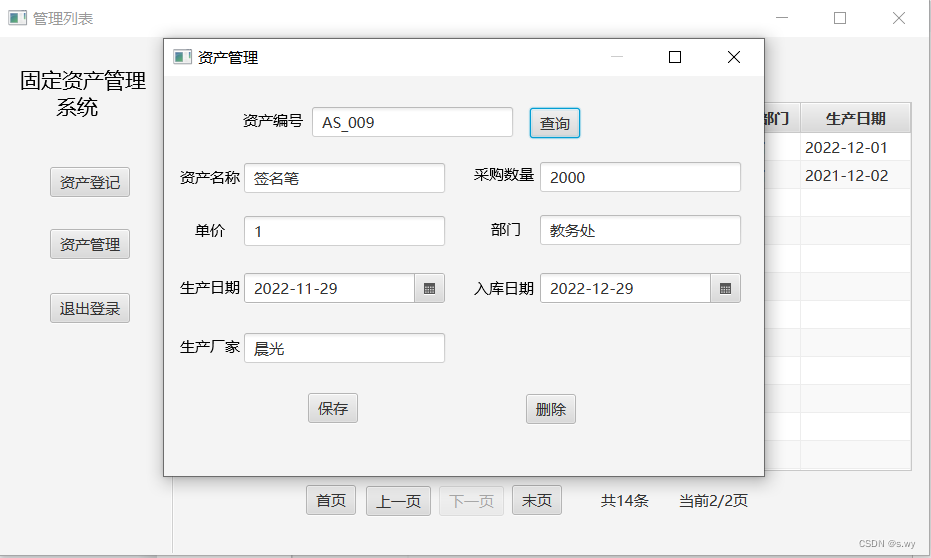
基于javaFX的固定资产管理系统
1. 总体设计 本系统分为登录模块、资产管理模块、资产登记模块和信息展示模块共四个模块。 登录模块的主要功能是:管理员通过登录模块登录本系统; 资产管理模块的主要功能有:修改、删除系统中的固定资产; 在资产登记模块中&#…...
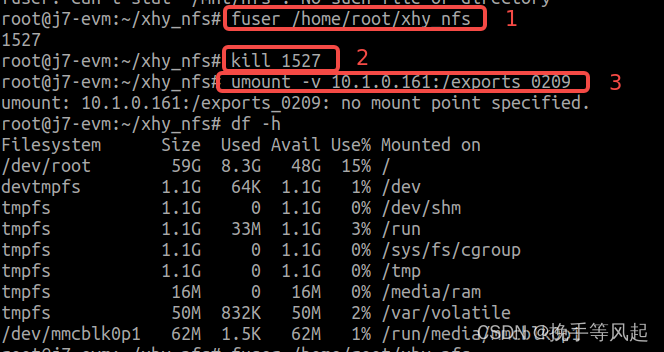
板子登录和挂载问题记录
ubuntu登录板子问题 ssh登录ssh 10.1.3.15,显示No route to host 则尝试在板子上ping 本机ip 试一下 挂载 本地机器vim /etc/export编辑此内容并保存 /exports_0209/tda4_build *(rw,no_root_squash,nohide,insecure,no_subtree_check,async)1.挂载nfs方法 mou…...
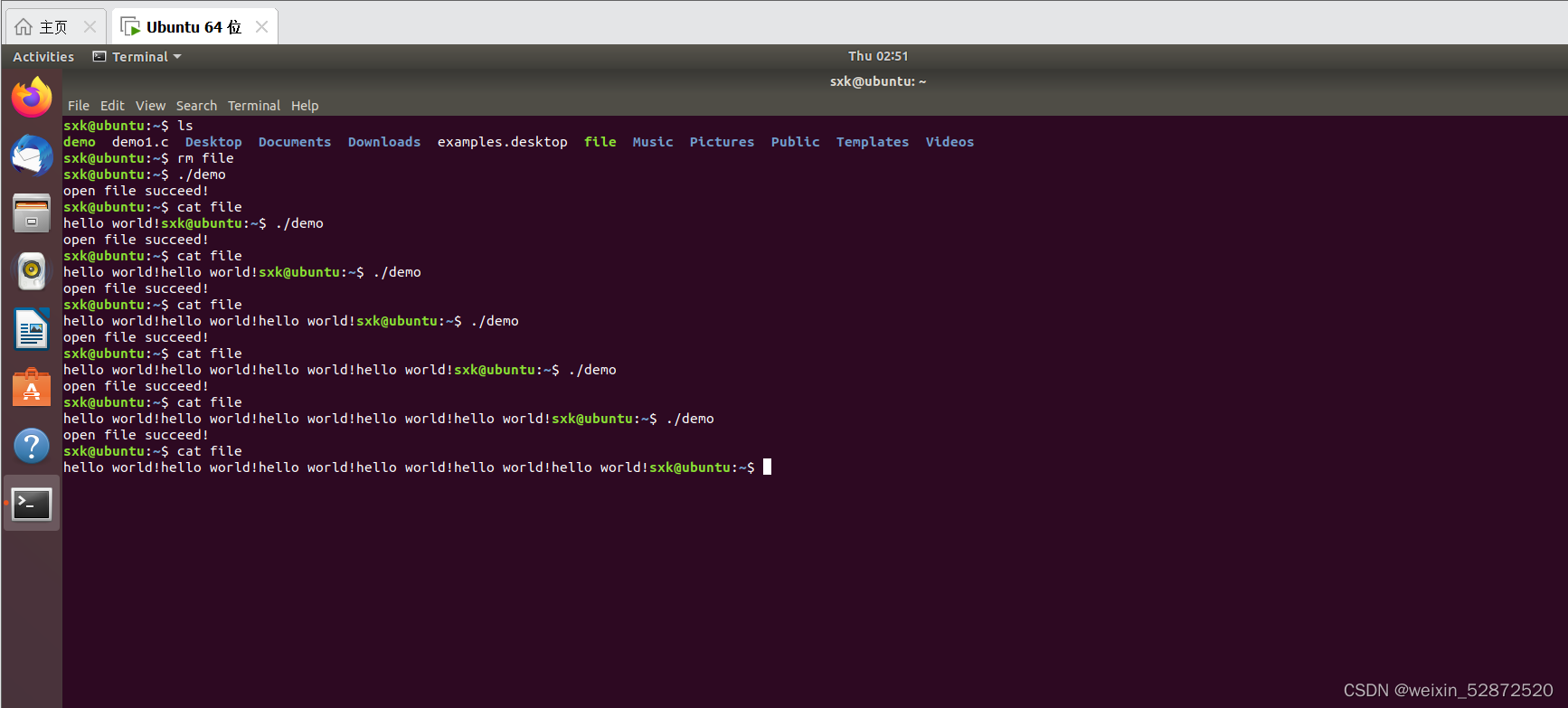
二、Linux文件 - Open函数讲解实战
目录 1.Open函数讲解 2.open函数实战 2.1 man 1 ls 查询Shell命令 2.2 man 2 open 查看系统调用函数 2.3项目实战 2.3.1O_RDWR和O_CREAT 2.3.2O_APPEND的用法 1.Open函数讲解 高频使用的Linux系统调用:open write read close Linux自带的工具…...
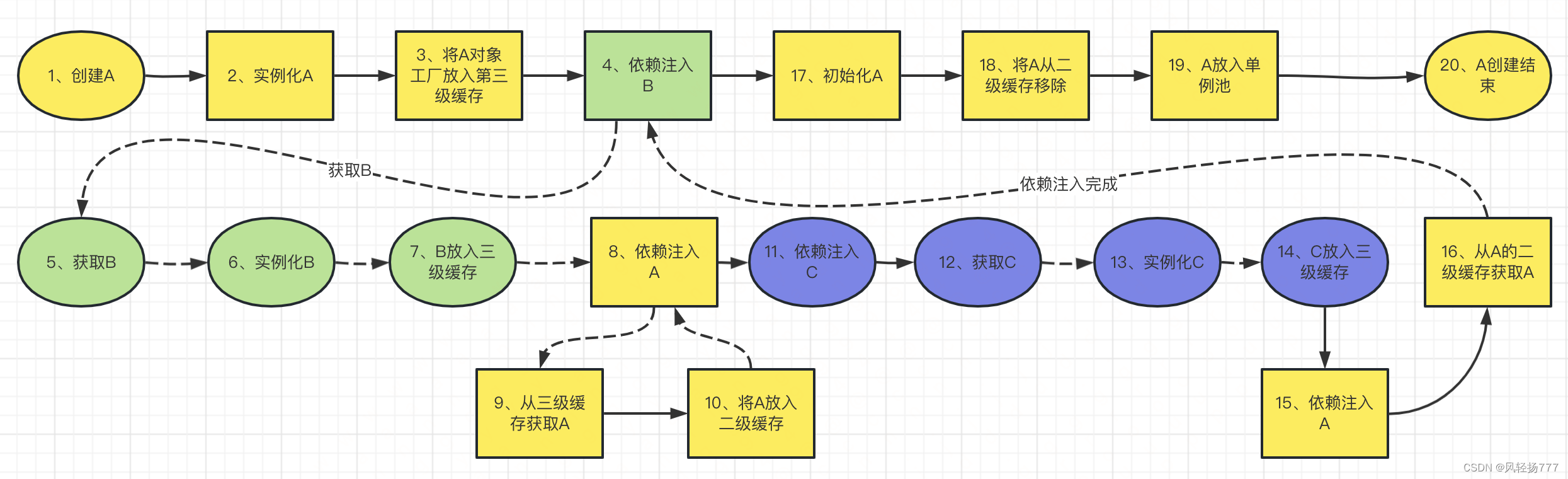
源码分析Spring解决循环依赖的过程
循环依赖是之前很爱问的一个面试题,最近不咋问了,但是梳理Spring解决循环依赖的源码,会让我们对Spring创建bean的流程有一个清晰的认识,有必要搞一搞。开始搞之前,先参考了这个老哥写的文章,对Spring处理循…...
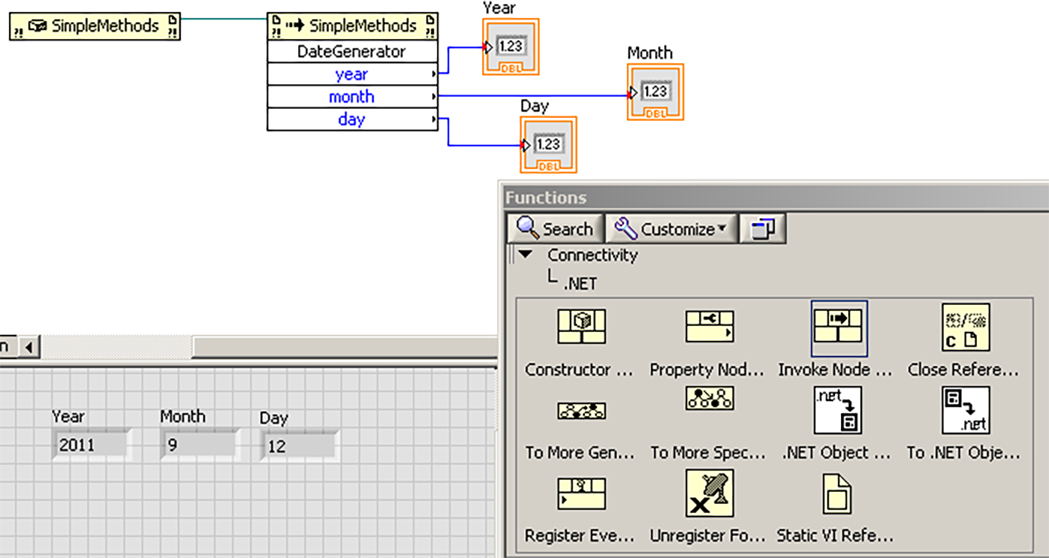
LabVIEW中加载.NET 2.0,3.0和3.5程序集
LabVIEW中加载.NET 2.0,3.0和3.5程序集已使用.NETFramework 2.0,3.0或3.5创建了.NET程序集,但是当尝试在构造函数节点中加载这些程序集时,却收到LabVIEW消息显示: 所选文件不是.NET程序集,所属类型库或自动化可执行文件。所以想确认是否可以在…...

Fluent Python 笔记 第 2 章 序列构成的数组
2.1 内置类型序列概览 容器序列(能存放不同类型的数据):(作者分的类) list、tuple 和 collections.deque扁平序列(只能容纳一种类型): str、byes、bytearray、memoryview 和 array.array可变:…...

句子扩充法
人,物,时,地,事 什么人和什么物在什么时间什么地点发生了什么事。 思维导图:以人为中心,人具有客观能动性。 例如:秋燕南飞。 扩展为: 盘旋在洞庭湖上方的大雁渐渐消失了。“它们都…...

Java并发编程概述
在学习并发编程之前,我们需要稍微回顾以下线程相关知识:线程基本概念程序:静态的代码,存储在硬盘中进程:运行中的程序,被加载在内存中,是操作系统分配内存的基本单位线程:是cpu执行的…...
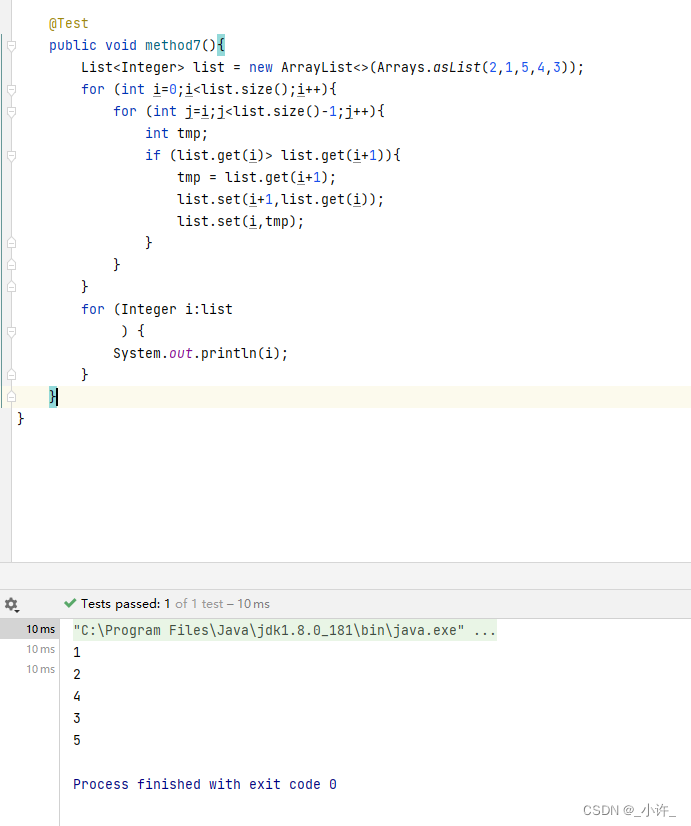
Java常见数据结构的排序与遍历(包括数组,List,Map)
数组遍历与排序 数组定义 //定义 int a[] new int[5]int[] a new int[5];//带初始值定义 int b[] {1,2,3,4,5};赋值 //定义时赋值 int b[] {1,2,3,4,5};//引用赋值 a[6] 1 a[9] 9 //未赋值为空取值 //通过下表取值,从0开始 b[1] 1 b[2] 2遍历 Test p…...
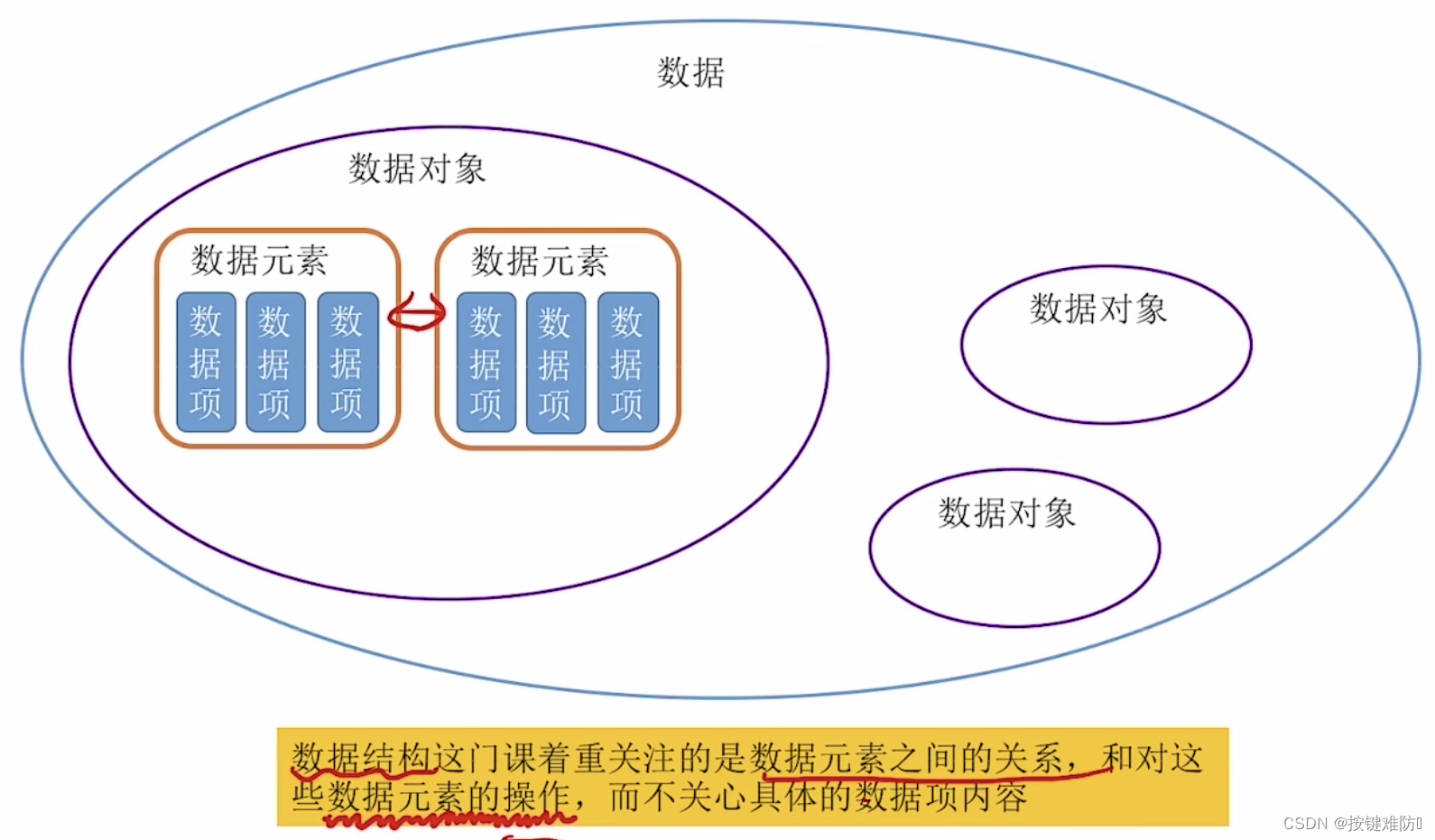
数据结构|绪论
🔥Go for it!🔥 📝个人主页:按键难防 📫 如果文章知识点有错误的地方,请指正!和大家一起学习,一起进步👀 📖系列专栏:数据结构与算法 ὒ…...
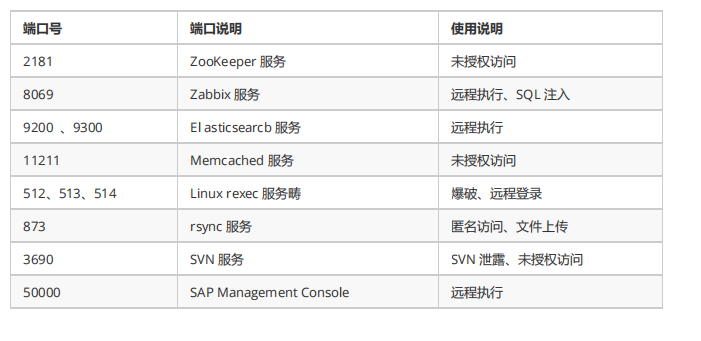
内网渗透(十二)之内网信息收集-内网端口扫描和发现
系列文章第一章节之基础知识篇 内网渗透(一)之基础知识-内网渗透介绍和概述 内网渗透(二)之基础知识-工作组介绍 内网渗透(三)之基础知识-域环境的介绍和优点 内网渗透(四)之基础知识-搭建域环境 内网渗透(五)之基础知识-Active Directory活动目录介绍和使用 内网渗透(六)之基…...
RabbitMq相关面试题
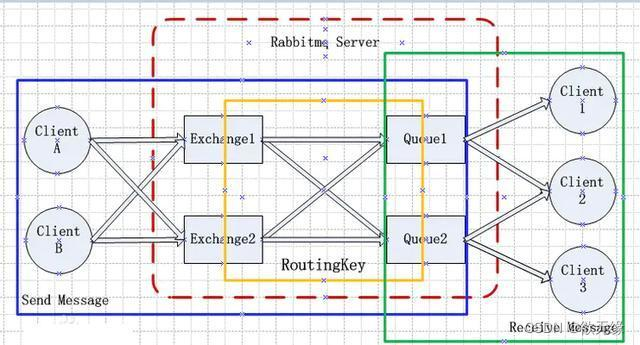
文章目录消息队列有没有接触过? 简单介绍一下?消息中间件模式分类 ?使用MQ有什么好处?MQ如何选型 ?你们项目中用到过 MQ 吗?谈谈你对 MQ 的理解?MQ消费者消费消息的顺序一致性问题?R…...
树莓派开机自启动Python脚本或者应用程序
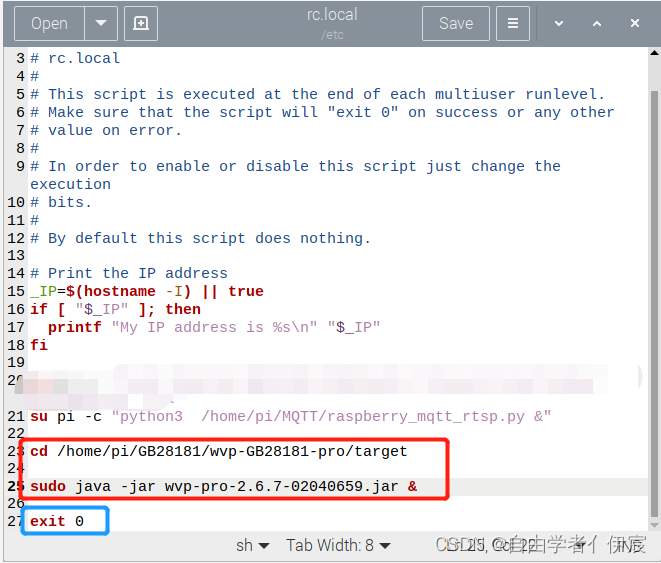
树莓派开机自启动Python脚本或者应用程序前言一、对于Python脚本的自启动方法1、打开etc/rc.local文件2、编辑输入需要启动的指令3、重启树莓派验证二、对于需要读写配置文件的应用程序的自启前言 在树莓派上写了一些Python脚本,还有一个java 的jar包想要在树莓派上…...

全国青少年编程等级考试scratch四级真题2022年9月(含题库答题软件账号)
青少年编程等级考试scratch真题答题考试系统请点击电子学会-全国青少年编程等级考试真题Scratch一级(2019年3月)在线答题_程序猿下山的博客-CSDN博客_小航答题助手1、运行下列程序,说法正确的是?( )A.列表…...
NodeJS与npm版本不一致时降级npm的方法
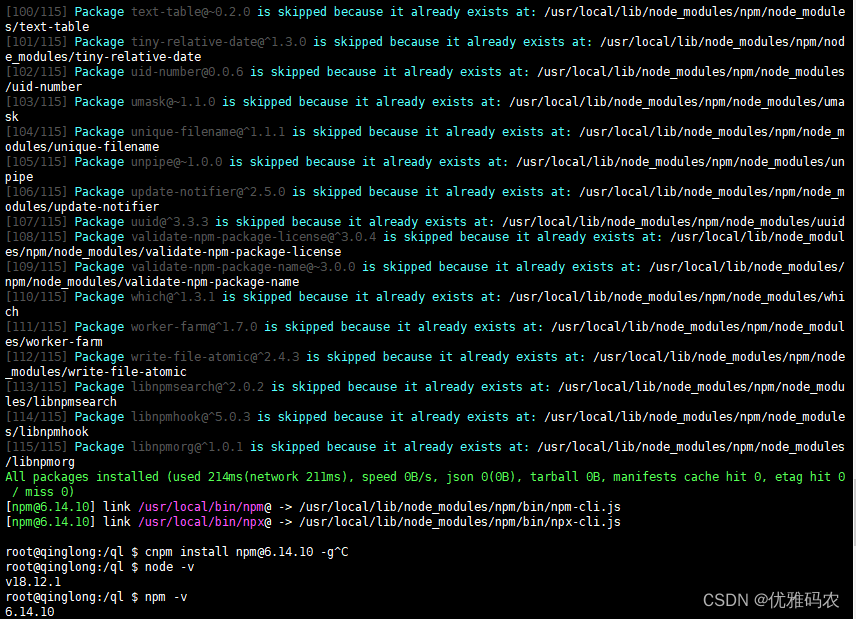
首先查看 Node.js 与 npm 版本对应关系:Node.js与npm版本查看。 安装 cnpm: npm install -g cnpm 查看一下 npm 和 cnpm 的镜像: npm config get registry cnpm config get registry 2 如果不是 https://registry.npm.taobao.org/ 的话就修…...
)
《C++ Primer Plus》第16章:string类和标准模板库(8)
关联容器 关联容器(associative container)是对容器概念的另一个改进。关联容器将值与键关联在一起,并使用键来查找值。例如,值可以表示雇员信息(如姓名、地址、办公室号码、家庭电话和工作电话、健康计划等ÿ…...

Linux安装达梦8数据库
Linux安装达梦8数据库 服务器系统:centos7 数据库版本:达梦8 先获取安装包:https://eco.dameng.com/download/?_blank 选择相应版本下载,下载完解压之后会得到一个iso文件,把他上传到服务器上,建议上传到/opt目录下…...
[数据库]初识数据库
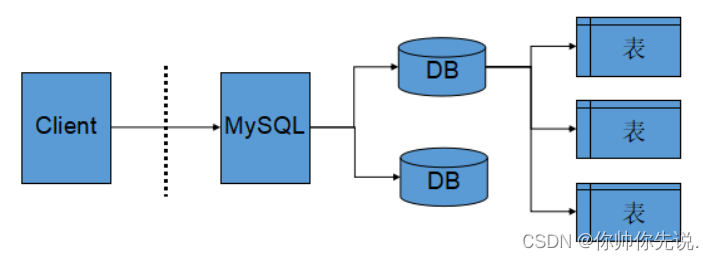
●🧑个人主页:你帅你先说. ●📃欢迎点赞👍关注💡收藏💖 ●📖既选择了远方,便只顾风雨兼程。 ●🤟欢迎大家有问题随时私信我! ●🧐版权:本文由[你帅…...
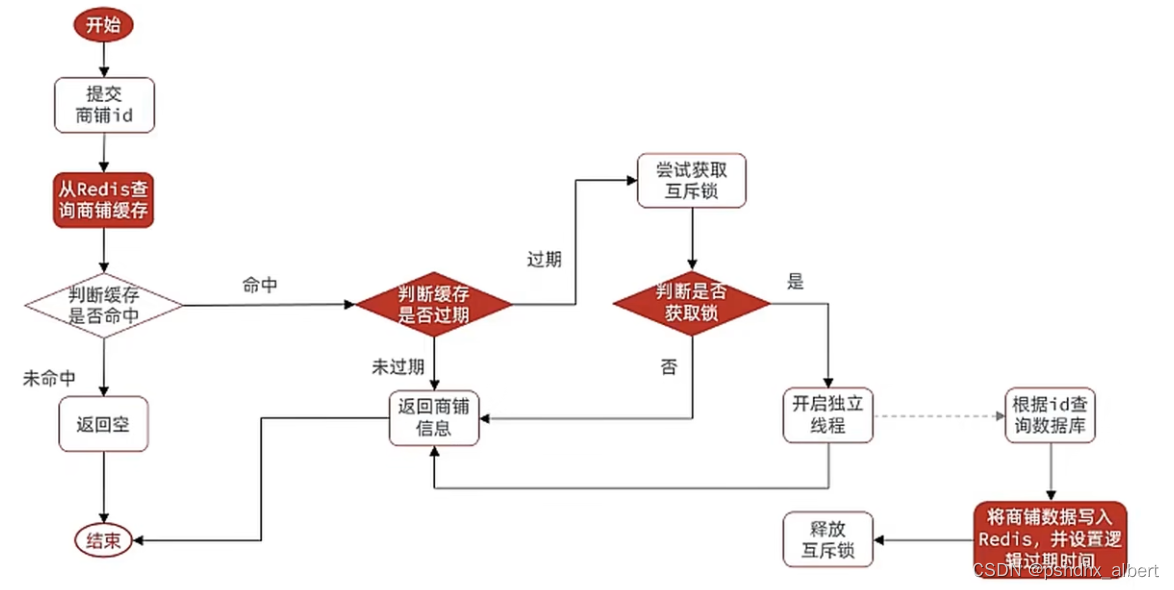
Redis的缓存雪崩、击穿、穿透和解决方案
2.5 缓存穿透问题的解决思路 缓存穿透 :缓存穿透是指客户端请求的数据在缓存中和数据库中都不存在,这样缓存永远不会生效,这些请求都会打到数据库。 常见的解决方案有两种: 缓存空对象 优点:实现简单,维护…...
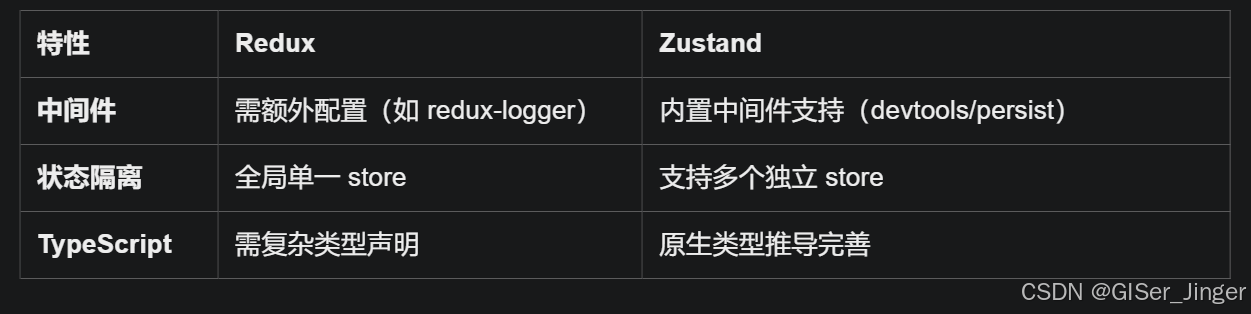
Zustand 状态管理库:极简而强大的解决方案
Zustand 是一个轻量级、快速和可扩展的状态管理库,特别适合 React 应用。它以简洁的 API 和高效的性能解决了 Redux 等状态管理方案中的繁琐问题。 核心优势对比 基本使用指南 1. 创建 Store // store.js import create from zustandconst useStore create((set)…...

【JavaSE】绘图与事件入门学习笔记
-Java绘图坐标体系 坐标体系-介绍 坐标原点位于左上角,以像素为单位。 在Java坐标系中,第一个是x坐标,表示当前位置为水平方向,距离坐标原点x个像素;第二个是y坐标,表示当前位置为垂直方向,距离坐标原点y个像素。 坐标体系-像素 …...

AI,如何重构理解、匹配与决策?
AI 时代,我们如何理解消费? 作者|王彬 封面|Unplash 人们通过信息理解世界。 曾几何时,PC 与移动互联网重塑了人们的购物路径:信息变得唾手可得,商品决策变得高度依赖内容。 但 AI 时代的来…...
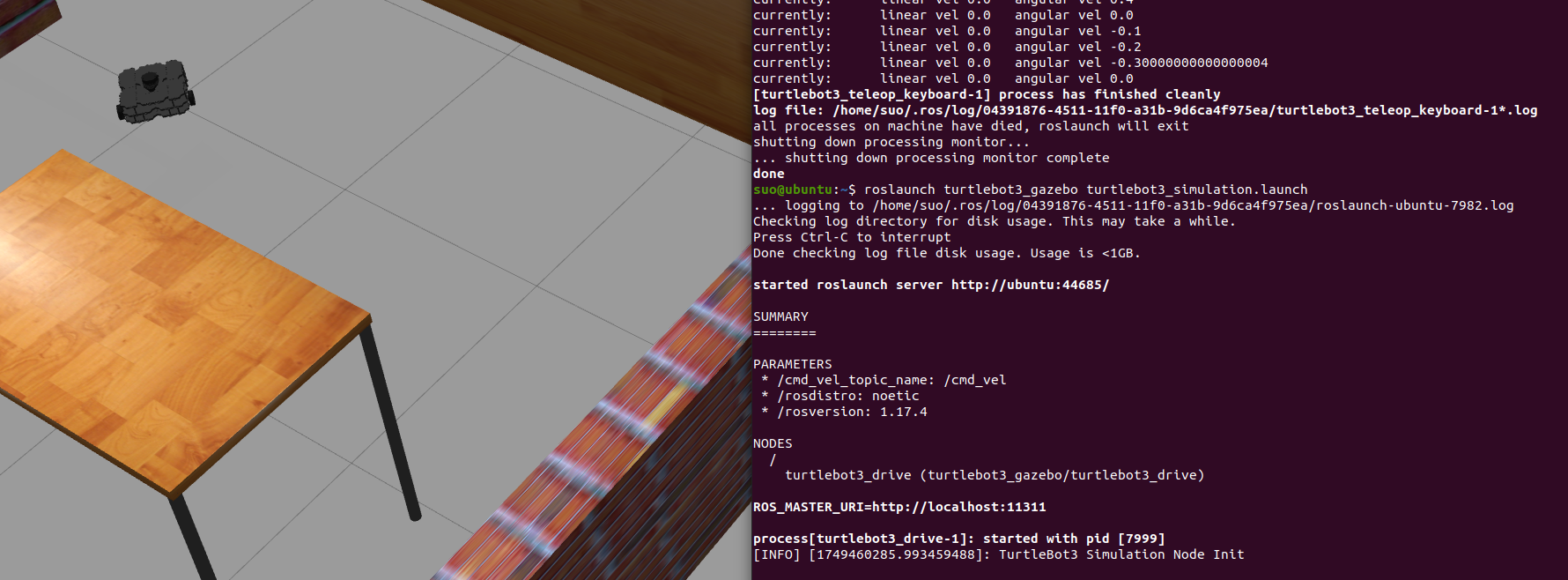
基于TurtleBot3在Gazebo地图实现机器人远程控制
1. TurtleBot3环境配置 # 下载TurtleBot3核心包 mkdir -p ~/catkin_ws/src cd ~/catkin_ws/src git clone -b noetic-devel https://github.com/ROBOTIS-GIT/turtlebot3.git git clone -b noetic https://github.com/ROBOTIS-GIT/turtlebot3_msgs.git git clone -b noetic-dev…...

scikit-learn机器学习
# 同时添加如下代码, 这样每次环境(kernel)启动的时候只要运行下方代码即可: # Also add the following code, # so that every time the environment (kernel) starts, # just run the following code: import sys sys.path.append(/home/aistudio/external-libraries)机…...

如何配置一个sql server使得其它用户可以通过excel odbc获取数据
要让其他用户通过 Excel 使用 ODBC 连接到 SQL Server 获取数据,你需要完成以下配置步骤: ✅ 一、在 SQL Server 端配置(服务器设置) 1. 启用 TCP/IP 协议 打开 “SQL Server 配置管理器”。导航到:SQL Server 网络配…...
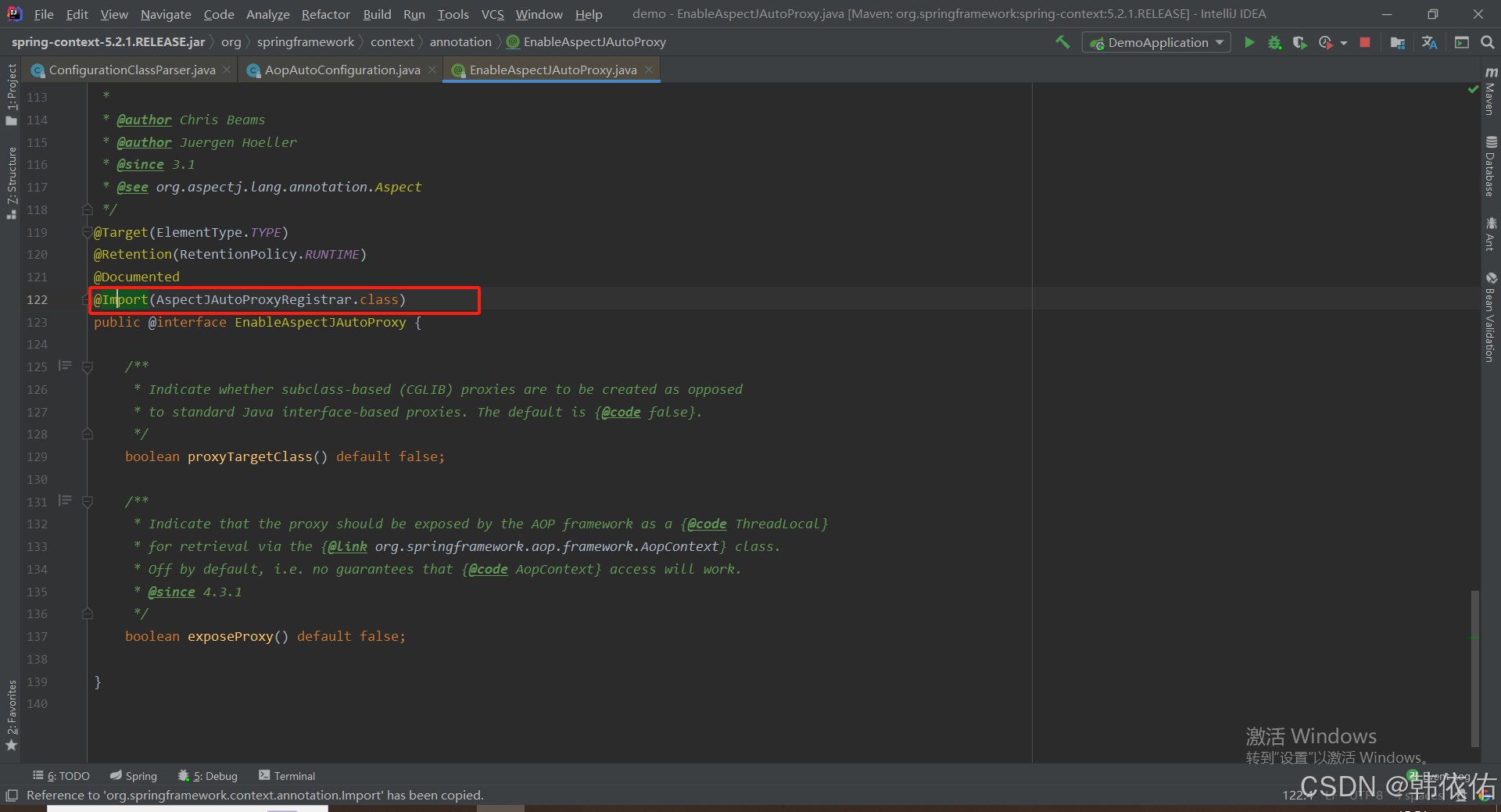
Spring AOP代理对象生成原理
代理对象生成的关键类是【AnnotationAwareAspectJAutoProxyCreator】,这个类继承了【BeanPostProcessor】是一个后置处理器 在bean对象生命周期中初始化时执行【org.springframework.beans.factory.config.BeanPostProcessor#postProcessAfterInitialization】方法时…...

算法250609 高精度
加法 #include<stdio.h> #include<iostream> #include<string.h> #include<math.h> #include<algorithm> using namespace std; char input1[205]; char input2[205]; int main(){while(scanf("%s%s",input1,input2)!EOF){int a[205]…...

Python异步编程:深入理解协程的原理与实践指南
💝💝💝欢迎莅临我的博客,很高兴能够在这里和您见面!希望您在这里可以感受到一份轻松愉快的氛围,不仅可以获得有趣的内容和知识,也可以畅所欲言、分享您的想法和见解。 持续学习,不断…...
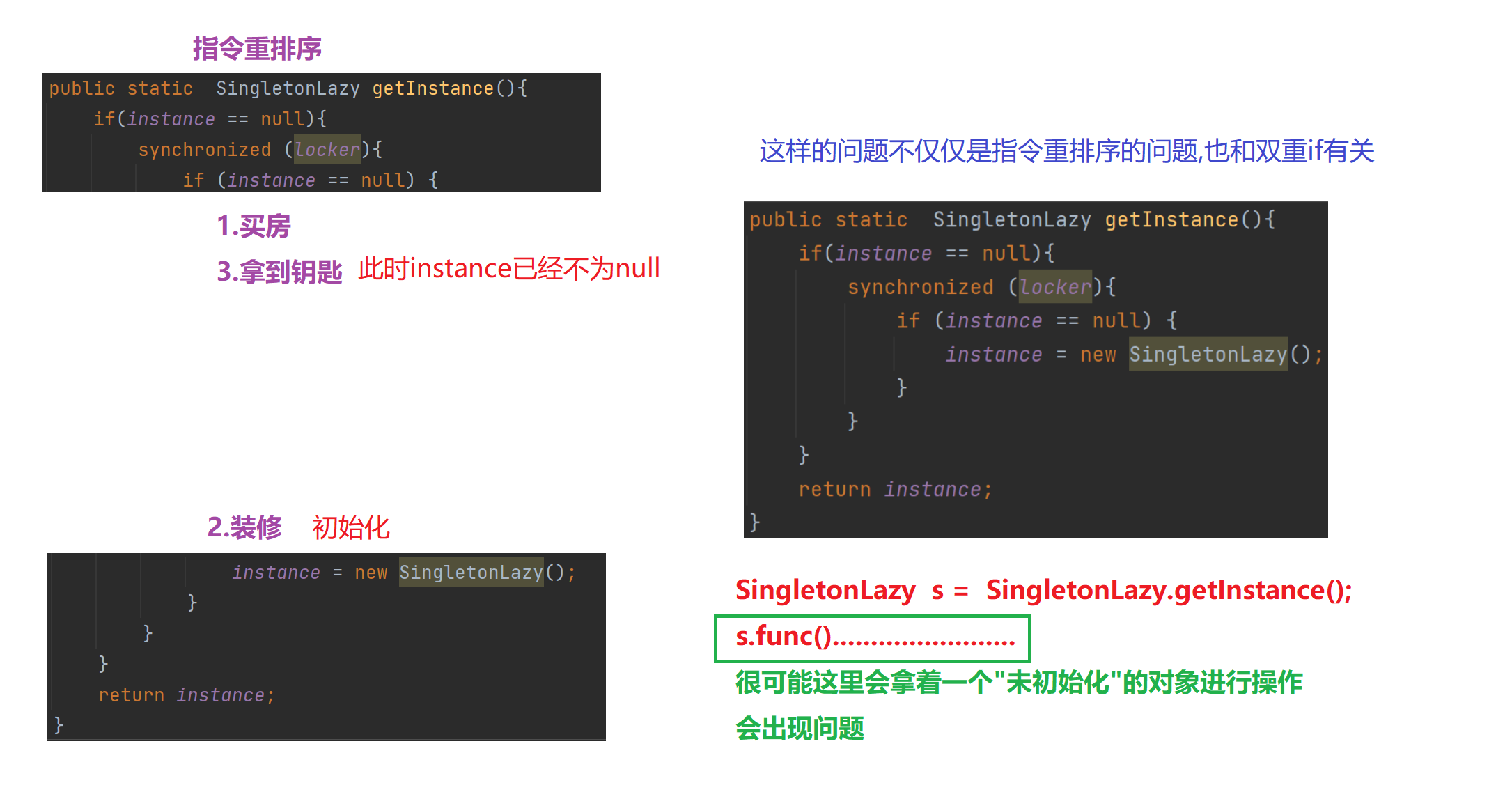
【多线程初阶】单例模式 指令重排序问题
文章目录 1.单例模式1)饿汉模式2)懒汉模式①.单线程版本②.多线程版本 2.分析单例模式里的线程安全问题1)饿汉模式2)懒汉模式懒汉模式是如何出现线程安全问题的 3.解决问题进一步优化加锁导致的执行效率优化预防内存可见性问题 4.解决指令重排序问题 1.单例模式 单例模式确保某…...