
封装了一个优雅的iOS转场动画
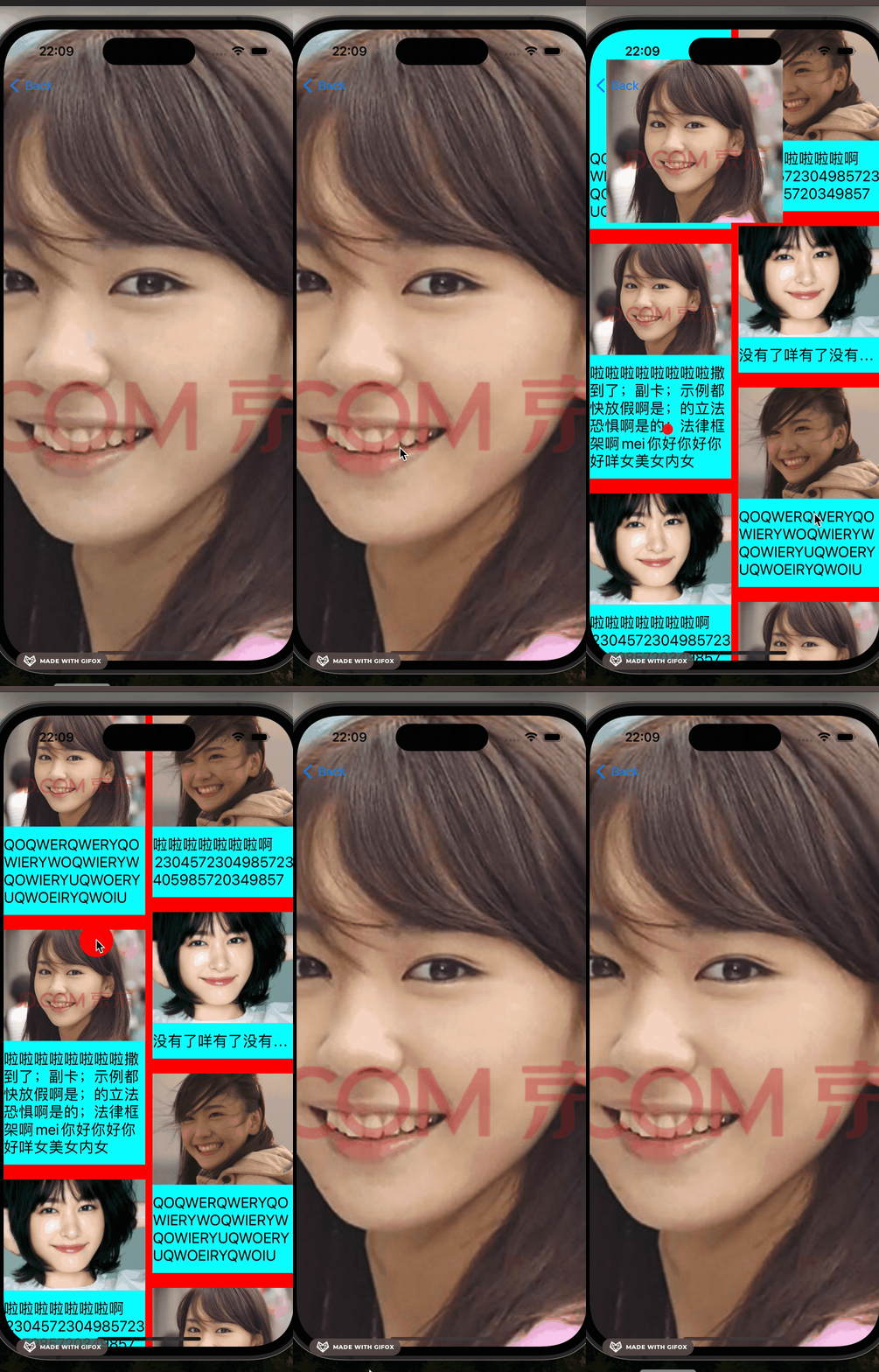
效果图
代码
//
// LBTransition.m
// LBWaterFallLayout_Example
//
// Created by mac on 2024/6/16.
// Copyright © 2024 liuboliu. All rights reserved.
//#import "LBTransition.h"@interface LBPushAnimation:NSObject<UIViewControllerAnimatedTransitioning>@property (nonatomic, weak) id <LBTransitionDelegate> delegate;@end@implementation LBPushAnimation- (instancetype)initWithDelegate:(id <LBTransitionDelegate>) delegate
{if (self = [super init]) {self.delegate = delegate;}return self;
}#pragma mark - UIViewControllerCanimatedtransitioning- (NSTimeInterval)transitionDuration:(id<UIViewControllerContextTransitioning>)transitionContext{return 0.25;
}- (void)animateTransition:(id<UIViewControllerContextTransitioning>)transitionContext
{UIView *containerView = [transitionContext containerView];UIViewController *toVC = (UIViewController *)[transitionContext viewControllerForKey:UITransitionContextToViewControllerKey];UIView *toView = [transitionContext viewForKey:UITransitionContextToViewKey];[containerView addSubview:toView];UIViewController <LBTransitionDelegate> *transToVc;if ([toVC conformsToProtocol:@protocol(LBTransitionDelegate)]) {transToVc = (UIViewController <LBTransitionDelegate> *)toVC;}id transmitData = [self.delegate transmitViewData];CGRect finalFrame = [transToVc transmitViewfinalFrameWithData:transmitData containerView:containerView];UIView *transView = [self.delegate prepareTransimitView:containerView finalFrame:finalFrame];toView.alpha = 0;CGFloat scaleWidth = transView.frame.size.width / toView.frame.size.width;CGFloat scaleHeight = transView.frame.size.height / toView.frame.size.height;toView.transform = CGAffineTransformMakeScale(scaleWidth, scaleHeight);toView.center = transView.center;CGRect toViewFinalFrame = [transitionContext finalFrameForViewController:toVC];CGPoint finalCenter = CGPointMake(toViewFinalFrame.origin.x + toViewFinalFrame.size.width * 0.5,toViewFinalFrame.origin.y + toViewFinalFrame.size.height * 0.5);NSTimeInterval duration = [self transitionDuration:transitionContext];[UIView animateWithDuration:durationdelay:0options:UIViewAnimationOptionCurveEaseInOutanimations:^{[transToVc makeupAnimationStateTransmitView:transViewdata:transmitDatacontainerView:containerView];toView.alpha = 1;toView.center = finalCenter;toView.transform = CGAffineTransformIdentity;} completion:^(BOOL finished) {[self.delegate completeTransition];[transToVc completeTransitionWithView:transView data:transmitData];[transitionContext completeTransition:!transitionContext.transitionWasCancelled];}];}@end@interface LBPopAnimatin : NSObject <UIViewControllerAnimatedTransitioning>@property (nonatomic, weak) id <LBTransitionDelegate> delegate;@end@implementation LBPopAnimatin- (instancetype)initWithDelegate:(id <LBTransitionDelegate>)delegate {if (self = [super init]) {self.delegate = delegate;}return self;
}#pragma mark - UIViewControllerAnimatedTransitioning- (NSTimeInterval)transitionDuration:(id<UIViewControllerContextTransitioning>)transitionContext
{return 0.25;
}- (void)animateTransition:(id<UIViewControllerContextTransitioning>)transitionContext
{UIView *containerView = [transitionContext containerView];UIView *toView = [transitionContext viewForKey:UITransitionContextToViewKey];UIViewController *fromVC = [transitionContext viewControllerForKey:UITransitionContextFromViewControllerKey];UIView *fromView = fromVC.view;[containerView insertSubview:toView aboveSubview:fromView];UIViewController <LBTransitionDelegate> *transToVc;if ([fromVC conformsToProtocol:@protocol(LBTransitionDelegate)]) {transToVc = (UIViewController <LBTransitionDelegate> *)fromVC;}id transmitData = [transToVc transmitViewData];CGRect finalFrame = [self.delegate transmitViewfinalFrameWithData:transmitData containerView:containerView];UIView *transView = [transToVc prepareTransimitView:containerView finalFrame:finalFrame];NSTimeInterval duration = [self transitionDuration:transitionContext];CGPoint finalCenter = CGPointMake(finalFrame.origin.x + finalFrame.size.width * 0.5, finalFrame.origin.y + finalFrame.size.height * 0.5);CGFloat scaleWidth = finalFrame.size.width / fromView.frame.size.width;CGFloat scaleHeight = finalFrame.size.height / fromView.frame.size.height;CGFloat scale = scaleWidth < scaleHeight ? scaleWidth : scaleHeight;CGAffineTransform transform = CGAffineTransformMakeScale(scale, scale);[UIView animateWithDuration:duration delay:0 options:UIViewAnimationOptionCurveEaseInOut animations:^{[self.delegate makeupAnimationStateTransmitView:transView data:transmitDatacontainerView:containerView];fromView.alpha = 0;fromView.center = finalCenter;fromView.transform = transform;} completion:^(BOOL finished) {if (transitionContext.transitionWasCancelled) {[transToVc completeTransitionWithView:transView data:transmitData];} else {[self.delegate completeTransitionWithView:transView data:transmitData];}[transitionContext completeTransition:!transitionContext.transitionWasCancelled];}];
}@end@interface LBTransition () <UIGestureRecognizerDelegate, UIViewControllerTransitioningDelegate>@property (nonatomic, weak) UIViewController <LBTransitionDelegate> *presentVC;
@property (nonatomic, weak) id <UIViewControllerContextTransitioning> transitionContext;
@property (nonatomic, assign) CGPoint startLocation;
@property (nonatomic, assign) CGFloat animationDuration;
@property (nonatomic, strong) UIView *transView;
@property (nonatomic, assign) CGFloat transViewCornerRadius;
@property (nonatomic, strong) id transmidData;
@property (nonatomic, strong) UIView *snapshotView;
@property (nonatomic, assign) CGRect origionFrame;
@property (nonatomic, assign) CGRect transViewFrame;@end@implementation LBTransition- (instancetype)initWithDelegate:(id<LBTransitionDelegate>)delegate
{if (self = [super init]) {self.delegate = delegate;self.origionFrame = CGRectZero;self.transViewFrame = CGRectZero;self.animationDuration = 0.25;}return self;
}#pragma mark - UINaivgationControllerDelegate- (id<UIViewControllerAnimatedTransitioning>)navigationController:(UINavigationController *)navigationController animationControllerForOperation:(UINavigationControllerOperation)operationfromViewController:(UIViewController *)fromVCtoViewController:(UIViewController *)toVC
{if (operation == UINavigationControllerOperationPush) {return [[LBPushAnimation alloc] initWithDelegate:self.delegate];} else {return [[LBPopAnimatin alloc] initWithDelegate:self.delegate];}
}- (id<UIViewControllerInteractiveTransitioning>)navigationController:(UINavigationController *)navigationControllerinteractionControllerForAnimationController:(id<UIViewControllerAnimatedTransitioning>)animationController
{if (!self.interacting) {return nil;}return self;
}- (void)wireToViewController:(UIViewController<LBTransitionDelegate> *)viewController
{self.presentVC = viewController;UIPanGestureRecognizer *gesture = [[UIPanGestureRecognizer alloc] initWithTarget:self action:@selector(handleGesture:)];gesture.delegate = self;[viewController.view addGestureRecognizer:gesture];self.gesture = gesture;}- (void)startInteractiveTransition:(id<UIViewControllerContextTransitioning>)transitionContext
{if (self.gesture.state == UIGestureRecognizerStatePossible) {dispatch_async(dispatch_get_main_queue(), ^{[transitionContext completeTransition:NO];});return;}self.transitionContext = transitionContext;UIView *containerView = [transitionContext containerView];UIView *toView = [transitionContext viewForKey:UITransitionContextToViewKey];UIViewController *fromVC = [transitionContext viewControllerForKey:UITransitionContextFromViewControllerKey];UIView *fromView = fromVC.view;[containerView insertSubview:toView belowSubview:fromView];self.transmidData = [self.presentVC transmitViewData];CGRect finalFrame = [self.delegate transmitViewfinalFrameWithData:self.transmidData containerView:containerView];self.transView = [self.presentVC prepareTransimitView:containerView finalFrame:finalFrame];self.transViewCornerRadius = self.transView.layer.cornerRadius;self.snapshotView = [fromView snapshotViewAfterScreenUpdates:NO];[self.snapshotView addSubview:self.transView];self.origionFrame = self.snapshotView.frame;self.transViewFrame = self.transView.frame;[containerView addSubview:self.snapshotView];fromView.alpha = 0;
}- (BOOL)gestureRecognizerShouldBegin:(UIGestureRecognizer *)gestureRecognizer
{return YES;
}
#pragma mark - action- (void)handleGesture:(UIPanGestureRecognizer *)gestureRecognizer
{CGFloat width = gestureRecognizer.view.superview.frame.size.width;CGPoint location = [gestureRecognizer locationInView:gestureRecognizer.view.superview];switch (gestureRecognizer.state) {case UIGestureRecognizerStateBegan:{self.interacting = YES;id transmitData = [self.presentVC transmitViewData];[self.delegate prepareAnimationWithData:transmitData];self.startLocation = location;UINavigationController *navigationController = self.presentVC.navigationController;id <UINavigationControllerDelegate> navigationControllerDelegate = navigationController.delegate;navigationController.delegate = self;[self.presentVC.navigationController popViewControllerAnimated:YES];navigationController.delegate = navigationControllerDelegate;}break;case UIGestureRecognizerStateChanged: {CGPoint trans = CGPointMake(location.x - self.startLocation.x, location.y - self.startLocation.y);CGFloat minScale = 0.3;CGFloat scale = (width - fabs(trans.x))/ width * (1 - minScale) + minScale;CGPoint transViewCenter = CGPointMake(self.transViewFrame.origin.x + self.transViewFrame.size.width * 0.5, self.transViewFrame.origin.y + self.transViewFrame.origin.y + self.transViewFrame.size.height * 0.5);self.snapshotView.frame = CGRectMake(0, 0, self.origionFrame.size.width * scale, self.origionFrame.size.height * scale);self.snapshotView.center = CGPointMake(self.origionFrame.size.width * 0.5 + trans.x, self.origionFrame.size.height * 0.5 + trans.y);transViewCenter.x *= scale;transViewCenter.y *= scale;self.transView.frame = CGRectMake(0, 0, self.transViewFrame.size.width * scale, self.transViewFrame.size.height * scale);self.transView.layer.cornerRadius = self.transViewCornerRadius * scale;self.transView.center = transViewCenter;}break;case UIGestureRecognizerStateCancelled:case UIGestureRecognizerStateEnded:{UIView *containerView = [self.transitionContext containerView];UIView *toView = [self.transitionContext viewForKey:UITransitionContextToViewKey];CGPoint trans = CGPointMake(location.x - self.startLocation.x, location.y - self.startLocation.y);if (fabs(trans.x) < (width * 0.15)) {[UIView animateWithDuration:self.animationDuration delay:0 options:UIViewAnimationOptionCurveEaseInOut animations:^{self.snapshotView.frame = self.origionFrame;self.transView.frame = self.transViewFrame;self.transView.layer.cornerRadius = 12;} completion:^(BOOL finished) {[toView removeFromSuperview];self.presentVC.view.alpha = 1;[self.snapshotView removeFromSuperview];[self.presentVC completeTransitionWithView:self.transView data:self.transmidData];[self.delegate completeTransition];self.interacting = NO;[self cancelInteractiveTransition];[self.transitionContext completeTransition:NO];}];} else {CGRect cFrame = [self.snapshotView convertRect:self.transView.frame toView:containerView];[containerView addSubview:self.transView];self.transView.frame = cFrame;NSTimeInterval duration = self.animationDuration;[UIView animateKeyframesWithDuration:duration delay:0 options:UIViewKeyframeAnimationOptionCalculationModeLinear animations:^{[UIView addKeyframeWithRelativeStartTime:0 relativeDuration:0.1 animations:^{self.snapshotView.alpha = 0;}];[UIView addKeyframeWithRelativeStartTime:0.1 relativeDuration:1 animations:^{[self.delegate makeupAnimationStateTransmitView:self.transViewdata:self.transmidDatacontainerView:containerView];}];} completion:^(BOOL finished) {[self.snapshotView removeFromSuperview];[self.delegate completeTransitionWithView:self.transView data:self.transmidData];self.interacting = NO;[self finishInteractiveTransition];[self.transitionContext completeTransition:YES];}];}break;}default:break;}
}
@end```相关文章:
封装了一个优雅的iOS转场动画
效果图 代码 // // LBTransition.m // LBWaterFallLayout_Example // // Created by mac on 2024/6/16. // Copyright © 2024 liuboliu. All rights reserved. //#import "LBTransition.h"interface LBPushAnimation:NSObject<UIViewControllerAnimated…...
数据中心技术:大数据时代的机遇与挑战
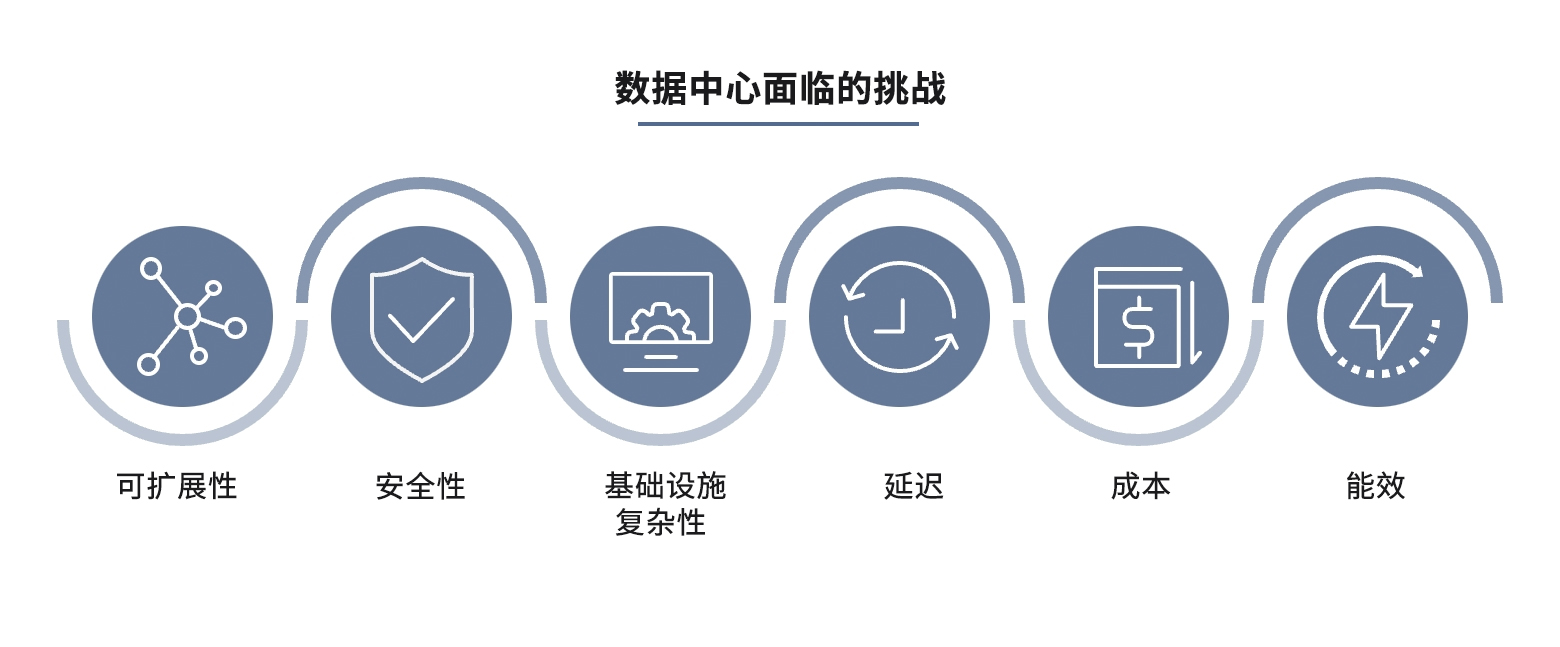
在大数据时代,数据中心网络对于存储和处理大量信息至关重要。随着云计算的出现,数据中心已成为现代技术的支柱,支持社交媒体、金融服务等众多行业。然而,生成和处理的大量数据带来了一些挑战,需要创新的解决方案。在这…...

29、架构-技术方法论之向微服务迈进
治理:理解系统复杂性 微服务架构的引入增加了系统的复杂性,这种复杂性不仅体现在技术层面,还包括组织、管理和运维等各个方面。本节将详细探讨微服务架构的复杂性来源,并介绍一些应对复杂性的治理策略。 1. 什么是治理 治理是指…...

点云处理实操 1. 求解点云法向
目录 一、点云法向的定义 二、如何计算计算法向量 三、实操 四、代码 main.cpp CMakeList.txt 一、点云法向的定义 点云法向量是指点云中某个点的局部表面法向量(Normal Vector)。法向量在三维空间中用来描述表面在该点处的方向属性,它是表面几何特征的重要描述工具。…...

XSS+CSRF组合拳
目录 简介 如何进行实战 进入后台创建一个新用户进行接口分析 构造注入代码 寻找XSS漏洞并注入 小结 简介 (案例中将使用cms靶场来进行演示) 在实战中CSRF利用条件十分苛刻,因为我们需要让受害者点击我们的恶意请求不是一件容易的事情…...
PasteSpiderFile文件同步管理端使用说明(V24.6.21.1)
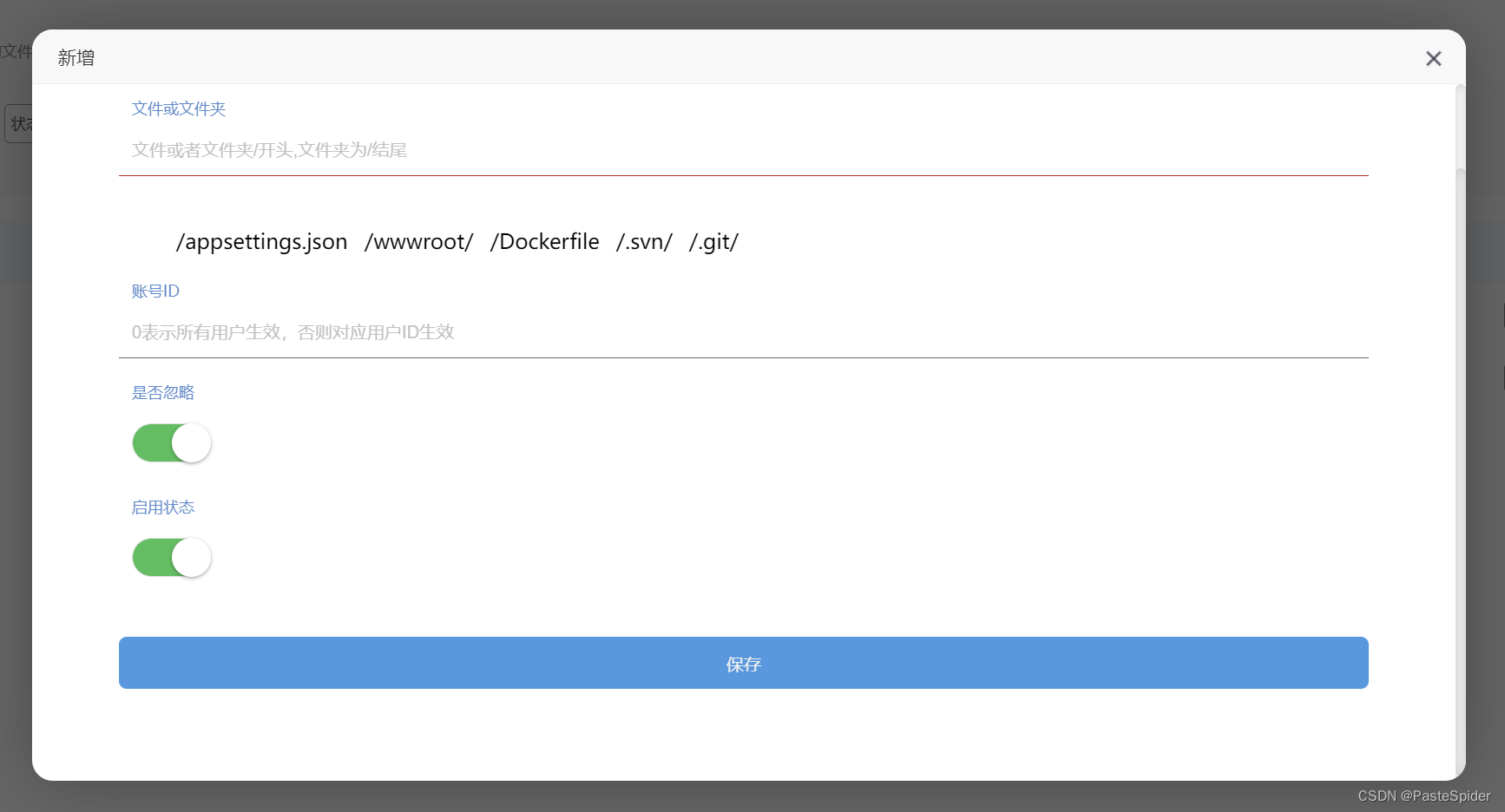
PasteSpider作为一款适合开发人员的部署管理工具,特意针对开发人员的日常情况做了一个PasteSpiderFile客户端,用于windows上的开发人员迅速的更新发布自己的最新代码到服务器上! 虽然PasteSpider也支持svn/git的源码拉取,自动编译…...

NLP中两种不同的中文分词形式,jieba和spaCy
1. jieba分词 import jiebatext在中国古代文化中,书法和绘画是艺术的重要表现形式。古人常说,‘文字如其人’,通过墨迹可以窥见作者的性情和气质。而画家则以笔墨搏击,表现出山川河流、花鸟虫鱼的灵动。这些艺术形式不仅仅是技艺…...
)
【数据库】四、数据库编程(SQL编程)
四、数据库编程 另一个大纲: 5.1存储过程 5.1.1存储过程基本概念 5.1.2创建存储过程 5.1.3存储过程体 5.1.4调用存储过程 5.1.5删除 5.2存储函数 5.2.1创建存储函数 5.2.2调用存储函数 5.2.3删除存储函数 目录 文章目录 四、数据库编程1.SQL编程基础1.1常量1.2变…...
17.RedHat认证-Ansible自动化运维(下)
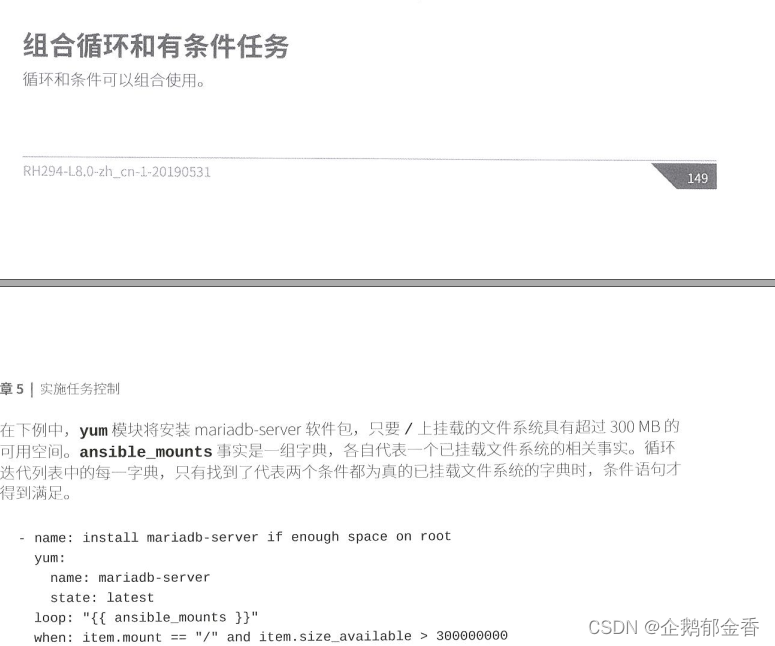
17.RedHat认证-Ansible自动化运维(下) 这个章节讲ansible的变量,包括变量的定义、变量的规则、变量范围、变量优先级、变量练习等。 以及对于tasks的控制,主要有loop循环作业、条件判断等 变量 介绍 Ansible支持变量功能,能将value存储到…...
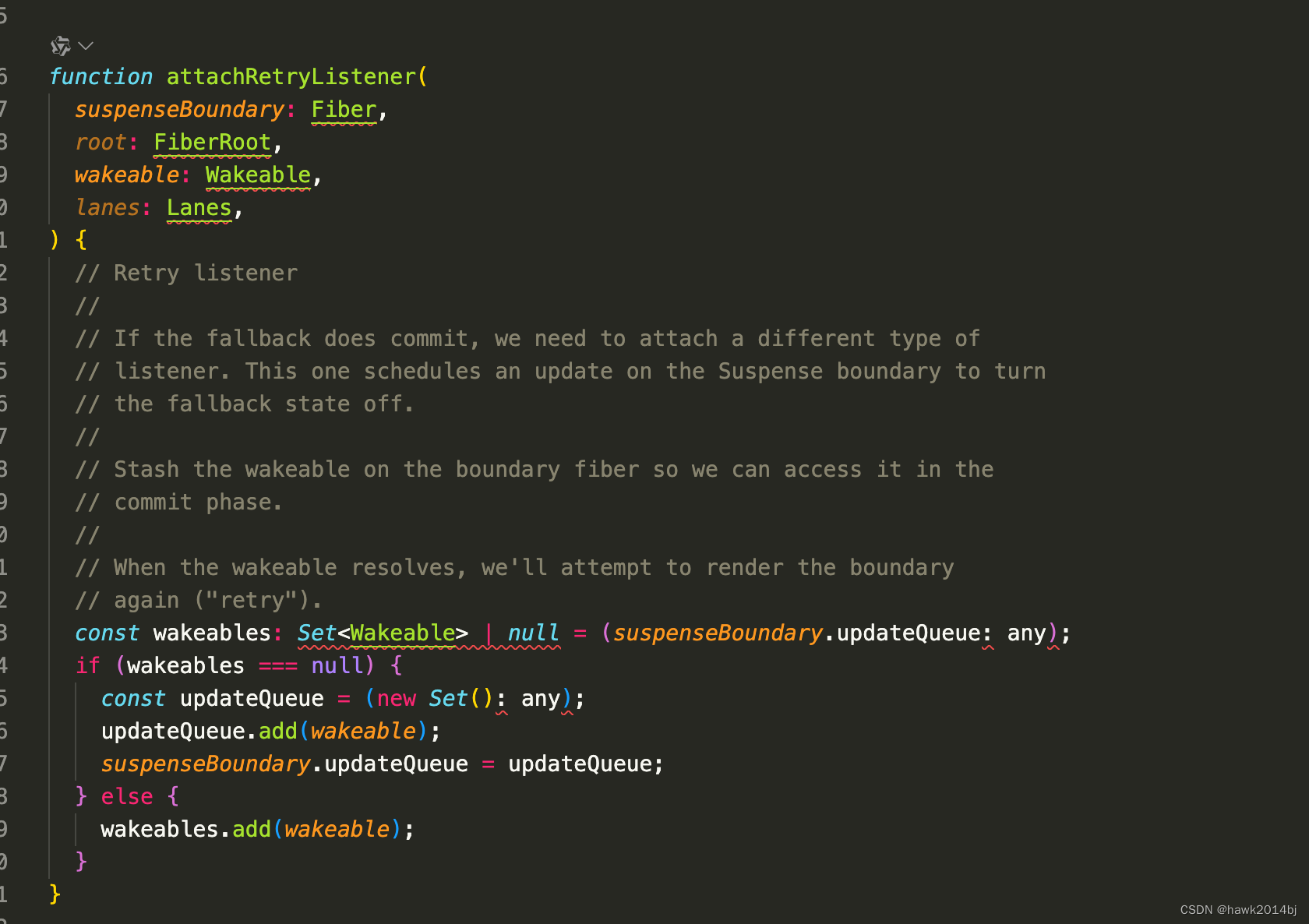
React Suspense的原理
React Suspense组件的作用是当组件未完成加载时,显示 fallback 组件。那么 Suspense 是如何实现的呢?React 的渲染是通过 Fiber 进行的,Suspense 的更新机制也是要围绕 Fiber 架构进行的。Suspense 是由两部分组成,实际 UI 子组件…...
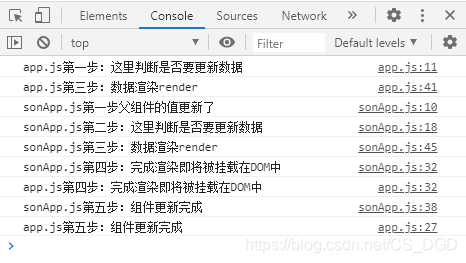
React的生命周期函数详解
import React,{Component} from "react";import SonApp from ./sonAppclass App extends Component{state{hobby:爱吃很多好吃的}// 是否要更新数据,这里返回true才会更新数据shouldComponentUpdate(nextProps,nextState){console.log("app.js第一步…...

DoubleSummaryStatistics 及其相关类之-简介
1. DoubleSummaryStatistics 使用简介 在Java 8中,DoubleSummaryStatistics 类被引入作为 java.util 包的一部分。它是一个用于收集统计数据(如计数、最小值、最大值、和、平均值等)的类,特别适用于处理 double 类型的数据。 Do…...

java线程间的通信 - join 和 ThreadLocal
你好,我是 shengjk1,多年大厂经验,努力构建 通俗易懂的、好玩的编程语言教程。 欢迎关注!你会有如下收益: 了解大厂经验拥有和大厂相匹配的技术等 希望看什么,评论或者私信告诉我! 文章目录 一…...

差分GPS原理
双差RTK(Real-Time Kinematic)算法是基于差分全球卫星导航系统(GNSS)技术的一种高精度定位方法。它利用至少两个接收机(一个为基站,其他为移动站)接收自同一组卫星的信号来实现精确测量。双差处…...

【栈与队列】前k个高频元素
题目:给你一个整数数组 nums 和一个整数 k ,请你返回其中出现频率前 k 高的元素。你可以按 任意顺序 返回答案。 分析:首先我们需要计算数组中元素出现的频率,前几篇文章讲解了哈希表的应用,所以这里我们很容易想到用…...
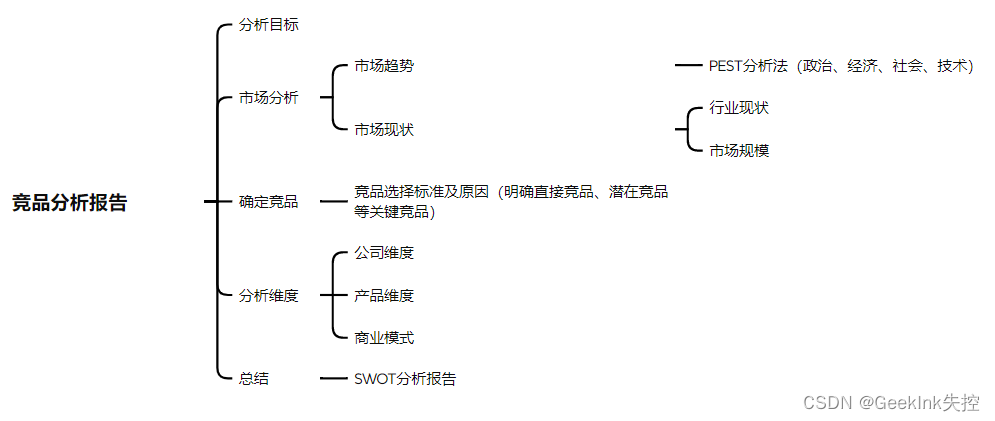
B端产品竞品分析-总结版
B端竞品分析的难点 分析维度-业务逻辑复杂 B端产品与C端产品业务模型不同,B端产品主要以业务为导向,因此其业务流程与业务逻辑梳理起来也会较C端产品复杂的多,对于个人能力也有一定的要求,需要我们具备相关领域或行业专业知识。…...
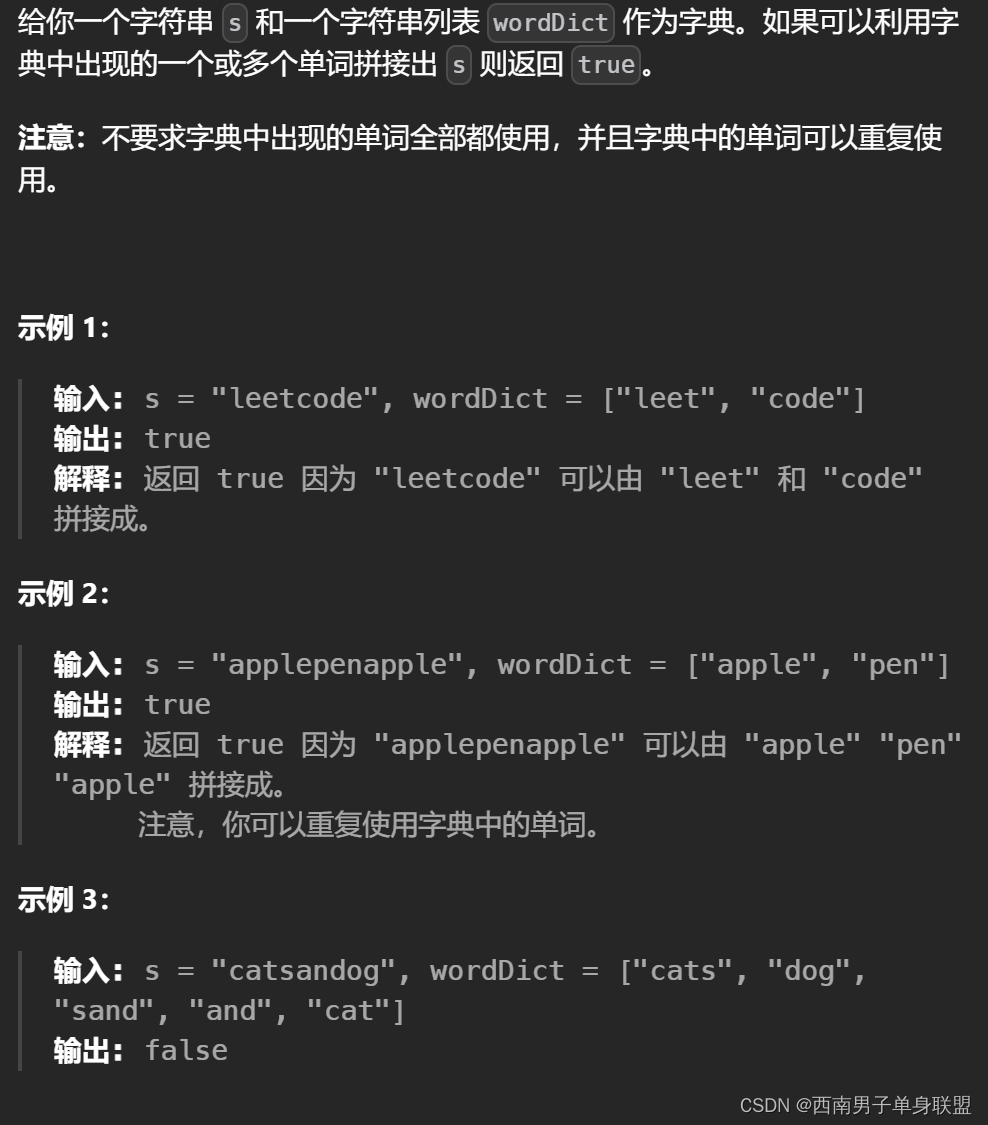
刷代码随想录有感(116):动态规划——单词拆分
题干: 代码: class Solution { public:bool wordBreak(string s, vector<string>& wordDict) {unordered_set<string>set(wordDict.begin(), wordDict.end());vector<bool>dp(s.size() 1, false);dp[0] true;for(int j 0; j &…...
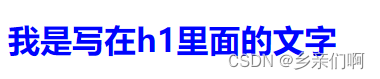
CSS-0_1 CSS和层叠(样式优先级、内联样式、选择器 用户代理样式)
CSS 的本质就是声明规则 ——《深入解析CSS》 文章目录 CSS层叠和优先级用户代理样式请和用户代理样式和谐相处 选择器单选择器的优先级选择器组的优先级关于选择器的其他源码顺序尽可能的选择优先级低的选择器 内联样式内联样式和JavaScript !important多个 !important 碎碎念…...
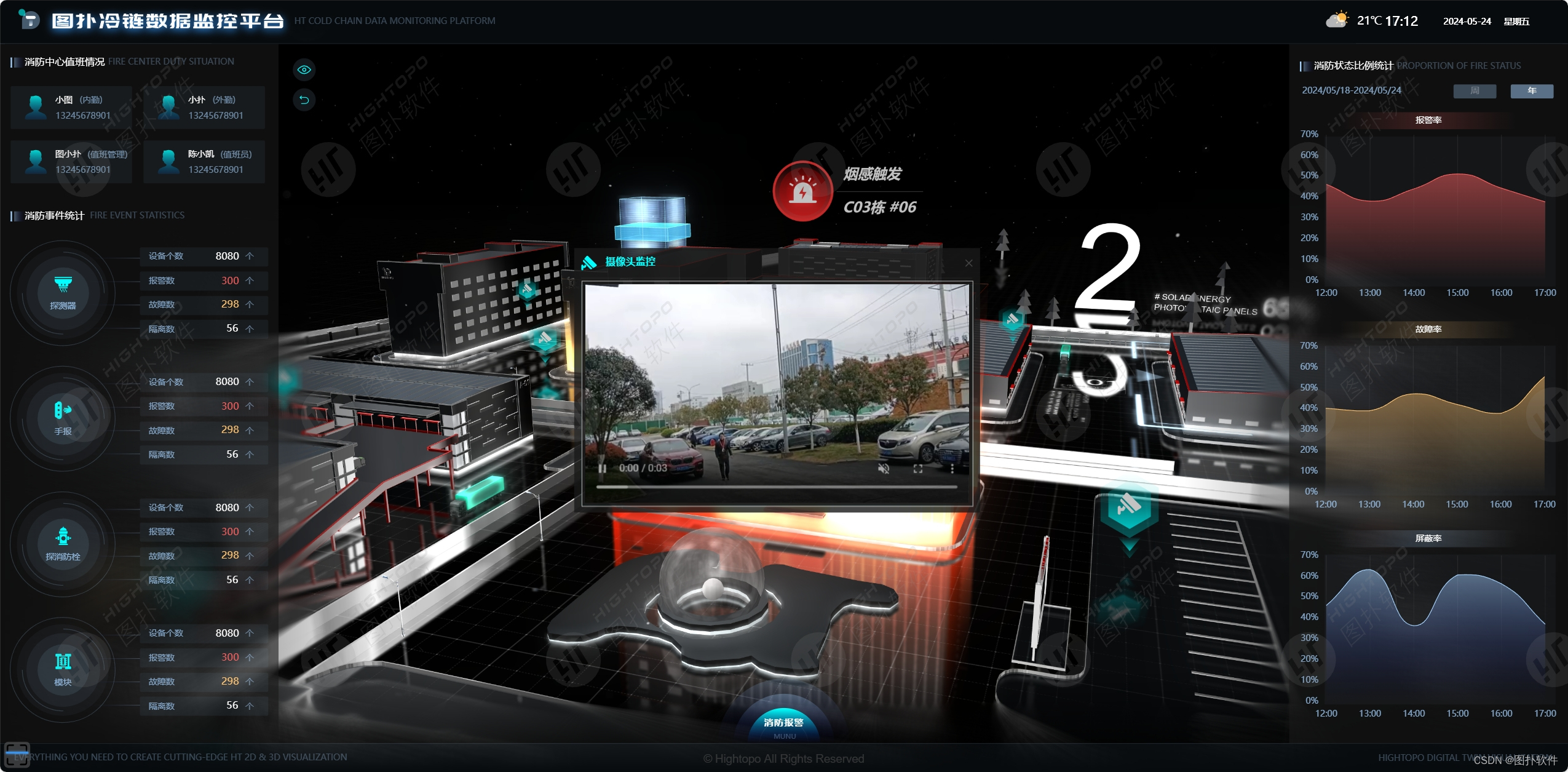
科技赋能冷链园区:可视化带来全新体验
应用图扑可视化技术,冷链园区能够更加直观地监控和管理资源,优化运作流程,提高运营效率与服务质量。...
高通安卓12-安卓系统定制2
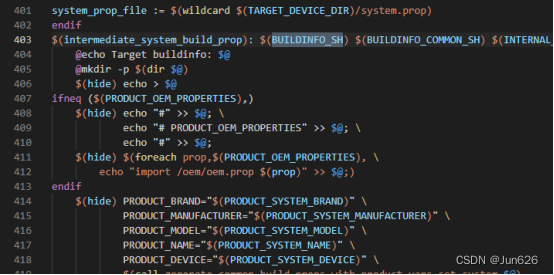
将开机动画打包到system.img里面 在目录device->qcom下面 有lito和qssi两个文件夹 现在通过QSSI的方式创建开机动画,LITO方式是一样的 首先加入自己的开机动画,制作过程看前面的部分 打开qssi.mk文件,在文件的最后加入内容 PRODUCT_CO…...

PostgreSQL CASE语句深度解析:性能、类型与NULL安全实战指南
1. 为什么你必须真正吃透 PostgreSQL 的 CASE 语句——它远不止是 SQL 里的“if-else”翻译器在 PostgreSQL 实战中,我见过太多人把CASE当成一个语法糖:写几个WHEN...THEN,加个ELSE,再套个END,就以为搞定了。结果呢&am…...

AX-MES生产制造管理系统-总览
前言说起 MES 就不得不说 ERP,但是 ERP 大家基本上都知道,MES 就不一定了,常见的 ERP 系统包括 SAP、金蝶、用友等,ERP的流程相对来说也比较统一;MES就不同了,基本上熟悉业务流程的软件公司都可以开发并实施…...

6款高效降AI率工具 改写实力出众
写论文时反复检测出的AI痕迹总让你提心吊胆?别担心,这里整理了6款真正好用的论文降AI率工具,堪称应对AI生成特征的“得力助手”。它们能有效识别并消除AI生成的痕迹,改写能力出众,帮你快速降低查重率,顺利通…...
:这份内部测试SOP已被3家头部科技公司紧急采购)
DeepSeek-R1补全能力封测倒计时(仅剩72小时开放API灰度权限):这份内部测试SOP已被3家头部科技公司紧急采购
更多请点击: https://intelliparadigm.com 第一章:DeepSeek-R1代码补全能力封测全景概览 DeepSeek-R1 是深度求索(DeepSeek)推出的高性能开源推理模型,在代码补全场景中展现出显著的上下文理解力与多语言泛化能力。本…...

TVA注意力层INT8量化配置技巧
重磅预告:本专栏将独家连载系列丛书《智能体视觉技术与应用》部分精华内容,该书是世界首套系统阐述“因式智能体”视觉理论与实践的专著,特邀美国 TypeOne 公司首席科学家、斯坦福大学博士 Bohan 担任技术顾问。Bohan先生师从美国三院院士、“…...

基于树莓派打造万能遥控器:从硬件选型到Web控制界面全解析
1. 项目概述:打造一个能“学习”的万能遥控器家里遥控器越来越多,电视、空调、风扇、灯带……每个设备都配一个,找起来麻烦,用起来也乱。市面上所谓的“万能遥控器”其实并不万能,它内置的码库有限,很多小众…...

人工智能的伦理与安全:这3个问题,软件测试从业者必须重视
随着大语言模型、生成式AI的爆发式落地,人工智能已经从实验室走向千行百业的生产场景,深刻改变着软件开发与交付的逻辑。对于直接把控产品质量关口的软件测试从业者来说,我们的职责早已不再是单纯验证功能可用性、排查性能bug那么简单——AI系…...

大厂校招变了:AI 能力正在进入笔试和面试
最近不少同学投递校招时,应该已经发现一个变化: 以前 JD 里写的是“熟悉 Python / Java / SQL / Office 优先”。 现在越来越多岗位开始出现新的描述: “熟练使用 AI 工具者优先” “了解大模型应用者优先” “具备 AI 辅助编程经验优先” “…...

终极解决方案:Windows Cleaner免费开源工具,3步彻底解决C盘爆红问题
终极解决方案:Windows Cleaner免费开源工具,3步彻底解决C盘爆红问题 【免费下载链接】WindowsCleaner Windows Cleaner——专治C盘爆红及各种不服! 项目地址: https://gitcode.com/gh_mirrors/wi/WindowsCleaner 你是否也经历过这样的…...

利用 Taotoken 多模型能力为智能客服场景提供备份路由
🚀 告别海外账号与网络限制!稳定直连全球优质大模型,限时半价接入中。 👉 点击领取海量免费额度 利用 Taotoken 多模型能力为智能客服场景提供备份路由 智能客服系统是许多企业与用户交互的关键入口,其响应能力和服务…...