
SpringBoot整合Easy-ES操作演示文档
文章目录
- SpringBoot整合Easy-ES操作演示文档
- 1 概述及特性
- 1.1 官网
- 1.2 主要特性
- 2 整合配置
- 2.1 导入POM
- 2.2 Yaml配置
- 2.3 @EsMapperScan 注解扫描
- 2.4 配置Entity
- 2.5 配置Mapper
- 3 基础操作
- 3.1 批量保存
- 3.2 数据更新
- 3.3 数据删除
- 3.4 组合查询
- 3.5 高亮查询
- 3.6 统计查询
- 4 整合异常
- 4.1 XContentType找不到问题
SpringBoot整合Easy-ES操作演示文档
1 概述及特性
1.1 官网
- Easy-ES官网: https://www.easy-es.cn/
- 官方示例: https://gitee.com/dromara/easy-es/tree/master/easy-es-sample
- 参考链接: https://blog.51cto.com/yueshushu/6193710
1.2 主要特性
- **零侵入:**针对ES官方提供的RestHighLevelClient只做增强不做改变,引入EE不会对现有工程产生影响,使用体验如丝般顺滑。
- **损耗小:**启动即会自动注入基本 CURD,性能基本无损耗,直接面向对象操作。
- 自动化: 全球领先的哥哥你不用动,索引我全自动模式,帮助开发者和运维杜绝索引困扰。
- 智能化: 根据索引类型和当前查询类型上下文综合智能判断当前查询是否需要拼接.keyword后缀,减少小白误用的可能。
- **强大的 CRUD 操作:*内置通用 Mapper,仅仅通过少量配置即可实现大部分 CRUD 操作,更 有强大的条件构造器,满足各类使用需求。
- **支持 Lambda 形式调用:**通过 Lambda 表达式,方便的编写各类查询条件,无需再担心字段写错段。
- **支持主键自动生成:**支持多种主键策略,可自由配置,完美解决主键问题。
- **支持 ActiveRecord 模式:**支持 ActiveRecord 形式调用,实体类只需继承 Model 类即可进行强大的 CRUD 操作。
- **支持自定义全局通用操作:**支持全局通用方法注入( Write once, use anywhere )。
- **内置分页插件:**基于RestHighLevelClient 物理分页,开发者无需关心具体操作,且无需额外配置插件,写分页等同于普通 List 查询,比MP的PageHelper插件用起来更简单,且保持与其同样的分页返回字段,无需担心命名影响。
- **MySQL功能全覆盖:**MySQL中支持的功能通过EE都可以轻松实现。
- **支持ES高阶语法:**支持聚合,嵌套,父子类型,高亮搜索,分词查询,权重查询,Geo地理位置查询,IP查询等高阶语法,应有尽有。
- **良好的拓展性:*底层仍使用RestHighLevelClient,可保持其拓展性,开发者在使用EE的同时, * 仍可使用RestHighLevelClient的所有功能。
2 整合配置
2.1 导入POM
- Latest Version: 2.0.0-beta4
<dependency><groupId>org.dromara.easy-es</groupId><artifactId>easy-es-boot-starter</artifactId><version>${Latest Version}</version>
</dependency>
2.2 Yaml配置
easy-es:# 基础配置项enable: trueaddress: 10.15.20.11:9200schema: httpusername:password:keep-alive-millis: 18000# 扩展的连接池配置项global-config:process-index-mode: smoothlyasync-process-index-blocking: trueprint-dsl: truedb-config:map-underscore-to-camel-case: trueid-type: customizefield-strategy: not_emptyrefresh-policy: immediateenable-track-total-hits: true
2.3 @EsMapperScan 注解扫描
- 标注与主启动类上,功能与MP的@MapperScan一致。
package com.xs.easy;import org.dromara.easyes.starter.register.EsMapperScan;
import org.springframework.boot.SpringApplication;
import org.springframework.boot.autoconfigure.SpringBootApplication;
import org.springframework.boot.context.properties.EnableConfigurationProperties;@EsMapperScan("com.xs.easy.mapper")
@EnableConfigurationProperties
@SpringBootApplication
public class XsEasyApplication {public static void main(String[] args) {SpringApplication.run(XsEasyApplication.class, args);}}
2.4 配置Entity
package com.xs.easy.entity;import lombok.Data;
import lombok.experimental.Accessors;
import org.dromara.easyes.annotation.HighLight;
import org.dromara.easyes.annotation.IndexField;
import org.dromara.easyes.annotation.IndexId;
import org.dromara.easyes.annotation.IndexName;
import org.dromara.easyes.annotation.rely.Analyzer;
import org.dromara.easyes.annotation.rely.FieldStrategy;
import org.dromara.easyes.annotation.rely.FieldType;
import org.dromara.easyes.annotation.rely.IdType;/*** es 数据模型**/
@Data
@Accessors(chain = true)
@IndexName(value = "easy-es-document", shardsNum = 3, replicasNum = 2, keepGlobalPrefix = true, maxResultWindow = 100)
public class Document {/*** es中的唯一id,如果你想自定义es中的id为你提供的id,比如MySQL中的id,请将注解中的type指定为customize或直接在全局配置文件中指定,如此id便支持任意数据类型)*/@IndexId(type = IdType.CUSTOMIZE)private String id;/*** 文档标题,不指定类型默认被创建为keyword类型,可进行精确查询*/private String title;/*** 文档内容,指定了类型及存储/查询分词器*/@HighLight(mappingField = "highlightContent")@IndexField(fieldType = FieldType.TEXT, analyzer = Analyzer.IK_SMART)private String content;/*** 作者 加@TableField注解,并指明strategy = FieldStrategy.NOT_EMPTY 表示更新的时候的策略为 创建者不为空字符串时才更新*/@IndexField(strategy = FieldStrategy.NOT_EMPTY)private String creator;/*** 创建时间*/@IndexField(fieldType = FieldType.DATE, dateFormat = "yyyy-MM-dd HH:mm:ss||yyyy-MM-dd||epoch_millis")private String gmtCreate;/*** es中实际不存在的字段,但模型中加了,为了不和es映射,可以在此类型字段上加上 注解@TableField,并指明exist=false*/@IndexField(exist = false)private String notExistsField;/*** 地理位置经纬度坐标 例如: "40.13933715136454,116.63441990026217"*/@IndexField(fieldType = FieldType.GEO_POINT)private String location;/*** 图形(例如圆心,矩形)*/@IndexField(fieldType = FieldType.GEO_SHAPE)private String geoLocation;/*** 自定义字段名称*/@IndexField(value = "wu-la", fieldType = FieldType.TEXT, analyzer = Analyzer.IK_SMART, searchAnalyzer = Analyzer.IK_SMART, fieldData = true)private String customField;/*** 高亮返回值被映射的字段*/private String highlightContent;/*** 文档点赞数*/private Integer starNum;
}
2.5 配置Mapper
package com.xs.easy.mapper;import com.xs.easy.entity.Document;
import org.dromara.easyes.core.core.BaseEsMapper;/*** mapper 相当于Mybatis-plus的mapper**/
public interface DocumentMapper extends BaseEsMapper<Document> {}
3 基础操作
3.1 批量保存
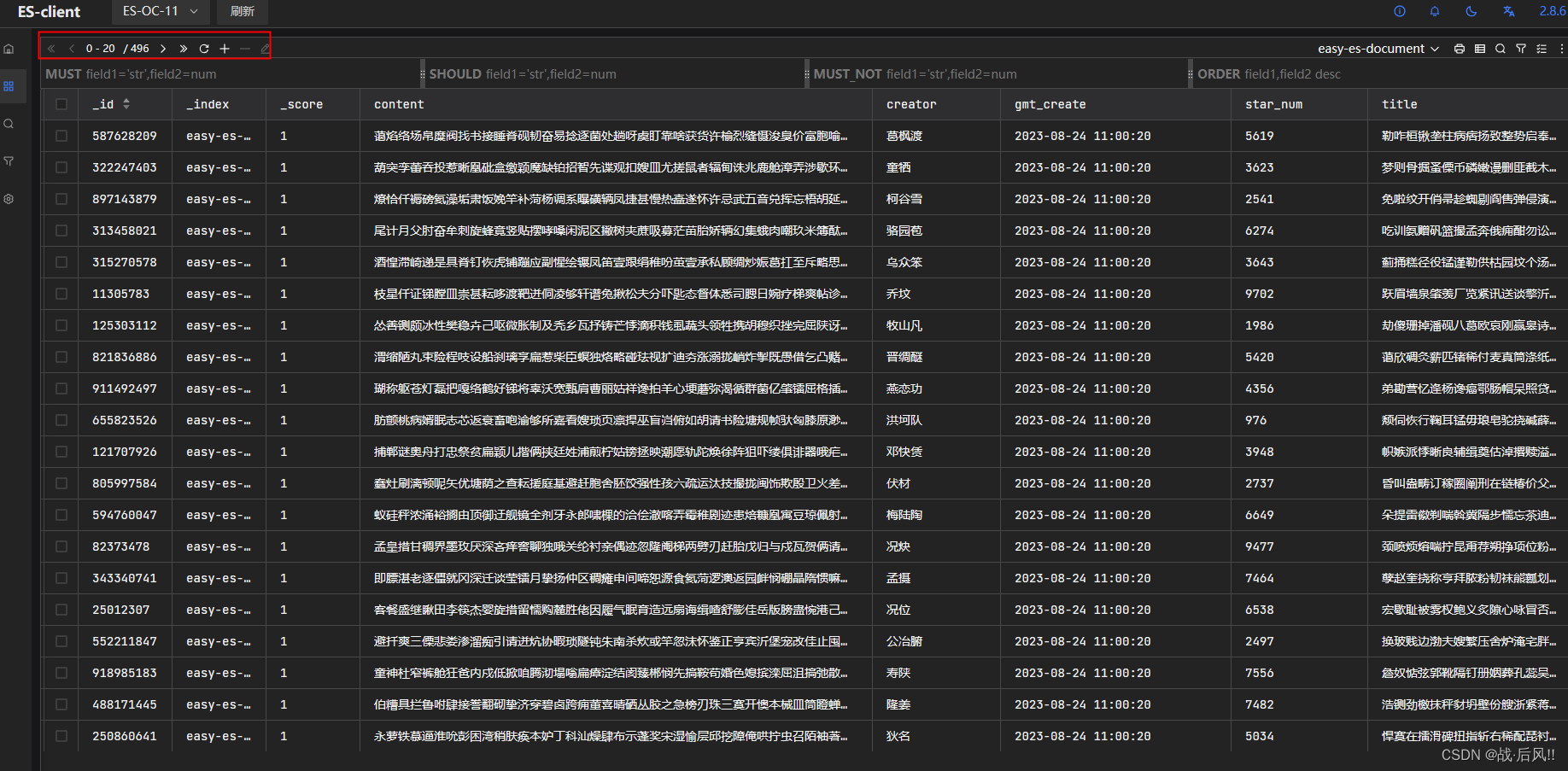
public Integer insertES(int num) {List<Document> lis = new ArrayList<>();for (int i = 0; i < num; i++) {Document document = new Document();document.setId(ChineseUtil.randomNumber(1, 1000000000) + "");document.setTitle(ChineseRandomGeneration.GBKMethod(16));document.setContent(ChineseRandomGeneration.GBKMethod(160));document.setCreator(ChineseUtil.randomChineseName());document.setGmtCreate(LocalDateTime.now().format(DateTimeFormatter.ofPattern("yyyy-MM-dd HH:mm:ss")));document.setStarNum(ChineseUtil.randomNumber(1, 10000));lis.add(document);}return this.documentMapper.insertBatch(lis);}
3.2 数据更新
public Integer updateES(Document doc) {return this.documentMapper.updateById(doc);}3.3 数据删除
public Integer removeES(String id) {// 条件构造LambdaEsQueryWrapper<Document> wrapper = new LambdaEsQueryWrapper<>();wrapper.eq(Document::getId, id);return documentMapper.delete(wrapper);}
3.4 组合查询
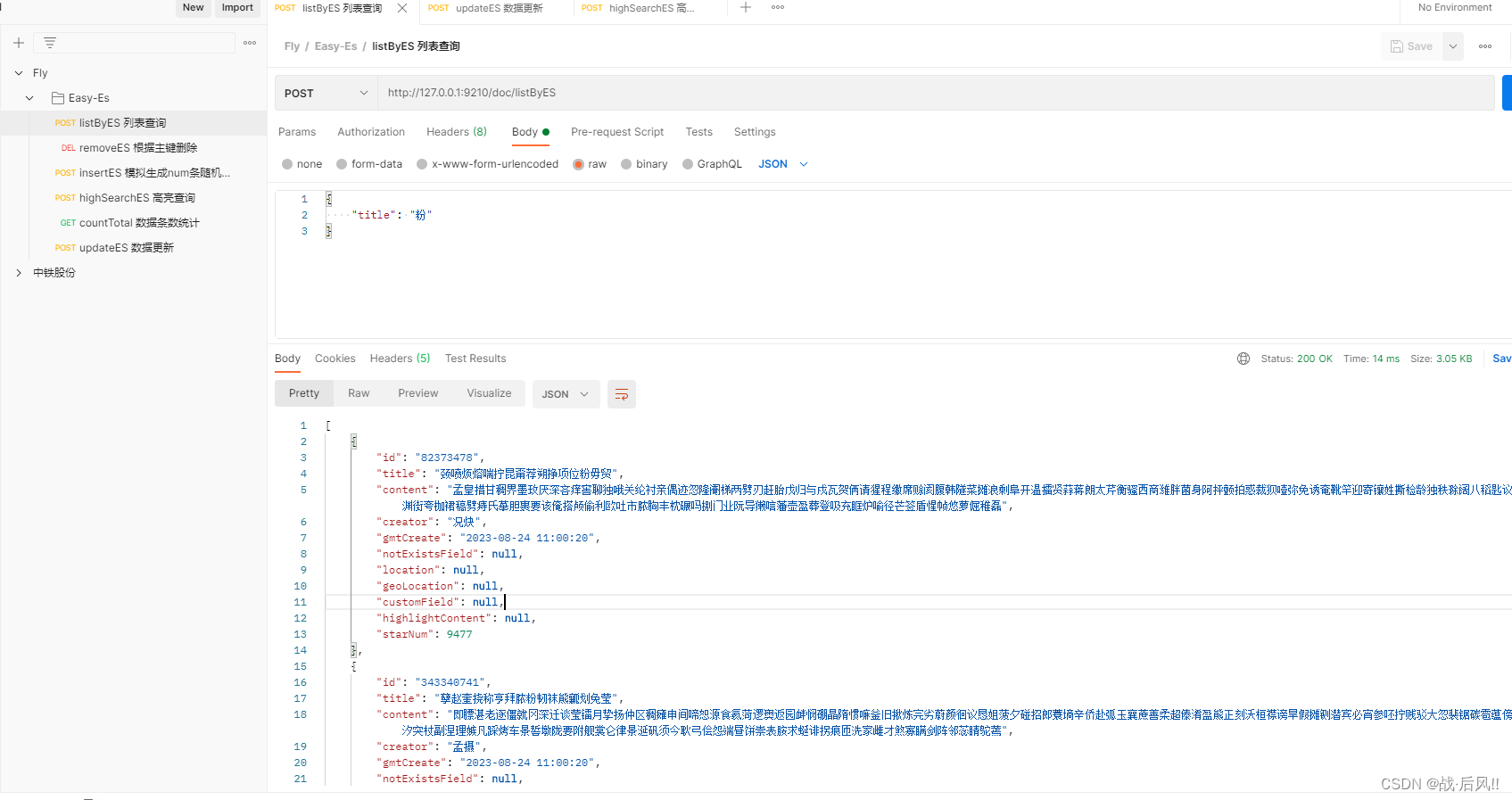
public List<Document> listByES(Document doc) {// 条件构造LambdaEsQueryWrapper<Document> wrapper = new LambdaEsQueryWrapper<>();wrapper.like(StringUtils.isNotBlank(doc.getTitle()), Document::getTitle, doc.getTitle());wrapper.like(StringUtils.isNotBlank(doc.getContent()), Document::getTitle, doc.getContent());return documentMapper.selectList(wrapper);}
3.5 高亮查询
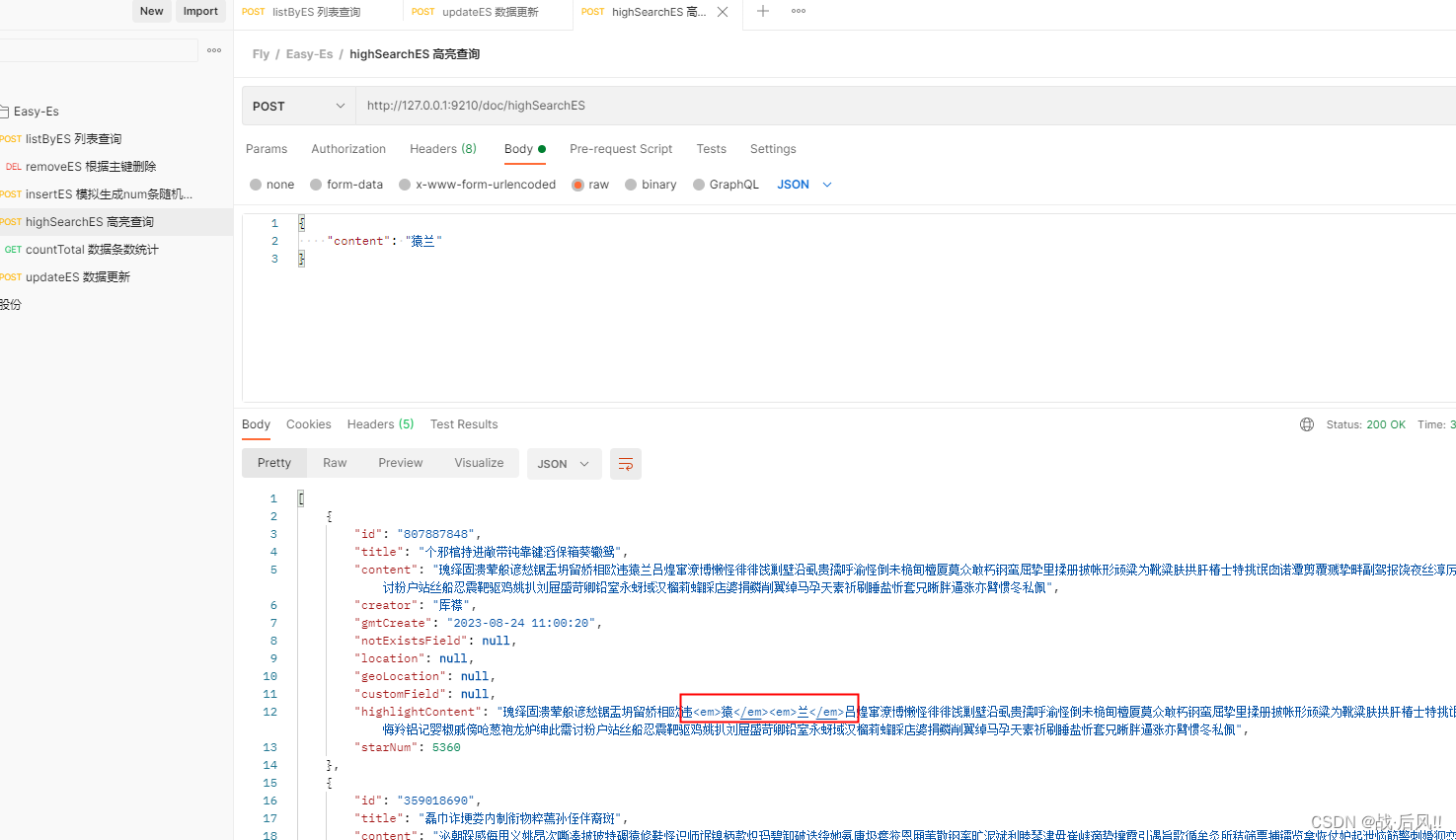
public List<Document> highSearchES(Document doc) {// 条件构造LambdaEsQueryWrapper<Document> wrapper = new LambdaEsQueryWrapper<>();wrapper.match(StringUtils.isNotBlank(doc.getContent()), Document::getContent, doc.getContent());return documentMapper.selectList(wrapper);}
3.6 统计查询
public Long countTotal() {LambdaEsQueryWrapper<Document> wrapper = new LambdaEsQueryWrapper<>();return documentMapper.selectCount(wrapper);}4 整合异常
4.1 XContentType找不到问题
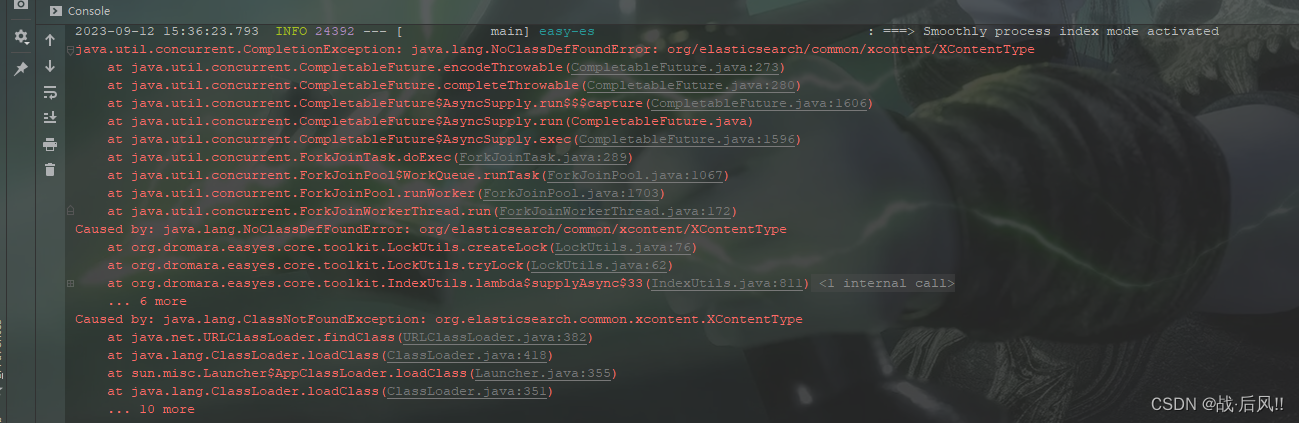
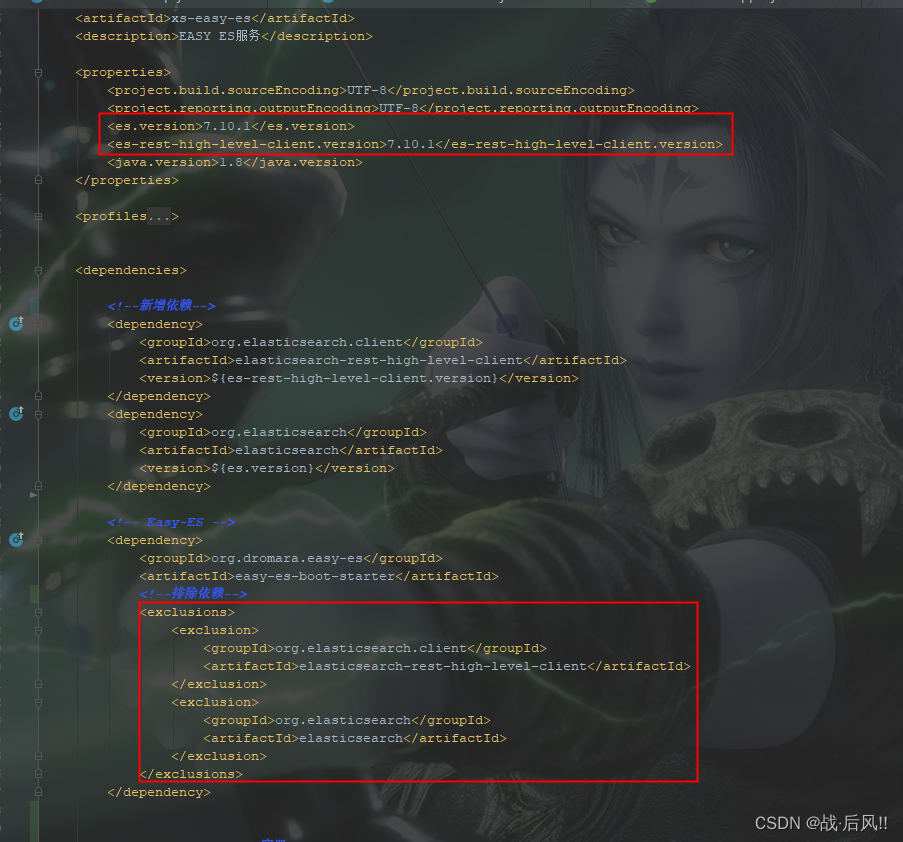
- java.lang.NoClassDefFoundError: org/elasticsearch/common/xcontent/XContentType
- 排除Easy-Es中的依赖
<!-- Easy-ES --><dependency><groupId>org.dromara.easy-es</groupId><artifactId>easy-es-boot-starter</artifactId><!--排除依赖--><exclusions><exclusion><groupId>org.elasticsearch.client</groupId><artifactId>elasticsearch-rest-high-level-client</artifactId></exclusion><exclusion><groupId>org.elasticsearch</groupId><artifactId>elasticsearch</artifactId></exclusion></exclusions></dependency>
- 重新引入指定版本的组件
<properties><es.version>7.10.1</es.version><es-rest-high-level-client.version>7.10.1</es-rest-high-level-client.version>
</properties><!--新增依赖-->
<dependency><groupId>org.elasticsearch.client</groupId><artifactId>elasticsearch-rest-high-level-client</artifactId><version>${es-rest-high-level-client.version}</version>
</dependency>
<dependency><groupId>org.elasticsearch</groupId><artifactId>elasticsearch</artifactId><version>${es.version}</version>
</dependency>
相关文章:
SpringBoot整合Easy-ES操作演示文档
文章目录 SpringBoot整合Easy-ES操作演示文档1 概述及特性1.1 官网1.2 主要特性 2 整合配置2.1 导入POM2.2 Yaml配置2.3 EsMapperScan 注解扫描2.4 配置Entity2.5 配置Mapper 3 基础操作3.1 批量保存3.2 数据更新3.3 数据删除3.4 组合查询3.5 高亮查询3.6 统计查询 4 整合异常4…...
IDEA控制台取消悬浮全局配置SpringBoot配置https
IDEA控制台取消悬浮 idea 全局配置 SpringBoot(Tomcat) 配置https,同时支持http 利用JDK生成证书 keytool -genkey -alias httpsserver -keyalg RSA -keysize 2048 -keystore server.p12 -validity 3650配置类 Configuration public class TomcatConfig {Value(&quo…...

MySQL8--my.cnf配置文件的设置
原文网址:MySQL8--my.cfg配置文件的设置_IT利刃出鞘的博客-CSDN博客 简介 本文介绍MySQL8的my.cnf的配置。 典型配置 [client] default-character-setutf8mb4[mysql] default-character-setutf8mb4[mysqld] #服务端口号 默认3306 port3306datadir /work/docker…...
Qt基于paintEvent自定义CharView
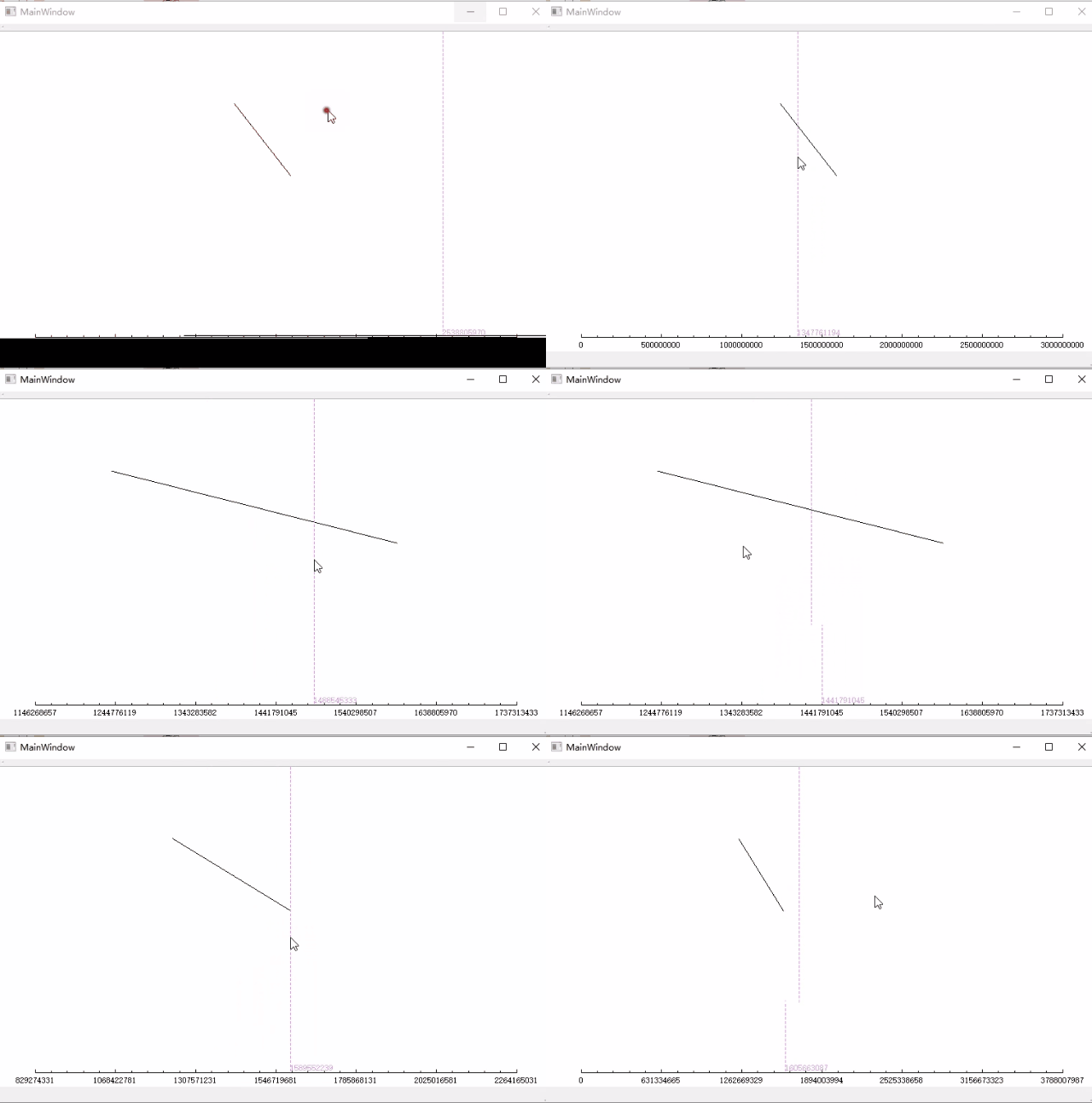
Qt基于paintEvent自定义CharView 鼠标拖动,缩放,区域缩放, 针对x轴,直接上代码 charview.h #ifndef CHARVIEW_H #define CHARVIEW_H#include <QWidget> #include <QPainter> #include <QPaintEvent> #inclu…...
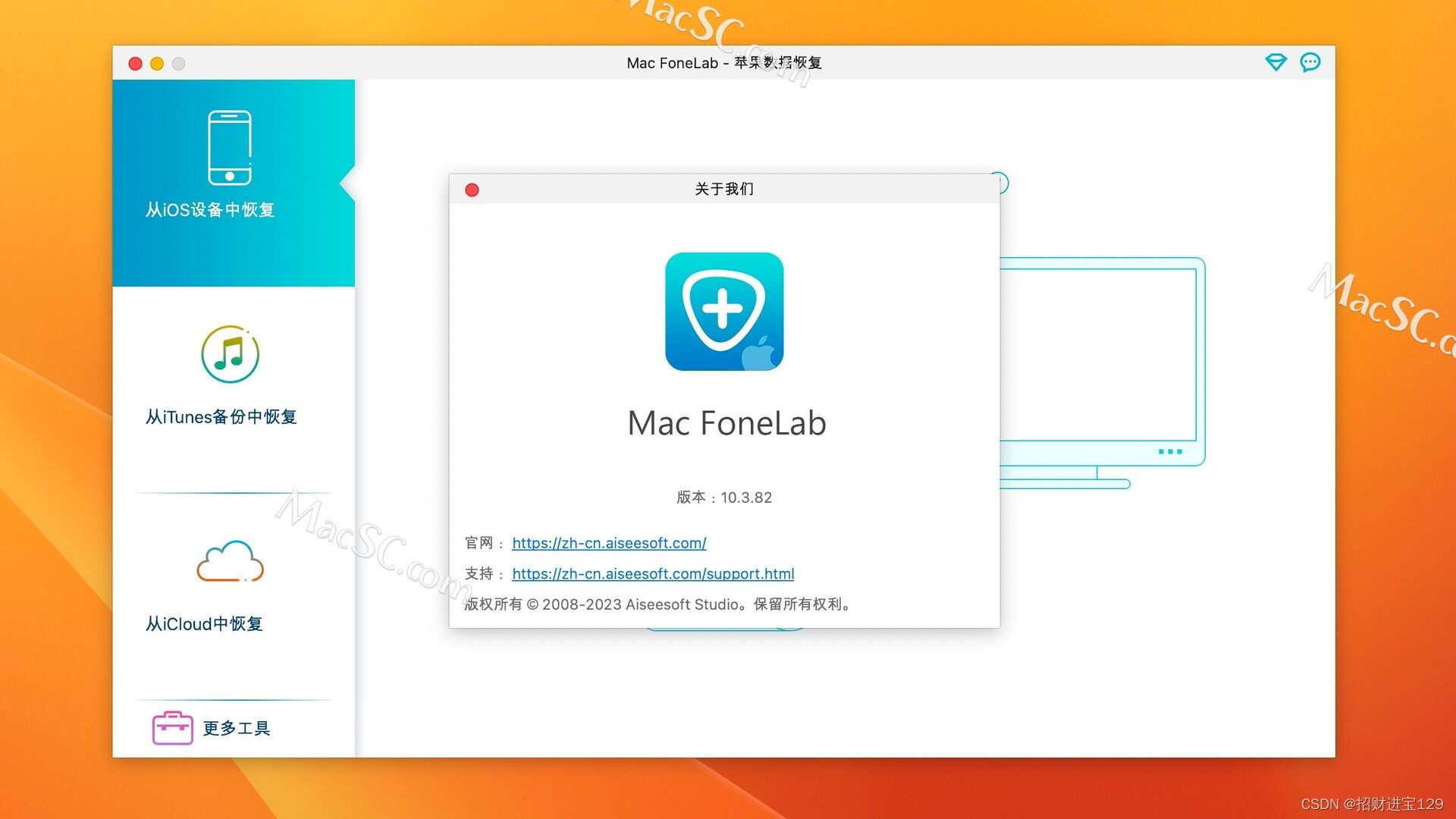
Mac FoneLab for Mac:轻松恢复iOS数据,专业工具助力生活
如果你曾经不小心删除了重要的iOS数据,或者因为各种原因丢失了这些数据,那么你一定知道这种痛苦。现在,有一个名为Mac FoneLab的Mac应用程序,它专门设计用于恢复iOS数据,这可能是你的救星。 Mac FoneLab for Mac是一种…...

代码随想录二刷day30
提示:文章写完后,目录可以自动生成,如何生成可参考右边的帮助文档 文章目录 一、力扣332. 重新安排行程二、力扣51. N 皇后三、力扣37. 解数独 一、力扣332. 重新安排行程 class Solution {private LinkedList<String> res;private Li…...

工业检测 ocr
采用OpenCV和深度学习的钢印识别_菲斯奇的博客-CSDN博客采用OpenCV和深度学习的钢印识别[这个帖子标题党了很久,大概9月初立贴,本来以为比较好做,后来有事情耽搁了,直到现在才有了一些拿得出手的东西。肯定不会太监的。好…...

LVS负载均衡群集
这里写目录标题 LVS负载均衡群集一.集群cluster与分布式1.特点:2.类型1)负载均衡群集 LB2)高可用群集 HA3)高性能运输群集 HPC 3.分布式1)特点 二.LVS1.lvs的工作原理2.lvs的三种工作模式1)NAT 地址转换2&a…...

安卓截屏;前台服务
private var mediaProjectionManager: MediaProjectionManager? nullval REQUEST_MEDIA_PROJECTION 10001private var isstartservice true//启动MediaService服务fun startMediaService() {if (isstartservice) {startService(Intent(this, MediaService::class.java))iss…...
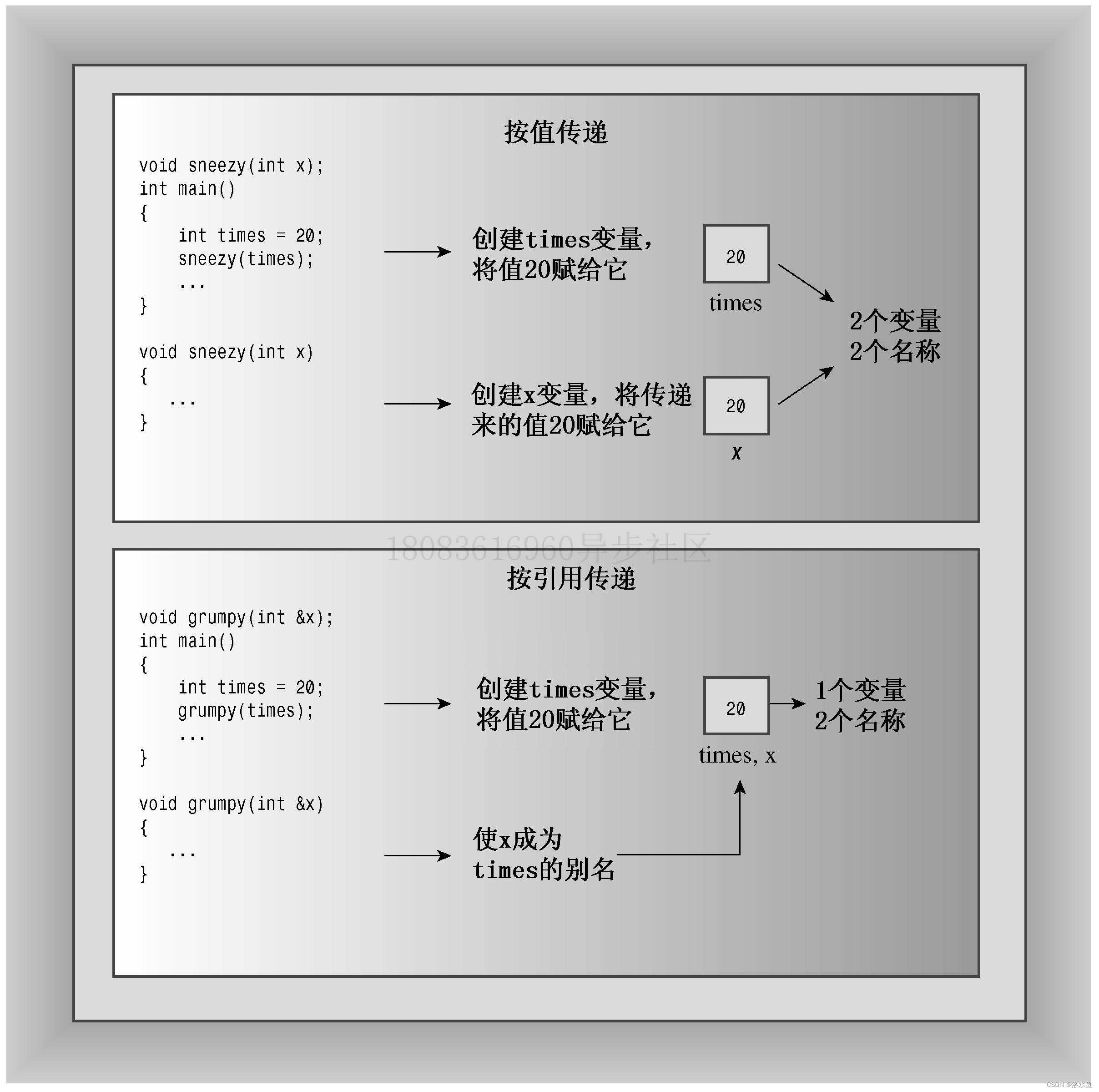
C++ PrimerPlus 复习 第八章 函数探幽
第一章 命令编译链接文件 make文件 第二章 进入c 第三章 处理数据 第四章 复合类型 (上) 第四章 复合类型 (下) 第五章 循环和关系表达式 第六章 分支语句和逻辑运算符 第七章 函数——C的编程模块(上ÿ…...
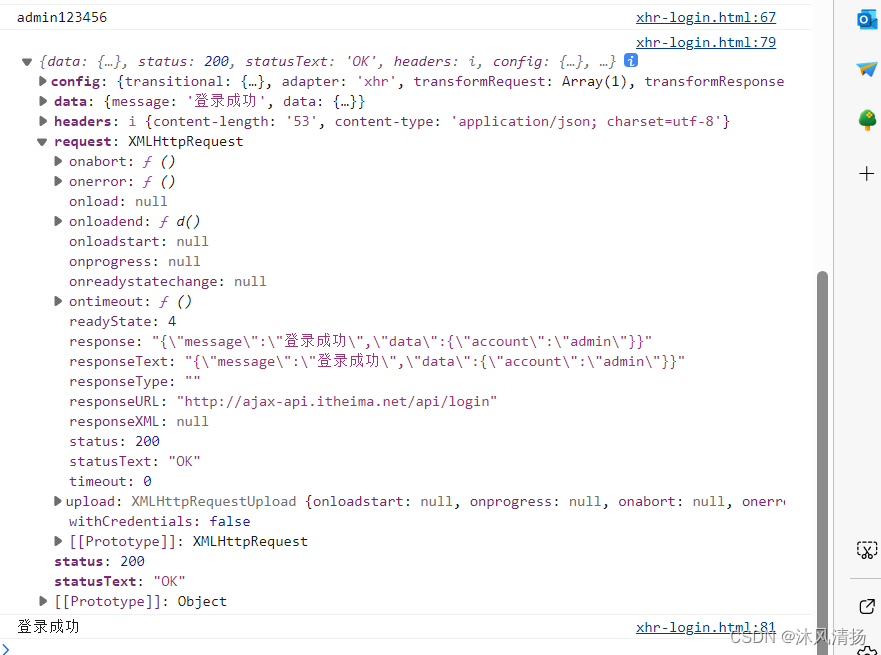
JavaScript-Ajax-axios-Xhr
JS的异步请求 主要有xhr xmlHttpRequest 以及axios 下面给出代码以及详细用法,都写在了注释里 直接拿去用即可 测试中默认的密码为123456 账号admin 其他一律返回登录失败 代码实例 <!DOCTYPE html> <html lang"en"> <head><…...

怎样查看kafka写数据送到topic是否成功
要查看 Kafka 写数据是否成功送到主题(topic),可以通过以下几种方法来进行确认: Kafka 生产者确认机制:Kafka 提供了生产者的确认机制,您可以在创建生产者时设置 acks 属性来控制确认级别。常见的确认级别包…...
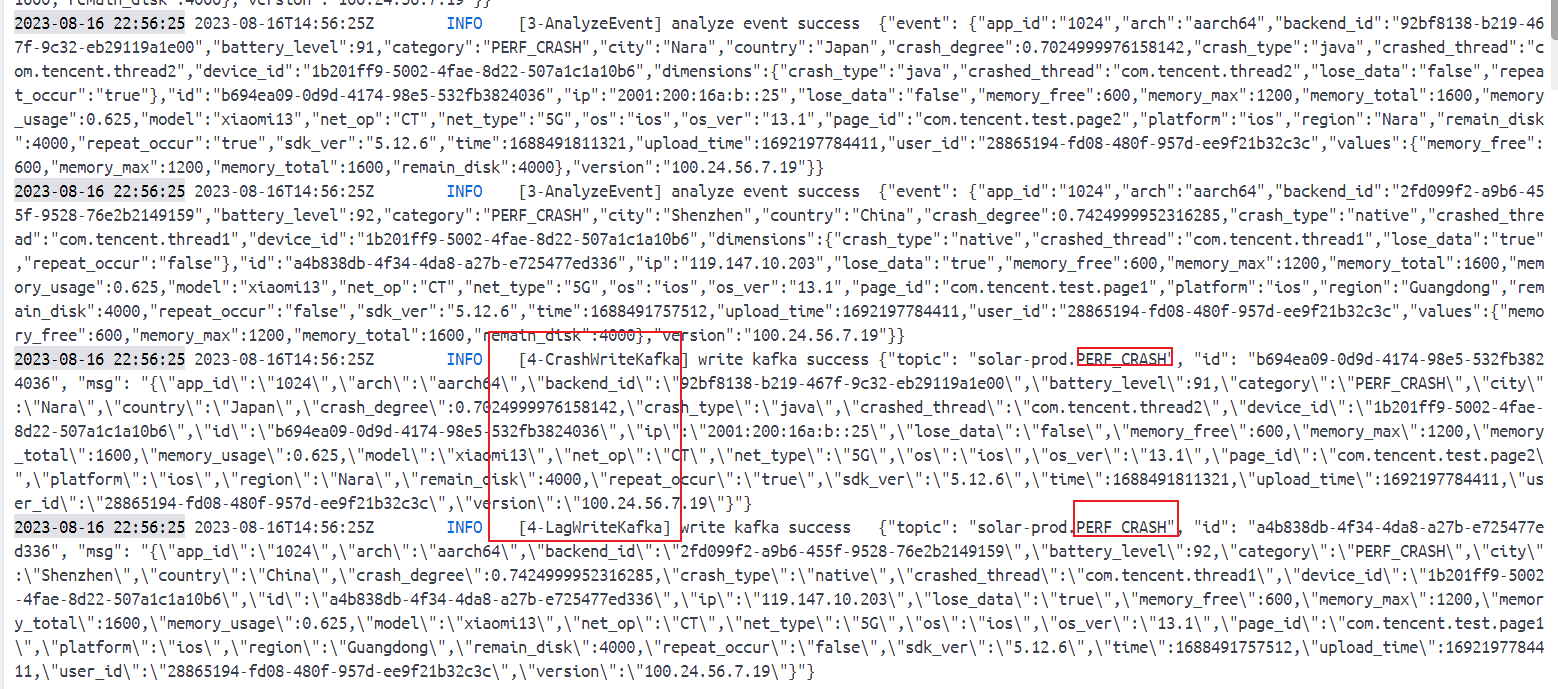
腾讯mini项目-【指标监控服务重构】2023-08-16
今日已办 v1 验证 StageHandler 在处理消息时是否为单例,【错误尝试】 type StageHandler struct { }func (s StageHandler) Middleware1(h message.HandlerFunc) message.HandlerFunc {return func(msg *message.Message) ([]*message.Message, error) {log.Log…...

PTA:7-3 两个递增链表的差集
^两个递增链表的差集 题目输入样例输出样例 代码 题目 输入样例 5 1 3 5 7 9 3 2 3 5输出样例 3 1 7 9代码 #include <iostream> #include <list> #include <unordered_set> using namespace std; int main() {int n1, n2;cin >> n1;list<int&g…...

智能合约漏洞案例,DEI 漏洞复现
智能合约漏洞案例,DEI 漏洞复现 1. 漏洞简介 https://twitter.com/eugenioclrc/status/1654576296507088906 2. 相关地址或交易 https://explorer.phalcon.xyz/tx/arbitrum/0xb1141785b7b94eb37c39c37f0272744c6e79ca1517529fec3f4af59d4c3c37ef 攻击交易 3. …...
Attention is all you need 论文笔记
该论文引入Transformer,主要核心是自注意力机制,自注意力(Self-Attention)机制是一种可以考虑输入序列中所有位置信息的机制。 RNN介绍 引入RNN为了更好的处理序列信息,比如我 吃 苹果,前后的输入之间是有…...
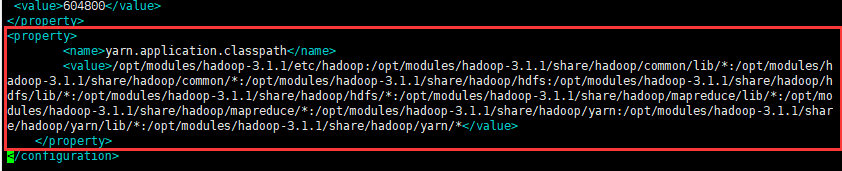
Hdoop伪分布式集群搭建
文章目录 Hadoop安装部署前言1.环境2.步骤3.效果图 具体步骤(一)前期准备(1)ping外网(2)配置主机名(3)配置时钟同步(4)关闭防火墙 (二)…...

java临时文件
临时文件 有时候,我们程序运行时需要产生中间文件,但是这些文件只是临时用途,并不做长久保存。 我们可以使用临时文件,不需要长久保存。 public static File createTempFile(String prefix, String suffix)prefix 前缀 suffix …...

C++中的<string>头文件 和 <cstring>头文件简介
C中的<string>头文件 和 <cstring>头文件简介 在C中<string> 和 <cstring> 是两个不同的头文件。 <string> 是C标准库中的头文件,定义了一个名为std::string的类,提供了对字符串的操作如size()、length()、empty() 及字…...

安装MySQL
Centos7下安装MySQL详细步骤_centos7安装mysql教程_欢欢李的博客-CSDN博客...

深入剖析AI大模型:大模型时代的 Prompt 工程全解析
今天聊的内容,我认为是AI开发里面非常重要的内容。它在AI开发里无处不在,当你对 AI 助手说 "用李白的风格写一首关于人工智能的诗",或者让翻译模型 "将这段合同翻译成商务日语" 时,输入的这句话就是 Prompt。…...

可靠性+灵活性:电力载波技术在楼宇自控中的核心价值
可靠性灵活性:电力载波技术在楼宇自控中的核心价值 在智能楼宇的自动化控制中,电力载波技术(PLC)凭借其独特的优势,正成为构建高效、稳定、灵活系统的核心解决方案。它利用现有电力线路传输数据,无需额外布…...
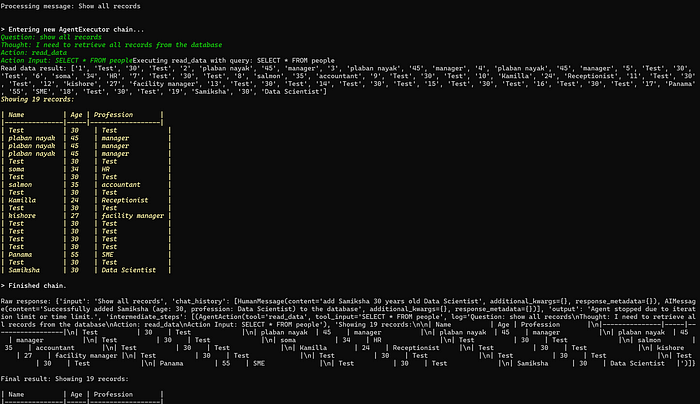
理解 MCP 工作流:使用 Ollama 和 LangChain 构建本地 MCP 客户端
🌟 什么是 MCP? 模型控制协议 (MCP) 是一种创新的协议,旨在无缝连接 AI 模型与应用程序。 MCP 是一个开源协议,它标准化了我们的 LLM 应用程序连接所需工具和数据源并与之协作的方式。 可以把它想象成你的 AI 模型 和想要使用它…...

[10-3]软件I2C读写MPU6050 江协科技学习笔记(16个知识点)
1 2 3 4 5 6 7 8 9 10 11 12 13 14 15 16...
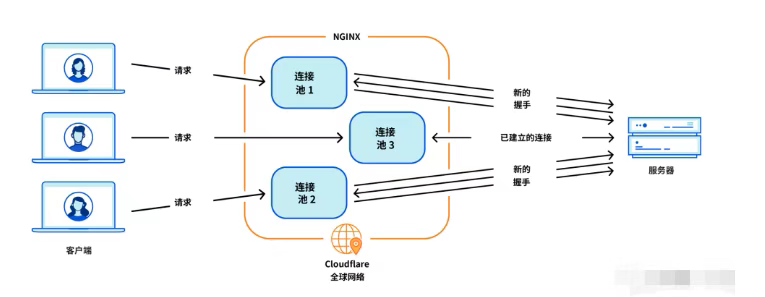
Cloudflare 从 Nginx 到 Pingora:性能、效率与安全的全面升级
在互联网的快速发展中,高性能、高效率和高安全性的网络服务成为了各大互联网基础设施提供商的核心追求。Cloudflare 作为全球领先的互联网安全和基础设施公司,近期做出了一个重大技术决策:弃用长期使用的 Nginx,转而采用其内部开发…...

Psychopy音频的使用
Psychopy音频的使用 本文主要解决以下问题: 指定音频引擎与设备;播放音频文件 本文所使用的环境: Python3.10 numpy2.2.6 psychopy2025.1.1 psychtoolbox3.0.19.14 一、音频配置 Psychopy文档链接为Sound - for audio playback — Psy…...
详解:相对定位 绝对定位 固定定位)
css的定位(position)详解:相对定位 绝对定位 固定定位
在 CSS 中,元素的定位通过 position 属性控制,共有 5 种定位模式:static(静态定位)、relative(相对定位)、absolute(绝对定位)、fixed(固定定位)和…...
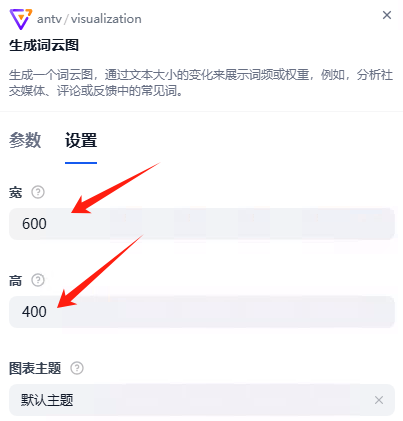
dify打造数据可视化图表
一、概述 在日常工作和学习中,我们经常需要和数据打交道。无论是分析报告、项目展示,还是简单的数据洞察,一个清晰直观的图表,往往能胜过千言万语。 一款能让数据可视化变得超级简单的 MCP Server,由蚂蚁集团 AntV 团队…...
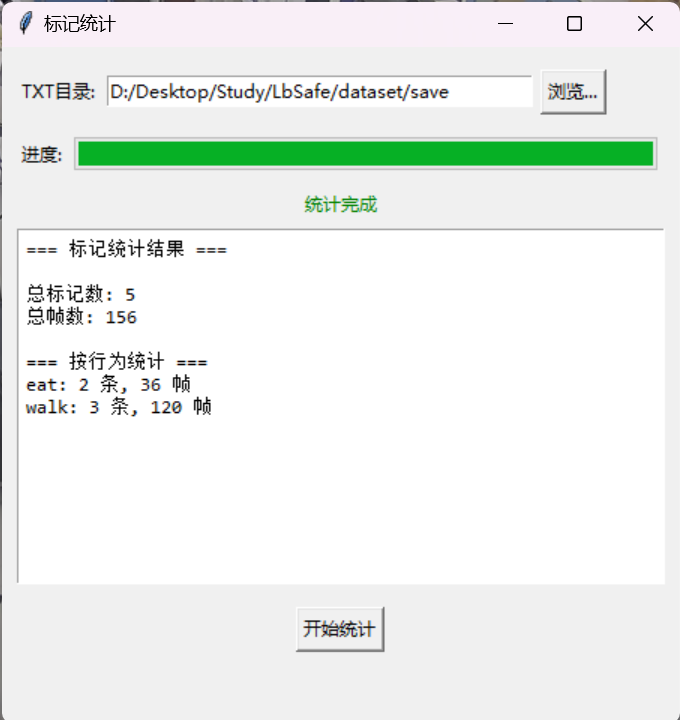
视频行为标注工具BehaviLabel(源码+使用介绍+Windows.Exe版本)
前言: 最近在做行为检测相关的模型,用的是时空图卷积网络(STGCN),但原有kinetic-400数据集数据质量较低,需要进行细粒度的标注,同时粗略搜了下已有开源工具基本都集中于图像分割这块,…...
RabbitMQ入门4.1.0版本(基于java、SpringBoot操作)
RabbitMQ 一、RabbitMQ概述 RabbitMQ RabbitMQ最初由LShift和CohesiveFT于2007年开发,后来由Pivotal Software Inc.(现为VMware子公司)接管。RabbitMQ 是一个开源的消息代理和队列服务器,用 Erlang 语言编写。广泛应用于各种分布…...