
精调llama模型
github地址:https://github.com/facebookresearch/llama-recipes
github:https://github.com/facebookresearch/llama
import torch
from transformers import LlamaForCausalLM, LlamaTokenizer#model_id="./models_hf/7B"
# 可以从huggingface上面下载模型,hf就是huggingface模型,也可以通过transformer库的convert_llama_weights_to_hf方法来转换原始的llama模型
model_id="模型path/Llama-2-7b-chat-hf-local"tokenizer = LlamaTokenizer.from_pretrained(model_id)model =LlamaForCausalLM.from_pretrained(model_id, load_in_8bit=True, device_map='auto', torch_dtype=torch.float16)
from llama_recipes.utils.dataset_utils import get_preprocessed_dataset
from llama_recipes.configs.datasets import samsum_datasettrain_dataset = get_preprocessed_dataset(tokenizer, samsum_dataset, 'train')
eval_prompt = """
Summarize this dialog:
A: Hi Tom, are you busy tomorrow’s afternoon?
B: I’m pretty sure I am. What’s up?
A: Can you go with me to the animal shelter?.
B: What do you want to do?
A: I want to get a puppy for my son.
B: That will make him so happy.
A: Yeah, we’ve discussed it many times. I think he’s ready now.
B: That’s good. Raising a dog is a tough issue. Like having a baby ;-)
A: I'll get him one of those little dogs.
B: One that won't grow up too big;-)
A: And eat too much;-))
B: Do you know which one he would like?
A: Oh, yes, I took him there last Monday. He showed me one that he really liked.
B: I bet you had to drag him away.
A: He wanted to take it home right away ;-).
B: I wonder what he'll name it.
A: He said he’d name it after his dead hamster – Lemmy  - he's  a great Motorhead fan :-)))
---
Summary:
"""model_input = tokenizer(eval_prompt, return_tensors="pt").to("cuda")model.eval()
with torch.no_grad():print(tokenizer.decode(model.generate(**model_input, max_new_tokens=100)[0], skip_special_tokens=True))model.train()def create_peft_config(model):from peft import (get_peft_model,LoraConfig,TaskType,prepare_model_for_int8_training,)peft_config = LoraConfig(task_type=TaskType.CAUSAL_LM,inference_mode=False,r=8,lora_alpha=32,lora_dropout=0.05,target_modules = ["q_proj", "v_proj"])# prepare int-8 model for trainingmodel = prepare_model_for_int8_training(model)model = get_peft_model(model, peft_config)model.print_trainable_parameters()return model, peft_config# create peft config
model, lora_config = create_peft_config(model)from transformers import TrainerCallback
from contextlib import nullcontext
enable_profiler = False
output_dir = "tmp/llama-output"config = {'lora_config': lora_config,'learning_rate': 1e-4,'num_train_epochs': 1,'gradient_accumulation_steps': 2,'per_device_train_batch_size': 2,'gradient_checkpointing': False,
}# Set up profiler
if enable_profiler:wait, warmup, active, repeat = 1, 1, 2, 1total_steps = (wait + warmup + active) * (1 + repeat)schedule =  torch.profiler.schedule(wait=wait, warmup=warmup, active=active, repeat=repeat)profiler = torch.profiler.profile(schedule=schedule,on_trace_ready=torch.profiler.tensorboard_trace_handler(f"{output_dir}/logs/tensorboard"),record_shapes=True,profile_memory=True,with_stack=True)class ProfilerCallback(TrainerCallback):def __init__(self, profiler):self.profiler = profilerdef on_step_end(self, *args, **kwargs):self.profiler.step()profiler_callback = ProfilerCallback(profiler)
else:profiler = nullcontext()from transformers import default_data_collator, Trainer, TrainingArguments# Define training args
training_args = TrainingArguments(output_dir=output_dir,overwrite_output_dir=True,bf16=True,  # Use BF16 if available# logging strategieslogging_dir=f"{output_dir}/logs",logging_strategy="steps",logging_steps=10,save_strategy="no",optim="adamw_torch_fused",max_steps=total_steps if enable_profiler else -1,**{k:v for k,v in config.items() if k != 'lora_config'}
)with profiler:# Create Trainer instancetrainer = Trainer(model=model,args=training_args,train_dataset=train_dataset,data_collator=default_data_collator,callbacks=[profiler_callback] if enable_profiler else [],)# Start trainingtrainer.train()model.save_pretrained(output_dir)model.eval()
with torch.no_grad():print(tokenizer.decode(model.generate(**model_input, max_new_tokens=100)[0], skip_special_tokens=True))
相关文章:

精调llama模型
github地址:https://github.com/facebookresearch/llama-recipes github:https://github.com/facebookresearch/llama import torch from transformers import LlamaForCausalLM, LlamaTokenizer#model_id"./models_hf/7B" # 可以从huggingface上面下载模…...
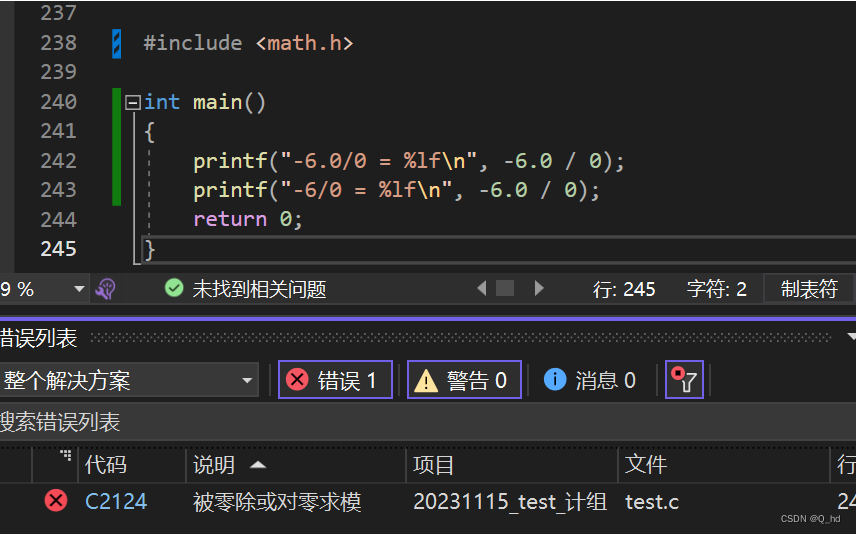
【C语言】深入理解C语言中的数学运算和类型转换
文章目录 引言取负运算的奥秘源码探索分析与解读 浮点数运算的精细差异源码分析精度损失与隐式类型转换 精度和除零运算探究float类型和double类型的精度各是多少(即十进制有效位的位数)?在你的机器上,“负数开方”是如何处理的&a…...
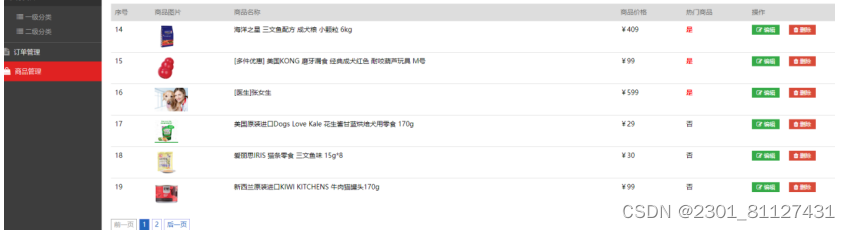
基于javaweb的宠物服务商城系统设计与开发
摘 要 最近几年以来,宠物在人们的日常生活中所占的地位越来越重要了,它们不仅仅是我们的朋友,也成为了我们家庭中的一份子。21世纪,信息技术飞速发展,计算机行业日新月异,极大地带动了信息的流动ÿ…...

LeetCode-470. 用 Rand7() 实现 Rand10()【数学 拒绝采样 概率与统计 随机化】
LeetCode-470. 用 Rand7 实现 Rand10【数学 拒绝采样 概率与统计 随机化】 题目描述:解题思路一:首先说一个结论就是(rand_X() - 1) Y rand_Y() > [1,X*Y],即可以等概率的生成[1, X * Y]范围的随机数,其实就像军训的时候报数…...

通达信指标公式19:龙虎榜股票池——主力控盘度的计算方法
0.小红牛本指标,选股的思路说明:控盘度,又称主力控盘,是指主力控制了某只股票的大部分流通股,从而控制了股票的价格。主力控盘的目的通常是为了获取更多的收益,通过控制股票价格来实现其策略。所以首要分析…...
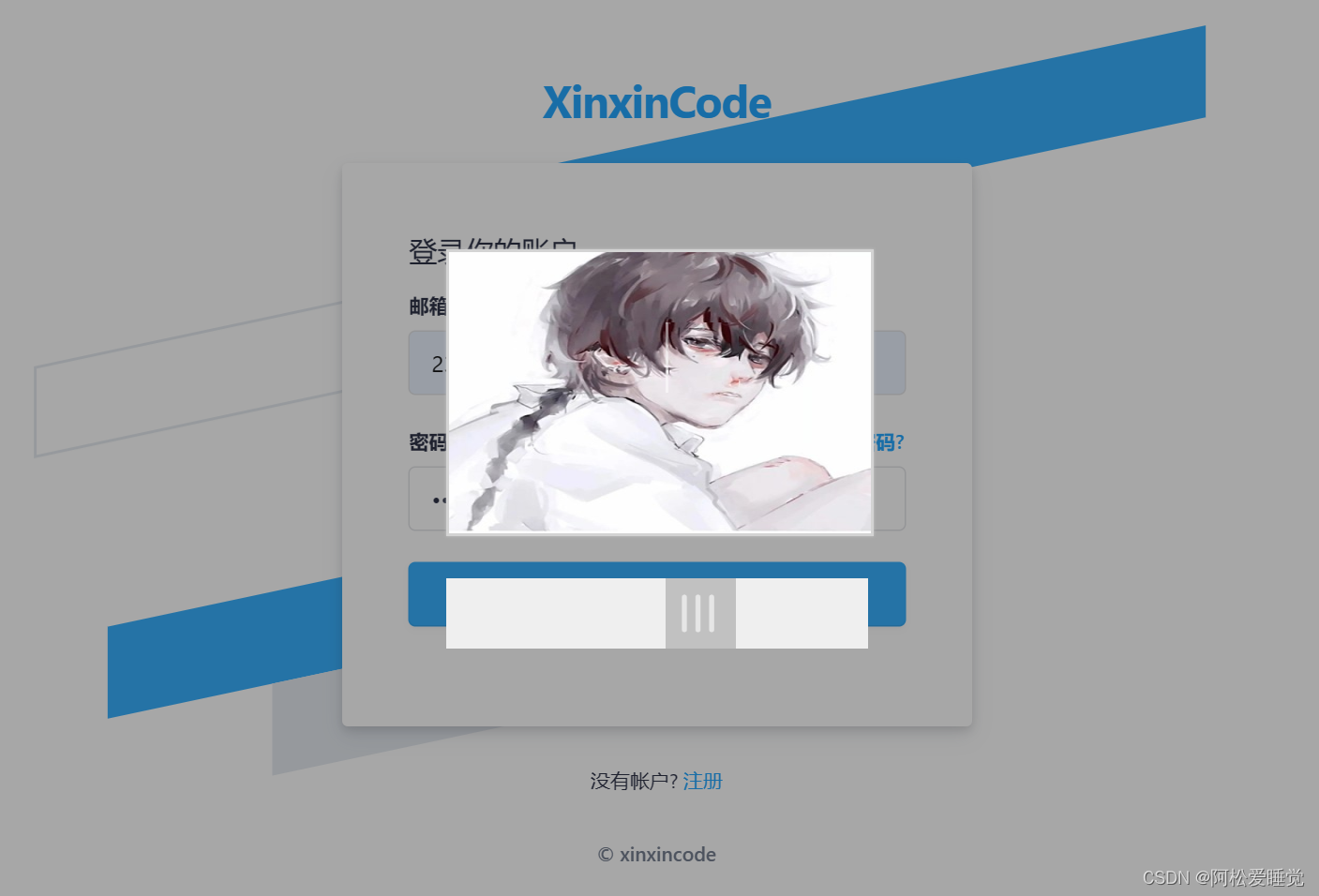
手搓图片滑动验证码_JavaScript进阶
手搓图片滑动验证码 背景代码效果图展示网站 背景 在做前端项目开发的时候,少不了登录注册部分,既然有登录注册就少不了机器人验证,验证的方法有很多种,比如短信验证码、邮箱验证码、图片滑动、图片验证码等。 由于鄙人在开发中…...

Linux服务器超级实用的脚本
1.使用INOTIFY+RSYNC自动实时同步数据 代码执行: bash inotify_rsyncs.sh :cat inotify_rsyncs.sh 脚本内容如下: #!bing/bash # Author: reyn #检测/data路径下的文件变化,排除Temp目录 INOTIFY_CMD="inotifywait -mrq -e modify,create,move,delete /data/ --exc…...

IntelliJ IDEA安装使用教程#intellij idea
做为基础开发软件,idea、pycharm、phpstorm是高级企业级开发中常用的图形化工具。 安装非常简单:去官网下载即可,有社区版本、有企业版本: IntelliJ IDEA – 领先的 Java 和 Kotlin IDE 因版权问题:这里不方面多讲。…...
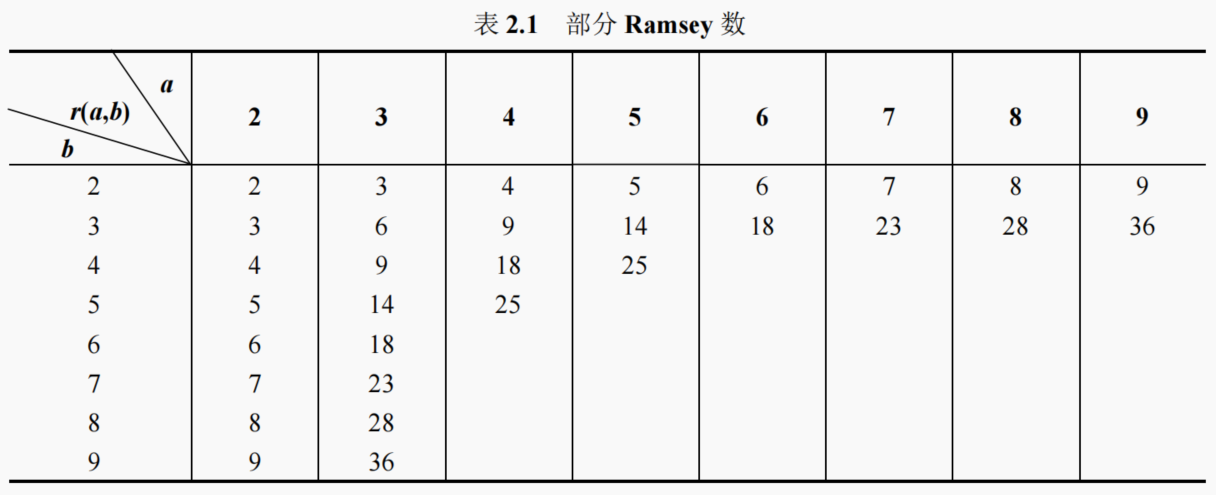
【组合数学】容斥鸽巢原理
目录 1. 容斥原理容斥原理三种形式 2. 容斥原理应用有限重复数的多重集合的 r 组合数错排问题 3. 鸽巢原理4. Ramsey 定理 1. 容斥原理 容斥原理提供了一种通过计算每个单独集合的大小,然后修正重复计数的方法,从而得到多个集合并集大小的计算方法。它通…...
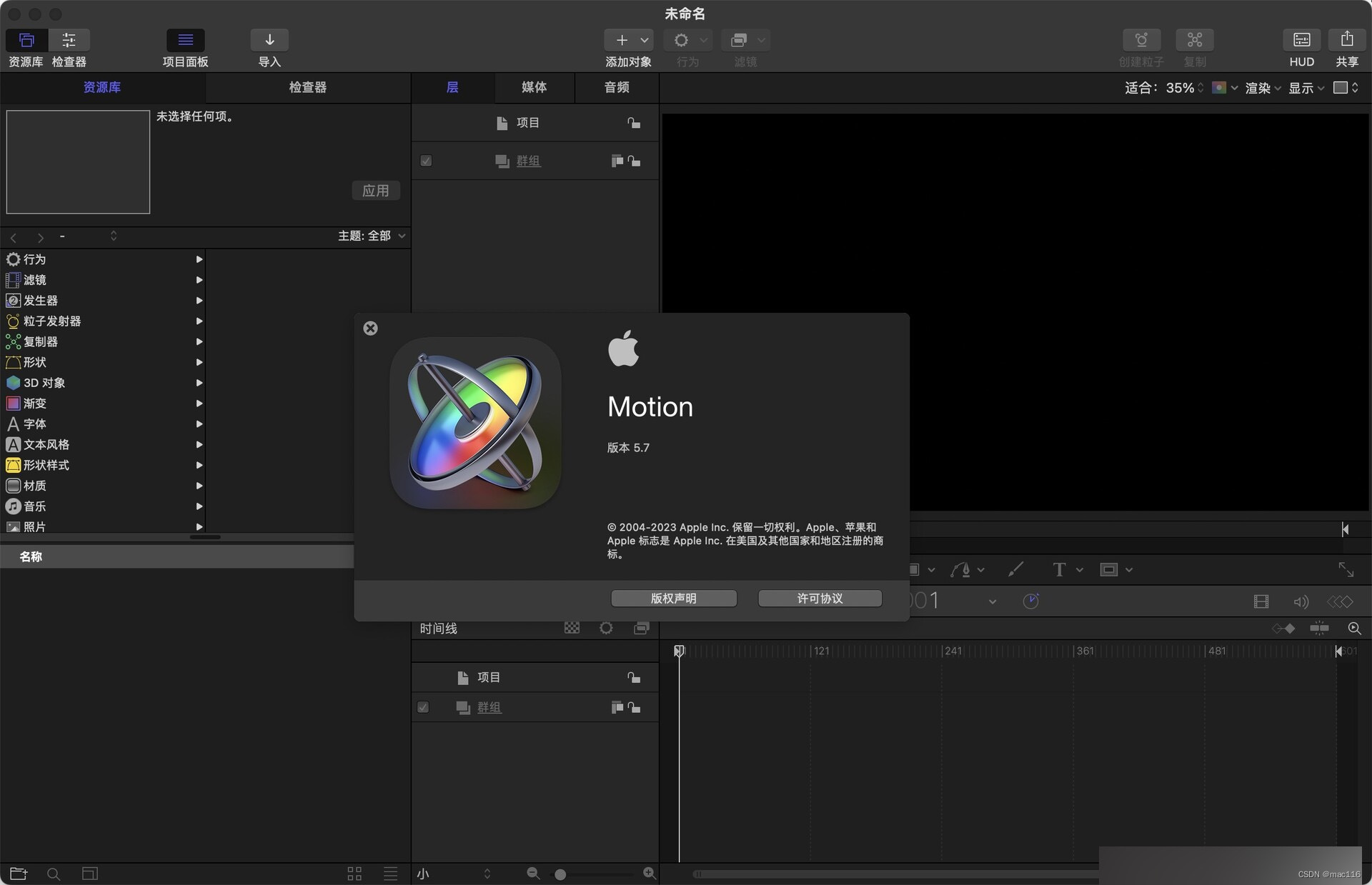
视频后期特效处理软件 Motion 5 mac中文版
Motion mac是一款运动图形和视频合成软件,适用于Mac OS平台。 Motion mac软件特点 - 精美的效果:Motion提供了多种高质量的运动图形和视频效果,例如3D效果、烟雾效果、粒子效果等,方便用户制作出丰富多彩的视频和动画。 - 高效的工…...
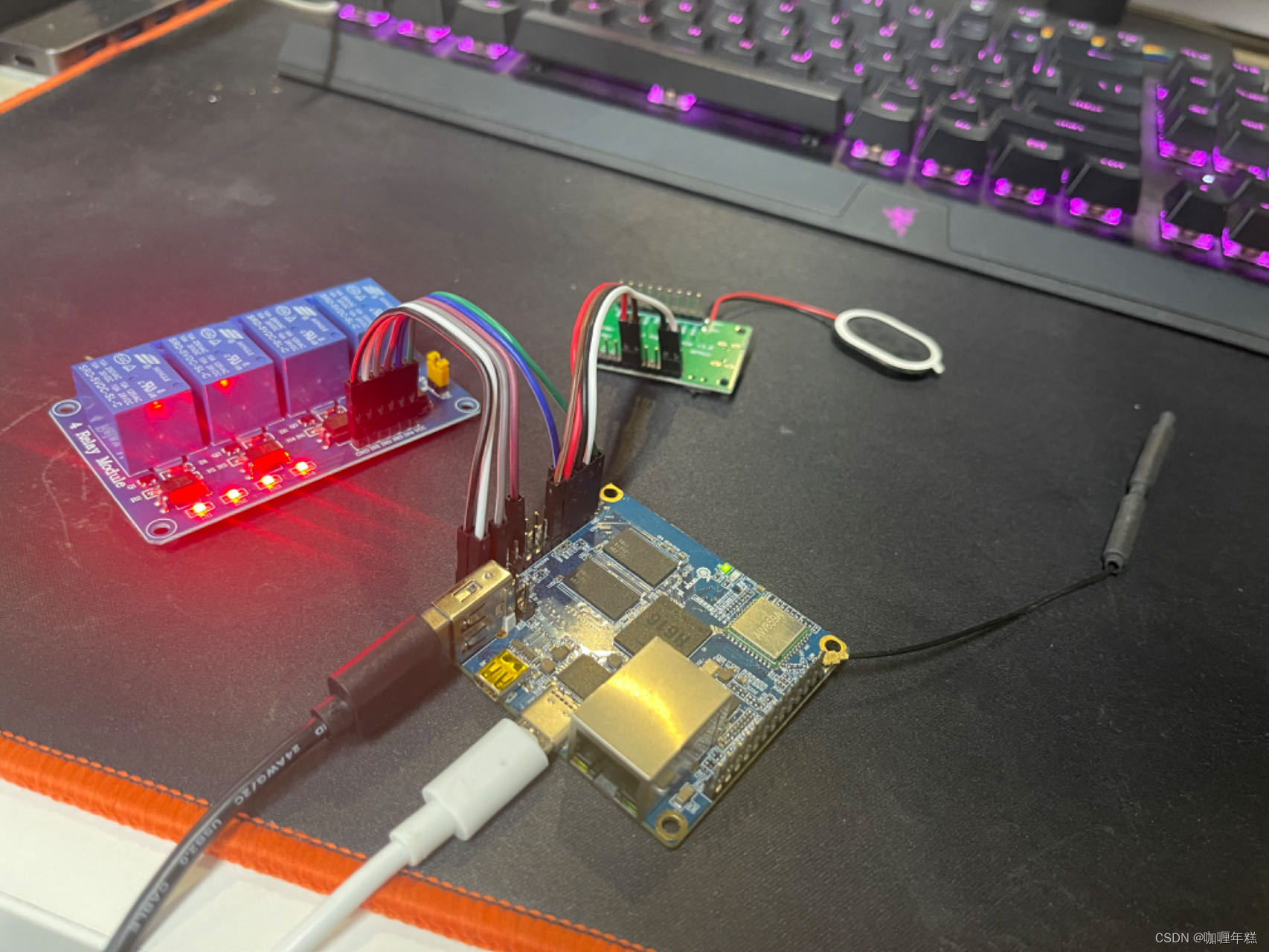
【智能家居】一、工厂模式实现继电器灯控制
用户手册对应的I/O 工厂模式实现继电器灯控制 代码段 controlDevice.h(设备设备)main.c(主函数)bathroomLight.c(浴室灯)bedroomLight.c(卧室灯)restaurantLight.c(餐厅…...
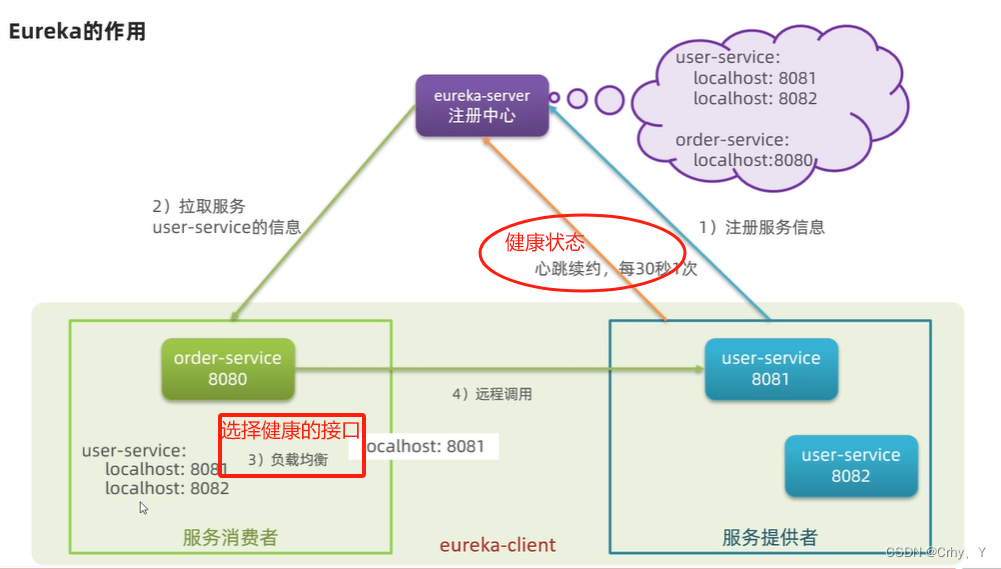
第三节:提供者、消费者、Eureka
一、 提供者 消费者(就是个说法、定义,以防别人叭叭时听不懂) 服务提供者:业务中被其他微服务调用的服务。(提供接口给其他服务调用)服务消费者:业务中调用其他微服务的服务。(调用…...
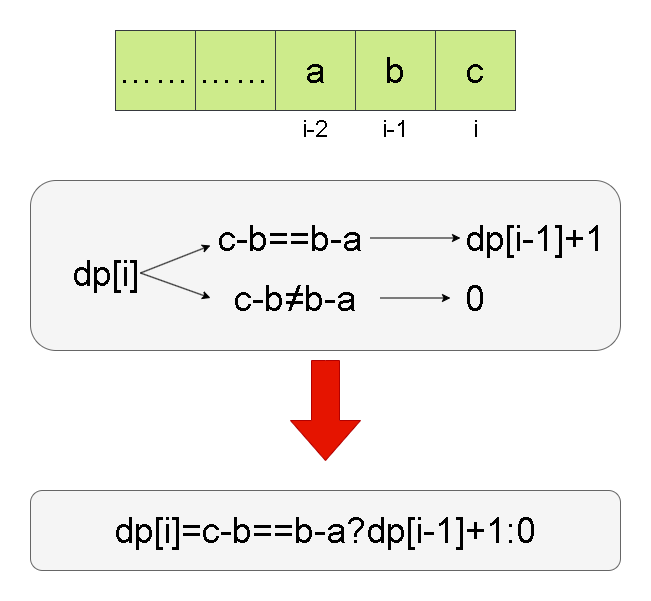
Leetcode刷题详解——等差数列划分
1. 题目链接:413. 等差数列划分 2. 题目描述: 如果一个数列 至少有三个元素 ,并且任意两个相邻元素之差相同,则称该数列为等差数列。 例如,[1,3,5,7,9]、[7,7,7,7] 和 [3,-1,-5,-9] 都是等差数列。 给你一个整数数组 …...

导出主机上所有docker 镜像并导入到其它主机
保存镜像列表到文件 docker images --format “{{.Repository}}:{{.Tag}}” > image_list.txt 导出列表中所有镜像到tar文件 cat image_list.txt | xargs -L 1 docker save -o all_images.tar 导入tar包中所有镜像 docker load -i all_images.tar...

HTML5+CSS3+JS小实例:焦点图波浪切换动画特效
实例:焦点图波浪切换动画特效 技术栈:HTML+CSS+JS 字体图标库:Font Awesome 效果: 源码: 【HTML】 <!DOCTYPE html> <html><head><meta http-equiv="content-type" content="text/html; charset=utf-8"><meta name=&…...
Mac电脑如何安装git
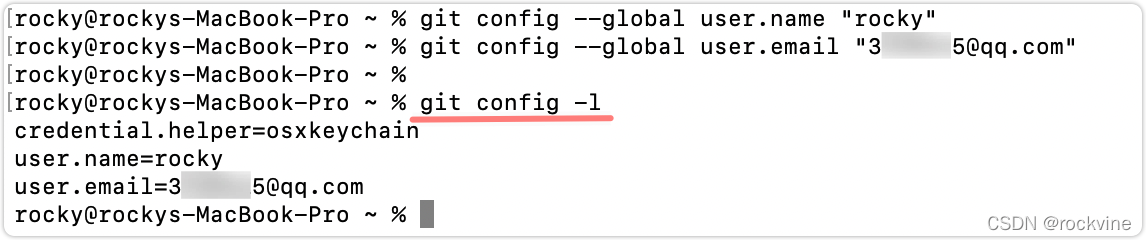
一、简介 在Mac上安装Git之前,可以先使用git --version来查看一下是否安装了Git,因为Mac系统可能自带了Git,或者在你安装XCode(或者XCode的命令行工具)时,可能已经安装了 Git。 如果Mac还没有安装Git的话&…...
macOS本地调试k8s源码
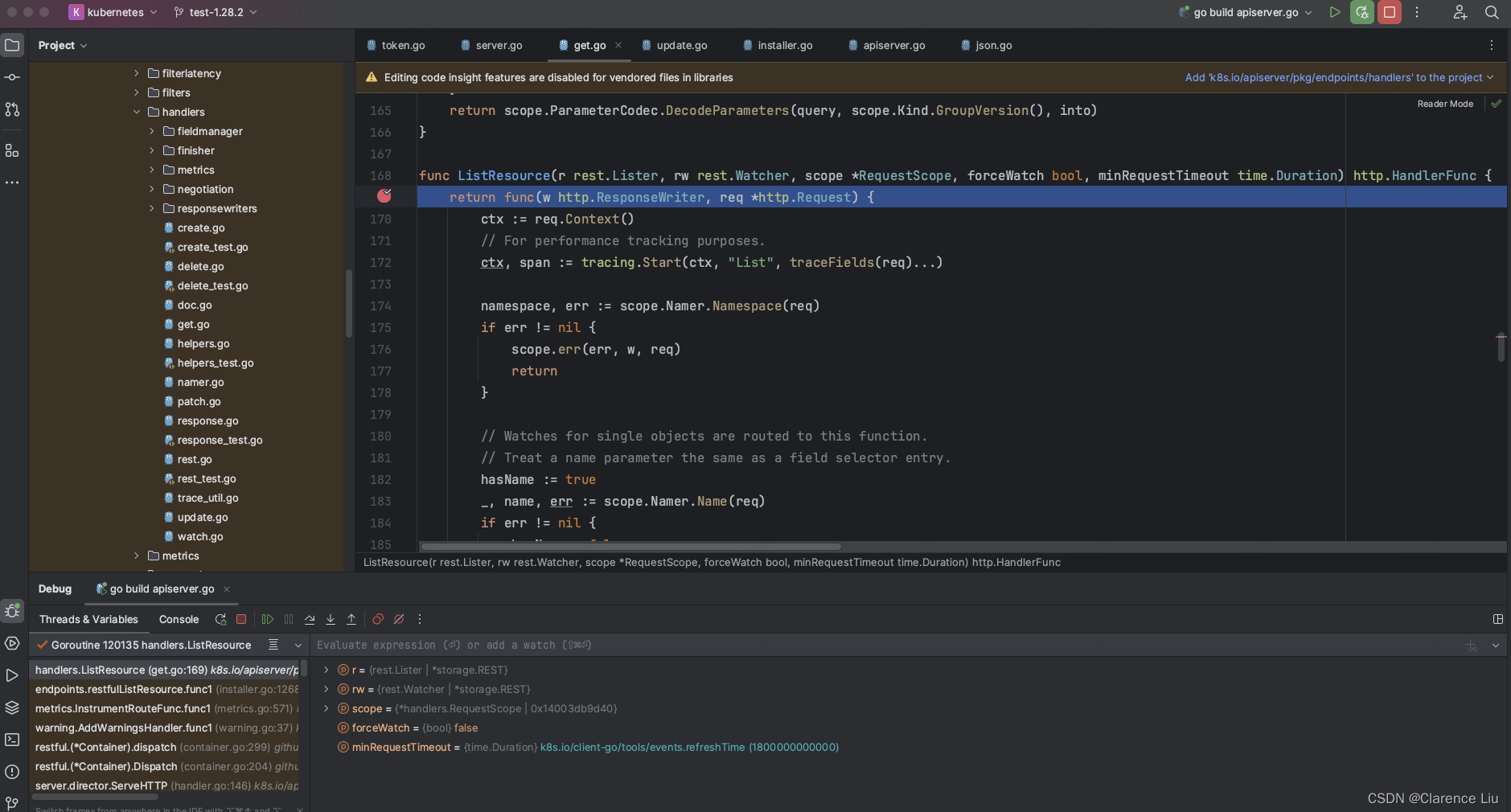
目录 准备工作创建集群注意点1. kubeconfig未正常加载2. container runtime is not running3. The connection to the server 172.16.190.132:6443 was refused - did you specify the right host or port?4. 集群重置5.加入子节点 代码调试 准备工作 apple m1芯片 安装vmwa…...
JS 实现一键复制文本内容
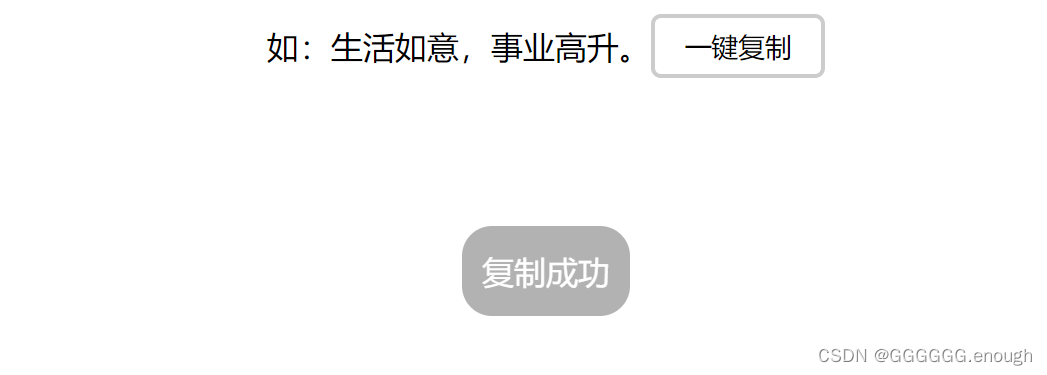
1、演示: 2、代码 <!DOCTYPE html> <html lang"en"><head><meta charset"UTF-8"><meta name"viewport" content"widthdevice-width, initial-scale1.0"><title>一键复制</title&g…...

【Linux】echo命令使用
echo命令 功能是在显示器上显示一段文字,一般起到一个提示的作用。此外,也可以直接在文件中写入要写的内容。也可以用于脚本编程时显示某一个变量的值,或者直接输出指定的字符串。 著者 由布莱恩福克斯和切特拉米撰写。 语法 echo […...

Day03 嵌入式---中断
目录 一、简单介绍 二、总体框架 三、NVIC 3.2 NVIC的寄存器 3.3 中断向量表 3.4 中断优先级 3.5 NVIC优先级分组 3.6 NVIC配置 3.6.1、设置中断分组 3.6.2、初始化 四、EXTI 外部中断 4.1.EXTI的基本概念 4.2.EXTI的⼯作原理 4.3 EXTI配置 五、SYSCFG 5.1 SYS…...
使用docker在3台服务器上搭建基于redis 6.x的一主两从三台均是哨兵模式
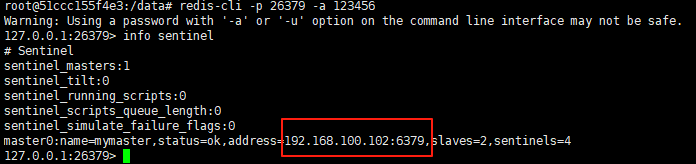
一、环境及版本说明 如果服务器已经安装了docker,则忽略此步骤,如果没有安装,则可以按照一下方式安装: 1. 在线安装(有互联网环境): 请看我这篇文章 传送阵>> 点我查看 2. 离线安装(内网环境):请看我这篇文章 传送阵>> 点我查看 说明:假设每台服务器已…...

Leetcode 3576. Transform Array to All Equal Elements
Leetcode 3576. Transform Array to All Equal Elements 1. 解题思路2. 代码实现 题目链接:3576. Transform Array to All Equal Elements 1. 解题思路 这一题思路上就是分别考察一下是否能将其转化为全1或者全-1数组即可。 至于每一种情况是否可以达到…...

在鸿蒙HarmonyOS 5中实现抖音风格的点赞功能
下面我将详细介绍如何使用HarmonyOS SDK在HarmonyOS 5中实现类似抖音的点赞功能,包括动画效果、数据同步和交互优化。 1. 基础点赞功能实现 1.1 创建数据模型 // VideoModel.ets export class VideoModel {id: string "";title: string ""…...

智能在线客服平台:数字化时代企业连接用户的 AI 中枢
随着互联网技术的飞速发展,消费者期望能够随时随地与企业进行交流。在线客服平台作为连接企业与客户的重要桥梁,不仅优化了客户体验,还提升了企业的服务效率和市场竞争力。本文将探讨在线客服平台的重要性、技术进展、实际应用,并…...
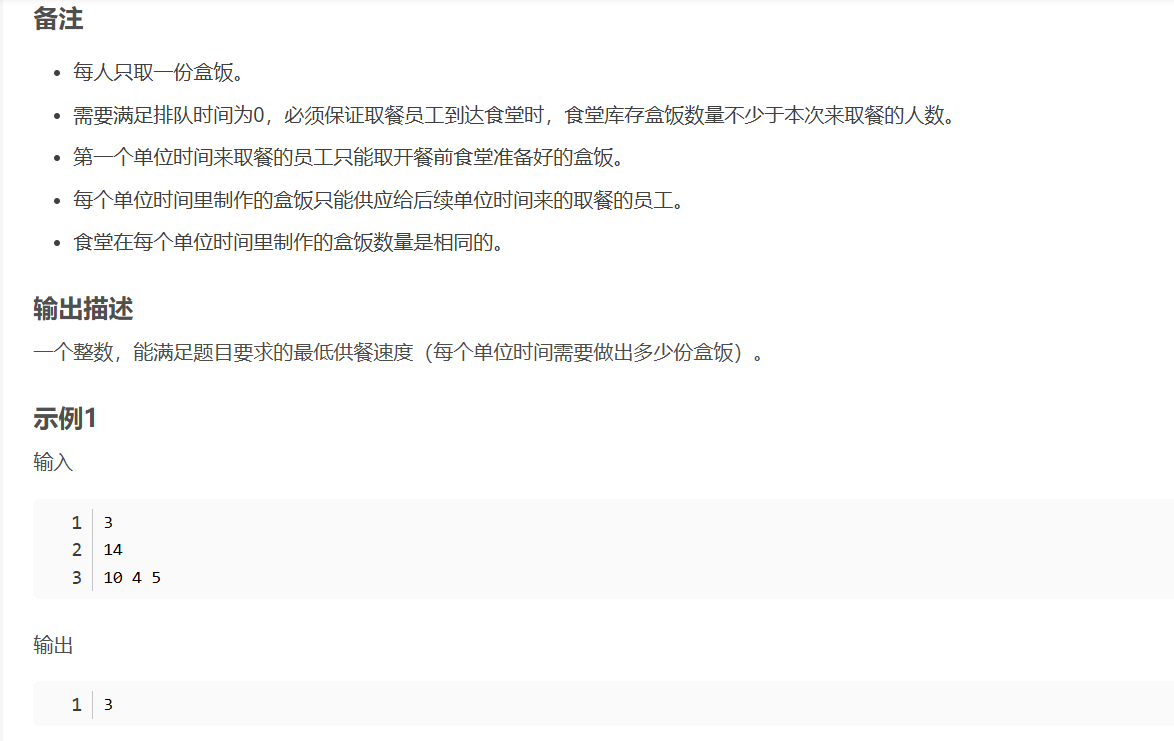
华为OD机试-食堂供餐-二分法
import java.util.Arrays; import java.util.Scanner;public class DemoTest3 {public static void main(String[] args) {Scanner in new Scanner(System.in);// 注意 hasNext 和 hasNextLine 的区别while (in.hasNextLine()) { // 注意 while 处理多个 caseint a in.nextIn…...
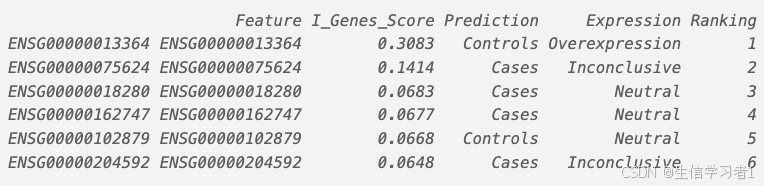
【数据分析】R版IntelliGenes用于生物标志物发现的可解释机器学习
禁止商业或二改转载,仅供自学使用,侵权必究,如需截取部分内容请后台联系作者! 文章目录 介绍流程步骤1. 输入数据2. 特征选择3. 模型训练4. I-Genes 评分计算5. 输出结果 IntelliGenesR 安装包1. 特征选择2. 模型训练和评估3. I-Genes 评分计…...
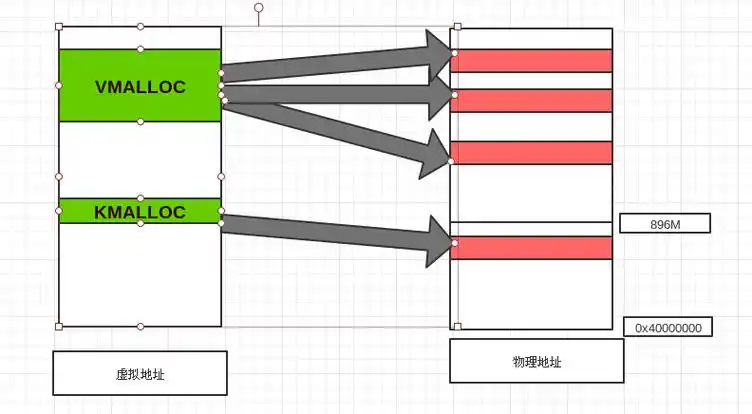
Linux 内存管理实战精讲:核心原理与面试常考点全解析
Linux 内存管理实战精讲:核心原理与面试常考点全解析 Linux 内核内存管理是系统设计中最复杂但也最核心的模块之一。它不仅支撑着虚拟内存机制、物理内存分配、进程隔离与资源复用,还直接决定系统运行的性能与稳定性。无论你是嵌入式开发者、内核调试工…...

探索Selenium:自动化测试的神奇钥匙
目录 一、Selenium 是什么1.1 定义与概念1.2 发展历程1.3 功能概述 二、Selenium 工作原理剖析2.1 架构组成2.2 工作流程2.3 通信机制 三、Selenium 的优势3.1 跨浏览器与平台支持3.2 丰富的语言支持3.3 强大的社区支持 四、Selenium 的应用场景4.1 Web 应用自动化测试4.2 数据…...

pycharm 设置环境出错
pycharm 设置环境出错 pycharm 新建项目,设置虚拟环境,出错 pycharm 出错 Cannot open Local Failed to start [powershell.exe, -NoExit, -ExecutionPolicy, Bypass, -File, C:\Program Files\JetBrains\PyCharm 2024.1.3\plugins\terminal\shell-int…...
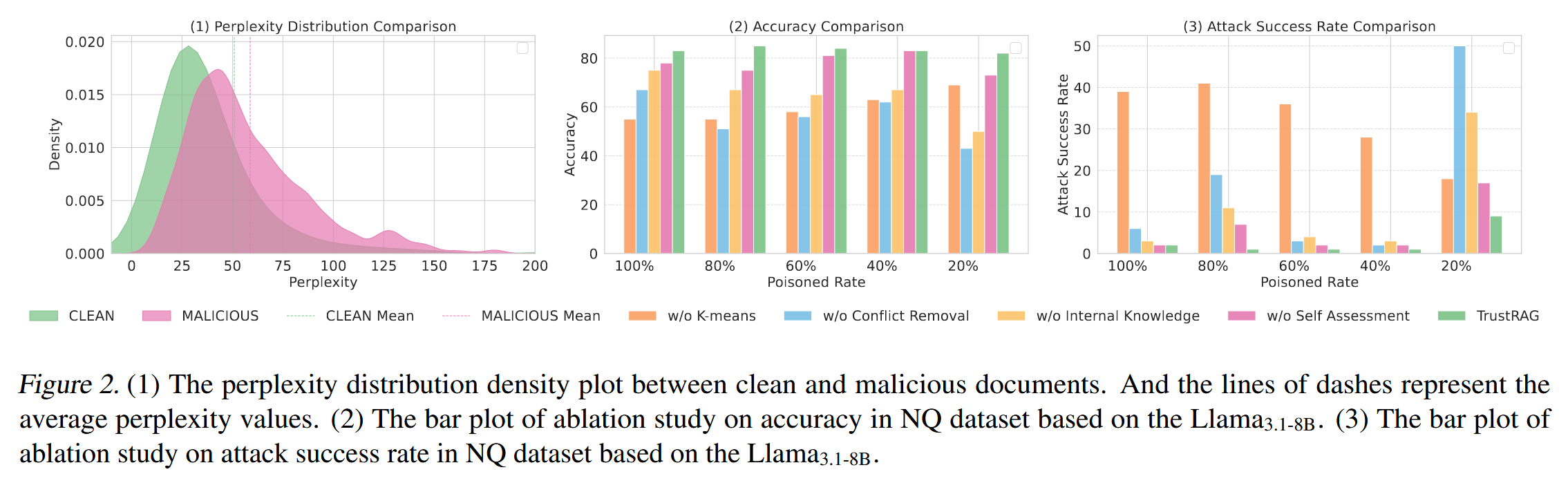
[论文阅读]TrustRAG: Enhancing Robustness and Trustworthiness in RAG
TrustRAG: Enhancing Robustness and Trustworthiness in RAG [2501.00879] TrustRAG: Enhancing Robustness and Trustworthiness in Retrieval-Augmented Generation 代码:HuichiZhou/TrustRAG: Code for "TrustRAG: Enhancing Robustness and Trustworthin…...